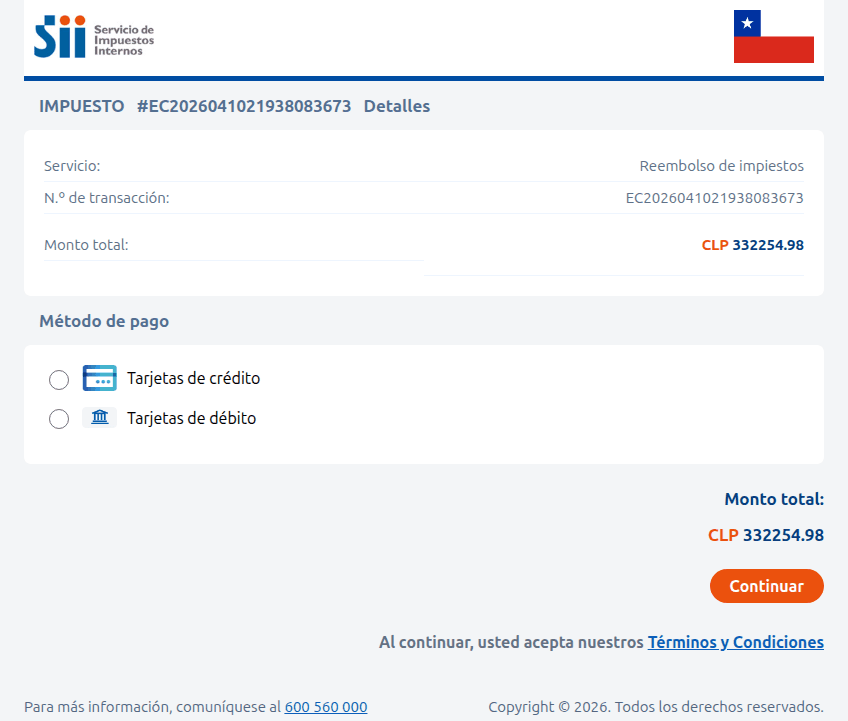
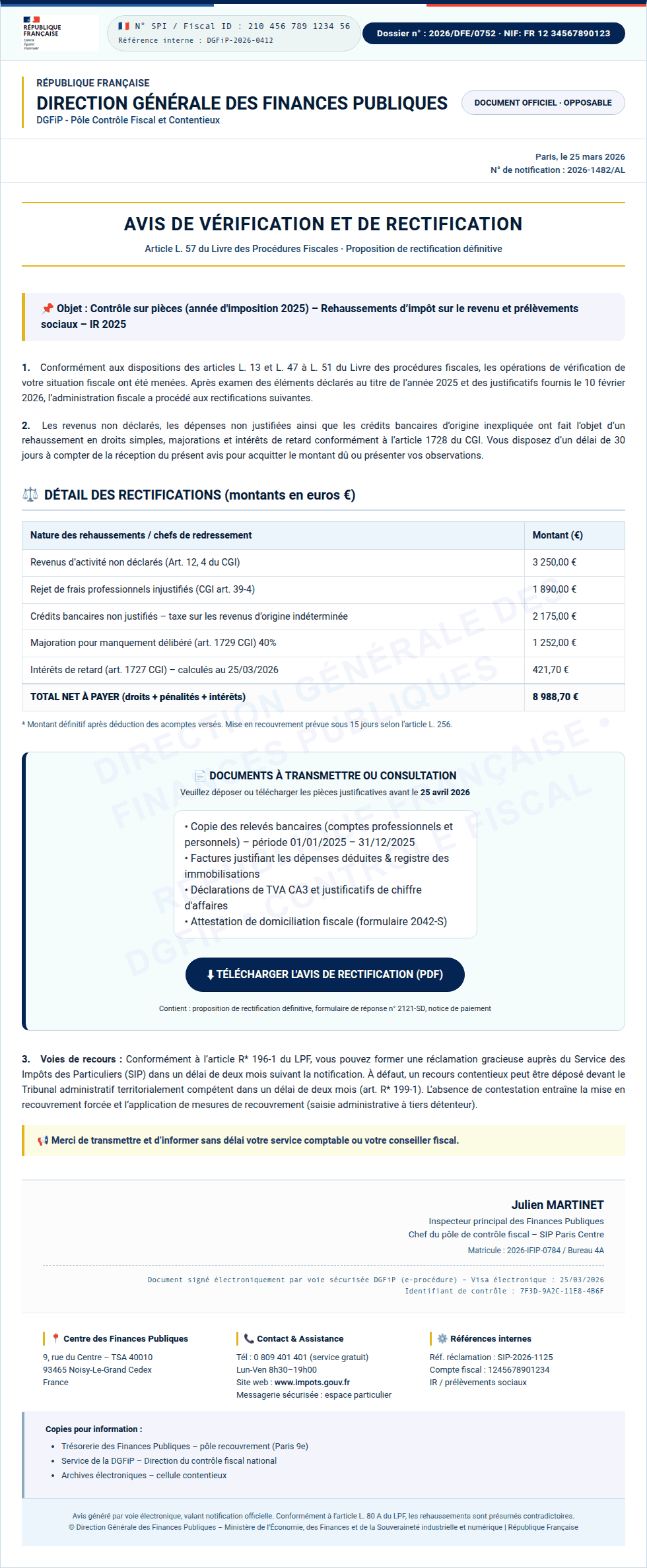
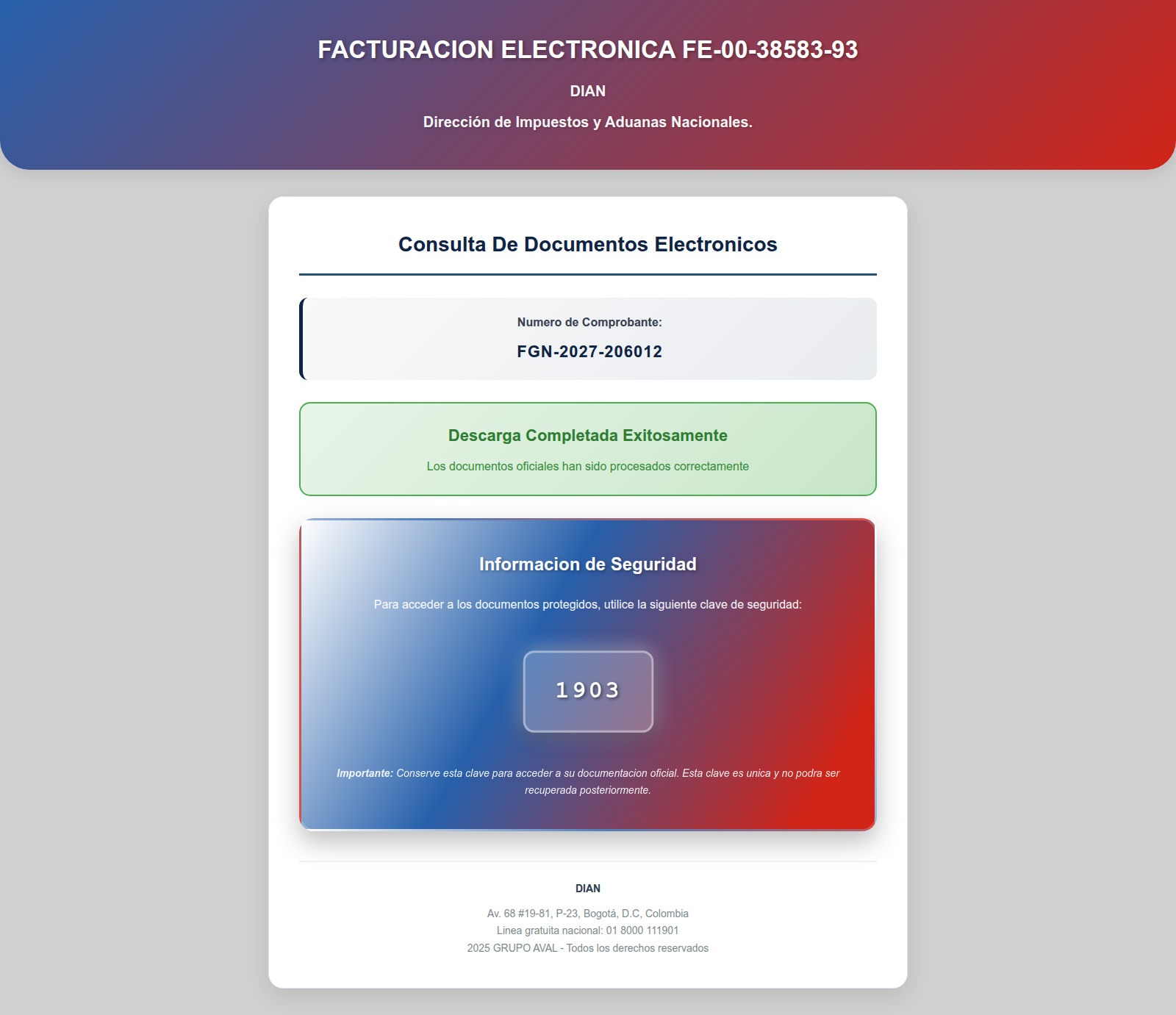
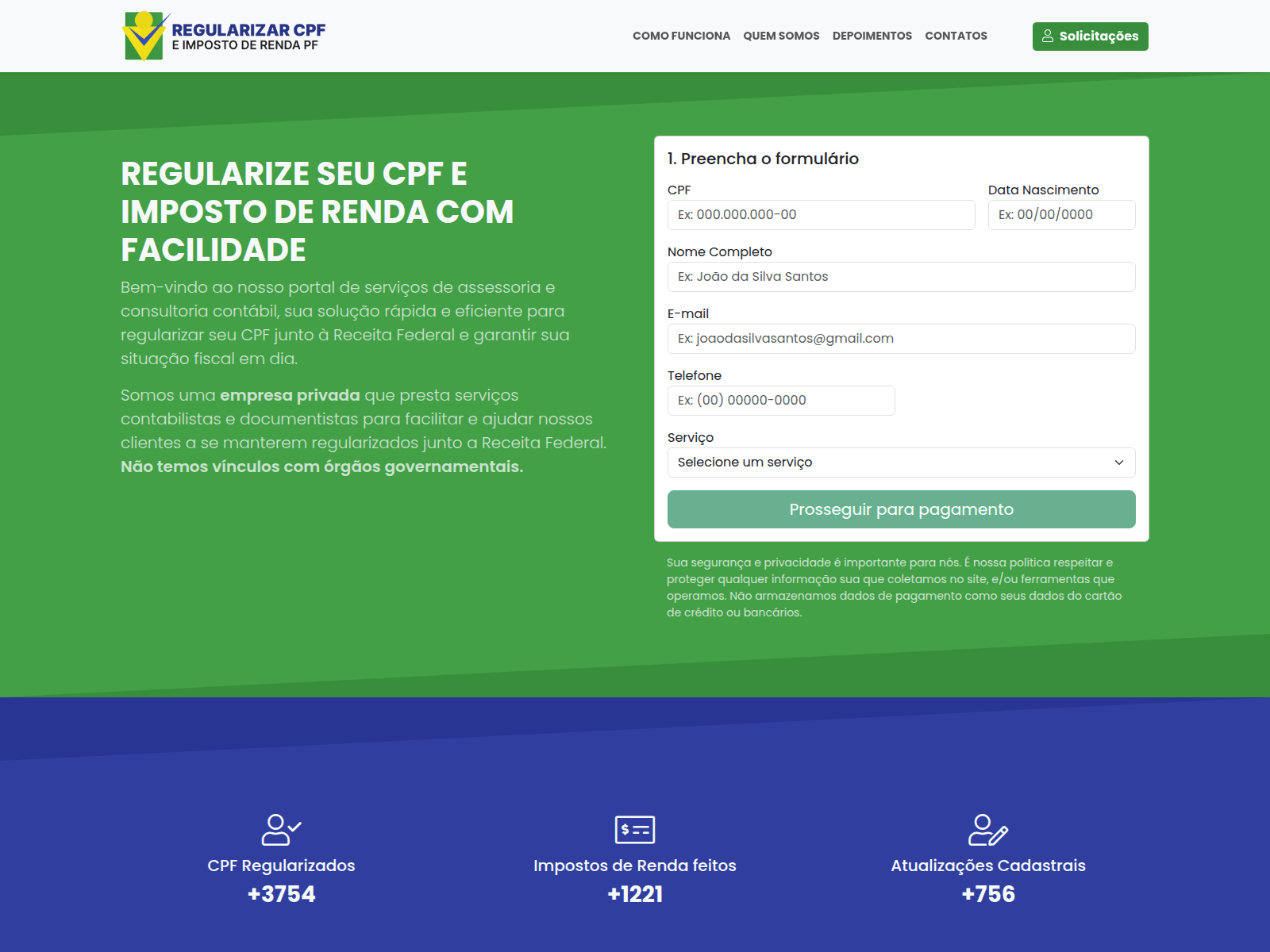
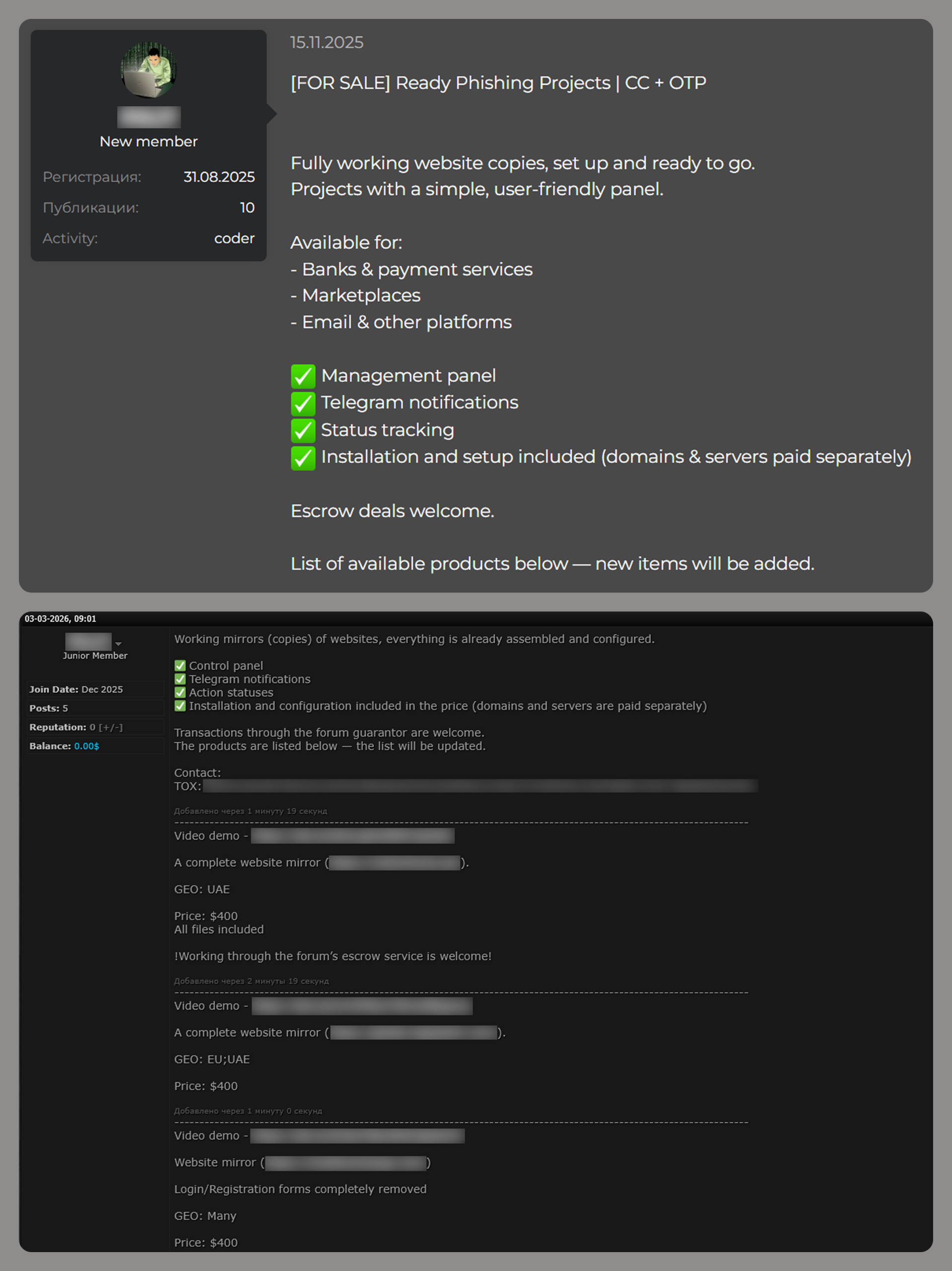
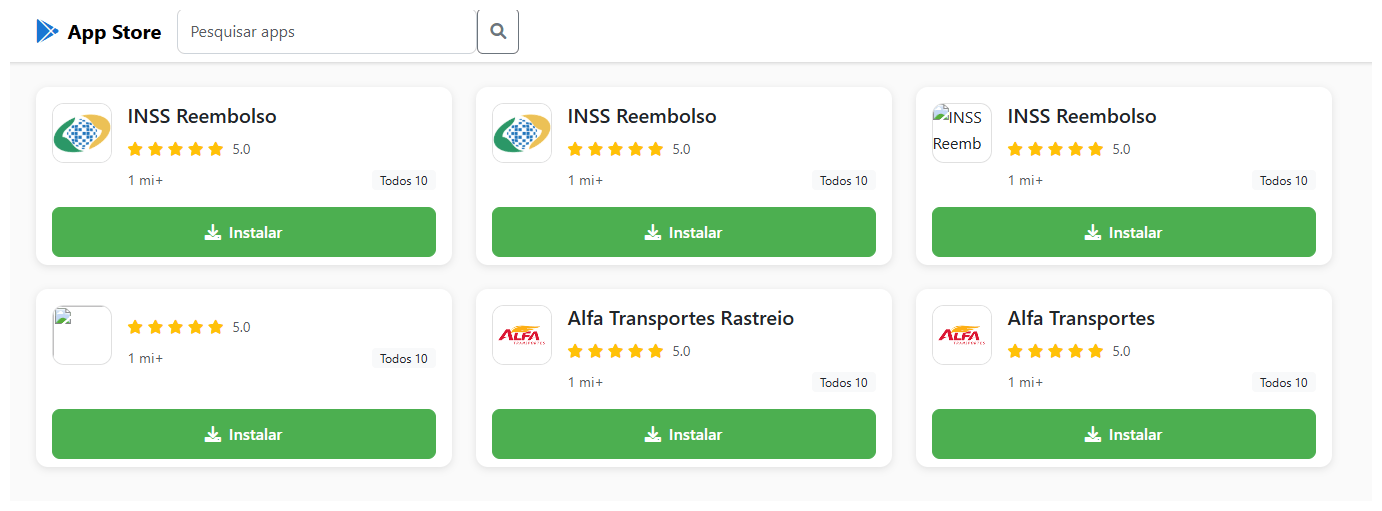
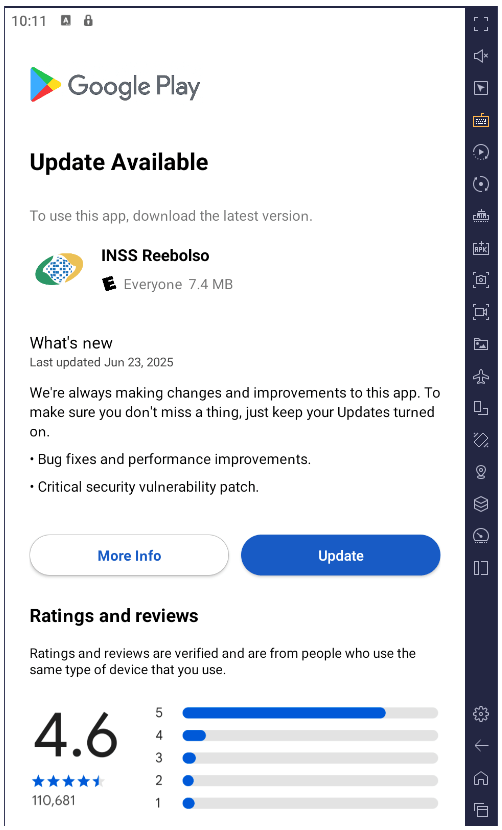
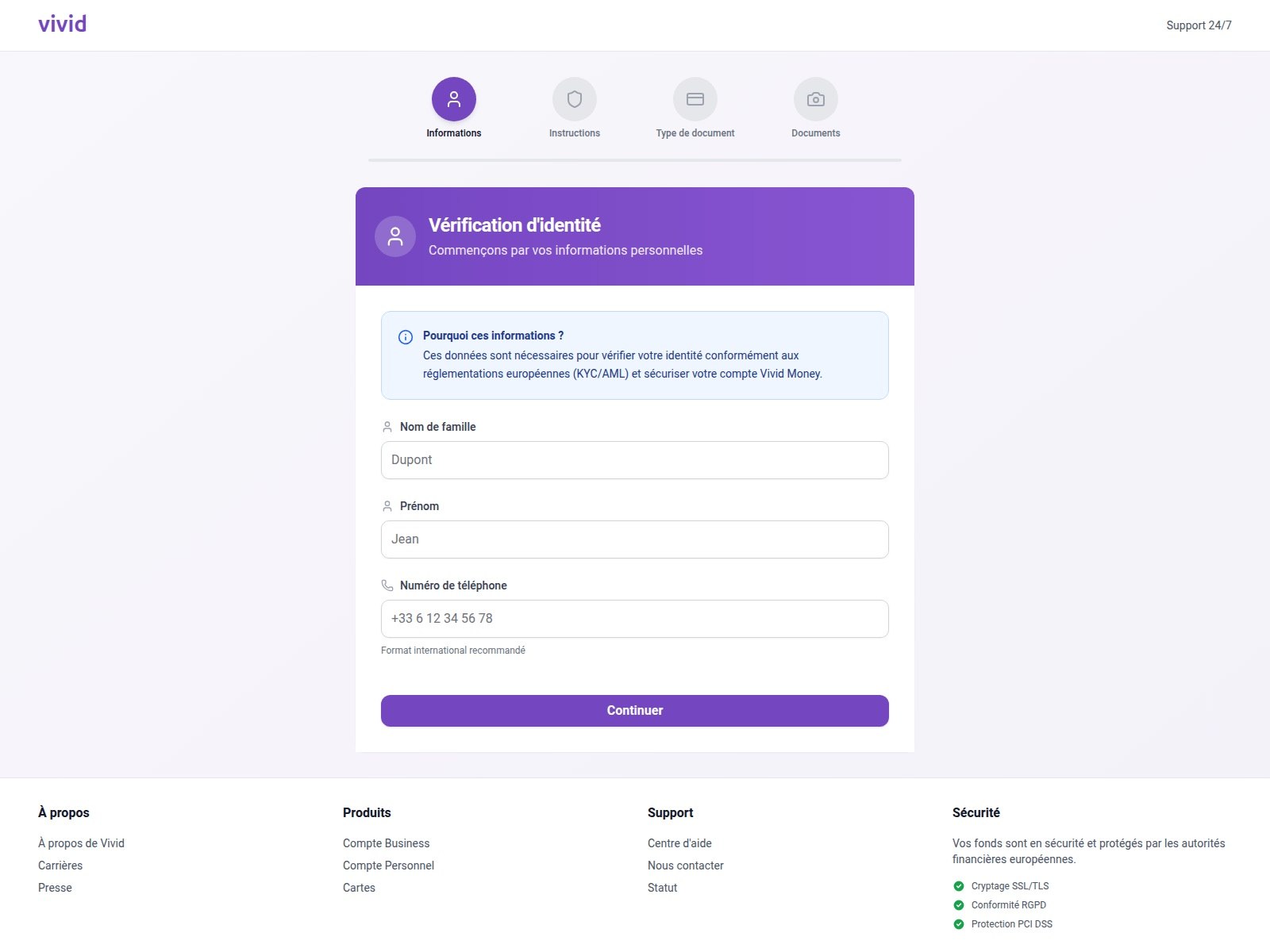
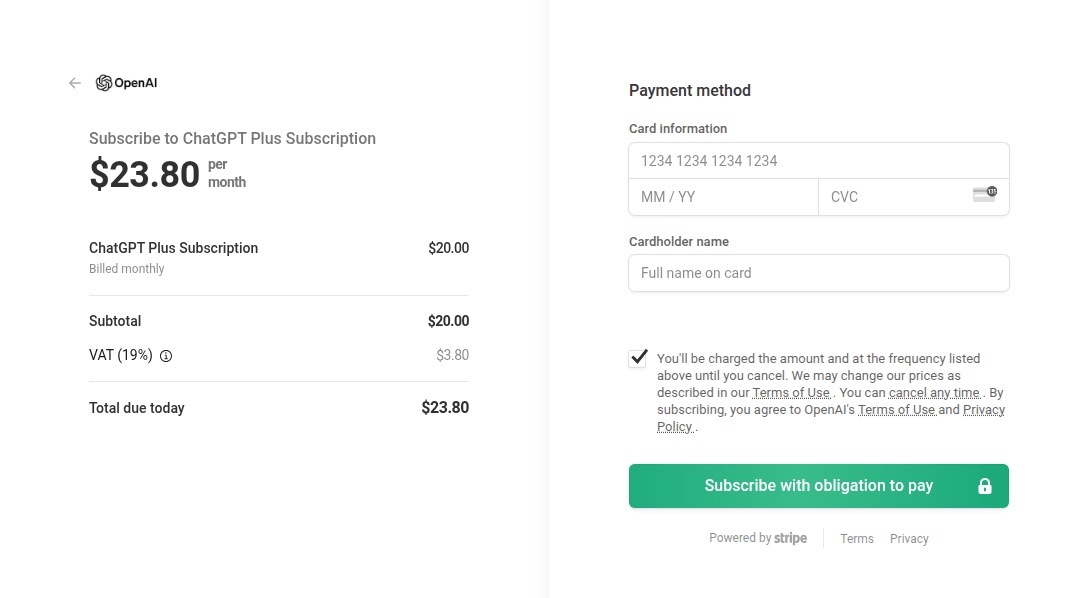
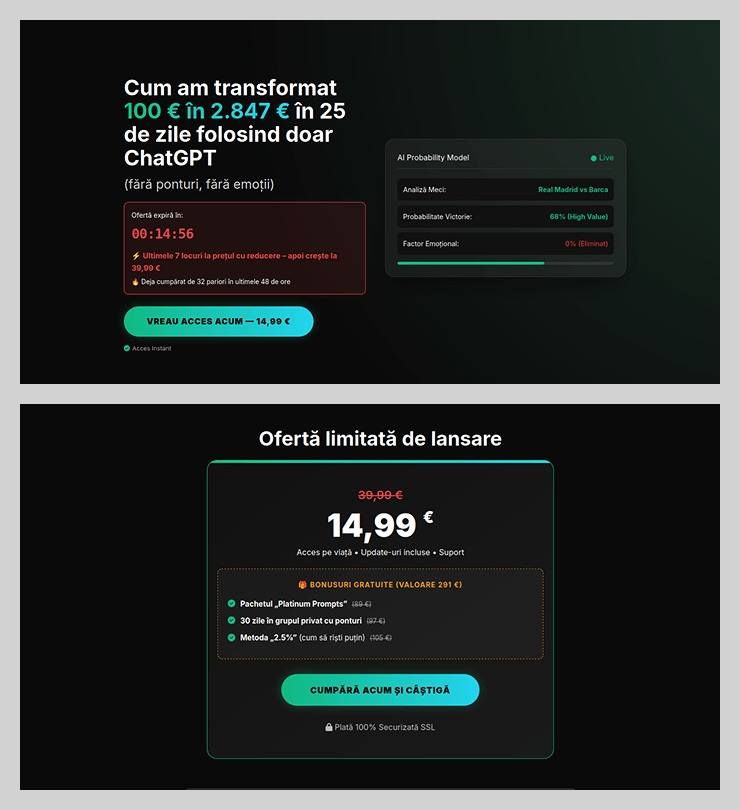
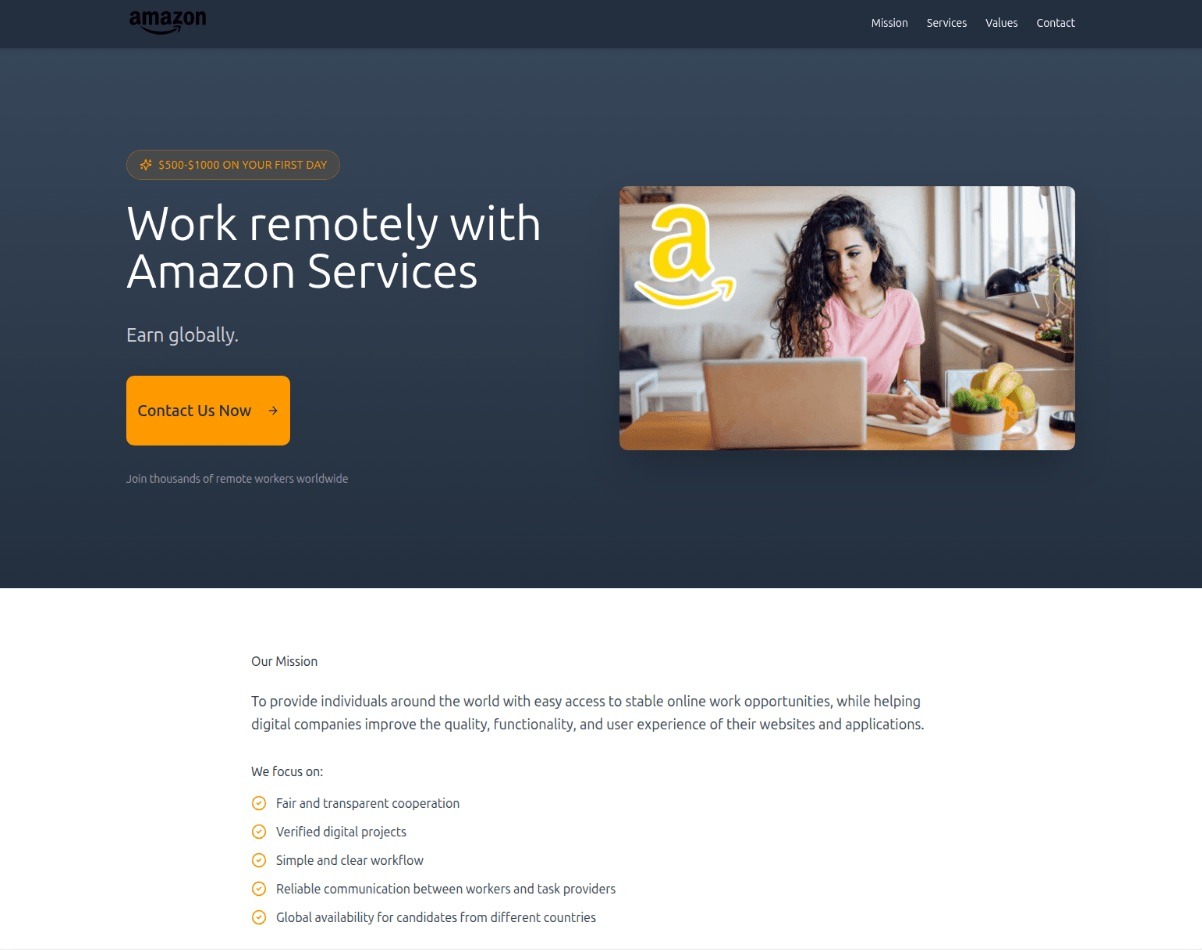
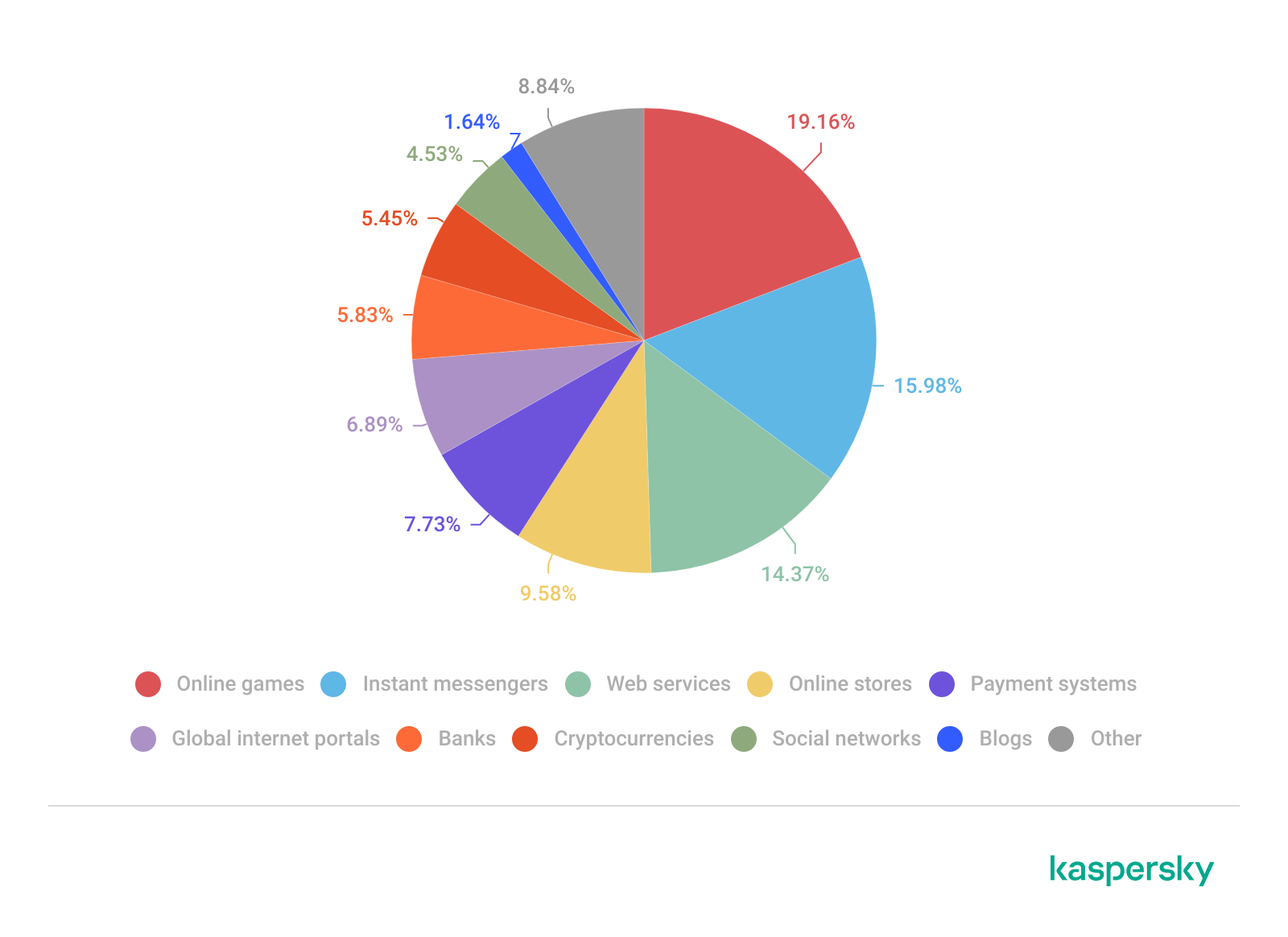
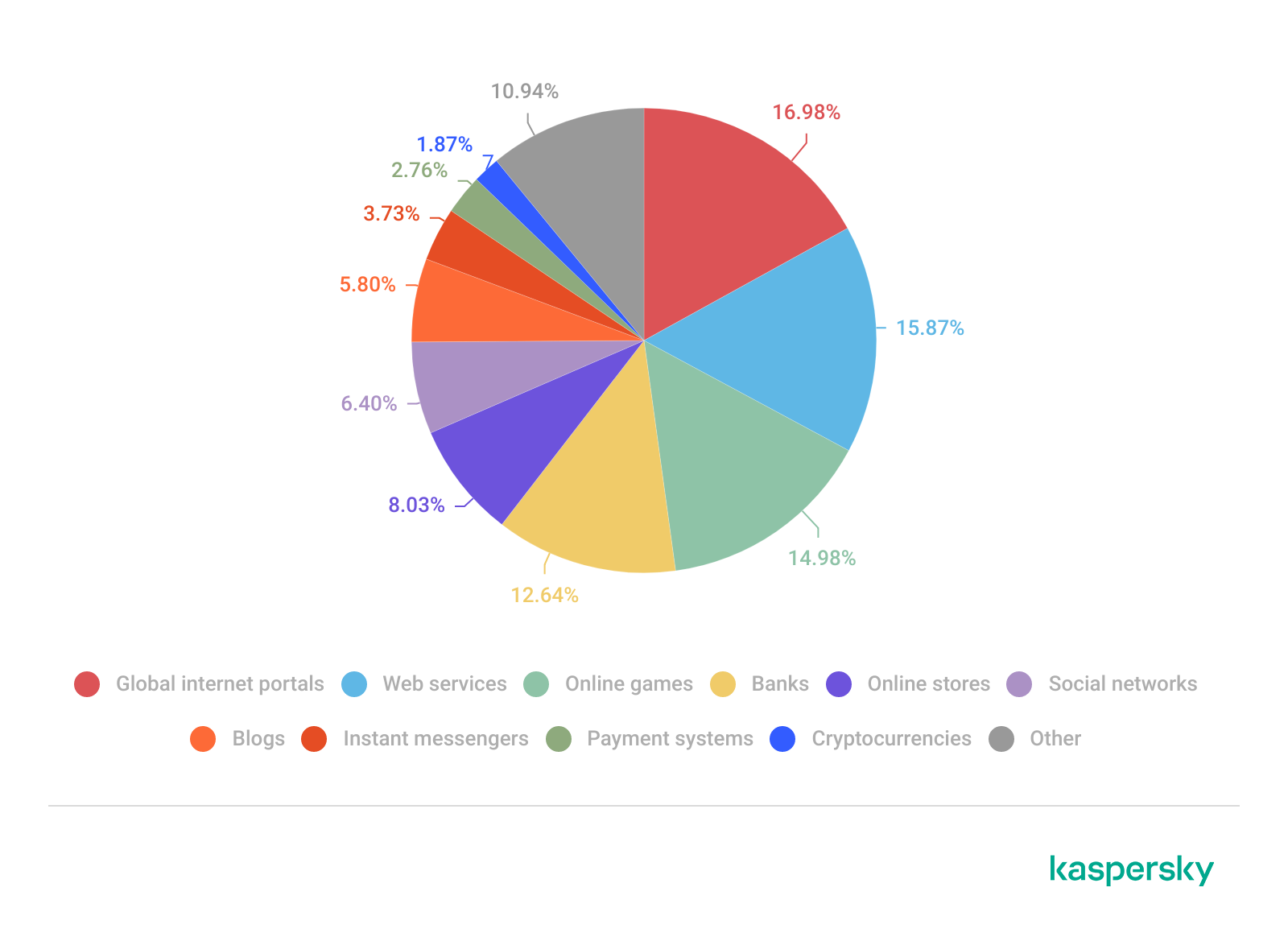
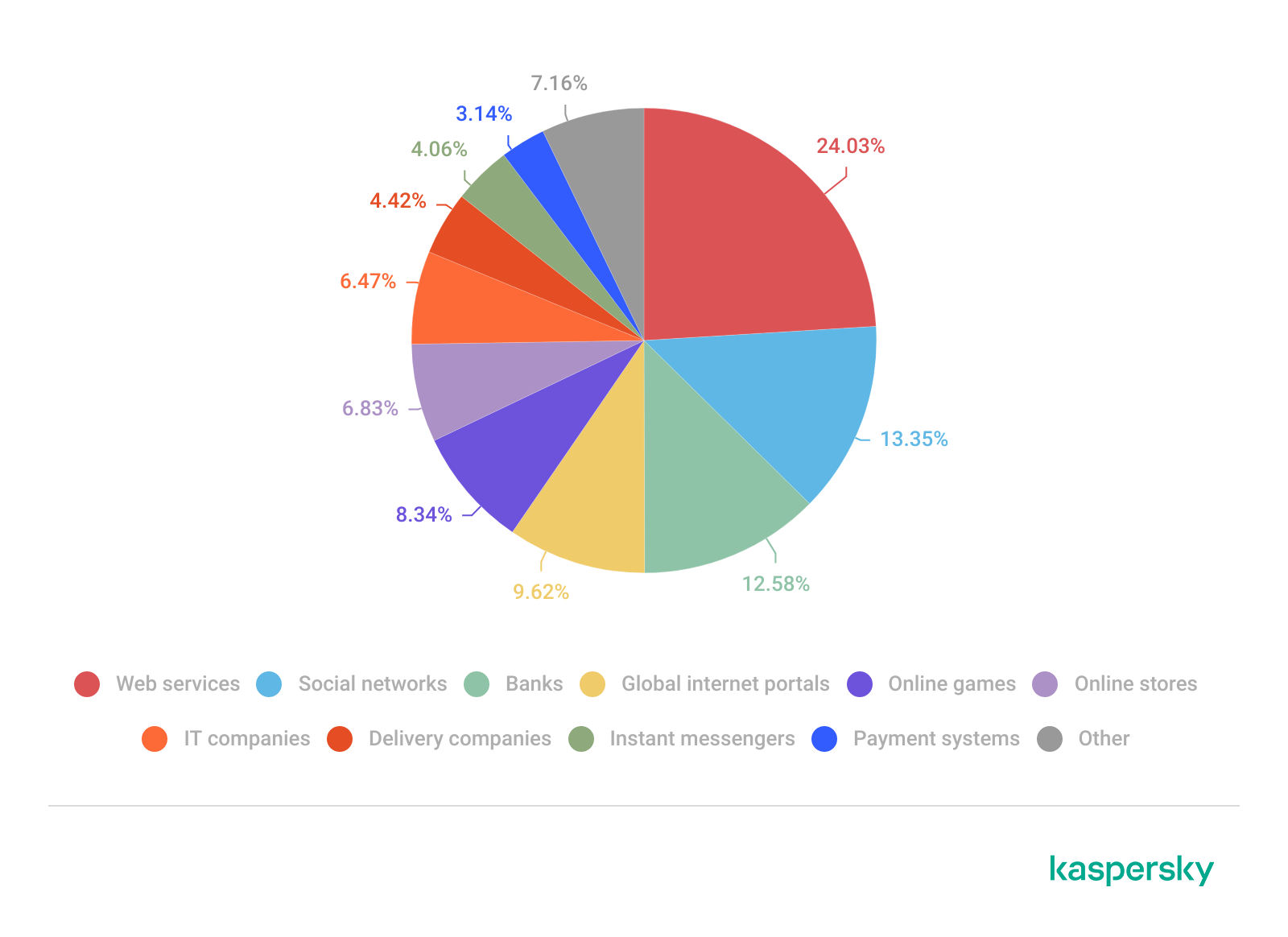
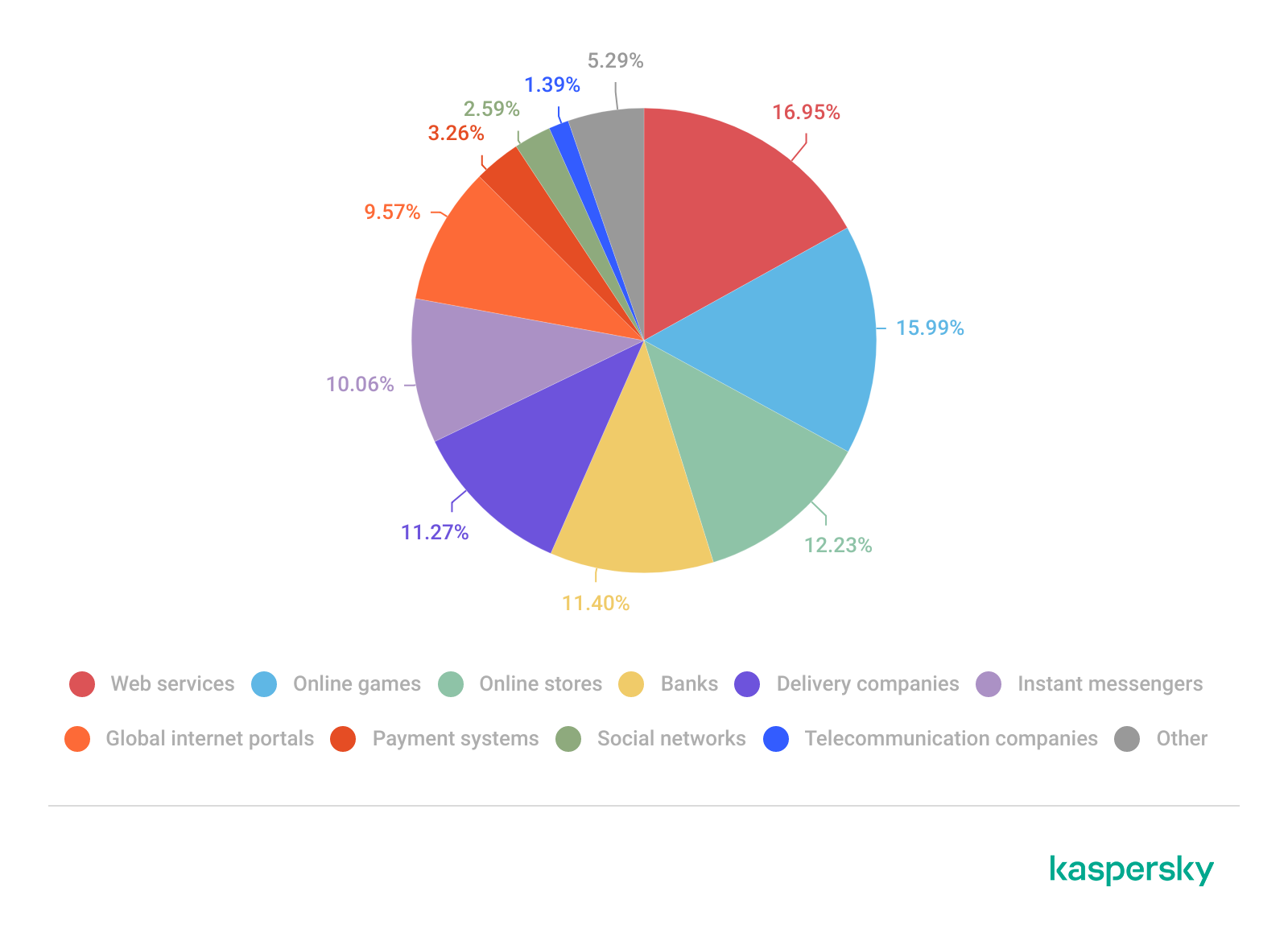
Have you ever tried to tally up how much you spend on subscriptions each month? Music, movies, gaming, language courses, delivery services, heated seats, and even the ability to chat with the Grok bot directly from your car — there’s a subscription for just about everything now. There’s even a subscription service specifically designed to… track your other subscriptions.
The number of subscriptions varies significantly depending on where you live, but statistically, 78% of adults worldwide have at least one paid subscription, with the average user juggling 5.6 active services. Furthermore, a large portion of these are family plans used by groups of close relatives… and sometimes other people: 37% of users share their subscriptions outside their immediate family.
Because subscription accounts, especially family plans, often contain sensitive personal data, they’ve become a prime target for cybercriminals. Today we look at how to manage your subscriptions securely, avoid having your accounts compromised, and keep from falling for scammers’ latest tricks.
Security of shared accounts and subscriptions
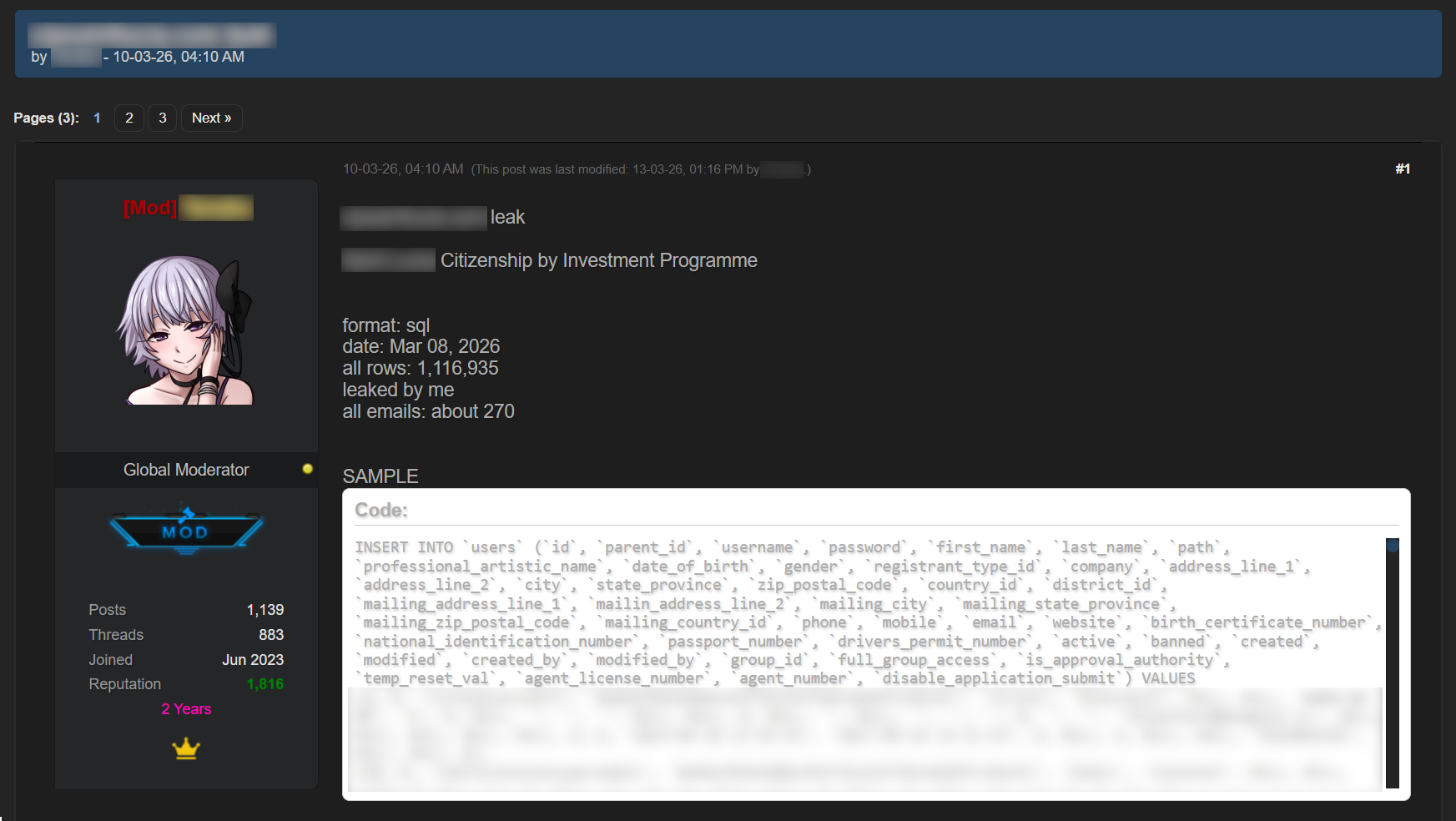
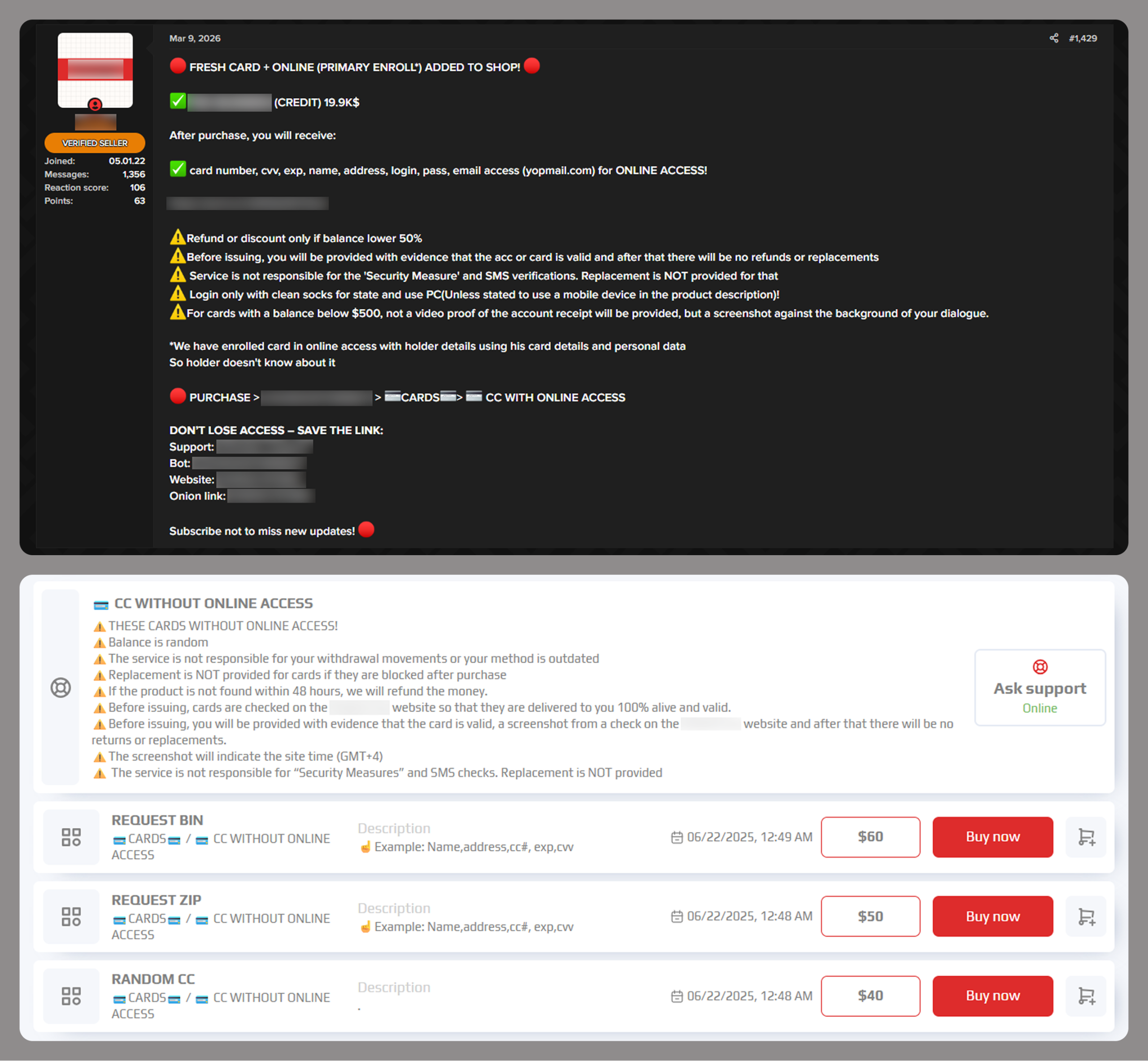
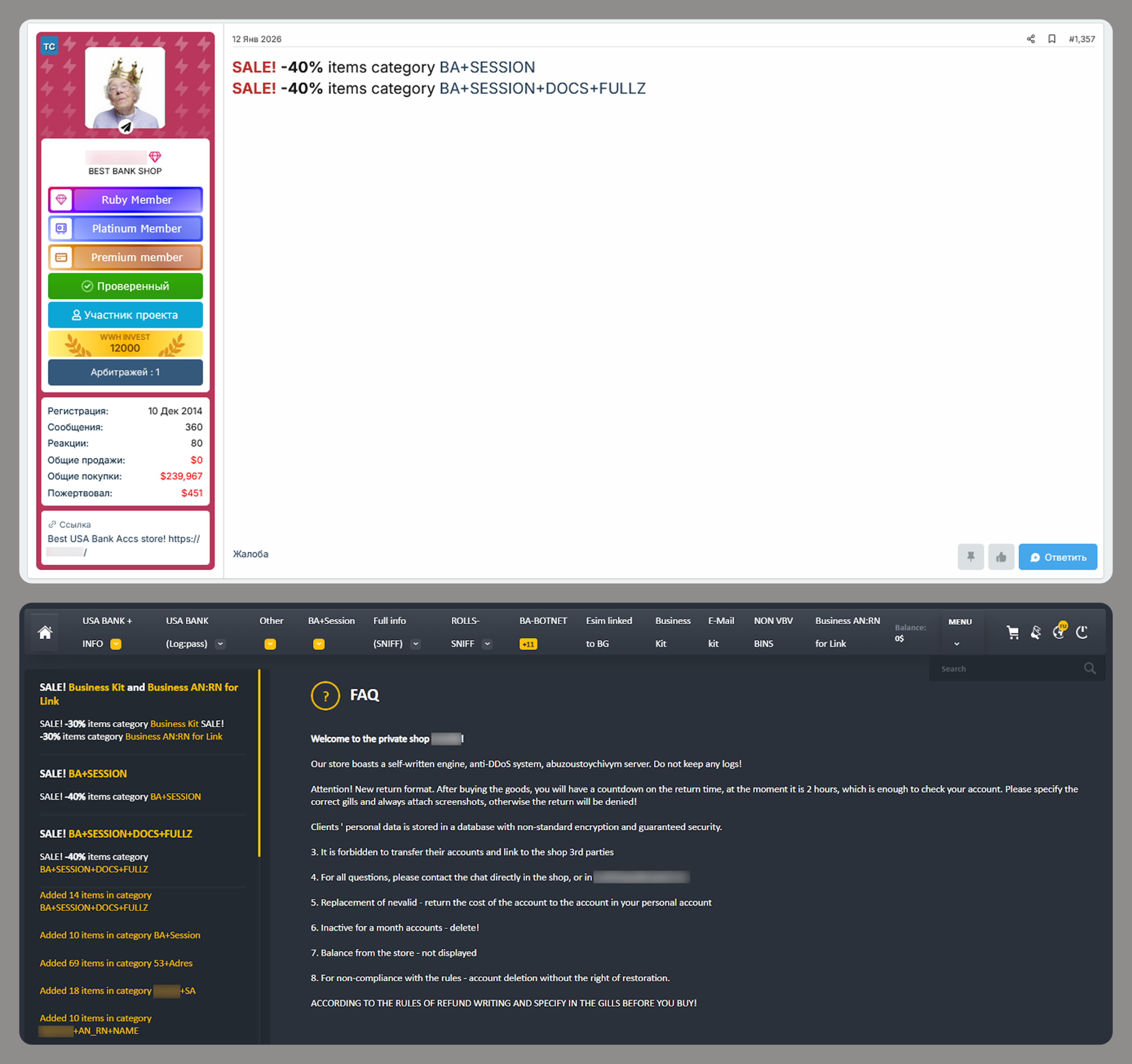
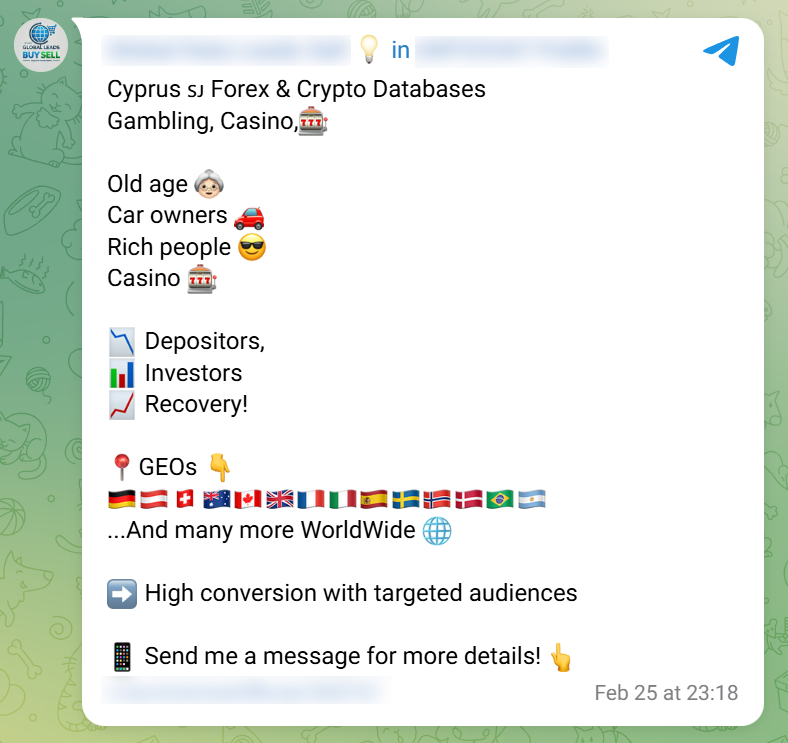
Why would anyone want to hack your subscription? Even if the service only offers entertainment, your account almost certainly contains sensitive information: your name, address, email, phone number, the names of other members, and other personally identifiable information. This data is then sold on the dark web and used for further attacks.
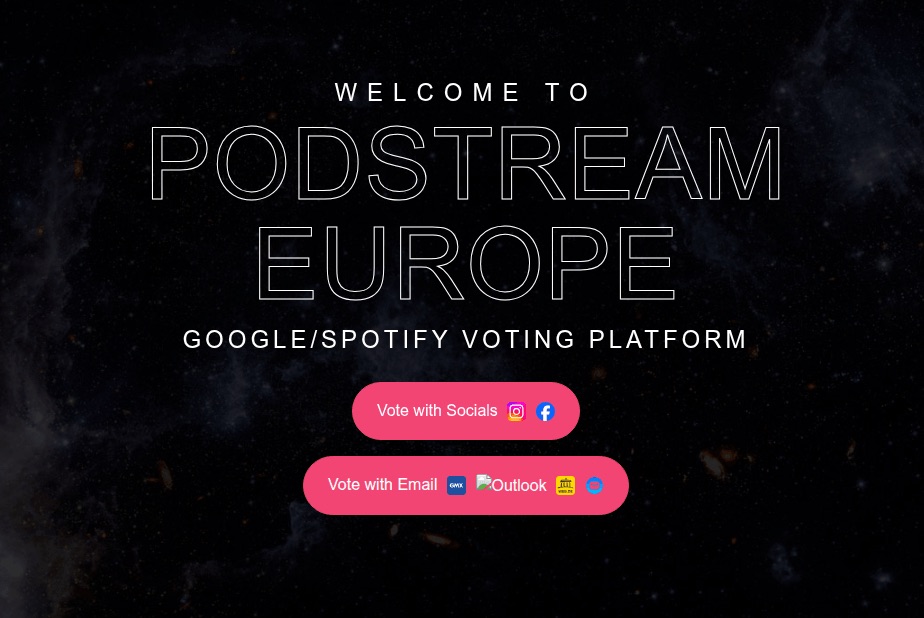
Attackers compromise subscription accounts either through social engineering and phishing, or by taking advantage of many users’ reliance on weak or leaked passwords. As we recently highlighted in our research, nearly half of all passwords worldwide can be cracked in less than a minute. Scammers then either resell existing subscriptions or slots in a family group at a discount, or they sign the victim up for new services, hoping the extra charges go unnoticed.
Finally, some middlemen don’t bother with hacking at all; they simply buy bulk subscriptions for a large number of devices, where the per-unit cost is typically much lower. They then resell individual slots in these plans on online marketplaces. As a result, a single “family” account can end up filled with people who are complete strangers to one another.
Sharing subscriptions with family and others
Many subscription owners think nothing of sharing access with family and friends. What could possibly go wrong?
The worst-case scenario from a security standpoint is when a single account is purchased and the owner shares the login and password with other users. This usually happens when people try to save money on a family plan by buying an individual subscription and sharing it. Some services even allow for different profiles, but they are all tied to a single account, meaning the credentials are shared. This is how streaming platforms like Hulu and Disney+ operate.
Sharing one account among multiple people significantly increases the risk of your credentials falling into the wrong hands. There’s no way to guarantee that everyone else is storing those details securely or that their devices aren’t infected with malware. Even without malware, it’s incredibly easy to accidentally hand over a password to attackers simply by signing in to the subscription service over unprotected public Wi-Fi.
It’s entirely possible that the password you kindly shared with some friends has already surfaced in some corner of the dark web, and you may soon lose access to your account. Furthermore, if you reuse the same password across different sites and apps, your other accounts are now in the crosshairs as well.
The second scenario is when each group member has an individual account. Many services now allow you to add extra users to a subscription at no additional cost, and most owners are happy to give away these free slots. Even then, you shouldn’t let your guard down: a breach of just one of these accounts can still leak sensitive information, such as family members’ names, addresses, billing info, and other subscription-related data.
How to protect your subscriptions (and your wallet)
To keep your and your loved ones’ personal data private and your accounts under your control, follow these simple rules.
Use strong account security
To do this, learn — and teach your friends and family — how to use password managers, two-factor authentication, or passkeys.
If you and your loved ones rely on memory to store passwords, there’s a high probability that you’re reusing the same one across multiple services. This is a major blunder: data breaches happen all the time, and a single compromised password gives attackers access to your other accounts.
The simplest solution is to use a password manager that generates and remembers complex, unique passwords for every site and service on your behalf. All you have to do is remember the single main password for its encrypted vault. Additionally, Kaspersky Password Manager doesn’t just store and create passwords; it can also check if they’ve appeared in leaked databases, and sync your credentials across all your devices.
Additionally, a password manager provides a robust defense against phishing: unlike a human, who can easily be misled by a sign-in form that looks almost identical to the real thing and is hosted on a look-alike domain, a password manager won’t fall for the trick. It’ll only offer to autofill your saved login and password on the specific site or service for which they were originally stored.
Two-factor authentication (2FA) is an extra layer of verification the system requests after you enter your password — such as an SMS code or a one-time code from an authenticator app. Whenever technically possible, be sure to enable 2FA on every account linked to a subscription. This applies to the subscription services themselves, as well as any third-party accounts you use to sign in, such as Google, Apple, or Facebook.
We recommend storing your two-factor authentication tokens and generating the one-time codes — which refresh every 30 seconds — inside Kaspersky Password Manager. This significantly lowers the chances of someone hijacking your account. Even if an attacker somehow discovers or guesses your password, they won’t be able to get the code without physical access to your device.
Finally, you can ditch passwords (almost) entirely by switching to passkeys. We’ve previously covered what this password alternative looks like and the specifics of using it. Currently, this is the most breach-resistant authentication system out there. Its main drawback has been the difficulty of syncing passkeys across different ecosystems, like Windows and iOS, but the updated version of Kaspersky Password Manager can now save and sync passkeys across Windows, macOS, iOS, and Android devices, making that issue a thing of the past.
Don’t overlook device security
Even a complex password and 2FA aren’t reasons to let your guard down. An attacker can infect your device with an infostealer: malware designed to swipe things like session cookies from your browser, app configuration files, and other sensitive data. Session cookies allow you to stay signed in without re-entering your credentials every time; however, if scammers get their hands on them, they can sign in to the service as you — even without knowing your username or password. This makes a proactive approach essential, especially if you use Chrome, Edge, Opera, or other Chromium-based browsers on Windows. We recommend installing Kaspersky Premium on all your devices; it includes Kaspersky Password Manager in addition to comprehensive protection against cyberthreats.
Only share subscriptions with people you trust
Otherwise, you might be asking for trouble. For example, if you share a Steam subscription with a friend who cheats, both of your accounts could end up banned. Furthermore, never try to let someone else into your personal account or individual subscription. Sharing your password with others is usually a violation of the terms of service, and can result in your account being blocked.
Make sure there are no strangers in your family group
To do this, periodically check active devices and sessions in your subscription settings. If you see an unrecognized device in the authorized list, terminate that session — or all of them — and change your account password immediately. Signing back in on a few devices is much easier than trying to recover a hijacked account.
And remember: don’t let your own habits compromise your security. If you’re visiting friends, on vacation, or on a business trip and use a local computer or smart TV — or if you sign in to your account from a public computer — don’t forget to sign out when you’re done. Otherwise, the next person to use that device might find themselves with free subscriptions or, even worse, access to your email or cloud photo stream.
Don’t take the bait
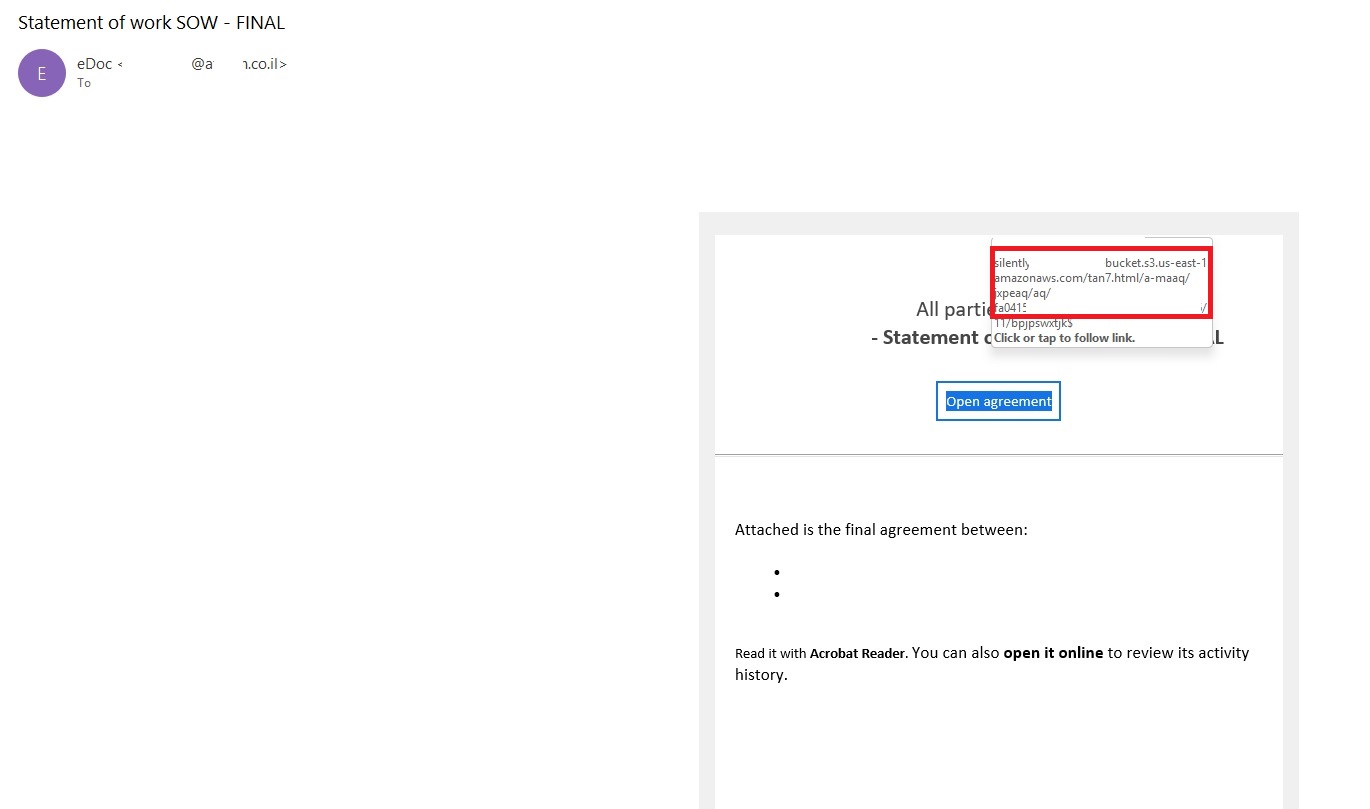
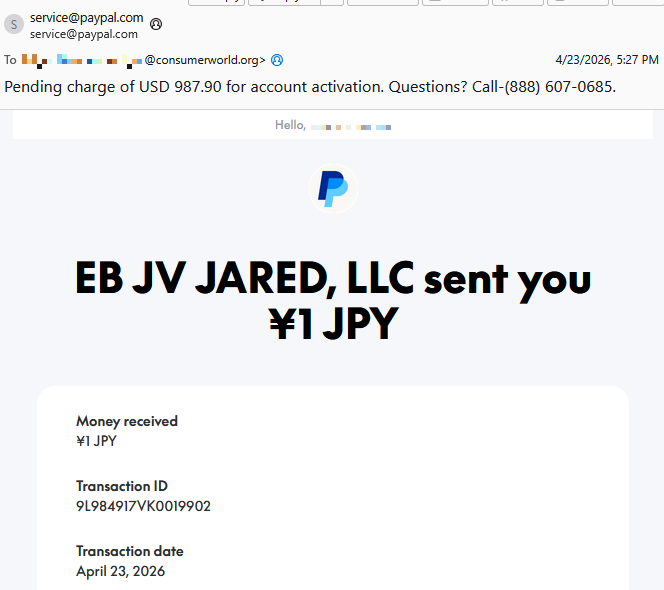
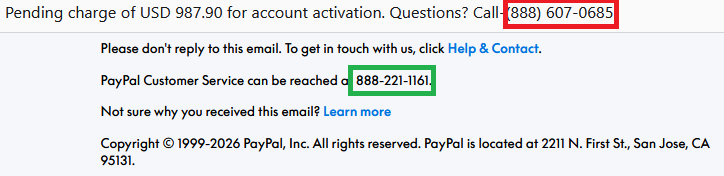
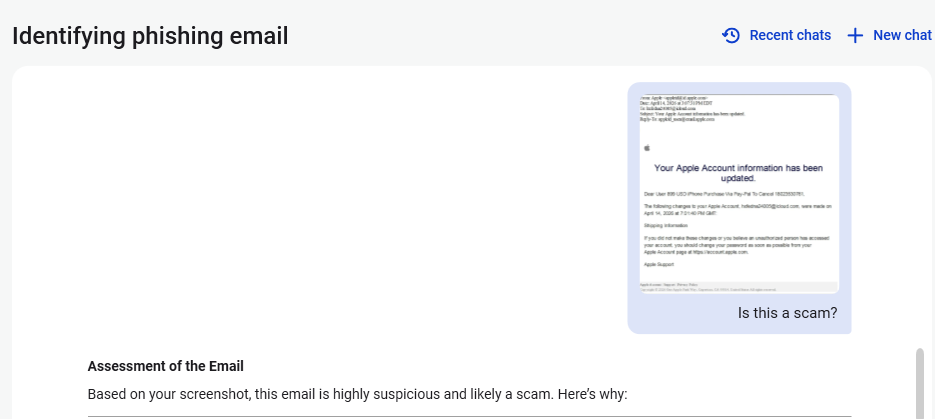
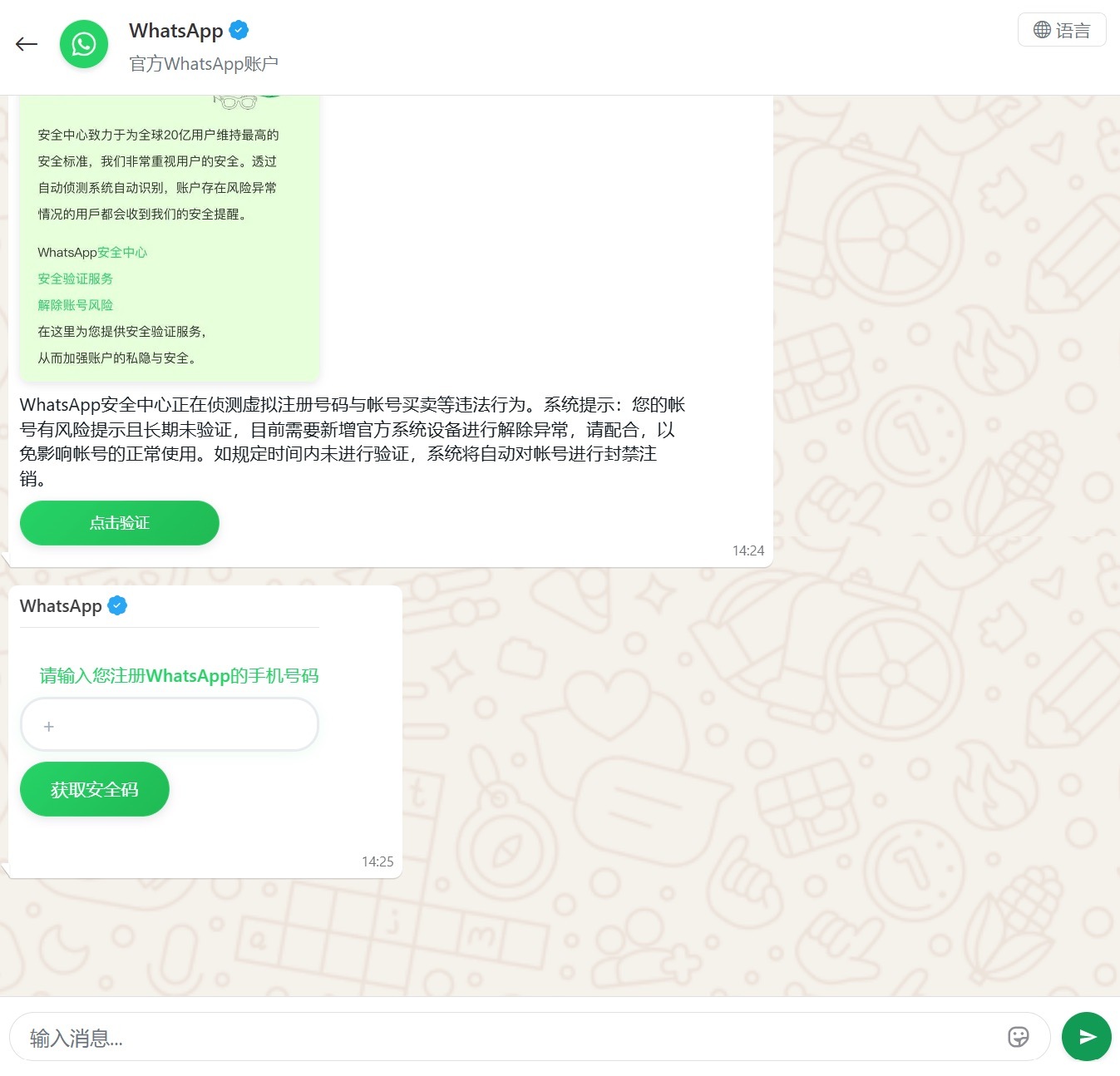
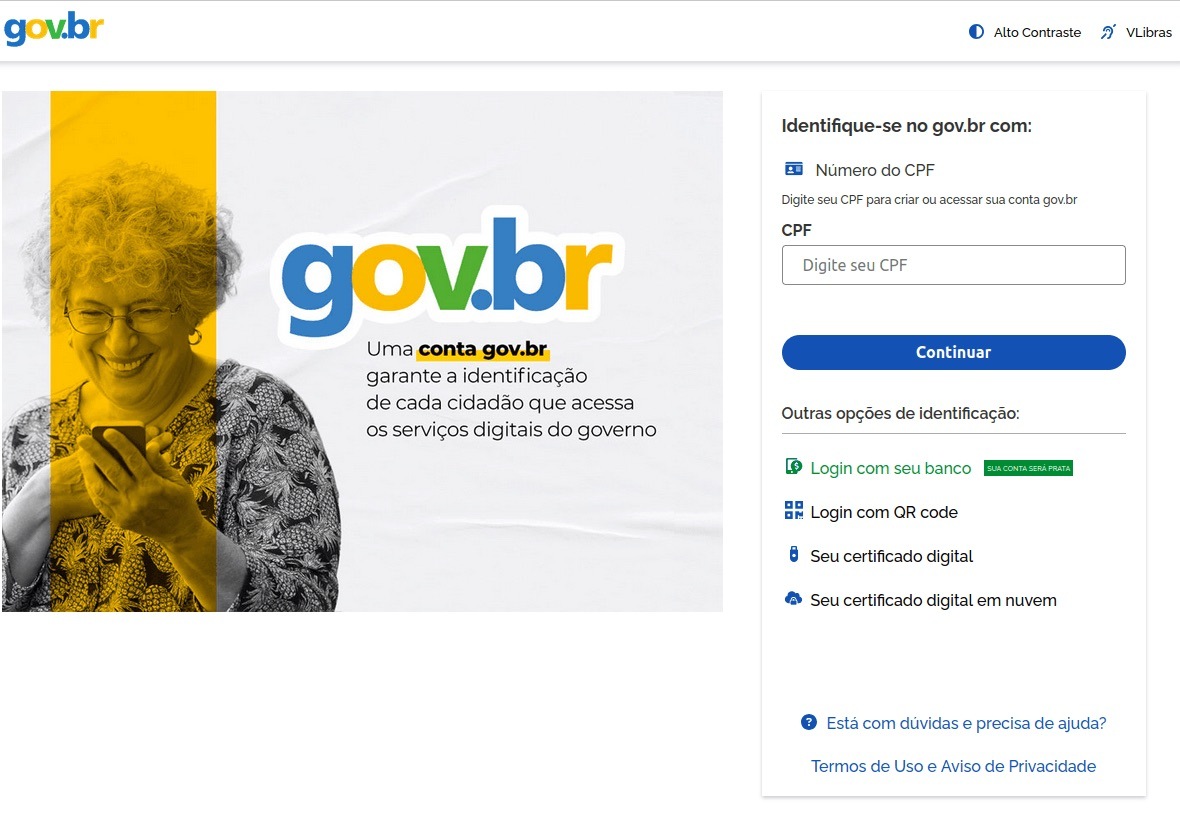
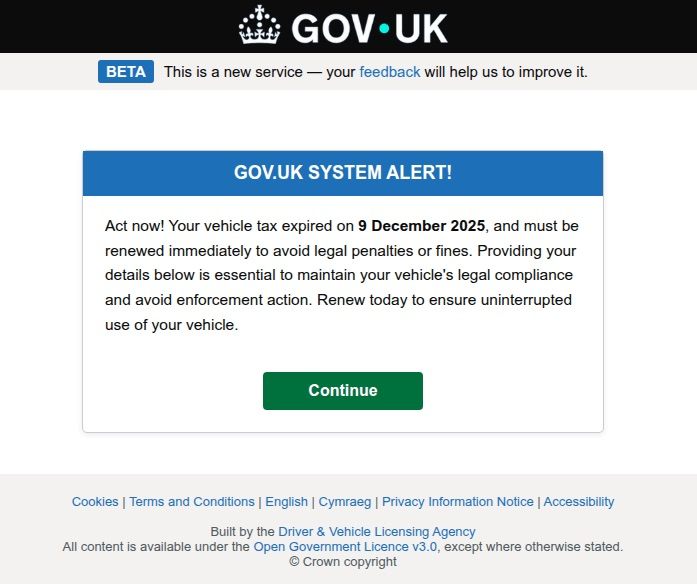
Watch out for phishing emails and messages spoofing legitimate services. If you receive a notification about a “need to update your billing details”, or a claim that a “new user has been added” to your family plan, don’t rush to click any links or open attachments. Links can lead to a phishing page, and attachments may hide malware. Scammers often use email addresses and domains that look nearly identical to the real ones — for instance, by swapping l (lowercase L) for I (uppercase i), or using a familiar name in a different domain zone.
Unfortunately, phishing pages are often indistinguishable from the originals now that AI is being used for high-quality design and layout. Since spotting every red flag yourself is increasingly difficult, it’s best to delegate anti-phishing protection to Kaspersky Premium. It will alert you to suspicious sites, saving your money and keeping your peace of mind.
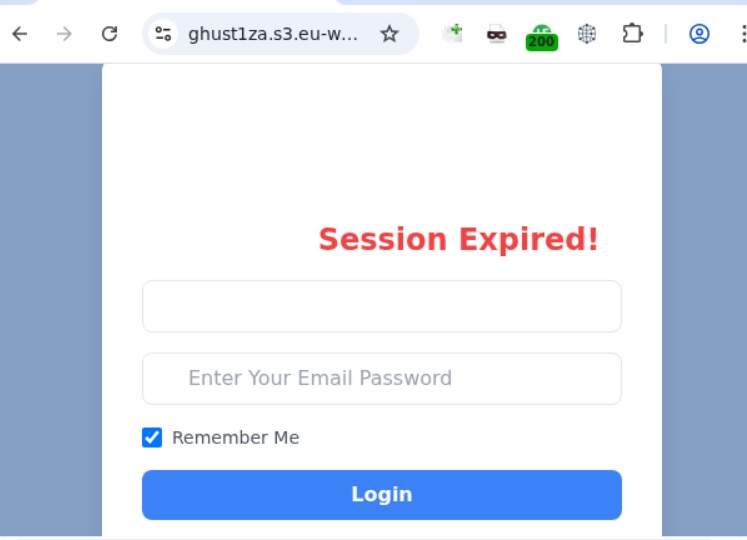
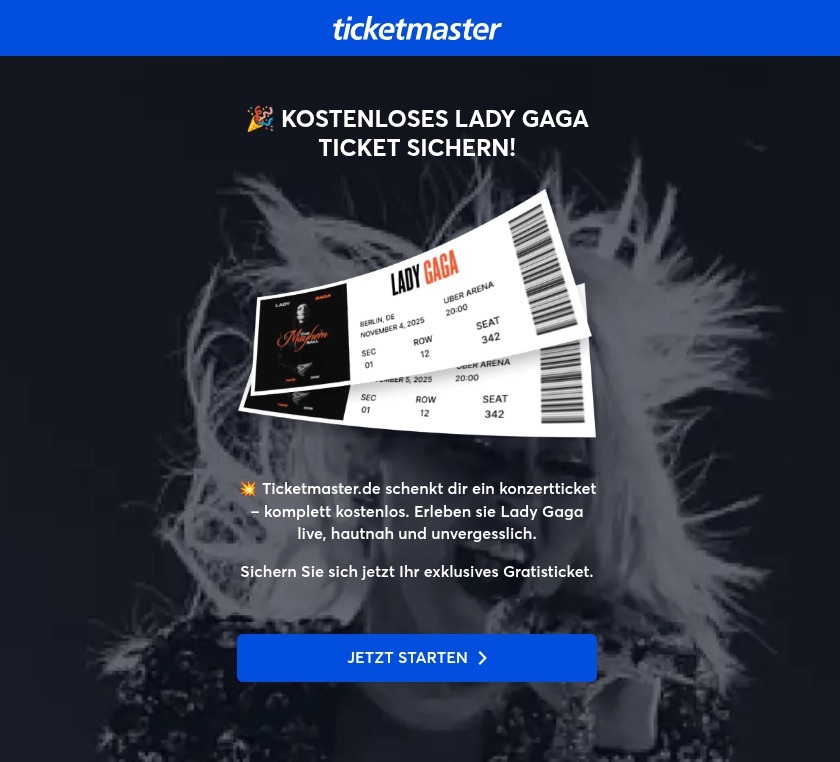
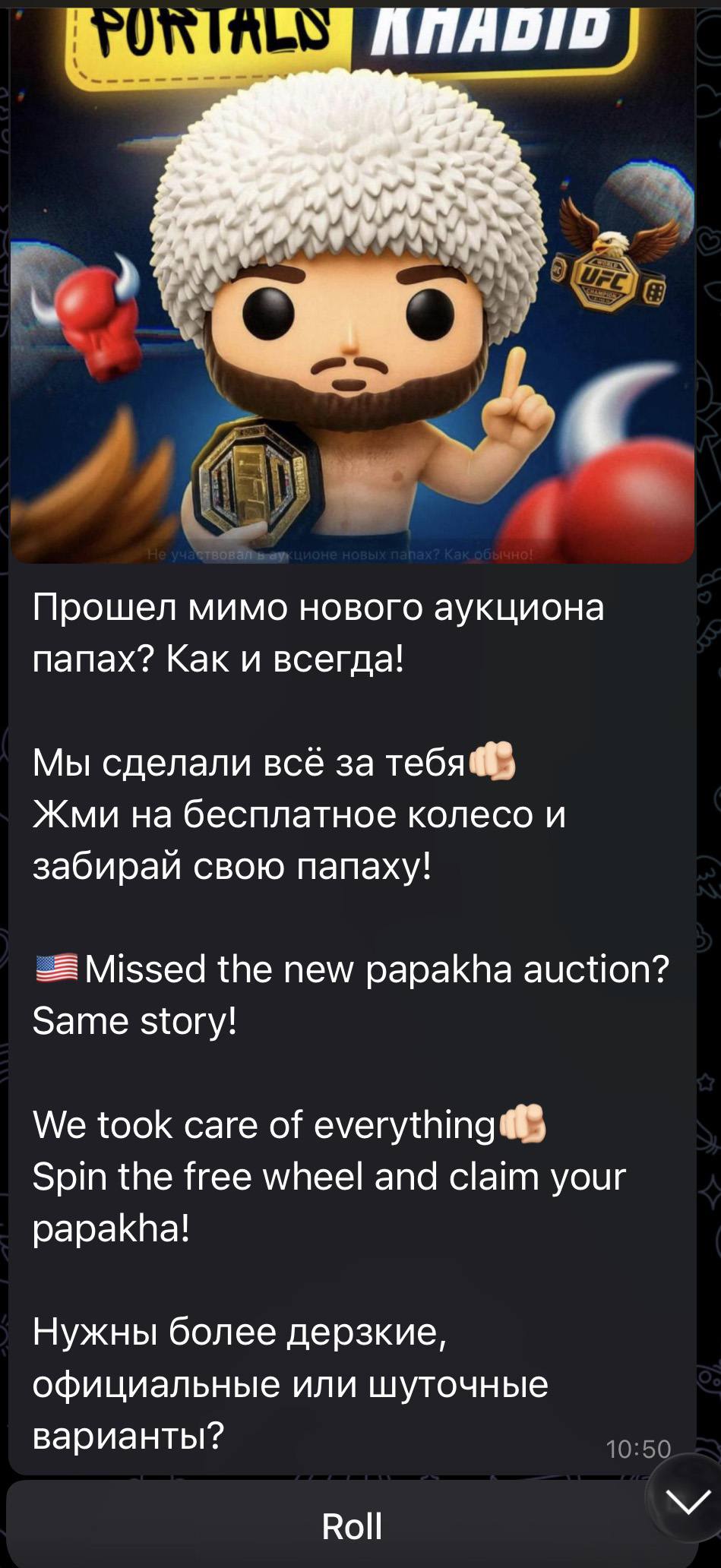
Lastly, some scammers lure users in with freebies like fake gift subscriptions for Telegram Premium. The victim is asked to visit a phishing page mimicking the Telegram login screen and sign in to their account to claim the gift. The result isn’t hard to guess: instead of a premium subscription — a hijacked account. Recently, scammers have even learned to use mini-apps to steal credentials directly inside Telegram under various pretexts — ranging from gift giveaways to claims that you must move to a new chat because the old one was blocked.
Avoid buying subscriptions from third-party sellers
You can often find subscription offers on marketplaces and retail platforms at prices significantly lower than what the official provider charges. More likely than not, that tempting price hides a hacked account or a family group that you could be kicked out of at any moment, because the family admin is either the seller or a random user. Furthermore, sharing a family plan with strangers from around the world is a violation of terms for many services.
How to get rid of unwanted subscriptions
Now that we’ve covered subscription security, what about those extra subscriptions that quietly eat away at your balance every month? Research shows that users typically underestimate how many active subscriptions they have and how much they spend on them; they also frequently forget to cancel auto-renewals for subscriptions they no longer use, or auto-charges after the trial period ends.
If you suspect you’re in that boat, start your investigation with your own bank statements. Recurring charges for the same amount can be a subscription you’ve forgotten about. Check who received the payment; if the name doesn’t ring a bell, do an online search on the company. It’s also worth searching your email box for the merchant name or the payment amount; this can help you track down subscription notifications and figure out what exactly you’re paying for. And don’t forget to check your spam folder, as that’s where subscription alerts often end up.
Now, let’s look at how to check and cancel active subscriptions purchased through the App Store and Google Play.
For Android users
Open Settings on your device.
Tap Google, then tap your profile picture, and go to Google Account.
Go to Wallet & subscriptions.
If you’re the family group manager, you’ll be able to see the purchase history for other family members.
For iOS users
Open Settings on your device.
Tap your profile picture at the top of the menu.
Go to Subscriptions.
Note: to manage your iCloud subscription, you’ll need to go to the specific iCloud section located just below Subscriptions. In the Family Sharing section, if you’re the one who set it up, you can view the subscription and purchase history for all family members.
A suspicious website is a web resource that cannot be definitively classified as phishing, but whose activities are unsafe. Such sites manipulate users, tricking them into voluntarily transferring money for non-existent services, signing up for hidden subscriptions, or disclosing personal data through carefully crafted terms of service. These include fake online stores, dubious crypto exchanges, investment platforms, and services with paid subscriptions.
Kaspersky has introduced a new web filtering category, “Sites with an undefined trust level,” into its security products (Kaspersky Premium, Android and iOS apps, etc.). The system analyzes the domain name and age, IP address reputation, DNS configuration, HTTP security headers, and SSL certificate to automatically detect suspicious resources.
According to Kaspersky data for January 2026, the most widespread global threat is fake browser extensions that mimic security products — they were detected in 9 out of 10 regions analyzed worldwide. Such extensions intercept browser data, track user activity, hijack search queries, and inject ads.
Kaspersky’s regional statistics reveal the specific nature of these threats: in Africa, over 90% of the top 10 suspicious websites are online trading scam platforms; in Latin America, fake betting services predominate; in Russia, fake binary options brokers and “educational platforms” with fraudulent subscriptions lead the way; in CIS countries — crypto scams and bots for inflating engagement.
Key indicators of a suspicious website to check: a strange domain name with numbers or random characters, cheap top-level domains (.xyz, .top, .shop), a recently registered domain (less than 6 months old according to WHOIS data), unrealistic promises (“100% guaranteed income,” “up to 300% profit”), lack of company contact information, and payments only via cryptocurrency or irreversible bank transfers.
Introduction
The online landscape is filled with various traps lying in wait for users. One such threat involves websites that can’t be strictly classified as phishing, yet whose activities are inherently unsafe. These sites often operate on the fringes of the law, even if they aren’t directly violating it. Sometimes they use a cleverly crafted Terms of Service document as a loophole. These agreements might include clauses such as no-refund policies or forced automatic subscription renewals.
Fake online stores, dubious financial platforms, and various online services that mimic legitimate business operations are all categorized as suspicious. Unlike actual phishing sites, which aim to steal sensitive data like banking credentials or passwords, these suspicious sites represent a far more cunning trap. Their goal is manipulation: tricking the victim into willingly paying for non-existent goods and services or signing them up for a subscription that’s nearly impossible to cancel. Beyond financial gain, these sketchy websites may also hunt for personal data to sell later on the dark web.
Our solutions categorize them as having an “undefined trust level”. This article explains what these sites look like, how to identify them, and what you can do to stay safe.
The dangers of shady websites
One of the biggest risks associated with making a purchase from an untrusted website that seems to be an online store is the financial loss and falling victim to fraud. Fake shops will entice you with attractive deals to get you hooked. After you pay, you may never receive what you paid for, or you may receive some cheap piece of unusable junk instead of the item you ordered. Investment or “guaranteed income” programs are another type of classic scam — they promise rapid returns, and once they take your deposits, they disappear without a trace.
Visiting or buying from untrusted suspicious websites can expose you to various risks that go beyond a single bad purchase. Fraudulent websites often collect your personal information even if you do not end up making a purchase. By completing a form or signing up for a “free offer”, you may be providing the scammer with access to your information.
Personal data collection can happen in a fairly straightforward and obvious way — for instance, through a standard order delivery form. In this scenario, attackers end up with sensitive information like the user’s full name, shipping and billing addresses, phone number, email address, and, of course, payment details. As we’ve previously discussed, fraudsters sell this kind of information, and there’re countless ways it can be used down the line. For example, this data might be leveraged for spam campaigns or more serious threats like stalking or targeted attacks.
Common types of suspicious sites
Let’s take a closer look at the different types of shady sites out there and how interacting with them can lead to financial loss, data leaks, the unauthorized use of personal information, and other consequences.
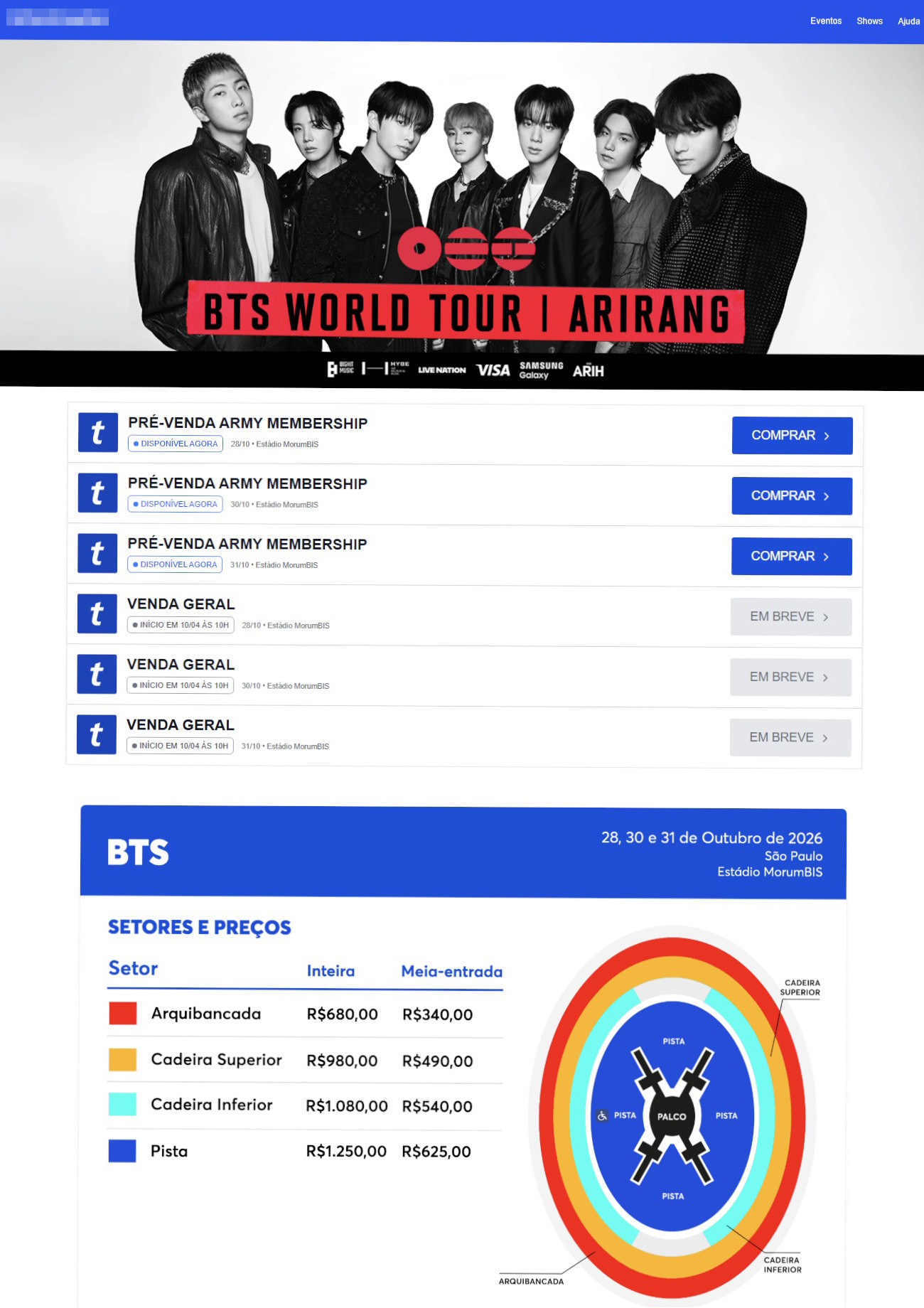
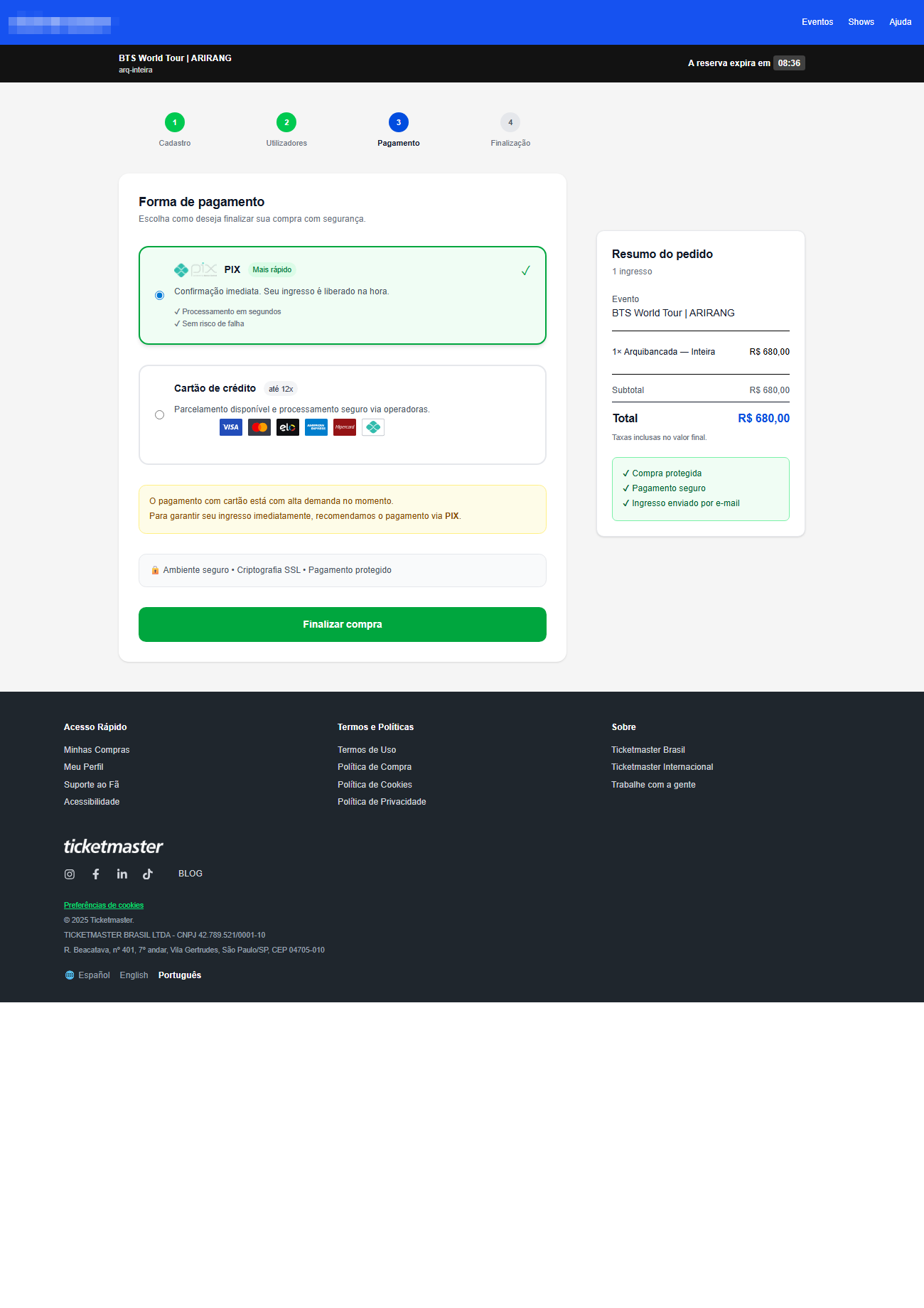
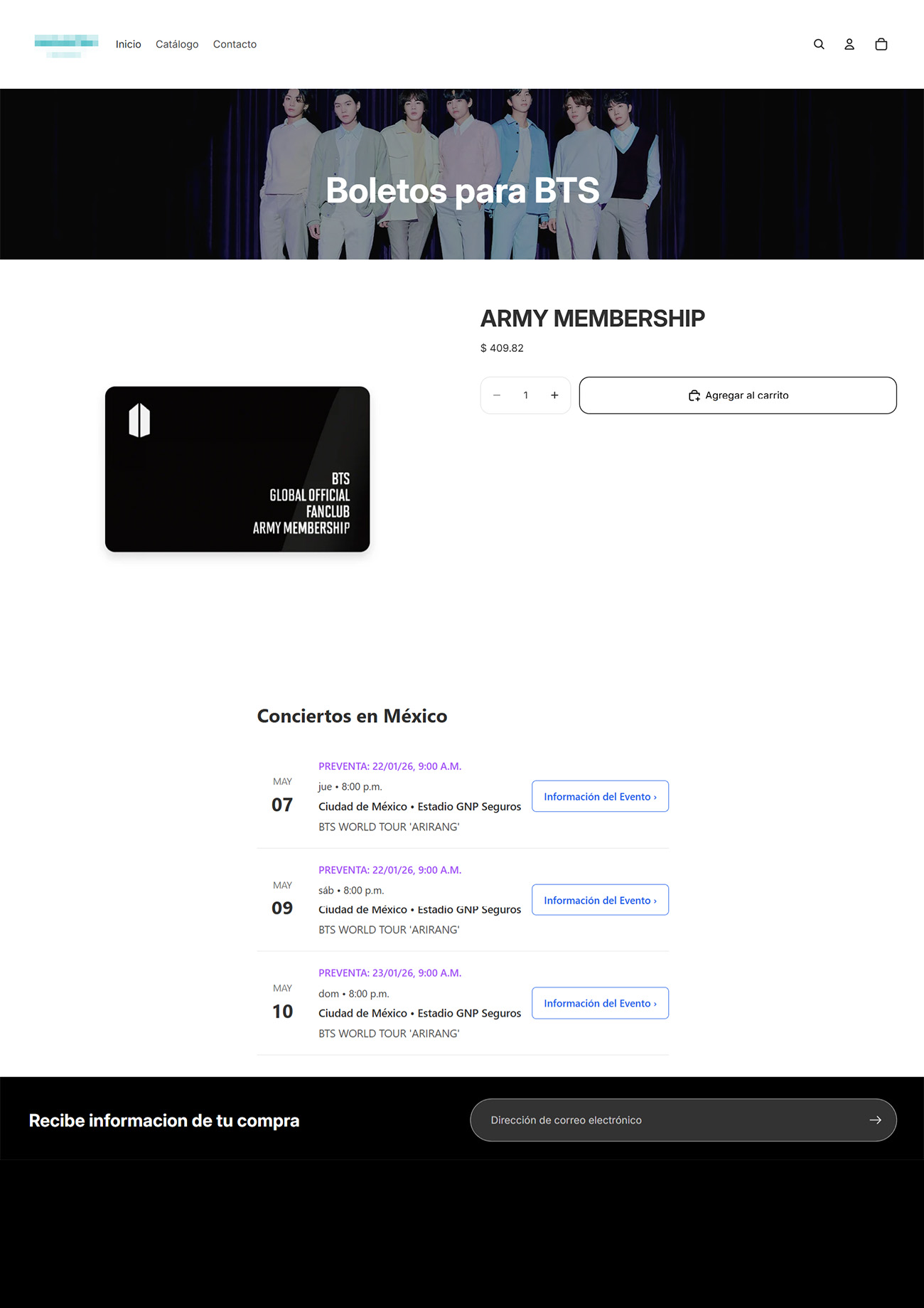
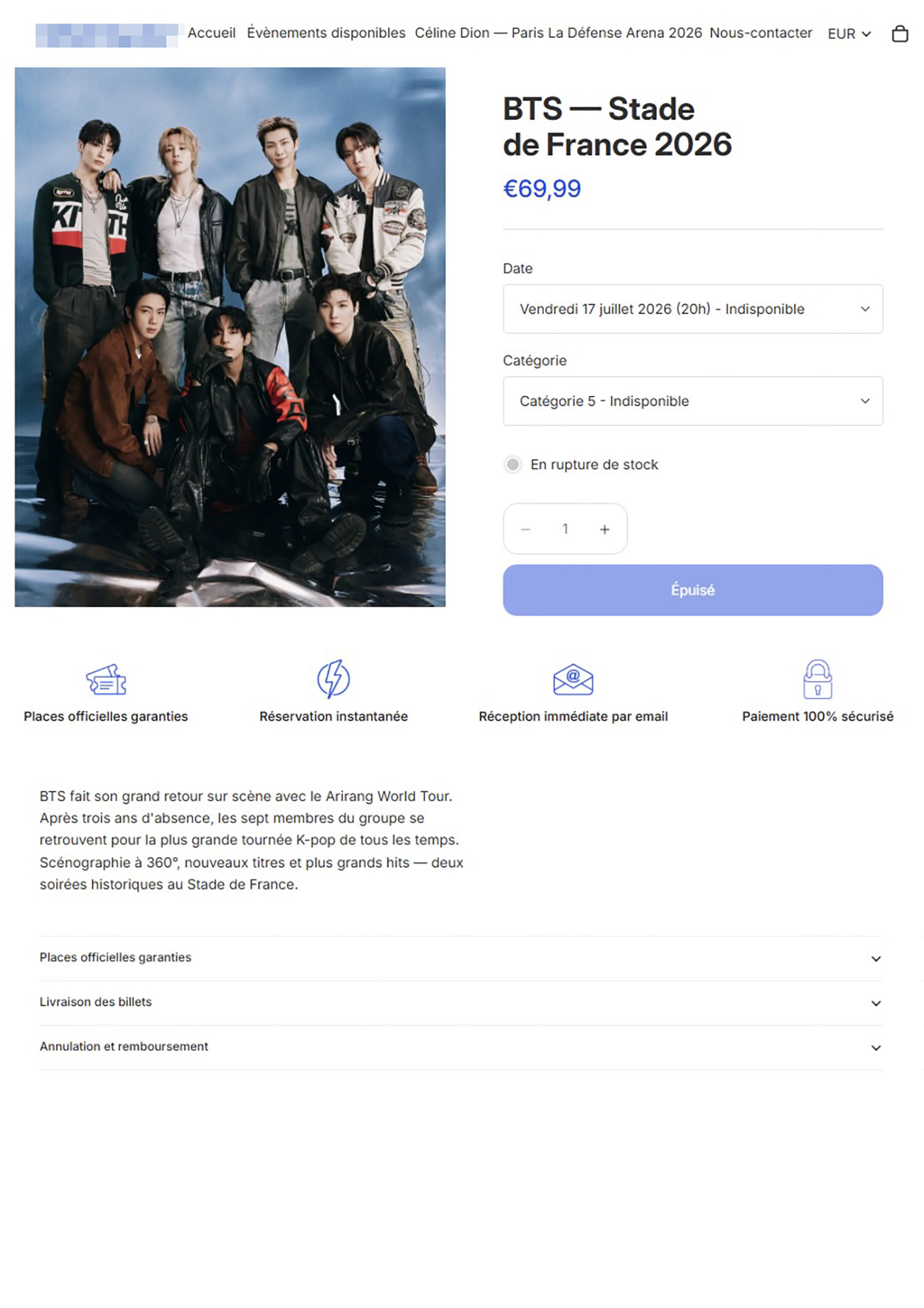
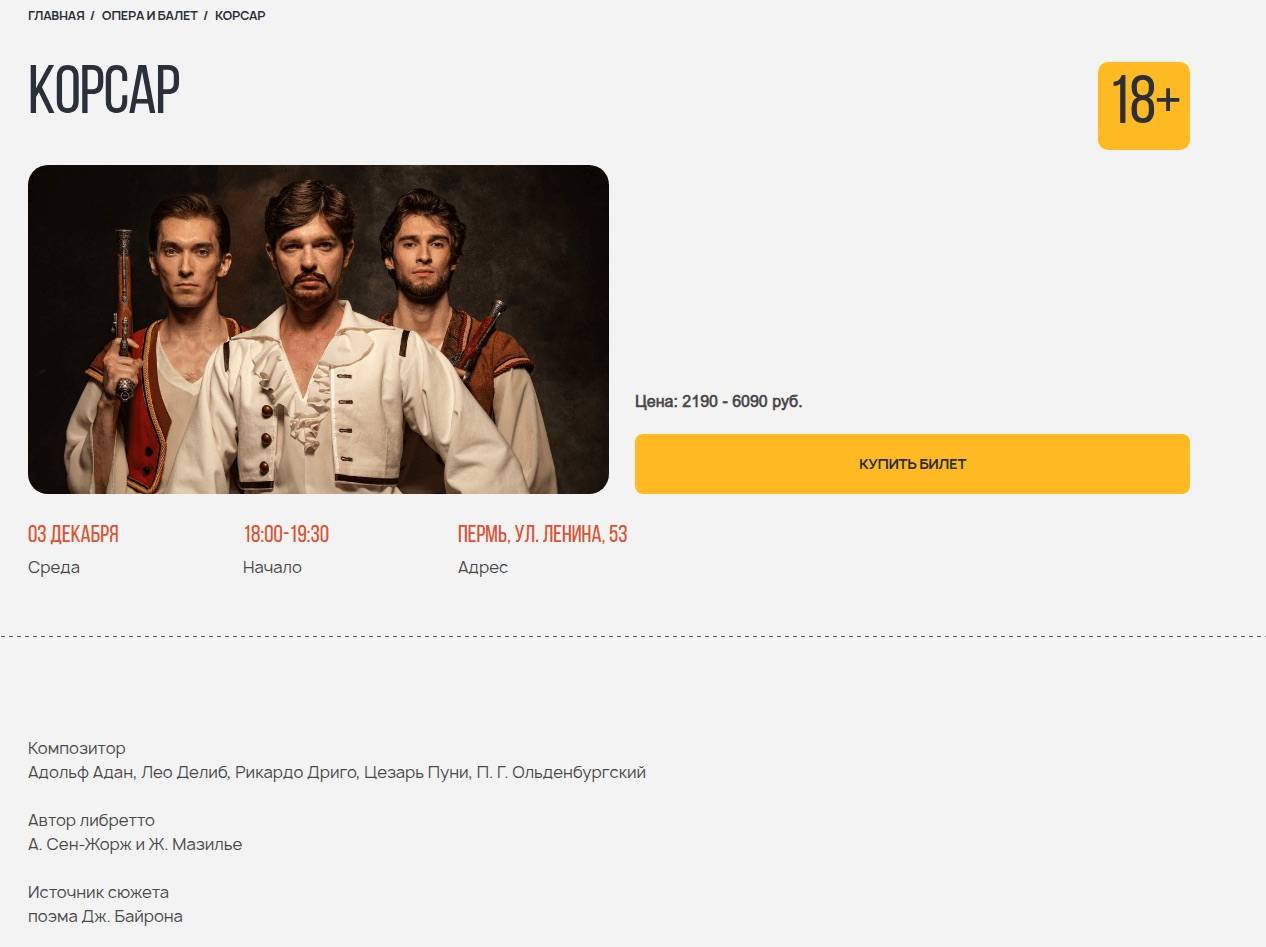
It’s worth noting that rogue websites can masquerade as legitimate ones in almost any industry. The first type of fraudulent site we’ll look at is fake online stores. These can appear as clones of real brand websites or as standalone stores. Usually, the scam follows one of two paths: the buyer either receives a counterfeit or poor-quality product, or they receive nothing at all. These sites lure victims in with suspiciously low prices and “exclusive” deals. Often, users are subjected to psychological pressure: the time to make a purchase decision is purposefully limited, provoking the victim, as with any other scam, into making an impulse purchase.
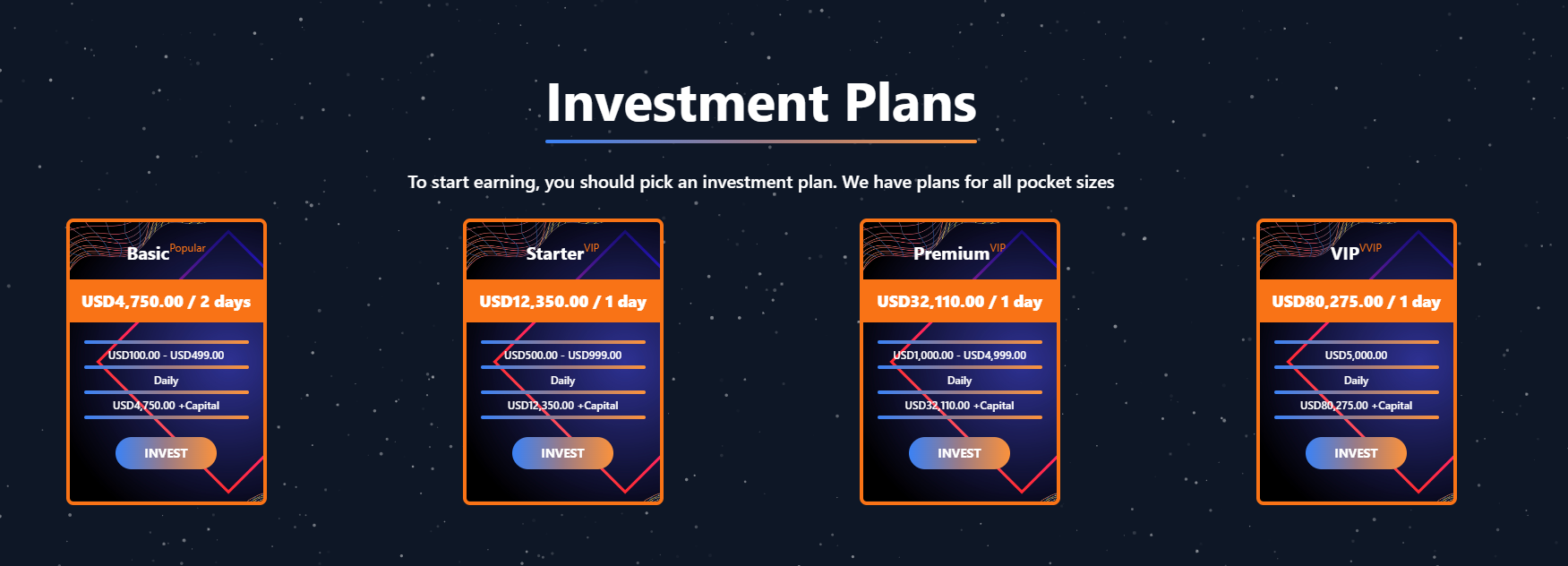
Another common type of shady site includes online exchanges and trading platforms. These primarily target cryptocurrency, as the lack of legislative regulation for digital currency in certain countries makes them a magnet for fraudsters. These suspicious sites often lure victims with supposedly favorable exchange rates or other enticing gimmicks. If the user attempts to exchange cryptocurrency, their tokens are gone for good. Beyond simple exchanges, rogue sites offer investment services and even display a fake balance growth to appear credible. However, withdrawing funds is impossible; when the victim tries to cash out, they’re prompted to pay some fee or fictional tax.
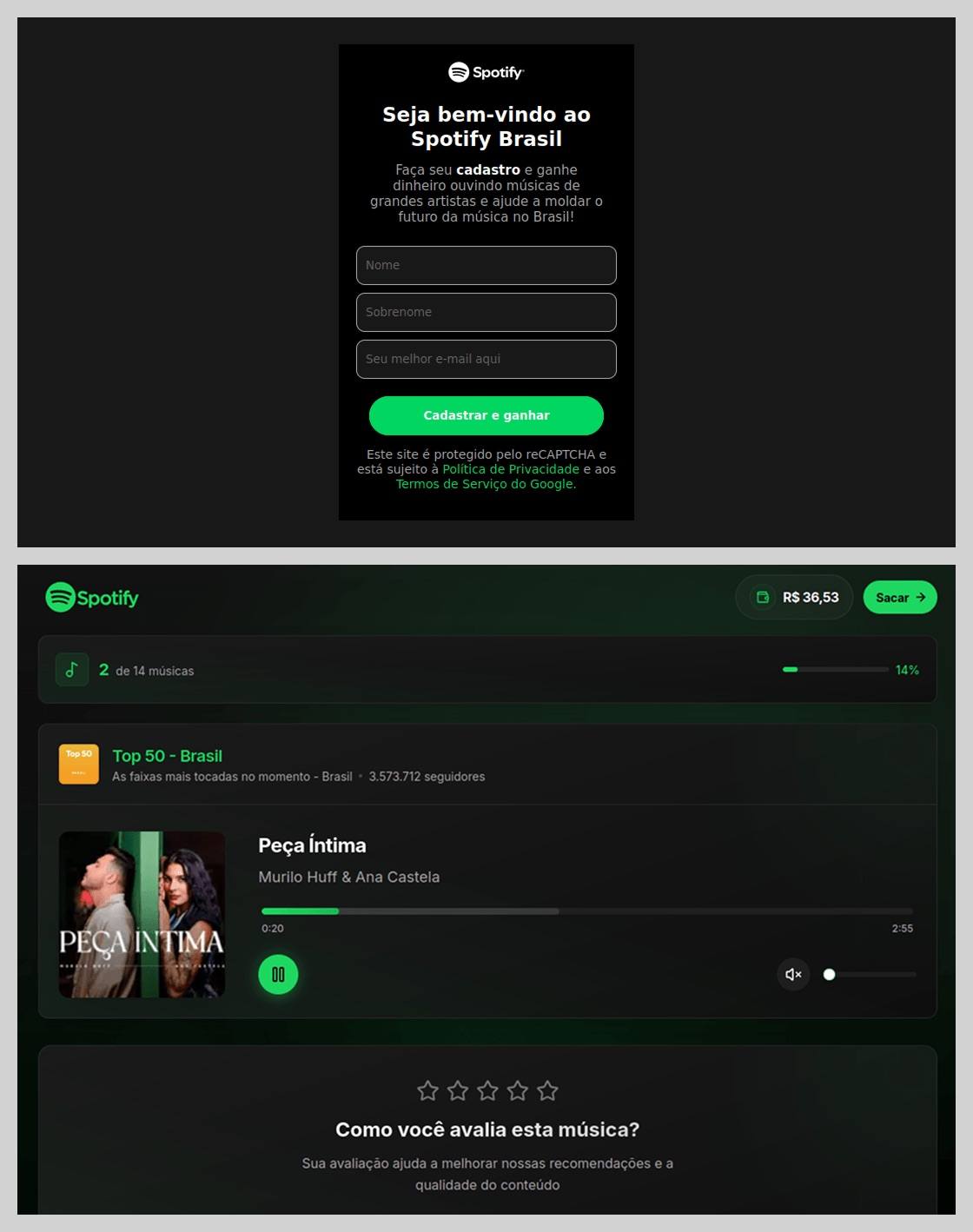
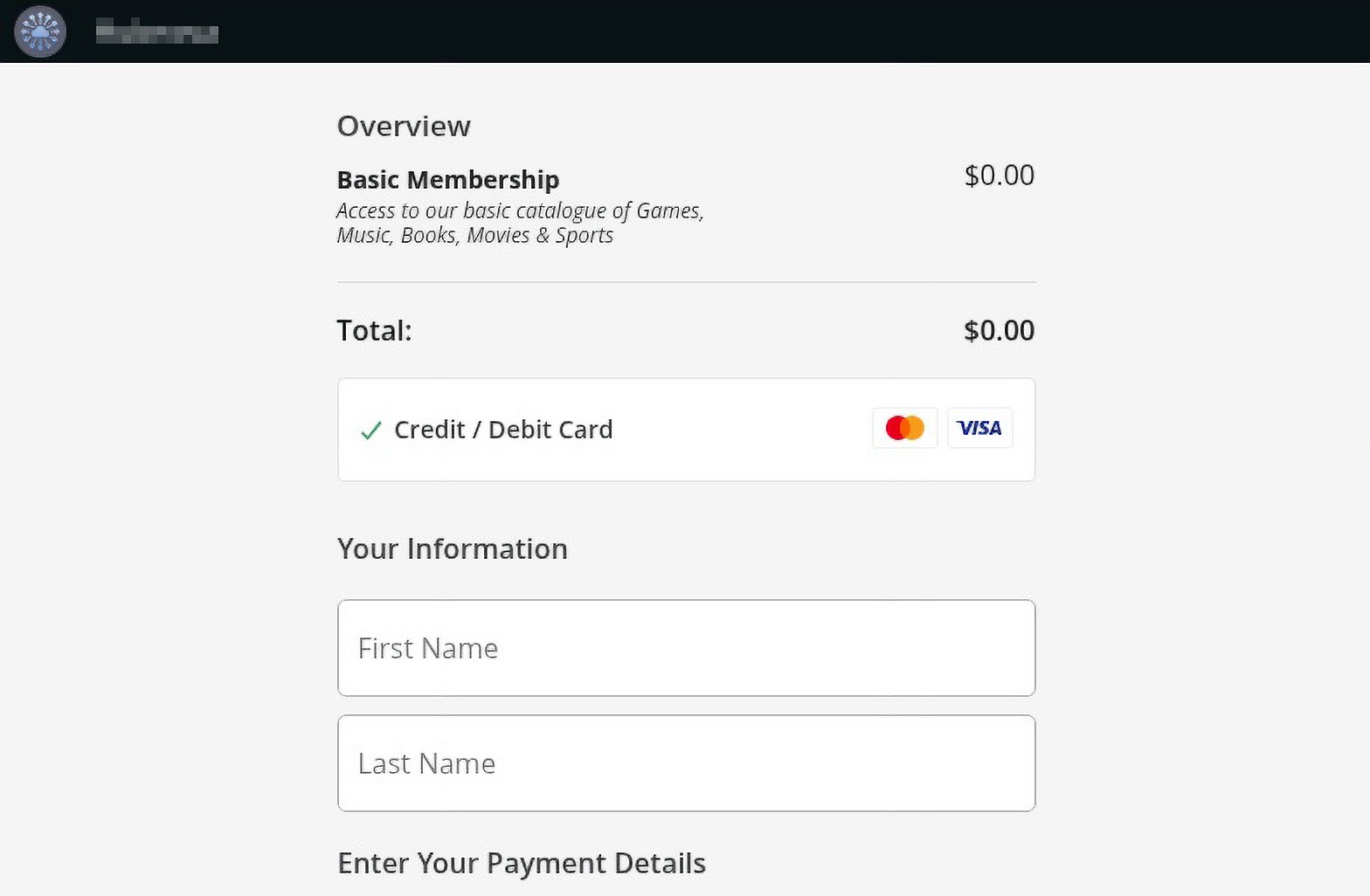
Subscription traps are also worth noting, offering everything from psychological tests to online video streaming platforms. The hallmark of these sites is that they deliberately withhold critical information, such as recurring charges, or hide the fact it even exists. Typically, the scheme works like this: a user is offered a subscription for a nominal fee, like $1. While that seems attractive, the next charge – perhaps only a week later – might be as much as $50. This information is intentionally obscured, buried in fine print or tucked away in the Terms of Service where it’s harder to find. Legitimate services always clearly disclose subscription terms and provide an easy way to cancel before a trial period ends. Scam services, on the other hand, do everything possible to distract the user from the actual terms of use and subscription.
Shady sites can also masquerade as providers of mediation services, such as legal or real estate assistance. In reality, the service is either never delivered or provided in a stripped-down, incomplete form. For example, a user might be prompted to pay for a service that’s normally provided for free. The danger here lies not only in losing money for non-existent services but also in the significant risk of exposing personal data, such as ID details, taxpayer identification numbers, social security numbers, or driver’s license information. Once in the hands of attackers, this data can become a tool for executing further scams or targeted attacks.
On the whole, suspicious sites are fairly difficult to distinguish from legitimate, trustworthy services. Masquerading as a legitimate business is the primary goal of these sites, and the fraudulent schemes they employ are not always obvious. Nevertheless, there are protective measures as well as certain indicators that can help you suspect a site is unsafe for purchases or financial transactions.
How to identify suspicious or fraudulent websites
Despite the increasingly convincing attempts to create fake shops, the majority of them still lack the quality of real online stores, and there are many signs that may give them away. Some of these signs can be caught by the eye while others require a bit of technical investigation. By combining visual inspection, technical checks, and trusted online tools, you can protect yourself from financial loss or data theft.
Visual and manual clues
You don’t need to be a cybersecurity expert to catch many red flags just by observing the site’s domain, visuals, language and behavior. For instance, scam sites often have strange or randomly generated names, filled with numbers, underscores, hyphens, or meaningless words, like best-shop43.com. In addition, such vague top-level domains as .xyz, .top, or .shop are also frequently used in scams because they’re cheap and easy to register.
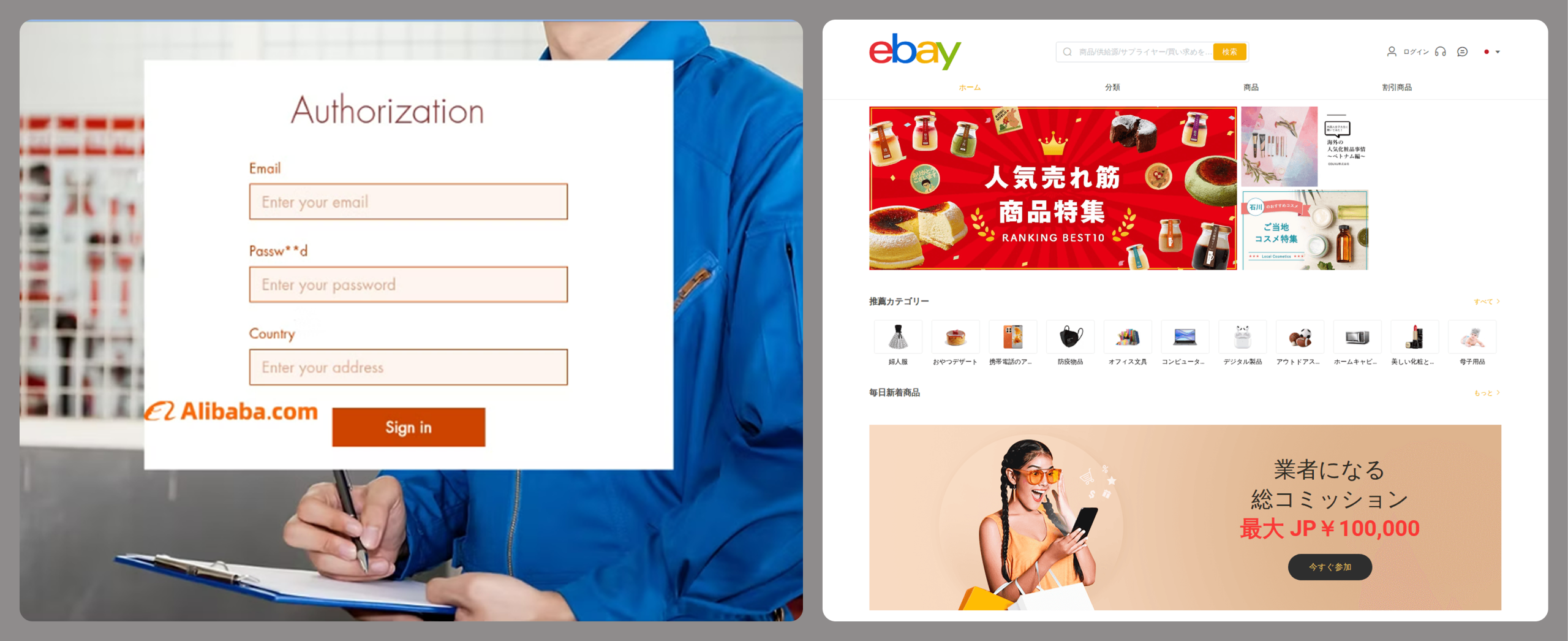
Furthermore, most fake stores sites look unprofessional, with poor visuals, pixelated images, mismatched fonts, or copied templates. Many fraudulent websites borrow layouts or logos from other brands or free templates, which makes them appear generic and sketchy.
Another major giveaway lies in the content itself. Be aware of persuasive language, unrealistic promises, or emotional triggers such as No KYC, Risk-free returns, 100% guaranteed income, Up to 300% profit, or Passive income with zero effort. Unrealistic deals are another red flag. If the products are listed at extremely low prices, continuous countdown timers, and “limited time only” messages that are often used to pressure you into making a quick purchase, it’s a clear tell of a fraudulent website.
Legitimate businesses always provide verifiable contact details, such as a physical address, company name, and customer support. On the contrary, scam sites hide this information. You may also notice the non-functioning pages, broken or suspicious links leading to unrelated external sites which indicate poor maintenance or malicious intent.
Another important signal is the website’s social media presence. Legitimate online businesses usually maintain at least one active social media account to promote their products and communicate with customers. In most cases, these businesses have long-established social media accounts with harmonized posting history and engagement from real users, consistency between the brand website and social media profiles (same name, logo, and links). The links to social media profiles from the website are usually direct. In contrast, fraudulent or deceptive websites often lack any meaningful social media presence or display signs of superficial or artificial activity. This may include missing social media accounts altogether, social media icons that lead to non-existent, inactive, or unrelated pages, or recently created profiles with very few posts and minimal user engagement. In some cases, comment sections are disabled or dominated by spam and automated content, suggesting an attempt to avoid public interaction rather than engage with customers.
Lastly, the payment options offered by the site can also tell a lot about its legitimacy. Be extremely cautious if a website only accepts cryptocurrency, wire transfers, or third-party P2P payments. These payment methods are irreversible and are preferred by scammers. Legitimate e-commerce platforms typically offer secure and reversible payment options, such as credit cards or trusted payment gateways that include buyer protection policies.
However, the absence or existence of any of these factors alone does not necessarily indicate malicious intent. It should be evaluated in combination with technical, linguistic, and behavioral indicators, rather than treated as a standalone signal of legitimacy.
Technical indicators to check
Looking into technical signs can reveal whether a website is trustworthy or potentially fraudulent.
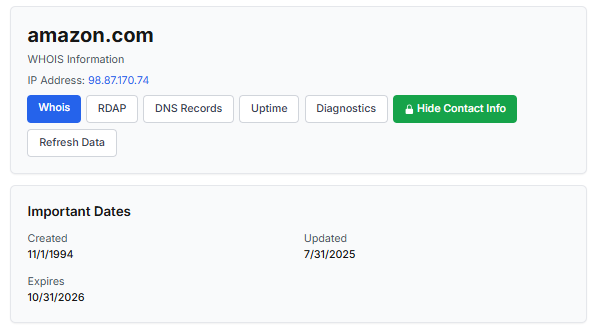
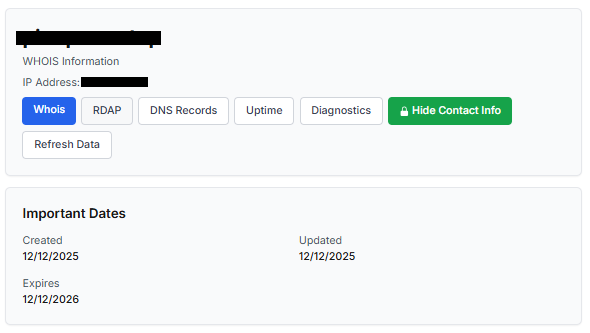
One of the first things to check is the domain age. Scam websites are often short-lived, appearing only for a few weeks or months before disappearing once users start reporting them. To check when the domain was created, use a WHOIS lookup. If it’s less than six months old, be cautious — especially for e-commerce or investment sites, where legitimacy and trust take time to build.
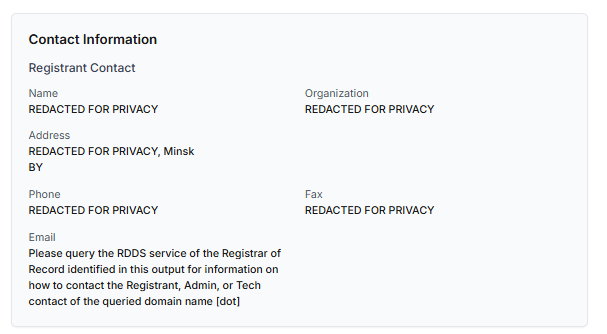
Let’s take a look at the registration details for the popular online marketplace Amazon. As we can see from the WHOIS information, it was registered in 1994.
Meanwhile, a reported suspicious online store was created a couple of months ago.
Legitimate websites usually operate on stable hosting platforms and remain on the same IP addresses or networks for long periods. In contrast, fraudulent websites often move between servers (in most cases using a cheap shared hosting service) or reuse infrastructure already associated with abuse. Checking the IP address reputation can reveal if the website or the hosting server has previously been linked to suspicious activities. Even if the website looks legitimate, a poor IP reputation can expose it.
In addition to that, looking at the infrastructure behavior over time can reveal patterns about its legitimacy. Websites associated with fraudulent activity often show short lifespans, sudden spikes in activity, or rapid appearance and disappearance, which indicates a coordinated campaign rather than a legitimate business.
Another important clue is hidden ownership. When the WHOIS details show “Redacted for Privacy” or leaves the organization name blank, it may indicate that the website owner is deliberately hiding their identity.
We should point out that while this can raise suspicion during investigations, hidden WHOIS data is not inherently malicious. Many legitimate businesses use privacy protection services for valid reasons. These may include protection from spam and phishing after public email addresses are taken from WHOIS databases, personal safety for small business owners, and brand protection to prevent competitors or malicious actors from targeting the registrant. This means that some businesses can use services like WHOIS Privacy Protection, Domains By Proxy, or PrivacyGuardian.org to remove the WHOIS data while still operating transparently on their websites through clear contact details, customer support channels, and legal pages (e.g. terms of use).
Therefore, hidden ownership should be treated as a contextual risk indicator, not a standalone proof of fraud. It becomes more suspicious when combined with other signals such as newly registered domains, and lack of legal information.
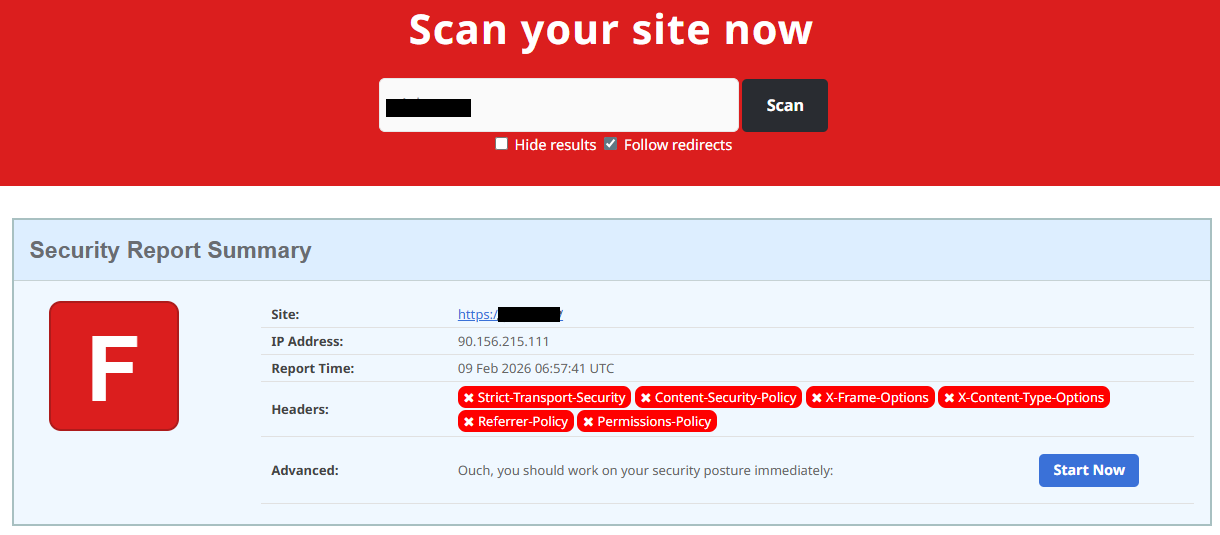
Next, you can check the security headers of the website. Legitimate websites are usually well maintained and include several key HTTP headers for protection. Some examples include:
Content-Security-Policy (CSP) provides strong defense against cross-site scripting (XSS) attacks by defining which scripts are allowed to run on the site and blocking any malicious JavaScript that could steal login data or inject fake forms.
HTTP Strict-Transport-Security (HSTS) forces browsers to connect to the site only over HTTPS. It ensures all communication is encrypted and prevents redirecting users to an insecure (HTTP) version of the site.
X-Frame-Options prevents clickjacking, which is a type of attack where a legitimate-looking button or link on a malicious page secretly performs another action in the background.
X-Content-Type-Options blocks MIME-type attacks by preventing browsers from misinterpreting file types.
Referrer-Policy controls how much information about your previous browsing (referrer URLs) is shared with other sites.
These headers form the “digital hygiene” of a website. Their absence doesn’t always mean a site is malicious, but it does suggest a lack of security awareness or professional maintenance — both strong reasons to be cautious.
You should also check the SSL certificate. Scam sites may use self-signed or short-lived SSL certificates. You can inspect this by clicking the padlock icon in your browser’s address bar — if it says “not secure” or the certificate authority seems unfamiliar, that’s a red flag.
You can check the security headers and the SSL certificate by sending an HTTP request programmatically or by using some online service.
Another indicator that provides insight into how well a website is done and managed is DNS configurations. Legitimate businesses typically use reliable DNS providers and maintain consistent DNS records. Missing the name server NS or mail exchange MX records may indicate poor DNS configuration. In addition to NS and MX, reputable sites also configure SPF and DMARC records to protect their brand from email spoofing and phishing. Something scam website developers won’t bother with because they don’t intend to build a long-standing reputation.
You can check the configurations of DNS records either programmatically or by using an online service.
Another recommendation is to pay attention to website behavior. If there are frequent redirects, pop-up ads, or background requests to unknown domains, this may indicate unsafe scripting or tracking.
How to protect yourself
Tools and databases for detecting suspicious websites
We at Kaspersky have built an intelligent system for detecting suspicious web resources and added this new type of protection into many of our products, including Kaspersky Premium, Kaspersky for Android and iOS, and others. Our detection model is based on many factors, including but not limited to the following:
domain name and age,
IP reputation,
stability of the infrastructure used,
DNS configurations,
HTTP security headers,
digital identity and popularity of the web resource.
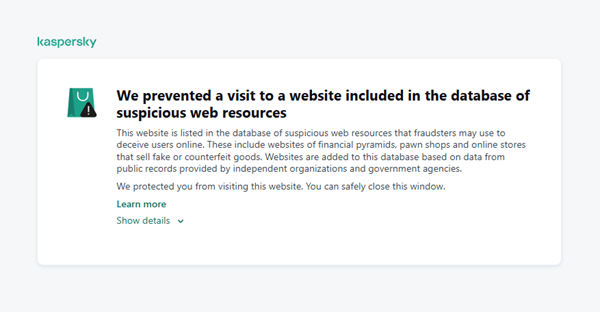
When a user tries to visit a site flagged as having an undefined trust level, our solutions show a warning to stop the visitor from becoming a victim of personal data leaks, financial losses or a bad purchase:
This component is on by default.
Moreover, there are several online tools and databases that can help assess a website’s legitimacy:
ScamAdviser analyzes trust based on WHOIS, server location, and web reputation.
APIVoid provides risk scoring using DNS, IP, and domain reputation databases.
National government databases often maintain official lists of fraudulent or blacklisted domains.
Preventive measures
To protect yourself from such threats, it might a good idea to take some additional preventive measures. Always double-check the URL and domain name, especially when you are about to click a link or make a payment. Make sure the site uses HTTPS and has a trusted certificate.
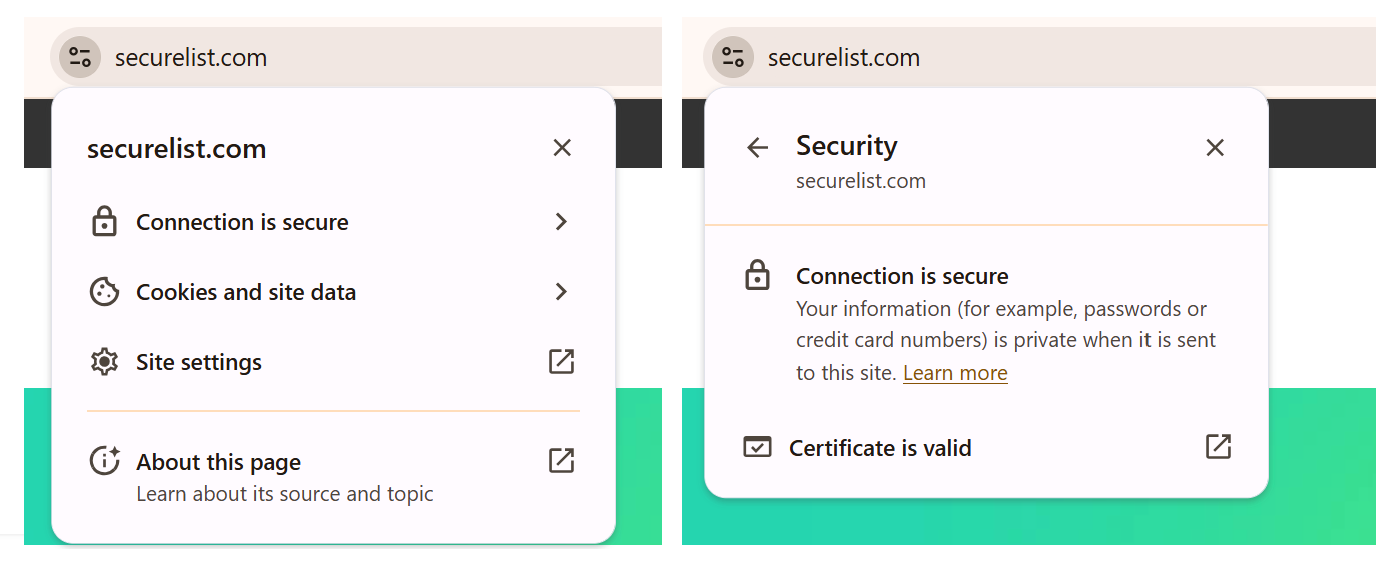
You can use standard browser tools to verify site security. For example, in Google Chrome, clicking the site information button (the lock or settings icon in the address bar) displays details about the connection security and the site’s certificate.
In the Security section, you can check whether the site supports HTTPS – it should say “Connection is secure” – and view the site’s digital certificate.
Additionally, keep reliable security software with real-time protection running on your device to stop you from accessing dangerous websites. Do not download any files or enter your personal information on websites that look unprofessional or suspicious. And finally, remember the golden rule: if a deal seems too good to be true, it often is.
If you realize that you’re on a scam website, it’s important to perform certain post-incident actions immediately. First, contact your bank or payment provider as soon as possible to block the transaction or card. Then, change your passwords for the services which might have been compromised, and run a full antivirus scan on your device to detect and remove any potential threats. Lastly, consider reporting the website to the cybercrime agency in your country or to the consumer protection agency. Sharing your experience online by leaving a review or warning will give notice to potential customers alike.
By staying careful and taking quick actions, you can significantly reduce the chances of being a target and help make the internet a safer place for everyone.
An overview of detection statistics for sites with an undefined trust level
To illustrate the types of suspicious sites prevalent in various regions around the world, we analyzed anonymized detection data from Kaspersky solutions for the “websites with an undefined trust level” category in January 2026. For each region, we identified the 10 most frequently encountered sites and calculated the share of each within that list. To maintain privacy, specific domains are not listed directly; instead, they’re described based on their functionality and characteristics.
Most visited suspicious sites
First, let’s examine the sites that appear across multiple regions, indicating a high prevalence.
In 9 out of the 10 regions analyzed, we encountered a suspicious image processing platform (*a*o*.com). This site positions itself as a photo editing tool, but in reality, it serves as an intermediary server for uploading images used in phishing and other campaigns. By interacting with such a site, users risk exposing personal data under the guise of uploading images or falling victim to a phishing attack.
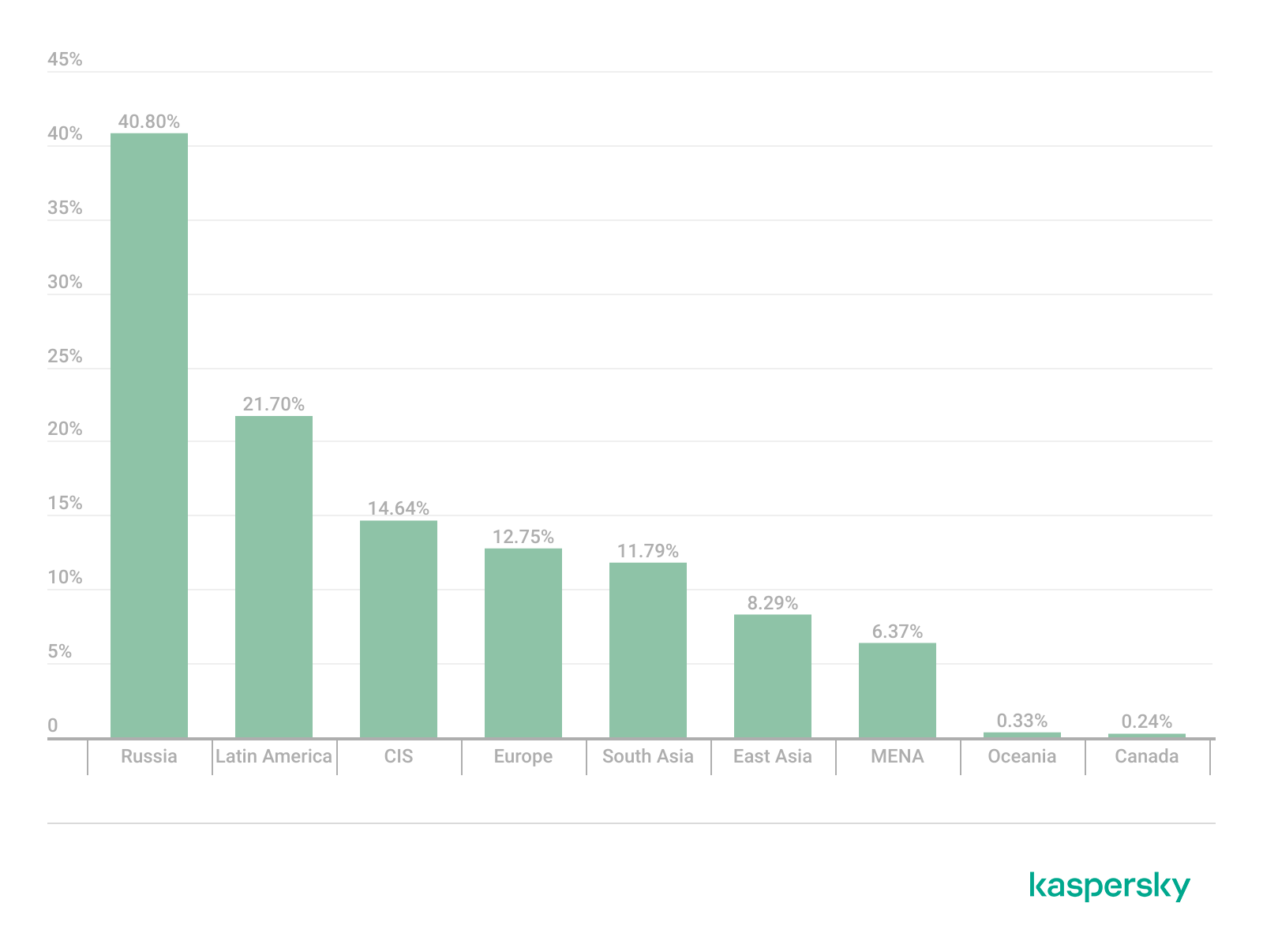
Percentage of the *a*o*.com domain detections by region, January 2026 (download)
This site has the largest share of detections in the Russian Federation, where it ranks first in the TOP 10 with a 40.80% share. It is also prevalent in Latin American countries (21.70%) and the CIS (14.64%), while it’s least common in Canada at 0.24%.
The next site appeared in 7 regions. It consists of a landing page for a fake antivirus solution presented as a browser extension (*n*s*.com). This extension redirects the user to a fake search engine page allowing it to collect data and track user activity, specifically search queries.
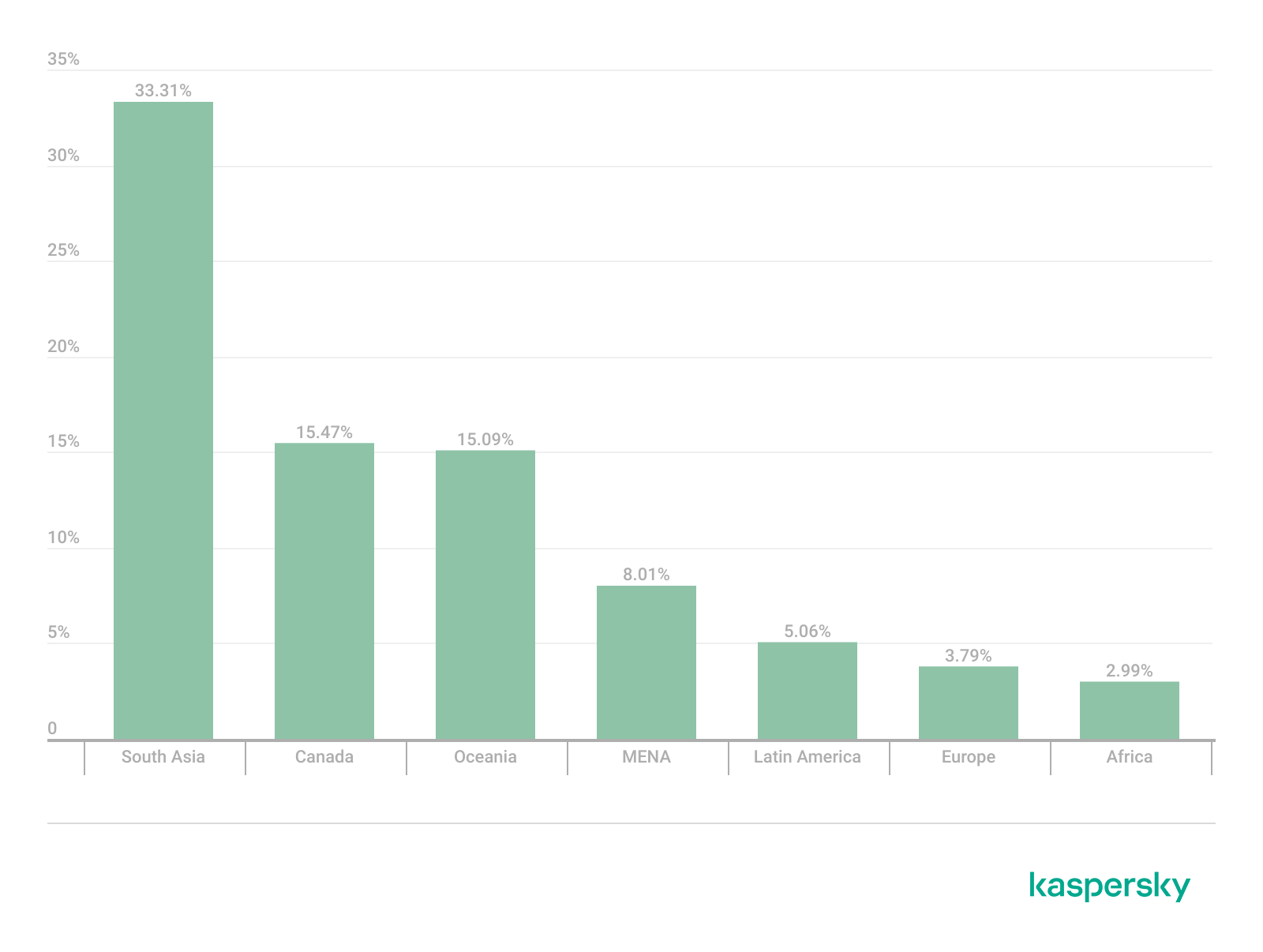
Percentage of the *n*s*.com domain detections by region, January 2026 (download)
This site is most frequently detected in South Asia, with a share of 33.31%. Its presence in Canada and Oceania is roughly equal (15.47% and 15.09%, respectively). We recorded the lowest number of detections in Africa, at 2.99%.
Another suspicious browser extension appeared in the TOP 10 in 6 out of the 10 regions. It’s a fake privacy-enhancing tool hosted at *w*a*.com. Instead of providing the advertised privacy features, this extension carries a high risk of intercepting browser data. It can modify browser settings, harvest user data, and swap the default search engine for a fake one. Furthermore, it maintains full control over all browser traffic.
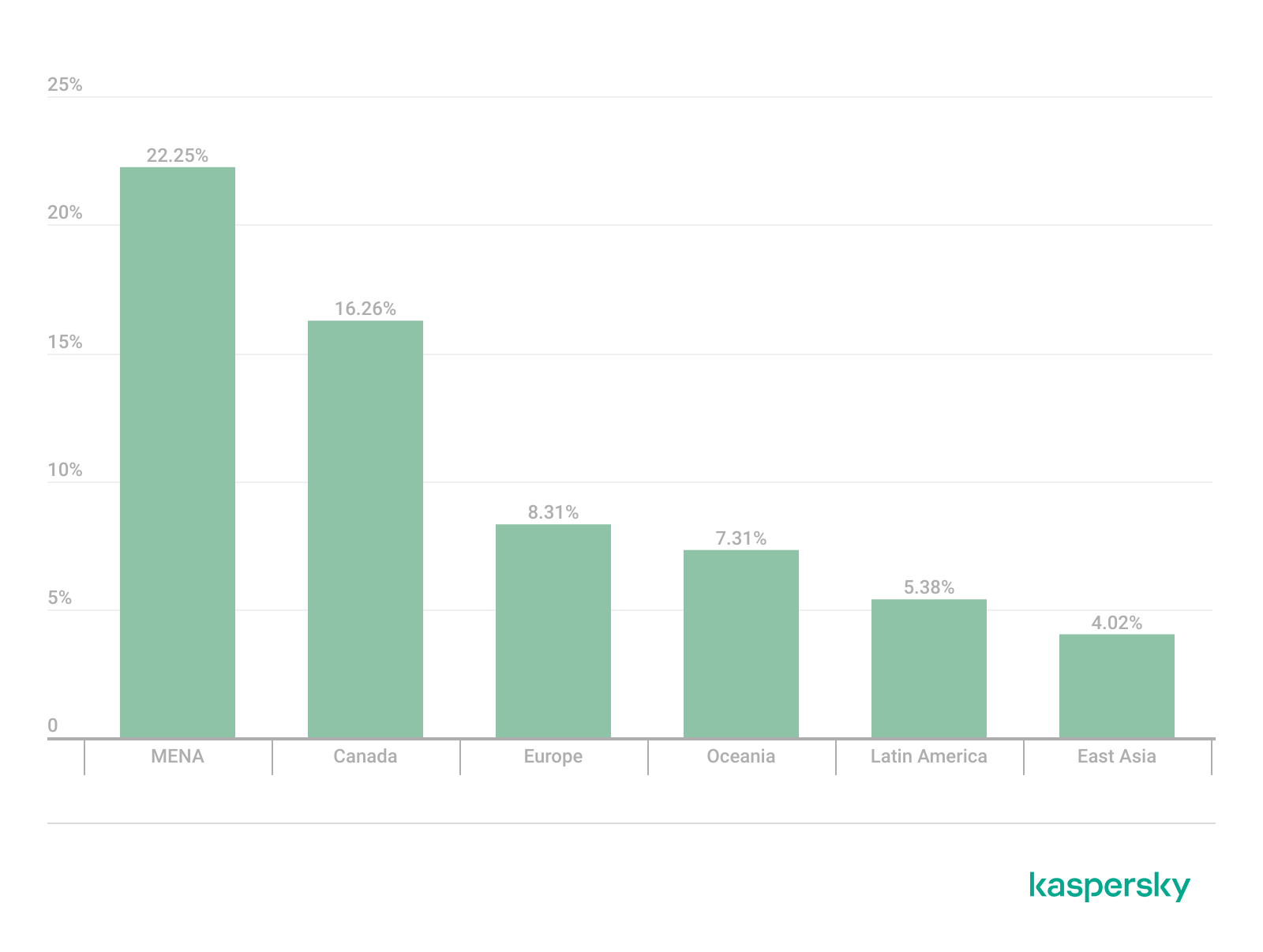
Percentage of the *w*a*.com domain detections by region, January 2026 (download)
This “service” has its largest share, 22.25%, in the Middle East and North Africa, and is also quite common in Canada (16.26%). It’s least frequently encountered in Latin America (5.38%) and East Asia (4.02%).
The site *o*r*.com appeared in five regional rankings. It’s a fake security service promising to provide online safety by warning users about malicious sites and dangerous search queries. This extension has the potential to steal cookies (including session cookies), inject advertisements, spoof login forms, and harvest browser history and search queries. We noted that this site made the TOP 10 in Africa (0.59%), the MENA (Middle East and North Africa) region (4.57%), Europe (5.61%), Canada (7.21%), and Oceania (1.93%).
In 4 out of the 10 regions, we identified several other recurring sites. One of them (*n*p*.xyz) mimics a repository for creative AI image generation prompts while capturing browser data. The domain hosting this site exhibits several red flags: it was recently registered, and the owner’s information is hidden. This site reached the TOP 10 in Africa (0.51%), the MENA region (7.04%), Latin America (22.54%, ranking first in that region), and South Asia (5.91%).
The second service (*i*s*.com) positions itself as a tool for safe searching, protecting the browser from threats, and verifying extensions. However, this is a typical browser hijacker, much like the others mentioned above. It made the TOP 10 in South Asia (8.03%), Oceania (17.97%), Europe (3.90%), and Canada (14.35%).
The third site (*h*t*.com) poses as a private browsing extension. In reality, it’s another potentially unwanted application designed for browser hijacking: it modifies settings, steals sensitive data (cookies, browser history, and queries), and can redirect the user to phishing pages. Users have specifically noted the difficulty involved in removing the extension. This site appears in the TOP 10 for the MENA region (10.17%), Canada (7.06%), Europe (3.81%), and Oceania (2.81%).
Another domain (*o*t*.com) that reached the TOP 10 in four regions is a service mimicking a browser extension for safe searching and web browsing. It’s dangerous because it injects ads and steals user data. It’s important to note that such extensions can be installed without explicit user consent – for example, via links embedded in other software. This service holds the number one spot in two regions: Canada (25.72%) and Oceania (30.92%), while also appearing in the TOP 10 for East Asia (8.01%) and Africa (0.88%).
Consequently, we can see that the majority of suspicious sites detected by our solutions worldwide are browser hijackers masquerading as security products. Nevertheless, other categories of sites also appear in the TOP 10.
Next, we’ll examine each region individually, focusing on descriptions of domains not previously covered. For clarity, the sites mentioned above will be marked as [MULTI-REGION], while those appearing in only two or three regions will include the names of those specific areas. We’ll observe several regional overlaps and similarities, allowing us to determine which types of suspicious sites are popular both within specific regions and globally.
Africa
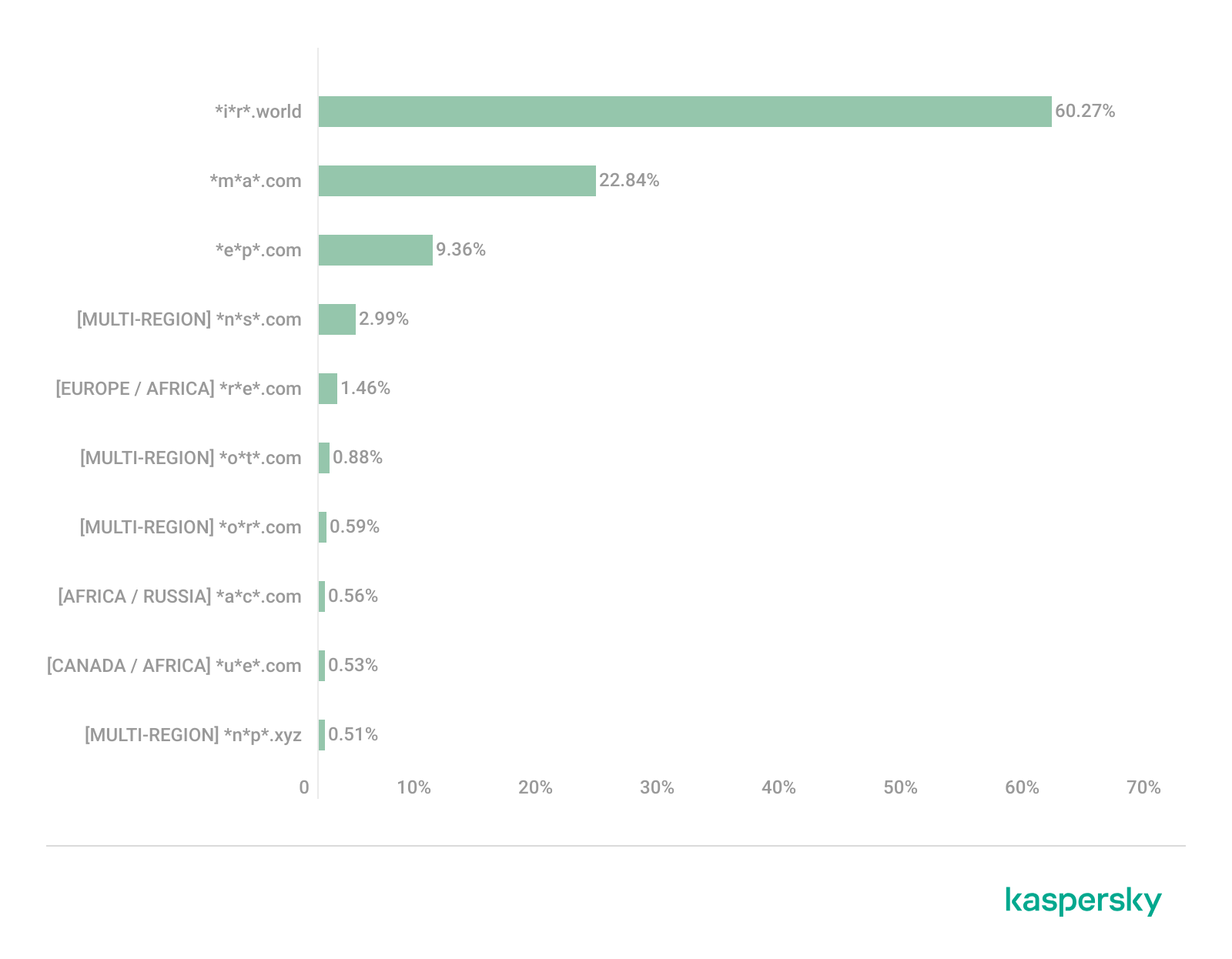
Distribution of the TOP 10 suspicious websites in Africa, January 2026 (download)
The three most prevalent domains in African countries are found exclusively in this region. All of them – *i*r*.world (60.27%), *m*a*.com (22.84%), and *e*p*.com (9.36%) – are potentially fraudulent online trading platforms suspected of using forged licenses. These sites employ classic scam schemes where it’s impossible to withdraw any alleged earnings. In fifth place is a domain we’ll also see in the European TOP 10, *r*e*.com (1.46%): a platform marketed as a tool for retail and semi-professional traders. It charges for services available elsewhere for free. Eighth place is held by a site that also appears in the Russian TOP 10: *a*c*.com (0.56%). This is a dubious AI tool that claims to offer free subscriptions to a premium graphics editor. In ninth place is a domain that also surfaces in the Canadian TOP 10: *u*e*.com (0.53%), a browser extension of the “web protection” variety that we’ve encountered previously.
In summary, the African region is dominated by financial scams within the online trading and brokerage sectors. These include fake platforms that make it impossible to withdraw funds and use fake licenses and classic schemes to steal users’ money. Additionally, Africa sees paid tools that duplicate free services and questionable AI-based subscriptions. The primary threat in this region is financial loss through fraudulent investment-themed sites.
MENA
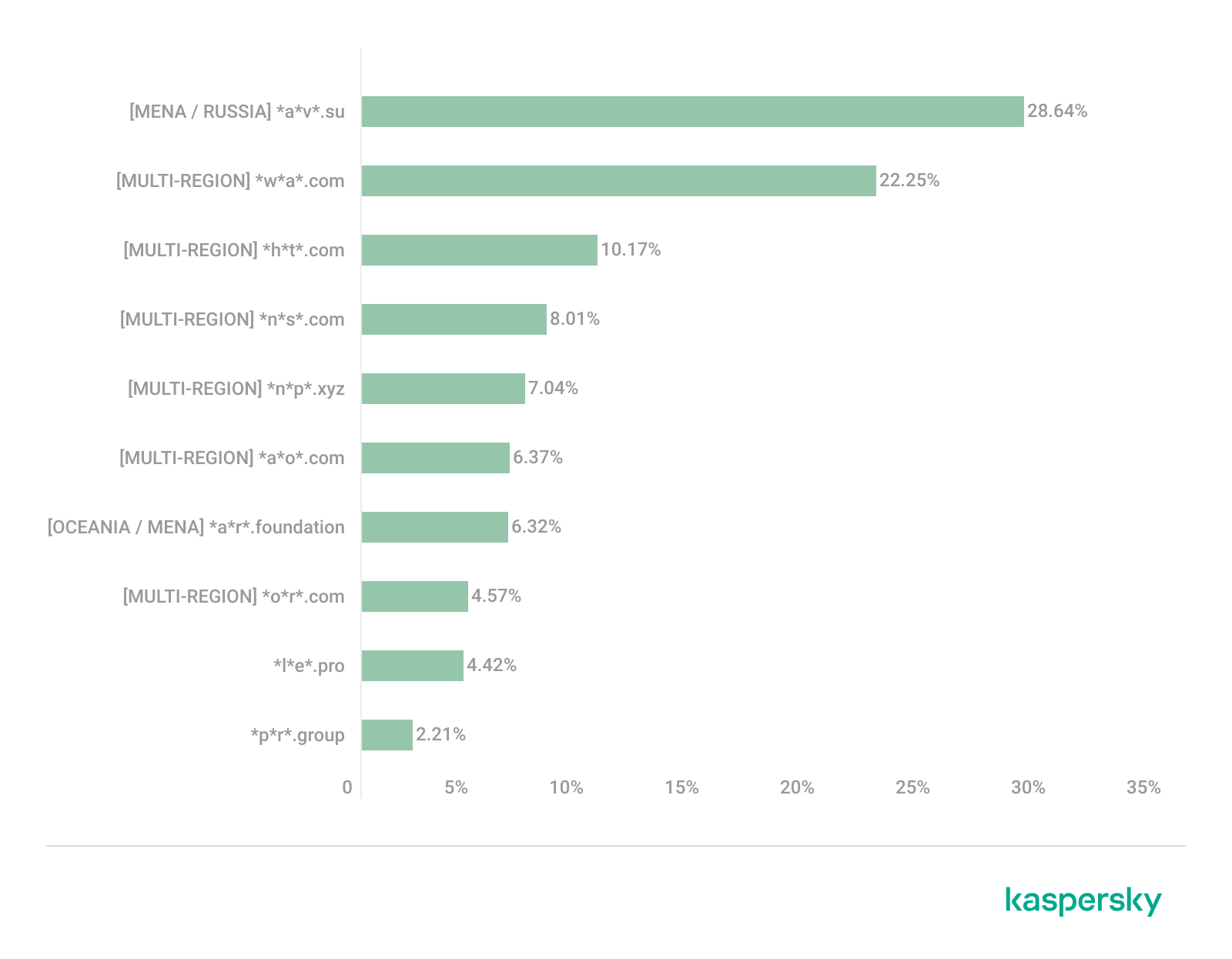
Distribution of the TOP 10 suspicious websites in the Middle East and North Africa, January 2026 (download)
In the MENA region, the site *a*v*.su holds the top spot with a 28.64% share; notably, this site also appears in the TOP 10 for Russia. It markets itself as a tool for building custom VoIP-PBX systems. However, it has an extremely low trust rating and is frequently associated with phishing, and hidden redirects. Using this service carries significant risks, including data leaks, and financial loss.
Ranked seventh is *a*r*.foundation (6.32%), an AI bot allegedly designed for trading, which we also identified in the TOP 10 for Oceania. This service has been flagged as an investment scam operating as a pyramid scheme with the hallmarks of a Ponzi scheme.
The ranking is rounded out by two domains not found in any other region. The first one, *l*e*.pro (4.42%), is a spoof of a popular betting service. The second, *p*r*.group (2.21%), is a clone of a well-known broker. Both sites are scams.
In the MENA region, the landscape is dominated by fake VoIP services as well as counterfeits of financial and betting platforms, which attackers use to conduct phishing attacks, and perform hidden redirects. A significant portion of suspicious sites consists of fake online privacy tools and browser hijackers masquerading as security extensions. Ponzi schemes and cryptocurrency scams are also prominent. The primary risks for the region are data theft, and financial loss.
Latin America
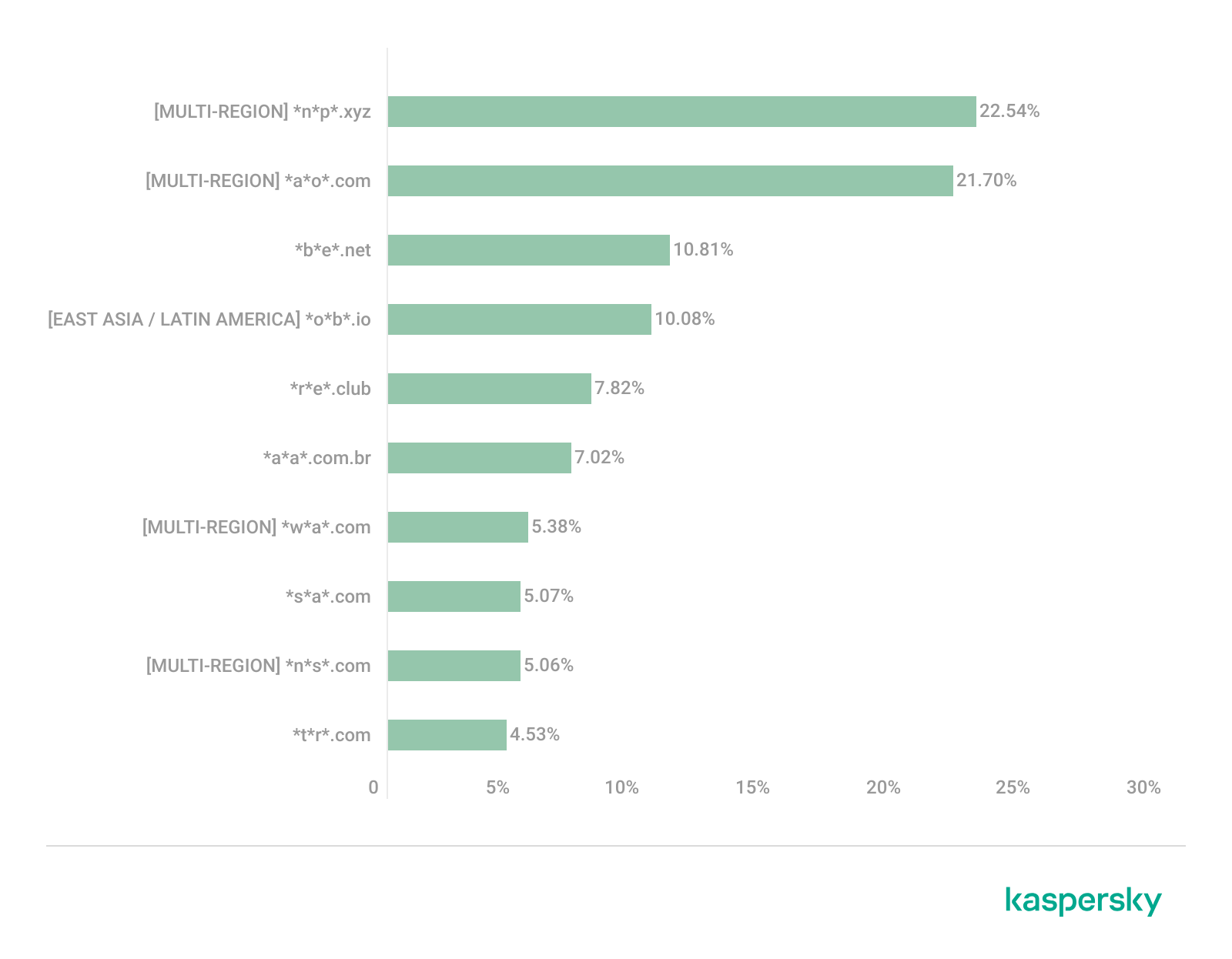
Distribution of the TOP 10 suspicious websites in Latin America, January 2026 (download)
In Latin America, we identified five popular suspicious sites specific to this region, which is unusual compared to other areas where more overlaps are typically observed. Ranking third with a share of 10.81% is the fake betting platform *b*e*.net. In fifth place is *r*e*.club, an illegitimate clone of a well-known bookmaker, with a share of 7.82%.
Further down the list of local threats are *a*a*.com.br (7.02%), a Brazilian Ponzi scam; *s*a*.com (5.07%), which offers dubious investment programs; and *t*r*.com (4.53%), a potentially dangerous trading platform.
In Latin America, the most-visited suspicious sites are betting-themed scams, including both clones of legitimate sites and those built from scratch. Also prevalent are Ponzi schemes, fake investment programs, and dubious online brokers. A significant portion of these sites consists of browser hijackers posing as crypto platforms and AI bots. The primary threats in Latin American countries include financial loss through gambling and Ponzi schemes, as well as the theft of NFTs and other tokens.
East Asia
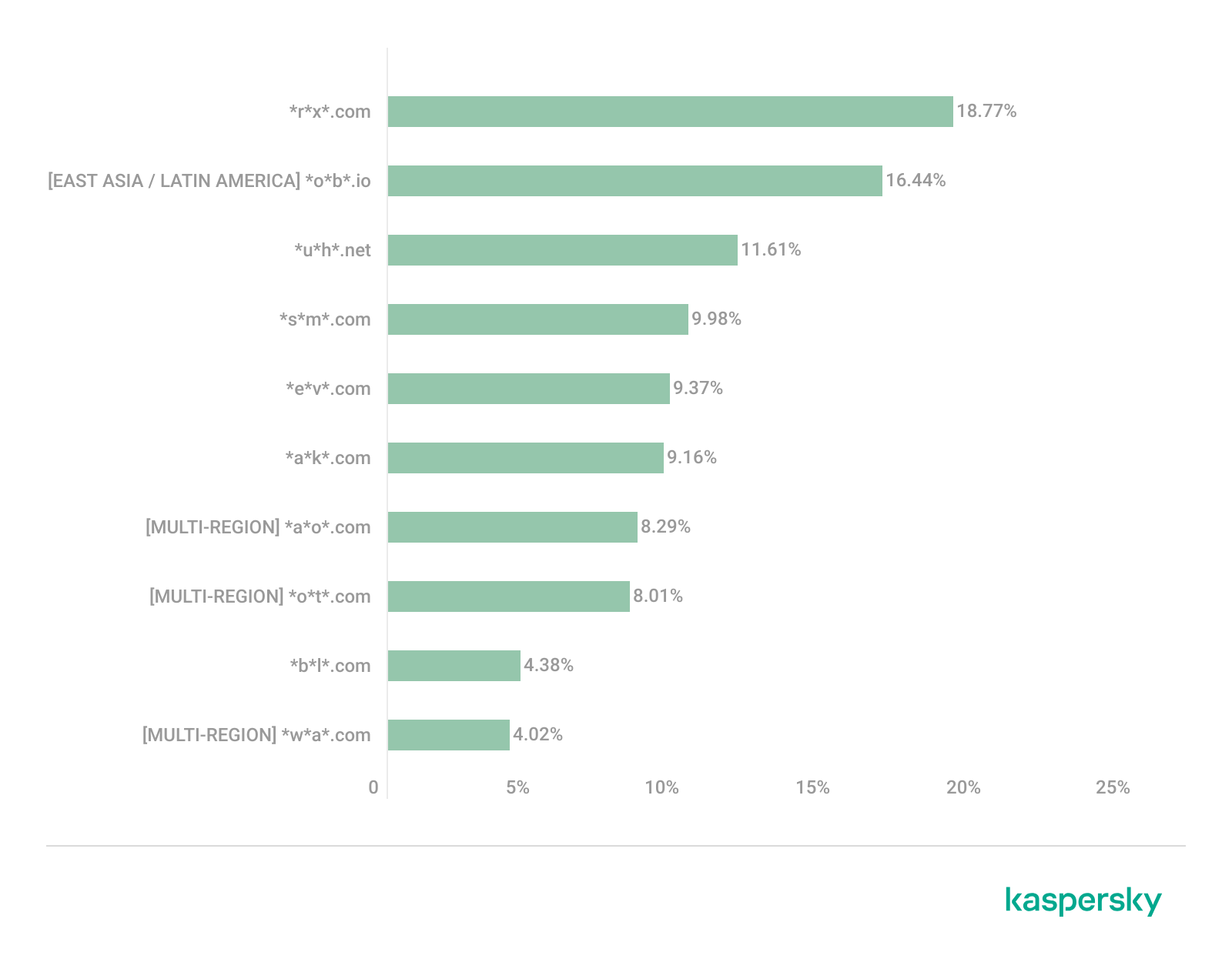
Distribution of the TOP 10 suspicious websites in East Asia, January 2026 (download)
In the East Asian TOP 10, we see the highest concentration of domains that are absent from other regional rankings.
In first place, with an 18.77% share, is the fake broker *r*x*.com, which can be used to steal personal data or funds. Second place is held by a crypto-gaming site (16.44%) that we previously encountered in the Latin American TOP 10. Visitors to this site risk losing NFTs and other tokens. In third place is the domain *u*h*.net (11.61%), used for redirects, which can hijack sessions. Following this is *s*m*.com (9.98%), a domain typically used as a browser-hijacking server and for phishing attacks, serving as a link in an infection chain.
Rounding out the local threats in East Asia are the following domains: *e*v*.com (9.37%), utilized in drive-by attacks; *a*k*.com (9.16%), an API-like domain associated with suspicious scripts and extensions; and *b*l*.com (4.38%), a domain potentially used for redirects.
East Asia has a high concentration of region-specific fake brokers, crypto gaming platforms, and NFT marketplaces. The primary threats for this region include the loss of financial data, NFTs, and other tokens, as well as session hijacking.
South Asia
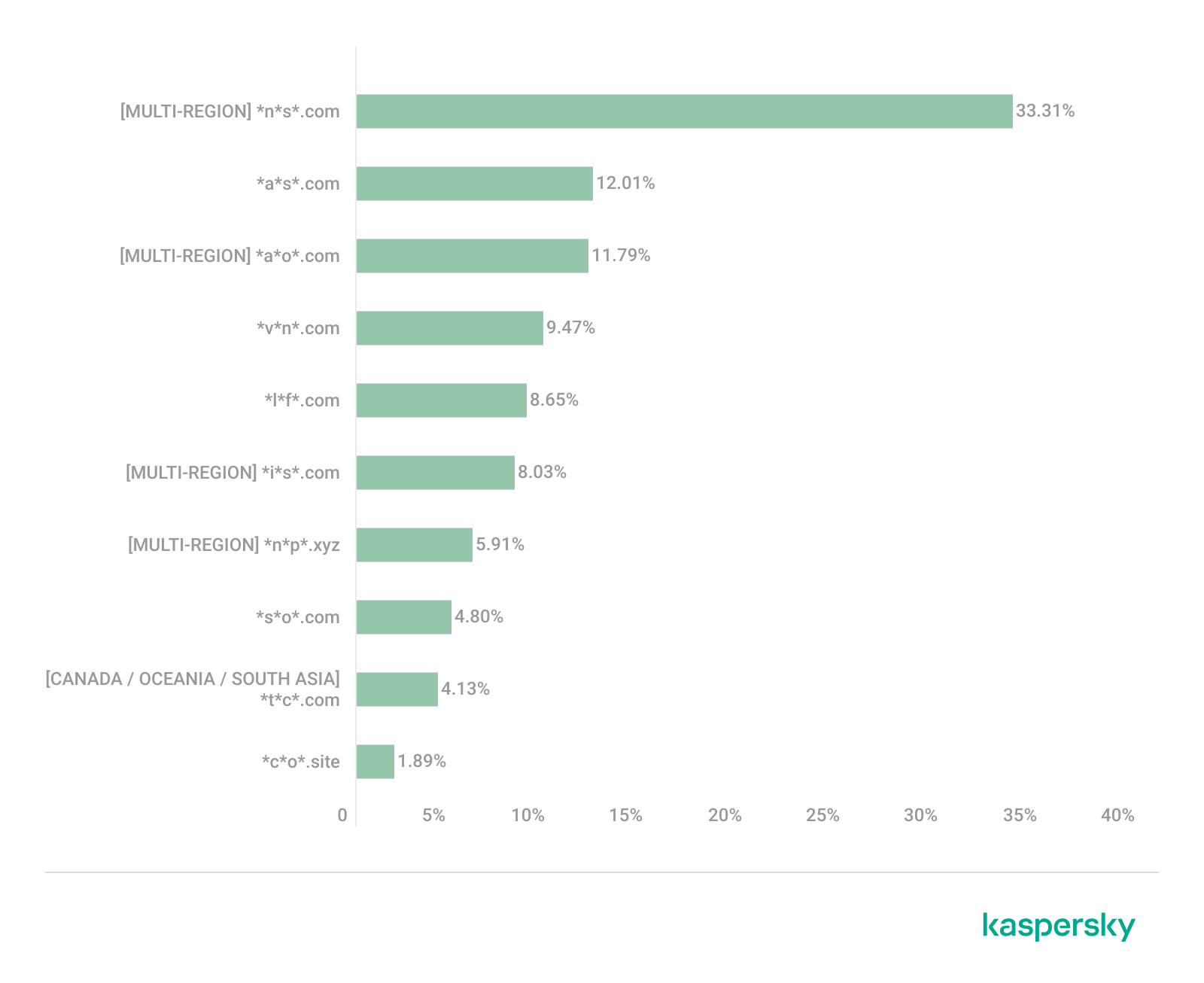
Distribution of the TOP 10 suspicious websites in South Asia, January 2026 (download)
In South Asian countries, we also observe a concentration of local suspicious sites specific to the region.
The second most popular site in the region is *a*s*.com (12.01%), a poor-reputation, high-risk microloan service typical of South Asia. By interacting with these sites, users risk not only losing significant funds but also compromising their overall security. Following this are *v*n*.com with a 9.47% share and *l*f*.com with 8.65%. These domains are employed in various fraudulent schemes, ranging from phishing to spam.
The TOP 10 also includes *s*o*.com (4.80%), a free video downloading service associated with a high risk of infection. The final site we analyzed in the South Asia region is *c*o*.site (1.89%), a pseudo-tool for local SEO optimization that carries the danger of data loss and a high risk of financial fraud through subscription sign-ups.
In summary, the region is dominated by fake antivirus extensions, microloan services, dubious video downloaders, and counterfeit SEO tools. The primary risks for South Asia include financial fraud, phishing and spam distribution, and data theft.
CIS
When analyzing statistics for suspicious sites in CIS countries, we treat Russia as a separate region due to the unique characteristics of its online space which are not found in any other CIS member states. However, we’ve placed these two regions in the same section, as we’ve observed overlaps between them that are not seen in other parts of the world.
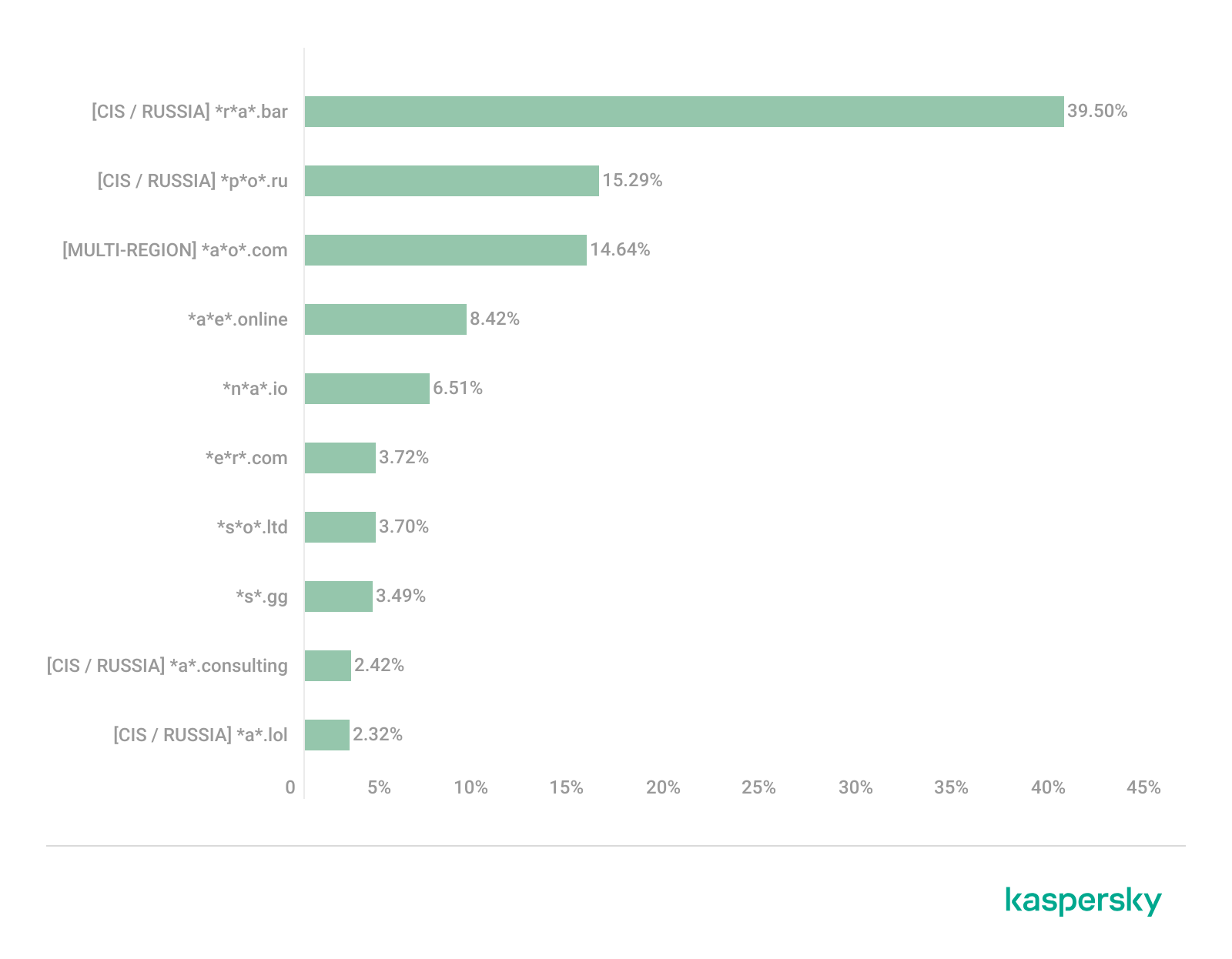
Distribution of the TOP 10 suspicious websites in the CIS, January 2026 (download)
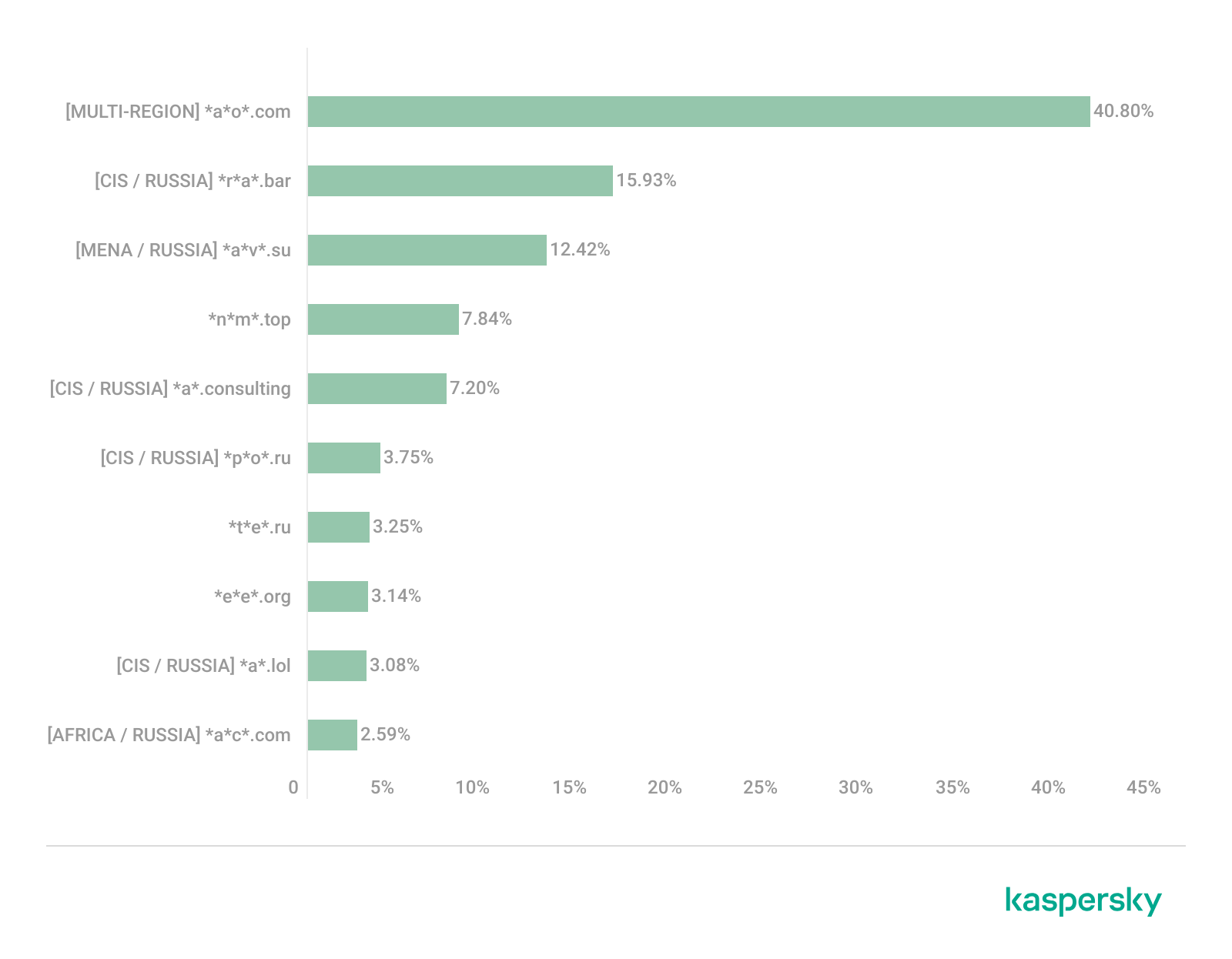
The top two sites in the CIS TOP 10 also appear in the Russian TOP 10. The domain *r*a*.bar, which ranks first in the CIS (39.50%), holds the second spot in Russia (15.93%) and is a fake trading site. It’s worth noting that sites in the .bar domain zone are frequently used for scams. In second place in the CIS (15.29%) and sixth in Russia (3.75%) is the domain *p*o*.ru, which is often associated with bots for inflating follower counts and automating community management.
Domains from fourth to eighth place are specific only to the CIS region and don’t appear in the Russian TOP 10. These sites include:
*a*e*.online (8.42%): an online image editor that carries risks of data harvesting
*n*a*.io (6.51%): a high-risk cryptocurrency trading platform
*e*r*.com (3.72%): a site promising free cryptocurrency and posing the risk of compromising visitors’ private keys and digital wallets
*s*o*.ltd (3.70%): a domain with an extremely low trust rating
*s*.gg (3.49%): a scam site masquerading as a play-to-earn blockchain game
The ranking concludes with sites that overlap with the Russian region. *a*.consulting (2.42%) is a fake clone of a binary options site, and *a*.lol (2.32%) is a domain suspected of dubious activity.
The CIS landscape is dominated by fake trading platforms (particularly crypto exchanges), promises of easy profits, play-to-earn scams, and dubious investment projects. We also observe many bots for inflating social metrics and automation. The primary threat in the CIS is the theft of private keys, digital wallets, and funds through investment schemes and lures involving online promotion.
Distribution of the TOP 10 suspicious websites in Russia, January 2026 (download)
The Russian TOP 10 includes three unique domains not found in the rankings of other regions. The first, *n*m*.top (7.84%), is an imitator of a well-known binary options broker. This suspicious site was recently registered and has a tellingly low rating on domain verification services. The second, *t*e*.ru (3.25%), claims to be an educational platform and has a dubious subscription system with a high probability of fraud involving difficulties in canceling subscriptions. The third site, *e*e*.org (3.14%), positions itself as a tool for a popular media platform, but it’s actually a scam that fails to provide its stated services.
Overall, the Russian landscape is characterized by fake binary options brokers and sketchy sites with fraudulent subscriptions posing as e-learning platforms. There are also frequent instances of sites spoofing well-known legitimate services. The primary risks in Russia are scams related to the knowledge business sector, as well as the theft of money and personal data.
Europe
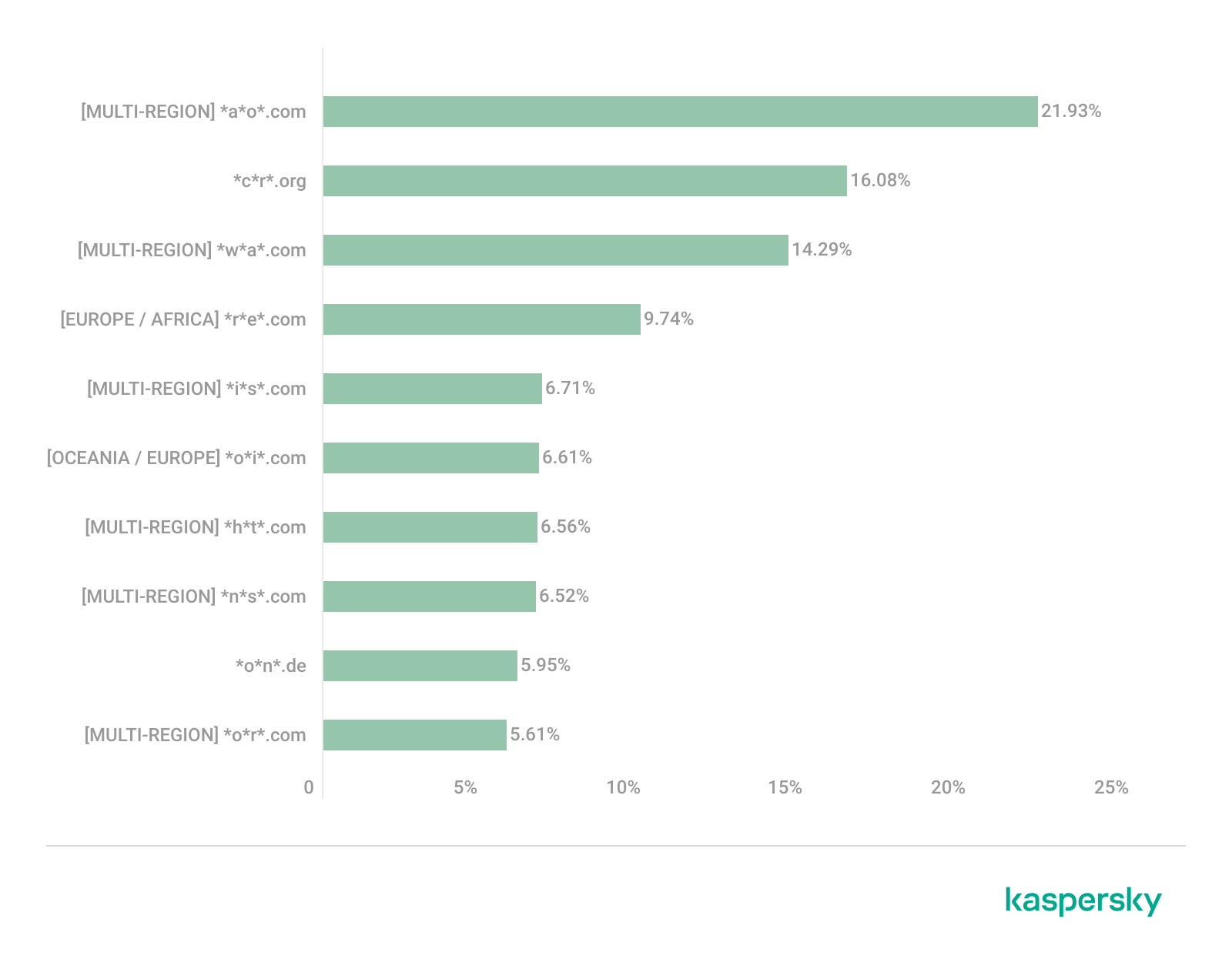
Distribution of the TOP 10 suspicious websites in Europe, January 2026 (download)
In the European region, we’ve found two unique domains. The first of these, *c*r*.org, has been identified as part of a chain for massive phishing and spam attacks. It accounts for a 16.08% share of the TOP 10. The second site, *o*n*.de, is an unofficial reseller with a poor reputation and a high likelihood of fraud. This domain ranks second to last in our statistics with a 5.95% share.
Among the sites not previously covered, the European TOP 10 includes one site that also appears in the Oceania TOP 10: *o*i*.com (6.61%). This is a classic cryptocurrency scam promising passive income.
A significant portion of suspicious sites in Europe consists of intermediary sites for phishing and spam, fake security extensions, and crypto scams. Unofficial sales services and paid trading tools are also on the list. The primary threats in the European region include session hijacking, data theft, spam, and investment fraud.
Canada
Distribution of the TOP 10 suspicious websites in Canada, January 2026 (download)
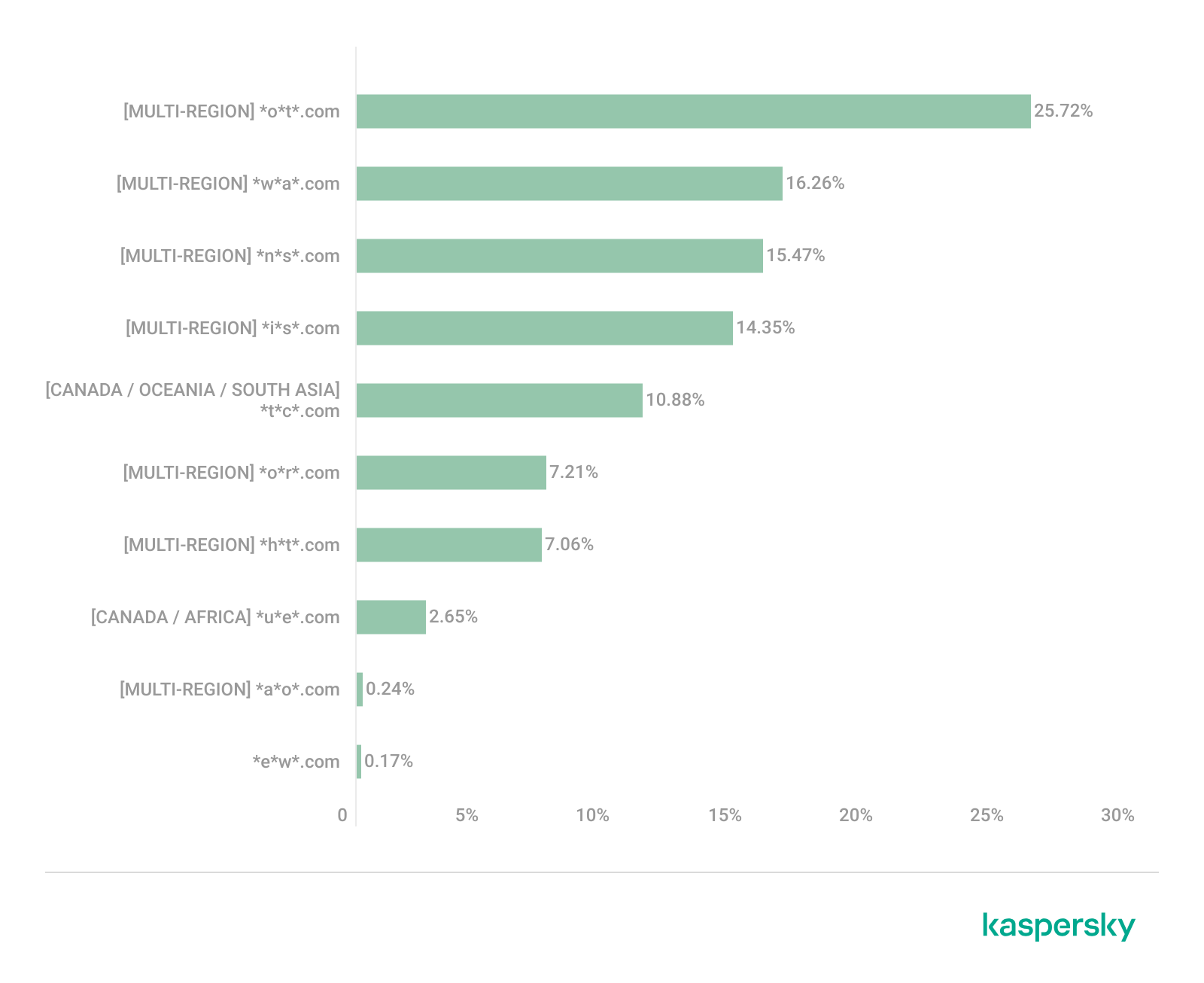
Canada has been designated as a separate region to illustrate prevailing trends within North America. The first four positions in the Canadian TOP 10 are held by multiregional domains discussed previously. In fifth place is *t*c*.com (10.88%), which also appears in the TOP 10 rankings for Oceania and South Asia. This is yet another browser extension masquerading as a security solution. Occupying the final spot is the domain *e*w*.com (0.17%), which is unique to the Canadian market. This site operates a dropshipping scam, offering products at prices significantly below market value. Customers typically either never receive their orders or get low-quality counterfeits.
The landscape of dubious websites in Canada is largely defined by fraudulent extensions capable of hijacking browser data, tracking user activity, spoofing search queries, harvesting cookies, and injecting ads. This is further compounded by dropshipping schemes involving counterfeit goods. The primary risks for users in Canada include data theft and financial loss from purchasing substandard products.
Oceania
Distribution of the TOP 10 suspicious websites in Oceania, January 2026 (download)
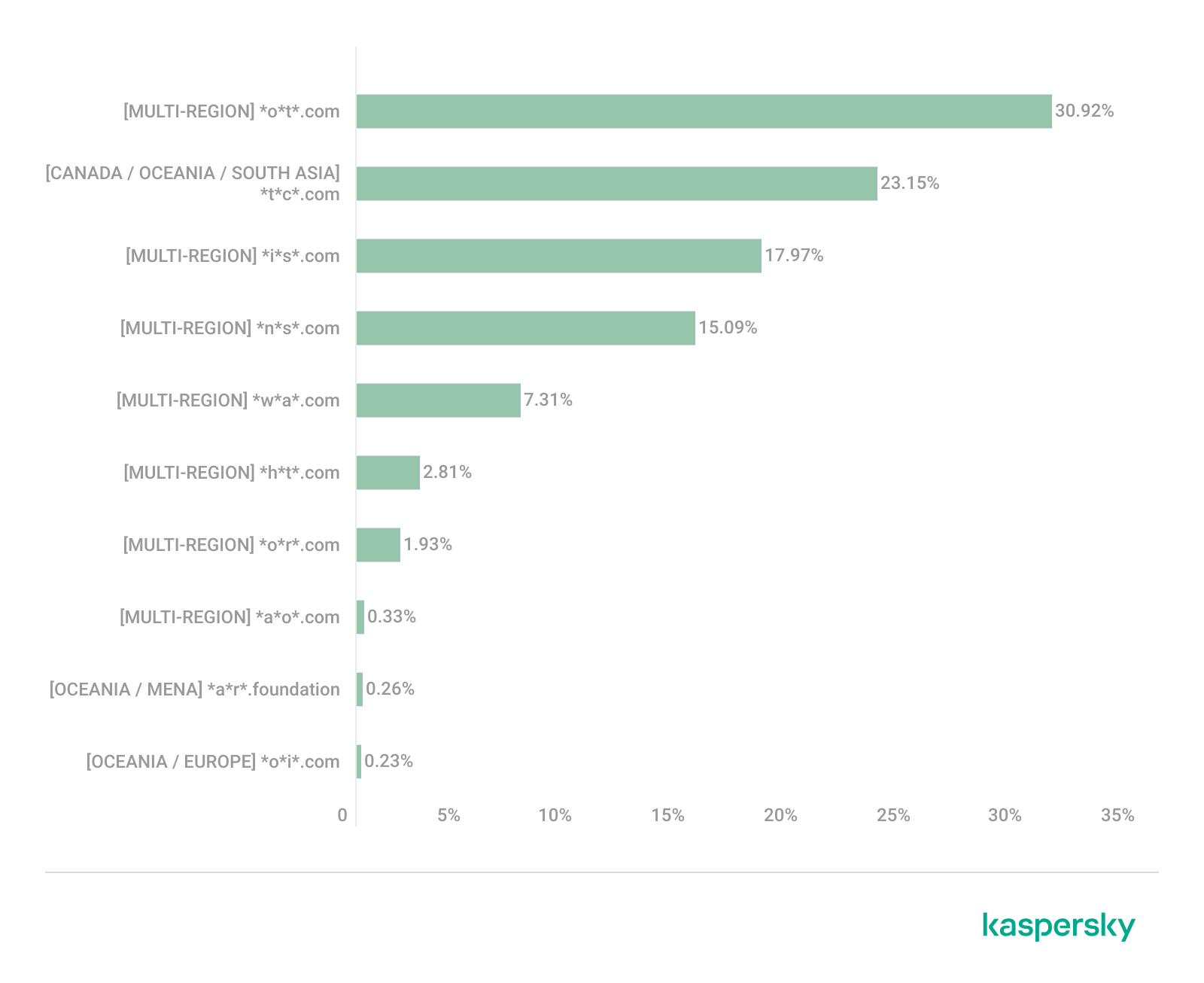
The final region under consideration is Oceania. Notably, we didn’t identify a single domain unique to this region. Every site appearing in the TOP 10 represents a global threat that’s already been detailed in previous sections. To summarize the findings for this region: the primary threats consist of fake security extensions and privacy products designed for browser hijacking, tracking user activity, displaying advertisements, and stealing data. There’s a minimal presence of crypto Ponzi schemes in this area. The main risk for users in Oceania is the loss of privacy and confidentiality through unwanted apps.
Conclusion
Suspicious websites are particularly dangerous because they often masquerade as legitimate sites with high levels of persuasiveness. They mimic online stores, subscription-based streaming platforms, repair firms, and various other services. Unlike standard phishing sites, they employ more sophisticated manipulations to deceive users, tricking them into voluntarily handing over their personal data and transferring funds.
By examining the TOP 10 suspicious sites across the world’s major regions, we can draw several conclusions. On average, the most prevalent threats globally are fraudulent extensions masquerading as security solutions and privacy services. Their true purpose is to hijack browser data, track user activity, and display ads. We also frequently encounter phishing platforms for image processing and financial scams involving trading, cryptocurrency, betting, and microloans. Our statistics demonstrate that these sites not only employ classic fraudulent schemes centered on easy money but also adapt to contemporary trends targeting younger audiences and specific regional characteristics. The primary risks for users interacting with these sites are a combination of privacy threats and financial loss.
To help protect users from these shady sites, we’ve introduced the category of “websites with an undefined trust level” as part of the web filtering features in our solutions. However, it’s important to note that user awareness and individual responsibility play a significant role in ensuring safe web browsing. It’s essential for users to be able to recognize suspicious sites and remain vigilant toward any that appear untrustworthy.
A suspicious website is a web resource that cannot be definitively classified as phishing, but whose activities are unsafe. Such sites manipulate users, tricking them into voluntarily transferring money for non-existent services, signing up for hidden subscriptions, or disclosing personal data through carefully crafted terms of service. These include fake online stores, dubious crypto exchanges, investment platforms, and services with paid subscriptions.
Kaspersky has introduced a new web filtering category, “Sites with an undefined trust level,” into its security products (Kaspersky Premium, Android and iOS apps, etc.). The system analyzes the domain name and age, IP address reputation, DNS configuration, HTTP security headers, and SSL certificate to automatically detect suspicious resources.
According to Kaspersky data for January 2026, the most widespread global threat is fake browser extensions that mimic security products — they were detected in 9 out of 10 regions analyzed worldwide. Such extensions intercept browser data, track user activity, hijack search queries, and inject ads.
Kaspersky’s regional statistics reveal the specific nature of these threats: in Africa, over 90% of the top 10 suspicious websites are online trading scam platforms; in Latin America, fake betting services predominate; in Russia, fake binary options brokers and “educational platforms” with fraudulent subscriptions lead the way; in CIS countries — crypto scams and bots for inflating engagement.
Key indicators of a suspicious website to check: a strange domain name with numbers or random characters, cheap top-level domains (.xyz, .top, .shop), a recently registered domain (less than 6 months old according to WHOIS data), unrealistic promises (“100% guaranteed income,” “up to 300% profit”), lack of company contact information, and payments only via cryptocurrency or irreversible bank transfers.
Introduction
The online landscape is filled with various traps lying in wait for users. One such threat involves websites that can’t be strictly classified as phishing, yet whose activities are inherently unsafe. These sites often operate on the fringes of the law, even if they aren’t directly violating it. Sometimes they use a cleverly crafted Terms of Service document as a loophole. These agreements might include clauses such as no-refund policies or forced automatic subscription renewals.
Fake online stores, dubious financial platforms, and various online services that mimic legitimate business operations are all categorized as suspicious. Unlike actual phishing sites, which aim to steal sensitive data like banking credentials or passwords, these suspicious sites represent a far more cunning trap. Their goal is manipulation: tricking the victim into willingly paying for non-existent goods and services or signing them up for a subscription that’s nearly impossible to cancel. Beyond financial gain, these sketchy websites may also hunt for personal data to sell later on the dark web.
Our solutions categorize them as having an “undefined trust level”. This article explains what these sites look like, how to identify them, and what you can do to stay safe.
The dangers of shady websites
One of the biggest risks associated with making a purchase from an untrusted website that seems to be an online store is the financial loss and falling victim to fraud. Fake shops will entice you with attractive deals to get you hooked. After you pay, you may never receive what you paid for, or you may receive some cheap piece of unusable junk instead of the item you ordered. Investment or “guaranteed income” programs are another type of classic scam — they promise rapid returns, and once they take your deposits, they disappear without a trace.
Visiting or buying from untrusted suspicious websites can expose you to various risks that go beyond a single bad purchase. Fraudulent websites often collect your personal information even if you do not end up making a purchase. By completing a form or signing up for a “free offer”, you may be providing the scammer with access to your information.
Personal data collection can happen in a fairly straightforward and obvious way — for instance, through a standard order delivery form. In this scenario, attackers end up with sensitive information like the user’s full name, shipping and billing addresses, phone number, email address, and, of course, payment details. As we’ve previously discussed, fraudsters sell this kind of information, and there’re countless ways it can be used down the line. For example, this data might be leveraged for spam campaigns or more serious threats like stalking or targeted attacks.
Common types of suspicious sites
Let’s take a closer look at the different types of shady sites out there and how interacting with them can lead to financial loss, data leaks, the unauthorized use of personal information, and other consequences.
It’s worth noting that rogue websites can masquerade as legitimate ones in almost any industry. The first type of fraudulent site we’ll look at is fake online stores. These can appear as clones of real brand websites or as standalone stores. Usually, the scam follows one of two paths: the buyer either receives a counterfeit or poor-quality product, or they receive nothing at all. These sites lure victims in with suspiciously low prices and “exclusive” deals. Often, users are subjected to psychological pressure: the time to make a purchase decision is purposefully limited, provoking the victim, as with any other scam, into making an impulse purchase.
Another common type of shady site includes online exchanges and trading platforms. These primarily target cryptocurrency, as the lack of legislative regulation for digital currency in certain countries makes them a magnet for fraudsters. These suspicious sites often lure victims with supposedly favorable exchange rates or other enticing gimmicks. If the user attempts to exchange cryptocurrency, their tokens are gone for good. Beyond simple exchanges, rogue sites offer investment services and even display a fake balance growth to appear credible. However, withdrawing funds is impossible; when the victim tries to cash out, they’re prompted to pay some fee or fictional tax.
Subscription traps are also worth noting, offering everything from psychological tests to online video streaming platforms. The hallmark of these sites is that they deliberately withhold critical information, such as recurring charges, or hide the fact it even exists. Typically, the scheme works like this: a user is offered a subscription for a nominal fee, like $1. While that seems attractive, the next charge – perhaps only a week later – might be as much as $50. This information is intentionally obscured, buried in fine print or tucked away in the Terms of Service where it’s harder to find. Legitimate services always clearly disclose subscription terms and provide an easy way to cancel before a trial period ends. Scam services, on the other hand, do everything possible to distract the user from the actual terms of use and subscription.
Shady sites can also masquerade as providers of mediation services, such as legal or real estate assistance. In reality, the service is either never delivered or provided in a stripped-down, incomplete form. For example, a user might be prompted to pay for a service that’s normally provided for free. The danger here lies not only in losing money for non-existent services but also in the significant risk of exposing personal data, such as ID details, taxpayer identification numbers, social security numbers, or driver’s license information. Once in the hands of attackers, this data can become a tool for executing further scams or targeted attacks.
On the whole, suspicious sites are fairly difficult to distinguish from legitimate, trustworthy services. Masquerading as a legitimate business is the primary goal of these sites, and the fraudulent schemes they employ are not always obvious. Nevertheless, there are protective measures as well as certain indicators that can help you suspect a site is unsafe for purchases or financial transactions.
How to identify suspicious or fraudulent websites
Despite the increasingly convincing attempts to create fake shops, the majority of them still lack the quality of real online stores, and there are many signs that may give them away. Some of these signs can be caught by the eye while others require a bit of technical investigation. By combining visual inspection, technical checks, and trusted online tools, you can protect yourself from financial loss or data theft.
Visual and manual clues
You don’t need to be a cybersecurity expert to catch many red flags just by observing the site’s domain, visuals, language and behavior. For instance, scam sites often have strange or randomly generated names, filled with numbers, underscores, hyphens, or meaningless words, like best-shop43.com. In addition, such vague top-level domains as .xyz, .top, or .shop are also frequently used in scams because they’re cheap and easy to register.
Furthermore, most fake stores sites look unprofessional, with poor visuals, pixelated images, mismatched fonts, or copied templates. Many fraudulent websites borrow layouts or logos from other brands or free templates, which makes them appear generic and sketchy.
Another major giveaway lies in the content itself. Be aware of persuasive language, unrealistic promises, or emotional triggers such as No KYC, Risk-free returns, 100% guaranteed income, Up to 300% profit, or Passive income with zero effort. Unrealistic deals are another red flag. If the products are listed at extremely low prices, continuous countdown timers, and “limited time only” messages that are often used to pressure you into making a quick purchase, it’s a clear tell of a fraudulent website.
Legitimate businesses always provide verifiable contact details, such as a physical address, company name, and customer support. On the contrary, scam sites hide this information. You may also notice the non-functioning pages, broken or suspicious links leading to unrelated external sites which indicate poor maintenance or malicious intent.
Another important signal is the website’s social media presence. Legitimate online businesses usually maintain at least one active social media account to promote their products and communicate with customers. In most cases, these businesses have long-established social media accounts with harmonized posting history and engagement from real users, consistency between the brand website and social media profiles (same name, logo, and links). The links to social media profiles from the website are usually direct. In contrast, fraudulent or deceptive websites often lack any meaningful social media presence or display signs of superficial or artificial activity. This may include missing social media accounts altogether, social media icons that lead to non-existent, inactive, or unrelated pages, or recently created profiles with very few posts and minimal user engagement. In some cases, comment sections are disabled or dominated by spam and automated content, suggesting an attempt to avoid public interaction rather than engage with customers.
Lastly, the payment options offered by the site can also tell a lot about its legitimacy. Be extremely cautious if a website only accepts cryptocurrency, wire transfers, or third-party P2P payments. These payment methods are irreversible and are preferred by scammers. Legitimate e-commerce platforms typically offer secure and reversible payment options, such as credit cards or trusted payment gateways that include buyer protection policies.
However, the absence or existence of any of these factors alone does not necessarily indicate malicious intent. It should be evaluated in combination with technical, linguistic, and behavioral indicators, rather than treated as a standalone signal of legitimacy.
Technical indicators to check
Looking into technical signs can reveal whether a website is trustworthy or potentially fraudulent.
One of the first things to check is the domain age. Scam websites are often short-lived, appearing only for a few weeks or months before disappearing once users start reporting them. To check when the domain was created, use a WHOIS lookup. If it’s less than six months old, be cautious — especially for e-commerce or investment sites, where legitimacy and trust take time to build.
Let’s take a look at the registration details for the popular online marketplace Amazon. As we can see from the WHOIS information, it was registered in 1994.
Meanwhile, a reported suspicious online store was created a couple of months ago.
Legitimate websites usually operate on stable hosting platforms and remain on the same IP addresses or networks for long periods. In contrast, fraudulent websites often move between servers (in most cases using a cheap shared hosting service) or reuse infrastructure already associated with abuse. Checking the IP address reputation can reveal if the website or the hosting server has previously been linked to suspicious activities. Even if the website looks legitimate, a poor IP reputation can expose it.
In addition to that, looking at the infrastructure behavior over time can reveal patterns about its legitimacy. Websites associated with fraudulent activity often show short lifespans, sudden spikes in activity, or rapid appearance and disappearance, which indicates a coordinated campaign rather than a legitimate business.
Another important clue is hidden ownership. When the WHOIS details show “Redacted for Privacy” or leaves the organization name blank, it may indicate that the website owner is deliberately hiding their identity.
We should point out that while this can raise suspicion during investigations, hidden WHOIS data is not inherently malicious. Many legitimate businesses use privacy protection services for valid reasons. These may include protection from spam and phishing after public email addresses are taken from WHOIS databases, personal safety for small business owners, and brand protection to prevent competitors or malicious actors from targeting the registrant. This means that some businesses can use services like WHOIS Privacy Protection, Domains By Proxy, or PrivacyGuardian.org to remove the WHOIS data while still operating transparently on their websites through clear contact details, customer support channels, and legal pages (e.g. terms of use).
Therefore, hidden ownership should be treated as a contextual risk indicator, not a standalone proof of fraud. It becomes more suspicious when combined with other signals such as newly registered domains, and lack of legal information.
Next, you can check the security headers of the website. Legitimate websites are usually well maintained and include several key HTTP headers for protection. Some examples include:
Content-Security-Policy (CSP) provides strong defense against cross-site scripting (XSS) attacks by defining which scripts are allowed to run on the site and blocking any malicious JavaScript that could steal login data or inject fake forms.
HTTP Strict-Transport-Security (HSTS) forces browsers to connect to the site only over HTTPS. It ensures all communication is encrypted and prevents redirecting users to an insecure (HTTP) version of the site.
X-Frame-Options prevents clickjacking, which is a type of attack where a legitimate-looking button or link on a malicious page secretly performs another action in the background.
X-Content-Type-Options blocks MIME-type attacks by preventing browsers from misinterpreting file types.
Referrer-Policy controls how much information about your previous browsing (referrer URLs) is shared with other sites.
These headers form the “digital hygiene” of a website. Their absence doesn’t always mean a site is malicious, but it does suggest a lack of security awareness or professional maintenance — both strong reasons to be cautious.
You should also check the SSL certificate. Scam sites may use self-signed or short-lived SSL certificates. You can inspect this by clicking the padlock icon in your browser’s address bar — if it says “not secure” or the certificate authority seems unfamiliar, that’s a red flag.
You can check the security headers and the SSL certificate by sending an HTTP request programmatically or by using some online service.
Another indicator that provides insight into how well a website is done and managed is DNS configurations. Legitimate businesses typically use reliable DNS providers and maintain consistent DNS records. Missing the name server NS or mail exchange MX records may indicate poor DNS configuration. In addition to NS and MX, reputable sites also configure SPF and DMARC records to protect their brand from email spoofing and phishing. Something scam website developers won’t bother with because they don’t intend to build a long-standing reputation.
You can check the configurations of DNS records either programmatically or by using an online service.
Another recommendation is to pay attention to website behavior. If there are frequent redirects, pop-up ads, or background requests to unknown domains, this may indicate unsafe scripting or tracking.
How to protect yourself
Tools and databases for detecting suspicious websites
We at Kaspersky have built an intelligent system for detecting suspicious web resources and added this new type of protection into many of our products, including Kaspersky Premium, Kaspersky for Android and iOS, and others. Our detection model is based on many factors, including but not limited to the following:
domain name and age,
IP reputation,
stability of the infrastructure used,
DNS configurations,
HTTP security headers,
digital identity and popularity of the web resource.
When a user tries to visit a site flagged as having an undefined trust level, our solutions show a warning to stop the visitor from becoming a victim of personal data leaks, financial losses or a bad purchase:
This component is on by default.
Moreover, there are several online tools and databases that can help assess a website’s legitimacy:
ScamAdviser analyzes trust based on WHOIS, server location, and web reputation.
APIVoid provides risk scoring using DNS, IP, and domain reputation databases.
National government databases often maintain official lists of fraudulent or blacklisted domains.
Preventive measures
To protect yourself from such threats, it might a good idea to take some additional preventive measures. Always double-check the URL and domain name, especially when you are about to click a link or make a payment. Make sure the site uses HTTPS and has a trusted certificate.
You can use standard browser tools to verify site security. For example, in Google Chrome, clicking the site information button (the lock or settings icon in the address bar) displays details about the connection security and the site’s certificate.
In the Security section, you can check whether the site supports HTTPS – it should say “Connection is secure” – and view the site’s digital certificate.
Additionally, keep reliable security software with real-time protection running on your device to stop you from accessing dangerous websites. Do not download any files or enter your personal information on websites that look unprofessional or suspicious. And finally, remember the golden rule: if a deal seems too good to be true, it often is.
If you realize that you’re on a scam website, it’s important to perform certain post-incident actions immediately. First, contact your bank or payment provider as soon as possible to block the transaction or card. Then, change your passwords for the services which might have been compromised, and run a full antivirus scan on your device to detect and remove any potential threats. Lastly, consider reporting the website to the cybercrime agency in your country or to the consumer protection agency. Sharing your experience online by leaving a review or warning will give notice to potential customers alike.
By staying careful and taking quick actions, you can significantly reduce the chances of being a target and help make the internet a safer place for everyone.
An overview of detection statistics for sites with an undefined trust level
To illustrate the types of suspicious sites prevalent in various regions around the world, we analyzed anonymized detection data from Kaspersky solutions for the “websites with an undefined trust level” category in January 2026. For each region, we identified the 10 most frequently encountered sites and calculated the share of each within that list. To maintain privacy, specific domains are not listed directly; instead, they’re described based on their functionality and characteristics.
Most visited suspicious sites
First, let’s examine the sites that appear across multiple regions, indicating a high prevalence.
In 9 out of the 10 regions analyzed, we encountered a suspicious image processing platform (*a*o*.com). This site positions itself as a photo editing tool, but in reality, it serves as an intermediary server for uploading images used in phishing and other campaigns. By interacting with such a site, users risk exposing personal data under the guise of uploading images or falling victim to a phishing attack.
Percentage of the *a*o*.com domain detections by region, January 2026 (download)
This site has the largest share of detections in the Russian Federation, where it ranks first in the TOP 10 with a 40.80% share. It is also prevalent in Latin American countries (21.70%) and the CIS (14.64%), while it’s least common in Canada at 0.24%.
The next site appeared in 7 regions. It consists of a landing page for a fake antivirus solution presented as a browser extension (*n*s*.com). This extension redirects the user to a fake search engine page allowing it to collect data and track user activity, specifically search queries.
Percentage of the *n*s*.com domain detections by region, January 2026 (download)
This site is most frequently detected in South Asia, with a share of 33.31%. Its presence in Canada and Oceania is roughly equal (15.47% and 15.09%, respectively). We recorded the lowest number of detections in Africa, at 2.99%.
Another suspicious browser extension appeared in the TOP 10 in 6 out of the 10 regions. It’s a fake privacy-enhancing tool hosted at *w*a*.com. Instead of providing the advertised privacy features, this extension carries a high risk of intercepting browser data. It can modify browser settings, harvest user data, and swap the default search engine for a fake one. Furthermore, it maintains full control over all browser traffic.
Percentage of the *w*a*.com domain detections by region, January 2026 (download)
This “service” has its largest share, 22.25%, in the Middle East and North Africa, and is also quite common in Canada (16.26%). It’s least frequently encountered in Latin America (5.38%) and East Asia (4.02%).
The site *o*r*.com appeared in five regional rankings. It’s a fake security service promising to provide online safety by warning users about malicious sites and dangerous search queries. This extension has the potential to steal cookies (including session cookies), inject advertisements, spoof login forms, and harvest browser history and search queries. We noted that this site made the TOP 10 in Africa (0.59%), the MENA (Middle East and North Africa) region (4.57%), Europe (5.61%), Canada (7.21%), and Oceania (1.93%).
In 4 out of the 10 regions, we identified several other recurring sites. One of them (*n*p*.xyz) mimics a repository for creative AI image generation prompts while capturing browser data. The domain hosting this site exhibits several red flags: it was recently registered, and the owner’s information is hidden. This site reached the TOP 10 in Africa (0.51%), the MENA region (7.04%), Latin America (22.54%, ranking first in that region), and South Asia (5.91%).
The second service (*i*s*.com) positions itself as a tool for safe searching, protecting the browser from threats, and verifying extensions. However, this is a typical browser hijacker, much like the others mentioned above. It made the TOP 10 in South Asia (8.03%), Oceania (17.97%), Europe (3.90%), and Canada (14.35%).
The third site (*h*t*.com) poses as a private browsing extension. In reality, it’s another potentially unwanted application designed for browser hijacking: it modifies settings, steals sensitive data (cookies, browser history, and queries), and can redirect the user to phishing pages. Users have specifically noted the difficulty involved in removing the extension. This site appears in the TOP 10 for the MENA region (10.17%), Canada (7.06%), Europe (3.81%), and Oceania (2.81%).
Another domain (*o*t*.com) that reached the TOP 10 in four regions is a service mimicking a browser extension for safe searching and web browsing. It’s dangerous because it injects ads and steals user data. It’s important to note that such extensions can be installed without explicit user consent – for example, via links embedded in other software. This service holds the number one spot in two regions: Canada (25.72%) and Oceania (30.92%), while also appearing in the TOP 10 for East Asia (8.01%) and Africa (0.88%).
Consequently, we can see that the majority of suspicious sites detected by our solutions worldwide are browser hijackers masquerading as security products. Nevertheless, other categories of sites also appear in the TOP 10.
Next, we’ll examine each region individually, focusing on descriptions of domains not previously covered. For clarity, the sites mentioned above will be marked as [MULTI-REGION], while those appearing in only two or three regions will include the names of those specific areas. We’ll observe several regional overlaps and similarities, allowing us to determine which types of suspicious sites are popular both within specific regions and globally.
Africa
Distribution of the TOP 10 suspicious websites in Africa, January 2026 (download)
The three most prevalent domains in African countries are found exclusively in this region. All of them – *i*r*.world (60.27%), *m*a*.com (22.84%), and *e*p*.com (9.36%) – are potentially fraudulent online trading platforms suspected of using forged licenses. These sites employ classic scam schemes where it’s impossible to withdraw any alleged earnings. In fifth place is a domain we’ll also see in the European TOP 10, *r*e*.com (1.46%): a platform marketed as a tool for retail and semi-professional traders. It charges for services available elsewhere for free. Eighth place is held by a site that also appears in the Russian TOP 10: *a*c*.com (0.56%). This is a dubious AI tool that claims to offer free subscriptions to a premium graphics editor. In ninth place is a domain that also surfaces in the Canadian TOP 10: *u*e*.com (0.53%), a browser extension of the “web protection” variety that we’ve encountered previously.
In summary, the African region is dominated by financial scams within the online trading and brokerage sectors. These include fake platforms that make it impossible to withdraw funds and use fake licenses and classic schemes to steal users’ money. Additionally, Africa sees paid tools that duplicate free services and questionable AI-based subscriptions. The primary threat in this region is financial loss through fraudulent investment-themed sites.
MENA
Distribution of the TOP 10 suspicious websites in the Middle East and North Africa, January 2026 (download)
In the MENA region, the site *a*v*.su holds the top spot with a 28.64% share; notably, this site also appears in the TOP 10 for Russia. It markets itself as a tool for building custom VoIP-PBX systems. However, it has an extremely low trust rating and is frequently associated with phishing, and hidden redirects. Using this service carries significant risks, including data leaks, and financial loss.
Ranked seventh is *a*r*.foundation (6.32%), an AI bot allegedly designed for trading, which we also identified in the TOP 10 for Oceania. This service has been flagged as an investment scam operating as a pyramid scheme with the hallmarks of a Ponzi scheme.
The ranking is rounded out by two domains not found in any other region. The first one, *l*e*.pro (4.42%), is a spoof of a popular betting service. The second, *p*r*.group (2.21%), is a clone of a well-known broker. Both sites are scams.
In the MENA region, the landscape is dominated by fake VoIP services as well as counterfeits of financial and betting platforms, which attackers use to conduct phishing attacks, and perform hidden redirects. A significant portion of suspicious sites consists of fake online privacy tools and browser hijackers masquerading as security extensions. Ponzi schemes and cryptocurrency scams are also prominent. The primary risks for the region are data theft, and financial loss.
Latin America
Distribution of the TOP 10 suspicious websites in Latin America, January 2026 (download)
In Latin America, we identified five popular suspicious sites specific to this region, which is unusual compared to other areas where more overlaps are typically observed. Ranking third with a share of 10.81% is the fake betting platform *b*e*.net. In fifth place is *r*e*.club, an illegitimate clone of a well-known bookmaker, with a share of 7.82%.
Further down the list of local threats are *a*a*.com.br (7.02%), a Brazilian Ponzi scam; *s*a*.com (5.07%), which offers dubious investment programs; and *t*r*.com (4.53%), a potentially dangerous trading platform.
In Latin America, the most-visited suspicious sites are betting-themed scams, including both clones of legitimate sites and those built from scratch. Also prevalent are Ponzi schemes, fake investment programs, and dubious online brokers. A significant portion of these sites consists of browser hijackers posing as crypto platforms and AI bots. The primary threats in Latin American countries include financial loss through gambling and Ponzi schemes, as well as the theft of NFTs and other tokens.
East Asia
Distribution of the TOP 10 suspicious websites in East Asia, January 2026 (download)
In the East Asian TOP 10, we see the highest concentration of domains that are absent from other regional rankings.
In first place, with an 18.77% share, is the fake broker *r*x*.com, which can be used to steal personal data or funds. Second place is held by a crypto-gaming site (16.44%) that we previously encountered in the Latin American TOP 10. Visitors to this site risk losing NFTs and other tokens. In third place is the domain *u*h*.net (11.61%), used for redirects, which can hijack sessions. Following this is *s*m*.com (9.98%), a domain typically used as a browser-hijacking server and for phishing attacks, serving as a link in an infection chain.
Rounding out the local threats in East Asia are the following domains: *e*v*.com (9.37%), utilized in drive-by attacks; *a*k*.com (9.16%), an API-like domain associated with suspicious scripts and extensions; and *b*l*.com (4.38%), a domain potentially used for redirects.
East Asia has a high concentration of region-specific fake brokers, crypto gaming platforms, and NFT marketplaces. The primary threats for this region include the loss of financial data, NFTs, and other tokens, as well as session hijacking.
South Asia
Distribution of the TOP 10 suspicious websites in South Asia, January 2026 (download)
In South Asian countries, we also observe a concentration of local suspicious sites specific to the region.
The second most popular site in the region is *a*s*.com (12.01%), a poor-reputation, high-risk microloan service typical of South Asia. By interacting with these sites, users risk not only losing significant funds but also compromising their overall security. Following this are *v*n*.com with a 9.47% share and *l*f*.com with 8.65%. These domains are employed in various fraudulent schemes, ranging from phishing to spam.
The TOP 10 also includes *s*o*.com (4.80%), a free video downloading service associated with a high risk of infection. The final site we analyzed in the South Asia region is *c*o*.site (1.89%), a pseudo-tool for local SEO optimization that carries the danger of data loss and a high risk of financial fraud through subscription sign-ups.
In summary, the region is dominated by fake antivirus extensions, microloan services, dubious video downloaders, and counterfeit SEO tools. The primary risks for South Asia include financial fraud, phishing and spam distribution, and data theft.
CIS
When analyzing statistics for suspicious sites in CIS countries, we treat Russia as a separate region due to the unique characteristics of its online space which are not found in any other CIS member states. However, we’ve placed these two regions in the same section, as we’ve observed overlaps between them that are not seen in other parts of the world.
Distribution of the TOP 10 suspicious websites in the CIS, January 2026 (download)
The top two sites in the CIS TOP 10 also appear in the Russian TOP 10. The domain *r*a*.bar, which ranks first in the CIS (39.50%), holds the second spot in Russia (15.93%) and is a fake trading site. It’s worth noting that sites in the .bar domain zone are frequently used for scams. In second place in the CIS (15.29%) and sixth in Russia (3.75%) is the domain *p*o*.ru, which is often associated with bots for inflating follower counts and automating community management.
Domains from fourth to eighth place are specific only to the CIS region and don’t appear in the Russian TOP 10. These sites include:
*a*e*.online (8.42%): an online image editor that carries risks of data harvesting
*n*a*.io (6.51%): a high-risk cryptocurrency trading platform
*e*r*.com (3.72%): a site promising free cryptocurrency and posing the risk of compromising visitors’ private keys and digital wallets
*s*o*.ltd (3.70%): a domain with an extremely low trust rating
*s*.gg (3.49%): a scam site masquerading as a play-to-earn blockchain game
The ranking concludes with sites that overlap with the Russian region. *a*.consulting (2.42%) is a fake clone of a binary options site, and *a*.lol (2.32%) is a domain suspected of dubious activity.
The CIS landscape is dominated by fake trading platforms (particularly crypto exchanges), promises of easy profits, play-to-earn scams, and dubious investment projects. We also observe many bots for inflating social metrics and automation. The primary threat in the CIS is the theft of private keys, digital wallets, and funds through investment schemes and lures involving online promotion.
Distribution of the TOP 10 suspicious websites in Russia, January 2026 (download)
The Russian TOP 10 includes three unique domains not found in the rankings of other regions. The first, *n*m*.top (7.84%), is an imitator of a well-known binary options broker. This suspicious site was recently registered and has a tellingly low rating on domain verification services. The second, *t*e*.ru (3.25%), claims to be an educational platform and has a dubious subscription system with a high probability of fraud involving difficulties in canceling subscriptions. The third site, *e*e*.org (3.14%), positions itself as a tool for a popular media platform, but it’s actually a scam that fails to provide its stated services.
Overall, the Russian landscape is characterized by fake binary options brokers and sketchy sites with fraudulent subscriptions posing as e-learning platforms. There are also frequent instances of sites spoofing well-known legitimate services. The primary risks in Russia are scams related to the knowledge business sector, as well as the theft of money and personal data.
Europe
Distribution of the TOP 10 suspicious websites in Europe, January 2026 (download)
In the European region, we’ve found two unique domains. The first of these, *c*r*.org, has been identified as part of a chain for massive phishing and spam attacks. It accounts for a 16.08% share of the TOP 10. The second site, *o*n*.de, is an unofficial reseller with a poor reputation and a high likelihood of fraud. This domain ranks second to last in our statistics with a 5.95% share.
Among the sites not previously covered, the European TOP 10 includes one site that also appears in the Oceania TOP 10: *o*i*.com (6.61%). This is a classic cryptocurrency scam promising passive income.
A significant portion of suspicious sites in Europe consists of intermediary sites for phishing and spam, fake security extensions, and crypto scams. Unofficial sales services and paid trading tools are also on the list. The primary threats in the European region include session hijacking, data theft, spam, and investment fraud.
Canada
Distribution of the TOP 10 suspicious websites in Canada, January 2026 (download)
Canada has been designated as a separate region to illustrate prevailing trends within North America. The first four positions in the Canadian TOP 10 are held by multiregional domains discussed previously. In fifth place is *t*c*.com (10.88%), which also appears in the TOP 10 rankings for Oceania and South Asia. This is yet another browser extension masquerading as a security solution. Occupying the final spot is the domain *e*w*.com (0.17%), which is unique to the Canadian market. This site operates a dropshipping scam, offering products at prices significantly below market value. Customers typically either never receive their orders or get low-quality counterfeits.
The landscape of dubious websites in Canada is largely defined by fraudulent extensions capable of hijacking browser data, tracking user activity, spoofing search queries, harvesting cookies, and injecting ads. This is further compounded by dropshipping schemes involving counterfeit goods. The primary risks for users in Canada include data theft and financial loss from purchasing substandard products.
Oceania
Distribution of the TOP 10 suspicious websites in Oceania, January 2026 (download)
The final region under consideration is Oceania. Notably, we didn’t identify a single domain unique to this region. Every site appearing in the TOP 10 represents a global threat that’s already been detailed in previous sections. To summarize the findings for this region: the primary threats consist of fake security extensions and privacy products designed for browser hijacking, tracking user activity, displaying advertisements, and stealing data. There’s a minimal presence of crypto Ponzi schemes in this area. The main risk for users in Oceania is the loss of privacy and confidentiality through unwanted apps.
Conclusion
Suspicious websites are particularly dangerous because they often masquerade as legitimate sites with high levels of persuasiveness. They mimic online stores, subscription-based streaming platforms, repair firms, and various other services. Unlike standard phishing sites, they employ more sophisticated manipulations to deceive users, tricking them into voluntarily handing over their personal data and transferring funds.
By examining the TOP 10 suspicious sites across the world’s major regions, we can draw several conclusions. On average, the most prevalent threats globally are fraudulent extensions masquerading as security solutions and privacy services. Their true purpose is to hijack browser data, track user activity, and display ads. We also frequently encounter phishing platforms for image processing and financial scams involving trading, cryptocurrency, betting, and microloans. Our statistics demonstrate that these sites not only employ classic fraudulent schemes centered on easy money but also adapt to contemporary trends targeting younger audiences and specific regional characteristics. The primary risks for users interacting with these sites are a combination of privacy threats and financial loss.
To help protect users from these shady sites, we’ve introduced the category of “websites with an undefined trust level” as part of the web filtering features in our solutions. However, it’s important to note that user awareness and individual responsibility play a significant role in ensuring safe web browsing. It’s essential for users to be able to recognize suspicious sites and remain vigilant toward any that appear untrustworthy.
The primary goal for attackers in a phishing campaign is to bypass email security and trick the potential victim into revealing their data. To achieve this, scammers employ a wide range of tactics, from redirect links to QR codes. Additionally, they heavily rely on legitimate sources for malicious email campaigns. Specifically, we’ve recently observed an uptick in phishing attacks leveraging Amazon SES.
The dangers of Amazon SES abuse
Amazon Simple Email Service (Amazon SES) is a cloud-based email platform designed for highly reliable transactional and marketing message delivery. It integrates seamlessly with other products in Amazon’s cloud ecosystem, AWS.
At first glance, it might seem like just another delivery channel for email phishing, but that isn’t the case. The insidious nature of Amazon SES attacks lies in the fact that attackers aren’t using suspicious or dangerous domains; instead, they are leveraging infrastructure that both users and security systems have grown to trust. These emails utilize SPF, DKIM, and DMARC authentication protocols, passing all standard provider checks, and almost always contain .amazonses.com in the Message-ID headers. Consequently, from a technical standpoint, every email sent via Amazon SES – even a phishing one – looks completely legitimate.
Phishing URLs can be masked with redirects: a user sees a link like amazonaws.com in the email and clicks it with confidence, only to be sent to a phishing site rather than a legitimate one. Amazon SES also allows for custom HTML templates, which attackers use to craft more convincing emails. Because this is legitimate infrastructure, the sender’s IP address won’t end up on reputation-based blocklists. Blocking it would restrict all incoming mail sent through Amazon SES. For major services, that kind of measure is ineffective, as it would significantly disrupt user workflows due to a massive number of false positives.
How compromise happens
In most cases, attackers gain access to Amazon SES through leaked IAM (AWS Identity and Access Management) access keys. Developers frequently leave these keys exposed in public GitHub repositories, ENV files, Docker images, configuration backups, or even in publicly accessible S3 buckets. To hunt for these IAM keys, phishers use various tools, such as automated bots based on the open-source utility TruffleHog, which is designed for detecting leaked secrets. After verifying the key’s permissions and email sending limits, attackers are equipped to spread a massive volume of phishing messages.
Examples of phishing with Amazon SES
In early 2026, one of the most common themes in phishing emails sent with Amazon SES was fake notifications from electronic signature services.
Phishing email imitating a Docusign notification
The email’s technical headers confirm that it was sent with Amazon SES. At first glance, it all looks legitimate enough.
Phishing email headers
In these emails, the victim is typically asked to click a link to review and sign a specific document.
Phishing email with a “document”
Upon clicking the link, the user is directed to a sign-in form hosted on amazonaws.com. This can easily mislead the victim, convincing them that what they’re doing is safe.
Phishing sign-in form
The resulting form is, of course, a phishing page, and any data entered into it goes directly to the attackers.
Amazon SES and BEC
However, Amazon SES is used for more than just standard phishing; it’s also a vehicle for a very sophisticated type of BEC campaigns. In one case we investigated, a fraudulent email appeared to contain a series of messages exchanged between an employee of the target organization and a service provider about an outstanding invoice. The email was sent as if from that employee to the company’s finance department, requesting urgent payment.
BEC email featuring a fake conversation between an employee and a vendor
The PDF attachments didn’t contain any malicious phishing URLs or QR codes, only payment details and supporting documentation.
Forged financial documents
Naturally, the email didn’t originate with the employee, but with an attacker impersonating them. The entire thread quoted within the email was actually fabricated, with the messages formatted to appear as a legitimate forwarded thread to a cursory glance. This type of attack aims to lower the user’s guard and trick them into transferring funds to the scammers’ account.
Takeaways
Phishing via Amazon SES experienced an uptick in January 2026 and has remained relatively steady through Q1. By weaponizing this service, attackers avoid the effort of building dubious domains and mail infrastructure from scratch. Instead, they hijack existing access keys to gain the ability to blast out thousands of phishing emails. These messages pass email authentication, originate from IP addresses that are unlikely to be blocklisted, and contain links to phishing forms that look entirely legitimate.
Since these Amazon SES phishing attacks stem from compromised or leaked AWS credentials, prioritizing the security of these accounts is critical. To mitigate these risks, we recommend following these guidelines:
Implement the principle of least privilege when configuring IAM access keys, granting elevated permissions only to users who require them for specific tasks.
Transition from IAM access keys to roles when configuring AWS; these are profiles with specific permissions that can be assigned to one or several users.
Enable multi-factor authentication, an ever-relevant step.
Configure IP-based access restrictions.
Set up automated key rotation and run regular security audits.
Use the AWS Key Management Service to encrypt data with unique cryptographic keys and manage them from a centralized location.
We recommend that users remain vigilant when handling email. Do not determine whether an email is safe based solely on the From field. If you receive unexpected documents via email, a prudent precaution is to verify the request with the sender through a different communication channel. Always carefully inspect where links in the body of an email actually lead. Additionally, robust email security solutions can provide an essential layer of protection for both corporate and personal correspondence.
The primary goal for attackers in a phishing campaign is to bypass email security and trick the potential victim into revealing their data. To achieve this, scammers employ a wide range of tactics, from redirect links to QR codes. Additionally, they heavily rely on legitimate sources for malicious email campaigns. Specifically, we’ve recently observed an uptick in phishing attacks leveraging Amazon SES.
The dangers of Amazon SES abuse
Amazon Simple Email Service (Amazon SES) is a cloud-based email platform designed for highly reliable transactional and marketing message delivery. It integrates seamlessly with other products in Amazon’s cloud ecosystem, AWS.
At first glance, it might seem like just another delivery channel for email phishing, but that isn’t the case. The insidious nature of Amazon SES attacks lies in the fact that attackers aren’t using suspicious or dangerous domains; instead, they are leveraging infrastructure that both users and security systems have grown to trust. These emails utilize SPF, DKIM, and DMARC authentication protocols, passing all standard provider checks, and almost always contain .amazonses.com in the Message-ID headers. Consequently, from a technical standpoint, every email sent via Amazon SES – even a phishing one – looks completely legitimate.
Phishing URLs can be masked with redirects: a user sees a link like amazonaws.com in the email and clicks it with confidence, only to be sent to a phishing site rather than a legitimate one. Amazon SES also allows for custom HTML templates, which attackers use to craft more convincing emails. Because this is legitimate infrastructure, the sender’s IP address won’t end up on reputation-based blocklists. Blocking it would restrict all incoming mail sent through Amazon SES. For major services, that kind of measure is ineffective, as it would significantly disrupt user workflows due to a massive number of false positives.
How compromise happens
In most cases, attackers gain access to Amazon SES through leaked IAM (AWS Identity and Access Management) access keys. Developers frequently leave these keys exposed in public GitHub repositories, ENV files, Docker images, configuration backups, or even in publicly accessible S3 buckets. To hunt for these IAM keys, phishers use various tools, such as automated bots based on the open-source utility TruffleHog, which is designed for detecting leaked secrets. After verifying the key’s permissions and email sending limits, attackers are equipped to spread a massive volume of phishing messages.
Examples of phishing with Amazon SES
In early 2026, one of the most common themes in phishing emails sent with Amazon SES was fake notifications from electronic signature services.
Phishing email imitating a Docusign notification
The email’s technical headers confirm that it was sent with Amazon SES. At first glance, it all looks legitimate enough.
Phishing email headers
In these emails, the victim is typically asked to click a link to review and sign a specific document.
Phishing email with a “document”
Upon clicking the link, the user is directed to a sign-in form hosted on amazonaws.com. This can easily mislead the victim, convincing them that what they’re doing is safe.
Phishing sign-in form
The resulting form is, of course, a phishing page, and any data entered into it goes directly to the attackers.
Amazon SES and BEC
However, Amazon SES is used for more than just standard phishing; it’s also a vehicle for a very sophisticated type of BEC campaigns. In one case we investigated, a fraudulent email appeared to contain a series of messages exchanged between an employee of the target organization and a service provider about an outstanding invoice. The email was sent as if from that employee to the company’s finance department, requesting urgent payment.
BEC email featuring a fake conversation between an employee and a vendor
The PDF attachments didn’t contain any malicious phishing URLs or QR codes, only payment details and supporting documentation.
Forged financial documents
Naturally, the email didn’t originate with the employee, but with an attacker impersonating them. The entire thread quoted within the email was actually fabricated, with the messages formatted to appear as a legitimate forwarded thread to a cursory glance. This type of attack aims to lower the user’s guard and trick them into transferring funds to the scammers’ account.
Takeaways
Phishing via Amazon SES experienced an uptick in January 2026 and has remained relatively steady through Q1. By weaponizing this service, attackers avoid the effort of building dubious domains and mail infrastructure from scratch. Instead, they hijack existing access keys to gain the ability to blast out thousands of phishing emails. These messages pass email authentication, originate from IP addresses that are unlikely to be blocklisted, and contain links to phishing forms that look entirely legitimate.
Since these Amazon SES phishing attacks stem from compromised or leaked AWS credentials, prioritizing the security of these accounts is critical. To mitigate these risks, we recommend following these guidelines:
Implement the principle of least privilege when configuring IAM access keys, granting elevated permissions only to users who require them for specific tasks.
Transition from IAM access keys to roles when configuring AWS; these are profiles with specific permissions that can be assigned to one or several users.
Enable multi-factor authentication, an ever-relevant step.
Configure IP-based access restrictions.
Set up automated key rotation and run regular security audits.
Use the AWS Key Management Service to encrypt data with unique cryptographic keys and manage them from a centralized location.
We recommend that users remain vigilant when handling email. Do not determine whether an email is safe based solely on the From field. If you receive unexpected documents via email, a prudent precaution is to verify the request with the sender through a different communication channel. Always carefully inspect where links in the body of an email actually lead. Additionally, robust email security solutions can provide an essential layer of protection for both corporate and personal correspondence.
In those cases, scammers created a PayPal subscription and then paused it, which triggered PayPal’s genuine “Your automatic payment is no longer active” notification. They also set up a fake subscriber account, likely a Google Workspace mailing list, which automatically forwarded any email it received to all other group members.
Recently, ConsumerWorld.org alerted us that tech support scammers have found a way to manipulate the subject line of PayPal payment notifications.
This is a screenshot of the example they sent us.
Screenshot email from PayPal scammers
As you can see, the email comes from service@paypal.com. It wasn’t spoofed, which means it passes standard security checks (DKIM, SPF, DMARC).
While the body of the email says that you received a payment of ¥1 JPY (a whopping $0.0063), the subject line tells a different story:
“Pending charge of USD 987.90 for account activation. Questions? Call-(888) 607-0685.”
As an extra bonus for the scammers, the email contains personalized details—the recipient’s actual name and a real transaction ID.
The number in the subject line is not PayPal’s. The legitimate contact number appears inside the email.
“The amount doesn’t match what I see in the email body—that’s weird and scary.”
“I need to call this number immediately to dispute this charge.”
They call the number in the subject line, only to reach tech support scammers.
These scammers pretend to be PayPal support and may try to:
Get you to “verify” payment methods
Collect banking details
Convince you to install remote access tools
Take control of accounts or devices
All of the above
How the subject line is altered is still unclear. Based on PayPal’s documented email behavior, subject lines are typically fixed and not meant to include arbitrary free text or phone numbers. Our findings indicate that the subject line was already weaponized at the point PayPal’s systems signed the email. If someone along the way had rewritten the subject, the dkim=pass header.d=paypal.com result would likely fail.
One possibility is that the scammer abused PayPal’s note or remittance field in a way that surfaces in certain payout templates, including the subject line and HTML <title>, even though normal merchant payment‑received emails don’t allow arbitrary subjects.
The title tag matches the subject line of the email
We have contacted PayPal for comment and will update this post if we hear back.
How to avoid PayPal scams
The best way to stay safe is to stay informed about the tricks scammers use. Learn to spot the red flags that almost always give away scams and phishing emails, and remember:
Use verified, official ways to contact companies. Don’t call numbers listed in suspicious emails or attachments.
Beware of someone wanting to connect to your computer remotely. One of the tech support scammer’s biggest weapons is their ability to connect remotely to their victims. If they do this, they essentially have total access to all of your files and folders.
Report suspicious emails to PayPal.Send the email to phishing@paypal.com to support their investigations.
If you’ve fallen victim to a tech support scam:
Paid the scammer? Contact your bank or card provider and let them know what’s happened. You can also file a complaint with the FTC or your local law enforcement, depending on your region.
Shared a password? Change it anywhere it’s used. Consider using a password manager and enable 2FA for important accounts.
Gave access to your device?Run a full security scan. If scammers had access to your system, they may have planted a backdoor so they can revisit whenever they feel like it. Malwarebytes can remove these and other software left behind by scammers.
Watch your accounts: Keep an eye out for unexpected payments or suspicious charges on your credit cards and bank accounts.
Be wary of suspicious emails. If you’ve fallen for one scam, they may target you again.
Pro tip: Malwarebytes Scam Guard recognized this email as a call back scam. Upload any suspicious text, emails, attachments, and other files to ask for its opinion. It’s really very good at recognizing scams.
Something feel off? Check it before you click.
Malwarebytes Scam Guard helps you analyze suspicious links, texts, and screenshots instantly.
In those cases, scammers created a PayPal subscription and then paused it, which triggered PayPal’s genuine “Your automatic payment is no longer active” notification. They also set up a fake subscriber account, likely a Google Workspace mailing list, which automatically forwarded any email it received to all other group members.
Recently, ConsumerWorld.org alerted us that tech support scammers have found a way to manipulate the subject line of PayPal payment notifications.
This is a screenshot of the example they sent us.
Screenshot email from PayPal scammers
As you can see, the email comes from service@paypal.com. It wasn’t spoofed, which means it passes standard security checks (DKIM, SPF, DMARC).
While the body of the email says that you received a payment of ¥1 JPY (a whopping $0.0063), the subject line tells a different story:
“Pending charge of USD 987.90 for account activation. Questions? Call-(888) 607-0685.”
As an extra bonus for the scammers, the email contains personalized details—the recipient’s actual name and a real transaction ID.
The number in the subject line is not PayPal’s. The legitimate contact number appears inside the email.
“The amount doesn’t match what I see in the email body—that’s weird and scary.”
“I need to call this number immediately to dispute this charge.”
They call the number in the subject line, only to reach tech support scammers.
These scammers pretend to be PayPal support and may try to:
Get you to “verify” payment methods
Collect banking details
Convince you to install remote access tools
Take control of accounts or devices
All of the above
How the subject line is altered is still unclear. Based on PayPal’s documented email behavior, subject lines are typically fixed and not meant to include arbitrary free text or phone numbers. Our findings indicate that the subject line was already weaponized at the point PayPal’s systems signed the email. If someone along the way had rewritten the subject, the dkim=pass header.d=paypal.com result would likely fail.
One possibility is that the scammer abused PayPal’s note or remittance field in a way that surfaces in certain payout templates, including the subject line and HTML <title>, even though normal merchant payment‑received emails don’t allow arbitrary subjects.
The title tag matches the subject line of the email
We have contacted PayPal for comment and will update this post if we hear back.
How to avoid PayPal scams
The best way to stay safe is to stay informed about the tricks scammers use. Learn to spot the red flags that almost always give away scams and phishing emails, and remember:
Use verified, official ways to contact companies. Don’t call numbers listed in suspicious emails or attachments.
Beware of someone wanting to connect to your computer remotely. One of the tech support scammer’s biggest weapons is their ability to connect remotely to their victims. If they do this, they essentially have total access to all of your files and folders.
Report suspicious emails to PayPal.Send the email to phishing@paypal.com to support their investigations.
If you’ve fallen victim to a tech support scam:
Paid the scammer? Contact your bank or card provider and let them know what’s happened. You can also file a complaint with the FTC or your local law enforcement, depending on your region.
Shared a password? Change it anywhere it’s used. Consider using a password manager and enable 2FA for important accounts.
Gave access to your device?Run a full security scan. If scammers had access to your system, they may have planted a backdoor so they can revisit whenever they feel like it. Malwarebytes can remove these and other software left behind by scammers.
Watch your accounts: Keep an eye out for unexpected payments or suspicious charges on your credit cards and bank accounts.
Be wary of suspicious emails. If you’ve fallen for one scam, they may target you again.
Pro tip: Malwarebytes Scam Guard recognized this email as a call back scam. Upload any suspicious text, emails, attachments, and other files to ask for its opinion. It’s really very good at recognizing scams.
Something feel off? Check it before you click.
Malwarebytes Scam Guard helps you analyze suspicious links, texts, and screenshots instantly.
Even if you keep your crypto assets in a cold wallet and use Apple devices — which enjoy a strong reputation for security — cybercriminals may still find a way to swipe your funds. These bad actors are combining well-known tricks into new attack chains — including baiting victims right inside the App Store.
Crypto-wallet clones
This past March, we discovered phishing apps at the top of the Chinese App Store charts with icons and names mimicking popular crypto-wallet management tools. Because regional restrictions block several official wallet apps from the Chinese App Store, attackers have stepped in to fill the void. They created fake apps using icons similar to the originals and names with intentional typos — likely to bypass App Store moderation and deceive users.
Phishing apps in the App Store appearing in search results for Ledger Wallet (formerly Ledger Live)
Beyond these, we found a number of apps with names and icons that had nothing to do with cryptocurrency. However, their promotional banners claimed they could be used to download and install official wallet apps that are otherwise unavailable in the regional App Store.
Banners on app pages claiming they can be used to download the official TokenPocket app, which is missing from the local App Store
In total, we identified 26 phishing apps mimicking the following popular wallets:
MetaMask
Ledger
Trust Wallet
Coinbase
TokenPocket
imToken
Bitpie
A few other very similar apps didn’t contain phishing functionality yet, but all signs point to them being linked to the same attackers. It’s likely they plan to add malicious features in future updates.
To get these apps cleared for the App Store, the developers added basic functionality, such as a game, a calculator, or a task planner.
Installing any of these clones is the first step toward losing your crypto assets. While the apps themselves don’t steal cryptocurrency, seed phrases, or passwords, they serve as bait that builds user trust by virtue of being listed on the official App Store. Once installed and launched, however, the app opens a phishing site in the victim’s browser, designed to look like the App Store, which then prompts the user to install a compromised version of the relevant crypto wallet. The attackers have created multiple versions of these malicious modules, each tailored to a specific wallet. You can find a detailed technical breakdown of this attack in our Securelist post.
A victim who falls for the ruse is first prompted to install a provisioning profile, which allows apps to be sideloaded onto an iPhone outside the App Store. The profile is then used to install the malicious app itself.
A fake App Store site prompting the user to install an app masquerading as Ledger Wallet
In the example above, the malware is built on the original Ledger app with integrated Trojan functionality. The app looks identical to the original, but when connected to a hardware wallet, it displays a window requiring a seed phrase, supposedly to restore access. This is not standard procedure: typically, you only need to enter a PIN — never a recovery phrase. If a victim is deceived by the app’s apparent legitimacy and enters their seed phrase, it’s immediately sent to the attackers’ server — granting them full access to the victim’s crypto assets.
Sideloading outside the App Store
A critical component of this scheme involves installing malware on the victim’s iPhone by bypassing the App Store and its verification process. This is executed much like the SparkKitty iOS infostealer we discovered previously. The attackers managed to gain access to the Apple Developer Enterprise Program. For just US$299 a year — and following an interview and corporate verification — this program allows entities to issue their own configuration profiles and apps for direct download to user devices without ever publishing them in the App Store.
To install the app, the victim must first install a configuration profile that enables the malware to be downloaded directly, bypassing the App Store. Note the green verification checkmark
In general, enterprise profiles are designed to allow organizations to deploy internal apps to employees’ devices. These apps don’t require App Store publication and can be installed on an unlimited number of devices. Unfortunately, this feature is often abused. These profiles are frequently used for software that fails to meet Apple’s policies, such as online casinos, pirated mods, and, of course, malware.
This is precisely why the fake site mimicking the Apple Store prompts the user to install a configuration profile before delivering the app signed by that profile.
Stealing cryptocurrency via macOS apps and extensions
Many crypto owners prefer managing their wallets on a computer rather than a smartphone — often choosing Macs for the task. It’s no surprise, then, that most popular macOS infostealers target crypto-wallet data in one way or another. Recently, however, a new malicious tactic has been gaining traction: in addition to stealing saved data, attackers are embedding phishing dialogs directly into legitimate wallet applications already installed on users’ computers. Earlier this year, the MacSync infostealer adopted this functionality. It infiltrates systems via ClickFix attacks: users searching for software are lured to fake sites with fraudulent instructions to install the app by running commands in Terminal. This executes the infostealer, which scrapes passwords and cookies saved in Chrome, chats from popular messengers, and data from browser-based crypto-wallet extensions.
But the most interesting part is what happens next. If the victim already has a legitimate Trezor or Ledger app installed, the infostealer downloads additional modules and… swaps out fragments of the app with its own trojanized code. The malware then re-signs the modified file so that after these “fixes” are made, Gatekeeper (a built-in protection mechanism in macOS) allows the application to run without an additional permission request from the user. While this trick doesn’t always work, it’s effective for simpler apps built on the popular Electron framework.
The trojanized app prompts the user for the seed phrase of their wallet
When the trojanized app is opened, it fakes an error and initiates a “recovery process”, prompting the user for their wallet seed phrase.
Time and again, attackers have proved that no gadget is truly invincible. With so many developers and cryptocurrency users preferring macOS and iOS, threat actors have designed and deployed industrial-scale attacks for both platforms. Staying safe requires in-depth defense backed by skepticism and vigilance.
Download apps only from trusted sources: either the developer’s official website or their App Store page. Since malware can slip even into official stores, always verify the app’s publisher.
Check the app’s rating, publication date, and download counter.
Read the reviews — especially the negative ones. Sort reviews by date to evaluate the latest version. Attackers often start with a perfectly innocent app that earns high ratings before introducing malicious functionality in a later update.
Never copy and paste commands into your Terminal unless you’re 100% certain what they do. These attacks have become very popular lately, often disguised as installation steps for AI apps like Claude Code or OpenClaw.
Use a comprehensive security system on all your computers and smartphones. We recommend Kaspersky Premium. This goes a long way to mitigate the risk of visiting phishing sites or installing malicious apps.
Never enter your seed phrase into a hardware wallet app, on a website, or in a chat. In every scenario, whether migrating to a new wallet, reinstalling apps, or recovering a wallet, the seed phrase should be entered exclusively on the hardware device itself — never in a mobile or desktop app.
Always verify the recipient’s address on the hardware wallet’s screen to prevent attacks involving address swapping.
Store your seed phrases in the most secure way possible, such as on a metal plate or in a sealed envelope in a safe deposit box. It’s best not to store them on a computer at all, but if that’s your only option, use a secure, encrypted vault like Kaspersky Password Manager.
Still believe that Apple devices are bulletproof? Think again as you read the following:
In many countries, spring is the traditional time for filing income tax returns. These documents are a goldmine for bad actors because they contain a wealth of personal data, such as employment history, income, assets, bank account details — the list goes on. It’s no surprise that scammers ramp up their efforts around this time; the internet is currently crawling with fake websites designed to look exactly like government resources and tax authorities.
With deadlines looming and numbers to crunch, the rush to get everything done in good time can cause people to let their guard down. In the shuffle, it’s easy to miss the signs that the site where you’re detailing your finances has zero connection to the revenue service, or that the file you just downloaded, supposedly from a tax inspector, is actually malware.
In this post, we break down how these fraudulent tax agency sites operate across different countries and what you should absolutely avoid doing to keep your money and sensitive information safe.
Taxpayer phishing
This season, attackers have been spoofing tax authority websites across numerous countries, including the official government portals of Germany, France, Austria, Switzerland, Brazil, Chile, and Colombia. On these fraudulent sites, scammers harvest credentials for legitimate services, and steal personal data before offering to process a tax deduction — provided the victim enters their credit card details. In some cases, they even charge a fee for this fraudulent service.
A site imitating the Chilean tax authority. The victim is prompted to enter their credit card information to receive a substantial tax refund — roughly US$375. Instead, the funds are siphoned from the victim’s account directly to the scammers
Sometimes, the tactic involves accusations issued on behalf of government bodies. In the image below, for example, a “head of tax audit” in Paris informs the victim that they provided incomplete income information. To avoid penalties, the user is told to download a document and make corrections immediately. However, the PDF file hides something much worse: malware.
Instead of an official document from the French tax service, the user finds malware waiting inside the PDF
In Colombia, a fake National Directorate of Taxes and Customs site similarly prompts users to download documents that must be “unlocked with a security key”. In reality, this is simply a password-protected, malicious ZIP archive.
After entering the password, the user opens a malicious archive that infects their device
Beyond phishing sites mimicking legitimate resources, our experts have discovered fraudulent websites promising paid services for filling out and auditing tax documents — and stealing high-value data, such as taxpayer identification numbers (TINs), instead.
Scammers in Brazil offer help with tax returns. To contact them, the user must provide their name, phone number, address, date of birth, email, and TIN in a special form. Handing over a TIN puts the victim at risk of fraudulent loan applications, hijacked government service accounts, and further social engineering attacks
Another Brazilian scam site. If you believe the attackers, they file 60 million tax returns annually — supposedly assisting a staggering 28% of the Brazilian population
Tax-free crypto earnings
Cryptocurrency holders have emerged as a specific target for attackers. Fake German tax authorities are demanding that wallet owners “verify their digital asset holdings”, citing EU regulations for tax calculation purposes. And of course, there’s a “silver lining”: it turns out crypto earnings are supposedly tax-exempt! However, to claim this generous benefit, users must go through a “verification” procedure. The site even promises to encrypt data using a “2048-bit SSL protocol”.
To complete the “verification” process, users are prompted to enter their seed phrase — the unique sequence of words tied to a crypto wallet that grants full recovery access. This request is paired with a threat: refusing to provide the data will lead to serious legal consequences, such as fines up to one million euros or criminal prosecution.
An announcement on the fake ELSTER portal claims that crypto earnings are tax-free following "verification" — and that the "tax service" has no direct access to users' wallets. Should we believe it?
First, the user is prompted to enter their personal information…
…And then they choose how to verify their crypto holdings: by linking a crypto wallet or an exchange account. Among the services targeted by these scammers are Ledger, Trezor, Trust Wallet, BitBox02, KeepKey, MetaMask, Phantom, and Coinbase
Finally, the victim is asked to provide their seed phrase, giving scammers total control over the wallet. The attackers kindly warn the victim to make sure no one is looking at their screen while they threaten them with non-existent legal penalties for non-compliance
Attackers pulled a similar stunt on French users as well. They created a non-existent “Crypto Tax Compliance Portal”, which mimics the design of the French Ministry of Economy and Finance website. The phishing site aggressively demands that French residents submit a “digital asset declaration”.
After the user enters their personal information, the scammers prompt them to either manually enter their seed phrase, or “link” their crypto wallet to the portal. If they go through with this, their MetaMask, Binance, Coinbase, Trust Wallet, or WalletConnect wallets will be drained.
The phishing site aggressively demands that French residents provide a "digital asset declaration" (translation: they want to hijack your crypto accounts)
Once personal data is entered, scammers offer the choice of manually entering a seed phrase or "linking" a wallet to the portal
Can AI help with your tax returns?
When you have AI at your fingertips that can instantly generate text and fill out spreadsheets, there’s a serious temptation to delegate everything to it. Unfortunately, this can lead to serious consequences. First, all popular chatbots process your data on their servers, which puts your sensitive information at risk of a leak. Second, they sometimes make incredibly foolish mistakes, and that can lead to actual trouble with the taxman.
Before you tell a chatbot or an AI agent how much money you made last year — complete with detailed personal and banking info — remember how frequently leaks occur within AI-powered services and consider the risks. Don’t discuss your income with AI, don’t give it personal details like your name or address, and under no circumstances should you upload photos or numbers of vital documents such as passports, insurance info, or social security numbers. Files containing confidential information should be kept in encrypted containers, such as Kaspersky Password Manager.
If you’re still determined to use AI tools, run them locally. This can be done for free even on a standard laptop, and we’ve previously covered how to set up local language models using DeepSeek as an example. However, the quality of the output from these models is often subpar. It’s quite possible that double-checking every digit in an AI-generated response will take more time than just filling out the paperwork manually. Remember, you’re the one accountable to the tax office for any errors — not the AI.
Finally, watch out for phishing AI models that offer “assistance” with tax filing. Kaspersky experts have discovered websites where users are prompted to upload tax invoices, supposedly for the automated generation of returns and deduction claims. Instead, attackers collect this personal data to resell on the dark web, or to use in future phishing attacks, blackmail, and extortion schemes.
The creators of a fake AI tool prompt users to upload tax documents, and kindly assure them that the site doesn’t store any user data. In reality, every piece of information entered — name, address, documents, contact person, phone number — ends up in the hands of cybercriminals
Remember that all legitimate AI services explicitly warn users not to share confidential data, and tax documents certainly fall into this category. Any AI tools promising to help you handle your tax paperwork are quite simply a scam.
How to protect yourself and your data
File your taxes yourself. The risk of running into scammers is extremely high. Even if a consulting firm is legitimate, you’re inevitably handing over a complete dossier on yourself: passport details, employment and income info, your address, and more. Remember that even the most honest services aren’t immune to hacks and data breaches.
Watch out for fake websites. Use a reliable security solution that prevents you from visiting phishing sites and blocks malicious file downloads.
Keep all important documents encrypted. Storing photos, notes, or files on your desktop, or starred messages in a messaging app isn’t a secure way to handle sensitive data. A secure vault like Kaspersky Password Manager can store more than just passwords and credit card info; it can also safeguard documents and even photos.
Don’t trust AI. Even the most advanced chatbots are prone to errors and hallucinations, and in theory, developers can read any conversation you have with their AI. If you absolutely must use AI, install and run a local version on your own computer.
Stick to official channels only. The “chief tax inspector” of your country or city is definitely not going to message you: high-ranking officials have more important things to do. Only contact tax authorities through official channels, and carefully verify the sender of any emails you receive. Most often, even a slight deviation in the name or address is a telltale sign of a phishing campaign.
Scammers have found a way to abuse legitimate Apple account notification emails to trick targets into calling fake tech support numbers.
According to a report from BleepingComputer, scammers create an Apple account and insert a phishing message into the personal information fields, then modify the account so that Apple sends a genuine security alert about the change to the target.
BleepingComputer was able to replicate the attack.
The attacker creates an Apple ID they control, then stuffs the phishing message into the personal information fields (first name, last name, possibly address), splitting it across fields because they will not fit into just one.
To launch the phish, the attacker changes something benign on their specially created Apple account, such as shipping information, which causes Apple’s systems to send a “Your Apple account was updated” security email.
While the original alert is addressed to the attacker’s iCloud email, they are then able to redistribute it to a wider victim list, for example through a mailing list.
In the copy the targets receive, the email headers still show a legitimate Apple sender, and the presence of the attacker’s iCloud address can even make it look like “someone else” has gained access to the account.
Because Apple includes those user-supplied fields in the security email, the phishing text is delivered inside a legitimate message sent from Apple’s own infrastructure.
This method, called call-back phishing, filters out suspicious users, so the scammers can focus on the people who fell for the first part.
The emails come from a legitimate source, sail through every security filter because of that, and look convincing enough to scare the receiver into thinking someone spent $899 from their PayPal account.
But the structure of the email does not make sense.
“Dear User” is immediately followed by the scam message where your name should have been. The header says it’s about account information rather than a purchase. And the iCloud account does not belong to the recipient. So, once you know how it’s done, they’re not impossible to spot. Which is why we wrote this blog.
And when in doubt, you can always ask Malwarebytes Scam Guard.
Scam Guard identified the screenshot as a scam and guides users through the next steps.
Scams like these work, because many users still view phone calls as more trustworthy than email, especially if the email itself passed all the usual technical authenticity checks and they initiated the call themselves.
How to stay safe
Tech support scammers will try to convince callers to install some kind of remote desktop application to steal data from your computer, or ask for financial details so they can steal your money.
To stay safe from these scammers:
Be wary of unexpected alerts about high‑value purchases you do not recognize. They are suspicious even if they come from a real domain.
Never call a number sent to you by unsolicited means or even found in sponsored search results.
Carefully read emails and text messages, even if they come form trustworthy addresses. Does the email make sense from a structural and linguistic point of view?
If someone claiming to be support for a legitimate company asks for remote access or payment details during a call, hang up and contact the company through official channels.
Use Malwarebytes Scam Guard to analyze any kind of message that alarms you or urges you to take immediate action.
Something feel off? Check it before you click.
Malwarebytes Scam Guard helps you analyze suspicious links, texts, and screenshots instantly.
Scammers have found a way to abuse legitimate Apple account notification emails to trick targets into calling fake tech support numbers.
According to a report from BleepingComputer, scammers create an Apple account and insert a phishing message into the personal information fields, then modify the account so that Apple sends a genuine security alert about the change to the target.
BleepingComputer was able to replicate the attack.
The attacker creates an Apple ID they control, then stuffs the phishing message into the personal information fields (first name, last name, possibly address), splitting it across fields because they will not fit into just one.
To launch the phish, the attacker changes something benign on their specially created Apple account, such as shipping information, which causes Apple’s systems to send a “Your Apple account was updated” security email.
While the original alert is addressed to the attacker’s iCloud email, they are then able to redistribute it to a wider victim list, for example through a mailing list.
In the copy the targets receive, the email headers still show a legitimate Apple sender, and the presence of the attacker’s iCloud address can even make it look like “someone else” has gained access to the account.
Because Apple includes those user-supplied fields in the security email, the phishing text is delivered inside a legitimate message sent from Apple’s own infrastructure.
This method, called call-back phishing, filters out suspicious users, so the scammers can focus on the people who fell for the first part.
The emails come from a legitimate source, sail through every security filter because of that, and look convincing enough to scare the receiver into thinking someone spent $899 from their PayPal account.
But the structure of the email does not make sense.
“Dear User” is immediately followed by the scam message where your name should have been. The header says it’s about account information rather than a purchase. And the iCloud account does not belong to the recipient. So, once you know how it’s done, they’re not impossible to spot. Which is why we wrote this blog.
And when in doubt, you can always ask Malwarebytes Scam Guard.
Scam Guard identified the screenshot as a scam and guides users through the next steps.
Scams like these work, because many users still view phone calls as more trustworthy than email, especially if the email itself passed all the usual technical authenticity checks and they initiated the call themselves.
How to stay safe
Tech support scammers will try to convince callers to install some kind of remote desktop application to steal data from your computer, or ask for financial details so they can steal your money.
To stay safe from these scammers:
Be wary of unexpected alerts about high‑value purchases you do not recognize. They are suspicious even if they come from a real domain.
Never call a number sent to you by unsolicited means or even found in sponsored search results.
Carefully read emails and text messages, even if they come form trustworthy addresses. Does the email make sense from a structural and linguistic point of view?
If someone claiming to be support for a legitimate company asks for remote access or payment details during a call, hang up and contact the company through official channels.
Use Malwarebytes Scam Guard to analyze any kind of message that alarms you or urges you to take immediate action.
Something feel off? Check it before you click.
Malwarebytes Scam Guard helps you analyze suspicious links, texts, and screenshots instantly.
BTS, a global K-pop phenomenon, has recently made a comeback from an almost four-year hiatus: the members of the group were completing mandatory military service in South Korea. For this reason it comes as no surprise that cybercriminals have taken advantage of the band’s highly anticipated world-tour — ARIRANG — to launch a campaign of fake websites targeting fans eager to buy tickets.
We’ve identified at least 10 fraudulent domains that mimic the official pre‑sale pages for the band’s concerts in Argentina, Brazil, Chile, Colombia, France, Mexico, Peru, Portugal, and Spain — all created in early April. We explain how the scammers operate, and how to avoid buying fake tickets.
How the fake ticket scam works
Due to the high demand for the world-tour tickets, some of the event organizers prepared additional measures to ensure there are no ticket scalpers. In Brazil, the ticketing services adopted a “pre‑booking” format: the user first makes an online reservation, and then pays in person at the box office. Although in essence a good idea, the change has caused confusion among fans and created an opportunity for criminals to commit fraud.
Scammers create pages that are nearly identical to the official ones, replicating the layout, design, and the entire purchasing journey. For ordinary users, the experience seems completely legitimate. The links to these websites are circulating on social media — mainly on Instagram.
In Brazil, victims are prompted to make payments via PIX — an instant payment system operated by the Central Bank of Brazil. In some cases, the sites even simulate a card‑payment option, but claim high demand or system errors to pressure users into choosing PIX. PIX payments are then directed to money mule accounts — making it difficult to recover the funds.
Fake website imitating the Brazilian Ticketmaster. The design is almost indistinguishable from the original
This fake Brazilian website makes it seem as if the user can choose between card payment and instant payment. In reality, choosing the bank card option always results in fake “errors”. In the end, the victim is left with no choice but to pay via the PIX system
This scam page targeted at Mexican fans is selling a fake BTS membership. It’s a fraudulent copy of Weverse — a legitimate website that hosts K-pop communities and sells fan-club memberships
This is the French version of a fake Ticketmaster
The scam is a perfect example of how social engineering works. It exploits a massive and highly engaged fanbase — leading many users to act impulsively. The fake “errors” that the website displays during payment create a sense of urgency and cause panic — the scammers are well aware of how quickly BTS tickets sell out. In addition, doubts about the new purchasing system established by the event organizers help criminals make fake websites even more convincing.
How to protect yourself from ticket scams
If you really want to get tickets to your favorite group’s concert but not fall victim to the scammers, it’s important to keep these basic cybersecurity rules in mind:
Access only official ticketing services, which you can find on the official page dedicated to BTS’s tour. Type the website address directly into your browser, and avoid links received via messages, social media, or email.
Check the domain carefully. Slight changes in the address often indicate fraud. This includes additional dashes, unusual territorial domains, and hardly-noticeable changes like replacing a lowercase “l” (L) with an uppercase “I” (i).
Check the website for Privacy Policy and Terms of Use pages. If they’re missing, you’re definitely visiting a fake website. But remember: their presence doesn’t guarantee that the site is legitimate. With modern AI, generating such pages takes only a few seconds.
Carefully check the sales format for each country. In Brazil, payment should only be made in person, so any request for online payment during the pre‑sale is a strong indication of a scam. Other countries and event organizers may offer online payments.
If you’ve been scammed, immediately contact your bank. If you provided bank card information to the criminals, you should reissue your card to prevent further unauthorized payments.
Enable banking alerts. Real-time notifications allow you to quickly identify suspicious transactions.
Use cybersecurity protection that detects and automatically blocks fraudulent websites. Kaspersky Premium, our robust cybersecurity solution, also shuts down phishing attempts, protects your personal data, and helps safeguard your identity.
Beware of “free” or “discounted” tickets. Ultimately, there’s never such a thing as a free lunch — especially when it comes to world‑famous music groups.
In 2025, the financial cyberthreat landscape continued to evolve. While traditional PC banking malware declined in relative prevalence, this shift was offset by the rapid growth of credential theft by infostealers. Attackers increasingly relied on aggregation and reuse of stolen data, rather than developing entirely new malware capabilities.
To describe the financial threat landscape in 2025, we analyzed anonymized data on malicious activities detected on the devices of Kaspersky security product users and consensually provided to us through the Kaspersky Security Network (KSN), along with publicly available data and data on the dark web.
We analyzed the data for
financial phishing,
banking malware,
infostealers and the dark web.
Key findings
Phishing
Phishing activity in 2025 shifted toward e-commerce (14.17%) and digital services (16.15%), with attackers increasingly tailoring campaigns to regional trends and user behavior, making social engineering more targeted despite reduced focus on traditional banking lures.
Banking malware
Financial PC malware declined in prevalence but remained a persistent threat, with established families continuing to operate, while attackers increasingly prioritize credential access and indirect fraud over deploying complex banking Trojans. To the contrary, mobile banking malware continues growing, as we wrote in detail in our mobile malware report.
Infostealers and the dark web
Infostealers became a central driver of financial cybercrime, fueling a growing dark web economy where stolen credentials, payment data, and full identity profiles are traded at scale, enabling widespread and destructive fraud operations.
Financial phishing
In 2025, online fraudsters continued to lure users to phishing and scam pages that mimicked the websites of popular brands and financial organizations. Attackers leveraged increasingly convincing social engineering techniques and brand impersonation to exploit user trust. Rather than relying solely on volume, campaigns showed greater targeting and contextual adaptation, reflecting a maturation of phishing operations.
The distribution of top phishing categories in 2025 shows a clear shift toward digital platforms that aggregate multiple user activities, with web services (16.15%), online games (14.58%), and online stores (14.17%) leading globally. Compared to 2024, the rise of online games and the decline of social networks and banks indicate that attackers are increasingly targeting environments where users are more likely to take a risk or engage impulsively. Categories such as instant messaging apps and global internet portals remain significant phishing targets, reflecting their role as communication and access hubs that can be exploited for credential harvesting.
TOP 10 categories of organizations mimicked by phishing and scam pages that were blocked on home users’ devices, 2025 (download)
Regional patterns further reinforce the adaptive nature of phishing campaigns, showing that attackers closely align category targeting with local digital habits. For example, online stores dominate heavily in the Middle East.
TOP 10 categories of organizations mimicked by phishing and scam pages that were blocked on home users’ devices in the Middle East, 2025 (download)
Online games and instant messaging platforms feature more prominently in the CIS, suggesting a focus on younger or highly connected user bases.
TOP 10 categories of organizations mimicked by phishing and scam pages that were blocked on home users’ devices in the CIS, 2025 (download)
APAC demonstrates almost equal shares of online games and banks which signifies a combined approach targeting different users.
TOP 10 categories of organizations mimicked by phishing and scam pages that were blocked on home users’ devices in APAC, 2025 (download)
In Africa, a stronger emphasis on banks reflects the continued importance of traditional financial services. Most likely, this is due to the lower security level of the financial institutions in the region.
TOP 10 categories of organizations mimicked by phishing and scam pages that were blocked on home users’ devices in Africa, 2025 (download)
Whereas in LATAM, delivery companies appearing in the top categories indicate attackers exploiting the growth of e-commerce logistics.
TOP 10 categories of organizations mimicked by phishing and scam pages that were blocked on home users’ devices in Latin America, 2025 (download)
Europe presents a more balanced distribution across categories, pointing to diversified attack strategies.
TOP 10 categories of organizations mimicked by phishing and scam pages that were blocked on home users’ devices in Europe, 2025 (download)
Attackers actively localize their tactics to maximize relevance and effectiveness.
The distribution of financial phishing pages by category in 2025 reveals strong regional asymmetries that reflect both user behavior and attacker prioritization.
Globally, online stores dominated (48.45%), followed by banks (26.05%) and payment systems (25.50%). The decline in bank phishing may suggest that these services are becoming increasingly difficult to successfully impersonate, so fraudsters are turning to easier ways to access users’ finances.
However, this balance shifts significantly at the regional level.
In the Middle East, phishing is overwhelmingly concentrated on e-commerce (85.8%), indicating a heavy reliance on online retail lures, whereas in Africa, bank-related phishing leads (53.75%), which may indicate that user account security there is still insufficient. LATAM shows a more balanced distribution but with a higher share of online store targeting (46.30%), while APAC and Europe display a more even spread across all three categories, pointing to diversified attack strategies. These variations suggest that attackers are not operating uniformly but are instead adapting campaigns to regional digital habits, payment ecosystems, and trust patterns – maximizing effectiveness by aligning phishing content with the most commonly used financial services in each market.
Distribution of financial phishing pages by category and region, 2025 (download)
Online shopping scams
The distribution of organizations mimicked by phishing and scam pages in 2025 highlights a clear shift toward globally recognized digital service and e-commerce brands, with attackers prioritizing platforms that have large, active user bases and frequent payment interactions.
Netflix (28.42%) solidified its ranking as the most impersonated brand, followed by Apple (20.55%), Spotify (18.09%), and Amazon (17.85%). This reflects a move away from traditional retail-only targets toward subscription-based and ecosystem-driven services.
TOP 10 online shopping brands mimicked by phishing and scam pages, 2025 (download)
Regionally, this trend varies: Netflix dominates heavily in the Middle East, Apple leads in APAC, while Spotify ranks first across Europe, LATAM, and Africa. Although most of the top platforms are highly popular across different regions, we may suggest that the attackers tailor brand impersonation to regional popularity and user engagement.
Payment system phishing
Phishing campaigns are impersonating multiple payment ecosystems to maximize coverage. While PayPal was the most mimicked in 2024 with 37.53%, its share dropped to 14.10% in 2025. Mastercard, on the contrary, attracted cybercriminals’ attention, its share increasing from 30.54% to 33.45%, while Visa accounted for a significant 20.06% (last year, it wasn’t in the TOP 5), reinforcing the growing focus on widely used banking card networks. The continued presence of American Express (3.87%) and the increasing number of pages mimicking PayPay (11.72%) further highlight attacker experimentation and regional adaptation.
TOP 5 payment systems mimicked by phishing and scam pages, 2025 (download)
Financial malware
In 2025, the decline in users affected by financial PC malware continued. On the one hand, people continue to rely on mobile devices to manage their finances. On the other hand, some of the most prominent malware families that were initially designed as bankers had not used this functionality for years, so we excluded them from these statistics.
Changes in the number of unique users attacked by banking malware, by month, 2023–2025 (download)
Windows systems remained the primary platform targeted by attackers with financial malware. According to Kaspersky Security Bulletin, overall detections included 1,338,357 banking Trojan attacks globally from November 2024 to October 2025, though this number is also declining due to increasing focus on mobile vectors. Desktop threats continued to be distributed via traditional delivery methods like malicious emails, compromised websites, and droppers.
In 2025, Brazilian-origin families such as Grandoreiro (part of the Tetrade group) stood out for their constant activity and global reach. Despite a major law enforcement disruption in early 2024, Grandoreiro remained active in 2025, re-emerging with updated variants and continuing to operate. Other notable actors included Coyote and emerging families like Maverick, which abused WhatsApp for distribution while maintaining fileless techniques and overlaps with established Brazilian banking malware to steal credentials and enable fraudulent transactions on desktop banking platforms. Besides traditional bankers, other Brazilian malware families are worth mentioning, which specifically target relatively new and highly popular regional payment systems. One of the most prominent threats among these is GoPix Trojan focusing on the users of Brazilian Pix payment system. It is also capable of targeting local Boleto payment method, as well as stealing cryptocurrency.
There was also a surge in incidents in 2025 in which fraudsters targeted organizations through electronic document management (EDM) systems, for example, by substituting invoice details to trick victims into transferring funds. The Pure Trojan was most frequently encountered in such attacks. Attackers typically distribute it through targeted emails, using abbreviations of document names, software titles, or other accounting-related keywords in the headers of attached files. Globally in the corporate segment, Pure was detected 896 633 times over 2025, with over 64 thousand users attacked.
Contrary to PC banking malware, mobile banker attacks grew by 1.5 times in 2025 compared to the previous reporting period, which is consistent with their growth in 2024. They also saw a sharp surge in the number of unique installation packages. More statistics and trends on mobile banking malware can be found in our yearly mobile threat report.
Complementing traditional financial malware, infostealers played a significant role in enabling financial crime both on PCs and mobile devices by harvesting credentials, cookies, and autofill data from browsers and applications, which attackers then used for account takeovers or direct banking fraud. Kaspersky analyses pointed to a surge in infostealer detections (up by 59% globally on PCs), fueling credential-based attacks.
Financial cyberthreats on the dark web
The Kaspersky Digital Footprint Intelligence (DFI) team closely monitors infostealer activity on both PC and mobile devices to analyze emerging trends and assess the evolving tactics of cybercriminals.
Fraudsters especially target financial data such as payment cards, cryptocurrency wallets, login credentials and cookies for banking services, as well as documents stored on the victim’s device. The stolen data is collected in log files and shared on dark web resources, where they are bought, sold, or distributed freely and then used for financial fraud.
With access to financial data, fraudsters can gain control of users’ bank accounts and payment cards, and withdraw funds. Compromised accounts and cards are also frequently used in subsequent activities, turning the victims into intermediaries in a fraud scheme.
Compromised accounts
Kaspersky DFI found that in 2025, over one million online banking accounts (these are not Kaspersky product users) served by the world’s 100 largest banks fell victim to infostealers: their credentials were being freely shared on the dark web.
The countries with the highest median number of compromised accounts per bank were India, Spain, and Brazil.
The chart below shows the median number of compromised accounts per bank for the TOP 10 countries.
TOP 10 countries with the highest compromised account median (download)
Compromised payment cards
Seventy-four percent of payment cards that were compromised by infostealer malware, published on dark web resources and identified by the Digital Footprint Intelligence team in 2025, remained valid as of March 2026. This means that attackers could still use the cards that had been stolen months or even years prior.
It should be noted that the number of bank accounts and payment cards known to have been compromised by infostealers in 2025 will continue to rise, because fraudsters do not publish the log files immediately after the compromise but only after a delay of months or even years.
Data breaches
Regardless of the industry in which the target company operates, data breaches often expose users’ financial data, including payment card information, bank account details, transaction histories and other financial information. As a consequence, the compromised databases are sold and distributed on underground resources.
It should be noted that the threat is not limited to the exposure of financial information alone. Various identity documents and even seemingly public data, such as names, phone numbers and email addresses, can become a risk when they are published on the dark web. Such data attracts fraudsters’ attention and can be used in social engineering attacks to gain access to the user’s financial assets.
An example of a post offering a database
Sale of bank accounts and payment cards
The dark web often features services provided by stores that specialize in selling bank accounts and payment cards. Fraudsters typically obtain data for sale from a variety of sources, including infostealer logs and leaked databases, which are first repackaged and then combined.
Examples of a post (top) and a site (bottom) offering payment cards
Often, sellers offer complete victim profiles, referred to by fraudsters as “fullz”. These include not only bank accounts or payment cards but also identification documents, dates of birth, residential addresses, and other personal details. A full‑information package is usually more expensive than a payment card or a bank account alone.
Examples of a post (top) and a site (bottom) offering bank accounts
Compiled databases
Fraudsters exploit various sources, including previously leaked databases, to compile new, thematic ones. Finance- and, in particular, cryptocurrency-related databases, are among the most popular. Compilations aimed at specific user groups, such as the elderly or wealthy people, are also of interest to cybercriminals.
Usually, thematic databases contain personal information about users, such as names, phone numbers, and email addresses. Fraudsters can use this data to launch social engineering attacks.
An example of a message offering compiled databases
Creation of phishing websites
Phishing websites have become a powerful tool for the financial enrichment of fraudsters. Cybercriminals create fraudulent sites that masquerade as legitimate resources of companies operating in various industries. Gambling and retail sites remain among the most popular targets.
In order to obtain personal and financial information from unsuspecting users, adversaries seek out ways to create such phishing websites. Ready-made layouts and website copies are sold on the dark web and advertised as profitable tools. Moreover, fraudsters offer phishing website creation services.
Examples of posts offering creation of phishing websites
Conclusion
The decline of traditional PC banking malware is not an indicator of reduced risk; rather, it highlights a redistribution of attacker effort toward more efficient methods targeting mobile devices, credential theft, and social engineering. Infostealers, in particular, are a force multiplier, enabling widespread compromise at scale.
Looking ahead to 2026, the financial threat landscape is expected to become even more data-driven and automated. Organizations must adapt by focusing on identity protection, real-time monitoring, and cross-channel threat intelligence, while users must remain vigilant against increasingly sophisticated and personalized attack techniques.
In 2025, the financial cyberthreat landscape continued to evolve. While traditional PC banking malware declined in relative prevalence, this shift was offset by the rapid growth of credential theft by infostealers. Attackers increasingly relied on aggregation and reuse of stolen data, rather than developing entirely new malware capabilities.
To describe the financial threat landscape in 2025, we analyzed anonymized data on malicious activities detected on the devices of Kaspersky security product users and consensually provided to us through the Kaspersky Security Network (KSN), along with publicly available data and data on the dark web.
We analyzed the data for
financial phishing,
banking malware,
infostealers and the dark web.
Key findings
Phishing
Phishing activity in 2025 shifted toward e-commerce (14.17%) and digital services (16.15%), with attackers increasingly tailoring campaigns to regional trends and user behavior, making social engineering more targeted despite reduced focus on traditional banking lures.
Banking malware
Financial PC malware declined in prevalence but remained a persistent threat, with established families continuing to operate, while attackers increasingly prioritize credential access and indirect fraud over deploying complex banking Trojans. To the contrary, mobile banking malware continues growing, as we wrote in detail in our mobile malware report.
Infostealers and the dark web
Infostealers became a central driver of financial cybercrime, fueling a growing dark web economy where stolen credentials, payment data, and full identity profiles are traded at scale, enabling widespread and destructive fraud operations.
Financial phishing
In 2025, online fraudsters continued to lure users to phishing and scam pages that mimicked the websites of popular brands and financial organizations. Attackers leveraged increasingly convincing social engineering techniques and brand impersonation to exploit user trust. Rather than relying solely on volume, campaigns showed greater targeting and contextual adaptation, reflecting a maturation of phishing operations.
The distribution of top phishing categories in 2025 shows a clear shift toward digital platforms that aggregate multiple user activities, with web services (16.15%), online games (14.58%), and online stores (14.17%) leading globally. Compared to 2024, the rise of online games and the decline of social networks and banks indicate that attackers are increasingly targeting environments where users are more likely to take a risk or engage impulsively. Categories such as instant messaging apps and global internet portals remain significant phishing targets, reflecting their role as communication and access hubs that can be exploited for credential harvesting.
TOP 10 categories of organizations mimicked by phishing and scam pages that were blocked on home users’ devices, 2025 (download)
Regional patterns further reinforce the adaptive nature of phishing campaigns, showing that attackers closely align category targeting with local digital habits. For example, online stores dominate heavily in the Middle East.
TOP 10 categories of organizations mimicked by phishing and scam pages that were blocked on home users’ devices in the Middle East, 2025 (download)
Online games and instant messaging platforms feature more prominently in the CIS, suggesting a focus on younger or highly connected user bases.
TOP 10 categories of organizations mimicked by phishing and scam pages that were blocked on home users’ devices in the CIS, 2025 (download)
APAC demonstrates almost equal shares of online games and banks which signifies a combined approach targeting different users.
TOP 10 categories of organizations mimicked by phishing and scam pages that were blocked on home users’ devices in APAC, 2025 (download)
In Africa, a stronger emphasis on banks reflects the continued importance of traditional financial services. Most likely, this is due to the lower security level of the financial institutions in the region.
TOP 10 categories of organizations mimicked by phishing and scam pages that were blocked on home users’ devices in Africa, 2025 (download)
Whereas in LATAM, delivery companies appearing in the top categories indicate attackers exploiting the growth of e-commerce logistics.
TOP 10 categories of organizations mimicked by phishing and scam pages that were blocked on home users’ devices in Latin America, 2025 (download)
Europe presents a more balanced distribution across categories, pointing to diversified attack strategies.
TOP 10 categories of organizations mimicked by phishing and scam pages that were blocked on home users’ devices in Europe, 2025 (download)
Attackers actively localize their tactics to maximize relevance and effectiveness.
The distribution of financial phishing pages by category in 2025 reveals strong regional asymmetries that reflect both user behavior and attacker prioritization.
Globally, online stores dominated (48.45%), followed by banks (26.05%) and payment systems (25.50%). The decline in bank phishing may suggest that these services are becoming increasingly difficult to successfully impersonate, so fraudsters are turning to easier ways to access users’ finances.
However, this balance shifts significantly at the regional level.
In the Middle East, phishing is overwhelmingly concentrated on e-commerce (85.8%), indicating a heavy reliance on online retail lures, whereas in Africa, bank-related phishing leads (53.75%), which may indicate that user account security there is still insufficient. LATAM shows a more balanced distribution but with a higher share of online store targeting (46.30%), while APAC and Europe display a more even spread across all three categories, pointing to diversified attack strategies. These variations suggest that attackers are not operating uniformly but are instead adapting campaigns to regional digital habits, payment ecosystems, and trust patterns – maximizing effectiveness by aligning phishing content with the most commonly used financial services in each market.
Distribution of financial phishing pages by category and region, 2025 (download)
Online shopping scams
The distribution of organizations mimicked by phishing and scam pages in 2025 highlights a clear shift toward globally recognized digital service and e-commerce brands, with attackers prioritizing platforms that have large, active user bases and frequent payment interactions.
Netflix (28.42%) solidified its ranking as the most impersonated brand, followed by Apple (20.55%), Spotify (18.09%), and Amazon (17.85%). This reflects a move away from traditional retail-only targets toward subscription-based and ecosystem-driven services.
TOP 10 online shopping brands mimicked by phishing and scam pages, 2025 (download)
Regionally, this trend varies: Netflix dominates heavily in the Middle East, Apple leads in APAC, while Spotify ranks first across Europe, LATAM, and Africa. Although most of the top platforms are highly popular across different regions, we may suggest that the attackers tailor brand impersonation to regional popularity and user engagement.
Payment system phishing
Phishing campaigns are impersonating multiple payment ecosystems to maximize coverage. While PayPal was the most mimicked in 2024 with 37.53%, its share dropped to 14.10% in 2025. Mastercard, on the contrary, attracted cybercriminals’ attention, its share increasing from 30.54% to 33.45%, while Visa accounted for a significant 20.06% (last year, it wasn’t in the TOP 5), reinforcing the growing focus on widely used banking card networks. The continued presence of American Express (3.87%) and the increasing number of pages mimicking PayPay (11.72%) further highlight attacker experimentation and regional adaptation.
TOP 5 payment systems mimicked by phishing and scam pages, 2025 (download)
Financial malware
In 2025, the decline in users affected by financial PC malware continued. On the one hand, people continue to rely on mobile devices to manage their finances. On the other hand, some of the most prominent malware families that were initially designed as bankers had not used this functionality for years, so we excluded them from these statistics.
Changes in the number of unique users attacked by banking malware, by month, 2023–2025 (download)
Windows systems remained the primary platform targeted by attackers with financial malware. According to Kaspersky Security Bulletin, overall detections included 1,338,357 banking Trojan attacks globally from November 2024 to October 2025, though this number is also declining due to increasing focus on mobile vectors. Desktop threats continued to be distributed via traditional delivery methods like malicious emails, compromised websites, and droppers.
In 2025, Brazilian-origin families such as Grandoreiro (part of the Tetrade group) stood out for their constant activity and global reach. Despite a major law enforcement disruption in early 2024, Grandoreiro remained active in 2025, re-emerging with updated variants and continuing to operate. Other notable actors included Coyote and emerging families like Maverick, which abused WhatsApp for distribution while maintaining fileless techniques and overlaps with established Brazilian banking malware to steal credentials and enable fraudulent transactions on desktop banking platforms. Besides traditional bankers, other Brazilian malware families are worth mentioning, which specifically target relatively new and highly popular regional payment systems. One of the most prominent threats among these is GoPix Trojan focusing on the users of Brazilian Pix payment system. It is also capable of targeting local Boleto payment method, as well as stealing cryptocurrency.
There was also a surge in incidents in 2025 in which fraudsters targeted organizations through electronic document management (EDM) systems, for example, by substituting invoice details to trick victims into transferring funds. The Pure Trojan was most frequently encountered in such attacks. Attackers typically distribute it through targeted emails, using abbreviations of document names, software titles, or other accounting-related keywords in the headers of attached files. Globally in the corporate segment, Pure was detected 896 633 times over 2025, with over 64 thousand users attacked.
Contrary to PC banking malware, mobile banker attacks grew by 1.5 times in 2025 compared to the previous reporting period, which is consistent with their growth in 2024. They also saw a sharp surge in the number of unique installation packages. More statistics and trends on mobile banking malware can be found in our yearly mobile threat report.
Complementing traditional financial malware, infostealers played a significant role in enabling financial crime both on PCs and mobile devices by harvesting credentials, cookies, and autofill data from browsers and applications, which attackers then used for account takeovers or direct banking fraud. Kaspersky analyses pointed to a surge in infostealer detections (up by 59% globally on PCs), fueling credential-based attacks.
Financial cyberthreats on the dark web
The Kaspersky Digital Footprint Intelligence (DFI) team closely monitors infostealer activity on both PC and mobile devices to analyze emerging trends and assess the evolving tactics of cybercriminals.
Fraudsters especially target financial data such as payment cards, cryptocurrency wallets, login credentials and cookies for banking services, as well as documents stored on the victim’s device. The stolen data is collected in log files and shared on dark web resources, where they are bought, sold, or distributed freely and then used for financial fraud.
With access to financial data, fraudsters can gain control of users’ bank accounts and payment cards, and withdraw funds. Compromised accounts and cards are also frequently used in subsequent activities, turning the victims into intermediaries in a fraud scheme.
Compromised accounts
Kaspersky DFI found that in 2025, over one million online banking accounts (these are not Kaspersky product users) served by the world’s 100 largest banks fell victim to infostealers: their credentials were being freely shared on the dark web.
The countries with the highest median number of compromised accounts per bank were India, Spain, and Brazil.
The chart below shows the median number of compromised accounts per bank for the TOP 10 countries.
TOP 10 countries with the highest compromised account median (download)
Compromised payment cards
Seventy-four percent of payment cards that were compromised by infostealer malware, published on dark web resources and identified by the Digital Footprint Intelligence team in 2025, remained valid as of March 2026. This means that attackers could still use the cards that had been stolen months or even years prior.
It should be noted that the number of bank accounts and payment cards known to have been compromised by infostealers in 2025 will continue to rise, because fraudsters do not publish the log files immediately after the compromise but only after a delay of months or even years.
Data breaches
Regardless of the industry in which the target company operates, data breaches often expose users’ financial data, including payment card information, bank account details, transaction histories and other financial information. As a consequence, the compromised databases are sold and distributed on underground resources.
It should be noted that the threat is not limited to the exposure of financial information alone. Various identity documents and even seemingly public data, such as names, phone numbers and email addresses, can become a risk when they are published on the dark web. Such data attracts fraudsters’ attention and can be used in social engineering attacks to gain access to the user’s financial assets.
An example of a post offering a database
Sale of bank accounts and payment cards
The dark web often features services provided by stores that specialize in selling bank accounts and payment cards. Fraudsters typically obtain data for sale from a variety of sources, including infostealer logs and leaked databases, which are first repackaged and then combined.
Examples of a post (top) and a site (bottom) offering payment cards
Often, sellers offer complete victim profiles, referred to by fraudsters as “fullz”. These include not only bank accounts or payment cards but also identification documents, dates of birth, residential addresses, and other personal details. A full‑information package is usually more expensive than a payment card or a bank account alone.
Examples of a post (top) and a site (bottom) offering bank accounts
Compiled databases
Fraudsters exploit various sources, including previously leaked databases, to compile new, thematic ones. Finance- and, in particular, cryptocurrency-related databases, are among the most popular. Compilations aimed at specific user groups, such as the elderly or wealthy people, are also of interest to cybercriminals.
Usually, thematic databases contain personal information about users, such as names, phone numbers, and email addresses. Fraudsters can use this data to launch social engineering attacks.
An example of a message offering compiled databases
Creation of phishing websites
Phishing websites have become a powerful tool for the financial enrichment of fraudsters. Cybercriminals create fraudulent sites that masquerade as legitimate resources of companies operating in various industries. Gambling and retail sites remain among the most popular targets.
In order to obtain personal and financial information from unsuspecting users, adversaries seek out ways to create such phishing websites. Ready-made layouts and website copies are sold on the dark web and advertised as profitable tools. Moreover, fraudsters offer phishing website creation services.
Examples of posts offering creation of phishing websites
Conclusion
The decline of traditional PC banking malware is not an indicator of reduced risk; rather, it highlights a redistribution of attacker effort toward more efficient methods targeting mobile devices, credential theft, and social engineering. Infostealers, in particular, are a force multiplier, enabling widespread compromise at scale.
Looking ahead to 2026, the financial threat landscape is expected to become even more data-driven and automated. Organizations must adapt by focusing on identity protection, real-time monitoring, and cross-channel threat intelligence, while users must remain vigilant against increasingly sophisticated and personalized attack techniques.
To achieve their malign aims, Android malware developers have to address several challenges in a row: trick users to get inside their smartphones, dodge security software, talk victims into granting various system permissions, keep away from built-in battery optimizers that kill resource hogs, and, after all that, make sure their malware actually turns a profit. The creators of the BeatBanker — an Android‑based malware campaign recently discovered by our experts — have come up with something new for each one of these steps. The attack is (for now) aimed at Brazilian users, but the developers’ ambitions will almost certainly push them toward international expansion, so it’s worth staying on guard and studying the threat actor’s tricks. You can find a full technical analysis of the malware on Securelist.
How BeatBanker infiltrates a smartphone
The malware is distributed through specially crafted phishing pages that mimic the Google Play Store. A page that’s easily mistaken for the official app marketplace invites users to download a seemingly useful app. In one campaign, the trojan disguised itself as the Brazilian government services app, INSS Reembolso; in another, it posed as the Starlink app.
The malicious site cupomgratisfood{.}shop does an excellent job imitating an app store. It’s just unclear why the fake INSS Reembolso appears all of three times. To be extra sure, perhaps?!
The installation takes place in several stages to avoid requesting too many permissions at once and to further lull the victim’s vigilance. After the first app is downloaded and launched, it displays an interface that also resembles Google Play and simulates an update for the decoy app — requesting the user’s permission to install apps, which doesn’t look out-of-the-ordinary in context. If you grant this permission, the malware downloads additional malicious modules to your smartphone.
After installation, the trojan simulates a decoy app update via Google Play by requesting permission to install applications while downloading additional malicious modules in the process
All components of the trojan are encrypted. Before decrypting and proceeding to the next stages of infection, it checks to ensure it’s on a real smartphone and in the target country. BeatBanker immediately terminates its own process if it finds any discrepancies or detects that it’s running in emulated or analysis environments. This complicates dynamic analysis of the malware. Incidentally, the fake update downloader injects modules directly into RAM to avoid creating files on the smartphone that would be visible to security software.
All these tricks are nothing new and frequently used in complex malware for desktop computers. However, for smartphones, such sophistication is still a rarity, and not every security tool will spot it. Users of Kaspersky products are protected from this threat.
Playing audio as a shield
Once established on the smartphone, BeatBanker downloads a module for mining Monero cryptocurrency. The authors were very concerned that the smartphone’s aggressive battery optimization systems might shut down the miner, so they came up with a trick: playing an all-but-inaudible sound at all times. Power consumption control systems typically spare apps that are playing audio or video to avoid cutting off background music or podcast players. In this way, the malware can run continuously. Additionally, it displays a persistent notification in the status bar, asking the user to keep the phone on for a system update.
Example of a persistent system update notification from another malicious app masquerading as the Starlink app
Control via Google
To manage the trojan, the authors leverage Google’s legitimate Firebase Cloud Messaging (FCM) — a system for receiving notifications and sending data from a smartphone. This feature is available to all apps and it’s the most popular method for sending and receiving data. Thanks to FCM, attackers can monitor the device’s status and change its settings as needed.
Nothing bad happens for a while after the malware is installed: the attackers wait it out. Then they trigger the miner, but they’re careful to throttle it back if the phone overheats, the battery starts dipping, or the owner happens to be using the device. All of this is handled via FCM.
Theft and espionage
In addition to the crypto miner, BeatBanker installs extra modules to spy on the user and rob them at the right moment. The spyware module requests Accessibility Services permission, and if this is granted, begins monitoring everything that’s happening on the smartphone.
If the owner opens the Binance or Trust Wallet app to send USDT, the malware overlays a fake screen on top of the wallet interface, effectively swapping the recipient’s address for its own. All transfers go to the attackers.
The trojan features an advanced remote control system and is capable of executing many other commands:
Intercepting one-time codes from Google Authenticator
Recording audio from the microphone
Streaming the screen in real-time
Monitoring the clipboard and intercept keystrokes
Sending SMS messages
Simulating taps on specific areas of the screen and text input according to a script sent by the attacker, and much more
All of this makes it possible to rob the victim when they use any other banking or payment services — not just crypto payments.
Sometimes victims are infected with a different module for espionage and remote smartphone control — the BTMOB remote access trojan. Its malicious capabilities are even broader, including:
Automatic acquisition of certain permissions on Android 13–15
Continuous geolocation tracking
Access to the front and rear cameras
Obtaining PIN codes and passwords for screen unlocking
Capturing keyboard input
How to protect yourself from BeatBanker
Cybercriminals are constantly refining their attacks and coming up with new ways to profit from their victims. Despite this, you can protect yourself by following a few simple precautions:
Download apps from official sources only, such as Google Play or the app store preinstalled by the vendor. If you find an app while searching the internet, don’t open it via a link from your browser; instead, head to the Google Play app or another branded store on your smartphone to search for it there. While you’re at it, check the number of downloads, the app’s age, and look at the ratings and reviews. Avoid new apps, apps with low ratings, and those with a small number of downloads.
Check any permissions you grant. Don’t grant permissions if you’re not sure what they do or why that specific app requires them. Be extra careful with permissions like Install unknown apps, Accessibility, Superuser, and Display over other apps. We’ve written about these in detail in a separate article.
Equip your device with a comprehensive anti-malware solution. We, naturally, recommend Kaspersky for Android. Users of Kaspersky products are protected from BeatBanker — detected with the verdicts HEUR:Trojan-Dropper.AndroidOS.BeatBanker and HEUR:Trojan-Dropper.AndroidOS.Banker.*.
Threats to Android users have been going through the roof lately. Check out our other posts on the most relevant and widespread Android attacks and tips for keeping you and your loved ones safe:
Every year, scammers cook up new ways to trick people, and 2025 was no exception. Over the past year, our anti-phishing system thwarted more than 554 million attempts to follow phishing links, while our Mail Anti-Virus blocked nearly 145 million malicious attachments. To top it off, almost 45% of all emails worldwide turned out to be spam. Below, we break down the most impressive phishing and spam schemes from last year. For the deep dive, you can read the full Spam and Phishing in 2025 report on Securelist.
Phishing for fun
Music lovers and cinephiles were prime targets for scammers in 2025. Bad actors went all out creating fake ticketing aggregators and spoofed versions of popular streaming services.
On these fake aggregator sites, users were offered “free” tickets to major concerts. The catch? You just had to pay a small “processing fee” or “shipping cost”. Naturally, the only thing being delivered was your hard-earned cash straight into a scammer’s pocket.
Free Lady Gaga tickets? Only in a mousetrap
With streaming services, the hustle went like this: users received a tempting offer to, say, migrate their Spotify playlists to YouTube by entering their Spotify credentials. Alternatively, they were invited to vote for their favorite artist in a chart — an opportunity most fans find hard to pass up. To add a coat of legitimacy, scammers name-dropped heavy hitters like Google and Spotify. The phishing form targeted multiple platforms at once — Facebook, Instagram, or email — requiring users to enter their credentials to vote hand over their accounts.
This phishing page mimicking a multi-login setup looks terrible — no self-respecting designer would cram that many clashing icons onto a single button
In Brazil, scammers took it a step further: they offered users the chance to earn money just by listening to and rating songs on a supposed Spotify partner service. During registration, users had to provide their ID for Pix (the Brazilian instant payment system), and then make a one-time “verification payment” of 19.9 Brazilian reals (about $4) to “confirm their identity”. This fee was, of course, a fraction of the promised “potential earnings”. The payment form looked incredibly authentic and requested additional personal data — likely to be harvested for future attacks.
This scam posed as a service for boosting Spotify ratings and plays, but to start “earning”, you first had to pay up
The “cultural date” scheme turned out to be particularly inventive. After matching and some brief chatting on dating apps, a new “love interest” would invite the victim to a play or a movie and send a link to buy tickets. Once the “payment” went through, both the date and the ticketing site would vanish into thin air. A similar tactic was used to sell tickets for immersive escape rooms, which have surged in popularity lately; the page designs mirrored real sites to lower the user’s guard.
Scammers cloned the website of a well-known Russian ticketing service
Phishing via messaging apps
The theft of Telegram and WhatsApp accounts became one of the year’s most widespread threats. Scammers have mastered the art of masking phishing as standard chat app activities, and have significantly expanded their geographical reach.
On Telegram, free Premium subscriptions remained the ultimate bait. While these phishing pages were previously only seen in Russian and English, 2025 saw a massive expansion into other languages. Victims would receive a message — often from a friend’s hijacked account — offering a “gift”. To activate it, the user had to log in to their Telegram account on the attacker’s site, which immediately led to another hijacked account.
Another common scheme involved celebrity giveaways. One specific attack, disguised as an NFT giveaway, stood out because it operated through a Telegram Mini App. For the average user, spotting a malicious Mini App is much harder than identifying a sketchy external URL.
Scammers blasted out phishing bait for a fake Khabib Nurmagomedov NFT giveaway in both Russian and English simultaneously. However, in the Russian text, they forgot to remove a question from the AI that generated the text, “Do you need bolder, formal, or humorous options?” — which points to a rushed job and a total lack of editing
Finally, the classic vote for my friend messenger scam evolved in 2025 to include prompts to vote for the “city’s best dentist” or “top operational leader” — unfortunately, just bait for account takeovers.
Another clever method for hijacking WhatsApp accounts was spotted in China, where phishing pages perfectly mimicked the actual WhatsApp interface. Victims were told that due to some alleged “illegal activity”, they needed to undergo “additional verification”, which — you guessed it — ended up with a stolen account.
Victims were redirected to a phone number entry form, followed by a request for their authorization code
Impersonating Government Services
Phishing that mimics government messages and portals is a “classic of the genre”, but in 2025, scammers added some new scripts to the playbook.
In Russia, vishing attacks targeting government service users picked up steam. Victims received emails claiming an unauthorized login to their account, and were urged to call a specific number to undergo a “security check”. To make it look legit, the emails were packed with fake technical details: IP addresses, device models, and timestamps of the alleged login. Scammers also sent out phony loan approval notifications: if the recipient hadn’t applied for a loan (which they hadn’t), they were prompted to call a fake support team. Once the panicked victim reached an “operator”, social engineering took center stage.
In Brazil, attackers hunted for taxpayer numbers (CPF numbers) by creating counterfeit government portals. Since this ID is the master key for accessing state services, national databases, and personal documents, a hijacked CPF is essentially a fast track to identity theft.
This fraudulent Brazilian government portal of surprisingly high quality
In Norway, scammers targeted people looking to renew their driver’s licenses. A site mimicking the Norwegian Public Roads Administration collected a mountain of personal data: everything from license plate numbers, full names, addresses, and phone numbers to the unique personal identification numbers assigned to every resident. For the cherry on top, drivers were asked to pay a “license replacement fee” of 1200 NOK (over US$125). The scammers walked away with personal data, credit card details, and cash. A literal triple-combo move!
Generally speaking, motorists are an attractive target: they clearly have money and a car and a fear of losing it. UK-based scammers played on this by sending out demands to urgently pay some overdue vehicle tax to avoid some unspecified “enforcement action”. This “act now!” urgency is a classic phishing trope designed to distract the victim from a sketchy URL or janky formatting.
Scammers pressured Brits to pay purportedly overdue vehicle taxes “immediately” to keep something bad from happening
Let us borrow your identity, please
In 2025, we saw a spike in phishing attacks revolving around Know Your Customer (KYC) checks. To boost security, many services now verify users via biometrics and government IDs. Scammers have learned to harvest this data by spoofing the pages of popular services that implement these checks.
On this fraudulent Vivid Money page, scammers systematically collected incredibly detailed information about the victim
What sets these attacks apart is that, in addition to standard personal info, phishers demand photos of IDs or the victim’s face — sometimes from multiple angles. This kind of full profile can later be sold on dark web marketplaces or used for identity theft. We took a deep dive into this process in our post, What happens to data stolen using phishing?
AI scammers
Naturally, scammers weren’t about to sit out the artificial intelligence boom. ChatGPT became a major lure: fraudsters built fake ChatGPT Plus subscription checkout pages, and offered “unique prompts” guaranteed to make you go viral on social media.
This is a nearly pixel-perfect clone of the original OpenAI checkout page
The “earn money with AI” scheme was particularly cynical. Scammers offered passive income from bets allegedly placed by ChatGPT: the bot does all the heavy lifting while the user just watches the cash roll in. Sounds like a dream, right? But to “catch” this opportunity, you had to act fast. A special price on this easy way to lose your money was valid for only 15 minutes from the moment you hit the page, leaving victims with no time to think twice.
You’ve exactly 15 minutes to lose €14.99! After that, you lose €39.99
Across the board, scammers are aggressively adopting AI. They’re leveraging deepfakes, automating high-quality website design, and generating polished copy for their email blasts. Even live calls with victims are becoming components of more complex schemes, which we detailed in our post, How phishers and scammers use AI.
Booby-trapped job openings
Someone looking for work is a prime target for bad actors. By dangling high-paying remote roles at major brands, phishers harvested applicants’ personal data — and sometimes even squeezed them for small “document processing fees” or “commissions”.
“$1000 on your first day” for remote work at Amazon. Yeah, right
In more sophisticated setups, “employment agency” phishing sites would ask for the phone number linked to the user’s Telegram account during registration. To finish “signing up”, the victim had to enter a “confirmation code”, which was actually a Telegram authorization code. After entering it, the site kept pestering the applicant for more profile details — clearly a distraction to keep them from noticing the new login notification on their phone. To “verify the user”, the victim was told to wait 24 hours, giving the scammers, who already had a foot in the door, enough time to hijack the Telegram account permanently.
Hype is a lie (but a very convincing one)
As usual, scammers in 2025 were quick to jump on every trending headline, launching email campaigns at breakneck speed.
The second the iPhone 17 Pro hit the market, it became the prize in countless fake surveys. After “winning”, users just had to provide their contact info and pay for shipping. Once those bank details were entered, the “winner” risked losing not just the shipping fee, but every cent in their account.
Riding the Ozempic wave, scammers flooded inboxes with offers for counterfeit versions of the drug, or sketchy “alternatives” that real pharmacists have never even heard of.
And during the BLACKPINK world tour, spammers pivoted to advertising “scooter suitcases just like the band uses”.
Even Jeff Bezos’s wedding in the summer of 2025 became fodder for “Nigerian” email scams. Users received messages purportedly from Bezos himself or his ex-wife, MacKenzie Scott. The emails promised massive sums in the name of charity or as “compensation” from Amazon.
How to stay safe
As you can see, scammers know no bounds when it comes to inventing new ways to separate you from your money and personal data — or even stealing your entire identity. These are just a few of the wildest examples from 2025; you can dive into the full analysis of the phishing and spam threat landscape over at Securelist. In the meantime, here are a few tips to keep you from becoming a victim. Be sure to share these with your friends and family — especially kids, teens, and older relatives. These groups are often the main targets in the scammers’ crosshairs.
Check the URL before entering any data. Even if the page looks pixel-perfect, the address bar can give the game away.
Don’t follow links in suspicious messages, even if they come from someone you know. Their account could easily have been hijacked.
Never share verification codes with anyone. These codes are the master keys to your digital life.
Enable two-factor authentication everywhere you can. It adds a crucial extra hurdle for hackers.
Be skeptical of “too good to be true” offers. Free iPhones, easy money, and gifts from strangers are almost always a trap. For a refresher, check out our post, Phishing 101: what to do if you get a phishing email.
Install robust protectionon all your devices. Kaspersky Premium automatically blocks phishing sites, malicious attachments, and spam blasts before you even have a chance to click. Plus, our Kaspersky for Android app features a three-tier anti-phishing system that can sniff out and neutralize malicious links in any message from any app. Read more about it in our post, A new layer of anti-phishing security in Kaspersky for Android.
The Olympic Games are more than just a massive celebration of sports; they’re a high-stakes business. Officially, the projected economic impact of the Winter Games — which kicked off on February 6 in Italy — is estimated at 5.3 billion euros. A lion’s share of that revenue is expected to come from fans flocking in from around the globe — with over 2.5 million tourists predicted to visit Italy. Meanwhile, those staying home are tuning in via TV and streaming. According to the platforms, viewership ratings are already hitting their highest peaks since 2014.
But while athletes are grinding for medals and the world is glued to every triumph and heartbreak, a different set of “competitors” has entered the arena to capitalize on the hype and the trust of eager fans. Cyberscammers of all stripes have joined an illegal race for the gold, knowing full well that a frenzy is a fraudster’s best friend.
Kaspersky experts have tracked numerous fraudulent schemes targeting fans during these Winter Games. Here’s how to avoid frustration in the form of fake tickets, non-existent merch, and shady streams, so you can keep your money and personal data safe.
Tickets to nowhere
The most popular scam on this year’s circuit is the sale of non-existent tickets. Usually, there are far fewer seats at the rinks and slopes than there are fans dying to see the main events. In a supply-and-demand crunch, folks scramble for any chance to snag those coveted passes, and that’s when phishing sites — clones of official vendors — come to the “rescue”. Using these, bad actors fish for fans’ payment details to either resell them on the dark web or drain their accounts immediately.
This is what a fraudulent site selling fake Olympic tickets looks like
Remember: tickets for any Olympic event are sold only through the authorized Olympic platform or its listed partners. Any third-party site or seller outside the official channel is a scammer. We’re putting that play in the penalty box!
A fake goalie mitt, a counterfeit stick…
Dreaming of a Sydney Sweeney — sorry, Sidney Crosby — jersey? Or maybe you want a tracksuit with the official Games logo? Scammers have already set up dozens of fake online stores just for you! To pull off the heist, they use official logos, convincing photos, and padded rave reviews. You pay, and in return, you get… well, nothing but a transaction alert and your card info stolen.
A fake online store for Olympic merchandise
Naive shoppers are being lured with gifts: "free" mugs and keychains featuring the Olympic mascot
And a hefty "discount" on pins
I want my Olympic TV!
What if you prefer watching the action from the comfort of your couch rather than trekking from stadium to stadium, but you’re not exactly thrilled about paying for a pricey streaming subscription? Maybe there’s a free stream out there?
The bogus streaming service warns you right away that you can't watch just like that — you have to register. But hey, it's free!
Another "media provider" fishes for emails to build spam lists or for future phishing...
...But to watch the "free" broadcast, you have to provide your personal data and credit card info
Sure thing! Five seconds of searching and your screen is flooded with dozens of “cheap”, “exclusive”, or even “free” live streams. They’ve got everything from figure skating to curling. But there’s a catch: for some reason — even though it’s supposedly free — a pop-up appears asking for your credit card details.
You type them in and hit “Play”, but instead of the long-awaited free skate program, you end up on a webcam ad site or somewhere even sketchier. The result: no show for you. At best, you were just used for traffic arbitrage; at worst, they now have access to your bank account. Either way, it’s a major bummer.
Defensive tactics
Scammers have been ripping off sports fans for years, and their payday depends entirely on how well they can mimic official portals. To stay safe, fans should mount a tiered defense: install reliable security software to block phishing, and keep a sharp eye on every URL you visit. If something feels even slightly off, never, ever enter your personal or payment info.
Stick to authorized channels for tickets. Steer clear of third-party resellers and always double-check info on the official Olympic website.
Use legitimate streaming services. Read the reviews and don’t hand over your credit card details to unverified sites.
Be wary of Olympic merch and gift vendors. Don’t get baited by “exclusive” offers or massive discounts from unknown stores. Only buy from official retail partners.
Avoid links in emails, direct messages, texts, or ads offering free tickets, streams, promo codes, or prize giveaways.
Deploy a robust security solution. For instance, Kaspersky Premium automatically shuts down phishing attempts and blocks dangerous websites, malicious ads, and credit card skimmers in real time.
Want to see how sports fans were targeted in the past? Check out our previous posts:
Technologies for creating fake video and voice messages are accessible to anyone these days, and scammers are busy mastering the art of deepfakes. No one is immune to the threat — modern neural networks can clone a person’s voice from just three to five seconds of audio, and create highly convincing videos from a couple of photos. We’ve previously discussed how to distinguish a real photo or video from a fake and trace its origin to when it was taken or generated. Now let’s take a look at how attackers create and use deepfakes in real time, how to spot a fake without forensic tools, and how to protect yourself and loved ones from “clone attacks”.
How deepfakes are made
Scammers gather source material for deepfakes from open sources: webinars, public videos on social networks and channels, and online speeches. Sometimes they simply call identity theft targets and keep them on the line for as long as possible to collect data for maximum-quality voice cloning. And hacking the messaging account of someone who loves voice and video messages is the ultimate jackpot for scammers. With access to video recordings and voice messages, they can generate realistic fakes that 95% of folks are unable to tell apart from real messages from friends or colleagues.
The tools for creating deepfakes vary widely, from simple Telegram bots to professional generators like HeyGen and ElevenLabs. Scammers use deepfakes together with social engineering: for example, they might first simulate a messenger app call that appears to drop out constantly, then send a pre-generated video message of fairly low quality, blaming it on the supposedly poor connection.
In most cases, the message is about some kind of emergency in which the deepfake victim requires immediate help. Naturally the “friend in need” is desperate for money, but, as luck would have it, they’ve no access to an ATM, or have lost their wallet, and the bad connection rules out an online transfer. The solution is, of course, to send the money not directly to the “friend”, but to a fake account, phone number, or cryptowallet.
Such scams often involve pre-generated videos, but of late real-time deepfake streaming services have come into play. Among other things, these allow users to substitute their own face in a chat-roulette or video call.
How to recognize a deepfake
If you see a familiar face on the screen together with a recognizable voice but are asked unusual questions, chances are it’s a deepfake scam. Fortunately, there are certain visual, auditory, and behavioral signs that can help even non-techies to spot a fake.
Visual signs of a deepfake
Lighting and shadow issues. Deepfakes often ignore the physics of light: the direction of shadows on the face and in the background may not match, and glares on the skin may look unnatural or not be there at all. Or the person in the video may be half-turned toward the window, but their face is lit by studio lighting. This example will be familiar to participants in video conferences, where substituted background images can appear extremely unnatural.
Blurred or floating facial features. Pay attention to the hairline: deepfakes often show blurring, flickering, or unnatural color transitions along this area. These artifacts are caused by flaws in the algorithm for superimposing the cloned face onto the original.
Unnaturally blinking or “dead” eyes. A person blinks on average 10 to 20 times per minute. Some deepfakes blink too rarely, others too often. Eyelid movements can be too abrupt, and sometimes blinking is out of sync, with one eye not matching the other. “Glassy” or “dead-eye” stares are also characteristic of deepfakes. And sometimes a pupil (usually just the one) may twitch randomly due to a neural network hallucination.
When analyzing a static image such as a photograph, it’s also a good idea to zoom in on the eyes and compare the reflections on the irises — in real photos they’ll be identical; in deepfakes — often not.
Look at the reflections and glares in the eyes in the real photo (left) and the generated image (right) — although similar, specular highlights in the eyes in the deepfake are different. Source
Lip-syncing issues. Even top-quality deepfakes trip up when it comes to synchronizing speech with lip movements. A delay of just a hundred milliseconds is noticeable to the naked eye. It’s often possible to observe an irregular lip shape when pronouncing the sounds m, f, or t. All of these are telltale signs of an AI-modeled face.
Static or blurred background. In generated videos, the background often looks unrealistic: it might be too blurry; its elements may not interact with the on-screen face; or sometimes the image behind the person remains motionless even when the camera moves.
Odd facial expressions. Deepfakes do a poor job of imitating emotion: facial expressions may not change in line with the conversation; smiles look frozen, and the fine wrinkles and folds that appear in real faces when expressing emotion are absent — the fake looks botoxed.
Auditory signs of a deepfake
Early AI generators modeled speech from small, monotonous phonemes, and when the intonation changed, there was an audible shift in pitch, making it easy to recognize a synthesized voice. Although today’s technology has advanced far beyond this, there are other signs that still give away generated voices.
Wooden or electronic tone. If the voice sounds unusually flat, without natural intonation variations, or there’s a vaguely electronic quality to it, there’s a high probability you’re talking to a deepfake. Real speech contains many variations in tone and natural imperfections.
No breathing sounds. Humans take micropauses and breathe in between phrases — especially in long sentences, not to mention small coughs and sniffs. Synthetic voices often lack these nuances, or place them unnaturally.
Robotic speech or sudden breaks. The voice may abruptly cut off, words may sound “glued” together, and the stress and intonation may not be what you’re used to hearing from your friend or colleague.
Lack of…shibboleths in speech. Pay attention to speech patterns (such as accent or phrases) that are typical of the person in real life but are poorly imitated (if at all) by the deepfake.
To mask visual and auditory artifacts, scammers often simulate poor connectivity by sending a noisy video or audio message. A low-quality video stream or media file is the first red flag indicating that checks are needed of the person at the other end.
Behavioral signs of a deepfake
Analyzing the movements and behavioral nuances of the caller is perhaps still the most reliable way to spot a deepfake in real time.
Can’t turn their head. During the video call, ask the person to turn their head so they’re looking completely to the side. Most deepfakes are created using portrait photos and videos, so a sideways turn will cause the image to float, distort, or even break up. AI startup Metaphysic.ai — creators of viral Tom Cruise deepfakes — confirm that head rotation is the most reliable deepfake test at present.
Unnatural gestures. Ask the on-screen person to perform a spontaneous action: wave their hand in front of their face; scratch their nose; take a sip from a cup; cover their eyes with their hands; or point to something in the room. Deepfakes have trouble handling impromptu gestures — hands may pass ghostlike through objects or the face, or fingers may appear distorted, or move unnaturally.
Ask a deepfake to wave a hand in front of its face, and the hand may appear to dissolve. Source
Screen sharing. If the conversation is work-related, ask your chat partner to share their screen and show an on-topic file or document. Without access to your real-life colleague’s device, this will be virtually impossible to fake.
Can’t answer tricky questions. Ask something that only the genuine article could know, for example: “What meeting do we have at work tomorrow?”, “Where did I get this scar?”, “Where did we go on vacation two years ago?” A scammer won’t be able to answer questions if the answers aren’t present in the hacked chats or publicly available sources.
Don’t know the codeword. Agree with friends and family on a secret word or phrase for emergency use to confirm identity. If a panicked relative asks you to urgently transfer money, ask them for the family codeword. A flesh-and-blood relation will reel it off; a deepfake-armed fraudster won’t.
What to do if you encounter a deepfake
If you’ve even the slightest suspicion that what you’re talking to isn’t a real human but a deepfake, follow our tips below.
End the chat and call back. The surest check is to end the video call and connect with the person through another channel: call or text their regular phone, or message them in another app. If your opposite number is unhappy about this, pretend the connection dropped out.
Don’t be pressured into sending money. A favorite trick is to create a false sense of urgency. “Mom, I need money right now, I’ve had an accident”; “I don’t have time to explain”; “If you don’t send it in ten minutes, I’m done for!” A real person usually won’t mind waiting a few extra minutes while you double-check the information.
Tell your friend or colleague they’ve been hacked. If a call or message from someone in your contacts comes from a new number or an unfamiliar account, it’s not unusual — attackers often create fake profiles or use temporary numbers, and this is yet another red flag. But if you get a deepfake call from a contact in a messenger app or your address book, inform them immediately that their account has been hacked — and do it via another communication channel. This will help them take steps to regain access to their account (see our detailed instructions for Telegram and WhatsApp), and to minimize potential damage to other contacts, for example, by posting about the hack.
How to stop your own face getting deepfaked
Restrict public access to your photos and videos. Hide your social media profiles from strangers, limit your friends list to real people, and delete videos with your voice and face from public access.
Don’t give suspicious apps access to your smartphone camera or microphone. Scammers can collect biometric data through fake apps disguised as games or utilities. To stop such programs from getting on your devices, use a proven all-in-one security solution.
Use passkeys, unique passwords, and two-factor authentication (2FA) where possible. Even if scammers do create a deepfake with your face, 2FA will make it much harder to access your accounts and use them to send deepfakes. A cross-platform password manager with support for passkeys and 2FA codes can help out here.
Teach friends and family how to spot deepfakes. Elderly relatives, young children, and anyone new to technology are the most vulnerable targets. Educate them about scams, show them examples of deepfakes, and practice using a family codeword.
Use content analyzers. While there’s no silver bullet against deepfakes, there are services that can identify AI-generated content with high accuracy. For graphics, these include Undetectable AI and Illuminarty; for video — Deepware; and for all types of deepfakes — Sensity AI and Hive Moderation.
Keep a cool head. Scammers apply psychological pressure to hurry victims into acting rashly. Remember the golden rule: if a call, video, or voice message from anyone you know rouses even the slightest suspicion, end the conversation and make contact through another channel.
To protect yourself and loved ones from being scammed, learn more about how scammers deploy deepfakes:
Criminals are using AI to clone professional websites at an industrial scale. A new report shows how one AI-powered network grew to 150+ domains by hiding behind Cloudflare and rotating IP ranges.

 Login
Login