
Normal view

Fake Fortnite rewards are stealing players’ accounts

31 July 2026 at 18:16

Fortnite scam pages like the ones below appear by the dozen every day, recycled endlessly under different names and designs.

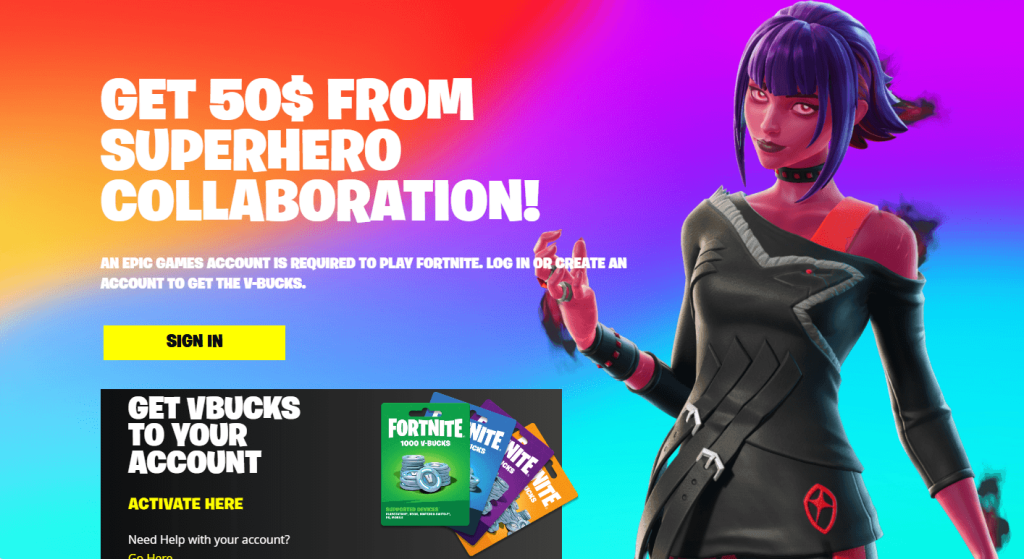
One version promises $50 from a fake superhero collaboration. Another claims it can calculate what your locker is worth. Both lead to the same destination: a fake Epic Games login page designed to steal your account. It’s an old trick, but it still catches people out.

The short version

If a website promises free V-Bucks, cash, or a tool to calculate your locker’s value, then asks you to log in with your Epic account to get it, it’s not run by Epic.

Epic doesn’t offer an official tool that values accounts, and no legitimate giveaway requires you to sign in through a third-party site. You’re just handing your Epic username and password to scammers.

If you or your child entered your Epic login details on one of these sites, assume the account has been compromised. Change the password immediately, turn on two-factor authentication, and don’t reuse that password on any other accounts.

Why do they want your login?

A stolen Fortnite account can be worth real money. Criminals can take over accounts with rare skins, spend any saved payment methods, sell the account on underground marketplaces, or use it to scam the owner’s friends. They may also try the same username and password on other online accounts, hoping the password has been reused.

Why Fortnite?

Fortnite still attracts around 110 million monthly players and has more than 650 million registered accounts. That alone makes it an attractive target for cybercriminals.

The audience’s age matters too. In December 2022, the US Federal Trade Commission (FTC) fined Epic Games a record $520 million, after alleging that the company knew children made up a substantial share of its player base and left voice and text chat turned on by default, exposing them to strangers. The Consumer Financial Protection Bureau (CFPB) also cites industry experts who say young gamers are especially vulnerable to phishing because they spend more time on social media and are less familiar with social engineering.

The game is also built around visible status. Skins, emotes, and pickaxes cost real money, making the idea that “your locker has a price” feel plausible. Rare or discontinued skins really do sell for hundreds of dollars on unofficial marketplaces, even though Epic offers no official way to cash out V-Bucks and selling accounts violates its terms of service. That kernel of truth is exactly what these locker-value scams exploit.

That’s also what makes them more convincing than a simple V-Bucks giveaway. Instead of promising something for nothing, they play on curiosity about something the player already owns. That’s probably why this version keeps coming back.

How the scam works

Some pages promise rewards:

Fake Fortnite giveaway

Others skip the free-reward pitch and frame the locker itself as hidden value the player is owed:

  • Fake Fortnite offers and tools
  • Fake Fortnite offers and tools
  • Fake Fortnite offers and tools

Others frame it as competition instead of currency:

  • Fake Fortnite competition
  • Fake Fortnite competition

The hook changes, but the fake login page doesn’t. These sites all do the same thing. They ask you to sign in with your Epic account so they can steal your username and password.

Another variant: Fake settlement claims

This one borrows a real story. Epic did settle with the FTC for $520 million, and real payments are still going out in 2026. But the real settlement pays actual dollars through the FTC’s own process, not in-game V-Bucks through an “Epic Games Locker,” and the claim window closed in July 2025.

References to an “EU Regulatory Mandate” and the case number shown on these pages don’t match any genuine legal action.

How to stay safe

Fortnite scams change constantly, but the advice doesn’t.

  • Use Malwarebytes Browser Guard to block known phishing sites before they have a chance to steal your login details.
  • Only sign in to your Epic account at epicgames.com. If another website asks for your Epic login, leave.
  • Be sceptical of offers that sound too good to be true. Free V-Bucks, locker valuations, and surprise rewards are all common phishing lures.
  • Verify refunds and settlements on the official source. If a page claims you’re owed money, check the regulator’s website yourself instead of following its links.
  • Turn on two-factor authentication (2FA). It can stop attackers from accessing your account even if they steal your password.
  • Use Malwarebytes Scam Guard. It can help you identify suspicious links and messages before you click.

What to do if you clicked

  • Change the Epic password immediately, going directly to epicgames.com, not through the suspicious link.
  • Turn on two-factor authentication if you haven’t already.
  • Check your linked email for password reset requests or login alerts you didn’t make.
  • Review connected devices/services on the account and remove anything unfamiliar.
  • If you entered payment details anywhere, contact your card issuer and monitor your statements.
  • Report the page to Epic’s support and flag it as phishing in your browser.
  • If the page claims to be part of a settlement or refund, verify it on the regulator’s official website. For the Epic settlement, that’s ftc.gov.

Stop threats before they can do any harm.

Malwarebytes Browser Guard blocks phishing pages and malicious sites automatically. Free, one click to install. Add it to your browser →
Fake Fortnite rewards are stealing players’ accounts

31 July 2026 at 18:16

Fortnite scam pages like the ones below appear by the dozen every day, recycled endlessly under different names and designs.

One version promises $50 from a fake superhero collaboration. Another claims it can calculate what your locker is worth. Both lead to the same destination: a fake Epic Games login page designed to steal your account. It’s an old trick, but it still catches people out.

The short version

If a website promises free V-Bucks, cash, or a tool to calculate your locker’s value, then asks you to log in with your Epic account to get it, it’s not run by Epic.

Epic doesn’t offer an official tool that values accounts, and no legitimate giveaway requires you to sign in through a third-party site. You’re just handing your Epic username and password to scammers.

If you or your child entered your Epic login details on one of these sites, assume the account has been compromised. Change the password immediately, turn on two-factor authentication, and don’t reuse that password on any other accounts.

Why do they want your login?

A stolen Fortnite account can be worth real money. Criminals can take over accounts with rare skins, spend any saved payment methods, sell the account on underground marketplaces, or use it to scam the owner’s friends. They may also try the same username and password on other online accounts, hoping the password has been reused.

Why Fortnite?

Fortnite still attracts around 110 million monthly players and has more than 650 million registered accounts. That alone makes it an attractive target for cybercriminals.

The audience’s age matters too. In December 2022, the US Federal Trade Commission (FTC) fined Epic Games a record $520 million, after alleging that the company knew children made up a substantial share of its player base and left voice and text chat turned on by default, exposing them to strangers. The Consumer Financial Protection Bureau (CFPB) also cites industry experts who say young gamers are especially vulnerable to phishing because they spend more time on social media and are less familiar with social engineering.

The game is also built around visible status. Skins, emotes, and pickaxes cost real money, making the idea that “your locker has a price” feel plausible. Rare or discontinued skins really do sell for hundreds of dollars on unofficial marketplaces, even though Epic offers no official way to cash out V-Bucks and selling accounts violates its terms of service. That kernel of truth is exactly what these locker-value scams exploit.

That’s also what makes them more convincing than a simple V-Bucks giveaway. Instead of promising something for nothing, they play on curiosity about something the player already owns. That’s probably why this version keeps coming back.

How the scam works

Some pages promise rewards:

Fake Fortnite giveaway

Others skip the free-reward pitch and frame the locker itself as hidden value the player is owed:

  • Fake Fortnite offers and tools
  • Fake Fortnite offers and tools
  • Fake Fortnite offers and tools

Others frame it as competition instead of currency:

  • Fake Fortnite competition
  • Fake Fortnite competition

The hook changes, but the fake login page doesn’t. These sites all do the same thing. They ask you to sign in with your Epic account so they can steal your username and password.

Another variant: Fake settlement claims

This one borrows a real story. Epic did settle with the FTC for $520 million, and real payments are still going out in 2026. But the real settlement pays actual dollars through the FTC’s own process, not in-game V-Bucks through an “Epic Games Locker,” and the claim window closed in July 2025.

References to an “EU Regulatory Mandate” and the case number shown on these pages don’t match any genuine legal action.

How to stay safe

Fortnite scams change constantly, but the advice doesn’t.

  • Use Malwarebytes Browser Guard to block known phishing sites before they have a chance to steal your login details.
  • Only sign in to your Epic account at epicgames.com. If another website asks for your Epic login, leave.
  • Be sceptical of offers that sound too good to be true. Free V-Bucks, locker valuations, and surprise rewards are all common phishing lures.
  • Verify refunds and settlements on the official source. If a page claims you’re owed money, check the regulator’s website yourself instead of following its links.
  • Turn on two-factor authentication (2FA). It can stop attackers from accessing your account even if they steal your password.
  • Use Malwarebytes Scam Guard. It can help you identify suspicious links and messages before you click.

What to do if you clicked

  • Change the Epic password immediately, going directly to epicgames.com, not through the suspicious link.
  • Turn on two-factor authentication if you haven’t already.
  • Check your linked email for password reset requests or login alerts you didn’t make.
  • Review connected devices/services on the account and remove anything unfamiliar.
  • If you entered payment details anywhere, contact your card issuer and monitor your statements.
  • Report the page to Epic’s support and flag it as phishing in your browser.
  • If the page claims to be part of a settlement or refund, verify it on the regulator’s official website. For the Epic settlement, that’s ftc.gov.

Stop threats before they can do any harm.

Malwarebytes Browser Guard blocks phishing pages and malicious sites automatically. Free, one click to install. Add it to your browser →
Buying TikTok views or followers? Here’s what you’re really getting

29 July 2026 at 18:54

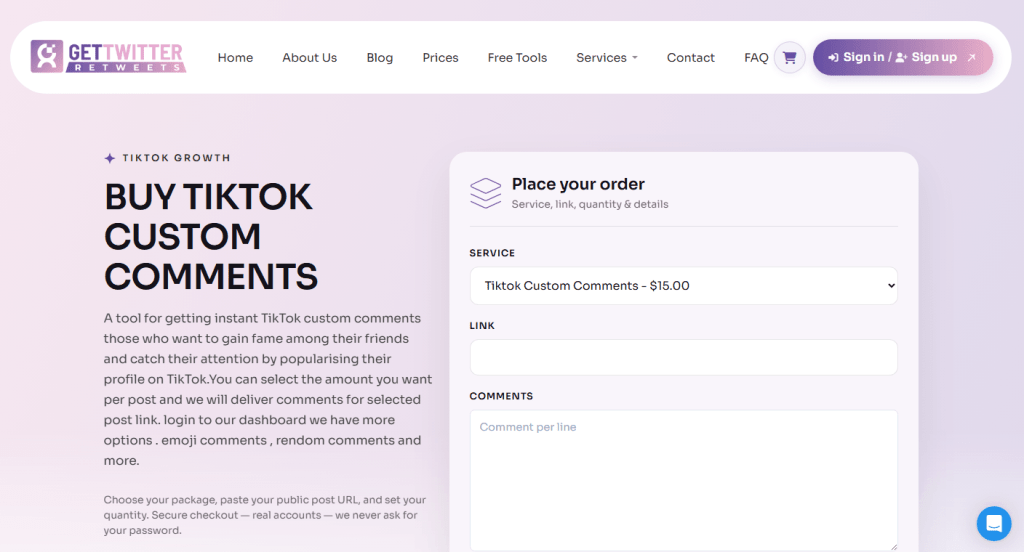
A whole industry has sprung up around selling TikTok “growth.”

Cheap views by the hundred, pre-made ad accounts, and polished sales pages promising a repeatable path to serious revenue.

None of it is officially sanctioned by TikTok, and depending on what you’re buying, you could end up wasting money, losing your account, or handing your login details to scammers.

Scam 1: Sites selling cheap likes and engagement

Sites selling bulk engagement all look remarkably similar.

They offer small bundles of views, likes, or followers for a few pounds, usually alongside identical packages for YouTube, Instagram, and other platforms.

The sales pitch is almost always the same: “100% real profiles,” “no bots, no click farms,” and “completely safe.”

Those claims are worth reading carefully because they’re addressing the biggest concern buyers already have.

At this price point, bulk engagement is usually generated through bots, click farms, or other artificial means—the very thing these sites insist they don’t use.

Even if your engagement numbers increase initially, TikTok’s fraud detection systems can remove artificial engagement, and accounts that repeatedly use these services risk being flagged or restricted.

Scam 2: The “aged” ad account marketplace

Another common offer is bulk TikTok Ads accounts sold as “aged” or “trusted,” often bundled with a replacement guarantee if an account stops working. The pitch is that you skip the hassle of setting up and verifying a new advertising account.

The problem is that you don’t know how those accounts were created. Many are built using stolen or synthetic identities, compromised payment details, or other deceptive methods. Buying one means inheriting that history—and the very real risk that TikTok detects it and suspends the account, along with any campaigns or ad budget attached to it. A replacement guarantee won’t help if your advertising is suddenly brought to a halt.

Scam 3: The growth framework

A third type of offer is less obviously a scam and more of a marketing funnel.

Slick landing pages—often hosted on free platforms and paired with an embedded video—promise a “proven blueprint” for turning TikTok into a major source of income, usually backed by impressive but unverifiable claims about past clients.

Companies offering TikTok growth frameworks

The immediate goal is usually to collect your email address, and sometimes your phone number, before revealing what’s actually for sale. That might be a paid course, a “done-for-you” management service, or a request for direct access to your TikTok Shop or Ads account.

What happens next varies, but the common thread is the same: you’re being asked to trust an unverified third party with your business, your money, or your account.

What you’re really signing up for

Not every TikTok marketing service is a scam. But if someone’s offering thousands of views for a few pounds, bulk “aged” ad accounts, or guaranteed growth, you’re in a very different part of the market.

These services promise shortcuts. What they often deliver is fake engagement, accounts with questionable histories, or requests for access to your own account.

At best, you’ve wasted your money on engagement TikTok later strips away. At worst, you’re buying an account built on stolen information or giving an untrusted third party full access to your own.

Our advice

  • Don’t pay for views, likes, or followers. Artificial engagement isn’t real growth and can put your account at risk under TikTok’s rules.
  • Never share your TikTok username and password with a “boosting” service, regardless of how it’s presented.
  • Don’t buy or sell TikTok Ads or Business accounts outside TikTok’s own account creation process.
  • Treat “guaranteed revenue” frameworks and courses like any other business opportunity: they’re sales pages first, educational content second.

None of this is unique to TikTok. The platform’s explosive growth has simply given a familiar ecosystem of low-effort scams a new audience.


Scammers don’t need to hack you. They just need you to click once. 

Malwarebytes Identity Theft Protection catches suspicious activity before it becomes a problem.

Buying TikTok views or followers? Here’s what you’re really getting

29 July 2026 at 18:54

A whole industry has sprung up around selling TikTok “growth.”

Cheap views by the hundred, pre-made ad accounts, and polished sales pages promising a repeatable path to serious revenue.

None of it is officially sanctioned by TikTok, and depending on what you’re buying, you could end up wasting money, losing your account, or handing your login details to scammers.

Scam 1: Sites selling cheap likes and engagement

Sites selling bulk engagement all look remarkably similar.

They offer small bundles of views, likes, or followers for a few pounds, usually alongside identical packages for YouTube, Instagram, and other platforms.

The sales pitch is almost always the same: “100% real profiles,” “no bots, no click farms,” and “completely safe.”

Those claims are worth reading carefully because they’re addressing the biggest concern buyers already have.

At this price point, bulk engagement is usually generated through bots, click farms, or other artificial means—the very thing these sites insist they don’t use.

Even if your engagement numbers increase initially, TikTok’s fraud detection systems can remove artificial engagement, and accounts that repeatedly use these services risk being flagged or restricted.

Scam 2: The “aged” ad account marketplace

Another common offer is bulk TikTok Ads accounts sold as “aged” or “trusted,” often bundled with a replacement guarantee if an account stops working. The pitch is that you skip the hassle of setting up and verifying a new advertising account.

The problem is that you don’t know how those accounts were created. Many are built using stolen or synthetic identities, compromised payment details, or other deceptive methods. Buying one means inheriting that history—and the very real risk that TikTok detects it and suspends the account, along with any campaigns or ad budget attached to it. A replacement guarantee won’t help if your advertising is suddenly brought to a halt.

Scam 3: The growth framework

A third type of offer is less obviously a scam and more of a marketing funnel.

Slick landing pages—often hosted on free platforms and paired with an embedded video—promise a “proven blueprint” for turning TikTok into a major source of income, usually backed by impressive but unverifiable claims about past clients.

Companies offering TikTok growth frameworks

The immediate goal is usually to collect your email address, and sometimes your phone number, before revealing what’s actually for sale. That might be a paid course, a “done-for-you” management service, or a request for direct access to your TikTok Shop or Ads account.

What happens next varies, but the common thread is the same: you’re being asked to trust an unverified third party with your business, your money, or your account.

What you’re really signing up for

Not every TikTok marketing service is a scam. But if someone’s offering thousands of views for a few pounds, bulk “aged” ad accounts, or guaranteed growth, you’re in a very different part of the market.

These services promise shortcuts. What they often deliver is fake engagement, accounts with questionable histories, or requests for access to your own account.

At best, you’ve wasted your money on engagement TikTok later strips away. At worst, you’re buying an account built on stolen information or giving an untrusted third party full access to your own.

Our advice

  • Don’t pay for views, likes, or followers. Artificial engagement isn’t real growth and can put your account at risk under TikTok’s rules.
  • Never share your TikTok username and password with a “boosting” service, regardless of how it’s presented.
  • Don’t buy or sell TikTok Ads or Business accounts outside TikTok’s own account creation process.
  • Treat “guaranteed revenue” frameworks and courses like any other business opportunity: they’re sales pages first, educational content second.

None of this is unique to TikTok. The platform’s explosive growth has simply given a familiar ecosystem of low-effort scams a new audience.


Scammers don’t need to hack you. They just need you to click once. 

Malwarebytes Identity Theft Protection catches suspicious activity before it becomes a problem.

We found 120 fake Walmart stores trying to steal your credit card

29 July 2026 at 12:32

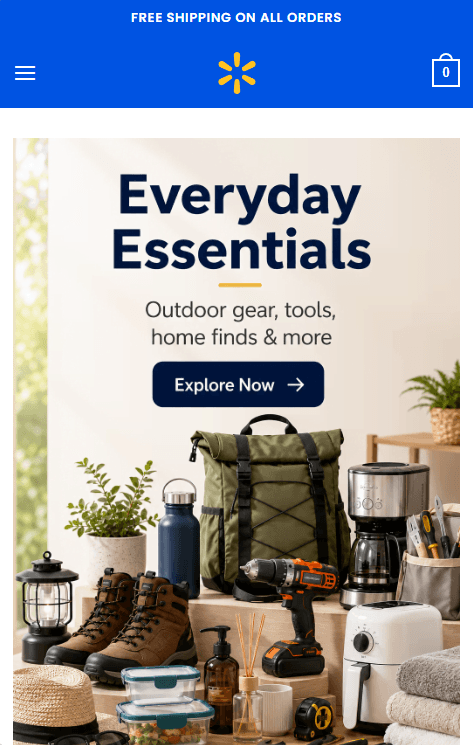
Shoppers browsing on their phones are landing on convincing Walmart lookalike sites offering name-brand liquor at 40% to 70% off, only to be led straight to a checkout page asking for a full credit card number, expiry date, and CVV.

The sites have no connection to Walmart. They’re part of a network of more than 120 near-identical domains built to look like a legitimate retailer just long enough to steal your card details.

Fake Walmart websites

The name “Walmart” is doing most of the work here. It’s one of the most recognized retailers in the world, and it’s that familiarity that makes people lower their guard. A shopper who’d hesitate on an unfamiliar website may think nothing of an unusually large discount because the logo, colours, and layout look familiar.

That trust hasn’t been earned by the site. It’s borrowed from a brand that has nothing to do with it.

If you’ve entered your card details on one of these pages, the safest assumption is that your card has been compromised.

How the scam works

The scam follows a simple pattern: a Walmart-branded homepage, category pages stacked with heavily discounted liquor, and a checkout form asking for full card details.

The discounts do much of the persuading. Seeing premium brands advertised at 60% or 70% off encourages people to buy first and ask questions later.

Heavy discounts offered on a fake Walmart site
Product pages on a fake Walmart site
Collecting card details on a fake Walmart site

The same WordPress/WooCommerce template powers every site in the network. They share the same product catalogue, prices, and images. The only differences are fabricated US business addresses and phone numbers that are swapped out for each domain.

How to avoid this scam

  • Be sceptical of discounts that don’t match a retailer’s usual promotions, especially on liquor or electronics.
  • Check the address bar before entering payment details. A genuine Walmart sale won’t send you to an unfamiliar .shop domain.
  • Use tools that can identify scam websites automatically, such as Malwarebytes Browser Guard on desktop, or ask Scam Guard if it thinks a domain is suspicious.
  • On mobile, where these sites are designed to work, Malwarebytes Mobile Security can block known phishing and scam domains before you reach the checkout.

If you already entered your card details

  • Contact your card issuer immediately. Explain what happened and ask whether the card should be cancelled and replaced.
  • Watch your account for unauthorized charges, including small “test” transactions.
  • Report the domain through your browser’s phishing reporting feature and to the FTC at reportfraud.ftc.gov if you’re in the US.

The simplest defence is also the most effective: if a retailer needs a lookalike domain to sell you something, it’s probably a scam.

Indicators of Compromise (IOCs)

allgoodscenter.shop, allneedsbay.shop, allneedslane.shop, allneedsmarket.shop, allneedsstore.shop, allpurposebay.shop, basketandmore.shop, broadbasket.shop, broadbasketbay.shop, broadbasketco.shop, broadbasketlane.shop, broadbasketplace.shop, broadbasketway.shop, broadchoice.shop, broadgoodsbay.shop, broadgoodscenter.shop, broadgoodsplace.shop, broadgoodsway.shop, broadmarketplacehub.shop, broadutility.shop, broadutilityhub.shop, broadvalue.shop, broadvaluebay.shop, broadvalueplace.shop, cartandcrate.shop, completehomegoods.shop, dailybasketport.shop, dailybasketway.shop, dailychoiceway.shop, dailycrate.shop, dailyfindslane.shop, dailygoodscrest.shop, dailygoodsfield.shop, dailygoodspark.shop, dailygoodsridge.shop, dailygoodsway.shop, dailygoodswayhub.shop, dailyhomemarket.shop, dailyutilitybay.shop, dailyutilityway.shop, everydaycartshop.shop, everydayneedsco.shop, everydayvaluebay.shop, generalcart.shop, generalcartlane.shop, generalgoodsport.shop, generalgoodsridge.shop, generalgoodsway.shop, generalgoodsyard.shop, generalmarketbay.shop, generalmarketfield.shop, generalneedsplace.shop, generalvaluebay.shop, goodsandhomebay.shop, goodsandhomeco.shop, goodsandhomehub.shop, goodsandlivinghub.shop, goodsandmoreco.shop, goodsandvaluehub.shop, goodsdistrict.shop, goodslanding.shop, goodsmeadow.shop, goodsroute.shop, goodsvalley.shop, homeandutility.shop, homebasketlane.shop, homebasketway.shop, homecartcenter.shop, homefieldmarket.shop, homefindsco.shop, homegoodscrate.shop, homegoodsport.shop, homegoodsway.shop, homelivinggoods.shop, homeneedslane.shop, homeneedsmarket.shop, homeparcel.shop, homesteadmart.shop, homeutilitystore.shop, homevaluebay.shop, homevalueplace.shop, homevalueway.shop, marketbasketcenter.shop, marketcanvas.shop, marketchoicebay.shop, marketchoiceplace.shop, marketfieldhub.shop, marketfindsbay.shop, marketfoundry.shop, marketgrovehub.shop, markethomeplace.shop, marketpillar.shop, marketpine.shop, marketridge.shop, markettrailway.shop, marketwarehouse.shop, modernsupplyhub.shop, smartbasketplace.shop, smartdailygoods.shop, smartneedshub.shop, smartutilityhub.shop, smartvaluebay.shop, trustedgoods.shop, usefulbasketlane.shop, usefulcartcenter.shop, usefulchoicebay.shop, usefuldailyhub.shop, usefulgoodsbay.shop, usefulgoodscenter.shop, usefulgoodspark.shop, usefulgoodsway.shop, usefulgoodswayhub.shop, usefulgoodsyard.shop, usefulmarket.shop, usefulmarketbay.shop, usefulshelf.shop, usefulutility.shop, usefulvalueplace.shop, utilitygoods.shop, valuechoicebay.shop, valuegoodspark.shop, valuegoodsridge.shop, valuegrove.shop, valueparcel.shop


Stop threats before they can do any harm.

Malwarebytes Browser Guard blocks phishing pages and malicious sites automatically. Free, one click to install. Add it to your browser →

We found 120 fake Walmart stores trying to steal your credit card

29 July 2026 at 12:32

Shoppers browsing on their phones are landing on convincing Walmart lookalike sites offering name-brand liquor at 40% to 70% off, only to be led straight to a checkout page asking for a full credit card number, expiry date, and CVV.

The sites have no connection to Walmart. They’re part of a network of more than 120 near-identical domains built to look like a legitimate retailer just long enough to steal your card details.

Fake Walmart websites

The name “Walmart” is doing most of the work here. It’s one of the most recognized retailers in the world, and it’s that familiarity that makes people lower their guard. A shopper who’d hesitate on an unfamiliar website may think nothing of an unusually large discount because the logo, colours, and layout look familiar.

That trust hasn’t been earned by the site. It’s borrowed from a brand that has nothing to do with it.

If you’ve entered your card details on one of these pages, the safest assumption is that your card has been compromised.

How the scam works

The scam follows a simple pattern: a Walmart-branded homepage, category pages stacked with heavily discounted liquor, and a checkout form asking for full card details.

The discounts do much of the persuading. Seeing premium brands advertised at 60% or 70% off encourages people to buy first and ask questions later.

Heavy discounts offered on a fake Walmart site
Product pages on a fake Walmart site
Collecting card details on a fake Walmart site

The same WordPress/WooCommerce template powers every site in the network. They share the same product catalogue, prices, and images. The only differences are fabricated US business addresses and phone numbers that are swapped out for each domain.

How to avoid this scam

  • Be sceptical of discounts that don’t match a retailer’s usual promotions, especially on liquor or electronics.
  • Check the address bar before entering payment details. A genuine Walmart sale won’t send you to an unfamiliar .shop domain.
  • Use tools that can identify scam websites automatically, such as Malwarebytes Browser Guard on desktop, or ask Scam Guard if it thinks a domain is suspicious.
  • On mobile, where these sites are designed to work, Malwarebytes Mobile Security can block known phishing and scam domains before you reach the checkout.

If you already entered your card details

  • Contact your card issuer immediately. Explain what happened and ask whether the card should be cancelled and replaced.
  • Watch your account for unauthorized charges, including small “test” transactions.
  • Report the domain through your browser’s phishing reporting feature and to the FTC at reportfraud.ftc.gov if you’re in the US.

The simplest defence is also the most effective: if a retailer needs a lookalike domain to sell you something, it’s probably a scam.

Indicators of Compromise (IOCs)

allgoodscenter.shop, allneedsbay.shop, allneedslane.shop, allneedsmarket.shop, allneedsstore.shop, allpurposebay.shop, basketandmore.shop, broadbasket.shop, broadbasketbay.shop, broadbasketco.shop, broadbasketlane.shop, broadbasketplace.shop, broadbasketway.shop, broadchoice.shop, broadgoodsbay.shop, broadgoodscenter.shop, broadgoodsplace.shop, broadgoodsway.shop, broadmarketplacehub.shop, broadutility.shop, broadutilityhub.shop, broadvalue.shop, broadvaluebay.shop, broadvalueplace.shop, cartandcrate.shop, completehomegoods.shop, dailybasketport.shop, dailybasketway.shop, dailychoiceway.shop, dailycrate.shop, dailyfindslane.shop, dailygoodscrest.shop, dailygoodsfield.shop, dailygoodspark.shop, dailygoodsridge.shop, dailygoodsway.shop, dailygoodswayhub.shop, dailyhomemarket.shop, dailyutilitybay.shop, dailyutilityway.shop, everydaycartshop.shop, everydayneedsco.shop, everydayvaluebay.shop, generalcart.shop, generalcartlane.shop, generalgoodsport.shop, generalgoodsridge.shop, generalgoodsway.shop, generalgoodsyard.shop, generalmarketbay.shop, generalmarketfield.shop, generalneedsplace.shop, generalvaluebay.shop, goodsandhomebay.shop, goodsandhomeco.shop, goodsandhomehub.shop, goodsandlivinghub.shop, goodsandmoreco.shop, goodsandvaluehub.shop, goodsdistrict.shop, goodslanding.shop, goodsmeadow.shop, goodsroute.shop, goodsvalley.shop, homeandutility.shop, homebasketlane.shop, homebasketway.shop, homecartcenter.shop, homefieldmarket.shop, homefindsco.shop, homegoodscrate.shop, homegoodsport.shop, homegoodsway.shop, homelivinggoods.shop, homeneedslane.shop, homeneedsmarket.shop, homeparcel.shop, homesteadmart.shop, homeutilitystore.shop, homevaluebay.shop, homevalueplace.shop, homevalueway.shop, marketbasketcenter.shop, marketcanvas.shop, marketchoicebay.shop, marketchoiceplace.shop, marketfieldhub.shop, marketfindsbay.shop, marketfoundry.shop, marketgrovehub.shop, markethomeplace.shop, marketpillar.shop, marketpine.shop, marketridge.shop, markettrailway.shop, marketwarehouse.shop, modernsupplyhub.shop, smartbasketplace.shop, smartdailygoods.shop, smartneedshub.shop, smartutilityhub.shop, smartvaluebay.shop, trustedgoods.shop, usefulbasketlane.shop, usefulcartcenter.shop, usefulchoicebay.shop, usefuldailyhub.shop, usefulgoodsbay.shop, usefulgoodscenter.shop, usefulgoodspark.shop, usefulgoodsway.shop, usefulgoodswayhub.shop, usefulgoodsyard.shop, usefulmarket.shop, usefulmarketbay.shop, usefulshelf.shop, usefulutility.shop, usefulvalueplace.shop, utilitygoods.shop, valuechoicebay.shop, valuegoodspark.shop, valuegoodsridge.shop, valuegrove.shop, valueparcel.shop


Stop threats before they can do any harm.

Malwarebytes Browser Guard blocks phishing pages and malicious sites automatically. Free, one click to install. Add it to your browser →
Sextortion scammers are exploiting ShinyHunters data leaks

27 July 2026 at 17:00

Sextortion scammers are using email addresses from data leaked by the ShinyHunters hacking group to add some credibility to their feeble attempts to convince people they have embarrassing information about them.

Sextortion emails are messages claiming that the scammer recorded you through your webcam while you watched pornography and now demand payment. They have been around for years and keep evolving with small changes in wording and fake technical detail.

In this campaign, the scammers pretend to be ShinyHunters. What hasn’t changed is the basic truth: there is no malware, no recording, and no credible evidence behind the threat. Despite seeing countless versions of these emails over the years, I’ve yet to encounter one that was backed up by the evidence the sender claimed to have.

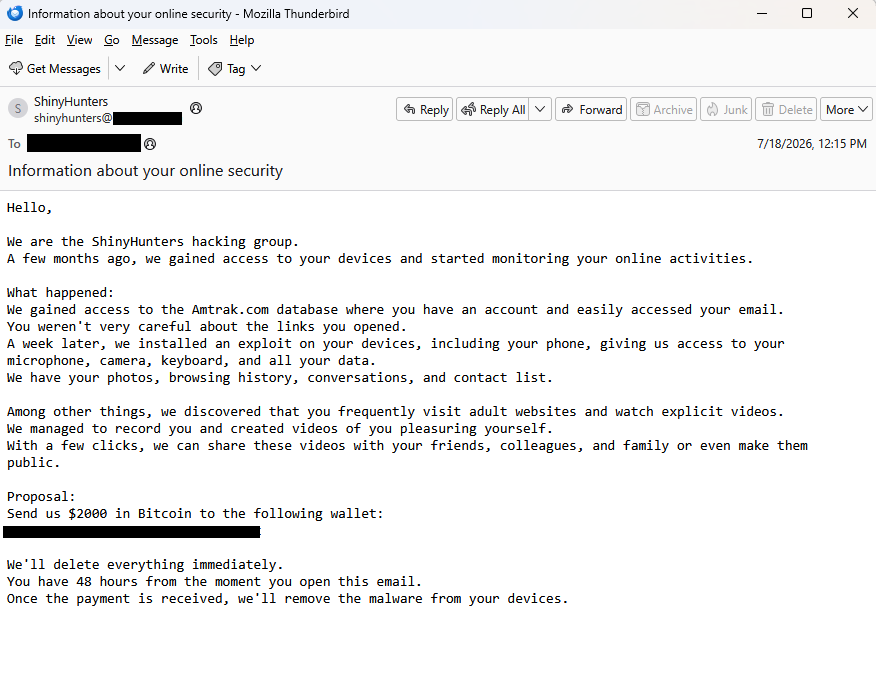
BleepingComputer reports that ShinyHunters data leaks are fueling a $2,000 sextortion email scam and shared the following example:

Example sextortion email from ShinyHunters

“Subject: Information about your online security

Hello,

We are the ShinyHunters hacking group.
A few months ago, we gained access to your devices and started monitoring your online activities.

What happened:
We gained access to the Amtrak.com database where you have an account and easily accessed your email.
You weren’t very careful about the links you opened.
A week later, we installed an exploit on your devices, including your phone, giving us access to your microphone,
camera, keyboard, and all your data.
We have your photos, browsing history, conversations, and contact list.

Among other things, we discovered that you frequently visit adult websites and watch explicit videos.
We managed to record you and created videos of you pleasuring yourself.
With a few clicks, we can share these videos with your friends,
colleagues, and family or even make them public.

Proposal:
Send us $2000 in Bitcoin to the following wallet:
xxxxxxxxxxxxxxxxxxxxxxxxxxxxxxxxx

We’ll delete everything immediately.
You have 48 hours from the moment you open this email.
Once the payment is received, we’ll remove the malware from your devices.”

BleepingComputer states it has seen data from the Amtrak, Hallmark, ADT, Substack, Betterment, CarGurus, Panera Bread, and McGraw Hill breaches used to target victims in this sextortion email campaign.

A California community college also issued a warning after seeing the campaign target people affected by the Canvas data breach.


Digital Footprint Scan

See if your personal data has been exposed.


They confirmed that the targeted email addresses had previously appeared in data leaked by ShinyHunters. They also contacted the group, which denied being behind the sextortion emails.

The increase to a $2,000 demand may suggest the scammers paid someone for the email lists. Although it’s more likely they simply downloaded the leaked data after ShinyHunters published it following failed extortion attempts.

A quick check of the Bitcoin address used in the email shows no activity.

blockchain report of scammer's Bitcoin address
No activity on their Bitcoin address

Let’s keep it that way. With any luck, these dungeon dwellers will eventually give up trying to scare people out of their hard-earned money.

How to react to sextortion emails

Some sextortion emails are badly written, but many have been polished by AI and look convincing. Regardless of how professional they look, they should be treated the same way: as unsubstantiated threats designed to scare victims into paying.

  • First and foremost, never reply to emails of this kind. Responding confirms that someone is actively reading messages sent to that address and may encourage further scam attempts.
  • Don’t let yourself be rushed into action. Scammers rely on the fact that you will not take the time to think this through and subsequently make mistakes. Ask for advice if you’re not sure.
  • An attachment is not proof. Most sextortion emails contain no evidence at all, and attachments are often used to deliver malware or make the threats appear more convincing.
  • If the email includes a password you’ve used before, change it immediately anywhere it’s still in use. Then enable two-factor authentication (2FA) wherever possible. If you’re having trouble keeping track of your passwords, consider using a password manager.
  • Delete the message, report it as spam, and move on.

Pro tip: Malwarebytes Scam Guard recognized this email for what it is: sextortion. It can recognize scams and advise you how to proceed.

Scam Guard recognizes this email as a sextortion scam

While these sextortion emails are almost always bluffs, if you’re concerned about webcam spying, Malwarebytes Webcam Monitoring can alert you when applications attempt to access your camera.


Scam or legit? Scam Guard knows.


Sextortion scammers are exploiting ShinyHunters data leaks

27 July 2026 at 17:00

Sextortion scammers are using email addresses from data leaked by the ShinyHunters hacking group to add some credibility to their feeble attempts to convince people they have embarrassing information about them.

Sextortion emails are messages claiming that the scammer recorded you through your webcam while you watched pornography and now demand payment. They have been around for years and keep evolving with small changes in wording and fake technical detail.

In this campaign, the scammers pretend to be ShinyHunters. What hasn’t changed is the basic truth: there is no malware, no recording, and no credible evidence behind the threat. Despite seeing countless versions of these emails over the years, I’ve yet to encounter one that was backed up by the evidence the sender claimed to have.

BleepingComputer reports that ShinyHunters data leaks are fueling a $2,000 sextortion email scam and shared the following example:

Example sextortion email from ShinyHunters

“Subject: Information about your online security

Hello,

We are the ShinyHunters hacking group.
A few months ago, we gained access to your devices and started monitoring your online activities.

What happened:
We gained access to the Amtrak.com database where you have an account and easily accessed your email.
You weren’t very careful about the links you opened.
A week later, we installed an exploit on your devices, including your phone, giving us access to your microphone,
camera, keyboard, and all your data.
We have your photos, browsing history, conversations, and contact list.

Among other things, we discovered that you frequently visit adult websites and watch explicit videos.
We managed to record you and created videos of you pleasuring yourself.
With a few clicks, we can share these videos with your friends,
colleagues, and family or even make them public.

Proposal:
Send us $2000 in Bitcoin to the following wallet:
xxxxxxxxxxxxxxxxxxxxxxxxxxxxxxxxx

We’ll delete everything immediately.
You have 48 hours from the moment you open this email.
Once the payment is received, we’ll remove the malware from your devices.”

BleepingComputer states it has seen data from the Amtrak, Hallmark, ADT, Substack, Betterment, CarGurus, Panera Bread, and McGraw Hill breaches used to target victims in this sextortion email campaign.

A California community college also issued a warning after seeing the campaign target people affected by the Canvas data breach.


Digital Footprint Scan

See if your personal data has been exposed.


They confirmed that the targeted email addresses had previously appeared in data leaked by ShinyHunters. They also contacted the group, which denied being behind the sextortion emails.

The increase to a $2,000 demand may suggest the scammers paid someone for the email lists. Although it’s more likely they simply downloaded the leaked data after ShinyHunters published it following failed extortion attempts.

A quick check of the Bitcoin address used in the email shows no activity.

blockchain report of scammer's Bitcoin address
No activity on their Bitcoin address

Let’s keep it that way. With any luck, these dungeon dwellers will eventually give up trying to scare people out of their hard-earned money.

How to react to sextortion emails

Some sextortion emails are badly written, but many have been polished by AI and look convincing. Regardless of how professional they look, they should be treated the same way: as unsubstantiated threats designed to scare victims into paying.

  • First and foremost, never reply to emails of this kind. Responding confirms that someone is actively reading messages sent to that address and may encourage further scam attempts.
  • Don’t let yourself be rushed into action. Scammers rely on the fact that you will not take the time to think this through and subsequently make mistakes. Ask for advice if you’re not sure.
  • An attachment is not proof. Most sextortion emails contain no evidence at all, and attachments are often used to deliver malware or make the threats appear more convincing.
  • If the email includes a password you’ve used before, change it immediately anywhere it’s still in use. Then enable two-factor authentication (2FA) wherever possible. If you’re having trouble keeping track of your passwords, consider using a password manager.
  • Delete the message, report it as spam, and move on.

Pro tip: Malwarebytes Scam Guard recognized this email for what it is: sextortion. It can recognize scams and advise you how to proceed.

Scam Guard recognizes this email as a sextortion scam

While these sextortion emails are almost always bluffs, if you’re concerned about webcam spying, Malwarebytes Webcam Monitoring can alert you when applications attempt to access your camera.


Scam or legit? Scam Guard knows.


Don’t get fooled by TikTok resin art scams

24 July 2026 at 16:56

Resin art has become a popular corner of TikTok, with some videos attracting millions of views. But not every glossy, colorful post is what it claims to be. Scammers are using the look of handmade resin art to trick buyers, collectors, and even fellow artists into sending money for work that either doesn’t exist or wasn’t created by the person posting it.

There are plenty of genuine resin artists on TikTok. Unfortunately, the platform has also attracted scammers who steal videos and impersonate legitimate creators.

  • Fake resin art
  • Fake resin art
  • Fake resin art
  • Fake resin art
  • Fake resin art
  • Fake resin art

The scam is fairly straightforward. A TikTok account presents itself as a resin artist, posts satisfying videos, and invites people to “DM to order.” In some cases, the videos are stolen from other creators, the account has no real process footage, and the seller disappears after receiving payment.

One resin artist discovered that scammers were using their videos to impersonate them and scam TikTok users. They shared the following comment:

Ridiculous TikTok scammer…lol. Profile says they’re a resin artist and to DM them to order, but none of the videos are theirs. When I wrote to them asking them to take down the many videos of mine that they posted, passing them off as their own with no credit, their answer was that they aren’t a resin artist and are just sharing videos they like 🤣🤣 Literally about 1/4 of “their” videos are mine 🙄

These scams often rely on trust and urgency. The account may show polished clips of poured resin, finished coasters, trays, jewelry, or wall art, then push buyers to move the conversation into direct messages. Once the buyer moves to a different platform, the scammer typically requests a deposit, full payment, or personal details with little chance of being held accountable.

And real artists don’t just get their work ripped off. A scammer may contact a creator claiming to want to buy, feature, or license their work, but the real goal is to extract fees, banking information, or other sensitive data. Social media art scams are often repetitive because they are built from the same templates and scripts.

Script is similar across many videos in resin art scams
Different videos, same script

How to spot a TikTok resin art scam

The safest approach is the boring one: verify before you pay. If the artwork looks amazing but the seller’s identity is vague, the risk is real.

Check the TikTok account

Before ordering, look for signs that the artist is genuine:

  • The account didn’t appear overnight and has a history of original posts.
  • The same videos don’t appear under multiple creator names or belong to another artist.
  • The creator shows themselves making the artwork, with consistent process videos, a recognizable workspace, and works in progress.
  • The videos don’t contain obvious AI artifacts, such as impossible resin effects or objects moving after they’ve supposedly been sealed inside hardened resin.
  • Comments raising concerns haven’t been deleted or buried under generic praise.
  • The seller isn’t pushing you to order only through direct messages or asking for payment before you’ve verified who they are.

Check the website

If you do click through to a website, spend a few minutes checking it before you buy:

  • Look for a genuine returns and refunds policy, a physical business address, company or VAT details (where applicable), and consistent contact information.
  • Check how old the website is. Scam sites often use domains that were registered only weeks or months ago, especially when they claim to have been selling handmade products for years.
  • Search for recent independent reviews rather than relying on testimonials published on the site itself.
  • Run a reverse image search on the product photos to see whether they’ve been copied from another artist.
  • Only pay using a method that offers buyer protection, such as a credit card or PayPal. If a seller insists on a bank transfer, cryptocurrency, or another irreversible payment method, walk away.

Not every resin art account is a scam. Many belong to genuine artists, and that’s why impersonation scams can be so convincing.

If you’re unsure, paste the website address into Malwarebytes Scam Guard and ask whether it shows signs of being fraudulent. It can help identify suspiciously new domains and other common scam indicators.

Use Malwarebytes Scam Guard to check whether a social media post or website is part of a scam.

Use real-time web protection to block known fraudulent and malicious websites, like Browser Guard did for this web shop:

Browser Guard blocks the web shop due to likely fraud
Browser Guard blocks the fraudulent website

Both are free—making them much cheaper than sending money to a scammer.


Something feel off? Check it before you click.  

Malwarebytes Scam Guard helps you analyze suspicious links, texts, and screenshots instantly.  

Available with Malwarebytes Premium Security for all your devices, and in the Malwarebytes app for iOS and Android.  

Try it free → 

Don’t get fooled by TikTok resin art scams

24 July 2026 at 16:56

Resin art has become a popular corner of TikTok, with some videos attracting millions of views. But not every glossy, colorful post is what it claims to be. Scammers are using the look of handmade resin art to trick buyers, collectors, and even fellow artists into sending money for work that either doesn’t exist or wasn’t created by the person posting it.

There are plenty of genuine resin artists on TikTok. Unfortunately, the platform has also attracted scammers who steal videos and impersonate legitimate creators.

  • Fake resin art
  • Fake resin art
  • Fake resin art
  • Fake resin art
  • Fake resin art
  • Fake resin art

The scam is fairly straightforward. A TikTok account presents itself as a resin artist, posts satisfying videos, and invites people to “DM to order.” In some cases, the videos are stolen from other creators, the account has no real process footage, and the seller disappears after receiving payment.

One resin artist discovered that scammers were using their videos to impersonate them and scam TikTok users. They shared the following comment:

Ridiculous TikTok scammer…lol. Profile says they’re a resin artist and to DM them to order, but none of the videos are theirs. When I wrote to them asking them to take down the many videos of mine that they posted, passing them off as their own with no credit, their answer was that they aren’t a resin artist and are just sharing videos they like 🤣🤣 Literally about 1/4 of “their” videos are mine 🙄

These scams often rely on trust and urgency. The account may show polished clips of poured resin, finished coasters, trays, jewelry, or wall art, then push buyers to move the conversation into direct messages. Once the buyer moves to a different platform, the scammer typically requests a deposit, full payment, or personal details with little chance of being held accountable.

And real artists don’t just get their work ripped off. A scammer may contact a creator claiming to want to buy, feature, or license their work, but the real goal is to extract fees, banking information, or other sensitive data. Social media art scams are often repetitive because they are built from the same templates and scripts.

Script is similar across many videos in resin art scams
Different videos, same script

How to spot a TikTok resin art scam

The safest approach is the boring one: verify before you pay. If the artwork looks amazing but the seller’s identity is vague, the risk is real.

Check the TikTok account

Before ordering, look for signs that the artist is genuine:

  • The account didn’t appear overnight and has a history of original posts.
  • The same videos don’t appear under multiple creator names or belong to another artist.
  • The creator shows themselves making the artwork, with consistent process videos, a recognizable workspace, and works in progress.
  • The videos don’t contain obvious AI artifacts, such as impossible resin effects or objects moving after they’ve supposedly been sealed inside hardened resin.
  • Comments raising concerns haven’t been deleted or buried under generic praise.
  • The seller isn’t pushing you to order only through direct messages or asking for payment before you’ve verified who they are.

Check the website

If you do click through to a website, spend a few minutes checking it before you buy:

  • Look for a genuine returns and refunds policy, a physical business address, company or VAT details (where applicable), and consistent contact information.
  • Check how old the website is. Scam sites often use domains that were registered only weeks or months ago, especially when they claim to have been selling handmade products for years.
  • Search for recent independent reviews rather than relying on testimonials published on the site itself.
  • Run a reverse image search on the product photos to see whether they’ve been copied from another artist.
  • Only pay using a method that offers buyer protection, such as a credit card or PayPal. If a seller insists on a bank transfer, cryptocurrency, or another irreversible payment method, walk away.

Not every resin art account is a scam. Many belong to genuine artists, and that’s why impersonation scams can be so convincing.

If you’re unsure, paste the website address into Malwarebytes Scam Guard and ask whether it shows signs of being fraudulent. It can help identify suspiciously new domains and other common scam indicators.

Use Malwarebytes Scam Guard to check whether a social media post or website is part of a scam.

Use real-time web protection to block known fraudulent and malicious websites, like Browser Guard did for this web shop:

Browser Guard blocks the web shop due to likely fraud
Browser Guard blocks the fraudulent website

Both are free—making them much cheaper than sending money to a scammer.


Something feel off? Check it before you click.  

Malwarebytes Scam Guard helps you analyze suspicious links, texts, and screenshots instantly.  

Available with Malwarebytes Premium Security for all your devices, and in the Malwarebytes app for iOS and Android.  

Try it free → 

Google Is Suing Chinese Scammers Who Are Using Gemini

7 July 2026 at 12:43

Not sure this will have any effect, but I support the effort:

According to Google’s legal filing, Outsider Enterprise operates through Telegram. The group offers phishing-as-a-service to individuals who may not be technically savvy enough to set up fraudulent websites and text campaigns on their own. In its Telegram channels, Outsider Enterprise reportedly provided instructions on how to use Google’s Gemini AI to create websites that imitate those of Google, YouTube, and government agencies such as New York’s E-ZPass. The group offered nearly 300 scam templates.

[…]

Google worked with AT&T, Verizon, and T-Mobile to block many of these malicious text messages, and Google notes that its on-device scam detection in Google Messages probably helped reduce the number of successful phishing attempts, too. This AI-powered feature apparently stops 10 billion scam texts every month, so it’s fair to expect it caught at least some Outsider Enterprise activity.

Another article.

Roblox developers are losing entire games to malware attacks

17 June 2026 at 22:22

Account theft usually ends with someone losing a password. This one ends with hackers walking off with the entire game.

Developers behind some of Roblox’s millions of games told 404 Media that attackers persuaded them to run a single file. Then they watched their group, their game, and their Robux (in-platform currency) balance vanish into someone else’s account within hours. In several cases, Roblox support didn’t help them get the games back until a reporter called the company for comment.

From beaming to hostile takeover

Roblox attacks used to be opportunistic. “Beamers” targeted individual players to steal rare hats, limited items, and accounts, then resold them. The pattern has shifted. The new targets are developer accounts, and the prize is the game itself.

Ioannis Matziaris told 404 Media that his two 20-year-old sons spent five years building a Roblox game called The Shadow Network. In April, attackers approached one of them with a job offer and convinced him to run a particular file. It was malware. The attackers stole control of the game, the group’s Roblox account, and their Robux balance.

Another developer, Jovan Rai, received the same project-manager job pitch. This time, the attackers were impersonating Cheesy Studios, the Matziaris brothers’ company, to lend the offer credibility. The 15-year-old was earning roughly 10,000 Robux (around $38) per day from his game. He spent more than 30 days trying to recover it through Roblox support before media attention helped move the case forward.

The malware behind the theft

Developer Mohamed Kaparoza described how the attack worked. Attackers contacted him on Discord, dangled a project-manager role, and asked him to install a Python package called “robase,” which they claimed was a database tool. Shortly after installing it, he was logged out of Roblox on both his PC and his phone. His Discord account went with it, and his two-step verification settings and passkey were changed.

This is a case of session-token theft, rather than credential theft. Once an infostealer steals an authenticated browser session, attackers can often bypass security measures such as two-factor authentication (2FA) because they are reusing a session that has already been authenticated.

The technique itself isn’t new. We reported on a similar campaign in January 2025 that targeted Roblox players with offers to beta test new games. The “installer” was actually an infostealer designed to steal data, including Discord and Steam sessions, and cryptocurrency wallet information.

What developers can do

If you build Roblox games, the defensive advice is unglamorous and mostly behavioral.

  • Treat unsolicited Discord job offers with caution. If a stranger asks you to install a “database tool,” a custom installer, or any file at all, do not run it.
  • Developers who need to test unfamiliar software should do so in an isolated environment, such as a virtual machine, rather than on a device where they are signed in to Roblox, Discord, GitHub, or other important accounts.
  • Review active Roblox sessions and signed-in devices regularly, and switch on Roblox’s Enhanced Protection features where available. They won’t stop session-stealer malware, but they can help protect against many other forms of account compromise.
  • If the worst happens, document everything as early as possible. Keep records of messages, screenshots, account changes, and support requests to help with any recovery process.
  • Use security software with real-time protection. Malwarebytes Premium can detect and block infostealers and other malware before they compromise your accounts.

We don’t just report on threats—we remove them

Cybersecurity risks should never spread beyond a headline. Keep threats off your devices by downloading Malwarebytes today.

Roblox developers are losing entire games to malware attacks

17 June 2026 at 22:22

Account theft usually ends with someone losing a password. This one ends with hackers walking off with the entire game.

Developers behind some of Roblox’s millions of games told 404 Media that attackers persuaded them to run a single file. Then they watched their group, their game, and their Robux (in-platform currency) balance vanish into someone else’s account within hours. In several cases, Roblox support didn’t help them get the games back until a reporter called the company for comment.

From beaming to hostile takeover

Roblox attacks used to be opportunistic. “Beamers” targeted individual players to steal rare hats, limited items, and accounts, then resold them. The pattern has shifted. The new targets are developer accounts, and the prize is the game itself.

Ioannis Matziaris told 404 Media that his two 20-year-old sons spent five years building a Roblox game called The Shadow Network. In April, attackers approached one of them with a job offer and convinced him to run a particular file. It was malware. The attackers stole control of the game, the group’s Roblox account, and their Robux balance.

Another developer, Jovan Rai, received the same project-manager job pitch. This time, the attackers were impersonating Cheesy Studios, the Matziaris brothers’ company, to lend the offer credibility. The 15-year-old was earning roughly 10,000 Robux (around $38) per day from his game. He spent more than 30 days trying to recover it through Roblox support before media attention helped move the case forward.

The malware behind the theft

Developer Mohamed Kaparoza described how the attack worked. Attackers contacted him on Discord, dangled a project-manager role, and asked him to install a Python package called “robase,” which they claimed was a database tool. Shortly after installing it, he was logged out of Roblox on both his PC and his phone. His Discord account went with it, and his two-step verification settings and passkey were changed.

This is a case of session-token theft, rather than credential theft. Once an infostealer steals an authenticated browser session, attackers can often bypass security measures such as two-factor authentication (2FA) because they are reusing a session that has already been authenticated.

The technique itself isn’t new. We reported on a similar campaign in January 2025 that targeted Roblox players with offers to beta test new games. The “installer” was actually an infostealer designed to steal data, including Discord and Steam sessions, and cryptocurrency wallet information.

What developers can do

If you build Roblox games, the defensive advice is unglamorous and mostly behavioral.

  • Treat unsolicited Discord job offers with caution. If a stranger asks you to install a “database tool,” a custom installer, or any file at all, do not run it.
  • Developers who need to test unfamiliar software should do so in an isolated environment, such as a virtual machine, rather than on a device where they are signed in to Roblox, Discord, GitHub, or other important accounts.
  • Review active Roblox sessions and signed-in devices regularly, and switch on Roblox’s Enhanced Protection features where available. They won’t stop session-stealer malware, but they can help protect against many other forms of account compromise.
  • If the worst happens, document everything as early as possible. Keep records of messages, screenshots, account changes, and support requests to help with any recovery process.
  • Use security software with real-time protection. Malwarebytes Premium can detect and block infostealers and other malware before they compromise your accounts.

We don’t just report on threats—we remove them

Cybersecurity risks should never spread beyond a headline. Keep threats off your devices by downloading Malwarebytes today.

“Free World Cup stream” sites are serving scams, not football

16 June 2026 at 15:00

With the World Cup on, you’ll find no shortage of websites promising every match, live, in HD, for free. They look convincing, usually with a video player, a “Live Stream Available” indicator, a row of server buttons, maybe a match schedule, and a “Watch Live” button. There’s no signup, no paywall, and seemingly, no catch.

But of course there’s a catch. These sites aren’t really in the business of streaming football. What the page is really built to do is fire pop-ups, hidden ads, and redirects through an advertising network we detect as malicious. Instead of watching the match, visitors end up facing scams, malware, and fraudulent downloads.

Here’s how the scam works and how to stay out of it.

.kb-advanced-slider-423028_956a35-72 .kb-slider-pause-button{color:#fff;background-color:rgba(0, 0, 0, 0.8);border:1px solid transparent;}

    If they’re not real streaming sites, what are they?

    We’ve identified more than 40 websites that are effectively identical. They use different World Cup-themed names, but behind the scenes they’re running the same page template, the same code, and the same advertising infrastructure.

    A script generates a separate page for every match, making the operation cheap to run and easy to scale.

    When a stream appears at all, it’s usually embedded from a third-party piracy service. The real business is the advertising surrounding the player.

    A typical page loads eight or more ad and tracking scripts from the same shady network, plus a handful of other ad domains. The hub the whole page is wired to is a domain we detect as malicious. Your data is the product; the “stream” is the bait.

    Why these sites are dangerous, not just annoying

    It’s tempting to shrug this off as the usual price of free streams. But it’s worse than facing a few annoying ads.

    The real threat is the ad network. This isn’t mainstream, vetted advertising. The kind of ad network we flag as malicious is a common delivery route for the stuff that causes harm: fake virus warnings, bogus software update prompts that install malware, fake prize and verification pages, and forced redirects into subscription traps.

    The video window itself is untrusted. The stream is pulled from a third-party piracy service, not anything the site controls or vets. Pirated stream embeds are a well-known source of their own ads, redirects, and hidden clickable overlays, so even the part that looks like a video player can be working against you.

    There’s nobody behind the counter. These are anonymous, disposable sites built around a major sporting event. There’s no real company, no support, no accountability, and no reason for them to care what lands on your screen.

    It’s the oldest play in the scam handbook: take something millions of people want right now, present it nicely, and monetize the rush. Scammers don’t create the demand, they just stand in front of it with a bucket and collect payment.

    How it works (a quick technical version)

    The first tap is hijacked. A script waits for your first click or tap anywhere on the page and uses it to open an ad in a new tab or window, often in the background. Before you’ve watched a second of football, you’ve already triggered an ad.

    The “Play” button is a maze. Clicking Play doesn’t play anything. Instead, you’re sent through prompts like “Click Resume to continue” before you might reach a video. Every extra step is another click, and each click triggers more ads.

    Invisible ads load. The page quietly loads tiny, invisible 1×1-pixel ads and opens more tabs. These exist purely to generate paid ad views. The tactic has many of the hallmarks of ad fraud, and you’re the unwitting traffic. More ads are injected into the player area the moment you try to watch.

    The stream is an afterthought. Often there’s no working stream at all, so the page loops you through “Streams loading… Retry,” which means more clicks and more ads. Whether you ever see the match or not, the ads have already cashed in.

    What the ads are serving up

    The code fires the ads; but here’s what comes out the other end. On these pages, the injected ads tend to fall into two buckets, and neither has anything to do with football.

    The first is fake message notifications: little pop-ups designed to look like real chat alerts, complete with a stranger’s photo and messages such as “Seen my message yet? Let’s talk!” Some include fake voice messages or explicit thumbnails. They’re made to look like notifications you’ve forgotten to check so you’ll click them.

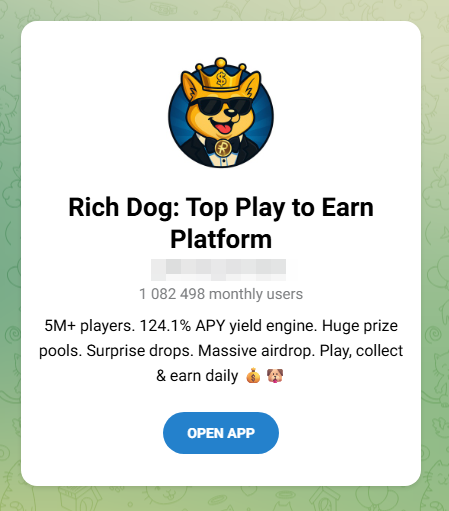
    The second is crypto bait. These ads promote “play-to-earn” games with promises of daily rewards, surprise drops, massive airdrops, and eye-catching claims like a “124% APY yield engine.”

    One warning sign is the promise of guaranteed triple-digit returns and free money for tapping a button. That’s not how legitimate financial products work.

    That’s the whole machine working end to end: football is the doorway, the malicious advertising network is the engine, and the scams are what it’s actually selling.

    How to watch the World Cup safely

    These “Free HD stream, every match, no catch” sites use football as bait to funnel visitors through a malicious advertising network. Here’s how to stay safe:

    • Use official broadcasters and streaming services. That’s where the legal and safe coverage lives.
    • Treat “every match, free, HD, no signup” as a red flag. Broadcast rights are expensive. If a random website is giving everything away for free, it’s making money some other way.
    • Don’t follow a maze of interactions. If a streaming site opens pop-ups, launches extra tabs, or sends you through endless “click to continue” screens, close it.
    • Never trust warnings or download prompts on these sites. Don’t download anything, install anything, or enter any information.
    • Block ads and trackers in the browser. A tool like Malwarebytes Browser Guard can block the advertising and tracking domains these sites rely on, helping stop pop-ups and redirects before they load.
    • Keep your software up to date. Browser and operating system updates often fix security vulnerabilities that attackers try to exploit.
    • Use up-to-date, real-time anti-malware. If you do click something malicious, products like Malwarebytes Premium can block and remove malware before it causes damage.

    Indicators of compromise (IoCs)

    Domains

    arenaworldcupfootball.xyz
    footballworldcup.xyz
    freeworldcup.xyz
    freeworldcupstream.xyz
    freeworldcupstreaming.xyz
    livestreamingworldcup.xyz
    livestreamworldcup.xyz
    liveworldcup.today
    liveworldcup.xyz
    liveworldcup2026.xyz
    liveworldcupmatch.xyz
    matchoraworldcup.world
    matchworldcup.xyz
    sportivaworldcup.xyz
    sportworldcuponline.xyz
    watchworldcup.watch
    watchworldcup.world
    watchworldcup2026.xyz
    watchworldcupfree.live
    watchworldcupfree.online
    watchworldcupfree.xyz
    worldcup2026match.xyz
    worldcuparena.xyz
    worldcupfoootballmatch.xyz
    worldcupfootball.live
    worldcupfootballmat.live
    worldcupfootballmatch.live
    worldcupfootbmatch.xyz
    worldcupfreeonline.xyz
    worldcuplive.world
    worldcuplivestream.online
    worldcupmatch.online
    worldcupmatch.world
    worldcupmatch.xyz
    worldcupmatchlive.live
    worldcupsoccer.live
    worldcupsoccermatch.live
    worldcupstreameast.online
    worldcupstreameast.xyz
    worldcupusa.world
    worldcupusa.xyz


    Stop threats before they can do any harm.

    Malwarebytes Browser Guard blocks phishing pages and malicious sites automatically. Free, one click to install. Add it to your browser →

    “Free World Cup stream” sites are serving scams, not football

    16 June 2026 at 15:00

    With the World Cup on, you’ll find no shortage of websites promising every match, live, in HD, for free. They look convincing, usually with a video player, a “Live Stream Available” indicator, a row of server buttons, maybe a match schedule, and a “Watch Live” button. There’s no signup, no paywall, and seemingly, no catch.

    But of course there’s a catch. These sites aren’t really in the business of streaming football. What the page is really built to do is fire pop-ups, hidden ads, and redirects through an advertising network we detect as malicious. Instead of watching the match, visitors end up facing scams, malware, and fraudulent downloads.

    Here’s how the scam works and how to stay out of it.

    .kb-advanced-slider-423028_956a35-72 .kb-slider-pause-button{color:#fff;background-color:rgba(0, 0, 0, 0.8);border:1px solid transparent;}

      If they’re not real streaming sites, what are they?

      We’ve identified more than 40 websites that are effectively identical. They use different World Cup-themed names, but behind the scenes they’re running the same page template, the same code, and the same advertising infrastructure.

      A script generates a separate page for every match, making the operation cheap to run and easy to scale.

      When a stream appears at all, it’s usually embedded from a third-party piracy service. The real business is the advertising surrounding the player.

      A typical page loads eight or more ad and tracking scripts from the same shady network, plus a handful of other ad domains. The hub the whole page is wired to is a domain we detect as malicious. Your data is the product; the “stream” is the bait.

      Why these sites are dangerous, not just annoying

      It’s tempting to shrug this off as the usual price of free streams. But it’s worse than facing a few annoying ads.

      The real threat is the ad network. This isn’t mainstream, vetted advertising. The kind of ad network we flag as malicious is a common delivery route for the stuff that causes harm: fake virus warnings, bogus software update prompts that install malware, fake prize and verification pages, and forced redirects into subscription traps.

      The video window itself is untrusted. The stream is pulled from a third-party piracy service, not anything the site controls or vets. Pirated stream embeds are a well-known source of their own ads, redirects, and hidden clickable overlays, so even the part that looks like a video player can be working against you.

      There’s nobody behind the counter. These are anonymous, disposable sites built around a major sporting event. There’s no real company, no support, no accountability, and no reason for them to care what lands on your screen.

      It’s the oldest play in the scam handbook: take something millions of people want right now, present it nicely, and monetize the rush. Scammers don’t create the demand, they just stand in front of it with a bucket and collect payment.

      How it works (a quick technical version)

      The first tap is hijacked. A script waits for your first click or tap anywhere on the page and uses it to open an ad in a new tab or window, often in the background. Before you’ve watched a second of football, you’ve already triggered an ad.

      The “Play” button is a maze. Clicking Play doesn’t play anything. Instead, you’re sent through prompts like “Click Resume to continue” before you might reach a video. Every extra step is another click, and each click triggers more ads.

      Invisible ads load. The page quietly loads tiny, invisible 1×1-pixel ads and opens more tabs. These exist purely to generate paid ad views. The tactic has many of the hallmarks of ad fraud, and you’re the unwitting traffic. More ads are injected into the player area the moment you try to watch.

      The stream is an afterthought. Often there’s no working stream at all, so the page loops you through “Streams loading… Retry,” which means more clicks and more ads. Whether you ever see the match or not, the ads have already cashed in.

      What the ads are serving up

      The code fires the ads; but here’s what comes out the other end. On these pages, the injected ads tend to fall into two buckets, and neither has anything to do with football.

      The first is fake message notifications: little pop-ups designed to look like real chat alerts, complete with a stranger’s photo and messages such as “Seen my message yet? Let’s talk!” Some include fake voice messages or explicit thumbnails. They’re made to look like notifications you’ve forgotten to check so you’ll click them.

      The second is crypto bait. These ads promote “play-to-earn” games with promises of daily rewards, surprise drops, massive airdrops, and eye-catching claims like a “124% APY yield engine.”

      One warning sign is the promise of guaranteed triple-digit returns and free money for tapping a button. That’s not how legitimate financial products work.

      That’s the whole machine working end to end: football is the doorway, the malicious advertising network is the engine, and the scams are what it’s actually selling.

      How to watch the World Cup safely

      These “Free HD stream, every match, no catch” sites use football as bait to funnel visitors through a malicious advertising network. Here’s how to stay safe:

      • Use official broadcasters and streaming services. That’s where the legal and safe coverage lives.
      • Treat “every match, free, HD, no signup” as a red flag. Broadcast rights are expensive. If a random website is giving everything away for free, it’s making money some other way.
      • Don’t follow a maze of interactions. If a streaming site opens pop-ups, launches extra tabs, or sends you through endless “click to continue” screens, close it.
      • Never trust warnings or download prompts on these sites. Don’t download anything, install anything, or enter any information.
      • Block ads and trackers in the browser. A tool like Malwarebytes Browser Guard can block the advertising and tracking domains these sites rely on, helping stop pop-ups and redirects before they load.
      • Keep your software up to date. Browser and operating system updates often fix security vulnerabilities that attackers try to exploit.
      • Use up-to-date, real-time anti-malware. If you do click something malicious, products like Malwarebytes Premium can block and remove malware before it causes damage.

      Indicators of compromise (IoCs)

      Domains

      arenaworldcupfootball.xyz
      footballworldcup.xyz
      freeworldcup.xyz
      freeworldcupstream.xyz
      freeworldcupstreaming.xyz
      livestreamingworldcup.xyz
      livestreamworldcup.xyz
      liveworldcup.today
      liveworldcup.xyz
      liveworldcup2026.xyz
      liveworldcupmatch.xyz
      matchoraworldcup.world
      matchworldcup.xyz
      sportivaworldcup.xyz
      sportworldcuponline.xyz
      watchworldcup.watch
      watchworldcup.world
      watchworldcup2026.xyz
      watchworldcupfree.live
      watchworldcupfree.online
      watchworldcupfree.xyz
      worldcup2026match.xyz
      worldcuparena.xyz
      worldcupfoootballmatch.xyz
      worldcupfootball.live
      worldcupfootballmat.live
      worldcupfootballmatch.live
      worldcupfootbmatch.xyz
      worldcupfreeonline.xyz
      worldcuplive.world
      worldcuplivestream.online
      worldcupmatch.online
      worldcupmatch.world
      worldcupmatch.xyz
      worldcupmatchlive.live
      worldcupsoccer.live
      worldcupsoccermatch.live
      worldcupstreameast.online
      worldcupstreameast.xyz
      worldcupusa.world
      worldcupusa.xyz


      Stop threats before they can do any harm.

      Malwarebytes Browser Guard blocks phishing pages and malicious sites automatically. Free, one click to install. Add it to your browser →

      Fake verification pages are stealing Steam accounts from players

      12 June 2026 at 11:27

      Online gamers should watch out for a convincing scam that aims to steal your Steam account.

      The scam uses fake FACEIT verification pages that look legitimate, complete with official branding, working links, and what appears to be a real Steam login window. By the time it asks for your password, many victims are convinced they’re interacting with a genuine service.

      The goal is to steal your Steam account.

      Why this scam targets FACEIT players

      If you’re not a competitive gamer, FACEIT might not mean anything to you. But to millions of people, it’s a big deal, and that makes it a target for impersonation by cybercriminals.

      FACEIT is one of the largest competitive gaming platforms for Counter-Strike 2 (CS2). Millions of players use it for ranked matches, tournaments, leagues, and advanced anti-cheat protections.

      To use FACEIT, players typically connect their Steam platform accounts, which are valuable for scammers.

      A stolen Steam account can contain:

      • Hundreds or thousands of dollars’ worth of purchased games
      • Valuable CS2 skins and items, some worth significant amounts of real money
      • Wallet funds and saved payment methods
      • Years of friends, messages, and community reputation

      Once criminals gain access, they can steal items, scam friends, or sell the account on criminal marketplaces.

      Because FACEIT connects to Steam, a fake “FACEIT verification” page is an easy way to trick people. Victims think they’re updating their account, but attackers are really trying to steal Steam accounts that may contain valuable games, skins, and wallet funds. Gamers are especially vulnerable because they’re used to linking accounts and following verification steps, and may act quickly if they think their access to a game is at risk.

      How the scam works

      The attack starts with a website that looks like an official FACEIT page. The scam pages are likely distributed through the same channels gamers use every day: community forums, chat servers, social media posts, and direct messages.

      The page claims FACEIT is offering free, optional identity verification to help build a more trusted community. It’s polished, uses the correct branding, and even includes working links to FACEIT’s real blog and support pages. Everything about it is designed to make you think you’re on a genuine FACEIT website, but you’re not.

      Fake FACEIT verification page
      Fake FACEIT verification page

      Instead of using the official faceit.com domain, the scammers use lookalike addresses such as:

      • faceit-discord.com
      • faceit-clubs-verify.com
      • faceit-verification-clubs.com

      The extra words like “verification” or “discord,” are designed to make these addresses look legitimate at a glance, but they’re sites that are controlled by cybercriminals.

      Many of these domains are only days or even hours old. Scammers constantly register new ones, knowing they’ll likely be blocked eventually. That’s why a site not being flagged as dangerous doesn’t mean it’s safe.

      There are small clues, though. In one example, the page listed both “Copyright 2024” and “Copyright 2025.” Legitimate companies rarely make mistakes like that, but scam sites often do.

      After the verification pitch, the page claims there’s a problem with your CS2 account and asks you to update your information to prove you’re not a cheater or using a smurf account.

      Here’s the clever part. The QR code appears blurry and difficult to scan. Researchers believe that’s intentional. After a few failed attempts, many users are likely to give up and click the easier-looking “Sign in through Steam” button instead.

      The broken QR code is the nudge that guides victims toward the part of the page where the real theft happens.

      Fake FACEIT page with a blurry QR code and "Sign in with Steam" button
      Fake FACEIT page with a blurry QR code and “Sign in with Steam” button

      When users eventually give up on the QR code and click the button, a Steam login window appears. It looks convincing, complete with the Steam logo, login fields, and what appears to be a steamcommunity.com address bar.

      But the window is fake.

      Fake Steam sign-in window steals your account details
      Fake Steam sign-in window steals your account details

      Instead of opening a real Steam login page, the scammers display a convincing copy inside the website itself. Security researchers call this a Browser-in-the-Browser attack. The fake window looks and behaves like a genuine browser pop-up, but the address bar is just part of the image.

      Anything entered into the form goes straight to the criminals. If the page also asks for a Steam Guard code, that gets stolen too, allowing attackers to access the account. Some victims are then tricked into “protecting” their items by transferring them to a friend or backup account, when they’re actually sending them directly to the scammers.

      How to protect yourself against this scam

      A few simple habits can stop this scam:

      • Check the real address bar. FACEIT’s official website is faceit.com. Be wary of lookalike domains such as faceit-discord.com or faceit-clubs-verify.com. Remember: a login window inside a webpage can fake its own address bar. Trust the one at the top of your browser, not the one inside the page.
      • Be suspicious of blurry QR codes. Researchers believe the QR code in this scam is deliberately blurred to push users toward the “Sign in through Steam” button instead.
      • Treat urgency as a warning sign. Messages about account problems, verification, or losing access are designed to make you act quickly. Slow down and verify first.
      • Go to the source. If you’re unsure whether FACEIT or Steam needs something from you, open the official website or app yourself rather than following links from Discord, messages, or ads.
      • Add another layer of protection. Scam sites often look legitimate. Malwarebytes Browser Guard can help block known phishing pages and other online scams before you enter your username and password.

      If you already entered your details

      Change your Steam password immediately, make sure Steam Guard is enabled, and sign out of all other devices. Check your Steam API key settings and remove any key you don’t recognize. Change the password anywhere else you reused it and review your account for unauthorized trades or purchases.

      Why this scam works

      This scam works because it doesn’t look like a scam. The branding is convincing, the story makes sense, and even the Steam login window appears legitimate.

      Most people know to check the address bar before entering a password. Browser-in-the-Browser attacks are designed to defeat that habit. Because the fake Steam window is built into the page itself, the criminals can make its address bar say whatever they want, including steamcommunity.com.

      The safest approach is to be suspicious of any login window that appears inside another website. If you’re unsure, close the page and sign in to Steam the way you normally would, through the official app or by typing the address yourself.

      That small pause, that refusal to take the convenient shortcut a page is pushing you toward, is all it takes to keep your account yours.


      Stop threats before they can do any harm.

      Malwarebytes Browser Guard blocks phishing pages and malicious sites automatically. Free, one click to install. Add it to your browser →
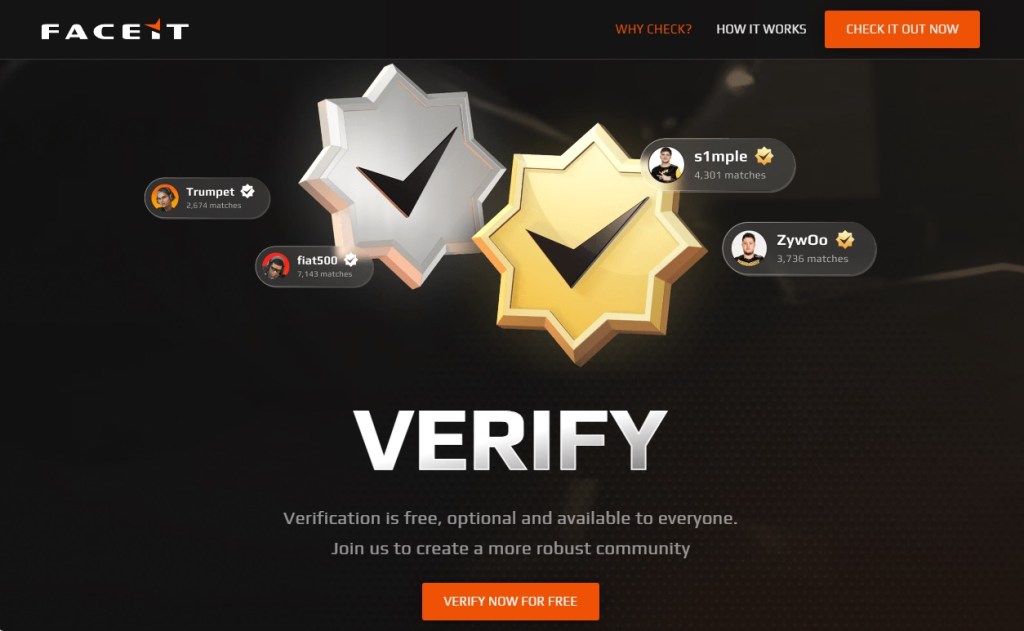
      Fake verification pages are stealing Steam accounts from players

      12 June 2026 at 11:27

      Online gamers should watch out for a convincing scam that aims to steal your Steam account.

      The scam uses fake FACEIT verification pages that look legitimate, complete with official branding, working links, and what appears to be a real Steam login window. By the time it asks for your password, many victims are convinced they’re interacting with a genuine service.

      The goal is to steal your Steam account.

      Why this scam targets FACEIT players

      If you’re not a competitive gamer, FACEIT might not mean anything to you. But to millions of people, it’s a big deal, and that makes it a target for impersonation by cybercriminals.

      FACEIT is one of the largest competitive gaming platforms for Counter-Strike 2 (CS2). Millions of players use it for ranked matches, tournaments, leagues, and advanced anti-cheat protections.

      To use FACEIT, players typically connect their Steam platform accounts, which are valuable for scammers.

      A stolen Steam account can contain:

      • Hundreds or thousands of dollars’ worth of purchased games
      • Valuable CS2 skins and items, some worth significant amounts of real money
      • Wallet funds and saved payment methods
      • Years of friends, messages, and community reputation

      Once criminals gain access, they can steal items, scam friends, or sell the account on criminal marketplaces.

      Because FACEIT connects to Steam, a fake “FACEIT verification” page is an easy way to trick people. Victims think they’re updating their account, but attackers are really trying to steal Steam accounts that may contain valuable games, skins, and wallet funds. Gamers are especially vulnerable because they’re used to linking accounts and following verification steps, and may act quickly if they think their access to a game is at risk.

      How the scam works

      The attack starts with a website that looks like an official FACEIT page. The scam pages are likely distributed through the same channels gamers use every day: community forums, chat servers, social media posts, and direct messages.

      The page claims FACEIT is offering free, optional identity verification to help build a more trusted community. It’s polished, uses the correct branding, and even includes working links to FACEIT’s real blog and support pages. Everything about it is designed to make you think you’re on a genuine FACEIT website, but you’re not.

      Fake FACEIT verification page
      Fake FACEIT verification page

      Instead of using the official faceit.com domain, the scammers use lookalike addresses such as:

      • faceit-discord.com
      • faceit-clubs-verify.com
      • faceit-verification-clubs.com

      The extra words like “verification” or “discord,” are designed to make these addresses look legitimate at a glance, but they’re sites that are controlled by cybercriminals.

      Many of these domains are only days or even hours old. Scammers constantly register new ones, knowing they’ll likely be blocked eventually. That’s why a site not being flagged as dangerous doesn’t mean it’s safe.

      There are small clues, though. In one example, the page listed both “Copyright 2024” and “Copyright 2025.” Legitimate companies rarely make mistakes like that, but scam sites often do.

      After the verification pitch, the page claims there’s a problem with your CS2 account and asks you to update your information to prove you’re not a cheater or using a smurf account.

      Here’s the clever part. The QR code appears blurry and difficult to scan. Researchers believe that’s intentional. After a few failed attempts, many users are likely to give up and click the easier-looking “Sign in through Steam” button instead.

      The broken QR code is the nudge that guides victims toward the part of the page where the real theft happens.

      Fake FACEIT page with a blurry QR code and "Sign in with Steam" button
      Fake FACEIT page with a blurry QR code and “Sign in with Steam” button

      When users eventually give up on the QR code and click the button, a Steam login window appears. It looks convincing, complete with the Steam logo, login fields, and what appears to be a steamcommunity.com address bar.

      But the window is fake.

      Fake Steam sign-in window steals your account details
      Fake Steam sign-in window steals your account details

      Instead of opening a real Steam login page, the scammers display a convincing copy inside the website itself. Security researchers call this a Browser-in-the-Browser attack. The fake window looks and behaves like a genuine browser pop-up, but the address bar is just part of the image.

      Anything entered into the form goes straight to the criminals. If the page also asks for a Steam Guard code, that gets stolen too, allowing attackers to access the account. Some victims are then tricked into “protecting” their items by transferring them to a friend or backup account, when they’re actually sending them directly to the scammers.

      How to protect yourself against this scam

      A few simple habits can stop this scam:

      • Check the real address bar. FACEIT’s official website is faceit.com. Be wary of lookalike domains such as faceit-discord.com or faceit-clubs-verify.com. Remember: a login window inside a webpage can fake its own address bar. Trust the one at the top of your browser, not the one inside the page.
      • Be suspicious of blurry QR codes. Researchers believe the QR code in this scam is deliberately blurred to push users toward the “Sign in through Steam” button instead.
      • Treat urgency as a warning sign. Messages about account problems, verification, or losing access are designed to make you act quickly. Slow down and verify first.
      • Go to the source. If you’re unsure whether FACEIT or Steam needs something from you, open the official website or app yourself rather than following links from Discord, messages, or ads.
      • Add another layer of protection. Scam sites often look legitimate. Malwarebytes Browser Guard can help block known phishing pages and other online scams before you enter your username and password.

      If you already entered your details

      Change your Steam password immediately, make sure Steam Guard is enabled, and sign out of all other devices. Check your Steam API key settings and remove any key you don’t recognize. Change the password anywhere else you reused it and review your account for unauthorized trades or purchases.

      Why this scam works

      This scam works because it doesn’t look like a scam. The branding is convincing, the story makes sense, and even the Steam login window appears legitimate.

      Most people know to check the address bar before entering a password. Browser-in-the-Browser attacks are designed to defeat that habit. Because the fake Steam window is built into the page itself, the criminals can make its address bar say whatever they want, including steamcommunity.com.

      The safest approach is to be suspicious of any login window that appears inside another website. If you’re unsure, close the page and sign in to Steam the way you normally would, through the official app or by typing the address yourself.

      That small pause, that refusal to take the convenient shortcut a page is pushing you toward, is all it takes to keep your account yours.


      Stop threats before they can do any harm.

      Malwarebytes Browser Guard blocks phishing pages and malicious sites automatically. Free, one click to install. Add it to your browser →
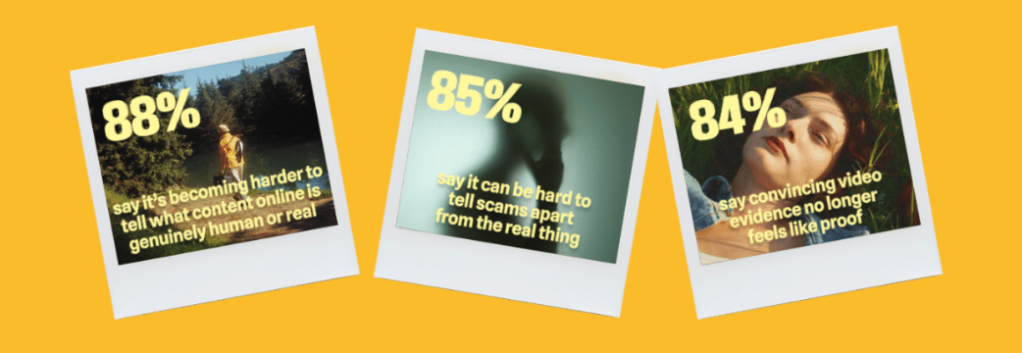
      Free Spotify Premium hacks on social media are spreading infostealers

      10 June 2026 at 18:27

      Short-form video platforms like TikTok and Instagram Reels have become the latest way cybercriminals spread malware.

      We’ve already seen attackers move away from traditional phishing emails and toward tactics that trick people into installing malware themselves. Now they’re being lured with slick social media videos that promise free Spotify Premium, free Windows activation, or free Microsoft Office, but instead leave people with infostealers on their Windows devices.

      Researchers at ReversingLabs uncovered two active campaigns that use short videos to trick users into running dangerous PowerShell commands or visiting malicious download sites. Similar campaigns have been reported by other researchers and national cybersecurity agencies, suggesting a growing trend: Cybercriminals are learning how to use social media algorithms just as effectively as marketers.

      In true social media fashion, the videos on platforms like TikTok and Instagram Reels claim to solve a problem you didn’t know you had. The catch is that following the instructions delivers malware to your device.

      How the scam works

      The first campaign looks deceptively professional.

      Accounts with names like “windows.tips” or “windows.insights” use Windows-style branding and post polished tutorial videos that resemble genuine tech support content. The videos are tagged with Windows and Office-related keywords so they appear alongside legitimate troubleshooting and tips content.

      The videos promise to unlock Spotify Premium, Microsoft Office, or Windows for free. Viewers are then guided through step-by-step instructions that include opening Powershell, a legitimate Windows admin tool, and pasting in commands. Those commands download and run malware, much like the ClickFix scams we’ve covered before.

      The malware was identified as Vidar, an infostealer designed to steal sensitive informtion from infected devices. Vidar commonly targets:

      • Saved browser passwords
      • Autofill data
      • Browser cookies
      • Cryptocurrency wallets
      • Two-factor authentication (2FA) data
      • TOR browser data

      The stolen information is then sent back to servers controlled by the attackers.

      How to stay safe

      Research into similar TikTok-based attacks shows these scripts commonly add exclusions to Windows Defender, making it harder for security software to detect future malicious activity.

      Fortunately, there are  a few simple ways to protect yourself:  

      • Only download software from official vendor websites.  
      • Be skeptical of “free”, cracked, or unofficial versions of paid software. 
      • Don’t follow instructions on a webpage without thinking them through, especially if the page asks you to run commands on your device or copy and paste code. Many ClickFix pages use countdowns, fake user counters, or other pressure tactics to make you act quickly.
      • Check that downloaded files match what you expected to download.
      • Verify a file’s publisher and digital signature before you run it. On Windows, you can usually check this by right-clicking the file, selecting Properties > Digital Signatures. Keep in mind that a valid signature does not guarantee a file is safe, but missing or suspicious signatures are often a red flag. 
      • Use a real-time, up-to-date anti-malware solution to block malware like infostealers before it runs.

      Pro tip: If you’re unsure whether a video, message, or website is legitimate, you can ask Malwarebytes Scam Guard about it. It can help identify suspicious content and advise you on what to do next.

      Image courtesy of ReversingLabs


      We don’t just report on threats—we remove them

      Cybersecurity risks should never spread beyond a headline. Keep threats off your devices by downloading Malwarebytes today.

      Free Spotify Premium hacks on social media are spreading infostealers

      10 June 2026 at 18:27

      Short-form video platforms like TikTok and Instagram Reels have become the latest way cybercriminals spread malware.

      We’ve already seen attackers move away from traditional phishing emails and toward tactics that trick people into installing malware themselves. Now they’re being lured with slick social media videos that promise free Spotify Premium, free Windows activation, or free Microsoft Office, but instead leave people with infostealers on their Windows devices.

      Researchers at ReversingLabs uncovered two active campaigns that use short videos to trick users into running dangerous PowerShell commands or visiting malicious download sites. Similar campaigns have been reported by other researchers and national cybersecurity agencies, suggesting a growing trend: Cybercriminals are learning how to use social media algorithms just as effectively as marketers.

      In true social media fashion, the videos on platforms like TikTok and Instagram Reels claim to solve a problem you didn’t know you had. The catch is that following the instructions delivers malware to your device.

      How the scam works

      The first campaign looks deceptively professional.

      Accounts with names like “windows.tips” or “windows.insights” use Windows-style branding and post polished tutorial videos that resemble genuine tech support content. The videos are tagged with Windows and Office-related keywords so they appear alongside legitimate troubleshooting and tips content.

      The videos promise to unlock Spotify Premium, Microsoft Office, or Windows for free. Viewers are then guided through step-by-step instructions that include opening Powershell, a legitimate Windows admin tool, and pasting in commands. Those commands download and run malware, much like the ClickFix scams we’ve covered before.

      The malware was identified as Vidar, an infostealer designed to steal sensitive informtion from infected devices. Vidar commonly targets:

      • Saved browser passwords
      • Autofill data
      • Browser cookies
      • Cryptocurrency wallets
      • Two-factor authentication (2FA) data
      • TOR browser data

      The stolen information is then sent back to servers controlled by the attackers.

      How to stay safe

      Research into similar TikTok-based attacks shows these scripts commonly add exclusions to Windows Defender, making it harder for security software to detect future malicious activity.

      Fortunately, there are  a few simple ways to protect yourself:  

      • Only download software from official vendor websites.  
      • Be skeptical of “free”, cracked, or unofficial versions of paid software. 
      • Don’t follow instructions on a webpage without thinking them through, especially if the page asks you to run commands on your device or copy and paste code. Many ClickFix pages use countdowns, fake user counters, or other pressure tactics to make you act quickly.
      • Check that downloaded files match what you expected to download.
      • Verify a file’s publisher and digital signature before you run it. On Windows, you can usually check this by right-clicking the file, selecting Properties > Digital Signatures. Keep in mind that a valid signature does not guarantee a file is safe, but missing or suspicious signatures are often a red flag. 
      • Use a real-time, up-to-date anti-malware solution to block malware like infostealers before it runs.

      Pro tip: If you’re unsure whether a video, message, or website is legitimate, you can ask Malwarebytes Scam Guard about it. It can help identify suspicious content and advise you on what to do next.

      Image courtesy of ReversingLabs


      We don’t just report on threats—we remove them

      Cybersecurity risks should never spread beyond a headline. Keep threats off your devices by downloading Malwarebytes today.

      88% of people struggle to tell what’s real online

      10 June 2026 at 13:45

      What would you trade for a technology that can do almost anything? For many people, the answer is clear: Everything they thought they could trust.

      In a few, short years, Artificial Intelligence (AI) tools have granted people unfettered access to easier writing, faster image generation, quicker coding, and near-instantaneous answers, advice, and information—advantages they value and want. But the same tools that can spruce up a dating profile or reimagine an old photograph can also manipulate the broader world online, and people are noticing.

      According to new research from Malwarebytes, 88% of people said it’s becoming harder to tell what content online is genuinely human or real, with 84% saying that “convincing video evidence” no longer feels like proof. Further, 85% said it can be hard to tell scams apart from the real thing—a major uptick from the 66% who said the same thing last year.

      Statistics from the Face Value report

      These are the first signs of AI’s counterfeit world. Replete with fake websites, fake products, fake videos, fake pictures, fake voices, and even fake people, it is threatening to swallow the web.

      The latest report from Malwarebytes, Face value: How AI is reshaping trust, identity, and scams exposes the hidden cost of AI on the public: an excess of fraud that is dismantling trust in reality and in one another.

      The damage arrives in large moments and small, from the US parent who said they “received a voicemail that sounded exactly like my son’s voice, saying he was in trouble and needed money for legal fees,” to the two entirely unrelated respondents fooled by the same AI-generated video of rabbits bouncing on a trampoline, to the individual worried about “my grandfather showing me AI slop and he thought it was real.”

      For this research, Malwarebytes surveyed 1,500 adults aged 18 and older across the US, UK, Austria, Germany, and Switzerland about their uses, feelings, and concerns regarding AI. The sample was equally split for gender with a spread of ages, geographical regions, and race groups, and weighted to provide a balanced view.

      The complete findings can be found in the full report:

      Here are some of the key takeaways and findings:

      • 88% said it’s becoming harder to tell what content online is genuinely human or real
      • 84% said convincing video evidence no longer feels like proof 
      • 85% of people said it’s hard to tell a scam from the real thing (up from 66% last year)
      • 50% have experienced some form of AI fraud or scam, such as being misled by AI-generated photos of products or receiving a highly personalized scam message
      • 19% have specifically experienced some form of AI-driven identity harm, including the 10% who have had someone use AI to generate sexually explicit content of them without permission
      • 81% fear someone stealing their family’s likeness, yet only 13% have created a family codeword to guard against it
      • 67% worry about voice cloning, yet only 19% have turned off voicemail recordings to prevent it
      • 45% say it’s okay to use AI for personal emotional tasks (like writing wedding vows or a eulogy)
      • 34% say it’s okay to use AI to help create or improve a dating profile
      • One in three self-avowed daily users of AI said it’s okay to generate explicit images of someone without their consent 

      Defeat would be the wrong lesson to take from all this. It is true now that the internet requires assistance, but there are plenty of safe places to seek help.

      While Malwarebytes works to provide new tools, we’d like to remind both the AI anxious and the eager about the first rule of the internet: Remember the human. People’s voices, bodies, choices, and agency belong to them and them alone. 

      As for every fake video, product, website, and image, understand that there’s help. No one needs to navigate an artificial internet alone. Whether through scam detection, identity protection, and simple awareness, people have more options than they may realize.

      ❌