❌

Normal view

Tech Firms Dismantle Botnet That Turned 1.3M TV Boxes Into Proxies

3 November 2026 at 03:24

Google said today it worked with industry partners to dismantle a botnet made up of more than 1.3 million Android TV set-top boxes that ship with malicious software which secretly rents the user’s Internet connection out to strangers and conducts advertising fraud. Experts involved in the takedown say the action is likely to sever the botnet’s access to more than 10 million additional compromised systems, including other Internet of Things (IoT) products such as Android-based healthcare devices and karaoke machines.

A report from the Google Threat Intelligence Group (GTIG) said Google has severed ties with Videostrong Technology Co., a TV box manufacturer in China that GTIG and other industry experts concluded was responsible for including malware that enrolled more than 1.3 million set-top boxes in a botnet dubbed “XCPE” (named after one of the malware’s core code components).

The global distribution of XCPE botnet infections. Image: Google Threat Intelligence Group.

The report said the XCPE botnet loaded the user’s device with software that makes their Internet address available for resale by multiple “residential proxy” services, which allow customers to rent Internet addresses as a way to anonymize their web traffic or spoof their true location. As detailed in several stories here over the past year, residential proxy services are a major source of unwanted and often malicious traffic, including account takeover activity, advertising fraud, and mass content scraping for AI projects.

“Videostrong monetized the backdoor by selling access to criminal affiliates and loading those affiliates’ malware modules onto infected devices,” the GTIG post reads, noting that Google took legal action to take down the domains and servers Videostrong used to control the botnet and install additional malware. “A device manufacturer intentionally infecting their users with malware is an unacceptable breach of trust, and represents a serious risk to those users. Without users’ knowledge or consent, infected devices were offered as a distribution mechanism for a wide array of criminal actors.”

The report notes that while TV boxes made up the the majority of the botnet, the same XCPE malware was found in other Android-based IoT products, including telehealth devices, karaoke machines, and even digital signage systems.

Google said it requires all Android device makers to pass compatibility and security tests to ensure their products don’t harm users, but that Videostrong nevertheless found a way to load their malicious software immediately after a user boots up one of these devices for the first time (Google says it has since addressed that weakness).

The GTIG report calls out a number of residential proxy providers whose software development kits were routinely downloaded by devices infected by the XCPE botnet. Those include AppSalt, also known as Honeygain, which is owned by the Vilnius, Lithuania-based Oxylabs. In October 2026, Oxylabs was relaunched under a new brand called Source, after receiving $130 million in funding from private equity firm Warburg Pincus that reportedly valued the business at $3.6 billion. Oxylabs did not respond to a request for comment.

Another provider linked to the botnet was NetNut, a once sprawling residential proxy company operated by the publicly-traded Israeli company Alarum Technologies. In July 2026, the FBI worked with industry partners to seize hundreds of domains associated with NetNut, saying the company was responsible for operating a separate botnet called Popa that enslaved TV boxes as residential proxies. Other proxy providers named in the GTIG report include EarnFM, Traffmonetizer, Jaguar, LINKFOG, BMW/IPWeb and GaGaNode.

Google’s announcement credits a number of industry partners, including Synthient, a startup that tracks proxy providers. In January 2026, Synthient published research into the rapid spread of the Kimwolf botnet, which at the time was hammering networks worldwide with record-smashing DDoS attacks. Synthient documented how Kimwolf infected millions of Android set-top boxes virtually overnight, using a widespread vulnerability in these residential proxy services to compromise other Android-based devices inside the local networks of unsuspecting TV box users.

Synthient’s research caused dozens of residential proxy providers to patch their networks, which helped to fragment the Kimwolf botnet into much smaller pieces that made its incessant and disruptive DDoS attacks far easier for network operators to manage. It also attracted the attention of the Motion Picture Association (MPA), a trade group representing the major Hollywood studios, which partnered with Synthient to purchase and tear apart a number of popular Android TV set-top boxes — including some that were being infected by Kimwolf and other IoT botnets.

In a report published today, Synthient examined a popular, pre-infected TV box sold under the brand MECOOL by a publicly traded company in China called Skyworth Technology, concluding that MECOOL also bundled the malware from Videostrong Technology Co. and likewise installed AppSalt/Honeygain and other proxy components.

The MECOOL storefront and marketing. Image: Synthient.com.

Synthient founder Ben Brundage told KrebsOnSecurity that Videostrong’s malware also distributed software for the proxy service Grass. In our November 2025 story, “Is Your Android TV Streaming Box Part of a Botnet?” we quoted a researcher from Censys who found the popular Superbox TV streaming device bundled Grass’s residential proxy software. We also quoted the Grass founder, who denied any affiliation with the TV box maker.

That November 2025 story noted that Superbox and similar Android TV set-top boxes gain new customers primarily by engaging influencers on Tiktok and other social networks who praise the product’s ability to offer hundreds of (pirated) pay TV streaming services for a one-time fee.

Likewise, Synthient’s report observes that the MECOOL set-top boxes exploded in popularity after the product was mentioned in 2023 by the Youtube channel Linus Tech Tips, which has an audience of nearly 17 million subscribers [Linus Tech Tips said in a statement shared with Synthient that it has since updated the video to explicitly frame the product as a scam and have removed all associated affiliate links].

The popular Youtube channel Linus Tech Tips discussing MECOOL TV streaming boxes.

The GTIG report estimates the XCPE botnet takedown should sever access to at least 10 million additional compromised devices, noting that the various proxy and ad fraud affiliates of Videostrong “each have diversified distribution channels for their modules beyond XCPE.”

Synthient’s Brundage echoed that conclusion, calling the 1.3 million number “highly conservative.”

“The scale of affected devices is likely way higher,” he said. “This is probably the largest operation against backdoored TV boxes that we’ve seen.”

Further reading:
Plume Security Labs white paper on the XCPE botnet (PDF)
Black Lotus Labs writeup on LinkedIn
TrendAI’s analysis
Synthient’s list of affected devices, broken down by model number
Banks are blocking AI agents from customer accounts

28 October 2026 at 14:38

This week, Axios reported that major US banks were detecting third-party AI agents operating inside customer accounts. In many cases, customers have given the agents their usernames and passwords so they could act on their behalf. This kind of access can violate a bank’s rules.

Bianco Research president Jim Bianco raised the question during Unchained’s Bits + Bips livestream on October 26:

“Are you protecting me, or are you protecting your own profits?”

Bianco described traditional finance’s business model as “based on laziness.” Customers may leave idle cash in low- or no-interest bank accounts rather than move it into a money market fund. An AI agent could make that move for them. “Now that you’re able to do it, the banks are afraid they’re gonna lose that revenue stream,” he said.

The banks offer a different explanation. JPMorgan Chase CEO Jamie Dimon said the bank wouldn’t allow just any outside agent into its systems because doing so was “too risky for clients and for JPMorgan.”

Both explanations can be true: banks can want to retain deposits while also facing real security problems when software acts through customers’ accounts.

Handing over your banking login introduces another service into the security chain. A vulnerability in that service could expose your credentials or allow your account to be misused. And as Bank of America reportedly pointed out:

 “If you do share your credentials, keep in mind that you’re responsible for activity resulting from that access.”

That’s the bank’s stated position, not a universal ruling on consumers’ legal rights. Still, it’s a warning worth taking seriously.

Pros and cons

An AI agent with permission to make purchases might find and buy an item at a lower price. But giving an agent access to your bank account also means sharing sensitive banking information with a third party. We’ve seen shared AI chats become searchable online too.

Axios reported that many banks allow, or are moving toward allowing, read-only access. This can let a tool analyze transactions without giving it permission to move money.

That’s an important boundary, but it doesn’t make the information harmless. An agent that can read bank statements may still disclose them if it’s compromised or manipulated. Preventing transactions and protecting confidentiality are separate security goals.

How to keep control of your money

For consumers, the practical question is not whether banks have perfectly selfless motives. It’s what access you’re giving away, and what could happen if the agent makes a mistake.

  • Don’t paste banking passwords or security codes into a general-purpose AI assistant. Major banks have explicitly warned customers against sharing their credentials.
  • Use your bank’s approved connection methods rather than giving an agent your login. Where supported, choose read-only access if all you need is analysis or budgeting help.
  • Give agents access to as little sensitive information as possible. An assistant comparing publicly advertised savings rates doesn’t need your bank statements. OpenAI recommends limiting agents to the data and credentials they need for the task.
  • Review consequential actions yourself. If an agent asks for confirmation, check exactly what it intends to do and what information it will share. Don’t treat a confirmation prompt as a formality.

AI can make it easier to compare financial products and spot opportunities you might otherwise miss. But an assistant that finds a better rate and an agent that can act inside your account are different propositions.

Let it help with the homework, but be cautious about handing it the keys.


Let’s face it, an incognito window can only do so much. 
 
Breaches, dark web trading, credit fraud. Malwarebytes Identity Theft Protection monitors for all of it, alerts you fast, and comes with identity theft insurance. 

Banks are blocking AI agents from customer accounts

28 October 2026 at 14:38

This week, Axios reported that major US banks were detecting third-party AI agents operating inside customer accounts. In many cases, customers have given the agents their usernames and passwords so they could act on their behalf. This kind of access can violate a bank’s rules.

Bianco Research president Jim Bianco raised the question during Unchained’s Bits + Bips livestream on October 26:

“Are you protecting me, or are you protecting your own profits?”

Bianco described traditional finance’s business model as “based on laziness.” Customers may leave idle cash in low- or no-interest bank accounts rather than move it into a money market fund. An AI agent could make that move for them. “Now that you’re able to do it, the banks are afraid they’re gonna lose that revenue stream,” he said.

The banks offer a different explanation. JPMorgan Chase CEO Jamie Dimon said the bank wouldn’t allow just any outside agent into its systems because doing so was “too risky for clients and for JPMorgan.”

Both explanations can be true: banks can want to retain deposits while also facing real security problems when software acts through customers’ accounts.

Handing over your banking login introduces another service into the security chain. A vulnerability in that service could expose your credentials or allow your account to be misused. And as Bank of America reportedly pointed out:

 “If you do share your credentials, keep in mind that you’re responsible for activity resulting from that access.”

That’s the bank’s stated position, not a universal ruling on consumers’ legal rights. Still, it’s a warning worth taking seriously.

Pros and cons

An AI agent with permission to make purchases might find and buy an item at a lower price. But giving an agent access to your bank account also means sharing sensitive banking information with a third party. We’ve seen shared AI chats become searchable online too.

Axios reported that many banks allow, or are moving toward allowing, read-only access. This can let a tool analyze transactions without giving it permission to move money.

That’s an important boundary, but it doesn’t make the information harmless. An agent that can read bank statements may still disclose them if it’s compromised or manipulated. Preventing transactions and protecting confidentiality are separate security goals.

How to keep control of your money

For consumers, the practical question is not whether banks have perfectly selfless motives. It’s what access you’re giving away, and what could happen if the agent makes a mistake.

  • Don’t paste banking passwords or security codes into a general-purpose AI assistant. Major banks have explicitly warned customers against sharing their credentials.
  • Use your bank’s approved connection methods rather than giving an agent your login. Where supported, choose read-only access if all you need is analysis or budgeting help.
  • Give agents access to as little sensitive information as possible. An assistant comparing publicly advertised savings rates doesn’t need your bank statements. OpenAI recommends limiting agents to the data and credentials they need for the task.
  • Review consequential actions yourself. If an agent asks for confirmation, check exactly what it intends to do and what information it will share. Don’t treat a confirmation prompt as a formality.

AI can make it easier to compare financial products and spot opportunities you might otherwise miss. But an assistant that finds a better rate and an agent that can act inside your account are different propositions.

Let it help with the homework, but be cautious about handing it the keys.


Let’s face it, an incognito window can only do so much. 
 
Breaches, dark web trading, credit fraud. Malwarebytes Identity Theft Protection monitors for all of it, alerts you fast, and comes with identity theft insurance. 

Chrome and Firefox updates fix serious security flaws. Install them now

28 October 2026 at 12:13

On October 27, Google issued a new Stable channel update for Chrome.

Most users are on Chrome’s Stable channel. The desktop update brings Chrome to versions 156.0.8078.73/.74 for Windows and Mac and 156.0.8078.73 for Linux. The update includes 52 security fixes, including four rated Critical.

On the same day, Mozilla issued Security Advisory 2026-118, which fixes 167 vulnerabilities. Firefox 159 also introduces several new features.

Both updates will roll out over the coming days and weeks.

How to update Chrome

The easiest option is to allow Chrome to update automatically. But you can end up lagging behind on updates if you never close your browser or if something goes wrong, such as an extension preventing the update.

If you don’t want to wait for the rollout to reach you, manually updating is easy. Open About Google Chrome from Chrome’s settings or Help menu. Chrome will check for updates. If one is available, click Relaunch to apply it.

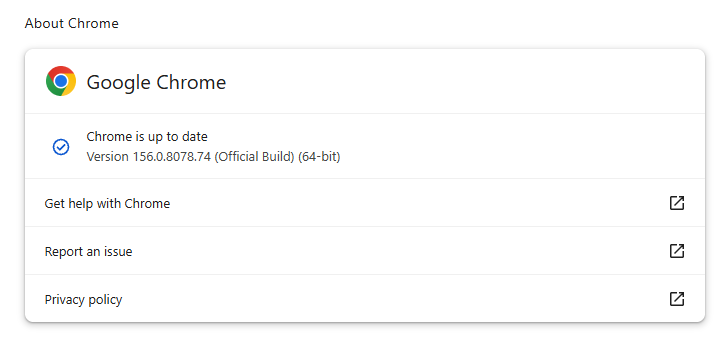
Chrome version 156.0.8078.74 is up to date

You can find an explanation of the version numbering system and step-by-step instructions in our guide: How to update Chrome on every operating system.

How to update Firefox

To update Firefox, open the browser and click the menu button at the right side of the Firefox toolbar, then go to Help and select About Firefox. The About Mozilla Firefox window will open.

Firefox will automatically check for updates. If one is available, it will be downloaded. Once done, you’ll be prompted to click Relaunch. After Firefox restarts, it will be up to date.

After the update, the version should be 159.0 or later

Technical details

These Chrome and Firefox updates address a familiar problem: browser code mishandling memory while processing web content. Both releases fix use-after-free vulnerabilities, including flaws in page layout, JavaScript processing, and SVG graphics.

A use-after-free vulnerability occurs when a program attempts to access a memory location after it has been freed. That can cause crashes or, in some cases, allow an attacker to run their own code.

There’s another connection between these updates: both Google and Mozilla credit OpenAI Codex Security with finding bugs fixed in these releases. AI can help security teams examine browser code for weaknesses, alongside human code reviews and automated tests that check how software handles unexpected inputs.

Mozilla’s collaboration with Anthropic shows how AI-discovered findings can lead to fixes: researchers validated vulnerabilities before reporting them, giving Mozilla’s team reproducible bugs to investigate, repair, and deliver to users.


Browse like no one’s watching. 

Malwarebytes Privacy VPN encrypts your connection and never logs what you do, so the next story you read doesn’t have to feel personal. Try it free → 

Chrome and Firefox updates fix serious security flaws. Install them now

28 October 2026 at 12:13

On October 27, Google issued a new Stable channel update for Chrome.

Most users are on Chrome’s Stable channel. The desktop update brings Chrome to versions 156.0.8078.73/.74 for Windows and Mac and 156.0.8078.73 for Linux. The update includes 52 security fixes, including four rated Critical.

On the same day, Mozilla issued Security Advisory 2026-118, which fixes 167 vulnerabilities. Firefox 159 also introduces several new features.

Both updates will roll out over the coming days and weeks.

How to update Chrome

The easiest option is to allow Chrome to update automatically. But you can end up lagging behind on updates if you never close your browser or if something goes wrong, such as an extension preventing the update.

If you don’t want to wait for the rollout to reach you, manually updating is easy. Open About Google Chrome from Chrome’s settings or Help menu. Chrome will check for updates. If one is available, click Relaunch to apply it.

Chrome version 156.0.8078.74 is up to date

You can find an explanation of the version numbering system and step-by-step instructions in our guide: How to update Chrome on every operating system.

How to update Firefox

To update Firefox, open the browser and click the menu button at the right side of the Firefox toolbar, then go to Help and select About Firefox. The About Mozilla Firefox window will open.

Firefox will automatically check for updates. If one is available, it will be downloaded. Once done, you’ll be prompted to click Relaunch. After Firefox restarts, it will be up to date.

After the update, the version should be 159.0 or later

Technical details

These Chrome and Firefox updates address a familiar problem: browser code mishandling memory while processing web content. Both releases fix use-after-free vulnerabilities, including flaws in page layout, JavaScript processing, and SVG graphics.

A use-after-free vulnerability occurs when a program attempts to access a memory location after it has been freed. That can cause crashes or, in some cases, allow an attacker to run their own code.

There’s another connection between these updates: both Google and Mozilla credit OpenAI Codex Security with finding bugs fixed in these releases. AI can help security teams examine browser code for weaknesses, alongside human code reviews and automated tests that check how software handles unexpected inputs.

Mozilla’s collaboration with Anthropic shows how AI-discovered findings can lead to fixes: researchers validated vulnerabilities before reporting them, giving Mozilla’s team reproducible bugs to investigate, repair, and deliver to users.


Browse like no one’s watching. 

Malwarebytes Privacy VPN encrypts your connection and never logs what you do, so the next story you read doesn’t have to feel personal. Try it free → 

The web’s having a rough week. Here’s how to browse safely

27 October 2026 at 13:22

You recognize the website. You’ve visited it before. You may even have it bookmarked. Then it asks you to do something unusual: install an update, allow notifications, or run a command to prove you’re human.

Stop and check first. A website you trust can still display instructions you shouldn’t follow. Our researchers have documented attacks in which criminals hacked legitimate websites and used them to deliver fake verification pages that trick visitors into installing malware.

Within the same week, serious problems emerged in several parts of the web’s security infrastructure. Attackers were exploiting two flaws in PHP, researchers disclosed a critical flaw in Brotli software used by Node.js, and eight compromised security certificates raised concerns about how browsers and apps verify websites. The incidents have different causes and levels of risk, but their timing makes this an unusual cluster.

PHP is used by about 7 in 10 websites whose underlying programming language is known. Node.js is used by 7.4% of websites with an identified web-server technology, according to W3Techs. Both run websites behind the scenes, so flaws in them can put the sites that rely on them at risk. Most browsers have blocked the certificates, though updates may still be needed for other software and devices.

These problems don’t mean you need to stop browsing. But keep your software and security protection up to date, and be wary of unexpected requests.

How to stay safe when browsing

Check the website’s address, but remember that even the genuine site may have been compromised. The important question is whether the page’s instructions make sense. A familiar website may earn your visit, but that doesn’t mean you should automatically let it run software on your device.

In documented campaigns, malicious instructions appeared on legitimate, hacked WordPress websites, not just lookalike domains.


Safer. Cleaner. Ad-free browsing.


A secure connection doesn’t guarantee that a page is safe, either. HTTPS protects the connection between your browser and the site. Browser protections against dangerous content are a separate layer. A page asking you to install software or enter sensitive information still deserves scrutiny, even when the connection is encrypted.

Ask yourself: “Does this request make sense for what I came here to do?”

Reading an article shouldn’t require opening PowerShell. Watching a video shouldn’t require following a website’s instructions to “repair” your computer. These are familiar themes in ClickFix attacks, which disguise malicious commands as routine verification or troubleshooting steps.

You can’t patch someone else’s web server, but you can keep the software on your own device updated. Turn on automatic updates for your operating system, browser, and applications where available, and don’t repeatedly postpone installing them. Updates fix security flaws that criminals could otherwise use to access your files or accounts.

Keep your browser’s phishing and malware protection enabled, too. Free browser extensions like Malwarebytes Browser Guard warn about known dangerous websites, malicious downloads, and clipboard hijacking. Treat those warnings as a reason to leave, not as another obstacle to get round. These checks are a useful layer of protection, but they can’t certify that every unflagged page is safe.

Use strong, unique passwords stored in a password manager, and enable multifactor authentication on important accounts. These measures help protect your accounts from unauthorized access.

If a request involves running code or making changes to your device, verify it independently. If a website claims your browser needs updating, close the prompt and check through the browser’s own settings. If it says an account or service needs attention, check through the official app, help page, or support channel that you open yourself.

Criminals often present the harmful step as the thing that will let you do what you came to do: fix the connection, enable the player, or complete the security check. The frustration of being blocked can make it tempting to follow their instructions.

Use up-to-date, real-time anti-malware protection on your devices to help stop malware from wreaking havoc or stealing your information.

Watch for unexpected content, downloads, redirects, and repeated login requests, even on familiar sites. If something looks wrong, leave the page. If you’re unsure, use Malwarebytes Scam Guard to check whether a request may be a scam and get possible next steps.


From reporting threats to removing them.

Cybersecurity risks should never spread beyond a headline. Keep threats off your devices by downloading Malwarebytes today.

The web’s having a rough week. Here’s how to browse safely

27 October 2026 at 13:22

You recognize the website. You’ve visited it before. You may even have it bookmarked. Then it asks you to do something unusual: install an update, allow notifications, or run a command to prove you’re human.

Stop and check first. A website you trust can still display instructions you shouldn’t follow. Our researchers have documented attacks in which criminals hacked legitimate websites and used them to deliver fake verification pages that trick visitors into installing malware.

Within the same week, serious problems emerged in several parts of the web’s security infrastructure. Attackers were exploiting two flaws in PHP, researchers disclosed a critical flaw in Brotli software used by Node.js, and eight compromised security certificates raised concerns about how browsers and apps verify websites. The incidents have different causes and levels of risk, but their timing makes this an unusual cluster.

PHP is used by about 7 in 10 websites whose underlying programming language is known. Node.js is used by 7.4% of websites with an identified web-server technology, according to W3Techs. Both run websites behind the scenes, so flaws in them can put the sites that rely on them at risk. Most browsers have blocked the certificates, though updates may still be needed for other software and devices.

These problems don’t mean you need to stop browsing. But keep your software and security protection up to date, and be wary of unexpected requests.

How to stay safe when browsing

Check the website’s address, but remember that even the genuine site may have been compromised. The important question is whether the page’s instructions make sense. A familiar website may earn your visit, but that doesn’t mean you should automatically let it run software on your device.

In documented campaigns, malicious instructions appeared on legitimate, hacked WordPress websites, not just lookalike domains.


Safer. Cleaner. Ad-free browsing.


A secure connection doesn’t guarantee that a page is safe, either. HTTPS protects the connection between your browser and the site. Browser protections against dangerous content are a separate layer. A page asking you to install software or enter sensitive information still deserves scrutiny, even when the connection is encrypted.

Ask yourself: “Does this request make sense for what I came here to do?”

Reading an article shouldn’t require opening PowerShell. Watching a video shouldn’t require following a website’s instructions to “repair” your computer. These are familiar themes in ClickFix attacks, which disguise malicious commands as routine verification or troubleshooting steps.

You can’t patch someone else’s web server, but you can keep the software on your own device updated. Turn on automatic updates for your operating system, browser, and applications where available, and don’t repeatedly postpone installing them. Updates fix security flaws that criminals could otherwise use to access your files or accounts.

Keep your browser’s phishing and malware protection enabled, too. Free browser extensions like Malwarebytes Browser Guard warn about known dangerous websites, malicious downloads, and clipboard hijacking. Treat those warnings as a reason to leave, not as another obstacle to get round. These checks are a useful layer of protection, but they can’t certify that every unflagged page is safe.

Use strong, unique passwords stored in a password manager, and enable multifactor authentication on important accounts. These measures help protect your accounts from unauthorized access.

If a request involves running code or making changes to your device, verify it independently. If a website claims your browser needs updating, close the prompt and check through the browser’s own settings. If it says an account or service needs attention, check through the official app, help page, or support channel that you open yourself.

Criminals often present the harmful step as the thing that will let you do what you came to do: fix the connection, enable the player, or complete the security check. The frustration of being blocked can make it tempting to follow their instructions.

Use up-to-date, real-time anti-malware protection on your devices to help stop malware from wreaking havoc or stealing your information.

Watch for unexpected content, downloads, redirects, and repeated login requests, even on familiar sites. If something looks wrong, leave the page. If you’re unsure, use Malwarebytes Scam Guard to check whether a request may be a scam and get possible next steps.


From reporting threats to removing them.

Cybersecurity risks should never spread beyond a headline. Keep threats off your devices by downloading Malwarebytes today.

Samsung TVs without mics may listen through soundbars, researcher says

27 October 2026 at 11:44

A reverse engineer claims that their Samsung smart TV has been collecting audio without their consent.

The researcher, who calls themselves “log4j,” said in an X thread that their 2025 Samsung TV was delivering ads that seemed suspiciously relevant to them. Investigating, they claim to have found a package called “always on voice,” which uses the TV’s built-in microphone to collect sounds from the room.

The software logged events such as dogs barking and babies crying, log4j said, adding that these events are counted and reported back to Samsung.

Samsung advertises similar features on some of its AI-enabled TVs. The company says its Pet Care and Family Care features use on-device AI to detect a dog barking or a baby crying and alert users. This doesn’t confirm log4j’s claims about the package or the data it reports.

However, log4j says that on TVs without microphones, the software searches for connected devices such as soundbars or Bluetooth microphones and uses those to listen instead.

The TV was also collecting geolocation data and mapping local networks, they said, adding that it ran a service on the TV that analyzes traffic on the local network.

log4j also says that the system uses a neural network tailored to a particular region to analyze your viewing habits. A neural network is a type of machine-learning model. log4j said:

“…in youtube it’s looking for videos you watch, ads you skip, progress in a video, etc.”

The tracking that’s on the record

While log4j’s claims haven’t been independently verified, Samsung has used automatic content recognition (ACR), a system that identifies what’s on screen. Earlier this year, Texas Attorney General Ken Paxton settled with Samsung, getting the company to agree that it would get Texans’ express consent before collecting or processing ACR viewing data.

A class action complaint filed in New York in January also accused Samsung of using ACR to record video and audio passing through the TV. The complaint accused Samsung of using machine-learning algorithms to analyze and link this data back to consumers. This includes information displayed when the TV is used as a computer monitor, it said, adding that the information can be linked to different people using the TV. The case was voluntarily dismissed in July.

The New York complaint added:

“Samsung exploits this Sensitive Information by (a) selling targeted advertisements to its corporate advertising clients, and (b) providing it to third-party advertising companies such as Google and X (f/k/a Twitter) for targeted advertising.”

A separate class action complaint filed in California this month accuses Samsung Electronics America of not being transparent about its ACR data collection.

This isn’t the first time that Samsung has been criticized for allegedly picking up in-room audio. In 2015, privacy group EPIC filed a complaint with the FTC, accusing Samsung of recording conversations and relaying them elsewhere. The nonprofit said at the time:

“Everything a user says in front of the Samsung SmartTV is recorded and transmitted over the internet to a third party regardless of whether it is related to the provision of the service.”

EPIC identified text-to-speech company Nuance as the third party.

What you can do

We can’t confirm all of log4j’s allegations, and Samsung doesn’t appear to have commented. But there have been multiple complaints about the data smart TVs collect. You can turn off features such as ACR, internet-based advertising, and voice recognition where possible.

log4j has also raised concerns about whether monitoring services are truly off. They said:

“ACR off via your preferences menu on samsung TVs should not be assumed to actually disable ACR telemetry.

i’ve found several instances where the checks (whether deliberate or not) are either incorrectly implemented or not checked at all.”

log4j says disconnecting your TV from Wi-Fi is the best option for immediate peace of mind, though that also means losing internet-based TV features. They also suggest using an Apple TV or a modifiable Android TV box with open-source software.


What do cybercriminals know about you?

Use Malwarebytes’ free Digital Footprint scan to see whether your personal information has been exposed online.

Samsung TVs without mics may listen through soundbars, researcher says

27 October 2026 at 11:44

A reverse engineer claims that their Samsung smart TV has been collecting audio without their consent.

The researcher, who calls themselves “log4j,” said in an X thread that their 2025 Samsung TV was delivering ads that seemed suspiciously relevant to them. Investigating, they claim to have found a package called “always on voice,” which uses the TV’s built-in microphone to collect sounds from the room.

The software logged events such as dogs barking and babies crying, log4j said, adding that these events are counted and reported back to Samsung.

Samsung advertises similar features on some of its AI-enabled TVs. The company says its Pet Care and Family Care features use on-device AI to detect a dog barking or a baby crying and alert users. This doesn’t confirm log4j’s claims about the package or the data it reports.

However, log4j says that on TVs without microphones, the software searches for connected devices such as soundbars or Bluetooth microphones and uses those to listen instead.

The TV was also collecting geolocation data and mapping local networks, they said, adding that it ran a service on the TV that analyzes traffic on the local network.

log4j also says that the system uses a neural network tailored to a particular region to analyze your viewing habits. A neural network is a type of machine-learning model. log4j said:

“…in youtube it’s looking for videos you watch, ads you skip, progress in a video, etc.”

The tracking that’s on the record

While log4j’s claims haven’t been independently verified, Samsung has used automatic content recognition (ACR), a system that identifies what’s on screen. Earlier this year, Texas Attorney General Ken Paxton settled with Samsung, getting the company to agree that it would get Texans’ express consent before collecting or processing ACR viewing data.

A class action complaint filed in New York in January also accused Samsung of using ACR to record video and audio passing through the TV. The complaint accused Samsung of using machine-learning algorithms to analyze and link this data back to consumers. This includes information displayed when the TV is used as a computer monitor, it said, adding that the information can be linked to different people using the TV. The case was voluntarily dismissed in July.

The New York complaint added:

“Samsung exploits this Sensitive Information by (a) selling targeted advertisements to its corporate advertising clients, and (b) providing it to third-party advertising companies such as Google and X (f/k/a Twitter) for targeted advertising.”

A separate class action complaint filed in California this month accuses Samsung Electronics America of not being transparent about its ACR data collection.

This isn’t the first time that Samsung has been criticized for allegedly picking up in-room audio. In 2015, privacy group EPIC filed a complaint with the FTC, accusing Samsung of recording conversations and relaying them elsewhere. The nonprofit said at the time:

“Everything a user says in front of the Samsung SmartTV is recorded and transmitted over the internet to a third party regardless of whether it is related to the provision of the service.”

EPIC identified text-to-speech company Nuance as the third party.

What you can do

We can’t confirm all of log4j’s allegations, and Samsung doesn’t appear to have commented. But there have been multiple complaints about the data smart TVs collect. You can turn off features such as ACR, internet-based advertising, and voice recognition where possible.

log4j has also raised concerns about whether monitoring services are truly off. They said:

“ACR off via your preferences menu on samsung TVs should not be assumed to actually disable ACR telemetry.

i’ve found several instances where the checks (whether deliberate or not) are either incorrectly implemented or not checked at all.”

log4j says disconnecting your TV from Wi-Fi is the best option for immediate peace of mind, though that also means losing internet-based TV features. They also suggest using an Apple TV or a modifiable Android TV box with open-source software.


What do cybercriminals know about you?

Use Malwarebytes’ free Digital Footprint scan to see whether your personal information has been exposed online.

Heimdal named Advanced Persistent Threat Solution of the Year at the Computing Security Awards

27 October 2026 at 10:57

We are pleased to share that we have been named winner of Advanced Persistent Threat (APT) Solution of the Year at the Computing Security Awards for ESEC ATP, the Email Security Advanced Threat Protection (ATP) module of the Heimdal platform. Targeted attackers are patient, and many intrusions begin with a single email that looks routine. […]

The post Heimdal named Advanced Persistent Threat Solution of the Year at the Computing Security Awards appeared first on Heimdal Security Blog.

Popcorn Time’s forgotten updater left millions of devices exposed to hijacking

26 October 2026 at 14:48

You may have forgotten about Popcorn Time. Unfortunately, its updater didn’t forget about your device.

Security researchers have intervened to disable an abandoned update mechanism in Time4Popcorn, a version of the once-popular streaming app. If left running in the background, the updater could have allowed attackers to take control of Windows and Mac computers, even if their owners hadn’t opened the app in years.

Eye Security estimates that the vulnerable updater was present on millions of devices worldwide, including 2.5–3 million Windows computers and around 250,000–350,000 Macs.

Popcorn Time made watching movies and TV shows through BitTorrent look more like browsing Netflix. Rather than making users find torrent files and open them in a separate client, it wrapped the process in a familiar streaming-style interface.

Amid concerns about copyright infringement and its possible consequences, the original developers abandoned it shortly after its launch in 2014. But because its source code was publicly available, other developers could pick it up and create their own versions, known as forks.

One of those was Time4Popcorn, which was also distributed under the name “Popcorn Time.” That shared branding matters because people may have installed the affected software without ever seeing the Time4Popcorn name.

The problem at hand

Time4Popcorn was eventually abandoned too. But its update infrastructure was left behind, and at some point the domains associated with the software became available for others to register.

In other words, the people maintaining the software had gone away. The software’s ability to accept instructions had not. Time4Popcorn’s updater used unencrypted HTTP connections and accepted executable updates without checking digital signatures to verify their authenticity. So, someone who controlled an update domain or was able to tamper with the unencrypted traffic could supply their own program instead.

That combination created a remote code execution vulnerability, tracked as CVE-2026-30612, which could let an attacker run malicious software on a device. An attacker wouldn’t need to persuade someone to watch a movie or click a suspicious attachment. The forgotten updater could do the work for them.

Although Android was affected too, users had an extra layer of protection. Its updater checked for updates when the application was opened, but installing an attacker-supplied APK required the user to approve the installation. It was not the same silent, background takeover route researchers found on Windows and macOS.

What the researchers did

Eye Security registered an abandoned update domain and used the vulnerable mechanism to distribute an update that disabled the updater itself. On Windows, it stopped and disabled the service; on macOS, it prevented the update process from starting. The researchers say their intervention did not delete users’ files or collect host data.

By March 2026, Eye Security reported more than two million downloads of its updater-disabling fix, and update requests to its domains had fallen by 98%. Later that month, it transferred the 15 domains it controlled to the nonprofit Shadowserver Foundation.

Researchers could not remotely disable the Android updater in the same way. And the desktop application still contained other weaknesses, including an obsolete Chrome engine dating from 2014 and disabled sandbox protections, which normally help contain malicious code.

What users should do

If you used Popcorn Time years ago, check the devices on which you installed it. Don’t assume that no longer using an application means its background components have stopped running.

  • Check your list of installed applications for Popcorn Time or Time4Popcorn. Pay particular attention to older Windows PCs, Macs, and Android devices where you may have forgotten about installing it. The affected fork was distributed under both names.
  • Remove the old application. There is no vendor security update for the abandoned Time4Popcorn software. Disabling the updater addresses one vulnerability, not the application’s other security weaknesses.
  • On Windows and macOS, check that the background updater is no longer running. Eye Security identifies the Windows component as Updater.exe, normally inside a Popcorn Time folder under Program Files or Program Files (x86), running through a service called Update Service. On macOS, the component is /Library/PrivilegedHelperTools/PT.updd, with a launch daemon at /Library/LaunchDaemons/PT.updd.plist. Its advisory provides instructions for disabling these components if needed.
  • On Android, uninstall the affected app rather than accepting an update prompt from it. The updater is part of the main application and cannot easily be disabled separately.
  • Use an up-to-date, real-time anti-malware solution to detect and block any attempts to install malware on your devices.

As we saw recently, cybercriminals can use software updates to distribute malware. Remove abandoned apps and check for any background updaters they leave behind.


From reporting threats to removing them.

Cybersecurity risks should never spread beyond a headline. Keep threats off your devices by downloading Malwarebytes today.

Popcorn Time’s forgotten updater left millions of devices exposed to hijacking

26 October 2026 at 14:48

You may have forgotten about Popcorn Time. Unfortunately, its updater didn’t forget about your device.

Security researchers have intervened to disable an abandoned update mechanism in Time4Popcorn, a version of the once-popular streaming app. If left running in the background, the updater could have allowed attackers to take control of Windows and Mac computers, even if their owners hadn’t opened the app in years.

Eye Security estimates that the vulnerable updater was present on millions of devices worldwide, including 2.5–3 million Windows computers and around 250,000–350,000 Macs.

Popcorn Time made watching movies and TV shows through BitTorrent look more like browsing Netflix. Rather than making users find torrent files and open them in a separate client, it wrapped the process in a familiar streaming-style interface.

Amid concerns about copyright infringement and its possible consequences, the original developers abandoned it shortly after its launch in 2014. But because its source code was publicly available, other developers could pick it up and create their own versions, known as forks.

One of those was Time4Popcorn, which was also distributed under the name “Popcorn Time.” That shared branding matters because people may have installed the affected software without ever seeing the Time4Popcorn name.

The problem at hand

Time4Popcorn was eventually abandoned too. But its update infrastructure was left behind, and at some point the domains associated with the software became available for others to register.

In other words, the people maintaining the software had gone away. The software’s ability to accept instructions had not. Time4Popcorn’s updater used unencrypted HTTP connections and accepted executable updates without checking digital signatures to verify their authenticity. So, someone who controlled an update domain or was able to tamper with the unencrypted traffic could supply their own program instead.

That combination created a remote code execution vulnerability, tracked as CVE-2026-30612, which could let an attacker run malicious software on a device. An attacker wouldn’t need to persuade someone to watch a movie or click a suspicious attachment. The forgotten updater could do the work for them.

Although Android was affected too, users had an extra layer of protection. Its updater checked for updates when the application was opened, but installing an attacker-supplied APK required the user to approve the installation. It was not the same silent, background takeover route researchers found on Windows and macOS.

What the researchers did

Eye Security registered an abandoned update domain and used the vulnerable mechanism to distribute an update that disabled the updater itself. On Windows, it stopped and disabled the service; on macOS, it prevented the update process from starting. The researchers say their intervention did not delete users’ files or collect host data.

By March 2026, Eye Security reported more than two million downloads of its updater-disabling fix, and update requests to its domains had fallen by 98%. Later that month, it transferred the 15 domains it controlled to the nonprofit Shadowserver Foundation.

Researchers could not remotely disable the Android updater in the same way. And the desktop application still contained other weaknesses, including an obsolete Chrome engine dating from 2014 and disabled sandbox protections, which normally help contain malicious code.

What users should do

If you used Popcorn Time years ago, check the devices on which you installed it. Don’t assume that no longer using an application means its background components have stopped running.

  • Check your list of installed applications for Popcorn Time or Time4Popcorn. Pay particular attention to older Windows PCs, Macs, and Android devices where you may have forgotten about installing it. The affected fork was distributed under both names.
  • Remove the old application. There is no vendor security update for the abandoned Time4Popcorn software. Disabling the updater addresses one vulnerability, not the application’s other security weaknesses.
  • On Windows and macOS, check that the background updater is no longer running. Eye Security identifies the Windows component as Updater.exe, normally inside a Popcorn Time folder under Program Files or Program Files (x86), running through a service called Update Service. On macOS, the component is /Library/PrivilegedHelperTools/PT.updd, with a launch daemon at /Library/LaunchDaemons/PT.updd.plist. Its advisory provides instructions for disabling these components if needed.
  • On Android, uninstall the affected app rather than accepting an update prompt from it. The updater is part of the main application and cannot easily be disabled separately.
  • Use an up-to-date, real-time anti-malware solution to detect and block any attempts to install malware on your devices.

As we saw recently, cybercriminals can use software updates to distribute malware. Remove abandoned apps and check for any background updaters they leave behind.


From reporting threats to removing them.

Cybersecurity risks should never spread beyond a headline. Keep threats off your devices by downloading Malwarebytes today.

Patient records exposed in Quest breach: What you need to know

26 October 2026 at 12:34

Quest Diagnostics has confirmed that an unauthorized party accessed a system healthcare providers use to order laboratory tests and view results, affecting personal information and patient records.

Quest is a major US laboratory testing company whose services help healthcare professionals diagnose and monitor medical conditions. Those services range from routine laboratory testing to specialized testing in areas such as cancer, infectious diseases, and neurology.

What happened and what was stolen?

The company learned of unauthorized access to its Quanum Lab Services Manager, or LSM, on October 21. The compromised platform lets healthcare professionals order tests, access results, review historical trends, and order supplies. Quest paused access to the platform and began investigating. Quest says its core business operations remain up and running.

An investigation is ongoing. Quest has not yet published a count of affected patients or a complete list of the information accessed. It says it will notify affected patients, healthcare providers, and health plans.

The company said:

“personal information and patient records were affected.”

It confirms that health information and personally identifiable information were involved, but has not specified whether these included Social Security numbers, insurance identifiers, payment information, particular test results, or account passwords.

What patients can do now

Quest says it will send notification letters to affected patients once its investigation is complete. Those letters will describe available resources, including credit and identity monitoring. If you receive one, read it carefully and follow the instructions. You can also check the FAQs posted in Quest’s breach notice for updates.


Someone’s watching your accounts. Make sure it’s us.


A breach does not automatically mean someone has misused your information, but you can take these precautions while you wait for more details:

  • Verify unexpected messages independently. Don’t let a message about the breach rush you into clicking a link, sharing sensitive information, or making a payment. Go to Quest’s official website yourself or use contact details you already trust.
  • Review medical bills and insurance statements. Look for appointments, tests, prescriptions, or services you did not receive. The Federal Trade Commission (FTC) identifies unfamiliar medical bills and unexpected items on an Explanation of Benefits statement, which explains how your insurer processed a claim, as warning signs of medical identity theft. Report discrepancies to your healthcare provider and your insurer.
  • Review your credit reports. Look for unfamiliar accounts or debts and dispute errors. Free reports are available through AnnualCreditReport.com.
  • Act if you find signs of identity theft. Visit IdentityTheft.gov for a recovery plan. If someone has received care in your name, ask the providers involved for copies of your medical records and request corrections in writing.

Medical identity theft is not just a financial problem; it can also affect your care. Someone using your identity to obtain treatment or submit insurance claims could introduce incorrect information into your health records. Checking medical statements and reporting anything unfamiliar can help you catch that misuse.


Let’s face it, an incognito window can only do so much. 
 
Breaches, dark web trading, credit fraud. Malwarebytes Identity Theft Protection monitors for all of it, alerts you fast, and comes with identity theft insurance. 

Patient records exposed in Quest breach: What you need to know

26 October 2026 at 12:34

Quest Diagnostics has confirmed that an unauthorized party accessed a system healthcare providers use to order laboratory tests and view results, affecting personal information and patient records.

Quest is a major US laboratory testing company whose services help healthcare professionals diagnose and monitor medical conditions. Those services range from routine laboratory testing to specialized testing in areas such as cancer, infectious diseases, and neurology.

What happened and what was stolen?

The company learned of unauthorized access to its Quanum Lab Services Manager, or LSM, on October 21. The compromised platform lets healthcare professionals order tests, access results, review historical trends, and order supplies. Quest paused access to the platform and began investigating. Quest says its core business operations remain up and running.

An investigation is ongoing. Quest has not yet published a count of affected patients or a complete list of the information accessed. It says it will notify affected patients, healthcare providers, and health plans.

The company said:

“personal information and patient records were affected.”

It confirms that health information and personally identifiable information were involved, but has not specified whether these included Social Security numbers, insurance identifiers, payment information, particular test results, or account passwords.

What patients can do now

Quest says it will send notification letters to affected patients once its investigation is complete. Those letters will describe available resources, including credit and identity monitoring. If you receive one, read it carefully and follow the instructions. You can also check the FAQs posted in Quest’s breach notice for updates.


Someone’s watching your accounts. Make sure it’s us.


A breach does not automatically mean someone has misused your information, but you can take these precautions while you wait for more details:

  • Verify unexpected messages independently. Don’t let a message about the breach rush you into clicking a link, sharing sensitive information, or making a payment. Go to Quest’s official website yourself or use contact details you already trust.
  • Review medical bills and insurance statements. Look for appointments, tests, prescriptions, or services you did not receive. The Federal Trade Commission (FTC) identifies unfamiliar medical bills and unexpected items on an Explanation of Benefits statement, which explains how your insurer processed a claim, as warning signs of medical identity theft. Report discrepancies to your healthcare provider and your insurer.
  • Review your credit reports. Look for unfamiliar accounts or debts and dispute errors. Free reports are available through AnnualCreditReport.com.
  • Act if you find signs of identity theft. Visit IdentityTheft.gov for a recovery plan. If someone has received care in your name, ask the providers involved for copies of your medical records and request corrections in writing.

Medical identity theft is not just a financial problem; it can also affect your care. Someone using your identity to obtain treatment or submit insurance claims could introduce incorrect information into your health records. Checking medical statements and reporting anything unfamiliar can help you catch that misuse.


Let’s face it, an incognito window can only do so much. 
 
Breaches, dark web trading, credit fraud. Malwarebytes Identity Theft Protection monitors for all of it, alerts you fast, and comes with identity theft insurance. 

Resident Evil maker Capcom warns of phishing after 11.7 million records exposed

23 October 2026 at 15:07
.kadence-column480618_38f885-ca > .kt-inside-inner-col{padding-top:20px;padding-right:20px;padding-bottom:10px;padding-left:20px;}.kadence-column480618_38f885-ca > .kt-inside-inner-col{column-gap:var(--global-kb-gap-sm, 1rem);}.kadence-column480618_38f885-ca > .kt-inside-inner-col{flex-direction:column;}.kadence-column480618_38f885-ca > .kt-inside-inner-col > .aligncenter{width:100%;}.kadence-column480618_38f885-ca > .kt-inside-inner-col{background-color:#ffe5e5;}.kadence-column480618_38f885-ca > .kt-inside-inner-col:before{opacity:0.3;}.kadence-column480618_38f885-ca{position:relative;}@media all and (max-width: 1024px){.kadence-column480618_38f885-ca > .kt-inside-inner-col{flex-direction:column;justify-content:center;}}@media all and (max-width: 767px){.kadence-column480618_38f885-ca > .kt-inside-inner-col{flex-direction:column;justify-content:center;}}

In this article

  • Capcom’s breach exposed 11.7 million account records.
  • Leaked details could fuel convincing phishing messages.
  • Passwords on 196 accounts were changed without permission.
  • Use CAPCOM ID? Check your account and enable two-factor authentication.

Gamers are being warned to watch their inboxes after someone gained unauthorized access to Capcom’s online membership service.

Capcom, the Japanese video game developer and publisher behind Resident Evil, Monster Hunter, and Street Fighter, disclosed a breach affecting more than 11.7 million CAPCOM ID records worldwide.

The exposed information includes email addresses, account activity details, and IP addresses. A much smaller number of records also contained personal details such as dates of birth.

The company says credit card information was not affected, and it has not confirmed that passwords originally chosen by customers were compromised, but someone changed the passwords on 196 accounts without authorization. Capcom has since reset those passwords.

CAPCOM ID is the company’s unified account system for its websites and services, including online features in certain games. Users can also link it to gaming platform accounts, including PlayStation, Xbox, Steam, Epic Games, and Nintendo accounts.

For players, the exposed information could help scammers make fake Capcom messages more convincing, potentially tricking them into handing over passwords or verification codes.

Capcom discovered the incident on October 19, and says it has addressed the attack method. Games and services remain available, and the company plans to notify affected customers.

The 11.7 million figure refers to affected records, so it may not represent that many individual users. Capcom is still investigating the impact, including how the passwords on 196 accounts were changed without permission and whether any other unauthorized activity occurred on those accounts.

How to stay safe

As with any breach, watch for phishing messages, particularly those using the breach to create urgency. If an email claims your account needs attention, open your browser and go to cid.capcom.com independently to check it. Capcom warns users not to follow URLs or open attachments in suspicious messages.

You can also take these steps:

  • Enable CAPCOM ID’s two-factor authentication: This adds an authenticator-app code to the sign-in process, helping protect your account if someone obtains your password. Set it up from your Account page using a smartphone or tablet. Capcom recommends Google Authenticator or Microsoft Authenticator.
  • Check your account, especially if you received an unexpected password-change notice: Review your registered information and linked platform accounts from your Account page. If you cannot sign in, use Forgot your password? on the login page. See Capcom’s support page for instructions.
  • Use official support channels if you need help: Find the appropriate regional contact in Capcom’s breach notice, rather than trusting contact details in an unexpected message.

Pro tip: Unsure whether a message is a scam? Malwarebytes’ Scam Guard can help you assess it and suggest what to do next.


Something feel off? Check it before you click.  

Malwarebytes Scam Guard helps you analyze suspicious links, texts, and screenshots instantly.  

Available with Malwarebytes Premium Security for all your devices, and in the Malwarebytes app for iOS and Android.  

Try it free → 

Resident Evil maker Capcom warns of phishing after 11.7 million records exposed

23 October 2026 at 15:07
.kadence-column480618_38f885-ca > .kt-inside-inner-col{padding-top:20px;padding-right:20px;padding-bottom:10px;padding-left:20px;}.kadence-column480618_38f885-ca > .kt-inside-inner-col{column-gap:var(--global-kb-gap-sm, 1rem);}.kadence-column480618_38f885-ca > .kt-inside-inner-col{flex-direction:column;}.kadence-column480618_38f885-ca > .kt-inside-inner-col > .aligncenter{width:100%;}.kadence-column480618_38f885-ca > .kt-inside-inner-col{background-color:#ffe5e5;}.kadence-column480618_38f885-ca > .kt-inside-inner-col:before{opacity:0.3;}.kadence-column480618_38f885-ca{position:relative;}@media all and (max-width: 1024px){.kadence-column480618_38f885-ca > .kt-inside-inner-col{flex-direction:column;justify-content:center;}}@media all and (max-width: 767px){.kadence-column480618_38f885-ca > .kt-inside-inner-col{flex-direction:column;justify-content:center;}}

In this article

  • Capcom’s breach exposed 11.7 million account records.
  • Leaked details could fuel convincing phishing messages.
  • Passwords on 196 accounts were changed without permission.
  • Use CAPCOM ID? Check your account and enable two-factor authentication.

Gamers are being warned to watch their inboxes after someone gained unauthorized access to Capcom’s online membership service.

Capcom, the Japanese video game developer and publisher behind Resident Evil, Monster Hunter, and Street Fighter, disclosed a breach affecting more than 11.7 million CAPCOM ID records worldwide.

The exposed information includes email addresses, account activity details, and IP addresses. A much smaller number of records also contained personal details such as dates of birth.

The company says credit card information was not affected, and it has not confirmed that passwords originally chosen by customers were compromised, but someone changed the passwords on 196 accounts without authorization. Capcom has since reset those passwords.

CAPCOM ID is the company’s unified account system for its websites and services, including online features in certain games. Users can also link it to gaming platform accounts, including PlayStation, Xbox, Steam, Epic Games, and Nintendo accounts.

For players, the exposed information could help scammers make fake Capcom messages more convincing, potentially tricking them into handing over passwords or verification codes.

Capcom discovered the incident on October 19, and says it has addressed the attack method. Games and services remain available, and the company plans to notify affected customers.

The 11.7 million figure refers to affected records, so it may not represent that many individual users. Capcom is still investigating the impact, including how the passwords on 196 accounts were changed without permission and whether any other unauthorized activity occurred on those accounts.

How to stay safe

As with any breach, watch for phishing messages, particularly those using the breach to create urgency. If an email claims your account needs attention, open your browser and go to cid.capcom.com independently to check it. Capcom warns users not to follow URLs or open attachments in suspicious messages.

You can also take these steps:

  • Enable CAPCOM ID’s two-factor authentication: This adds an authenticator-app code to the sign-in process, helping protect your account if someone obtains your password. Set it up from your Account page using a smartphone or tablet. Capcom recommends Google Authenticator or Microsoft Authenticator.
  • Check your account, especially if you received an unexpected password-change notice: Review your registered information and linked platform accounts from your Account page. If you cannot sign in, use Forgot your password? on the login page. See Capcom’s support page for instructions.
  • Use official support channels if you need help: Find the appropriate regional contact in Capcom’s breach notice, rather than trusting contact details in an unexpected message.

Pro tip: Unsure whether a message is a scam? Malwarebytes’ Scam Guard can help you assess it and suggest what to do next.


Something feel off? Check it before you click.  

Malwarebytes Scam Guard helps you analyze suspicious links, texts, and screenshots instantly.  

Available with Malwarebytes Premium Security for all your devices, and in the Malwarebytes app for iOS and Android.  

Try it free → 

How new PHP vulnerabilities threaten home users | Kaspersky official blog

22 October 2026 at 22:39

Yesterday, two critical vulnerabilities were disclosed in PHP, the scripting language used by many websites and online services: CVE-2026-109618 and CVE-2026-109619. Attackers can exploit them to remotely execute commands on any server running PHP, with no authentication required. The exploit has been dubbed PHP2Shell.

The PHP security team announced an upcoming emergency update on October 20 and released patches fixing the vulnerabilities the following day.

We’ve already covered the technical details of these vulnerabilities and explained what companies and server administrators should do. You may have safely skipped that news because you don’t run any servers — but unfortunately, the issue is not limited to businesses.

Nearly 70% of websites run on PHP, including services we use every day: wikis, online stores, smart devices with web interfaces, home network-attached storage (NAS), smart-home controllers, and much more.

Today, we explain how these vulnerabilities could affect you personally and what you can do to reduce the risks.

How the vulnerabilities can affect home users

Account and personal-data theft

The vulnerability allows an attacker to steal authentication tokens from server memory. These tokens essentially act like electronic passes — telling a website that the user has already signed in. As a result, an attacker may be able to access someone else’s account without entering a password or two-factor authentication code, putting messages, documents, delivery addresses, order histories, and other confidential information at risk.

Loss of files on home devices

If you have network-attached storage (NAS) or a video surveillance system at home that uses a vulnerable PHP version, it may also be at risk. Depending on what level of access they gain, attackers could potentially copy, delete or encrypt files they can access.

Malware infection

If an attacker gains access to a vulnerable website, they can use it in virtually any way they want: trick visitors into downloading a malicious file or clicking on a phishing link, display dangerous instructions, replace payment forms or login pages with malicious ones — the list goes on and on. As a result, someone visiting a legitimate website could not only lose access to their account, but also lose money or accidentally infect their device with malware.

Below are examples of services directly affected by the vulnerabilities.

Which services are affected by the PHP vulnerabilities

Jeedom

Jeedom is a smart-home platform that lets users control lighting, sensors, heating, blinds and home IoT devices. Attackers could abuse this in many ways: they could disable the alarm, track when the homeowner is away, access video from the door intercom, and more.

The developers confirmed that the new vulnerability affects their application, and have already released an emergency update — Jeedom 4.6.2. Users need to run the update twice for it to work. The developers say a fully fixed version for home users will be released in the coming days.

Websites we use every day

As mentioned above, PHP is used by roughly 70% of websites. This doesn’t mean every one of them is vulnerable: it depends on the PHP version in use and whether the site owners have already updated it. Many government websites in Europe have already suspended operations because of the new vulnerability.

Unfortunately, a website may still be vulnerable even if it appears to be working normally. An attacker could potentially take control of any legitimate website whose server hasn’t been patched yet. They could fake payment or login pages, host malicious files, or persuade users to download an “urgent update” that is actually malware.

Ordinary users have no reliable way to check whether such instructions or files are safe, so be sure to use reliable anti-phishing and antivirus protection. If you suspect that your data may have been stolen, check the active sessions in your account settings. If you spot suspicious activity or devices you don’t recognize, sign out of all active sessions and change your password. Use a password manager — it can generate a truly strong, unique password that you won’t have to memorize yourself.

Computer games

Bad news for gamers: some video games whose servers use PHP are also at risk. If you don’t want attackers to get hold of your accounts, be sure to update the passwords for your gaming platforms, stores and accounts.

To buy time for updates, some developers temporarily took their services offline. Final Fantasy XIV, Pokemon Champions, games from Bandai Namco Entertainment, Uma Musume: Pretty Derby, Granblue Fantasy, Shadowverse: Worlds Beyond, and many others went into emergency maintenance. Nintendo Switch Online and the GOG and Steam stores were also affected.

Unfortunately, there’ve also been more drastic consequences. Yesterday, the developers of World Quest announced that the game would shut down permanently after 15 years: it relied on outdated infrastructure that would have been extremely difficult and costly to fix. For the same reason, the mobile game Please Save My Pandemonium! shut down after more than ten years of operation.

Home network-attached storage (NAS)

“Home clouds” have become popular in recent years for good reason: many users prefer to keep backups of their data at home rather than online. A number of companies make NAS devices, and at least three — QNAP, Synology and ASUSTOR — have said the vulnerabilities affect their products. An update has also been released for Unraid, an operating system for home servers, network storage and media servers.

QNAP

The manufacturer confirmed that the vulnerabilities affect several versions of its NAS operating systems — QTS and QuTS hero — as well as applications including QuMagie, Note Station 3 and certain versions of QVR Surveillance. A successful attack could put photos, documents, notes and camera recordings at risk.

At the time of publication of this blogpost, QNAP is still preparing updates, so the main priority is to temporarily disconnect NAS from the internet. QNAP recommends disabling port forwarding on the router — to prevent NAS from automatically opening ports — and allowing access to the management panel only from the home network or through a VPN.

Synology

Both vulnerabilities have been officially confirmed in PHP packages 7.3, 7.4, and 8.0–8.4, as well as in Mail Station and Synology Calendar. Fixes have already been released for PHP, starting from version 7.4, as well as for Mail Station and Synology Calendar. PHP 7.3 won’t be fixed. The company separately notes that the PHP component built into its operating system cannot be reached from outside the device, so the risk of attack is very low.

ASUSTOR

ASUSTOR also officially confirmed both vulnerabilities, and immediately removed PHP 7, 7.3, 7.4, and 8.1 packages from App Central. The company recommends immediately backing up your data, removing older PHP packages, and using PHP 8.3 or 8.4.

Unraid

In today’s operating-system update, PHP was upgraded to version 8.4.27 with fixes for the vulnerabilities. The developers recommend that all users update to Unraid 7.3.4. Containers with their own PHP installation must be updated separately: the new PHP version in the operating system doesn’t replace PHP inside containers.

At the time of publication, we haven’t found public confirmation from other major manufacturers (such as TerraMaster, UGREEN, Buffalo, or Western Digital) that their devices are affected by these vulnerabilities — only user discussions on forums.

But the fact that only some NAS manufacturers have confirmed the problem so far doesn’t guarantee that your devices are safe — especially if they’re fairly old or come from a lesser-known or defunct manufacturer. In that case, first disconnect the devices from the internet while keeping them accessible only on the local network, and then investigate whether they’re vulnerable.

Nextcloud cloud storage

Nextcloud is a free, open-source platform for creating your own cloud storage, serving as an alternative to Google Drive, Dropbox, and Microsoft OneDrive. It lets you store and synchronize files across devices, share them with other users, and work with documents, photos, calendars and contacts. The data can be stored on your own server or NAS rather than on a third-party company’s servers.

If you store important data in Nextcloud, check how your cloud instance is configured. If you use Nextcloud All-in-One, update to version 14.4.1 where the vulnerability has already been fixed.

If your Nextcloud installation is configured differently, you need to update PHP yourself on the device or server.

How to protect your devices and data

  • Use phishing and malware protection. Our security solution automatically blocks phishing pages and malware, even when attackers place them on legitimate websites.
  • Keep an eye on updates. If you have network-attached storage, a smart-home system, a home server, a media server, or any other device with a web interface, first check the manufacturer’s website and install all available updates. If no update is available yet, temporarily disable internet access to the device.
  • Use strong passwords. Most people reuse the same password, or variations of it, across multiple websites. If an attacker finds one of those passwords on a vulnerable server, they may be able to compromise your other accounts as well. We recommend generating and storing strong, unique passwords in Kaspersky Password Manager so you don’t have to remember your credentials yourself. Be sure to enable two-factor authentication on all important accounts — ideally using one-time codes generated by the same password manager.
  • Keep an offline backup of important files. Don’t rely on cloud storage alone — make sure you keep a backup of all important documents on both a hard drive and an external device. For more information on how to make backups properly, see our article The internet remembers not quite everything.

What other risks can your home devices face? Read our articles:

❌