
Normal view

88% of people struggle to tell what’s real online

10 June 2026 at 13:45

What would you trade for a technology that can do almost anything? For many people, the answer is clear: Everything they thought they could trust.

In a few, short years, Artificial Intelligence (AI) tools have granted people unfettered access to easier writing, faster image generation, quicker coding, and near-instantaneous answers, advice, and information—advantages they value and want. But the same tools that can spruce up a dating profile or reimagine an old photograph can also manipulate the broader world online, and people are noticing.

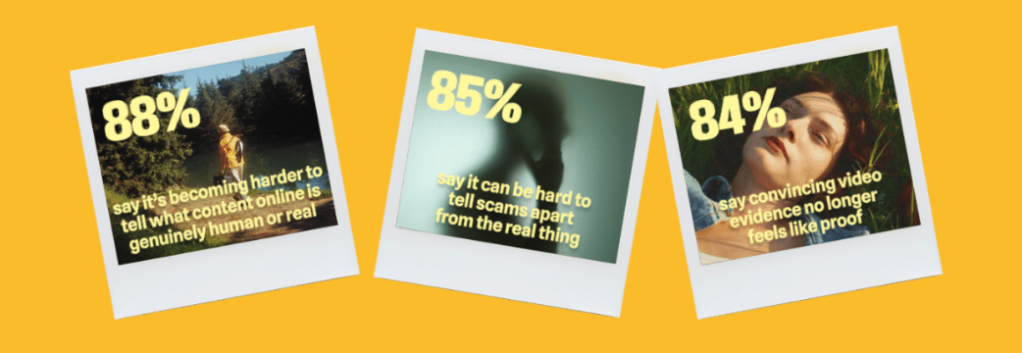
According to new research from Malwarebytes, 88% of people said it’s becoming harder to tell what content online is genuinely human or real, with 84% saying that “convincing video evidence” no longer feels like proof. Further, 85% said it can be hard to tell scams apart from the real thing—a major uptick from the 66% who said the same thing last year.

Statistics from the Face Value report

These are the first signs of AI’s counterfeit world. Replete with fake websites, fake products, fake videos, fake pictures, fake voices, and even fake people, it is threatening to swallow the web.

The latest report from Malwarebytes, Face value: How AI is reshaping trust, identity, and scams exposes the hidden cost of AI on the public: an excess of fraud that is dismantling trust in reality and in one another.

The damage arrives in large moments and small, from the US parent who said they “received a voicemail that sounded exactly like my son’s voice, saying he was in trouble and needed money for legal fees,” to the two entirely unrelated respondents fooled by the same AI-generated video of rabbits bouncing on a trampoline, to the individual worried about “my grandfather showing me AI slop and he thought it was real.”

For this research, Malwarebytes surveyed 1,500 adults aged 18 and older across the US, UK, Austria, Germany, and Switzerland about their uses, feelings, and concerns regarding AI. The sample was equally split for gender with a spread of ages, geographical regions, and race groups, and weighted to provide a balanced view.

The complete findings can be found in the full report:

Here are some of the key takeaways and findings:

  • 88% said it’s becoming harder to tell what content online is genuinely human or real
  • 84% said convincing video evidence no longer feels like proof 
  • 85% of people said it’s hard to tell a scam from the real thing (up from 66% last year)
  • 50% have experienced some form of AI fraud or scam, such as being misled by AI-generated photos of products or receiving a highly personalized scam message
  • 19% have specifically experienced some form of AI-driven identity harm, including the 10% who have had someone use AI to generate sexually explicit content of them without permission
  • 81% fear someone stealing their family’s likeness, yet only 13% have created a family codeword to guard against it
  • 67% worry about voice cloning, yet only 19% have turned off voicemail recordings to prevent it
  • 45% say it’s okay to use AI for personal emotional tasks (like writing wedding vows or a eulogy)
  • 34% say it’s okay to use AI to help create or improve a dating profile
  • One in three self-avowed daily users of AI said it’s okay to generate explicit images of someone without their consent 

Defeat would be the wrong lesson to take from all this. It is true now that the internet requires assistance, but there are plenty of safe places to seek help.

While Malwarebytes works to provide new tools, we’d like to remind both the AI anxious and the eager about the first rule of the internet: Remember the human. People’s voices, bodies, choices, and agency belong to them and them alone. 

As for every fake video, product, website, and image, understand that there’s help. No one needs to navigate an artificial internet alone. Whether through scam detection, identity protection, and simple awareness, people have more options than they may realize.
Apple Pay phish uses fake support calls to steal payment details

6 February 2026 at 15:43

It started with an email that looked boringly familiar: Apple logo, a clean layout, and a subject line designed to make the target’s stomach drop.

The message claimed Apple has stopped a high‑value Apple Pay charge at an Apple Store, complete with a case ID, timestamp, and a warning that the account could be at risk if the target doesn’t respond.​

In some cases, there was even an “appointment” booked on their behalf to “review fraudulent activity,” plus a phone number they should call immediately if the time didn’t work.​ Nothing in the email screams amateur. The display name appears to be Apple, the formatting closely matches real receipts, and the language hits all the right anxiety buttons.

This is how most users are lured in by a recent Apple Pay phishing campaign.

The call that feels like real support

The email warns recipients not to Apple Pay until they’ve spoken to “Apple Billing & Fraud Prevention,” and it provides a phone number to call.​

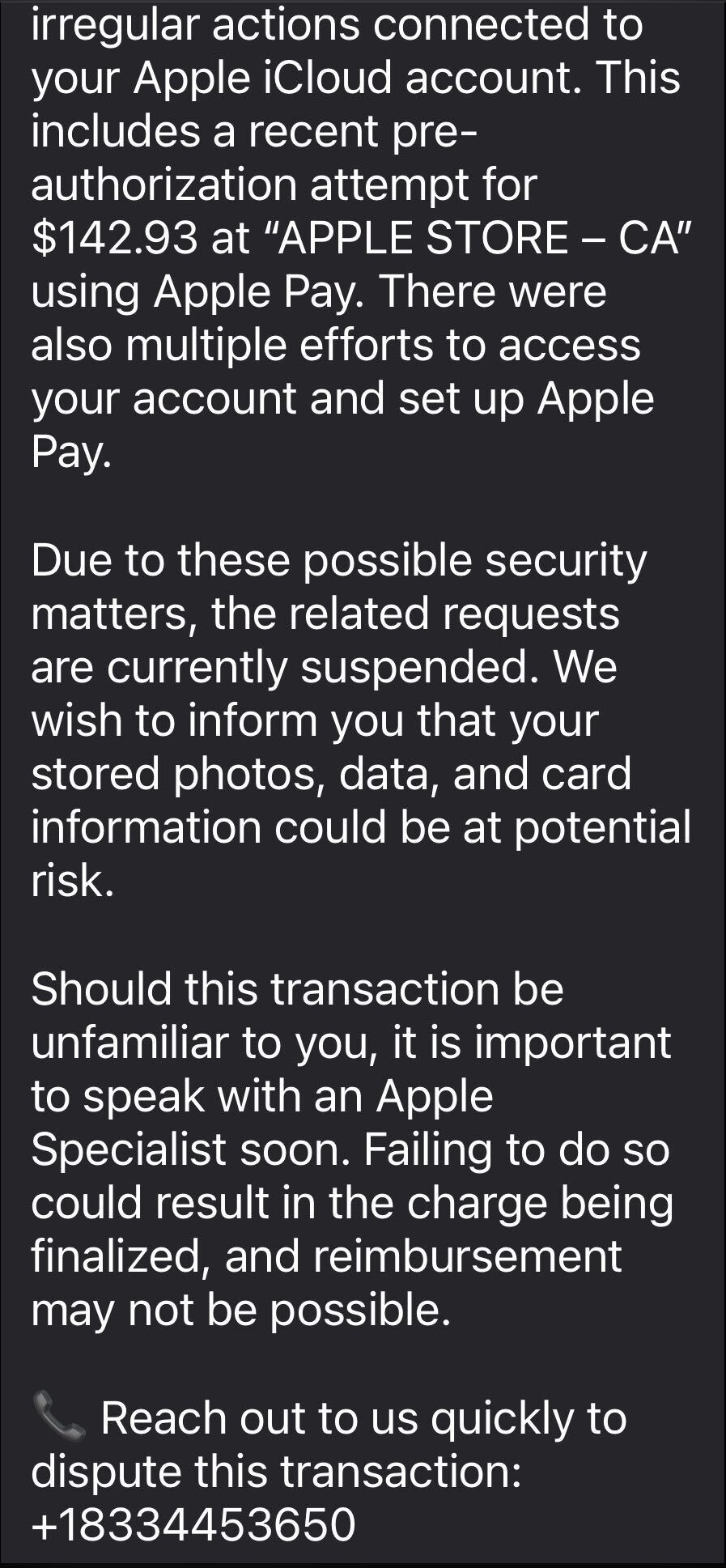
partial example of the phish

After dialing the number, an agent introduces himself as part of Apple’s fraud department and asks for details such as Apple ID verification codes or payment information.

The conversation is carefully scripted to establish trust. The agent explains that criminals attempted to use Apple Pay in a physical Apple Store and that the system “partially blocked” the transaction. To “fully secure” the account, he says, some details need to be verified.

The call starts with harmless‑sounding checks: your name, the last four digits of your phone number, what Apple devices you own, and so on.

Next comes a request to confirm the Apple ID email address. While the victim is looking it up, a real-looking Apple ID verification code arrives by text message.

The agent asks for this code, claiming it’s needed to confirm they’re speaking to the rightful account owner. In reality, the scammer is logging into the account in real time and using the code to bypass two-factor authentication.

Once the account is “confirmed,” the agent walks the victim through checking their bank and Apple Pay cards. They ask questions about bank accounts and suggest “temporarily securing” payment methods so criminals can’t exploit them while the “Apple team” investigates.

The entire support process is designed to steal login codes and payment data. At scale, campaigns like this work because Apple’s brand carries enormous trust, Apple Pay involves real money, and users have been trained to treat fraud alerts as urgent and to cooperate with “support” when they’re scared.

One example submitted to Malwarebytes Scam Guard showed an email claiming an Apple Gift Card purchase for $279.99 and urging the recipient to call a support number (1-812-955-6285).

Another user submitted a screenshot showing a fake “Invoice Receipt – Paid” styled to look like an Apple Store receipt for a 2025 MacBook Air 13-inch laptop with M4 chip priced at $1,157.07 and a phone number (1-805-476-8382) to call about this “unauthorized transaction.”

What you should know

Apple doesn’t set up fraud appointments through email. The company also doesn’t ask users to fix billing problems by calling numbers in unsolicited messages.

Closely inspect the sender’s address. In these cases, the email doesn’t come from an official Apple domain, even if the display name makes it seem legitimate.

Never share two-factor authentication (2FA) codes, SMS codes, or passwords with anyone, even if they claim to be from Apple.

Ignore unsolicited messages urging you to take immediate action. Always think and verify before you engage. Talk to someone you trust if you’re not sure.

Malwarebytes Scam Guard helped several users identify this type of scam. For those without a subscription, you can use Scam Guard in ChatGPT.

If you’ve already engaged with these Apple Pay scammers, it is important to:

  • Change the Apple ID password immediately from Settings or appleid.apple.com, not from any link provided by email or SMS.
  • Check active sessions, sign out of all devices, then sign back in only on devices you recognize and control.
  • Rotate your Apple ID password again if you see any new login alerts, and confirm 2FA is still enabled. If not, turn it on.
  • In Wallet, check every card for unfamiliar Apple Pay transactions and recent in-store or online charges. Monitor bank and credit card statements closely for the next few weeks and dispute any unknown transactions immediately.
  • Check if the primary email account tied to your Apple ID is yours, since control of that email can be used to take over accounts.

We don’t just report on scams—we help detect them

Cybersecurity risks should never spread beyond a headline. If something looks dodgy to you, check if it’s a scam using Malwarebytes Scam Guard, a feature of our mobile protection products. Submit a screenshot, paste suspicious content, or share a text or phone number, and we’ll tell you if it’s a scam or legit. Download Malwarebytes Mobile Security for iOS or Android and try it today!

❌