❌

Normal view

What Is Phishing? Recognizing and Preventing Attacks

By: Sucuri
27 October 2026 at 17:52
What Is Phishing? Recognizing and Preventing Attacks

Phishing is an attack in which someone impersonates a person or organization you trust, like your host, registrar, bank, or colleague, in order to steal information, redirect a payment, or talk you into an action that helps them. The message is the delivery vehicle, and the goal is always the next action you take.

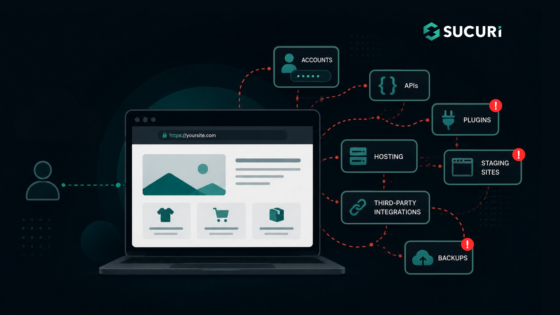
If you run a website, you’re on both sides of this problem. Your hosting panel, domain registrar, WordPress admin, email, and payment accounts are all valuable targets, and if an attacker gets in through any of them, your site can quietly end up hosting phishing pages aimed at someone else’s customers.

Continue reading What Is Phishing? Recognizing and Preventing Attacks at Sucuri Blog.

Closing the Cyber Skills Gap with 300 Academic Partnerships

23 October 2026 at 15:01

How 300 Academic Partnerships Are Helping Close the Cyber Skills Gap Check Point’s SecureAcademy has reached 300 academic partnerships across more than 80 countries, connecting educational institutions with industry-aligned cyber security training and resources. While the milestone reflects the program’s continued growth, it also highlights a broader shift: educational institutions are increasingly looking for ways to align cyber security education with the skills employers need today. Turning Classrooms into Career Pathways Organizations worldwide continue to face a shortage of cyber security professionals, while educational institutions are under pressure to keep pace with rapidly evolving technologies and threats. Through SecureAcademy, institutions […]

The post Closing the Cyber Skills Gap with 300 Academic Partnerships appeared first on Check Point Blog.

Introducing Our New Surveillance Self-Defense Guide: Online Privacy for Parents and Youth

22 October 2026 at 01:07

The internet is a vast and confusing place no matter your age. Trying to help youth engage with it safely and privately is a complicated topic that touches on many different skillsets and ideas. But just because it’s complicated doesn’t mean it’s impossible. We’ve launched our Online Privacy for Parents and Youth Surveillance Self-Defense guide in hopes to provide a framework for finding solutions that work for you.Β 

EFF rolls out this crucial resource as state and local governments consider ill-advised laws that cut young people off from essential information and experiences. This particularly harms vulnerable youth and marginalized groups who often find safety in supportive online communities they can't access offline. Such laws also entail age gating, which compromises the privacy of all internet users and stifles young users’ ability to learn, grow, and express themselves.

Young people have unique needs and those needs change over time. Trying to protect from everything all the time is an exhausting process, but the security community has long had a solution for this: security planning (also called threat modeling). The idea is to provide a series of questions designed to help you focus on what’s truly important. When it comes to online privacy, this is as applicable for youth and parents as it is for anyone else.Β 

We used a security plan as our foundation for this guide because deciding what is and isn’t important is the first step we should all take when assessing our privacy risks. But this isn’t a place for quick fixes, and every young person has their unique needs and considerations. There is no single tool or technology fix that can substitute for spending time learning, and then teaching a young person, how the internet works, how to use it, what sorts of harms exist, and how to navigate those harms.

Solutions are rarely about the tools or software you use. It’s about understanding the threats and concerns you have, and then determining what steps you can take to mitigate those risks. We hope our Online Privacy for Parents and Youth guide can help provide the outline to get the conversation started.

Donate Today!

HTTP 401 Unauthorized: What It Means and How to Fix It

By: Sucuri
20 October 2026 at 20:00
HTTP 401 Unauthorized: What It Means and How to Fix It

You load your site, or visit an API endpoint your app relies upon, and instead of a page you find a brief, unhelpful message: 401 Unauthorized. Sometimes a browser password box appears. Other times, a blank white page presents only that number. In either case, visitors are shut out, and if the error strikes your admin area, even you are left at the threshold.

The good news is that a 401 is one of the more honest HTTP responses.

Continue reading HTTP 401 Unauthorized: What It Means and How to Fix It at Sucuri Blog.

500 Internal Server Error: What It Means and How to Fix It

By: Sucuri
14 October 2026 at 20:00
500 Internal Server Error: What It Means and How to Fix It

You load your own site, and instead of your homepage you get a blank page with a line of text reading 500 Internal Server Error. No explanation, no stack trace, nothing to act on. For visitors, it looks like the site is simply gone, and for you it usually means the admin area is down too, so the one tool you’d normally reach for is unavailable.

The frustrating part is that a 500 is deliberately vague.

Continue reading 500 Internal Server Error: What It Means and How to Fix It at Sucuri Blog.

What Is Encryption? How It Protects Your Website and Its Data

By: Sucuri
12 October 2026 at 20:00
What Is Encryption? How It Protects Your Website and Its Data

If you run a website, you’ve already met encryption even if you’ve never used the word. It’s the πŸ”’ padlockΒ in the browser bar, the reason your host told you to stop using plain FTP, and the checkbox on your backup settings that says β€œencrypt archive.”

Encryption is one of the few security controls that works quietly and almost never needs your attention, which is exactly why it’s easy to misunderstand. Plenty of site owners install an SSL certificate, see the padlock appear, and assume the site is now β€œsecure.” That’s the gap we want to close here.

Continue reading What Is Encryption? How It Protects Your Website and Its Data at Sucuri Blog.

Doxxing Safety Part II: Incident Response

31 August 2026 at 21:02

Doxxing, also known as the deliberate sharing of personal information to harass or endanger someone, is a tricky thing to protect against. It often happens by some ill-intentioned person accessing publicly available information, then sharing that information more widely in the hopes it will intimidate their target or worse.Β 

This guide is a followup from a previous post that describes a methodology for you to clean up your digital footprint and get a firm entry into the art of open source intelligence. There's a slight bit of repetition here, but with a slant towards using those now-familiar tools and methods toward what to do in the context of incident response. The best thing you can do is familiarize yourself with this post and its tactics before something happens, then return back to it for reference when needed.

Incident Log

An incident log is a way to keep track of suspicious or harmful activity online. It doesn't need to be beautiful or complex, just a place where you can quickly note details around the different things you're seeing online. Noting times, places, people, and the general nature of what you see ought to be enough. In the event that law enforcement gets involved, this sort of record will be helpful.Β 

 Where/Site, Date & Time, Brief Description of Action, Threat-Actor Name/Description, Any Other People Involved.

The process of finding and noting hateful incidents online can be incredibly stressful, so now is a good time to revisit the team roles you might have already thought of in the previous blog post. If you haven't yet done that, here's a brief refresher:

Assign Team Roles

Remember, privacy–and responding to doxxing–is a team sport. Knowing who you trust is as important as identifying threat actors. Having trusted people ready to assist is invaluable in this type of situation. Refer them to this blog post or specific recommendations in it. If you've already plotted out a list of designated team roles, now is the time to remind everyone of their responsibilities. That might look like monitoring the hate forums where activity happens, keeping track of events in the incident log, setting up web alerts, locking down your social media accounts, or contacting law enforcement to reduce the likelihood of SWATing (a type of attack where bad actors call the police on their target, hoping to incite violence or disruption of peace by bringing law enforcement to their door).

Monitoring Hate Forums

So often the victims of doxxing and harassment campaigns are positioned that way because of bias or bigotry. If you're a part of a community who is the target of such abuse, you are likely already aware of the places where such bigots gather and the language they use. Safely and privately accessing those sites to check for organizing against you or those in your community is a crucial step to take. Take great care to do so privately. We recommend you use the Tor browser for such information-gathering missions. It’s also advisable that you don’t engage with anyone in those places.

Again, this step can be particularly stressful; asking a friend for help is a good idea, or you can thoughtfully apply some of the advice from the next section to automate the process.

Set Up Search Alerts

Google alerts is a free service that Google offers to alert you when a particular keywordβ€”like your nameβ€”is freshly indexed by their search engine. Doxxing efforts done by anonymous trolls may not trigger an alert, but if you're the target of smear campaigns in the media, or the victim of abuse by very prominent media figures, those things are more likely to appear. Updates can come pretty frequently, so we advise leaving the monitoring of these alerts to a person that you trust.

For a more sophisticated approach, you could use a tool like Open Measures to automate the task of tracking coordinated campaigns. It's important to note that this type of tool is more likely to miss nuanced language or oblique references to you and your community.

Hardening Your Public Facing Accounts

For accounts that you can't or don't want to shut down, at the very least you must review the privacy and security settings on them and consider raising that bar. If two-factor authentication isn't already on, now is the time to do so. For social media accounts, consider switching the account to "private," where users have to request to have access to your page. For peace of mind, especially on accounts that you have to keep using, consider muting certain terms and blocking accounts so that you're less likely to encounter stressful content when on the app. Every app's options are different for this sort of thing, so be prepared to spend a few minutes figuring out what the menu is like and where the options are.

Shut Down Affected Accounts

If a particular account is being targeted with hate, or signs are pointing to an account of yours being the source of information people are using against you, shutting down that account may be the best decision for now. Depending on the app, account deletion may be temporary and you may be able to recover the account after you've done so and things have cooled off.

Revisit Your Data Broker Removal Strategies

Although this is more of a doxxing preventative measure, it's a good idea to get on top of removing the information that's available about you via data brokers. In case you're unaware, the data broker industry is an unregulated viper’s nest of privacy threats, often contributing to or directly supplying the sources of information that are used in doxxing campaigns. Although there are plenty of services that offer to file data broker opt-out requests on your behalf, a recent study revealed that doing it DIY is still more effective than relying on these paid services. That said, a paid service may still be worth its money if you'd rather have someone else take care of it.

Revisit Public Records

As covered in the previous blog post, your information may be made available through public records that you have little to no control over. You may be able to limit the convenience of that information being available by requesting to have it taken down from sites that republish it. Check through voter records, business registration records, court and property records, and the like. If you aren't able to limit that information from appearing on such mirroring sites, at least gaining awareness of where they are and the specific contours of what they contain will help you strategize against the harms they may cause.

Consider Contacting Law Enforcement

For many, talking to law enforcement will only make things worse. On the other hand, SWATing is a tactic often used in these types of coordinated attacks. If you think that's a possible outcome in your situation, it could be a good idea to get ahead of it and contact law enforcement to let them know what you're dealing with. It's in their best interest to be aware of fraudulent calls, and will make them less likely to show up at your door with guns drawn.

Revisit PACE Documents, Enact Those Steps

If you're involved in any kind of activism or community organizing you may be familiar with PACE documentation. It’s an acronym for coming up with contingency plan reactions if unwanted things come up: Primary, Alternate, Contingency, Escape/Emergency. Think of it like a panic button, a routine checklist of things to do if shit hits the fan. Maybe it involves some of the recommendations from this blog post. The point is to have something readymade, and some thoughts and strategies prepared, if the doxxing escalates to increased levels of harm and danger.

Example spreadsheet of a PACE document for a hypothetical group attending a protest. It has four columns, Primary, Alternate, Contingency, and Emergency. Each column describes what the hypothetical group plans to do in the event of various disruptions taking place, with agreements to each other about communications strategies, meeting times and places.

This is another step that's best done in a community with trusted people. The point is to keep your community organizing or community work moving, but with special contingency measures enacted to keep you and everyone else safe while remaining aware of this incident. This step is highly personalized and relies on a bit of prep work having already been done.

Put A Lock on Your Bank Accounts and Cell Subscriptions

One of the tactics those who are doxxing you might use is trying to get into your social media or other accounts through β€œSIM swapping,” an attack where they contact your cellular provider pretending to be you in order to hijack your phone number. They can then use that number and pivot to stealing other accounts you authenticate yourself to with your phone. Likewise, those targeting you might try to steal access to or disrupt your bank accounts through similar techniques.Β 

Get ahead of them by placing security passwords or pin codes on these highly sensitive accounts, if your bank or cellular provider provides this extra security measure. Most cell providers offer some sort of SIM swapping prevention method, but they all use different names for this feature, so be sure to look up the process in your provider’s documentation (here are guides for the major U.S. providers: Verizon, AT&T, and T-Mobile).

Regulate Your Nervous System

It’s an understatement to say that being doxxed is scary and potentially very dysregulating. You're much more likely to make safe, smart decisions if you are able to maintain a sense of control around your mental state. Recognizing that capability, as well as having a strategy to keep calm in the face of a crisis is just as important as having good digital security hygiene. Do what you need to do, be it involving the help of friends, taking a break, or whatever else, to stay afloat during this process.Β 

Flexibility and Resiliency

The reality is that the more you experience cultural marginalization, the higher the chances are that adversarial actors will resort to such tactics as doxxing and coordinated harassment campaigns. The fervor of those adversaries is often stoked by hateful public figures and politicians. And the plausible deniability of public records can limit the recourse you have to stop them. We hope that after reading this and the previous post, we’ve also brought to surface the idea that you can have great control over your digital footprint. Even more, that you can continue to share information online without unnecessarily compromising your safety and security.Β 

Until we have digital privacy protections for everyone, it’s up to us to take matters into our own hands. Privacy, security, and dignity online are achievable. If you follow this guide, the previous one, and stay clued into the strategies laid out on Surveillance Self-Defense, you're well on your way.

Doxxing Safety Pt I: Prevention and Footprint Management

31 August 2026 at 20:52

Doxxing is the deliberate disclosure of personal information in order to bully, harass, intimidate, or instigate a chain of harms against someone. It's a tricky thing to protect against when the jerk doing it is often able to use legal and accessible means to do so. The odds are stacked against everyday internet folk when there's little to no comprehensive data privacy legislation keeping us safe. The responsibility is on each of us to protect ourselves, but the good news is that there's a lot you can do to reduce your digital footprint and take control of your data.

This post is part one of a two-part series discussing safety and response to doxxing. This first part focuses on prevention and ways to reduce your overall footprint. The second focuses on incident response, as in, steps to take if you're in the midst of being doxxed. There will be some crossover and redundancy between these two posts, so it's worth reading each and gaining familiarity with the steps well ahead of time.

OSINT

Open source intelligence (OSINT) is a broad term within information security. It focuses on the tools and means available to us for investigation and information retrieval. OSINT sits at the heart of doxxing campaigns but is also an important part of the process of preventing them. Typically it is a way of describing a methodology of piecing together scraps of information to form a dossier on a subject.

There are fancy multipurpose tools (like Maltego or Lampyre) that combine many datapoints into accessible graphs and datasets. As helpful as they can be for traditional penetration tests or corporate OSINT campaigns, they’re best used for investigations focused on organizations, mapping together details like employee email charts, LinkedIn profiles, and company network maps. They may not fit the needs of everyday people or liberation movement workers. Instead, we recommend referring to different OSINT resource lists that index together a bunch of different tools, then using those resources to create a list for yourself of which tools may be most helpful.Β 

Many, if not all, of the resources we cover below will be referenced in those guides, and themselves fall under the OSINT category. It’s important to note that the tools we reference in this particular blog post are only relevant at the time of publishing. The bigger ideas have a much longer shelf life than various tech tools. That said, in no particular order:

Breach Databases

When a company gets hacked and their customer data is leaked, that information often ends up in β€œbreach databases,” that is, troves of peoples' data available for sale and reuse in illegal trades online. Because of the sensitivity of that type of information, it can potentially be used in doxxing campaigns. Some resources, like haveibeenpwned, note pieces of vulnerable identifying information in those databases and make it easy for people to see if their information is included. Others, like DeHashed, offer a similar sort of tracking, but for a fee.Β 

You may not have control over a company's digital security that could put your own data at risk, but you can gain insight into whether your information is already out there. This gives you the opportunity to control the accuracy of that data (such as changing your email address or phone number). Doing so is extremely inconvenient, but unfortunately, it may be the only agency you have when another’s company’s digital insecurity puts your own safety at risk.

Open Records

Public records (such as voter records, property records, business registration, medical licensing information, and more) present a dilemma. It is in the public interest for there to be levels of transparency on such information. On the other hand, making such personally-identifiable information accessible to those with ill-intent can lead to serious consequences.Β 

Instead of requiring a formal request through the courts, mirroring sites make this information easy to find online. Such sites often have forms where you can request your information be taken down. This doesn’t necessarily remove the records from existing, but it does remove a layer of convenience in accessing them.

Some states have programs called β€œAddress Confidentiality Programs” that offer people the right to supplant address information with proxy addresses, keeping public records open but that specific piece of information potentially hidden.

Social Media

Going through and tightening the security and privacy settings of your various social media accounts is always a good idea, but it’s especially important if you are in the process of minimizing your digital footprint. Consider turning your discoverability to β€œprivate” or β€œhidden” (verbiage and details depend on the app) so that only users vetted by you are able to see your account.

To get a quick overview of the various accounts you have registered online, especially if you've been online for a long time, use a username search engine like What's My Name or Namechk to see where your usernames have been registered. They may not be entirely accurate, but they are effective and quick. These tools are also helpful if you are at risk of being impersonated online and want to get an overview of where that may be taking place.

Data Brokers and Removals

Data brokers are craven, pernicious companies that present an existential risk to everyone in the digital age. Until that industry is no more, it's up to us to protect ourselves and the ways that it endangers us by selling personal, sensitive information. The most effective way to get your information removed from their stores is to file requests manually. Yael Grauer's BADBOOL project compiles and prioritizes the worst offenders in this industry and the means you can use to request data removals from them. This process can be grueling and time-consuming, so it may be worth investing in a service that automates the process. Though they've been found to be less effective than the DIY approach, there are some services that have stood out amongst the others in terms of efficacy when tested by third-party reviewers. If you’re a resident of California, you can more easily opt out through the new and exciting DROP tool.

Reverse Image Searching and FR Services

Services like PimEyes and Lenso have jumped on the profit-driven opportunity to create facial recognition as a service. They contribute to law enforcement investigations and predictive policing systems, as well as providing commercial services to abusers and stalkers. The gist of their service: upload a picture of someone (in this case, yourself) and it will use facial recognition technology to determine where else online that person has appeared. If your image is being shared online without your consent, this service will find out.Β 

Willfully participating in these services does mean having your image mapped, scanned, and stored by their systems. But if you believe you're under the type of targeted harassment that includes your image being shared online against your will, it may be worth that tradeoff.

Extra Monitoring, Automated

This section is less about data minimization, and more about laying extra protections down in the event that doxxing or other coordinated harassment seems imminent. If you're in the Google ecosystem of products, consider enrolling in their Advanced Protection Program, which offers a number of different features to keep you and your account safe.Β 

If you're the focus of coordinated attacks that span from online communities to media outlets participating in the harassment, a service like Open Measures is worth looking into. It tracks, maps, and analyzes the spread of hateful information online. They provide free access to their open-source API, so with some technical fancy-footwork, you can automate this process.

Get Others Involved

Coordinated harassment is often a process of daisy-chaining targets and tactics together until there’s a meaningful process of harm being inflicted. This means that people in your community are also at risk. As we always say, privacy is a team sport. Get others involved in the process; there’s strength in numbers.Β 

A great way to do this is think of the activities you and your group are up to. What roles do individual members take on? Figure out a way to tack on some of the responsibilities you’re coming up with here onto those team members. Find ways to talk about it and share strategies, preferably using secure technology like Signal. You can coordinate together which tasks each person could take on, perhaps pulled from this blog post.

It's a Process; Keep Yourself Apace for the Marathon, Not the Race

The process of data minimization and reclaiming agency over your digital footprint can be grueling and stressful. Don't underestimate the toll it can take on your mental health. Take breaks, employ the help of friends, and take the time to make sure you're first addressing the parts that are most relevant to your threat model. It may feel like there’s nothing to be done about protecting your digital privacy, but that’s just a symptom of surveillance capitalism’s psychological effect on its victims. There’s much you can do to stay safe, to protect yourself and others. Refer to this post and to the Surveillance Self-Defense project.Β 

WordPress Security Plugins: How to Choose the Right One

By: Sucuri
5 September 2026 at 05:01
WordPress Security Plugins: How to Choose the Right One

In short, WordPress security plugins are tools you add to your site to strengthen your settings, scan for malware, watch for file changes, and block suspicious activity from within WordPress. Most sites should use one, along with a firewall that filters traffic before WordPress even loads. Look for layered protection, good detection, clear handling of false alarms, minimal impact on performance, and real human support.

If you manage a WordPress site, you have probably searched for β€œbest WordPress security plugin” at some point.

Continue reading WordPress Security Plugins: How to Choose the Right One at Sucuri Blog.

Third-Party Script Security: How Tags, Pixels, and Embeds Can Put Websites at Risk

By: Sucuri
25 August 2026 at 00:31
Third-Party Script Security: How Tags, Pixels, and Embeds Can Put Websites at Risk

Third-party scripts are common on websites. They help with analytics, ads, live chat, social media, video, payments, and many other features. While not all are risky, every external tag, pixel, widget, or embed adds to your website’s vulnerability. These tools can read page content, collect visitor data, change what users see, and connect with outside services. If a vendor, account, or setup is compromised, it can impact every page that uses the script.

Website owners shouldn’t aim to get rid of useful integrations, but to understand which scripts run, why they are necessary, who controls them, and how to detect unexpected changes.

Continue reading Third-Party Script Security: How Tags, Pixels, and Embeds Can Put Websites at Risk at Sucuri Blog.

What Is a Website Attack Surface? A Beginner’s Guide to Reducing Risk

By: Sucuri
19 August 2026 at 22:06
What Is a Website Attack Surface? A Beginner’s Guide to Reducing Risk

Each feature that you add to a website results in a new element that has to be managed.

The credentials are accepted by a login page, the data by a contact form, new code is introduced by a plugin, and an API is used to connect your website to another service. It is also possible that an old staging site or a forgotten backup may still be accessible from the internet.

The collection of these exposed components constitutes your website attack surface.

Continue reading What Is a Website Attack Surface? A Beginner’s Guide to Reducing Risk at Sucuri Blog.

How to Create a Secure WordPress Staging Site: Beginner’s Guide

By: Sucuri
11 August 2026 at 18:30
How to Create a Secure WordPress Staging Site: Beginner’s Guide

Updating WordPress directly on a live website can cause avoidable problems. A plugin update might break checkout, or a theme change could create layout issues visitors see immediately.

A WordPress staging site gives you a separate place to test changes before they reach your live website.

Staging reduces operational risk, but it also creates another website that needs protection. A copied site may contain administrator accounts, customer records, API keys, or vulnerable software.

Continue reading How to Create a Secure WordPress Staging Site: Beginner’s Guide at Sucuri Blog.

Why Delaying WordPress Updates Increases Security Risks

By: Sucuri
14 July 2026 at 23:34
Why Delaying WordPress Updates Increases Security Risks

WordPress updates help close known vulnerabilities before automated attacks can find and exploit them. Once a patch is released, attackers often move quickly to scan for sites that have not yet updated.

It’s easy to put off updates when everything seems to be working. But once a vulnerability is public, attackers do not need to single out your site. Automated bots scan thousands of sites for outdated WordPress core, plugins, themes, and server setups.

Continue reading Why Delaying WordPress Updates Increases Security Risks at Sucuri Blog.

Primed for Malware: Stop Selling Compromised Android Devices

26 June 2026 at 01:39

Time and time again, researchers have found numerous compromised Android devices for sale at large online retailers like Amazon. When these devices get individually reported, we have seen some noted efforts to take them down. But this is a systemic problem and Amazon and other major online retailers must make a corresponding systemic and intentional effort to stop these devices from entering people’s homes and ultimately their networks.

As a refresher: Last year, Google wrote that one major campaign, deemed BADBOX, affected 10 million uncertified devices that were running Android’s open-source software (Android Open Source Project or AOSP). These devices span from TVs and streaming devices to digital picture frames. Even now, someone can go on Amazon and Walmart and buy one of these devices. Not all of them come from Amazon and Walmart, but it’s fair to assume since they have the lion’s share of the market.

Most well-known Android-based devices don’t come with just β€œstock Android.” The operating system is usually Android plus additional features that the manufacturer wanted. These custom versions of Android often come with pre-installed applications that range from useful to innocuous bloatware to actual malware. Many Android OEMs (original equipment manufacturers) pre-install apps that may not be visibly represented by an icon in your list of installed apps. This obscurity makes the issue particularly hard for users to identify any potential threats.

Since the initial BADBOX analysis, there have been more reports of large campaigns and clusters of different devices participating in malicious activities that utilize people’s home networks to engage in illegal activity. Task forces in the private sector have made an effort to take down these existing Command and Control structures, but these actors may pivot and evolve to flood the market with more devices.Β 

Online retailers can stop this cycle. A multi-billion dollar company like Amazon should offer more resources, like their anti-fraud efforts, given that these products may have facilitated conditions for large scale attacks and illegal activity. It would also be helpful if they communicated malware-related take downs in a more visible way to consumers who are seeking very similar devices with shared characteristics.

Identifying these devices can be tricky, but it’s not impossible because they tend to follow a pattern. For example, the FBI warned consumers this year to avoid TV streaming devices that claim to provide free sports, tv shows, and movies, a common tactic used by the makers of these malware-filled Android devices that leverages people’s exhaustion from spending money on countless streaming services. We detailed what sorts of indicators to look for on a device you’ve purchased.

But it’s not just the storefronts. There are other parts of this ecosystem that need to improve too, like increased engagement inΒ firmware transparency and the actual manufacturers of the devices themselves being held accountable for these malware laced products.

On Prime Day, we urge retailers like Amazon to better empower users with information they need to make safe and smart decisions.

WordPress Site Down? Here’s How to Get Back Online

22 May 2026 at 02:05
WordPress Site Down? Here’s How to Get Back Online

If your WordPress site goes offline, every minute costs you lost sales, missed leads, and a dent in visitor trust. Search engines may start flagging errors, and customers see a blank page instead of your business. In that moment, the pressure is real:

What broke, and how do you get back online before the damage adds up?

The good news is that most WordPress outages are fixable. In most cases, your site isn’t lost, it’s blocked by something like a plugin conflict, server hiccup, database error, expired domain, SSL problem, sudden traffic spike, or malware infection.

Continue reading WordPress Site Down? Here’s How to Get Back Online at Sucuri Blog.

What to Do When a Third-Party Data Breach Puts Your Website at Risk

By: Sucuri
18 May 2026 at 22:04
What to Do When a Third-Party Data Breach Puts Your Website at Risk

Data breach notification letters have become a familiar routine. They usually start with β€œWe value your privacy” and offer a year of free credit monitoring. But the most important part is often hidden in the middle:

A list of what actually got out.

A leaked email address is not a leaked admin password. A hashed credential is not a session token. There is no universal post-breach checklist. The right response depends on the data exposed, so read the notice carefully and match your response to the level of exposure.

Continue reading What to Do When a Third-Party Data Breach Puts Your Website at Risk at Sucuri Blog.

DNSSEC: The Extra Security Layer That Can Break Your Padlock

5 May 2026 at 02:59
DNSSEC: The Extra Security Layer That Can Break Your Padlock

Turning on DNSSEC makes your domain more secure β€” but if it’s misconfigured, newer certificate validation rules can stop SSL renewals in their tracks.

Hey there,

You know that satisfying click when you finally turn on DNSSEC? It feels like adding a shiny new deadbolt to your domain’s front door. You’re doing the responsible thing: locking down your DNS against spoofing and hijacks, and making the internet just a bit safer.

Continue reading DNSSEC: The Extra Security Layer That Can Break Your Padlock at Sucuri Blog.

What is online gambling spam and what can I do about it?

By: Sucuri
28 April 2026 at 21:12
What is online gambling spam and what can I do about it?

Online gambling spam thrives on dreams of easy money and high stakes. Beating the house at an exotic casino. Splitting sevens. Going all in on the flop. A baccarat dealer calling La grande! For most people, though, the reality falls far short of Monte Carlo and an Aston Martin.

So they turn to online gambling. And bad actors harness that allure to create their scams. They think they’re buying credits at a hot new online casino.

Continue reading What is online gambling spam and what can I do about it? at Sucuri Blog.

My Website Is Hosting a Phishing Page – Now What?

By: Sucuri
25 April 2026 at 05:24
My Website Is Hosting a Phishing Page – Now What?

Most phishing advice is written for the person staring at a suspicious email. This guide is for the other kind of victim: The website owner whose legitimate site has been quietly turned into the attacker’s weapon.

You didn’t send the message or build the fake login page. You just woke up to a browser warning, a suspended hosting account, or a polite note from someone’s security team asking why your domain is requesting Apple ID credentials.

Continue reading My Website Is Hosting a Phishing Page – Now What? at Sucuri Blog.

WordPress DDoS Protection: How to Keep Your Site Online

By: Sucuri
24 April 2026 at 00:23
WordPress DDoS Protection: How to Keep Your Site Online

WordPress powers over 40% of the web, which makes it one of the most attractive targets for Distributed Denial of Service (DDoS) attacks. If your site goes down for an hour, you lose revenue, search rankings, and visitor trust. If it goes down repeatedly, you lose much more.

A DDoS attack floods your website with fake traffic until it slows to a crawl or crashes entirely. Unlike hacks that steal data, DDoS attacks are about disruption.

Continue reading WordPress DDoS Protection: How to Keep Your Site Online at Sucuri Blog.

❌