 Login
Login
Palo Alto Crosswalk Signals Had Default Passwords
Palo Alto’s crosswalk signals were hacked last year. Turns out the city never changed the default passwords.

Palo Alto’s crosswalk signals were hacked last year. Turns out the city never changed the default passwords.
The outgoing year of 2025 has significantly transformed our access to the Web and the ways we navigate it. Radical new laws, the rise of AI assistants, and websites scrambling to block AI bots are reshaping the internet right before our eyes. So what do you need to know about these changes, and what skills and habits should you bring with you into 2026? As is our tradition, we’re framing this as eight New Year’s resolutions. What are we pledging for 2026?…
Last year was a bumper crop for legislation that seriously changed the rules of the internet for everyday users. Lawmakers around the world have been busy:
Your best bet is to get news from sites that report calmly and without sensationalism, and to review legal experts’ commentaries. You need to understand what obligations fall on you, and, if you have underage children — what changes for them.
You might face difficult conversations with your kids about new rules for using social media or games. It’s crucial that teenage rebellion doesn’t lead to dangerous mistakes such as installing malware disguised as a “restriction-bypassing mod”, or migrating to small, unmoderated social networks. Safeguarding the younger generation requires reliable protection on their computers and smartphones, alongside parental control tools.
But it’s not just about simple compliance with laws. You’ll almost certainly encounter negative side effects that lawmakers didn’t anticipate.
Some websites choose to geoblock certain countries entirely to avoid the complexities of complying with regional regulations. If you’re certain your local laws allow access to the content, you can bypass these geoblocks by using a VPN. You need to select a server in a country where the site is accessible.
It’s important to choose a service that doesn’t just offer servers in the right locations, but actually enhances your privacy — as many free VPNs can effectively compromise it. We recommend Kaspersky VPN Secure Connection.
While age verification can be implemented in different ways, it often involves websites using a third-party verification service. On your first login attempt, you’ll be redirected to a separate site to complete one of several checks: take a photo of your ID or driver’s license, use a bank card, or nod and smile for a video, and so on.
The mere idea of presenting a passport to access adult websites is deeply unpopular with many people on principle. But beyond that, there’s a serious risk of data leaks. These incidents are already a reality: data breaches have impacted a contractor used to verify Discord users, as well as service providers for TikTok and Uber. The more websites that require this verification, the higher the risk of a leak becomes.
So what can you do?
It’s highly likely that under the guise of “age verification”, scammers will begin phishing for personal and payment data, and pushing malware onto visitors. After all, it’s very tempting to simply copy and paste some text on your computer instead of uploading a photo of your passport. Currently, ClickFix attacks are mostly disguised as CAPTCHA checks, but age verification is the logical next step for these schemes. How to lower these risks?
Even if you’re not a fan of AI, you’ll find it hard to avoid: it’s literally being shoved into each everyday service: Android, Chrome, MS Office, Windows, iOS, Creative Cloud… the list is endless. As with fast food, television, TikTok, and other easily accessible conveniences, the key is striking a balance between the healthy use of these assistants and developing an addiction.
Identify the areas where your mental sharpness and personal growth matter most to you. A person who doesn’t run regularly lowers their fitness level. Someone who always uses GPS navigation gets worse at reading paper maps. Wherever you value the work of your mind, offloading it to AI is a path to losing your edge. Maintain a balance: regularly do that mental work yourself — even if AI can do it well — from translating text to looking up info on Wikipedia. You don’t have to do it all the time, but remember to do it at least some of the time. For a more radical approach, you can also disable AI services wherever possible.
Know where the cost of a mistake is high. Despite developers’ best efforts, AI can sometimes deliver completely wrong answers with total confidence. These so-called hallucinations are unlikely to be fully eradicated anytime soon. Therefore, for important documents and critical decisions, either avoid using AI entirely, or scrutinize its output with extreme care. Check every number, every comma.
In other areas, feel free to experiment with AI. But even for seemingly harmless uses, remember that mistakes and hallucinations are a real possibility.
How to lower the risk of leaks. The more you use AI, the more of your information goes to the service provider. Whenever possible, prioritize AI features that run entirely on your device. This category includes things like the protection against fraudulent sites in Chrome, text translation in Firefox, the rewriting assistant in iOS, and so on. You can even run a full-fledged chatbot locally on your own computer.
AI agents need close supervision. The agentic capabilities of AI — where it doesn’t just suggest but actively does work for you — are especially risky. Thoroughly research the risks in this area before trusting an agent with online shopping or booking a vacation. And use modes where the assistant asks for your confirmation before entering personal data — let alone buying anything.
The economics of the internet is shifting right before our eyes. The AI arms race is driving up the cost of components and computing power, tariffs and geopolitical conflicts are disrupting supply chains, and baking AI features into familiar products sometimes comes with a price hike. Practically any online service can get more expensive overnight — sometimes by double-digit percentages. Some providers are taking a different route, moving away from a fixed monthly fee to a pay-per-use model for things like songs downloaded or images generated.
To avoid nasty surprises when you check your bank statement, make it a habit to review the terms of all your paid subscriptions at least three or four times a year. You might find that a service has updated its plans and that you need to downgrade to a simpler one. Or a service might have quietly signed you up for an extra feature you’re not even aware of — and you need to disable it. Some services might be better switched to a free tier or canceled altogether. Financial literacy is becoming a must-have skill for managing your digital spending.
To get a complete picture of your subscriptions and truly understand how much you’re spending on digital services each month or year, it’s best to track them all in one place. A simple Excel or Google Docs spreadsheet works, but a dedicated app like SubsCrab is more convenient. It sends reminders for upcoming payments, shows all your spending month-by-month, and can even help you find better deals on the same or similar services.
The allure of powerful new processors, cameras, and AI features might tempt you to buy a new smartphone or laptop in 2026, but planning for making it last for several years should be a priority. There are a few reasons…
First, the pace of meaningful new features has slowed, and the urge to upgrade frequently has diminished for many. Second, gadget prices have risen significantly due to more expensive chips, labor, and shipping — making major purchases harder to justify. Furthermore, regulations like those in the EU now require easily replaceable batteries in new devices, meaning the part that wears out the fastest in a phone will be simpler and cheaper to swap out yourself.
So, what does it take to make sure your smartphone or laptop reliably lasts several years?
The smart home is giving way to a new concept: the intelligent home. The idea is that neural networks will help your home make its own decisions about what to do and when, all for your convenience — without needing pre-programmed routines. Thanks to the Matter 1.3 standard, a smart home can now manage not just lights, TVs, and locks, but also kitchen appliances, dryers, and even EV chargers! Even more importantly, we’re seeing a rise in devices where Matter over Thread is the native, primary communication protocol, like the new IKEA KAJPLATS lineup. Matter-powered devices from different vendors can see and communicate with each other. This means you can, say, buy an Apple HomePod as your smart home central hub and connect Philips Hue bulbs, Eve Energy plugs, and IKEA BILRESA switches to it.
All of this means that smart and intelligent homes will become more common — and so will the ways to attack them. We have a detailed article on smart home security, but here are a few key tips relevant in light of the transition to Matter.




Admit it: you’ve been meaning to jump on the latest NFT reincarnation — Telegram Gifts — but just haven’t gotten around to it. It’s the hottest trend right now. Developers are churning out collectible images in partnership with celebs like Snoop Dogg. All your friends’ profiles are already decked out with these modish pictures, and you’re dying to hop on this hype train — but pay as little as possible for it.
And then it happens — a stranger messages you privately with a generous offer: a chance to snag a couple of these digital gifts — with no investment required. A bot that looks completely legit is running an airdrop. In the world of NFTs, an airdrop is a promotional stunt where a small number of new crypto assets are given away for free. The buzzword has been adopted on Telegram, thanks to the crypto nature of these gifts and the NFT mechanics running under the hood.

Limited time offer: a marketer’s favorite trick… and a scammer’s tool
They’re offering you these gift images for free — or so they say. You could later attach them to your profile or sell them for Telegram’s native currency, Toncoin. You don’t even have to tap an external link. Just hit a button in the message, launch a Mini App right inside Telegram itself, and enter your login credentials. And then… your account immediately gets hijacked. You won’t get any gifts, and overall, you’ll be left with anything but a celebratory feeling.

This is the first of the screens where, by filling in the fields, you receive a gift lose access to your Telegram account
Today, we break down a phishing scheme that exploits Telegram’s built-in Mini Apps, and share tips to help you avoid falling for these attacks.
The principle of classic phishing is straightforward: the user gets a link to a fake website that mimics a legitimate sign-in form. When the victim enters their credentials, this data goes straight to the scammer. However, phishing tactics are constantly evolving, and this new attack method is far more insidious.
The bad actors create phishing Mini Apps directly inside Telegram. These appear as standard web pages but are embedded within the messaging app’s interface instead of opening in an external browser. To the user, these apps look completely legitimate. After all, they run within the official Telegram app itself.

To make it even more convincing, scammers often add a plausible-sounding limit on gifts per user
This leads the victim to think, “If this app runs inside Telegram, there must be some kind of vetting process for these apps. Surely they wouldn’t let an obvious scam through?” In practice, it turns out that’s not the case at all.
A core security issue with Telegram Mini Apps is that the platform does almost no vetting before an app goes live. This is a world apart from the strict review processes used by Google Play and the App Store — although even there, obvious malware occasionally slips through.
On Telegram, it’s far easier for bad actors. Essentially, anyone who wishes to create and launch a Mini App can do so. Telegram does not review the code, functionality, or the developer’s intent. This turns a security flaw within a messaging service boasting nearly a billion global users into a global-scale problem. To make matters worse, moderation of these Mini Apps within Telegram is entirely reactive — meaning action is only taken after users start complaining or law enforcement gets involved.

This is a global operation, with phishing lures being distributed simultaneously in both Russian and English. However, the Russian version gives away a tell-tale sign of the scammers’ haste and lack of polish. They forgot to remove a clarification question from the AI that generated the text: “Do you need bolder, more official, or humorous options?”
In this case, the bait was “gifts” from UFC fighters: a giveaway of “papakhas” — digital gift images of the traditional Dagestani hat released by Telegram in partnership with Khabib Nurmagomedov. An auction for these items did take place, with Pavel Durov even posting about it on his X and Telegram (Khabib reposted these announcements but later deleted them after the auction ended). However, there were only 29 000 of these “papakhas” released, which wasn’t enough to satisfy all the eager fans. Scammers seized on the opportunity, assuring fans they could get the exclusive items for free. The phishing campaign was a targeted one — focusing on users who’d been active on the athlete’s channel.
The criminals leveraged the name of the popular Portals platform — a legitimate service for games, apps, and entertainment within Telegram. They created a series of Mini Apps that were visually almost indistinguishable from the real ones, and promoted them as free giveaways — airdrops.

To add a veneer of authenticity, the scammers even listed the official Telegram channel for Portals in the phishing Mini App’s profile. However, the legitimate Portals Market bot has a different username: @portals
That said, the scam campaigns themselves show signs of being rushed and cutting design and copywriting costs — with obvious signs of AI involvement. Some of the messages contain leftover text fragments clearly generated by a neural network, which the scammers either forgot or couldn’t be bothered to edit.
The golden security rules are simple: stay vigilant, and learn the key hallmarks of these attacks:
The key is keeping calm and acting swiftly. You have just 24 hours to reclaim your account, or you risk losing it permanently. Follow the step-by-step guide to restoring access in our post What to do if your Telegram account is hacked.
Finally, a reminder that has become our classic mantra: if an offer looks too good to be true, it almost certainly is. Always verify information through official channels, and never enter your passwords or passkeys into unofficial apps or forms — even if they look legit. Stay vigilant and stay safe.
Want more tips on securing your messenger accounts and chats? Check out our related posts:




South Korean law enforcement has arrested four suspects linked to the breach of approximately 120 000 IP cameras installed in private homes and commercial spaces — including karaoke lounges, pilates studios, and a gynecology clinic. Two of the hackers sold sexually explicit footage from the cameras through a foreign adult website. In this post, we explain what IP cameras are, and where their vulnerabilities lie. We also dive into the details of the South Korea incident and share practical advice on how to avoid becoming a target for attackers hunting for intimate video content.
An IP camera is a video camera connected to the internet via the Internet Protocol (IP), which lets you view its feed remotely on a smartphone or computer. Unlike traditional CCTV surveillance systems, these cameras don’t require a local surveillance hub — like you see in the movies — or even a dedicated computer to be plugged into. An IP camera streams video directly in real time to any device that connects to it over the internet. Most of today’s IP camera manufacturers also offer optional cloud storage plans, letting you access recorded footage from anywhere in the world.
In recent years, IP cameras have surged in popularity to become ubiquitous, serving a wide range of purposes — from monitoring kids and pets at home to securing warehouses, offices, short-term rental apartments (often illegally), and small businesses. Basic models can be picked up online for as little as US$25–40.
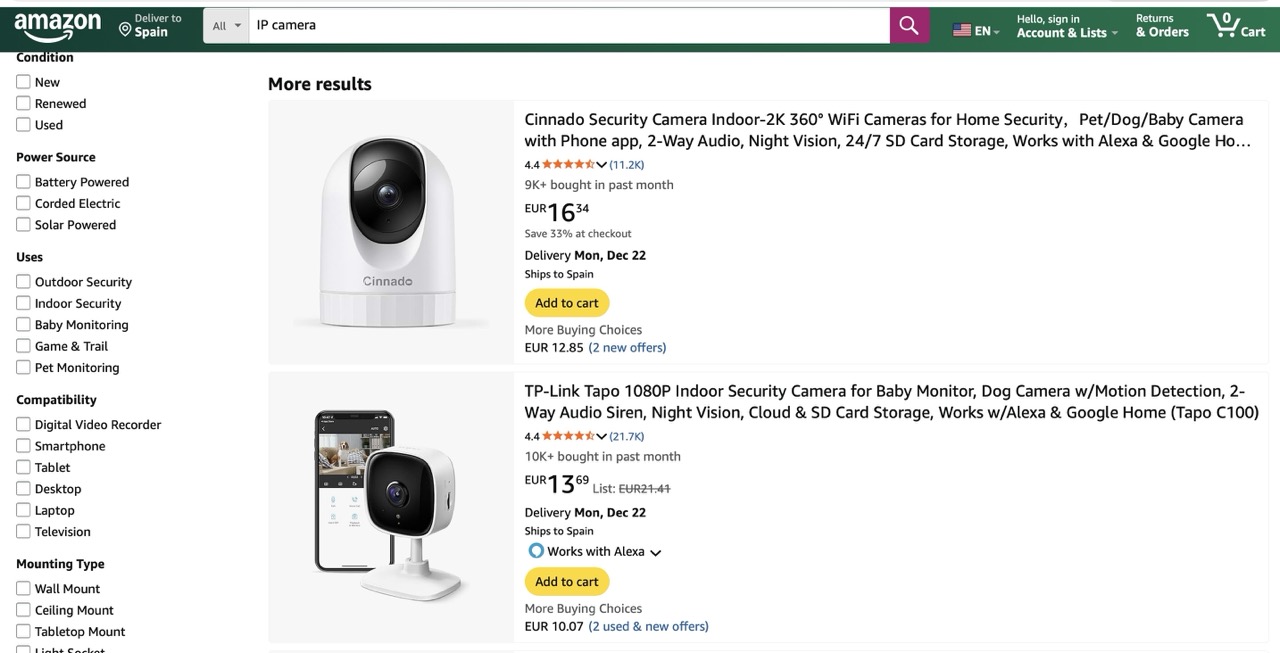
You can find a Full HD IP camera on an online marketplace for under US$25 — affordable prices have made them incredibly popular for both home and small business use
One of the defining features of IP cameras is that they’re originally designed for remote access. The camera connects to the internet and silently accepts incoming connections — ready to stream video to anyone who knows its address and has the password. And this leads to two common problems with these devices.
Let’s rewind to what unfolded this fall in South Korea. Law-enforcement authorities reported a breach of roughly 120 000 IP cameras, and the arrest of four suspects in connection with the attacks. Here’s what we know about each of them.
The astute reader may have noticed the numbers don’t quite add up — the figures above totaling well over 120 000. South Korean law enforcement hasn’t provided a clear explanation for this discrepancy. Journalists speculate that some of the devices may have been compromised by multiple attackers.
The investigation has revealed that only two of the accused actually sold the sexual content they’d stolen. However, the scale of their operation is staggering. Last year, the website hosting voyeurism and sexual exploitation content — which both perpetrators used to sell their videos — received 62% of its uploads from just these two individuals. In essence, this video enthusiast duo supplied the majority of the platform’s illegal content. It’s also been reported that three buyers of these videos were detained.
South Korean investigators were able to identify 58 specific locations of the hacked cameras. They’ve notified the victims and provided guidance on changing the passwords to secure their IP cameras. This suggests — although the investigators haven’t disclosed any details about the method of compromise — that the attackers used brute-forcing to crack the cameras’ simple passwords.
Another possibility is that the camera owners, as is often the case, simply never changed the default usernames and passwords. These default credentials are frequently widely known, so it’s entirely plausible that to gain access the attackers only needed to know the camera’s IP address and try a handful of common username and password combinations.
The takeaways from this whole South Korean dorama drama are straight from our playbook:
These rules are universal: they apply just as much to your social media and banking accounts as they do to your robot vacuums, IP cameras, and every other smart device in your home.
To keep all those unique passwords organized without losing your mind, we strongly recommend a reliable password manager. Kaspersky Password Manager can both store all your credentials securely and generate truly random, complex, and uncrackable passwords for you. With it, you can be confident that no one will guess the passwords to your accounts or devices. Plus, it helps you generate one-time codes for two-factor authentication, save and autofill passkeys, and sync your sensitive data — not just logins and passwords, but also bank card details, documents, and even private photos — in encrypted form across all your devices.
Wondering if a hidden camera is filming you? Read more in our posts:




Why are companies still recommending an 8-character password minimum? Passwords are some of the easiest targets for attackers, yet companies still allow weak passwords in their environment. Multiple service providers recommend […]
The post Podcast: Passwords: You Are the Weakest Link appeared first on Black Hills Information Security, Inc..

Michael Allen // Every year around the holidays I end up having a conversation with at least one friend or family member about the importance of choosing unique passwords for […]
The post The Paper Password Manager appeared first on Black Hills Information Security, Inc..
Why are companies still recommending an 8-character password minimum? Passwords are some of the easiest targets for attackers, yet companies still allow weak passwords in their environment. Multiple service providers recommend […]
The post Webcast: Passwords: You Are the Weakest Link appeared first on Black Hills Information Security, Inc..
Darin Roberts // “Why do you recommend a 15-character password policy when (name your favorite policy here) recommends only 8-character minimum passwords?” I have had this question posed to me […]
The post Passwords: Our First Line of Defense appeared first on Black Hills Information Security, Inc..
David Fletcher// The weak password policy finding is typically an indicator of one of two conditions during a test: A password could be easily guessed using standard authentication mechanisms. A […]
The post Finding: Weak Password Policy appeared first on Black Hills Information Security, Inc..

Kelsey Bellew // Dear Big All-Powerful Company, Your idea of a ‘strong password’ is flawed. When I first saw the following message, I laughed. I said out loud, “No, you […]
The post An Open Letter about Big All-Powerful Company’s Password Policy appeared first on Black Hills Information Security, Inc..

Sally Vandeven // Back in November Beau Bullock wrote a blog post describing how his awesome PowerShell tool MailSniper can sometimes bypass OWA portals to get mail via EWS if […]
The post How to Bypass Two-Factor Authentication – One Step at a Time appeared first on Black Hills Information Security, Inc..
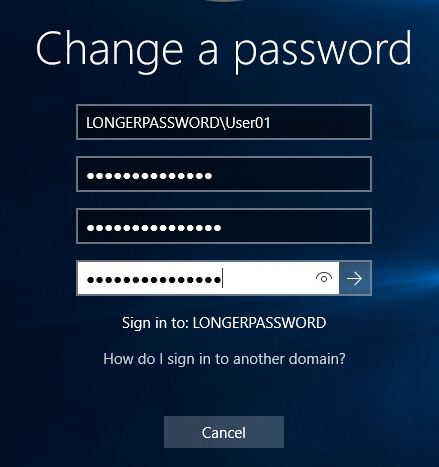
Kent Ickler // As a start to a series on Windows Administration in the eyes of a security-conscious “Windows Guy” I invite you on configuring AD DS PSOs (Password Security […]
The post How to Increase the Minimum Character Password Length (15+) Policies in Active Directory appeared first on Black Hills Information Security, Inc..
Lawrence Hoffman // The list this week is a little shorter, I didn’t include a tool or POC link as I usually do. No particular reason, just didn’t run across […]
The post Lawrence’s List 072216 appeared first on Black Hills Information Security, Inc..
Carrie Roberts // Answer: Enough to make it worth it! Penetration testers love to perform password spraying attacks against publicly available email portals as described here in this great post by Beau Bullock. […]
The post Question: What Can I Learn from Password Spraying a 2FA Microsoft Web App Portal? appeared first on Black Hills Information Security, Inc..
Lawrence Hoffman // It’s been one of those crazy busy weeks. I always feel like I didn’t get enough time to read articles, surf Reddit, and attempt to keep up […]
The post Lawrence’s List 061016 appeared first on Black Hills Information Security, Inc..

Joff Thyer // Recently I have been thinking about online challenges I encounter in daily life. As I thought about it, I realized that many of these items I […]
The post 10 Ways to Protect Your Online Digital Life appeared first on Black Hills Information Security, Inc..
Rick Wisser & Gail Menius // Frequently we get asked about where to store passwords. Should they be stored in a word/excel /txt file on your computer? Maybe, written down […]
The post Herding Those Pesky Passwords appeared first on Black Hills Information Security, Inc..
Gail Menius // Once upon a time, in a land not too far away (about two miles from where I’m sitting now) I used to be an elementary school librarian. […]
The post Passphrases for Tiny People appeared first on Black Hills Information Security, Inc..
Brian King // There’s a one-liner password spray script that a lot of folks use to see if anyone on a domain is using a bad password like LetMeIn! or […]
The post Check\ Your\ Tools appeared first on Black Hills Information Security, Inc..
Beau Bullock // This is part two of a series of posts (See part 1 here) where I am detailing multiple ways to gain access to domain user credentials without ever being […]
The post Password Spraying Outlook Web Access – How to Gain Access to Domain Credentials Without Being on a Target’s Network: Part 2 appeared first on Black Hills Information Security, Inc..
