❌

Normal view

WordPress Security Plugins: How to Choose the Right One

By: Sucuri
5 September 2026 at 05:01
WordPress Security Plugins: How to Choose the Right One

In short, WordPress security plugins are tools you add to your site to strengthen your settings, scan for malware, watch for file changes, and block suspicious activity from within WordPress. Most sites should use one, along with a firewall that filters traffic before WordPress even loads. Look for layered protection, good detection, clear handling of false alarms, minimal impact on performance, and real human support.

If you manage a WordPress site, you have probably searched for β€œbest WordPress security plugin” at some point.

Continue reading WordPress Security Plugins: How to Choose the Right One at Sucuri Blog.

Vulnerability & Patch Roundup β€” August 2026

1 September 2026 at 02:00
Vulnerability & Patch Roundup β€” August 2026

If you operate a website, you’re already aware that a single unpatched vulnerability can render your site inaccessible, compromise your reputation, or necessitate extensive remediation following an attack. Most security breaches we observe originate from automated attacks that exploit known software vulnerabilities, often the same ones that have been previously reported and disclosed.

To assist in maintaining your security posture, we have compiled this month’s summary of essential security updates and vulnerability patches pertinent to the WordPress ecosystem.

Continue reading Vulnerability & Patch Roundup β€” August 2026 at Sucuri Blog.

Third-Party Script Security: How Tags, Pixels, and Embeds Can Put Websites at Risk

By: Sucuri
25 August 2026 at 00:31
Third-Party Script Security: How Tags, Pixels, and Embeds Can Put Websites at Risk

Third-party scripts are common on websites. They help with analytics, ads, live chat, social media, video, payments, and many other features. While not all are risky, every external tag, pixel, widget, or embed adds to your website’s vulnerability. These tools can read page content, collect visitor data, change what users see, and connect with outside services. If a vendor, account, or setup is compromised, it can impact every page that uses the script.

Website owners shouldn’t aim to get rid of useful integrations, but to understand which scripts run, why they are necessary, who controls them, and how to detect unexpected changes.

Continue reading Third-Party Script Security: How Tags, Pixels, and Embeds Can Put Websites at Risk at Sucuri Blog.

What Is a Website Attack Surface? A Beginner’s Guide to Reducing Risk

By: Sucuri
19 August 2026 at 22:06
What Is a Website Attack Surface? A Beginner’s Guide to Reducing Risk

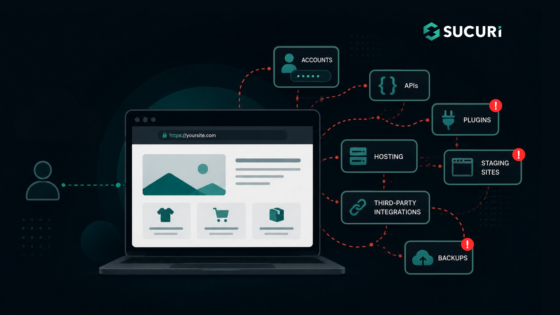
Each feature that you add to a website results in a new element that has to be managed.

The credentials are accepted by a login page, the data by a contact form, new code is introduced by a plugin, and an API is used to connect your website to another service. It is also possible that an old staging site or a forgotten backup may still be accessible from the internet.

The collection of these exposed components constitutes your website attack surface.

Continue reading What Is a Website Attack Surface? A Beginner’s Guide to Reducing Risk at Sucuri Blog.

How to Create a Secure WordPress Staging Site: Beginner’s Guide

By: Sucuri
11 August 2026 at 18:30
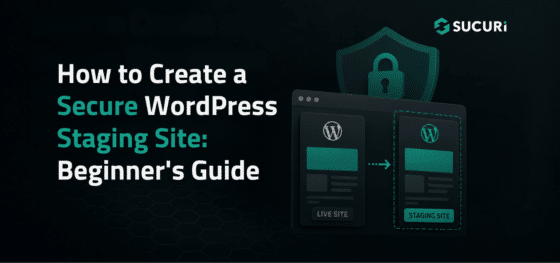
How to Create a Secure WordPress Staging Site: Beginner’s Guide

Updating WordPress directly on a live website can cause avoidable problems. A plugin update might break checkout, or a theme change could create layout issues visitors see immediately.

A WordPress staging site gives you a separate place to test changes before they reach your live website.

Staging reduces operational risk, but it also creates another website that needs protection. A copied site may contain administrator accounts, customer records, API keys, or vulnerable software.

Continue reading How to Create a Secure WordPress Staging Site: Beginner’s Guide at Sucuri Blog.

Upgrading How You Sign In to Your Sucuri Account

By: Sucuri
7 August 2026 at 20:46
Upgrading How You Sign In to Your Sucuri Account

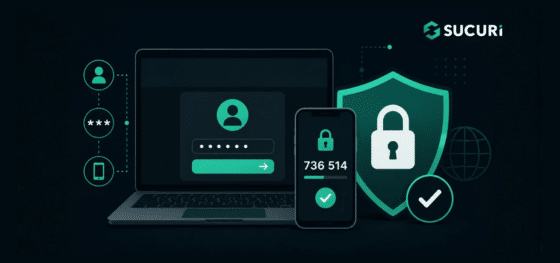
Starting August 10, 2026, Sucuri will begin moving customer account logins to a new authentication platform designed to provide a stronger, more modern sign-in experience.

The rollout will happen gradually over the following few weeks, so not every account will transition at the same time.

For most users, there is nothing to do. Your password will remain the same, your current two-factor authentication setup will continue working, and existing bookmarks to the Sucuri dashboard login page will automatically redirect to the new sign-in page.

Continue reading Upgrading How You Sign In to Your Sucuri Account at Sucuri Blog.

❌