Login
Login


Breach of 120 000 IP cameras in South Korea: security tips | Kaspersky official blog
South Korean law enforcement has arrested four suspects linked to the breach of approximately 120 000 IP cameras installed in private homes and commercial spaces — including karaoke lounges, pilates studios, and a gynecology clinic. Two of the hackers sold sexually explicit footage from the cameras through a foreign adult website. In this post, we explain what IP cameras are, and where their vulnerabilities lie. We also dive into the details of the South Korea incident and share practical advice on how to avoid becoming a target for attackers hunting for intimate video content.
How do IP cameras work?
An IP camera is a video camera connected to the internet via the Internet Protocol (IP), which lets you view its feed remotely on a smartphone or computer. Unlike traditional CCTV surveillance systems, these cameras don’t require a local surveillance hub — like you see in the movies — or even a dedicated computer to be plugged into. An IP camera streams video directly in real time to any device that connects to it over the internet. Most of today’s IP camera manufacturers also offer optional cloud storage plans, letting you access recorded footage from anywhere in the world.
In recent years, IP cameras have surged in popularity to become ubiquitous, serving a wide range of purposes — from monitoring kids and pets at home to securing warehouses, offices, short-term rental apartments (often illegally), and small businesses. Basic models can be picked up online for as little as US$25–40.
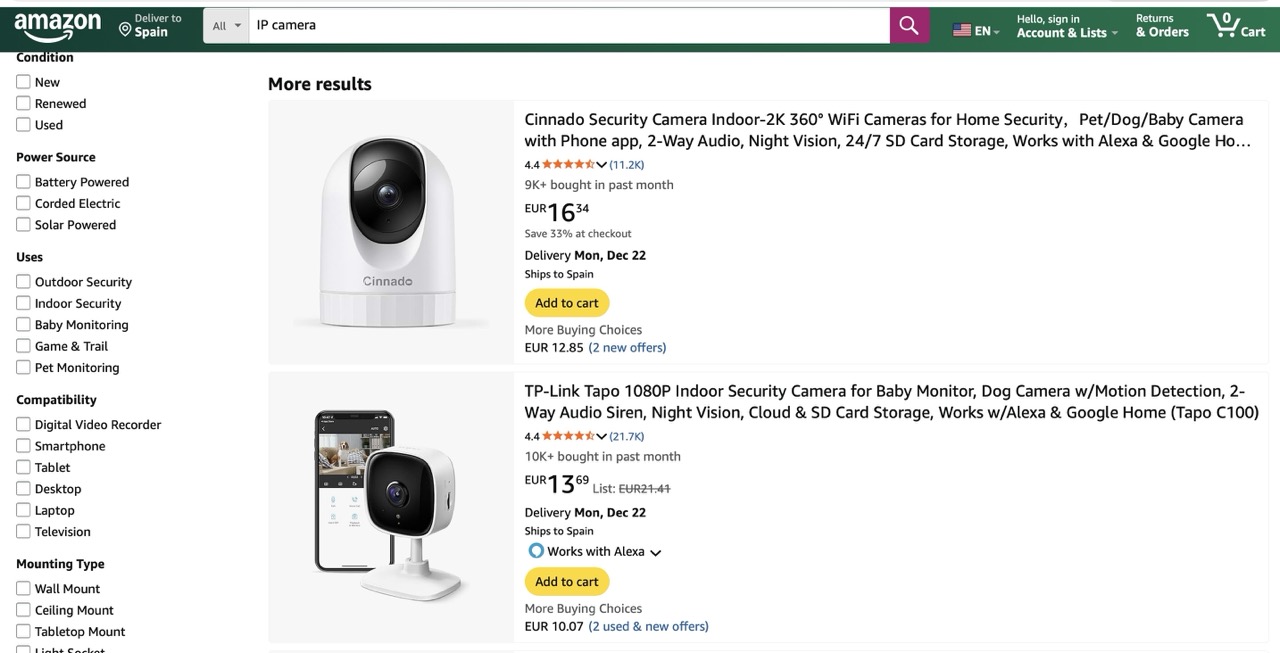
You can find a Full HD IP camera on an online marketplace for under US$25 — affordable prices have made them incredibly popular for both home and small business use
One of the defining features of IP cameras is that they’re originally designed for remote access. The camera connects to the internet and silently accepts incoming connections — ready to stream video to anyone who knows its address and has the password. And this leads to two common problems with these devices.
- Default passwords. IP camera owners often keep the simple default usernames and passwords that come preconfigured on the device.
- Vulnerabilities in outdated software. Software updates for cameras often require manual intervention: you need to log in to the administration interface, check for an update, and install it yourself. Many users simply skip this altogether. Worse, updates might not even exist — many camera vendors ignore security and drop support right after the sale.
What happened in South Korea?
Let’s rewind to what unfolded this fall in South Korea. Law-enforcement authorities reported a breach of roughly 120 000 IP cameras, and the arrest of four suspects in connection with the attacks. Here’s what we know about each of them.
- Suspect 1, unemployed, hacked approximately 63 000 IP cameras, producing and later selling 545 sexually explicit videos for a total of 35 million South Korean won, or just under US$24 000.
- Suspect 2, an office worker, compromised around 70 000 IP cameras and sold 648 illicit sexual videos for 18 million won (about US$12 000).
- Suspect 3, self-employed, hacked 15 000 IP cameras and created illegal content, including footage involving minors. So far, there’s no information suggesting this individual sold any material.
- Suspect 4, an office worker, appears to have breached only 136 IP cameras, and isn’t accused of producing or selling illegal content.
The astute reader may have noticed the numbers don’t quite add up — the figures above totaling well over 120 000. South Korean law enforcement hasn’t provided a clear explanation for this discrepancy. Journalists speculate that some of the devices may have been compromised by multiple attackers.
The investigation has revealed that only two of the accused actually sold the sexual content they’d stolen. However, the scale of their operation is staggering. Last year, the website hosting voyeurism and sexual exploitation content — which both perpetrators used to sell their videos — received 62% of its uploads from just these two individuals. In essence, this video enthusiast duo supplied the majority of the platform’s illegal content. It’s also been reported that three buyers of these videos were detained.
South Korean investigators were able to identify 58 specific locations of the hacked cameras. They’ve notified the victims and provided guidance on changing the passwords to secure their IP cameras. This suggests — although the investigators haven’t disclosed any details about the method of compromise — that the attackers used brute-forcing to crack the cameras’ simple passwords.
Another possibility is that the camera owners, as is often the case, simply never changed the default usernames and passwords. These default credentials are frequently widely known, so it’s entirely plausible that to gain access the attackers only needed to know the camera’s IP address and try a handful of common username and password combinations.
How to avoid becoming a victim of voyeur hackers
The takeaways from this whole South Korean dorama drama are straight from our playbook:
- Always replace the factory-set credentials with your own logins and passwords.
- Never use weak or common passwords — even for seemingly harmless accounts or gadgets. You don’t have to work at the Louvre to be a target. You never know which credentials attackers will try to crack, or where that initial breach might lead them.
- Always set unique passwords. If you reuse passwords, a single data leak from one service can put all your other accounts at risk.
These rules are universal: they apply just as much to your social media and banking accounts as they do to your robot vacuums, IP cameras, and every other smart device in your home.
To keep all those unique passwords organized without losing your mind, we strongly recommend a reliable password manager. Kaspersky Password Manager can both store all your credentials securely and generate truly random, complex, and uncrackable passwords for you. With it, you can be confident that no one will guess the passwords to your accounts or devices. Plus, it helps you generate one-time codes for two-factor authentication, save and autofill passkeys, and sync your sensitive data — not just logins and passwords, but also bank card details, documents, and even private photos — in encrypted form across all your devices.
Wondering if a hidden camera is filming you? Read more in our posts: