Microsoft has announced Windows 11 26H1, but it's not for existing PCs. Instead, it will ship on devices with Snapdragon X2 processors and possibly other rumored ARM chips.w [...]
Microsoft has released the Windows 10 KB5075912 extended security update to fix February 2026 Patch Tuesday vulnerabilities, including six zero-days, and continue rolling out replacements for expiring Secure Boot certificates. [...]
Today is Microsoft's February 2026 Patch Tuesday with security updates for 58 flaws, including 6 actively exploited and three publicly disclosed zero-day vulnerabilities. [...]
Microsoft has released Windows 11 KB5077181 and KB5075941 cumulative updates for versions 25H2/24H2 and 23H2 to fix security vulnerabilities, bugs, and add new features. [...]
Microsoft has begun rolling out updated Secure Boot certificates through monthly Windows updates to replace the original 2011 certificates that will expire in late June 2026. [...]
Microsoft is investigating an outage that blocks some administrators with business or enterprise subscriptions from accessing the Microsoft 365 admin center. [...]
Microsoft wants to introduce smartphone-style app permission prompts in Windows 11 to request user consent before apps can access sensitive resources such as files, cameras, and microphones. [...]
Microsoft gives the FBI the ability to decrypt BitLocker in response to court orders: about twenty times per year.
It’s possible for users to store those keys on a device they own, but Microsoft also recommends BitLocker users store their keys on its servers for convenience. While that means someone can access their data if they forget their password, or if repeated failed attempts to login lock the device, it also makes them vulnerable to law enforcement subpoenas and warrants.
Microsoft has confirmed that a known issue preventing some Windows 11 devices from shutting down also affects Windows 10 systems with Virtual Secure Mode (VSM) enabled. [...]
Microsoft has fixed a known issue that was causing the password sign-in option to disappear from the lock screen options after installing Windows 11 updates released since August 2025. [...]
Microsoft announced that it will disable the 30-year-old NTLM authentication protocol by default in upcoming Windows releases due to security vulnerabilities that expose organizations to cyberattacks. [...]
Microsoft has released the KB5074105 preview cumulative update for Windows 11 systems, which includes 32 changes, including fixes for sign-in, boot, and activation issues. [...]
Microsoft has linked recent reports of Windows 11 boot failures after installing the January 2026 updates to previously failed attempts to install the December 2025 security update, which left systems in an "improper state." [...]
Microsoft issued an emergency patch for a high-severity zero-day vulnerability in Office that allows attackers to bypass document security checks and is being exploited in the wild via malicious files.
Microsoft pushed the emergency patch for the zero‑day, tracked as CVE-2026-21509, and classified it as a “Microsoft Office Security Feature Bypass Vulnerability” with a CVSS score of 7.8 out of 10.
The flaw allows attackers to bypass Object Linking and Embedding (OLE) mitigations that are designed to block unsafe COM/OLE controls inside Office documents. This means a malicious attachment could infect a PC despite built-in protections.
In a real-life scenario, an attacker creates a fake Word, Excel, or PowerPoint file containing hidden “mini‑programs” or special objects. They can run code and do other things on the affected computer. Normally, Office has safety checks that would block those mini-programs because they’re risky.
However, the vulnerability allows the attacker to tweak the file’s structure and hidden information in a way that tricks Office into thinking the dangerous mini‑program inside the document is harmless. As a result, Office skips the usual security checks and allows the hidden code to run.
As code to test the bypass is publicly available, increasing the risk of exploitation, users are under urgent advice to apply the patch.
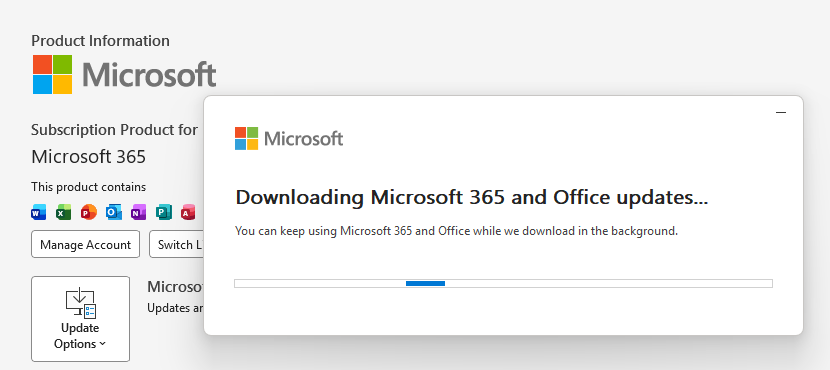
Updating Microsoft 365 and Office
How to protect your system
What you need to do depends on which version of Office you’re using.
The affected products include Microsoft Office 2016, 2019, LTSC 2021, LTSC 2024, and Microsoft 365 Apps (both 32‑bit and 64‑bit).
Office 2021 and later are protected via a server‑side change once Office is restarted. To apply it, close all Office apps and restart them.
Office 2016 and 2019 require a manual update. Run Windows Update with the option to update other Microsoft products turned on.
If you’re running build 16.0.10417.20095 or higher, no action is required. You can check your build number by opening any Office app, going to your account page, and selecting About for whichever application you have open. Make sure the build number at the top reads 16.0.10417.20095 or higher.
What always helps:
Don’t open unsolicited attachments without verifying them with a trusted sender.
Treat all unexpected documents, especially those asking to “enable content” or “enable editing,” as suspicious.
Keep macros disabled by default and only allow signed macros from trusted publishers.
Microsoft issued an emergency patch for a high-severity zero-day vulnerability in Office that allows attackers to bypass document security checks and is being exploited in the wild via malicious files.
Microsoft pushed the emergency patch for the zero‑day, tracked as CVE-2026-21509, and classified it as a “Microsoft Office Security Feature Bypass Vulnerability” with a CVSS score of 7.8 out of 10.
The flaw allows attackers to bypass Object Linking and Embedding (OLE) mitigations that are designed to block unsafe COM/OLE controls inside Office documents. This means a malicious attachment could infect a PC despite built-in protections.
In a real-life scenario, an attacker creates a fake Word, Excel, or PowerPoint file containing hidden “mini‑programs” or special objects. They can run code and do other things on the affected computer. Normally, Office has safety checks that would block those mini-programs because they’re risky.
However, the vulnerability allows the attacker to tweak the file’s structure and hidden information in a way that tricks Office into thinking the dangerous mini‑program inside the document is harmless. As a result, Office skips the usual security checks and allows the hidden code to run.
As code to test the bypass is publicly available, increasing the risk of exploitation, users are under urgent advice to apply the patch.
Updating Microsoft 365 and Office
How to protect your system
What you need to do depends on which version of Office you’re using.
The affected products include Microsoft Office 2016, 2019, LTSC 2021, LTSC 2024, and Microsoft 365 Apps (both 32‑bit and 64‑bit).
Office 2021 and later are protected via a server‑side change once Office is restarted. To apply it, close all Office apps and restart them.
Office 2016 and 2019 require a manual update. Run Windows Update with the option to update other Microsoft products turned on.
If you’re running build 16.0.10417.20095 or higher, no action is required. You can check your build number by opening any Office app, going to your account page, and selecting About for whichever application you have open. Make sure the build number at the top reads 16.0.10417.20095 or higher.
What always helps:
Don’t open unsolicited attachments without verifying them with a trusted sender.
Treat all unexpected documents, especially those asking to “enable content” or “enable editing,” as suspicious.
Keep macros disabled by default and only allow signed macros from trusted publishers.

 Login
Login