Authorities in Australia have arrested two men believed to be members of TeamPCP, a prolific cybercrime and data extortion group blamed for perpetrating the longest running spree of software supply chain attacks ever.
In a statement released today, the Australian Federal Police (AFP) said two men from Western Australia, aged 21 and 23, were arrested in connection with a “sophisticated cybercrime syndicate that allegedly created malicious open-source software to rob thousands of global businesses.”
The AFP did not name the defendants, but KrebsOnSecurity learned the 21-year-old suspect’s real identity in June, and has been communicating with him ever since. This story includes interviews with TeamPCP’s self-described spokesperson, and examines clues left behind by the TeamPCP leader that likely led to his undoing.
TeamPCP vaulted onto the cybercrime scene in late 2025, embedding malicious code in hundreds of open source software tools and extorting victims for profit. Members of the group made headlines by compromising corporate cloud environments using a self-propagating worm dubbed Shai-Hulud, which added malicious code to open source programs maintained by developers whose credentials at public code repositories like GitHub or NPM were phished or stolen.
Writing for Wired, journalist Andy Greenberg described TeamPCP’s core tactic as a kind of cyclical exploitation of software developers.
“The hackers gain access to a network where an open source tool commonly used by coders is being developed,” Greenberg wrote in May. “The hackers plant malware in the tool that ends up on other software developers’ machines, including some who are writing other tools intended to be used by coders. The malware allows TeamPCP’s hackers to steal credentials that let them publish malicious versions of those software development tools, too. The cycle repeats, and TeamPCP’s collection of breached networks grows.”
TeamPCP also has practiced something akin to cyclical recruitment. In May, the source code for the third iteration of Shai-Hulud was published online, and TeamPCP soon after launched a contest offering $1,000 in virtual currency to whichever participant could conduct the largest supply chain operation using the worm’s code. According to the contest rules, participants were scored based on the number of weekly and monthly downloads of packages they compromised — directly incentivizing them to target the most popular code libraries.

A screenshot of a message from TeamPCP’s Telegram account, announcing the supply chain hacking contest. Image: dataminr.com.
“TeamPCP has stated the competition is a recruiting opportunity and they intend to purchase all meaningful access harvested from participants’ campaigns,” the security firm Dataminr wrote. “The $1,000 XMR (Monero) prize is a recruitment floor and has been dismissed by the actor as ‘just like participation trophy,’ adding ‘if you find something good you will be paid way more,’ confirming the contest’s true function as talent identification and malicious access acquisition at scale.”
In March, TeamPCP executed a supply chain attack targeting AI infrastructure by compromising the code for LiteLLM, an open source AI gateway that connects users to more than 100 different large language models. A recent analysis by the security firm CloudSEK found TeamPCPs attack on LiteLLM harvested cloud service keys and other secrets from more than 2,500 organizations, including many of the world’s top technology companies.
In May, TeamPCP claimed credit for compromising at least 3,800 code repositories at the Microsoft-owned GitHub, after a GitHub developer installed a code extension that was compromised by TeamPCP’s malware.
MEET THE CYBERCATS
Security experts say TeamPCP is less of a hacker group than an amalgamation of threat actors from multiple cybercriminal gangs who sometimes work together toward similar goals.
“It is not a structured criminal crew with a single operator,” said Austin Larsen, a principal threat analyst with the Google Threat Intelligence Group. “It is a peer community of individually-skilled actors, with one clear center of gravity.”
That center of gravity is George Prepakis, an accomplished security researcher and self-described exploit developer who operates the Twitter/X profile @kernelstub. Earlier this year, @kernelstub tweeted a public invite link to a Matrix chat server he created and dubbed “Cybercats,” and TeamPCP and several other cybercrime entities have been using this server to communicate daily for the past several months.
A screenshot of the Matrix chat server “Cybercats,” whose members used hacker handles associated with multiple distinct cybercrime groups that have occasionally collaborated on a series of supply chain and data ransom attacks over the past nine months.
Kernelstub, like other administrators in the Cybercats chat, has been using his Twitter/X profile name as his handle in these Matrix communications, frequently tweeting references to other members and to conversations taking place in the Cybercats chat. In a number of cases, the corresponding X accounts for members of the Cybercats chat taunted cybercrime victims publicly before the incidents were reported in the news media.
The Cybercats administrator listed at the top of the screenshot above — “Boxturtle” — is a close associate of TeamPCP who has been tweeting about the group’s conquests under the name @xpl0itrsturtle. This handle corresponds to a data breach broker active on Breachforums and Darkforums who has been selling data stolen in a wave of recent breaches at automobile manufacturers, including BMW Group, Audi, Honda, Mercedes-Benz, Volvo and Toyota, as well as data allegedly taken from Snapchat and SportRadar.
The data leak site for the extortion group or handle “xpl0itrs.”
The Cybercats administrator “SeesawSec” in the screenshot above is the alias of whoever is behind the cybercrime group known as Fulcrumsec, which recently claimed credit for data extortion attacks against the pharmaceutical giant Novo Nordisk, the data broker LexisNexis, and Avnet, a Fortune 500 distributor of electronic components.
The data leak site of Fulcrum Security, a.k.a. Fulcrumsec.
The Cybercats administrator “@pcpcasper” also has been using a similar name on X to discuss TeamPCP’s attacks and victims. This person has an extensive message history on Telegram, where their messages and shared videos show @pcpcasper is an active and vocal member of the National Socialist Network, a neo-Nazi political organization based in Australia.
At one point in these chats, @pcpcasper shared videos and images of what they claimed was their cat, and several of those videos place this user in Western Australia. One source close to the investigation told KrebsOnSecurity that @pcpcasper was one of the two arrested, a claim supported by messages that @kernelstub posted online this morning.
The Cybercats member roster pictured above also features an administrator with the username “T,” which is short for the now-banned Twitter/X profile @pcpcats, the account operated by the self-described TeamPCP spokesperson who was arrested today. As we’ll see in a moment, @pcpcats also is from Western Australia.
By the time @kernelstub tweeted a public invite link to the Cybercats Matrix server, T/@pcpcats was posting only infrequently to the group chat, with other members often inquiring as to his whereabouts and well-being. The group’s collective concern related to @pcpcats’s tendency to blame his increasingly extended absences on the use of hallucinogens and other narcotics that kept him awake for days on end, but also caused him to crash in bed for several days after the highs wore off.
WHO IS THE TEAMPCP LEADER?
The Cybercats member @pcpcats has used multiple nicknames on the cybercrime forums, including EllisD25/LSD on Darkforums, BulkDMT on Breachstars, and Express on Breachforums. These accounts are linked because they all advertised the same Tox ID and/or Session ID as instant message contact handles in their cybercrime forum posts. BulkDMT was also known on the forums as DMT Host, which was a virtual private server (VPS) hosting service that was peddled on Darkforums and Breachstars.
DMT Host/EllisD25, posting on the English-language cybercrime community DarkForums in September 2025. Image: ke-la.com.
According to the cyber intelligence firm Intel 471, Express registered on Breachforums using the email address shitstickpp@gmail.com. Intel 471 finds Express posted on Breachforums across a two-month period in 2025 using four different Internet addresses located in South Africa. On July 30, 2025, Express announced on Breachforums they were selling access to 14 gigabytes of data stolen from South Africa’s State Information Technology Agency.
The threat intelligence platform Flashpoint recorded more than a year’s worth of messages from the TeamPCP leader’s alter ego on Telegram — Persy_PCP — who claimed they split their life living between two countries [full disclosure: Flashpoint is an advertiser on this blog]. “I have these [files] as well, problem is these are in another country,” Persy_PCP explained to another user inquiring about a stolen data set in November 2025.
Later that month, Persy_PCP complained, “My whole country is racist and they want people like me dead.” Flashpoint records show BulkDMT shared in September 2025 that “this country is going to fucking starve when they take the farmers land,” a likely reference to white landowners in South Africa who claim to be targeted by an ongoing genocide campaign.
This tracks with public reporting on TeamPCP. Cyberscoop reported in June that Google had traced TeamPCP’s residential and mobile Internet address connections to South Africa, “indicating the primary operator was located there during at least some of its attacks.”
BulkDMT also shared on the group chat at Breachforums that they were recovering from an addiction to methamphetamine. “My life is kinda fucked rn [right now], but that’s fine and there isn’t really a point in pouring so much emotional energy into that fact, my parents had money but I unfortunately got really addicted to some things so I don’t get to benefit from that. As long as I continue to survive, stay sober, and move closer towards my goals that’s enough drive and meaning.”
The identity threat protection company SpyCloud finds shitstickpp@gmail.com shows up in the registration of an account called ChristmasSnow on the cybercrime community Raidforums in 2022. Nearly all of the Internet addresses used to access that account came from ISPs in Perth, Australia, SpyCloud found.
KrebsOnSecurity looked up all of those Perth IP addresses in passive DNS records maintained by DomainTools.com, and found one of them — 211.27.196.111 — for several years was used as a private file server by a family in Perth with the last name of Thomson. Those records show at least three hosts — ithomson.direct.quickconnect.to (a remote Synology server), kthomson0061.direct.quickconnect.to, and joshuawthomson39.myqnapcloud.com (a QNAP network storage device) — persisted at that address between 2022 and 2025.
Searching on “joshuathomson39” in the breach tracking service Constella Intelligence reveals an account at the freight forwarding company kwe.com created in the name of Joshua Thomson from Perth, Australia. The open source intelligence platform Epieos finds the phone number attached to that kwe.com account was used to register a Facebook profile for Josh Thomson, which says his family includes a brother named Ruben, his father Ian, and his mom Cindy.
That Facebook profile also says Josh and his family are originally from Pietermaritzburg, in KwaZulu-Natal, South Africa, but currently living in Cottesloe, a beach-side suburb of Perth. A search in DomainTools for Ian Thomson and Australia unearthed five domains by the same registrant, including securecomputing.au, thomson.org.au, and thomsonfamily.net.au. Ian Thomson is a dentist in Cottesloe, and a biography says he graduated from The University of the Witwatersrand in Johannesburg, South Africa.
Constella finds a joshua@thomson.org.au registered a number of accounts online, but Josh doesn’t seem to have much of a connection to dodgy cybercrime forums. His brother Ruben, on the other hand, has quite the presence on these communities, dating back to at least 2018. Constella reports ruben@thomson.org.au frequently reused the password “joshuathomson1,” and Constella further finds that password was used by just a handful of accounts, including yolosolo17@gmail.com and surfinup8@gmail.com.
According to Intel 471, surfinup8@gmail.com was used to register the user Yolosolo17 on the crime forum Altenen in 2018, and that user account was registered from the Perth address 110.141.230.15. On Altenen, Yolosolo17 advertised free web proxies, as well as the domain rubenthomson.com, which was at one point used to sell steeply discounted iPhones. DomainTools says rubenthomson.com was hosted at 110.141.230.15 and registered to surfinup8@gmail.com.
A cached copy of the domain rubenthomson.com from 2017 shows a login page underneath a banded stack of money. Image: archive.org.
SpyCloud reports 10.141.230.15 was used by the email address sheepstealing@gmail.com on Raidforums and surfinup8@gmail.com on Nulled, and that the same IP was used by the email addresses ian@thomsonfamily.net.au, jasper@yakuza.cc, and rubenthomson1@gmail.com. SpyCloud also shows that sheepstealing Gmail address is tied to the accounts Sheep420, YoloSolo117 and Yakuza.cc on Raidforums, and to the account “Sheep Stealing” on Hackforums. Intel 471 says sheepstealing@gmail.com was used to register the account DingoFlour on Breachforums in October 2023, as well Sheepx on Altenen.
Epieos reports that ruben@securecomputing.au is tied to an Airbnb account for Ruben, who described himself as a Web developer who went to school at the University of Western Australia and was living outside the country. “Hey, I’m Ruben, my friends call me Ellis. I’m a Perth creative who occasionally books rooms when visiting family and for photography.”
Epieos also finds sheepstealing@gmail.com registered an upwork.com profile under the name Ruben, who said his main skills are setting up secure server hosting solutions and PHP full-stack Web development.
“I’m familiar with Linux, working with relational databases (SQL),” the Upwork profile reads. “I also script in Python mainly for writing social media bots.”
The Upwork profile for Ruben Thomson in Cottesloe, Australia.
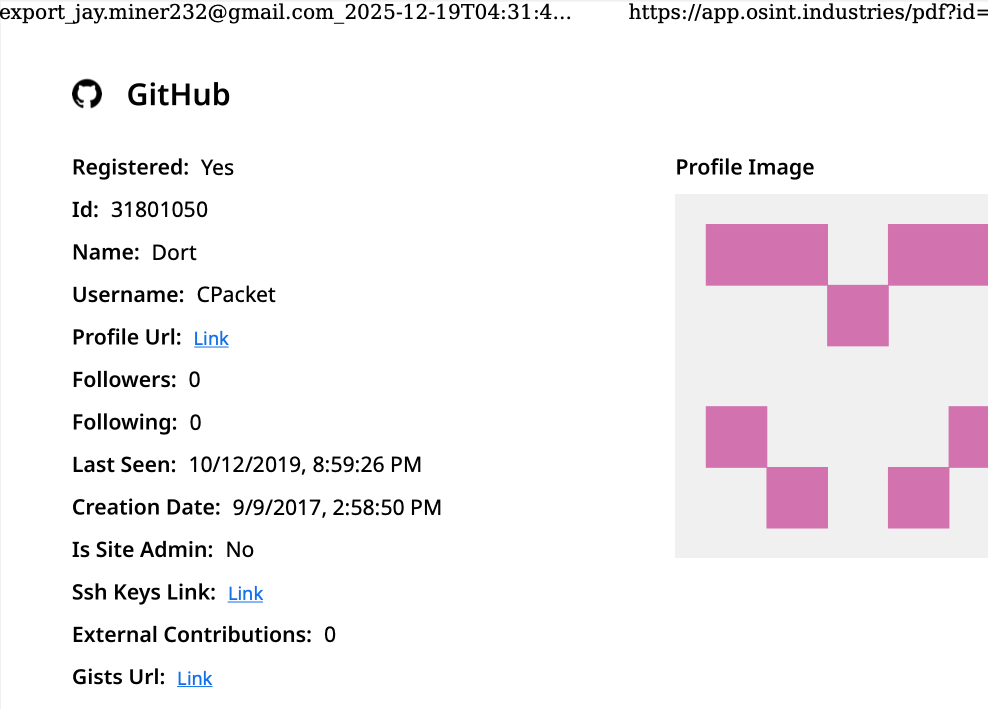
Epieos further discovered sheepstealing@gmail.com is connected to a Microsoft account for Ruben Thomson, and to a now-defunct GitHub account called XmasSnow/XmasSnowisBack that scammed people on the forums in 2022 by claiming to sell exclusive exploits for recently-released software patches (recall that shitstickpp@gmail.com was used to register a forum account named ChristmasSnow).
This same sheepstealing email address registered a Twitter/X account in 2026 called “Gone Fishing” that lists its location as South Africa. That Gmail account also left several reviews for businesses listed on Google Maps over the past seven years, but all of those establishments are located on the west coast of Australia.
Business reviews in Western Australia left by the Google account sheepstealing at gmail.com.
The people search service Pipl finds a 21-year-old Ruben Thomson in Western Australia who has a phone number ending in 979. A lookup on that number at Epieos reveals it is connected to a TikTok account under the name Ellis, and to a PayPal account in the name of Ruben Thomson.
Finally, a search on the name Ruben Thomson from Cottesloe at the Australian government’s record of registered businesses finds he has incorporated or served as an official in multiple companies created since 2024, including Secure Computing Solutions, Tensor Industries, and another entity ironically named OPSEC Express. Recall that Express was BulkDMT’s nickname on Breachforums.
Australian companies connected to Ruben Thomson. Image: abr.business.gov.au.
It’s ironic because OPSEC is short for the term “operational security,” which refers to techniques and behaviors used to obfuscate and compartmentalize one’s real-life identity online, and using your cybercrime handle as part of your own company name is very much the antithesis of that practice.
There is at least one other major opsec failure by Ruben that exposed a link to TeamPCP. In June 2025, someone using the name Ruben Thomson registered on HackerOne, a popular “bug bounty” program that seeks to reward and recognize researchers who agree to work with affected software vendors to help fix the flaws before publishing about their findings. What was Ruben Thomson’s chosen HackerOne username? Deadcatx3, a nickname that has been flagged by multiple security firms as an alias used by TeamPCP.
The HackerOne profile for “Ruben Thomson” uses the nickname Deadcatx3, which multiple security firms have concluded is an alias used by TeamPCP. Image credit: flare.io.
INTERVIEW WITH ELLIS
In early July 2026, not long after having discovered clues about Ellis’s real life identity, KrebsOnSecurity interviewed the TeamPCP leader via Signal, where he was remarkably open about his activities and personal struggles [for the sake of simplicity, the TeamPCP spokesperson will be referred to from here on as Ellis].
Ellis claims he stopped doing cybercrime for TeamPCP in March 2026 — just before the attacks that compromised LiteLLM — and that at least one other individual has taken over the group’s leadership since then. Ellis shared that a year earlier he had just completed the latest in a series of detox and sobriety programs, and was two months sober when he reconnected with some old friends from the malware development scene.
“One year ago I needed help monetizing some [GitHub credentials], I was two months sober and needed a distraction and something to keep busy as well as people to speak to,” Ellis said. “I had largely disconnected from my old circle, they had become very toxic and I needed to get away from the substances. Previously I had done some mass exploitation campaigns and grew up doing [malware development] and [capture the flag] contests. There were some friends who were also vending but had stopped a while, and one of them introduced me to some chats where I posted access for sale.”
Prior to that, Ellis said, he was homeless and hopping between “some very unstable places.”
“Blackhatting is fun,” he said. “There are actual rewards and incentives to learn and you grow with your team. Without qualifications, no employer will even take the time to hear you out.”
Ellis claims he’s earned a grand total of about $20,000 for his activities with TeamPCP, and that it was never about the money or fame for him. Asked whether his experiences with TeamPCP might prepare him for gainful employment in a legitimate IT job, Ellis said he doubted it.
“I am nowhere close to a skill level where I am comfortable, and this would take maybe half a decade of further experience,” he said. “I no longer have to choose between rent and food for that I’m grateful and so are the team members.”
Ellis expressed no remorse over his cybercrime activities, and said he was grateful for the friendships and relationships built throughout his engagement with TeamPCP. The young hacker also seemed resigned to his fate, and told KrebsOnSecurity that he’ll accept the consequences if he’s ever arrested.
“If I’ve already been found out then its out of my control, I’ll make peace with that,” he said. “Honestly, I think someone like me needs a lot of help that prison just can’t provide. If I had the funds to study different parts of the field and closer guidance, this would have turned out differently. But that’s a pipe dream and we both know this.”
It is clear from reading Ellis’s posts to the group’s Matrix server chats that his struggles with sobriety are ongoing. On Thursday, June 25, Ellis told @kernelstub he was about to “trip” with his “homie.”
“What kind,” @kernelstub inquired.
“Ketty and some DMT,” Ellis replied, referring to the dissociative anesthetic ketamine and dimethyltryptamine (DMT), a powerful psychedelic compound that is found naturally in some plants but is also synthetically produced in underground lab environments. “There’s a little 2cb so we might throw that in the mix,” he continued, referring to another psychedelic compound by its chemical shorthand.
Roughly two weeks before his arrest, Ellis told KrebsOnSecurity he was ready to leave his life of crime behind and was prepared to turn himself in, but that in the meantime he was making plans to tie up loose ends.
Less than 24 hours later, the TeamPCP leader posted an image on Telegram showing a yellowish powdered substance in a baggie and on a scale, possibly synthetic DMT. The image shows the powder being weighed next to a series of small vape cartridges, two of which are open on the table in front of the photographer.
An image posted by the TeamPCP leader to Telegram, advertising his acquisition of some type of psychoactive substance, most likely a synthetic version of the powerful hallucinogen known as DMT.
The two defendants were arrested Wednesday morning. The AFP said the men face a combined 14 cybercrime offenses and are scheduled to appear in Perth Magistrates Court today.
Charlie Eriksen is a security researcher at Aikido Security who has closely followed TeamPCP’s cybercrime campaigns. Eriksen said TeamPCP are a good example of a new kind of threat actor that does not fit neatly into the usual categories.
“They are not a state actor, not quite organized cybercrime, and not purely ideological,” he said. “Their motivations seem to mix money, disruption, attention, and ideology.”
Eriksen said that historically there has always been a meaningful gap between reading about an attack technique and being able to reliably turn it into an operational campaign, but that large language models (LLMs) and artificial intelligence increasingly are helping threat actors to bypass that knowledge gap.
“You had to understand the research, adapt the code, troubleshoot it, build infrastructure around it, and then repeat that process across different targets,” he said. “LLMs have compressed that gap significantly.”
According to Eriksen, this creates an environment where threat actors suddenly have the ability to operate at significant scale without having developed the operational discipline that traditionally accompanies that level of capability. Put another way, it sets the stage for cybercriminals who are capable enough to cause significant damage, but not necessarily careful enough to understand or care about the consequences.
“They can be noisy, they can make mistakes,” he said. “They can leave evidence everywhere. They can take risks that a professional criminal group or intelligence service would consider completely unacceptable. But that does not necessarily make them less dangerous. In some ways, it can make them more dangerous.”
In a recent blog post, Eriksen called TeamPCP’s Shai-Hulud worm the “best thing to happen to supply chain security,” because it forced GitHub and other public coding platforms to erect new security safeguards.
In direct response to TeamPCP’s broad success at pushing poisoned versions of popular software packages, GitHub in late July introduced a three-day “cooldown” mechanism for Dependabot, the platform’s tool for auto-fetching newly shipped updates for any package dependencies. Cooldown periods are designed to help buy time for security tools and package maintainers to identify and remove any compromised versions. Other coding ecosystems like Python and various JavaScript platforms also added support for cooldown periods this year amid growing calls from security experts about the need for more widespread adoption of the safety feature.
Eriksen said TeamPCP’s legacy is that they achieved in the span of a few months what the supply chain security community has been unable to do for years.
“They managed to wake up Microsoft to the fact that they had become negligent in terms of security,” Eriksen said. “By compromising GitHub and stealing their source code, they humiliated Microsoft into action, making them finally act on what we had been asking them to do and take seriously for a while now.”
Update, 10:08 a.m. ET: A story this morning from ABC News in Australia confirms Ruben Ian Thomson of Cottesloe was one of the two arrested. The 23-year-old suspect thought to be @pcpcasper, Michael Gaebler, also was arrested in Perth. ABC News reports that Thomson was denied bail (Mr. Gaebler’s attorney reportedly did not request bail for his client), and that both men will be held in custody until their next court appearance on September 18.

 Login
Login