Reading view

Apple accused of letting fake crypto app steal $1.8 million

Apple’s tagline for its App Store says, “The apps you love. From a place you can trust.” You might love the apps, but can you trust the store? A federal lawsuit filed in the Northern District of California last week suggests not.

Three people have accused Apple of promoting a fake version of the Sparrow Wallet cryptocurrency app through its App Store, even though the real app’s developer had spent over a year telling Apple that he hadn’t produced a version for the mobile platform.

The fake app drained a combined $1.8 million from the victims’ wallets between May and August 2025, and now they’re furious with Apple for allowing it to happen.

How the scam worked

According to the legal complaint published courtesy of BleepingComputer, James Ramirez, Christopher Ellis, and Jalen Delgado downloaded a fake version of Sparrow Wallet from Apple’s App Store. It asked users to enter their recovery phrase (the 12 or 24 words that restore access to a crypto wallet), which is something a legitimate wallet app may also ask for during setup.

Instead of keeping that information private, though, the app handed it to the criminals running the scam. Once someone else has your recovery phrase, they have access to your wallet. If they transfer your cryptocurrency to another address, you cannot get it back.

Ramirez, Ellis, and Delgado say they lost approximately $875,000, $840,000, and $120,000 in Bitcoin, respectively.

Apple terminated the legit developer’s account

The real Sparrow Wallet is a desktop application for Windows, macOS, and Linux. It has never had an official iPhone app.

Craig Raw, the developer of the actual Sparrow Wallet, reported fake versions to Apple in the weeks leading up to January 2024 and publicly confirmed that month that the fake app was still live despite repeated reports.

About a year later, he tried a workaround to stop people from downloading the fake app by submitting a placeholder iOS app with screenshots explicitly warning users that Sparrow Wallet was not available on iOS. Apple responded by terminating his developer account. Thankfully it reversed it later, otherwise he would have been unable to maintain the macOS version.

The complaint also alleges that Apple featured the fake app in curated cryptocurrency collections alongside legitimate products, and allowed additional fake Sparrow Wallet apps onto the App Store even after consumers complained.

Apple’s official response, per TechCrunch, is that:

“apps impersonating others are a violation of its guidelines and it takes swift action to remove them.” Not swift enough, apparently.

The three users are now suing Apple, alleging that it misrepresented the App Store as trustworthy despite knowing about the fake apps. The complaint includes claims of fraudulent concealment, among others, and seeks a jury trial. The plaintiffs are seeking compensation for their losses, along with additional damages permitted under California law.

Not a one-off

Fake cryptocurrency apps are a trend. Kaspersky researchers recently identified 26 crypto wallet impersonators inside Apple’s ecosystem, all targeting seed phrases and recovery keys.

Rather than including malicious code directly inside the app, many of these scams direct users to a convincing fake App Store webpage, where they’re prompted to install another version of the app. That malicious version steals cryptocurrency recovery phrases or private keys by abusing enterprise distribution certificates intended for internal company apps.

How to stay safe

Apple points to its enforcement volume: it terminated 193,000 developer accounts and rejected more than 371,000 copycat submissions in 2025. Those figures come from Apple itself, with no mention of an independent audit. The company says that it uses a mixture of human review and machine learning to spot malicious apps.

If you use cryptocurrency on an iPhone, don’t assume that an App Store listing guarantees an app is genuine. Download apps using links from the developer’s official website whenever possible, and check that the developer actually offers an iPhone version before installing it.

The App Store is generally safer than downloading apps from elsewhere, but this case is a reminder that it is not infallible.


Scammers know more about you than you think. 

Malwarebytes Mobile Security protects you from phishing, scam texts, malicious sites, and more. With real-time AI-powered Scam Guard built right in. 

Download for iOS → Download for Android → 

  •  

Apple accused of letting fake crypto app steal $1.8 million

Apple’s tagline for its App Store says, “The apps you love. From a place you can trust.” You might love the apps, but can you trust the store? A federal lawsuit filed in the Northern District of California last week suggests not.

Three people have accused Apple of promoting a fake version of the Sparrow Wallet cryptocurrency app through its App Store, even though the real app’s developer had spent over a year telling Apple that he hadn’t produced a version for the mobile platform.

The fake app drained a combined $1.8 million from the victims’ wallets between May and August 2025, and now they’re furious with Apple for allowing it to happen.

How the scam worked

According to the legal complaint published courtesy of BleepingComputer, James Ramirez, Christopher Ellis, and Jalen Delgado downloaded a fake version of Sparrow Wallet from Apple’s App Store. It asked users to enter their recovery phrase (the 12 or 24 words that restore access to a crypto wallet), which is something a legitimate wallet app may also ask for during setup.

Instead of keeping that information private, though, the app handed it to the criminals running the scam. Once someone else has your recovery phrase, they have access to your wallet. If they transfer your cryptocurrency to another address, you cannot get it back.

Ramirez, Ellis, and Delgado say they lost approximately $875,000, $840,000, and $120,000 in Bitcoin, respectively.

Apple terminated the legit developer’s account

The real Sparrow Wallet is a desktop application for Windows, macOS, and Linux. It has never had an official iPhone app.

Craig Raw, the developer of the actual Sparrow Wallet, reported fake versions to Apple in the weeks leading up to January 2024 and publicly confirmed that month that the fake app was still live despite repeated reports.

About a year later, he tried a workaround to stop people from downloading the fake app by submitting a placeholder iOS app with screenshots explicitly warning users that Sparrow Wallet was not available on iOS. Apple responded by terminating his developer account. Thankfully it reversed it later, otherwise he would have been unable to maintain the macOS version.

The complaint also alleges that Apple featured the fake app in curated cryptocurrency collections alongside legitimate products, and allowed additional fake Sparrow Wallet apps onto the App Store even after consumers complained.

Apple’s official response, per TechCrunch, is that:

“apps impersonating others are a violation of its guidelines and it takes swift action to remove them.” Not swift enough, apparently.

The three users are now suing Apple, alleging that it misrepresented the App Store as trustworthy despite knowing about the fake apps. The complaint includes claims of fraudulent concealment, among others, and seeks a jury trial. The plaintiffs are seeking compensation for their losses, along with additional damages permitted under California law.

Not a one-off

Fake cryptocurrency apps are a trend. Kaspersky researchers recently identified 26 crypto wallet impersonators inside Apple’s ecosystem, all targeting seed phrases and recovery keys.

Rather than including malicious code directly inside the app, many of these scams direct users to a convincing fake App Store webpage, where they’re prompted to install another version of the app. That malicious version steals cryptocurrency recovery phrases or private keys by abusing enterprise distribution certificates intended for internal company apps.

How to stay safe

Apple points to its enforcement volume: it terminated 193,000 developer accounts and rejected more than 371,000 copycat submissions in 2025. Those figures come from Apple itself, with no mention of an independent audit. The company says that it uses a mixture of human review and machine learning to spot malicious apps.

If you use cryptocurrency on an iPhone, don’t assume that an App Store listing guarantees an app is genuine. Download apps using links from the developer’s official website whenever possible, and check that the developer actually offers an iPhone version before installing it.

The App Store is generally safer than downloading apps from elsewhere, but this case is a reminder that it is not infallible.


Scammers know more about you than you think. 

Malwarebytes Mobile Security protects you from phishing, scam texts, malicious sites, and more. With real-time AI-powered Scam Guard built right in. 

Download for iOS → Download for Android → 

  •  

AI robocalls: Why caller ID is still lying to you

If you feel like your phone has turned into a scam megaphone, you’re not alone. Robocalls have been a problem for years. Artificial intelligence (AI) is making them slicker, faster, and harder to spot.

A new investigation by Transaction Network Services (TNS) shows that while the big telecom players have stepped up caller ID authentication, many smaller providers are still lagging behind. That leaves plenty of room for criminals to keep making spoofed, AI‑voiced robocalls that seem legitimate right up until they empty your bank account.

Turning back the clock to 2019, lawmakers in the US passed the TRACED Act with a simple goal: make it harder for scammers to lie about who’s calling. The technical was solution STIR/SHAKEN, a pair of catchily-named standards that let phone networks cryptographically sign calls so downstream providers can check whether the caller ID is trustworthy.

On paper, it’s working fairly well for the major carriers. TNS reports that about 85% of voice traffic between Tier 1 networks in 2025 was signed using STIR/SHAKEN, and 93% of those calls received the highest “A” attestation. If the entire ecosystem looked like that, spoofing would become much harder.

Why spoofing still works

The same report found that most lower‑tier communications service providers—typically smaller or specialist carriers—aren’t even close to that level of protection. On average, they only use the required cryptographic signatures about 20% of the time. That means four out of five calls effectively go through the network “unsigned.”

There are reasons for this. The Federal Communications Commission (FCC) has granted some providers extensions, particularly very small and satellite providers, as long as they implement other robocall mitigation measures. Even so, the result is uneven implementation.

From a scammer’s point of view, this is great. Cybercriminals are already using AI to run increasingly sophisticated and scalable robocall attacks and know that even calls with strong authentication can be spoofed or abused when other parts of the chain are weak.

AI voice cloning can be done with just a few seconds of original audio. Combine that with call spoofing and personal information gathered from data breaches, and scammers can make a call appear to come from your bank while using a calm, familiar voice that knows your name or other personal details.

Robocalls cost almost nothing to send. Internet calling allows scammers to dial thousands of numbers for a few cents, which is why the volume is so high. Industry estimates suggest US consumers received around 55 billion robocalls in 2025, with projections creeping toward 60 billion in 2026. That’s roughly 160 million spam calls every single day in one country. Globally, that’s about 385 billion spam/robocall calls each year.

How to stay safe

What can you realistically do as a consumer, given that the network itself is still in transition and attackers are upgrading faster than some carriers?

A few habits still go a long way:

  • Be skeptical of urgency. Real organizations rarely need you to make immediate decisions over the phone about payments, credentials, or remote access. Hang up and call back via a number you find on their official website.
  • Treat caller ID as a clue, not proof. Even if the number looks familiar or matches what you see on a card or website, it can be spoofed.
  • Don’t press buttons or follow instructions in automated menus you didn’t expect. Many robocalls use “press 1 to speak to an agent” as the gateway into a full social‑engineering script.
  • Use call‑blocking and screening tools. Your phone, carrier, or security app may already offer options to block known spam numbers, send unknown callers to voicemail, or label suspicious calls.

And finally—and this is where we can help—check suspicious numbers with our Scam Number Check before you answer or call back.


Scammers know more about you than you think. 

Malwarebytes Mobile Security protects you from phishing, scam texts, malicious sites, and more. With real-time AI-powered Scam Guard built right in. 

Download for iOS → Download for Android → 

  •  

AI robocalls: Why caller ID is still lying to you

If you feel like your phone has turned into a scam megaphone, you’re not alone. Robocalls have been a problem for years. Artificial intelligence (AI) is making them slicker, faster, and harder to spot.

A new investigation by Transaction Network Services (TNS) shows that while the big telecom players have stepped up caller ID authentication, many smaller providers are still lagging behind. That leaves plenty of room for criminals to keep making spoofed, AI‑voiced robocalls that seem legitimate right up until they empty your bank account.

Turning back the clock to 2019, lawmakers in the US passed the TRACED Act with a simple goal: make it harder for scammers to lie about who’s calling. The technical was solution STIR/SHAKEN, a pair of catchily-named standards that let phone networks cryptographically sign calls so downstream providers can check whether the caller ID is trustworthy.

On paper, it’s working fairly well for the major carriers. TNS reports that about 85% of voice traffic between Tier 1 networks in 2025 was signed using STIR/SHAKEN, and 93% of those calls received the highest “A” attestation. If the entire ecosystem looked like that, spoofing would become much harder.

Why spoofing still works

The same report found that most lower‑tier communications service providers—typically smaller or specialist carriers—aren’t even close to that level of protection. On average, they only use the required cryptographic signatures about 20% of the time. That means four out of five calls effectively go through the network “unsigned.”

There are reasons for this. The Federal Communications Commission (FCC) has granted some providers extensions, particularly very small and satellite providers, as long as they implement other robocall mitigation measures. Even so, the result is uneven implementation.

From a scammer’s point of view, this is great. Cybercriminals are already using AI to run increasingly sophisticated and scalable robocall attacks and know that even calls with strong authentication can be spoofed or abused when other parts of the chain are weak.

AI voice cloning can be done with just a few seconds of original audio. Combine that with call spoofing and personal information gathered from data breaches, and scammers can make a call appear to come from your bank while using a calm, familiar voice that knows your name or other personal details.

Robocalls cost almost nothing to send. Internet calling allows scammers to dial thousands of numbers for a few cents, which is why the volume is so high. Industry estimates suggest US consumers received around 55 billion robocalls in 2025, with projections creeping toward 60 billion in 2026. That’s roughly 160 million spam calls every single day in one country. Globally, that’s about 385 billion spam/robocall calls each year.

How to stay safe

What can you realistically do as a consumer, given that the network itself is still in transition and attackers are upgrading faster than some carriers?

A few habits still go a long way:

  • Be skeptical of urgency. Real organizations rarely need you to make immediate decisions over the phone about payments, credentials, or remote access. Hang up and call back via a number you find on their official website.
  • Treat caller ID as a clue, not proof. Even if the number looks familiar or matches what you see on a card or website, it can be spoofed.
  • Don’t press buttons or follow instructions in automated menus you didn’t expect. Many robocalls use “press 1 to speak to an agent” as the gateway into a full social‑engineering script.
  • Use call‑blocking and screening tools. Your phone, carrier, or security app may already offer options to block known spam numbers, send unknown callers to voicemail, or label suspicious calls.

And finally—and this is where we can help—check suspicious numbers with our Scam Number Check before you answer or call back.


Scammers know more about you than you think. 

Malwarebytes Mobile Security protects you from phishing, scam texts, malicious sites, and more. With real-time AI-powered Scam Guard built right in. 

Download for iOS → Download for Android → 

  •  

We rebuilt Malwarebytes Mobile Security for the scams of today 

Nearly half of people encounter a scam on their phone every single day. Malwarebytes is doing something about it.  

That figure comes from a 2025 Malwarebytes survey of 1,300 respondents across the US and Europe. The results paint a troubling picture. A quarter of the victims surveyed reported being harassed or blackmailed, while nearly one in five had private information exposed, and 15% lost money.  

“I felt like I was in a horror movie,” said one survey respondent. “I never thought it would happen to me like this.”  

Your phone is a scammer’s dream. You use it to bank, message, shop, and more. It’s an ideal gateway for anyone looking to take advantage of you. And today’s scams aren’t limited to just one app or program. They show up as texts and delivery notifications, as calls that spoof a trusted number, and as social media DMs. 

Increasingly, AI is making all of this much harder to detect. Malwarebytes research found that half of people feel unprepared for the sophistication of these AI-driven threats. Phone scams now rank among the top five scam types people encounter, according to Malwarebytes Scam Guard data.  

Part of the problem is misplaced trust. According to Malwarebytes’ data, roughly half of people—55% of iPhone owners and 50% of Android owners—said they believe their phone’s security is enough to keep them safe. But relying on those protections alone can leave people vulnerable. 

Malwarebytes detected more than 800,000 distinct strains of Android malware last year and expects that number to cross 1 million in 2026. 

Your phone needs more than just a lock screen to stay safe. That’s why we’ve rebuilt Malwarebytes Mobile Security. It puts scam protection first, and it’s backed by all our other tools to keep your phone secure. 

Built for today’s scams 

Here’s how Malwarebytes Mobile Security helps keep scams away from you and your data. 

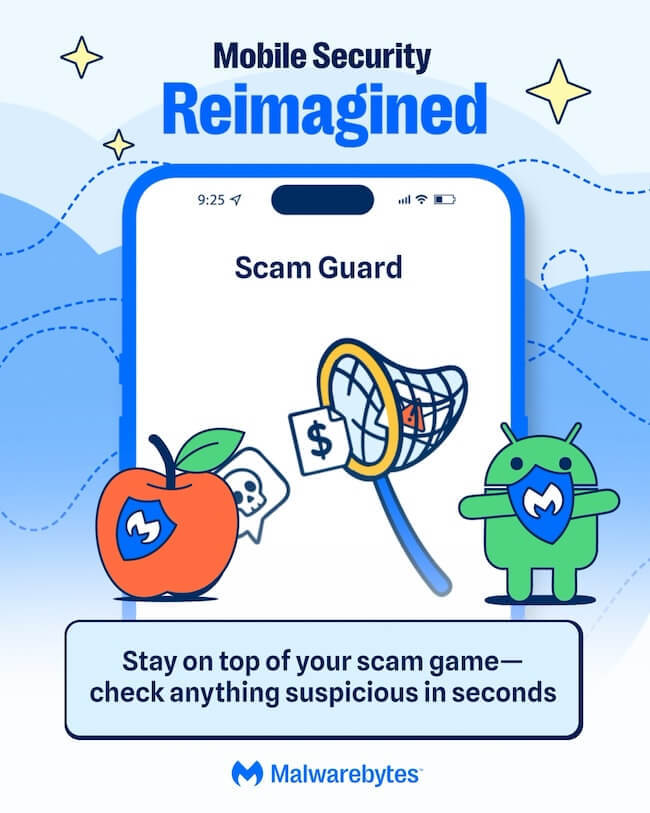
Scam Guard is a free AI-powered tool built into Mobile Security for both Android and iOS. Got a suspicious text, email, phone number, link, or message? Drop it into Scam Guard and get an instant read on whether it’s a scam, along with guidance on what to do next.  

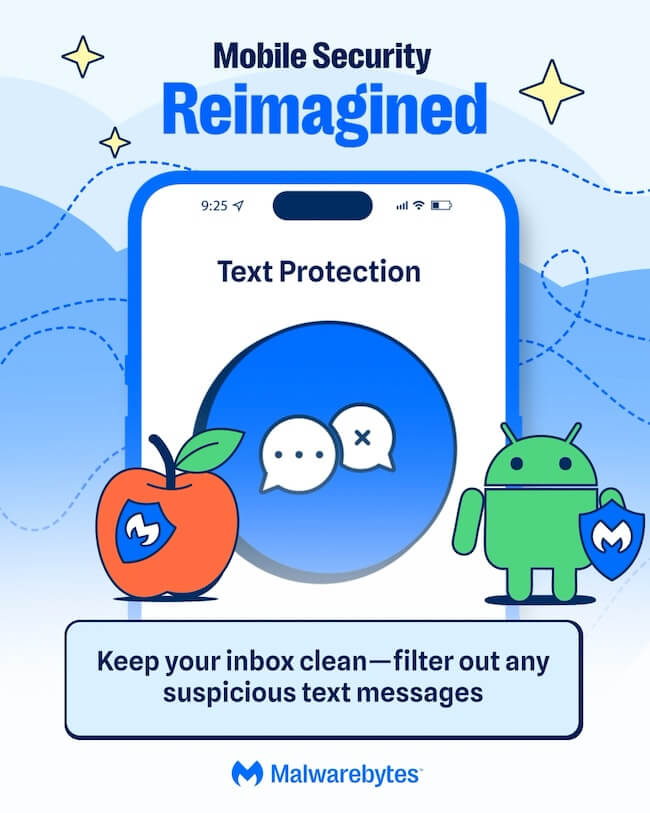
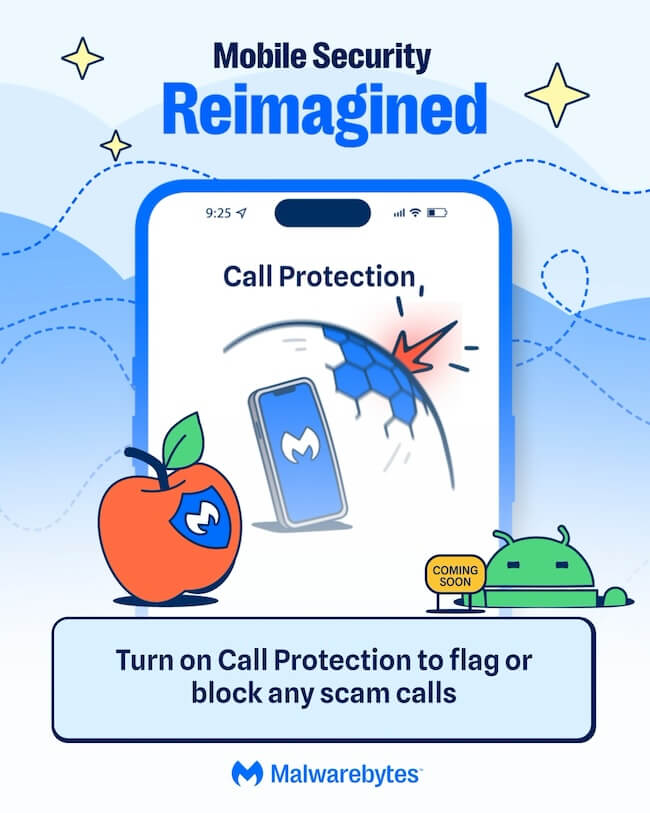
Text and Call Protection now catches significantly more junk and scam messages than before. Updated filtering that reviews shortened links more closely and flags suspicious content, like romance-scam language or unexpected money requests, before it reaches your inbox. Call Protection checks every incoming call against known scam and spam numbers, so you can block or flag them automatically instead of gambling on whether to pick up. It’s live now on iOS, with Android rolling out later this summer. 

Malwarebytes Digital Footprint Portal’s free scanner shows you which of your personal details—passwords, Social Security numbers, and more—are already exposed and offers straightforward steps to keep them safe. 

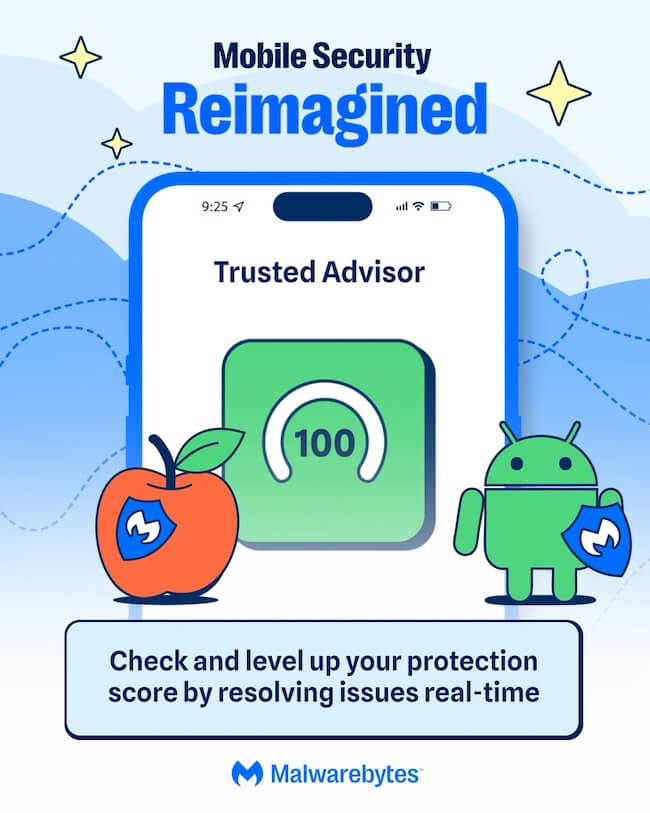
Trusted Advisor gives your device a Protection Score and recommends simple steps to strengthen your security, from adjusting settings and permissions to running a scan or updating your device. 

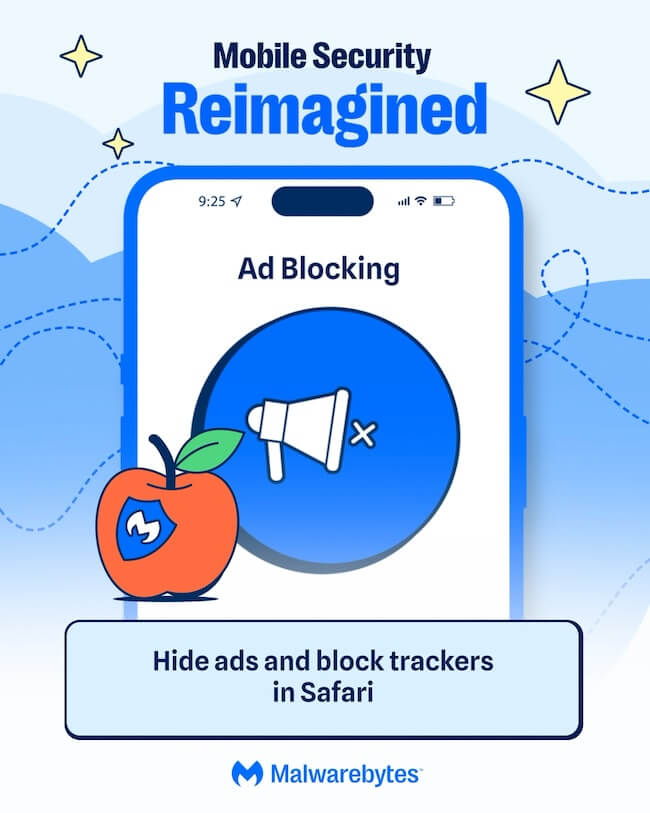
Expanded ad blocking on iOS now lets you filter Google Sponsored Ads in Safari—a browser that scammers frequently abuse to make fraudulent campaigns look legitimate. 

Android Junk Cleaner removes leftover files, temporary data, and outdated cache files that build up on your device over time. A cleaner, faster phone is easier to manage and gives you the space you need to install important security updates.

  • Malwarebytes Mobile Security
  • Malwarebytes Mobile Security
  • Malwarebytes Mobile Security
  • Malwarebytes Mobile Security
  • Malwarebytes Mobile Security
  • Malwarebytes Mobile Security
  • Malwarebytes Mobile Security
  • Malwarebytes Mobile Security
  • Malwarebytes Mobile Security
  • Malwarebytes Mobile Security

There’s more 

Here’s everything else Mobile Security protects you from: 

Our Malware Scanner (Android) scans for and removes malware and potentially unwanted programs, including screen lockers and adware. 

Real-Time Protection (Android) proactively defends against ransomware, PUPs, and phishing attempts in real time. 

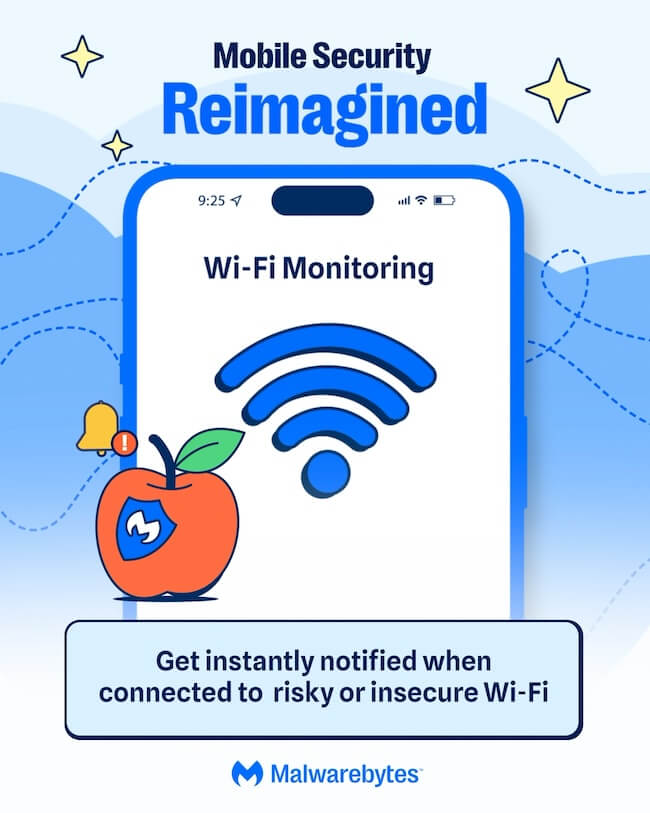
Wi-Fi Monitoring (iOS) warns you when you connect to an insecure network so you can take action by turning on your VPN. 

Malwarebytes Privacy VPN keeps your browsing private with a fast WireGuard connection and a strict no-logs policy supported by diskless, RAM-only server infrastructure. 

Phone scams aren’t going anywhere, but protecting yourself doesn’t have to be complicated. Malwarebytes Mobile Security brings together the tools you need to recognize scams, protect your privacy, and keep your phone safer, all in one app. 

Download Malwarebytes Mobile Security for iOS or Android and use your phone with more confidence. 

  •  

We rebuilt Malwarebytes Mobile Security for the scams of today 

Nearly half of people encounter a scam on their phone every single day. Malwarebytes is doing something about it.  

That figure comes from a 2025 Malwarebytes survey of 1,300 respondents across the US and Europe. The results paint a troubling picture. A quarter of the victims surveyed reported being harassed or blackmailed, while nearly one in five had private information exposed, and 15% lost money.  

“I felt like I was in a horror movie,” said one survey respondent. “I never thought it would happen to me like this.”  

Your phone is a scammer’s dream. You use it to bank, message, shop, and more. It’s an ideal gateway for anyone looking to take advantage of you. And today’s scams aren’t limited to just one app or program. They show up as texts and delivery notifications, as calls that spoof a trusted number, and as social media DMs. 

Increasingly, AI is making all of this much harder to detect. Malwarebytes research found that half of people feel unprepared for the sophistication of these AI-driven threats. Phone scams now rank among the top five scam types people encounter, according to Malwarebytes Scam Guard data.  

Part of the problem is misplaced trust. According to Malwarebytes’ data, roughly half of people—55% of iPhone owners and 50% of Android owners—said they believe their phone’s security is enough to keep them safe. But relying on those protections alone can leave people vulnerable. 

Malwarebytes detected more than 800,000 distinct strains of Android malware last year and expects that number to cross 1 million in 2026. 

Your phone needs more than just a lock screen to stay safe. That’s why we’ve rebuilt Malwarebytes Mobile Security. It puts scam protection first, and it’s backed by all our other tools to keep your phone secure. 

Built for today’s scams 

Here’s how Malwarebytes Mobile Security helps keep scams away from you and your data. 

Scam Guard is a free AI-powered tool built into Mobile Security for both Android and iOS. Got a suspicious text, email, phone number, link, or message? Drop it into Scam Guard and get an instant read on whether it’s a scam, along with guidance on what to do next.  

Text and Call Protection now catches significantly more junk and scam messages than before. Updated filtering that reviews shortened links more closely and flags suspicious content, like romance-scam language or unexpected money requests, before it reaches your inbox. Call Protection checks every incoming call against known scam and spam numbers, so you can block or flag them automatically instead of gambling on whether to pick up. It’s live now on iOS, with Android rolling out later this summer. 

Malwarebytes Digital Footprint Portal’s free scanner shows you which of your personal details—passwords, Social Security numbers, and more—are already exposed and offers straightforward steps to keep them safe. 

Trusted Advisor gives your device a Protection Score and recommends simple steps to strengthen your security, from adjusting settings and permissions to running a scan or updating your device. 

Expanded ad blocking on iOS now lets you filter Google Sponsored Ads in Safari—a browser that scammers frequently abuse to make fraudulent campaigns look legitimate. 

Android Junk Cleaner removes leftover files, temporary data, and outdated cache files that build up on your device over time. A cleaner, faster phone is easier to manage and gives you the space you need to install important security updates.

  • Malwarebytes Mobile Security
  • Malwarebytes Mobile Security
  • Malwarebytes Mobile Security
  • Malwarebytes Mobile Security
  • Malwarebytes Mobile Security
  • Malwarebytes Mobile Security
  • Malwarebytes Mobile Security
  • Malwarebytes Mobile Security
  • Malwarebytes Mobile Security
  • Malwarebytes Mobile Security

There’s more 

Here’s everything else Mobile Security protects you from: 

Our Malware Scanner (Android) scans for and removes malware and potentially unwanted programs, including screen lockers and adware. 

Real-Time Protection (Android) proactively defends against ransomware, PUPs, and phishing attempts in real time. 

Wi-Fi Monitoring (iOS) warns you when you connect to an insecure network so you can take action by turning on your VPN. 

Malwarebytes Privacy VPN keeps your browsing private with a fast WireGuard connection and a strict no-logs policy supported by diskless, RAM-only server infrastructure. 

Phone scams aren’t going anywhere, but protecting yourself doesn’t have to be complicated. Malwarebytes Mobile Security brings together the tools you need to recognize scams, protect your privacy, and keep your phone safer, all in one app. 

Download Malwarebytes Mobile Security for iOS or Android and use your phone with more confidence. 

  •  

Aftercall ads are driving Android users crazy

Aftercall is a wave of deceptive Android apps on Google Play that pose as everyday tools while bombarding users with pop-up ads after every phone call.

When an unexpected ad pops up every time you hang up a call, it will slowly drive you crazy, especially if you can’t figure out what’s causing it. The ads appear outside the app’s normal context, making it difficult for users to identify and remove the culprit. 

Researchers investigating the campaign discovered a collection of these apps that masquerade as alarm clocks, calendars, and other seemingly harmless apps. After installation, they ask for permission to “appear on top” of other apps. That means they can show a full-screen ad every time you end a call, then hide themselves, making them difficult for users to find and uninstall.

Because the ads appear after you end a call, the researchers dubbed the campaign “Aftercall.”

How the Aftercall scheme works

Think of these apps as fake helpers that piggyback on your phone calls purely to generate ad impressions.

The apps disguise themselves as alarm clocks, calendars, note-taking apps, cleaners, or “super fast” messaging apps and are distributed through the Google Play Store. Researchers found dozens of new apps released every month, collectively responsible for hundreds of millions of ad impressions. 

They trick users into granting overlay permissions. Because Android doesn’t allow this permission to be granted through a standard pop-up, the app has to direct users into Settings, where they must enable it manually. To persuade them, the apps invent plausible reasons. One researcher explained:

“In one example, the alarm app explains that it needs to go off even when the phone is locked – without granting permission, alarms might not appear correctly. Another app, a calendar, doesn’t even leave users a choice – it simply closes, unless they grant the permission.”

Some of these apps also request full-screen notification permissions, allowing them to show ads even when the device is locked.

Aftercall apps monitor the phone’s call state. When it changes from “ringing” to “idle,” indicating that a call has ended, they immediately launch an activity using their overlay permission to pop a screen over everything else and show an ad.

To make the ads seem more legitimate, they wrap them in a fake “call info” screen, complete with caller details, a fake profile picture, and text suggesting the ad relates to the app’s functionality. For the user, this feels like some new post-call feature rather than an unrelated app showing adverts.

They hide to avoid detection and removal. Aftercall apps remove themselves from the “Recent apps” list so when users try the usual “swipe away the suspicious app” approach, they don’t see anything obvious.

How to stay safe

Besides being incredibly annoying for users, the Aftercall campaign also wastes advertisers’ money. After all, would you buy something pushed in this way?

If you see ads pop up right after you end a call, especially alongside fake “call info,” check which apps have the “appear on top” or overlay permissions.

The exact steps vary depending on your phone manufacturer and Android version, but you can usually find them by looking at Settings > Apps > More options (3 vertical dots) > Special access > Appear on top.

Look for apps you don’t recognize, rarely use, or that shouldn’t need overlay access, such as a simple notes app, clock, or cleaner. Disable their “Allow to appear on top” or “Display over other apps” permission. If you’re confident you’ve identified the culprit, uninstall it.

Use an up-to-date, real-time anti-malware app for your device to detect and remove malicious apps.

When installing apps, think carefully before granting permissions. Does the app really need the access it’s asking for to perform its function?

Finally, make sure Google Play Protect is enabled so it can regularly scan apps for known malicious behavior.

  • Open the Google Play Store app on your phone.
  • Tap your profile icon in the top-right corner.
  • Tap Play Protect.
  • Look at the main screen or tap the Settings gear icon to see if Scan apps with Play Protect is turned on.

Scammers know more about you than you think. 

Malwarebytes Mobile Security protects you from phishing, scam texts, malicious sites, and more. With real-time AI-powered Scam Guard built right in. 

Download for iOS → Download for Android → 

  •  

Aftercall ads are driving Android users crazy

Aftercall is a wave of deceptive Android apps on Google Play that pose as everyday tools while bombarding users with pop-up ads after every phone call.

When an unexpected ad pops up every time you hang up a call, it will slowly drive you crazy, especially if you can’t figure out what’s causing it. The ads appear outside the app’s normal context, making it difficult for users to identify and remove the culprit. 

Researchers investigating the campaign discovered a collection of these apps that masquerade as alarm clocks, calendars, and other seemingly harmless apps. After installation, they ask for permission to “appear on top” of other apps. That means they can show a full-screen ad every time you end a call, then hide themselves, making them difficult for users to find and uninstall.

Because the ads appear after you end a call, the researchers dubbed the campaign “Aftercall.”

How the Aftercall scheme works

Think of these apps as fake helpers that piggyback on your phone calls purely to generate ad impressions.

The apps disguise themselves as alarm clocks, calendars, note-taking apps, cleaners, or “super fast” messaging apps and are distributed through the Google Play Store. Researchers found dozens of new apps released every month, collectively responsible for hundreds of millions of ad impressions. 

They trick users into granting overlay permissions. Because Android doesn’t allow this permission to be granted through a standard pop-up, the app has to direct users into Settings, where they must enable it manually. To persuade them, the apps invent plausible reasons. One researcher explained:

“In one example, the alarm app explains that it needs to go off even when the phone is locked – without granting permission, alarms might not appear correctly. Another app, a calendar, doesn’t even leave users a choice – it simply closes, unless they grant the permission.”

Some of these apps also request full-screen notification permissions, allowing them to show ads even when the device is locked.

Aftercall apps monitor the phone’s call state. When it changes from “ringing” to “idle,” indicating that a call has ended, they immediately launch an activity using their overlay permission to pop a screen over everything else and show an ad.

To make the ads seem more legitimate, they wrap them in a fake “call info” screen, complete with caller details, a fake profile picture, and text suggesting the ad relates to the app’s functionality. For the user, this feels like some new post-call feature rather than an unrelated app showing adverts.

They hide to avoid detection and removal. Aftercall apps remove themselves from the “Recent apps” list so when users try the usual “swipe away the suspicious app” approach, they don’t see anything obvious.

How to stay safe

Besides being incredibly annoying for users, the Aftercall campaign also wastes advertisers’ money. After all, would you buy something pushed in this way?

If you see ads pop up right after you end a call, especially alongside fake “call info,” check which apps have the “appear on top” or overlay permissions.

The exact steps vary depending on your phone manufacturer and Android version, but you can usually find them by looking at Settings > Apps > More options (3 vertical dots) > Special access > Appear on top.

Look for apps you don’t recognize, rarely use, or that shouldn’t need overlay access, such as a simple notes app, clock, or cleaner. Disable their “Allow to appear on top” or “Display over other apps” permission. If you’re confident you’ve identified the culprit, uninstall it.

Use an up-to-date, real-time anti-malware app for your device to detect and remove malicious apps.

When installing apps, think carefully before granting permissions. Does the app really need the access it’s asking for to perform its function?

Finally, make sure Google Play Protect is enabled so it can regularly scan apps for known malicious behavior.

  • Open the Google Play Store app on your phone.
  • Tap your profile icon in the top-right corner.
  • Tap Play Protect.
  • Look at the main screen or tap the Settings gear icon to see if Scan apps with Play Protect is turned on.

Scammers know more about you than you think. 

Malwarebytes Mobile Security protects you from phishing, scam texts, malicious sites, and more. With real-time AI-powered Scam Guard built right in. 

Download for iOS → Download for Android → 

  •  

Rokarolla Android malware can take over your phone and steal banking logins

Researchers have analyzed a new Android banking Trojan called Rokarolla. It can effectively take over a device, steal banking and crypto login details from more than 200 apps, and quietly monitor much of what you do on your phone.

On an infected device, Rokarolla steals banking and crypto login details. It also uses fake lock-screen overlays to capture your PIN, pattern, or password.

When you open one of the banking or crypto apps on Rokarolla’s target list, the malware downloads and displays a matching fake login page over the real app. Anything you type into the fake page, including usernames, passwords, and card numbers, is sent to the attackers.

Separately, Rokarolla abuses Android’s Accessibility features to monitor activity across the device. It can recognize WhatsApp screens by looking for familiar labels such as “Chats” and “Calls,” extract contact information, read SMS messages, and send new ones. These capabilities can help it intercept one-time passwords (OTPs) and two-factor authentication (2FA) codes.

Rokarolla can take control of text messages and phone calls, helping it block security alerts and hide signs of fraud.

It can also record everything you type and see on the screen. If you copy and paste a cryptocurrency wallet address, the malware can secretly replace it with one belonging to the attackers.

Other features help the malware stay hidden, including the ability to hide its icon, silence the device, turn off Google Play Protect, and prevent the screen from going to sleep.

How it spreads

Rokarolla is distributed through rogue websites, where it is offered as fake versions of popular apps like TikTok or Chrome.

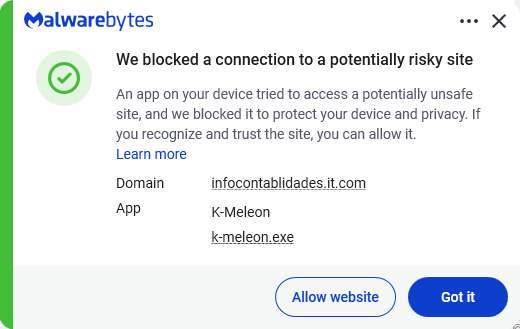
Malwarebytes blocks the download site

Instead of sending you to the official Google Play Store, these malicious sites push you to download the app directly, a process known as sideloading. After you install it, the fake app poses as Google Play Protect and quietly downloads and installs the malware that carries out the attack.

To gain the access it needs, the fake app asks for powerful permissions, including Accessibility access, the permission to read SMS messages, and access to notifications. Because these requests can look legitimate, many users may approve them without realizing the risks.

How to stay safe

To avoid banking Trojans like Rokarolla, there are a few guidelines you should follow:

  • Don’t trust apps that claim to be Google Play Protect or another system component. You should never need to install these manually.
  • Use up-to-date, real-time anti-malware protection with web protection on your devices.
  • Don’t sideload apps that are available on the Google Play Store. While malware can sometimes slip into official stores, the risk is much greater elsewhere.
  • Deny powerful permissions to apps downloaded from links or websites, especially if they ask for Accessibility access, SMS permissions, or the ability to handle calls, even though that doesn’t match their stated purpose.
  • In fact, any request for Accessibility access should be treated with caution. If an app that is not clearly an accessibility tool asks for it, deny the request and reconsider whether you trust the source.
  • Scrutinize banking and crypto login screens. If something looks off, or you see multiple login prompts, close the app and relaunch it from its official icon.

Scammers know more about you than you think. 

Malwarebytes Mobile Security protects you from phishing, scam texts, malicious sites, and more. With real-time AI-powered Scam Guard built right in. 

Download for iOS → Download for Android → 

  •  

Rokarolla Android malware can take over your phone and steal banking logins

Researchers have analyzed a new Android banking Trojan called Rokarolla. It can effectively take over a device, steal banking and crypto login details from more than 200 apps, and quietly monitor much of what you do on your phone.

On an infected device, Rokarolla steals banking and crypto login details. It also uses fake lock-screen overlays to capture your PIN, pattern, or password.

When you open one of the banking or crypto apps on Rokarolla’s target list, the malware downloads and displays a matching fake login page over the real app. Anything you type into the fake page, including usernames, passwords, and card numbers, is sent to the attackers.

Separately, Rokarolla abuses Android’s Accessibility features to monitor activity across the device. It can recognize WhatsApp screens by looking for familiar labels such as “Chats” and “Calls,” extract contact information, read SMS messages, and send new ones. These capabilities can help it intercept one-time passwords (OTPs) and two-factor authentication (2FA) codes.

Rokarolla can take control of text messages and phone calls, helping it block security alerts and hide signs of fraud.

It can also record everything you type and see on the screen. If you copy and paste a cryptocurrency wallet address, the malware can secretly replace it with one belonging to the attackers.

Other features help the malware stay hidden, including the ability to hide its icon, silence the device, turn off Google Play Protect, and prevent the screen from going to sleep.

How it spreads

Rokarolla is distributed through rogue websites, where it is offered as fake versions of popular apps like TikTok or Chrome.

Malwarebytes blocks the download site

Instead of sending you to the official Google Play Store, these malicious sites push you to download the app directly, a process known as sideloading. After you install it, the fake app poses as Google Play Protect and quietly downloads and installs the malware that carries out the attack.

To gain the access it needs, the fake app asks for powerful permissions, including Accessibility access, the permission to read SMS messages, and access to notifications. Because these requests can look legitimate, many users may approve them without realizing the risks.

How to stay safe

To avoid banking Trojans like Rokarolla, there are a few guidelines you should follow:

  • Don’t trust apps that claim to be Google Play Protect or another system component. You should never need to install these manually.
  • Use up-to-date, real-time anti-malware protection with web protection on your devices.
  • Don’t sideload apps that are available on the Google Play Store. While malware can sometimes slip into official stores, the risk is much greater elsewhere.
  • Deny powerful permissions to apps downloaded from links or websites, especially if they ask for Accessibility access, SMS permissions, or the ability to handle calls, even though that doesn’t match their stated purpose.
  • In fact, any request for Accessibility access should be treated with caution. If an app that is not clearly an accessibility tool asks for it, deny the request and reconsider whether you trust the source.
  • Scrutinize banking and crypto login screens. If something looks off, or you see multiple login prompts, close the app and relaunch it from its official icon.

Scammers know more about you than you think. 

Malwarebytes Mobile Security protects you from phishing, scam texts, malicious sites, and more. With real-time AI-powered Scam Guard built right in. 

Download for iOS → Download for Android → 

  •  

Stolen iPhones could soon be worth a lot less to thieves

The UK’s Metropolitan Police has reached an agreement with Apple designed to make stolen iPhones harder to resell and less attractive to thieves. The approach combines stronger technical protections with direct data sharing between Apple and law enforcement.

In 2023, about 1.4 million mobile phones were stolen in the US alone. London is reportedly one of the worst cities for phone theft, with around 200 devices stolen every day. 

As part of this effort, Apple has strengthened its Stolen Device Protection feature in iOS 26.4, making it harder for thieves to change security settings, factory‑reset a stolen iPhone, or set it up as new.

Previously, thieves with your passcode (or who snatched your iPhone while it was still unlocked) could factory reset it, wiping your account and making the device look new for resale. Stolen Device Protection blocks this, requiring biometric authentication, not just a passcode, to make critical changes.

The Met has started sharing identifiers for reported stolen devices with Apple. In return, Apple can provide data on whether those devices later attempt to reconnect to a network or attempt to be reactivated.

Police say this gives them a better picture of what happens to stolen devices: Are they being switched back on locally? Shipped abroad? Broken down for parts?

Met Police Commissioner Sir Mark Rowley said Apple believes it has “cracked” the engineering problem. Phone thefts in London have since fallen 18% year-on-year, with Westminster (the capital’s worst-affected borough) down 45.8%.

Given the early signs of success, the Met is pressing for broader changes.

The Commissioner has written to the Home Secretary asking for laws that would require all phone manufacturers and mobile operators to share information about stolen devices and implement measures that make stolen handsets unusable. 

As part of that effort, the Met has explicitly said that Samsung and Google are also improving device security to address phone theft, suggesting this will become an industry‑wide expectation rather than an Apple‑only initiative.

Possible pitfalls

From a privacy perspective, it’s important to keep an eye on what data is shared, and who can see it.

Reports so far suggest that Apple and the Met are exchanging device identifiers and high‑level information about whether a stolen phone has attempted to reconnect or be reactivated. In theory, that sounds narrow and purpose‑bound: device X was reported stolen, later tried to come online in country Y, at time Z. There is no public indication that content, contacts, or location histories are being handed over wholesale.

There’s also a risk of someone reporting your phone as stolen. If a device is incorrectly marked as stolen, the protections designed to stop thieves could lock an innocent user out, turning a valuable asset into a brick. Without transparent appeal mechanisms, this is a notable concern.

The measures could also create challenges for recycling initiatives, legitimate repair shops, and refurbishers. They may face additional hurdles when diagnosing, restoring, or reselling devices if anti-theft protections become more restrictive.

Stay safe

Make sure your phone is protected with a strong passcode and biometric security, such as Face ID or a fingerprint.

Enable Apple’s Find My feature, or the Android equivalent, and make sure it is linked to a strong account password.

Keep lock screen notifications to a minimum so thieves cannot quickly access your sensitive information if they get hold of your device.

When buying a used phone, use a reputable seller and make sure the device has been reset by its owner. Complete the initial setup process with the seller present to confirm the phone isn’t locked to someone else’s account or reported stolen.


Scammers know more about you than you think. 

Malwarebytes Mobile Security protects you from phishing, scam texts, malicious sites, and more. With real-time AI-powered Scam Guard built right in. 

Download for iOS → Download for Android → 

  •  

Stolen iPhones could soon be worth a lot less to thieves

The UK’s Metropolitan Police has reached an agreement with Apple designed to make stolen iPhones harder to resell and less attractive to thieves. The approach combines stronger technical protections with direct data sharing between Apple and law enforcement.

In 2023, about 1.4 million mobile phones were stolen in the US alone. London is reportedly one of the worst cities for phone theft, with around 200 devices stolen every day. 

As part of this effort, Apple has strengthened its Stolen Device Protection feature in iOS 26.4, making it harder for thieves to change security settings, factory‑reset a stolen iPhone, or set it up as new.

Previously, thieves with your passcode (or who snatched your iPhone while it was still unlocked) could factory reset it, wiping your account and making the device look new for resale. Stolen Device Protection blocks this, requiring biometric authentication, not just a passcode, to make critical changes.

The Met has started sharing identifiers for reported stolen devices with Apple. In return, Apple can provide data on whether those devices later attempt to reconnect to a network or attempt to be reactivated.

Police say this gives them a better picture of what happens to stolen devices: Are they being switched back on locally? Shipped abroad? Broken down for parts?

Met Police Commissioner Sir Mark Rowley said Apple believes it has “cracked” the engineering problem. Phone thefts in London have since fallen 18% year-on-year, with Westminster (the capital’s worst-affected borough) down 45.8%.

Given the early signs of success, the Met is pressing for broader changes.

The Commissioner has written to the Home Secretary asking for laws that would require all phone manufacturers and mobile operators to share information about stolen devices and implement measures that make stolen handsets unusable. 

As part of that effort, the Met has explicitly said that Samsung and Google are also improving device security to address phone theft, suggesting this will become an industry‑wide expectation rather than an Apple‑only initiative.

Possible pitfalls

From a privacy perspective, it’s important to keep an eye on what data is shared, and who can see it.

Reports so far suggest that Apple and the Met are exchanging device identifiers and high‑level information about whether a stolen phone has attempted to reconnect or be reactivated. In theory, that sounds narrow and purpose‑bound: device X was reported stolen, later tried to come online in country Y, at time Z. There is no public indication that content, contacts, or location histories are being handed over wholesale.

There’s also a risk of someone reporting your phone as stolen. If a device is incorrectly marked as stolen, the protections designed to stop thieves could lock an innocent user out, turning a valuable asset into a brick. Without transparent appeal mechanisms, this is a notable concern.

The measures could also create challenges for recycling initiatives, legitimate repair shops, and refurbishers. They may face additional hurdles when diagnosing, restoring, or reselling devices if anti-theft protections become more restrictive.

Stay safe

Make sure your phone is protected with a strong passcode and biometric security, such as Face ID or a fingerprint.

Enable Apple’s Find My feature, or the Android equivalent, and make sure it is linked to a strong account password.

Keep lock screen notifications to a minimum so thieves cannot quickly access your sensitive information if they get hold of your device.

When buying a used phone, use a reputable seller and make sure the device has been reset by its owner. Complete the initial setup process with the seller present to confirm the phone isn’t locked to someone else’s account or reported stolen.


Scammers know more about you than you think. 

Malwarebytes Mobile Security protects you from phishing, scam texts, malicious sites, and more. With real-time AI-powered Scam Guard built right in. 

Download for iOS → Download for Android → 

  •  

Children’s phones must block nude images by September, UK says

Build something that doesn’t exist. Don’t collect any data while you do it. Get it wrong and the CEO could face criminal charges. That’s close to the ultimatum the UK government handed Apple and Google on June 8. The two companies have three months to introduce device-level protections blocking nudity across every smartphone and tablet sold in the UK. If they don’t, the government will legislate—including fines and, as a last resort, criminal liability for tech bosses.

Prime Minister Keir Starmer announced the move at London Tech Week, telling the firms:

“If they choose not to, then we will act and change the law.”

The policy reads cleanly. The execution doesn’t.

What’s already on your child’s phone, and what isn’t

Both companies already do something to prevent children interacting with nudes. Apple’s Communication Safety feature warns children with a Child Account when they send or receive images and videos containing nudity across Messages, AirDrop, FaceTime, and other apps. It updated the feature with new functionality at its Worldwide Developer Conference (WWDC) this week.

Google’s Sensitive Content Warnings blur sensitive imagery in Google Messages for supervised users and signed-in unsupervised teens—though the feature covers images only, not video.

Apple will soon require people to confirm that they are over 18 in the UK and some other countries to access certain features on their phones. That will involve age assurance through government ID, payment information, or other verification methods depending on region.

These measures aren’t enough, according to the UK government. It complains that existing nudity detection isn’t applied to the camera or other apps, third-party messaging services, or search functions. So in other words, the protections miss most of the phone. The camera, WhatsApp, Signal, Safari, and the photo library all sit outside the protective bubble parents may assume already exists.

Is privacy-respecting scanning possible?

The announcement also contains a line that’s hard to reconcile with the rest of it:

“Companies must introduce these measures without threatening privacy or collecting any data.”

Adults can opt out, but only by completing age verification.

That’s a tall order. Privacy advocates argue that age verification inevitably creates new data collection risks, even when companies try to minimize the information they store. Whatever Apple and Google build, some form of record-keeping seems likely. If executives can face personal liability for non-compliance, someone has to be able to demonstrate what the system did and when.

The government’s proof that any of this is achievable rests on a single product: SafeToNet’s HarmBlock, which the Home Office calls “a proven example” of safe-by-default device protection. HarmBlock’s source code (which isn’t public) analyzes images and live streams entirely on-device.

Digital privacy groups were not happy with the announcement. Big Brother Watch pointed out that children could easily access adult-registered devices, and warned that mandatory ID checks for adults would mean “the death of anonymity and internet privacy.”

Private messaging app Signal said promises the scanning would run only on-device were “cold comfort” because wherever the system runs, its reach would ultimately be determined by government, not technology:

“Its scope will be defined by the whims and proscriptions of the government to detect nudity today and political speech tomorrow.”

Apple has been here before. In 2021, it announced a separate plan to detect known child sexual abuse imagery on devices by matching image hashes against a database of known material, and quietly shelved it after sustained backlash from privacy advocates.

What families can do today

September will end in voluntary compliance or hurried legislation. Either way, none of that changes what’s on your child’s phone right now. Today, the messaging channels most heavily used by teenagers aren’t protected. Many grooming and sextortion cases begin on apps that operate outside the operating system’s built-in safety features. Parents and kids can take extra steps for protection:

  • Turn on Communication Safety on iPhones with a Child Account, and Sensitive Content Warnings on supervised Android Messages. They might only blunt the problem at one narrow point, but it’s better than nothing.
  • Talk to your kids about coerced sharing. The Internet Watch Foundation reported that 91% of reports it assessed in 2024 contained self-generated content submitted by children themselves. Children are often coerced into sending explicit material to abusers online. The Internet Watch Foundation has a list of resources for people who are being coerced into sending intimate images online.
  • Cover the basics that outlive any policy: put unique passwords on all accounts, and add multi-factor authentication.
  • Be careful when sharing images of children you know online. Increasingly, criminals can use non-explicit images to create sexual content using AI that can in turn be used for extortion.

CNET Editors' Choice Award 2026

“One of the best cybersecurity suites on the planet.” 

According to CNET. Read their review


  •  

Children’s phones must block nude images by September, UK says

Build something that doesn’t exist. Don’t collect any data while you do it. Get it wrong and the CEO could face criminal charges. That’s close to the ultimatum the UK government handed Apple and Google on June 8. The two companies have three months to introduce device-level protections blocking nudity across every smartphone and tablet sold in the UK. If they don’t, the government will legislate—including fines and, as a last resort, criminal liability for tech bosses.

Prime Minister Keir Starmer announced the move at London Tech Week, telling the firms:

“If they choose not to, then we will act and change the law.”

The policy reads cleanly. The execution doesn’t.

What’s already on your child’s phone, and what isn’t

Both companies already do something to prevent children interacting with nudes. Apple’s Communication Safety feature warns children with a Child Account when they send or receive images and videos containing nudity across Messages, AirDrop, FaceTime, and other apps. It updated the feature with new functionality at its Worldwide Developer Conference (WWDC) this week.

Google’s Sensitive Content Warnings blur sensitive imagery in Google Messages for supervised users and signed-in unsupervised teens—though the feature covers images only, not video.

Apple will soon require people to confirm that they are over 18 in the UK and some other countries to access certain features on their phones. That will involve age assurance through government ID, payment information, or other verification methods depending on region.

These measures aren’t enough, according to the UK government. It complains that existing nudity detection isn’t applied to the camera or other apps, third-party messaging services, or search functions. So in other words, the protections miss most of the phone. The camera, WhatsApp, Signal, Safari, and the photo library all sit outside the protective bubble parents may assume already exists.

Is privacy-respecting scanning possible?

The announcement also contains a line that’s hard to reconcile with the rest of it:

“Companies must introduce these measures without threatening privacy or collecting any data.”

Adults can opt out, but only by completing age verification.

That’s a tall order. Privacy advocates argue that age verification inevitably creates new data collection risks, even when companies try to minimize the information they store. Whatever Apple and Google build, some form of record-keeping seems likely. If executives can face personal liability for non-compliance, someone has to be able to demonstrate what the system did and when.

The government’s proof that any of this is achievable rests on a single product: SafeToNet’s HarmBlock, which the Home Office calls “a proven example” of safe-by-default device protection. HarmBlock’s source code (which isn’t public) analyzes images and live streams entirely on-device.

Digital privacy groups were not happy with the announcement. Big Brother Watch pointed out that children could easily access adult-registered devices, and warned that mandatory ID checks for adults would mean “the death of anonymity and internet privacy.”

Private messaging app Signal said promises the scanning would run only on-device were “cold comfort” because wherever the system runs, its reach would ultimately be determined by government, not technology:

“Its scope will be defined by the whims and proscriptions of the government to detect nudity today and political speech tomorrow.”

Apple has been here before. In 2021, it announced a separate plan to detect known child sexual abuse imagery on devices by matching image hashes against a database of known material, and quietly shelved it after sustained backlash from privacy advocates.

What families can do today

September will end in voluntary compliance or hurried legislation. Either way, none of that changes what’s on your child’s phone right now. Today, the messaging channels most heavily used by teenagers aren’t protected. Many grooming and sextortion cases begin on apps that operate outside the operating system’s built-in safety features. Parents and kids can take extra steps for protection:

  • Turn on Communication Safety on iPhones with a Child Account, and Sensitive Content Warnings on supervised Android Messages. They might only blunt the problem at one narrow point, but it’s better than nothing.
  • Talk to your kids about coerced sharing. The Internet Watch Foundation reported that 91% of reports it assessed in 2024 contained self-generated content submitted by children themselves. Children are often coerced into sending explicit material to abusers online. The Internet Watch Foundation has a list of resources for people who are being coerced into sending intimate images online.
  • Cover the basics that outlive any policy: put unique passwords on all accounts, and add multi-factor authentication.
  • Be careful when sharing images of children you know online. Increasingly, criminals can use non-explicit images to create sexual content using AI that can in turn be used for extortion.

CNET Editors' Choice Award 2026

“One of the best cybersecurity suites on the planet.” 

According to CNET. Read their review


  •  

Fake virus alerts are invading mobile games

Sometimes it happens. You’re happily playing a game on your phone or laptop when suddenly alarms pop up out of nowhere:

“Your device is infected!”

“Your iCloud is full!”

“Your account is restricted for watching porn!”

Some games can be played for free if you agree to watch ads, and in others you can get extra lives, perks, or boosters by watching ads. That’s fine, as long as you’re given a choice and the ads are legitimate.

Unfortunately, cybercriminals sometimes manage to buy advertising space and use it to defraud gamers.

Let’s look at some examples.

The iCloud storage scam, or its OneDrive equivalent, is a well-known and long-running scam that claims you need to expand your storage or all your files will be deleted. The websites these messages link to come in many forms, but they all ask for personal and payment details to complete the upgrade.

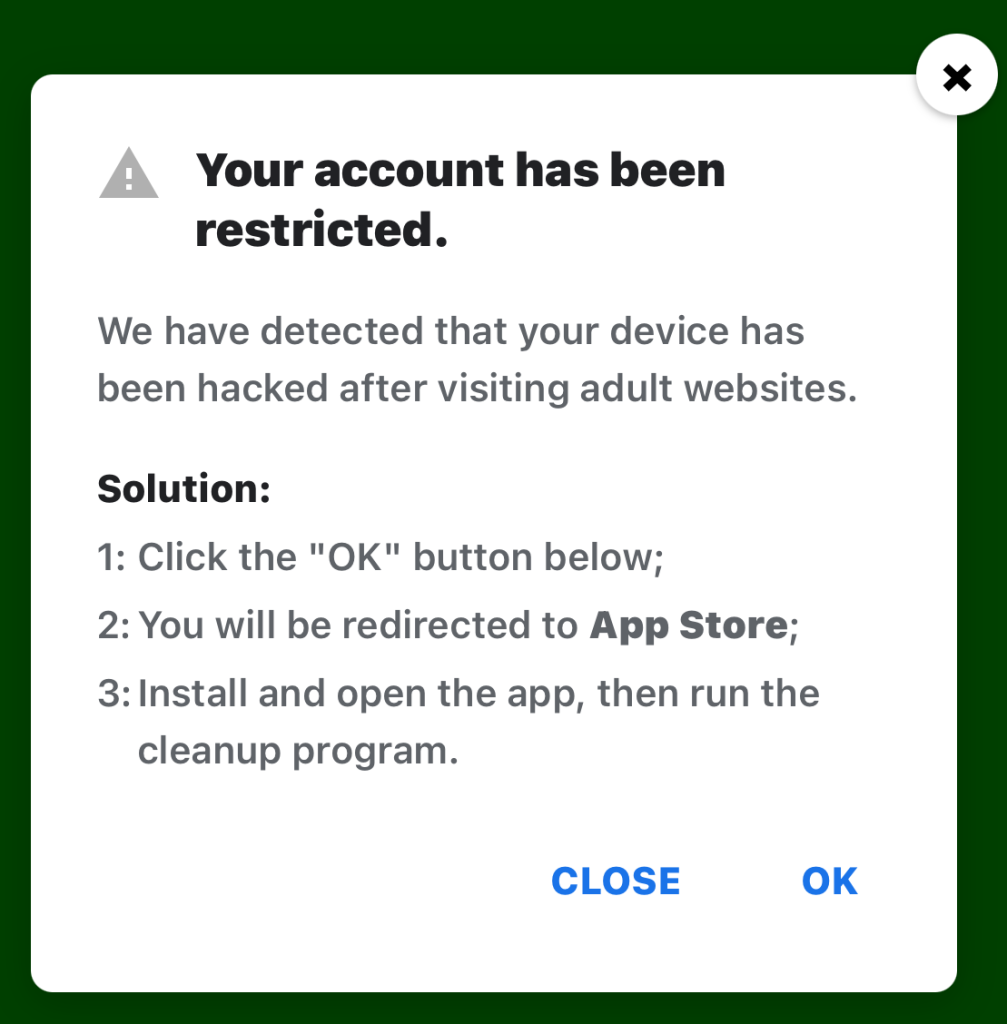
Restricted account

“Your account has been restricted.
We have detected that your device has been hacked after visiting adult websites.
Solution:
1:Click the “OK” button below;

2:You will be redirected to App Store;

3:Install and open the app, then run the cleanup program.”

This ad is a scam and uses a classic scare tactic. It falsely claims your device has been hacked and tries to pressure you into clicking “OK” and installing a cleanup app.

Messages like this sometimes claim to be from your ISP, a “Security Department,” or a generic “Safety Center.”

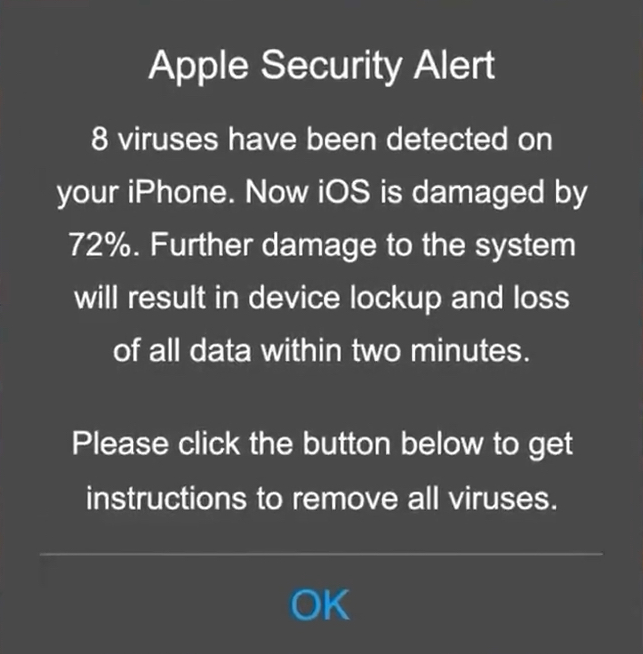
 Fake Apple security alert

“Apple Security Alert
8 viruses have been detected on your iPhone. Now iOS is damaged by 72%. Further damage to the system will result in device lockup and loss of all data within two minutes.
Please click the button below to remove all viruses.”

This is another fake warning, commonly used by scammers to trick users into clicking links or downloading unnecessary or harmful software. Apple doesn’t send alerts like this, and these messages use vague threats to get your attention.

What kind of app you’re really installing if you follow the instructions depends on your device and your location. If you’re “lucky,” it’s just adware, but you might just as easily end up with an infostealer.

In many cases, you’ll end up with fleeceware, a type of deceptive mobile app where developers lure users in with short free trials that quickly convert into hidden subscription fees, sometimes costing hundreds of dollars per month. These apps often offer some functionality to stay on the barely legal side of things, but at wildly inflated prices.

How to stay safe

The best response to these messages is simply to ignore them.

Real system alerts come from the OS, not from inside a game window or browser tab. Here’s a simple test: If you can switch apps and the “warning” disappears with the browser/game, it was not a system‑level alert.

Check the destination URLs before proceeding. Apple, Google, and major ISPs use predictable domains. A familiar-looking URL is not proof that a message is legitimate, but if the URL looks suspicious, it should definitely be treated as a scam.


Scam or legit? Scam Guard knows.


You may arrive at something that looks like the official App Store or Google Play Store. Be wary of lookalike app stores and unofficial download sites, but if you are on the real store, the app is generally safer to install. However, it’s still worth checking reviews, permissions, and the developer before proceeding.

Visit the official website of the organization the message claims to be from and log in there. If there’s a genuine problem with your account, storage, or device, you’ll find information about it through official channels.

Use an up-to-date, real-time anti-malware solution on your devices that can detect and block malicious apps.


Scammers know more about you than you think. 

Malwarebytes Mobile Security protects you from phishing, scam texts, malicious sites, and more. With real-time AI-powered Scam Guard built right in. 

Download for iOS → Download for Android → 

  •  

Fake virus alerts are invading mobile games

Sometimes it happens. You’re happily playing a game on your phone or laptop when suddenly alarms pop up out of nowhere:

“Your device is infected!”

“Your iCloud is full!”

“Your account is restricted for watching porn!”

Some games can be played for free if you agree to watch ads, and in others you can get extra lives, perks, or boosters by watching ads. That’s fine, as long as you’re given a choice and the ads are legitimate.

Unfortunately, cybercriminals sometimes manage to buy advertising space and use it to defraud gamers.

Let’s look at some examples.

The iCloud storage scam, or its OneDrive equivalent, is a well-known and long-running scam that claims you need to expand your storage or all your files will be deleted. The websites these messages link to come in many forms, but they all ask for personal and payment details to complete the upgrade.

Restricted account

“Your account has been restricted.
We have detected that your device has been hacked after visiting adult websites.
Solution:
1:Click the “OK” button below;

2:You will be redirected to App Store;

3:Install and open the app, then run the cleanup program.”

This ad is a scam and uses a classic scare tactic. It falsely claims your device has been hacked and tries to pressure you into clicking “OK” and installing a cleanup app.

Messages like this sometimes claim to be from your ISP, a “Security Department,” or a generic “Safety Center.”

 Fake Apple security alert

“Apple Security Alert
8 viruses have been detected on your iPhone. Now iOS is damaged by 72%. Further damage to the system will result in device lockup and loss of all data within two minutes.
Please click the button below to remove all viruses.”

This is another fake warning, commonly used by scammers to trick users into clicking links or downloading unnecessary or harmful software. Apple doesn’t send alerts like this, and these messages use vague threats to get your attention.

What kind of app you’re really installing if you follow the instructions depends on your device and your location. If you’re “lucky,” it’s just adware, but you might just as easily end up with an infostealer.

In many cases, you’ll end up with fleeceware, a type of deceptive mobile app where developers lure users in with short free trials that quickly convert into hidden subscription fees, sometimes costing hundreds of dollars per month. These apps often offer some functionality to stay on the barely legal side of things, but at wildly inflated prices.

How to stay safe

The best response to these messages is simply to ignore them.

Real system alerts come from the OS, not from inside a game window or browser tab. Here’s a simple test: If you can switch apps and the “warning” disappears with the browser/game, it was not a system‑level alert.

Check the destination URLs before proceeding. Apple, Google, and major ISPs use predictable domains. A familiar-looking URL is not proof that a message is legitimate, but if the URL looks suspicious, it should definitely be treated as a scam.


Scam or legit? Scam Guard knows.


You may arrive at something that looks like the official App Store or Google Play Store. Be wary of lookalike app stores and unofficial download sites, but if you are on the real store, the app is generally safer to install. However, it’s still worth checking reviews, permissions, and the developer before proceeding.

Visit the official website of the organization the message claims to be from and log in there. If there’s a genuine problem with your account, storage, or device, you’ll find information about it through official channels.

Use an up-to-date, real-time anti-malware solution on your devices that can detect and block malicious apps.


Scammers know more about you than you think. 

Malwarebytes Mobile Security protects you from phishing, scam texts, malicious sites, and more. With real-time AI-powered Scam Guard built right in. 

Download for iOS → Download for Android → 

  •  

Your phone called. It needs a cleanup.

Does it sometimes take your phone a few minutes to accomplish one simple task? That can be wildly frustrating.

But you’re in luck, because we’ve got a free tool that scans your phone for leftover files, temporary data, outdated caches and helps you clean up all that junk.

Introducing our Junk Cleaner for Android.

The new, free feature in our app clears out your unused files, helps protect your privacy, frees up valuable storage space, and improves your device’s performance.

Start cleaning up your phone now. Download the app and clear out your junk.

google-play-badge

How to clean up your Android device

1. Open the Malwarebytes app on your Android device

2. On the Junk Cleaner card, tap Clean

If this is your first time using Junk Cleaner, you’ll need to grant permissions:

  • Allow file access: Tap Give permission, then turn on Allow Malwarebytes to manage all files.
  • Allow usage access: Tap Go to Settings. Under App usage data, tap Malwarebytes, then turn on Permit access to app usage data. If the toggle is grayed out, follow the on-screen instructions to enable access.

3. Return to the Junk Cleaner screen and tap Refresh

4. Tap Select all, then Clean all

Once the cleanup is complete, you’ll see an “All clean” screen showing how much storage space you freed up.

Prefer to remove files individually? Just select the files or folders you want to delete, then tap Clean.

Important: Once files are deleted with Junk Cleaner, they cannot be recovered using the Malwarebytes app.

Get started

Download Malwarebytes for Android and start cleaning up your device today.

Not a Malwarebytes user yet? No problem, it’s never too late to start. Whether you’re looking for yourself, your family, or a small business, we have a range of plans to choose from.


CNET Editors' Choice Award 2026

“One of the best cybersecurity suites on the planet.” 

According to CNET. Read their review


  •  

Your phone called. It needs a cleanup.

Does it sometimes take your phone a few minutes to accomplish one simple task? That can be wildly frustrating.

But you’re in luck, because we’ve got a free tool that scans your phone for leftover files, temporary data, outdated caches and helps you clean up all that junk.

Introducing our Junk Cleaner for Android.

The new, free feature in our app clears out your unused files, helps protect your privacy, frees up valuable storage space, and improves your device’s performance.

Start cleaning up your phone now. Download the app and clear out your junk.

google-play-badge

How to clean up your Android device

1. Open the Malwarebytes app on your Android device

2. On the Junk Cleaner card, tap Clean

If this is your first time using Junk Cleaner, you’ll need to grant permissions:

  • Allow file access: Tap Give permission, then turn on Allow Malwarebytes to manage all files.
  • Allow usage access: Tap Go to Settings. Under App usage data, tap Malwarebytes, then turn on Permit access to app usage data. If the toggle is grayed out, follow the on-screen instructions to enable access.

3. Return to the Junk Cleaner screen and tap Refresh

4. Tap Select all, then Clean all

Once the cleanup is complete, you’ll see an “All clean” screen showing how much storage space you freed up.

Prefer to remove files individually? Just select the files or folders you want to delete, then tap Clean.

Important: Once files are deleted with Junk Cleaner, they cannot be recovered using the Malwarebytes app.

Get started

Download Malwarebytes for Android and start cleaning up your device today.

Not a Malwarebytes user yet? No problem, it’s never too late to start. Whether you’re looking for yourself, your family, or a small business, we have a range of plans to choose from.


CNET Editors' Choice Award 2026

“One of the best cybersecurity suites on the planet.” 

According to CNET. Read their review


  •  
❌