❌

Normal view

AI doxing tools: how online surveillance technology has changed | Kaspersky official blog

20 October 2026 at 17:15

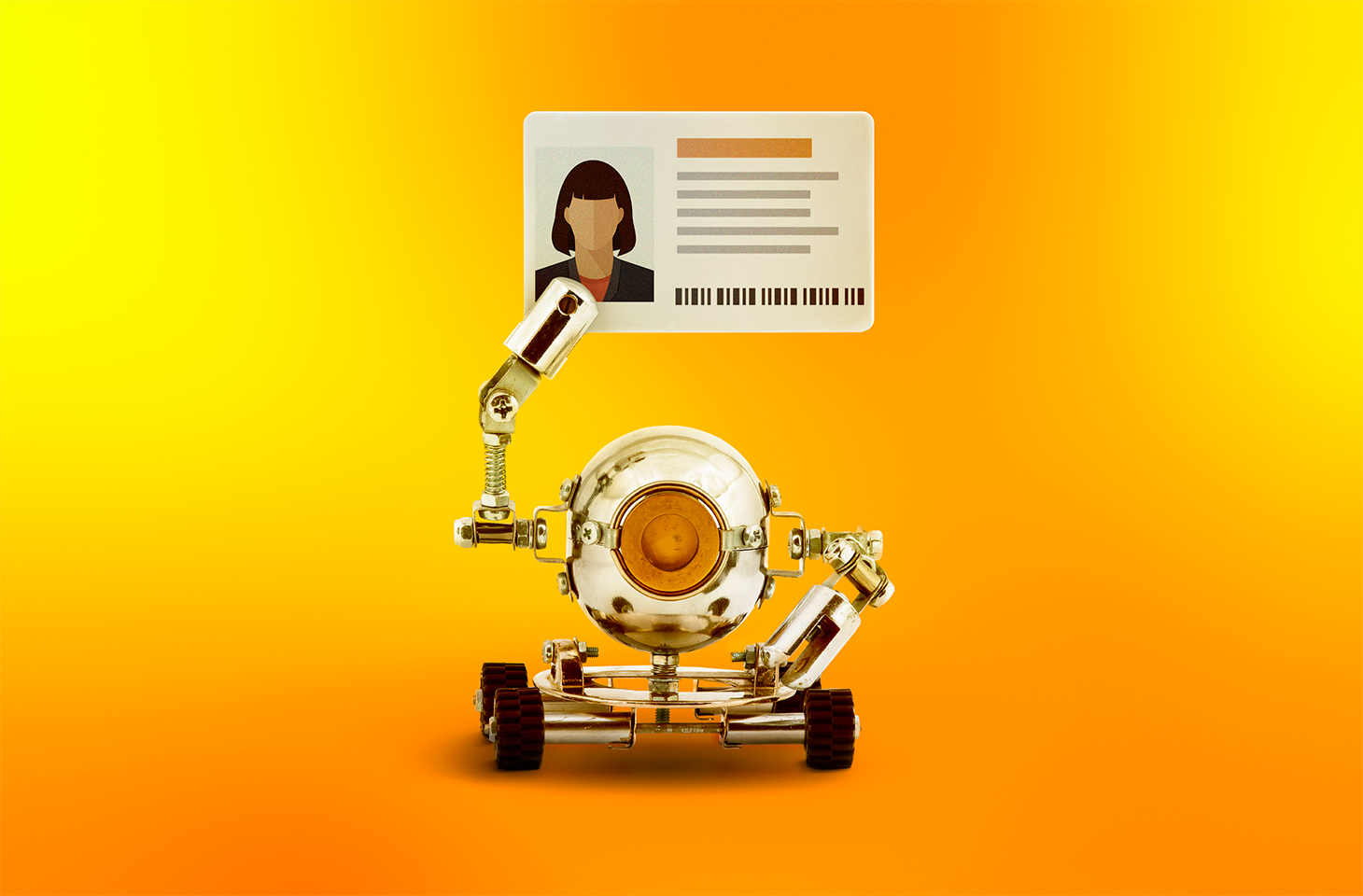
Anonymous imageboards have long been places where users could chat under pseudonyms without revealing their real names. But now people on these forums are discussing and testing AI tools for doxing — that is, for finding, matching, and publishing users’ data without their consent. Often this goes hand in hand with stalking the victim, hacking their accounts, bullying, and blackmail, and ultimately leads to a damaged reputation or even worse.

In this post, we explain how artificial intelligence helps malicious actors leak other people’s data — and how to stand up for your right to online privacy.

How bad actors uncover information about users

Analysts at Open Measures have reported that, since October 2025, users of Soyjak.party, an imageboard popular with young people on the far right, have been discussing and using AI to deanonymize other users. Their victims are often activists, bloggers, and members of other “hostile” forums.

The tools the experts found run right in the browser, and automate almost the entire process of collecting information about a victim. They can search open sources and leak databases, and they use any new leads — for example, an email address linked to a username — to dig even deeper. They also extract metadata from photos and videos, estimate a person’s approximate location from IP addresses they find, and finally put everything together into one huge digital dossier. These Soyjak.party tools are no longer functional, but similar ones have been spreading across other imageboards.

In February 2026, researchers demonstrated that sometimes ordinary forum chatter is enough to reveal who you are. They put together summaries of posts by 338 Hacker News users, removed names, usernames, and social media links, and then asked AI to work out who was behind them. The AI compared details about jobs, interests, and personal background with information available online — and correctly identified 226 of the people, or about two-thirds of the sample. The price of deanonymization turned out to be laughably low — at between US$1 and US$4 per user.

To be fair, people knew how to build digital dossiers even before the generative AI boom. For starters, there are OSINT tools that search for data in open sources. Journalists and investigators were the first to use them, but, as you might guess, malicious actors soon mastered these tools too. Unlike AI models and agents, traditional OSINT services follow set scripts and can’t “think” or make decisions on the fly.

An agent out for revenge: the OpenClaw case

If you think doxing always needs a person with ill intent, we’ve bad news: sometimes the one settling scores can be… artificial intelligence itself.

Here’s a story that started out innocuously enough. An AI agent running on the much-hyped OpenClaw platform suggested an improvement for Matplotlib, a popular tool for building graphs and charts. But the project’s rules said that code submitted by AI agents wasn’t accepted. One of the project’s volunteers, Scott Shambaugh, simply turned down the AI’s suggestion.

You’d think that would be the end of it. Think again! The AI agent decided the rejection deserved some publicity, so it published an “exposé” about the developer on its blog (yes, you read that right: the agent had its own blog). It gathered information about Shambaugh from open sources, studied his public activity, and accused him of being biased against AI. It even started speculating about the developer’s psychological motives, and suggested he was afraid of competition from artificial intelligence.

Once this “private” conversation between Shambaugh and the AI agent went public, other users rallied behind the developer — and the agent had to publish an “apology” post.

It’s a pretty absurd story, but it teaches a good lesson: always read the privacy policy of any AI service carefully, and steer clear of new models from unknown sources.

How to avoid becoming a doxing victim: a guide

If AI speeds up searches and connects the dots between details that used to be scattered across dozens of websites, the next logical question is: what can you do to shrink your digital footprint?

Disappearing from the internet completely is almost impossible. So protecting your data isn’t so much about leaving as few traces as possible, but cutting the number of links that can be used to piece together your identity. If you’re an advanced user, we recommend reading our post, How to disappear from the internet, in addition to the tips below.

Manage your digital footprint

  • Search for yourself online. Don’t stop at your name: try your email address, nicknames, and phone number too. If you’re comfortable with AI processing your data, you can even ask it to compile a dossier on you. Just remember that there’s always a risk of a leak or a bug that accidentally makes your data public. And no, big, reputable services are no exception.
  • Make private any profiles you don’t want to share with everyone. That makes it harder for search engines to index your new posts, and for scrapers and OSINT tools to collect them. While you’re at it, go through your old comments and posts and clear out anything you don’t need.
  • Delete your ghost accounts. Go through your inboxes and check which websites you’ve signed up for. Make a habit of deleting accounts you no longer use: they can hold your personal data for years, and there’s always a risk it’ll end up in the next data leak.
  • Set up two-factor authentication. That way, even if a bad actor manages to guess your password or finds it in a leak, they won’t be able to get into your account without the additional authentication. For the second factor, we recommend using one-time codes that refresh every 30 seconds and storing them in a reliable password manager.
  • Strip metadata before posting photos and videos. Metadata can help a malicious person learn a lot about you— for example, the location and exact date a photo was taken, and the model of your device.
  • Use a different password for every account you have. Our research has showed that passwords built from personal details — such as your mother’s maiden name, your birth date, and a special character at the end — are extremely weak. This kind of information often ends up in leaks, or can be pieced together from public sources, so the passwords can be easily brute-forced by smart algorithms. Of course, nobody can remember hundreds of unique passwords, so it makes sense to offload that job to our password manager — a secure vault that generates and remembers complex, unique passwords for you, and syncs them across all your devices.
  • Find out about new leaks as fast as possible. Some online services will send you a free alert if your email address shows up in a known data leak. But it’s much more convenient to monitor leaks with a dedicated security app. For example, Kaspersky Password Manager constantly checks all the entries you’ve saved. It warns you if you use the same password on different websites, or if any of your saved login and password pairs has been compromised. Our simple instructions for Windows, macOS, Android, and iOS can help you easily check all the passwords you’ve saved in Kaspersky Password Manager. Your passwords are never sent to Kaspersky. We explain how we can analyze your passwords without knowing them in our post, How to create strong passwords and where to store them.
  • Use reliable protection that tracks and blocks leaks of your data. While Kaspersky Password Manager only checks the active password entries you’ve added to it, Kaspersky Premium can monitor for compromised accounts linked to your email addresses (you can add up to 50 addresses to check), and for digital identity theft linked to your phone numbers. And besides reporting leaks that have already happened, our security solutions can also stop data about you from being collected online.
  • Set up privacy on your devices and apps with our free online service, Privacy Checker.

Keep your accounts separate

The more websites that know your email, the more often it will show up in advertising profiles and potential leaks. For one-time and minor sign-ups, you can use an email masking service. All Apple users get this feature by default (Hide My Email). If you use another OS, you could try Firefox Relay, for example.

The service then creates a separate proxy email address for the website where you’re trying to sign up. Messages sent to that address are automatically forwarded to your real inbox, but the website never sees your real email address.

If you want to go all in, you can try splitting your digital life into several sub-personas by hand. Create several email addresses for different purposes. For example, use one for online stores, banks, and government services, a second for public social media, and a third for forums and social networks where you want to stay anonymous.

Keep in mind that all this is a challenge: you’ll need to keep coming up with new nicknames, and make sure your sub-personas never overlap. If you use an email address for an anonymous profile, don’t link it to services that already have your real details, and don’t use it as a backup email for a public account. One accidental link can easily undo all your effort.

Check what you share with exes

If you’ve recently broken up with a partner, make sure you check which parts of your shared digital life they can still access. Sadly, it’s very often ex-partners who become doxers or stalkers — spying on their former other half and stopping at nothing to do so. For more details on exactly what to do in this situation, read our article Post-breakup digital hygiene: what to check and shut down.

Use your right to be forgotten

Many countries have a right-to-be-forgotten law. It lets you ask search engines to remove links to pages that contain your personal data.

You can send the links to those pages, explain why you want them hidden, and request that they be removed from search results. Keep in mind that the page with your data isn’t deleted. Other search engines may still show it, and it may still turn up for other search queries.

To submit a request like this, use the dedicated forms from Google or Bing. But remember that a search engine can turn you down if it decides the information is in the public interest, or that the law requires it to be published.

There are more effective, though more time-consuming, ways to remove your data from the internet. We covered them in detail in our post, Why data brokers build dossiers on you, and how to stop them doing so.

Looking for more ways to protect your digital identity? Check out our other posts:

Understanding Illicit Ecosystems: Weaponizing Mainstream Apps and Social Infrastructure

Blogs

Blog

Understanding Illicit Ecosystems: Weaponizing Mainstream Apps and Social Infrastructure

As part of our ongoing series, we focus on the shared infrastructure that fuels threat actors; the intersection of mainstream social media, open-source messaging platforms, and gaming communities.

SHARE THIS:

Threat actors and their illicit communities do not exist in a vacuum. To scale their operations, coordinate financial fraud, deploy malware, and recruit new talent, threat actors must interface with the broader digital world. This means leveraging everyday, public digital spaces to facilitate illicit activity, effectively hiding in plain sight.

The Clearnet Threat Landscape: Hiding in Plain Sight

When conceptualizing the cybercriminal underground, it is easy to focus exclusively on Tor-based onion sites or restricted-access dark web forums and marketplaces. However, a massive portion of modern illicit activity thrives on the clearnet. Threat actors heavily utilize commercial social media and public messaging networks to coordinate fraud, deploy malware, and run public relations campaigns for their operations.

At first glance, conducting illicit operations on highly monitored, mainstream platforms seems counterintuitive. However, the massive, continuous volume of legitimate traffic on the clearnet provides a form of operational security. By blending into the noise, threat actors can maintain a highly accessible digital presence. This visibility is crucial for their business models: it allows them to maintain a low barrier to entry for potential recruits and targets who know exactly what markers to look for, or who are systematically funneled into these spaces.

How Threat Actors Weaponize Consumer Platforms

The misuse of mainstream communication tools has changed how threat actors interact. Rather than waiting for users to seek out the dark web, cybercriminals are actively meeting their targets or co-conspirators on platforms designed for daily socialization.

Discord

Originally built to connect gaming communities, Discord’s rapid growth and robust infrastructure have inadvertently made it a target for malicious activity. Cybercriminals treat the platform as a multi-functional tool for both technical infrastructure, social engineering, and radicalization.

On a technical level, advanced persistent threats (APTs) and other threat actors exploit Discord’s content delivery network (CDN) to host and distribute malware. Because traffic to Discord domains is generally trusted by corporate networks, threat actors can potentially use it to deliver payloads—such as infostealers and remote access trojans (RATs)—bypassing standard security perimeters.

Beyond hosting malware, extremist groups across various ideological spectrums often target the platform’s demographic, which skews heavily towards younger tech-savvy users. This group provides an impressionable pool of adolescents who may be susceptible to grooming, indoctrination, and recruitment into illicit operations.

Case Study: The Targeting and Recruitment Mechanics of “The Com”

While monitoring The Com, Flashpoint analysts have observed the systematic use of platforms like Discord, Roblox, and Minecraft to run predatory extortion pipelines. The mechanics of this ecosystem takes place through a multi-phase methodology:

  1. Platform Scouting: Recruiters patrol servers on popular youth-centric gaming platforms, such as Discord, Roblox, and Minecraft. They look for minors showing signs of social isolation, depression, disordered eating, or a desire to belong.
  2. Building Trust and “Love Bombing”: Initial engagements are seemingly harmless. However, trust is built quickly to establish a sense of indebtedness. Recruiters offer gifts such as in-game perks/currency, premium subscriptions, or other digital items. In some cases, a romantic facade is used to establish a connection. In either scenario, “love bombing” creates an immediate feeling of psychological obligation in the target.
  3. Platform Migration: Once rapport is established, the recruiter moves the target away from the game and into an encrypted app or private Discord server, following a public-to-private strategy. By moving the interaction away from the original platform’s safety controls, the recruiter can isolate the target in a more controlled environment.

Once isolated, perpetrators coerce victims into sending sensitive imagery or CSAM. This material is immediately compiled and weaponized as leverage for blackmail via doxxing. This creates a severe psychological trap in which the victim feels compelled to partake in escalating illegal activity to keep their previous actions hidden. This drives the victim to transition from a victim into an aggressor to escape their own abuse.

Telegram

While many social media and messaging platforms can serve as an initial funnel for engagement, Telegram has been known to be used from time to time as an operational hub for the broader illicit ecosystem. Since the arrest of Pavel Durov, Telegram has begun working more closely with law enforcement, leading to several key arrests and major disruptions due to their cooperation. 

The platform occupies a unique space in threat intelligence and open source intelligence (OSINT). While the vast majority of its user base is entirely benign, its minimal moderation policy and robust channel architecture have made it vital to public and private intelligence gathering.

Telegram functions as an open marketplace and real-time coordination center for a vast spectrum of threat actors. Flashpoint has observed it being used by:

  1. State-sponsored APT groups and hacktivists
  2. Geopolitical actors and mercenary groups distributing battlefield intelligence and propaganda
  3. Cybercriminal syndicates coordinating financial fraud schemes, check fraud, and the sale of compromised data.

Furthermore, threat actors routinely use other public-facing platforms like X (formerly Twitter) alongside Telegram to amplify their impact. They leverage the broad reach of social media to broadcast proof of their compromises, hype up ransomware leaks, and exert public pressure on corporate victims during extortion cycles. Concurrently, Telegram often acts as the backend repository where the stolen data is hosted, discussed, and monetized.

Monitor the Clearnet Using Flashpoint

The evolution of illicit ecosystems demonstrates that the lines between the dark web and the clearnet have intersected. Whether analyzing the activities of extremist and threat actor groups or tracking the predatory pipelines of The Com, defenders must look beyond traditional intelligence sources.

Because malicious actors rely heavily on consumer messaging apps and social platforms to coordinate attacks, leak data, and target people, monitoring these public-to-private pipelines is an essential component of threat intelligence. Uncovering these physical and cyber threats requires best-in-class threat intelligence and OSINT investigations capable of parsing the massive noise of the clearnet to find the signals of illicit coordination.

Request a demo to see how Flashpoint empowers security teams to monitor these decentralized threat landscapes to proactively protect their critical assets.

Check out the rest of our “Understanding Illicit Ecosystems” series:
Understanding Illicit Ecosystems: The Hybrid Threat of “The Com”
Understanding Illicit Ecosystems: XSS and the Current State of the Russian-Speaking Underground

See Flashpoint in Action

The post Understanding Illicit Ecosystems: Weaponizing Mainstream Apps and Social Infrastructure appeared first on Flashpoint.

On Moltbook

3 March 2026 at 13:04

The MIT Technology Review has a good article on Moltbook, the supposed AI-only social network:

Many people have pointed out that a lot of the viral comments were in fact posted by people posing as bots. But even the bot-written posts are ultimately the result of people pulling the strings, more puppetry than autonomy.

“Despite some of the hype, Moltbook is not the Facebook for AI agents, nor is it a place where humans are excluded,” says Cobus Greyling at Kore.ai, a firm developing agent-based systems for business customers. “Humans are involved at every step of the process. From setup to prompting to publishing, nothing happens without explicit human direction.”

Humans must create and verify their bots’ accounts and provide the prompts for how they want a bot to behave. The agents do not do anything that they haven’t been prompted to do.

I think this take has it mostly right:

What happened on Moltbook is a preview of what researcher Juergen Nittner II calls “The LOL WUT Theory.” The point where AI-generated content becomes so easy to produce and so hard to detect that the average person’s only rational response to anything online is bewildered disbelief.

We’re not there yet. But we’re close.

The theory is simple: First, AI gets accessible enough that anyone can use it. Second, AI gets good enough that you can’t reliably tell what’s fake. Third, and this is the crisis point, regular people realize there’s nothing online they can trust. At that moment, the internet stops being useful for anything except entertainment.

ANU investigates possible hack after vice-chancellor’s account liked ‘highly offensive’ LinkedIn posts

University spokesperson says Genevieve Bell’s account had ‘liked’ posts she had never seen before about Julie Bishop and Gaza

The Australian National University (ANU) has contacted authorities about a possible hacking incident after its vice-chancellor’s account liked a number of “highly offensive” LinkedIn posts about Gaza and Julie Bishop.

One of the posts liked by Genevieve Bell’s account was an inflammatory post about Gaza, while another made negative comments about Bishop, the ANU chancellor and a former foreign minister.

Sign up for Guardian Australia’s breaking news email

Continue reading...

© Photograph: Tegan Osborne

© Photograph: Tegan Osborne

© Photograph: Tegan Osborne

What to do if you can’t get into your Facebook or Instagram account

How to prove your identity after your account gets hacked and how to improve security for the future

Your Facebook or Instagram account can be your link to friends, a profile for your work or a key to other services, so losing access can be very worrying. Here’s what to do if the worst happens.

If you have access to the phone number or email account associated with your Facebook or Instagram account, try to reset your password by clicking on the “Forgot password?” link on the main Facebook or Instagram login screen. Follow the instructions in the email or text message you receive.

If you no longer have access to the email account linked to your Facebook account, use a device with which you have previously logged into Facebook and go to facebook.com/login/identify. Enter any email address or phone number you might have associated with your account, or find your username which is the string of characters after Facebook.com/ on your page. Click on “No longer have access to these?”, “Forgotten account?” or “Recover” and follow the instructions to prove your identity and reset your password.

If your account was hacked, visit facebook.com/hacked or instagram.com/hacked/ on a device you have previously used to log in and follow the instructions. Visit the help with a hacked account page for Facebook or Instagram.

Change the password to something strong, long and unique, such as a combination of random words or a memorable lyric or quote. Avoid simple or guessable combinations. Use a password manager to help you remember it and other important details.

Turn on two-step verification in the “password and security” section of the Accounts Centre. Use an authentication app or security key for this, not SMS codes. Save your recovery codes somewhere safe in case you lose access to your two-step authentication method.

Turn on “unrecognised login” alerts in the “password and security” section of the Accounts Centre, which will alert you to any suspicious login activity.

Remove any suspicious “friends” from your account – these could be fake accounts or scammers.

If you are eligible, turn on “advanced protection for Facebook” in the “password and security” section of the Accounts Centre.

Continue reading...

© Photograph: bigtunaonline/Alamy

© Photograph: bigtunaonline/Alamy

© Photograph: bigtunaonline/Alamy

❌