❌

Normal view

Patch Tuesday, February 2026 Edition

10 February 2026 at 22:49

Microsoft today released updates to fix more than 50 security holes in its Windows operating systems and other software, including patches for a whopping six β€œzero-day” vulnerabilities that attackers are already exploiting in the wild.

Zero-day #1 this month is CVE-2026-21510, a security feature bypass vulnerability in Windows Shell wherein a single click on a malicious link can quietly bypass Windows protections and run attacker-controlled content without warning or consent dialogs. CVE-2026-21510 affects all currently supported versions of Windows.

The zero-day flawΒ CVE-2026-21513 is aΒ security bypass bug targeting MSHTML, the proprietary engine of the default Web browser in Windows. CVE-2026-21514 is a related security feature bypass in Microsoft Word.

The zero-day CVE-2026-21533 allows local attackers to elevate their user privileges to β€œSYSTEM” level access in Windows Remote Desktop Services. CVE-2026-21519 is a zero-day elevation of privilege flaw in the Desktop Window Manager (DWM), a key component of Windows that organizes windows on a user’s screen. Microsoft fixed a different zero-day in DWM just last month.

The sixth zero-day is CVE-2026-21525, a potentially disruptive denial-of-service vulnerability in the Windows Remote Access Connection Manager, the service responsible for maintaining VPN connections to corporate networks.

Chris Goettl at Ivanti reminds us Microsoft has issued several out-of-band security updates since January’s Patch Tuesday. On January 17, Microsoft pushed a fix that resolved a credential prompt failure when attempting remote desktop or remote application connections. On January 26, Microsoft patched a zero-day security feature bypass vulnerability (CVE-2026-21509) in Microsoft Office.

Kev Breen at Immersive notes that this month’s Patch Tuesday includes several fixes for remote code execution vulnerabilities affecting GitHub Copilot and multiple integrated development environments (IDEs), including VS Code, Visual Studio, and JetBrains products. The relevant CVEs are CVE-2026-21516, CVE-2026-21523, and CVE-2026-21256.

Breen said the AI vulnerabilities Microsoft patched this month stem from a command injection flaw that can be triggered through prompt injection, or tricking the AI agent into doing something it shouldn’t β€” like executing malicious code or commands.

β€œDevelopers are high-value targets for threat actors, as they often have access to sensitive data such as API keys and secrets that function as keys to critical infrastructure, including privileged AWS or Azure API keys,” Breen said. β€œWhen organizations enable developers and automation pipelines to use LLMs and agentic AI, a malicious prompt can have significant impact. This does not mean organizations should stop using AI. It does mean developers should understand the risks, teams should clearly identify which systems and workflows have access to AI agents, and least-privilege principles should be applied to limit the blast radius if developer secrets are compromised.”

TheΒ SANS Internet Storm CenterΒ has aΒ clickable breakdown of each individual fix this month from Microsoft, indexed by severity and CVSS score. Enterprise Windows admins involved in testing patches before rolling them out should keep an eye on askwoody.com, which often has the skinny on wonky updates. Please don’t neglect to back up your data if it has been a while since you’ve done that, and feel free to sound off in the comments if you experience problems installing any of these fixes.
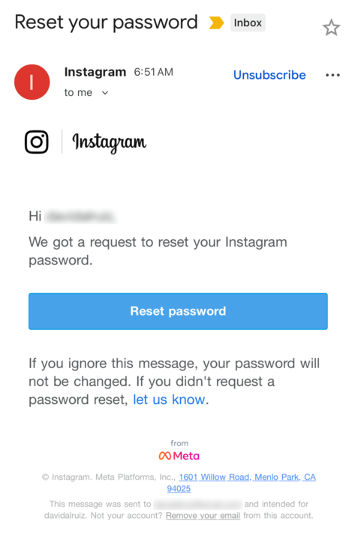
Received an Instagram password reset email? Here’s what you need to know

12 January 2026 at 22:04

Last week, many Instagram users began receiving unsolicited emails from the platform that warned about a password reset request.

The message said:

β€œHi {username},
We got a request to reset your Instagram password.
If you ignore this message, your password will not be changed. If you didn’t request a password reset, let us know.”

Around the same time that users began receiving these emails, a cybercriminal using the handle β€œSolonik” offered data that alleged contains information about 17 million Instagram users for sale on a Dark Web forum.

These 17 million or so records include:

  • Usernames
  • Full names
  • User IDs
  • Email addresses
  • Phone numbers
  • Countries
  • Partial locations

Please note that there are no passwords listed in the data.

Despite the timing of the two events, Instagram denied this weekend that these events are related. On the platform X, the company stated they fixed an issue that allowed an external party to request password reset emails for β€œsome people.”

So, what’s happening?

Regarding the data found on the dark web last week, Shahak Shalev, global head of scam and AI research at Malwarebytes, shared that β€œthere are some indications that the Instagram data dump includes data from other, older, alleged Instagram breaches, and is a sort of compilation.” As Shalev’s team investigates the data, he also said that the earliest password reset requests reported by users came days before the data was first posted on the dark web, which might mean that β€œthe data may have been circulating in more private groups before being made public.”

However, another possibility, Shalev said, is that β€œanother vulnerability/data leak was happening as some bad actor tried spraying for [Instagram] accounts. Instagram’s announcement seems to reference that spraying. Besides the suspicious timing, there’s no clear connection between the two at this time.”

But, importantly, scammers will not care whether these incidents are related or not. They will try to take advantage of the situation by sending out fake emails.

β€œWe felt it was important to alert people about the data availability so that everyone could reset their passwords, directly from the app, and be on alert for other phishing communications,” Shalev said.

If and when we find out more, we’ll keep you posted, so stay tuned.

How to stay safe

If you have enabled 2FA on your Instagram account, we think it is indeed safe to ignore the emails, as proposed by Meta.

Should you want to err on the safe side and decide to change your password, make sure to do so in the app and not click any links in the email, to avoid the risk that you have received a fake email. Or you might end up providing scammers with your password.

Another thing to keep in mind is that these are Meta-data. Which means some users may have reused or linked them to their Facebook or WhatsApp accounts. So, as a precaution, you can check recent logins and active sessions on Instagram, WhatsApp, and Facebook, and log out from any devices or locations you do not recognize.

If you want to find out whether your data was included in an Instagram data breach, or any other for that matter, try our free Digital Footprint scan.

Received an Instagram password reset email? Here’s what you need to know

12 January 2026 at 22:04

Last week, many Instagram users began receiving unsolicited emails from the platform that warned about a password reset request.

The message said:

β€œHi {username},
We got a request to reset your Instagram password.
If you ignore this message, your password will not be changed. If you didn’t request a password reset, let us know.”

Around the same time that users began receiving these emails, a cybercriminal using the handle β€œSolonik” offered data that alleged contains information about 17 million Instagram users for sale on a Dark Web forum.

These 17 million or so records include:

  • Usernames
  • Full names
  • User IDs
  • Email addresses
  • Phone numbers
  • Countries
  • Partial locations

Please note that there are no passwords listed in the data.

Despite the timing of the two events, Instagram denied this weekend that these events are related. On the platform X, the company stated they fixed an issue that allowed an external party to request password reset emails for β€œsome people.”

So, what’s happening?

Regarding the data found on the dark web last week, Shahak Shalev, global head of scam and AI research at Malwarebytes, shared that β€œthere are some indications that the Instagram data dump includes data from other, older, alleged Instagram breaches, and is a sort of compilation.” As Shalev’s team investigates the data, he also said that the earliest password reset requests reported by users came days before the data was first posted on the dark web, which might mean that β€œthe data may have been circulating in more private groups before being made public.”

However, another possibility, Shalev said, is that β€œanother vulnerability/data leak was happening as some bad actor tried spraying for [Instagram] accounts. Instagram’s announcement seems to reference that spraying. Besides the suspicious timing, there’s no clear connection between the two at this time.”

But, importantly, scammers will not care whether these incidents are related or not. They will try to take advantage of the situation by sending out fake emails.

β€œWe felt it was important to alert people about the data availability so that everyone could reset their passwords, directly from the app, and be on alert for other phishing communications,” Shalev said.

If and when we find out more, we’ll keep you posted, so stay tuned.

How to stay safe

If you have enabled 2FA on your Instagram account, we think it is indeed safe to ignore the emails, as proposed by Meta.

Should you want to err on the safe side and decide to change your password, make sure to do so in the app and not click any links in the email, to avoid the risk that you have received a fake email. Or you might end up providing scammers with your password.

Another thing to keep in mind is that these are Meta-data. Which means some users may have reused or linked them to their Facebook or WhatsApp accounts. So, as a precaution, you can check recent logins and active sessions on Instagram, WhatsApp, and Facebook, and log out from any devices or locations you do not recognize.

If you want to find out whether your data was included in an Instagram data breach, or any other for that matter, try our free Digital Footprint scan.

Strengthen your digital defenses on World Password Day

30 April 2025 at 23:02

In today’s digital world, passwords have become a necessary part of life. But even though you use them for almost everything you do online, you probably don’t give them the thought they truly deserve. May 1, 2025, is World Password Day, a reminder that passwords are the unsung heroes of cybersecurity, the first line of defense for all your sensitive personal data. This annual event encourages you to level up your password game and strengthen your online defenses. World Password Day is more relevant than ever in today’s evolving threat landscape.

Data breaches are on the rise, and according to theΒ 2024 Verizon Data Breach Investigations Report, a staggeringΒ 81% of themΒ are linked to weak or compromised passwords. The bottom line? If you’re still relying on β€œFluffy123”, you could be putting your personal information at risk. Let’s explore password-based attacks, and some steps you can take to lock down your logins, once and for all.

Threats to your passwords

Managing all your passwords can be a hassle. They’re easy to forget and hard to keep track of, so people tend to use and reuse simple passwords they can remember. But here’s the issue – cybercriminals are getting smarter and their attacks are only getting more sophisticated. If a scammer gains access to your personal details, they can create havoc with your finances and cause you stress for years to come. In the past, brute force attacks were the go-to method, which involved simply using trial and error to crack passwords. Today, hackers use much more complex methods – here are a few examples.

  • Password phishing: In a phishing attack, scammers will use emails, phone calls, or texts to pose as trusted businesses and service providers. They may send you a fake invoice to pay. They might offer you an amazing deal on an upgraded service. Sometimes they threaten to cut off a service if you don’t respond immediately. The goal is to trick you into giving up your username and password so they can access your data and steal your money.Β 
  • Credential stuffing: Once hackers have your login details, they often try what’s calledΒ credential stuffing – using your stolen credentials (username and password combinations) to try and break into your other accounts. Why does this work so often? Because more thanΒ two in three peopleΒ admit they reuse passwords across multiple accounts.
  • Malware: Infostealer malware can be used by hackers in the background to steal your personal information including your passwords. Once the malware is on your device it can search your web browsers, email clients, digital wallets, files, applications, etc. looking for sensitive information. They can even look for old forms you filled out with passwords, record your keyboard strokes, and take screenshots of your computer dashboard.Β  The malware then sends this information back to hackers’ servers, sometimes within seconds. Β Hackers can use this type of malware for large attacks as seen by the targeted attack on Snowflake customers.

Password security checklist

  • Β Create strong passwords

    Longer is stronger: Aim for passwords that areΒ at least 16 charactersΒ long. Research shows this number of characters takes exponentially longer to crack.

    Difficulty matters: β€œ12345” may be an easy password to remember, but it isn’t going to keep the cybercriminals away. Create a unique mix ofΒ uppercase, lowercase, numbers, and symbols for each password.

    Be unpredictable: Avoid using obvious patterns and personal details that will be easy for hackers to figure out. This means no street addresses or phone numbers, and especially no personal details you might be sharing on social media.

    Did you know? More than 50% of people admit to using familiar names for their passwords, such as their kid’s name or their pet’s name. 15% said they use their own first name in their passwords!
  • Change reused passwords
    If you’re reusing the same password across accounts, it’s time for a refresh. All it takes is one compromised account for a hacker to potentially unlock dozens more. Start with your most sensitive accounts, such as banking, email, and healthcare and update those first.

    Did you know? According to a study by Forbes Advisor, on average, people reuse the same password for at least four accounts.
  • Use multi-factor authentication
    Even if a hacker obtains your password, you can still stop them in their tracks by adding a second layer of security to your login process. Multi-factor authentication (MFA) includes things like one-time codes sent to your phone or scans of biometric features, such as your face or fingerprints.
    Did You Know? Using MFA can stop over 99% of account compromise attacks.
  • Consider using passphrases or passkeys
    These are two alternatives to passwords that you might want to consider.

    • A passphrase is a string of unrelated words that’s easy to recall and tough to crack. For example, something nonsensical like β€œFancyGoldEmuDancing β€œ will be hard for a hacker to guess, but it might be easier for you to memorize than a string of numbers and symbols.
    • A passkey is an authentication method that uses biometric data, like facial recognition or a fingerprint. It can also use a swipe pattern (a three-by-three grid of dots) or a PIN. A passkey is used across all your devices, creating a password-free login.

      Did you know? Not only does signing in with a passkey make your data Β Β Β Β Β Β Β Β Β Β Β Β  much more secure, it’s also three times faster than using a conventional
      password.
  • Use a password manager
    Password managers are tools that make your life easier by doing the hard work for you. By automatically generating and storing your strong passwords, they reduce the risk of recycled or forgotten logins and provide secure access across all your devices. Webroot solutions include password managers and much more, including features like real-time phishing detection to prevent credential theft.

    Did you know? Users who rely on password managers areΒ less likely to experience identity theft or credential theftΒ than those who don’t.
  • Protect your devices Β Β Β Β Β Β Β Β Β 
    Antivirus software scans detect and defend against any virus or malicious program like malware, trojans, adware and more that might cause damage to your devices. Webroot products offer robust antivirus protection that continuously scours the internet to identify and block the latest threats.

    Did you know? Hackers are moving away from browser-based attacks and embedding malicious software into everyday files like documents, installers and media. More than 50% of all consumer malware now enters through downloads and desktop.

Never forget that your passwords are the very foundation of your digital defense strategy. With cyberattacks becoming more and more sophisticated, creating strong passwords is no longer optional – it’s essential. This World Password Day, take the time to check in on your password practices. Update those old logins, enable MFA, and let Webroot do the heavy lifting. Just a few simple steps today can save you a world of trouble tomorrow.

Looking for more information and solutions?

The post Strengthen your digital defenses on World Password Day appeared first on Webroot Blog.

Microsoft Word and Sandboxes

By: Bart
14 August 2024 at 19:35

Today's post is a brief one on some Microsoft Word and sandbox detection / discovery / fun.

Collect user name from Microsoft Office

Most sandboxes will trigger somehow or something if a tool or malware tries to collect system information or user information. But what if we collect the user name via the registry and more specifically, what user info Microsoft Office sees?

This information is stored in the Current User hive, Software\Microsoft\Office\Common\UserInfo.

10-second code and we can whip up:
Β 
Β 
Β 
Β 
Text form:

$userName = (Get-ItemProperty -Path "HKCU:\Software\Microsoft\Office\Common\UserInfo").UserName

Start-Process -FilePath "notepad.exe" -ArgumentList $userName
Β 
And we get something like:

Β 
Β 
Β 
Β 
Β 
Β 
Β 
Β 
Β 
Β 
Β 
Β 
and the process tree:
Β 
Β 
Β 
Β 
Β 
Β 
Β 
Some sandboxes had a username of "Admin", "admin" or a completely random name.Β 
Β 
In short, it's a potential technique for more stealth reconaissance that may not trigger a sandbox or detection mechanism.


Run a Microsoft Word doc with.. .asd extension

When Microsoft Word crashes, it will (usually) attempt to create a backup copy of all your opened documents. It typically saves these backups as .wbk (Word Backup) or .asd (Autosave or Autorecover) files.

These will be saved in one of these directories in normal circumstances:
  • C:\Users\USERNAME\AppData\Local\Microsoft\Word
  • C:\Users\USERNAME\AppData\Roaming\Microsoft\Word
  • C:\Users\USERNAME\AppData\Local\Temp
  • C:\Users\USERNAME\\AppData\Local\Microsoft\Office\UnsavedFiles

Most sandboxes however will be able to open the file just fine, but not all...:


Β 

Β 

Β 

Β 

I haven't seen much use of actual .asd files, likely as the documents will need to be loaded from one of the above directories, however... after crafting your malicious document, you can simply rename it from badfile.docx to badfile.asd, and it will run fine.

It seems at least 1 actor has used an .asd extension before, as reported on by Didier Stevens:

https://isc.sans.edu/diary/CrowdStrike+Outage+Themed+Maldoc/31116

In short, it's another way of evading sandboxes or other potential detection mechanisms that may not support these .asd or .wbk extensions or even consider them harmless.


Blue Team Puzzle

By: Bart
23 November 2020 at 21:33

Several years ago, I created a "malware puzzle" - basically, a crossword puzzle but with terms related to malware. You can find that puzzle here:Β https://bartblaze.blogspot.com/2013/08/malware-puzzle.html

Seeing crosswords are a hobby of mine, I thought it'd be fun to create another one more than seven years later - this time, all things blue team! Obviously you don't need to be part of a blue team to fill in the puzzle, it's for anyone in information or cyber security - but it does help if you've been on the defense side of things.

You can print the puzzle and fill it in, or you can use Adobe Reader to complete the PDF version, or use any tool to your liking (mspaint is also a candidate). There are no spaces - all words are one word.


You can find the puzzle in the following formats:

PNG:Β https://www.mediafire.com/view/0iuzvxal8redjz2/crossword-iiRh073oLn.png/file

PNG mirror:Β https://imgur.com/a/ASATRXf

PDF:Β https://www.mediafire.com/file/b3v7pebohp6c8vn/crossword-xp6dZUU9Ar.pdf/file

PDF mirror:Β https://www.filedropper.com/crossword-xp6dzuu9ar

If you have the solution, feel free to create a comment or @ me on Twitter:Β https://twitter.com/bartblaze.Β 

To make things more interesting, you can set up a competition between your fellow defenders to see who can complete it first!

If you're stuck, I can always send you a hint - see my About page for contact information, use Twitter, or leave a comment. Note there may be spoilers around.Β 

Having Fun with ActiveX Controls in Microsoft Word

By: BHIS
30 August 2018 at 17:44

Marcello Salvati// During Red Team and penetration tests, it’s always important and valuable to test assumptions. One major assumption I hear from Pentesters, Red teamers and clients alike is that […]

The post Having Fun with ActiveX Controls in Microsoft Word appeared first on Black Hills Information Security, Inc..

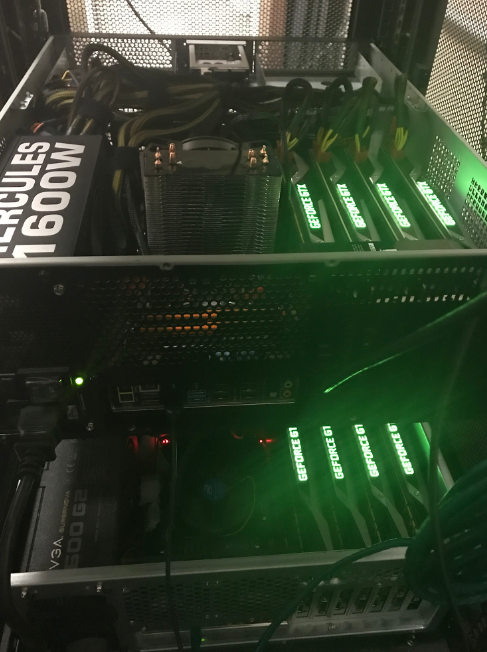
Running HashCat on Ubuntu 18.04 Server with 1080TI

Derrick Rauch and Kent Ickler // (Updated 3/22/2019) First, to see what our build looks like, look here:Β https://www.blackhillsinfosec.com/build-password-cracker-nvidia-gtx-1080ti-gtx-1070/ What’s next?Β Time for System Rebuild! First, you need to decide whether you […]

The post Running HashCat on Ubuntu 18.04 Server with 1080TI appeared first on Black Hills Information Security, Inc..

Finding: Weak Password Policy

David Fletcher// The weak password policy finding is typically an indicator of one of two conditions during a test: A password could be easily guessed using standard authentication mechanisms. A […]

The post Finding: Weak Password Policy appeared first on Black Hills Information Security, Inc..

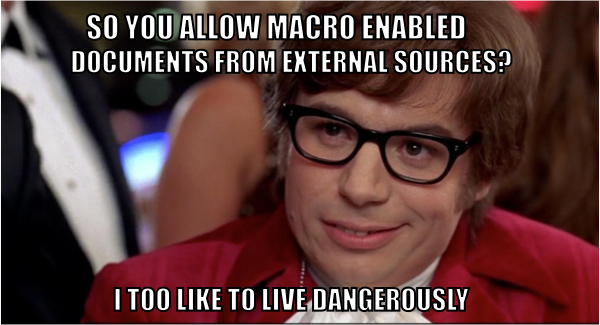
How to Get Malicious Macros Past Email Filters

Carrie Roberts // Β  Β  Β  A malicious macro in a Microsoft Word or Excel document is an effective hacking technique. These documents could be delivered in a variety of […]

The post How to Get Malicious Macros Past Email Filters appeared first on Black Hills Information Security, Inc..

Power Posing with PowerOPS

By: BHIS
25 January 2017 at 17:13

Brian FehrmanΒ // As described in my last blog post,Β Powershell Without Powershell – How To Bypass Application Whitelisting, Environment Restrictions & AVΒ (sheeesh…it’s been a bit!), we are seeing more environments in […]

The post Power Posing with PowerOPS appeared first on Black Hills Information Security, Inc..

Wide-Spread Local Admin Testing

Brian Fehrman // In our experience, we see many Windows environments in which the local Administrator password is the same for many machines. We refer to this as Wide-Spread Local […]

The post Wide-Spread Local Admin Testing appeared first on Black Hills Information Security, Inc..

Check\ Your\ Tools

By: BHIS
26 February 2016 at 23:10

Brian King // There’s a one-liner password spray script that a lot of folks use to see if anyone on a domain is using a bad password like LetMeIn! or […]

The post Check\ Your\ Tools appeared first on Black Hills Information Security, Inc..

❌