Meta plans to test exclusive features that will be incorporated in paid versions of Facebook, Instagram, and WhatsApp. It confirmed these plans to TechCrunch.
But these plans are not to be confused with the ad-free subscription options that Meta introduced for Facebook and Instagram in the EU, the European Economic Area, and Switzerland in late 2023 and framed as a way to comply with General Data Protection Regulation (GDPR) and Digital Markets Act requirements.
From November 2023, users in those regions could either keep using the services for free with personalized ads or pay a monthly fee for an ad‑free experience. European rules require Meta to get users’ consent in order to show them targeted ads, so this was an obvious attempt to recoup advertising revenue when users declined to give that consent.
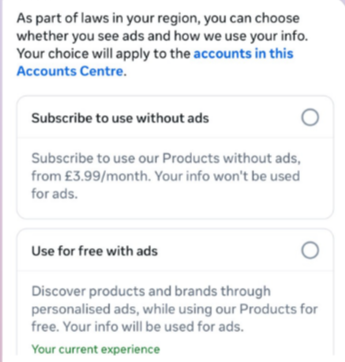
This year, users in the UK were given the same choice: use Meta’s products for free or subscribe to use them without ads. But only grudgingly, judging by the tone in the offer… “As part of laws in your region, you have a choice.”
The ad-free option that has been rolling out coincides with the announcement of Meta’s premium subscriptions.
That ad-free option, however, is not what Meta is talking about now.
The newly announced plans are not about ads, and they are also separate from Meta Verified, which starts at around $15 a month and focuses on creators and businesses, offering a verification badge, better support, and anti‑impersonation protection.
Instead, these new subscriptions are likely to focus on additional features—more control over how users share and connect, and possibly tools such as expanded AI capabilities, unlimited audience lists, seeing who you follow that doesn’t follow you back, or viewing stories without the poster knowing it was you.
These examples are unconfirmed. All we know for sure is that Meta plans to test new paid features to see which ones users are willing to pay for and how much they can charge.
Meta has said these features will focus on productivity, creativity, and expanded AI.
My opinion
Unfortunately, this feels like another refusal to listen.
Most of us aren’t asking for more AI in our feeds. We’re asking for a basic sense of control: control over who sees us, what’s tracked about us, and how our data is used to feed an algorithm designed to keep us scrolling.
Users shouldn’t have to choose between being mined for behavioral data or paying a monthly fee just to be left alone. The message baked into “pay or be profiled” is that privacy is now a luxury good, not a default right. But while regulators keep saying the model is unlawful, the experience on the ground still nudges people toward the path of least resistance: accept the tracking and move on.
Even then, this level of choice is only available to users in Europe.
Why not offer the same option to users in the US? Or will it take stronger US privacy regulation to make that happen?
We don’t just report on threats – we help protect your social media
Microsoft issued an emergency patch for a high-severity zero-day vulnerability in Office that allows attackers to bypass document security checks and is being exploited in the wild via malicious files.
Microsoft pushed the emergency patch for the zero‑day, tracked as CVE-2026-21509, and classified it as a “Microsoft Office Security Feature Bypass Vulnerability” with a CVSS score of 7.8 out of 10.
The flaw allows attackers to bypass Object Linking and Embedding (OLE) mitigations that are designed to block unsafe COM/OLE controls inside Office documents. This means a malicious attachment could infect a PC despite built-in protections.
In a real-life scenario, an attacker creates a fake Word, Excel, or PowerPoint file containing hidden “mini‑programs” or special objects. They can run code and do other things on the affected computer. Normally, Office has safety checks that would block those mini-programs because they’re risky.
However, the vulnerability allows the attacker to tweak the file’s structure and hidden information in a way that tricks Office into thinking the dangerous mini‑program inside the document is harmless. As a result, Office skips the usual security checks and allows the hidden code to run.
As code to test the bypass is publicly available, increasing the risk of exploitation, users are under urgent advice to apply the patch.
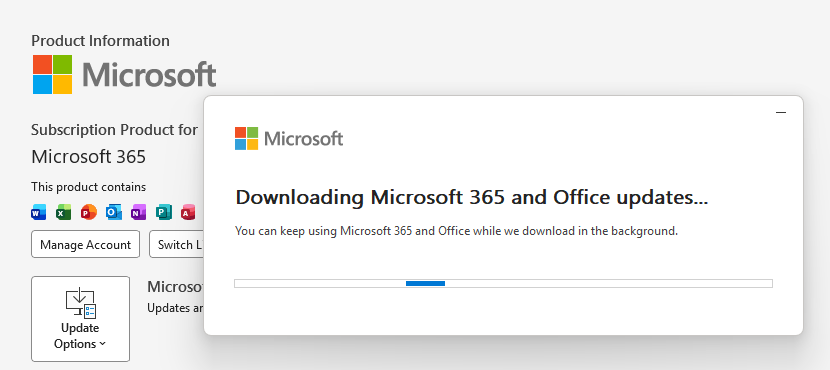
Updating Microsoft 365 and Office
How to protect your system
What you need to do depends on which version of Office you’re using.
The affected products include Microsoft Office 2016, 2019, LTSC 2021, LTSC 2024, and Microsoft 365 Apps (both 32‑bit and 64‑bit).
Office 2021 and later are protected via a server‑side change once Office is restarted. To apply it, close all Office apps and restart them.
Office 2016 and 2019 require a manual update. Run Windows Update with the option to update other Microsoft products turned on.
If you’re running build 16.0.10417.20095 or higher, no action is required. You can check your build number by opening any Office app, going to your account page, and selecting About for whichever application you have open. Make sure the build number at the top reads 16.0.10417.20095 or higher.
What always helps:
Don’t open unsolicited attachments without verifying them with a trusted sender.
Treat all unexpected documents, especially those asking to “enable content” or “enable editing,” as suspicious.
Keep macros disabled by default and only allow signed macros from trusted publishers.
After the viral AI assistant Clawdbot was forced to rename to Moltbot due to a trademark dispute, opportunists moved quickly. Within days, typosquat domains and a cloned GitHub repository appeared—impersonating the project’s creator and positioning infrastructure for a potential supply-chain attack.
The code is clean. The infrastructure is not. With the GitHub downloads and star rating rapidly rising, we took a deep dive into how fake domains target viral open source projects.
The background: Why was Clawdbot renamed?
In early 2026, Peter Steinberger’s Clawdbot became one of the fastest-growing open source projects on GitHub. The self-hosted assistant—described as “Claude with hands”—allowed users to control their computer through WhatsApp, Telegram, Discord, and similar platforms.
Anthropic later objected to the name. Steinberger complied and rebranded the project to Moltbot (“molt” being what lobsters do when they shed their shell).
During the rename, both the GitHub organization and X (formerly Twitter) handle were briefly released before being reclaimed. Attackers monitoring the transition grabbed them within seconds.
“Had to rename our accounts for trademark stuff and messed up the GitHub rename and the X rename got snatched by crypto shills.” — Peter Steinberger
That brief gap was enough.
Impersonation infrastructure emerged
While investigating a suspicious repository, I uncovered a coordinated set of assets designed to impersonate Moltbot.
Domains
moltbot[.]you
clawbot[.]ai
clawdbot[.]you
Repository
github[.]com/gstarwd/clawbot — a cloned repository using a typosquatted variant of the former Clawdbot project name
Website
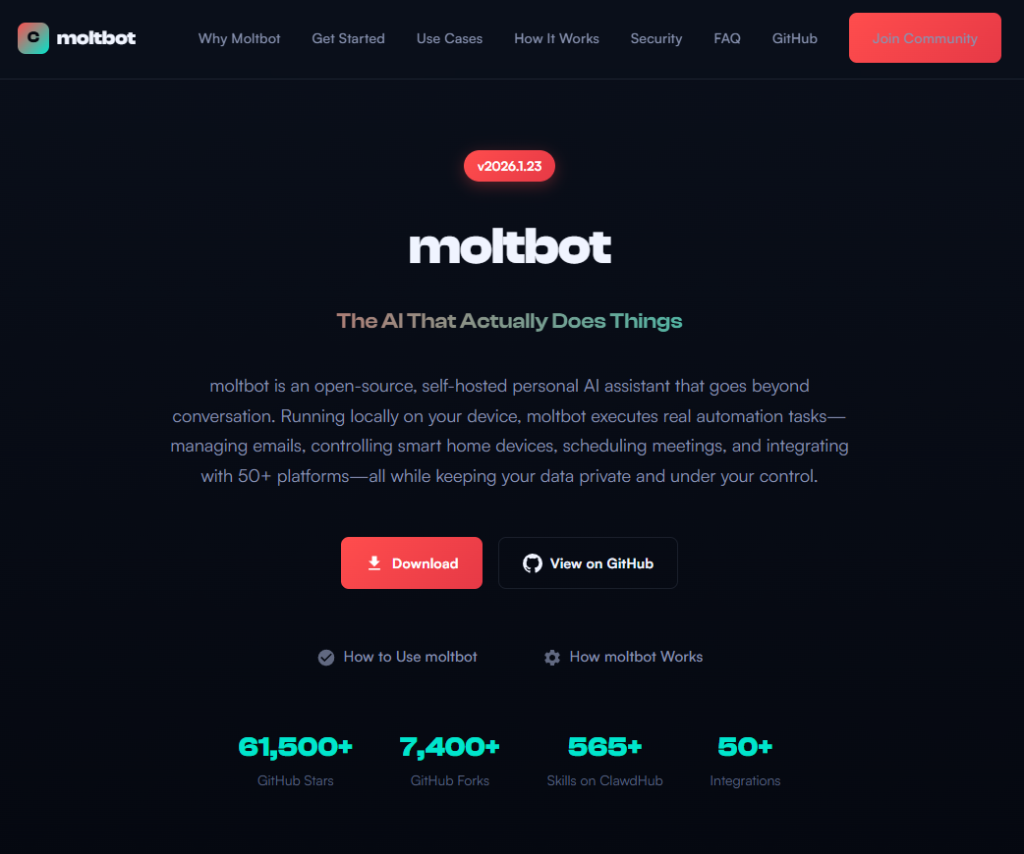
A polished marketing site featuring:
professional design closely matching the real project
SEO optimization and structured metadata
download buttons, tutorials, and FAQs
claims of 61,500+ GitHub stars lifted from the real repository
Evidence of impersonation
False attribution: The site’s schema.org metadata falsely claims authorship by Peter Steinberger, linking directly to his real GitHub and X profiles. This is explicit identity misrepresentation.
Misdirection to an unauthorized repository: “View on GitHub” links send users to gstarwd/clawbot, not the official moltbot/moltbot repository.
Stolen credibility:The site prominently advertises tens of thousands of stars that belong to the real project. The clone has virtually none (although at the time of writing, that number is steadily rising).
Mixing legitimate and fraudulent links: Some links point to real assets, such as official documentation or legitimate binaries. Others redirect to impersonation infrastructure. This selective legitimacy defeats casual verification and appears deliberate.
Full SEO optimization: Canonical tags, Open Graph metadata, Twitter cards, and analytics are all present—clearly intended to rank the impersonation site ahead of legitimate project resources.
The ironic security warning: The impersonation site even warns users about scams involving fake cryptocurrency tokens—while itself impersonating the project.
Code analysis: Clean by design
I performed a static audit of the gstarwd/clawbot repository:
no malicious npm scripts
no credential exfiltration
no obfuscation or payload staging
no cryptomining
no suspicious network activity
The code is functionally identical to the legitimate project, which is not reassuring.
The threat model
The absence of malware is the strategy. Nothing here suggests an opportunistic malware campaign. Instead, the setup points to early preparation for a supply-chain attack.
The likely chain of events:
A user searches for “clawbot GitHub” or “moltbot download” and finds moltbot[.]you or gstarwd/clawbot.
The code looks legitimate and passes a security audit.
The user installs the project and configures it, adding API keys and messaging tokens. Trust is established.
At a later point, a routine update is pulled through npm update or git pull. A malicious payload is delivered into an installation the user already trusts.
An attacker can then harvest:
Anthropic API keys
OpenAI API keys
WhatsApp session credentials
Telegram bot tokens
Discord OAuth tokens
Slack credentials
Signal identity keys
full conversation histories
command execution access on the compromised machine
What’s malicious, and what isn’t
Clearly malicious
false attribution to a real individual
misrepresentation of popularity metrics
deliberate redirection to an unauthorized repository
Deceptive but not yet malware
typosquat domains
SEO manipulation
cloned repositories with clean code
Not present (yet)
active malware
data exfiltration
cryptomining
Clean code today lowers suspicion tomorrow.
A familiar pattern
This follows a well-known pattern in open source supply-chain attacks.
A user searches for a popular project and lands on a convincing-looking site or cloned repository. The code appears legitimate and passes a security audit.
They install the project and configure it, adding API keys or messaging tokens so it can work as intended. Trust is established.
Later, a routine update arrives through a standard npm update or git pull. That update introduces a malicious payload into an installation the user already trusts.
From there, an attacker can harvest credentials, conversation data, and potentially execute commands on the compromised system.
No exploit is required. The entire chain relies on trust rather than technical vulnerabilities.
How to stay safe
Impersonation infrastructure like this is designed to look legitimate long before anything malicious appears. By the time a harmful update arrives—if it arrives at all—the software may already be widely installed and trusted.
That’s why basic source verification still matters, especially when popular projects rename or move quickly.
Advice for users
Verify GitHub organization ownership
Bookmark official repositories directly
Treat renamed projects as higher risk during transitions
Advice for maintainers
Pre-register likely typosquat domains before public renames
Coordinate renames and handle changes carefully
Monitor for cloned repositories and impersonation sites
Pro tip: Malwarebytes customers are protected. Malwarebytes is actively blocking all known indicators of compromise (IOCs) associated with this impersonation infrastructure, preventing users from accessing the fraudulent domains and related assets identified in this investigation.
We don’t just report on threats—we remove them
Cybersecurity risks should never spread beyond a headline. Keep threats off your devices by downloading Malwarebytes today.
Researchers discovered 16 malicious browser extensions for Google Chrome and Microsoft Edge that steal ChatGPT session tokens, giving attackers access to accounts, including conversation history and metadata.
The 16 malicious extensions (15 for Chrome and 1 for Edge) claim to improve and optimize ChatGPT, but instead siphon users’ session tokens to attackers. Together, they have been downloaded around 900 times, a relatively small number compared to other malicious extensions.
Despite benign descriptions and, in some cases, a “featured” badge, the real goal of these extensions is to hijack ChatGPT identities by stealing session authentication tokens and sending them to attacker-controlled backends.
Possession of these tokens gives attackers the same level of access as the user, including conversation history and metadata.
In addition to your ChatGPT session token, the extensions also send extra details about themselves (such as their version and language settings), along with information about how they’re used, and special keys they get from their own online service.
Taken together, this allows the attackers to build a picture of who you are and how you work online. They can use it to keep recognizing you over time, build a profile of your behavior, and maintain access to your ChatGPT-connected services for much longer. This increases the privacy impact and means a single compromised extension can cause broader harm if its servers are abused or breached.
According to the researchers, this campaign coincides with a broader trend:
“The rapid growth in adoption of AI-powered browser extensions, aimed at helping users with their everyday productivity needs. While most of them are completely benign, many of these extensions mimic known brands to gain users’ trust, particularly those designed to enhance interaction with large language models.”
How to stay safe
Although we always advise people to install extensions only from official web stores, this case proves once again that not all extensions available there are safe. That said, installing extensions from outside official web stores carries an even higher risk.
Extensions listed in official stores undergo a review process before being approved. This process, which combines automated and manual checks, assesses the extension’s safety, policy compliance, and overall user experience. The goal is to protect users from scams, malware, and other malicious activity. However, this review process is not foolproof.
Microsoft and Google have been notified about the abuse. However, extensions that are already installed may remain active in Chrome and Edge until users manually remove them.
Malicious extensions
These are the browser extensions you should remove. They are listed by Name — Publisher — Extension ID:
WhatsApp is quietly rolling out a new safety layer for photos, videos, and documents, and it lives entirely under the hood. It won’t change how you chat, but it will change what happens to the files that move through your chats—especially the kind that can hide malware.
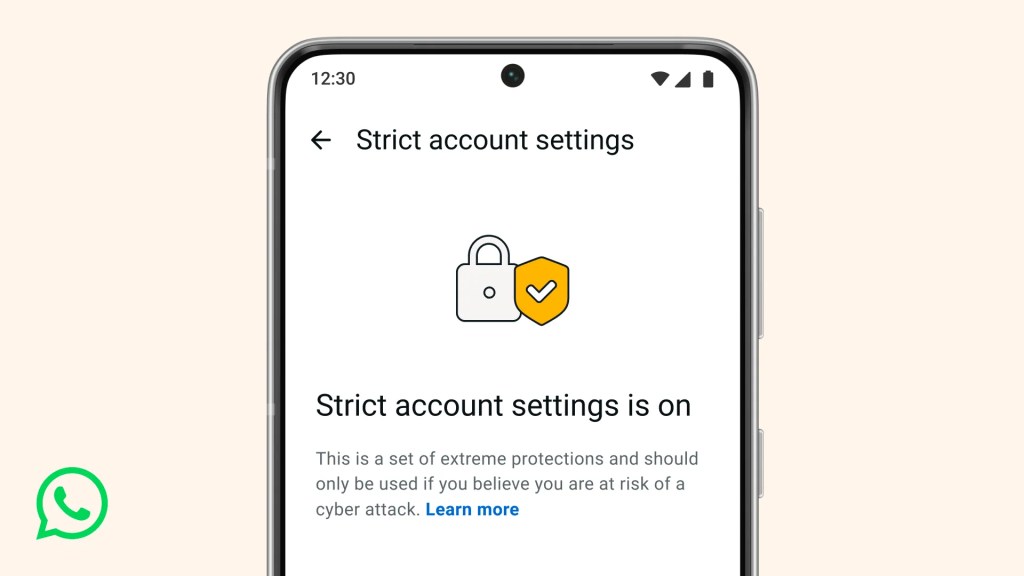
The new feature, called Strict Account Settings, is rolling out gradually over the coming weeks. To see whether you have the option—and to enable it—go to Settings > Privacy > Advanced.
Image courtesy of WhatsApp
Yesterday, we wrote about a WhatsApp bug on Android that made headlines because a malicious media file in a group chat could be downloaded and used as an attack vector without you tapping anything. You only had to be added to a new group to be exposed to the booby-trapped file. That issue highlighted something security folks have worried about for years: media files are a great vehicle for attacks, and they do not always exploit WhatsApp itself, but bugs in the operating system or its media libraries.
In Meta’s explanation of the new technology, it points back to the 2015 Stagefright Android vulnerability, where simply processing a malicious video could compromise a device. Back then, WhatsApp worked around the issue by teaching its media library to spot broken MP4 files that could trigger those OS bugs, buying users protection even if their phones were not fully patched.
What’s new is that WhatsApp has now rebuilt its core media-handling library in Rust, a memory-safe programming language. This helps eliminate several types of memory bugs that often lead to serious security problems. In the process, it replaced about 160,000 lines of older C++ code with roughly 90,000 lines of Rust, and rolled the new library out to billions of devices across Android, iOS, desktop apps, wearables, and the web.
On top of that, WhatsApp has bundled a series of checks into an internal system it calls “Kaleidoscope.” This system inspects incoming files for structural oddities, flags higher‑risk formats like PDFs with embedded content or scripts, detects when a file pretends to be something it’s not (for example, a renamed executable), and marks known dangerous file types for special handling in the app. It won’t catch every attack, but it should prevent malicious files from poking at more fragile parts of your device.
For everyday users, the Rust rebuilt and Kaleidoscope checks are good news. They add a strong, invisible safety net around photos, videos and other files you receive, including in group chats where the recent bug could be abused. They also line up neatly with our earlier advice to turn off automatic media downloads or use Advanced Privacy Mode, which limits how far a malicious file can travel on your device even if it lands in WhatsApp.
WhatsApp is the latest platform to roll out enhanced protections for users: Apple introduced Lockdown Mode in 2022, and Android followed with Advanced Protection Mode last year. WhatsApp’s new Strict Account Settings takes a similar high-level approach, applying more restrictive defaults within the app, including blocking attachments and media from unknown senders.
However, this is no reason to rush back to WhatsApp, or to treat these changes as a guarantee of safety. At the very least, Meta is showing that it is willing to invest in making WhatsApp more secure.
We don’t just report on phone security—we provide it

 Login
Login