❌

Normal view

A DarkSword hangs over unpatched iPhones

19 March 2026 at 13:27

Researchers at Google have identified an iOS exploit chain, namedΒ DarkSword, that has been used since late last year by multiple actors to infect iPhones with malware in targeted attacks.

DarkSword combines six vulnerabilities in iOS and Safari to deploy malware on the device. It demonstrates, once again, how important it is to keep up with updates.

The exploit works against iPhones running iOS versions 18.4 through 18.7, and simply visiting a malicious or compromised website with a vulnerable device can be enough to get infected (a drive‑by attack).

The researchers found that several groups are using the tool to attack their preferred targets. DarkSword has been used both by commercial spyware vendors and by state‑backed actors, with campaigns observed in Saudi Arabia, Turkey, Malaysia, and Ukraine.

In Saudi Arabia, attackers used a fake Snapchat lookalike. In Ukraine, attackers compromised at least two Ukrainian websites, including a government site.

Upon successful exploitation, malware is executed on the device. The type of malware depends on the attacker. In the Ukrainian campaign, that malware is known asΒ Ghostblade, one example of a payload delivered via the DarkSword exploit chain.

Ghostblade is a JavaScript‑based data‑stealer that exfiltrates unique device identifiers, SMS and iMessage messages, call history, contacts, Wi‑Fi configuration and passwords, Safari cookies and browsing history, location data, notes, calendar entries, health data, photos, iCloud Drive files, SIM information, emails, a list of installed apps, saved passwords, and the message history from Telegram and WhatsApp.

Beyond this, Ghostblade stands out because it also targets cryptocurrency‑related data, actively seeking apps for major exchanges (Coinbase, Binance, Kraken, Kucoin, OKX, Mexc) and wallet apps (Ledger, Trezor, Metamask, Exodus, Uniswap, Phantom, Gnosis Safe). Researchers note that Ghostblade is not built for long‑term surveillance: once it has collected the data, it deletes its temporary files and terminates itself.

The risks

Vulnerable devices can be infected just by visiting that one malicious or compromised website. And the consequences can be severe. DarkSword turns a single website visit into full device compromise, followed by Ghostblade exfiltrating as much data as it can in one go.

  • Data theft: Ghostblade and related payloads can grab communications (SMS, iMessage, Telegram, WhatsApp, email), photos, health data, location history, Wi‑Fi credentials, keychain items, and more in one sweep.
  • Crypto theft and profiling: The malware enumerates specific exchange and wallet apps, which allows both direct theft and lets criminals use the stolen information to build a detailed profile of financially interesting targets.
  • Forensic evasion: Because Ghostblade wipes its own traces after stealing all that information, it can take a long time before victims figure out something is wrong. Many victims may never know they were compromised.

Since the same exploit kit is being reused across commercial surveillance firms and state‑aligned actors, the number of campaigns and victims will increase over time.

The solutions

Update to theΒ latest iOSΒ available for your device. DarkSword can affect iOS versions 18.4 through 18.7, and Apple’s recent releases include fixes for CVE‑2026‑20700 and related vulnerabilities.

If you have reason to believe you’re a potential target for attacks of this nature (journalists, activists, or people that have access to sensitive data) it is advisable to enableΒ Lockdown Mode:

  1. Open the Settings app.
  2. Tap Privacy & Security.
  3. Scroll down, tap Lockdown Mode, then tap Turn On Lockdown Mode.
  4. Read the presented information and tap Turn On Lockdown Mode.
  5. Tap Turn On & Restart.
  6. Enter your device passcode when prompted.

Do inform yourself about the consequences of turning on Lockdown Mode. It makes your device a lot less user-friendly, but it has proven effective against highly targeted attacks.

Here are some more general tips:

  • Use up-to-date, real-time anti-malware protection for your device to block malicious websites where possible.
  • Avoid following links sent in unsolicited messages, especially for services like Snapchat, crypto exchanges, banking, or email.
  • Use content blockers (for example Malwarebytes Browser Guard) in Safari to reduce exposure to malicious content (though they are not a silver bullet for zero‑days).
  • Move high‑value crypto assets toΒ hardware walletsΒ or dedicated devices, and use mobile wallets only for smaller amounts.
  • Use a password managerΒ with strong authentication, and turn on extra security settings like Face ID/Touch ID and avoid auto‑filling high‑risk credentials.
  • EnableΒ multi-factor authentication (FIDO2 security keys or app‑based 2FA) on exchanges and financial accounts, so stolen passwords alone are not enough to plunder your accounts.
  • Regularly review app permissions and revoke access to sensitive data (Location, Photos, Contacts, Microphone, Camera, Health) revoke where unnecessary.

We don’t just report on phone securityβ€”we provide it

Cybersecurity risks should never spread beyond a headline. Keep threats off your mobile devices byΒ downloading Malwarebytes for iOS, and Malwarebytes for Android today.
Received an Instagram password reset email? Here’s what you need to know

12 January 2026 at 22:04

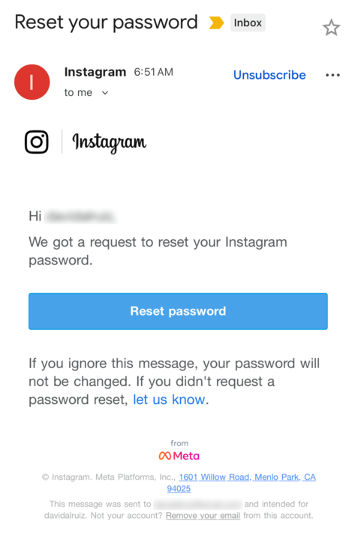
Last week, many Instagram users began receiving unsolicited emails from the platform that warned about a password reset request.

The message said:

β€œHi {username},
We got a request to reset your Instagram password.
If you ignore this message, your password will not be changed. If you didn’t request a password reset, let us know.”

Around the same time that users began receiving these emails, a cybercriminal using the handle β€œSolonik” offered data that alleged contains information about 17 million Instagram users for sale on a Dark Web forum.

These 17 million or so records include:

  • Usernames
  • Full names
  • User IDs
  • Email addresses
  • Phone numbers
  • Countries
  • Partial locations

Please note that there are no passwords listed in the data.

Despite the timing of the two events, Instagram denied this weekend that these events are related. On the platform X, the company stated they fixed an issue that allowed an external party to request password reset emails for β€œsome people.”

So, what’s happening?

Regarding the data found on the dark web last week, Shahak Shalev, global head of scam and AI research at Malwarebytes, shared that β€œthere are some indications that the Instagram data dump includes data from other, older, alleged Instagram breaches, and is a sort of compilation.” As Shalev’s team investigates the data, he also said that the earliest password reset requests reported by users came days before the data was first posted on the dark web, which might mean that β€œthe data may have been circulating in more private groups before being made public.”

However, another possibility, Shalev said, is that β€œanother vulnerability/data leak was happening as some bad actor tried spraying for [Instagram] accounts. Instagram’s announcement seems to reference that spraying. Besides the suspicious timing, there’s no clear connection between the two at this time.”

But, importantly, scammers will not care whether these incidents are related or not. They will try to take advantage of the situation by sending out fake emails.

β€œWe felt it was important to alert people about the data availability so that everyone could reset their passwords, directly from the app, and be on alert for other phishing communications,” Shalev said.

If and when we find out more, we’ll keep you posted, so stay tuned.

How to stay safe

If you have enabled 2FA on your Instagram account, we think it is indeed safe to ignore the emails, as proposed by Meta.

Should you want to err on the safe side and decide to change your password, make sure to do so in the app and not click any links in the email, to avoid the risk that you have received a fake email. Or you might end up providing scammers with your password.

Another thing to keep in mind is that these are Meta-data. Which means some users may have reused or linked them to their Facebook or WhatsApp accounts. So, as a precaution, you can check recent logins and active sessions on Instagram, WhatsApp, and Facebook, and log out from any devices or locations you do not recognize.

If you want to find out whether your data was included in an Instagram data breach, or any other for that matter, try our free Digital Footprint scan.

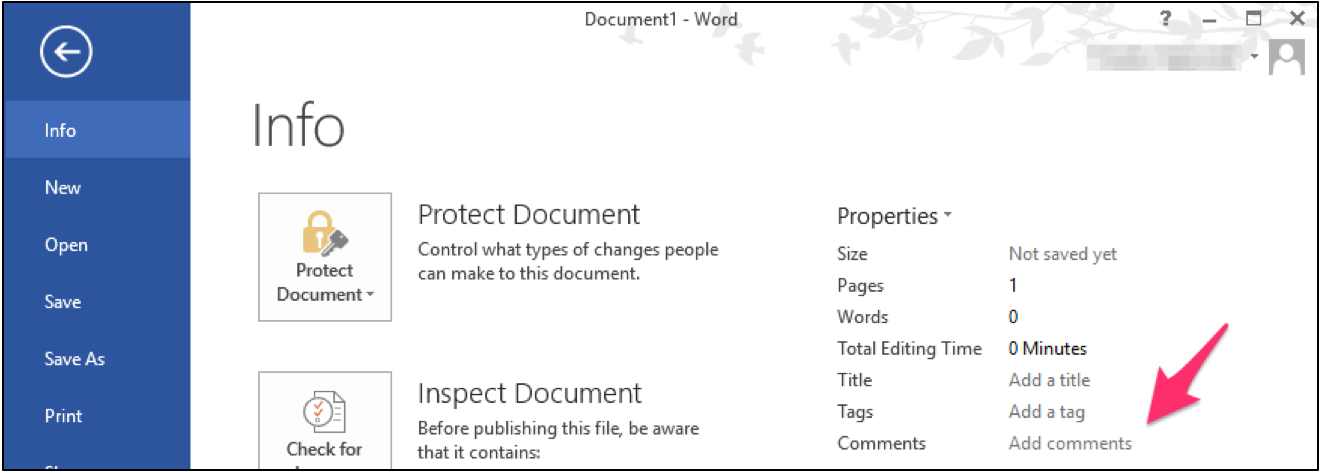
Having Fun with ActiveX Controls in Microsoft Word

By: BHIS
30 August 2018 at 17:44

Marcello Salvati// During Red Team and penetration tests, it’s always important and valuable to test assumptions. One major assumption I hear from Pentesters, Red teamers and clients alike is that […]

The post Having Fun with ActiveX Controls in Microsoft Word appeared first on Black Hills Information Security, Inc..

Running HashCat on Ubuntu 18.04 Server with 1080TI

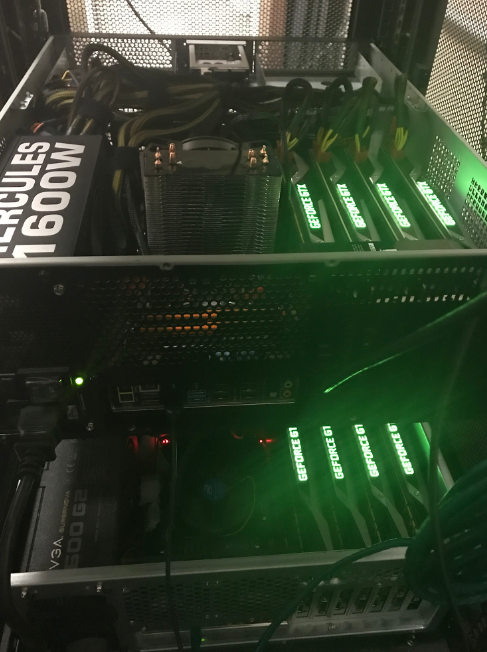
Derrick Rauch and Kent Ickler // (Updated 3/22/2019) First, to see what our build looks like, look here:Β https://www.blackhillsinfosec.com/build-password-cracker-nvidia-gtx-1080ti-gtx-1070/ What’s next?Β Time for System Rebuild! First, you need to decide whether you […]

The post Running HashCat on Ubuntu 18.04 Server with 1080TI appeared first on Black Hills Information Security, Inc..

Finding: Weak Password Policy

David Fletcher// The weak password policy finding is typically an indicator of one of two conditions during a test: A password could be easily guessed using standard authentication mechanisms. A […]

The post Finding: Weak Password Policy appeared first on Black Hills Information Security, Inc..

How to Get Malicious Macros Past Email Filters

Carrie Roberts // Β  Β  Β  A malicious macro in a Microsoft Word or Excel document is an effective hacking technique. These documents could be delivered in a variety of […]

The post How to Get Malicious Macros Past Email Filters appeared first on Black Hills Information Security, Inc..

Power Posing with PowerOPS

By: BHIS
25 January 2017 at 17:13

Brian FehrmanΒ // As described in my last blog post,Β Powershell Without Powershell – How To Bypass Application Whitelisting, Environment Restrictions & AVΒ (sheeesh…it’s been a bit!), we are seeing more environments in […]

The post Power Posing with PowerOPS appeared first on Black Hills Information Security, Inc..

Wide-Spread Local Admin Testing

Brian Fehrman // In our experience, we see many Windows environments in which the local Administrator password is the same for many machines. We refer to this as Wide-Spread Local […]

The post Wide-Spread Local Admin Testing appeared first on Black Hills Information Security, Inc..

Check\ Your\ Tools

By: BHIS
26 February 2016 at 23:10

Brian King // There’s a one-liner password spray script that a lot of folks use to see if anyone on a domain is using a bad password like LetMeIn! or […]

The post Check\ Your\ Tools appeared first on Black Hills Information Security, Inc..

❌