Reading view

How Hola Browser was weaponized to spread a Monero miner | Kaspersky official blog

In early June, cybersecurity researchers discovered that a compromised version of the Israel-based Hola Browser for Windows (version 1.251.91.0) was secretly downloading a Monero crypto miner to users’ devices. Shortly after the discovery, Hola confirmed that it had fallen victim to a supply chain attack. In this article, we break down how the attack went down, how the crypto miner works, and what it means for affected users.

What is Hola Browser, and how was the malware discovered?

The Israeli company Hola is best known for its VPN service, which users primarily rely on to bypass geo-restrictions and access region-locked content. In addition to the VPN, the company develops Hola Browser — a Chromium-based browser that comes with built-in VPN and proxy features.

Researchers first spotted signs of trouble during a standard compliance check for the AppEsteem Windows Certified Application program. As part of this certification process, independent cybersecurity firms audit software to ensure it only contains the components it claims to have and is free of unwanted or malicious features. Even after a certificate is granted, apps are regularly re-evaluated to ensure they continue to meet AppEsteem’s strict guidelines.

It was during one of these routine follow-up checks that experts noticed an unauthorized file bundling itself with version 1.251.91.0 of Hola Browser for Windows. Once installed, the file saved itself to the hard drive at C:\Program Files\Hola\me{.}exe. The file immediately raised red flags for researchers due to a laundry list of suspicious characteristics: it wasn’t on the list of approved application files, lacked a timestamp, and had no digital signature. On top of that, its code was heavily obfuscated, and it possessed the ability to inject itself directly into system memory.

Interestingly, researchers noted that the file didn’t show up in every single installation. Because the infection wasn’t widespread across all users, experts suspected early on that a specific stage in the Hola Browser distribution pipeline had been compromised. Hola later confirmed this theory, admitting it had fallen victim to a supply chain attack.

As for the suspicious me{.}exe file itself, closer analysis revealed that it was a stealthy crypto miner configured to mine Monero. We’ll now dive into the technical details of how it works.

How did attackers use Hola Browser to mine Monero?

Crypto miners are programs that harness a computer’s processing power to mine cryptocurrency. While some users install this software intentionally to generate a bit of income, miners that run on a machine without the owner’s knowledge are typically classified as unwanted.

Running a hidden miner can noticeably slow down the device, spike the user’s electricity bill, and shorten the hardware’s lifespan. That being said, it’s worth noting that a crypto miner infection will not actually steal the owner’s cryptocurrency; the damage is strictly limited to the hijackers leeching your computer’s hardware resources to line their own pockets.

As we mentioned above, the malicious download bundled with Hola Browser sneaked a Monero crypto miner onto victims’ devices. Launched in 2014 and built on the CryptoNote protocol, Monero currently trades at around US$330 per coin.

Compared to heavyweights like Bitcoin or Ethereum, Monero is a bit exotic and lesser-known to the general public. This niche status shows in its relatively modest price growth and smaller market capitalization — which is roughly 200 times lower than Bitcoin’s. However, Monero has one defining feature: privacy. While Bitcoin and Ethereum operate on fully transparent, public blockchains, where anyone can trace transactions, Monero is a “privacy coin”. It uses advanced cryptographic mechanisms to mask the sender, receiver, and transaction amounts. This extreme anonymity is exactly why hackers love hidden Monero miners — it makes it difficult for law enforcement and cybersecurity professionals to follow the money trail.

Additionally, Monero’s underlying algorithm is explicitly designed to mine efficiently using standard computer processors (CPUs). This stands in stark contrast to many other popular cryptocurrencies, which require specialized ASIC hardware or high-end graphics cards (GPUs) to be profitable.

But let’s look closer at how this played out with Hola Browser. When researchers dissected the malicious me{.}exe code, they found it was automatically adding its own files to the Microsoft Defender exclusion list. By allowlisting itself, the malware successfully blinded Windows’ built-in antivirus, allowing the crypto miner to run in the background completely unhindered.

Once inside, the program made a copy of itself under the name HolaMonitorService{.}exe, and set up a persistent Windows background service called hola_monitor_svc. This maneuver allowed the malware to entrench itself in the system, automatically launching every time the computer restarted. To avoid raising any red flags with sudden massive performance drops, the miner was programmed to stay dormant, kicking into gear only when the computer was idle.

How to protect your device from crypto miners and malware

To their credit, Hola’s development team responded swiftly to the initial reports of the suspicious file. They confirmed the supply chain breach, but stated that the incident only impacted 0.1% of their user base. The company has since tightened up security around its update distribution pipeline to guarantee that users only receive approved, certified, and digitally-signed software components moving forward.

In light of this incident, we highly recommend that all Hola Browser users update to the latest version immediately — especially those running the application on Windows.

More broadly, this situation is a textbook reminder of why it’s so critical to keep all your software up to date and run a robust cybersecurity solution on all your gadgets. For instance, Kaspersky Premium provides real-time alerts about suspicious software behavior and blocks threats instantly. As an added bonus, a Kaspersky Premium subscription includes a secure and reliable VPN.

Don’t forget that malicious crypto miners don’t just target PCs; they also go after smartphones, often disguising themselves as anything from popular mobile games to official government service apps. Check out our previous posts to learn more:

  •  

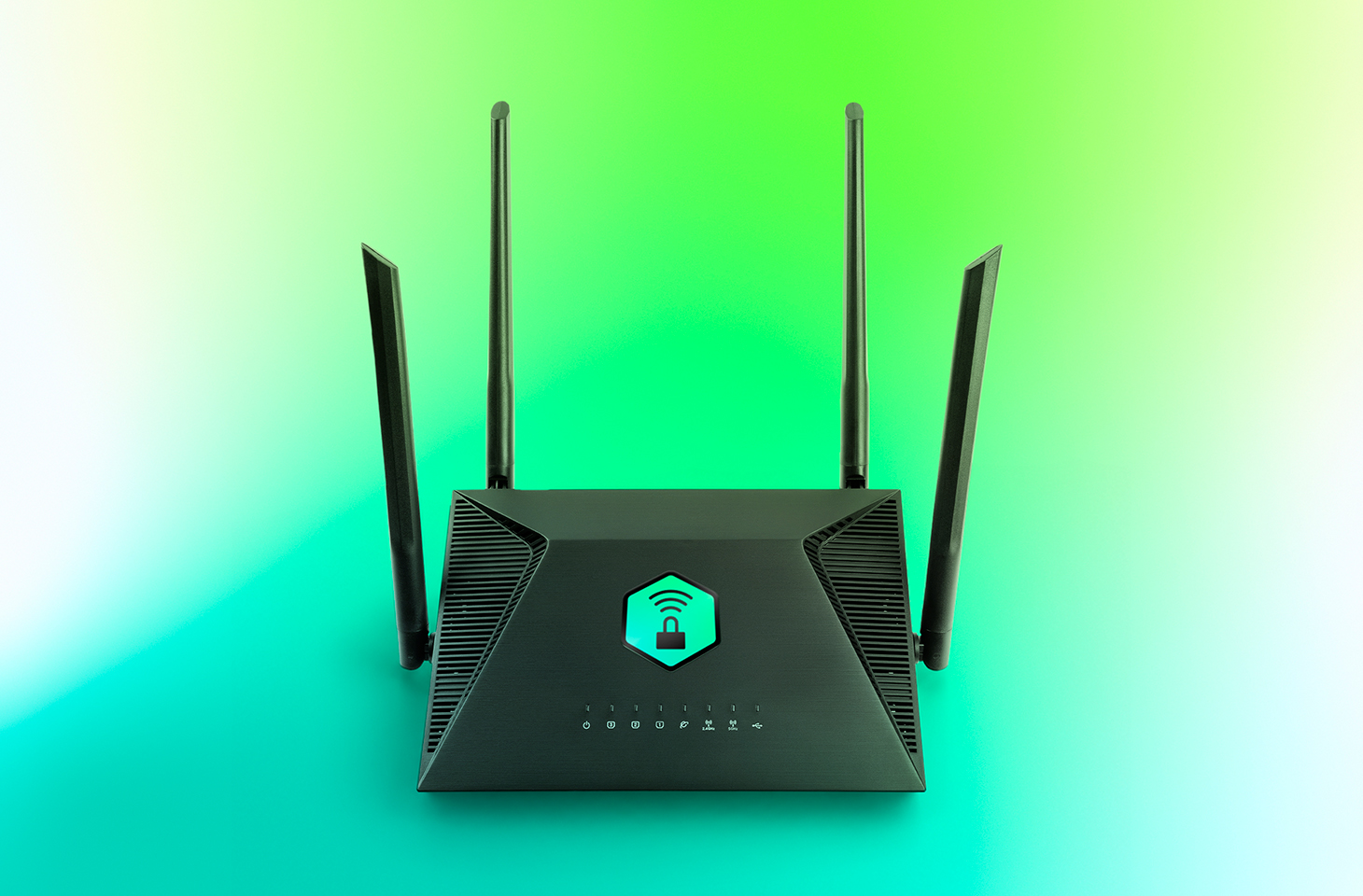
How to protect your organization from AirSnitch Wi-Fi vulnerabilities | Kaspersky official blog

At the NDSS Symposium 2026 in San Diego in February, a group of respected researchers presented a study unveiling the AirSnitch attack, which bypasses the Wi-Fi client isolation feature — also commonly known as guest network or device isolation. This attack allows connecting to a single wireless network via an access point, and then gaining access to other connected devices, including those using entirely different service set identifiers (SSIDs) on that same hardware. Targeted devices could easily be running on wireless subnets protected by WPA2 or WPA3 protocols. The attack doesn’t actually break encryption; instead, it exploits the way access points handle group keys and packet routing.

In practical terms, this means that a guest network provides very little in the way of real security. If your guest and employee networks are running on the same physical device, AirSnitch allows a connected attacker to inject malicious traffic into neighboring SSIDs. In some cases, they can even pull off a full-blown man-in-the-middle (MitM) attack.

Wi-Fi security and the role of isolation

Wi-Fi security is constantly evolving; every time a practical attack is made against the latest generation of protection, the industry shifts toward more complex algorithms and procedures. This cycle started with the FMS attacks used to crack WEP encryption keys, and continues to this day: recent examples include the KRACK attacks on WPA2, and the FragAttacks, which impacted every security protocol version from WEP all the way through WPA3.

Attacking modern Wi-Fi networks effectively (and quietly) is no small feat. Most professionals agree that using WPA2/WPA3 with complex keys and separating networks based on their purpose is usually enough for protection. However, only specialists really know that client isolation was never actually standardized within the IEEE 802.11 protocols. Different manufacturers implement isolation in completely different ways — using Layer 2 or Layer 3 of network architecture; in other words, handling it at either the router or the Wi-Fi controller level — meaning the behavior of isolated subnets varies wildly depending on your specific access point or router model.

While marketing claims that client isolation is perfect for keeping restaurant or hotel guests from attacking one another — or ensuring corporate visitors can’t access anything but the internet — in reality, isolation often relies on people not trying to hack it. This is exactly what the AirSnitch research highlights.

Types of AirSnitch attacks

The name AirSnitch doesn’t just refer to a single vulnerability, but a whole family of architectural flaws found in Wi-Fi access points. It’s also the name of an open-source tool used to test routers for these specific weaknesses. However, security professionals need to keep in mind that there’s only a very thin line between testing and attacking.

The model for all these attacks is the same: a malicious client is connected to an access point (AP) where isolation is active. Other users — the targets — are connected to the same SSID or even different SSIDs on that same AP. This is a very realistic scenario; for example, a guest network might be open and unencrypted, or an attacker could simply get the guest Wi-Fi password by posing as a legitimate visitor.

For certain AirSnitch attacks, the attacker needs to know the victim’s MAC or IP address beforehand.  Ultimately, how effective each attack is depends on the specific hardware manufacturer (more on that below).

GTK attack

After the WPA2/WPA3 handshake, the access point and the clients agree on a Group Transient Key (GTK) to handle broadcast traffic. In this scenario, the attacker wraps packets destined for a specific victim inside a broadcast traffic envelope. They then send these directly to the victim while spoofing the access point’s MAC address. This attack only allows for traffic injection, meaning the attacker won’t receive a response. However, even that is enough to deliver malicious ICMPv6 routing advertisements, or DNS and ARP messages to the client — effectively bypassing isolation. This is the most universal version of the attack working on any WPA2/WPA3 network that uses a shared GTK. That said, some enterprise-grade access points support GTK randomization for each individual client, which renders this specific method ineffective.

Broadcast packet redirection

This version of the attack doesn’t even require the attacker to authenticate at the access point first. The attacker sends packets to the AP with a broadcast destination address (FF:FF:FF:FF:FF:FF) and the ToDS flag set to 1.  As a result, many access points treat this packet as legitimate broadcast traffic; they encrypt it using the GTK, and blast it out to every client on the subnet, including the victim. Just like in the previous method, traffic specifically meant for a single victim can be pre-packaged inside.

Router redirection

This attack exploits an architectural gap between Layer 2 and Layer 3 security found in some manufacturers’ hardware. The attacker sends a packet to the access point, setting the victim’s IP address as the destination at the network layer (L3).  However, at the wireless layer (L2), the destination is set to the access point’s own MAC address, so the isolation filter doesn’t trip. The routing subsystem (L3) then dutifully routes the packet back out to the victim, bypassing the L2 isolation entirely. Like the previous methods, this is another transmit-only attack where the attacker can’t see the reply.

Port stealing to intercept packets

The attacker connects to the network using a spoofed version of the victim’s MAC address, and floods the network with ARP responses claiming, “this MAC address is on my port and SSID”.  The target network’s router updates its MAC tables, and starts sending the victim’s traffic to this new port instead. Consequently, traffic intended for the victim ends up with the attacker — even if the victim is connected to a completely different SSID.

In a scenario where the attacker connects via an open, unencrypted network, this means traffic meant for a client on a WPA2/WPA3-secured network is actually broadcast over the open air, where not only the attacker but anyone nearby can sniff it.

Port stealing to send packets

In this version, the attacker connects directly to the victim’s Wi-Fi adapter, and bombards it with ARP requests spoofing the access point’s MAC address. As a result, the victim’s computer starts sending its outgoing traffic to the attacker instead of the network. By running both stealing attacks simultaneously, an attacker can, in several scenarios, execute a full MitM attack.

Practical consequences of AirSnitch attacks

By combining several of the techniques described above, a hacker can pull off some pretty serious moves:

  • Complete bidirectional traffic interception for a MitM attack. This means they can snatch and modify data moving between the victim and the access point without the victim ever knowing.
  • Hopping between SSIDs. An attacker sitting on a guest network can reach hosts on a locked-down corporate network if both are running off the same physical access point.
  • Attacks on RADIUS. Since many companies use RADIUS authentication for their corporate Wi-Fi, an attacker can spoof the access point’s MAC address to intercept initial RADIUS authentication packets. From there, they can brute-force the shared secret. Once they have that, they can spin up a rogue RADIUS server and access point to hijack data from any device that connects to it.
  • Exposing unencrypted data from “secure” subnets: Traffic that’s supposed to be sent to a client under the protection of WPA2/WPA3 can be retransmitted onto an open guest network, where it’s essentially broadcast for anyone to hear.

To pull off these attacks effectively, a hacker needs a device capable of simultaneous data transmission and reception with both the victim’s adapter and the access point. In a real-world scenario, this usually means a laptop with two Wi-Fi adapters running specifically configured Linux drivers. It’s worth noting that the attack isn’t exactly silent: it requires a flood of ARP packets, it can cause brief Wi-Fi glitches when it starts, and network speeds might tank to around 10Mbps. Despite these red flags, it’s still very much a practical threat in many environments.

Vulnerable devices

As part of the study, several enterprise and home access points and routers were put to the test. The list included products from Cisco, Netgear, Ubiquiti, Tenda, D-Link, TP-Link, LANCOM, and ASUS, as well as routers running popular community firmware like DD-WRT and OpenWrt. Every single device tested was vulnerable to at least some of the attacks described here. Even more concerning, the D-Link DIR-3040 and LANCOM LX-6500 were susceptible to every single variation of AirSnitch.

Interestingly, some routers were equipped with protective mechanisms that blocked the attacks, even though the underlying architectural flaws were still present. For example, the Tenda RX2 Pro automatically disconnects any client whose MAC address appears on two BSSIDs simultaneously, which effectively shuts down port stealing.

The researchers emphasize that any network administrator or IT security team serious about defense should test their own specific configurations. That’s the only way to pinpoint exactly which threats are relevant to your organization’s setup.

How to protect your corporate network from AirSnitch

The threat is most immediate for organizations running guest and corporate Wi-Fi networks on the same access points without additional VLAN segmentation. There are also significant risks for companies using RADIUS with outdated settings or weak shared secrets for wireless authentication.

The bottom line is that we need to stop viewing client isolation on an access point as a real security measure, and start seeing it as just a convenience feature. Real security needs to be handled differently:

  • Segment the network using VLANs. Each SSID should have its own VLAN, with strict 802.1Q packet tagging maintained all the way from the access point to the firewall or router.
  • Implement stricter packet inspection at the routing level — depending on the hardware capabilities. Features like Dynamic ARP Inspection, DHCP snooping, and limiting the number of MAC addresses per port help defend against IP/MAC spoofing.
  • Enable individual GTK keys for each client, if your equipment supports it.
  • Use more resilient RADIUS and 802.1X settings, including modern cipher suites and robust shared secrets.
  • Log and analyze EAP/RADIUS authentication anomalies in your SIEM. This helps track many attack attempts beyond just AirSnitch. Other red flag events to watch for include the same MAC address appearing on different SSIDs, spikes in ARP requests, or clients rapidly jumping between BSSIDs or VLANs.
  • Apply security at higher levels of the network topology. Many of these attacks lose their punch if the organization has universally implemented TLS and HSTS for all business application traffic, requires an active VPN for all Wi-Fi connections, or has fully embraced a Zero Trust architecture.

  •  

Fake apps, NFC skimming attacks, and other Android issues in 2026 | Kaspersky official blog

The year 2025 saw a record-breaking number of attacks on Android devices. Scammers are currently riding a few major waves: the hype surrounding AI apps, the urge to bypass site blocks or age checks, the hunt for a bargain on a new smartphone, the ubiquity of mobile banking, and, of course, the popularity of NFC. Let’s break down the primary threats of 2025–2026, and figure out how to keep your Android device safe in this new landscape.

Sideloading

Malicious installation packages (APK files) have always been the Final Boss among Android threats, despite Google’s multi-year efforts to fortify the OS. By using sideloading — installing an app via an APK file instead of grabbing it from the official store — users can install pretty much anything, including straight-up malware. And neither the rollout of Google Play Protect, nor the various permission restrictions for shady apps have managed to put a dent in the scale of the problem.

According to preliminary data from Kaspersky for 2025, the number of detected Android threats grew almost by half. In the third quarter alone, detections jumped by 38% compared to the second. In certain niches, like Trojan bankers, the growth was even more aggressive. In Russia alone, the notorious Mamont banker attacked 36 times more users than it did the previous year, while globally this entire category saw a nearly fourfold increase.

Today, bad actors primarily distribute malware via messaging apps by sliding malicious files into DMs and group chats. The installation file usually sports an enticing name (think “party_pics.jpg.apk” or “clearance_sale_catalog.apk”), accompanied by a message “helpfully” explaining how to install the package while bypassing the OS restrictions and security warnings.

Once a new device is infected, the malware often spams itself to everyone in the victim’s contact list.

Search engine spam and email campaigns are also trending, luring users to sites that look exactly like an official app store. There, they’re prompted to download the “latest helpful app”, such as an AI assistant. In reality, instead of an installation from an official app store, the user ends up downloading an APK package. A prime example of these tactics is the ClayRat Android Trojan, which uses a mix of all these techniques to target Russian users. It spreads through groups and fake websites, blasts itself to the victim’s contacts via SMS, and then proceeds to steal the victim’s chat logs and call history; it even goes as far as snapping photos of the owner using the front-facing camera. In just three months, over 600 distinct ClayRat builds have surfaced.

The scale of the disaster is so massive that Google even announced an upcoming ban on distributing apps from unknown developers starting in 2026. However, after a couple of months of pushback from the dev community, the company pivoted to a softer approach: unsigned apps will likely only be installable via some kind of superuser mode. As a result, we can expect scammers to simply update their how-to guides with instructions on how to toggle that mode on.

Kaspersky for Android will help you protect yourself from counterfeit and trojanized APK files. Unfortunately, due to Google’s decision, our Android security apps are currently unavailable on Google Play. We’ve previously provided detailed information on how to install our Android apps with a 100% guarantee of authenticity.

NFC relay attacks

Once an Android device is compromised, hackers can skip the middleman to steal the victim’s money directly thanks to the massive popularity of mobile payments. In the third quarter of 2025 alone, over 44 000 of these attacks were detected in Russia alone — a 50% jump from the previous quarter.

There are two main scams currently in play: direct and reverse NFC exploits.

Direct NFC relay is when a scammer contacts the victim via a messaging app and convinces them to download an app — supposedly to “verify their identity” with their bank. If the victim bites and installs it, they’re asked to tap their physical bank card against the back of their phone and enter their PIN. And just like that the card data is handed over to the criminals, who can then drain the account or go on a shopping spree.

Reverse NFC relay is a more elaborate scheme. The scammer sends a malicious APK and convinces the victim to set this new app as their primary contactless payment method. The app generates an NFC signal that ATMs recognize as the scammer’s card. The victim is then talked into going to an ATM with their infected phone to deposit cash into a “secure account”. In reality, those funds go straight into the scammer’s pocket.

We break both of these methods down in detail in our post, NFC skimming attacks.

NFC is also being leveraged to cash out cards after their details have been siphoned off through phishing websites. In this scenario, attackers attempt to link the stolen card to a mobile wallet on their own smartphone — a scheme we covered extensively in NFC carders hide behind Apple Pay and Google Wallet.

The stir over VPNs

In many parts of the world, getting onto certain websites isn’t as simple as it used to be. Some sites are blocked by local internet regulators or ISPs via court orders; others require users to pass an age verification check by showing ID and personal info. In some cases, sites block users from specific countries entirely just to avoid the headache of complying with local laws. Users are constantly trying to bypass these restrictions —and they often end up paying for it with their data or cash.

Many popular tools for bypassing blocks — especially free ones — effectively spy on their users. A recent audit revealed that over 20 popular services with a combined total of more than 700 million downloads actively track user location. They also tend to use sketchy encryption at best, which essentially leaves all user data out in the open for third parties to intercept.

Moreover, according to Google data from November 2025, there was a sharp spike in cases where malicious apps are being disguised as legitimate VPN services to trick unsuspecting users.

The permissions that this category of apps actually requires are a perfect match for intercepting data and manipulating website traffic. It’s also much easier for scammers to convince a victim to grant administrative privileges to an app responsible for internet access than it is for, say, a game or a music player. We should expect this scheme to only grow in popularity.

Trojan in a box

Even cautious users can fall victim to an infection if they succumb to the urge to save some cash. Throughout 2025, cases were reported worldwide where devices were already carrying a Trojan the moment they were unboxed. Typically, these were either smartphones from obscure manufacturers or knock-offs of famous brands purchased on online marketplaces. But the threat wasn’t limited to just phones; TV boxes, tablets, smart TVs, and even digital photo frames were all found to be at risk.

It’s still not entirely clear whether the infection happens right on the factory floor or somewhere along the supply chain between the factory and the buyer’s doorstep, but the device is already infected before the first time it’s turned on. Usually, it’s a sophisticated piece of malware called Triada, first identified by Kaspersky analysts back in 2016. It’s capable of injecting itself into every running app to intercept information: stealing access tokens and passwords for popular messaging apps and social media, hijacking SMS messages (confirmation codes: ouch!), redirecting users to ad-heavy sites, and even running a proxy directly on the phone so attackers can browse the web using the victim’s identity.

Technically, the Trojan is embedded right into the smartphone’s firmware, and the only way to kill it is to reflash the device with a clean OS. Usually, once you dig into the system, you’ll find that the device has far less RAM or storage than advertised — meaning the firmware is literally lying to the owner to sell a cheap hardware config as something more premium.

Another common pre-installed menace is the BADBOX 2.0 botnet, which also pulls double duty as a proxy and an ad-fraud engine. This one specializes in TV boxes and similar hardware.

How to go on using Android without losing your mind

Despite the growing list of threats, you can still use your Android smartphone safely! You just have to stick to some strict mobile hygiene rules.

  • Install a comprehensive security solution on all your smartphones. We recommend Kaspersky for Android to protect against malware and phishing.
  • Avoid sideloading apps via APKs whenever you can use an app store instead. A known app store — even a smaller one — is always a better bet than a random APK from some random website. If you have no other choice, download APK files only from official company websites, and double-check the URL of the page you’re on. If you aren’t 100% sure what the official site is, don’t just rely on a search engine; check official business directories or at least Wikipedia to verify the correct address.
  • Read OS warnings carefully during installation. Don’t grant permissions if the requested rights or actions seem illogical or excessive for the app you’re installing.
  • Under no circumstances should you install apps from links or attachments in chats, emails, or similar communication channels.
  • Never tap your physical bank card against your phone. There is absolutely no legitimate scenario where doing this would be for your own benefit.
  • Do not enter your card’s PIN into any app on your phone. A PIN should only ever be requested by an ATM or a physical payment terminal.
  • When choosing a VPN, stick to paid ones from reputable companies.
  • Buy smartphones and other electronics from official retailers, and steer clear of brands you’ve never heard of. Remember: if a deal seems too good to be true, it almost certainly is.

Other major Android threats from 2025:

  •  
❌