Amerikaanse Google Chrome-gebruikers met een betaald abonnement kunnen de ingebouwde AI-assistent voortaan zelfstandig taken laten uitvoeren in de browser. Daarnaast krijgen ze toegang tot het afbeeldingenmodel Nano Banana.
Google Chrome krijgt vanaf volgende week waarschijnlijk een functie om de balk met tabbladen verticaal weer te geven. Andere browsers doen dit al jaren, maar Chrome heeft dit nog niet. Het zit al wel in de Canary- en bètaversies van de browser.
Mozilla heeft de optie toegevoegd om in browser Firefox de sneltoetsen aan te passen. Dat kan door in de adresbalk 'about:keyboard' te typen. Het eerste verzoek voor deze mogelijkheid kwam 25 jaar geleden, nog voordat versie 1 uitkwam.
Google heeft ondersteuning voor JPEG XL toegevoegd aan de opensourcecodebase voor Chromium. Daarmee kunnen browsers als Chrome het .jxl-bestandsformaat voortaan verwerken. Google introduceerde en stopte de ondersteuning voor het afbeeldingsformaat in 2022.
Kagi, de maker van de gelijknamige betaalde privacyzoekmachine, heeft een alfaversie van zijn eigen Orion-browser vrijgegeven voor Linux. Die is nog onstabiel, waarschuwt de ontwikkelaar, maar bevat de meeste visuele componenten al wel. De browser is gebaseerd op WebKit, maar mist vooralsnog ondersteuning voor extensies.
In November 2025, Kaspersky experts uncovered a new stealer named Stealka, which targets Windows users’ data. Attackers are using Stealka to hijack accounts, steal cryptocurrency, and install a crypto miner on their victims’ devices. Most frequently, this infostealer disguises itself as game cracks, cheats and mods.
Here’s how the attackers are spreading the stealer, and how you can protect yourself.
How Stealka spreads
A stealer is a type of malware that collects confidential information stored on the victim’s device and sends it to the attackers’ server. Stealka is primarily distributed via popular platforms like GitHub, SourceForge, Softpedia, sites.google.com, and others, disguised as cracks for popular software, or cheats and mods for games. For the malware to be activated, the user must run the file manually.
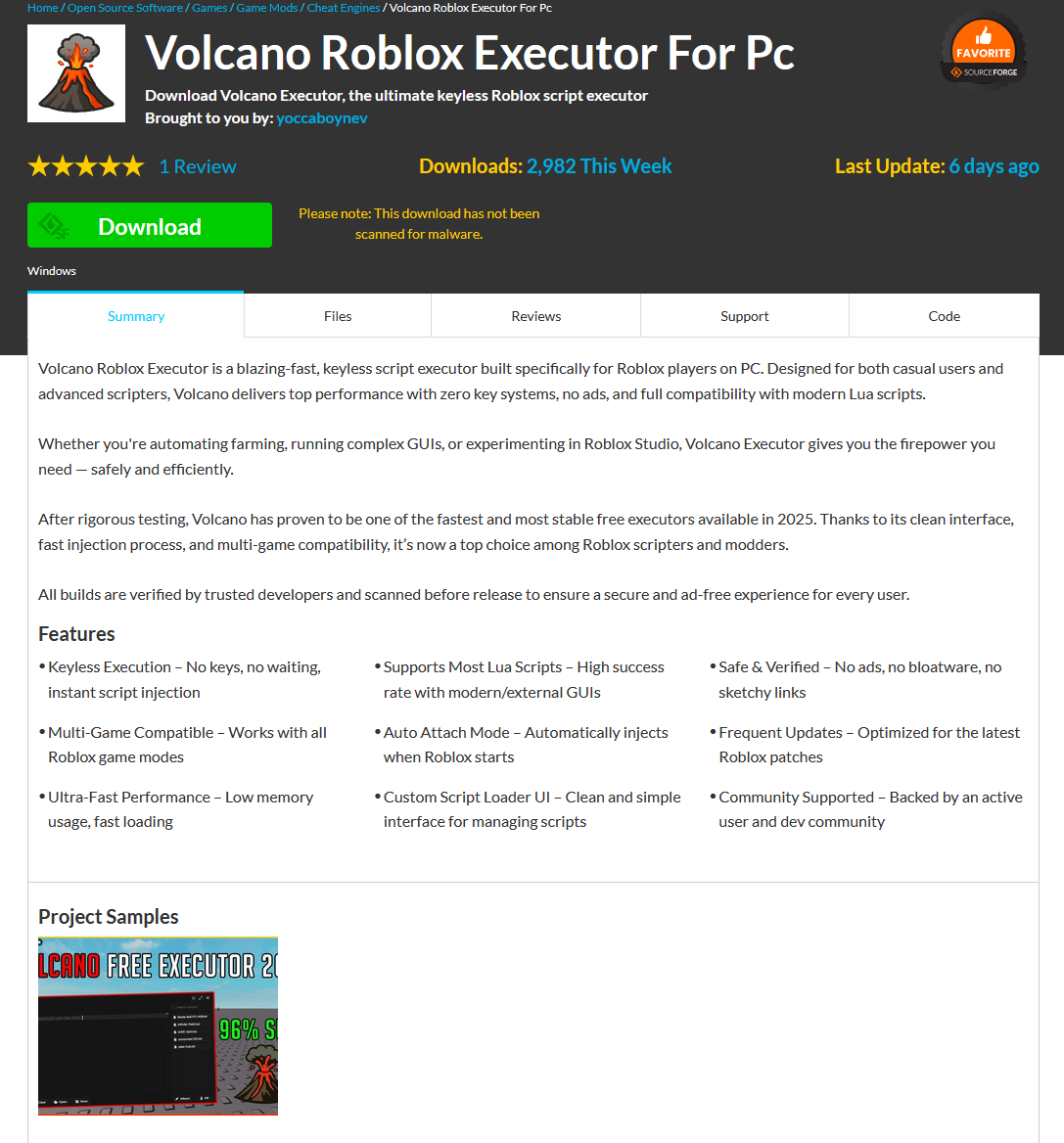
Here’s an example: a malicious Roblox mod published on SourceForge.
Attackers exploited SourceForge, a legitimate website, to upload a mod containing Stealka
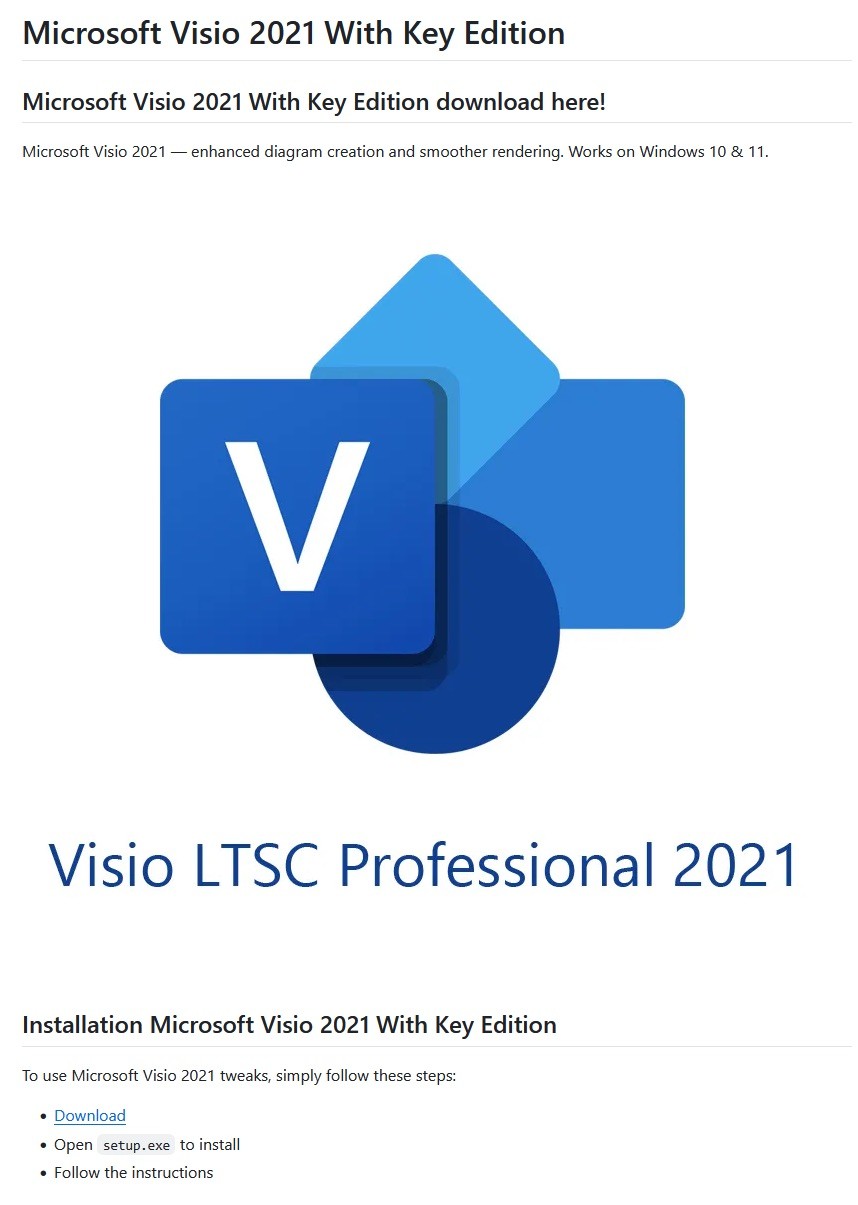
And here’s one on GitHub posing as a crack for Microsoft Visio.
A pirated version of Microsoft Visio containing the stealer, hosted on GitHub
Sometimes, however, attackers go a step further (and possibly use AI tools) to create entire fake websites that look quite professional. Without the help of a robust antivirus, the average user is unlikely to realize anything is amiss.
A fake website pretending to offer Roblox scripts
Admittedly, the cracks and software advertised on these fake sites can sometimes look a bit off. For example, here the attackers are offering a download for Half-Life 3, while at the same time claiming it’s not actually a game but some kind of “professional software solution designed for Windows”.
Malware disguised as Half-Life 3, which is also somehow “a professional software solution designed for Windows”. A lot of professionals clearly spent their best years on this software…
The truth is that both the page title and the filename are just bait. The attackers simply use popular search terms to lure users into downloading the malware. The actual file content has nothing to do with what’s advertised — inside, it’s always the same infostealer.
The site also claimed that all hosted files were scanned for viruses. When the user decides to download, say, a pirated game, the site displays a banner saying the file is being scanned by various antivirus engines. Of course, no such scanning actually takes place; the attackers are merely trying to create an illusion of trustworthiness.
The pirated file pretends to be scanned by a dozen antivirus tools
What makes Stealka dangerous
Stealka has a fairly extensive arsenal of capabilities, but its prime target is data from browsers built on the Chromium and Gecko engines. This puts over a hundred different browsers at risk, including popular ones like Chrome, Firefox, Opera, Yandex Browser, Edge, Brave, as well as many, many others.
Browsers store a huge amount of sensitive information, which attackers use to hijack accounts and continue their attacks. The main targets are autofill data, such as sign-in credentials, addresses, and payment card details. We’ve warned repeatedly that saving passwords in your browser is risky — attackers can extract them in seconds. Cookies and session tokens are perhaps even more valuable to hackers, as they can allow criminals to bypass two-factor authentication and hijack accounts without entering the password.
The story doesn’t end with the account hack. Attackers use these compromised accounts to spread the malware further. For example, we discovered the stealer in a GTAV mod posted on a dedicated site by an account that had previously been compromised.
Beyond stealing browser data, Stealka also targets the settings and databases of 115browser extensions for crypto wallets, password managers, and 2FA services. Here are some of the most popular extensions now at risk:
Finally, the stealer also downloads local settings, account data, and service files from a wide variety of applications:
Crypto wallets. Wallet configurations may contain encrypted private keys, seed-phrase data, wallet file paths, and encryption parameters. That’s enough to at least make an attempt at stealing your cryptocurrency. At risk are 80 wallet applications, including Binance, Bitcoin, BitcoinABC, Dogecoin, Ethereum, Exodus, Mincoin, MyCrypto, MyMonero, Monero, Nexus, Novacoin, Solar, and many others.
Messaging apps. Messaging app service files store account data, device identifiers, authentication tokens, and the encryption parameters for your conversations. In theory, a malicious actor could gain access to your account and read your chats. At risk are Discord, Telegram, Unigram, Pidgin, Tox, and others.
Password managers. Even if the passwords themselves are encrypted, the configuration files often contain information that makes cracking the vault significantly easier: encryption parameters, synchronization tokens, and details about the vault version and structure. At risk are 1Password, Authy, Bitwarden, KeePass, LastPass, and NordPass.
Email clients. These are where your account credentials, mail server connection settings, authentication tokens, and local copies of your emails can be found. With access to your email, an attacker will almost certainly attempt to reset passwords for your other services. At risk are Gmail Notifier Pro, Claws, Mailbird, Outlook, Postbox, The Bat!, Thunderbird, and TrulyMail.
Note-taking apps. Instead of shopping lists or late-night poetry, some users store information in their notes that has no business being there, like seed phrases or passwords. At risk are NoteFly, Notezilla, SimpleStickyNotes, and Microsoft StickyNotes.
Gaming services and clients. The local files of gaming platforms and launchers store account data, linked service information, and authentication tokens. At risk are Steam, Roblox, Intent Launcher, Lunar Client, TLauncher, Feather Client, Meteor Client, Impact Client, Badlion Client, and WinAuth for battle.net.
VPN clients. By gaining access to configuration files, attackers can hijack the victim’s VPN account to mask their own malicious activities. At risk are AzireVPN, OpenVPN, ProtonVPN, Surfshark, and WindscribeVPN.
That’s an extensive list — and we haven’t even named all of them! In addition to local files, this infostealer also harvests general system data: a list of installed programs, the OS version and language, username, computer hardware information, and miscellaneous settings. And as if that weren’t enough, the malware also takes screenshots.
How to protect yourself from Stealka and other infostealers
Secure your device with reliable antivirus software. Even downloading files from legitimate websites is no guarantee of safety — attackers leverage trusted platforms to distribute stealers all the time. Kaspersky Premium detects malware on your computer in time and alerts you to the threat.
Don’t store sensitive information in browsers. It’s handy — no one can argue with that. But unfortunately browsers aren’t the most secure environment for your data. Sign-in credentials, bank card details, secret notes, and other confidential information are better kept in a securely encrypted format in Kaspersky Password Manager, which is immune to the exploits used by Stealka.
Enable two-factor authentication or use backup codes wherever possible.Two-factor authentication (2FA) makes life much harder for attackers, while backup codes help you regain access to your critical accounts if compromised. Just be sure not to store backup codes in text documents, notes, or your browser. For all your backup codes and 2FA tokens, use a reliable password manager.
Curious what other stealers are out there, and what they’re capable of? Read more in our other posts:
Brian King // Do you know what that browser plugin is doing? There’s a browser plugin for just about everything. You can find one to change the name of […]

 Login
Login