
Normal view

Received — 19 May 2026 Imperva Cyber Security Blog

Dify: When Your AI Platform Becomes the Attack Surface

Executive Summary

We identified a couple of vulnerabilities in AI automation platform Dify resulting in cross-tenant sensitive information disclosure and one-click account takeover. These findings reinforce the pattern we documented in our previous n8n blogpost: even though AI automation platforms are increasingly becoming integration hubs for complex workflows, their security posture still lags behind their rapid evolution and operational importance. 

Introduction

Dify is an open-source platform for building LLM-powered applications: agents, chatbots, and automated workflows. With over 134,000 GitHub stars and over 10 million docker pulls, it has rapidly become one of the most popular tools in the AI application space, offering both self-hosted and managed cloud deployments. 

Our research into Dify uncovered two distinct vulnerabilities that illustrate this risk: 

  1. A file handling flaw that enables one-click account takeover through a single malicious link (detailed below). 
  2. An insufficient tenant isolation issue in shared environments that exposes other users’ application source code.  

Both findings point to the same structural challenge: platforms that centralize trust must also centralize rigor in how they isolate users and handle untrusted input. 

The first issue was addressed in Dify 1.13.1. The second was fixed in the sandbox layer by moving from a shared identity to per-execution UIDs, then shipped to Dify users through the newer sandbox image bundled with 1.13.3. 

Dify did not respond to any of our disclosure messages and chose to patch silently.  

One Click to Account Takeover

The flaw lies in how Dify handles file uploads through workflow tool nodes, such as Image Downloader or Image Toolbox. 

SVG is an XML-based image format that can natively embed JavaScript, via <script> tags or event handlers on SVG elements. When a browser renders an SVG file served from a trusted origin, any embedded script executes with full access to that origin’s session context, including cookies, local storage, and API calls. 

Dify uses two subdomains: 

  • upload.dify.ai: where user-uploaded files are stored and served 
  • cloud.dify.aithe main application domain, where users authenticate and manage their workflows 

Critically, upload.dify.ai and cloud.dify.ai are configured as DNS aliases. From the browser’s perspective, both subdomains resolve to the same origin. This collapses the intended security boundary: a file that should have been confined to a static asset domain is instead rendered with the full privileges of the application domain. 

A malicious SVG uploaded to upload.dify.ai could simply be accessed via cloud.dify.ai, and the browser would execute its JavaScript payload as if it were part of the application itself. 

But this design wouldn’t be dangerous if access control was enforced on uploaded files. Each uploaded file receives a unique ID and is stored at a predictable path: 

https://upload.dify[.]ai/files/tools/<unique-id>/filename.svg 

However, these files are publicly accessible with no authentication and no per-user scoping (a.k.a Insecure Direct Object Reference). Anyone who knows the URL can retrieve the file. And that ID is not necessarily secret: it could leak through Referer headers or surface in shared workspace contexts. 

Therefore, in this case, the exploitation scenario was straightforward:  

  • The threat actor generates a malicious link leading to a resource in his account 
  • The resource link is shared to another user, and one click leads to account takeover. 

Eventually, Dify team fixed this first issue by overwriting the content-type of the HTTP response to “application/octet-stream”, independently from the nature of the file, represented with the args.as_attachment flag version 1.13.1.
This value triggers download instead of rendering. 

Cross-Tenant Source Disclosure in the Python Sandbox

This bug lived deeper in the stack, inside dify-sandbox, the service Dify uses to execute untrusted code. 

The failure here was particularly interesting, as it required a chain to fully leak other users’ source code on the Dify platform. 

  1. Sandboxed Python executions shared a filesystem location. 
  2. Those executions shared the same runtime identity. 
  3. The leaked artifact contained encrypted code, not plaintext. 
  4. But the “encryption” was repeating-key XOR, so ciphertext alone was often enough. 

Where the Leak Came From 

dify1

Fig. 1: Dify cross-tenant source disclosure 

The Dify monorepo only pins the sandbox image. At tag 1.13.1, Dify still shipped langgenius/dify-sandbox:0.2.12 in its compose files: 

Inside that sandbox version, the Python runner used a fixed sandbox root: 

The important detail is what happened during execution. The runner generated a temporary script under ${LIB_PATH}/tmp/<uuid>.py, which became /tmp/<uuid>.py from the Python process’s perspective after chroot. The same runner stamped every wrapper script with a single hard-coded sandbox UID: 

Three lines tell the story: 

  • Identity was fixed through static.SANDBOX_USER_UID. 
  • The wrapper script was written with os.WriteFile(…, 0755). 
  • The file lived under the shared sandbox tmp directory. 

Separate tenants executing inside the same sandbox root, under the same effective identity, with readable code artifacts left in a shared /tmp. That is the entire isolation bug. 

Our proof of concept simply sampled /tmp during execution and collected newly created files. In a shared cloud deployment, that exposed wrapper scripts belonging to other tenants running on the same sandbox host. 

The attacker-side workflow looked like this: 

dify2

What the Attacker Actually Stole

The leaked file was not the raw user script. 

Dify generated a Python wrapper that loaded a native seccomp helper, decoded a Base64 blob, decrypted it, and exec’d the result. 

The decryptor lived in the embedded prescript: 

The critical line: 

dify3

On the Go side, the matching encryption logic was just as direct: 

dify4

This looks like “encryption,” but it is really a byte-wise Vigenere cipher with a 64-byte repeating key. 

Something like that: 

dify5

Why the Encryption Broke

If Dify had used a modern authenticated cipher and never exposed the key, reading /tmp/<uuid>.py would still have been bad, but it would not immediately reveal source code. Instead, the runner: 

  • generated a random 64-byte key 
  • XORed every plaintext byte with key[i mod 64] 
  • Base64-encoded the result 
  • embedded the ciphertext in the wrapper script 

Repeating-key XOR leaks structure across every byte position modulo the key length. Once the key length is known, recovery collapses into a set of small single-byte XOR problems,  not a modern cryptanalytic challenge. 

Our PoC used exactly that property. The attack strategy: 

  1. Lock onto the real key size of 64 bytes. 
  2. Score candidate plaintext bytes for “Python-likeness.” 
  3. Slide common cribs, import , from , def main( — across the ciphertext. 
  4. Reward outputs that decode as UTF-8, contain Python tokens, and successfully parse with ast.parse. 

Workflow code is highly structured plaintext: full of repeated syntax, imports, identifiers, indentation, JSON handling, and predictable scaffolding. Even when the exact business logic is unknown, the shape of Python source gives the attacker enough signal to recover key bytes and reconstruct the rest. 

The sandbox did not need to leak the key. The ciphertext was enough.

A reduced version of the recovery logic:

dify6

The real PoC is more careful, including crib dragging, UTF-8 heuristics, Python-token scoring, AST validation, and more. 

Why This Was Recoverable in Practice

Three properties made the attack reliable. 

Fixed key size. The vulnerable runner hard-coded key_len := 64, so the PoC did not have to discover a moving target. 

Strong plaintext priors. Python source naturally contains ASCII-heavy text, repeated keywords, common import patterns, indentation and punctuation, and valid UTF-8. 

Machine-verifiable output. The PoC did not stop at “looks readable.” It strongly preferred candidates that parsed as real Python, turning recovery into a search problem with a sharp scoring function. 

How Dify Fixed It

The fix landed in dify-sandbox 0.2.13: 

The patched runner changed the trust boundary in the right place: 

The important changes: 

  • uid, err := AcquireUID(ctx) 
  • The wrapper was written with os.WriteFile(…, 0600). 
  • The file was reassigned with syscall.Chown(…, uid, …). 
  • The embedded prescript stopped using the single global sandbox UID and used the per-run UID instead. 

This matters more than any cryptographic tweak. Before the fix, every execution looked like the same sandbox user. After the fix, each execution got its own identity and its own readable artifact set. 

Dify did not “fix the encryption.” It fixed the isolation boundary. 

The Impact

  • One-click account takeover: The attacker acts as the victim: modifying workflows, changing settings, inviting collaborators. 
  • Workflow theft: Private workflows (often encoding proprietary business logic, integration architecture, and prompt engineering) become fully accessible. 
  • Credential exfiltration: API keys, OAuth tokens, and model configurations stored in Dify can be extracted, enabling lateral movement into every connected external service. 
  • Full instance compromise: If the victim is an administrator, the attacker gains control of the entire Dify deployment and every integration it orchestrates. 

Conclusion

Both vulnerabilities we found in Dify stem from the same oversight: security controls that weren’t designed to keep pace with the platform’s feature growth. As these tools add collaboration, file sharing, and multi-tenant environments, each new surface needs to be hardened with the same rigor as the core application. 

What makes this particularly relevant for security teams is the open-source model: Dify is widely self-hosted, meaning unpatched instances may persist long after fixes are released. Organizations running Dify (in any configuration) should verify they are on v1.13.1 or later. 

Timeline

  • January 14, 2026: initial disclosure sent 
  • March 17, 2026: Dify 1.13.1 released, addressing the first issue 
  • March 19, 2026: dify-sandbox 0.2.13 released with UID-based tenant isolation 
  • March 20, 2026: follow-up sandbox patch stabilizes the UID-based design inside the chroot 
  • March 25, 2026: Dify 1.13.3 released, bundling the fixed sandbox at 0.2.14 

The post Dify: When Your AI Platform Becomes the Attack Surface appeared first on Blog.
CVE-2026-42945: Imperva Customers Protected Against Critical NGINX Rewrite Module Vulnerability

TL;DR: Researchers recently disclosed CVE-2026-42945, a critical heap-based buffer overflow vulnerability affecting both NGINX Open Source and NGINX Plus. The flaw exists within the ngx_http_rewrite_module component and can allow unauthenticated attackers to trigger denial-of-service conditions and potentially achieve remote code execution (RCE) using specially crafted HTTP requests.

Imperva Threat Research Group analyzed the vulnerability and associated exploitation techniques. Imperva customers using Cloud WAF or On-Prem WAF are protected against attack attempts targeting this issue.

The Vulnerability

CVE-2026-42945 is a heap-based buffer overflow vulnerability in the ngx_http_rewrite_module component of NGINX Open Source and NGINX Plus. The issue, nicknamed NGINX Rift, occurs when specific rewrite-rule patterns are processed using unnamed Perl-Compatible Regular Expression (PCRE) capture groups such as $1 or $2, combined with replacement strings containing a question mark (?) and followed by additional rewrite, if, or set directives.

Under vulnerable conditions, specially crafted HTTP requests can trigger heap corruption within the NGINX worker process. Public research indicates this can reliably cause worker crashes and denial-of-service conditions, while some researchers also demonstrated potential paths toward remote code execution under favorable memory-layout conditions.

The vulnerability was discovered through autonomous analysis of the NGINX codebase and reportedly remained dormant for nearly two decades. Researchers described the issue as arising from a state mismatch in rewrite processing logic that ultimately results in unsafe memory handling during URI rewriting operations.

In practical terms, an attacker sends a crafted HTTP request designed to reach a vulnerable rewrite rule. During processing, attacker-controlled URI data can overflow allocated heap memory inside the worker process. Depending on the target environment and mitigations such as ASLR, exploitation may result in:

  • Worker process crashes
  • Repeated restart loops
  • Application-layer denial of service
  • Potential remote code execution within the NGINX worker context

The flaw affects:

  • NGINX Open Source versions 0.6.27 through 1.30.0
  • NGINX Plus R32 through R36

Patched releases include:

  • NGINX Open Source 1.30.1 and 1.31.0+
  • NGINX Plus R32 P6 and R36 P4

Because rewrite directives are extremely common in real-world NGINX deployments, particularly in reverse proxies, API gateways, load balancers, authentication flows, and URL routing logic, exposure may extend across a substantial portion of internet-facing infrastructure. NGINX was the most widely deployed web server on the internet as of 2025, supporting 32.4% of all websites with known web servers, so the exposure surface is extremely broad across enterprise, cloud, SaaS, and e-commerce environments.

Some of the techniques associated with exploitation include:

  • Crafted HTTP requests targeting vulnerable rewrite rules
  • Abuse of unnamed PCRE capture groups ($1, $2)
  • Heap corruption via malformed URI rewriting operations
  • Application-layer denial of service through worker crashes
  • Potential memory manipulation leading to remote code execution
  • Automated internet-wide scanning for exposed NGINX deployments

Unlike traditional volumetric DDoS attacks, exploitation of CVE-2026-42945 targets the application processing layer directly, allowing attackers to disrupt services using relatively small numbers of malicious requests.

Bottom Line

CVE-2026-42945 demonstrates how long-lived vulnerabilities in foundational internet infrastructure can remain undiscovered for years while silently exposing a massive attack surface. By abusing rewrite-processing logic inside ngx_http_rewrite_module, attackers can trigger heap corruption using crafted HTTP requests, leading to denial-of-service conditions and potentially remote code execution.

Because NGINX is deeply embedded within modern web infrastructure, including reverse proxies, API gateways, SaaS applications, and cloud environments, organizations should prioritize patching affected systems immediately and review rewrite-rule configurations for vulnerable patterns involving unnamed PCRE captures.

Imperva Cloud WAF and On-Prem WAF customers are protected against related attack activity.

The post CVE-2026-42945: Imperva Customers Protected Against Critical NGINX Rewrite Module Vulnerability appeared first on Blog.

Using Bedrock with Claude Code? Your AWS Credentials Are Shared With Every Subprocess

14 May 2026 at 17:00

Many developers today are using Claude Code, with a growing portion running it through Amazon Bedrock. For enterprise teams, Bedrock offers major advantages: keeping data inside a VPC, leveraging AWS credits, and integrating with existing IAM controls, monitoring, and security policies. Bedrock adoption also grows significantly among larger organizations and enterprise environments – but this setup can also introduce security risks or unintended configuration mistakes in real-world usage. 

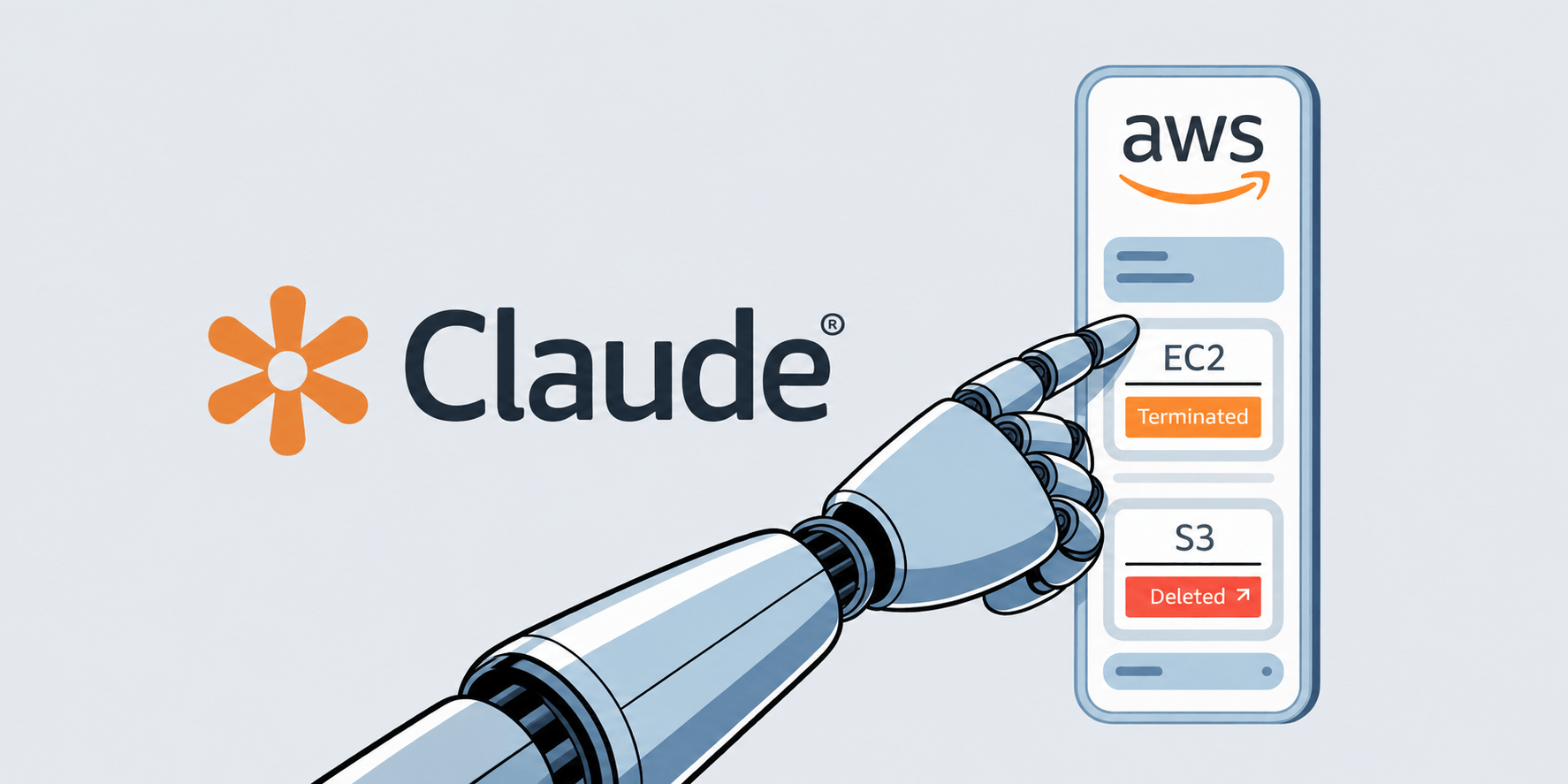
If you’re running Claude Code with AWS Bedrock, there’s something you need to know: the AWS credentials you configure for Bedrock don’t stay confined to Bedrock. They might be shared with every shell command, every MCP server, and every subprocess that Claude Code spawns. And depending on how those credentials are scoped, that could mean full access to your entire AWS account. 

The Problem in a Nutshell 

When you set up Claude Code for Bedrock, you store your AWS credentials in ~/.claude/settings.json: 

{ 
   "env": { 
     "AWS_ACCESS_KEY_ID": "...", 
     "AWS_SECRET_ACCESS_KEY": "...", 
     "AWS_DEFAULT_REGION": "us-east-1", 
     "CLAUDE_CODE_USE_BEDROCK": "1" 
   } 
} 

These environment variables get loaded into the Claude Code process. So far, so normal. The issue is that Unix processes inherit environment variables from their parent. Every time Claude Code runs a shell command, spawns an MCP server, or launches any subprocess, those child processes get your AWS credentials too. 

That means any AWS CLI command executed through Claude Code authenticates as your IAM principal. Not just for Bedrock, but for everything that principal has permissions to do. 

How This Goes Wrong in Practice 

The security boundary here is entirely on the IAM policy side, Claude Code itself applies no restriction. If your IAM user only has `AmazonBedrockLimitedAccess`, the blast radius is minimal. But in practice, credentials often have broader permissions than intended. None of the scenarios below require an attacker or a sophisticated exploit, they’re everyday mistakes that happen when AWS credentials are broader than they need to be. 

  1. Reusing your everyday IAM user

You already have an IAM user you use for daily development, like deploying lambdas, reading S3, or managing EC2 instances. Instead of creating a dedicated user for Claude Code, you drop those same credentials into settings.json because it’s faster. Now Claude Code has access to everything you do: production databases, customer data in S3, IAM itself. You meant to give it Bedrock access, but you actually gave it your entire AWS footprint. 

  1. Operating on the wrong environment

You’re working on a staging project, but the credentials in settings.json belong to your production account. You ask Claude Code to “delete the old test data from S3” or “terminate the idle instances.” Claude Code generates the right AWS CLI commands for the task, but runs them against production. There’s no visual indicator in Claude Code telling you which AWS account or environment is active. The approval prompt shows aws s3 rm, and you click accept because the command looks correct for what you asked. 

  1. Permissions drifting over time

You start with a tightly scoped IAM user for Bedrock only. Months later, someone on your team attaches AmazonS3ReadOnlyAccess for a one-off migration script and forgets to remove it. Then PowerUserAccess gets added during an incident for quick debugging. The Claude Code credentials silently gain more power over time, and nobody audits what it can actually do because “it’s just the Bedrock user.” 

  1. Shared credentials across a team

A team lead sets up an IAM user for Claude Code and shares the credentials in a wiki or Slack channel for the team to use. Now multiple developers are running Claude Code with the same identity. There’s no way to distinguish who did what in CloudTrail logs. If one developer’s session is compromised through prompt injection, the blast radius covers everyone using those credentials, and attribution is impossible. 

The Attack Scenarios 

This isn’t just a theoretical concern. There are several realistic ways this can go wrong: 

Accidental over-provisioning is the most likely scenario. A developer uses Claude Code normally, unaware that a “clean up old files” prompt could generate AWS CLI commands touching production S3 buckets or EC2 instances. 

Prompt injection is more targeted. An attacker plants malicious instructions in a repository file: a README, a config file, a code comment. When Claude Code reads the file, the injected instruction can influence it to generate AWS CLI commands that exfiltrate data or create backdoor access keys. The user sees an approval prompt but might not catch the malicious intent among legitimate-looking operations. 

Compromised MCP servers inherit the full environment as subprocesses. A malicious or supply-chain-compromised MCP server can silently make AWS API calls using your credentials. 

What You Should Do 

Scope your credentials tightly. The IAM user or role you configure for Claude Code should have the absolute minimum permissions needed, ideally only bedrock:InvokeModel* and related Bedrock actions. Audit what’s attached right now. You might be surprised. 

Consider using Bedrock API keys instead of IAM credentials. Claude Code supports AWS_BEARER_TOKEN_BEDROCK, which is inherently scoped to Bedrock operations. API keys can’t be used by the AWS CLI for non-Bedrock operations. This is the most effective mitigation available today and requires no infrastructure changes. 

Use temporary credentials. If you must use IAM credentials, prefer STS temporary credentials or SSO-based authentication over long-lived access keys. They at least limit the exposure window. 

Pay attention to shell command approval prompts. When Claude Code asks permission to run a command –  read it. Look for aws CLI commands that access services beyond what you’d expect. If you see aws s3aws ec2aws iam, or similar, think about whether that’s something you intended to allow. 

Audit your settings.json. Run aws sts get-caller-identity with the configured credentials and check what policies are attached to that principal. If the answer is anything broader than Bedrock access, tighten it. 

The Bigger Picture 

This is a classic example of the principle of least privilege being violated through environment inheritance, a well-understood Unix behavior that becomes a security issue when credentials meant for one purpose are implicitly available for all purposes. 

Claude Code’s shell command approval prompt provides some protection, but it’s a thin layer. Users lack context about which AWS credentials are active and what permissions they grant. Approval fatigue, the tendency to reflexively accept prompts after seeing enough of them, further erodes this safeguard. 

The ideal fix would be credential isolation: Bedrock credentials should be internal to Claude Code and never exposed to shell subprocesses through environment variables. Until that happens, and according to Anthropic, the responsibility falls on you to ensure your credentials are scoped as narrowly as possible. 

The post Using Bedrock with Claude Code? Your AWS Credentials Are Shared With Every Subprocess appeared first on Blog.

❌